Leaderboard




Popular Content
Showing content with the highest reputation on 12/29/22 in all areas
-
Emby Plugin to mute "bad words".3 points
-
Emby for LG 1.0.37 features Intro Skip, Lyrics & RTL Support Embedded Lyrics Support for Music Files Emby now supports display of musical lyrics you provide. This doesn't require modifying your actual music tracks but is done using a text file residing next to the track! You can quickly and easily use a tool such as MediaHumon Lyrics Finder that makes quick work of adding Lyrics to your existing content. Rescan your music library and have this: This is a great new feature that's easy to implement, uses hardly any storage space (text files) and gives you great results! (first icon bottom left) Audio now playing screen The above picture shows one view of our new audio Now Playing Screens. Here's another version of the same screen without the lyrics showing your current queue: Save Time with Emby's Intro Skip New to LG 1.0.37 is the ability to skip TV Show Episode Introductions segments. This allows you to jump right to the start of the action, saving a great deal of time allowing you to quickly get to the good stuff! Combine Into Skip with Automatic Play Next Episode for a superior binge-watching experience! Please see our blog post on Intro Skip setup and use on the server side: Configure Emby Client for Automatic or Manual Intro Skip Each client can be set to ignore TV Show Intros, automatically use Intros, or to prompt use showing a button. You can set this option in the client option's Playback Menu. Using Intro Skip With the Skip Intro button selected you can clearly see the button on the OSD immediately at the start of playback. The timeline is still at 0:00 before the show has started to play and we can already skip the introduction of the show. Clicking the Skip Intro button immediately jumps right to the start of the Episode. With the client option set to Automatically skip intros our TV show intros have been put on auto pilot. Right at the start of playback it jumps to the end of the intro right at the point of the fade in. Right to Left languages: Emby for LG 1.0.37 takes advantage of Emby Server's (4.7.6) support for right to left languages. The above two examples come from the 4.7.6 Server blog where you can read more about this. Emby for LG 1.0.37 has many fixes including: Various subtitle improvements Various video playback improvements2 points
-
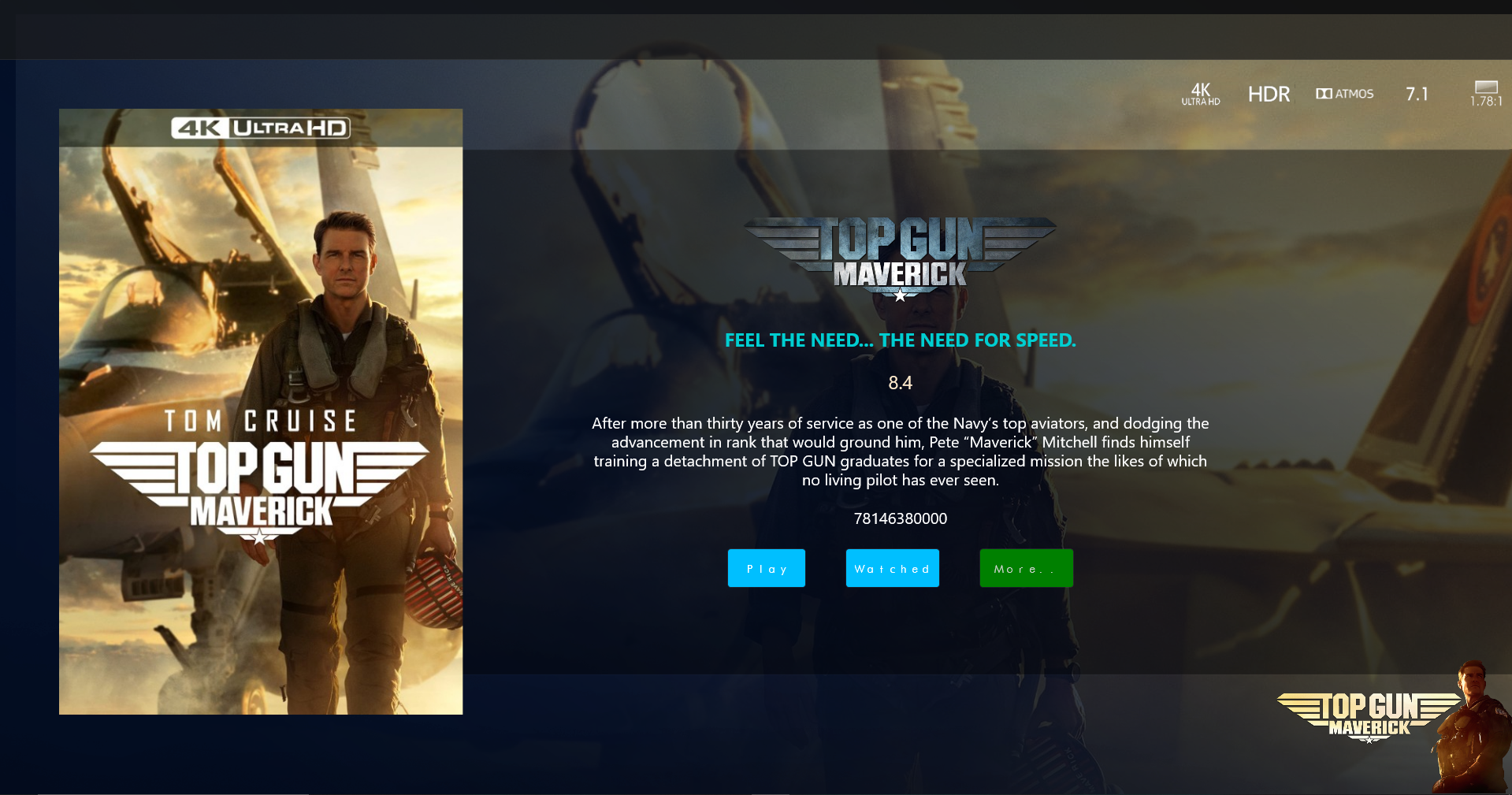
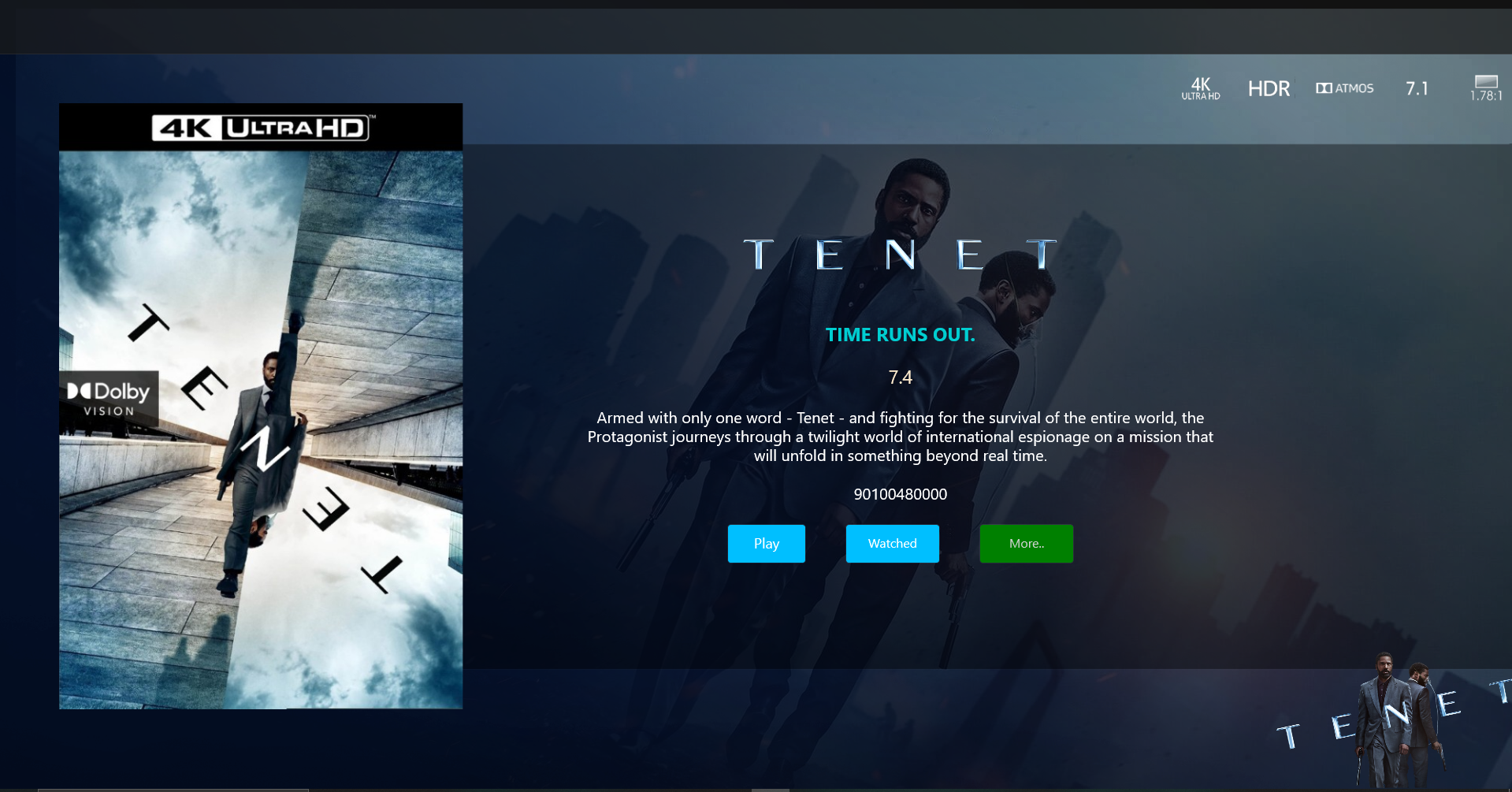
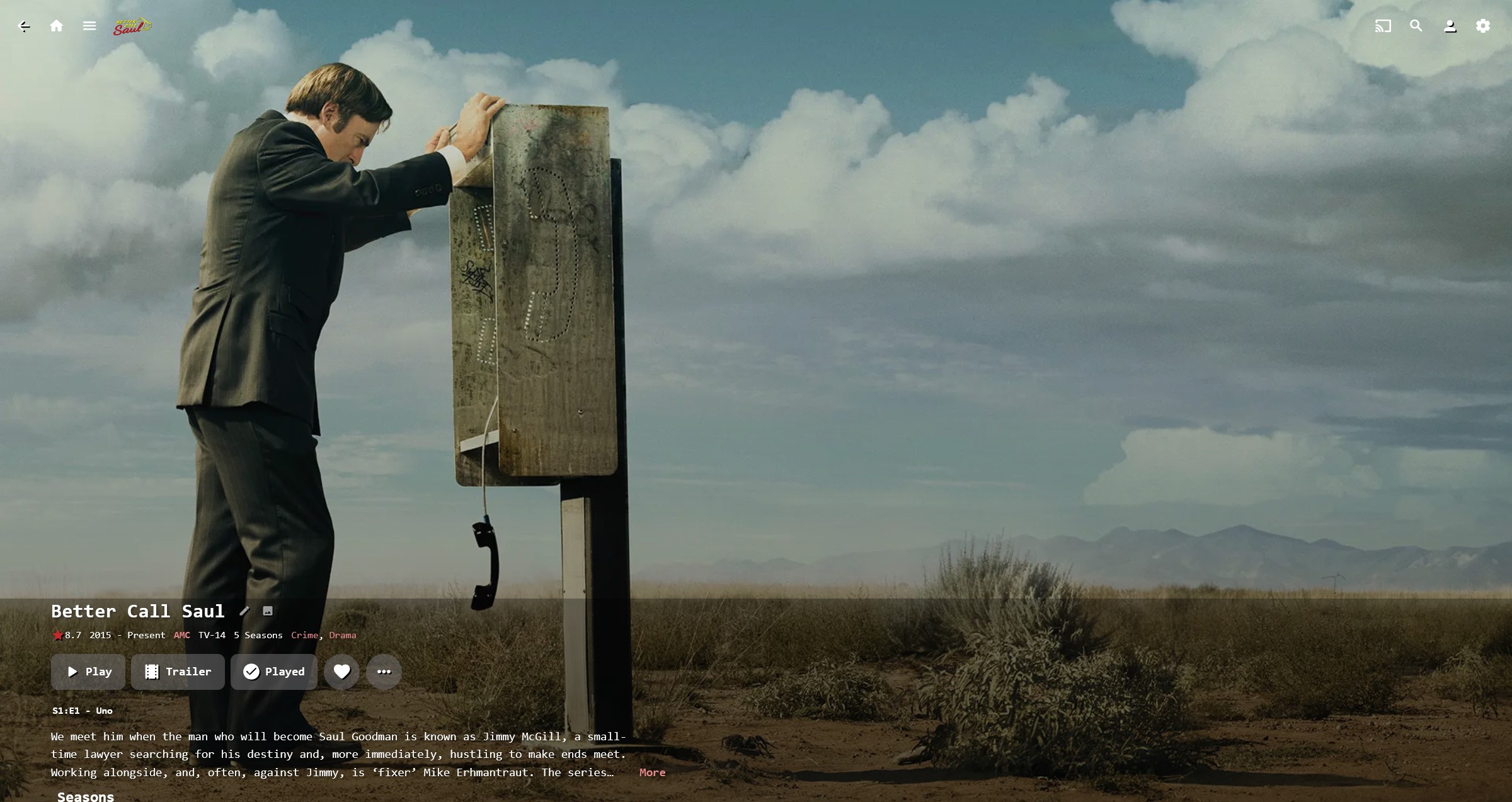
Had a wee play again today, and just about got the details landing page finished. Still need to add the top page menu, and fix the runtime ticks and add the "Ends at:" also. I will change the buttons to Icons more than likely.
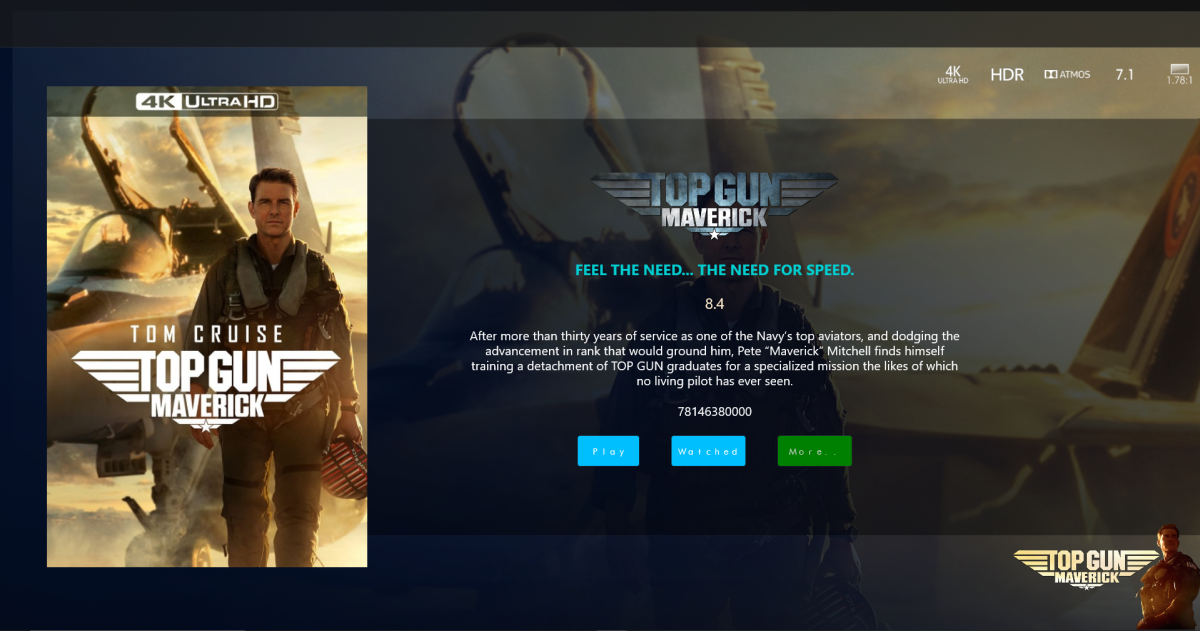
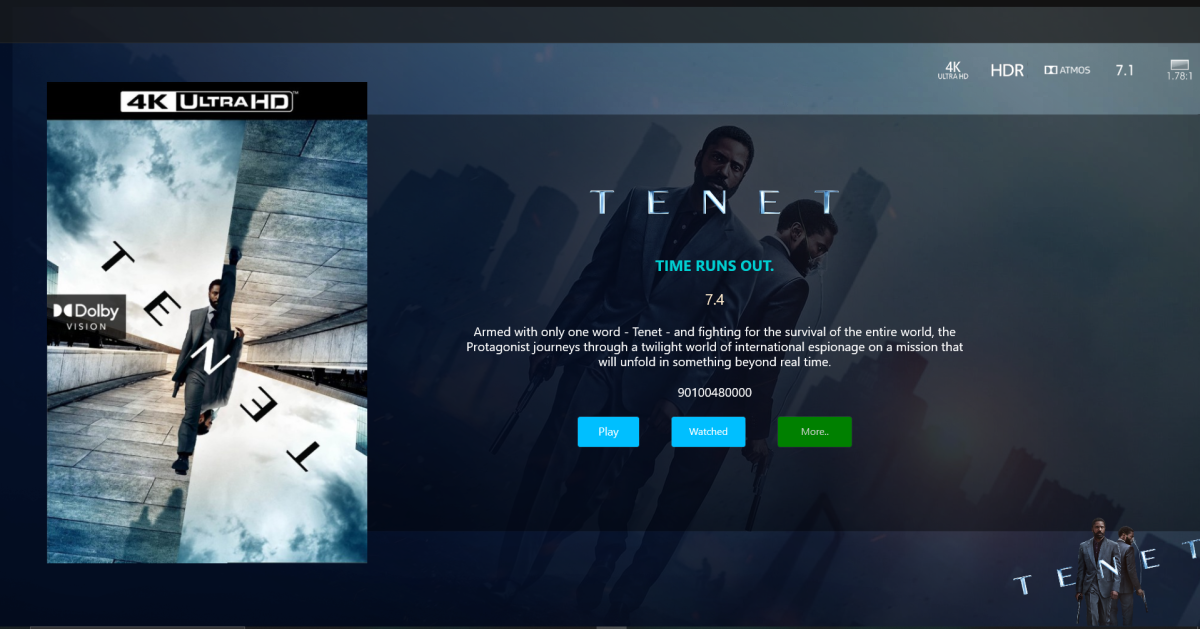 2 points
 -
Thanks All.2 points
-
You're the best!2 points
-
Indeed, since I manage to do that before I drink my first cup of coffee2 points
-
Guess CPUs will follow suit soon enough: Intel Meteor Lake Confirmed To Offer AV1 Encoding & Decoding Support2 points
-
So basically this. I have TV Shows, Movies, and Anime libraries. For anime; I'd prefer to set the default to Japanese with Subtitles. For movies, English and no subs unless forced. For TV Shows, the same. However, Emby only allows one overall setting this for this, for all libraries, instead of just one. I think it'd be a pretty nice little feature.1 point
-
It would be nice if a user's stream was continuous between devices . Example: If I am listening to music on my phone then I log into the web UI, my stream would move to the web UI. Then if I close the web UI and later in the day I open the app on my phone again, the same stream would continue. Same concept with videos...1 point
-
Hello, Perhaps I am not the first one to ask this question but it will be very cool if this feature could be implemented. I have 2 servers one at home and the other at work. ( and soon a third one...) So I have a movies library called movies on each server. I would like to see all the movies from a single 'virtual server location' when I use the app (ios or android ) where I will see only one movies library containing movies informations from the movie library at work and the movie library at home. It's an aggregation of movies informations from the movie library at work and the movie library at home. In fact when a user have multiple servers it will be perfect if another choice in the server list called "all servers" for example appears automatically with a merge of media informations from librairies with the same name on different servers.1 point
-
more details will follow
 1 point
 -
Yup that's pretty much it. But PMFileGenerator will create a EDL and a new SRT file. The new srt file contains the subtitle text for the lines that get muted out, with the undesired words replaced with asterisks. The plugin can only mute a complete srt file entry, typically a sentence, not individual words.1 point
-
Actually, I'm complementing you on your skills and the stpeed you're doing things while taking the opportunity to have a dig at the way softworkz brilliant work on Nextgen TV has been going (almost) nowhere for years.1 point
-
2 months is a long way off ? I'm not going to make any comment about the speed of next gen live tv then...1 point
-
Thanks, it’s a long way of (2 months min) because i have a crazy workload job, and a farm to run. I just need to find time1 point
-
ahhhh i get you, but thats just the covers I download for 4k, not part of coverart.1 point
-
Maui doesn’t have a justify which is what i want, but I totally agree and i will just go for standard1 point
-
From what we read in other topics that question should rather be addressed to Luke.1 point
-
Hi. Yes, you can do this in the access settings for each user.1 point
-
Hey Cheese. Just a word of advice - take it or leave it - but centered paragraphs of text can be quite challenging to read as your eye has to "hunt" for the beginning of the next line.1 point
-
Only certain My Media items can be hidden via Home Screen settings (virtual libraries, channels).1 point
-
No, I installed a GPU that supports HVEC. But I still have a problem here:1 point
-
HI, perhaps you need to configure Proxmox to pass through the gpu to Emby?1 point
-
Would it be possible to include local trailers as a category in Trailers channel, in addition to existing 4? I have 10,000+ local trailers attached to media (both Movies and TV shows) spread accross multiple libraries and getting to them is a bit of a chore, having to drill down to each library each item detail view, Trailers tab feels like a natural place to have them all simultaneously exposed to the end user.1 point
-
np.. just be nice to have a built in vpn client with emby. for now, i have been using OPENVPN to connect to my pfSense firewall and then launching EMBY. Works like a charm so I started to think if there was a built in VPN client that would be helpful. A lot these smart tvs don't allow VPNs and I get it which is at the firewall level creating the tunnel. thank you dw1 point
-
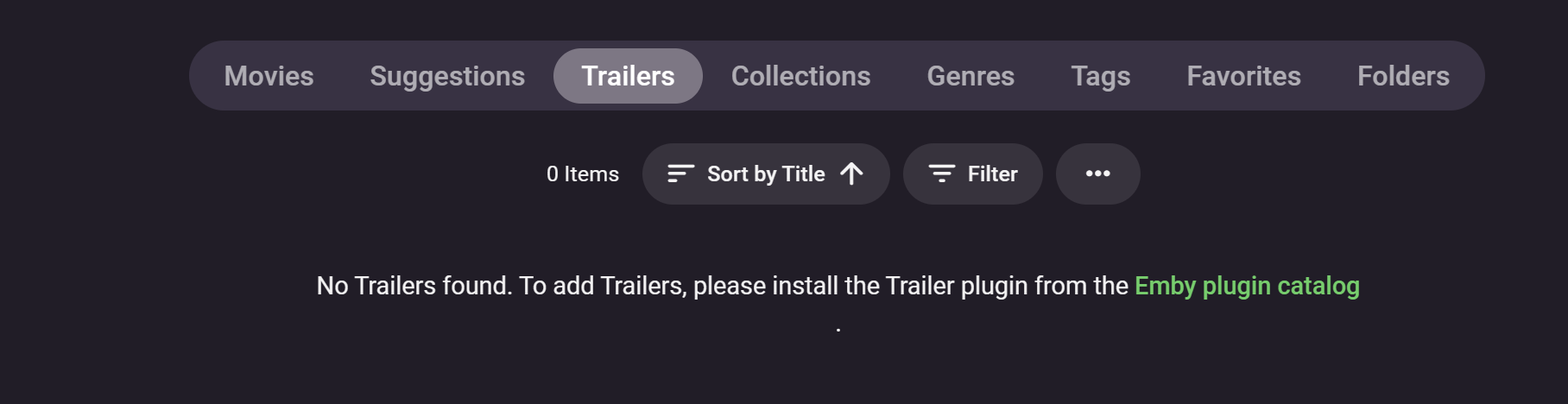
Hi Folks Is there a setting to remove Trailers from the library view? As you can see below I have no content in that view, Having a button that tells you that doesn't really add value. Thanks -vicpa
 1 point
 -
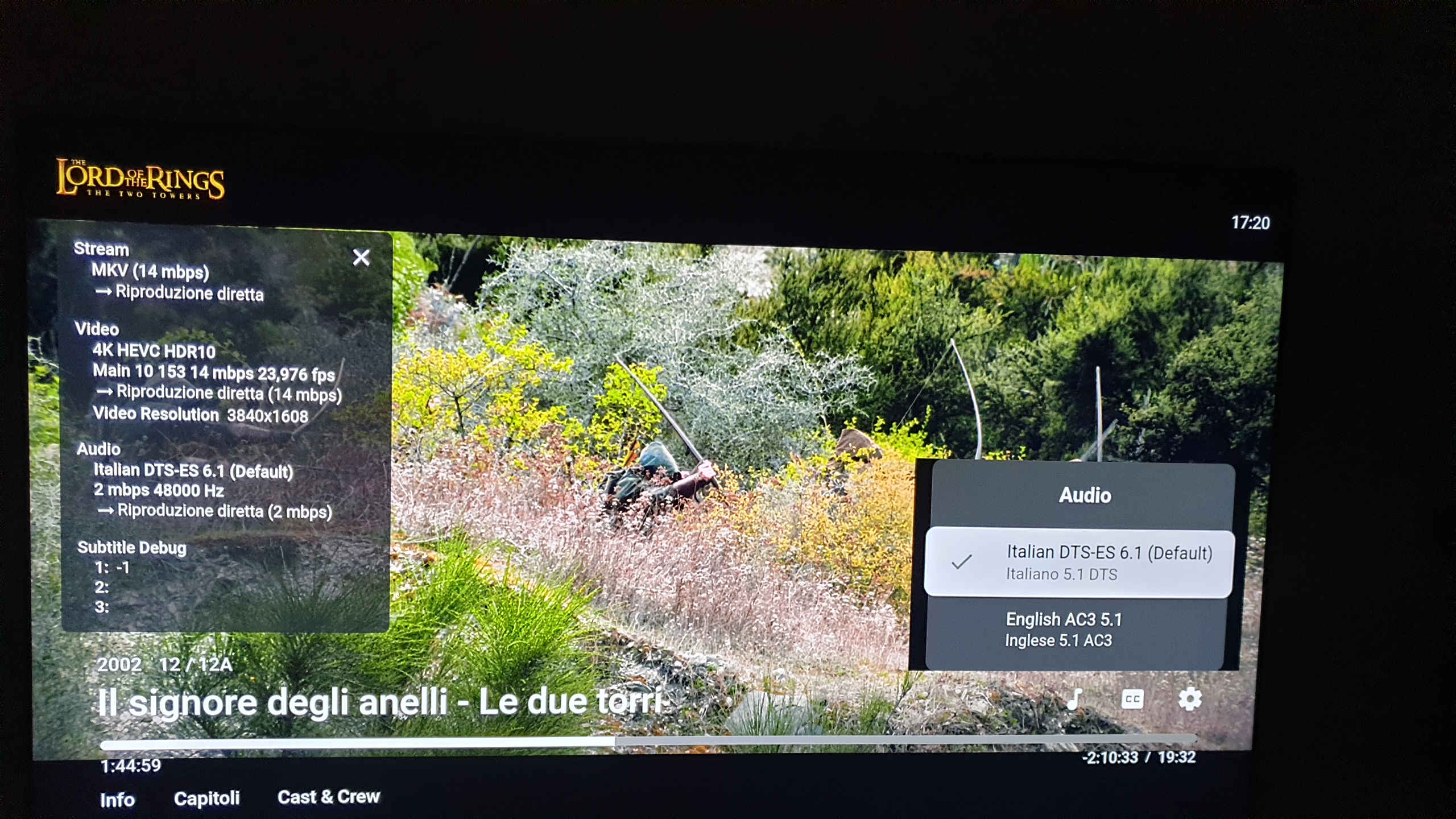
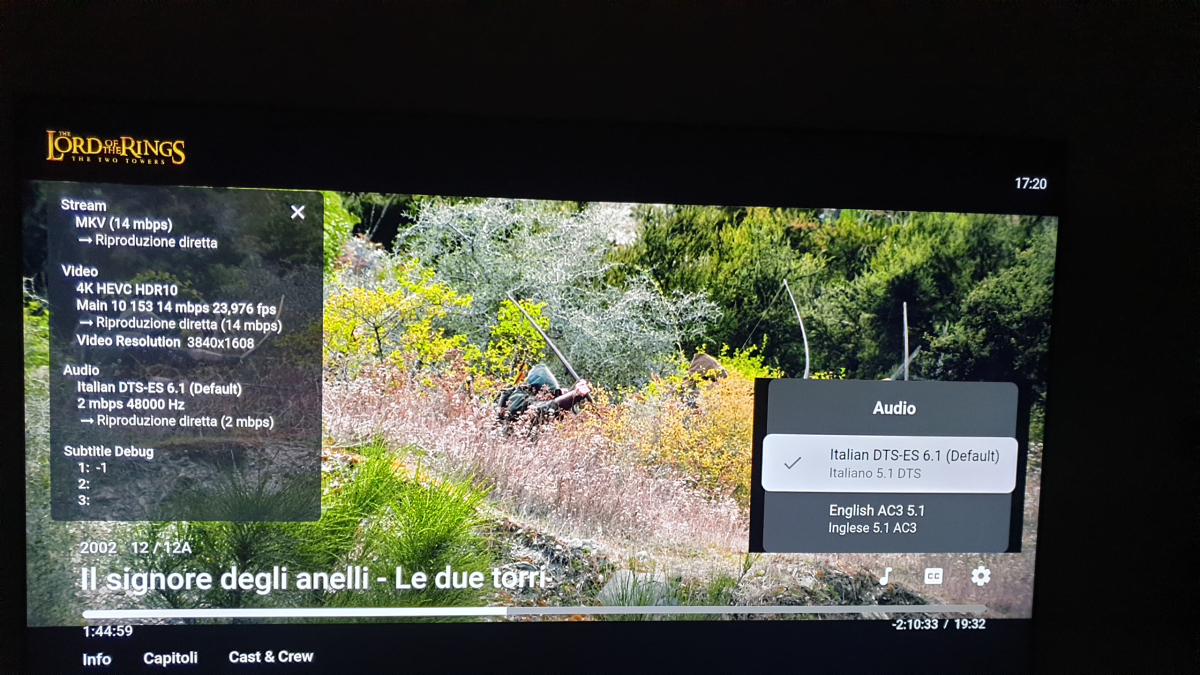
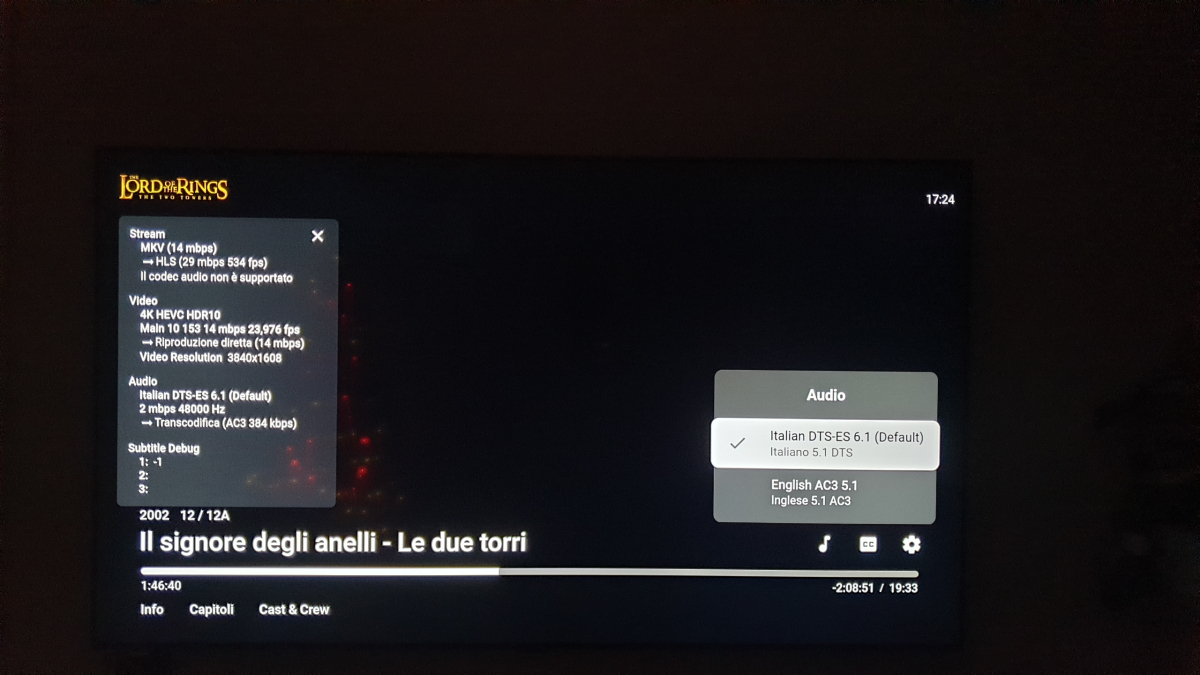
correction, I tryed another movie and without the playback feature ON the language change doesn't work. I tryed without the feature ON , only english works, and with the feuture ON , I can swap from English to Italian. The only thing I saw is that this movies is DTS while the other NO, if I remeber you asked me to test the DTS in the past test could be however ok because the Samsung not allow on tv DTS, if the transcode setting is off maybe i cannot swap the languagge in DTS following the LOG with feature playback OFF, ON , Playback off no swap Playback On swap and works ok playback feature activatedffmpeg-remux-f394355a-9c50-45f7-8c19-d86357478a12_1.txt playback feature activateffmpeg-remux-6eb7bed9-19e9-44b6-845a-34056254a8fb_1.txt
 1 point
 -
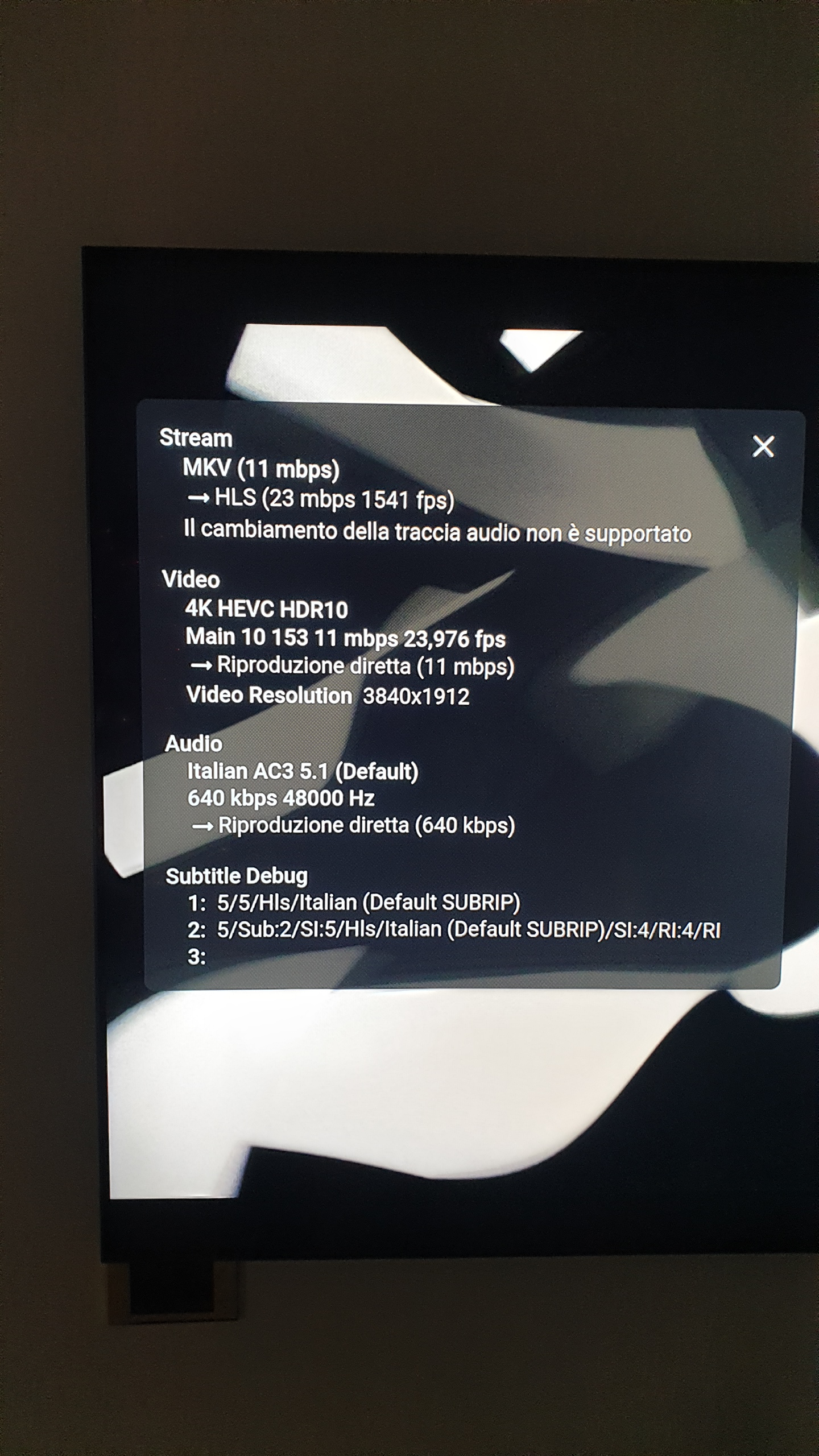
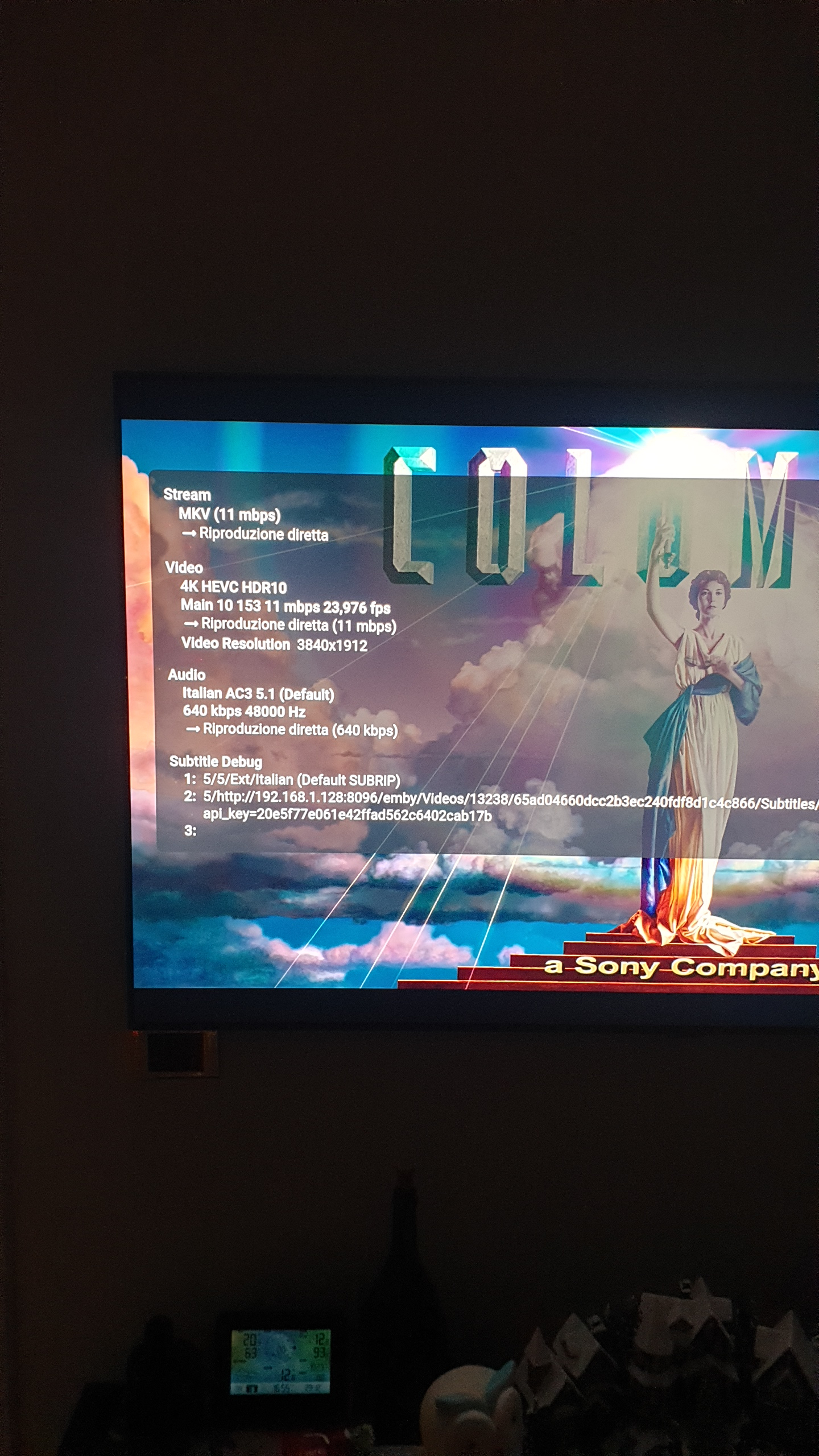
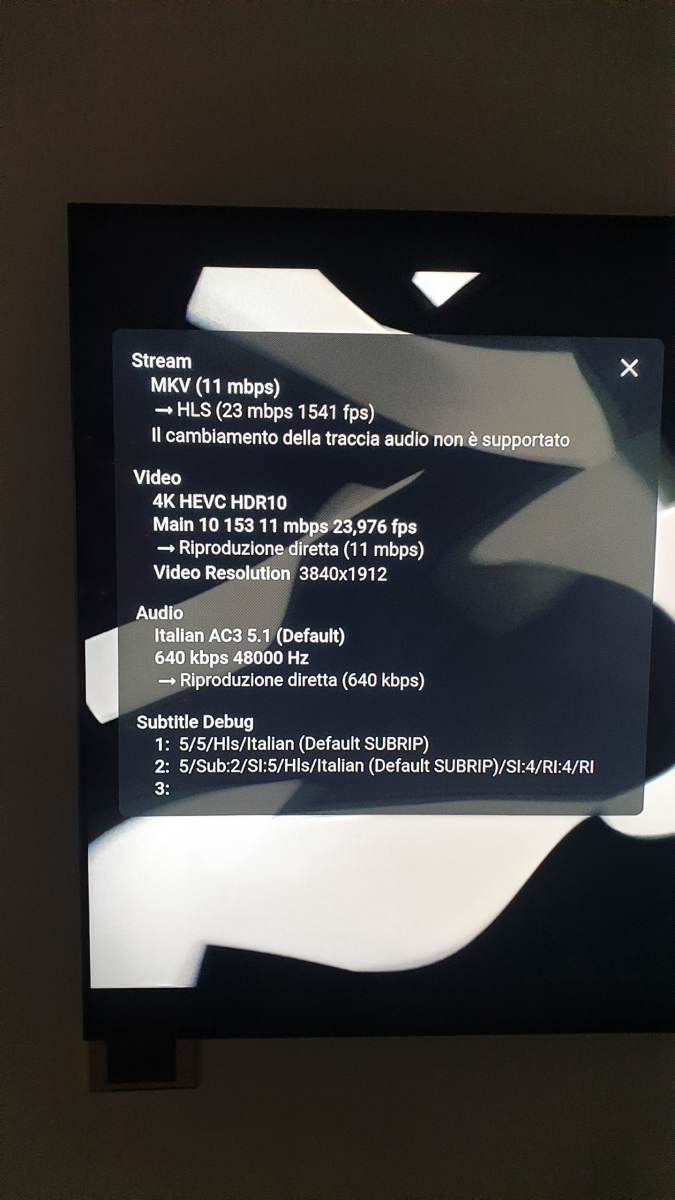
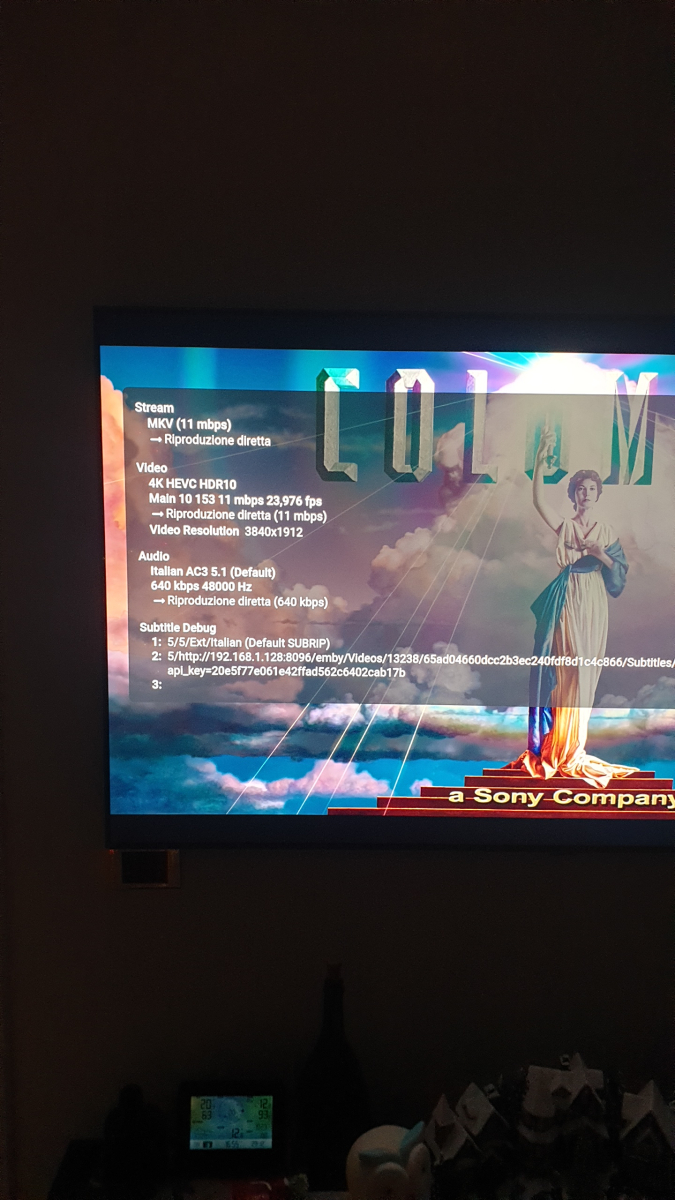
Hi Sam, test done : first log OLD TV SW and no playback changed: (file old sw no change) after I update Samsung TV FW , version 2111 changed the playback setting and tryed to change languagge on the same movies, all works fine, I'm be able to swap form italian to english and vice versa. No log generated this time , the only one I saw looking the time when I have done the second test in the emby log is this : SW changed_sett changed _embyserver.txt Following the two screenshot of the nerds stat for both the test. no change Aftwr change new sw old sw no change_ffmpeg-directstream-31def5b2-c5c2-443f-9b8c-578e348881cc_1.txt old sw no change_ffmpeg-remux-9d999e38-2aac-4b0f-82b5-870e53d2305b_1.txt SW changed_sett changed _embyserver.txt
 1 point
 -
Looks like I found a solution - in the Roku, advanced display settings - changed to auto-adjust display refresh rate. Seems to have fixed it!1 point
-
Overlooking it, I don't really needed those cronjobs. Which I stopped all together. I am just a lazy guy, and want all to be handle automatically. Fact is that with Plex, the system didn't crash for days, same amount of content... all was the same, but the cronjob that refreshed the libs in Emby. I will have a look in the logging options, maybe it helps the Emby-guys.1 point
-
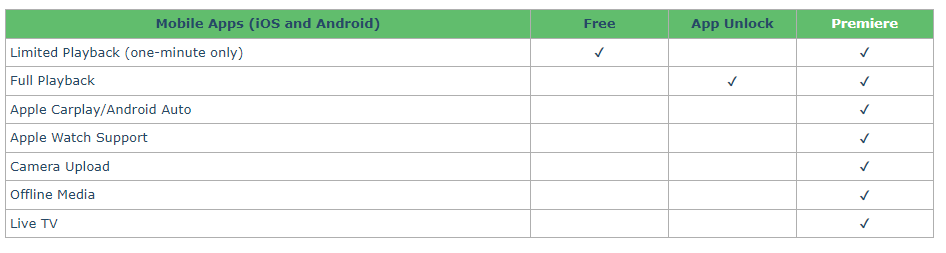
Mobile apps (both iOS and Android) require either Premiere subscription or App unlock for full playback. Emby Premiere Feature Matrix Unlocks are made per-store (i.e. Google Play, Apple App store, Amazon App store) and are tied to respective account in that store; they don't carry-over between different stores; also, unlock doesn't apply to remote playback only but to local playback as well.
 1 point
 -
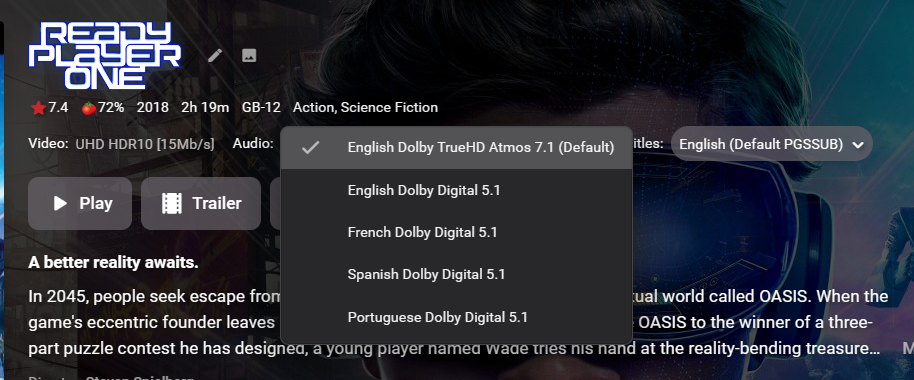
To answer this question. The plugin actually only looks for the First Track in video, audio streams of the media item. So even tho you have your atmos track named correctly, it is actually the 2nd track so VP would never choose it anyway. Which Audio Track do you have when you select the Movie? to play By that i mean selection on the detail page I could maybe check the streams that are being sent in playback manager, but i would need to get my head around that also, so wont be on the priority list. As I have other things i'm working on. I have thought about it but it's a lot of extra work for very little gain. The thing to do is delete and make a new one. for a few hours work for me (my Javascript is not good at all) against about 2mins work for the user, i decided not to do it.
 1 point
 -
Why don‘t you use the „Watch library“ Real-Time-Surveillance option in Emby ? Option is in libraries- edit 3rd from top I think.1 point
-
That's why updates should come with change logs so users can make a decision on whether any bug fixes or new features are worth losing things that have been removed. I won't be updating my app anymore. Not worth the risk and it's working well enough for my needs. I'll just put up with the glaring white everywhere.....1 point
-
I think I can reproduce the issue, still thinking this was a bug in previous versions as well (under different circumstances as I already fixed). However, I'll fix it in next version.1 point
-
Thanks Luke, I did but the section on File Stacking would lead you to believe that file stacking only works when the files you want to stack are in their own discrete folder. I have all my movies in one folder so my storage structure would appear to violate the requirements for stacking to occur (but apparently they still stack...). Also - don't get me wrong the stacking function is a nice function, I just think it is the kind of function that one might want to be able to turn on and off as the naming triggers used to activate are pretty logical I suspect that most people will create names that encroach upon the naming triggers by happenstance.1 point
-
At the same time, I've written to Abo, asking why I cannot edit posts in this specific section. We're such a good forum - nobody can say we wouldn't care about users1 point
-
1 point
-
Hi. Can you try sideloading our standard android app on the same device and see how that compares? https://emby.media/emby-for-android.html Thanks.1 point
-
Because it is a DolbyVision file and your TV probably doesn't support that. Because the Shield can downscale and output 1080 for your TV.1 point
-
Possible noblr issue?1 point
-
Thanks for the heads up, actually missed this been busy because of the holidays.... I will be on the look out in the future.1 point
-
Thank you, i shall upload some that match the codec from the details section exactly ie DTS.mkv instead of DTS 5.1.mkv1 point
-
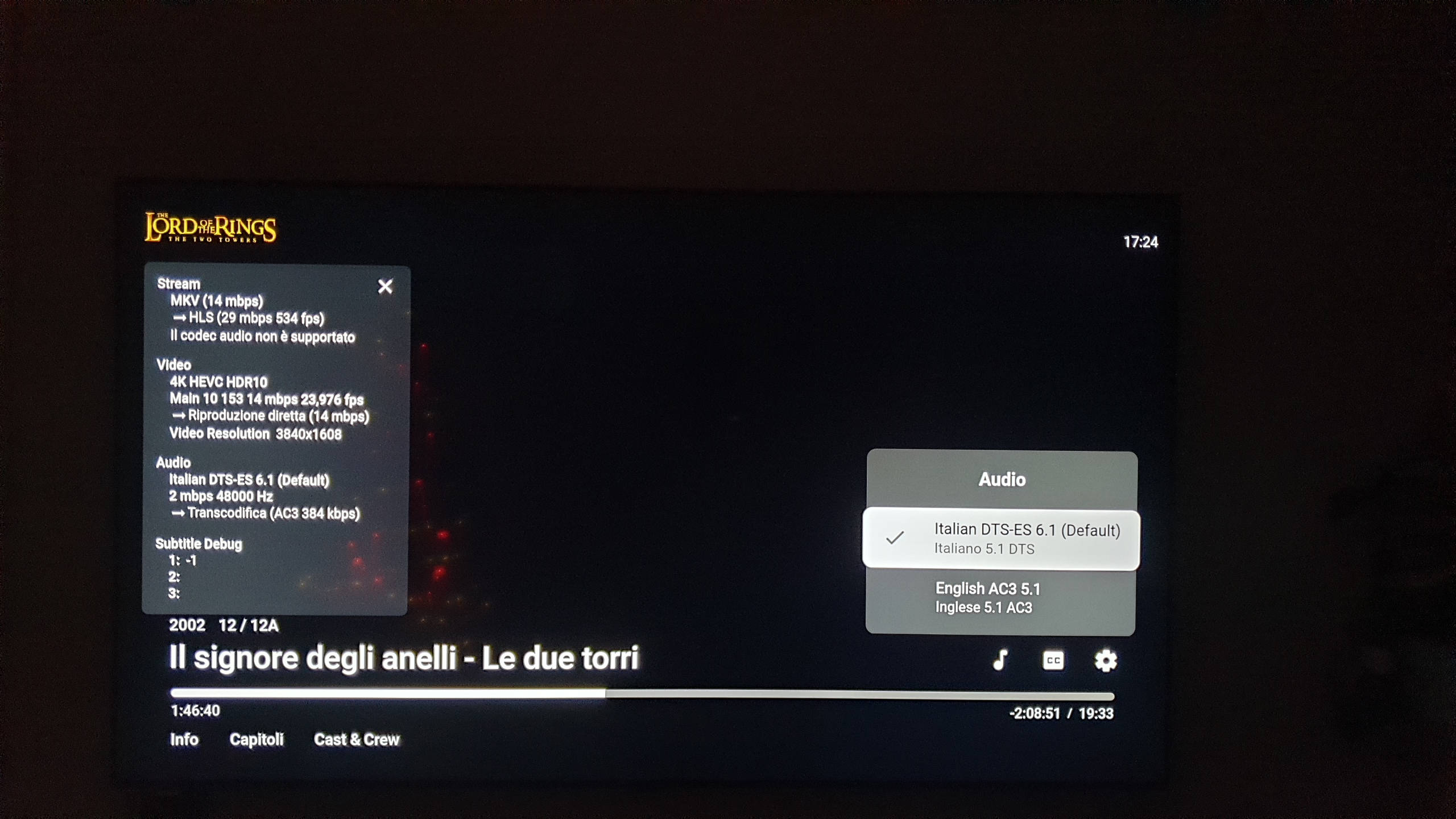
@Luke It's a very big problem with this last update. All content with HEVC/H265 (HDR or not) is transcoded if the audio codec is not supported by the LG hardware. And, on LG, the DTS, DTSMA, DTS-HD and others DTS codecs are not played by LG. Before your update, the content was played with only the audio in transcoding mode. The video was directly play by the LG Hardware. Now, all content, Video+audio are transcoded by the Emby Server. And, as i didn't have any GPU on the server for the moment, the decoding is made by the CPU. The capacity of this CPU is not enougt to permit a good playing (~15 FPS max). So, with the new update, about 50% of my 4K movies are not playable on LG TV. And for me, it's a very big problem because it's my standard since i'm using Emby, i bought a LG TV for that ! Please, can you propose a urgent update on the server side to force the video to be play directly by the LG hardware ? I know than LG did not validate any update before a long time. Thanks,1 point
-
Hi, is the certificate configured directly in Emby Server? If yes, then after you renewed your certificate you may have also needed to update the certificate file used by emby server.1 point
-
Emby for LG TV's 1.0.37 has been released. Stay tuned to the blog for the release announcement.1 point
-
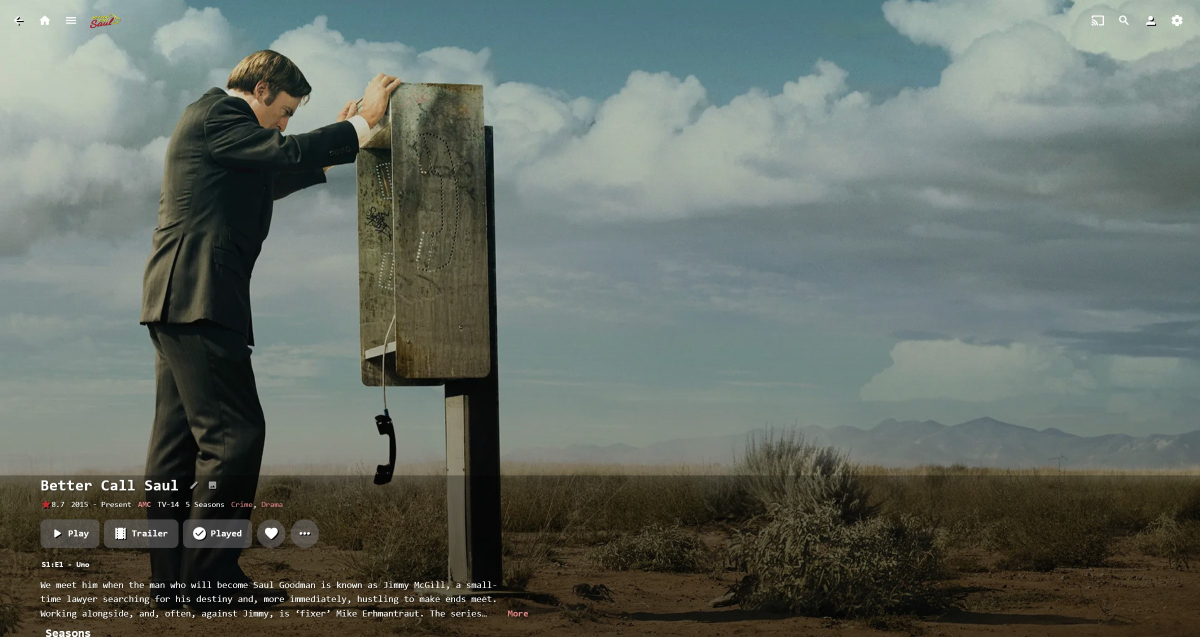
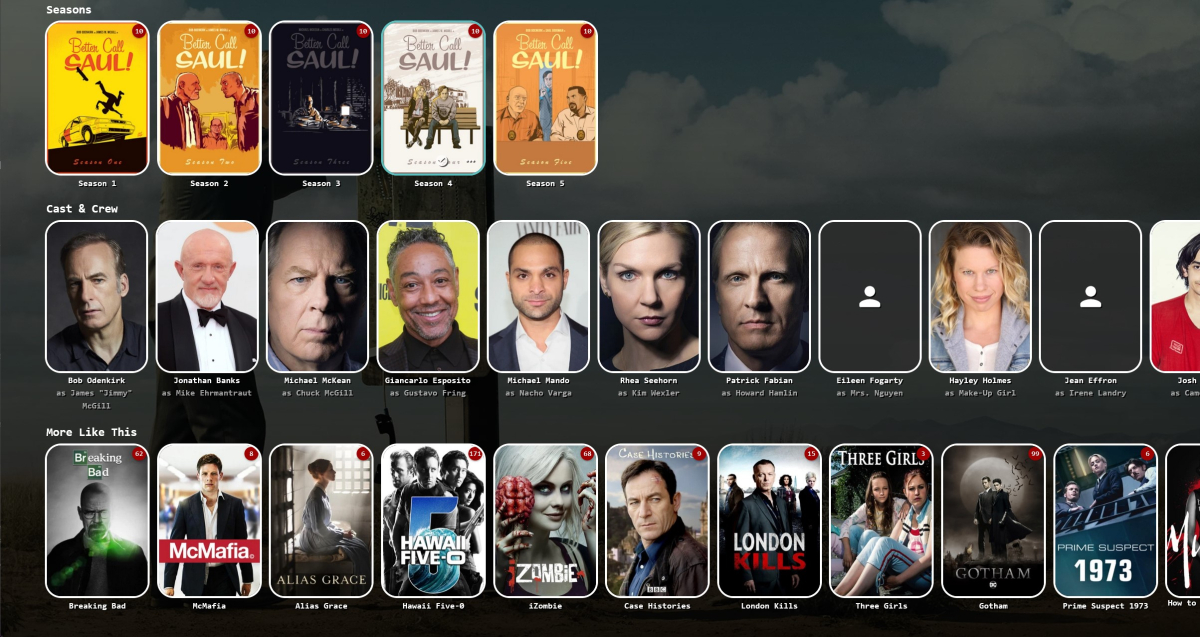
This is where we get to the people like different things thingy. I'm a big backdrops fan. Far as I'm concerned, everything else just gets in the way. so while these are from a browser, which I don't think your shots are from (?), I'd go for - and -
 1 point
 -
It's technically superior to the current implementation in every single detail. it fulfills almost all user requests in the area of Live TV that have been queued up over the years. It outperforms all competitors, it obsoletes 3rd party products and provides features that nobody has even been daring to ask for. So - yes. I'm living a dream!1 point
-
They're just words.1 point
-
Hey gang, I messed around with Emby 4.1.0.26 browser CSS today and came up with a Blackout theme. It uses Emby's standard green as the highlight color. Anyone willing to test it out in a clean stylesheet? There's areas I didn't style because those settings aren't visible to a vanilla install like advanced DLNA profile settings. I haven't browsed this thread, but looks like some very cool mods in the few images I'd seen! Will have to continue messing with it! Please share your constructive criticism. File is attached! Emby 4.1 Blackout Theme - v2.css Edit for clarity: I'm using Theme: Dark; Server Dashboard Theme: Light.1 point