Leaderboard




Popular Content
Showing content with the highest reputation on 12/25/22 in all areas
-
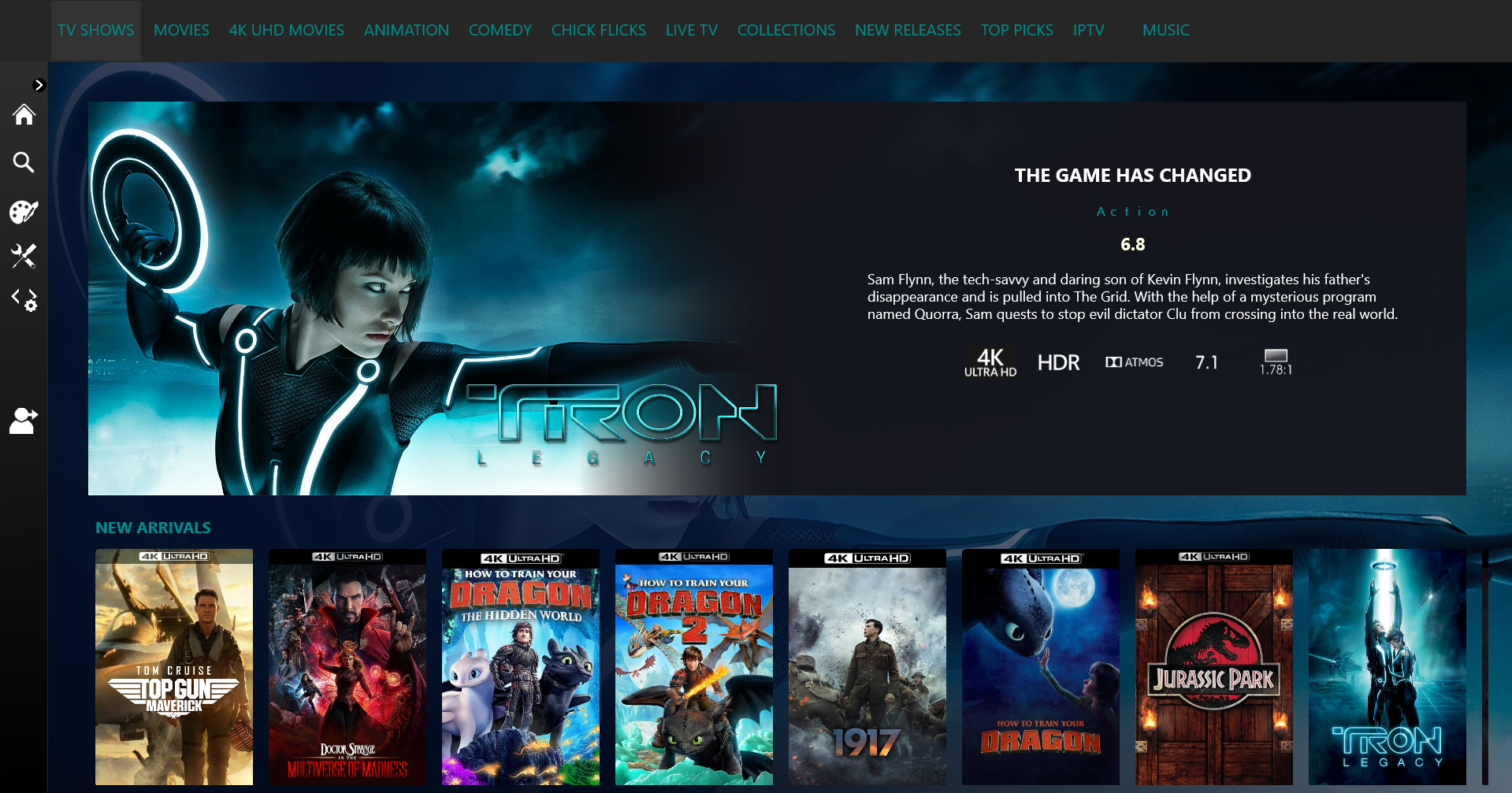
I moved from Plex to Emby and even though I think Emby is superior in its flexibility there are some things I like better with Plex, especially in terms of its looks. This theme is trying to fix that by making it a bit more similar to Plex but with some, in my opinion, improvements. The CSS is attached to this post for anyone interested and below are some screens to show it off Good to know I only use Chrome so I can't guarantee this CSS works as expected in other browsers. If you want the sidebar menu to look like in the screens, make sure to pin the sidebar. Watched badge/banderoll is inverted which means that the badge will not be shown if media have been watched, like in Plex. For desired look, please use the "Dark" theme for both Theme & Settings theme in the display settings. Emby-Stable-style-v3.6.txt





 2 points
 -
I'd really like to have 2 Factor Authentication added to the login screen. It's just this (optional) extra layer of security to help secure the server (which, especially if people use camera uploads) contains pretty private data. There are for every type of programming language quite a few libraries available, so implementation on a server shouldn't be too hard to realise1 point
-
Would be nice if there was a way we could specify the format for a season or folder. Something at the Series and or Season level where I could enter "{SeasonNum}.{EpisodeNum} - {Title}" (or similar) then Emby could convert that into the Regex it needs to get the fields and do proper processing. Then people could use what ever format they want and have each season have individual formats if needed. Added bonus, you wouldn't have to ever add more name formats for people1 point
-
Any plans to give us the ability to create custom skins? Not looking for super fancy stuff like Kodi has but most around onscreen layout. Emby's native skin is 'usable' but not the most efficient or intuitive as Kodi's native skin (left side menu, etc)1 point
-
Is it possible to have the two things split to: display in continue watching on home-screen and display as latest media. This could solve the problem of the same movie showing twice when you are using certain plugins. Also would like to maybe remove latest movies but would like to show up in continue watching.1 point
-
Emby for LG 1.0.35 has been released. We hope you enjoy the many new features of this build! Visual Timeline Seeking including Thumbnail Graphics Included in our new 1.0.35 release for LG is support for visual seeking. You can Rewind, Fast Forward or Jump to any position in the timeline quickly and easily using our new seeking. Best of all, our new seeking combined with thumbnail graphics makes it easy to pin-point the scene you want to re-watch or queue up. The above pictures shows how easy it is to find a scene you want to watch. You even get the chapter name embedded in the thumbnail picture. Speaking of which, Chapters make use of our thumbnail graphics as well with their own set of information and use of graphics. The above screenshot shows the use of Thumbnail graphics in our Chapter selector available from the easy to use OSD menu, no bull. This screen demonstrates how easy it is to view the Name, Starting Time as well as Thumbnail showing the action taking place at the start of the Chapter. Improvement to Audio On Screen Display (OSD) You can now toggle the play queue on and off, allowing you to choose between seeing the list, or just the artwork. This change makes room for additional space needed for a new user requested feature that is quite popular. New Use of Graphics Elements This release of Emby for LG uses additional graphical elements in subtle ways that sure to please. It still has the classy interface you've come to love but uses additional graphics in a modest manner giving it an elegant and refined look. The screenshots above demonstrates this with a couple simple changes from a text based titles to the graphical logos. Additional useful information is now available right in the OSD besides the chapter shown above. You can now quickly get a look at different things on TV with graphics using On Now or easily bring up a traditional Guide in grid format. These new OSD designs strike a nice balance of providing additional information while still allowing you to easily enjoy the content be watched. Of course that's not all. Emby for LG 1.0.35 has additional new features and fixes including: Better remote control and fixes for certain models Improve Performance with Large Libraries Improved Performance of Playlist Detail Screen Improved Audio Book Detail Screen Addition of a Resume Rewind Playback Option (Server version 4.7+ required) Newly added Support for A-Z Picker with Descending Order New Support for A-Z Picker when Sorting by Album or Album Artist Various Improvements for Subtitles New Options for Subtitles allowing you to set Background Color and Opacity Options for Easier Viewing1 point
-
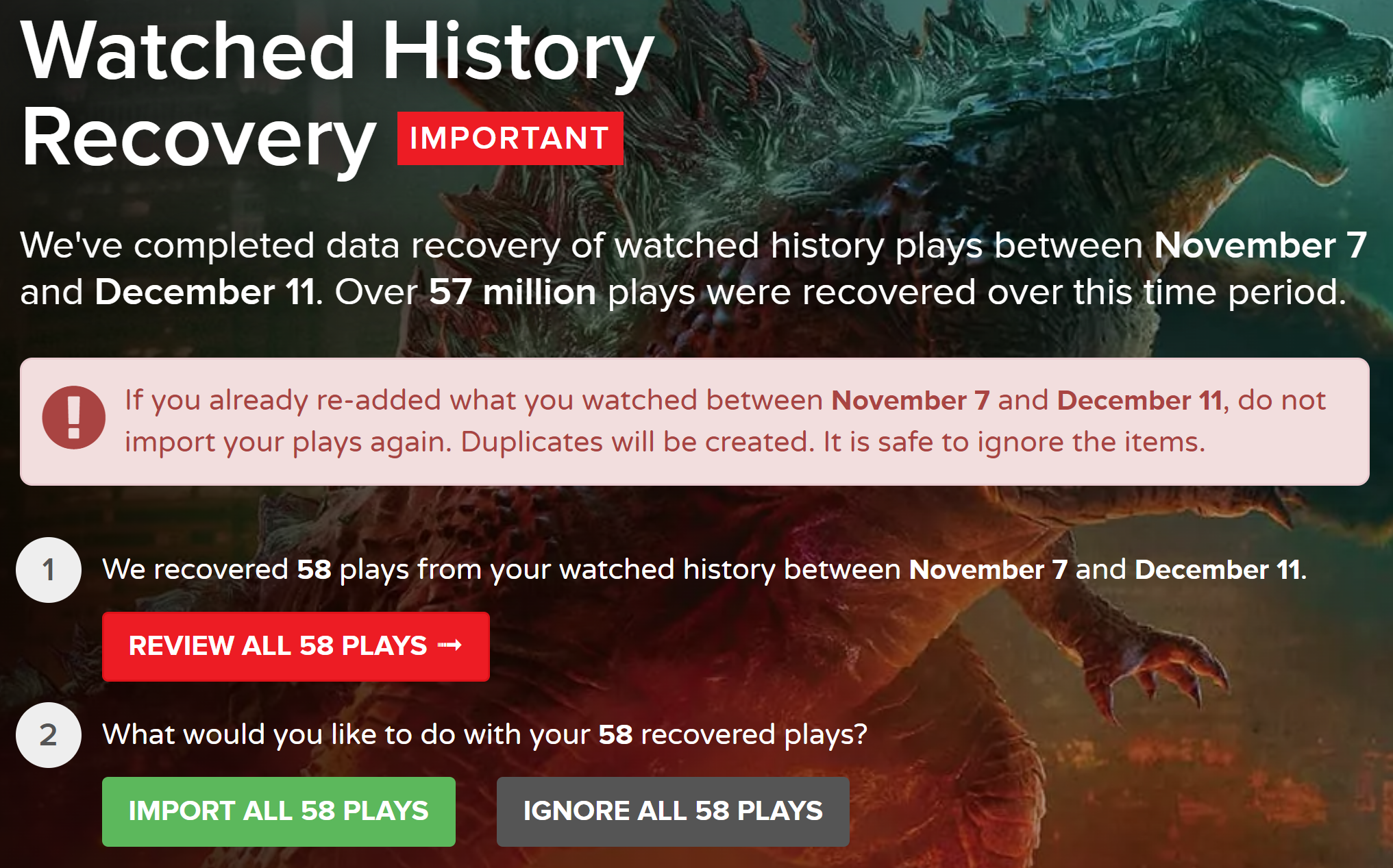
Just noting the steps to recover after the Trakt.tv Nov 7, 2022 server crash. Trakt API came back online Dec 20, 2022 1- Go to https://trakt.tv/dashboard and review and import the Recovered History which Trakt was able to save. Next I tried to run the "Sync library to trakt.tv" Scheduled task to send all remaining watched history in Emby to Trakt. But this failed. Looks like the Emby trakt plugin needs to be re-authenticated. 2- In Emby server, Plugins->Trakt->Settings Click Get Pin and copy back the displayed PIN to the Trakt plugin settings. Also make sure the "Update Trakt watched history during Scheduled Task" option is checked so that the Scheduled Task takes the Emby watched states and sends them to Trakt. Click Save at the bottom of the Trakt plugin settings page 3- Run the "Sync library to trakt" Scheduled Task 4- Emby watched states since December 11, 2022 should have been sent to trakt. Go check https://trakt.tv/users/USERNAME/history to confirm.
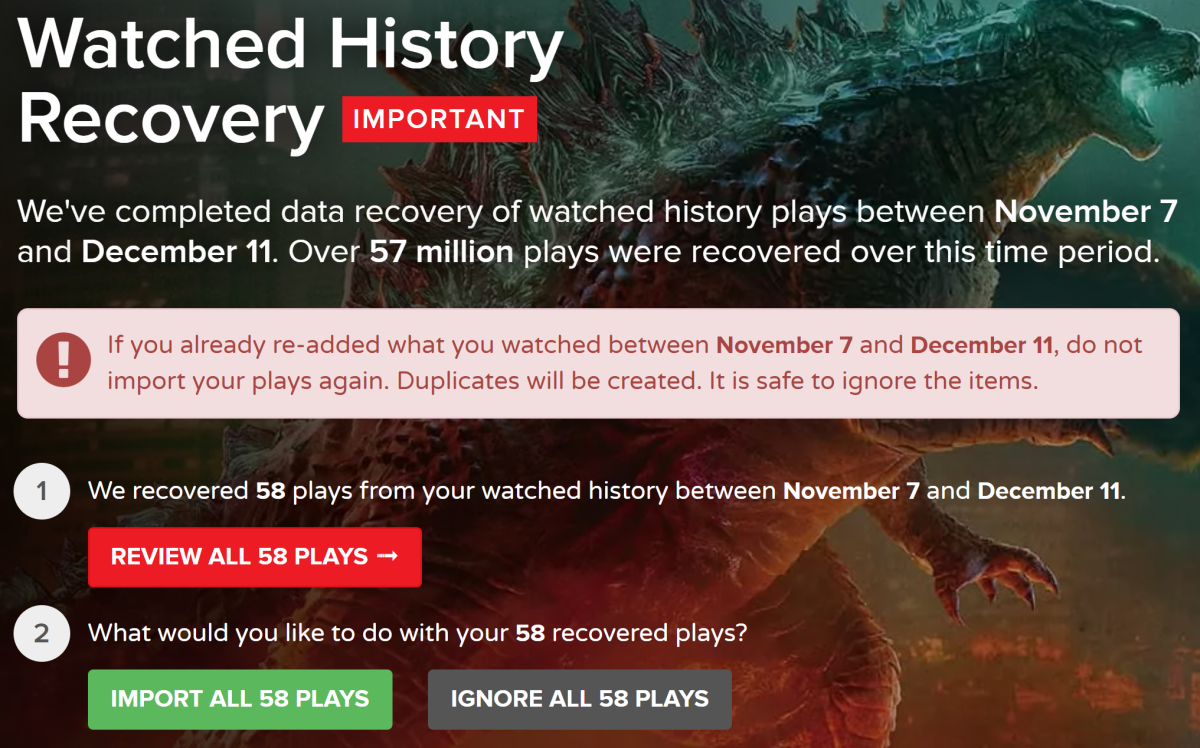

 1 point
 -
Yes indeed.1 point
-
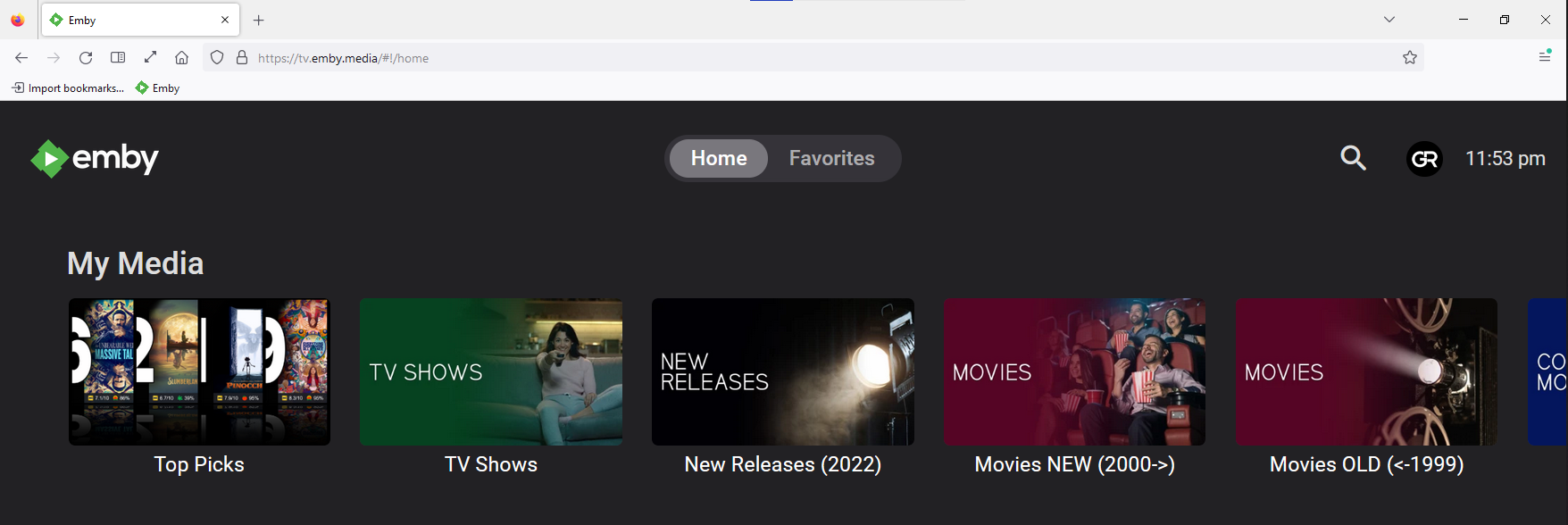
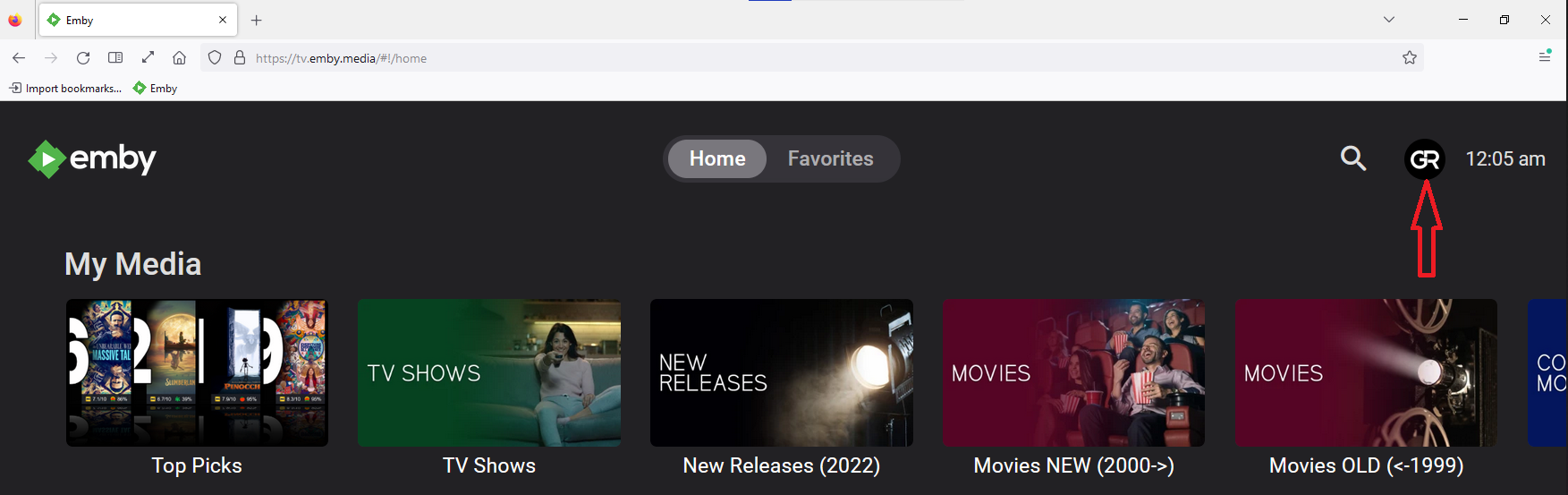
Lots of (mis)information in those several posts there, will try to shed some light: You likely don't have SSL set-up on your server, hence your tv.emby.media is failing as per your screenshots you're trying to connect to https://tv.emby.media : (btw, tv.emby.media works on both http:// and https://, with Connect or with manual connection); connect to http://tv.emby.media, just as you are connecting to http://app.emby.media, not https://app.emby.media (all visible from lock icon in your browser address bar). That is only partially correct, as you don't have to connect through Connect to use app.emby.media (or tv.emby.media, for that matter; that is hosted web app, the one you load from Emby's servers) but you can still make manual connection, press Skip on landing page. Explained above. ALL client-server connections are always direct, you're just loading hosted Web app instead of local Web app (the one that comes with your server). All three client apps: Emby Theater, local Web app (IP:port, domain) or hosted Web app (app.emby.media, tv.emby.media) have same views; you can have "10 foot UI" by selecting appropriate Display mode in your user settings (the one you want is TV mode); Process is same in all client apps, (tv.emby.media just loads you directly into TV mode whereas app.emby.media or local Web app nor Theater do):
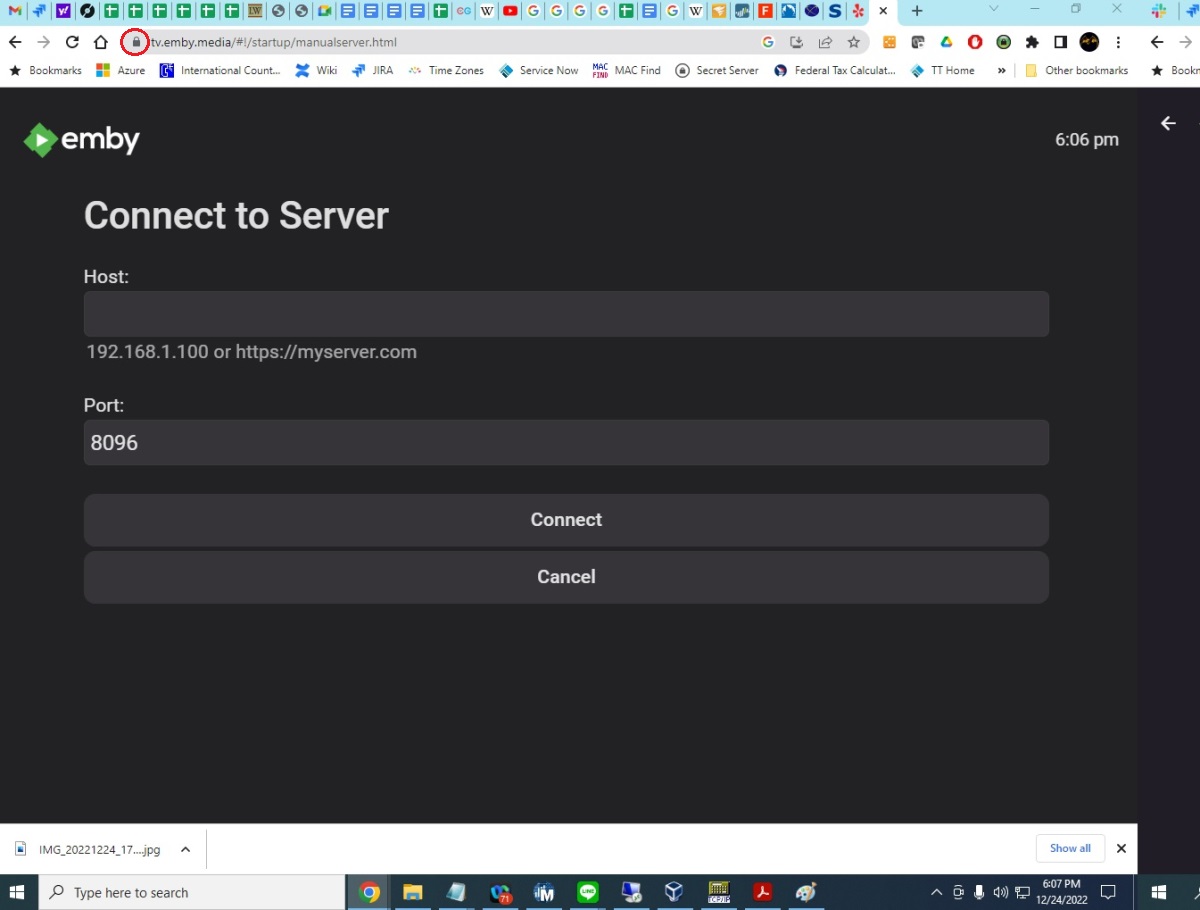
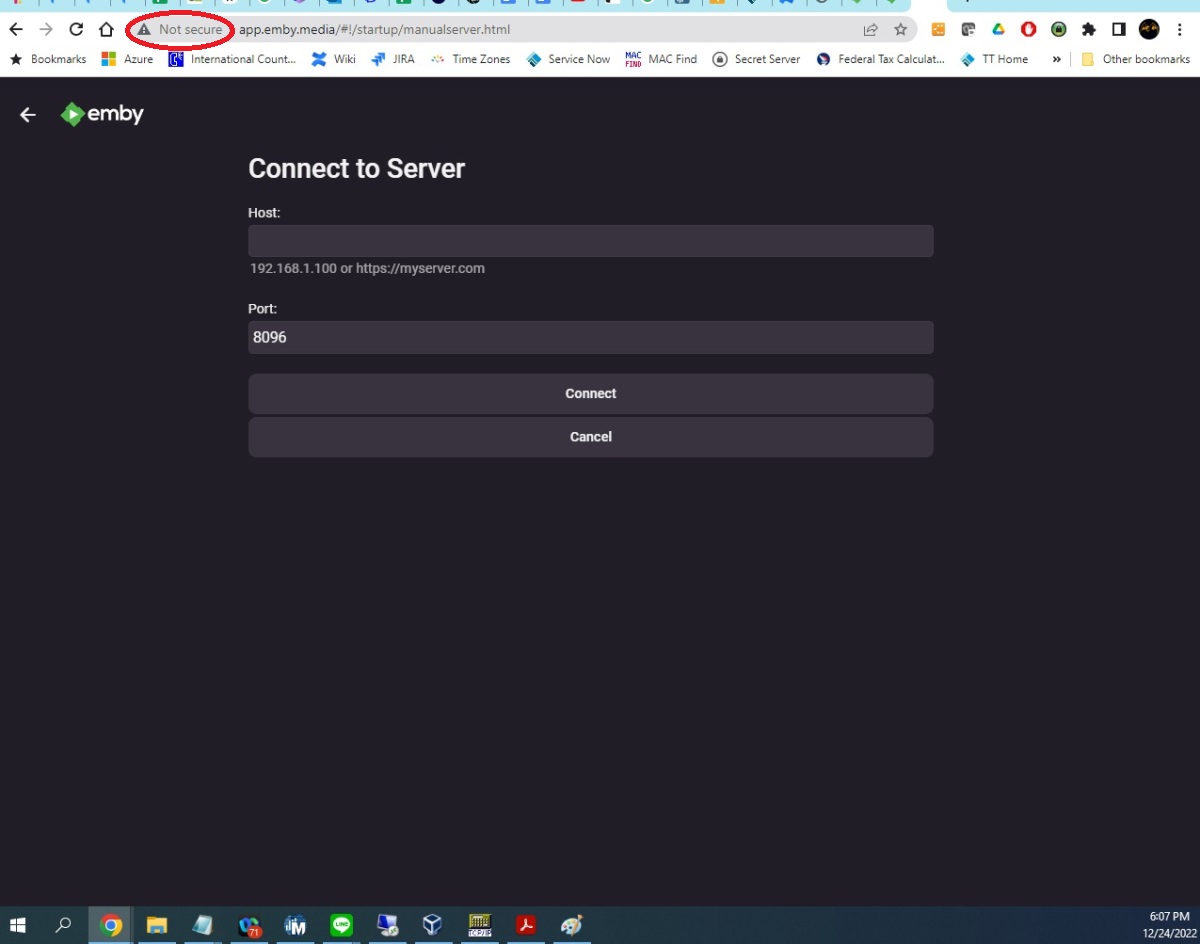
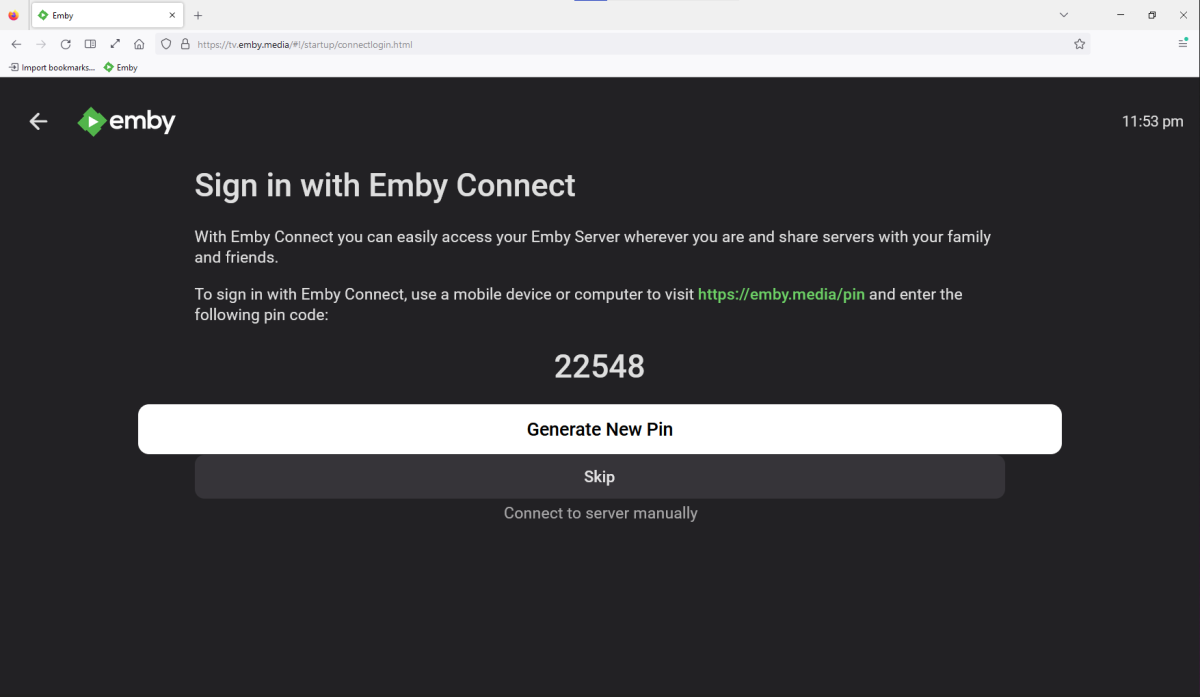
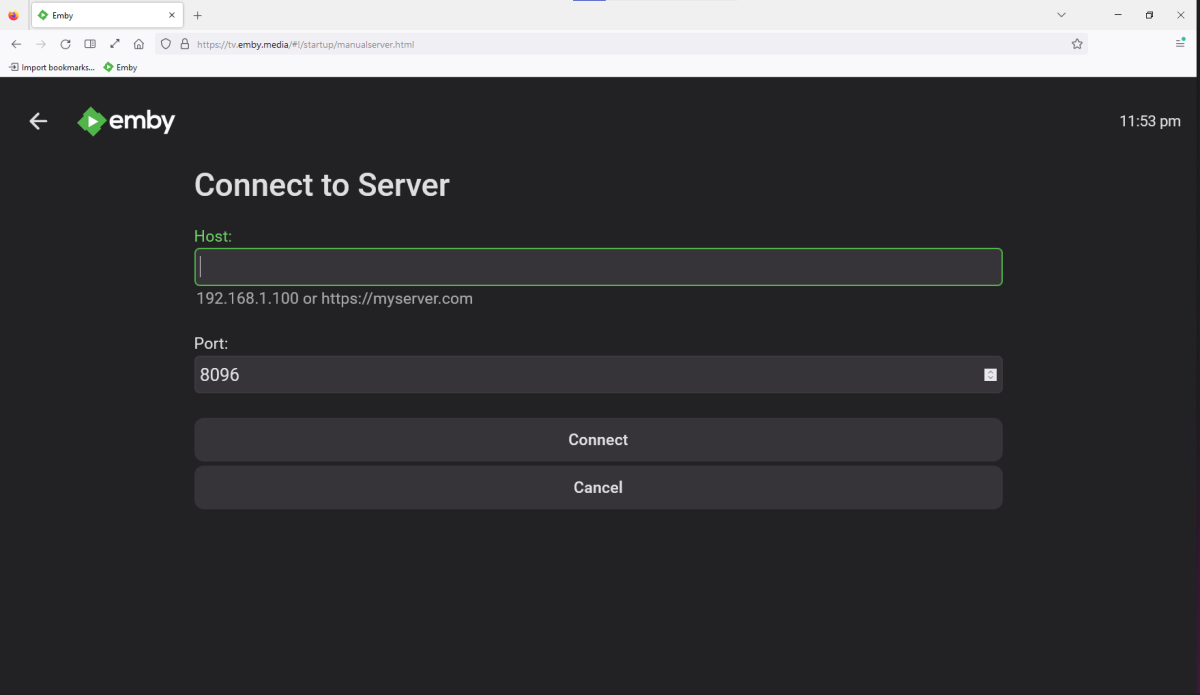
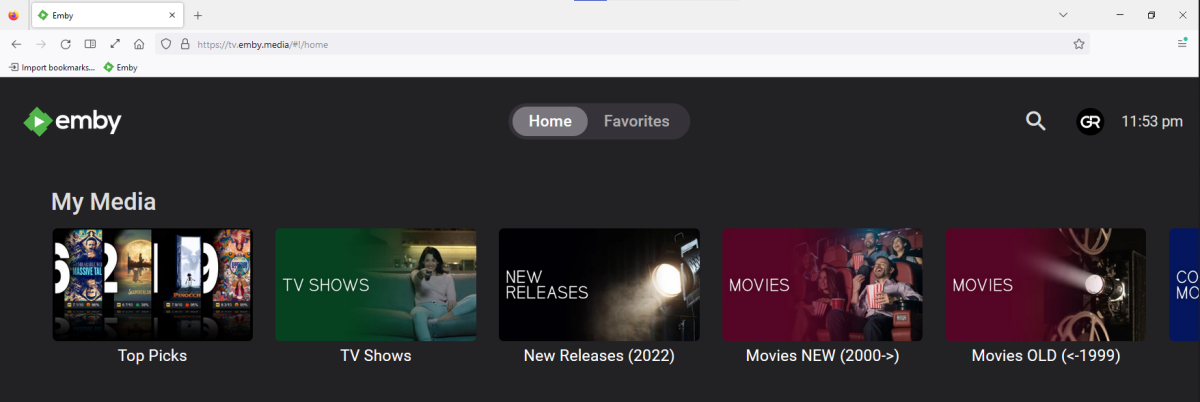
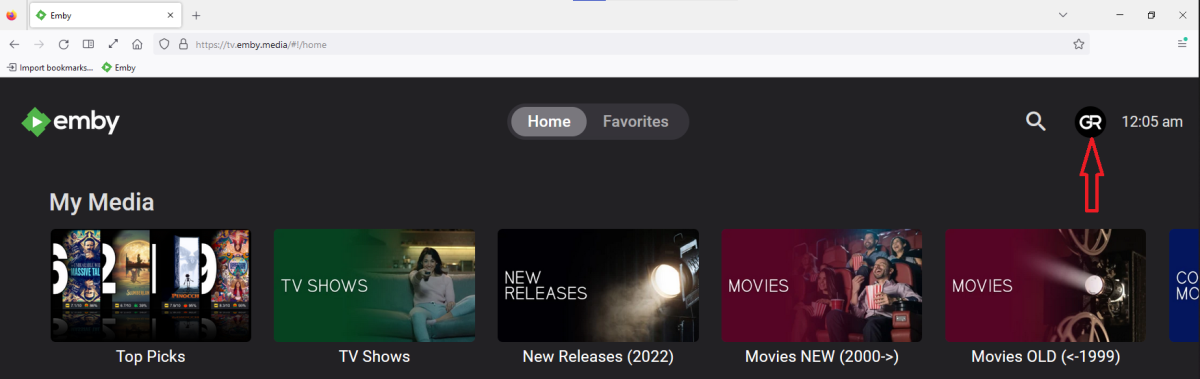
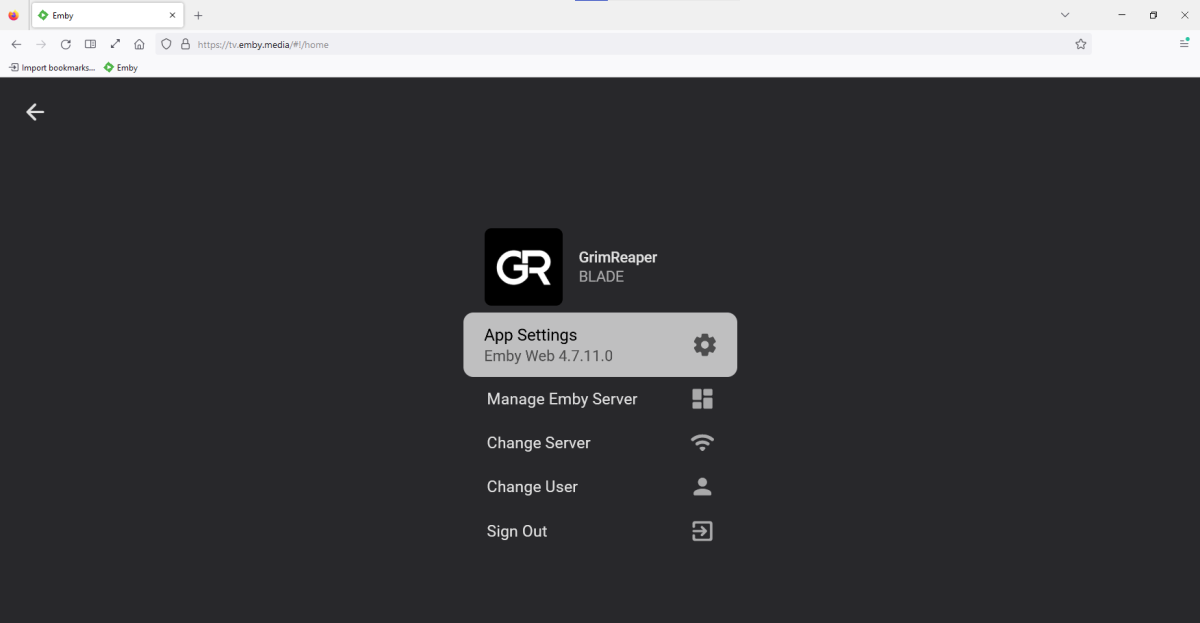
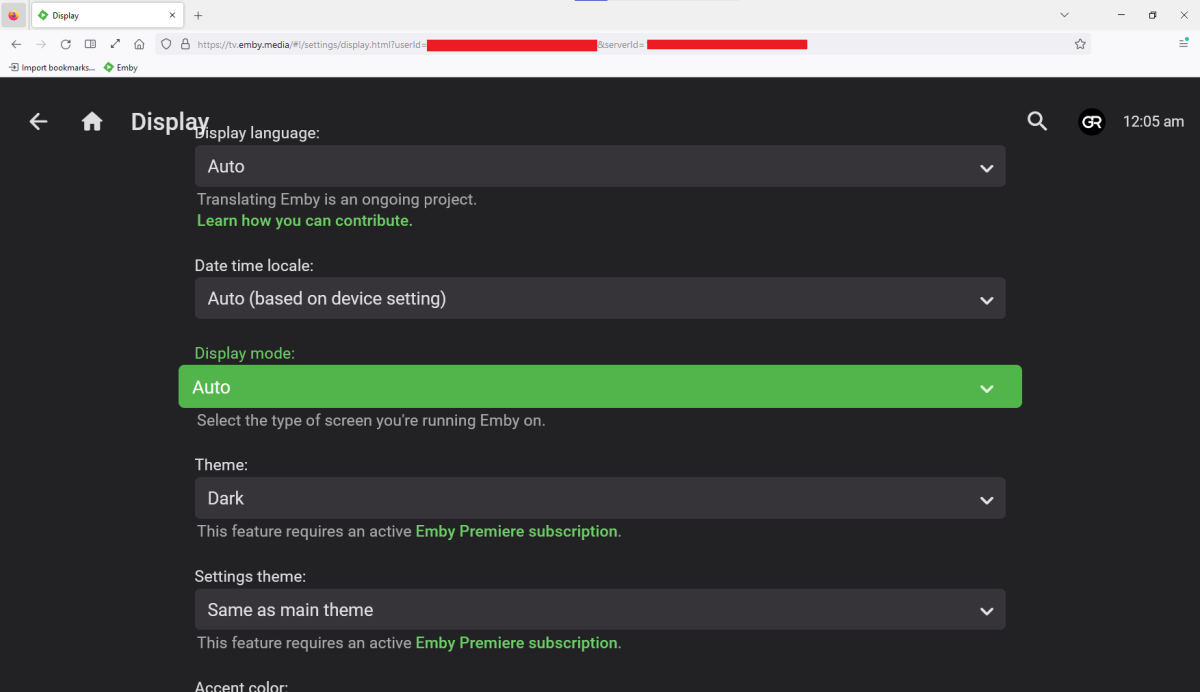
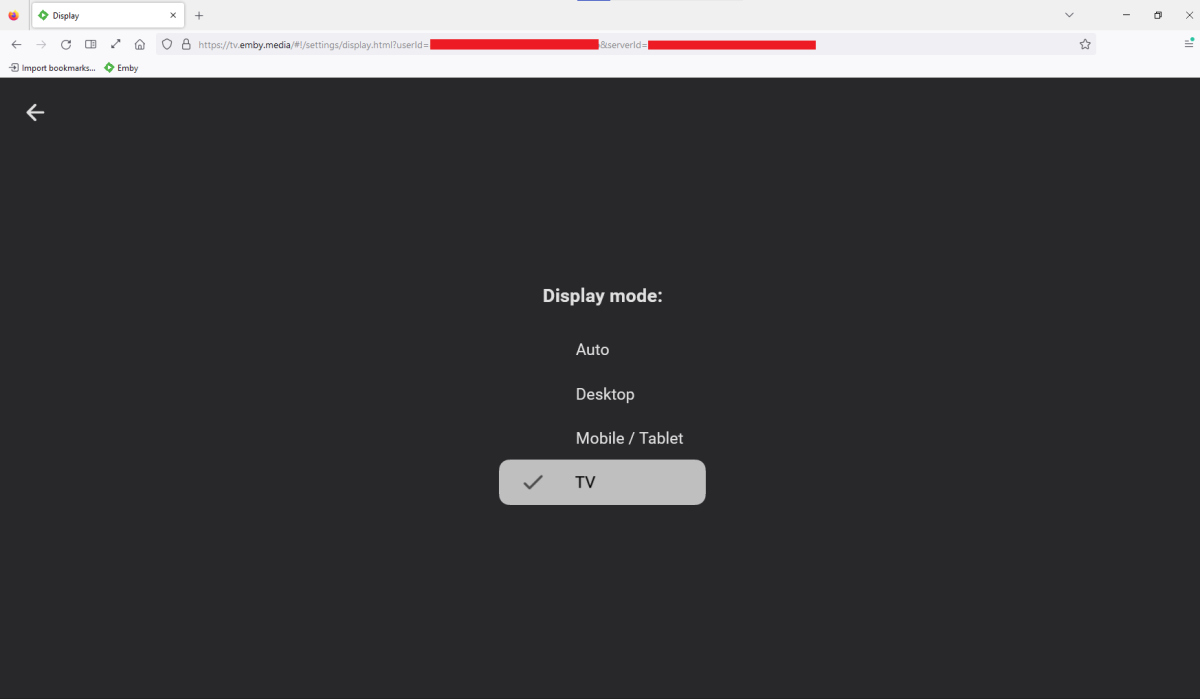 1 point
 -
Thanks for the check, I'll wait for nexus to be stable and see what happens. It's a for for madvr users, thats still maintained. https://github.com/clsid2/mpc-hc/releases1 point
-
This can all be controlled by how you name your external subs. See here for more info: https://support.emby.media/support/solutions/articles/44001159160-subtitles1 point
-
@dRuEFFECTIt is helpful if you like the first post, as that is how they prioritize what people want.1 point
-
I agree, I want this as well. However I also use the Next Up (legacy) home screen option in addition to Continue Watching, so I'd like a fourth option in this list for Display in Next Up (legacy) for all libraries. In my server, I record daily news programs but I don't watch all of them every day. I like to go to the latest media section for that library and jump right into whatever is the most recent recording. With the current settings, if I'm looking to catch up on a series in my TV Shows library, the Continue Watching/Next Up section is showing newer episodes of TV recordings when I don't need to watch every episode, so I have to manually "Remove from Continue Watching" in order to keep the Next Up section clean. I'd just like to not have them there in Next Up at all, and simply scroll down to see what the latest is for everything in that library. So in my case, I'd like to disable Next Up but keep Continue Watching enabled, this way if I stop a news program in the middle I can see it in Continue Watching to resume it, but after that new episodes won't pop up in Next Up. So then 4 home screen options per library: Display on Home Screen Display in secondary home screen sections such as latest media Display in Continue Watching Display in Next Up (legacy) I'd donate money if it meant I can get this prioritized.1 point
-
Hi, UPnP using PortMapper tends to be troublesome at times. I would recommend removing the PortMapper plugin from Emby, and setup port forwarding in your router instead. Follow this guide from the 'Setup Port Forwarding' section: https://support.emby.media/support/solutions/articles/44002137137-remote-setup Let us know where you get stuck.1 point
-
I don't think I will jump ship, there are just so many reasons why I prefer emby over other media servers. Wife said we are purchasing the emby lifetime package after christmas after she took one look at plex1 point
-
Related info on the SOAP error in your embyserver log. https://stackoverflow.com/questions/40330986/upnp-curl-setvolume-fails-with-faultcodesclient-faultcode-errorcode-111 http://www.upnp.org/specs/arch/UPnP-arch-DeviceArchitecture-v1.1.pdf section 3.1 Not sure if that the issue, but maybe these search results can help.1 point
-
This is a good idea. I think many people need this fuction.1 point
-
Even with hardware acceleration the problems continued. Suspecting hardware limitations with the Ryzen CPU with built in GPU I got a 1050ti and problem was solved. Generiq, thanks for you help1 point
-
I'm quite loving this look
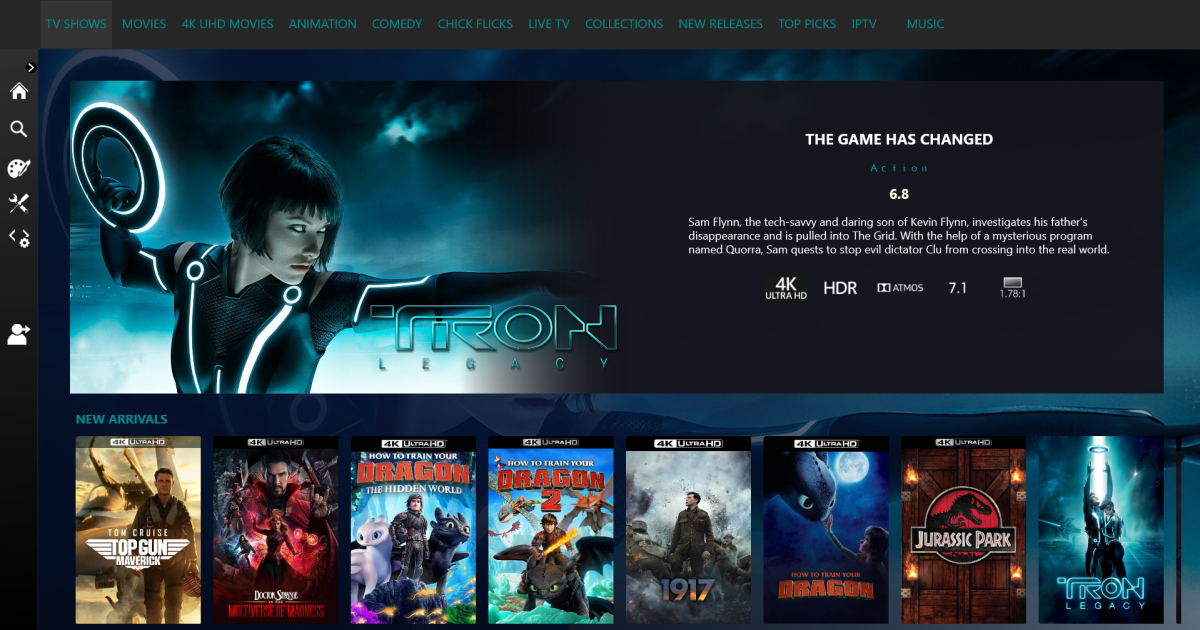 1 point
 -
I had a few moments to program: 1) added the save sign-on requested by CBers 2) improved IPTV streaming for hard to play channels like Pluto TV Vic tool_2.0d.zip1 point
-
my secure connection mode is disabled EDIT : this reddit post just solved my problem1 point
-
Emby for Android 3.2.75 Released: Mini Sidebar & New OSD Features Requires: Emby Server 4.7 or later Emby for Android Version Changes: • New brightness control in video OSD • New lock screen feature in video OSD • New mini sidebar docking option • Voice input support on search screen • Various video playback fixes New brightness control in video OSD One of the new features added to Emby for Android is the ability to adjust the brightness of the video being watched. This new feature is easy to use. Just bring up the OSD and the brightness feature is all the way to the right as highlighted in the following picture. All you need to do is touch and slide the control up or down to brighten or darken the video. New lock screen feature in video OSD Tired of accidentally touching the screen and having the video jump to a new scene or doing something you didn't intend? The new lock screen will put an end to this when-ever you choose to use it. Simple click the lock button highlighted in yellow in the picture below to activate this. Any screen touches from this point on during the video will briefly bring up the following screen but do nothing else. In order to de-active this feature you would click the lock icon shown on the picture below, then click the confirm after that. This new feature is straight forward and very easy to use. New mini sidebar docking option One of the coolest features in this new release is the mini sidebar docking option. In order to access this, click the highlighted icon shown in the picture below. Now, click the following icon one-time. You will now have the mini sidebar open as shown below. The mini sidebar is scrollable so if you have more libraries then would fit on screen you can simply scroll this menu up or down to gain access to all libraries on your system. Voice input support on search screen Another great feature added to Emby for Android is the ability to use voice search. You can use voice search anywhere you see the microphone icon shown highlighted in the picture below. All you have to do is click the microphone button and then speak your search term. Other Changes Various video playback fixes View the full article1 point
-
Emby for Android 3.2.51 Released: Features Intro Skip & Table View Requires: Emby Server 4.7 or later Emby for Android Version Changes: • Intro Skip • Table View • Add new field options for display • Add new theme options Click for Extended Blog Coverage Intro Skip One of the exciting new features recently released is the TV Show Episode Intro Skip feature. This allows you to jump right to the start of the action saving you a great deal of time. Intro skip can be setup on each client to do automatic skipping or manually skipped. In manual mode a new icon shows up on the OSD that can be selected to skip ahead. Combine Into Skip with Automatic Play Next Episode for a superior binge-watching experience! Here's Skip Intro in action using the manual mode. Anytime during the intro you can select the Skip Intro button. Each client's Playback menu will have an option to select the Intro Skipping method to use. Make sure to click the Intro Skip link in the table above for extended coverage on this new feature including setup on your Emby Server. Table View A new library view has been added to all libraries. It uses a grid (column & row) format displaying information about your media. This new view is completely customizable with selectable columns as well as column sort order. This view is ideal for many uses including the ability to see a lot of data on small screens. Because it doesn't use cover graphics it loads extremely fast as well. Here's a couple pictures showing the new Table View in action. Make sure to follow the Table View link in the table above for extended coverage. Other Changes Add new field options for display Add new theme options View the full article1 point
-
Save Time With Emby's Intro Skip Requires: Emby Server 4.7 or later One of the new features in Emby Server 4.7 is the ability to skip TV Show Episode Introductions segments. This allows you to jump right to the start of the action saving you a great deal of time allowing you to quickly get to the good stuff! Combine Into Skip with Automatic Play Next Episode for a superior binge-watching experience!. This guide will cover the following: Configure a TV Library in Emby Server Configure Emby Client for Automatic or Manual Intro Skip How to use Configure a TV Library in Emby Server In order to use Intro Skip a TV Show library needs to be configured. Edit a TV Library on the Emby Server console. Scroll down to the Markers section in the library and change the option from NEVER to either "as a scheduled task" or "as a scheduled task and when media is added" depending on your particular needs. Once setup go to Scheduled Tasks and you'll see a new option has been added: By default this task is set to run every 24 hours. You can adjust it to run at specific time if you like. To add a new Task click the + sign above. This shows a new schedule that starts at 3 AM and is allowed to run for 4 hours. After clicking Add: We can now click the trashcan icon on the 24 hours schedule ending with: From our Scheduled Tasks menu we can manually run this job clicking the arrow icon. You will then see a status bar showing the percentage complete. There is nothing more needed on the server to use Intro Skip except to give it time to analyze all episodes and build the Intro Skip indexes. This process may take a while depending on the number of episodes you have. Configure Emby Client for Automatic or Manual Intro Skip Each client can be set to ignore TV Show Intros, automatically use Intros, or to prompt use showing a button. You can set this option in the client option's Playback Menu. Using Intro Skip With the Skip Intro button selected you can clearly see the button on the OSD immediately at the start of playback. The timeline is still at 0:00 before the show has started to play and we can already skip the introduction of the show. Clicking the Skip Intro button immediately jumps right to the start of the Episode. With the client option set to Automatically skip intros our TV show intros have been put on auto pilot. Right at the start of playback it jumps to the end of the intro right at the point of the fade in. View the full article1 point
-
Save Time With Emby's Intro Skip Requires: Emby Server 4.7 or later In order to use the Intro Skip feature you need to edit each TV Show library and turn the feature on. Scroll down to the Markers section in the library and change the setting from NEVER to either "as a scheduled task" or "as a scheduled task and when media is added" depending on your particular needs. Once setup go to Scheduled Tasks and you'll see a new option has been added: By default this task is set to run every 24 hours. You can adjust it to run at specific time if you like. To add a new Task click the + sign above. This shows a new schedule that starts at 3 AM and is allowed to run for 4 hours. After clicking Add: We can now click the trashcan icon on the 24 hours schedule ending with: From our Scheduled Tasks menu we can manually run this job clicking the arrow icon. You will then see a status bar showing the percentage complete. There is nothing more needed on the server to use Intro Skip except to give it time to analyze all episodes and build the Intro Skip indexes. This process may take a while depending on the number of episodes you have. Client Settings Each client can be set to ignore TV Show Intros, automatically use Intros, or to prompt use showing a button. You can set this option in the client option's Playback Menu. Skip Intro Button With the Skip Intro button selected you can clearly see the button on the OSD immediately at the start of playback. The timeline is still at 0:00 before the show has started to play and we can already skip the introduction of the show. Clicking the Skip Intro button immediately jumps right to the start of the Episode. With the client option set to Automatically skip intros our TV show intros have been put on auto pilot. Right at the start of playback it jumps to the end of the intro right at the point of the fade in. View the full article1 point