Leaderboard




Popular Content
Showing content with the highest reputation on 12/23/22 in all areas
-
Would be nice if there was a way we could specify the format for a season or folder. Something at the Series and or Season level where I could enter "{SeasonNum}.{EpisodeNum} - {Title}" (or similar) then Emby could convert that into the Regex it needs to get the fields and do proper processing. Then people could use what ever format they want and have each season have individual formats if needed. Added bonus, you wouldn't have to ever add more name formats for people2 points
-
It would be useful if the server (or perhaps clients) could cache most (if not all) content images (posters, backdrops, logos, etc) for movies, TV series and seasons. This would mainly be of benefit when a portion of someone's content is offline but the users would still like to view the content to know what exists. I think caching on the server would be preferable, then all clients could make use of the same cached images. if you think this would be a useful feature, please click the "Like This" button on this post.2 points
-
I'd like to request that the Playlist library have a displayed category and, "widget" on the homescreen in the similar fashion that movies, TV shows, music are shown. I create topical/seasonal playlists that I'd like my family members to see displayed from the homescreen with "recently added" carousel style. Currently, to the best of my knowledge, playlists are only accessible via their shortcut in the, "My Media" section. Thanks for your consideration!2 points
-
Name second movie folder: Blade Runner 2049 (2017) [tmdbid=335984] Re-scan.2 points
-
I am almost done cooking the Christmas season. It has been a long soulless, couple weeks cooking turkeys over and over and over... Then I will have the time to do something I actually enjoy... Mainly programing top picks.2 points
-
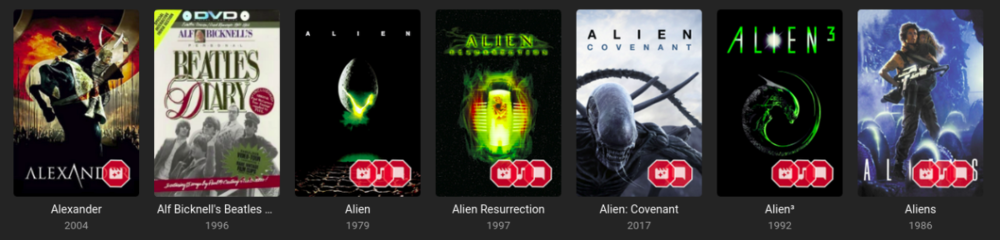
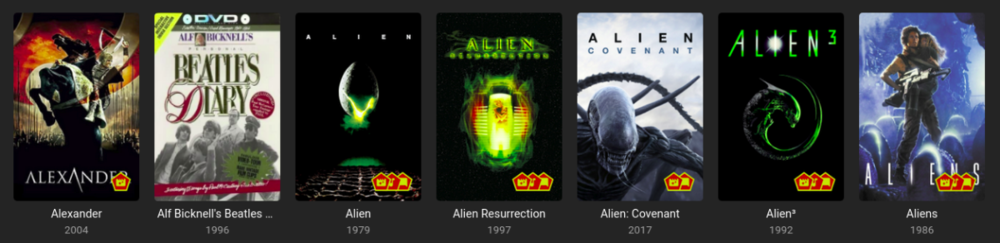
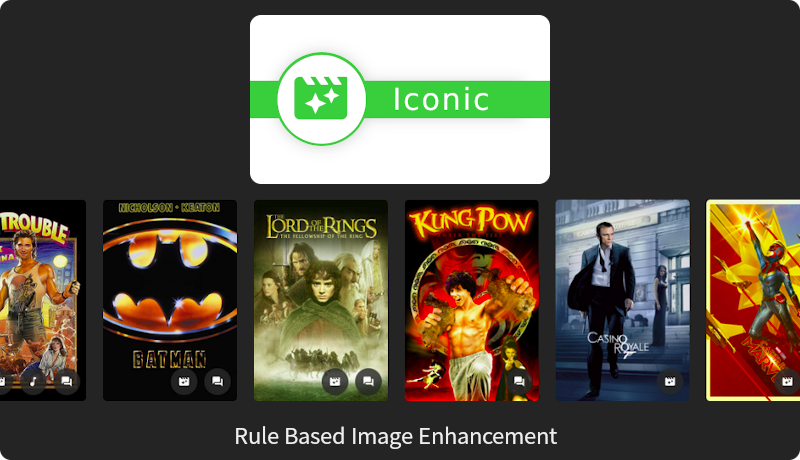
Iconic is an image enhancer that helps you turn Rules about your media into Icon Badges on your Movie and TV images. Iconic offers flexible Badge positioning, opacity, size, color, spacing, etc. Just configure, save and refresh your movie list or item view to see your new Badges. Installation Iconic can be installed through the Emby catalog. You can find it under the 'General' category. The free version of Iconic will show up to one icon for each movie. Rules are checked in the order they appear in your configuration. If you're a Premiere user, you have the option to register Iconic to remove the one icon limit. Version History v2.7.1 Resolve MediaStream property key UI regression v2.7.0 UI Refactor to make developer life easier and speed up new feature development Add HDR rule for Movies, Extras, and Episodes Initial rule support for Music Albums with Tag support v2.6.0 Add match type option (Any, All) for filename rule when using multiple values. v2.5.0 Compatibility Update for Emby 4.8.7 Backend changes to improve developer quality of life v2.4.1.1 Properly bypass unsupported image types v2.4.1 Fix error when no supported image encoders are available Improve support check performance when item type is not enhanceable v2.4.0 Excludes Trailers, Theme Songs, Theme Videos, Additional Parts from 'Any' Extras rule option Adds support for Collections rule to Episodes v2.3.0 Finalize support for 4.8 stable Add SDH subtitle rule v2.2.0 Filename rule now supports NOT(!) values Filename rule now supports multiple values (|) Fix - Folder specifier was inconsistent v2.1.2 Fix issue with some rules passing/failing in different UI contexts. v2.1.1 Fix regression in Folder Specifier v2.1.0 Newly Added Rule - Show an Icon based on # months since Library Added date New Release Rule - Show an Icon based on # months since Item Premiere date Status Rule for TV Shows - Show an Icon based on a show's Continuing/Ended Status Folder Specifier for Movies and TV Libraries - Optionally restrict rules to Library subfolder(s) MediaStream Rule - CodecTag Property added to property options Collection Rule - Updated to support any collection wildcard (*) Material Icons - Updated with more icons v2.0.0 - Support for per Library configuration - Initial support for TV: Show, Season, Episode - Initial support for Collections - Adds support for Movie Extras - Optimizations to improve image load times **Existing 1.x users will need to recreate their configurations in 2.0. [emby-path]/plugins/configurations/Iconic.xml can be used as a reference to more easily recreate 1.x configurations in the 2.x UI. v1.1.1 - Compatibility update for Emby 4.6 v1.1.0 - Adds limited support for Emby builds utilizing ImageMagickSharp - Adds Collection Rule Type - Adds MultiVersion Rule Type v1.0.2 - Gracefully handle unsupported platforms v1.0.1 - Fix multi-rule deletion bug - Update internal Emby libraries v1.0.0 - Initial Release ------------------------------------------------------------------------------ Updated Beta 0.9.2.1 - Faster image processing through more efficient font management Updated Beta 0.9.2.0 - Now supports separate badge and icon opacities - Tweaks to badge drawing to improve quality - Only draw badge border when the stroke is greater than 0 - Only draw badge when opacity is greater than 0 - Modularize javascript for maintainability and development efficiency. Updated Beta 0.9.1.5 - Prevent committing of a MediaStream Rule with duplicate Property Keys. - Add helper text and color on hover to bring attention to the Icon Selector for Rules. - Optimize rule analysis: Finally figured out a way to run the analysis once, cache the results, and discard after writing without the parallel processing requests clashing. Updated Beta 0.9.2.0 - Add Continue Watching Rule Type - Optimize rule analysis: Finally figured out a way to run the analysis once, cache the results, and discard after writing without the parallel processing requests clashing. Updated Beta 0.9.1.4 - Normalize badge size and spacing across image types Updated Beta 0.9.1.3 - Fix badges not rendering for some Movies: Removed some legacy code that could interfere with the rule analysis Updated Beta 0.9.1.2 - Fix font rendering in Windows: Windows didn't like the WOFF font format, so now providing an OTF fallback. Updated Beta 0.9.1.1 - Better support for the active theme: This fixes an issue where the Icons in the selector list could 'disappear' as white text on a white background. - Prevent occasional null errors in the log Updated Beta 0.9.1.0 - This version adds a FileName Rule type and adds Resolution as a MediaStream Property option. --------------------- The Iconic Beta 0.9.0.0 is attached here. **It is tested against Emby 4.5.4 only.** Again, please try it out if you're interested and let me know if something doesn't work, could work better, or if you have any questions.
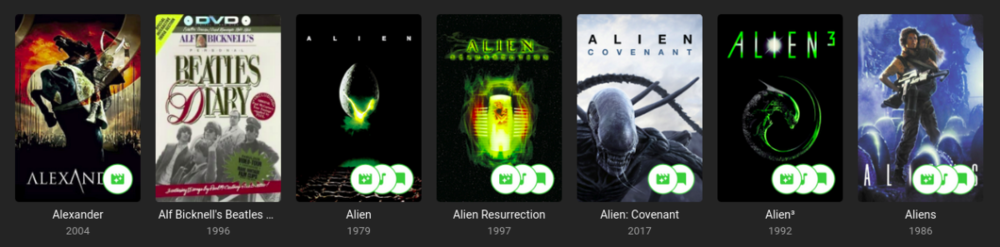
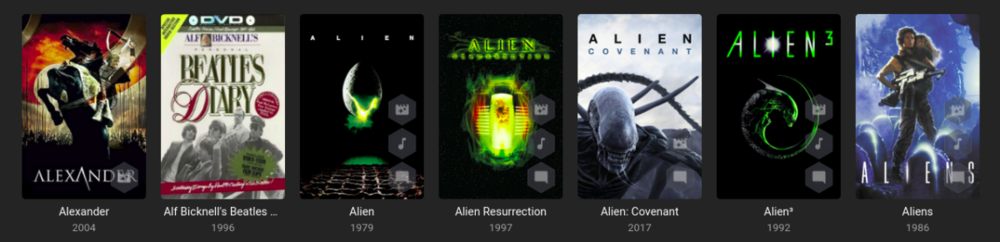
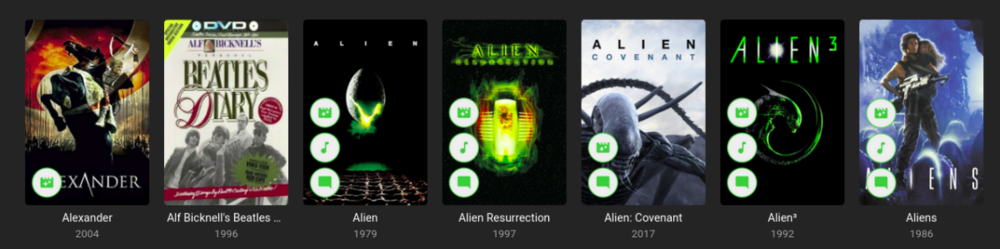
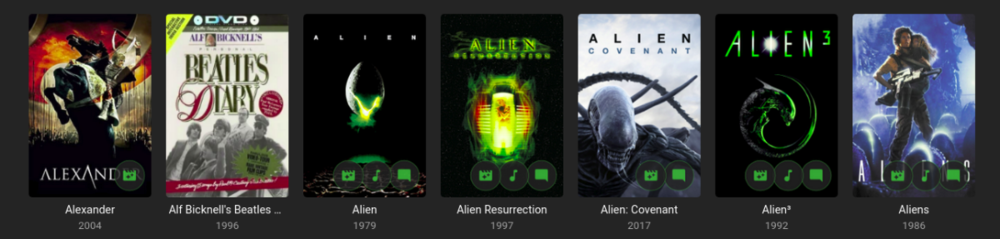
 1 point
 -
Hello since some time on Android TV and on FireOS, I am not able to regurlarly fast forward or rewind through a video. So when a video starts and I'm pressing the right button some times, the cursor goes to the desired position but the video completely hangs. BUT if I go to the chapter editor by pressing the up button and selecting a chapter it works absolutely fine, except I tried the "normal" seeking via right/left button before. Inapp log sent at 15:27 (Germany) Best regards1 point
-
Confirmed, adding a file manually, even with a modified date from several days ago, results in Emby updating the "added" date to when the file was scanned in. So, looks like it is something on the Radarr side?1 point
-
Got it, thanks!1 point
-
I added a note to the bottom of that page which should have enough info to understand for anyone setting up a service. Thanks!1 point
-
Gosh, i missed it by THAT much lol.1 point
-
Upgraded to v1.4.9 with the 'Fixed HLS subtitles not rendering correctly on certain models'....this seems to solve this issue as well..... I'll closely follow this in de coming days and inform you in more details ASAP. Grtz. Peter1 point
-
Hi Sam, after the christmas holiday I will try what you indicate. The tv says last sw loaded but I saw from the link you sent there is a new version . I will try with USB as you mentioned. Ps. Were do I found the setting you indicate ? From the TV app I don't see it ver. 1.4.9 In the meantime a merry Christmas to all of you1 point
-
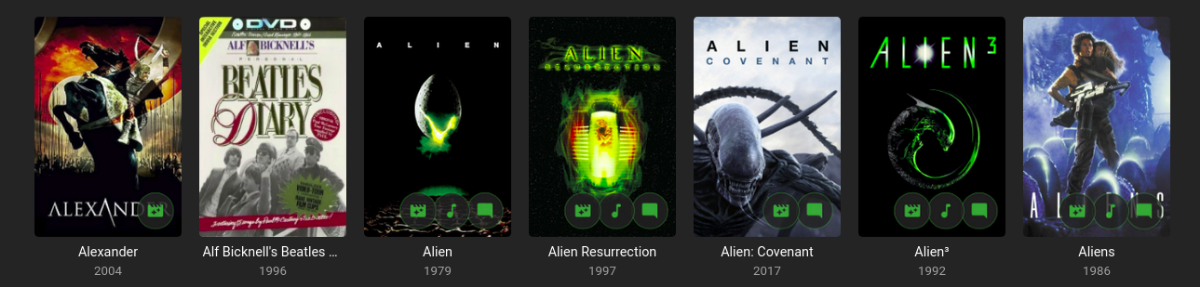
Could CSS be used overlay certain tags on movie posters in the web client? I create some dummy movies, tagged as "Wanted" to denote that they are waiting to be fulfilled. Might it be possible to overlay "Wanted" on the movie posters in the ui?1 point
-
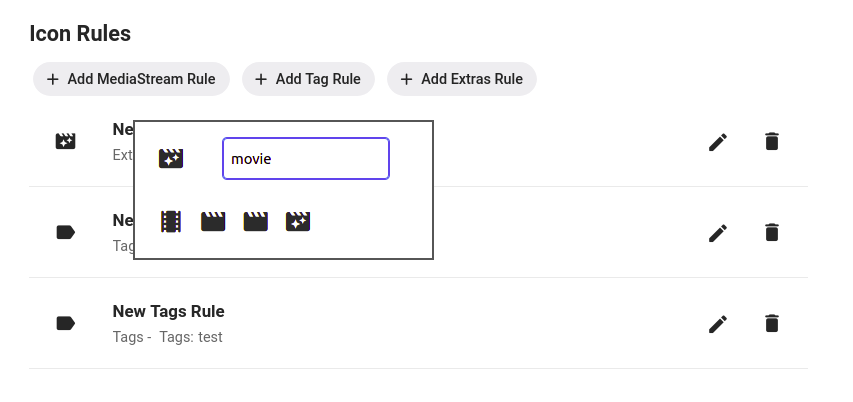
It should work. The selector is down by the rule itself, not the icon preview at the top.
 1 point
 -
Yeah I could probably add that and make it an option. Like "Commercial Skipped (20 sec)" or something like that.1 point
-
1 point
-
Well, if you want something similar to what you have now then OMV with ZFS plug-in is closest including its Debian roots. I found it to be less restrictive than TrueNAS Scale but have only tested both in VMs and run neither as my server. A few in the forums have been running Emby on Scale and have actual day-to-day experience with it. To me Scale is overkill for a home solution but at least you're not locked in like with Synology or QNAP. If you don't like TrueNAS Scale you can always install something else.1 point
-
Iconic will happily overlay an icon based on a tag, but it doesn't do text.1 point
-
I got it from someone in this thread and it ties back to the plugin, so this seemed the best place. It also has nothing to do with Emby. Emby broke post-processing in a recent update, so I've been running it manually via Putty, but I just updated the server (after getting that error in Putty) and post-processing works, so I'm getting EDL files for everything now, even though the post-processing is running that very same comrun script. Though the one recording that didn't get an EDL via Putty still doesn't have one, so I need to run it again in Putty just to sort that out.1 point
-
Check out Roaku's plug-in Iconic. Not positive it can do this but maybe...1 point
-
Hi Version 2.2.9 is released https://github.com/nRafinia/Emby.Subtitle.Subscene/releases/latest https://github.com/nRafinia/Emby.Subtitle.Subf2m/releases/latest1 point
-
Hi Version 1.1.12 is released https://github.com/nRafinia/Emby.Subtitle.Subf2m/releases/latest https://github.com/nRafinia/Emby.Subtitle.Subscene/releases/latest1 point
-
Yes, just before trakt went down I had removed the plugin and reinstalled it but couldn't test. Now that everything is back online with them, it is still happening.1 point
-
Right, Trakt back up. Same issue, Not updating some collections but others are. Watch history seems to update. Deleted trakt account, created new one , same issues? I think there is some underlying Trakt DB issue. Will continue to update manually as they are now roughly in sync with my Emby1 point
-
or emby could just implement the already coded 2.5 years ago tvnext functionality....1 point
-
I love a good turkey Christmas dinner! I guess that's why your called chef.. No rush with Top Picks, it's gold mate. I'm sure you have a few things you want to sort out but take your time and enjoy the holiday season. Merry Christmas.1 point
-
oh nice, didn't realize you could put that in the folder name. Thanks!1 point
-
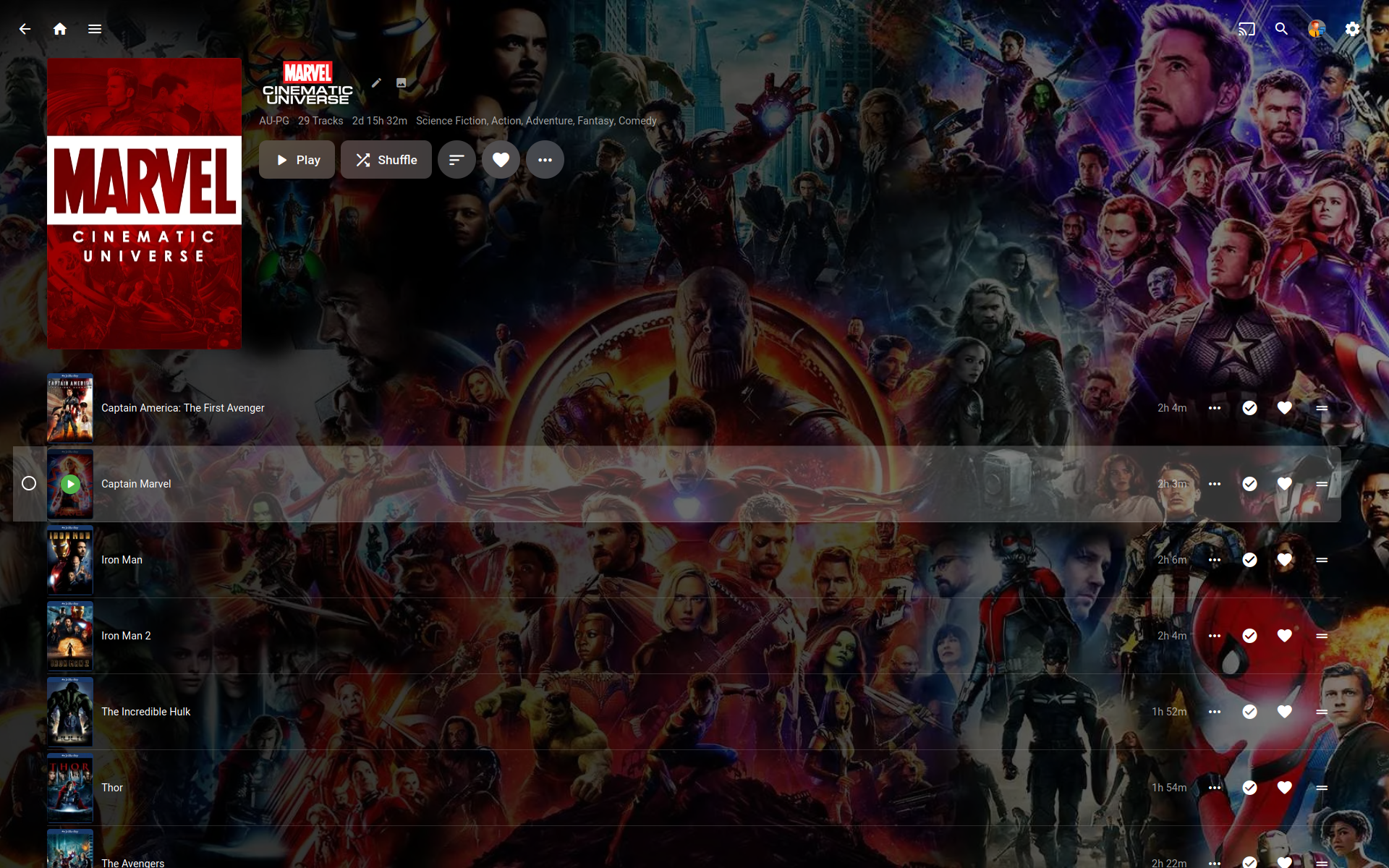
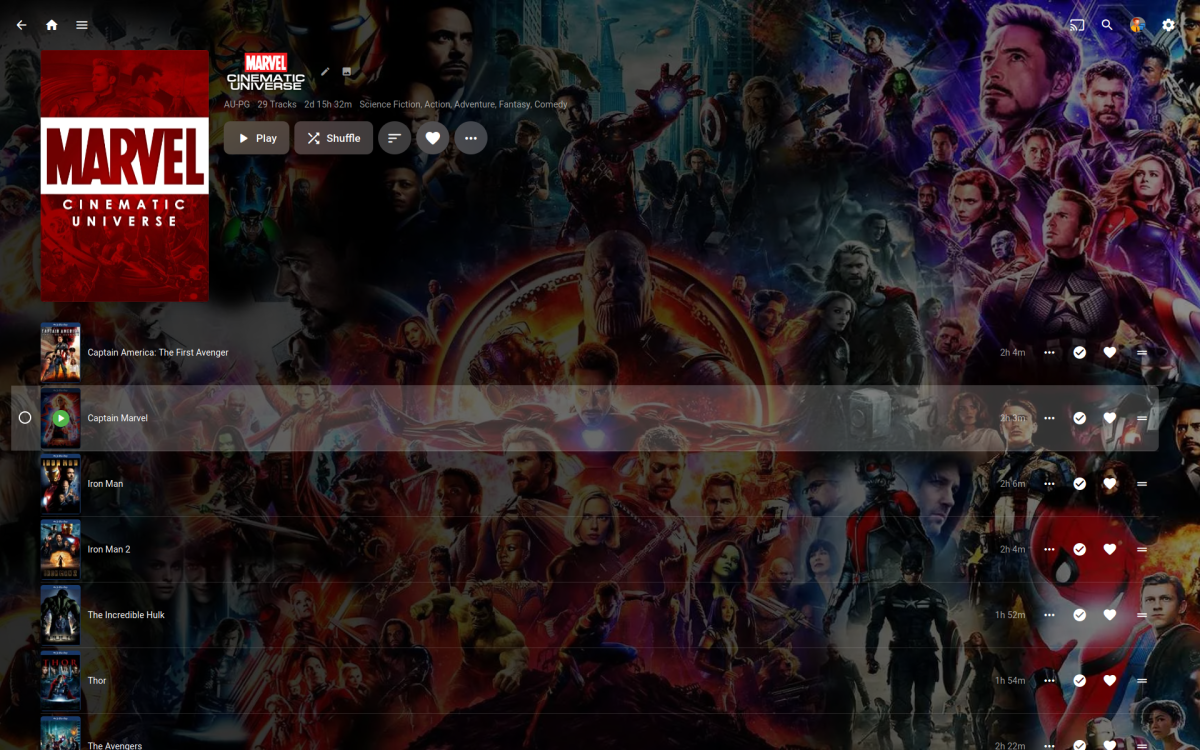
Couldn't you just use 'Movie Name' 'is' for all five movies? You could even + 'Year' to it to get more specific. Top Picks stuff get auto tagged with 'top-pick' so you could filter that out. Sorry didn't have time to test it out, just throwing some ideas out there. Personally I use Emby's add to playlist feature for MCU timeline stuff. I just add them one at a time, it takes longer to create the list but there in the order I added them. This is my MCU list (currently 29 movies). If a new movie is released I just add it to the list add drag it to the right spot if needed.
 1 point
 -
Thanks Vic, that works great.1 point
-
No Emby reads the "/" or ";" delimited ids provider 3 Artists in last example as shown on the track. If only Artist then artistid must match or you are liking provider info to wrong person. But same can be accomplished in Artist field delimiting as Artists field or ever three individual Artist files. Really depends on your tagger on how it provides the info. But from my edit above Artists will supersede Artist field if present. Where your first example mis-matched Artist and artistID linking.

 1 point
 -
Currently you have to manually assign one. Can't remember the topic I got this one from. But you can possibly find options in this section. Fan Art & Videos - Emby Community
 1 point
 -
I corrected the problem with "ctrlKey" selecting folders. Now you can select folders just as in earlier versions. Vic tool_2.0f.zip1 point
-
Changing Emby to 443 made no difference..1 point
-
i also can confirm this issue. What i can say is that those movies in the first 10-30seconds speeds up the image so i think this causes the A/V async symptom. I tried this with a lot of my 4K movies and it is always the same, it starts normal and after a few seconds the video speeds up for a few seconds, and after that it runs in normal speed but A/V is async because of that. No Problems with AC3 or E-AC3. I haven't checked TrueHD, but i will check them, for now i can say, DTS and all DTS HD Versions are affected.1 point
-
@cayars Maybe the above KB article should contain note that server will not auto-update when running as service and basic/general steps for doing so?1 point
-
This may have been asked, but is there not a way to see what the quality of a live TV stream is on Apple TV? On my shield I can see if it's 1080i, 720p etc. Also, is there ever a plan to bring stats like the stats for nerds, over to the Apple TV so we can see what's going on as well?1 point
-
@Lukecant wait to see this implemented. It’s awesome to see the Apple TV getting some love from you guys.1 point
-
The problem is that is a "sort name" for the media item, as opposed to a sort name for the collection per item The same movie might have a sort name in one collection that is different than another collection1 point
-
Yep. I tag all my wife's cooking shows with the tag "CH1" and apply that tag to my Food Network channel in VirtualTV. I then tag individual episodes that are Christmas/Thanksgiving based with the other 2 tags. For normal viewing 10 months out of the year she does not want to see the holiday based episodes so this works perfectly. Thanks for your help and thanks again for an awesome plugin! Happy & safe holidays to you and your family!1 point
-
Hi, this will be in the next update to Emby for Apple TV. Thanks !1 point
-
Emby Server 4.7.11 - New Intuitive TV Guide Improvements & Other Fixes This is the latest point release of Emby Server. It's a small maintenance release, containing improvements to existing functionality as well as a couple fixes for user identified issues. New Intuitive TV Guide Option Panel for Configuring the Display of Your Guide Data. 4.7.11 features a slick new way to quickly adjust the different options used for the TV Guide grid. Click the icon shown below highlighted by the yellow box. This opens a new panel where you can set over a dozen options including the sort order of channels, the channel groups (tags) you wish to see (or hide) as well as the data used in the far left column representing the channel. The rest of the options configure the information displayed with the program data. Setting the Channel Display to Title gives you this look in the first column. This is how it looks using: This is how it looks using: Right next to the icon we used above is our date picker: Clicking on the date gives us this: The number of days shown will depend on the guide data itself. If using Emby Guide data this can be adjusted here: If your provider supports Groups these will be available as shown below. You can also add tags to any channel you wish to edit which will show up here: Other improvements and fixes included in 4.7.11 include: * Fix intermittent scroll problem with Live TV Guide * Improve intro detection error handling for TV Series View the full article1 point
-
Hi, we have an update currently in Samsung review so hopefully it will release soon. Thanks.1 point
-
@DonMacaroni Merge to whitelist topic. But Emby many need to make this whitelist user editable in a config.1 point
-
Hi all, I have had a case open with google who have said they have fixed it internally. They are testing and will send me a fix to try out. The latest update that was release in the last few days does not resolve it. So I look forward to them sending me an update, will keep this forum posted.1 point
-
I have uploaded here a sample of what is going on. It's what I have sent to google as they continue their investigation work. PXL_20221111_105051167.TS.mp41 point
-
I factory reset and did everything google told me to do and still the problem exists with dropped frame playback with perfect sound. It certainly does look like a codec issue.1 point
-
This is still an ongoing issue that only forcing transcoding makes the playback of H264 videos work. The sound always seems to be fine, I have opened a case with google on the Chromecast 4k Google TV as I have experienced the same issue on Plex.1 point
-
hi again i just realized the plugin is working !!!!!!!!! after i download subtitle from subscene plugin i realized i download subtitle file and it goes to the movie folder but with .sr file name instead .srt i think plugin with an easy update can be fix and fully functional please fix this awesome plugin thanks again to nRafinia for this awesome plugin and hard work1 point
-
That did it! (By the way, the Libraries still show up but no content is inside. I'm happy with that result.) So the "trick" is to not be in the Home screen and right-click on the library to select "Scan Library Files". Nor is it to be in "Manage Emby Server", under Library, and right-click on the given libraries to scan for files. The solution is to go to "Manage Emby Server" \ Advanced \ Scheduled Tasks \ Library \ and hit the Play button under "Scan Media Library". After that, all the .ignore files are working properly! Thank you, @Happy2Play and @ebr for your feedback. They led me to the correct solution. Solved.1 point







.thumb.jpg.d6885d5680202f4483eec858c82a6102.jpg)