Leaderboard




Popular Content
Showing content with the highest reputation on 12/18/22 in all areas
-
I'm not sure, it might but if you have already extracted the sub with MKVToolNix then there won't be a sub to extract so shouldn't be a problem. This is a good example of why you should test your setup on a test library first to make sure you understand what happens in each scenario you have. If you copy not move files to the test library then you will be safe. I don't know why this is the case but I would guess that the later TV has a better processor or maybe changed software that can cope with the large number of subs. Even on my old TV as long as there are less than 20 subs I don't see any issues. most Netflix series though have around 32 subs and these show picture breakup until I remove some or all subs. Assuming you only want one language of subs a quicker method using MKVToolNix GUI is to add the file, deselect all subs except the one you want and then hit the start multiplexing button at the bottom of the screen. This doesn't take very long, maybe 60 seconds. the resulting file should work fine as you hopefully will have only a few subs. All still very manual and time consuming though. That sounds strange. It may be that you have forced subs enabled and the audio is in a foreign language at some point. Have a play with SubKiller on a test library and I'm sure you will be pleased with the results. I enabled debug logging in Emby and followed what was happening in them so I could see what was going on, quite interesting in a geeky way2 points
-
@Dickydodah! ... thx for so fast replay All embedded subtitles are removed and the ones you have marked for keeping are written as external SRT files in the same folder as the video. you wrote... but what if you allready have there external subtitle... example: best movie.mkv (with a lot od subtitles inside) + Best Movie.srt (you have evtracted subtitles out of movie with gMKVExtractGUI) Will Sub-Killer then overwrite allready extracted SRT file ? ... just want to know for shure before I will do something stupid hahahah... But like I have mentioned up ... the latest Samsung Neo 8K 65'' it doesnt gave this problem at ll ... al works like it should with all mkv files.... Only my older Samsung TV models have this isue And metod which I have use now/today first time that I have use those two programs MKVToolNix GUI + gMKVExtractGUI works very good but it taks more time to first extract Video and Audio with MKVToolNix GUI from original file where subtiteles are also included.... + then extract subtitels with gMKVExtractGUI from original file ... and at least put in the same folder extracted mkv (which include video+audio) and subtitles .... All Works Fine (If I have extract with MKVToolNix GUI from original file Video+Audio+Subtitle (lets say two) ... I also get from time to time cubs during the movie ) ... yes I have test a lot of combinations...2 points
-
You choose which libraries you want SubKiller to process and only files in this library will have the subtitles removed. You can also choose which languages you want to retain subtitles for. All embedded subtitles are removed and the ones you have marked for keeping are written as external SRT files in the same folder as the video. It's best if you setup a test library and copy files manually into that location so you can get to understand what setup you want. You can setup real time monitoring so that the files are process when they are added or configure a scheduled task to run. Once you are happy with what's happening you can add your main libraries. Samsung TV's have issues with any file with a lot of embedded subtitles so if you want to keep all of them extracting to external SRT files is the only real fix and Subkiller does this. If you only want to keep one language then you could delete all except the language you want and leave that embedded which is what I guess you are currently doing with MKVToolNix GUI but SubKiller doesn't work this way.2 points
-
as per the title of this thread - Emby becoming beautiful again ! - looks really nice @arrbee992 points
-
Stealing your css. Hope it isn't trademarked, pat pending or copyright... Invoice for royalties is on its way. It was a pleasure doing business with you!2 points
-
There are quite a few clients to implement such a feature on. It couldn't happen over night. @samsung2100 don't jump ship yet. Especially for "those guys" (team purple). I think you'd be more disappointed then you might realize. There are a lot of great ideas in this thread. I wouldn't count this one out yet. Luke rarely says "it's something he'd like to do." So, I'd imagine that's a good sign.2 points
-
That's not true, ATV uses it to trigger the Next Episode popup.2 points
-
Hi, not yet, but it will be coming. We need to support multi-select operations on this screen.2 points
-
Yea I agree but I have a problem with point b.. Nothing should go above 'My Media/Continue Watching', NOTHING! Not even a plugin or some spotlight fluff. Spotlight would look good if done right but media navigation should always come first.2 points
-
I am switching over from a Win7 box running MBC to Chromecast dongles. With the Win7 box I had a HDMI to Cat6 setup that allowed me to stream to up to 4 displays/TVs simultaneously. It was great while it lasted, but involved stapling cables to the ceiling to run it from room to room - plus it has borked Can there be an option to multi-cast to several receivers at once? i.e. simultaneously play to Chromecast dongles in my office and living room and kitchen simultaneously so i can walk from room to room without stopping and restarting the movie or show all the time? I realize that bandwidth could POTENTIALLY be an issue, but i have a fill gigabit network and a multi-port NAS so that really is the least of my worries... Thank you!1 point
-
It would be nice if a user's stream was continuous between devices . Example: If I am listening to music on my phone then I log into the web UI, my stream would move to the web UI. Then if I close the web UI and later in the day I open the app on my phone again, the same stream would continue. Same concept with videos...1 point
-
If you go to an individual Movie or show, and click on Edit subtitles, there is an option to return only Forced subtitles. This option is not available in subtitle configuration in the Library section. Would be great if this could be added there, so only download forced subtitles for shows/movies. Or better would be to add it as an option of "Forced subtitles for language matching audio language". Seems most of this functionality is already in place, just needs to be linked up. If it helps, I would like to offer a bounty on this option. I can personally add $100 to bounty for it.1 point
-
I think it would be useful to be able to add a second language as your preferred setting. I know 2 languages, yet I can only pick one so on Multi files it will end up playing something else as default instead of what would be my preferred secondary language.1 point
-
@hackthis02why would track titles option affect this? But yes enabling this option and running task will show OP results. Setting to Friendly and scanning removes them.

 1 point
 -
Haha there was only 1 so I was hoping that wasn't the case. Good luck!1 point
-
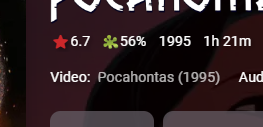
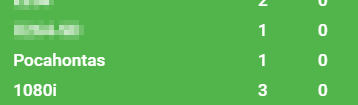
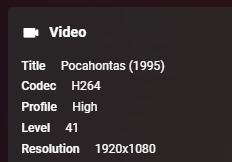
@Eigeplackter in your case, "Deutsch" is coming from an embedded title in the video file itself. See this as an example... Media Info: Using something like MKVtoolnix to remove the embedded title, refresh metadata, and run Statistics calculation again - you'll find it will be cleared. I think the problem you will have is locating exactly which media file has "Deutsch" embedded in the title (unlike the above example which is easy)
 1 point
 -
I run my Emby on a Windows system so I will base my answer on that. A little bit of info on your setup would be useful such as operating system, are your files on the same machine or a network share. Do you have "enable Subkiller" and "autorun on new media added" turned on? Do you have at least one language selected to keep the subs? Do you have the "extract text based subtitles" option turned on? To start with don't select only forced for simplicity. Lastly does the new test Library show up in the "enabled libraries" list? If yes to all the above then when a new file is added it should be detected and 5 minutes later SubKiller should do it's stuff. But (there is always a But) you said If this is a mapped network drive/folder the RTM (real time monitoring) may not work so you may have to use the scheduled task instead. If you go to the "Scheduled Tasks" setting in Emby you can manually start a SubKiller scan or set it to a schedule. Once you have got it to actually scan and process a file the exact setup you have will dictate the way forwards Before running SubKiller manually it may be worthwhile setting logs to DeBug and then back in Scheduled Tasks rotating the log file. Might be useful if it still doesn't work.1 point
-
I do only archive 10bit. No matter what codec is being used.1 point
-
OK. I'll see how I get on with this. Thanks.1 point
-
I have create one map/Folder for testing and marked everthing like it is on the post ... but how do I know that SubKill is runing and that it is done his job???!! Do I have to start something or what.. I put one Apple movie with a lot of subs ... run it from Emby Server Premium but everithing is still the same ... Im doing something wrong... .. please for help... I have also restart Emby Server ... and Sub Kill is installed1 point
-
As long as it can be disabled.1 point
-
Yea, that's what I got out of it :D, we all good man!1 point
-
Sorry for digging this up again but I am having this issue on a 2015 LG Webos TV with a MKV file that had embedded Subtitles. Both Subtitles and closed captions are turned off in the Accessibilty menu. The subtitles DO NOT show on Emby on my PC... but I cannot stop them on the LG TV Here's something interesting that I found... If I copy the MKV file to a usb stick and plug it into the TV and use the TV "smartshare" app to play the file directly I still get the same subtitles. However, in the smartshare app, if you press the remote arrows center button you can get an "additional options" menu that lets you turn off the subtitles. This is a totally different subtitle menu to the one you get in the accessibility menu. This works and the subtitles turn off! The problem is that this menu seems unique to the smartshare app...there is no way to get to these options when in the emby app (the same button just opens the emby options) The only way I have been able to get rid of the subtitles on my emby/LG combo is to download MKVToolNix on my PC and remove the embeded subtitles from the MKV1 point
-
If that is the case, then, no CoverArt does not treat those images.1 point
-
Hey @smernt, thanks for the investigation, I have a few days to pick up this project again and added it to the list, will fix this up for you. Not sure of this has always been a bug or that fields have changed after releases. But a minor fix. I have fixed a few other things and will put out a release over the next few days.1 point
-
Updated to fix an issue with valid links containing quotes, should speed it up where links are valid as it will only do 1 link check instead of 2 (approx 50% speed increase when valid)1 point
-
It's single scrollable row for me regardless of the image size, from Default both up and down, till Extra large. 3.2.90.1 point
-
Since you're running beta server it is likely plugin dev haven't updated it yet (or maybe he ain't keeping with the beta versions at all and only focusing on stable and you were just getting lucky on previous beta versions as there were no affecting api changes). @hackthis021 point
-
Year old necro, but I'd really like this as well. I really appreciate being able to swap devices and continue watching whatever movie or TV episode I was on. But I also have a fairly large collection of long MP3s (be they live concerts or downloaded podcasts), and I'd like to be able to continue listening to them across devices as well. I listen to podcasts in my car, but not being able to pick them up where I left off on my PC later is annoying, doubly so when the app goes to sleep and completely loses it. I was under the impression this was going to be short listed a year ago, but that hasn't been the case. I just want to be able to continue listening across devices :(1 point
-
I just restarted it and it seems to be working now.1 point
-
While you are waiting, maybe this will make someone happy for the time being or give an idea for a starting point: .sections.homeSectionsContainer::before { content: ''; display: block; background-image: url(https://assets.fanart.tv/fanart/movies/274870/moviebanner/passengers-585aa02f7420e.jpg); width: 80%; margin: 1em auto 0 auto; height: 16em; background-repeat: no-repeat; background-size: contain; background-position: center; } On the server dashboard, go to setting and copy the above into the "Custom CSS" field. Works with the web app only, though.1 point
-
Yes, there was an issue which is fixed now.1 point
-
1 point
-
I wasnt done update my library. It works now thank you.1 point
-
Je suis allé voir le sujet et oui même chose. Plus qu'à attendre une correction donc. Merci Happy2Play pour l'info que je n'avais pas vu1 point
-
Now i feel so embarassed, but thanks. That drive is USB & my system hasn't had usb instability in so very long that i just never thought of checking the location of the files. THanks much appreciated. Happy2Play1 point
-
To get a sequence of number is a calculation; repeating a calculation will always give the same sequence, from a the same starting point. However you can start the sequence with a number chosen by another means - for instance, the time. Another issue is that the concept of "a random number" is not well defined - or rather, there are many definitions according to what aspect of the numbers you want to be random. Furthermore, when selecting a play order for a list of items, you want to ensure that individual items do not get repeated too often or too close (which true randomness does not exclude), which is a requirement to make the sequence at least "a bit less random"! The calculations to approximate any particular kind of randomness are quite picky - not so much complex as requiring to be done just so. People have already done the work of writing programs to get good results, so it is usual to use the work already done rather than trying to do it oneself. There is still the matter of exactly how to use the sequence of numbers which the chosen random number generator gives you, and this is an area in which I believe Emby could be significantly improved (I gave a hint earlier in the thread, but it may have been a bit lacking in detail). Paul1 point
-
Thanks for.the verification!1 point
-
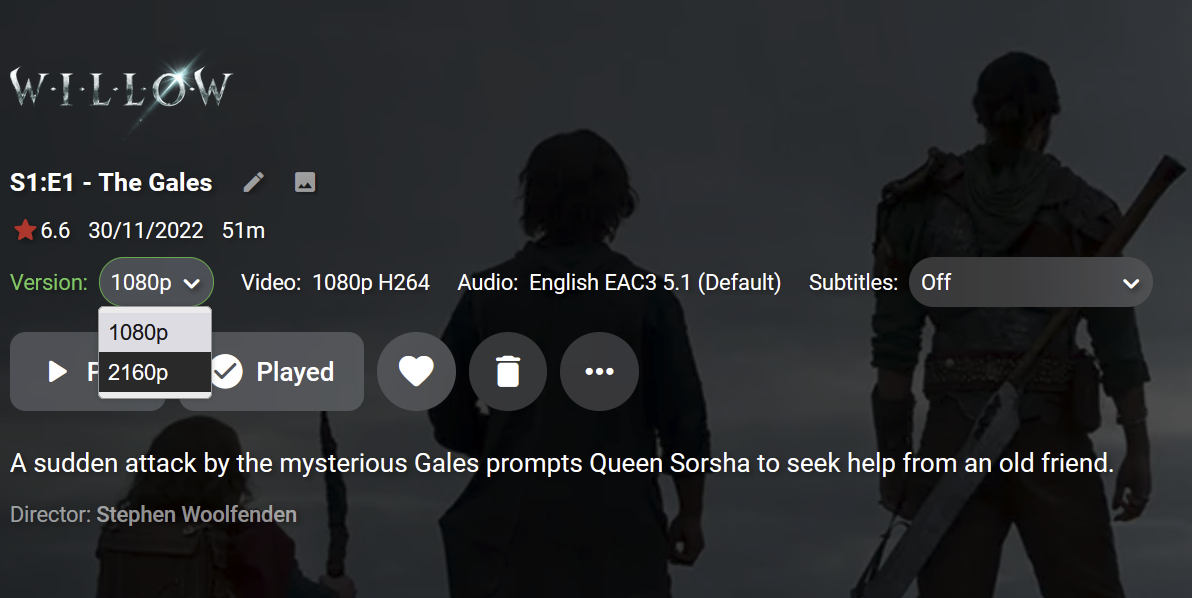
when you get down to episode level there is a drop down
 1 point
 -
would love that1 point
-
Yes reported here1 point
-
Hey @Luke, thanks for your reply. That actually sound just like a little problem. maybe.. I could just write my own external player? Not that I am that good at programming windows programs, but I mean, how much of work should it take? I guess the external player is eventually just a file (or more) which takes some parameters about which game it should run, especially a path to the executable of the game, and then it can run that program, that could be written in just one line of code maybe? Am I Missing something? Looks like I can give it a try after organizing the remaining Movie and Audio files.1 point
-
Yea I agree, you can't please everyone. That's just the way it is. It must be optional, that's the first step. As to who will spotlight... maybe a Admin thing or it could be random (release date/recently added)? I still think the banner will be more plug n play option but as stated above in this thread there could be a meta option to upgrade the image.1 point
-
The thing is, Netflix and the like have these sorts of features to advertise what's on them, because they're trying to interest you in their service. Emby doesn't need to do that, because that's not what makes them their money and because it's all your own media anyway.1 point
-
I would absolutely hate this being a standard addition to the clients. It's yet another thing I have to click past to browse my media. Options are always fine of course, even if they make zero sense to me.1 point
-
Hi. What I'm saying is it is opening the screen dedicated to that channel not program. Scroll down on that screen and you will see the programs on that channel. We'll look at opening the program instead of the channel since that is likely what you want.1 point
-
Hi, yes I agree that in the places where we have you selected preferred languages, we should allow you to select multiple and prioritize.1 point
-
Please remove Series Pooling, or at the very least make it an Optional Setting1 point
-
Definitely don't disable it. If this IS made an option perhaps it could be made an option on the Library, 'Do not use series pooling for folders in this library'. I would MUCH rather see changes to the server that allow better handling of the material that prompts this request. For example if I were keeping one copy of a series in English and one in French, and for some reason I didn't want to just merge the audio tracks in to a single set of files, the UI could merge the episodes and when I go to play them, ask me which copy to play. In that scenario it should remember that preferences for that show during that play session so it didn't ask me again for each episode.1 point
-
Hello, There has been three updates (3.0.6030, 3.0.6050 and 3.0.6060) but none solves the problem for now. Am I the only one who does not want to use this feature? When will be available the update that will disable this feature please?1 point