Leaderboard




Popular Content
Showing content with the highest reputation on 12/16/22 in all areas
-
*Updated* v 1.0.0.7 - should work on all Emby versions/platforms - just put the dll in the plugins directory. Fixed issue where links were being disguarded if the link contained "quotes", this will speed up load times where disguarded links were valid as the check will succeed and the plugin will stop looking instead of trying to verify a second link (more time). It wont make any difference to invalid link verification speed. How to use: Click on an Empty person image to trigger it. If it finds a link with a valid id (imdb id), then data and or image should load shortly. *A Caveat - it is possible that the wrong actor with the same name can be identified as correct* I have tested it here and it works well for me, please feel free to test it further. Nothing to configure or enable and it is seemless. I accept no responsibilty for anything if you choose to use it, its all on you to check legallity in your country! What this does: 1. It looks on google search engine for imdb links that contain the actor you are looking at or refreshing metadata on. 2. It collects links of possibles. 3. It only visits the links that might be valid and checks if the persons name is found in the actor page in order to verify it is valid. 4. It updates the provider Id (if found) 5. It writes a log file. Why does this help? Other metadata plugins if installed will use this id to get data such as tvmaze, themoviedb etc. This plugin might introduce a delay on person loading if *any* metadata is missing for that person. What it doesn't do: 1. It does not fetch any data on people, it only fetches the nm****** id code. It is technically a webscraper, athough intrusion is minimal - so it probably will not be allowed in the catalogue. What it might do: 1. Slow down library scans if it comes across missing people metadata.. Success rate for me is very high at identifying more people than movidb, tvmaze,tvdb alone! ***** UPDATE 18.01.2023 Uploaded same plugin but queries Bing instead, seems faster and more reliable. I have a feeling Google when logged in on a browser in your home network might ip block the original version from its servers, as the Bing one gets more results than the google one -- odd but seems to be tue. IMDB ID Helper.zip IMDB ID Helper(bing).zip
 2 points
 -
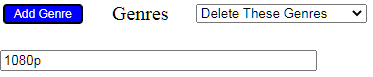
That's how I understood your question. So, here we go again... Open "the tool". Choose the library you want to "edit", then click Filter: enter the genre to filter by: Click The filter will be applied, you should be able to see a result of 850 movies (as you said). Shift_click on a movie, that will select all 850 movies, then click In the following screen, find this line: Click Add Genre. This will not add a genre. It will open a field in the form to type in a text, and with the drop-down you can choose the action that "the tool" shall then execute with the entered text. Click the drop down and choose "Delete These Genres v". Enter the genre, I assume it is "1080p". So far, no action has been taken, only selection and preparation. To execute the desired action. find the "Save" button and click it. This will take some time, but probably not more than 30 seconds. That should have fixed your problem. Wishing you good luck with this. Cheers, Roodee





 2 points
 -
Hello, Just install the 1.4.9, and it seems solved now ! Many thanks for this2 points
-
Your tip helped actually, I had a look in Windows new "what´s using this"-function on the emby folder and it was just Firefox. So I shut down Firefox and did the restart from my phone instead and voila! Thank you edit: So it seems Firefox which I use as primary interface to Emby prevented update2 points
-
Root volume : /dev/nvme0n1p3 452.9G 8.7G 421.2G 2% / media is kept om 12TB volume Synology 1513+ If it crashes again I will atach this file!2 points
-
Say I have a custom collection of 56 Christmas movies. During the Holiday Season, I would like to show this on the main page as a Library. Now, I could make a drive folder called "Christmas" and put these movies in that folder. However, now we're getting away from using metadata for organization and moving back to using folders for organization. Something you've spent the last few years trying to get away from. So each collection should have a toggle to show it as a library on the Home Page. Then people can make collections for Christmas, Halloween, Summer Romance, Summer Slasher Films, whatever and show them on the front page where they are easily accessible. Don't want to show it anymore, switch the toggle off.1 point
-
I would like a version of emby that is compatible with movies and series only. Without the options that exist today such as (books, music, live TV, etc.) I think it would be wonderful for movie and series lovers only and would give us a cleaner and more aesthetically pleasing version without all the settings that the other things have. This will give a proper response to the known streamers.1 point
-
To tell the truth. emby for me the best media server on the market. And as one who only uses it for movies and series. I would like the entire user interface and display to be completely compatible with movie and series content. That's all I'm saying. And because emby supports many types of content, so for me it's a bit messy.1 point
-
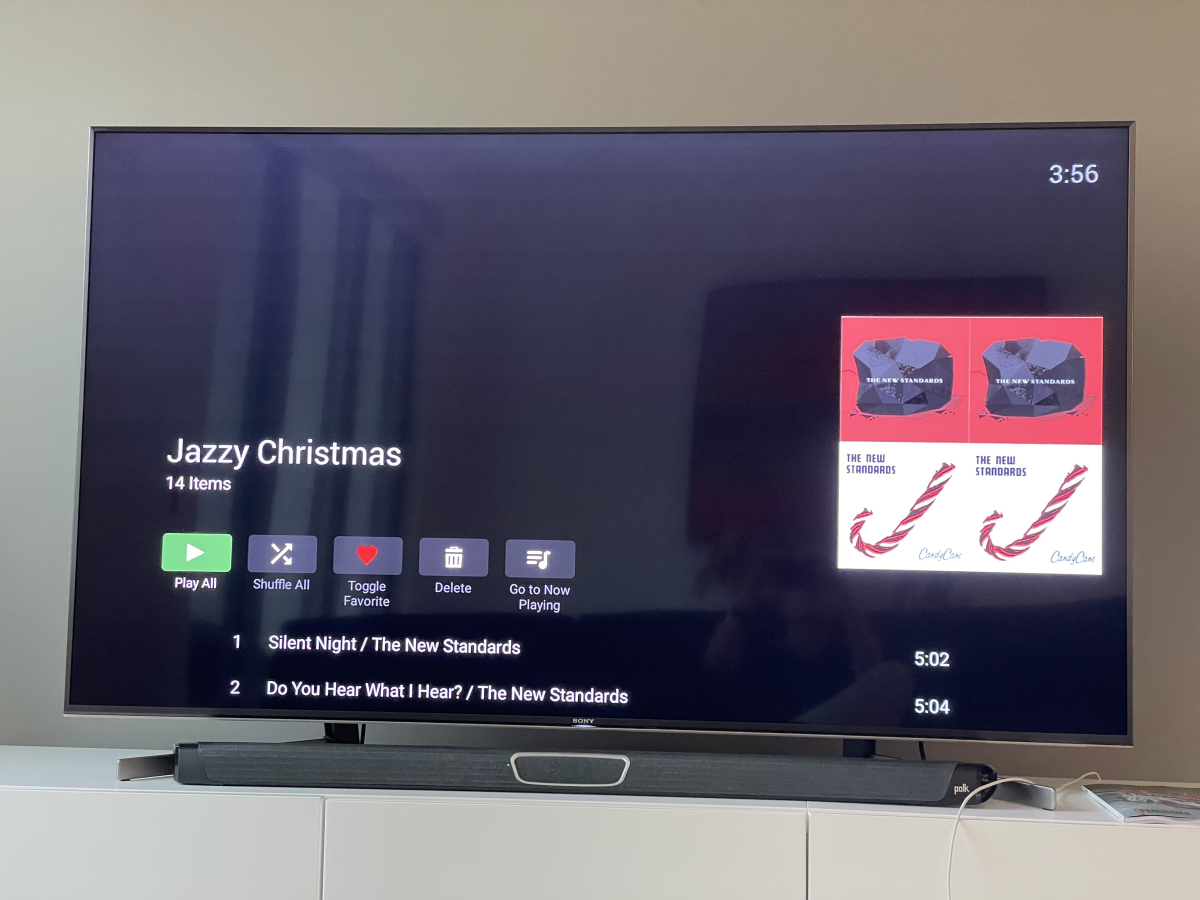
A simple refresh did it! Thank you!!!
 1 point
 -
Cool can’t wait for the plugin! We’ll volunteered1 point
-
Oh OK, no worries, I'll wait until the package centre updates. Thanks!1 point
-
Ok, thank you Luke. As a Info... I wrote a message to a admin of opensubtitles. He Set my Profile to vip on both sites, so I can use the vip Feature in emby. Maybe that could other emby User do also.1 point
-
That is so odd. When I look at the Movies folder, it shows a "Custom" permission setup but I don't remember doing anything there. I have set the TVShows folder to readonly for the emby user and it is finding my TV shows now. Thank you very much!!1 point
-
got it back... long press on the shield remote. (don't ask me to explain why this worked or why it went away to begin with!)1 point
-
Hi, there's already an open request for this or something functionally equivalent. Please join in and contribute to the existing discussion at:1 point
-
Something is likely holding server folder locked preventing the update, rebooting the machine should work.1 point
-
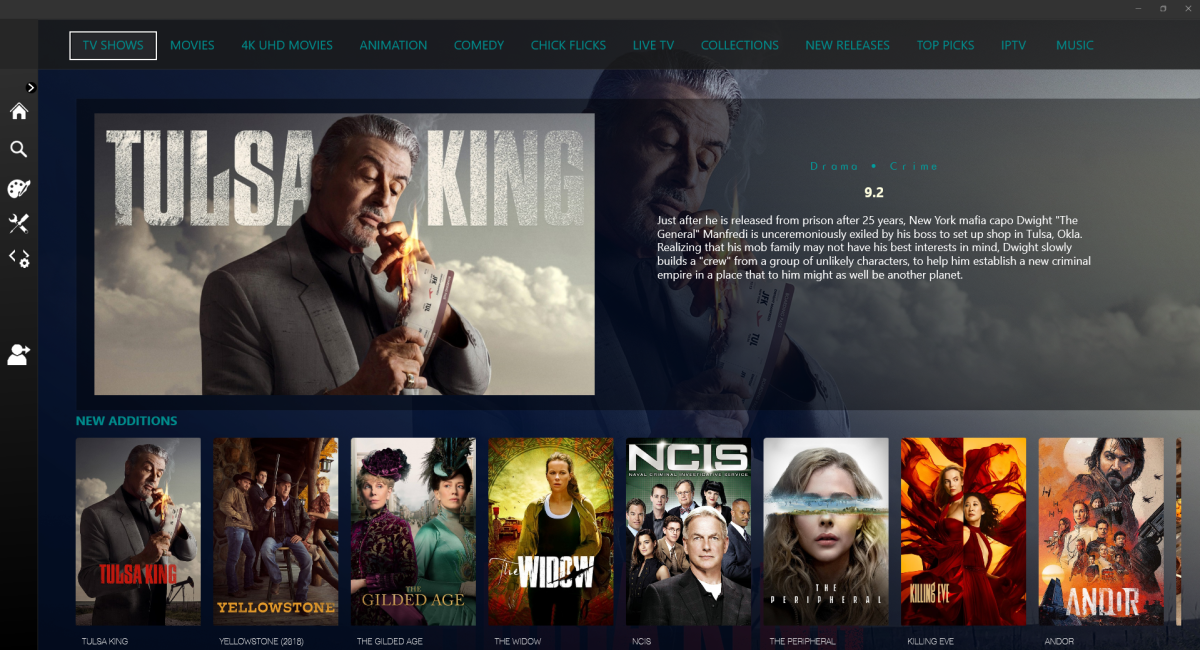
exactly and that's how it should be, the main libraries should be first for navigation etc
 1 point
 -
You shouldn't have to go through all of this to maintain software on your media server. I don't often share my opinion unasked but this has been on my mind for some time. I've played around with TrueNAS Scale and for people looking to replace or build a home NAS or media server expecting something like Synology or QNAP this product is a square peg for a round hole. I found it to be too much of a niche solution with a very specific usage and approach in mind. It could be that Scale hasn't reached maturity or the critical mass needed to get the right level of contribution to its application libraries. Either way, IMO it's not ready for prime time. As seen in many posts in these forums the knowledge bar is set pretty high for TrueNAS Scale.1 point
-
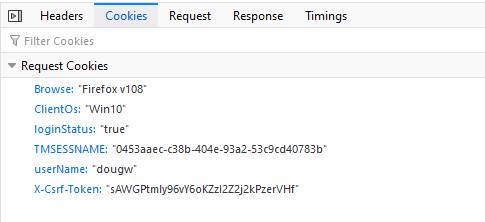
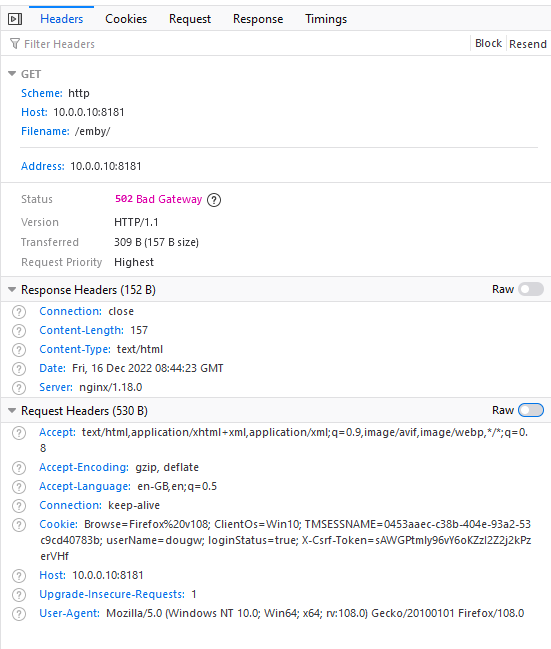
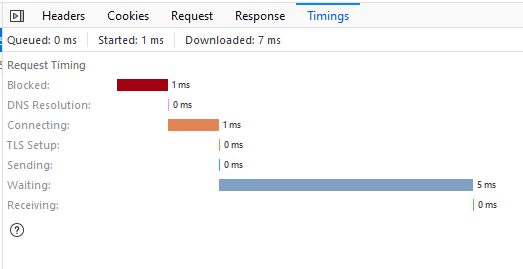
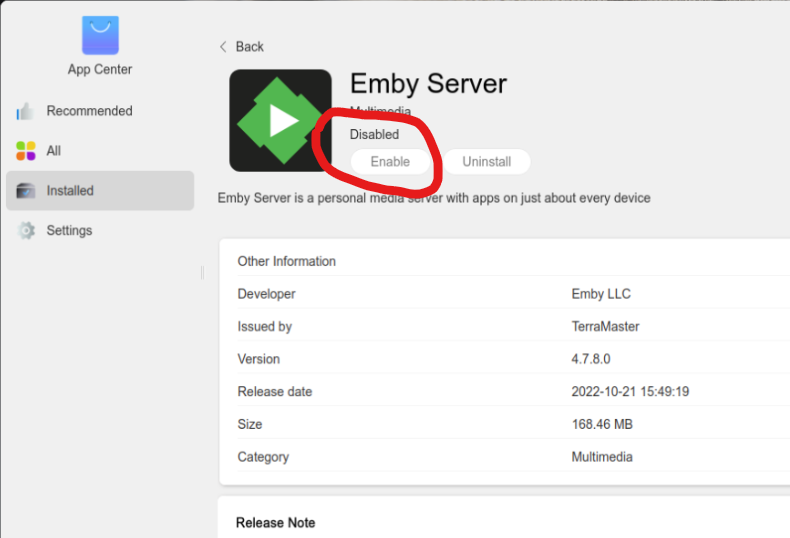
Hi @Luke Added the console log but I see there is not much in it. I added in the network trace info as well as well (no payload for the request, response as per @squarepegscreenshot above). One other observation, in the App Centre->Installed screenshot you will see that on power up that TOS has Emby marked as disabled. If you click that Enable button then there is a short pause followed by an "Operation failed" message being displayed (and the status remains as "Disabled" and there are no new entries in the Emby logs. Finally, when I SSH into the Terramaster NAS I dont see any Emby processes running which equates to Emby being marked as Disabled console-export-2022-12-16_8-27-19.txt
 1 point
 -
HI, it's what the server uses to determine it's remote ip address so that it can report this information to Emby apps. We can add their api64 version as a fallback. Thanks.1 point
-
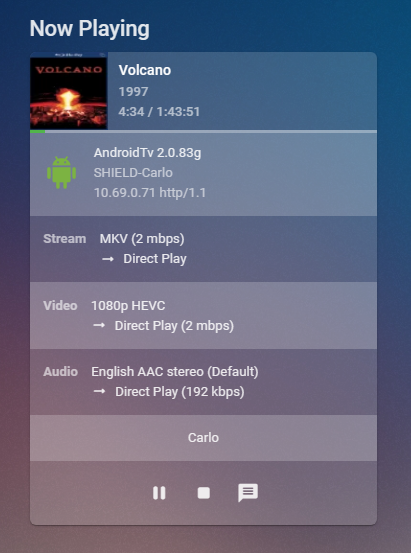
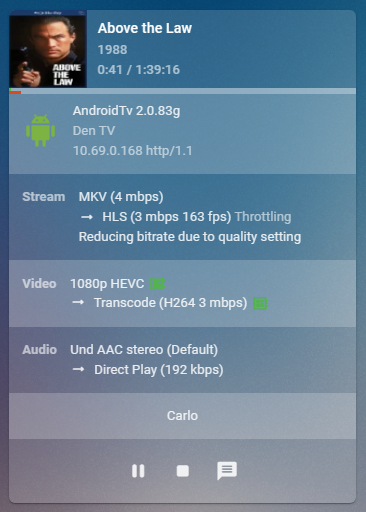
On the Emby Server Dashboard you will see something like this: The Audio, Video & Stream all show Direct Play. On this one you can see the Video is being Transcoded. Looking at the stream it tells you why "Reducing bitrate due to quality setting". Hope that helps, Let us know what it tells you on screen.
 1 point
 -
The only thing that the Shield has on it is the AI upscaling. Everything else the 3rd Gen. Fire TV can now do, or it does a better job in most cases. The ethernet port is only 100 Mbps, but I bought the eero 6e 3-pack when they were on super sale for $250 and can verify that it handles 4K TrueHD content as though it was hard wired…mind is blown by the capabilities of a 6E network working properly. In the US it has never gone on sale. But you can trade in a super old fire stick to Amazon and get 20% off.1 point
-
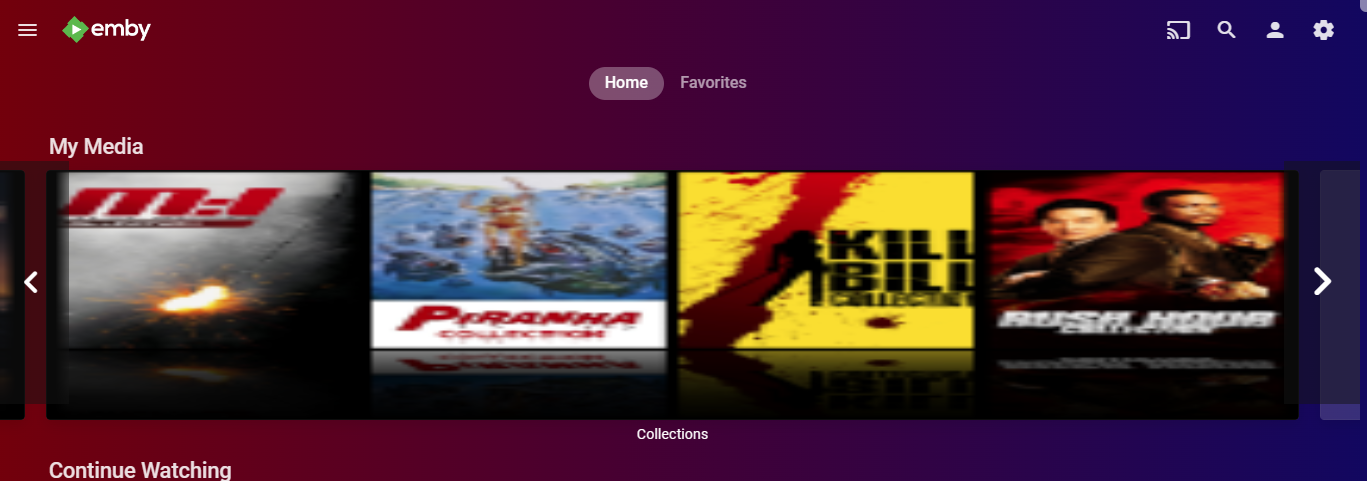
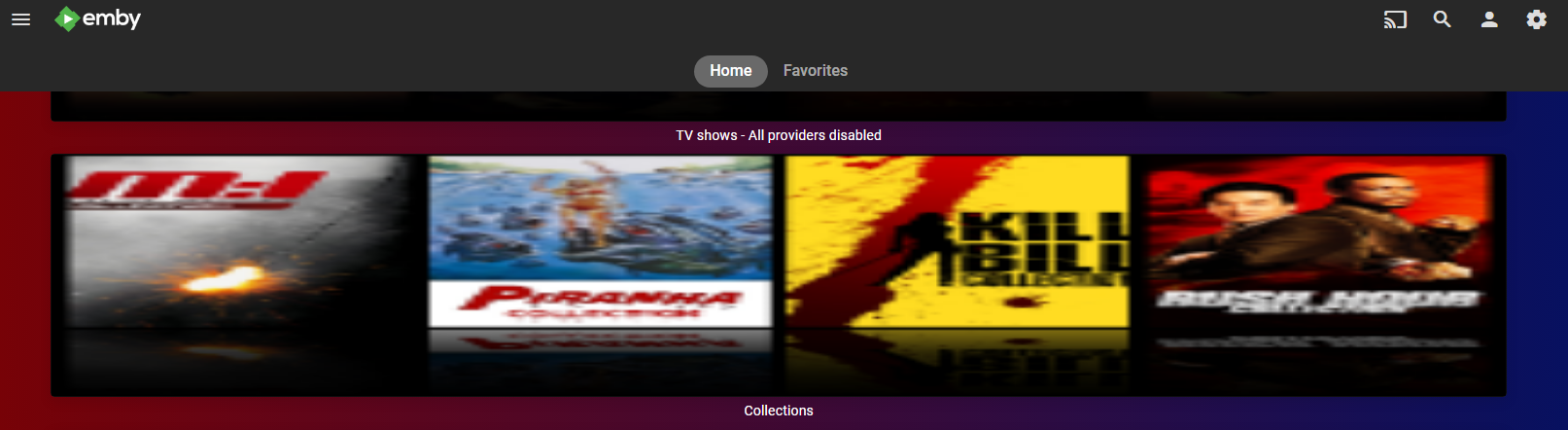
@arrbee99 You looking for something like this? div.verticalSection.section0 div.cardBox {height: 250px} div.verticalSection.section0 div.backdropCard {width: 100%} div.verticalSection.section0 div.cardBox div.cardOverlayContainer { height: 100%; width: 100%; } div.verticalSection.section0 .scrollbuttoncontainer-backwards, div.verticalSection.section0 .scrollbuttoncontainer-forwards {height: 80%} Depending on resolution with scroller without scroller
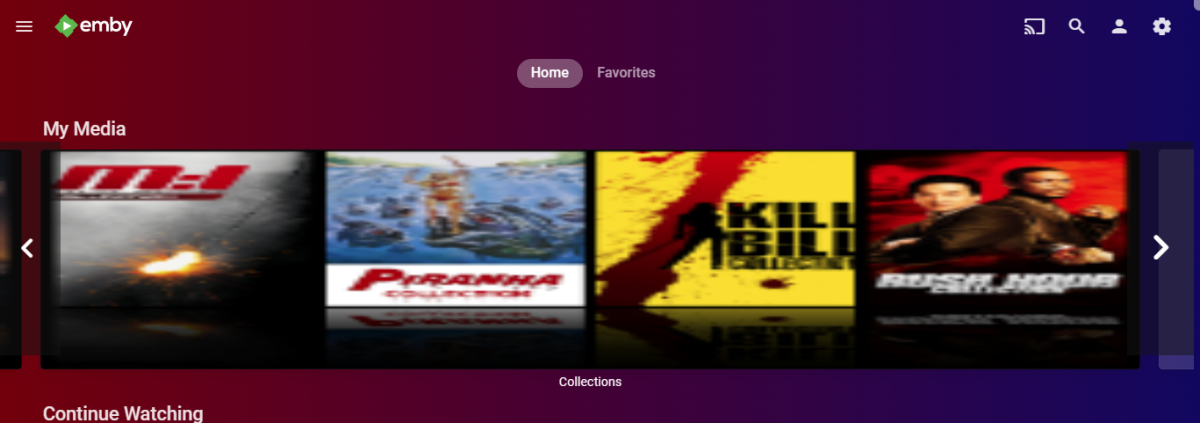
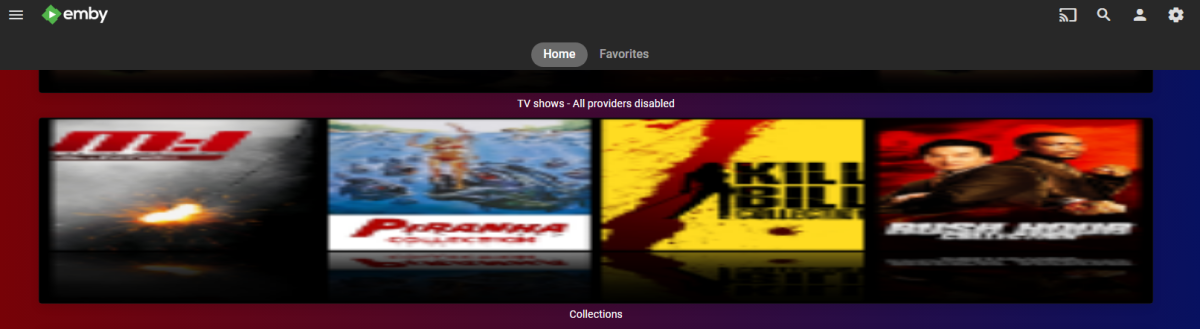 1 point
 -
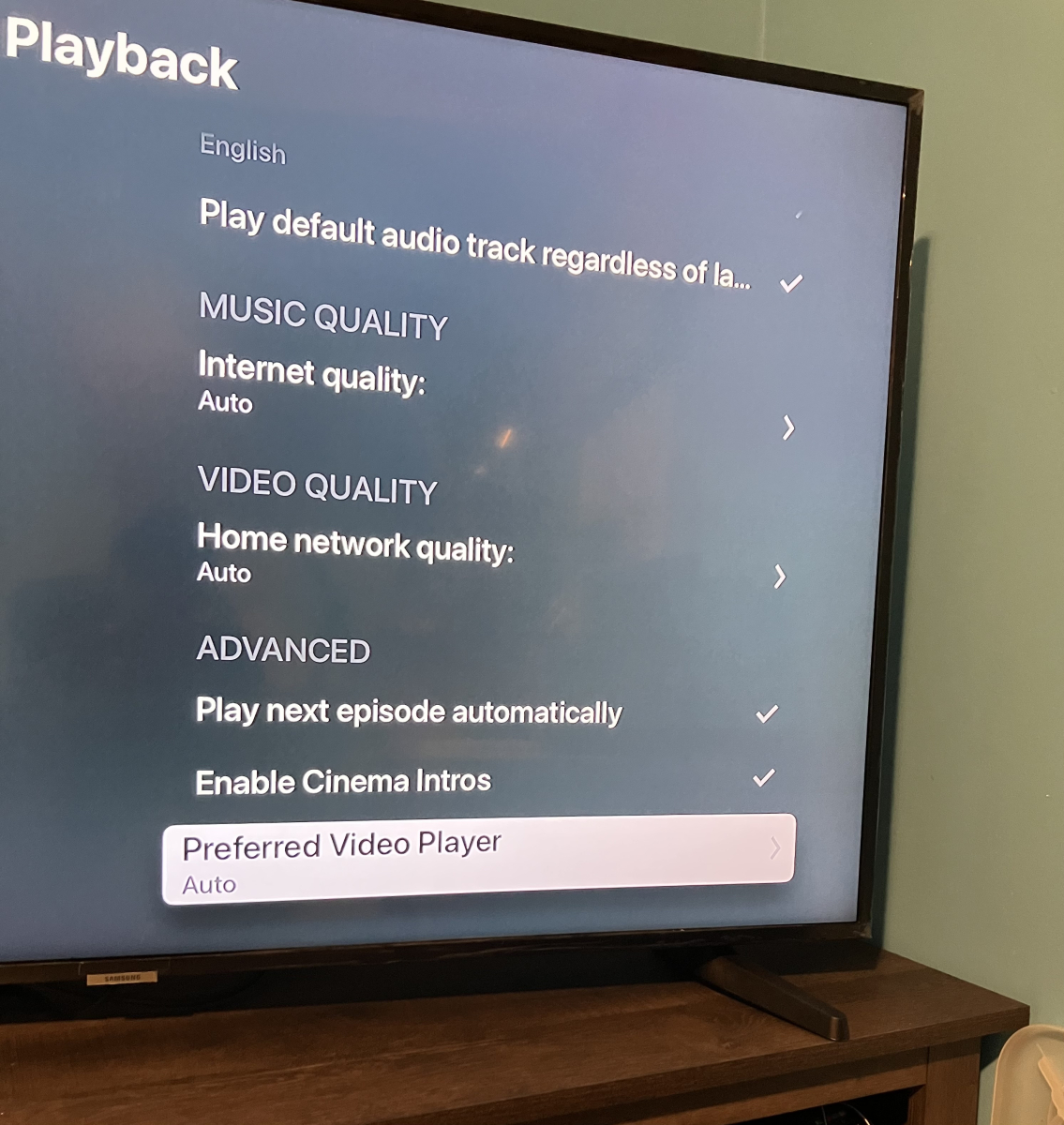
I changed it to back to auto when Luke told me. Maybe I sent the wrong log. I’ll try again and be sure to send the correct log.
 1 point
 -
Happy days! FireTV Cube Gen3 update has enabled TrueHD Atmos passthrough for apps. Wooohooo Now just need Emby to update to have AV1 HW playback1 point
-
@samsung2100 You're saying that with an m3u with multiple links for a channel, Emby will go down the list until it finds a working link. Once Emby has chosen a link, will it fail over to another link if the one it was streaming times out? I also had no idea Emby could handle multiple links for one channel.1 point
-
I see, but you can still have passwords for the profiles if you want1 point
-
The issue is the device capability is being got from the playback device - not the display device. This is yet another reason why I'd like the 'devices' to be fully configurable with capabilities that overwrite 'auto' settings - as then you could set it to 'force SDR' for example - as you know it is connected to an SDR only TV. Emby tries to be smart - but in somes cases, it's way off because it does not have all the information to make a calculated decision.1 point
-
Thanks, worked great! Dale1 point
-
Hi It would be great if these filters had a third option that hid it. Like if I would like to hide all 4k movies. Currently I can't use these to only view 1080p content and lower.
 1 point
 -
Проблему теперь решил не через VPN, а просто через DNS. Прописал в настройке сетевой карты такие серверы DNS1 94.140.14.140 DNS2 94.140.14.141 Все заработало !!!1 point
-
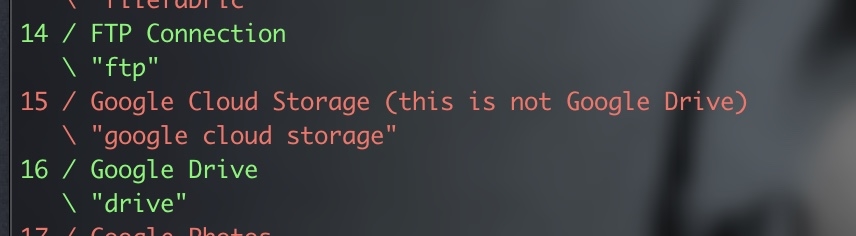
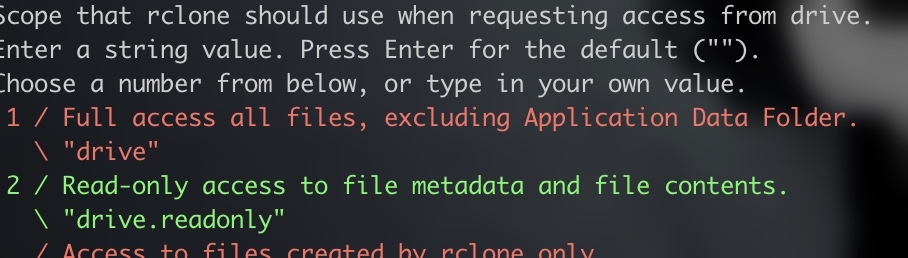
Yep The below is what i do on Debian you will need to get your Client Api /secret Key as per the rclone guide first as using the shared key is not advised, this takes a few minutes API Keys Visit - Google Console from the Account that has access to the drive you want to mount, the below is an excerpt from Rclone Rclone GDrive Log into the Google API Console with your Google account. It doesn't matter what Google account you use. (It need not be the same account as the Google Drive you want to access) Select a project or create a new project. Under "ENABLE APIS AND SERVICES" search for "Drive", and enable the "Google Drive API". Click "Credentials" in the left-side panel (not "Create credentials", which opens the wizard), then "Create credentials" If you already configured an "Oauth Consent Screen", then skip to the next step; if not, click on "CONFIGURE CONSENT SCREEN" button (near the top right corner of the right panel), then select "External" and click on "CREATE"; on the next screen, enter an "Application name" ("rclone" is OK) then click on "Save" (all other data is optional). Click again on "Credentials" on the left panel to go back to the "Credentials" screen. (PS: if you are a GSuite user, you could also select "Internal" instead of "External" above, but this has not been tested/documented so far). Click on the "+ CREATE CREDENTIALS" button at the top of the screen, then select "OAuth client ID". Choose an application type of "Desktop app" and click "Create". (the default name is fine) It will show you a client ID and client secret. Make a note of these. Go to "Oauth consent screen" and press "Publish App" Provide the noted client ID and client secret to rclone. Click "OAuth consent screen", then click "PUBLISH APP" button and confirm, or add your account under "Test users". Be aware that, due to the "enhanced security" recently introduced by Google, you are theoretically expected to "submit your app for verification" and then wait a few weeks(!) for their response; in practice, you can go right ahead and use the client ID and client secret with rclone, the only issue will be a very scary confirmation screen shown when you connect via your browser for rclone to be able to get its token-id (but as this only happens during the remote configuration, it's not such a big deal). POINTS TO NOTE If you are most likely only going to be able to SET app type to external as it will not pass googles checks to make it an authorised app (you have to submite ownership urls etc etc). This places it in testing mode (fully working), with this comes one issue the token expires once a week, so you will need to refresh the token every 7 days (takes a few secs). When you get to the setup Screen for scopes make sure you authorise as a minimum the following: Scopes Once you have written down your client App ID and Secret you can move on to the next stage Install Rclone curl https://rclone.org/install.sh | sudo bash Now let's setup your first Mount rclone config Then type N for new mount, and enter a name for this mount to identify it (no spaces) A list will be displayed make sure you pick Google Drive which is currently option 16 on my setup Now enter your client application ID Now enter your Client Secret Give Full Access to the drive Root Folder ID - Leave blank do not type anything click enter SA Account file - Leave blank do not type anything click enter Edit Advanced - Type N press enter The next question depends on your setup, you mention VPS so i presume that has no desktop UI and is server install so answer as follows Use Autoconfig - Type Y if your machine you are running rclone on has access to a browser Use Autoconfig - Type N if your machine does not have a browser i.e a server os remote Anyways I presume you have no Browser and are running remote so: Click N A Https link will show which you need to copy and paste into your browser You will be shown the Oauth screen for the app you created at the beginning of this guide, you will need to login with the user you set as test user in the first part of the guide (security precaution), then You will see several screens asking you to confirm you are happy to proceed, do this until you get to the Token screen Copy the token provided and go back to your ssh session Paste the key and press enter Confirm you are happy to create by typing Y You should now see your Rclone mount listed so time to mount it: SYSTEMD Mount So create a mount point where you want the drive mounted, you never mentioned if you are running base os version of emby or in docker, so adjust the following mkdir /mount/MyMountFolderName In this example i am creating the mount in folder mount and creating a folder called MyMountFolderName, you can change this to wherever you want it Also for this we are going to create a cpl of extra items up front as this reduces the chance of Error 1 messages when starting the service mkdir /rclonelogs touch /rclonelogs/rclone_vfs_mount.log mkdir /vfscache mkdir /vfscache/gdrive So now time to create the service file (location below based on debian file pathcs): cd /etc/systemd/system Then (name this whatever you want): nano rclone-gdrive-mount.service The below should be copied in and adjusted to your paths, the below is a perfect working solution for Emby and the other media server that shall not be named [Unit] Description=RClone Gdrive Service Wants=network-online.target After=network-online.target [Service] Type=notify ExecStart=/bin/rclone mount YOURRCLONENAMEHERE: /mount/MyMountFolderName \ --config /root/.config/rclone/rclone.conf \ --cache-dir=/vfscache/gdrive \ --vfs-cache-max-size 80G \ --poll-interval 15s \ --log-level INFO \ --dir-cache-time 5000h \ --vfs-cache-mode writes \ --vfs-read-chunk-size 128M \ --vfs-cache-max-age 3h \ --vfs-cache-poll-interval 5m \ --allow-other \ --bwlimit 110M \ --no-checksum \ --no-modtime \ --drive-pacer-min-sleep 10ms StandardOutput=file:/rclonelogs/rclone_vfs_mount.log ExecStop=/bin/fusermount -uz /mount/MyMountFolderName Restart=on-failure [Install] WantedBy=default.target Points to note Your clone Name should be replaced with what you named your Rclone mount earlier If you only want to mount a single folder from your gdrive you can enter as follows YOURCLONENAMEHERE:/myonlyfoldername Path to your created mount folder should be just that the path to the folder you want the gdrive mounted to, make sure you also set this path in the mount point section on the line starting EXECSTop. If you have good hard drive space set up vfs cache as above Se the Max Size of vfs cache to whatever you have available (leaving space of course) bwlimit this is the max network bandwidth you want to use in my example its 110M or 880mbps, adjust this to lower than what you have available or remove all together if you do not need to limit ctrl o ctrl x Now you have saved an exited so time to start the service systemctl start rclone-gdrive-mount.service Now if all has gone well then you should get no error so check if its running systemctl status rclone-gdrive-mount.service If it states it's running then all is good so lets enable this mount at boot systemctl enable rclone-gdrive-mount.service Your Gdrive should be mounted in the folder you specified now you just need to make it available in Emby but as mentioned you ddidnt mention if it was docker or base install if docker its easy just to map the folder in the compose file. If you get an ERROR 1 when trying to start the service you will need to re-check the names and paths in the file again as most likely there is an error in how you have typed it. This is why we also created the mount and cache folders and log files earlier, to reduce that as being an issue. Also not knowing what OS you are using there is a possibility fuse(ermount) may not be installed (debian based normally has this even in minimal install) so that may need to be checked also If you do have to change the file you will be informed to reload the systemctl daemon, so do this before trying to re start
 1 point
 -
Nice, BTW, since you're in the USA you can use the Built in Emby Guide Data as well which you might like better.1 point