Leaderboard




Popular Content
Showing content with the highest reputation on 12/11/22 in all areas
-
Thanks for the Update. Its working fine again. Thank you2 points
-
Matrix Notifications Plugin for Emby Based on my Telegram Notifications Plugin i build a Plugin suitable for the Matrix Messaging Protocol. the simple advantage is that you can host your own server for it which does not rely on other people. Nope it is not in the Plugin catalog, because there are only plugins by developers which are "willing to fully support it. That means keep it up to date with server versions as well as fix any issues and respond to user help requests." Because of the closed source code of Emby and the lack of Plugin development documentation that is something i cannot ensure. What it does? It simply forwards the Messages of the Emby Notification Framework to a Matrix Room. Not more, not less. Sorry no fancy posters etc. because the Standard Notifications of Emby dont support it. That could be hacked into, but those things can break easily on every update. Install Install the Plugin by downloading the DLL (or build it yourself using VS2017/VS2019) and putting it into your Emby Plugin folder Restart your Emby Server Grab yourself the Element Messenger and curl (of something similier to talk with the API) Your server needs a user account on the matrix instance to use, so register on for it Start Element with your own account and create a room, deactive encryption (important), i made mine invite only. Invite your Emby Server to the room Head to the room settings you will find the internal Room ID, something like: !klblablabla:matrix.org an note it Now it is time to start playing with curl to get Access Token of your Emby user and join the room Mind changing the TLD etc accoring to your needs. Start with getting your Access Token curl -XPOST -d '{"type":"m.login.password", "user":"EMBYSERVERUSER", "password":"EMBYSERVERPASSWORD"}' "https://matrix.org/_matrix/client/r0/login" Join the room (the ! in the room ID must be exchanged with ah %21) curl -XPOST -d '{}' "https://matrix.org/_matrix/client/r0/rooms/%21klblablabla:matrix.org/join?access_token=ACCESSTOKEN" Test the connection curl -XPOST -d '{"msgtype":"m.text", "body":"hello"}' "https://matrix.org/_matrix/client/r0/rooms/%21klblablabla:matrix.org/send/m.room.message?access_token=ACCESSTOKEN" Go to the Plugin settings page and fill in the Access Token, Room ID (like you copied it from Element aka with the ! at front), and the Server TLD (dont forget the / at the back) Send a Test Notification Activate the Matrix Notifications Plugin in the desired Server notifications Known Issues? It does not support E-2-EE because there is no SDK for it. Of course TLS will be used. Where to get it? You can download the Source and DLL on Github or attached to this thread. https://github.com/bjoerns1983/Emby.Plugin.MatrixNotification/releases Have fun with it. If you have a cool idea simply open a Github Issue. Would be cool to have this registration process handled on the settings page, but thats beyond my Scope. PR welcome! Emby.Plugin.MatrixNotification.dll
 1 point
 -
Hi, Thank you for the great product. It is a pleasure to use it. I have seen some posts but they are years ago regarding my request. Is there a plan to have notification (when adding movies, shows, live tv etc.) from the emby app ? This means to get a push message on my android phone, iphone, windows app, etc. With 3rd party software its not so cool. Thank you.1 point
-
I'm a big fan of services such as Rifftrax, and I hate having to manually mux files every time I purchase another release. Much in the same way that external subtitle file support was added, it would be nice to have external audio track support for TV and movies added as well. I wouldn't expect Emby to handle the offset calculations needed to sync the audio. It's not too difficult for me to modify that now.1 point
-
MKVs are capable of having multiple video streams inside of it. Some BluRays make use of multiple video streams, like animated films where some content like signs is translated to different languages. Or some films do have several video streams with additional content like a "before-CGI" version of the movie. Or you can choose of 2D video vs. 3D video. Kodi will support this in "Krypton" (version 17). http://forum.kodi.tv/showthread.php?tid=216672 So this works, when using "Direct Play". But not in other Emby-Apps or when transcoding. You can choose audio, you can choose subtitles, but not video. So it would be nice to have a "picker" for the video stream in Emby apps1 point
-
Like Sci-Fi, Action, ect.1 point
-
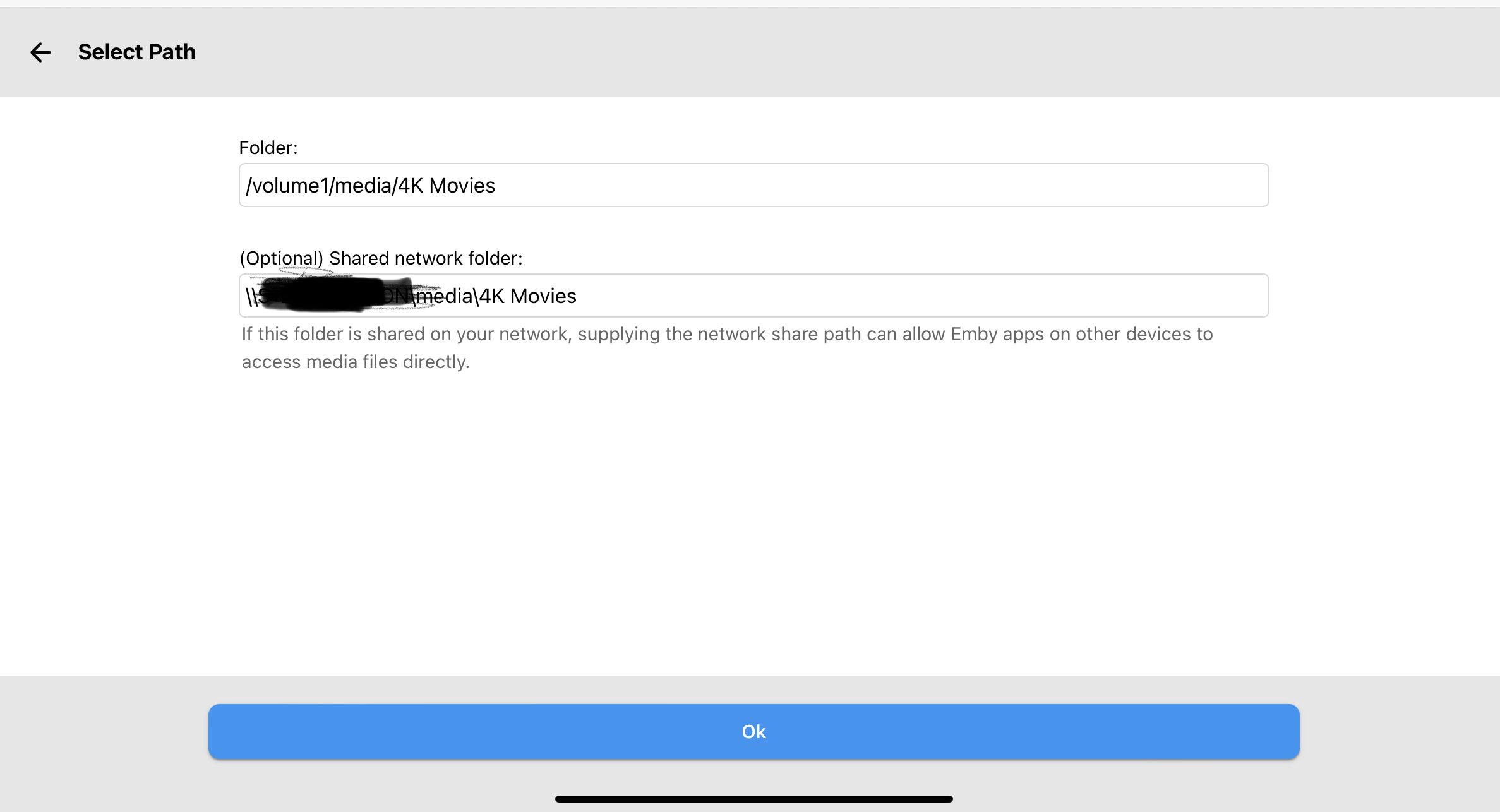
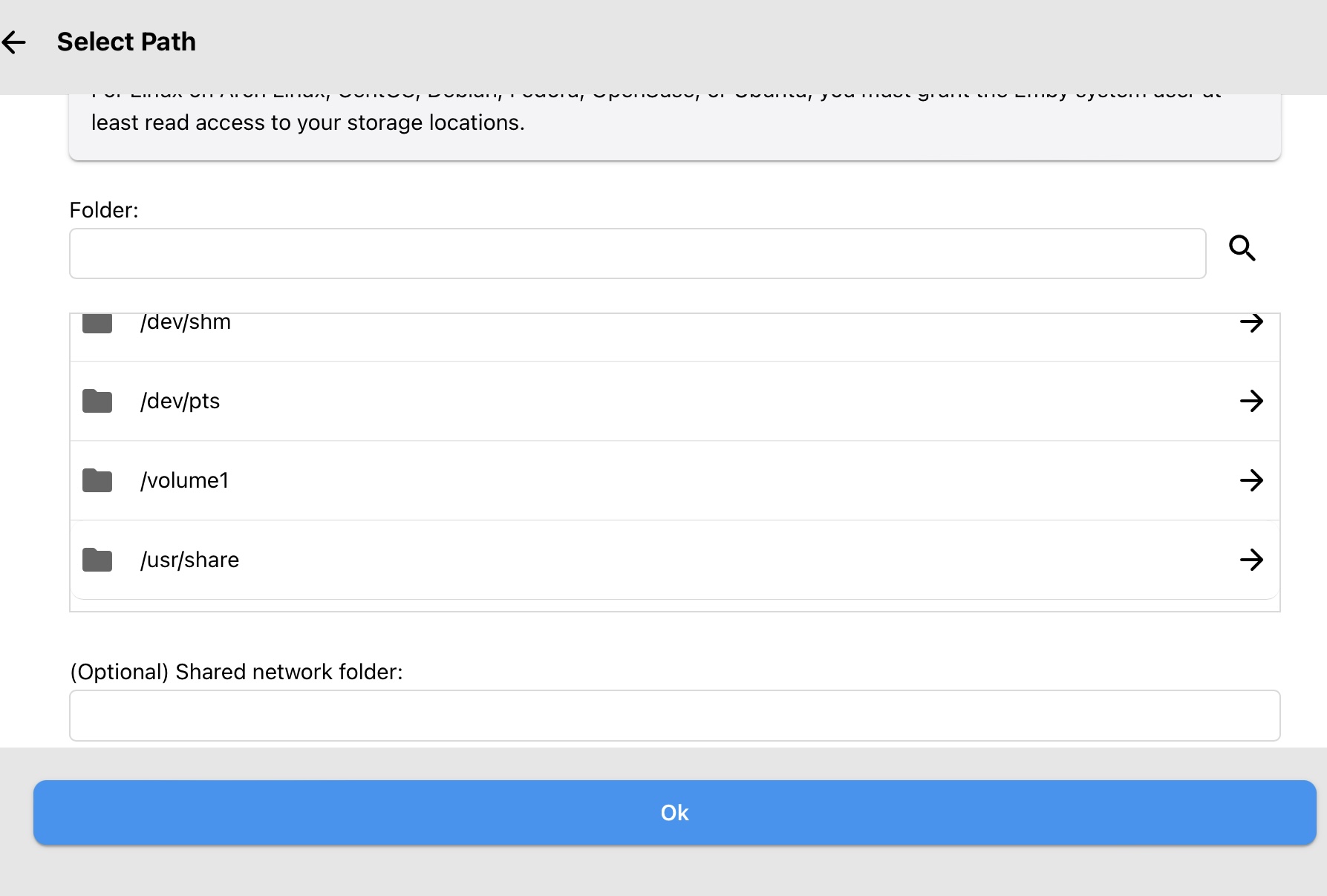
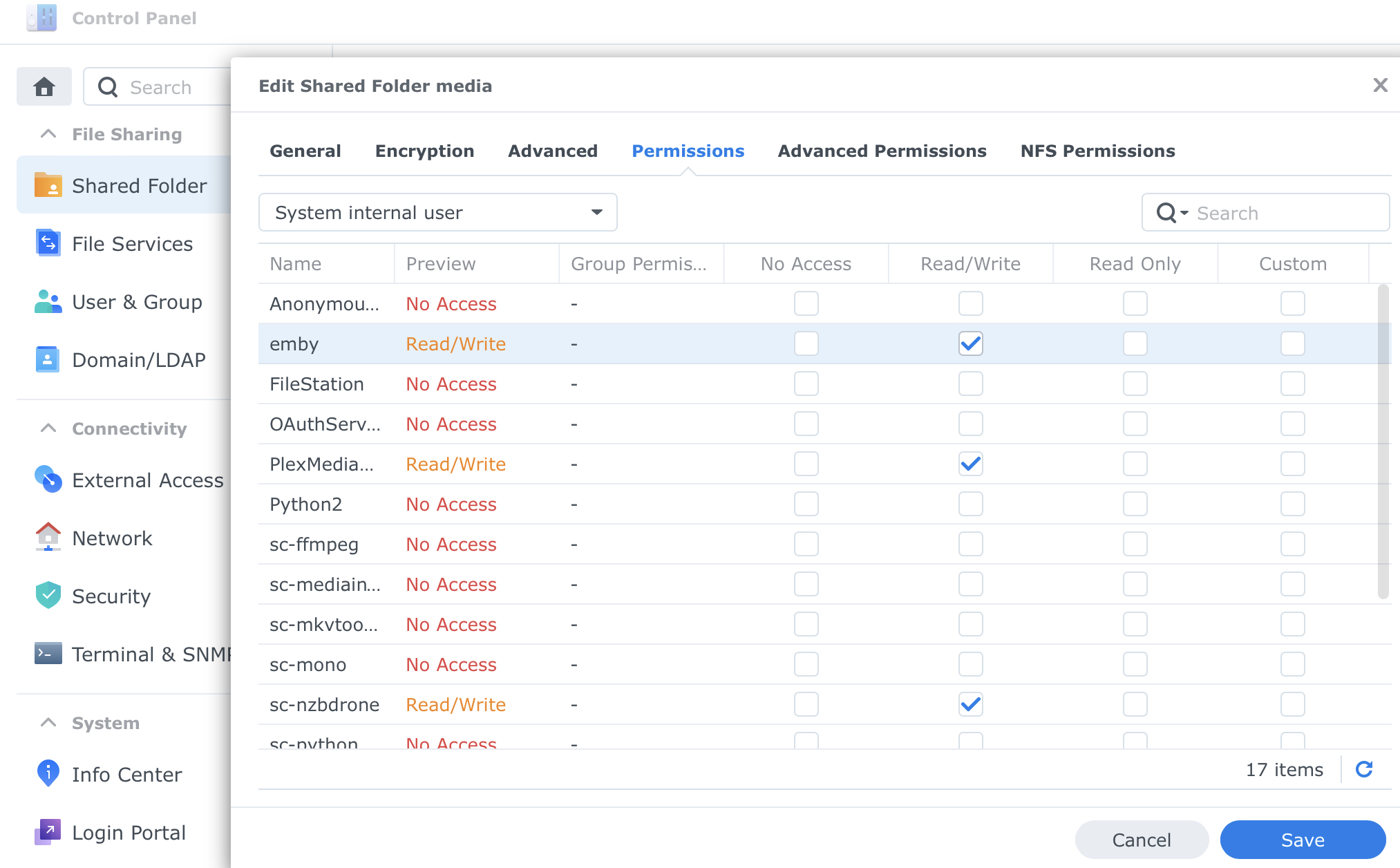
Which version of emby server are you installing? Did you follow this tutorial? https://support.emby.media/support/solutions/articles/44001159319-library-setup On my synology, the pathing would look like something like this. When you add the path, it should look like this below. That window one can scroll through to find volume1. Highlight that and it should open up to the folder or folders where your media is. Also make sure permissions are set correctly. In synology Control Panel go to Shared Folder and highlight your folder with your media. Click edit and then permissions. Change from local users to system internal user. Make sure permissions are set as below.
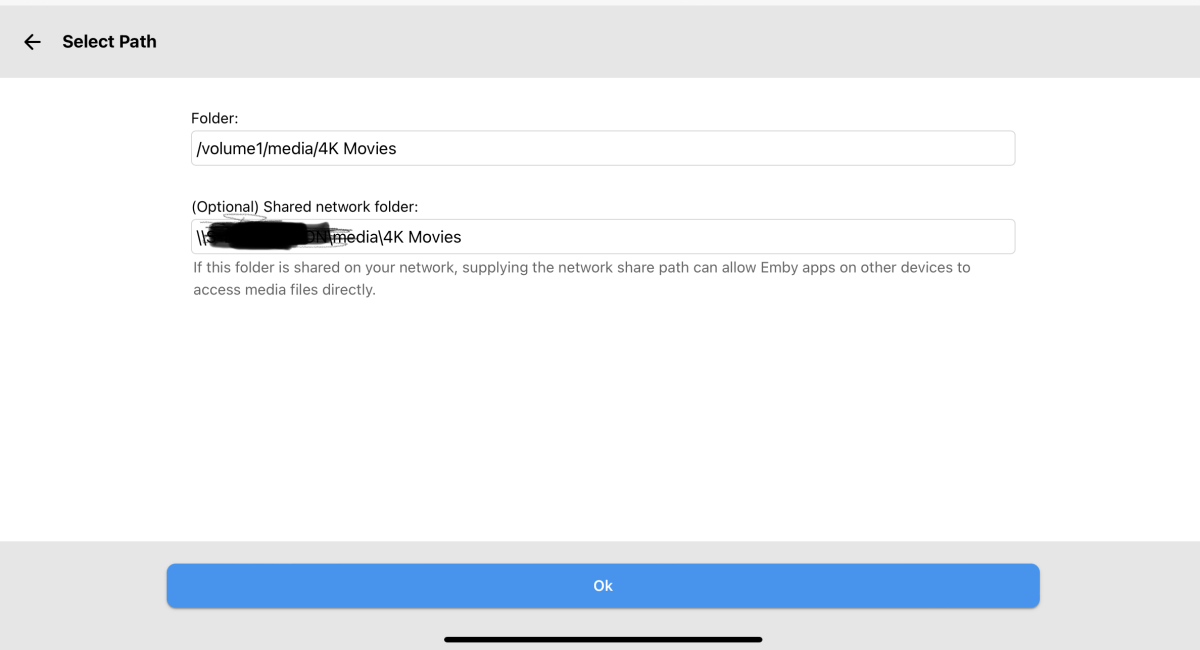
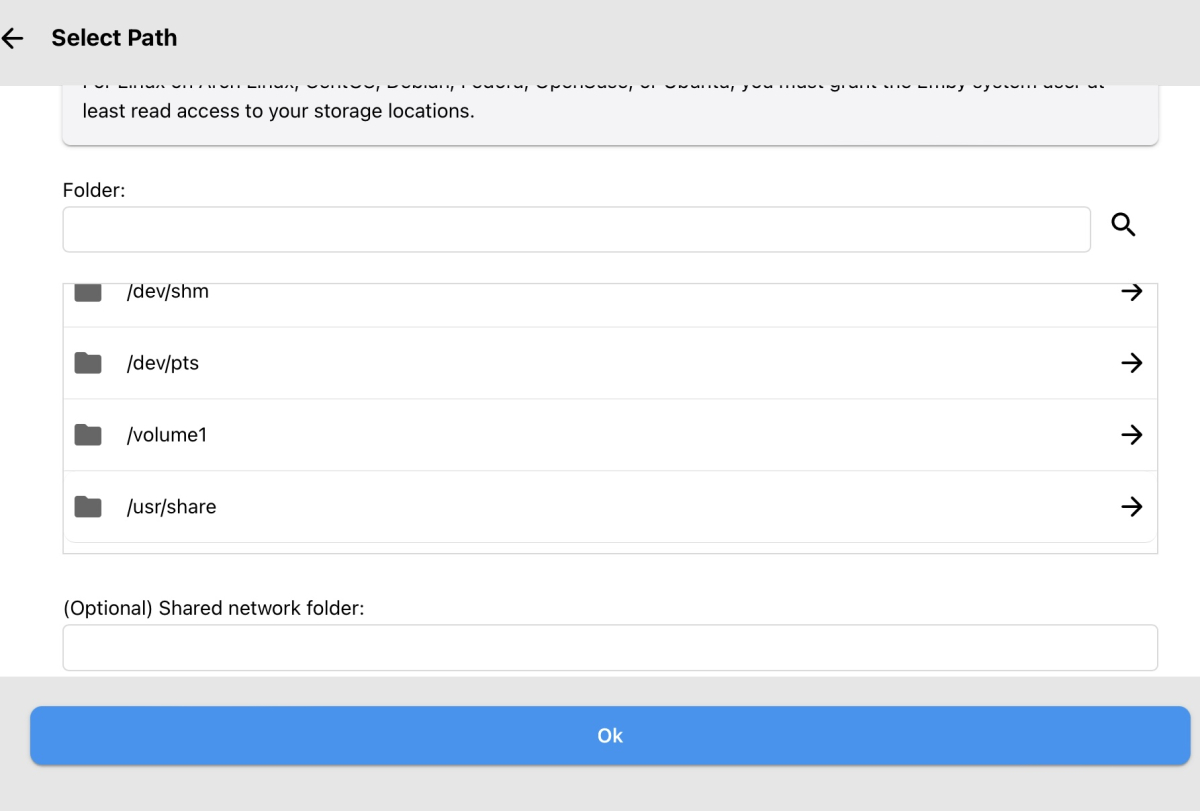
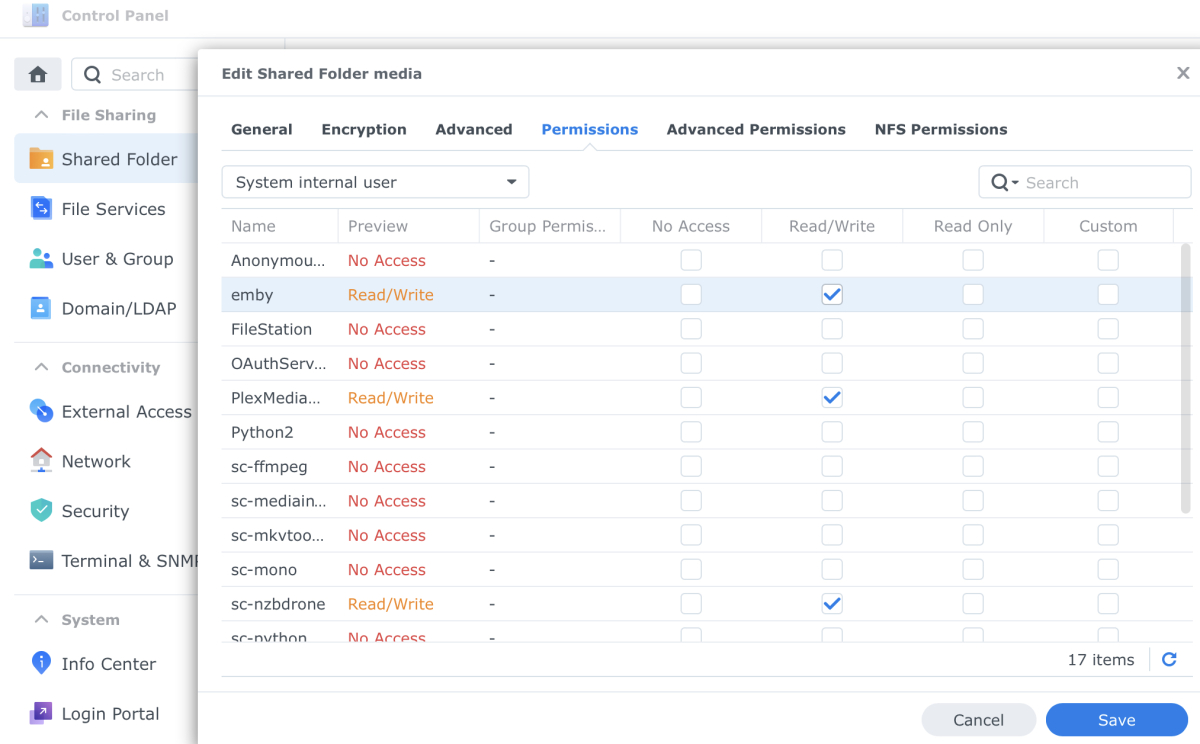 1 point
 -
Hi. I am currently trying to get wake on lan working with the theater apps as my server is not running all the time anymore. My current server side setup is a docker host (Ubuntu 20.04) with the official docker container (emby server version 4.7.10.0) which is running in bridge mode and is connected to two internal networks (one for the reverse proxy and another one currently for the connection with ombi). I would prefer to keep it that way to have it all separated. Capturing the traffic between the server and app with wireshark it looks like the app sends two WOL packets to the MACs of the two network interfaces of the container which is obviously not correct with my setup. It would be great if there could be an input field in the server settings to override the automatically detected MAC addresses.1 point
-
Your options are above as Happy pointed out, follow the links to either do this manually, or automatically via a plugin1 point
-
Please lend your support to my request, which would address this functionality:1 point
-
HI, yes, multiple embedded audio tracks are supported, but currently not external audio tracks in separate files. This idea has come up before and is possible for future updates.1 point
-
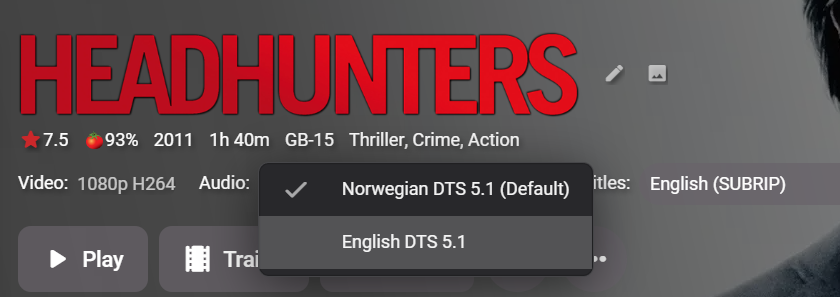
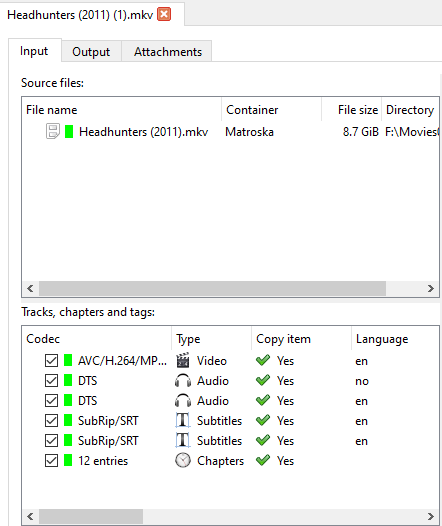
dont know about separate audio files but emby is very happy with files which contain multiple audio tracks..
 1 point
 -
Sounds great1 point
-
I deleted, and a new one was rebuilt which I edited to add my path substitution back in, and have applied the new one in Kodi. I'll let you know if it keeps happening.1 point
-
Skip Intro is supported in the latest update to the Emby Apple TV app.1 point
-
What you can do is stop updating the older version (unless you need ). The newer version will target server versions 4.8.0.20+. I will submit a PR for Telegram. Tthanks1 point
-
Have experienced some Kodi crashes when updating. Whenever closing was initiated, attached are a few logs. Did you intentionally remove the setting if you can choose to reset the addon settings before some versions? For me it's ok, because you can add the libraries later and thus restore the settings. Especially if you have alternative coverarts and compress cache in use, you have to remember now (otherwise you have to add again). kodi_Kodi schließen.log kodi.log kodi.old.log1 point
-
Network latency is going to be your killer here - doesn't matter how good your bandwidth is - latency from Auz is going to be horrendous for packet streaming. I would suggest using the download feature to get the file local and then play it from there.1 point
-
Images can be automatically created if you are little clever and have a framed format to create them in. If you look at the Top picks plugin from @chef (with ideas from myself and @Cheesegeezer) - the images created there 'work' (99% of the time) because they are 'framed' from combining backdrops, clearlogo and fading 'zones' to get a consistent image look (to display the number). You can do something similiar to create your own full width 'banners' for use here - the backdrop is cropped/scaled to be the key image - faded to the left/right - then the clearlogo is added to the darkest area depending on the contrast of the two. The tools to do this 'intelligent' image creation are already in emby .. So in summary - I don't think the image creation is the hard bit here - it's getting the image displayed in the correct location - and for that, we need the core team to add it - and define a simple image standard / file location format - we (users..) can do the rest.1 point
-
Keep in mind this: Playing HDR HEVC MKVs files, if using native player will be transcoded, if using MPV will be tone-mapped, no HDR passthrough for MKVs, only in MP4 containers Apple TV only supports ATMOS in DD+, TrueHD is not supported Emby for Android TV is a far cry from Emby for Apple TV. The Apple TV app is missing many, many things That's why I said that from the Emby user experience point of view, Firestick 4K max is superior to Apple TV1 point
-
I really need this future, please consider, I had bought premier1 point
-
Hi, thanks for reporting. We'll take a look.1 point
-
Thanks Luke it’ll be here Tuesday so I hope so.1 point
-
Hi, those four examples should direct play on apple tv.1 point
-
There is too much going on with the core detection that everything is pretty much disabled now. So I will remove the option.1 point
-
Cheese, just updated to .20 and it solved the issue that came up with .19 Thank you for the quick fix!1 point
-
Forwarding/rewinding seems to be fixed in this release. But I am noticing a new issue with some weirdness when backing out of playing content- it goes to a black screen for a second before going back to the previous menu that you were at. Update- I think this is an issue with my TV/dolby vision + Emby. Still troubleshooting. Not affecting other Apple TV device on different TV1 point
-
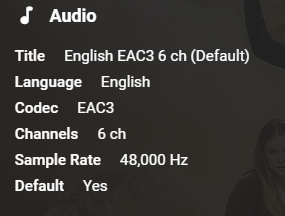
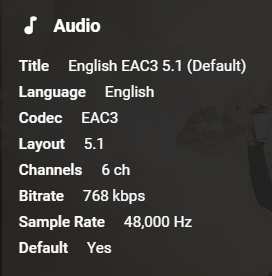
Ok, well after initially thinking that things didn't work - it looks they have! There just seems to be a need to update the meta data as it is still showing that the other subs are there even though they disappear after forcing it to refresh. This also seems to be the case to get play back working in the browser. I get a "No compatible streams are currently available" message, but after the refresh it worked fine. There do appear to be some errors in the log. I wonder if having the option to monitor the Libraries for new content ticked at the same time as the rebuild all ticked is causing an issue? I attach the log: embyserver (6).txt Before refreshing the cache: After:
 1 point
 -
Du kannst mal diese Version testen wenn du willst. Nodes hab ich jetzt geaendert, ausserdem hab ich Einiges am Player umgebaut in der Hoffnung, dass es noch etwas stabiler wird. Mal schauen... plugin.video.emby-next-gen-7.12.1-build 23.zip1 point
-
Luke if you have the time and you think it's worth it. I would appreciate it if you could implement as an option that we could make adjustments to the spaces between the images. also an option to choose whether we want the poster image or the thumbnail image without the rounding of the corners that exists now? I prefer it rectangular.1 point
-
That was it, thanks. HTTPS through mobile browser worked - however, the Emby mobile app which is using my proxy SSL forwarding, will not copy the API.1 point
-
Hi Luke, All fine now. My solution was (for anybody else with this issue) I had two instances of EMBY running. One on a laptop with external HDD & one on a Synology NAS I left the Laptop version totally unchanged. In my router (Virgin Media Hub 3) I went to advanced settings/UPnP and made sure that this was enabled, which it was already. On the NAS EMBY I went to the network settings and changed Public HTTP port number from 8096 to 8097 and made sure the 'Allow remote connections to this Emby Server' option was ticked and saved the new settings. I then installed the Port Mapper plugin, restarted the EMBY server and ticked the 'Enable automatic port mapping' box under the network settings and saved the new settings. I can now access the server remotely using the 8097 port number. Everything works fine now. Thanks Pete1 point
-
I have never noticed blurry images ever, not in guide for live tv or for movies/ tv shows, that is odd and I just checked all my images are crystal clear on even my 200 inch short throw tv after reading this I had to look. Could it be that your server is running out of juice or low in ram cpu slower ? If it was a serious issue everyone would be saying something about it you would think. If it gets down scaled then up scaled I see no issues whatsoever on my viewing platforms. Good luck hopefully it's something you get sorted out.1 point
-
Aren't we now just duplicating this discussion?1 point
-
Hi. Can you please show us a specific example with logs? Also, be sure you have not pointed two different libraries to the same physical locations in your file system.1 point
-
Hi, what exactly happens when you try to play?1 point
-
Ok understood. I totally agree, that working on a new player have definitely a higher priority. Would be great to be able to use Emby again for video streaming instead of Infuse which costs again extra money.. So then I would say we can put this topic here temporarily on hold and resume it when the development of the new player is finished.1 point
-
I fix that problem changing metadata provider in Radarr. I disable Emby Legacy and turn ON Kodi/Emby. Also Tailscale down. For now it works OK. Regards.1 point
-
They won't be able to modify it.1 point
-
This will be in Emby Server 4.8. New playlists going forward will be private to the user who created it, and there will be a new context menu option to share the playlist with other users.1 point
-
Preach, brother!! That's why I recommend using an ssh tunnel. If the attacker can't even get to the process bound to the tcp port, it's more secure. I also think rauraido's approach is at least significantly more secure than emby outside a docker where all the exploits you mention above are a much bigger concern.1 point
-
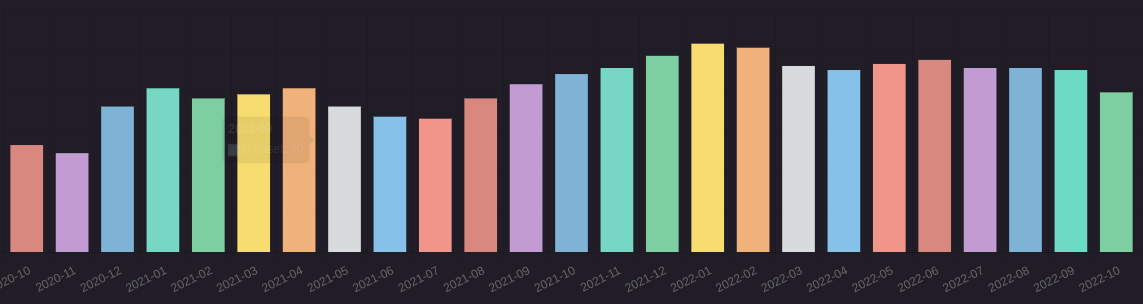
By the way, do any of you have any cool SQL queries? Here are mine: - Count unique users per day SELECT date(DateCreated) AS Date, COUNT(DISTINCT UserId) as Users FROM PlaybackActivity WHERE DateCreated between date('now', 'start of day','-6 months') and date('now', 'start of day', '+1 day') GROUP BY date(DateCreated) ORDER BY date(DateCreated) ASC - Count unique users per month SELECT DISTINCT strftime('%Y-%m', DateCreated) AS Date, COUNT(DISTINCT UserId) as Users FROM PlaybackActivity WHERE DateCreated between date('now', 'start of day','-24 months') and date('now', 'start of day', '+1 day') GROUP BY Date ORDER BY Date ASC If you want to display a graph like this you must set these options :
 1 point
 -
As it turns out, it can be added to our UI with a few lines of code because the sort order does still exist in our API, but I don't think you'd like the result. All of our lists use virtual scrolling nowadays, for performance reasons. What that means is the app only retrieves what you're looking at on-screen, and more items get pulled in as you scroll up and down. So if each little slice is coming from a separately randomized starting point, then that means you will likely see duplicated items as you cross the boundary from one slice to the next. And voila, here is an example of what I mean: So to solve that, we will need to design a deterministic random sorting technique where each slice can pull from the same randomized list rather than a different randomized list. Is that doable? Of course, just not in three lines of code.
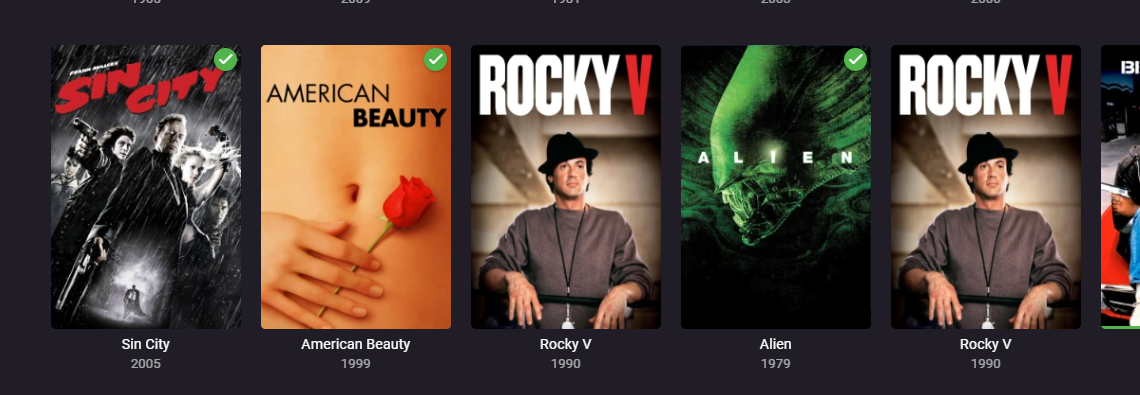 1 point
 -
Hi there @FunkFly are you trying to connect to your own Emby Server, or someone else's?1 point
-
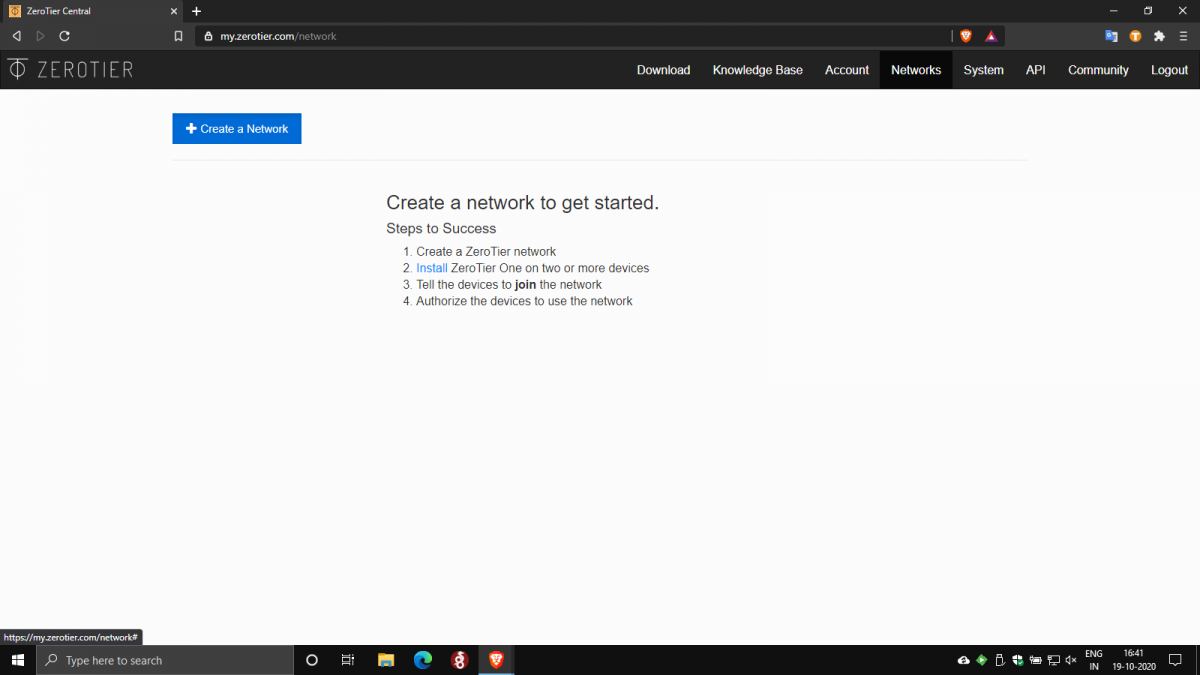
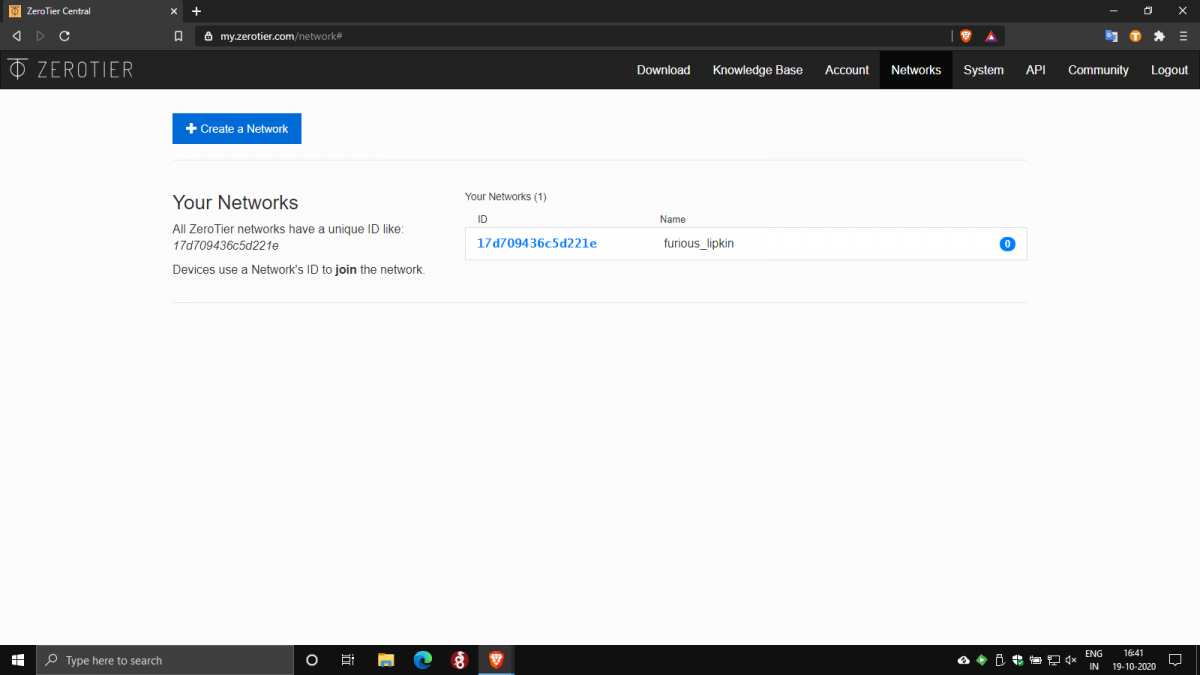
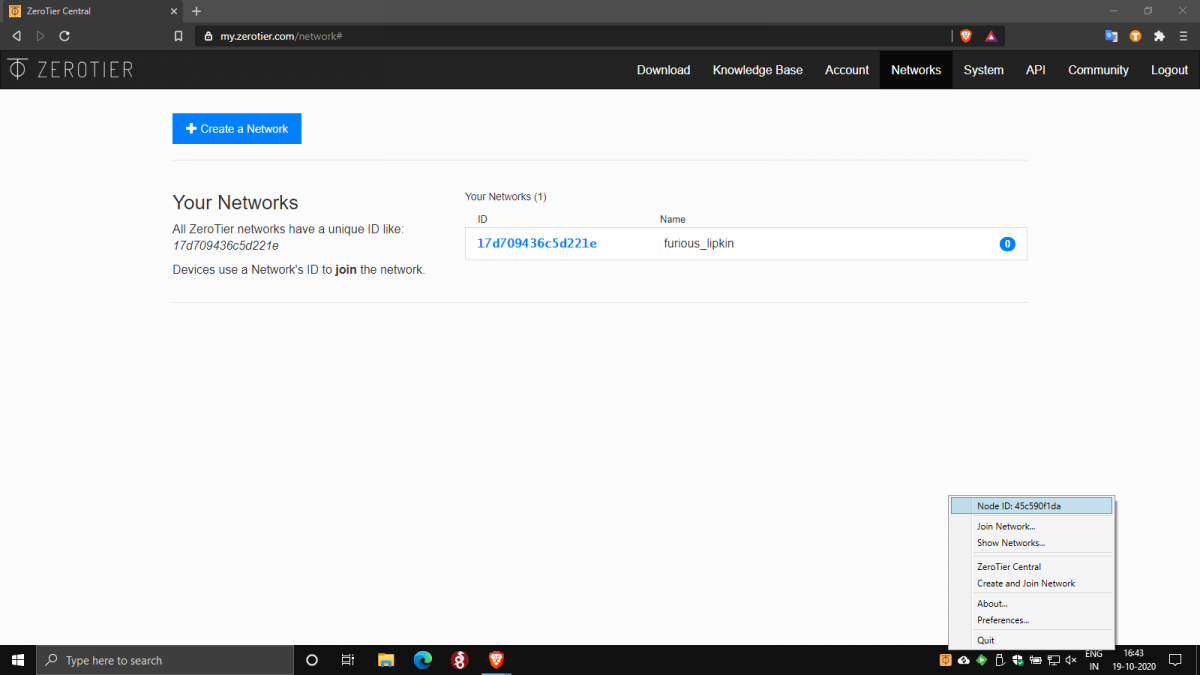
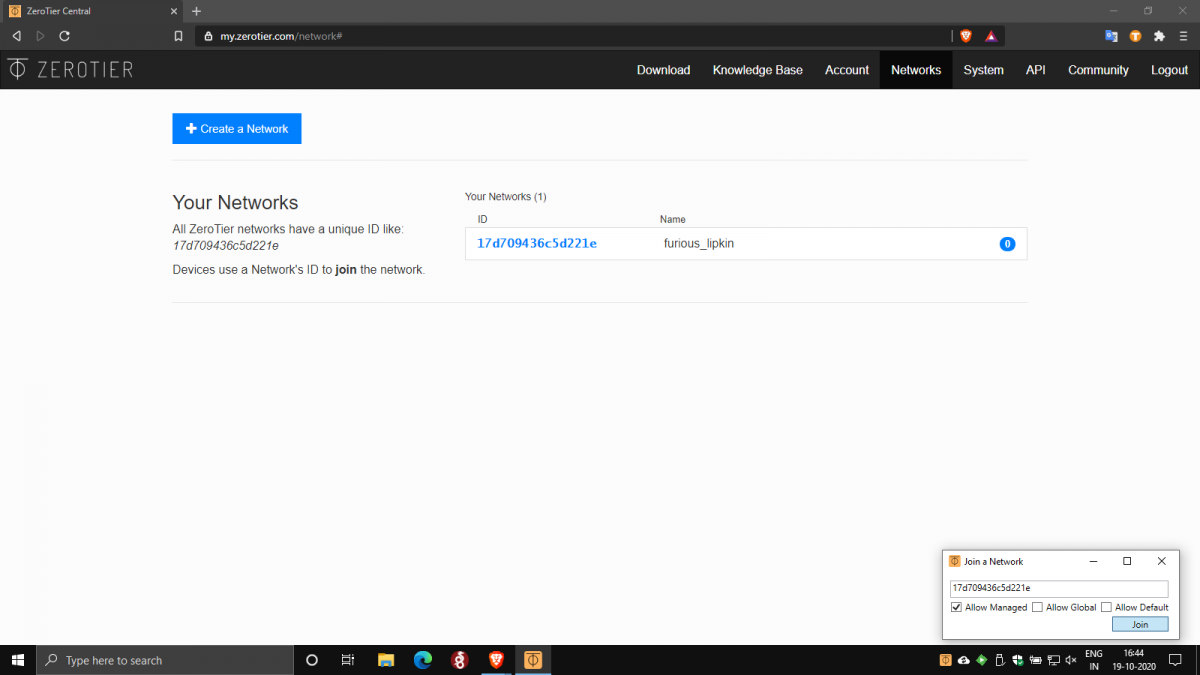
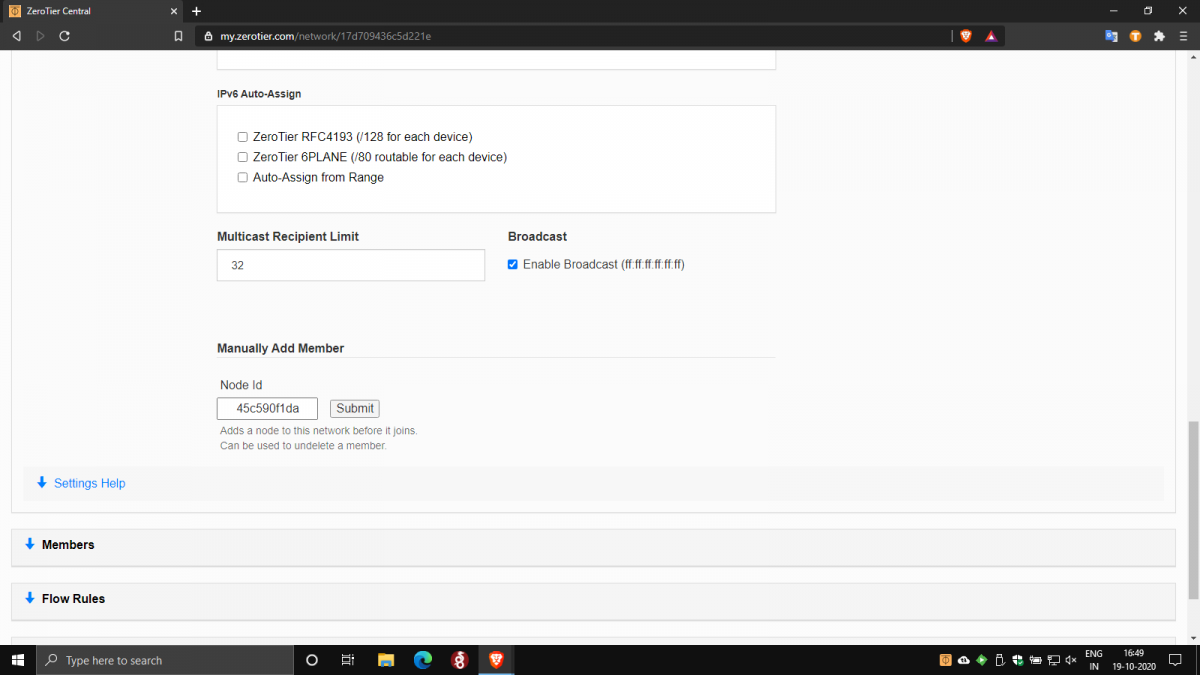
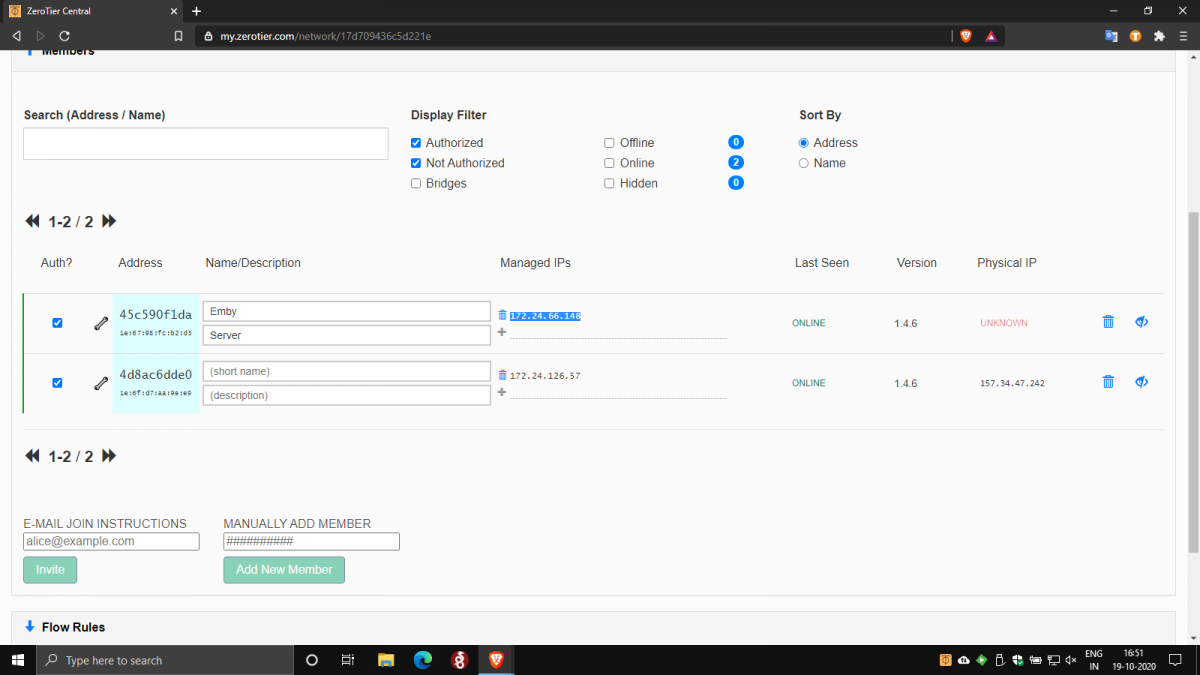
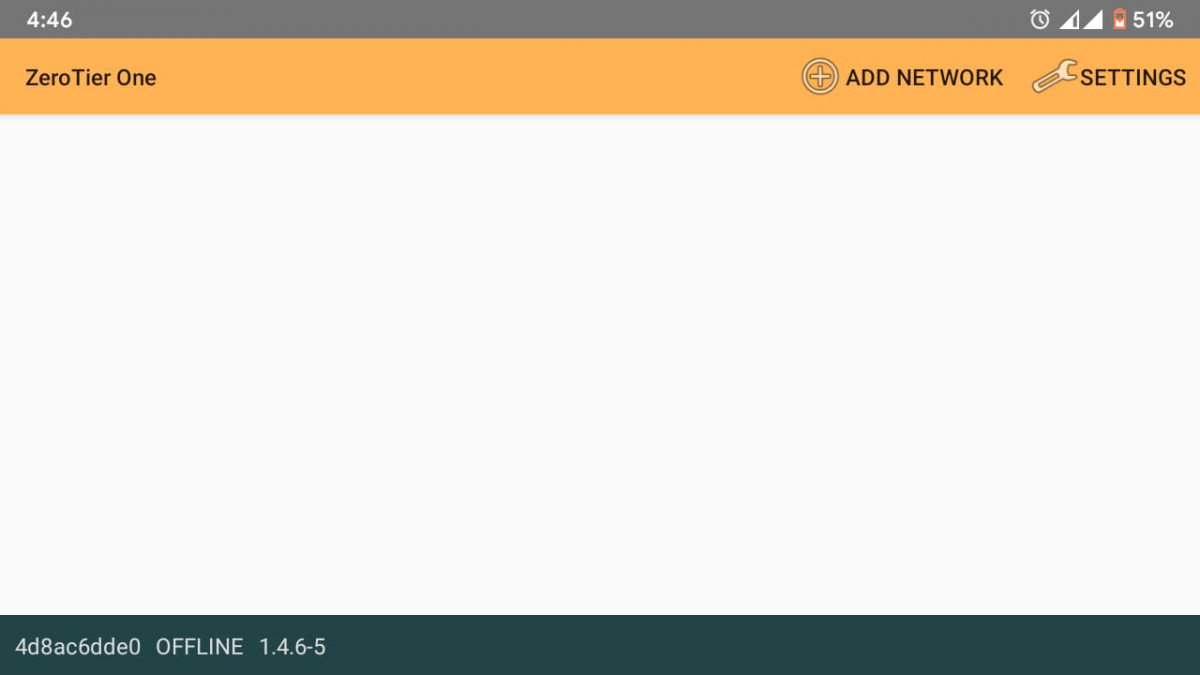
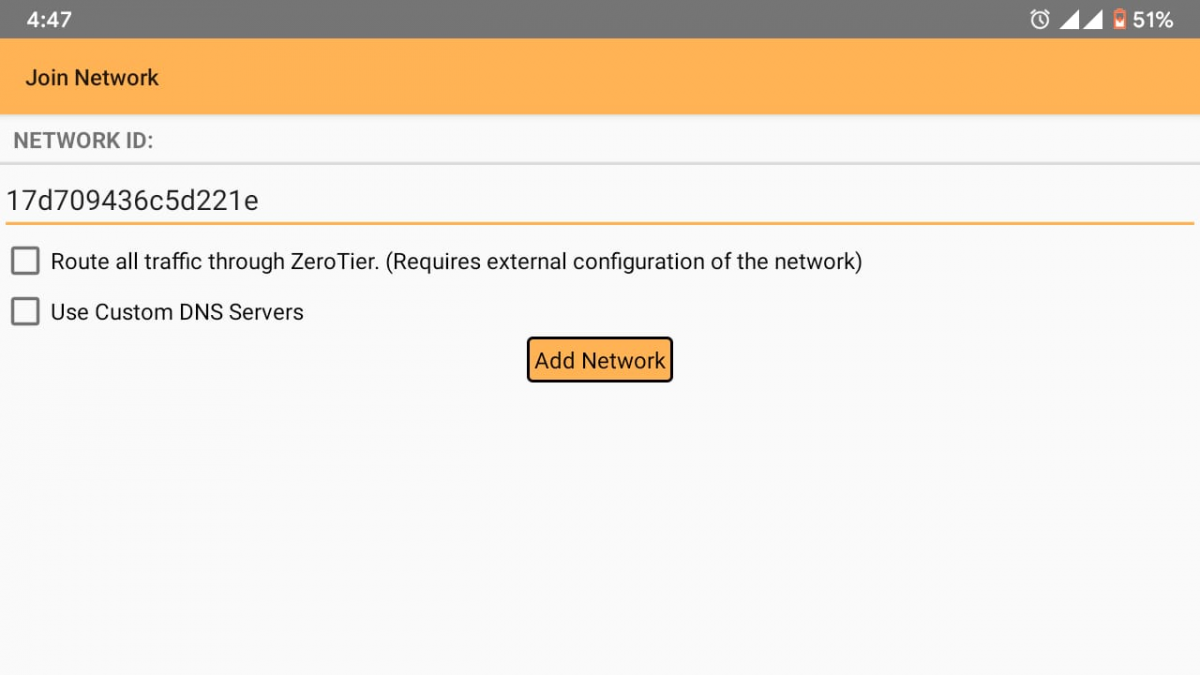
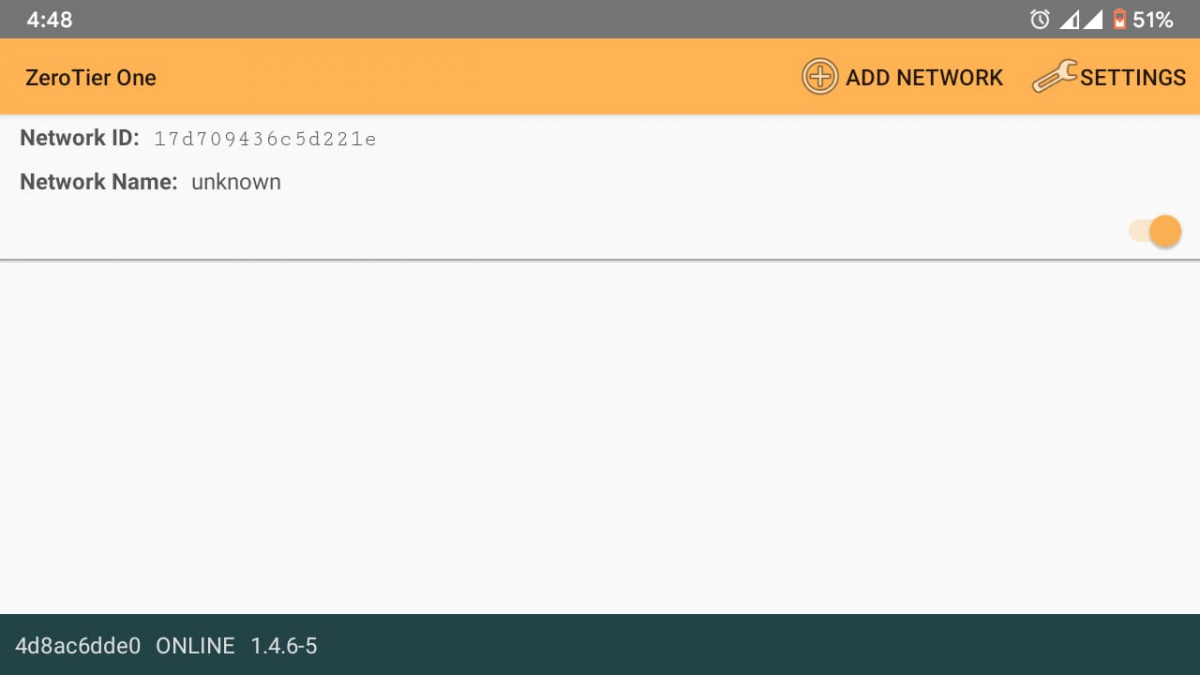
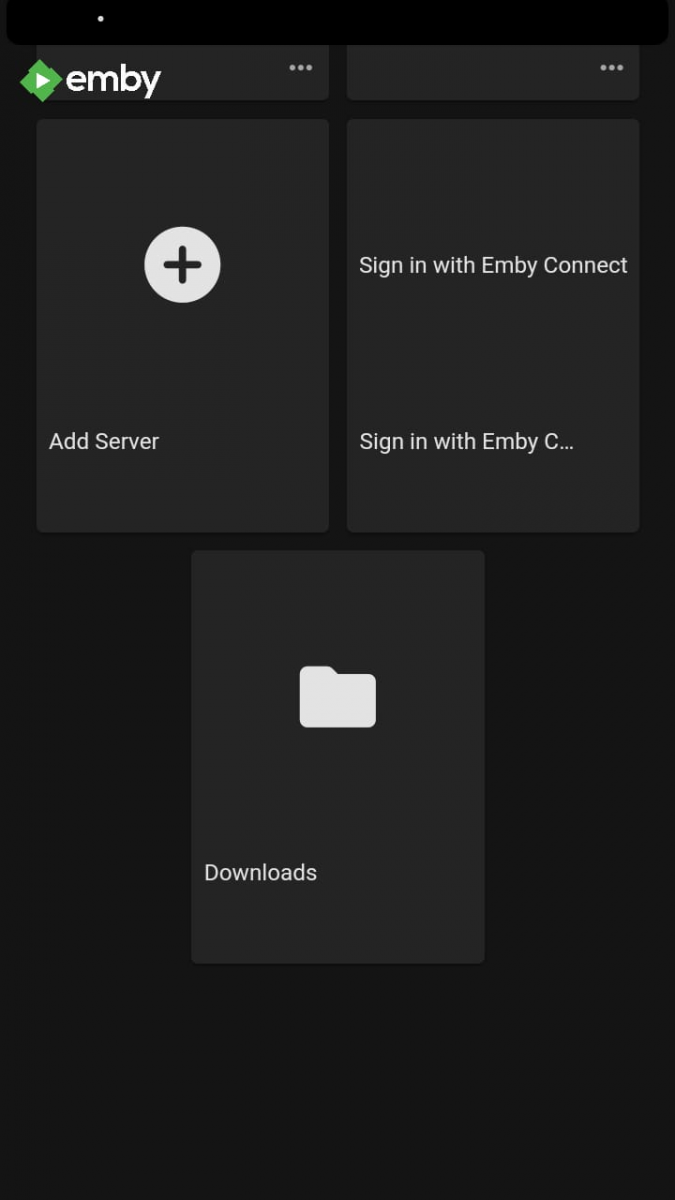
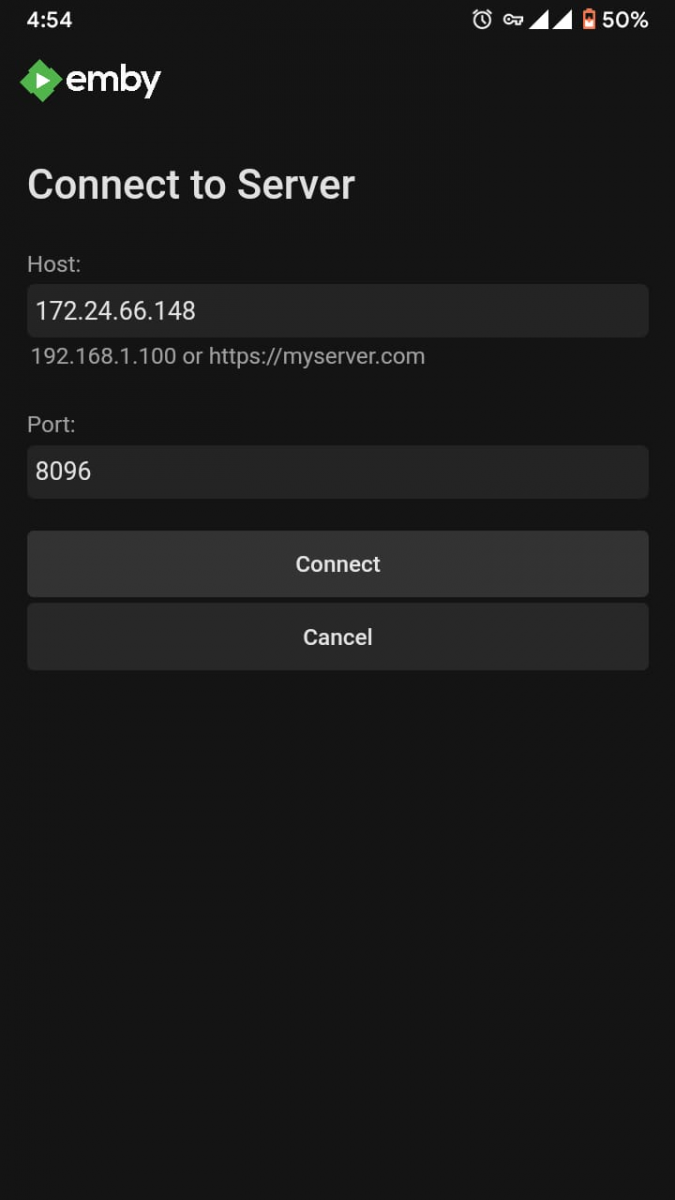
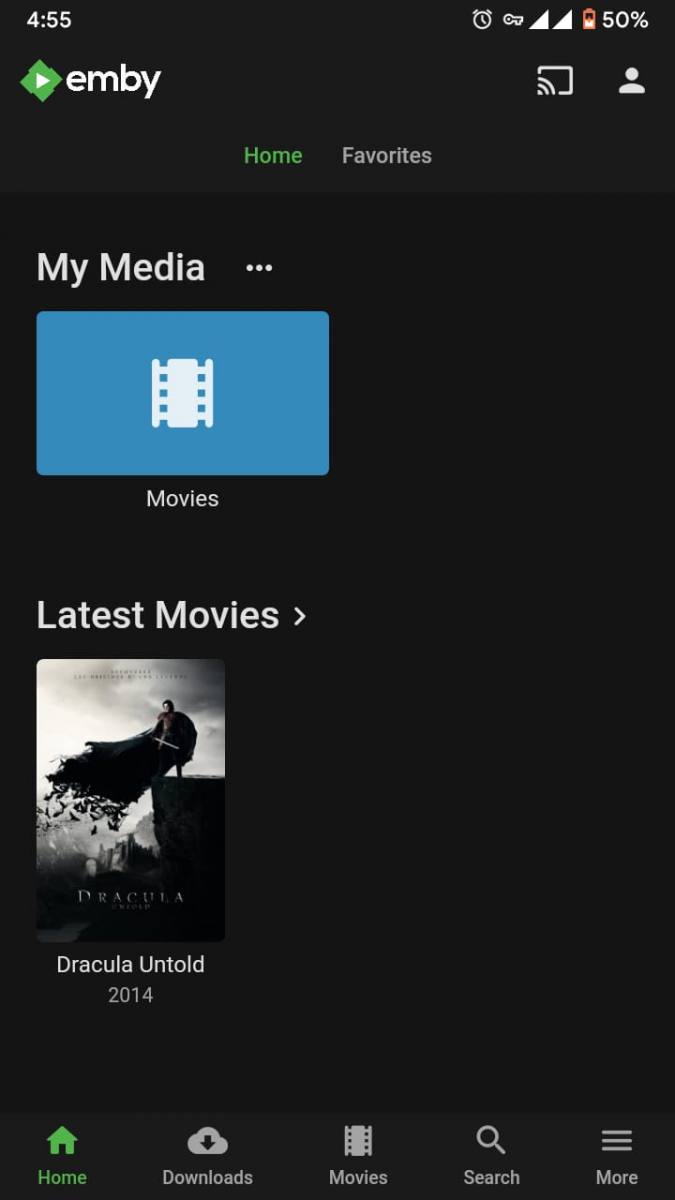
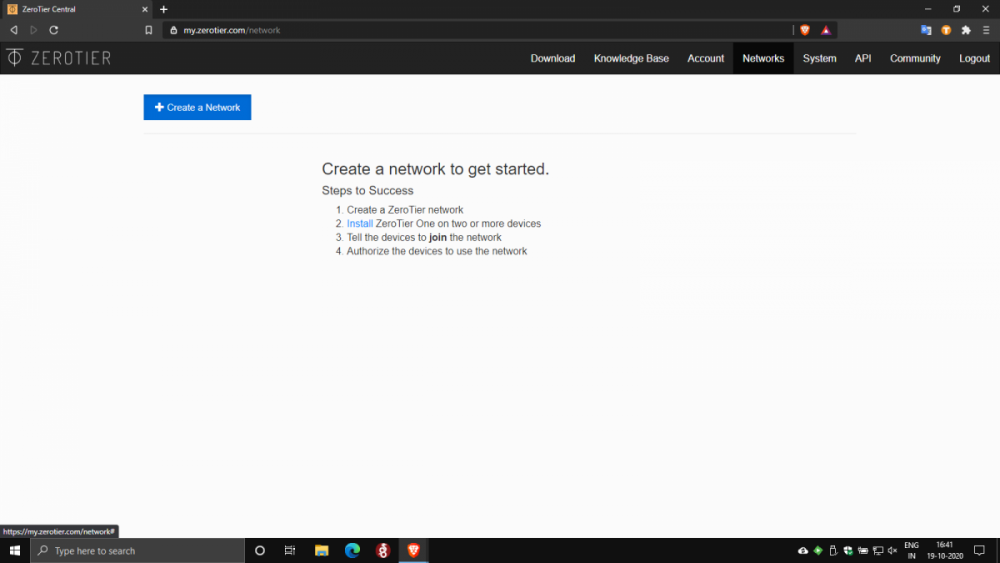
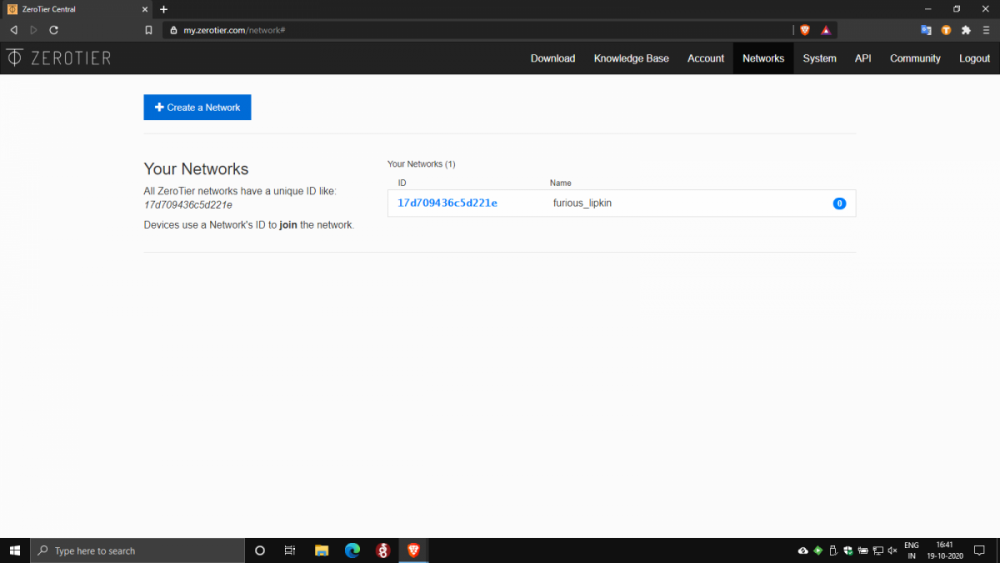
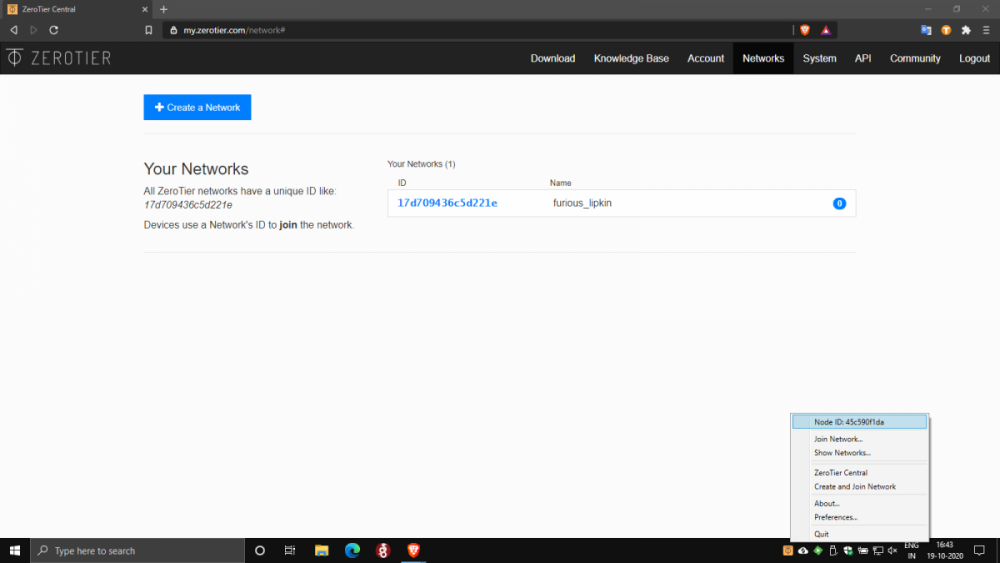
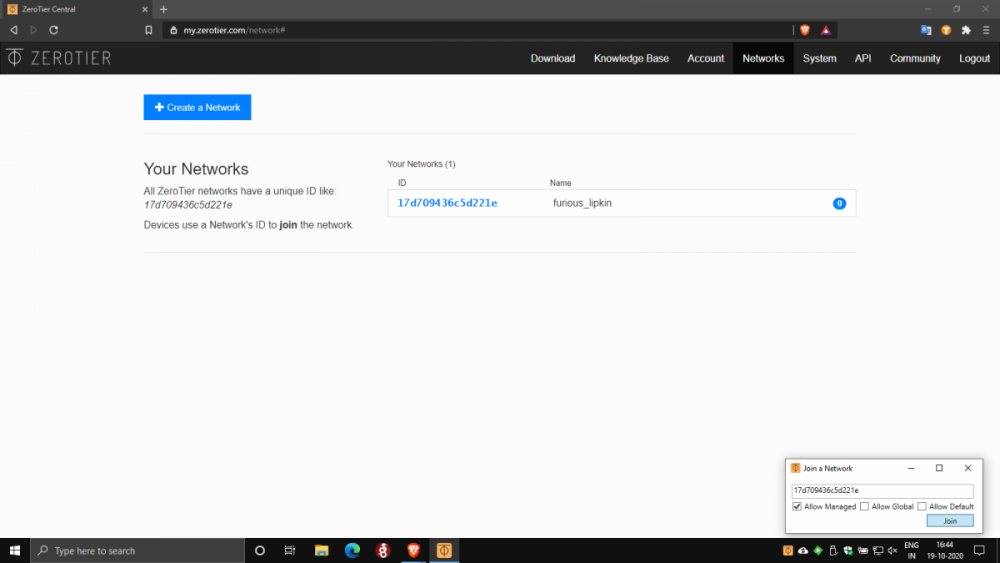
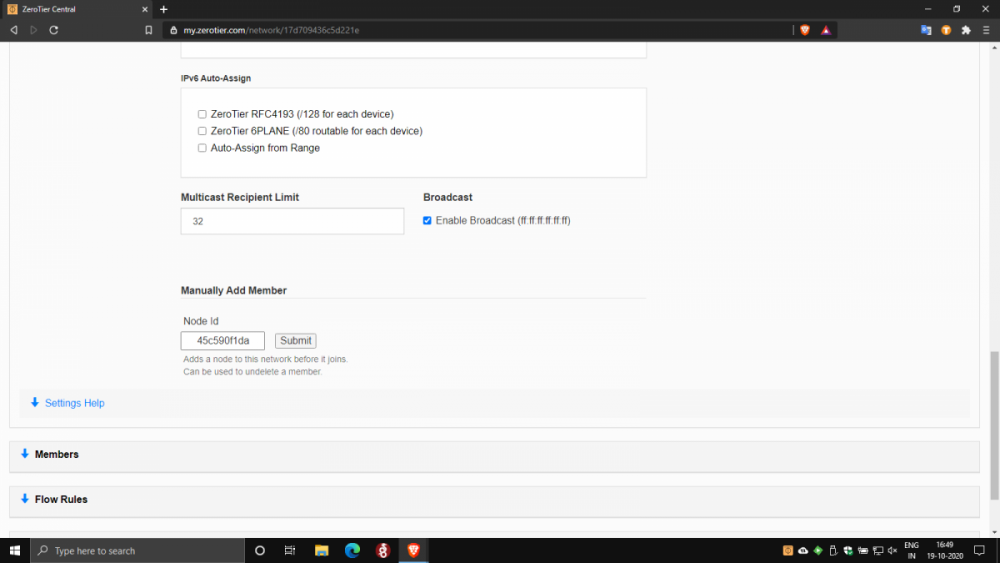
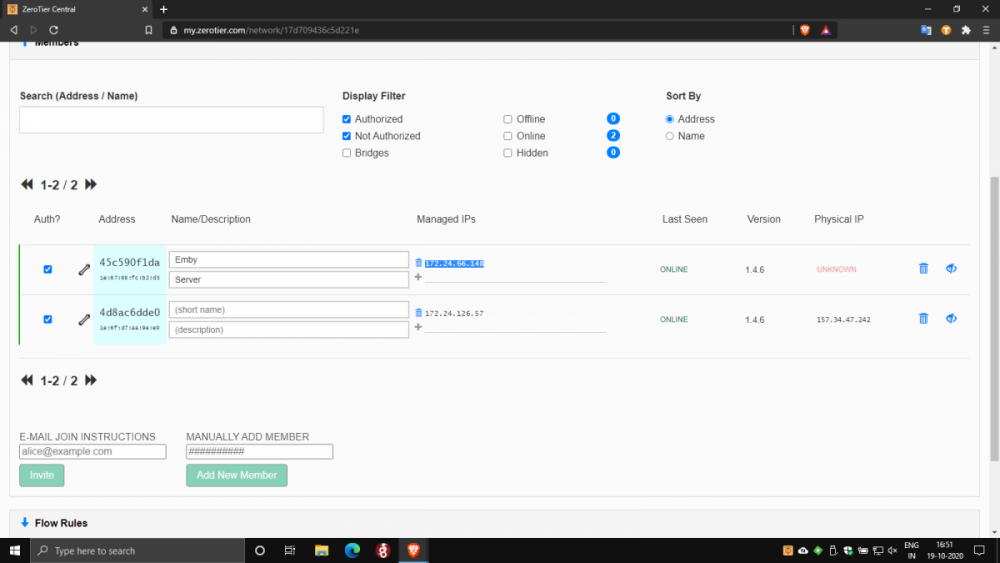
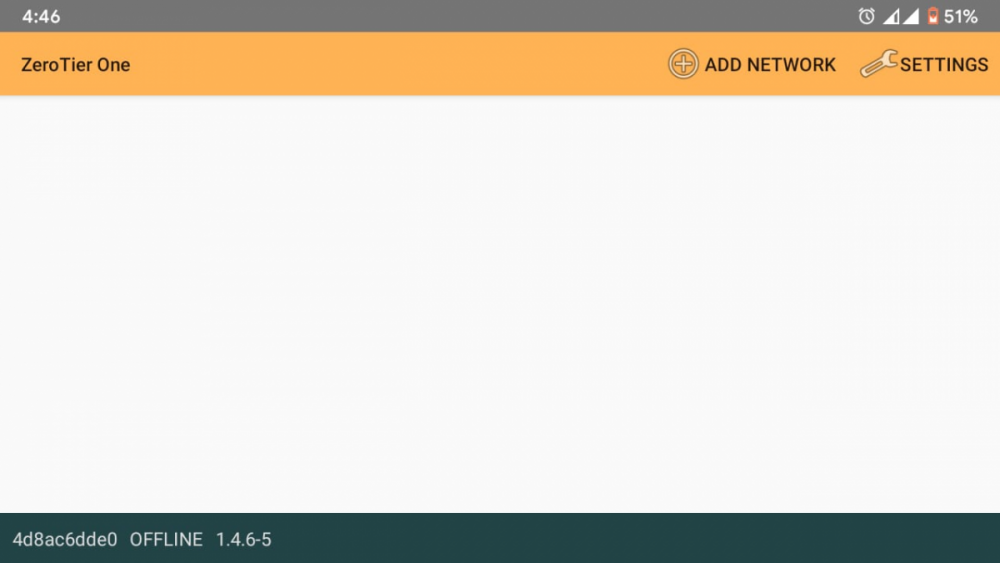
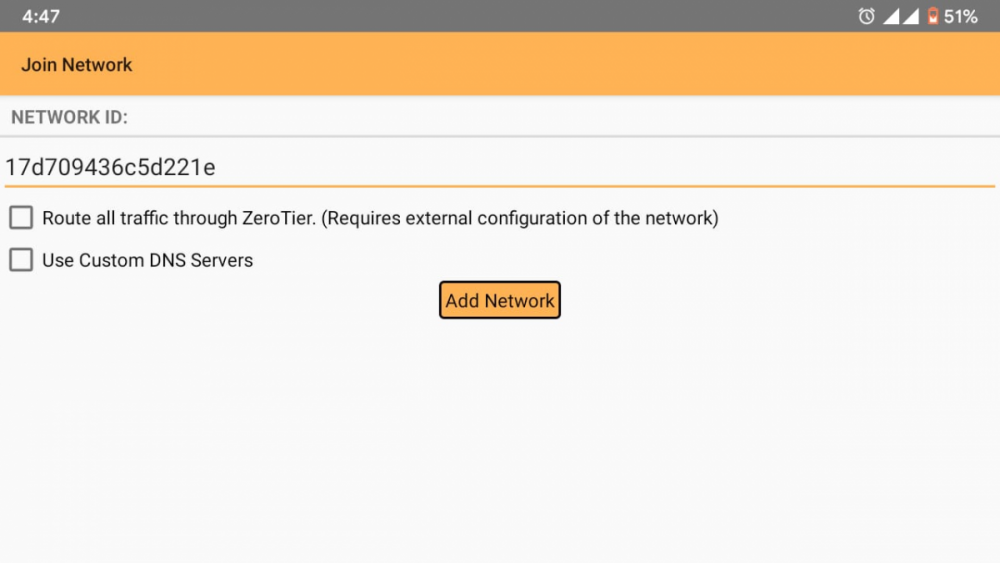
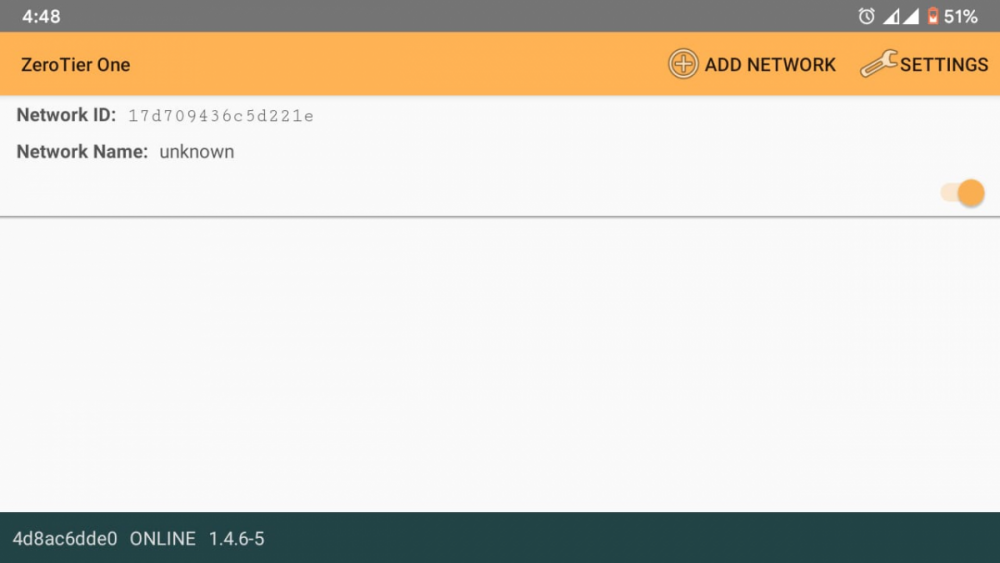
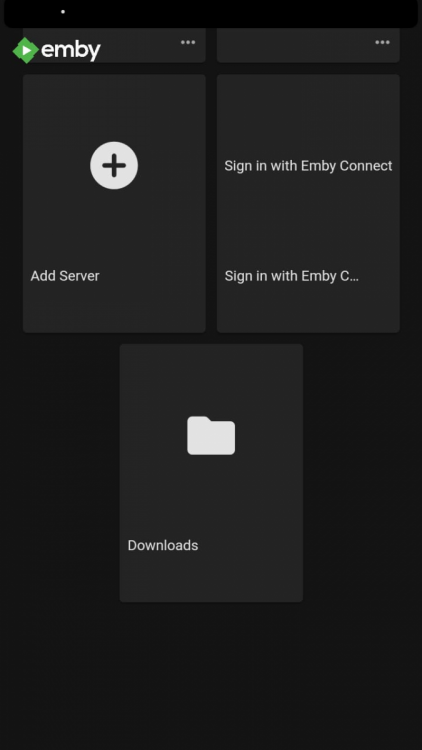
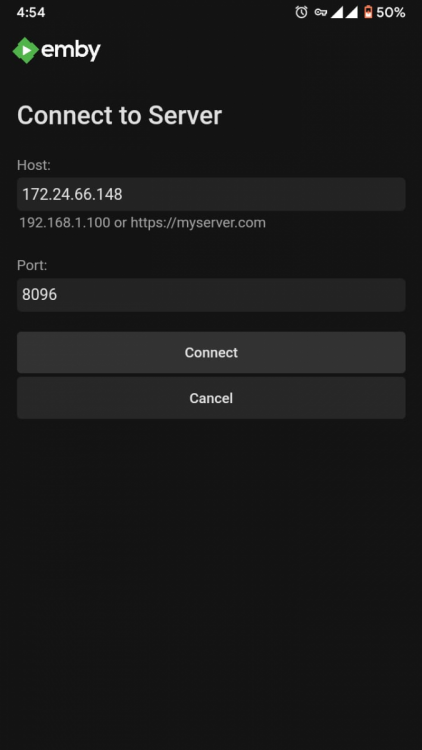
Of course. For anyone in a similar situation to mine looking for a solution to CG NAT 1) Download Zerotier on your Emby Server Platform here: https://www.zerotier.com/download/. I downloaded the Windows installer and installed zerotier on my PC. Setup is pretty straightforward and self explanatory. 2) Download Zerotier on your clients too. I needed remote access on my smartphone, so I downloaded the android app here: https://play.google.com/store/apps/details?id=com.zerotier.one. Apps for all clients are here: https://www.zerotier.com/download/ 3) Create a ZeroTier account. It's free. Activate your account with the activation link in the email ID you used to register. 4) Go to https://my.zerotier.com/ and log in to zerotier using your account credentials. 5) In the top right, click on the networks tab. Click on create a network. A network is automatically created and added to the Your Networks list. Note the network ID(16 digit). 6) Open the Zerotier application on your server PC. Click on the icon in the taskbar. Note the first Node ID(10 digit) here. Click Join network. Enter the network ID(16 digit) and click join. Similarly open the Zerotier app on your client device. Note the second Node ID(10 digit bottom left) here. Click on the Add Network icon in the top right, and enter the network ID, then press Add Network. Flip the slider to connect. 7) Back in the browser, click on the network ID to open the network configuration. In the Settings section under the Advanced subsection, under 'Manually Add Member' enter the 2 Node IDs noted in step 6 one by one, clicking submit after each entry. 8) At this point Zerotier setup is complete. In the browser under the Members section note down the IP address of the server PC, then open the emby app on your client and click on Add Server. Enter the IP address in the host text box, port should be 8096 by default, press connect. Log in to your user account and you are good to go.
 1 point