Leaderboard




Popular Content
Showing content with the highest reputation on 12/07/22 in all areas
-
It would be great to incorporate a book reader, so I can have one app for all my media consumption.2 points
-
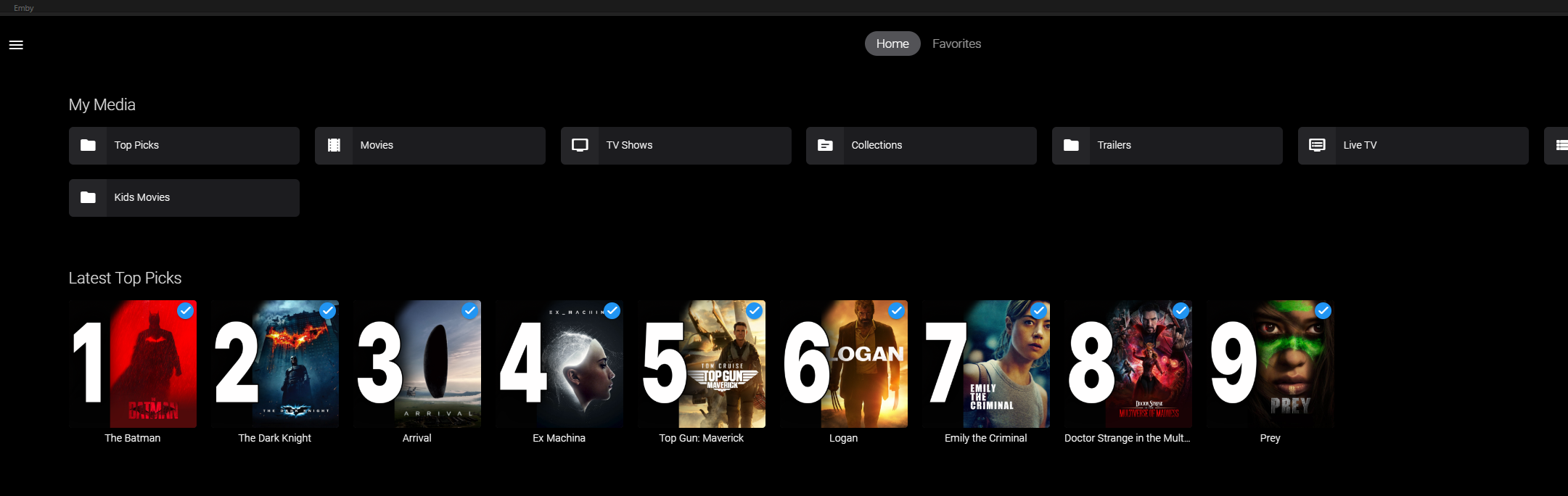
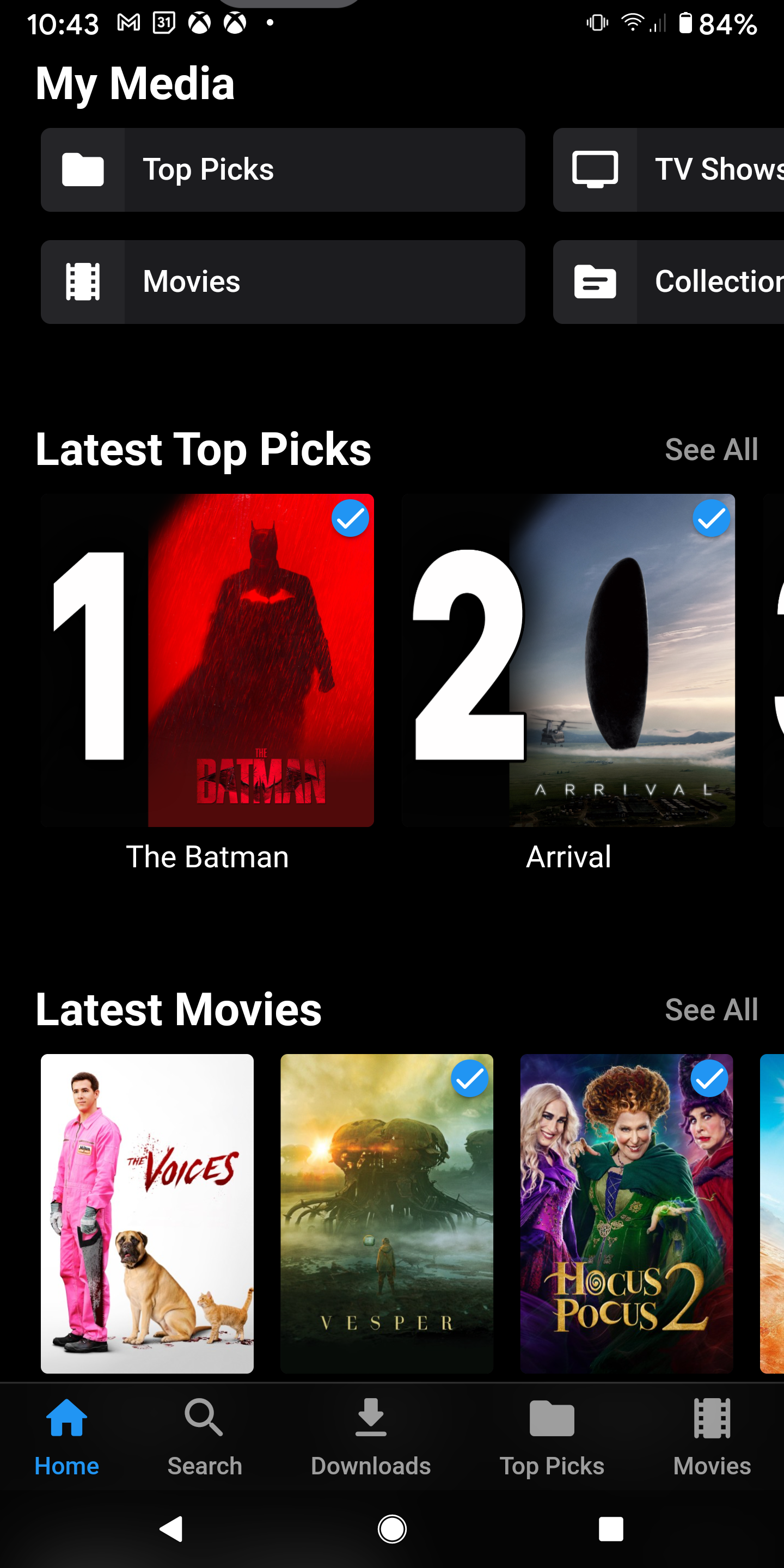
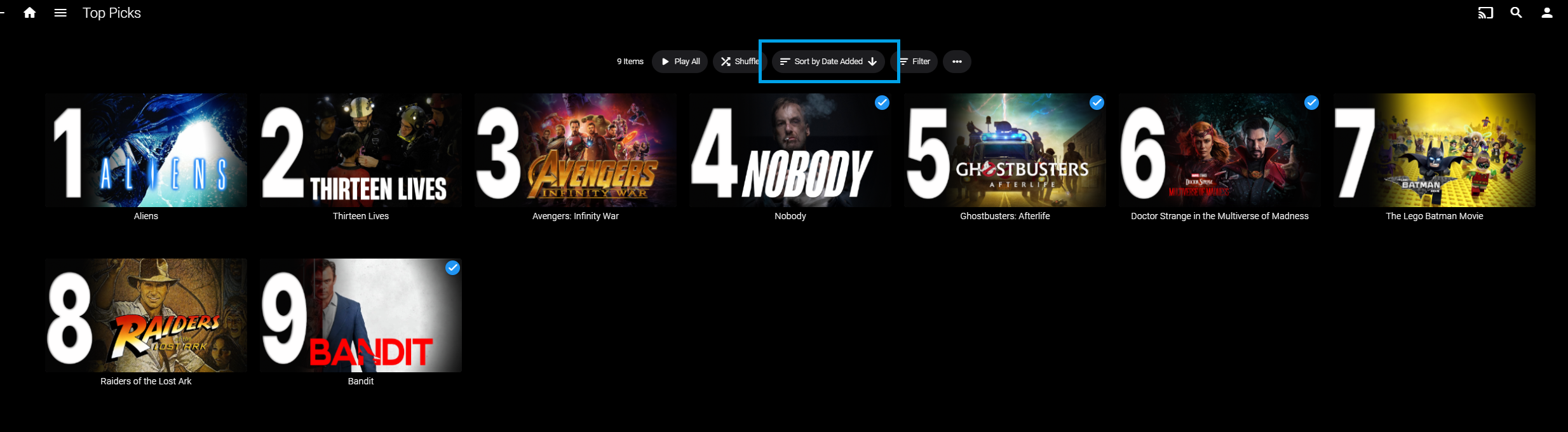
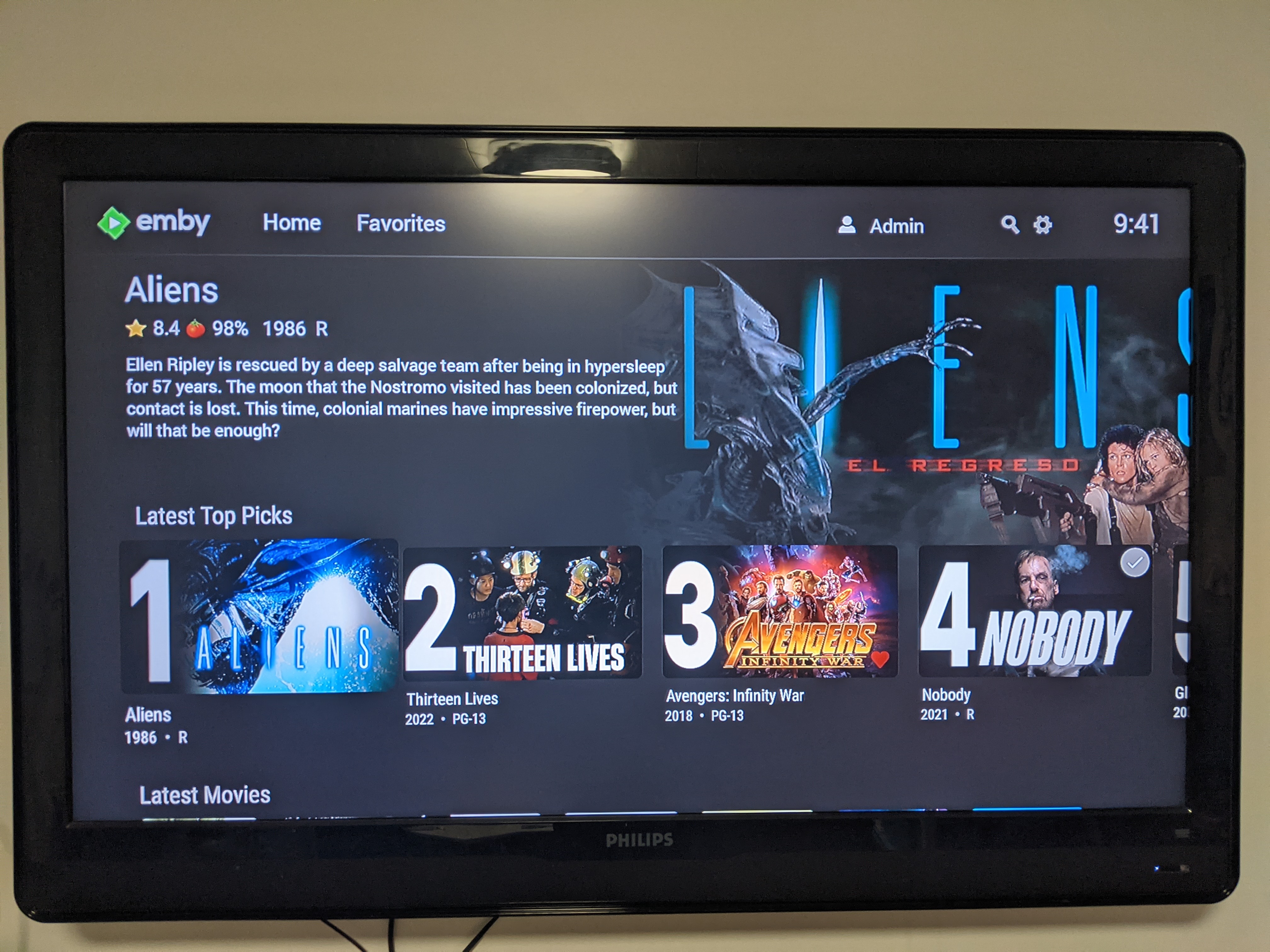
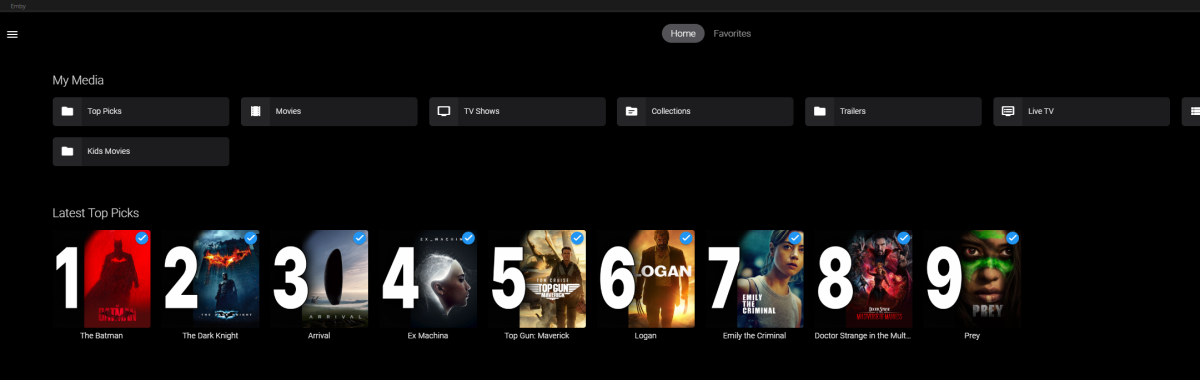
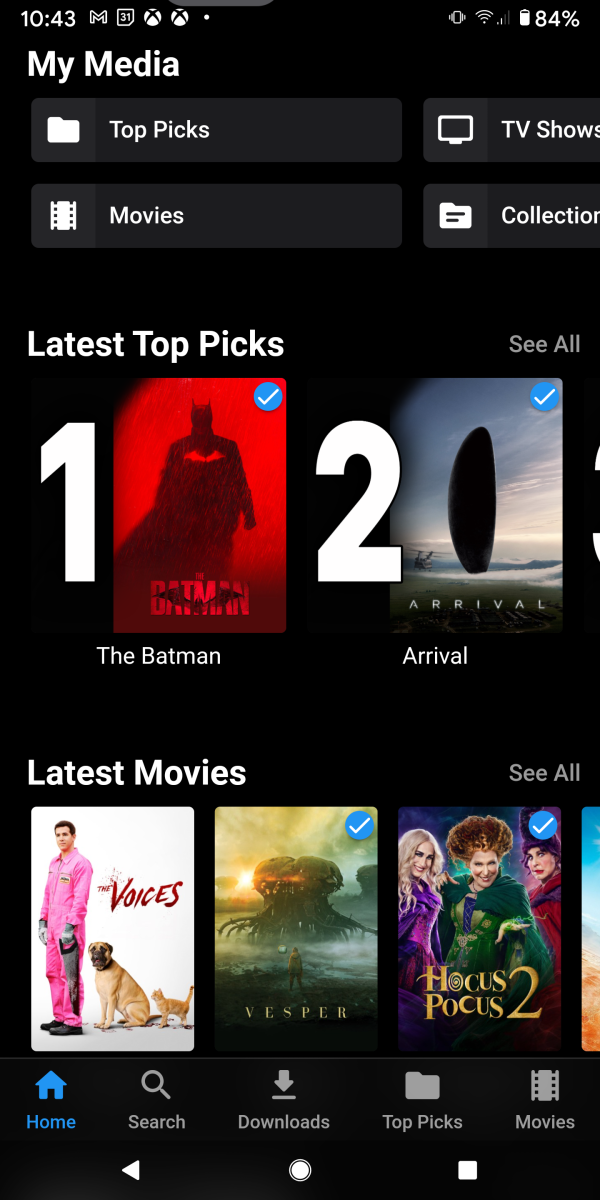
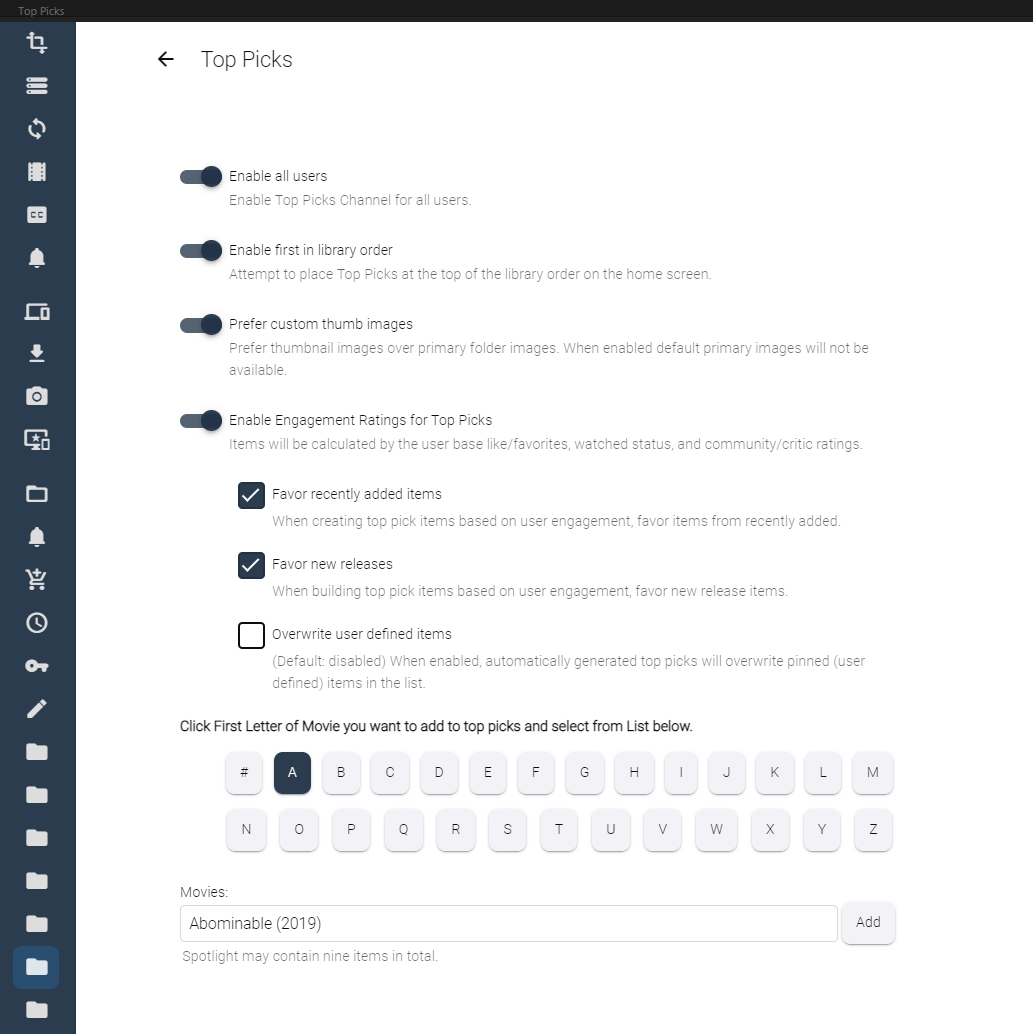
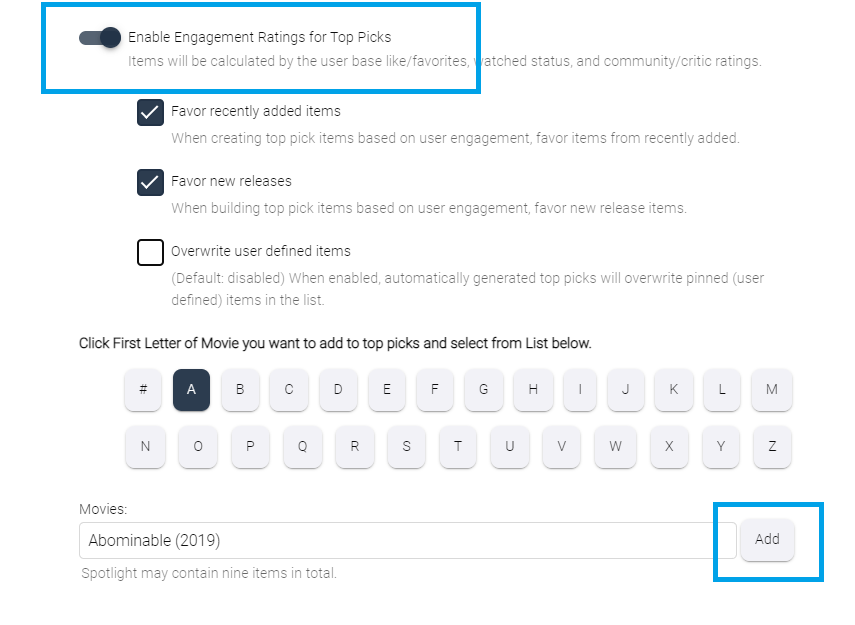
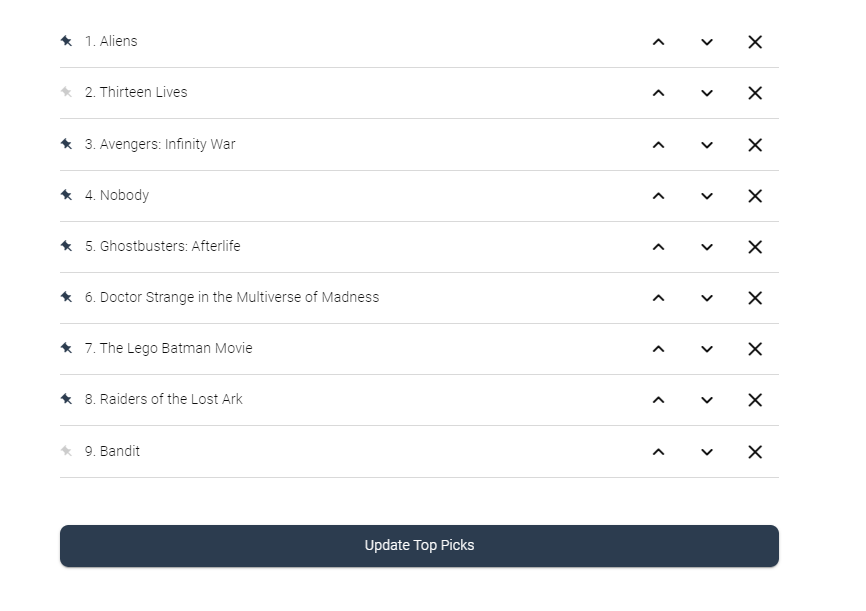
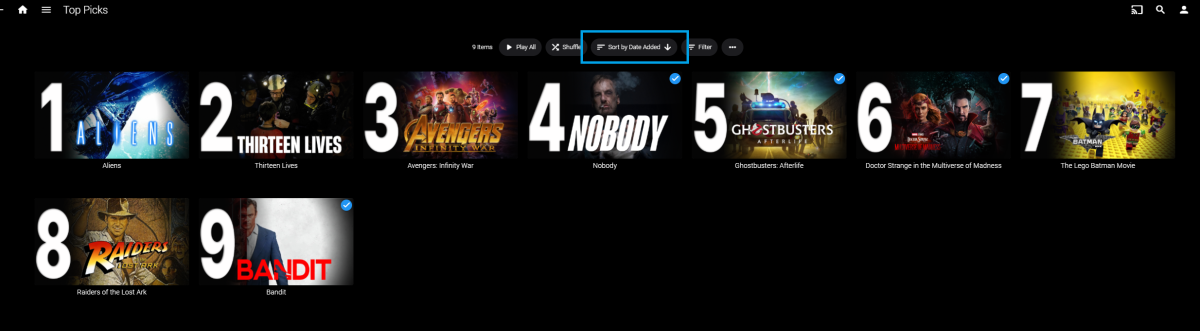
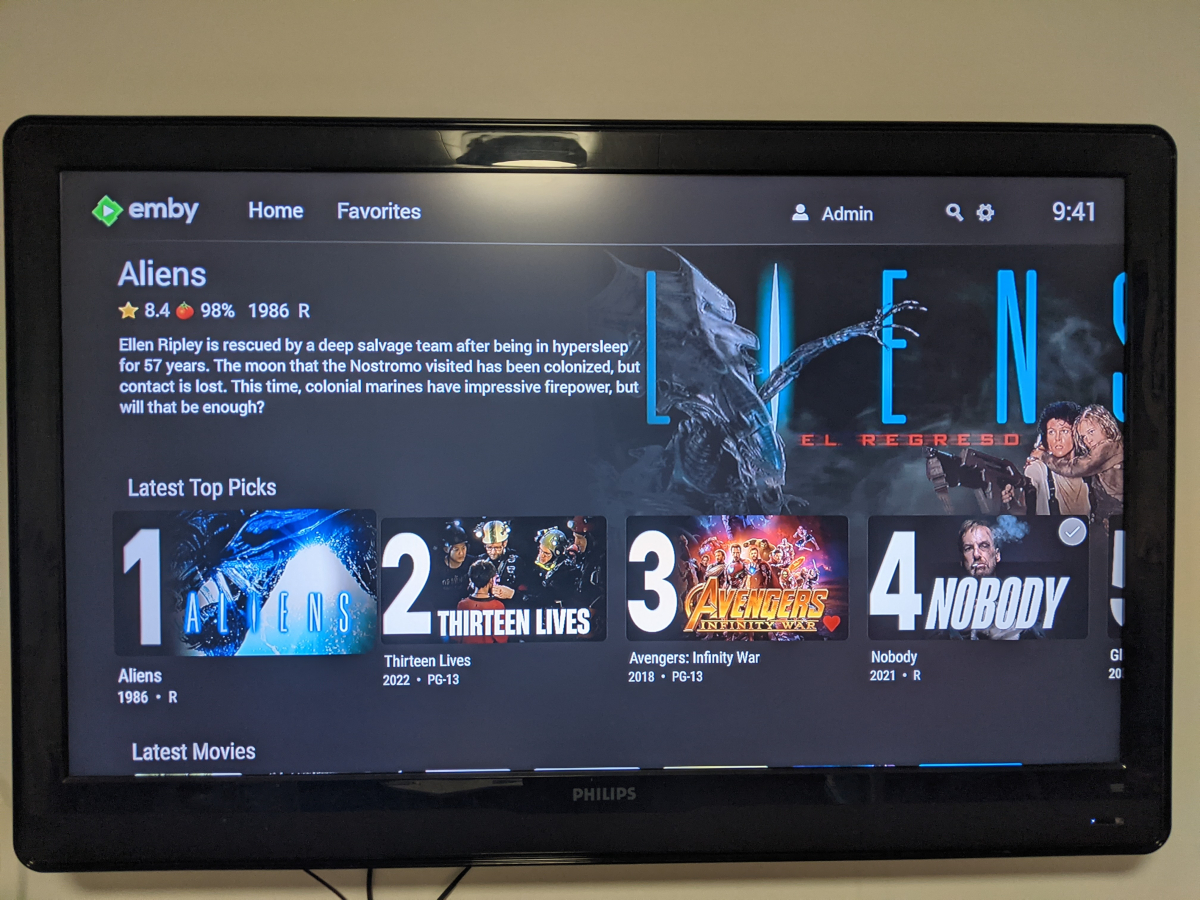
Welcome to Top Picks Top Picks will create a custom movie library with ranked items to share with your user base. Enabling settings in the top pick configuration will allow you to create a library based on your user engagement, and also customize what's being shown in the library. Note: Larger movie libraries will have the best chance at generating user engagement top pick items. Smaller libraries may only generate a couple top picks automatically. Critic rating, and community rating do play a part in choosing top pick items, along with User Likes/Favorited Items, and also Watched States. Creating, and editing the Top Picks List: After enabling, and running the scheduled task for user engagement (which will populate an initial list, but is also completely optional), you can also customize the library by adding movies of your choosing, and add-to/edit the top picks list to a maximum number of 9 items. It is important to note that users of the Top Picks library should not hide watched content from their home screen. This will ensure that all the content added to Top Picks is shown in the home screen layout. Pinning Items to the list: These items remain during the engagement rotation. This means that only auto generated items will be replaced weekly. Note: List item rotation will only happen when items are available in the library which meet the engagement criteria. This may lead to some manual up keep of the list. (In the image above, only the 2nd, and 9th item are allow to change, because they are not pinned to the list. However, the item changes will be based on the engagement results, and may not change based on the current state of the library and user engagement stats.) The more your users engage with the library, the more dynamic top picks will create lists. Favor custom thumb images over primary images: Favor custom primary images: Mobile: Android Enhanced Home Screen Layout Entering the Top Picks library you should choose to "Sort by Date Added" to have the images order themselves. There is a week long trial to test it out, after you install it from the catalog. If there are any questions please post them here in this thread. Please be kind, a lot of time, and work went into this. I'm open to further discussions regarding things that might make Top Picks better in the future as well. - chef Version 1.0.0.20 theme media is now added if it exists for a library item. Version 1.0.0.19 Current NFO files that exist in the library are now successfully used and properly altered for top pick items. This stops Emby from having to try and identify items which are already properly identified in the library. The ability to target a specific library for top pick creation. Version 1.0.0.18 Library items now have the option to show the top pick tag or not. Top picks drawing classes now attempt to draw custom thumb/primary images in memory without saving assets until complete. Version 1.0.0.17 Library is created with servers language for metadata retrieval. Top Picks will now search providers for missing resources to draw custom images for the library

 1 point
 -
With College Football and NFL seasons starting up in the States, a multi-screen option for Live TV would be a nice addition to the Emby feature set. I am thinking of what the WatchESPN app offers thru their Web Browser access. The ability to open a multi-screen window that breaks into four (4) screens that allows you to select streams (Live or Replay) for each and then go full screen. Audio is from whichever of the four screens you have as active. I can accomplish the same right now with the HDHomeRun Quick View TV app. I open multiple instances of the Windows app and then snap them to each corner on my 110" projector screen. Equivalent of four (4) 55" screens. Would be nice if this were a remote friendly option from within Emby Theater and the WebUI clients. I have only seen it in Web Browsers at the moment and not any of the Win10 UWP apps (FS GO, NBCSn, WatchESPN). But, Fox Sports Go just released a multi-screen solution for their Apple TV app. https://techcrunch.com/2016/08/26/fox-sports-go-hits-apple-tv-allows-viewing-of-four-games-at-once/1 point
-
..at least on my machine. I have an old NUC with Intel HD5000 graphics - it's been playing 1080p HEVC perfectly for years. But today it refuses to play - after hitting play, the screen refresh rate changes as usual, the backdrop appears and then nothing. I can bring up the UI (chapters, info, etc) but playback refuses to start. I tried an H264 video and that started playback just fine. I assume this has something to do with the video settings in 3.0.17, but I have no idea how to get them back the way there were at the start of the week. I can playback the same HEVC videos manually in mpv without issue, it's just ET that's doing something different than it used to. I tried video output on Auto, libmvp, gpu and gpu-next (whatever that is) and got the same result with all of them.1 point
-
That seemed to work. Thanks. ATSC3 OTA were black before with just audio. Those seem to work now too, although take forever to tune.1 point
-
I have not had any more issues to date, hopefully it cleared itself up.1 point
-
Forgot to scan, thx. here is the logs and video IMG_2183.MOV ffmpeg-transcode-2525136f-5d37-4684-a595-31c68965aac1_1.txt ffmpeg-transcode-38b1c06f-712c-4306-9527-232040c3a5ec_1.txt ffmpeg-transcode-3142f3cb-541b-4a5e-880d-c43be97cf565_1.txt embyserver.txt1 point
-
Would be nice thank you.1 point
-
Hi, I'm very sorry I didn't notice that in log. I recently change HDD and now path is different. Regards.1 point
-
If you updated right on top then you should not have to reconfigure anything, unless there was something in that version that required it (it would be announced on the blog).1 point
-
Maybe the problem is actually your m3u tuner? 2022-12-07 12:38:27.605 Error M3UTunerHost: Error getting channel list *** Error Report *** Version: 4.7.10.0 Command line: /opt/emby-server/system/EmbyServer.dll -programdata /var/lib/emby -ffdetect /opt/emby-server/bin/ffdetect -ffmpeg /opt/emby-server/bin/ffmpeg -ffprobe /opt/emby-server/bin/ffprobe -restartexitcode 3 -updatepackage emby-server-deb_{version}_amd64.deb Operating system: Linux version 5.10.0-19-amd64 (debian-kernel@lists.debian.org) (gcc-10 (Debian 10.2.1-6) 10.2.1 20210110, GNU ld (GNU Binutils for Debian) 2.35.2) #1 Framework: .NET 6.0.8 OS/Process: x64/x64 Runtime: opt/emby-server/system/System.Private.CoreLib.dll Processor count: 4 Data path: /var/lib/emby Application path: /opt/emby-server/system System.IO.DirectoryNotFoundException: System.IO.DirectoryNotFoundException: Could not find a part of the path '/mnt/Toshiba/dietpi_userdata/IPTV/Sports-IPTV-List-1-13-09-2022.m3u'.1 point
-
Correct, there's no way to create new audio tracks.1 point
-
I'm excited to see that. cheers1 point
-
Hmm - didn't know that was a thing... I'll have a look for that myself. if not @Dizzy49 - I use an ffmpeg script that inserts an aac track and makes it the default track. It can easily be modified to add eac3 - example below. ffmpeg.exe -y -report -i "input.mkv" -map 0:v -map 0:a:0 -map 0:a -c:v copy -c:a copy -c:a:0 eac3 -disposition:a:0 default -disposition:a:1 0 -metadata:s:a:0 title="Dolby Digital+" -f matroska "output.mkv"1 point
-
Hi, it's currently in LG review.1 point
-
Hi, yes this is something we'd like to add in future updates. Thanks.1 point
-
FYI:1 point
-
OK, thanks. I'll probs try one for one of my clients. Main TV still needs to be something else with the limited audio output.1 point
-
Unless your device can Direct Play PGS subtitles - then it is highly recommended to just use external SRT as SamEs says above. Then it will still direct play and use subtitles just fine, you won't get the graphics style of the Navi - but it will work. If your file has embedded SRT - then while that is technically ok - emby still has to extract the subtitles BEFORE it starts playback. On a 100Gig file (4K remux as an extreme example) then emby has to read the entire thing - thus you get a delay (could have been your blank screen..), especially if the subs only start appearing mid movie for example. Either pre-extract the SRT's yourself (the best chance of sync not being an issue) or get them externally - save as .SRT's in the same folder, same file name with a language specified in the filename. ie filename.en.srt if you always want them showing (as for navi you would..) - then add a .forced. as well - ie filename.en.forced.srt1 point
-
With you now ! Sorry Dave - yea, I have multi-version on the brain ..1 point
-
Rich, this is multi episodes not multi versions (geez lol you are really into your multiversions at the moment hahahahaha) So Episode 1,2 are contained in one video container. Such as House S02E01S02E02.mkv And the TMM doesn't have a SINGLE Root Element it has 2 root elements that fail when using any XML reader/writer. in the example below from TMM multiepisode nfo there are 2 root <episodedetails> What they should have done is wrap it in a singe root element named <Episodes> <episodedetails /> <episodedetails /> </Episodes1 point
-
Watched two movies and my kids watched TV shows last night. not a problem. Thank you for the help. I would not have thought of that being the problem. Thank you again.1 point
-
I don't use TMM - but as there is one NFO per episode - I'm not sure why this would be a problem. Everything is fine ..1 point
-
With TrueHD, it's only transcoding the audio which is very quick. When you add any graphical subtitles such as PGS, then you are now forcing the video to transcode and add the subs via the burn-in process. Your best option is to use the subtitle download feature and download matching srt subtitles. This will prevent the video from transcoding. Otherwise, you need a decent GPU that is capable of transcoding 4K HDR10+ on the fly at a fast enough rate.1 point
-
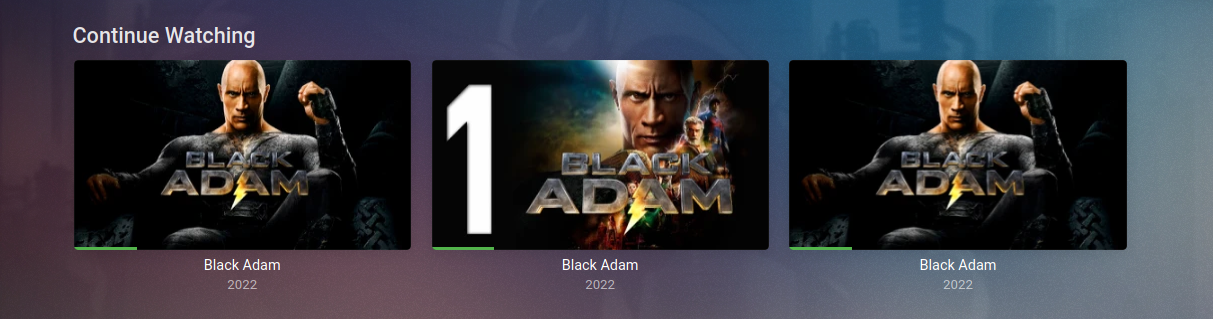
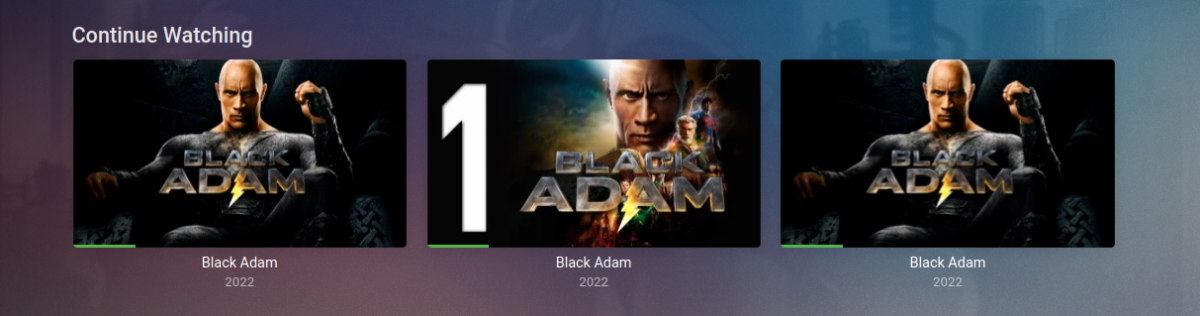
Yea that will happen, I don't think there's much that can be done about it. It happens with other plugins to (New Releases). It will go away after it's watched. This is just a sample from my admin account, it shows main lib movie, top picks(plugin) and new releases(plugin). Basically the two virtual library's also show the same progress as the main lib movie.
 1 point
 -
First off - THANKS Happy2Play! I just happen to be in the process of building a new 'replacement' server. I am using the latest Beta on both my old and new servers, but the Collections folder wouldn't show up on the new server. I had previously copied the folder (removing everything but the options.xml file) from my old Windows server to my new Linux server and dropped it into the /root/default/ folder and I couldn't get it to work. HOWEVER, when I copied YOUR folder in there, it worked fine and I now have a working Collections folder again. Your options.xml file is half the size of mine and appears to simply have less accumulated cruft from years of abuse. So, again, THANKS!1 point
-
It seems to be working properly now. That has happened before, though. Usually it lasts for a while until the issue starts occurring again after a new update. I guess all I can do is keep using it and see what happens.1 point
-
Disregard. I just rechecked and the guide is now working and channels are mapped. Thanks again for the help.1 point
-
I deleted a few of them. I did delete the into skip. So far its working better. I saw some old plug in I did not use. I did not even think about those. you will have to teach me how to read the logs one of these days.1 point
-
True but there are so many topics that do not want media info or paths shown at all as path is only relevant to one person the admin. If added personally think it should be restricted to Admin user.1 point
-
Einfache Antwort: Für die Wiedergabe im Browser und dem iPhone muss der Stream transkodiert werden und das schaft die VU+ CPU nicht mal ansatzweise. Ich glaube auch nicht, dass die VU+ einen Hardware Encoder besitzt der das Transcodieren übernehmen könnte. Der Hardware Decoder, den die VU+ bestimmt besitzt, spielt beim Transcodieren eher eine untergeordnete Rolle, da er "nur" für die Wiedergabe vom Stream verantwortlich ist, aber die Umwandlung eigentlich durch die CPU oder einen dedizierten Hardware Encoder stattfindet. Edit: Um ein Transcodieren für alle Apps zu vermeiden, müsstest du alle deine Videos als mp4 mit h264 Video Codec und aac oder mp3 Stereo Audio Codec vorhalten. Das kann wirklich jedes Gerät direkt abspielen, vorrausgesetzt die Netzwerkbandbreite spielt mit.1 point
-
Sorry i made a mistake with this Thread. Can you close it pls? I made a new thread with a more detailed question and the requested information. You can find it here1 point
-
Was that a thanks?1 point
-
Sorry I was looking at version 33, doesn't look like 2.0c has add item anymore.
 1 point
 -
Hi, not yet but we will get there. Thanks.1 point
-
Anyone interested here is some good screenies from the original release back in 2015 for WMC(god rest her soul - i miss it so much) https://emby.media/community/index.php?/topic/17620-iridium-a-new-mbc-theme-coming-soon/&do=findComment&comment=1844511 point
-
1 point
-
@raudraido Shutdown Emby and just place this Collection folder in your Emby programdata /root/default/ folder, start Emby and do a library scan. Verify the library settings are to your liking. Collections.zip1 point
-
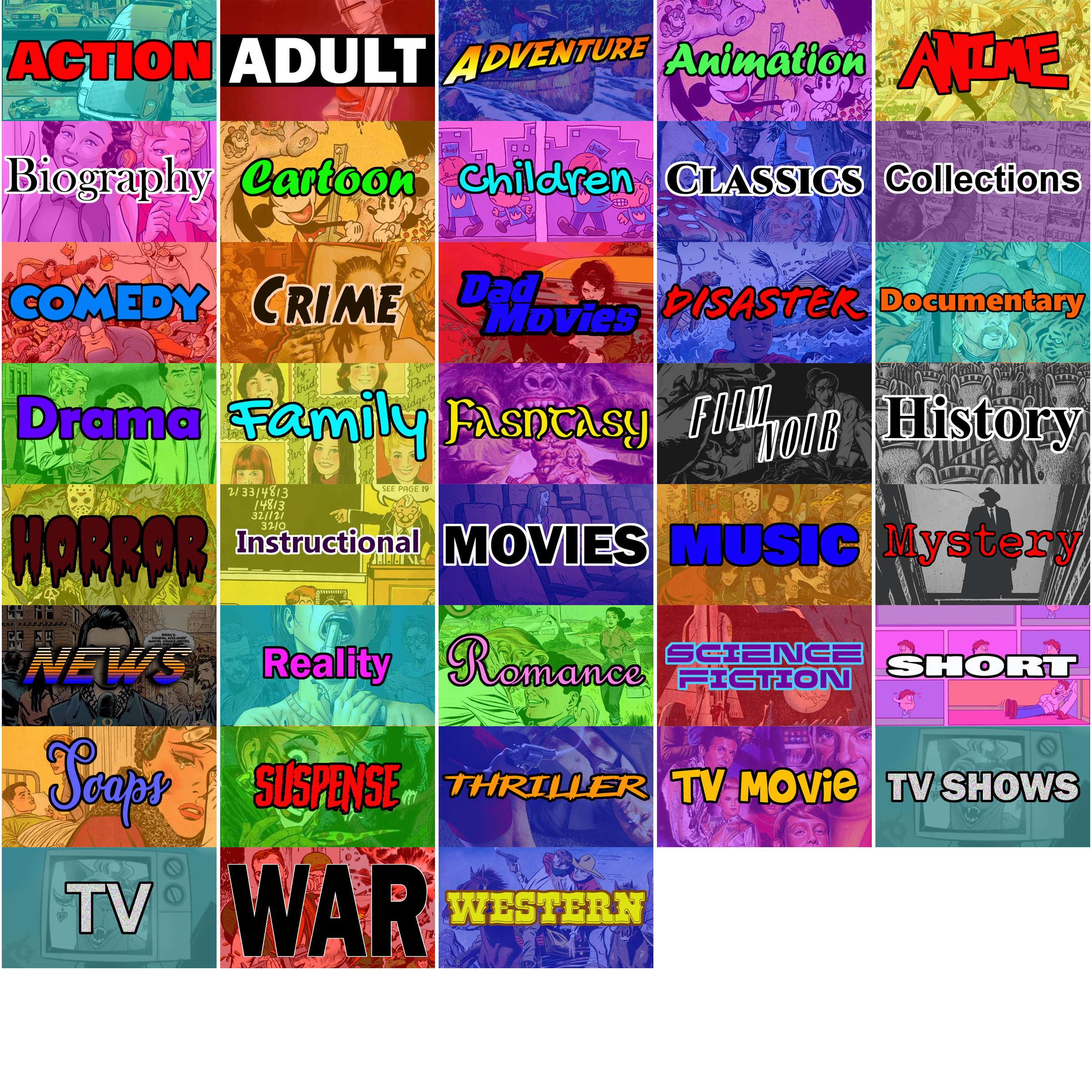
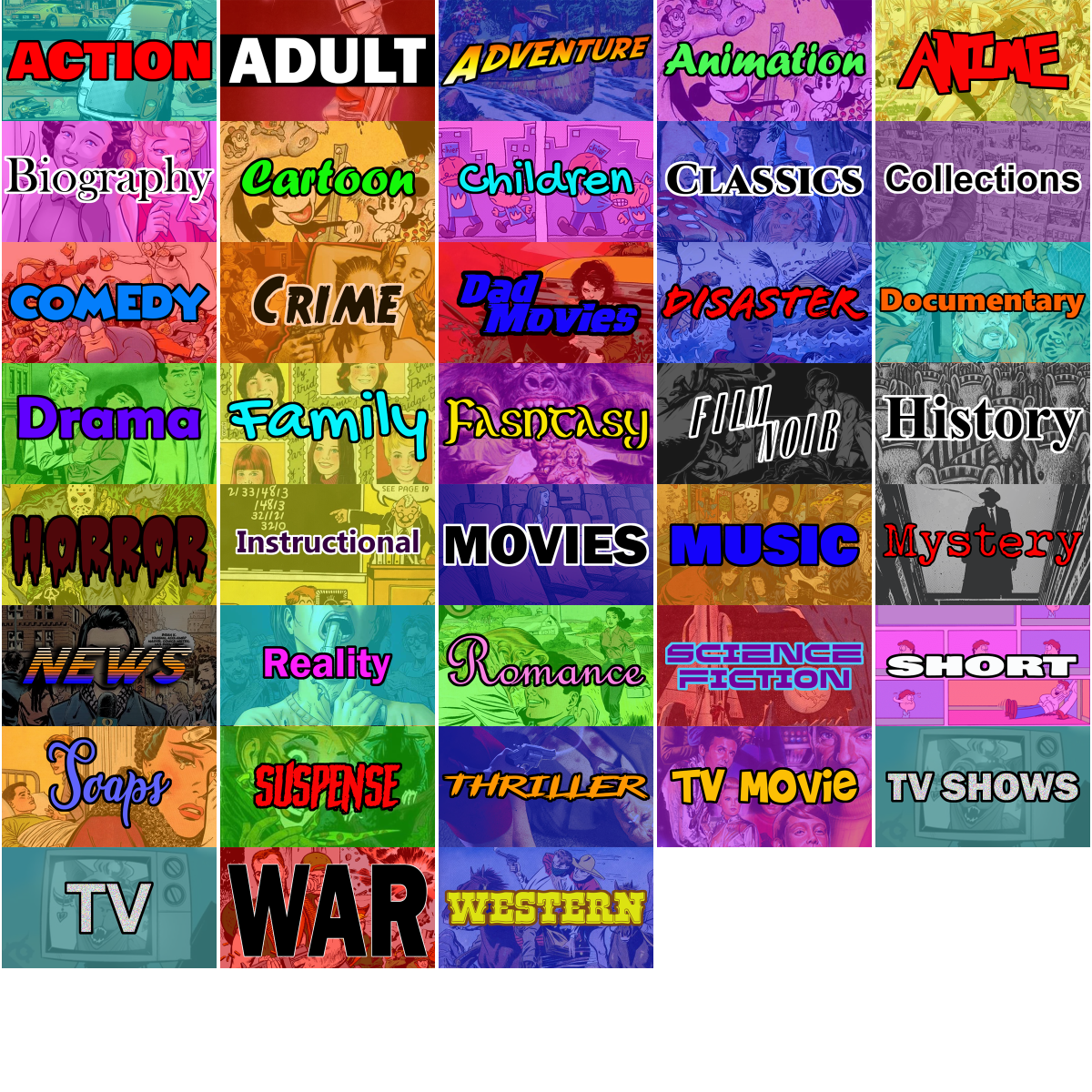
I've added a couple more. Still need to make one for Mini-Series. Here's everything I've got done. Everything is still on GitHub.
 1 point
 -
(Not trying to beat the topic to death but I can reproduce this on my system repeatedly) When I remove the Sort Title field on the Alien movie, it put it in its proper place before the other movies. When I put "Alien 1" back into the Sort Title, it put it at the end of the list of Alien movies again. Weird.1 point