Leaderboard




Popular Content
Showing content with the highest reputation on 11/30/22 in all areas
-
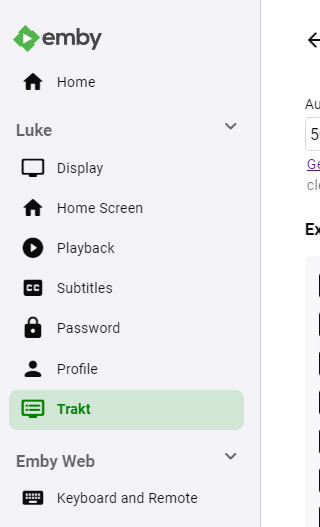
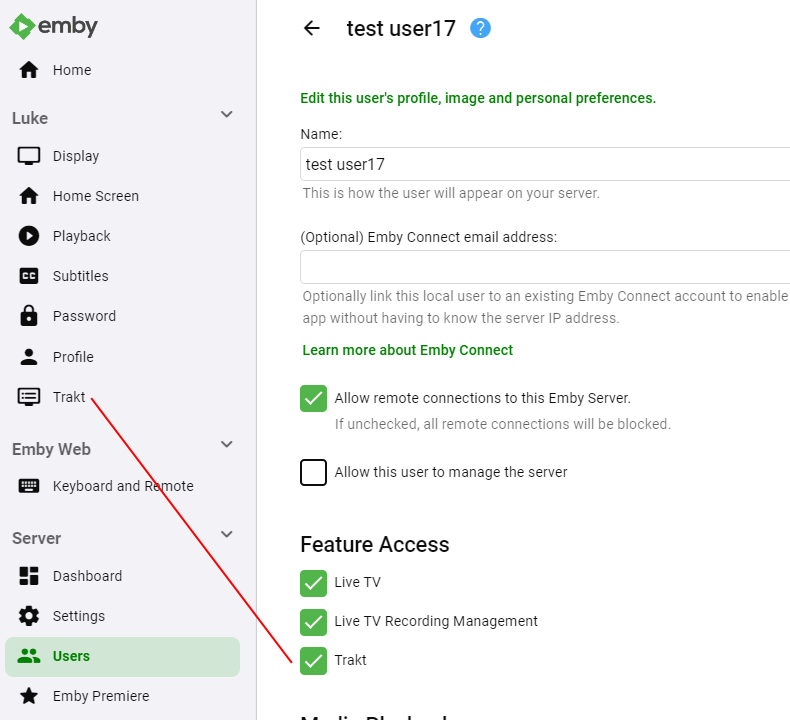
You'll soon be able to create config screens that show up in user menus, rather than the server menu. The first recipient of this will be Trakt, so now each user can setup their Trakt integration without requiring the server admin to handle it for them: And a feature will be registered that allows admins to control access to the feature: I'm not sure who might have a use for this or not, but Trakt certainly does. @chef
 3 points
 -
There is an entire thread with 1000's of comments as to why the current Android client is no way near the polished client the Android TV currently is. I agree 100% - the Android client is slow, sluggish, unpolished, garish, looks horrendous on an oled in a dark room etc .. and frankly doesn't warranty a place in my AV setup. It's an ongoing struggle... https://emby.media/community/index.php?/topic/89802-et-for-android-and-et-for-windows-ui-match-android-tv-app/ Back to your issue - the Android TV Client is capable of playing back 300-400 Mbit/sec media locally - I've tested this to death over years of usage on the client. It has zero issues playing back 100Mbit+ 4K DV with Full HD Audio - again, used over 1000's of hours of playback. So if you are replacing the 'LAN' with a 'WAN' you are introducing latency into the equation and that introduces variables that non-adaptive streaming simply does not cater for. Playback buffers go some way to addressing this - but ultimately, if you cannot fill these quick enough - playback will stall. If the Android App plays ok - then I suspect, it may have a bigger buffer. You used to be able to specify the buffer size in the android TV App - but I think that was removed. @ebr I don't allow my users to playback native 4k remux's for this reason - limiting them to 30Mbit/sec via the setting in Emby (to force transcoding/tone mapping if they try) but even though I have a 1000/110 connection, (the 110 up being the only thing that really matters, as I am the host/server) I would not want to go higher than this as you then open up other dependencies such as is their wifi strong enough ?, does their client HARDWARE accept this bitrate etc etc.3 points
-
His problem's the opposite - the individual episodes are further broken up into two parts. I don't even know if that's meant to be supported for episodes as opposed to movies. As always, the best advice is to join the parts using MKVToolNix. In this case, the easiest way to get that to work for the subtitles as well will be to merge them in at the same time - that way the program knows the time offset to apply to the subs for the second part. Paul2 points
-
Something like: div.section0 .backdropCard {width: 14vw;} Adjust vw value as desired.2 points
-
It will get there2 points
-
I just created new blank Movies and TV libraries, then used the new options.xml files to fix my current libraries by swapping the <PathInfos>. Everything is working now.2 points
-
Sounds good - having a way to distribute administration/engagement to users is a big leap forward. I also came across the 'possibility' of adding context menu's options from a plugin as well. Looking forward to seeing what we can do !2 points
-
This could be how @rbjtech gets his user based recommendations plugin rockin'. You could even allow users to build their own Top Picks. Endless possibilities.2 points
-
Unless I'm being a bit blind (highly possible!), I'd love a way to hide a couple of the top green navigation items without hacking it in myself. For example, in Movies I don't want the 'Trailers' item to appear for any profile and for TV I don't need the 'Upcoming' nav link. Obviously not a major issue but thought it would be a nice thing to have, perhaps allowing them to be re-ordered like the home page items but again just a nice extra,1 point
-
Hey everyone, First off: great program! Recommended Emby to all my friends and I know a few have bought Premiere after being so impressed, keep up the great work! I was wondering if it's possible to add in the ability to fully clear the "Continue Watching" section in a single go? Unfortunately I have issues with the Xbox One app sometimes crashing during playback where it no longer responds to controller/remote inputs, although the video continues to play fine. This causes the episode to appear under the "Continue Watching" section as Emby believes I stopped watching part way through. I know I can clear each episode manually by using the web interface, selecting each episode and clicking "Play" and then stop, but this has been an ongoing issue so I've already cleared out what feels like 100 partly watched episodes and the list keeps going! I wish I'd just kept on top of this from the beginning! If a feature could be implemented where you can basically clear or reset all videos currently flagged as "Continue Watching" that would be great. Even better would be the ability to configure Emby so it automatically clears the partly watched status on a video if it remains in that state for say 7-14 days (If this is user configurable even better). I know personally, if I've only partly watched an episode and a week or two goes by, I won't be able to continue off where I left it without forgetting parts of the story. Thanks, M_Taylor401 point
-
Because you can't put dts in hls, so as soon as the container has to be converted, then so too does the audio.1 point
-
You got it Paul1 point
-
Thanks guys worked perfectly at 18 vs 14. Thanks again1 point
-
Very nice. Makes a change from the lets just copy Apple thing...1 point
-
Thanks. I only used a Playlist once and could have sworn they disappeared after watching. I'll try it.1 point
-
Good news - could you post here when it goes live so i get a notification - thanks in advance1 point
-
Well, thank you for a very prompt and encouraging response, Luke I hope it makes it in - I've enjoyed exploring Emby. Thanks again1 point
-
It's disabled automatically if on SE9 now. SE9 implemented some security features with Android 11 which required the app to be given extra permissions for DFA to work. When the devs submitted the app Google wanted to slap a warning on the app which would have scared people away. So, now they disable the option if running Android 11+. You could fall back (a few of us have done this), but it's not for the faint of heart and the little benefit may not be worth the risk of bricking your Shield. It was exciting though1 point
-
It has. Loooong thread re: @rbjtech @FrostByte1 point
-
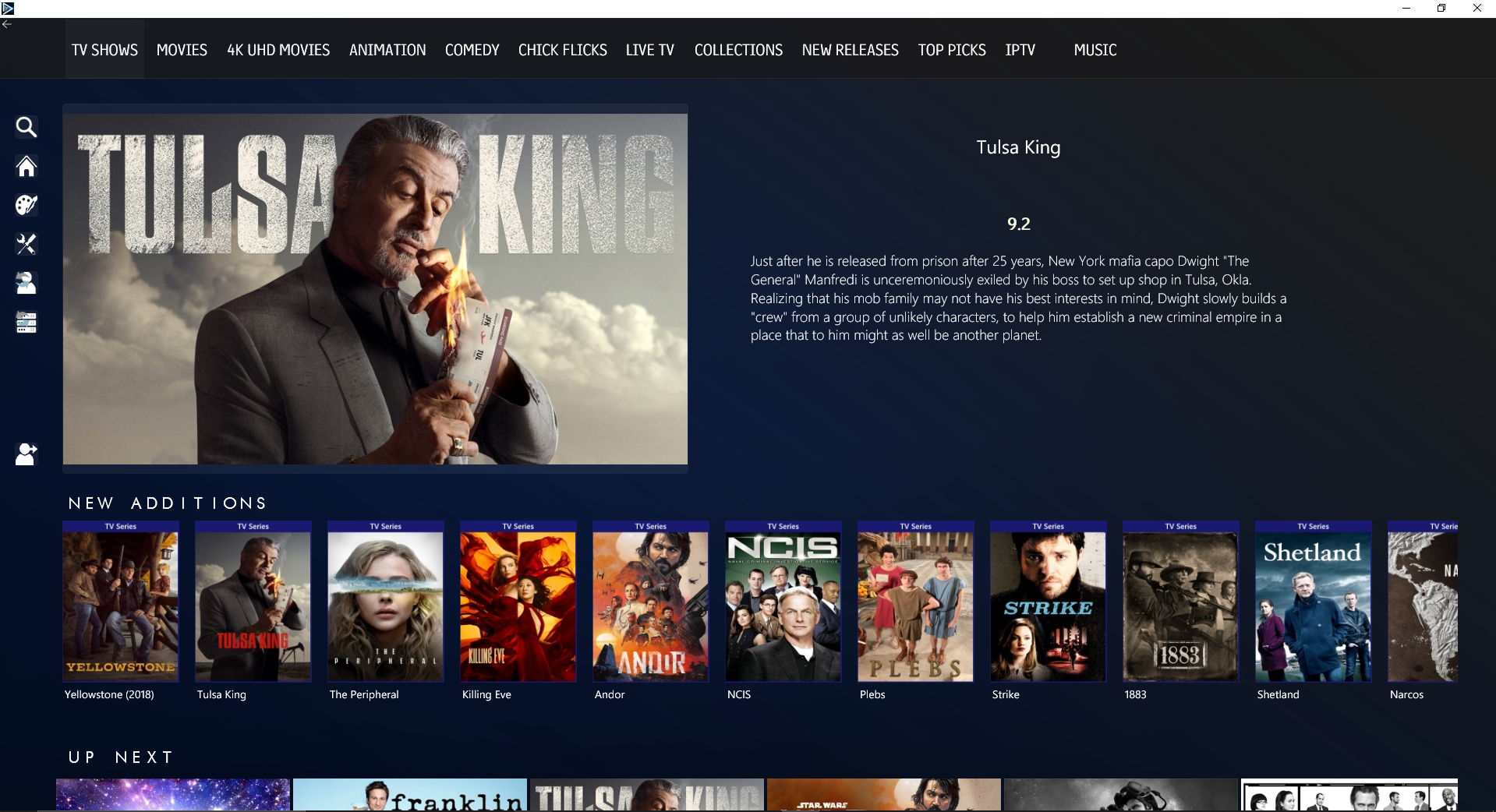
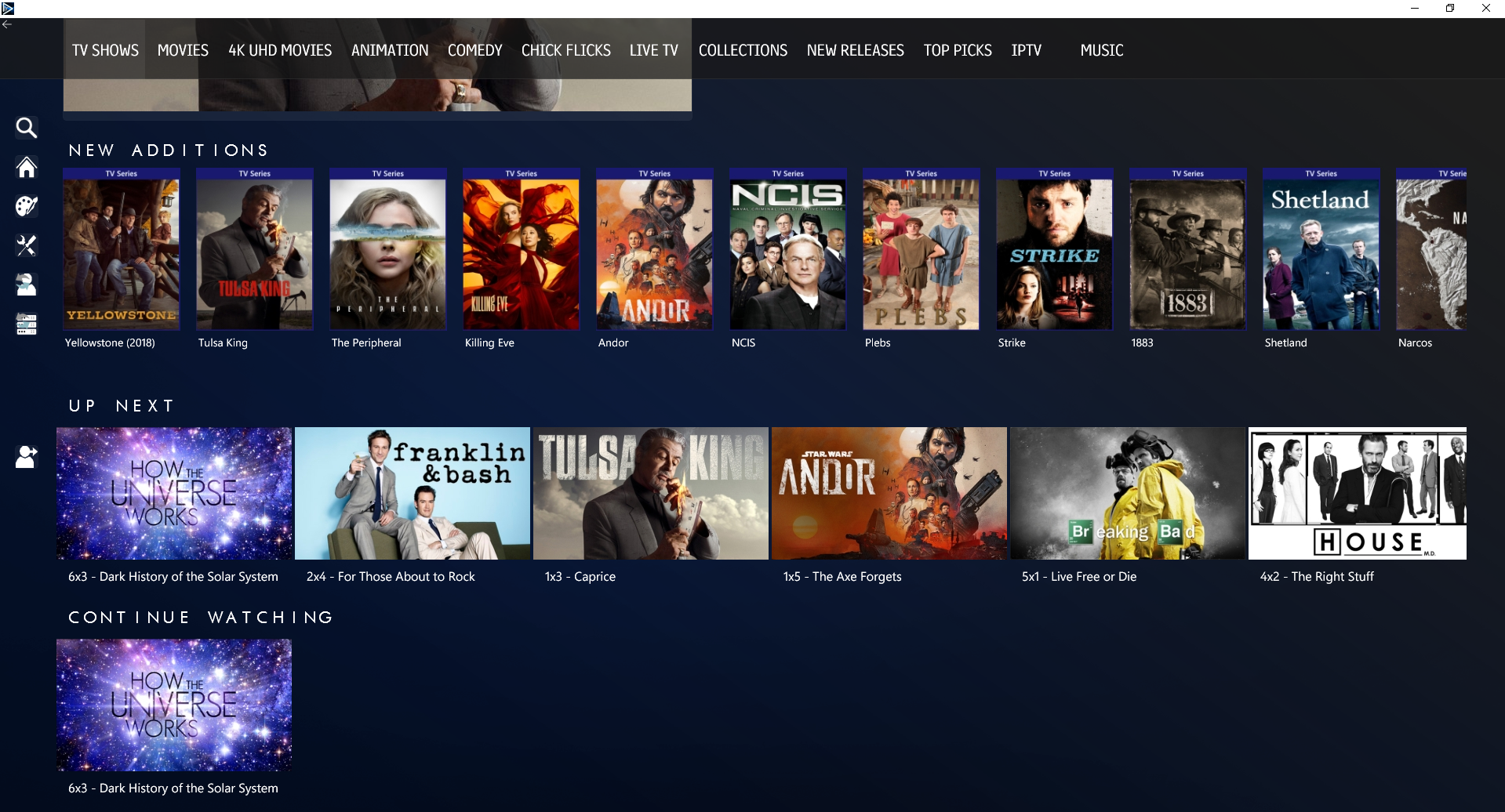
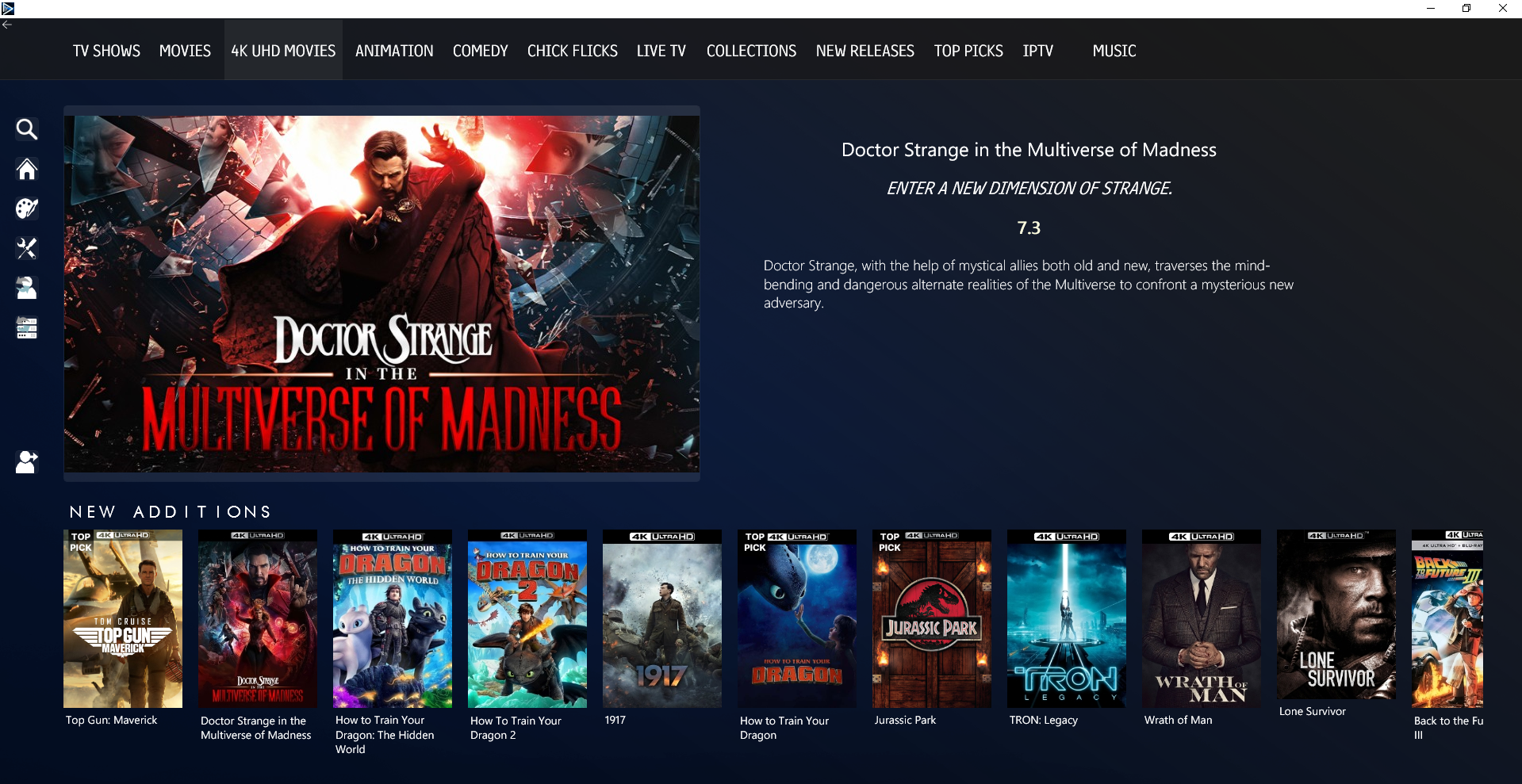
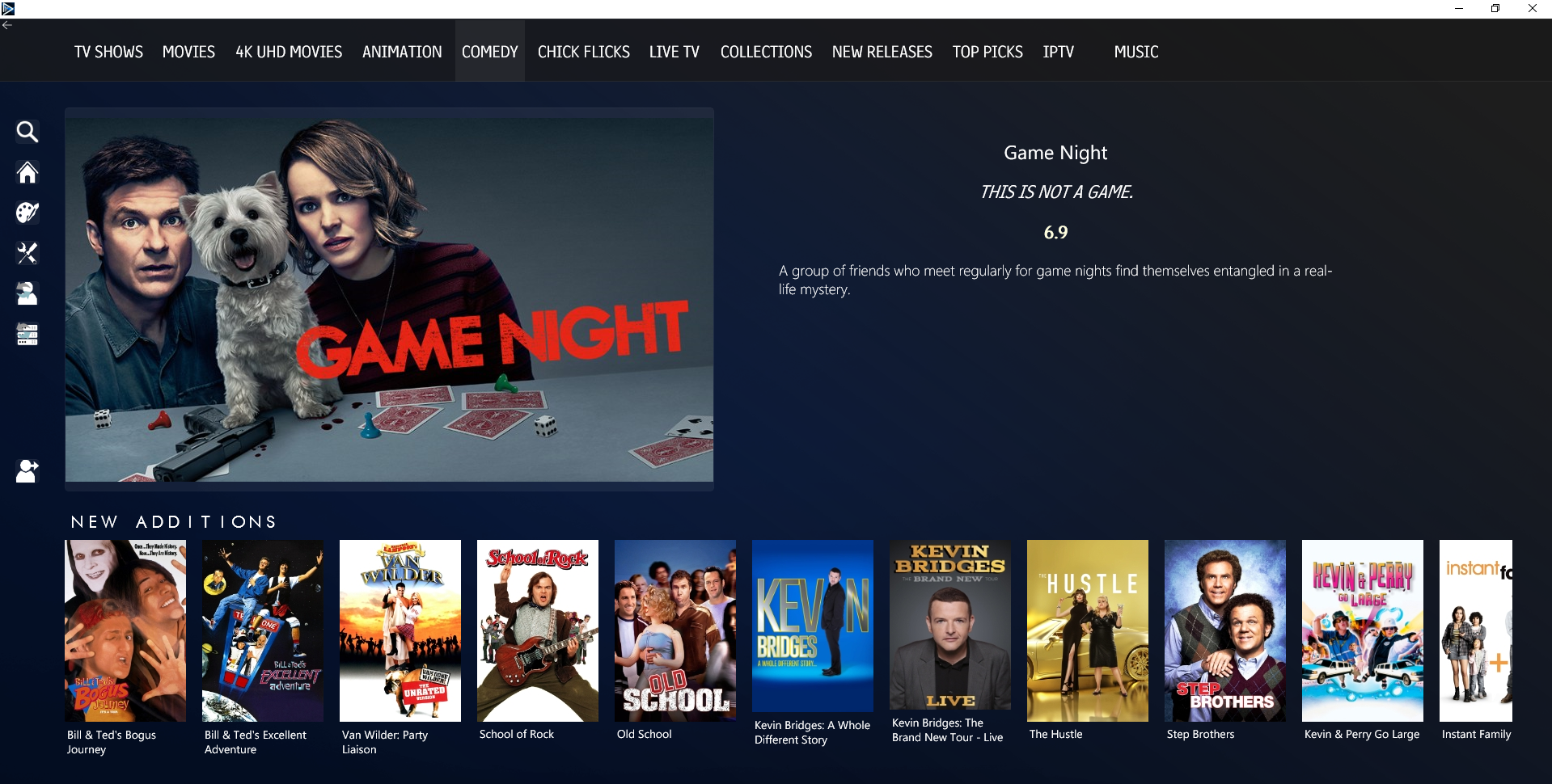
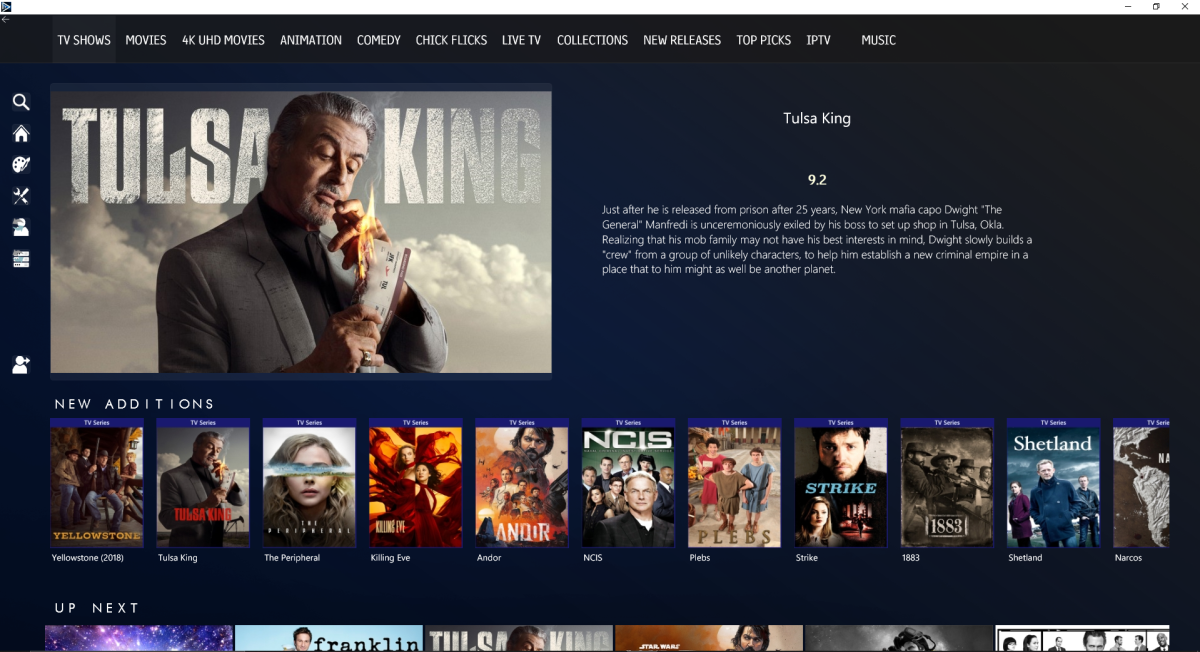
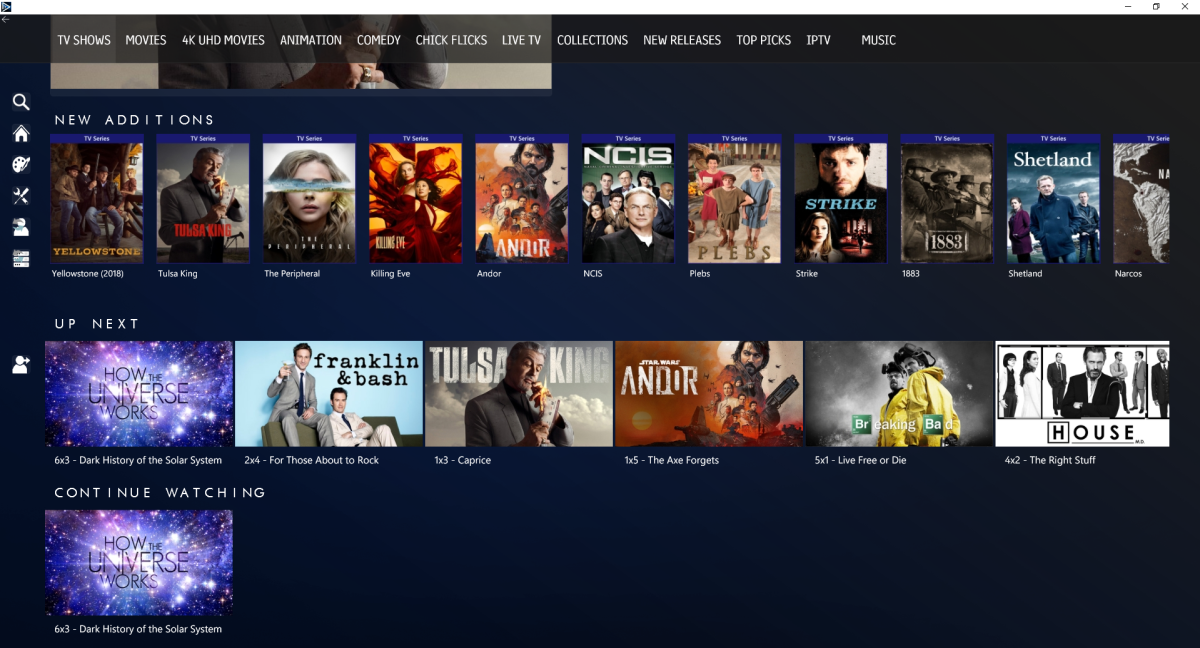
that was a lot of work refactoring. I really love the look Now, need to add in indicators on the top menu and thinking of a clean blue underline to show which tab is currently selected. Scrollable Main View that doesnt hinder the side or top menus 4K MOVIES Comedy i still need to add an imageFactory to cator for different scenarios. frickin lush tho… and it really loves a 4k display
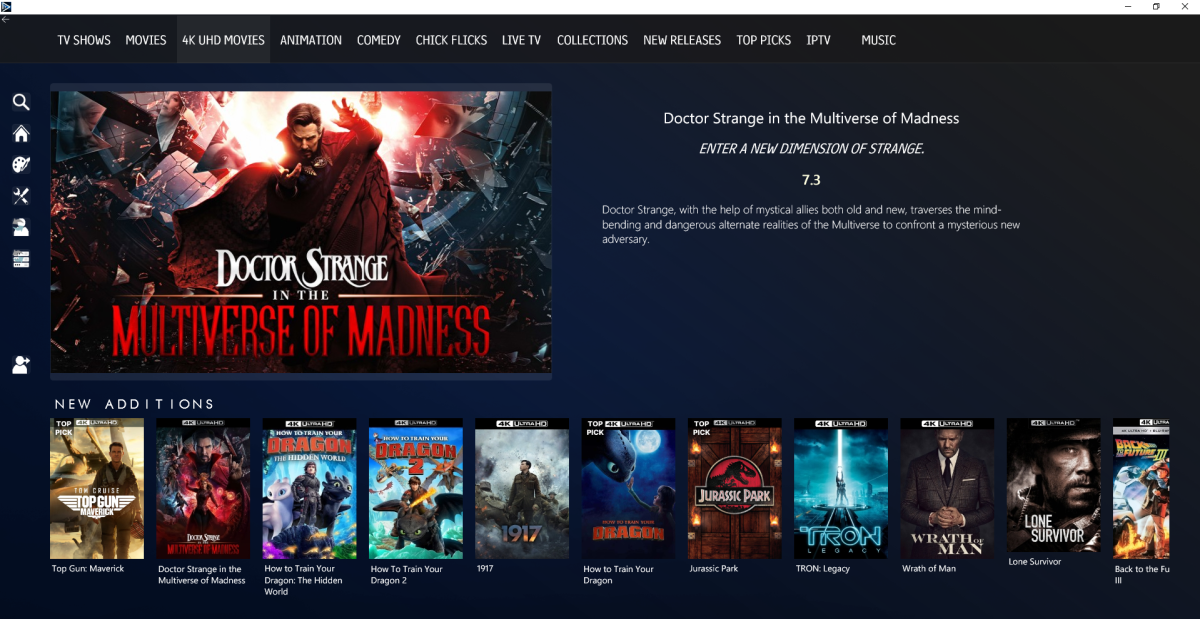
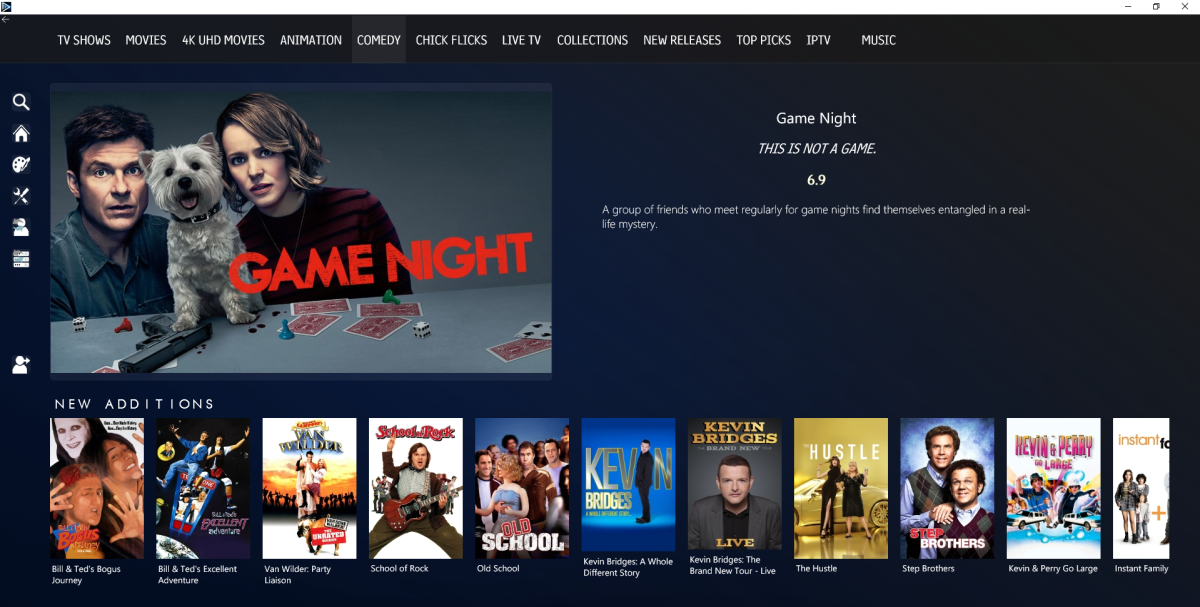 1 point
 -
You will add it as existing code is for all cards. This code targets that section assuming it is first on Home Screeen.1 point
-
It's a certificate problem. Without a cert Emby won't bind on the https port.1 point
-
It has come up before and is always a possibility.1 point
-
Can't believe I scrolled right by it! Many thanks for the fast reply, Luke.1 point
-
Hi, have you checked out the video marker detection option?1 point
-
Hi, isn't it similar to apple music?1 point
-
That may be possible but not likely what most people want. If they go back home, they expect the next back to exit the app. In fact, that's usually why people use that feature.1 point
-
Yea, seems that it’s the initial scan that’s still going on for 2 days haha. A lot more files are showing up now with proper metadata etc. I’ll wait until the weekend and see. Thank you very much for the assistance1 point
-
and video player still look nothing like the native player1 point
-
Just fix the IP your synology is using to force it back to the previous one.1 point
-
I just updated emby to the new version 1.6.6 (8) on my new AppleTV 4K (2022) but still no switch of the TV format. No HDR, no change to 24p, still the same issue.1 point
-
Muito obrigado pessoal pelas dicas Makemkv é maravilhoso! Vlw. Até mais!1 point
-
Tried that and it didn't take In settings it saved the external domain, but the android app continues to revert to the local IP address. Guess I'll try some other stuff on my end then. Thanks.1 point
-
When an m3u provider decides to block out emby it's fine, many ways to combat it. That's just a few ways, feel free if anyone has any other methods to help out this community. Personally I don't watch much iptv but easily can say the providers who block emby are not worth looking at to begin with. Everyone knows it's a grey line obviously yes but who wants to be ripped off from hulu live tv and slingTV etc... not me. I will self host now and continue to do so. If my cable tv provider was good with price I would use them but they are not so I get my media elsewhere. I'm just glad that emby forked off from jellyfin making this easy for us to be our own host of media, jellyfin is ok but not my preferred idea of slick smooth end user experience like emby has become today. Anyone in their right mind can't say no to using emby, plex is popular only from the live channels free but hard pass from me as those channels are on the web free everywhere. I'm picky I use what works good, emby 4life.1 point
-
Glad it works but note the Store version use a different player then the Desktop version so you could get different result as Desktop will support for formats natively.1 point
-
Hi, a long time ago we used to do that in order to sort numbers within the titles. Nowadays we have better techniques available. What you can do for existing ones that are impacted is reset the value as desired, and optionally undo the lock on the field if the value you enter matches the original title.1 point
-
That's awesome @Luke MediaInfo Toolbox can benefit from this also, allowing different users to display the info how they like it. Can you share the Interface class with use please. Great work as always fella!!1 point
-
Sorry, disagreeing with this, don't want any residual tags once Top Picks has done its thing for current timeline (week/month/whatever).1 point
-
Nope, Emby doesn't, and there's long standing thread about it here on forums, but at least TMM started to write <episodenumberend> for Emby users' sake, so it does mitigate it a bit. Though IMHO it's Emby who's at fault here (and I know @Happy2Play will wholeheartedly disagree with me as it'd break his setup otherwise ).1 point
-
I'll have to disagree there as TMM is very strict (and current) in conforming to Kodi standards/convention - main problem is it's sh*itload full of options that users often disregard or set improperly hence issues arising. As far as Emby goes, with proper TMM setup issues are practically non-existent (and beleive me, I've learned that the hard way, unfortunately).1 point
-
Update - I changed transcoding options to Advanced and checked the box next to "QuickSync GeminiLake UHD Graphics 600 - VC-1". (The other option which, per the log, was being selected automatically is "VAAPI GeminiLake UHD Graphics 600 - VC-1"). This seems to fix the problem too. CPU dropped about 8%-ish vs hw transcoding disabled. I have not compared the video output of QuickSync hw transcoding vs. no hw transcoding in detail. Both certainly look much better than the output of "VAAPI GeminiLake UHD Graphics 600 - VC-1."1 point
-
Yes, also still waiting for this but it's probably not a priority right now...1 point
-
I too would like to see ROONALBUMTAG implemented please.1 point
-
Yes, that resolved it, thanks! When I first installed the beta (Emby server) with support for live TV captions I loved it. I have experimented with Fire Stick and Roku apps; anecdotally, I think the Fire Stick is working particularly for playback if additional features like captions are turned on. I'll refer to this page for more details as I continue to learn more Emby Transcoding1 point
-
Thank you for asking! But no, it was just a precaution. itunes recently messed up my collection really bad. That is why I am careful and thought I would ask ahead for some "good practices" of what I should look out for and should and should not do. So far, all is well. Cheers, Roodee1 point
-
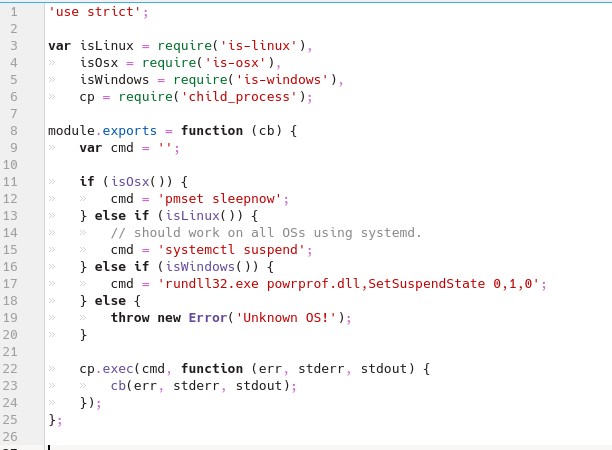
Luke, Here are snapshots of the index.js files for power-off and sleep-mode. It works for me but probably not the correct way to get it working for everyone. LJF

 1 point
 -
Thanks for looking into this Luke. I patched the JavaScript file at root/opt/emby-theater/electron/resources/app/node_modules/power-off/index.js on line 11 to read " cmd = 'shutdown -h now'; " That fixed the power off problem for me. then root/opt/emby-theater/electron/resources/app/node_modules/sleep-mode/index.js on line 15 to read "cmd = 'systemctl suspend'" and that fixed sleep for me. I would have preferred to go into hibernate at the sleep function but I could not get around the password trap so I found this "obsolete" cmd line. --------------- For reference, I am logging in to Kubuntu without a password (set as login without password), and when I noticed ref to "SUDO" in the original EMBY .js script I suspected this could be looking for a password. I am also running without wallet keeping track of anything (if that's any help at all). Thanks LJF1 point
-
Yes, I completely agree on that, currently that sidebar can get easily very long. I personally have ~120 playlists, that means lots of sidebar scrolling1 point
-
I'm just sick right now. I thought it would replace my posters with updated ones but it deleted all of my fanart that I painstaking downloaded over months and months of work is gone. It didn't even put the deleted items in the trashcan where I could "undelete" them. They are just totally gone. Had the toggle been "Delete all existing poster, background, fan art, etc. and hopefully download a few new ones" then I would have never touched it! Bottom line is REPLACE means just that--REPLACE. Your app didn't do that. You app DELETED all artwork from my media folders and then attempted to download new content. It should only replace, not delete. In tears here and really wondering if I can go through the effort with Emby to go to fan sites and download my posters and artwork again. This problem was brought to your attention over 2 years ago and you still didn't change the terminology or a warning that all existing content will be permanently deleted and unrecoverable. That had to be a fairly minor coding thing to accomplish and you chose to let more new users commit the same mistake. Very disappointed. My reasoning is the same has HermanX5 above, by the way. I built a new computer, installed Windows 11, moved over my raid control and drives, installed a fresh install of emby and loaded my library. After 2 days none of my movie's posters where showing in the library, or any of the fanart---but they were saved in the media folders---they were right there. So I asked Emby to replace the image (replace the images in the cache, which were none, with the images on my hard drive.) I'm really shocked the app deleted media without warning. Cache's can be rebuild, but delete a file from the drive... without warning... not cool.1 point
-
bumping this as I've had the same problem. The terminology is confusing and there is no warning or indication that data will be permanently deleted. I replaced some folder.jpg files and wanted emby to refresh the thumbnails. I wanted to avoid a full library scan as this takes a very long time and I only needed to refresh like 5 thumbnails. There doesn't seem to be a way to refresh individual thumbnails, so I refreshed metadata on the library in question and told it to "replace all images" because I wanted existing images to be replaced with new ones. To the end user it seems as though image files are scanned and imported into a database or cache of some kind - so you think "replace all images" would do another scan and replace the images in the database or cache, with the new images found on disk. This is clearly not what happens, and it's only because of this thread that I now understand what happens! I have just lost a lot of data with no warning or explanation. It's all replaceable but will take a long time. These options should be better described - choosing "replace all images" is potentially destructive and so it should pop up a warning "This process will replace all image files at '//server/share/library/' with newly generated images - proceed? yes/no". It should never be possible for a user to lose data simply because they do not understand what a scan is about to do. Also a way to explicitly refresh thumbnails on their own would be really helpful - other media servers have this feature.1 point