Leaderboard




Popular Content
Showing content with the highest reputation on 11/07/22 in all areas
-
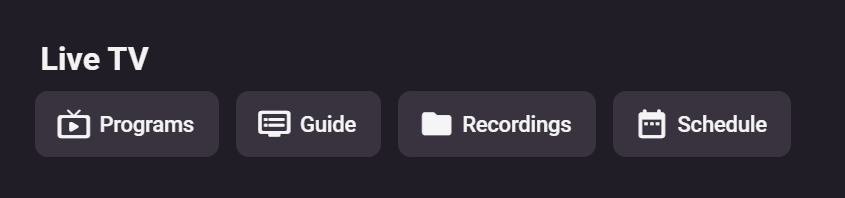
I believe they are talking about right here: In a touch interface, it really doesn't matter much but in TV mode, when you navigate with a remote, the first button should be the one most people are most likely to want to use most. IMO, that would be the guide as well.
 5 points
 -
The adjustment is inside modules/homesections/homesections.js Search for 16 and replace it with another number. I actually like 80. Maybe that's just me. Since there is no User setting, I have to go in and edit the .js file after every update. It might be a nice option in the Display page. Does anyone else have interest in this feature?3 points
-
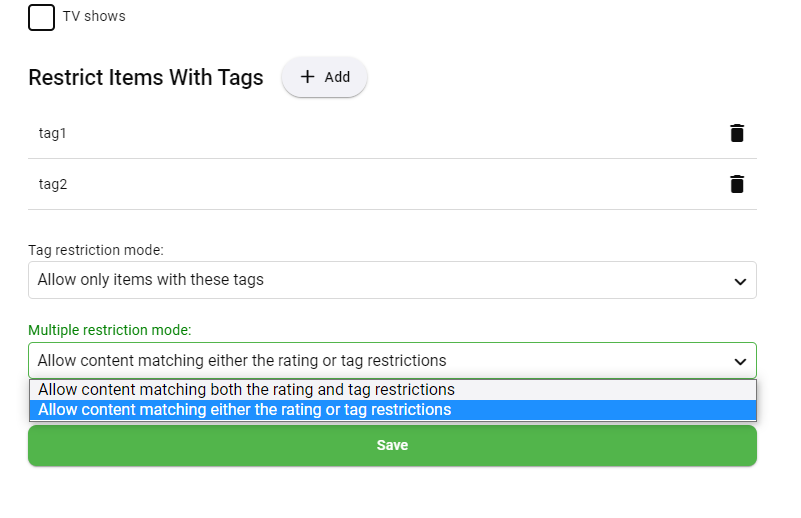
This will be in Emby Server 4.8, where you'll be able to choose how the restriction works:
 3 points
 -
I’d say, probably, most in fact do. It’s not DLNA rendering software in question here - but devices with built-in DLNA renderers: Most AV receivers from companies like Denon, Marantz, Yamaha, Onkyo, Pioneer, Sony… they all do. For example, all current Denon/Marantz devices with network capability can do gapless playback (including their “HEOS” networked speakers) - and they do it from many other servers like MinimServer, Serviio, jRiver, Asset UPnP. All of these play directly, gapless - and including DSD files - to those AV receivers, no other software or hardware needed. But none of them has the seamless integration with other information sources like Emby does.2 points
-
I know. But apparently, this is not something Emby is even considering to fix: they appear to be happy if it works on the platforms/devices that are the least suitable for serious music enjoyment (iOS, Android). There is so much to love about this software, but not having gapless playback (something the first iPod ever already had in 2001) kills it. I don’t want to have a different server software and controller app depending on where I want to listen to my music.2 points
-
As per the ATV app. This was brought up a while ago though, as I asked that the Web Client did the same as the ATV app, or vice versa.2 points
-
When I'm watching my photos in the Tizen App (just installed the latest version 1.2.9) then they are rendered at extreme low resolution. Detail from the log (full log is attached): http://94.134.46.81:8096/emby/Users/bcec626deee04c519315e93f41ba4c2a/Items?SortBy=SortName&SortOrder=Ascending&Fields=BasicSyncInfo,CanDelete,Container,PrimaryImageAspectRatio&StartIndex=0&ParentId=52242&EnableImageTypes=Primary,Backdrop,Thumb&ImageTypeLimit=1&Limit=50&X-Emby-Client=Emby for Samsung&X-Emby-Device-Name=Samsung Smart TV (UE55MU8009)&X-Emby-Device-Id=7e54610c-7683-4da1-ba39-7c2a9bf09500&X-Emby-Client-Version=1.2.9. UserAgent: Mozilla/5.0 (SMART-TV; LINUX; Tizen 3.0) AppleWebKit/538.1 (KHTML, like Gecko) Version/3.0 TV Safari/538.1 2022-06-21 17:10:27.320 Debug Server: http/1.1 Response 200 to 94.134.46.81. Time: 3ms. http://94.134.46.81:8096/emby/Users/bcec626deee04c519315e93f41ba4c2a/Items?SortBy=SortName&SortOrder=Ascending&Fields=BasicSyncInfo,CanDelete,Container,PrimaryImageAspectRatio&StartIndex=0&ParentId=52242&EnableImageTypes=Primary,Backdrop,Thumb&ImageTypeLimit=1&Limit=50&X-Emby-Client=Emby for Samsung&X-Emby-Device-Name=Samsung Smart TV (UE55MU8009)&X-Emby-Device-Id=7e54610c-7683-4da1-ba39-7c2a9bf09500&X-Emby-Client-Version=1.2.9 2022-06-21 17:10:27.410 Debug Server: http/1.1 GET http://94.134.46.81:8096/emby/Items/52339/Images/Primary?maxHeight=387&maxWidth=258&tag=812ff8ba91abdd70cca1e9148e56b0ac&quality=90. UserAgent: Mozilla/5.0 (SMART-TV; LINUX; Tizen 3.0) AppleWebKit/538.1 (KHTML, like Gecko) Version/3.0 TV Safari/538.1 2022-06-21 17:10:27.411 Debug Server: http/1.1 GET http://94.134.46.81:8096/emby/Items/52340/Images/Primary?maxHeight=387&maxWidth=258&tag=ee8305f3fb44fd4756fe0933c45747f7&quality=90. UserAgent: Mozilla/5.0 (SMART-TV; LINUX; Tizen 3.0) AppleWebKit/538.1 (KHTML, like Gecko) Version/3.0 TV Safari/538.1 2022-06-21 17:10:27.579 Debug ImageProcessor: Image encoding to C:\Users\Christian\AppData\Roaming\Emby-Server\cache\images\resized-images\c\c83ca4c3-79c7-e953-1d0b-afa4cc17683f.jpg took 168ms for C:\Users\Christian\Pictures\2022\2022-02-19 - Kinderbiennale\2022-02-19 10-42-44 - Kinderbiennale.jpg 2022-06-21 17:10:27.589 Debug Server: http/1.1 Response 200 to 94.134.46.81. Time: 178ms. http://94.134.46.81:8096/emby/Items/52340/Images/Primary?maxHeight=387&maxWidth=258&tag=ee8305f3fb44fd4756fe0933c45747f7&quality=90 2022-06-21 17:10:27.589 Debug Server: http/1.1 GET http://94.134.46.81:8096/emby/Items/52341/Images/Primary?maxHeight=387&maxWidth=258&tag=70b873f86998db622db75472be9f264e&quality=90. UserAgent: Mozilla/5.0 (SMART-TV; LINUX; Tizen 3.0) AppleWebKit/538.1 (KHTML, like Gecko) Version/3.0 TV Safari/538.1 2022-06-21 17:10:27.602 Debug ImageProcessor: Image encoding to C:\Users\Christian\AppData\Roaming\Emby-Server\cache\images\resized-images\8\8a1feb73-1052-ad7c-93bf-299c25c9efef.jpg took 191ms for C:\Users\Christian\Pictures\2022\2022-02-19 - Kinderbiennale\2022-02-19 10-42-29 - Kinderbiennale.jpg 2022-06-21 17:10:27.612 Debug Server: http/1.1 Response 200 to 94.134.46.81. Time: 203ms. http://94.134.46.81:8096/emby/Items/52339/Images/Primary?maxHeight=387&maxWidth=258&tag=812ff8ba91abdd70cca1e9148e56b0ac&quality=90 2022-06-21 17:10:27.612 Debug Server: http/1.1 GET http://94.134.46.81:8096/emby/Items/52344/Images/Primary?maxHeight=387&maxWidth=258&tag=bc8834e590f38c46ac7065fae6b82308&quality=90. UserAgent: Mozilla/5.0 (SMART-TV; LINUX; Tizen 3.0) AppleWebKit/538.1 (KHTML, like Gecko) Version/3.0 TV Safari/538.1 2022-06-21 17:10:27.775 Debug ImageProcessor: Image encoding to C:\Users\Christian\AppData\Roaming\Emby-Server\cache\images\resized-images\d\dd341cb4-5b48-f243-3108-0bb59d3dad37.jpg took 185ms for C:\Users\Christian\Pictures\2022\2022-02-19 - Kinderbiennale\2022-02-19 10-49-28 - Kinderbiennale.jpg 2022-06-21 17:10:27.790 Debug Server: http/1.1 Response 200 to 94.134.46.81. Time: 201ms. Looks as if images are requested at a resolution of only: maxHeight=387&maxWidth=258 embyserver.txt1 point
-
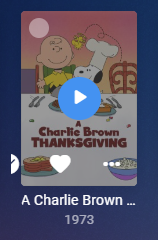
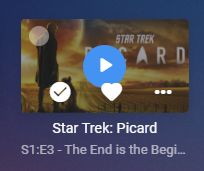
Next Up (Legacy) Context menu Image size cardOverlayContainer content not scaled, primarily issue for smaller images
 1 point
 -
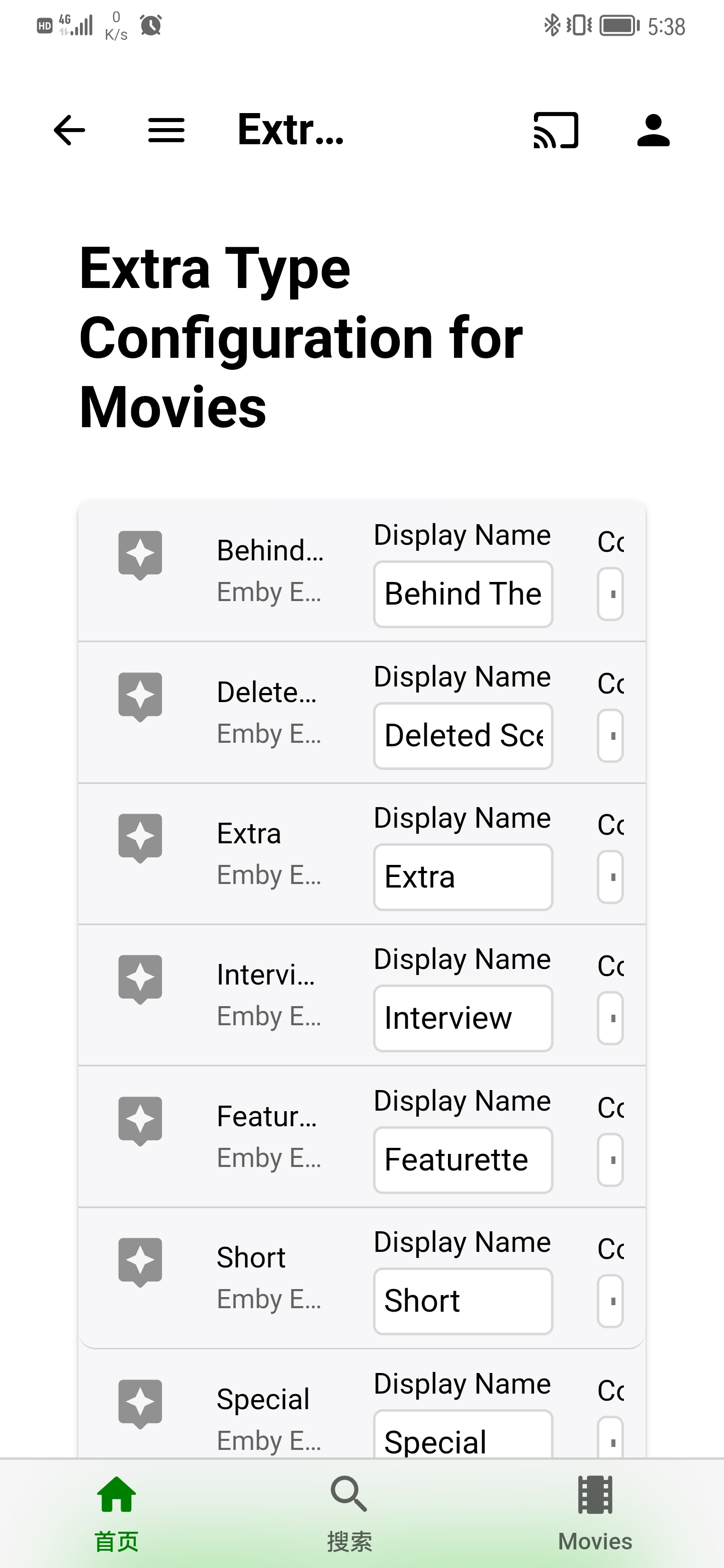
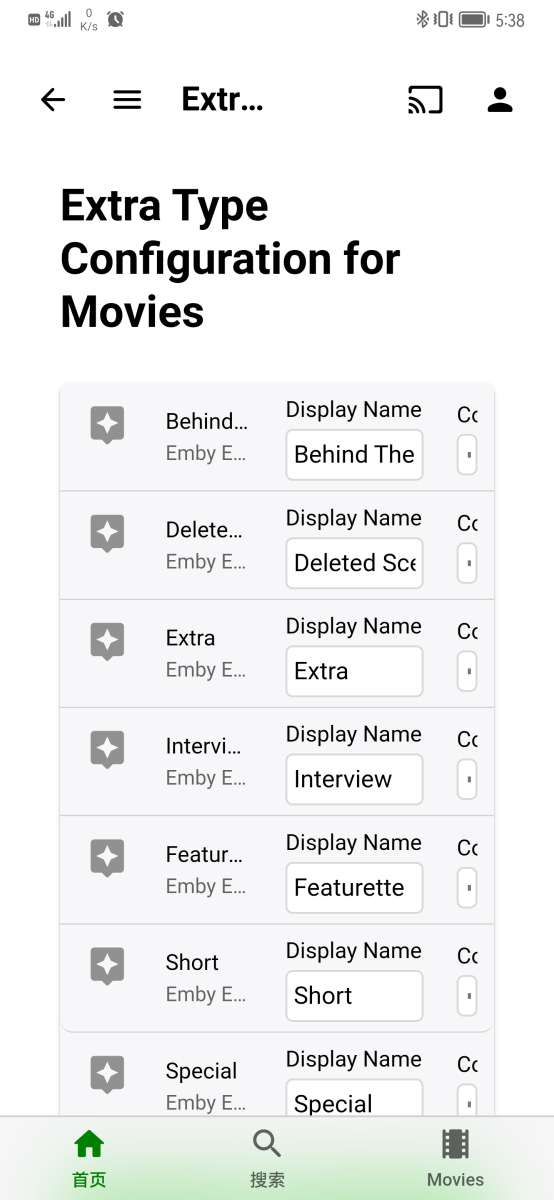
I started working on an Extras enhancement plugin last month, and there's some backstory here. The core features are now in place, and I'm ready to share a test build (attached) for anyone who's interested in providing real world feedback on how the plugin works (or doesn't work) in their environment. The requirements are that you're running a 4.8 server, have some Movie extras in a Movie library, and want a plugin to modify some or all of your Extras art. The plugin doesn't yet support all image libraries Emby uses across platforms, so in these cases, the plugin will just say your platform isn't supported yet. It will be at some point. Configuration After installation, navigate to the plugin configuration page and click on the 'Generators' button for the Movie library(ies) you want Extras Art created for. Uncheck 'Disable Image Generation', then click 'Ok'. This will enable generation of all the Art types the plugin can create for you. You can also uncheck individual image types in the 'Generators' dialog if you only want certain image types created. Scroll down to the Generation section if you just want to start creating Extras Art, or read on to get more details on the other configuration options. You can adjust the styling of the images by clicking the 'Styles' button. Sensible defaults are already selected here, though, so adjusting these is optional. The last section is 'Extra Type Styling' which allows detailed control over how the Extra folders (featurettes, behind the scenes, deleted scenes, etc) are displayed on the image. Again, the defaults are fine, so you don't need to adjust these until you want to. Generation With the plugin configured for your Movie Libraries, navigate to a Movie with extras. The art generation is triggered by refreshing metadata on an individual Extra(s) or its parent Movie/Folder/Library. I'd strongly recommend starting by selecting/multi-selecting directly on Extra Items until you get a feel for what the plugin is going to do. New Extras will automatically have their art generated by the initial metadata scan that happens when Emby adds them to your library. Also, the plugin should respect the 'replace images' option on 'refresh metadata' and not overwrite any existing extras art unless you ask it to. If it doesn't, that's a bug and please let me know about it. Disclaimer Please remember that this is testing and don't run straight to refreshing metadata on your entire library or put any art you care about at risk without backing it up first. I've been running this plugin on my production Emby for a week now with no issues. It's working as expected (for me) on Linux and Windows, but it may not work or work correctly in your environment. Finally, this plugin does not fetch metadata from any provider. It is wholly dependent on the parent Movie's art being present. So, for example, if you ask the plugin to clone the parent's logo, but the parent doesn't have a logo, the plugin will not be able to generate a logo for the Extra. In cases where the parent Movie is missing necessary source images, the plugin will whine in the log about what's missing. All you need to do is edit the parent Movie's images to provide what's needed and 'refresh metadata' on the Extra. Thanks for testing. Hope you enjoy. Version History 0.6.4.0 - Trigger parent image fetch when needed to improve extra art generation when ingesting new item 0.6.3.1 - Compatibility Fix for Emby Beta .30 0.6.3.0 - Support for 'scenes' folder, case insensitive folder check 0.6.2.1 - Compatibility fix for Emby Beta .17 (will not work for .16 and lower) 0.6.2.0 - Fix server restart, check for existence of top level folders (please upgrade to beta .17 and install 0.6.2.1) 0.6.1.0 - Bug fixes Create config directory if missing Fix responsiveness for mobile view 0.6.0.0 - Initial Testing Version ExtrasPlus.dll
 1 point
 -
STABLE VERSION 7.13.6: Download Link: http://kodi.emby.tv/Public testing/plugin.video.emby-next-gen-7.13.7.zip Disclaimer: If you decide using the delete option, IT'S YOUR RISK! If you are using fileops on Kodi, LOOK and VERFY what Kodi is about to delete or modify. The affected folder is clearly shown in a Kodi popup message. Release Notes: removed Kodi 18 support: ONLY FOR KODI 19+ no support for Emby Server beta version >= 4.8.0.28 -> use embyforkodi 8.X fix invalid people issue fix start sync issue fix folder remove logging issue fix issue when content item has no Name information assigned fix boxset issue fix edgecase sync issue fix edgecase dynamic node (widget) issue Fix photoalbum views optional invalid (get) request filter (fix for external players) fix minor issue when Kodi library clean was triggered (edge case) adjust keepalive session tracker interval from 4 to 10 seconds Improve dynamic nodes lookup if content is synced to Kodi (e.g. for playlists) remove reuselanguageinvoker due to Kodi bug -> https://github.com/xbmc/xbmc/issues/21653 fix shutdown issue fix dynamic movie nodes content, when synced to Kodi (movies, musicvideos progress was wrong) add translations fix playlist ops for multiselection content fix minor websocket issue increase websocket timeout from 25 seconds to 60 seconds improve factory reset in case of a fatal database inconsistency fix sync issue for invalid (Emby server) content fix boxset issue when content was updated Fix tvshow path assignment minor code fixes use notification callbacks also for player event fix minor player issues fix intros in native mode change recently added nodes remove chapters/bookmarks Kodi workarounds several code improvements add Kodi workaround for items played via widgets which are not using Kodi's internal functions as nodes (all dynamic nodes and next episode node) should be more stable (addon mode only) fix multiselection progress update issue in native mode fix remote content playback issue fixed minor database issues add option to disable free space verification fix several playback issue for edge cases workarounds for kodi issues add translations fix sync issue when content released from multiversion minor init sync performance improvements clean code fix minor server connection issue when mode switched (e.g. from localaddress to remoteaddress) fix variable type for Kodi listitems fix youtube links for dynamic items fix vacuum db and progress bar fix iso playback in addon mode remove option to use runtimlimits from Emby server (too experimental) added on the list for 8.x add translations fix dynamic nodes shown as widgets fix dynamic nodes crashes when used as widgets add recently added tvshows to dynamic items fix dynamic nodes progress for tvshows, season add dynamic nodes support for reset position, set (un)watched support realtime updates for dynamic nodes fix sets (remove movie after played) fix path update if strm file content has changed on content updates fix minor issue on factory reset fix next episode cache issue fix http session close error fix progress bar for startup sync Improvement http POST and DELETE commands using a threading queue fix database init issue add progress bar for livetv sync respect item limit for next episodes add translations fix HEAD queries Improvement for Emby server login, mainly for multiservers but also for single server fix Emby server connection if Emby server is not online at Kodi start fix Database (Emby server ID not loaded) for edge case use timeouts for some POST and DELETE http queries, instead of threading them (more reliable Kodi playback seeking) add server disconnect/remove function add startup sync progress bar Remove some delays on Wizard Avoid removing custom nodes on factory or node reset (don't put you custom nodes in the "emby_*" folders or label the files "emby_*") fix playback stop if emby server no loaded fix chapter sync issue small playback improvement in addon mode for multicontent and transcoding improve cinemamode in addon mode unify actors/artists for each libraries fix dynamic nodes status update fix chapter marker image overlay for intros add collection support for homevideos and musicvideos fix tv tunes add option to sync themes locally (tv tunes) fix xml issues fix boxsets for dynamic nodes when folders are assigned image enhancement toggle -> reset artwork change default setting for sync while playback to enabled change to sync while playback Rewrite Emby login code, fixing issues and remove duplicate http queries. Also fix emby connect and support dynamic IPs. Assign user picture as login icons. fix strm plugin issue fix strm files with plugin links fix episode sync when no seasonid is assigned improve content detection for dynamic nodes fix folder view for synced content improve querycache for dynamic nodes improve http requests clean connection code improve cinema mode path validation (speed up trailer load, if multiple (> 1) trailers are loaded) -> threaded loading fix kodi scan event issue clear query cache on skin reload fix 3d content in cinemamode fix cinemamode when autoplay next is enabled fix listitem artworks for multiversion episodes fix people artwork updates add translations fix item/library remove issue fix playback crash when Emby content is invalid fix dynamic nodes for identical content assinged to multiple Emby libraries add emby options context menu support for dynamic nodes fix music fanart Another fix for library repair issue Fix music scan disabled for native mode Fix library repair issue (also affected some other sync paused issues) Fix webservice timeout issue fix transcoding issue some minor fixes Fix coverart issue Invert the option to assign TVShow posters to episode artwork. Default is off. change plugin startup code fix dynamic nodes cast view for episodes dynamic nodes tries query content data from internal (Kodi's) database, fallback is Emby server (performance improvement for some nodes) remove all Kodi jsonRPC calls and substitude them with faster (direct DB) queries (also could improve stability) Add option to overwrite episode posters by episode thumbnails Fix mandatory reset function (skin refresh issue) Fix sync update issue when Kodi library scan is initiated Fix progress info for some nodes Fix sort order for next up episodes for dynamic nodes Fix duplicate songs for song update fix next-up edge case issue fix music album, song and artist update issues add select option for skip-intro notification add hide option for server messages fix music sortname issue fix webservice connection issue rewrite artwork loading code. Kodi gets binary data directly from plugin's webservice instead of a redirection URL fix skin reload issues rewrite artwork loading change artwork mappings rewrite startup code (faster webservice init)1 point
-
@Happy2Play thanks very much. After disabling everything my library scanned in 14 minutes! I haven't had a chance to browse my collection yet to make sure all the info/images are there, but from a quick glance on the android app it shows that all my latest episodes are there again, so it seems promising.1 point
-
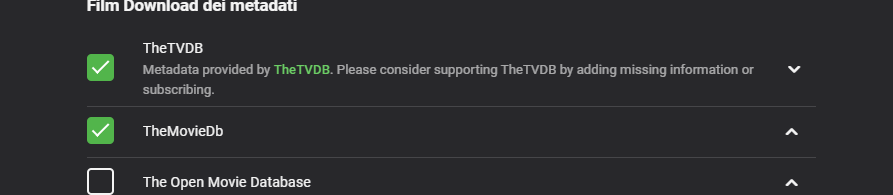
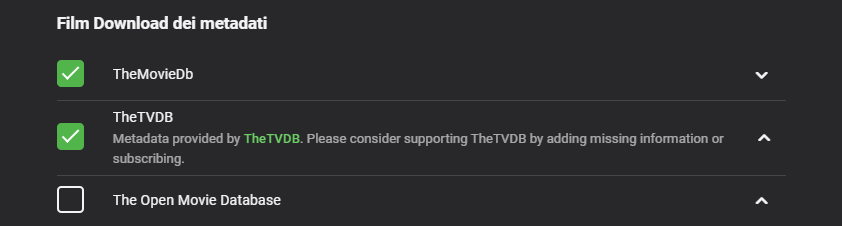
Era così Ora invece è così e FUNZIONA!!!!! Grazie per l'assistenza.
 1 point
 -
From the database virtual items have NULL Path and Filename. STRM files contain both. Stub files will be the exact same.1 point
-
By specifying it manually, you have stopped the system from trying to determine it automatically - which isn't going to work properly for you since you are using an optical connection. That may be why it works better (and is faster).1 point
-
Making this configurable is potentially possible but we like to minimize the options that will allow people to destroy the performance of the system. Even when we put bold text next to the option, people still enable/disable them and then report back here how slow everything is.1 point
-
It did this last night again. Instead of rebooting I went into device settings and switched audio to manual and left it with the same selection it had determined with the auto setting, which is only Dolby Digital enabled. Went back to Emby and it played normally. Not only that but it seems like streams start more quickly in general this way. This seems like a CCwGTV bug to me. The same audio codecs are selected manually or automatically and yet the behavior is clearly different. I will report back if anything changes but this seems like a functioning workaround so far.1 point
-
#6 and #74 are basically the same. My bad for not noticing #6 first. "This isn't happening by itself. The button order should not be different from the Live TV tab order. If you want to talk about changing the tab order, we can, or if you want to talk about customizable tab order, we can. These would impact every Emby app. Please use a feature request topic. " I prefer that Guide would be the first tab, as it is in ATV now, or the ability to set the order. I never use "programs" so it's wasted clicking to get past it. Obviously this isn't a priority. I searched to see if anyone made this thread yet, sorry if I missed it. Thanks!1 point
-
I removed it due to the chapter image issue. This could affect a lot of people. 7.9.4 link is fixed1 point
-
I'm currently rebuilding my db with the debug version. I'm guessing you don't need my logfile as well?1 point
-
Thanks for the log, I see the issue. Will be fixed in next version. For the moment, you can keep using the debug version. It's a chapter image sync problem. Actually for some chapters, have no images are assigned and that's the problem.1 point
-
I think it should work with movies but I never tried. You would have to manually create the EDL file for the movie skipping the scenes you desire, and name it as described in the PDF file. I'd try it first just skipping some random time to make sure it works for movies. If it does not, let me know.1 point
-
As you said, it is ignored and runs through, as promised the log. kodi.log1 point
-
The two Maverick version have different titles. One has space dash space and the other has dash space. They should have the exact same title until after the first dash. I would also try just removing the first dash entirely. I find that helps. You can always name the main media page, whatever you like. Hope that helps.1 point
-
please try this debug version. It just ignores the issue, but please send me the log after sync for review. plugin.video.emby-next-gen-7.10.1-build 4 debug.zip1 point
-
I didnt change anything else (beyond the spelling error), and the Premier Date started working. I think fixing the other issues (the misspelling) is what was the root cause of everything1 point
-
No, there aren't.1 point
-
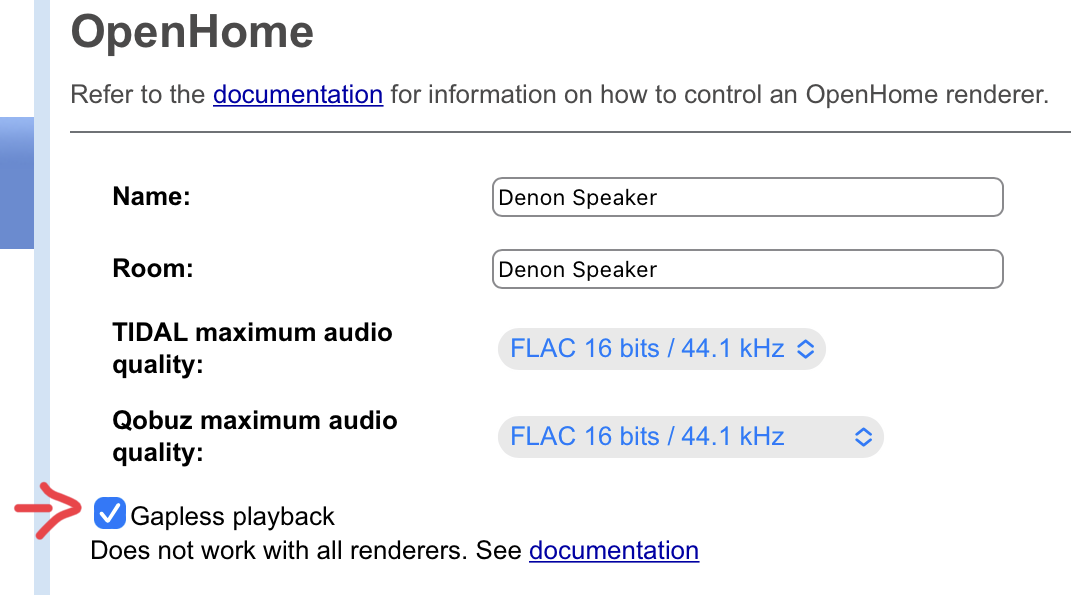
Or this one, from BubbleUPnP Server:
 1 point
 -
New version available 7.10.0: Delta changelog: small playback improvement in addon mode for multicontent and transcoding improve cinemamode in addon mode unify actors/artists for each libraries fix dynamic nodes status update fix chapter marker image overlay for intros add collection support for homevideos and musicvideos fix tv tunes add option to sync themes locally (tv tunes) fix xml issues fix boxsets for dynamic nodes when folders are assigned image enhancement toggle -> reset artwork change default setting for sync while playback to enabled change to sync while playback Rewrite Emby login code, fixing issues and remove duplicate http queries. Also fix emby connect and support dynamic IPs. Assign user picture as login icons. fix strm plugin issue Comment: Mandatory database reset required. Also it's recommended to remove existing artworks. Let me know if there are any login issues. The part of code got major changes. Don't use this version, it has a chapter image sync bug!1 point
-
Thank you, guys. I double checked and while the Shows and Movies were still set on title sorting, the folders had been changed (in all libraries) to filename sort. I didn't notice the difference before. Weird that the update did that, but I'm very glad it wasn't anything wrong. Sorry to bother everyone.1 point
-
Exactly. I use guide the most by far. When I observe others using Emby, I see them in 'Programs' only because they got lost. Obviously there are more important things but I just wanted to put this out there.1 point
-
Filename: 2022-11-06 I Made The Spiciest Meal Ever.strm Content: plugin://plugin.video.youtube/play/?video_id=e7erf3r9Uw81 point
-
I can't comment on the specific drives that @FrostByte mentions above - but in my 30+ years of hardware experience, Seagate are almost exclusively the worst drives from a reliability perspective. Of the drives spinning 24x7 in my servers for the last 5-6 years (in very well controlled /cooled environments) - all failures/smart errors have been with Seagate drives ... Zero issues with Samsung, WD and Toshiba drives - some now approaching 8-9 years of 24x7 usage. My 2p1 point
-
Options are good but I'd default to what/how it has been working. I myself see no reason to treat strm as something different than a mp4 or mkv that is used as the container for the movie. I had to go back to the original version of the DLL on my systems as it was a mess having strm treated differently. I'm not seeing an issue now either. Ideally Auto Collections wouldn't need it's own separate scan timing logic as it would/should always follow at the end of a library scan right BEFORE it finishes. That would enable it to run before other plugins that run AFTER it finishes. It wouldn't make a lot of sense to have Top Picks or some other reporting plugin working with data that could get changed. Get all the changes done first.1 point
-
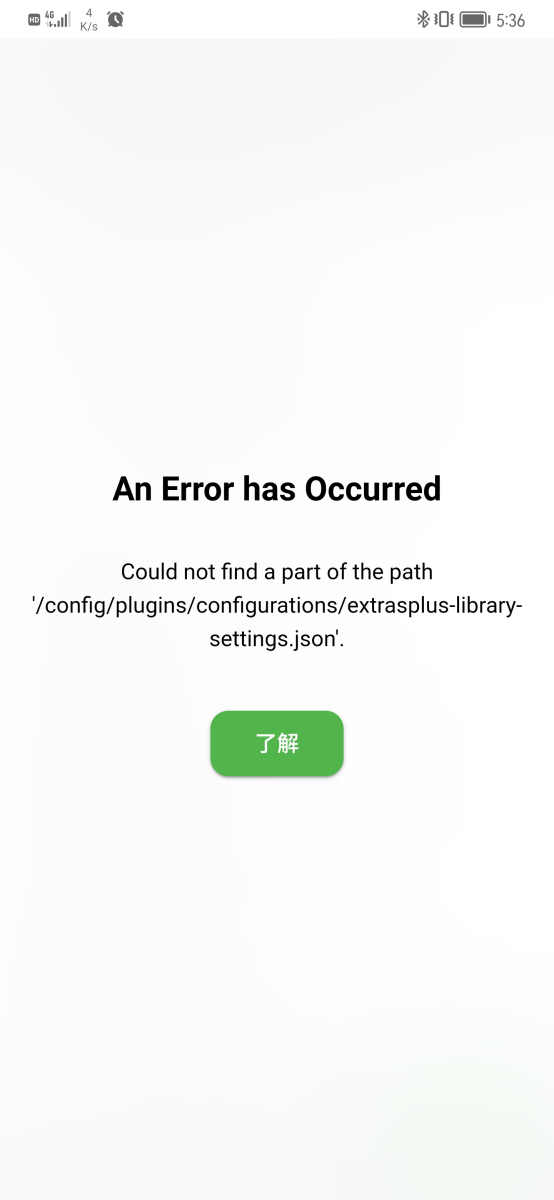
thanks for your work. this plugin seems great. i tested it on 4.8.0.15 docker arm version. the file permissions seems not right. and this plugin show not well in mobile version. Create folder manually can fix it
 1 point
 -
My people on iPhones(where I was seeing the issue) haven't been on recently, so I can't report on if I'm still seeing the issue or not myself. I'm still watching for it though. Thanks!1 point
-
I know what it was that caused it. The auto grouping plugin (the OG version) acted upon the library scan to start working through it's logic. Top Picks use to run two library scans, one after another. It no longer does that, I've got it worked out so it only has to run once at the very end. Running two scans would have caused the grouping plugin to run consecutively, and perhaps even twice at the same time. I figure that is why it is best to run scheduled tasks instead of acting upon them. It's definitely good news.1 point
-
Is the movie showing in new releases with the top pick art or is it just the same movie showing. I believe what he fixed was new releases scanning from top picks library so you don't get the top picks art in that row.1 point
-
This will be in Emby Server 4.8, where you'll be able to choose how the restriction works:
1 point
-
ok will do. just upgraded to 4.7.9, i'll make sure that is stabe for me first, then upgrade to 4.8.0.161 point
-
I haven't messed with them since the update, I will try that next time things get weird. Seems to just allow you to manually select audio codecs though, and Dolby Digital only, I think should be correct anyway.1 point
-
All communications need to go through billingsupport@emby.media they will respond as soon as possible.1 point
-
I really like this chef, and would love to beta test a .dll! One thing I will say is that I agree with others, "watched" to completion is a lot more useful than "favorite" hearts in my opinion. I, and most of my users, like others here, use the "heart" to pick out "to be watched" movies into a list. I'm constantly shuffling my favorites around as a result, and they are not a great indication of my likes or dislikes. I would have to completely change how I use favorites to make this work correctly. If there were a setting to turn off "favorites" as an input and instead use "watched" that would be awesome sauceome. Thanks for this chef and can't wait to see a beta version!1 point
-
@TheBigTeam But you are changing platforms so all paths, image paths and possible subtitle path will be wrong in the database and per library config so on first scan everything will be purged. Unless you manually update all the info listed in the database and library configs. But can only guess permissions if you are having issue replacing existing Emby programdata folder. That is why it is only recommended to install the server and use plugin to restore users and userdata.1 point
-
Yea it's going to be an option on the m3u setup screen to control this. Thanks.1 point
-
Authentication, reporting capabilities, opening a web socket, and then playback check-ins are the key.1 point
-
Infuse would be my go to if it allowed different versions of the same movie under one library item. Blows my mind that they don’t.1 point
-
Yes that would work. Or if they don't have an m3u but do have a video URL, then you can always just design the M3U yourself.1 point
-
I am still having serious stuttering issues on ATV OS16. iOS devices play fine. MacOS plays fine. Any news on this?1 point
-
Yes, everything in this feature request will be added: More aliases for Season 0 folder underneath series: extras specials shorts scenes featurettes behind the scenes deleted scenes interviews Support for special folders underneath season folder: extras specials shorts scenes featurettes behind the scenes deleted scenes interviews Support for specials right next to the episode files: Dexter S01E01 - Episode Title-featurette.mp41 point