Leaderboard




Popular Content
Showing content with the highest reputation on 11/06/22 in all areas
-
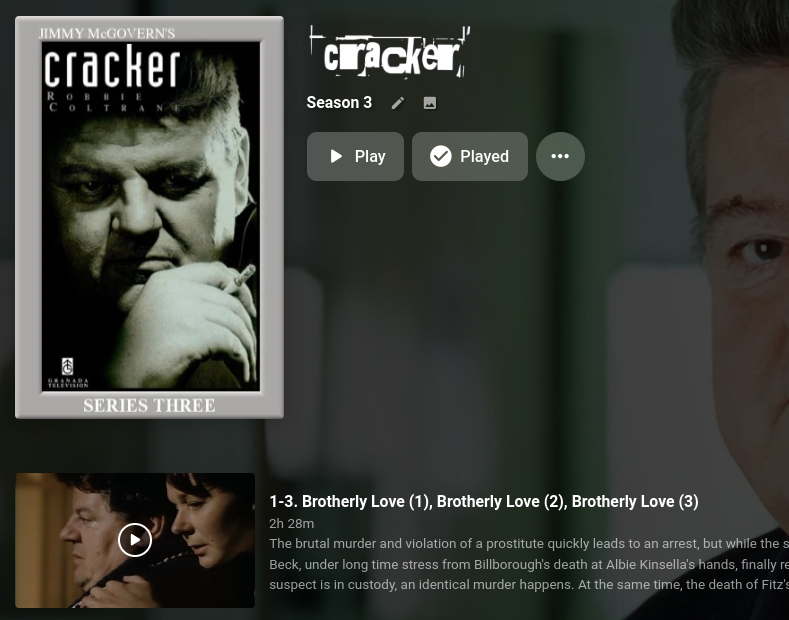
Just a quick note to say how impressed I am with Emby ... never ceases to amaze me - been using it for 3 years now and it's bleeding marvellous. Case in point this morning - I took my DVD of the tv show Cracker and each disc has 2 or 3 episodes combined. "Oh blimey, how is Emby going to handle this?!" Yeah, I shouldn't have worried ... ...absolutely spot on. Thanks Emby! Paully
 5 points
 -
3 points
-
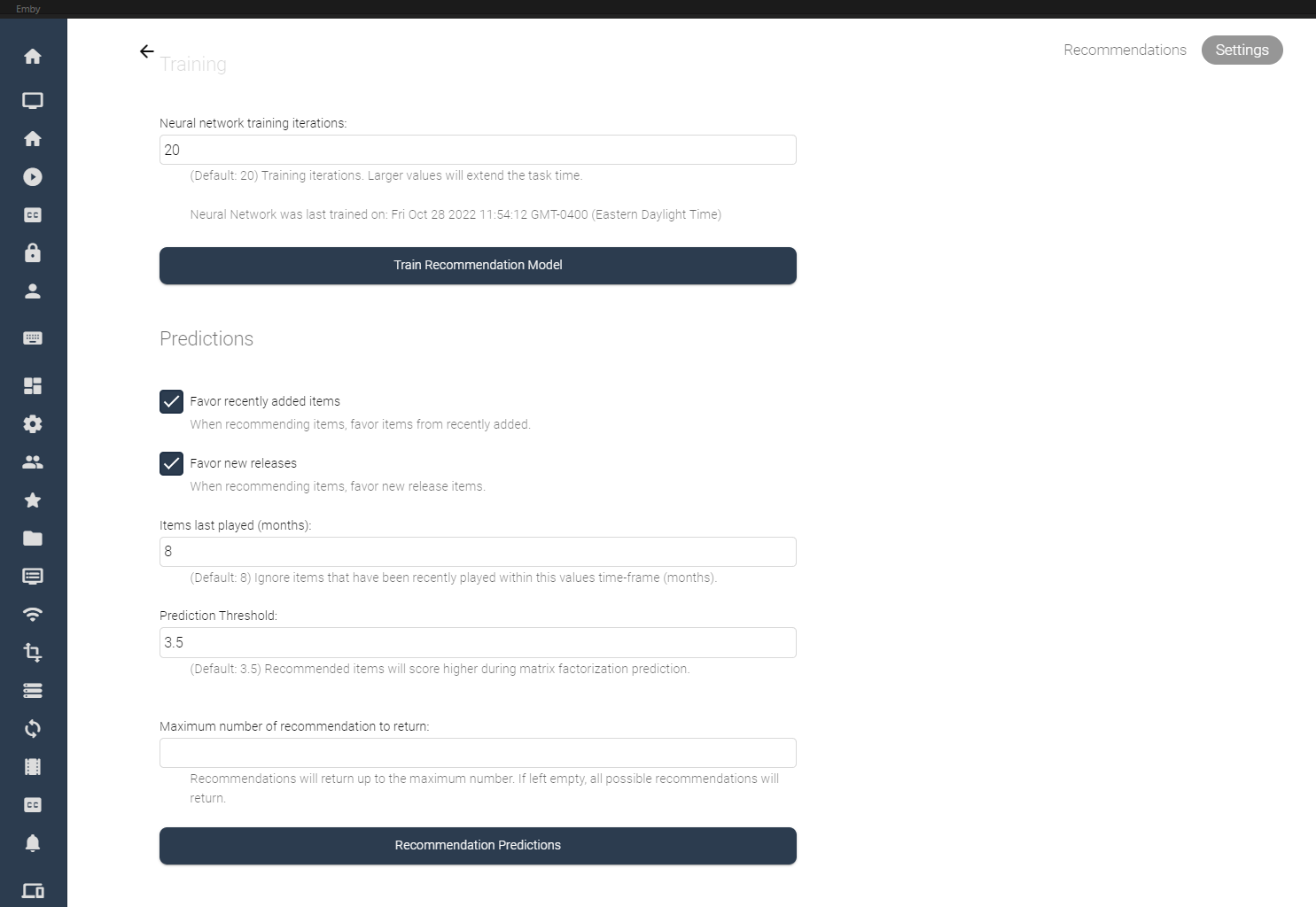
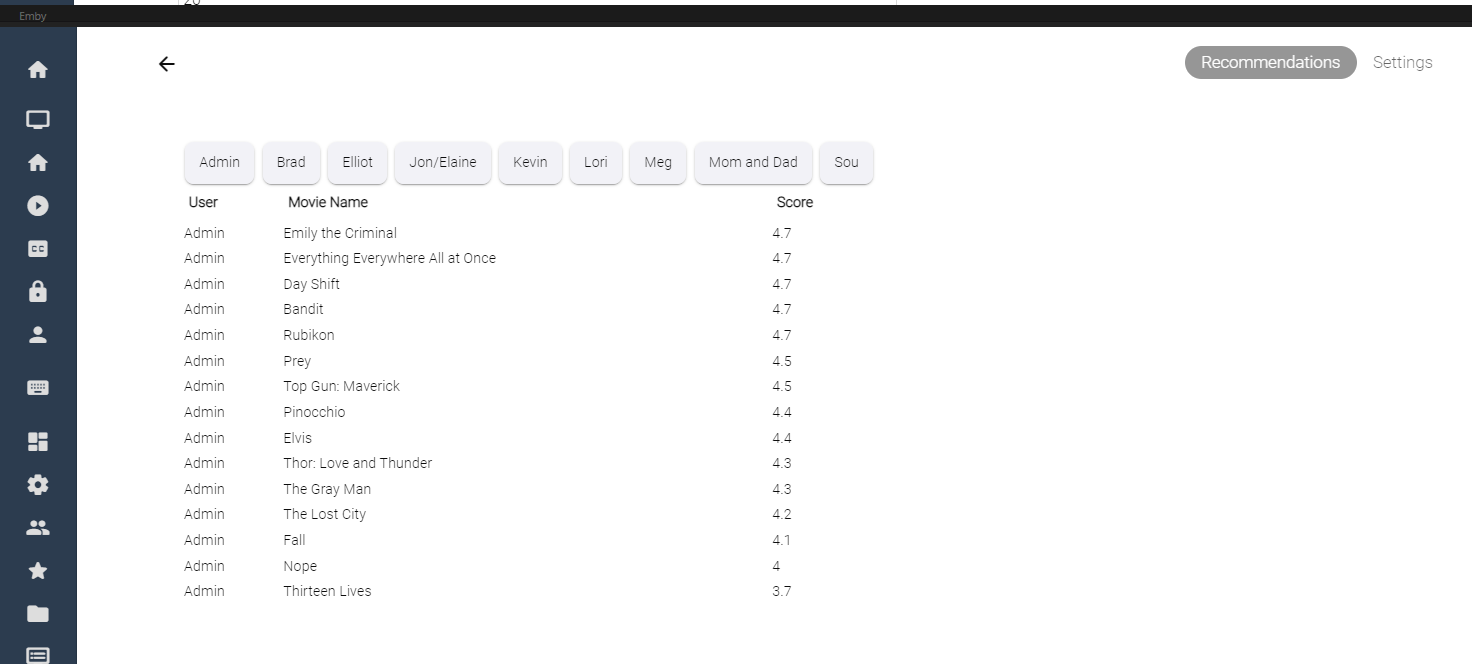
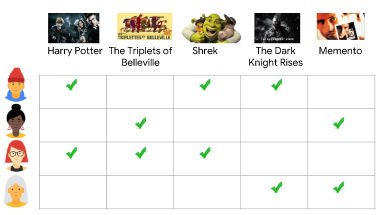
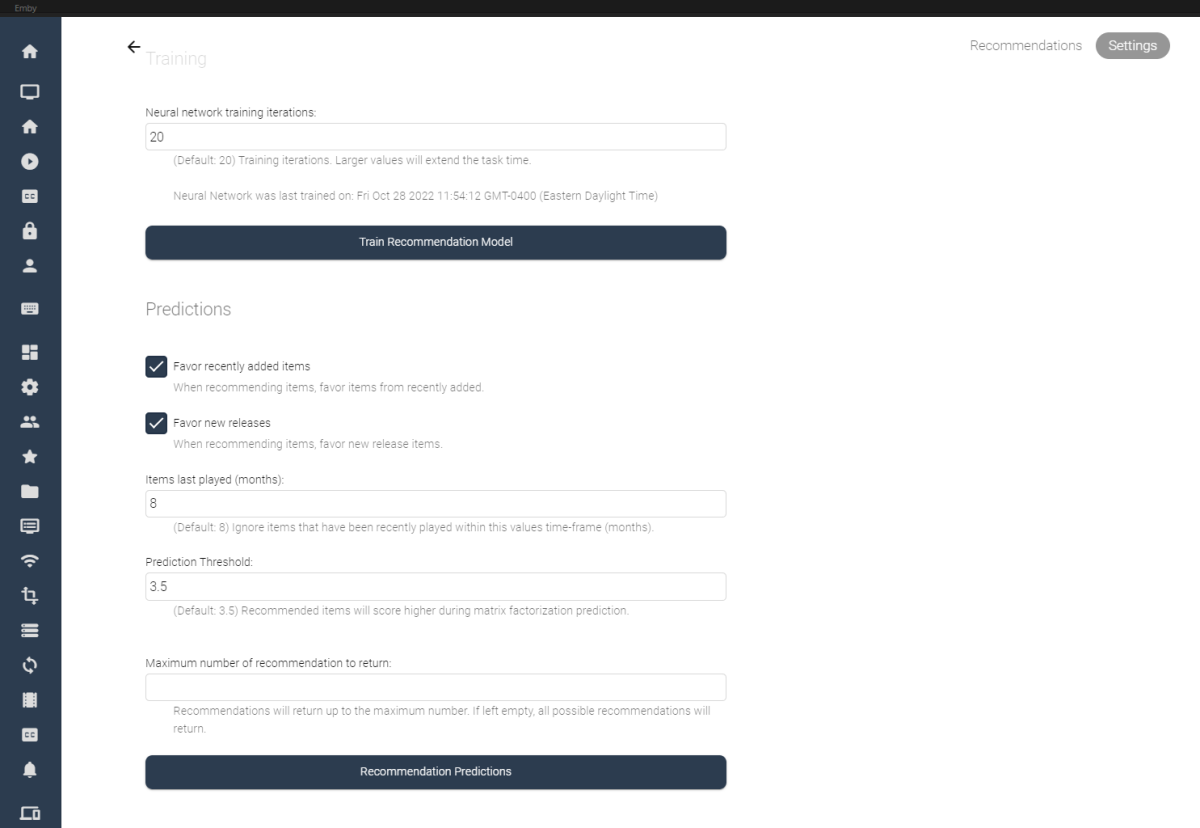
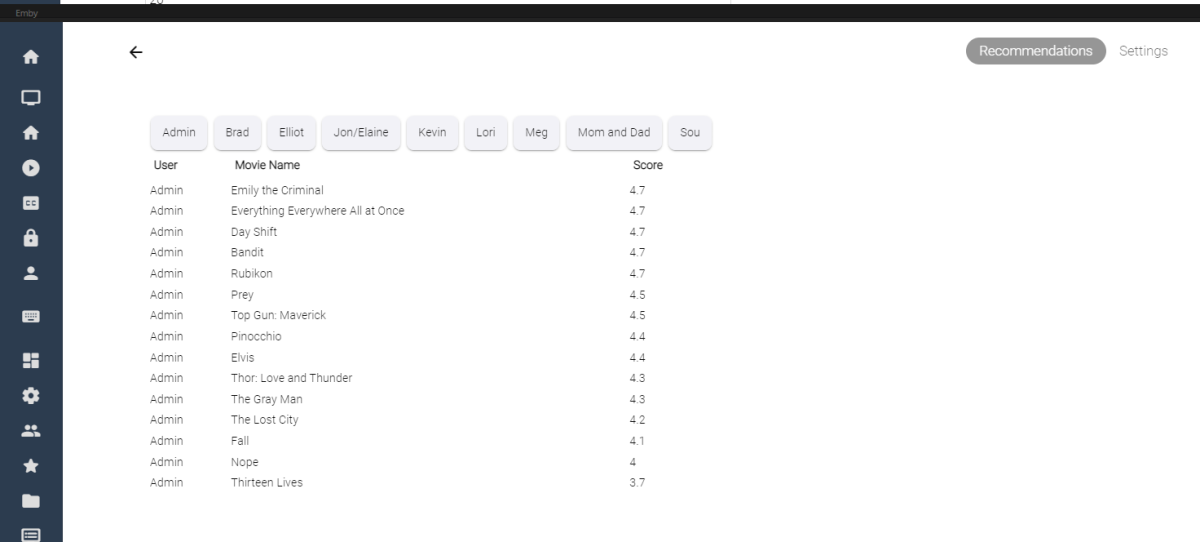
I've spent some of my spare time experimenting with machine learning, and applying what I've learned to some code for Emby. Using the massive dataset supplied by MovieLens (https://movielens.org/), I was able to create a machine learning plugin that loads a large set of data into a matrix factorization neural network, and can spit out recommendations for users in emby. Following this article by Microsoft: https://learn.microsoft.com/en-us/dotnet/machine-learning/tutorials/movie-recommendation and experimenting with their ML.Net libraries things started to get pretty interesting. The project itself is rather large, and I thought I'd share what I've come up with so far, maybe other people are interesting in how the neural network recommendation service is working when testing it against movies inside an Emby library. It's pretty cool. The idea could be to create an in-depth recommendation system for emby, or possibly utilize this as a way to create a new "Top Picks" style plugin that is user based. Which also might be really cool. I'll try and answer some questions up front if I can: What is Matrix Factorization, and How does it work in Machine Learning? In a nut shell, if you have similar tastes in movies as other people in the dataset, and they have rated a movie you haven't seen in a while, or have never seen, then that movie is recommended to you as a possible item to watch. The Neural Network will predict what you, or your users may rate the movie if it was watched. Is this plugin run locally on my machine? Yes, this plugin creates a matrix factorization neural network locally on your machine, which is trained in a scheduled task. Is any of my personal data shared during the training process of the neural network? No, your personal data is completely safe. no user data is shared with any data provider, and stays safely on your server. How does the neural network recommend items? The MovieLens dataset is an accumulation of almost 25 million data point on 27 thousand movies with almost 100 thousand users ratings. The ratings data is altered on your server to include your user data and then the neural network is trained on all the data points, allowing it to predict what movies in your library you and your users may want to watch. Once the "recommender" is trained it then saves a model and uses that to predict recommendations for users. The NN can be retrained when new users are added to your emby server, including them in the recommendation process. Asking your users to "like" or "Favorite" items in the library will certainly help factoring recommendations, however it is not entirely necessary. Does the Matrix Factorization Only look at "Liked/Favorite" Data? No, other columns are also feed into the neural network, like item genre. If one of your users do not "heart" the media on their account, their watched status and item play-states are factored into the recommendation predictions. If they watch more items that fit into a certain category, this is scanned in and calculated. It is best to have several movies marked as "liked/favorite" in the library form each user to get best results. Is it cross platform Yes, I believe it is. ML.Net is a cross-platform library using .netstandard 2.0. With regards to the runtimes associated with the plugin the following are available, and would be included in a dll: Linux64 Linux ARM Linux ARM64 OSX64 OSX ARM64 Win86 Win64 It is all fairly preliminary, definitely keep this in mind On the settings page it is possible to train the NN Model (top), and also run recommendation predictions (bottom). Once the network has created it's model, it is possible to run this model again and again against the library (due to it's 27 000 movie titles included). Selecting the "Recommendation Predictions" begins the second task of calculating what each user might like. Browsing back to the "Recommendations" tab, outlines each users predictions. It shows what the NN predicts your score would be out of 5. The results are definitely interesting. Sure, these are all new movies I should watch, and they are pretty much some of the most famous of the year so far. So the results seem to be pretty close to what I would expect. The training of the model also only use 20 iterations, to be honest I don't know if that is enough, or too much. It's all new. What I can say is that loading the ML.Net Assemblies work, and loading the MovieLens dataset into the NN also works. I have added toggles and inputs to try and test different training scenarios, but it's all kind of unexplored.

 2 points
 -
You can either: 1) Put all different files in same folder and follow naming convention for multi-version movies https://support.emby.media/support/solutions/articles/44001159102-movie-naming 2) Multi-select and select "Group Versions" in three-dot menu 3) Use community-made Auto-Grouping plugin2 points
-
Depending on your preferred scraper order in library settings you might get different results as TVDB doesn't list Adventure Time: Distant Lands separately but as a part of Adventure Time Series (S00E17 to S00E20) and Alternate Title of the same series. Adventure Time - TheTVDB.com TMDB does list it separately as a 4-part mini-series: Adventure Time: Distant Lands (TV Series 2020-2021) — The Movie Database (TMDB) (themoviedb.org) You can either: 1) Rename/restructure folders/episodes as per TVDB and re-scrape or 2) Put TMDB as top meta-scraper in TV library settings and re-scrape2 points
-
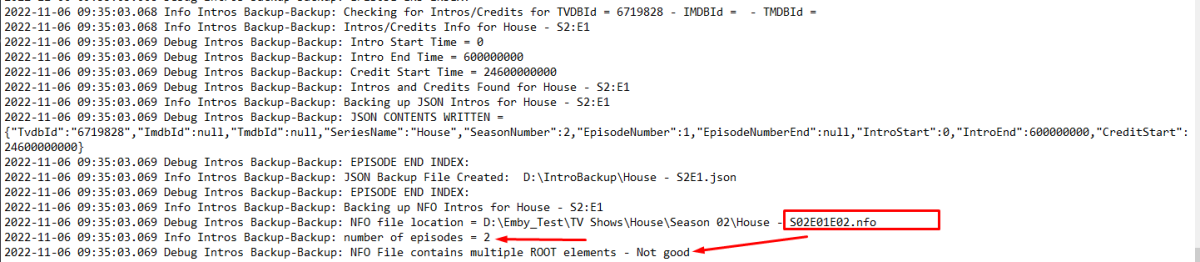
Anyways I'm making progress here. I can now read the malformed xml and handle it and the task completes without errors. So just need to write the markers back now
 2 points
 -
Yea it's going to be an option on the m3u setup screen to control this. Thanks.2 points
-
That depends. Are the episodes back to back? If so, the easiest thing to do is just name the file with s01e01-e02. It'll pick it up as 2 episodes, but 1 file.2 points
-
They were unfamiliar with the US ratings and that link explains them.2 points
-
Sure just change to TV Mode. User icon-App Settings-Display-Display Mode to TV, Home Screen TV Mode Home Screen Horizontal2 points
-
If you have manually configured the port forwarding (good choice) then you do not need the port mapper - and imo, it's much safer to just remove it. It is just attempting to use upnp to open the ports on your router - great idea 10 years ago - an unwanted security risk in 2022. It's in Plugin's - so just delete it and restart emby.2 points
-
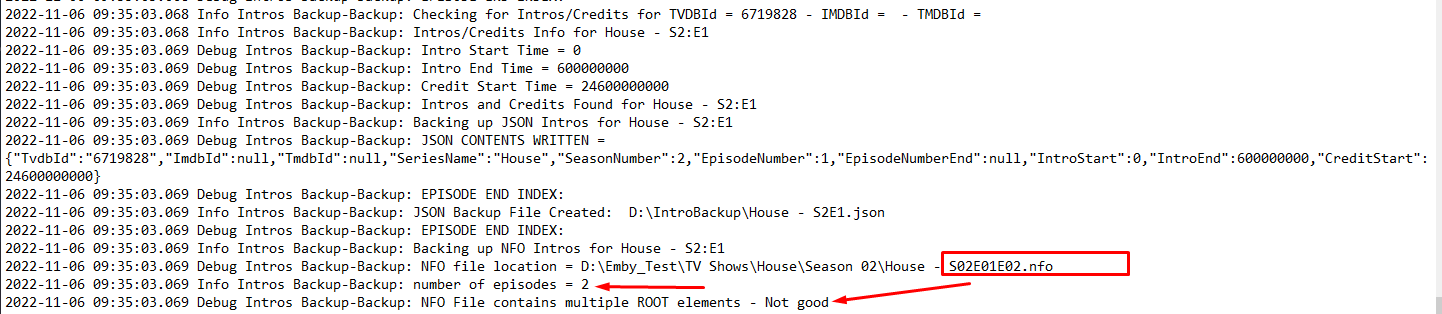
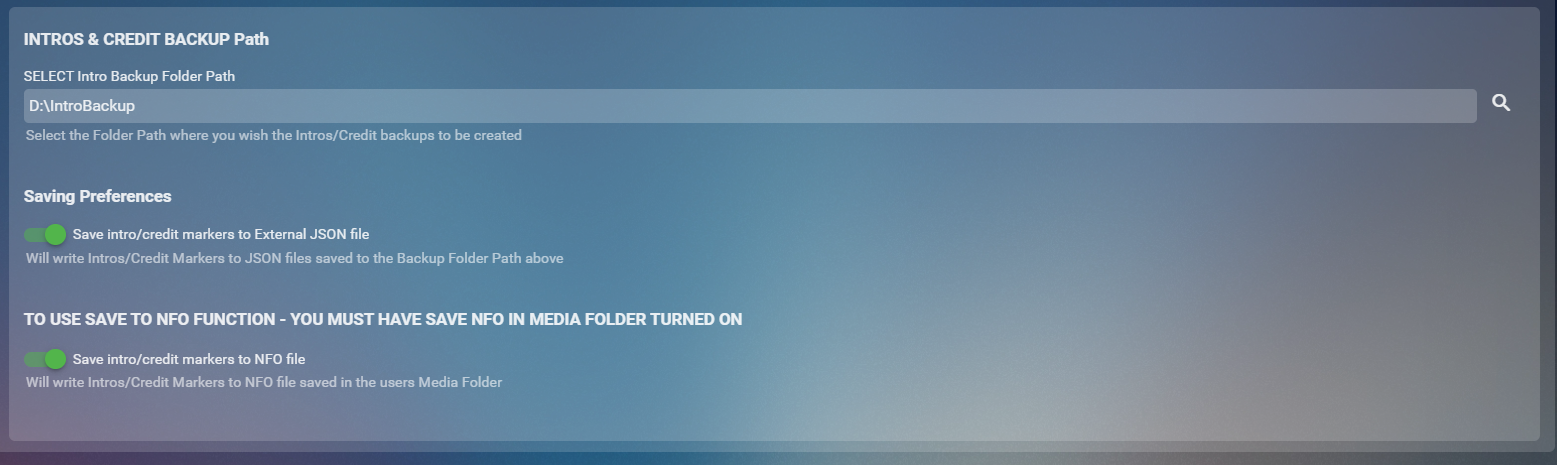
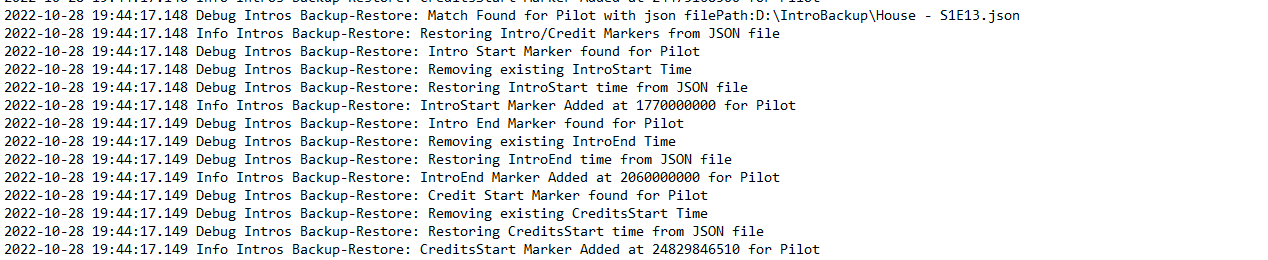
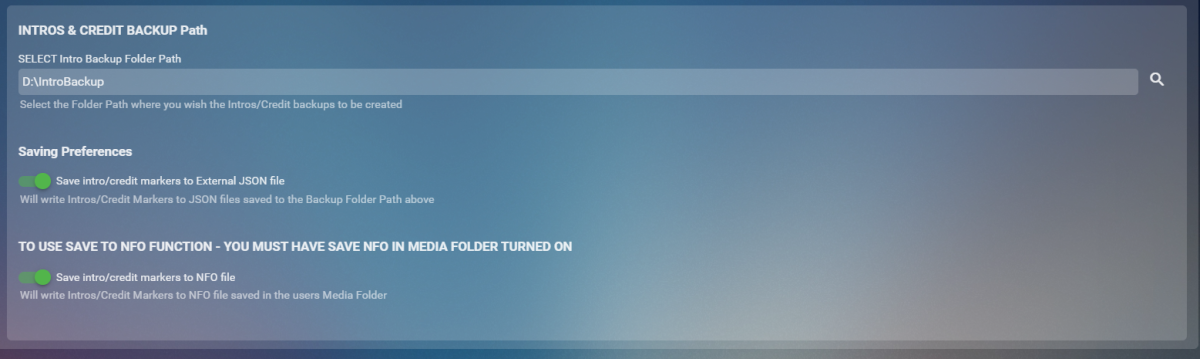
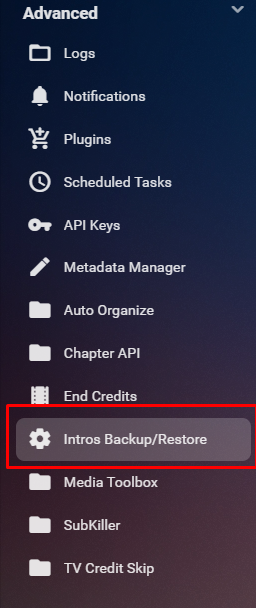
Cheesey Productions brings you Intros Backup for Emby Bringing you a way to Backup/Restore all your IntroSkip and CreditSkip Markers This plugin saves you time after a new install or after refreshing metadata by not having to conduct the process of conducting the intro fingerprint and detection tasks from the core side. Available from the plugin catalogue A huge shout out to @rbjtech and @elpooletfor all their help with this. PLEASE NOTE THAT TINY MEDIA MANAGER CAUSES ISSUES WITH MULTI EPISODE nfo files. I’m currently working to get this fixed but stick to JSON backup option only to ensure your intros are backed up. This plugin works very simply. For BACKUP - The user can Write these markers to JSON files stored in a user specified folder location and/or write directly to the NFO file stored in the Episodes media folder For RESTORE - The user can select to Write information back to episode chapter information markers using either JSON files OR the NFO file setup. BACKUP - takes yout existing markers from the episodes chapter table and will overwrite all previously backed up information. RESTORE will overwrite all currently stored markers and replace them with what is stored in the backup Shortcut in the Server Side Menu Setup your own timing for when to run the backup utility from the Scheduled Task Menu Backup Log Example with Debug enabled Restore Log Example with Debug Enabled Enjoy!! Always a pleasure

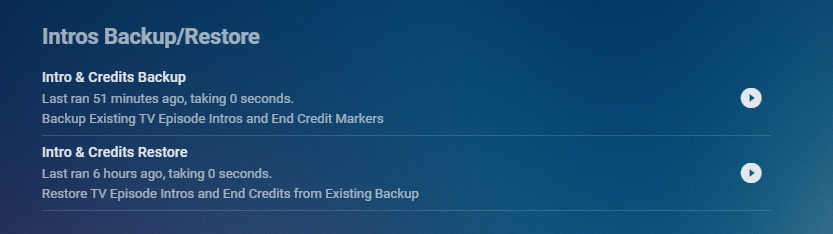

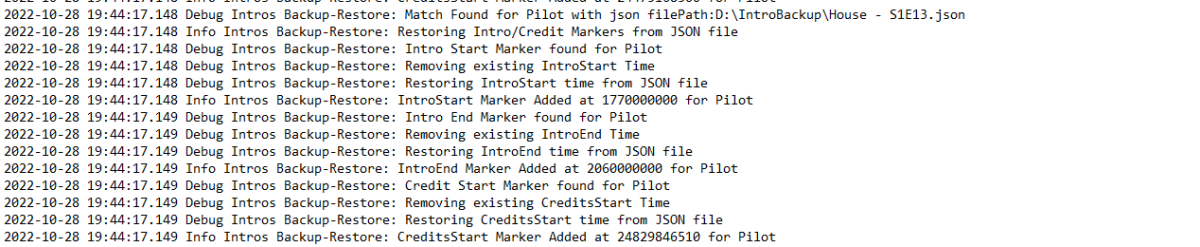 1 point
 -
The Problem I have a reasonably aggressive automation system that can process new episodes relatively quickly. This means they can end up in Emby sometimes within 10 minuets or so of them airing. What this means is you are usually stuck with the metadata that was available at the initial import time, sometimes missing titles, ratings, overviews. Yes there is an refresh every 30 days option in the library but that was not fast enough for me and I did not want to refresh the 10K plus episodes I have in my lib, just the recently aired ones. The Solution Refresh the newly aired episodes, say in the last 7 days, nightly. That is what this plugin aims to do. Source here: https://github.com/faush01/EpMetaRefresh The plugin is now in the Emby Server Plugin Catalogue under the Metadata area.1 point
-
Here are 4 pre-rolls I created using Motion Array templates. (I have a subscription.) Emby-Dark-Tear.mp4 Emby-Explosion.mp4 Emby-Fire-Explosion.mp4 Emby-Space-Trails.mp41 point
-
... as I was tired of manually grouping all my movie versions into groups after each recreation of the db, I created a plugin to help with that. The use case is having movies, that belong together spread around and not being able to easily match the emby naming conventions, but still having the desire to present them as one item with multiple versions. The plugin works similar to the auto boxsets, but does the "movie versions grouping" - it will group all movies based on their TMDB id into one item, regardless of where they're placed and how they're named. I made that for myself - however, if anybody is interested, attached is a plugin that solves this issue. Attached version is for current 3.6.0.49 beta Server, do NOT use it with stable release! Plugin is alpha state, you should only use it, if you are willing to backup your db (there is no way to revert the changes otherwise!) and manually put the dll in the server plugin directory. Do not use it in your production environment before having tested in a test environment that you're fine with what it does - seriously! ;-). Note: There is a known bug in the web GUI presentation which is described here, which needs to be fixed on emby side. Edit: the mentioned display bug in BoxSets is fixed in Emby now, thanks Luke. AutoCollections-for3-6-0-49-betaServer.zip AutoCollections-for3-6-0-75-betaServer.zip AutoCollections-for-4.1.0.15-betaServer.zip AutoCollections-for-4.2.0.17-betaServer.zip (4.6.0.10 and before) 4.6.4.0 and above (does not require beta server as version number has been surpassed) AutoCollections-for-4.6.0.22-betaServer.zip Note: Original version will cause issue with other new plugins like Top Picks. Updates by community members: v.1.0.0.4 New update thanks to @Cheesegeezer Looks like we've managed to update the plugin, to be current Emby Server 4.7.7 (minimum). Some Changes to be aware of Automatic Library scan and updates are disabled, too many things are triggering library scans at the moment and entering into an endless loop which will crash the server. Moved to a Scheduled task now. Fully Locked item Metadata can be ignored in the Plugin Settings for grouping. (Partial field may have worked before but you need to Lock the item itself now) ".strm" files are ignored from any processing New plugin Graphics with a big nod to MikePlanet This is always Mikes plugin and the work he has done is fantastic. - We only did essential maintenance to keep this alive for you peeps. AutoCollections_1.0.0.4.zip v1.0.0.5 Removed Top Pick Items from the available item list re introduced the auto scanning... this will take place 1 min after an item event is detected re introduced auto run after a library scan tested against top pick plugin and there is no endless looping... but please test fixed the locked items bug. Good luck and let me know how the testing goes. AutoCollections.v1.0.0.5.zip v.1.0.0.9 New update thanks to @Hoptional Added option whether to Merge items across different libraries Compatible with nested folder structures, the "Top Picks", and the "New Releases" plugin Improved logging AutoCollections_1.0.0.9-libraryoption.dll1 point
-
Here's what to look for in the next update to the Webhooks plugin (requires Emby Server 4.7.9+): Easy button to view a sample webhook payload Select individual events, making it easier to send different actions to different urls New events added for new media and camera upload User selection is now a multi-select You can also filter on libraries User selection is now a multi-select You can also filter on libraries
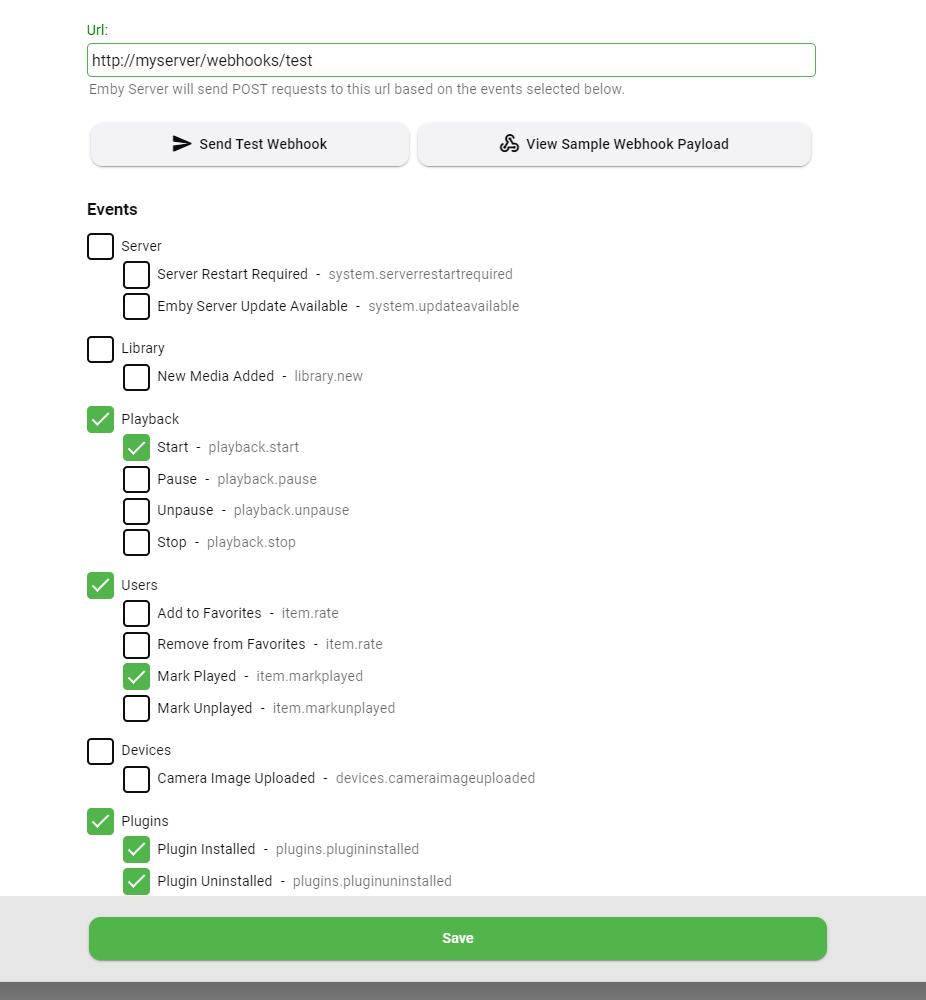
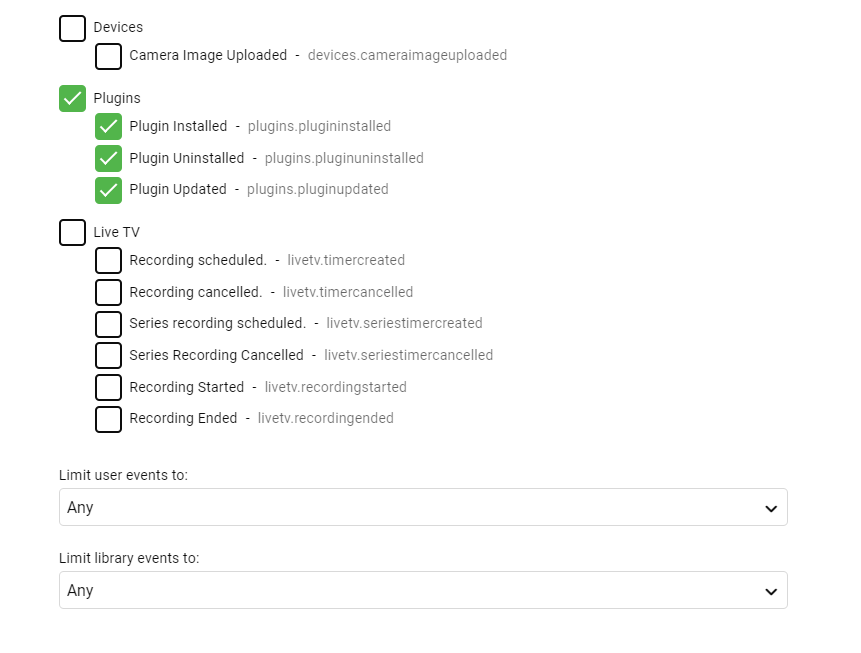 1 point
 -
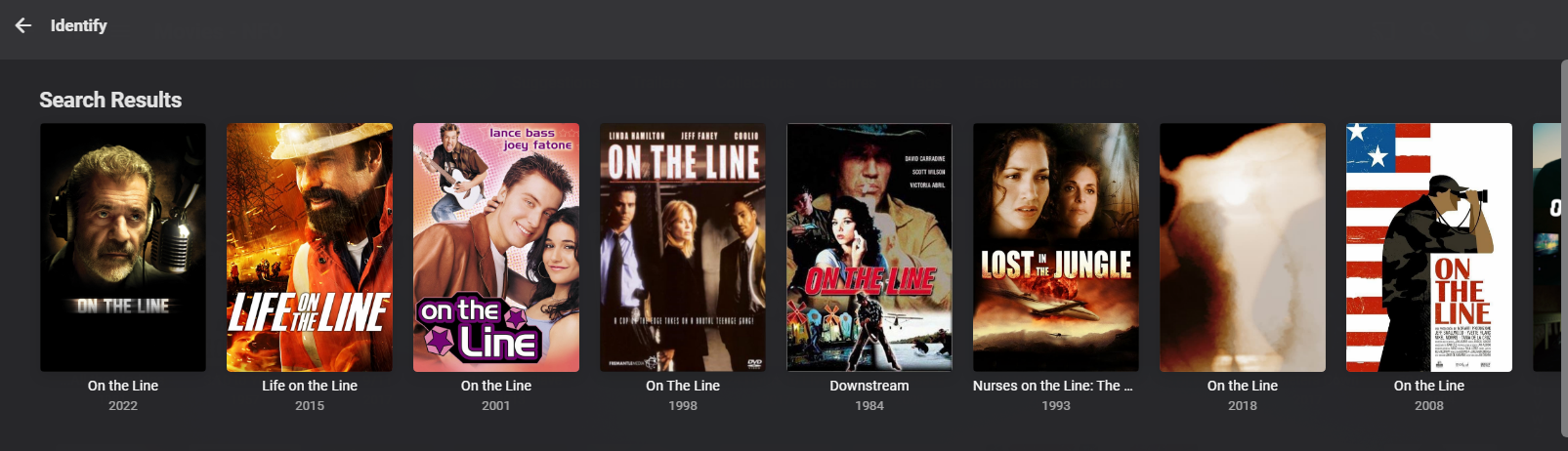
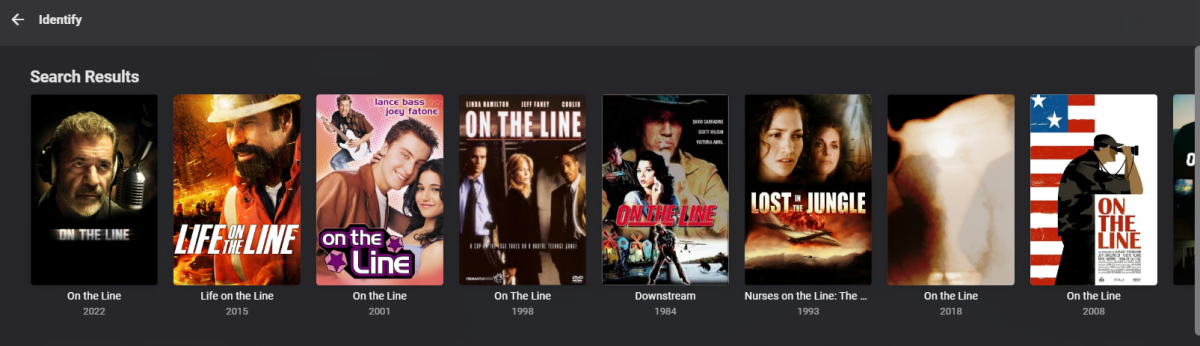
Identify results not wrapping. Missing vertical-wrap class compared to beta.
 1 point
 -
Yes I can reproduce. Not great, but not critical I don't think because the majority of the time if your search is specific enough then you'll find what you need close to the top.1 point
-
After testing multiple external harddrives, I ended up just biting the bullet and having emby store the live tv recordings on my NAS and it's 100% better. Emby barely even buffers when I fast-forward through commercials. Should have just set it up this way from the get go. So I'm just going to leave it like this. Thanks for the reply though.1 point
-
Hi, we'll look at improving it. Thanks for reporting.1 point
-
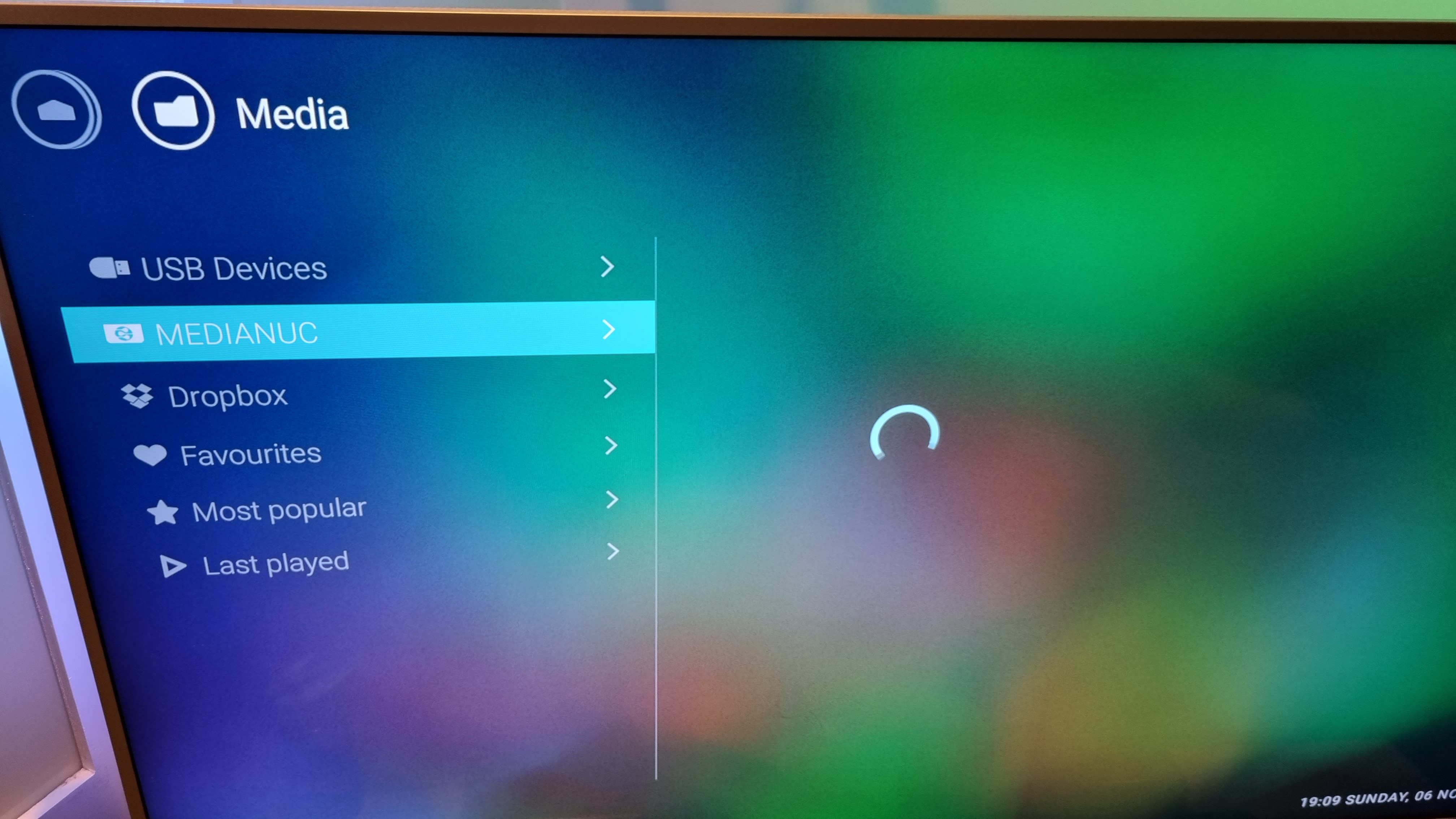
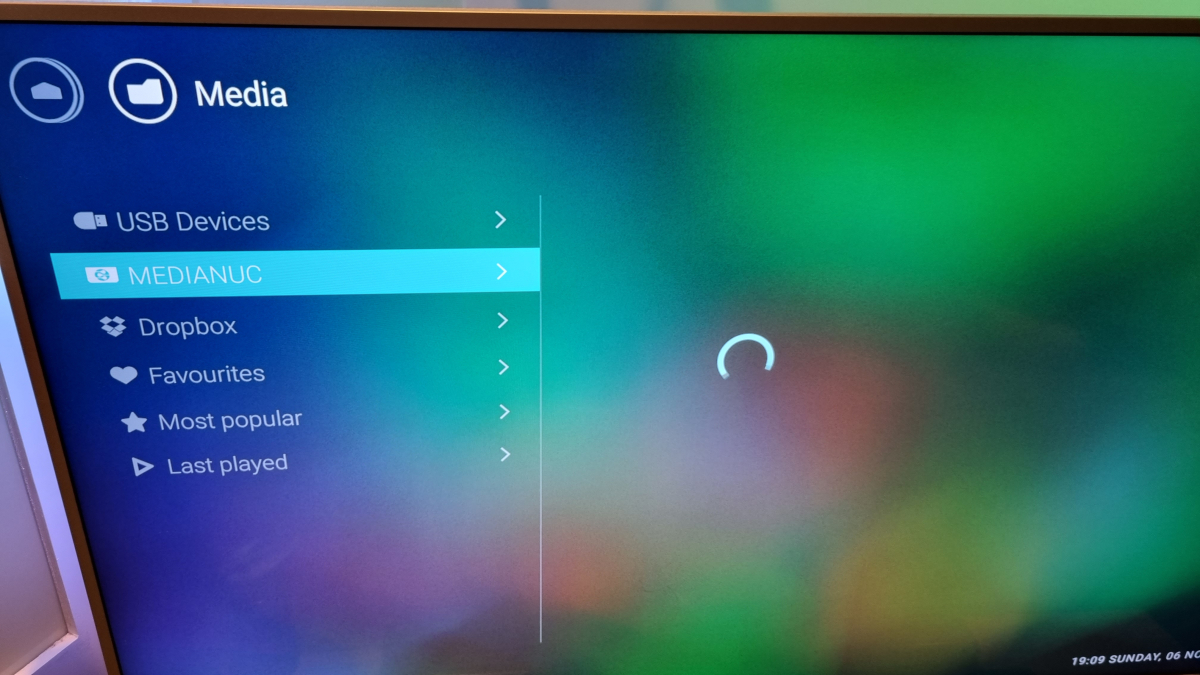
Yeah as stated before, the server comes up in the list of sources, but just a spinning loading wheel.......as attached Before you turn emby on, the option on the tv is called "Simply Share" -don't know if that's just what philips called their dlna access option Thanks
 1 point
 -
Thanks for the info. This will be great!1 point
-
I've only used Seagate NAS pro drives in my Synology. Been working very well for me as far as reliability which is important to me However, desktop drives will be a little cheaper and the SSDs of course quicker and quieter. You might put Emby server on a SSD and your media on desktop drives I suppose if you want to create two volumes. If you haven't seen it, Carlo did a writeup on how to convert the m2 slots to drives you can force your server files. Can't say I have any experience using desktop drives, but probably can1 point
-
@FrostBytemay have some tips.1 point
-
Progress made: using another M3U as a template, I was able to add my entry (video URL). Once I did that, it was super easy to add the M3U as a source or "tuner". I really like how this works so far. I also managed to resolved that I was having with the OBS plug-in, so now I can receive both video and sound from within Emby. So as it stand right now, it looks something like this: Cable TV STB HDMI ouput --> HDMI splitter --> HDMI capture --> OBS --> RTSP server plug-in --> Emby (also plays in VLC, for example) This is quite excellent, but with the caveat that I cannot record this "channel" from within Emby. As I understand it, I can only record content that comes up on the EPG (Electronic Program Guide). For my purposes, I don't need a genuine EPG entry.. if my only option was to add a channel called "Ron's butt" with one hour time blocks named "Some Show", I'd be quite satisfied with that. Whimsical examples aside, I'm open to any ideas, suggestions, even if it were a stop-gap measure. EDIT: While investigating I stumbled into this post mentioning "xTeVe", an M3U Proxy. Will review the post and the GIT page to see if I can wrangle anything together. Original reply continues henceforth... Potentially crazy idea: It appears that protected channels are not listed in the EPG because they are not usable. The channel guide data does exist in the TV listings and it is accurate. In my case, by using the HDMI-input sans DRM and a STB that is set to a single channel... I would only need to find a way to make Emby include that channel in the EPG update (or to un-filter it, if that's even how it works). From there, I would need to edit the entry so that it references the M3U playlist or the RTSP address. For my second idea: Normally Emby updates the EPG data based on my FiOS TV channel line-up which was configured when I added my HDHR tuner. Assuming I could find the file or "database" which contains the EPG data, and assuming it is in a format that I can edit.... I would add one additional channel entry (maybe even edit an existing entry for a channel that I don't like, if that turned out to be more doable), and then I would assign one hour time blocks ("some show"). Okay great, in this hypothetical scenario I have this channel in the EPG, I can tune-in from the Emby client and click "record". If a given program happens to span 90 minutes, I would just rerecord two hours. So far so good UNTIL, the EPG get's updated (as it should). At which point the manually-added entry would no longer be present. So then what? Perhaps I could write a script or .bat file (Windows) that re-adds my imaginary channel to the EPG (automate the steps above). I could perhaps run the script on a scheduled interval, or ideally find a way to make it run automatically right after Emby refreshes the EPG (every time). In any case, I'm happy that this all works as well as it does and if I could submit a wish, the wish would "the ability to add a custom channel to the EPG from an M3U tuner."1 point
-
That's the data the server had available at the time of sending the webhook. It might have been sent before metadata had finished downloading. In the upcoming 4.8 server it's delayed until afterwards so that will help make sure it has more information.1 point
-
I really like this chef, and would love to beta test a .dll! One thing I will say is that I agree with others, "watched" to completion is a lot more useful than "favorite" hearts in my opinion. I, and most of my users, like others here, use the "heart" to pick out "to be watched" movies into a list. I'm constantly shuffling my favorites around as a result, and they are not a great indication of my likes or dislikes. I would have to completely change how I use favorites to make this work correctly. If there were a setting to turn off "favorites" as an input and instead use "watched" that would be awesome sauceome. Thanks for this chef and can't wait to see a beta version!1 point
-
It is not anything on your network. It is something with the codec on the device most likely and maybe a bug introduced by the latest firmware update but cannot be sure about that. Exactly what audio equipment is involved and how is it connected? Also, how is audio configured in settings for both the app and the device itself?1 point
-
So, is it already on the bucket list? Could be interesting for audiophiles, if precisely adjustable... I would appreciate! Thx1 point
-
I just checked before I started sideloading and what I thought I saw before is not happening now on CCwGTV. The lack of other posts in here after my initial one should have clued me in. What I thought I saw happening must have been an isolated incident.1 point
-
This is not going to work from Windows to Linux. The locations will not be identical or even close so your procedure has to change. Install Emby on new machine. Make sure the storage for the libraries is available and accessible to the emby server. This means getting into ownership and permissions so that the new emby server runtime process can navigate, read and write to the new library paths. Define your libraries as you had them on Windows but with the new locations/paths. After the scan Find a location/path/folder that is accessible on the new emby server. It can be temporary but has to be readable. You can even create one like /var/lib/emby/restore. Copy the backup folder from Windows to this path. Then recursively change ownership to emby. (chown -R emby:emby /var/lib/emby/restore). Install the backup plugin and configure the path. You should now be able to see the backups. Run the selective restore - I can't offer much on the details for this step. The "restore" folder name above is deliberate. It should only be temporary but it's the easiest way to get you on the right track. After you restore you should then create an external path to reconfigure the backup plugin and use as the backup destination going forward.1 point
-
Actually, it took two seconds to write. Super easy barely an inconvenience. If you have cinema intros installed, you can easily add a cinema intro for a top pick item, because each top pick item is now tagged with "top-pick". If you create a rule in the cinema intro configuration for "top-pick" tag on a media item it will play that intro for top picks.1 point
-
On channels I put the channel logo as background art. Also I added to the Tag pulldown list the option to delete a specific tag from a channel. Kanipec and Flippz, let me know if you have anymore great ideas. The new code is below. Vic tool_1.3.zip1 point
-
I have an idea, what if Top Picks played a custom cinema intro for when you played a top pick item? https://support.emby.media/support/solutions/articles/44001848833-cinema-intros You would have to have cinema intros enabled, but this is totally possible. You could even create your own top pick cinematic intro, and have that play before the top pick movie/episode. Dunno, might be a cool addition. I would only write it, if it was actually cool.1 point
-
Never mind, it was as simple as using the Force Update option. I thought I had to download the updated version and put it somewhere in order to do this but the Docker seems to handle all of that. Thanks.1 point
-
@TheBigTeam But you are changing platforms so all paths, image paths and possible subtitle path will be wrong in the database and per library config so on first scan everything will be purged. Unless you manually update all the info listed in the database and library configs. But can only guess permissions if you are having issue replacing existing Emby programdata folder. That is why it is only recommended to install the server and use plugin to restore users and userdata.1 point
-
Hi, yes we need to add options to control this. Thanks.1 point
-
@Olywa123 they are no longer .smallBackdropCard they are .backdropCard and may have to target section if you only want that section affected. As for Gap size the ids don't exist so #HomeTab will not work change to [data-type="home"] or div.homeSectionsContainer. /* My Media Buttons Image Size (can be a percentage 'width: 8%' or pixel count 'width: 85 px' ) */ [data-type="home"] div.section0 .backdropCard {width: 85px;} and /* My Media Buttons Gap Size */ [data-type="home"] div.section0 div.cardBox {margin: 0 .19em;} Or have you tried the new card size option? User Icon-App Settings-Display, Image Size? It is global though.
 1 point
 -
@cayars said it didn't affect the performance so that is a positive. But yeah, my OCD still doesn't like seeing it.1 point
-
Not that I know of, and the log does really show anything even with debugging.1 point
-
AH damn I figured it out. I had one to many colons.1 point
-
This works for me - thank you!1 point
-
Alright! Thanks a lot Luke for details!1 point
-
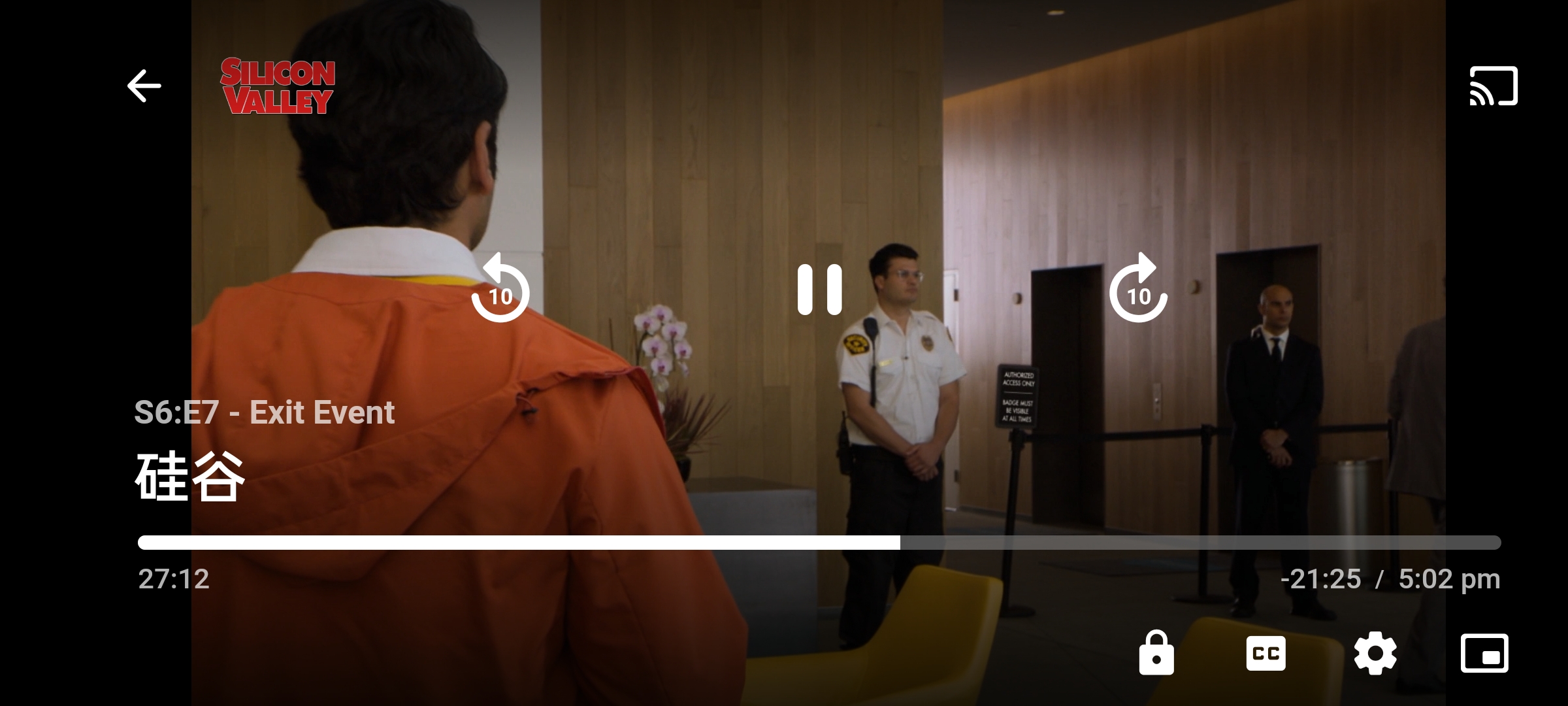
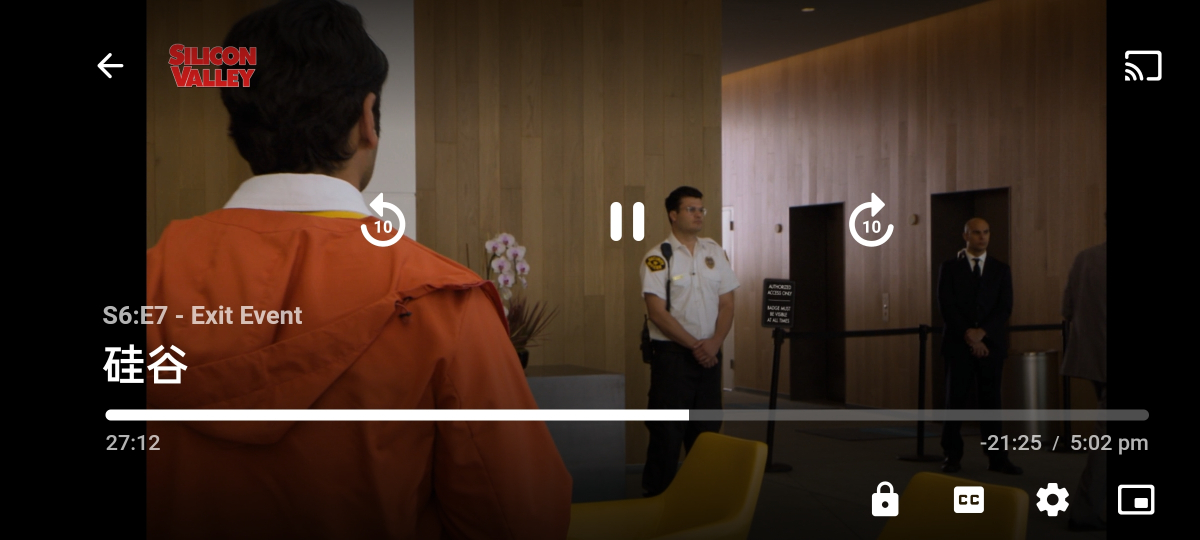
Brightness bar not display too. app version: 3.2.82 server version: 4.7.8.0 device: Realme X7 Pro (RMX2121) Realme UI 3.0 Android 12
 1 point
 -
Hello, it seems that everything is back to normal, When I download films they arrive in the new directory and I reclassify them according to their categories, everything is back to ok I don't know by what miracle, thank you, however I have one last question, how do I get emby to show me my browsing preference, folder view. I don't like the file view with search options Thank you very much to you and your team1 point
-
You can't double click to open it, you have to open it the way it is described on the server download page1 point
-
m3u files are more or less the industry standard for playlists, so it's good we change the internals for that reason alone. We use m3u files for Live TV as well and they get imported into the database of course. Having these in M3U even if in the database is probably important as a means to reload these in the event of a re-load and for backup purposes! It doesn't give you any other glimpse of feature set other than knowing Luke's been working in the playlist section of code. Carlo1 point
-
I'm positive there is also a 'device cleaner' plugin out there to remove stale devices .. ? Can't find the link atm ..1 point
-
Version 1.0.0.4 Geesh! would you believe that the first attempt at blocking the top picks plugin was correct, but I second guessed the code, and changed it thinking it was wrong. This will block Top Picks in new releases! Emby.NewReleases.zip1 point
-
This method has been tried.I use the synology machine. After setting up the proxy network in the system, only the system itself is connected through the proxy network. Emby and the third-party suite do not use the proxy network, so this method seems to be impractical.1 point