Leaderboard




Popular Content
Showing content with the highest reputation on 11/01/22 in all areas
-
The forth hotfix was released today as SE 9.1.1 (33.2.0.157). https://www.nvidia.com/en-us/geforce/forums/shield-tv/9/503663/shield-experience-upgrade-911-released-11122/ Today we released SHIELD Experience Upgrade v9.1.1 (33.2.0.157) for all SHIELD and SHIELD Pro units. This update is based on SHIELD Experience Upgrade 9.1 and includes the following fixes and enhancements; Enhancements Adds power control option to wake SHIELD when TV input changes to SHIELD Adds developer option to force Dolby Vision Low Latency if available. Enable if Dolby Vision not properly detected on some Philips OLED TVs Adds developer option to improve HDMI-CEC volume control for AVR/Soundbars (“Clean up preferred playback logical address”) General cleanup and re-organization of developer options Bug Fixes SHIELD TV App [Android only] Resolves issue where SHIELD TV app would not launch properly on some Samsung Galaxy phones Video/Display Fixes bug where protected content would not play if external storage is connected Fixes color accuracy bug when “Default to Rec .709 for HD videos” developer option is enabled Fixes issue where Automatic Game Mode would be enabled on NVIDIA Games even when disabled [SHIELD 2019 models] Resolves video crash issue when seeking in quick succession when Dolby Audio Processing is enabled Audio [SHIELD 2019 models] Resolves issue where audio would not be present until reboot when Dolby Audio Processing is enabled [SHIELD 2019 models] Resolves issue where audio would play at an accelerated rate when Dolby Audio Processing is enabled Storage Fixes bug where files were not detected properly on connected removable storage Fixes bug when mounting NAS using IP addresses for accounts with empty passwords Resolves large smb file transfer disconnect issues by disabling anonymous access by virus scanners Accessories Resolves issue where Simplified wake buttons would not power on IR controlled TV Resolves issue where SHIELD would be unresponsive to BT devices up to 60 seconds after startup [2015/2017 SHIELD] Resolves MxMaster 3 BT mouse pairing issue Resolves issue where TV remote would not control SHIELD 30 seconds after waking SHIELD Resolves some issues where CEC volume control was not functioning properly on AV receivers or soundbars Resolves issue where Control4 systems would not wake up SHIELD if systems is turned off while Screensaver is active Other Resolves issues where UI would be displayed in low resolution for a split second Fixes bug where user had to select a home app when setting up SHIELD after factory reset or system upgrades “Enable Dolby Vision” notification will be suppressed after dismissing Fixes bug where region specific apps would not be visible after disabling Fixes bug where microphone notification would be displayed on “Ok Google” hotword activation4 points
-
This is now in the catalog in the Metadata section. Please try it out and report your experience. Thanks. @Vicpa @ginjaninja3 points
-
All 3 parts of your original question are covered above. 1) Auto Credit detection is being republished - it doesn't exist in a supported plugin today 2) ATV App already uses credit markers and has done for months 3) Movie credits are in progress - as stated above. Please read before replying. The 3rd party Dev's and many others are giving their free time to deliver these feature requests - so please show some respect and if you have nothing constructive to say - please refrain from posting it ...3 points
-
Just to keep this thread updated. @Cheesegeezer is finding more hours in the day then is humanly possible () and alongside all his other plugins, he has also found time to refactor the old original Introskip code - removing the Intro detection part (and leaving that to the Core), but modifying the Shows credit detection to write to the core markers. Some other much loved bells and whistles from the original Plugin have also been included - such as proper Intro/Credit visable chapter markers for example using the core data. Backup of the markers is I believe also going to be included (replacing the current stand alone plugin). I'm looking forward to this - as it's bringing the best of both worlds - core intro detection, with tried and tested TV credit detection from the plugin. To note the movie credits is a different plugin - this is whole different challenge - thus is being kept separate.3 points
-
... Well... Yes, and no. It is possible to write an intersection observer to force the option into that menu. But, there isn't a way (currently) in the API that I can think of to do it legitimately.2 points
-
Oh wow, you are amazing. With the new Library feature introduced yesterday, plus the safeguard override feature, this makes installing for first time, running on daily basis, detecting errors, selective testing etc so much safer and easier. Update: sure enough, after I started using a previous version of MKVToolNix/MKVPropedit on the previous backup copy of "corrupted" files, the scans and processing completed just fine. The ability to use a "Test Library" on Mediainfo makes this testing process so much easier!2 points
-
Ya, if this is just more ways to get stuff into Season 0, I have no use for it. If it means we will be able to list our extras like we do under movies *and* have a separate season 0 for actual named specials with metadata, I'm very excited. Is still isn't clear which one is happening.2 points
-
Bummer, I keep watched items hidden as do most of my users. I enabled top picks for everyone and within a few hours started getting emails about Emby being broken because the top picks were missing numbers. Maybe you can discuss with the main Emby cooks, the ability to make the visibility option work on a per-row basis?2 points
-
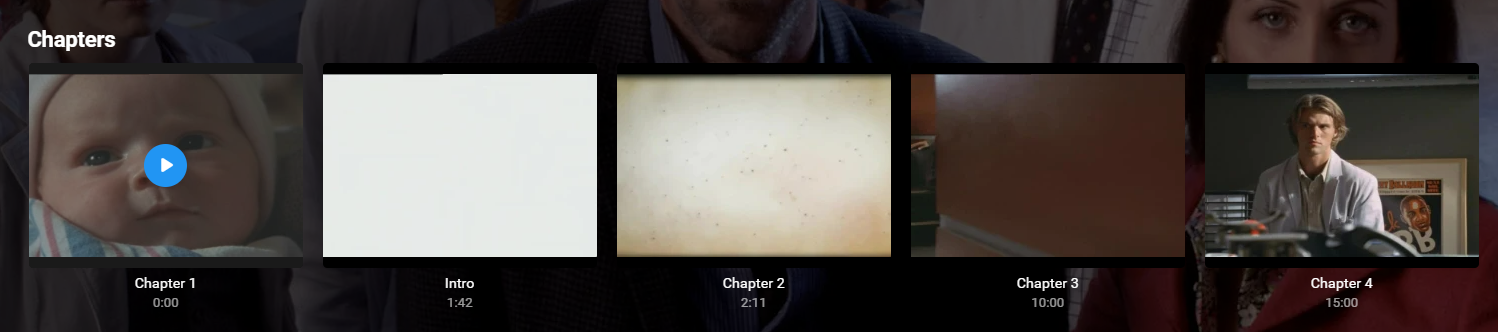
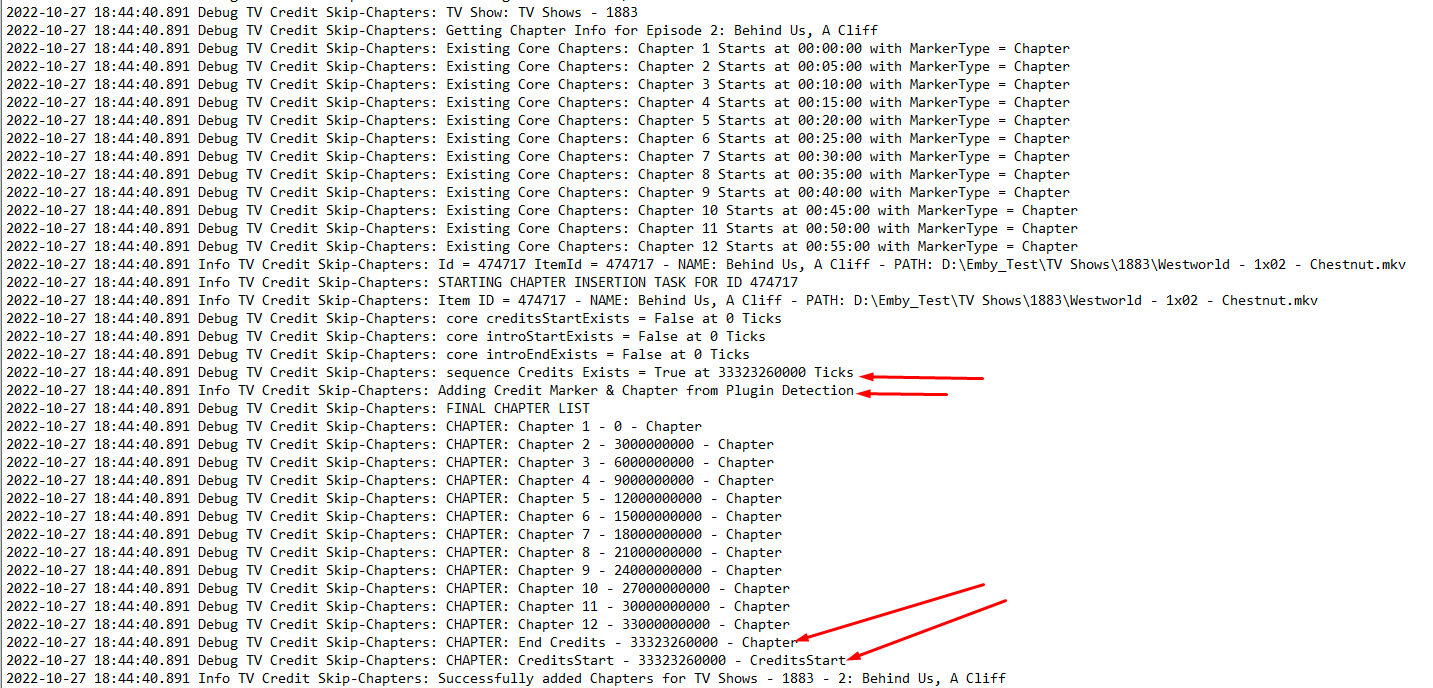
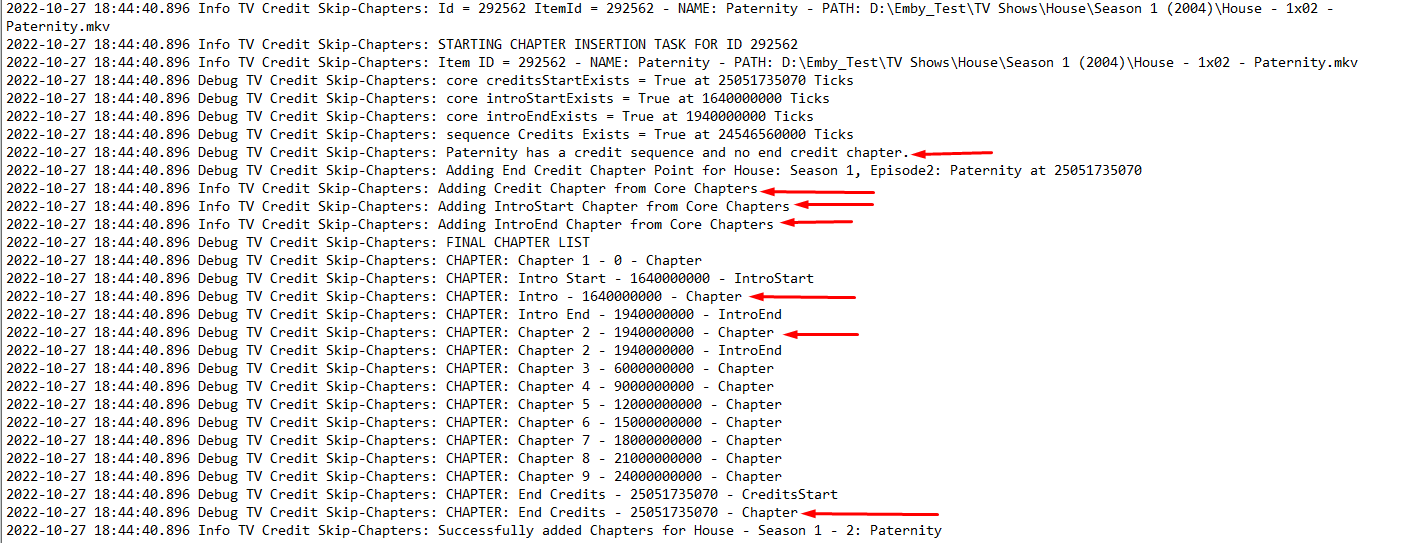
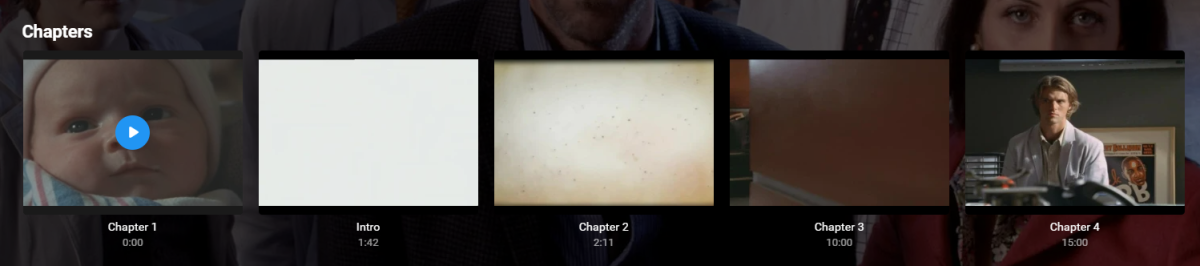
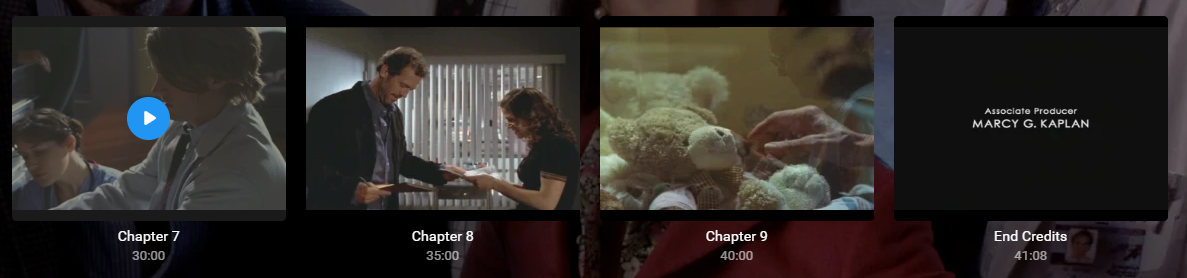
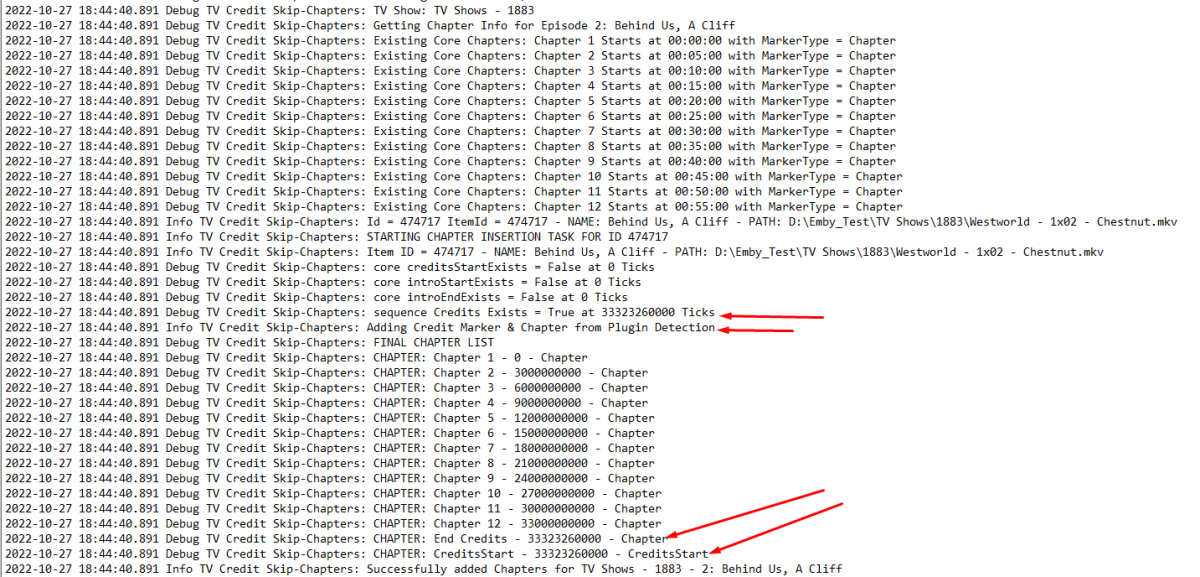
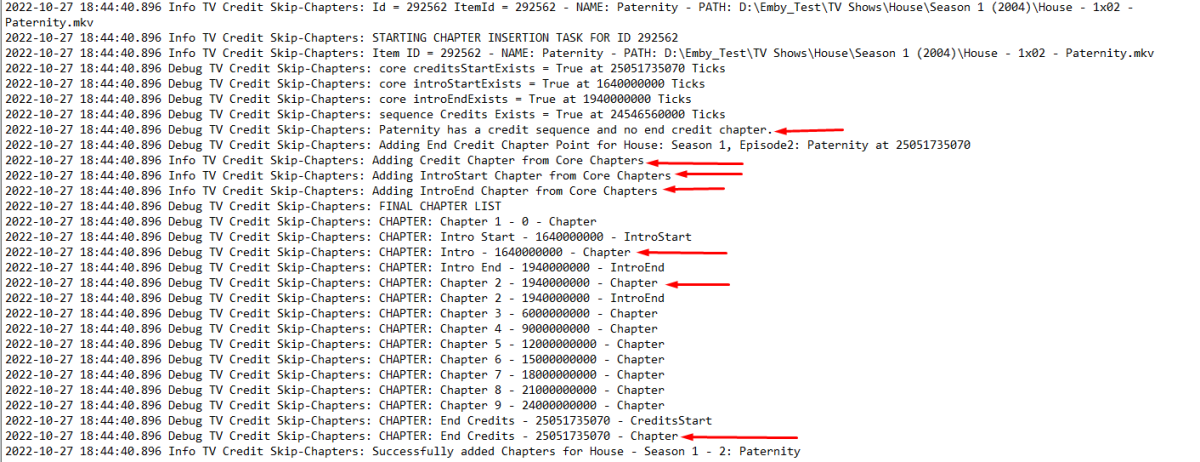
Just to add to Rich's comments Finally nailed it down chapter insertion and everything is working as before You can see whats going on here ignore the filepath it's just a copy of the WW thrown into 1883 to populate some extra episodes for me. So core info but info from the creditdetection. Not sure why the timespan is rounded, i'll have to look into that Here is an example of what it looks like if you have all this data in the backup plugin and import it. BOOM!! Lush mate Just need to jog on with the UI now.
 2 points
 -
Hi Luke, I've restarted Emby after making the folder permission changes it is now working!2 points
-
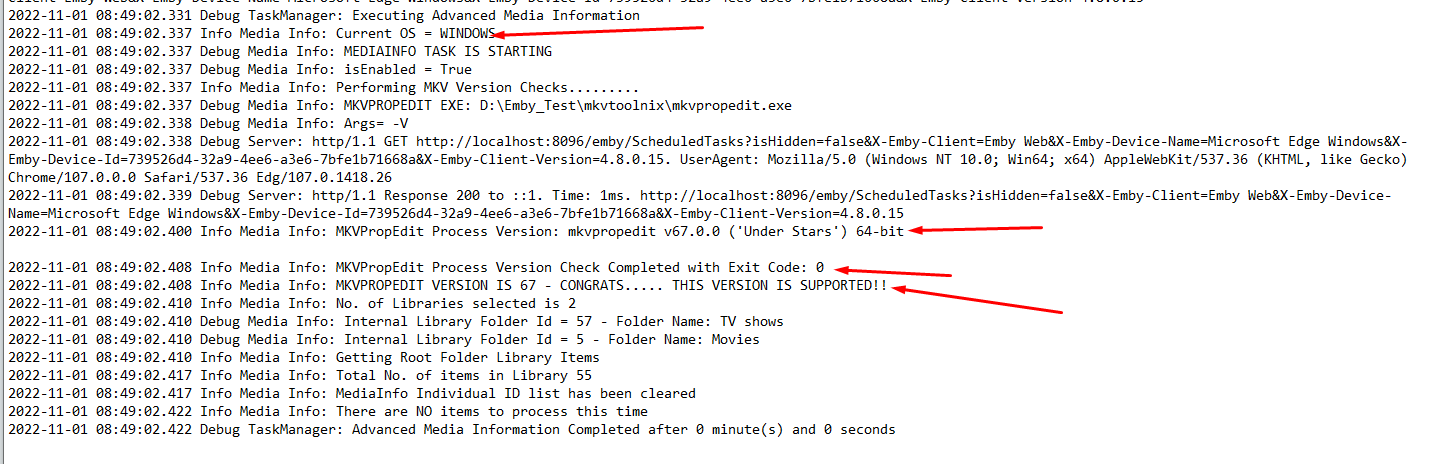
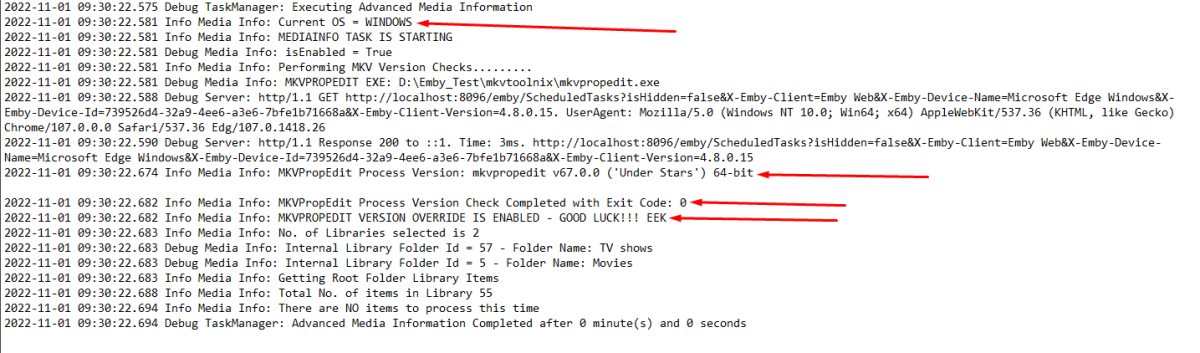
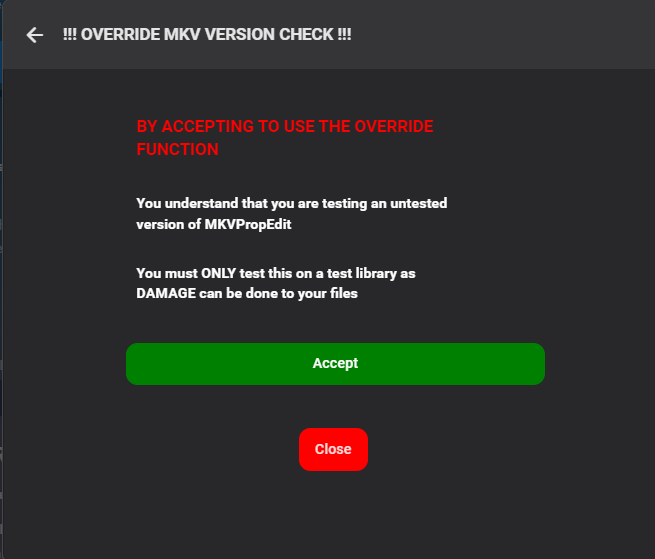
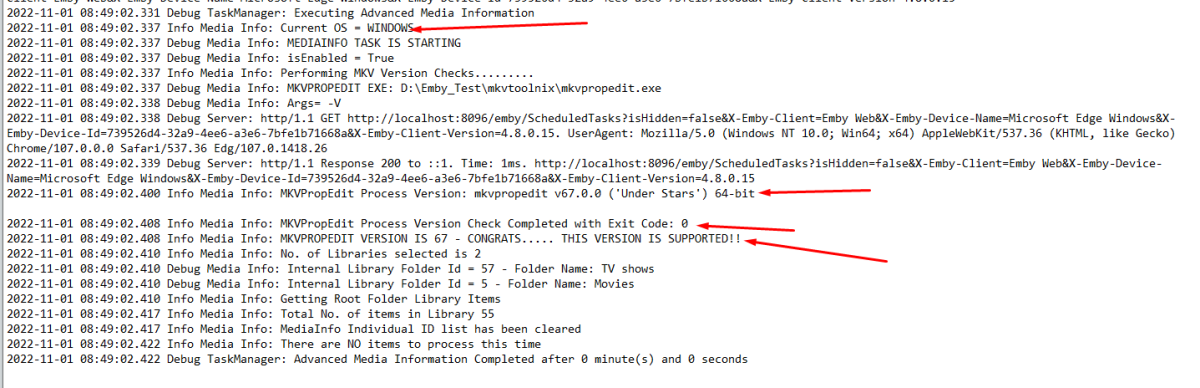
V1.0.1.17 is up This introduces the override feature Fix mkv Version SafeGuard for linux and macOS users Add mkvVersion SafeGuard override utility for users to test new versions. Fix mkvVersion Override function Enabling this triggers a dialog box This is also logged during the process

 2 points
 -
Well, that depends on the point of view. Progress forward - none. But quite bit of catch-up has happened, which means that the distance to TVnext has been decreased after integrating some parts into Emby mainline. And one smaller part will come early (no guessing in public, please).2 points
-
I noticed the checkmarks suddenly appeared today on my Roku. Thank you so much!!!2 points
-
I liked the orange of the Halloween theme, but there isn't a "Dark (orange accent)" theme. In fact there aren't nearly as many "Dark" themes as there are "Light" ones. So I humbly request that more dark themes be added, or we be given the option to create customized themes to our liking (and which works on more than just the Web client).1 point
-
Disclaimer: This FAQ is valid for emby-next-gen plugin (6.x and higher) It will be constantly updated over the next weeks. Emby server: Kodi companion plugin must be installed! Versioning: X.X.X First X is the major version. It indicates a compatibility with Kodi versions. e.g. 6.X versions are for Kodi 18+ 7.X versions are for Kodi 19+ 4.X and 5.X versions are end of life and no longer supported Second X indicates a mandatory plugin database reset. This will be automatically initiated. Read ahead for further information. Third X indicates regular bugfixes. No further action required. Plugin Installation: First you need to choose which version you wanna install, there are 3 options. stable beta public testing stable is very well tested and no showstoppers are reported. beta is also well tested and no issues are expected. public testing can include bugs and is the current development version. I recommend using public testing versions. Not only it helps me debugging issues, it also includes latest features and improvements. (rolling release) However, you should be an active member in the forum to keep track of the new features and limitations etc. Stable and beta versions are available via Emby's Kodi repositories. You need to sideload and install them from here. http://kodi.emby.tv/ STABLE: repository.emby.kodi-1.0.8.zip http://kodi.emby.tv/repository.emby.kodi-1.0.8.zip BETA: repository.beta.emby.kodi-1.0.11.zip http://kodi.emby.tv/repository.beta.emby.kodi-1.0.11.zip Once installed, you can browse via Kodi's addon menu, select the repository and install the plugin. Addons -> Install from repository -> Kodi Emby (beta) Addons -> Service Addons -> Emby-next-gen Public testing: Those versions are not available via repositories. There are two methods how you can install them. If you have already a Emby-next-gen version installed, it adds a link in Kodi's filebrowser. You can install it directly via Kodi's menu: Addons -> Install from zip file -> kodi.emby.media -> Public testing -> plugin.service.emby-next-gen-X.X.X.zip Also it is possible to download the file manually and push it to Kodi's filesystem (sideload) and load it from there. Under the hood/concept: The plugin uses several techniques to make Kodi compatible with Emby server. Instant communication with Emby server (dynamic content). Syncing to Kodi's internal database (synced content). The plugin has an internal http webserver (webservice) on port 57342 implemented and also opens a websocket connection to Emby server for realtime connection. Supporting synced content a "helper" database for Emby's content is created on Kodi. Here it's called Kodi's Emby database. Don't mix this database with the actual Emby servers database, those are different. The plugin uses Kodi's internal functionalities as much as possible for maximum compatibility. Anyway, not all plugins functions can be realized with Kodi's capabilities (review Kodi limitations for further information. Addon mode vs. native mode: After plugin installation you must choose a (sync) mode. Almost everybody should select addon mode, don't bother with further explanation. If you don't know what to choose, addon mode is the one you want. There are very limited cases you should select native (for experts only). Also it only affects the way how to access synced content. Dynamic content always uses addon mode. Native mode means, the content will be accessed via filesystem instead of the http. Kodi has some minor (feature) limitations accessing content via http. Also some 3rd party plugins could have issues accessing content via http instead of a filesystem base. If you use 3rd party plugins (like Kodi's "Extras" addon), you may choose native mode. btw, "Extras" is not really required, the plugin has almost the same functionality implemented as "Extras". Additionally native mode can be tricky to configure on Kodi/Emby server side, if you use network shares like smb/cifs/nfs. Attention: This selection can only be altered by an emby-next-gen plugin factory reset -> full Kodi database reset Sync content vs dynamic content: Synced content is available via Kodi's internal database. Kodi doesn't even know, that the content is actually coming from Emby server, ergo accessing content is very fast. Dynamic content is build "on the fly" and generates overhead. Use synced content wherever possible. Due to Kodi's limitations (e.g.folder access), this is not always possible. Syncing libraries: Kodi supports only following content types by its internal database: Movies, Musicvideo, TVShows and Music Emby on the other hand has several more. The plugin has functionalities to sync content even it's not directly supported by Kodi. e.g. homevideos, podcasts etc. As Kodi does not have those categories, homevideos are synced as movies, podcasts as audio etc. If you don't use a custom Kodi skin, it will end up in the movie node (section) showing both: movies and homevideos. This can be avoided by using the Emby-next-gen plugin custom nodes (more in the Kodi skinning section) What does Kodi not support by its build in functions (Kodi limitations): Syncing pictures is not supported by Kodi. It just has a "filebrowser" accessing pictures also emby-next-gen plugin is not capable to sync pictures, however. There are performance tweaks available to access pictures very fast by caching them. (review artwork caching section) Cinema mode, skip intro and multi version content support are unique to Emby server and is fully supported by emby-next-gen plugin. (review the subsections for further information) Kodi has no functions supporting musicvideos and music content for multiple libraries (Emby library based content view). Emby-next-gen plugin has solved this problem via workarounds and is fully supported via custom nodes (more in the Kodi skinning section). Path substitution (plugin configuration option for addon mode, default is enabled: The path substitution is workaround for a Kodi limitation extracting images/pictures from video streams. It's addressing the bookmark/chapter images extraction. Kodi extracts bookmarks/chapter images "on the fly". It's not like "regular" artwork which are (usually) located as an image file or comes from a scraper. "Regular" images are stored in Kodi's database as a record. For chapter/bookmark images it's different. They are extracted directly for the video file/stream and not stored in Kodi's video/music database. Therefore I cannot sync them directly into the database. The problem is, Kodi disables image extraction for HTTP streams even technically possible. This is hardcoded in Kodi's sourcecode and cannot be adjusted in the settings. The path substitution tricks Kodi believing it's a local file so the image extraction will be processed. How it works: A video stream from Emby server is a regular http URL (piped through the plugins "webserver"). It looks like http://127.0.0.1:54342/video_stream_info_parameters and is stored in Kodi's database. The internal webserver receives this stream request and redirects it to the actual Emby server's video feed. http://192.168.0.207/emby_video_stream_parameters. This would be detected by Kodi as a HTTP stream and disables image extraction. The path substitution however replaces the "http://127.0.0.1:54342/" with a "fake" folder. The video feed links are now replaced with "/emby_addon_mode/" in Kodi's database. The record looks like that: /emby_addon_mode/video_stream_info_parameters Now it's from Kodi's perspective a local file and the advancedsettings.xml parameter turns it back to the actual link replacing the "fake" folder <substitute> <from>/emby_addon_mode/</from> <to>http://127.0.0.1:57342/|redirect-limit=1000</to> </substitute> There is some extra magic involved but I skipped that to keep it easier to explain. In the end, I'm actually using a Kodi bug in my favor. Kodi should detect the stream type after path substitution if they would do it properly.1 point
-
Both of my known corrupted files was (according to mediainfo) made with mkvtoolnix v6.6.0 Kodierendes Programm : mkvmerge v6.6.0 ('The Edge Of The In Between') built on Dec 1 2013 17:55:00 verwendete Encoder-Bibliothek : libebml v1.3.0 + libmatroska v1.4.1 Simple remuxing with a newer version (v70.0) prevented these files to get corrupted. Maybe you can check some of your backup files too.1 point
-
Not me. The OP wants to have either multiple collection libraries on the homescreen or nested collections so he can split his auto generated collections from a single view into a folder like structure by genre or similar.1 point
-
I did not believe that such basic functionality could be as screwed up as you report. I normally only have one user(me) on my server so I created another one and gave it no access to any library and I can report that the bug reported is really happening. I also have one little library and if I give the new user access to that it works correctly except it seems that user still has the ability to play media from collections. I have now removed that user as I absolutely have no need for it and I do not like clutter, even virtual clutter. I simply did not believe there could be this level of bug so I created this user in an attempt to disprove the report. But I cannot disprove it I proved it. The bug is real and it is serious for people that depend on using library access limit some users ability to play some media. Thinking further I do see how this bug might creep in as creating a user with no library access does not seem to be something that is done often enough to make it worrisome. But it can happen and such a user, with no library access, should never be able to play anything from any library. This needs to get fixed.1 point
-
I'll leave this request as: Because that is just an extension of what we already have - combined with end credit detection.1 point
-
HI, yes this idea has come up before and is possible for future updates. Thanks.1 point
-
Yup you can only write to web UI but no clients will show it.1 point
-
Thanks @PuffyToesToo!1 point
-
Folder access control - revoke access for other users.1 point
-
Allgemeine info zum Embuary skin. Dieser skin is leider etwas instabil und das liegt nicht am next-gen plugin. Falls du Kodi crashes hast, das ist der Skin. Vielleicht solltest du die eine Alternative ueberlegen. Ich vermute du hast an einem Client die next-gen Option: interface -> Enable enhanced artwork ... eingeschaltet und am anderen nicht. Zur info, wenn du das umschaltest musst du einen plugin database reset (oder noch besser plugin factory reset) machen. Wenn die Covers einmal von Kodi geladen wurden, hat Kodi das lokal gecacht und du musst das via reset (oder manuell auf Dateiebene) loeschen, damit Kodi neu laedt. (Geht auch alternativ via artwork cache Funktion) Nach einem Factory reset ist enhance artwork per default ausgeschaltet. WICHTIG! Nach dem factory reset, wirst gefragt was du syncen willst. Mach nichts hier -> cancel, also nichts syncen. Du musst enhance artwork zuerst (vor dem sync einschalten bei Bedarf). Also nichst syncen, Option umschalten und dann manuellen sync triggern. -> sync -> manage libraries Ich weiss, nicht optional im Moment. Steht auf der todo Liste.... Bin mir nicht sicher was du da meinst, vielleicht ein Bug. Erstens, beim Aendern der Einstellungen im next-gen plugin auf Kodi brauchst keinen Datenbank Reset. Das geht on the fly. Aufpassen, dass du OK drueckst beim Settings aendern und nicht die zuereck Taste. Sonst wird das nicht uebernommen. Weiters haben die next-gen plugin Einstellungen Prioritaet. d.h. Der Emby Server muss die Trailers zur Verfuegung stellen aber Kodi entscheidet was abgespielt wird. Wenn du den Cinnema mode fuer Filme im plugin aktiviert hast aber nicht fuer Episoden, sollte das auch so klappen. Ansonsten Bug. Werde ich testen... Knuepft an c.) Das sollte die plugin Einstellung "Enable local trailers" vs "Enable trailers" umschalten. "Enable trailers" sind die externen (http link) trailers. Ich hab da mehrere Validierungen eingebaut um genau das abzufangen und ich hab weitere Verbeserungen in der pipeline fuer die naechsten Versionen. Hast vielleicht einen http link fuer so einen Trailer der gesperrt ist fuer mich zwecks Review? Ich vermute du kommst aus Deutschland? Ich aus Oesterreich, dann sollten die auch bei mir gesperrt sein. Ja ist supported, aber da brauchst ein weiters plugin dafuer. Kodi kann das nicht mit Bordmitteln. Installiere dir das "tv tunes" plugin -> https://forum.kodi.tv/showthread.php?tid=347428 Danach kann das via next-gen plugin reinsyncen. Sync -> manage libraries -> sync theme media Irgendwann bau ich das auch direkt ins next-gen plugin mit ein. Das tv tunes plugin ist etwas laggy, das muss richtig snappy werden. EDIT: Da scheit noch ein Bug im next-gen plugin zu sein, fixe ich in der naechsten Version. (paar Tage) Mach einen (factory) reset via next-gen plugin. Das sollte alles rasuloeschen, Ich vermute du hast das gecachte Artwork nicht geloescht (siehe a.) Kannst auch manuell machen, alles loeschen im kodi Ordner userdata/Thumbnails/* und am besten auch die Texture db loeschen. userdata/Database/Textures13.db (Textures13*) btw, Ich hab angefangen ein FAQ zu schreiben. Kannst ein Auge drauf behalten, da kommt noch mehr in den naechsten Wochen: lg1 point
-
1. Yes! 2. Can I have a screen shot of the breadcrumb menu (my bad, not sure what it is )1 point
-
I figured it out. Had a cron job written wrong. Opps sorry guys.1 point
-
If I go in movie to folders (on emby interface), i`ve got the folder movie, duplicate. dont know why. but if i enter in one and another i have the correct number. 1165. hmmm. Update. Ohhh, I founded two movie folder added in media library, and two wrong movies folder name. Now it`s fixed. Sorry guys. My fault. Have a nice day. U r the best.1 point
-
Discogs:1 point
-
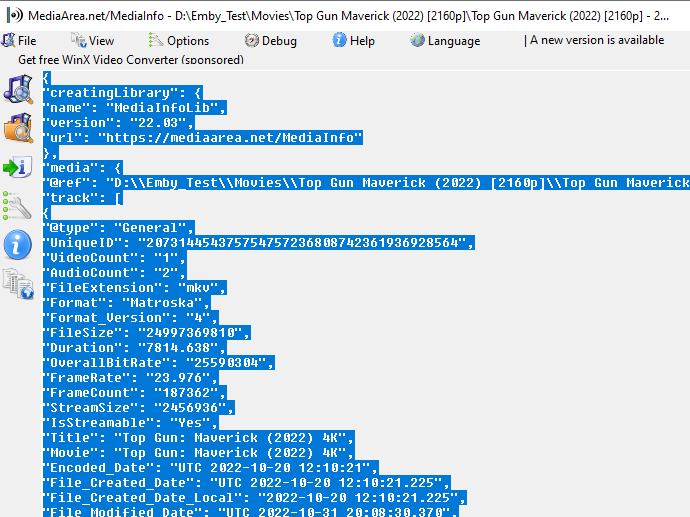
it is. but i can see straight away what the issue is.... it's not a valid json you have an extra line at the top of your output. which has the file location. I'll add you to the testing thread, so i can add in extra logging. for you to test on. Cheers This is how the json should start { "creatingLibrary": { "name": "MediaInfoLib", "version": "22.03", "url": "https://mediaarea.net/MediaInfo" },1 point
-
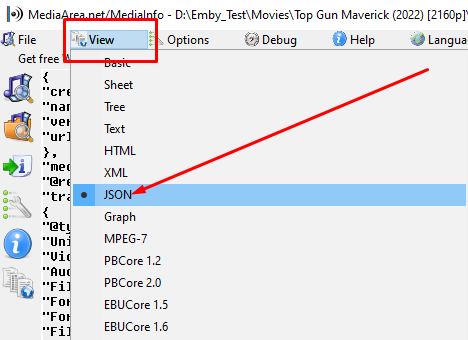
Hmmmm @Andy2k It looks like your json file isn't getting populated. or it's crap. open one of those items in MediaInfo. and then click on View and JSON then click anywhere in the json output --> Ctrl A (select all) and then ctrl C (copy) then paste in a code block or quote here on the forum
 1 point
 -
You'll gain the most stability by mounting the CIFS shares locally to your server then referencing those local paths to the library from within Emby. But if your NAS sleeps or spins down then you might continue to experience access related problems. Search this site for cifs mount fstab (Advanced -> All of my search term words) if you need examples.1 point
-
Thanks, now works OK.1 point
-
I'm now participating in the ios beta program and with emby for ios 2.2.6 the problem is solved with iPhone and iPad. Tnx Gerd1 point
-
Anyway to hide what has already been viewed on the home screen everywhere BUT the top picks? I don’t want to see the movies and tv shows I have already watched in other rows, but when this is enabled my top picks row looks strange as items are missing from the count and makes for an odd end user experience. thanks!1 point
-
We are working on it.1 point
-
It's primarily a marketing scenario - at least in terms of transcoding. It can only be used in cases of pure encoding, but not when you have a full hw processing pipeline with decoding, processing and encoding. They have an implementation for handbrake but not for ffmpeg anyway.1 point
-
The 'per library' option does indeed give you many more options for testing. But it has been made clear on the plugin config page and should be reasonably self-evident, that if you deploy a 3rd part tool to modify ALL your media files, it would probably be a good idea with ANY utility to test it first .. Short of creating another emby instance (as I did), this would have been 'difficult' to do with the previous verions I agree - as the only options were all of TV or all of Movies. Now you can create a test library - and use that for new releases of mkvtoolnix and/or mediainfo. (if and when you want to upgrade them for some reason). The plugin version .16 is working very well for me (*) - using Windows mkvproedit v61 but will not run if v71 has been downloaded. I don't believe the plugin can do anymore to safeguard the use of a 3rd party utility. (*) Issue with multi-version re-processing reported - but everything else looks fantastic.1 point
-
Power Cycle didn't work. Still can't play back mkvs. I'll try to look into if it affects all mkvs or just some. The same files works from my Android 13 phone though.1 point
-
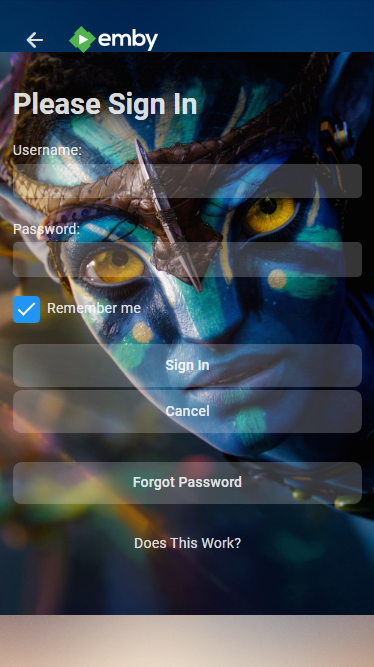
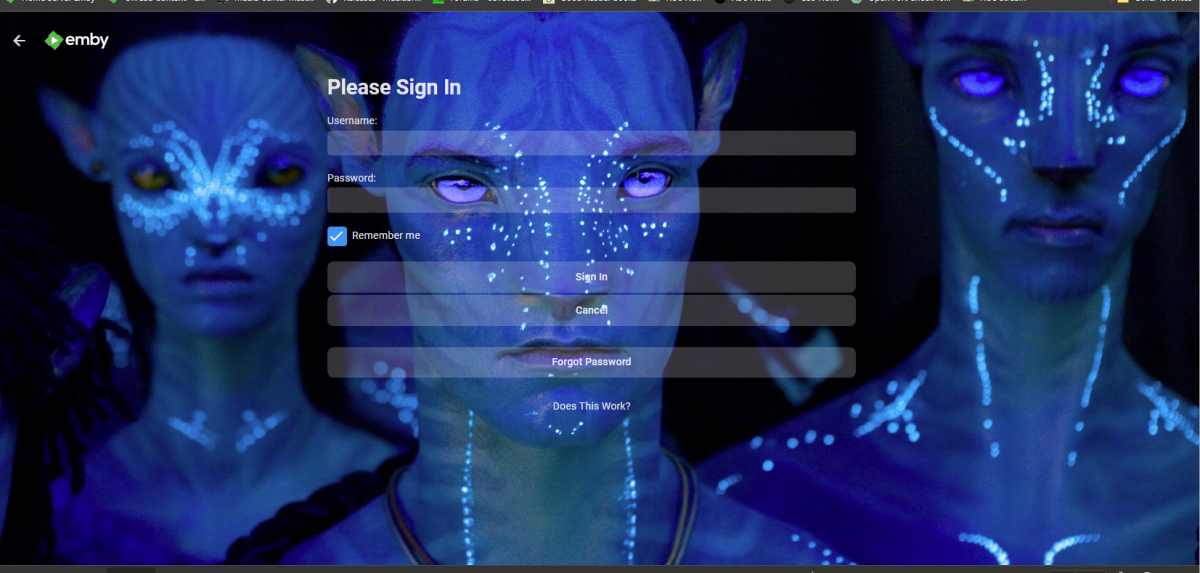
Something like this just assign a portrait image. @media (min-width: 20em){ #manualloginPage { background:url(/web/modules/themes/loginhd-portrait.jpg); background-attachment: fixed; background-repeat: no-repeat; background-position: center; background-size: 100%; } } @media (min-width: 80em){ #manualloginPage { background:url(/web/modules/themes/loginhd.jpg); background-attachment: fixed; background-repeat: no-repeat; background-position: center; background-size: 100%; } }
 1 point
 -
Improvements to URL generation so the URLs are valid from .local names or if port forwarding across private subnets. Don’t limit TTL for discover, control, or webpage access on private networks. Interesting - so we may now finally be able to stream directly via a VPN using private subnets .. hooray ...1 point
-
No I would not expect every playlist that movie is contained in to show up. It would have to know which Playlist I was listening to or watching also. Maybe I'm using the wrong term. Maybe Continue Watching or Continue Listening is more appropriate for a Playlist? However, it's what the OP used when starting this topic.1 point
-
Could you add support for splitting by commas? Should be safe as UUIDs will never contain commas and it is the default behavior of mp3tag, which is pretty popular.1 point
-
Sounds good to me. I quite like my blue theme in a browser, and would like to be able to use it elsewhere.1 point
-
1 point
-
It'd be great if there were more options for themes under the "Themes" and "Settings theme" options under the "Display" tab. I keep going back and forth between the same group, not really caring for the "Light" options. Starting to wish there was a much more extended variety of themes to choose from...for instance, how the fonts change when you use the Halloween theme? It'd be really neat if you were able to choose amongst a variety of fonts, as well as maybe even colors of font text. As far as the themes go, there could be all kinds of random themes to choose from....dragons, cars, flowers, clouds, hearts, steel plated backgrounds, wooden textures, etc. (you know, instead of the haunted house and xmas tree bulbs ya have for the other themes--sure you guys could come up with much better choices), but also the ability to customize themes and upload your own photos as themes! Hoping it would also be translatable (able to also be seen) on/to the Roku/Firestick apps!! Y'all think think that'd ever be doable?? It would be fantastic if ya did!1 point
-
1 point
-
you have a theme for halloween, can we get one for winter or (Christmas) please.1 point
-
Sorry... read right past the "and which works on more than just the Web client" part. Hey, I took a shot.1 point
-
But that would not affect the Android app. As I said, I would like a solution that affects more than the Web client.1 point
-
I know these are no longer curent/supported, but IF the CSS code is still available for download, you might be able to tweak it to your purpose? https://emby.media/community/index.php?/topic/28743-emby-dark-themes-in-different-accent-colors/ https://benzuser.github.io/Emby-Web-Dark-Themes-CSS/ I've used select portions to mod my theme.1 point