Leaderboard




Popular Content
Showing content with the highest reputation on 10/28/22 in all areas
-
Launched in the plugin Catalogue. Can be found under Metadata Section. I will set up a Plugin thread shortly. Thanks all and enjoy. Plugin Support Thread is located here
 3 points
 -
Hopefully, the core will follow suit and use the same NFO section to read/write in core functions, making it a 'real-time' backup solution - allowing a full restore at any time as the data is independent from the database. Awesome job @Cheesegeezer @Luke - FYI tail of the NFO file ...... </fileinfo> <markers> <introstart>626303072</introstart> <introend>801518812</introend> <creditstart>0</creditstart> </markers> </episodedetails>3 points
-
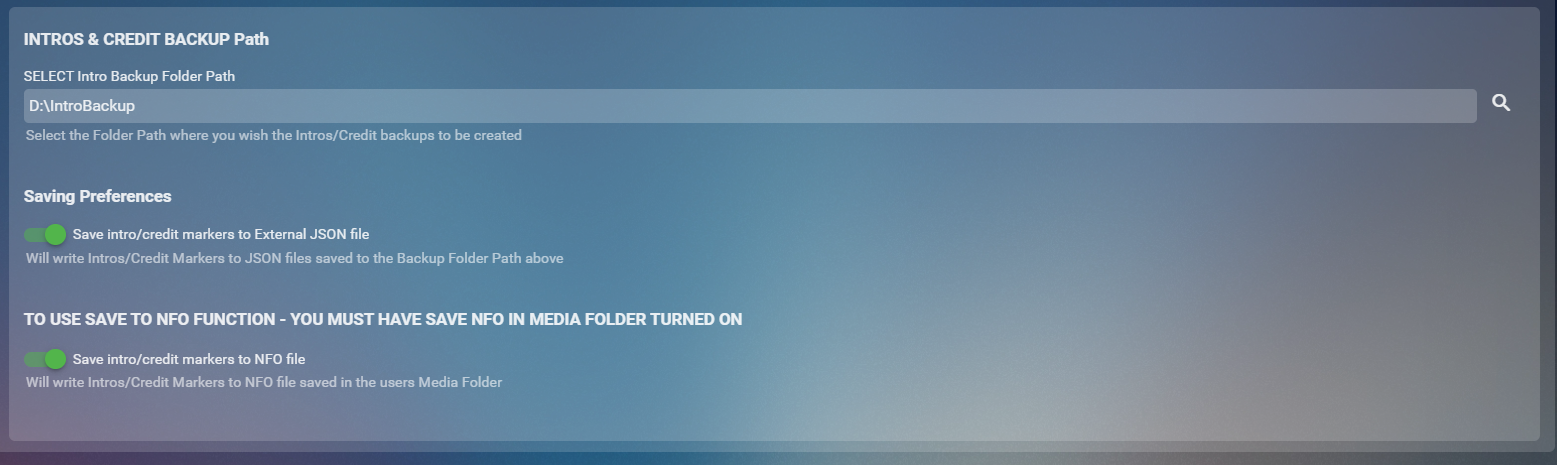
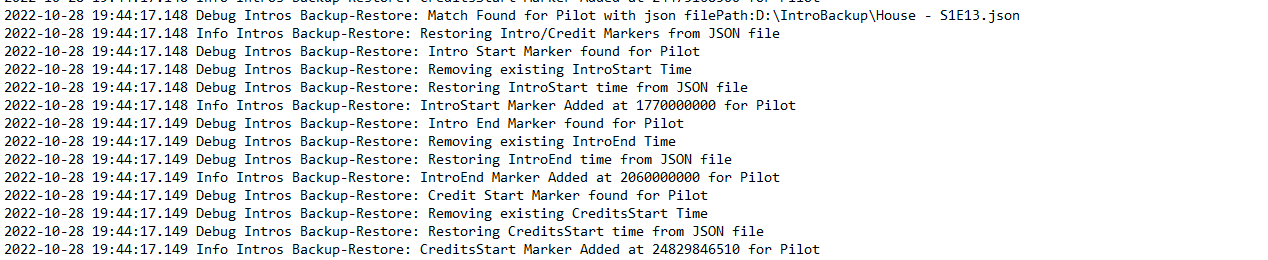
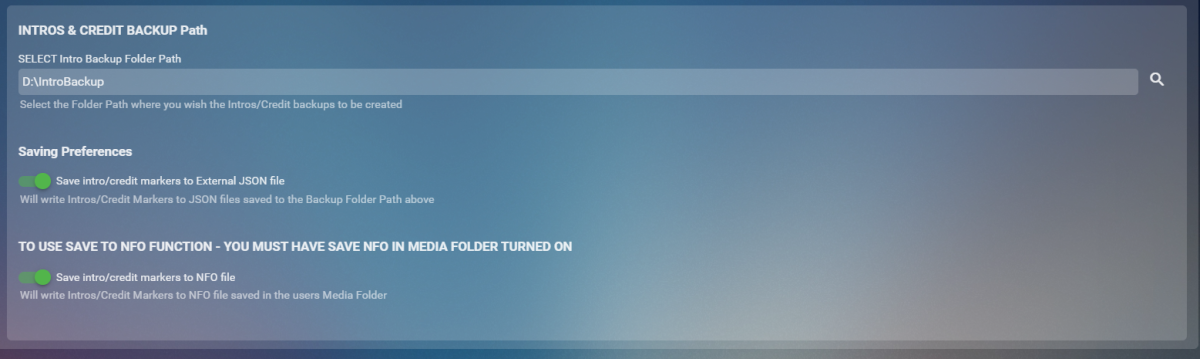
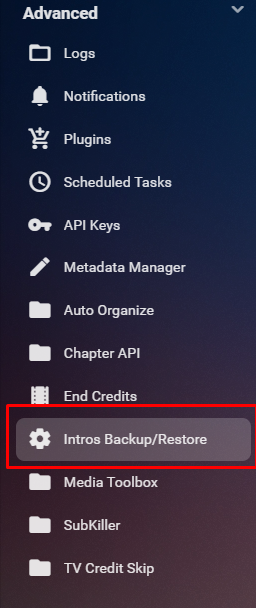
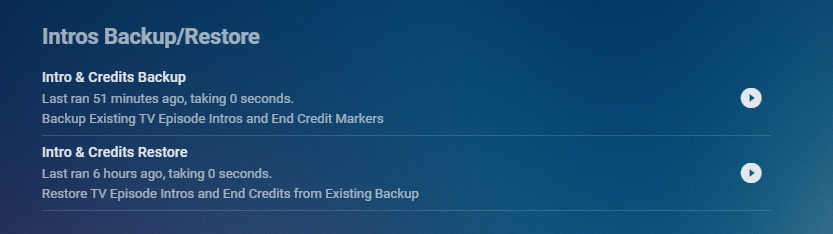
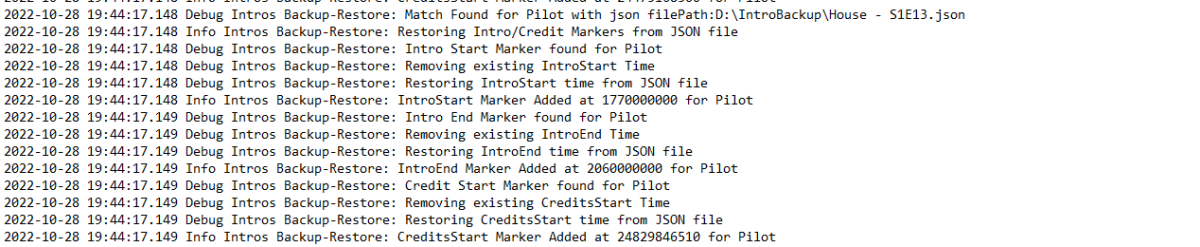
Cheesey Productions brings you Intros Backup for Emby Bringing you a way to Backup/Restore all your IntroSkip and CreditSkip Markers This plugin saves you time after a new install or after refreshing metadata by not having to conduct the process of conducting the intro fingerprint and detection tasks from the core side. Available from the plugin catalogue A huge shout out to @rbjtech and @elpooletfor all their help with this. PLEASE NOTE THAT TINY MEDIA MANAGER CAUSES ISSUES WITH MULTI EPISODE nfo files. I’m currently working to get this fixed but stick to JSON backup option only to ensure your intros are backed up. This plugin works very simply. For BACKUP - The user can Write these markers to JSON files stored in a user specified folder location and/or write directly to the NFO file stored in the Episodes media folder For RESTORE - The user can select to Write information back to episode chapter information markers using either JSON files OR the NFO file setup. BACKUP - takes yout existing markers from the episodes chapter table and will overwrite all previously backed up information. RESTORE will overwrite all currently stored markers and replace them with what is stored in the backup Shortcut in the Server Side Menu Setup your own timing for when to run the backup utility from the Scheduled Task Menu Backup Log Example with Debug enabled Restore Log Example with Debug Enabled Enjoy!! Always a pleasure


 2 points
 -
But this isn't real-time streaming and more like the pipeline Netflix uses by your description. You essential are doing VOD not real-time streaming. You just happen to do this using a method that is one-pass in real-time from your perspective. But from an end-user standpoint this is more like VOD since what they are playing back is pre-prepared, not processed in real-time. 1. Your preparing the media before it's used (same as Netflix) so it can stream without needing real-time transcoding. 2. Your pushing it out to a CDN removing your upload link and it's latency from the playback and pushing the content closer to the user (same as Netflix). There of course is something to be learned from this but this is more like real-time recording then real-time streaming. Meaning when the client plays these videos back you have already removed the latency involved in the recording, the communication with the client asking for the bitrate needed, transcoding and sending it through your ISP. Now think about a real-time broadcast in terms of Emby which would be Live TV. The client picks a channel to watch. The Emby client requests the channel from the server, server checks to see if there is already a stream available that can be shared if not it requests the channel from the tuner. It then has to waits until the tuner starts returning data. The server then sets this up so it can be shared which is similar to starting a recording. It then does an analysis of the stream to see what codecs are being used, what the container is what the bitrates are then uses information queried from the client to check is capabilities, determines if it can try a direct stream, needs to repackage the stream or transcode it for the client. Emby actually has a few more decisions to make that you didn't have to since a typical Live-TV stream will have multiple audio track and will have Closed Captions or Subtitles that both the client and server need to agree on use which requires more communication back and forth and of course is more latency that's required before a stream can start to be processed. Up until this point no actual streaming of data has been attempted yet but you can see there will be quite a bit of latency already involved. None of this latency is present in your use of the camera streams you're comparing to. Emby Server can start processing the stream for the client, so let's assume we are now taking the mpeg2 stream that it received from the tuner and sends it to the GPU (QuickSync or Nvidia most likely) transcodes it to x-second chunks, writes the m3u files for the HLS package and sends this to the client. The client responds with the stream it chooses from the client with the time range to play and sends this back to the server. The server then sends starts sending this data to the client while continuing to process the stream. The data is sent out the network card, passed to your ISP, likely from your ISP to a backbone on it's way to the client. It's at this point that your Emby Server has caught up to your example where the data is already present for streaming at a CDN. There is 0 latency in your example starting to stream from the CDN but how much latency is already present for the Emby Server stream? Quite a bit! I'm sure you're looking at 2,000 to 4,000 ms latency with a fast system and likely more on a slow system. Much of this is just one-time startup of a channel but will happen on every channel change so obviously lower is better. The client is going to need to receive X packets or y seconds at z bitrate so x*y*z will be how much data needs to be received before the client can show its first frame. In your example you can probably get by with 3 segments of 6 seconds at 8Mb so 144Mb or 18 MB of data. Emby Server will be similar of course by due to the high latency already present tries to "cheat" by using 3 second segments which allows for quicker startup and quicker adjustment/reaction to client requests but has a downside of needing to process twice as much communication protocol overhead which also requires a bit of bandwidth. How long it takes to transmit (the example) 18 MB will be determined by the client side only with your CDN in place will be about 1/2 a second with a typical 300Mb Internet plan, while the Emby Server will have to push the data over the full Internet using your upload bandwidth. If you have the needed bandwidth not being used it will transfer at roughly the same 1/2 second plus amount of time from your server to a backbone (approximates CDN) but if you only had 100Mb upload speed available at the time the 18 MB of startup data is going to take 1.5 seconds to transmit before the client has enough data to display it's first frame. So startup of stream playing for Emby is going to be much higher then having your data already processed sitting in a CDN. What about ongoing stream playing? Having your data sitting in the CDN is always going to be faster as it doesn't need to be transcoded and only has to travel 1/2 (or less) as far to the client. If a user does a pause, rewind, fast forward this information is already available in the CDN as you have already prepared manifest files available. On the other hand with true real-time processing the Emby Server would have to resend packets it already has prepared or if already deleted due to space demands would need to reprocess those packets through the transcoder again. To me, what I would like to see to better understand the pros/cons is back to processing of a few different types of movies such as cartoon, drama and action picture using both AVC and HEVC transcoding hitting a specific bitrate. For example, if output was using AVC, a 20Mb 1080p source to 1080p 8Mb and then to 720p 4Mb. Then also same type of test using Live-TV with a mpeg2 OTA broadcast as well as 1080p AVC encode of a prime tuner. But then you should be able to reduce the bitrate of the output 1080p 8Mb file since HEVC can hold the quality using less bits. So you test and adjust the HEVC until you arrive at a bitrate that gives you the same quality as the AVC 1080p version. This could be in the 3 to 5 Mb range. This to me is key to testing to see how much actual bandwidth can be saved while holding quality the same. You also record the difference in latency. For example, how many milliseconds does it take to get 3 chunks needed for streaming. This is recording the time it takes from feeding the GPU the first bit of data until you get out the first 3 chunks of data needed for the client. Is there a difference at all processing real-time between AVC and HEVC? Is there a resource difference (ie how many simultaneous streams) can be processed be processed this way using AVC vs HEVC? With the above tests done on a range of CPUs, some true analysis could be done to see real life impact. This could potentially show the transcode latency is 15-20% higher but reduces bandwidth by 30% which takes less time to transfer thus reducing overall latency. It could show Quicksync taking a latency hit on older CPUs while newest -7 with better quality output allows reduction in bitrate and saves latency and bandwidth. Same might be true for Nvidia where older Pascal and Maxwell cards take longer to process as well as need more bit to hold quality while modern Turing cards process AVC and HEVC at the same speed but allow HEVC to get away with far less bits needed for HEVC compared to AVC holding quality which is a win win. Obviously type of movie will make a difference as a cartoon will require far less bitrate than an action paced movie, so you see more the extremes of processing while the drama gives you a good all-around average. Carlo2 points
-
Actually Spotify does have all of those artists, it's just that they all have images. Hiding tabs is one thing, and that will definitely happen, but taking these artists out of the system will come with some major drawbacks. For example, you wouldn't be able to click on the artist name and see all tracks in your library from that artist, among other things. It seems that Plex does import all of those artists as well, but they just don't have a top level category for them like we do. And I think that is the approach we should take as well (via option). And then just continue to pursue more sources for images so that they can all be populated.2 points
-
Version 1.0.0.4 Geesh! would you believe that the first attempt at blocking the top picks plugin was correct, but I second guessed the code, and changed it thinking it was wrong. This will block Top Picks in new releases! Emby.NewReleases.zip2 points
-
I can explain the creation date. That is how we are ordering the rows from 1 to 9. Emby home screen will order items by date added. So, we alter the creation date inorder to organize the row. This will be a side effect of that process. Technically it's kind of correct, that top pick item was added on that date, even though the actual library item was added before.2 points
-
hey @chef just an idea, and up to you. but i always put the latest release on the first post and update that, that way there is only one version in circulation and it's always the latest.2 points
-
2 points
-
I gave it a try as well. The problem is that right after the pre roll is finished, Emby shows the movie background and then starts to play the movie. It should start to play the movie without showing the background first as an "inbetween step". Update; i tried it on a tv running Android TV and then it does not show the background and goes straight to the movie.2 points
-
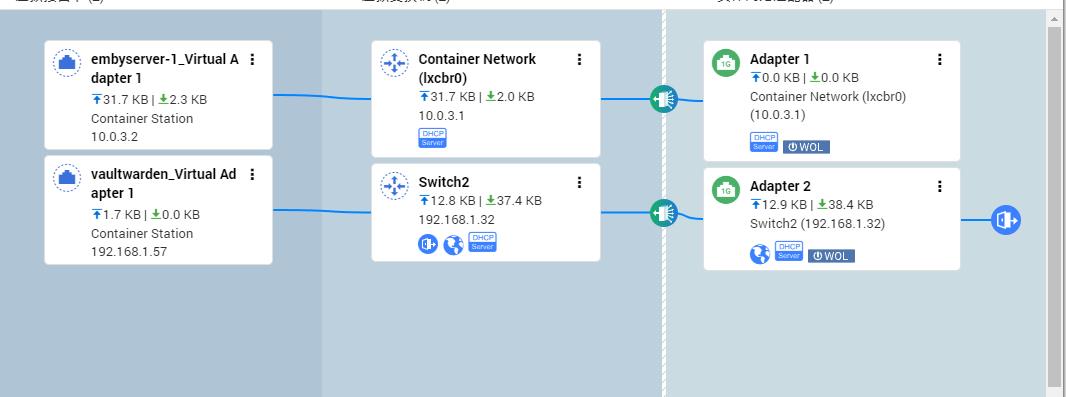
I'm sure the problem is caused by the network I can now correctly display the cover and actor pictures The network topology of qnap affects it This is not an emby problem Thank you very much for your response
 2 points
 -
Thanks for the detailed responses. I definitely see very impressive gains in my own x265 encodes, but these are slow 2 pass encodes at far less than realtime. If the low bitrate improvements for realtime hardware transcoding are as poor as you indicate I can definitely appreciate why it isn't worth the dev time.2 points
-
Guys, The ebook side of Emby/MediaBrowser has been long stalled or rather stagnated. I would like to offer up a couple of suggestions. Many people use calibre as an ebook/comic book tool for scraping data and general management of their collection already. This program is absolutely astonishing in its ability to pull metadata from post calibre scans, as well as draw in metadata from the file source and/or directory structure. http://vaemendis.net/ubooquity/ Its a self contained .jar server/reader combination. And honestly I am very impressed by it's small footprint and wide range of abilities. The other option is COPS , which was written specifically with calibre in mind. It is open source, so making it work with emby I would think would be fairly easy. https://blog.slucas.fr/projects/calibre-opds-php-server/ Ever since the original release of MediaBrowser's bookshelf I have always wanted something that would allow me to 'read' my collection, rather than being basically nothing more than a place-set for images of books I own. I am sure that those who mainly have audiobooks are thrilled with bookshelf , but it's nothing more than an extension of the music library IMHO, not new features. We can have both right? Here I give you two suggestions free of charge.. Just because I love you, and Emby Personally I plan on running the Ubooquity Server along side of Emby from now on, just because of it's massive functionality and tiny footprint. But I sure hope that someone decides -- "yeah, ebook support should be in here too" and do something about it - rather than allow this now very very ancient issue to continue to remain an issue. And so I don't have to have 20 different ports open, some with SSL support - some not, because Emby isn't delivering the 'complete package'. (Please take some of this with humor, I know you have your hands full with improvements/bugs/suggestions/requests)1 point
-
Would it not be a good idea to have a metadata option for music videos that is actually for music, so that if there's nothing available in a music video db it could be identified from a music db ?1 point
-
There is a great and well maintained open IPTV resource here: https://iptv-org.github.io Their m3u files contain the guide URL via x-tvg-url. It would be ideal if emby could support this to make setting up this free resource far easier.1 point
-
ok i just got finished doing some testing with JD the ETV dev. we think he figured out the issue with normalization. the problem looks like it happens when the content changes from 8bit to 10 bit. he had me create a test channel with only 8bit content and checked the transitioning and theres no scrambling happening with only 8bit content. he said hes going to think more on how he can normalize that.1 point
-
Updated the thread message to include a link to the plugin1 point
-
Actually... I take it back. It's working much better! Only one failing file (which happen to be the first one I tested). A few others at 26 bitrate are playing without getting stuck.1 point
-
I went back to basics and tried to narrow down the weird behaviour and came up with this. I think a fair few other issues were probably linked to this so one step at a time I reckon I should be able to test most of the day tomorrow.1 point
-
I would also like to point out something quite obvious, that many people seem to overlook. Emby/Plex/Jellyfin have one function that sets them apart from other apps like Kodi. Real time transcoding/streaming. This is essentially the only thing that makes them unique. If I wanted to re-encode multiple versions of the same file, not only am I not benefiting from the space savings of HEVC/AV1, but I'm essentially removing the need for real time transcoding, so why do I even need emby at that point? I could just use Kodi. Kodi supports all these codecs, organizes my library, plays pretty much any media, and looks great. The entire reason people use emby, or the like, is for real time transcoding. So, imho, if transcoding is your niche, you should do it well, and try to be the best at it. Whoever does it best, emby vs jellyfin vs plex, is the one that will dominate the market. I don't pay for mainstream streaming services, but instead pay/donate monthly to jellyfin, since they are the clear winner when it comes to transcoding. If emby wants to start doing it better, I may change my mind. I highly encourage everyone to donate to the free/OSS software they consume, if possible.1 point
-
It looks like that did the trick. I haven't looked at the results yet, but at least it is running now.1 point
-
I like to be thorough and I create these plugins for all to enjoy. The fact that it didn't work on Linux or Windows now gives me great cause for concern. so i want to fix this once and for all. and it's not just you, there are others that are experiencing weird playback issues.1 point
-
Clear as Day my friend. So from a fresh install nothing works. I will try this myself tomorrow. and see if there are some legacy issues since the cores updates that may be hiding in the background. I really want you guys to enjoy this and i don't like why it's not working for you all.1 point
-
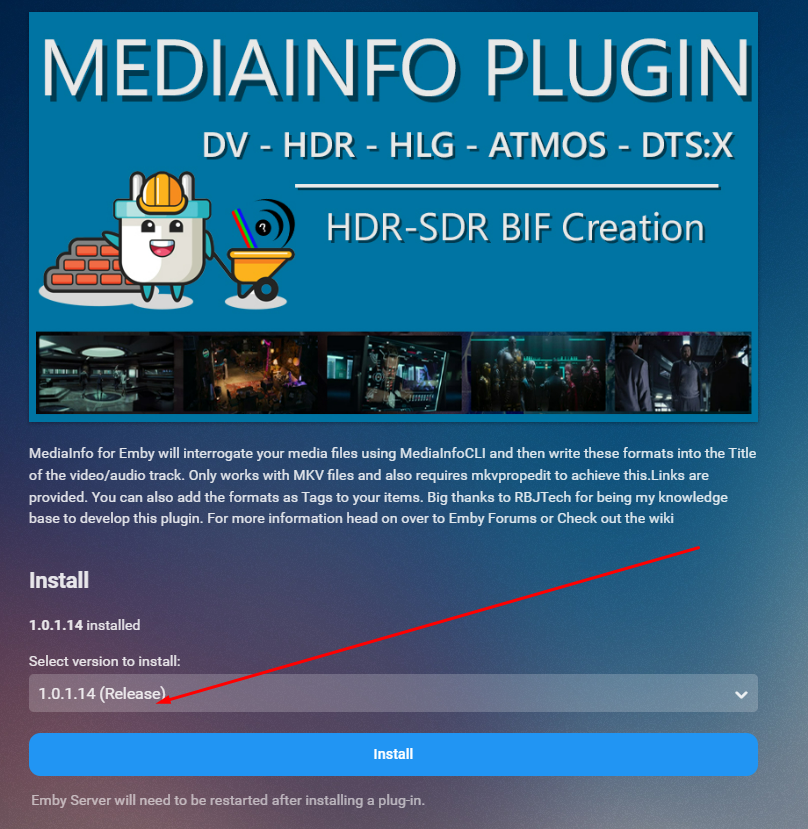
updated the catalogue V1.0.1.14 - introduces some fixes and features Hopefully fix Linux file issues introduce mediaInfo for difference versions of the same media(multiversion support) random bug fixes and improved debug logging
 1 point
 -
I had started a Discogs fetcher a few months ago. I'll have to see if I can get that finished up.1 point
-
HI, yes fallback language options are planned for future updates. Thanks for the feedback.1 point
-
Hello Luke, I would like to test the beta, unfortunately, I'm still waiting for a friend to lend me an ipad...1 point
-
since uninstalling the mediainfo plugin the continuous scanning of the metadata folder has stopped. hopefully this evening i'll be able to confirm that that stream freezing that occured with it has also stopped. I'll install the mediainfo plugin on my beta server install and see if the problems continue there and then hopefully we could look to troubleshoot it? @Cheesegeezer1 point
-
Sure - I'm just saying with an AVR, you just use one HDMI as monitor into the TV, all other devices plug into the AVR directly (of which there is usually at least 6 x HDMI ports..).1 point
-
Hmm.. it's a tough one to filter. I'll be right back!1 point
-
Thanks Rich! we are ready for release… but might package this with the TVCreditsSkip Plugin if i can get the damn UI to behave itself. As it makes sense to package it all in a single plugin. Also the database would act as a live backup for intro and credit skip markers and store these in the database that could just then be extracted by usin the chapter Insert task. i dunno! what does the community feel?1 point
-
@SGBVida Sorry I missed this previously. It is working for me now, but I do not remember specifically what fixed it. I am bypassing the cache for *emby.domain.xyz/* in Cloudflare. Attached is my Emby rules file, my middlewares file and middleware-chains file. These all reside in my traefik/rules folder I can't really explain how it all works but I am good at following guides Let me know if you need anything else. app-emby.yml middlewares.yml middlewares-chains.yml1 point
-
Have you tried installing last night release of the New Release plugin? That seemed to fix that problem, as I had the same problem. I would uninstall both and start over with the new update.1 point
-
I might add, needs eARC for the Atmos metadata. Nvidia really need to do something about announcing a new Shield. After the ATV4K being announced and not having AV1, perfect time for them to swoop in supporting everything.1 point
-
Some things I found out: I've been using an Android media player that has no standby mode (it turns out when it receives electricity) and had set it up to run Kodi at startup because that time I was not using a server (Kodi scanned videos from different sources). I use power strips with a single master button, so when I press it to turn on the TV the media player and other devices are also turned on. When the Emby addon for Kodi is used in that case, the addon might scan for sources that aren't needed (like .deleted folders left by Tiny Media Manager), fail to add newly added videos, and keep searching for the media server even though it is not available (because my PC is still turned off). I checked the Emby library from the server, there are no problems with the video library entries. Given that, my simple solution is not to turn on the media player automatically. Turn it on only when I plan to watch something. By that time, my PC is already turned on and any video addition, modification, or deletion has already been done. On more thing: I seem to be getting faster scanning, etc., with the beta version of the addon (all settings in default mode), but I've also experienced playback delays, around two times for the last week.1 point
-
complete uninstall and reinstall, worked this tv used to be able to hard off, after the last update, even with the setting on, it doesnt, all soft off, can tell by how quickly it just turns on with no tcl bootscreen anymore :- point being, it wasnt hard off'd, can only assume i may have restarted the server when kodi plugin was syncing in background or something?! I checked the repo and wasnt there, ill wait for that.. dont want to find out the android tv cant even load the zip from usb or something thanks again for your replies1 point
-
never be sorry mate, you do fantastic work !1 point
-
And the folder name? Along with server log when you imported/added the items. I have to spin up a portable 4.7.5.0 to test. As it can be hard to troubleshoot older server versions. 4.7.8.0 Multi-versioned those two versions in /movies/The Good Nurse (2022)/ files.
 1 point
 -
Apparently from what I read on reddit Latest Firmware 5.0.1.2194 Build 20221022 fixed the Nvidia issue.1 point
-
Thank you for your reply I remembered that I had debugged the network, It should be a network problem. I'll try to restore the network now1 point
-
I would LOVE the option to turn off that tab, for what it's worth.1 point
-
version 1.0.0.3 I believe that this should stop Top Picks from appearing in the new releases channel...1 point
-
Tab controls would be beneficial across all content types. I guess the question still would be Global vs User.1 point
-
I know that some will be saying "Okay, the improvement might be a bit smaller - but give it to us anyway!" (or similar) And there's the second big mis-assumption: That we would just need to "switch it on" with with a tiny bit of development and that it would work in the same way as H.264 then. And some bad voices would add that we would be ignorant towards user requests and instead of fulfilling, we would just be trying to find excuses. So I'll try to explain the situation once again (I did before, also in this topic somewhere above) - this time letting any technical details aside, just focusing on how this would proceed - roughly: Within 1-3 days we could have an example case working: with a specific source file, a specific hardware, specific hwa, a specific transcoding configuration, and a specific client and client settings After a few weeks, we might have this working in like 15-30% of cases After several months, we could have approached 40-50% And after a year maybe 60 or 70% The point is: the closer it gets to 100%, the harder and slower will it become to approach it It is important to understand in this context, that 80% or 90% still means that it cannot be shipped/released. Nobody will accept a situation where playback fails in one out of five cases. It has taken years to get to the point where we are now, where Emby can play whatever you feed it on whatever device in something like between 99.9 and 99.99% percent of cases. A huge amount of experience has gone into all the detail behavioral patterns in all the different apps. Getting to the same point with H.265 would take less time, but much more than a year for sure, I'd estimate something around 2 years of intensive work on all sides: the server and all client apps. Development of other things would be slowed down and even worse: Emby users would have to suffer from decreased user experience and complain that Emby is no more like it was before (no you can't make it just optional because at some point you need the masses using it to get it free from errors - would it be optional, then it wouldn't be worth to take the effort for those few who are using it). Finally, there's one more question to ask which is probably even more important than anything above: Is this the future we would put all that effort into? At the moment, it doesn't seem so. HLS is widely adopted, but Apple also created a big mess by changing the container format for HEVC. This has led to confusion, each implementation supports something different, some do MPEGTS as well but others only fmp4. That's why we are not only talking about a codec change - it's about the streaming protocol and procedures as a whole and opposed to H264 streaming over HLS, the reality is very divergent with HEVC, which means even more edge cases, spec islands and uncertainty. It's just the opposite of a bright future in which you would want to invest and put all your effort into. That's the situation how I see it at the moment.1 point
-
It doesn’t monitor changes at all, its purely a full backup and full restore utility. at the time of backup it will find all episode that have intro and credits skip markers from the episode’s chapter table and writes them to json file in a user defined backup folder and/or to the episode’s nfo if it is saved in the media folders. restore will use json OR nfo restore method. Not both and write the markers back to the chapter table overwriting any existing markers.1 point
-
No “passthrough” but uses Dolby MAT to send Multichannel PCM 7.1 with Atmos metadata. Definitely works as just started 13 Hours and the overhead working with the plane flyover at the start.1 point
-
Hi, please describe your issue in more detail. How to Report a Problem Thanks. @chef1 point
-
Sad day for those of you across the pond... She was an icon that will never be replaced.1 point
-
The problem here is you only check by name. If you have 2 files that are identical, there will not be a match. This is an app I wrote that uses MD5 on the files to compare https://github.com/towel42-com/FindDupe1 point
-
I too was hopeful to switch to Emby from Plex but this is the one feature holding me back unfortunately.1 point