Leaderboard




Popular Content
Showing content with the highest reputation on 10/22/22 in all areas
-
May not be in the store3 points
-
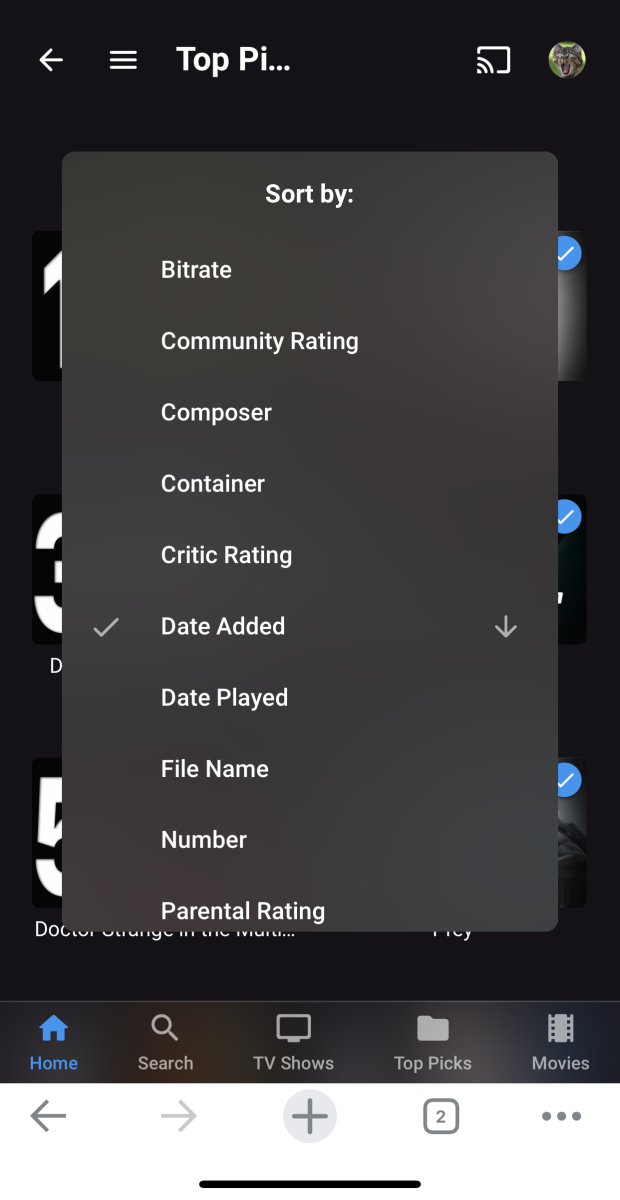
Date added should be correct
 2 points
 -
this absolutely needs doing too. i'm sure i've mentioned it a couple of times before so if its not on the list it needs adding. channel names do not need showing and to do so takes up far too much room. number and logo is sufficient.2 points
-
I will give this some love today and hopefully get it back to normal2 points
-
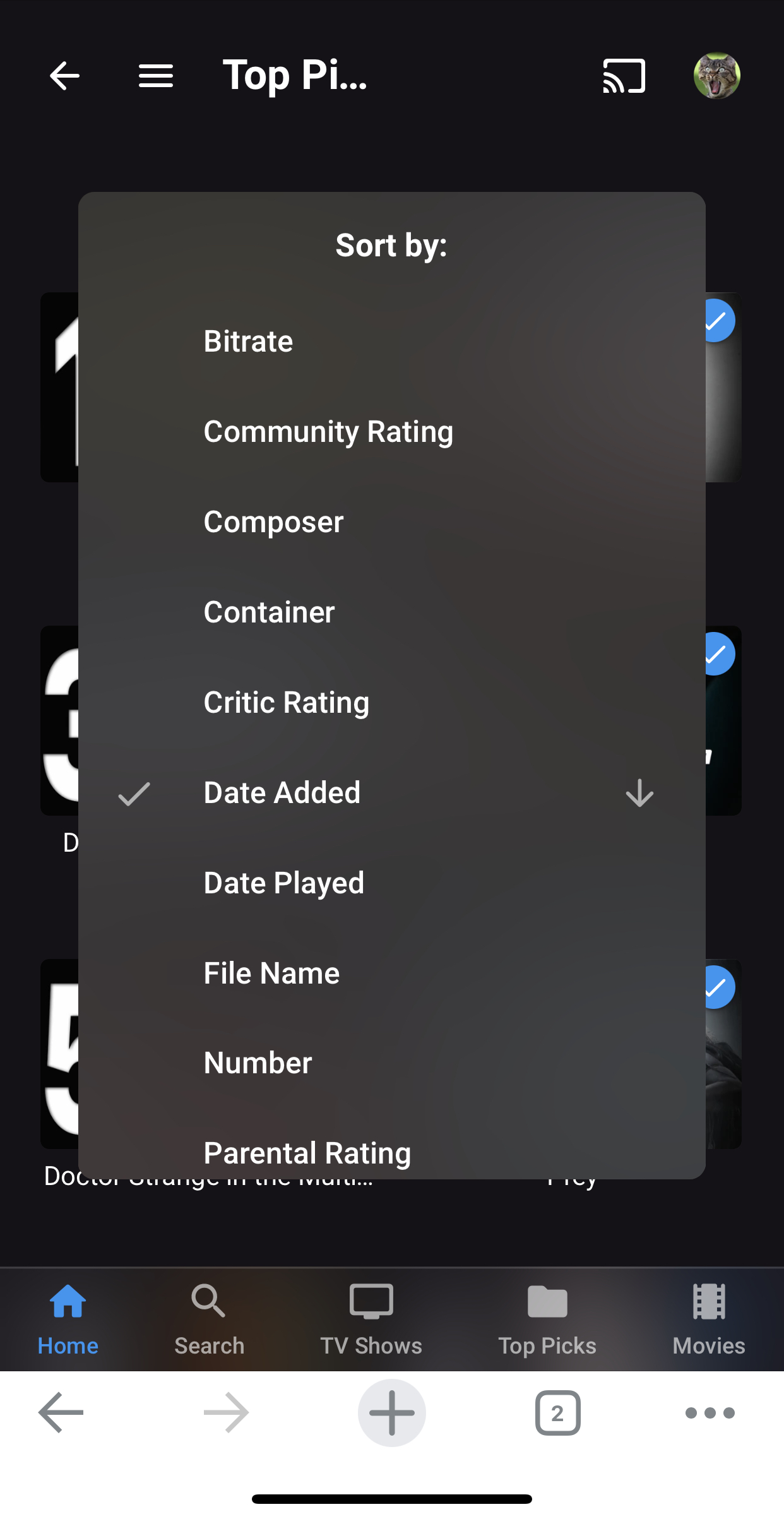
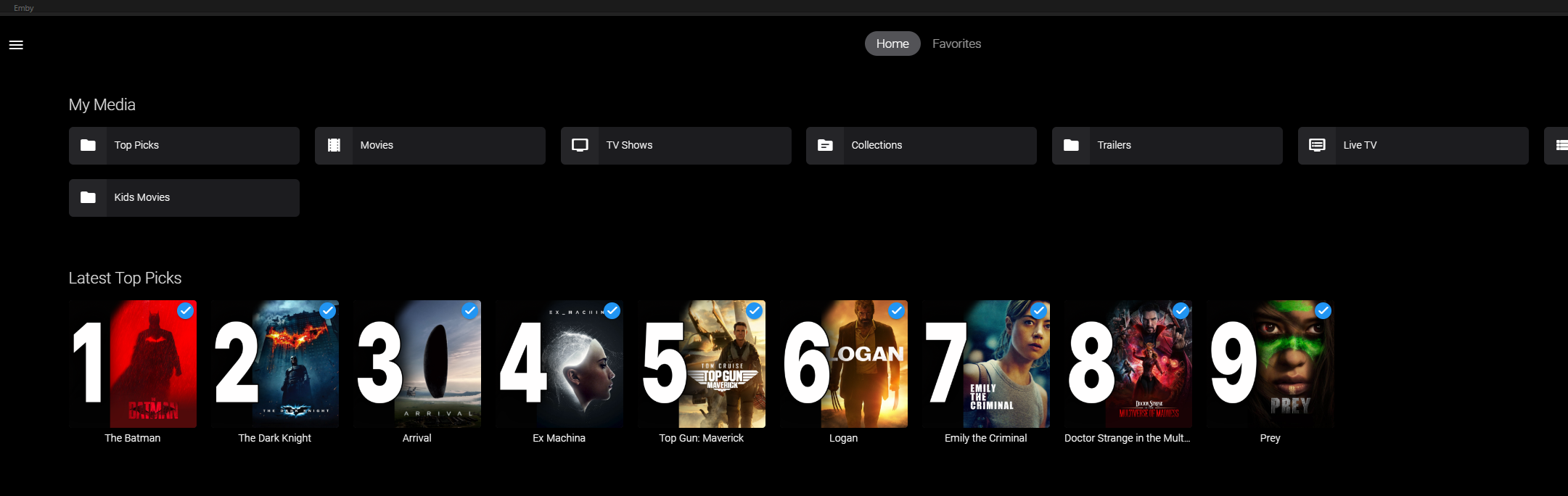
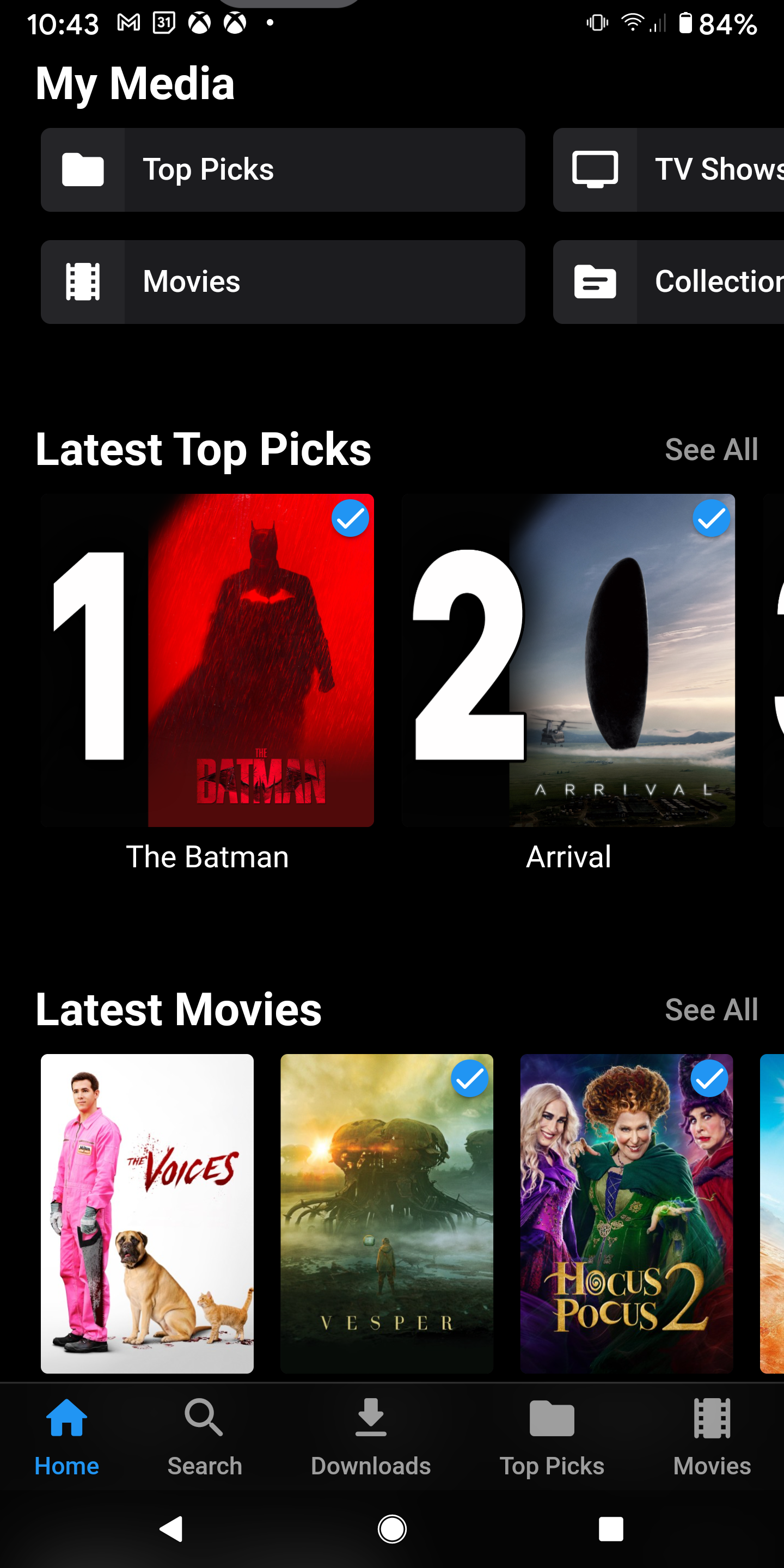
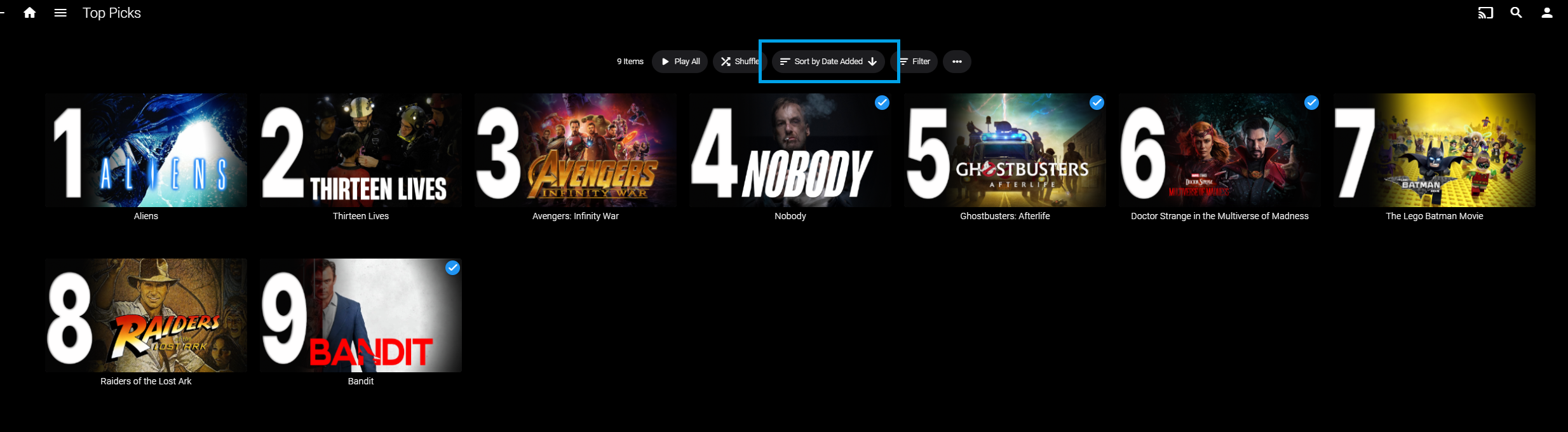
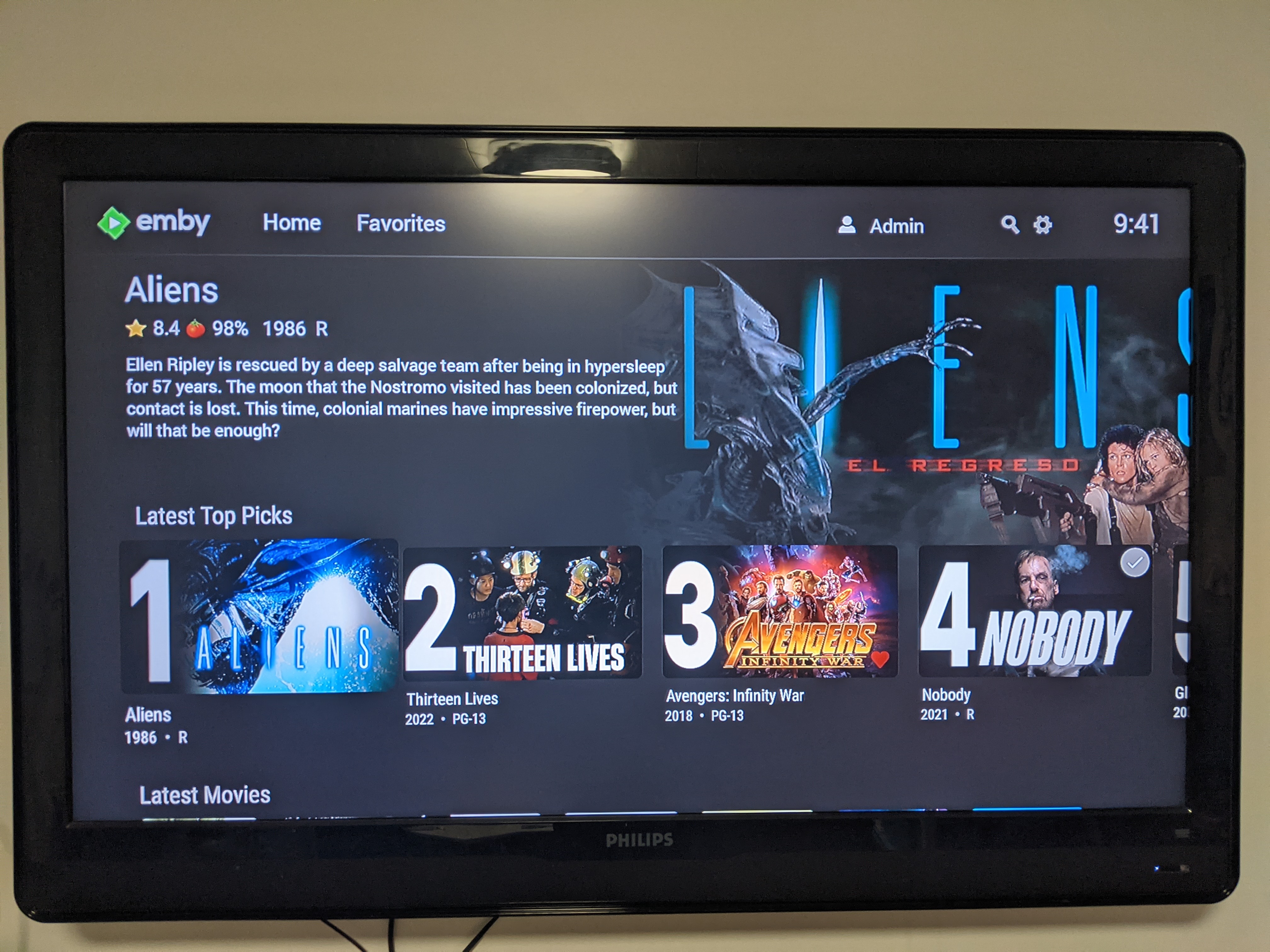
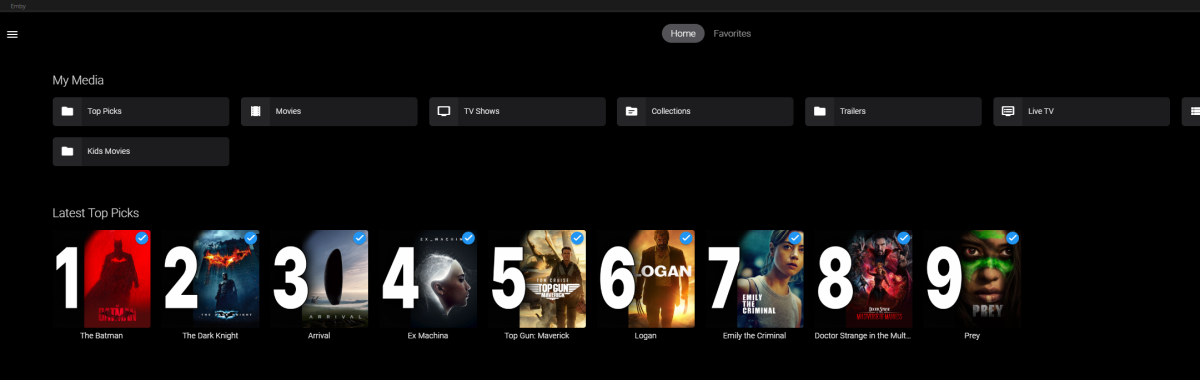
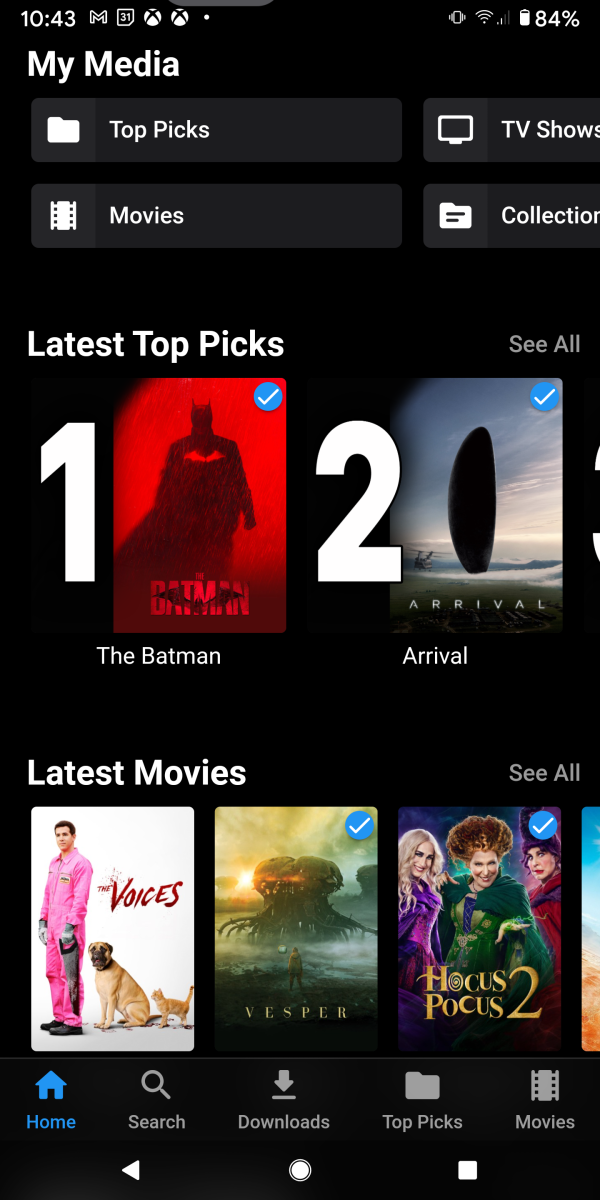
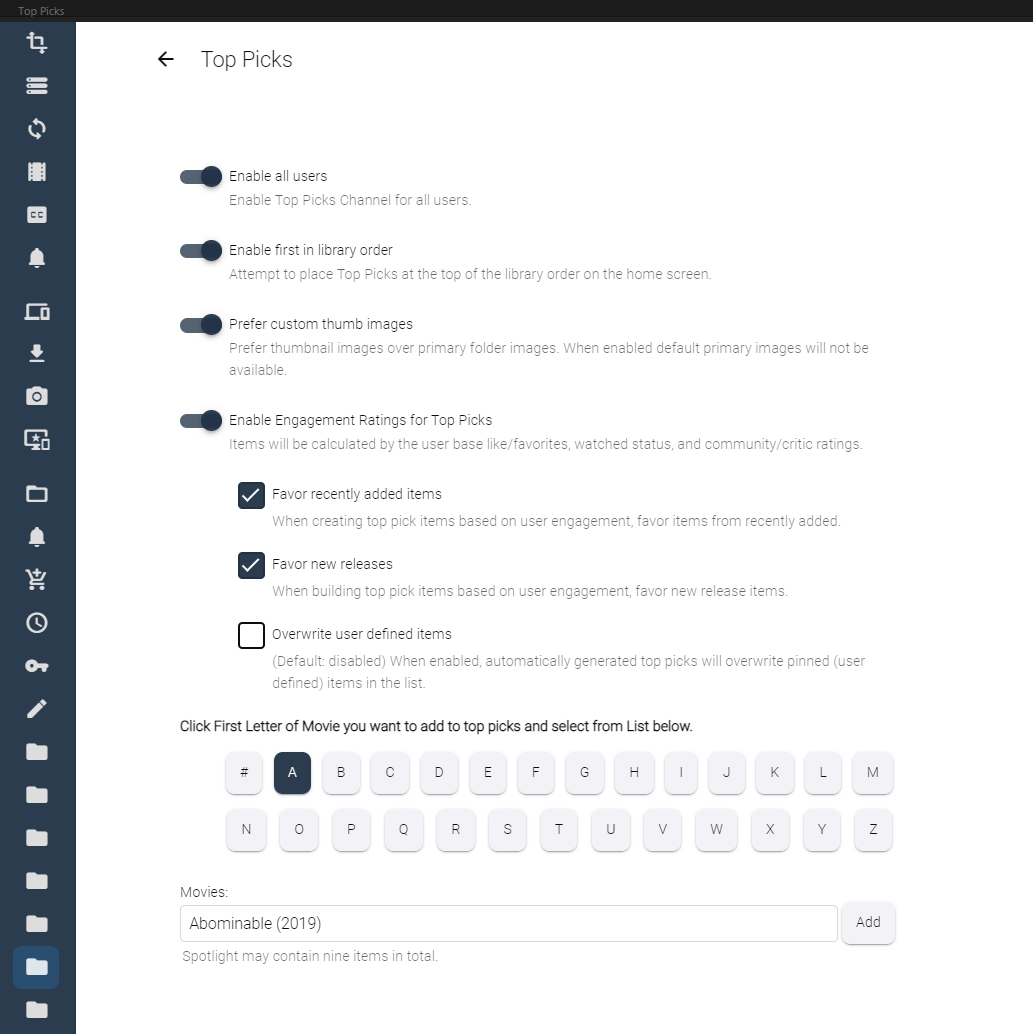
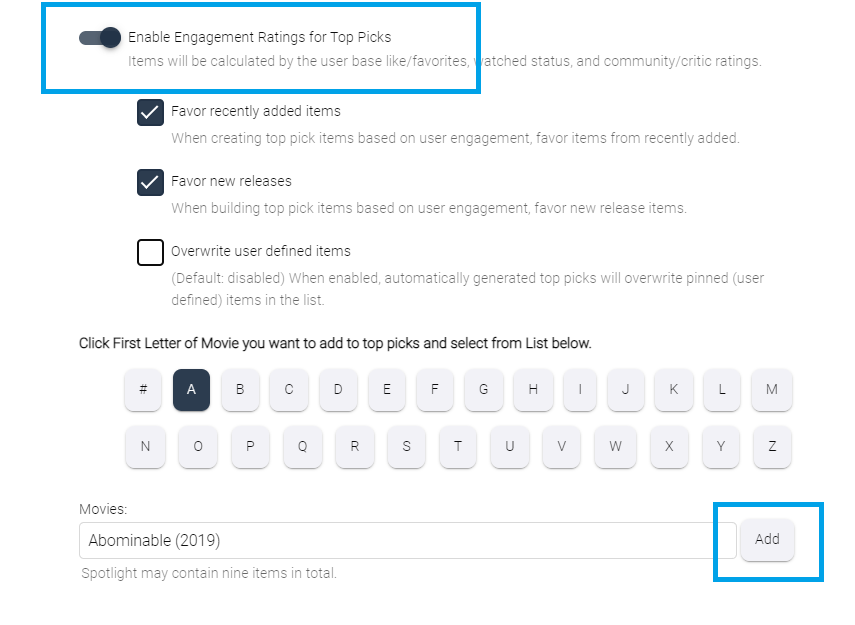
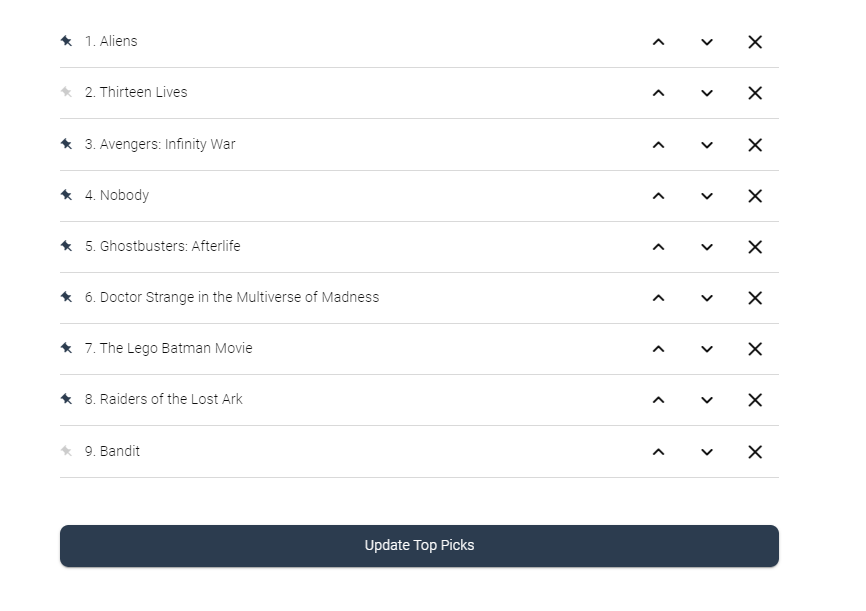
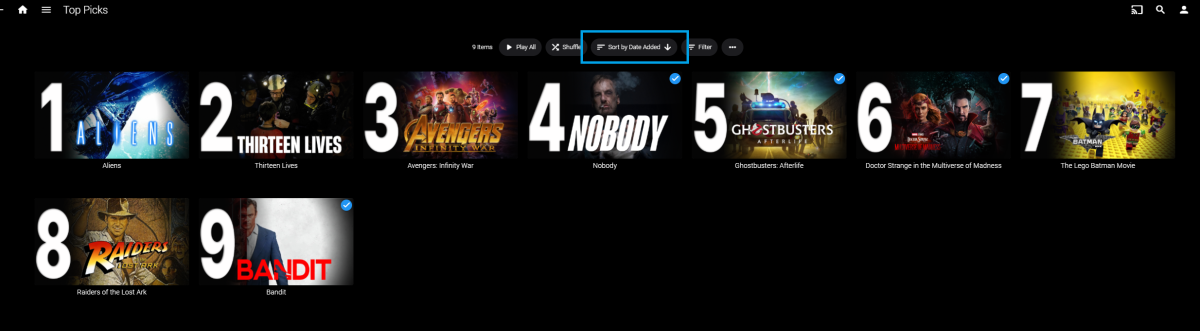
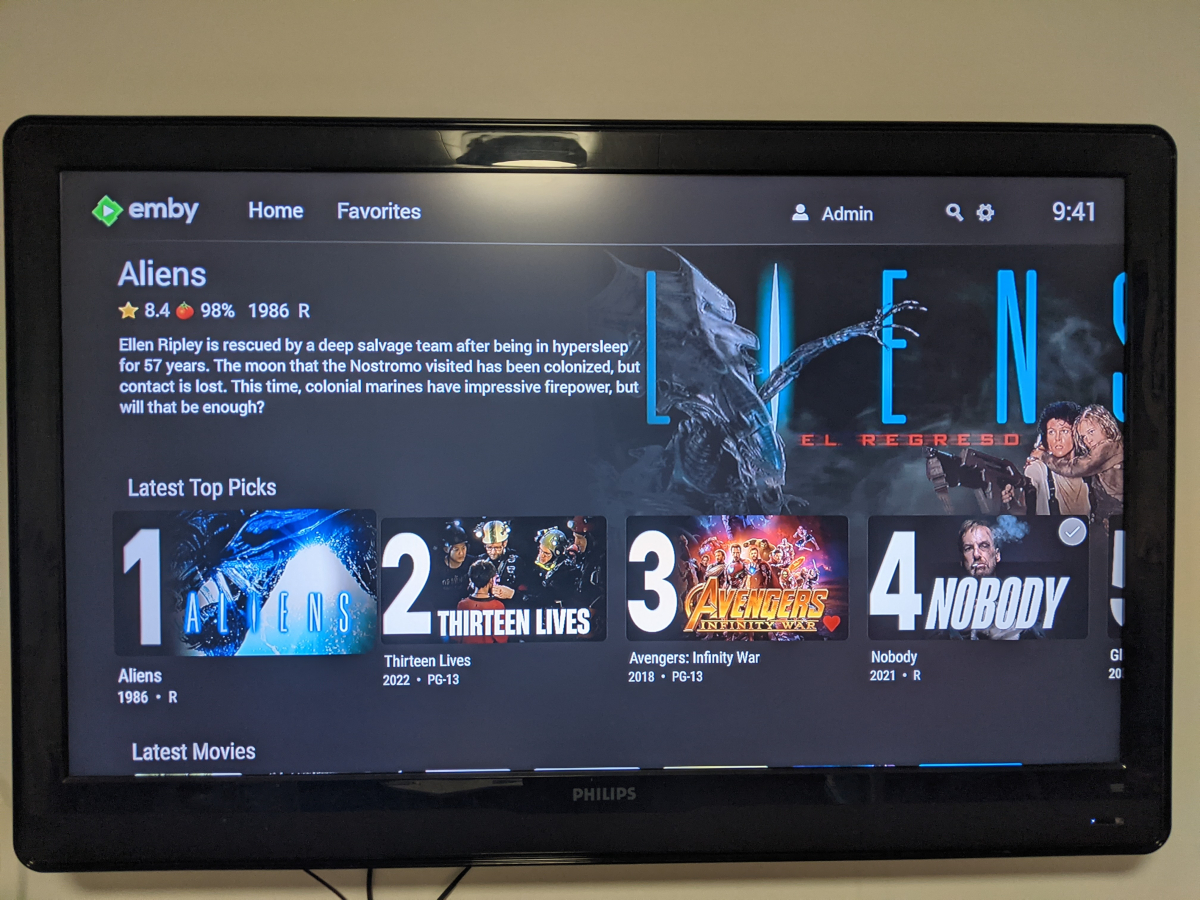
Welcome to Top Picks Top Picks will create a custom movie library with ranked items to share with your user base. Enabling settings in the top pick configuration will allow you to create a library based on your user engagement, and also customize what's being shown in the library. Note: Larger movie libraries will have the best chance at generating user engagement top pick items. Smaller libraries may only generate a couple top picks automatically. Critic rating, and community rating do play a part in choosing top pick items, along with User Likes/Favorited Items, and also Watched States. Creating, and editing the Top Picks List: After enabling, and running the scheduled task for user engagement (which will populate an initial list, but is also completely optional), you can also customize the library by adding movies of your choosing, and add-to/edit the top picks list to a maximum number of 9 items. It is important to note that users of the Top Picks library should not hide watched content from their home screen. This will ensure that all the content added to Top Picks is shown in the home screen layout. Pinning Items to the list: These items remain during the engagement rotation. This means that only auto generated items will be replaced weekly. Note: List item rotation will only happen when items are available in the library which meet the engagement criteria. This may lead to some manual up keep of the list. (In the image above, only the 2nd, and 9th item are allow to change, because they are not pinned to the list. However, the item changes will be based on the engagement results, and may not change based on the current state of the library and user engagement stats.) The more your users engage with the library, the more dynamic top picks will create lists. Favor custom thumb images over primary images: Favor custom primary images: Mobile: Android Enhanced Home Screen Layout Entering the Top Picks library you should choose to "Sort by Date Added" to have the images order themselves. There is a week long trial to test it out, after you install it from the catalog. If there are any questions please post them here in this thread. Please be kind, a lot of time, and work went into this. I'm open to further discussions regarding things that might make Top Picks better in the future as well. - chef Version 1.0.0.20 theme media is now added if it exists for a library item. Version 1.0.0.19 Current NFO files that exist in the library are now successfully used and properly altered for top pick items. This stops Emby from having to try and identify items which are already properly identified in the library. The ability to target a specific library for top pick creation. Version 1.0.0.18 Library items now have the option to show the top pick tag or not. Top picks drawing classes now attempt to draw custom thumb/primary images in memory without saving assets until complete. Version 1.0.0.17 Library is created with servers language for metadata retrieval. Top Picks will now search providers for missing resources to draw custom images for the library

 1 point
 -
Could you please add a Webhook for the New content added notification?1 point
-
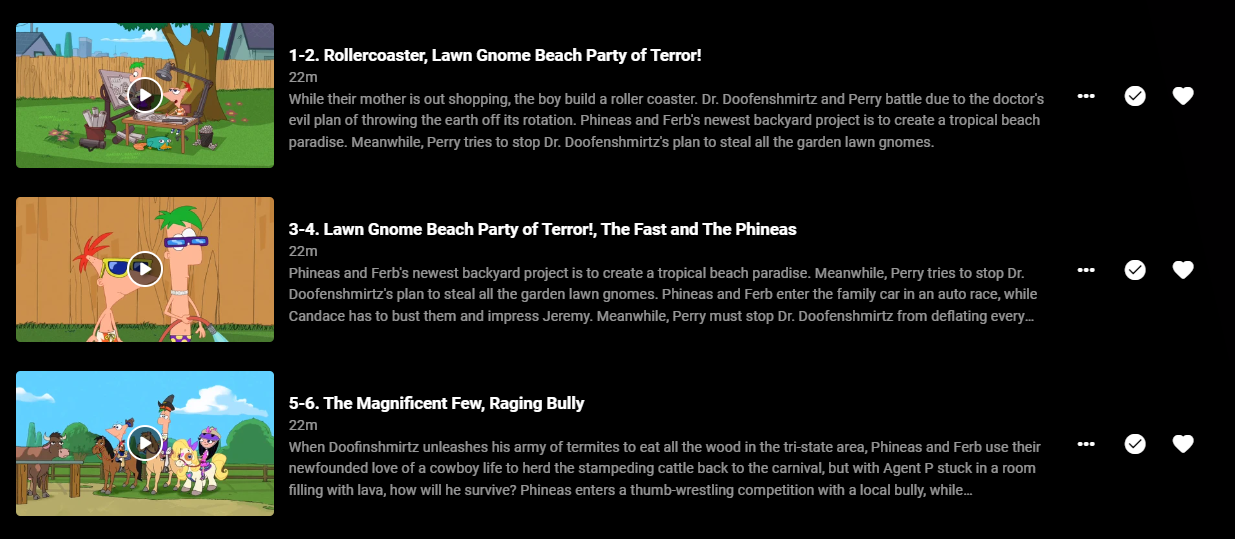
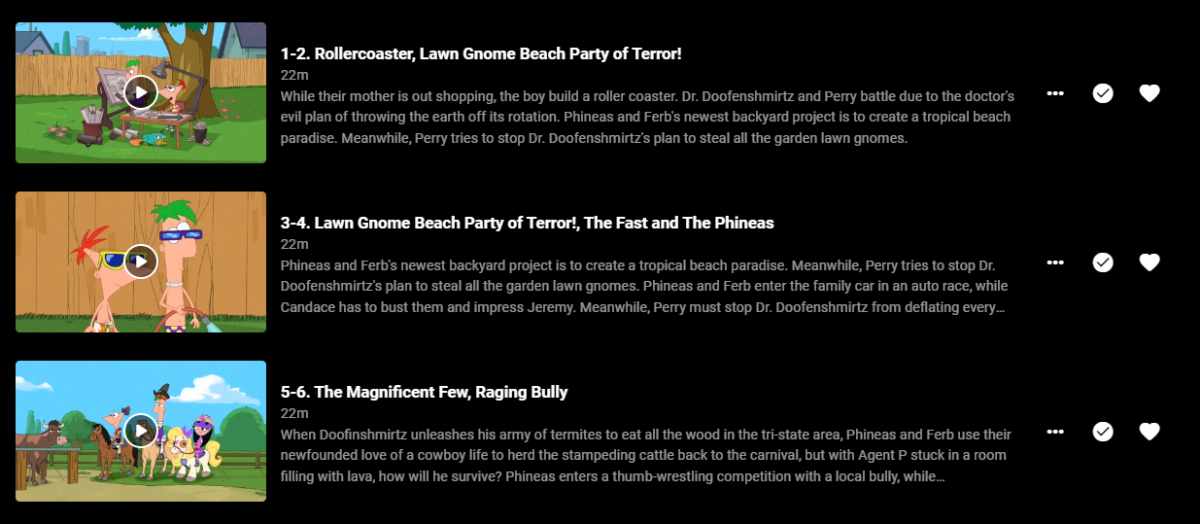
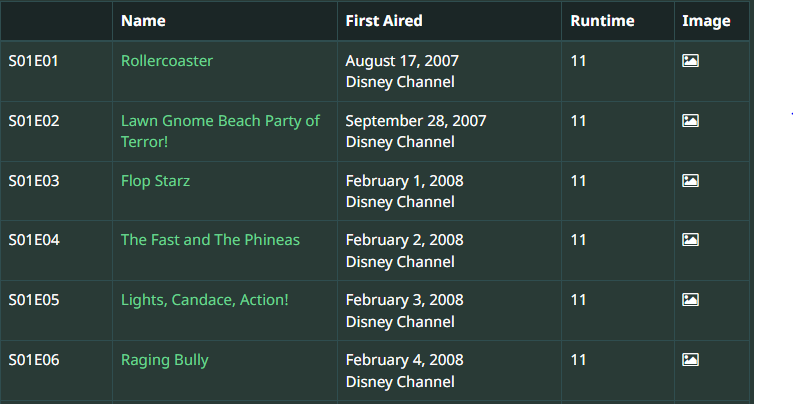
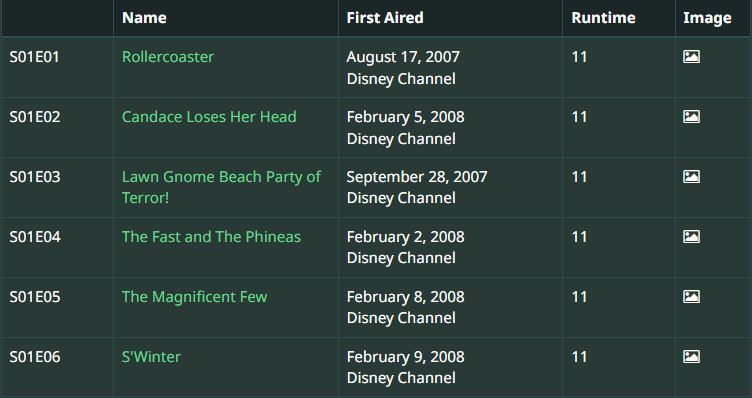
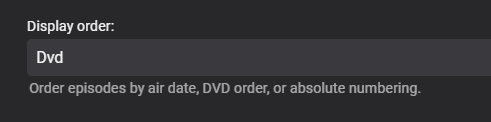
Hey Emby Fans! I had a search through and didn't see anything exactly like what I'm seeing here. I was replacing my files for Phineas and Ferb. The files are in a valid structure, run through Filebot in DVD ordering mode: Phineas and Ferb - S01E01-E02 - Rollercoaster & Candace Loses Her Head 1080p.mkv Phineas and Ferb - S01E03-E04 - Lawn Gnome Beach Party of Terror! & The Fast and The Phineas 1080p.mkv Phineas and Ferb - S01E05-E06 - The Magnificent Few & S'Winter 1080p.mkv I have confirmed the show is set to Dvd in the ordering section: What appears to be happening is it is correctly selecting the first episode based on the Dvd display order setting, but then reverting to Aired for the second episode in the file. Ep1--2 should be Rollercoaster and Candace Loses Her Head based on the DVD ordering in TVDB: But we can see it's being listed as Lawn Gnome Beach Party of Terror! as listed in the Aired order in TVDB. This carries on through the rest of the entire show, not just up to EP05-06 as shown. I tried to use SQL Lite browser to identify which of my other shows are DVD order I can verify with but I didn't have much luck finding where this is stored. Am I doing something wrong? Am I meant to have them named as the Aired order so Emby can switch it up to the right display order? The aired order is quite different to the DVD order across the seasons though, and the episodes contained in each pair are not always the same.
 1 point
 -
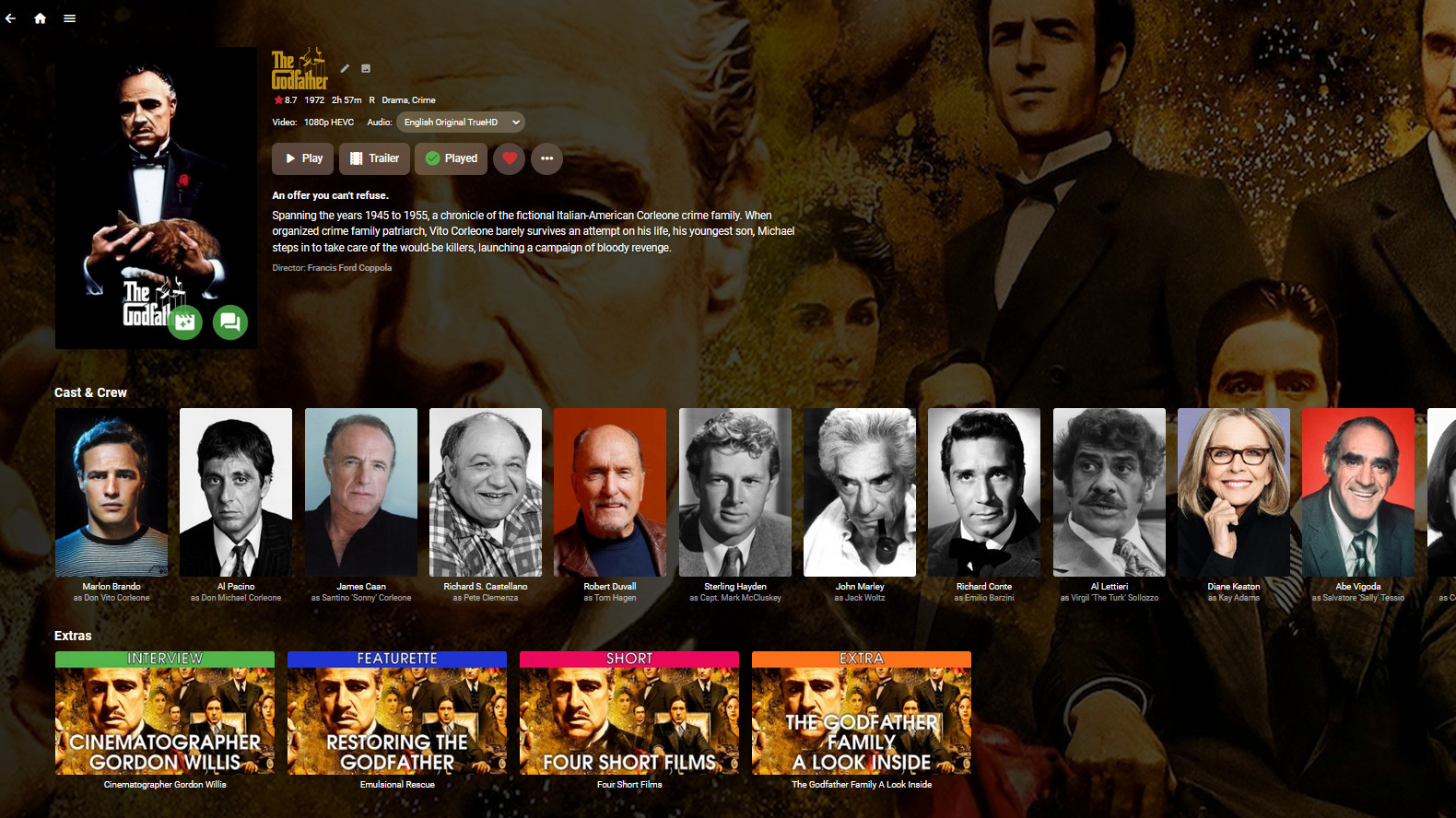
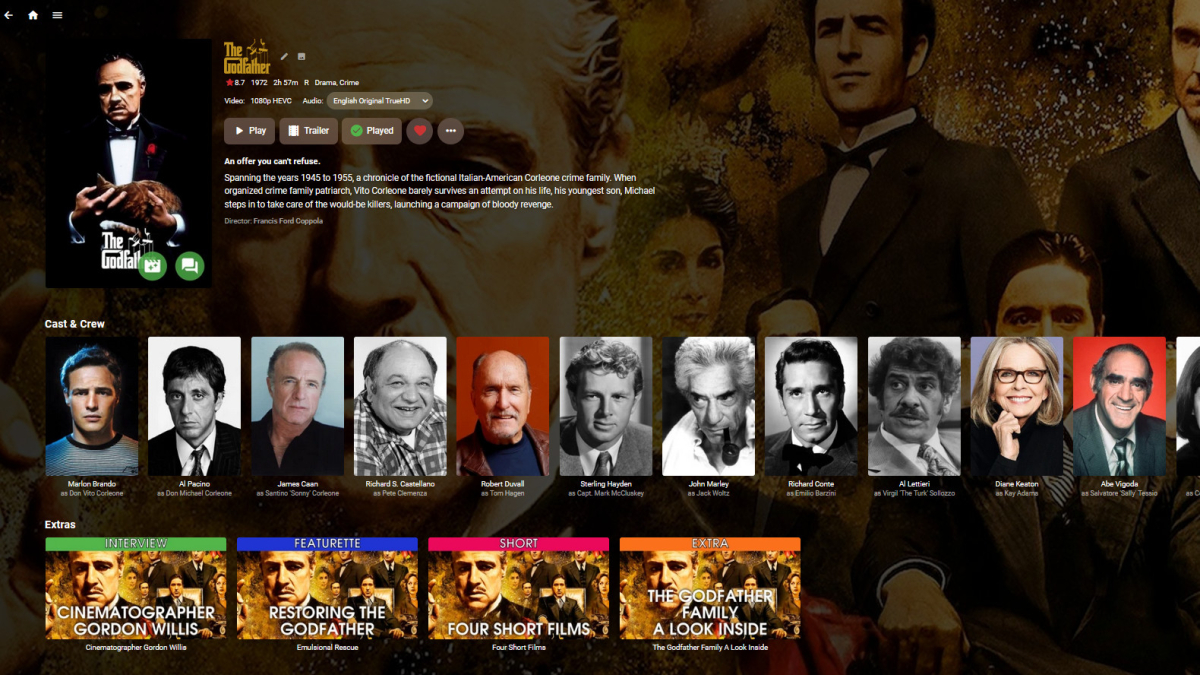
I've started preliminary work on another plugin to solve one of *my* problems, and I'd like to get some feedback from Emby land to see if any one else is interested. I have a lot of movie extras and more every day. I also like all my media to have decent looking art. I'm lazy on top of that. So, to avoid having to manually create art for every Extra I add, I've been playing around with a plugin that would generate Extra art on the fly, using art from the parent movie as a background, while overlaying the type and title. It would be configurable and look something like this: I'm also thinking about a task for sorting the extras by user preferred type. So, would this be useful to anyone else (more work, better plugin) or should I just build it for me (bare minimum, ugly plugin)?
 1 point
 -
Correct as discussed in another Channel plugin topic. Each item has their own databaseid so you have duplication of the items in the database.1 point
-
Hi! Would like to request to have the "intro Skip" saved with the media. This will help as well when moving a large library to another location without having the scan take longer as well.1 point
-
If there are restrictions on an account, the top picks will be filtered. In that case the user with restrictions will not see the entire list. This may also result in top picks skipping a numbered item. It may show: 1, 2, 4, 5, 6 etc. Where 3 is left out because of parental controls.1 point
-
Exactly, and it works exactly as advertised. For me, Personally select Movies i want my users to see as a top pick. if i don't fill the list then i can run the engagement to fill up the rest of the slots. i can review what engagement has suggested and reorder the list if i so wish in the UI. Boom Job Done!!1 point
-
Somewhere on this page1 point
-
I did try and ask a couple of times about adding stuff to the front page (like the launch icon looking wrong when on Fire TV too and In TV/Horizontal view for Live TV, instead of "Channels" being the first tile, could it be GUIDE OR make entry to Live TV the GUIDE view, a separate size option for the library tiles compared to content within the libraries) but nobody picked up on it. It seems to be only 2 people maintaining that front page, hardly inclusive if others are just ignored.1 point
-
I appreciate the sentiment. But, I think there's going to be more opportunities to build cool plugins for emby that might be worth a buck or two. For instance, what if there was way to build a deep learning algorithm based on a training set of over 27,000 movies, and over 100 000 uses ratings, that could recommend items in your library, to your users that might be better then the recommendation system currently being used? Like this:
 1 point
 -
First Off, the config section for Vantage Point XML: <TVVPItems> <TVVPItem> <Index>0</Index> <Name>Tag Match - Play Ident</Name> <IntroType>Codec</IntroType> <Path>/volume1/@appdata/EmbyServer/Idents/TV-Idents</Path> <NumberOfItemsToPlay>1</NumberOfItemsToPlay> <EnableForWatchedContent>true</EnableForWatchedContent> <EnableParentalControl>false</EnableParentalControl> <EnableSimilar>false</EnableSimilar> <UseLocalTrailers>false</UseLocalTrailers> <IncludeWatchedTrailers>false</IncludeWatchedTrailers> <MatchAudioCodec>false</MatchAudioCodec> <MatchVideoCodec>false</MatchVideoCodec> <MatchTags>true</MatchTags> <MatchTitles>false</MatchTitles> </TVVPItem> </TVVPItems>1 point
-
You can toggle the option to overwrite user defined options. This way if you manually fill out the list, and have that toggle selected, the next time the user engagement task is run, it will overwrite items in the list. Or, create the list manually, then make sure to un-pin the items you want to have change. Emby doesn't allow this.1 point
-
If we just manually fill this out, is the order set, or can the plugin randomise it from there? I'm guessing there's no way to have it at the top of the home screen without also having it at the start of the My Media section, which isn't ideal.1 point
-
Eine Ordnerübergreifende Sammlung geht nich bei Emby.D.h. Film 123 unter dem Ordner x kann nur in ein Genre/Sammlung eingefügt werden.Du hast bsp um Ordner "Komödie" die "Olsenbande" so kann das nur einmal in Deine Verzeichnisse aufgenommen werden. Dieses Manko kam schon vor Jahren zur Sprache, Allerdings hab ich auch nicht erfahren ob Plex eine Ordnerübergreifende Struktur hat1 point
-
Apparently, you can stack Playlists and Boss can seamlessly switch to next available stream. We have been asking for this feature in Emby for years. @pir8radio1 point
-
@chef personally I think you should ask for a paypal reg for your "New releases" plugin too. I think the community would be more than willing to help out. Just my opinion.. I know it's already out in the wild but that could be changed.1 point
-
Is this the correct source? https://github.com/MediaBrowser/EmbyReports/tree/master/EmbyReports1 point
-
Same versions of the app and Emby server as I have. Let's see what @Lukehas to say.1 point
-
So. It works with this method of sideloading from windows. 1. Download ADB from here (windows, mac, etc) 2. Download Emby APK from here (version 2.0.83g Registered) 3. After you downloaded those file, extract archive platform-tools_r33.0.3-windows.zip 4. In extracted folder copy the apk file, near adb.exe ... 5. Prepare you Google TV chromecast 4k. Enter on settings/system/about/ and click on android tv os build until you enter the developer mode 6. Enable USB debug In windows (11) on the extracted folder with all the files (adb.exe, .apk file) right click (anywhere in the folder) and click open in terminal. From the terminal window write like this ./adb connect YOURDEVICEIP:5555 (settings/network/YOURCONNECTION and you can see the ip). Must be in the same network your pc and chromecast. Does NOT matter if the pc is on cable or wireless. SAME network. After this confirm on your screen (google tv) check the box with trust and click OK. The last command will be ./adb install app-google-release.apk After this will get a message with ... successful. And done. You have sideloaded the last emby version, and everything works like a charm. Have a nice day! Enjoy Emby. P.S. NO NEED to install any aditional software, like file to tv, etc. It`s trusty method, no harmful.1 point
-
Whoa! Black Adam might be the best superhero movie this year! That was amazing1 point
-
PS. You need to "Anonymize" your log files. I also suggest doing a /search/replace for your IP address before uploading.1 point
-
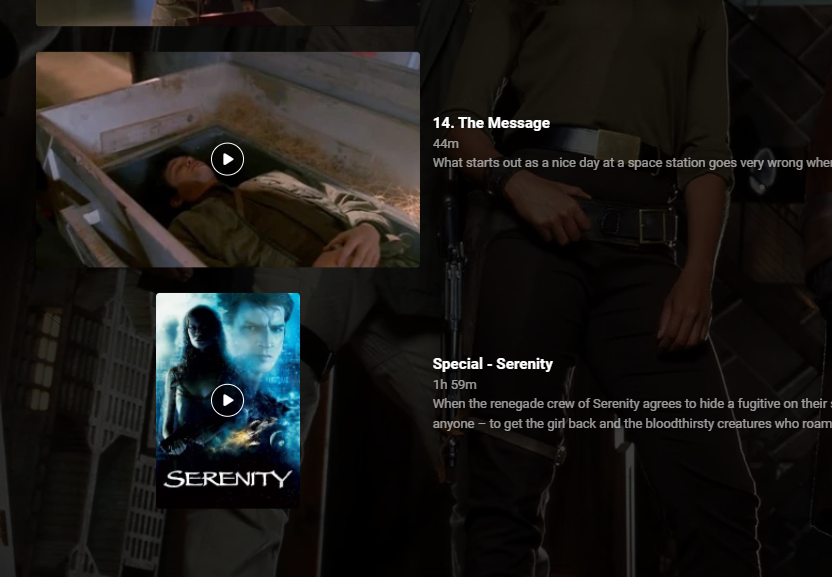
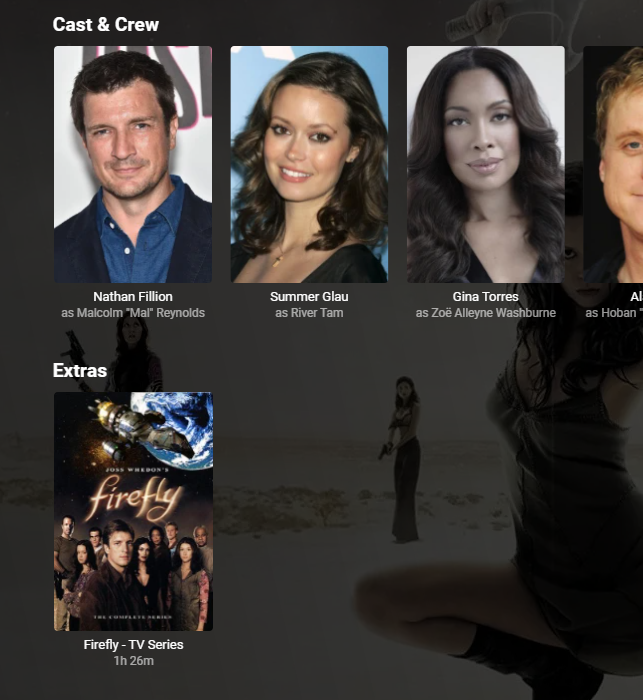
I just use strm files (with associated jpg and nfo files to match) to link films and tv series (both ways). Films linking to TV Series is a bit of a fudge as you can only link to s01e01 - not the actual 'TV Show' but at least you then know it's there. TV Show > Film link (in specials using a strm link, then just add details to the special metadata to display in the last Season (in this case) - as previously said above. Film to TV Show link in Extras (again, via strm - linked to s01e01 - you cannot link to the TV 'show' unfortunately.)
 1 point
 -
Uggh I know better than to update emby if it's working so I did and now it isn't.... Hope for a quick fix...1 point
-
Emby Server 4.7.7 - Keyword Recording, Lock Screen, Mini-Dock & More This is the latest point release of Emby Server containing new features as well as fixes for identified issues. DVR: Support Keyword-Based Recordings Newly added to 4.7.7 is the ability to record based on keyword(s). One way to access this new feature is to use the Recording tab from the Live TV interface, clicking on the Add Recording button as shown below. This brings up the following menu allowing selection of Keyword. Selecting Keyword bring up the following: Example Keyword search to DVR all Eagles NFL games regardless of day, time, channel or other criteria. Add Lock Screen Function to Video Player for Mobile Devices Tired of accidentally touching the screen and having the video jump to a new scene or doing something you didn't intend? The new lock screen will put an end to this when-ever you choose to use it. Simple click the lock button highlighted in yellow in the picture below to activate this. Any screen touches from this point on during the video will briefly bring up the following screen but do nothing else. In order to de-active this feature you would click the lock icon shown on the picture below, then click the confirm after that. This new feature is straight forward and very easy to use. Support Three-Way Navigation Menu Toggle - Switch Between Full, Mini-Dock and Flyout Modes One of the coolest features in this new release is the mini sidebar docking option. This works on mobile (Android Mobile shown below) as well as it does for desktop modes. In order to access this, click the highlighted icon shown in the picture below. Now, click the following icon one-time. You will now have the mini sidebar open as shown below. The mini sidebar is scrollable so if you have more libraries then would fit on screen you can simply scroll this menu up or down to gain access to all libraries on your system. You can click the icon to cycle through all the modes as needed. Add Image Size Display Option 4.7.7 adds the ability for users to select the image size they wish to use on each device's Libraries. In order to use this feature enter a Library and click the 3 dot menu. This will bring up a dialog with information that is library specific that displayed. You now have several choices you can choose as shown above for image size! Other improvements and fixes include: * Various database performance improvements * Stop scanning at the top of a library when it's unreachable * DVR: Don't use episode title for comparison when it matches the series title * Improved RTL supported in the web interface * Add more fields for selection in poster views * Fix support for simultaneous music and photo playback * Add option to control display of rating information at the start of video playback * Change wording of transcoding reasons to be more user friendly * Improve filter menu indicator Please report any issues you may have in the General/Windows section of our Community Forums: Emby Community General/Windows Forum View the full article1 point
-
Hmmm.... yeah. Kids channel, obviously. Thanks.1 point
-
Emby Server 4.7 - In Depth (Part 1) Emby Server 4.7 and it's point releases provide some very cool new functionality. This is the first or introduction blog post in a new series we're doing to show you some of this new cool functionality. We're going to try and publish 1 or 2 blog posts in this series each week but will depend on other releases. Let's kick this off with a cool new feature from the recent 4.7.4 release. Add new table view option The next blog post will cover the following bullet point that just doesn't do it justice: Add Episode Intro Detection and Skipping feature NOTE: if you have a request for something you would like to see covered sooner than later make sure to comment below and let us know your preference. The new Table View Option is available everywhere in the library views but we'll be showing this using a TV Library using the show names and a couple examples of episodes. You could use the table view for movies, music albums, songs or any other part of your library. Share with us your favorite use. Let's start by showing how you change the view. The first thing we want to do is click the 3 dot menu circled in yellow in the pic above which will open the following settings: Change the view from (likely) Primary to Table and you'll have a set of fields you can choose to display. For now click the top left back arrow and you'll see a new table view that looks similar to below. Now that we have an idea what it looks, like click back on the 3 dot menu and select other columns to display. Below I added a few more columns. You no longer need to use the 3 dot menu as the table has a built in way to add/remove columns quickly. Click the icon shown in the yellow square top left in the picture above. Yep, much more convenient to use. Select a few more columns to display (or select them all) and let's see what we get. If the table scrolls off the screen you can use the scroll bar at the bottom of the screen, gestures or two finger trackpad slide to scroll the grid. You can right click on any row and bring up the action menu which should look familiar. Most of the headers can be clicked to quickly sort by that column. A second click on the header reverses the sort order. The picture below shows the table is using the Community Ratings and it's sorted in a reversed order to find the highest ratings. Tip: Use the Keyboard to Jump to sections closer to your Media. You can type up to 3 characters to jump media starting with those letters. If you have a keyboard you can type up to 3 characters to jump to media starting with those same letters. This jump will ignore the commons words like "a", "the", etc f I type BON it jumps to media starting with "bon" which is helpful if you want to watch "Bones". If I wanted to quickly jump to the show "The Rookie" or "The Big Bang Theory" I would use ROO or BIG to get these results: You could use a single character like "S" to jump to media starting with "S". Typing "TR" would make it easy to access Training Day or Treadstone. Just like the Primary view you can apply filters (tab up top). This came in handy as I was trying to think of a show name my son and I watched together but couldn't think of the name. I remembered it was a Science Fiction show so I tried this filter knowing the show had been played. This filter produced the following results which had the show name I couldn't remember "Terra Nova". Looking at the Genres I could have used a couple different Genres in my search. The table view expands the viewing flexibility of Emby a great deal and we think it's going to be an instant hit! Try it in different situations, like remote use on a small screen when you want the most media showing with it's additional information while having fast loading screens since all the media graphics don't have to load. Please share with us your favorite use of the new Table View and any tips or tricks you discover! View the full article1 point
-
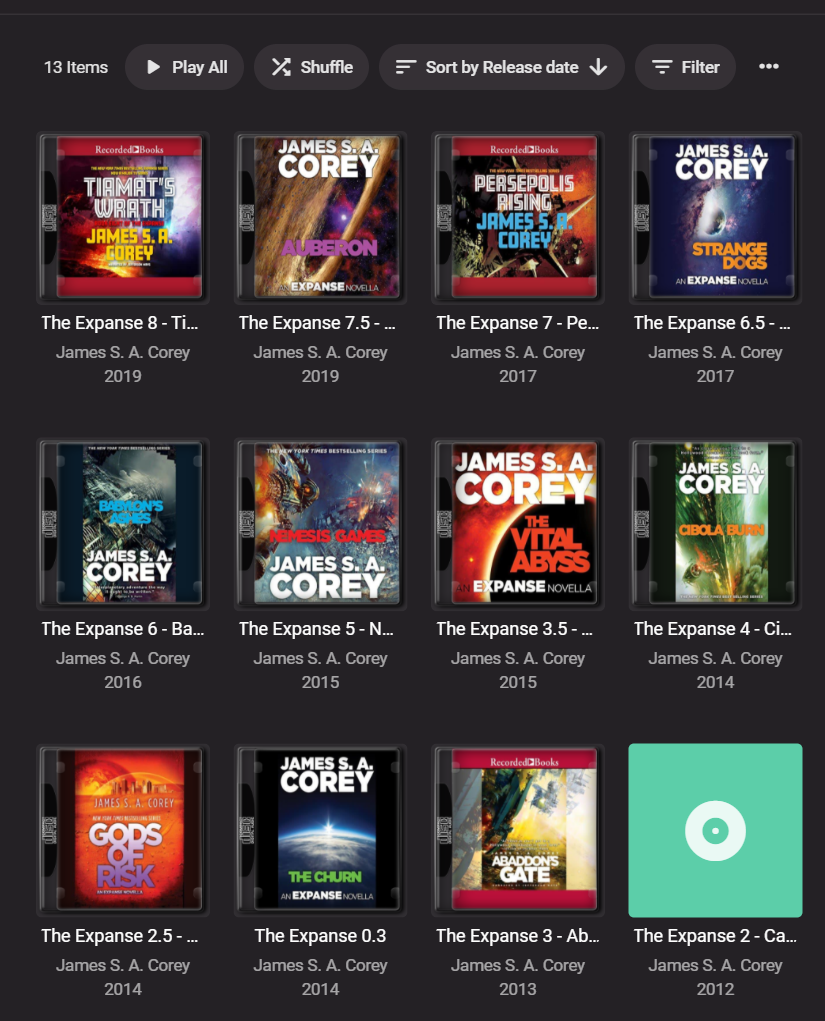
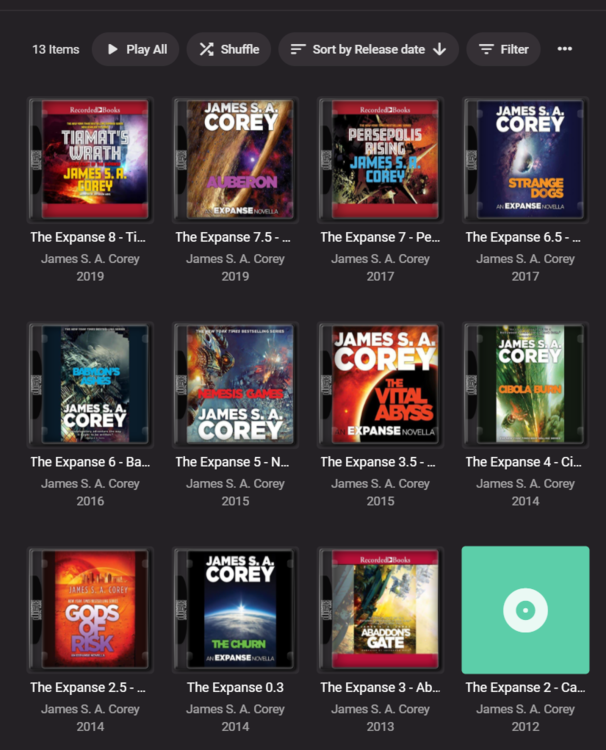
I'd love this feature -- would be much more elegant to have "collections" of books My current janky workarounds are some combination of: include the series as the "album" tag "[Series Name] [Number in Series] - [Actual Title]" have the correct publication date as the "year" tag & consistently spelled Author as the "artist" tag naming my folders in a similar fashion as the "album" tag "[Author] - [Year] - [Series Name] [Number in Series] - [Actual Title]" Obviously this has lots of limitations, esp if there are different authors across different books in the same series/collection Pic below is a current "best case scenario" for a series of audiobooks when I navigate to the "Author" --> "Albums" page
 1 point
 -
I want to create multiple backup libraries. but still don't want to show with all the members It will only open when the main library has a problem. What do I have to do in order to turn on/off once for all members? I would like the next version to be developed to be able to hide/show libraries for all members. Because I don't want to go into one member at a time because my list has many members. https://emby.media/community/index.php?/topic/99001-how-to-hide-and-show-some-libraries-for-all-members/&tab=comments#comment-10332751 point
-
You really meed to mind you own BLEEPIN business.1 point
-
It's pretty easy setting up load balancing in Nginx. With the limitation of sqllite lite I've added in read timeouts and upstream errors that mean it's not a great issue. You can use rsync if all the server instances are on seperate machines or in this case it's just one instance using multiple IP's and Nginx uses it as queue which stops any timeouts from writing to sqllite or a multitude of other delays I've picked up in logs. This server has around 1800 users connected on average- without load balancing; errors were everywhere because of the bottleneck, once I quickly popped it in place next to no errors and I can quite happily watch 2 or 300 users watched statuses updating in real time from the dashboard. I'm still tweaking this alot by the way to get the perfect balance but it works out of the box as is. We also use cloudflare- cloudlfare respects any expires headers you set so won't cache anything going to emby but if you;re really anal just create a page rule in cloudflare for the domain to bypass the cloudflare cache. The cache in cloudflare isn't the issue really, it's their 'performance rules' which you can also bypass with page rules. We have the direct paths to the media through cloudflare as well, with media images in their folders so Cloudflare in turn then serves those images instead of the servers to Kodi clients (can choose choose Webp, lossly or lossless). I also usually have it set to cache images from emby direct which works a charm but I'm troubleshooting something so I've removed the snippet from this server block. upstream emby { server SERVER1IP:PORT max_fails=2 fail_timeout=5s; server SERVER2IP:PORT weight=2; server SERVER3IP:PORT weight=4; keepalive 300; <---- allows 300 keepalive connections then drops older inactive ones to add new ones } server { listen 443 ssl; server_name yourdomain; #Very Simple SSL Setup to support all clients ssl_session_timeout 10m; ssl_certificate /pathtoyour.crt; ssl_certificate_key /pathtoyourkey.key; ssl_protocols TLSv1.2 TLSv1.1 TLSv1; ssl_ciphers EECDH+CHACHA20:EECDH+AES128:RSA+AES128:EECDH+AES256:RSA+AES256:EECDH+3DES:RSA+3DES:!MD5; location / { proxy_pass http://emby; proxy_read_timeout 20; proxy_next_upstream error timeout; <----- goes to next upstream block on an error or timeout proxy_redirect off; proxy_buffering off; proxy_http_version 1.1; proxy_set_header Upgrade $http_upgrade; proxy_set_header Connection "upgrade"; proxy_set_header Host $host;$port; include /etc/nginx/conf.d/cfip; <-------- cloudflare real IP and X-Forwarded to double check proxy_set_header X-Forwarded-For $http_x_forwarded_for; proxy_set_header X-Real-IP $remote_addr; proxy_set_header X-Forwarded-Proto https; <-------- sometimes wasn't writing protocol as https so removing variable forces it to write https proxy_set_header X-Forwarded-Protocol https; add_header Cache-Control "private"; <------ no caching headers - add different blocks for different file types with different expires expires off; <------ no caching headers - add different blocks for different file types with different expires sendfile on; tcp_nodelay on; tcp_nopush on; } }1 point