Leaderboard




Popular Content
Showing content with the highest reputation on 10/21/22 in all areas
-
Having just lost all of my previous Introskip data from the old Plugin due to a corrupt db, needing me to create a new TV library (subsequently needing hours/days worth of re-detection using the Core Introskip) - would it be possible to include the Introskip 'hidden' chapter markers in the standard metadata/nfo emby processes ? ie 1. Save the Introskip MarkerType=IntroStart,EndEnd and CreditStart in the episode NFO file. 2. On a episode/show/library import - just read the NFO as you do now, and if the data is present, then use that in the Chapter Table instead of re-detecting it. 3. Ideally allow us to see/edit that data in the standard metadata editor for that episode, but the main concern is the ability to recreate it without the need for the emby db/chapter table / ItemId dependency. Thanks.3 points
-
OK this is included in the beta server 4.8.0.13+, so you'll need that in order to try it out. It may also get backported to a 4.7 stable release but that's undecided as of now. Due to the extent of the changes, you should double check your webhooks settings and re-save them if necessary. Even more event have been added beyond the ones in this screenshot, and that's because ultimately the work done here is going to serve as the basis for a revamp of the server notifications system.3 points
-
So. It works with this method of sideloading from windows. 1. Download ADB from here (windows, mac, etc) 2. Download Emby APK from here (version 2.0.83g Registered) 3. After you downloaded those file, extract archive platform-tools_r33.0.3-windows.zip 4. In extracted folder copy the apk file, near adb.exe ... 5. Prepare you Google TV chromecast 4k. Enter on settings/system/about/ and click on android tv os build until you enter the developer mode 6. Enable USB debug In windows (11) on the extracted folder with all the files (adb.exe, .apk file) right click (anywhere in the folder) and click open in terminal. From the terminal window write like this ./adb connect YOURDEVICEIP:5555 (settings/network/YOURCONNECTION and you can see the ip). Must be in the same network your pc and chromecast. Does NOT matter if the pc is on cable or wireless. SAME network. After this confirm on your screen (google tv) check the box with trust and click OK. The last command will be ./adb install app-google-release.apk After this will get a message with ... successful. And done. You have sideloaded the last emby version, and everything works like a charm. Have a nice day! Enjoy Emby. P.S. NO NEED to install any aditional software, like file to tv, etc. It`s trusty method, no harmful.2 points
-
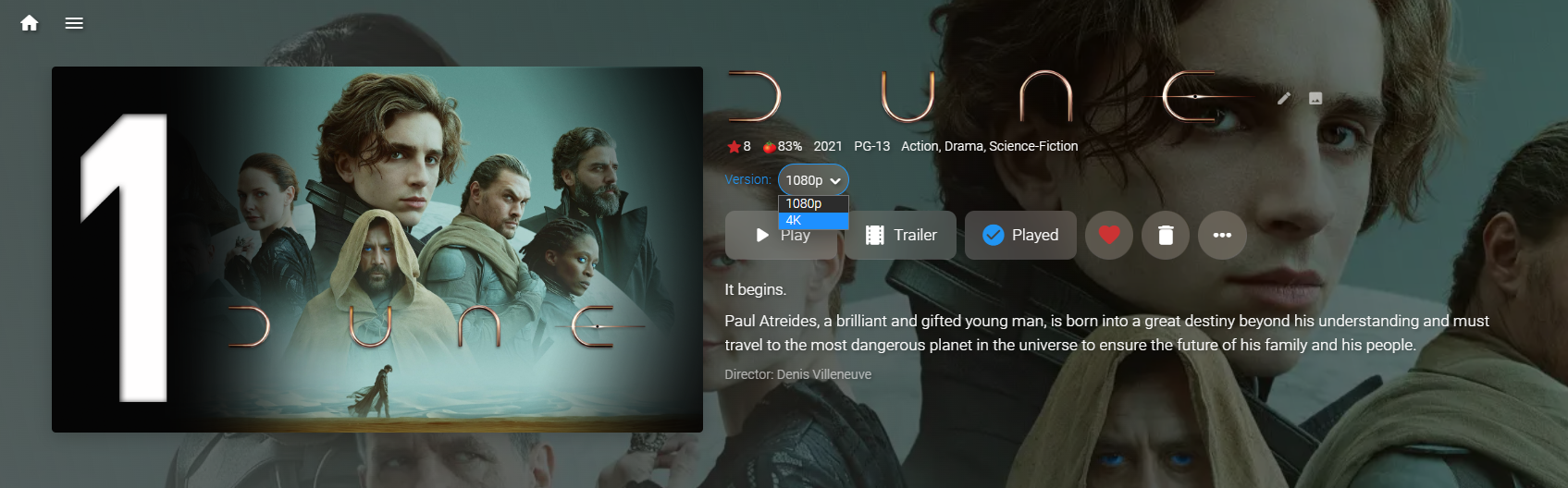
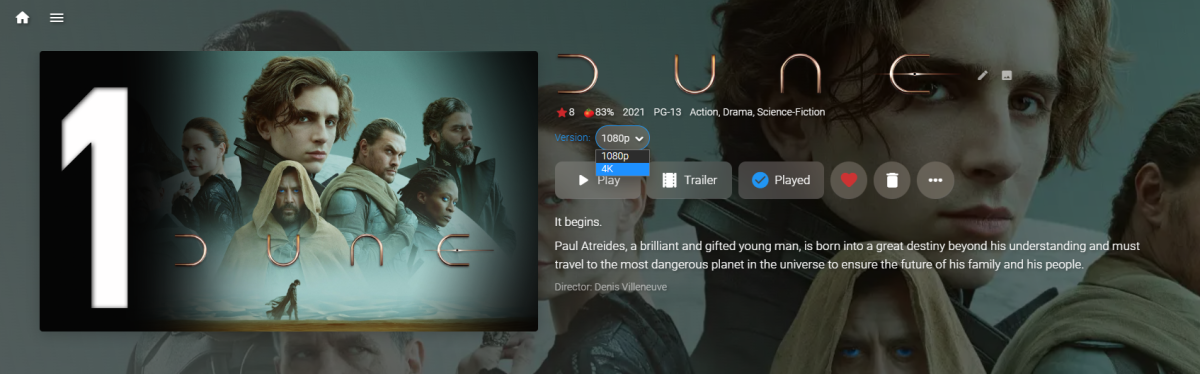
That sounds correct. That is how I understood it while learning naming and versioning during development of Auto Organize. Top Gun (1986)/Top Gun (1986) - 1080p [ Theatrical ].mkv Creates a version: "1080p Theatrical". Top Gun (1986)/Top Gun (1986) - 2160p [ IMAX ].mkv Creates a version: "2160p IMAX" Which become available on the details screen of the movie. The square brackets should be the last part of the file naming before the file extension, and anything after the dash ("-") is what is read for version naming. Dune (2021)/Dune (2021) - 1080p.mkv Dune (2021)/Dune (2021) - 4K.mkv
 2 points
 -
HI, yes some sort of edit and backup process for this is planned for future updates. Thanks.2 points
-
I restarted the server.. then waited until the scan library was ready.. then moved the episode back...and within 5 minuts emby updated!!! It seems that it is working now Thanks a lot all you guys!2 points
-
Well, there has been 1 more development this evening. I changed the USB power supply to my Fire TV Stick. Now I can stream at close to 20mbps without stuttering, comfortably at 10mbps. Obviously the stick was not able to draw enough power, but now can. One to remember.2 points
-
I hit "play all" on a collection and it doesn't show the next film in "Next Up" after I quit out of it. This is apparently intended behaviour, and the same applies to playlists. This is absurd. Why even have the "play all" option? Who's sitting down to watch a full collection's worth of films, or a full playlist? I have playlists for The Prisoner for its various episode orders, and there's no way I'm getting through them in one sitting. I was going to make that my next show to watch but if I'm going to have to keep track manually of my progress through the playlist it makes the playlist fairly pointless TBH. There's no reason playlists or collections shouldn't show up in Next Up.1 point
-
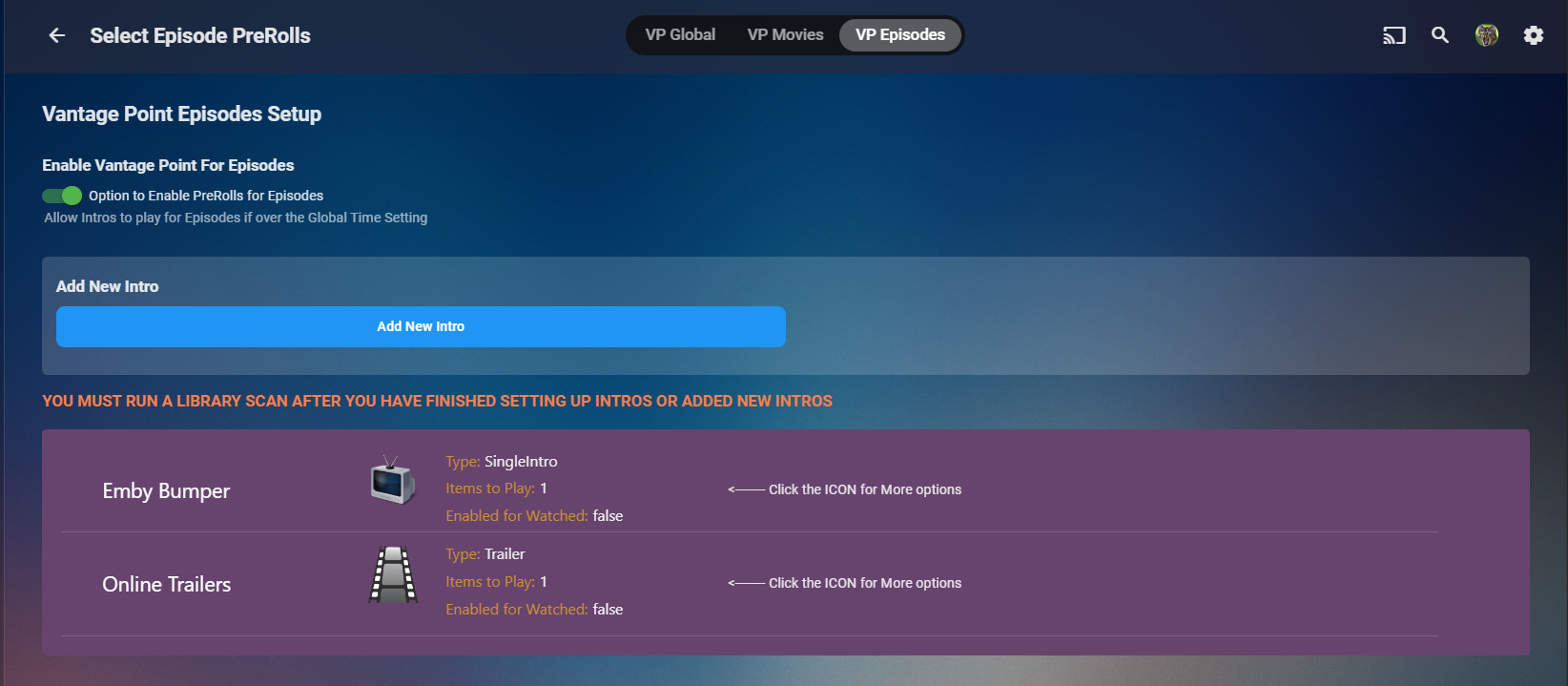
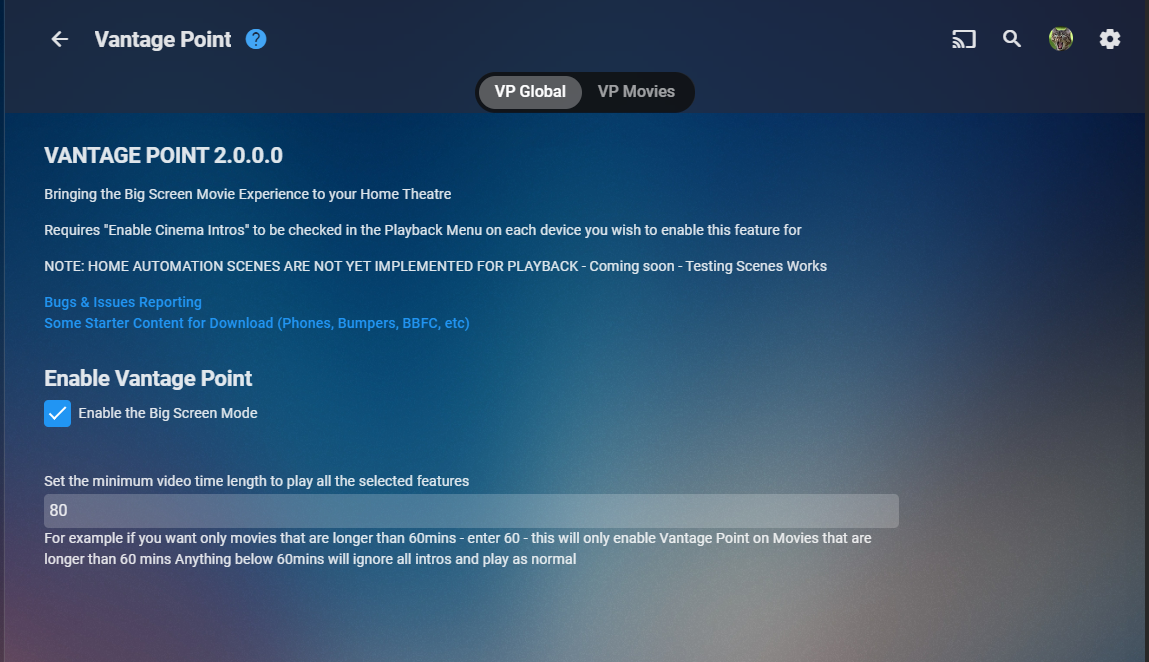
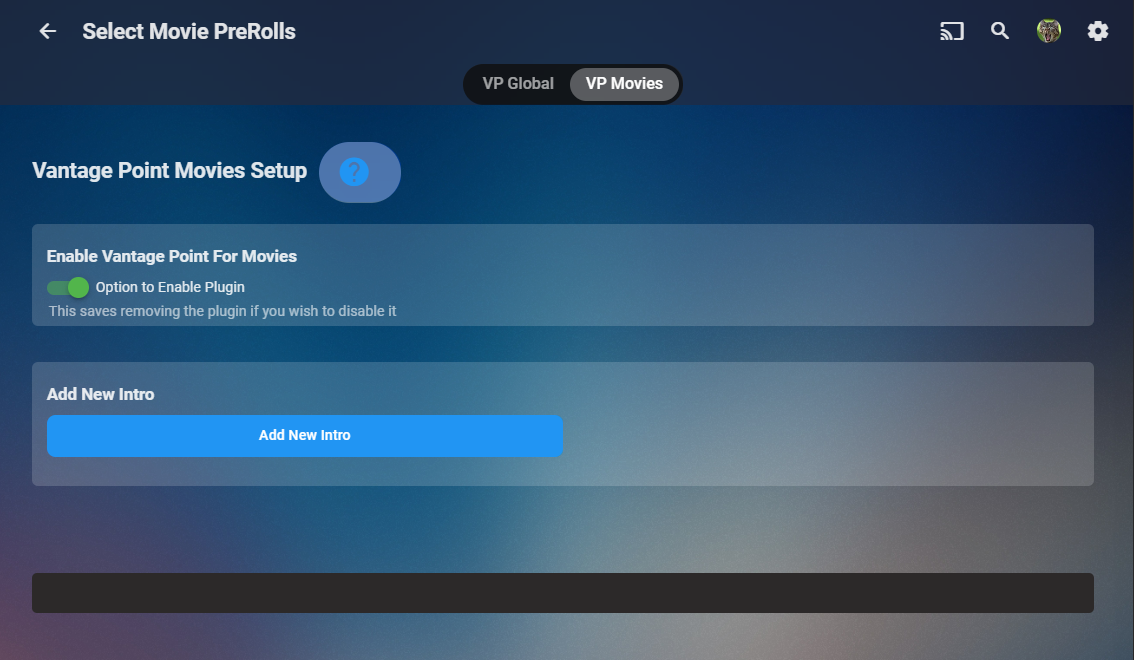
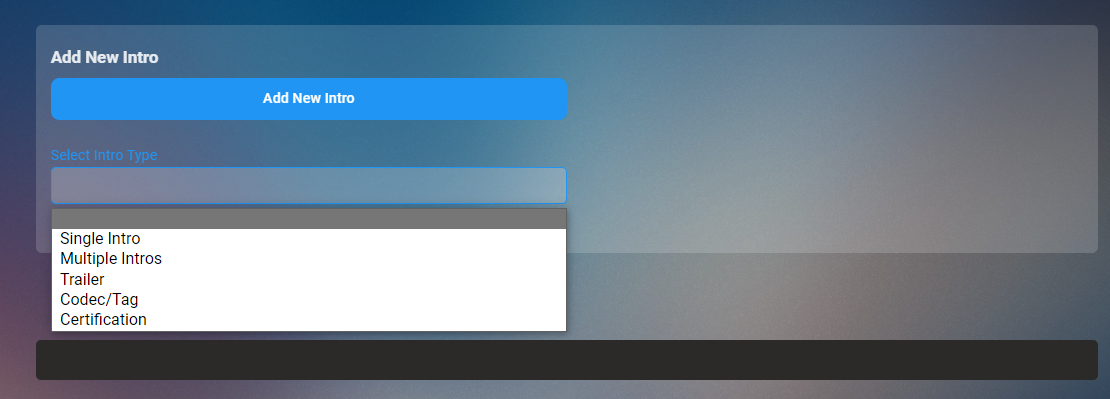
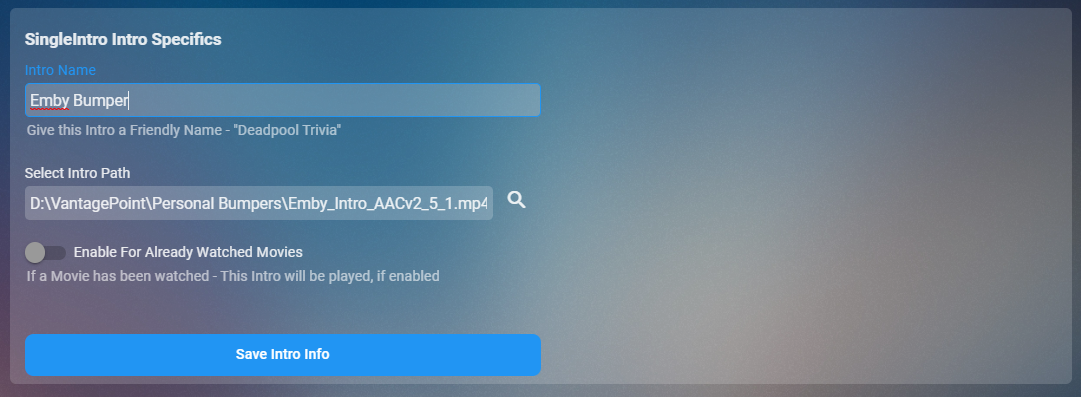
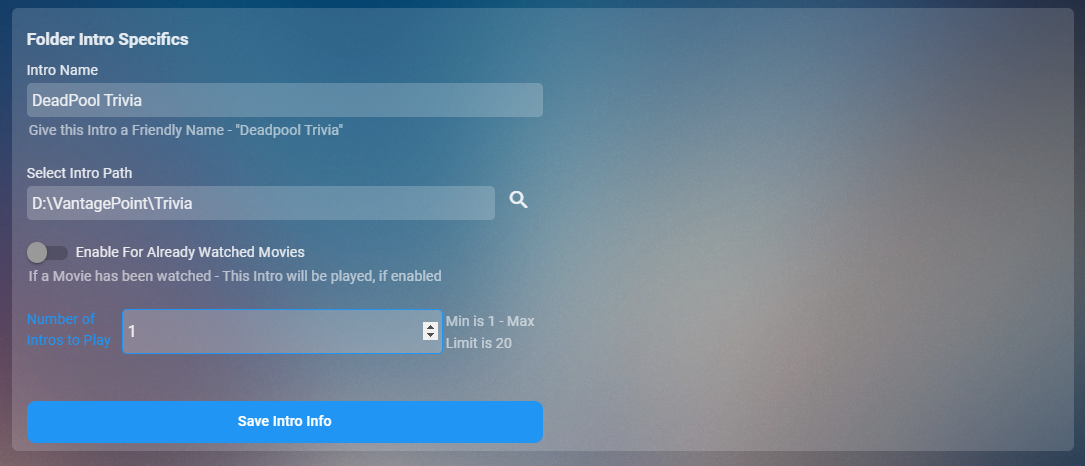
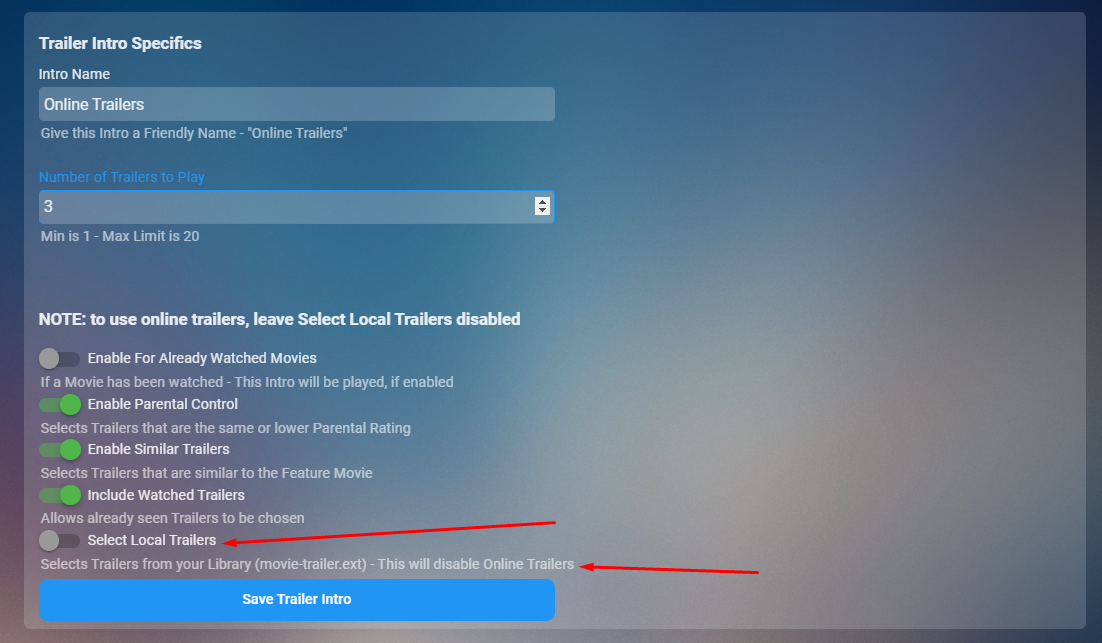
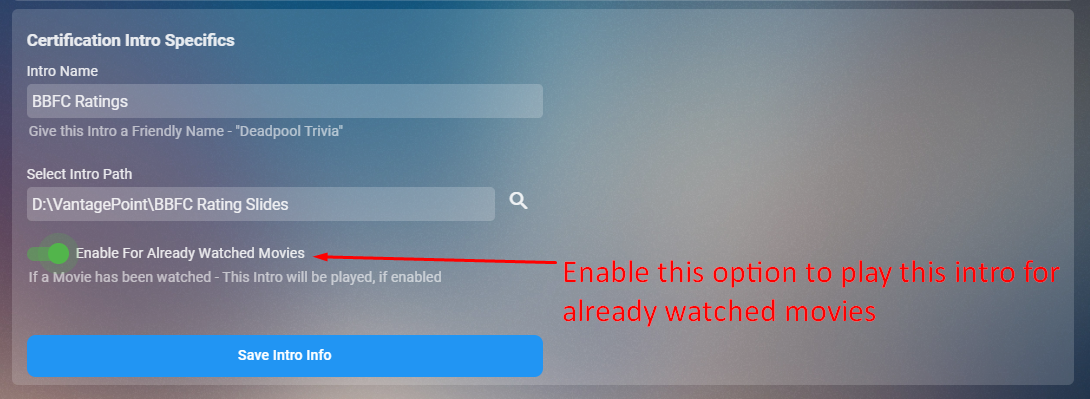
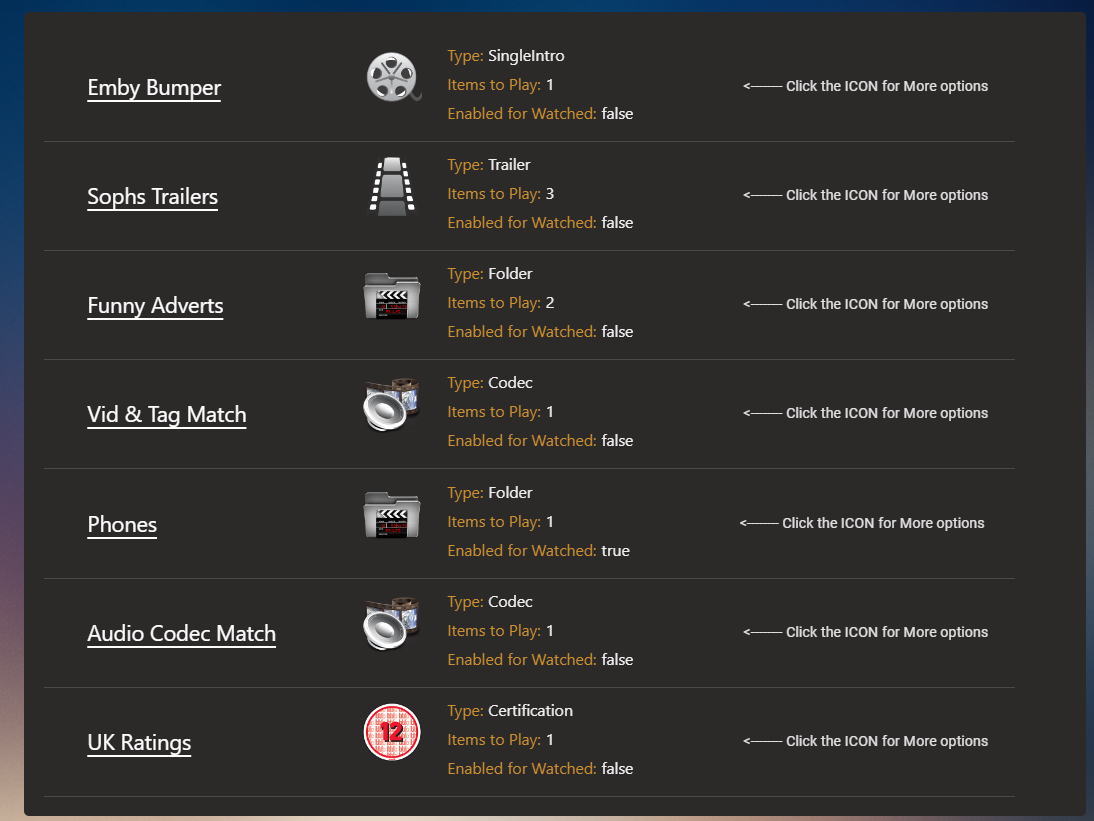
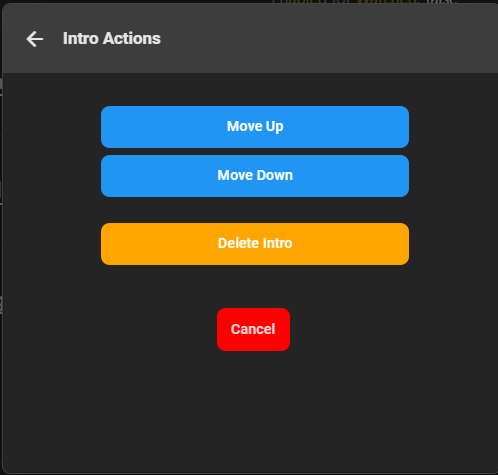
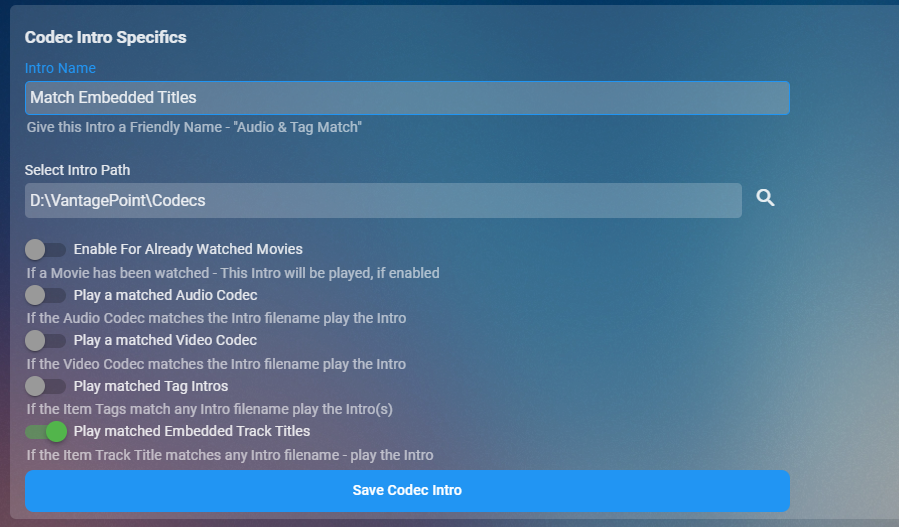
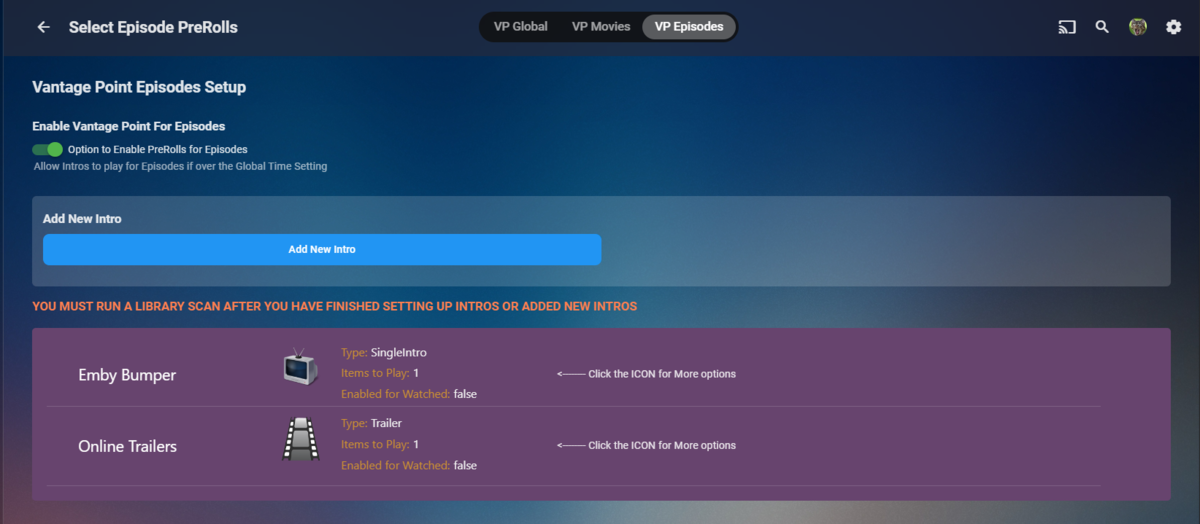
Cheesey Productions brings you Vantage Point 2.0 PreRoll Intros for that Cinema Experience The original VP was both confusing and cumbersome to organise your PreRoll Intros. Now after a complete rework with both the configuration UI and the backend workers, it's intuitive, easy and the possibilities are endless to create your intros. The new UI VP GLOBAL TAB VP MOVIES TAB Click on Add New Intro and then select from the following options YOU CAN GIVE YOUR INTROS A FRIENDLY NAME TO HELP YOU KNOW WHAT IT'S DOING Single Intro - Use this option to select a single video file to play Multiple Intros - Use this option to select a folder of video files. Random selection is done during playback Trailer - Select this to use online trailers or local trailers(trailers inside movie folders) if local trailers is switched to enabled - online trailers are dismissed if local trailers is not switched to enabled - online trailers will be played. Codec and Tags - Select Video, Audio and/or tags, Embedded Track titles can also be matched - requires a video file with the same name as the codec/tag in a folder Certification - This is MPAA, BBFC, FSK, etc ratings. video file must be the same as emby Rating. eg GB-12A.mp4 Your intros will populate in the list below Click on the Icon to get more options, where you can move the intro around in the sequence TV Episodes has now been added Hope you enjoy it. V2.1.0.1 RELEASED Adds functionality for TV Shows Changes "Rated R" rating to just "R" custom Strings for matching embedded Track Titles is now removed. If you are using these you will need to delete and create a new intro based on next point #4 Match Embedded Track Title switch has been added. Minor Bug Fixes


 1 point
 -
Hi, Emby's subtitle feature has come a long way since I started using MB3 and I think the next step is now possible. The OpenAI group has released 'Whisper' a python (there is also a cpp implementation available) module that can be run locally to generate subtitles in 99 different languages (although english is the most efficient from a resource perspective currently) for any file containing audio. This is a OSS model that can be implemented (maybe as a plug in) across many OSes and would allow the generation of subtitles for things that currently lack them. Without hardware support it can't run in real time but as a scheduled task could be run during slow periods for a server. https://arstechnica.com/information-technology/2022/09/new-ai-model-from-openai-automatically-recognizes-speech-and-translates-to-english/ for a overview https://github.com/openai/whisper for the Github of the project.1 point
-
I would love the ability to increase the size of subtitles on the different platforms, specially android, chrome and roku... One additional thing that would be great would be the ability to change font color, outline, drop shadow, font background... Thank you1 point
-
I don't think you need to. I'm pretty sure that is the reason. Missing episodes is the #1 feature I wish we had never added so I can't lie and say they don't occasionally get neglected.1 point
-
Yes this should have been on a to-do list for a while. Show your support here.1 point
-
Hi, yes I agree it makes sense. Thanks for the feedback.1 point
-
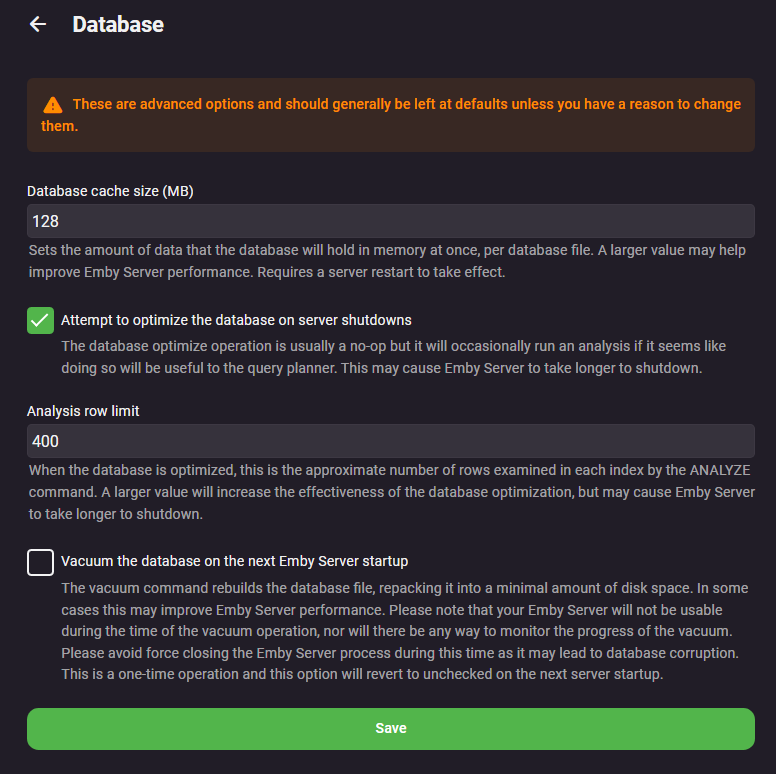
You need to correct your iNotify issue. The configured user limit (8192) on the number of inotify watches has been reached, or the operating system failed to allocate a required resource. Have you tried vacuuming the database? Your device has very limited RAM but have you tried adjusting DB Cache size?
 1 point
 -
Currently there ain't. You can lend your support here:1 point
-
Hi @Luke I didn't think about it at the time, I'm not sure if there are any links to some of the issues I've had, but I should mention that I also have Emby installed on my Linux seedbox, using Ubuntu 20.04. I don't think there's any correlation, but just in case, I thought i'd mention it.1 point
-
Please add this function to change audio/subtitles track at item card with no start playing. Following thread:1 point
-
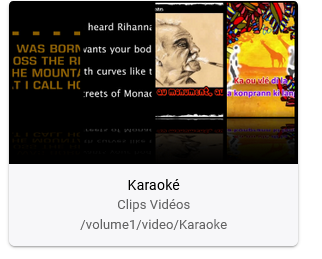
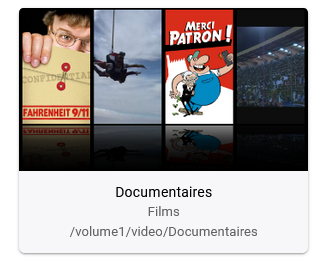
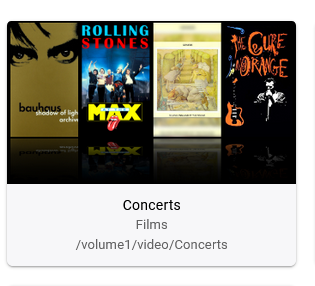
yes, and i have some library movies for "concert" and "documentary" which refer to an artist and for these library, i choose the movies libraries because the grabber are more complete
 1 point
 -
Issue resolved ,thanx.. had to add 433 port within my server url1 point
-
You have to shut down Emby, delete the Collections options.xml via Emby Programdata path */root/default/collections, start Emby and you will see Collections library is now Mixed Content and you delete/remove Collections which causes a library scan and new corrected Collection it any Collections still exist. Sorry don't know Docker paths.1 point
-
It finally finished. Thank you so much. At least we have the .net framework updated even if I can not do the docker right now1 point
-
i restarted pc , its working fine now1 point
-
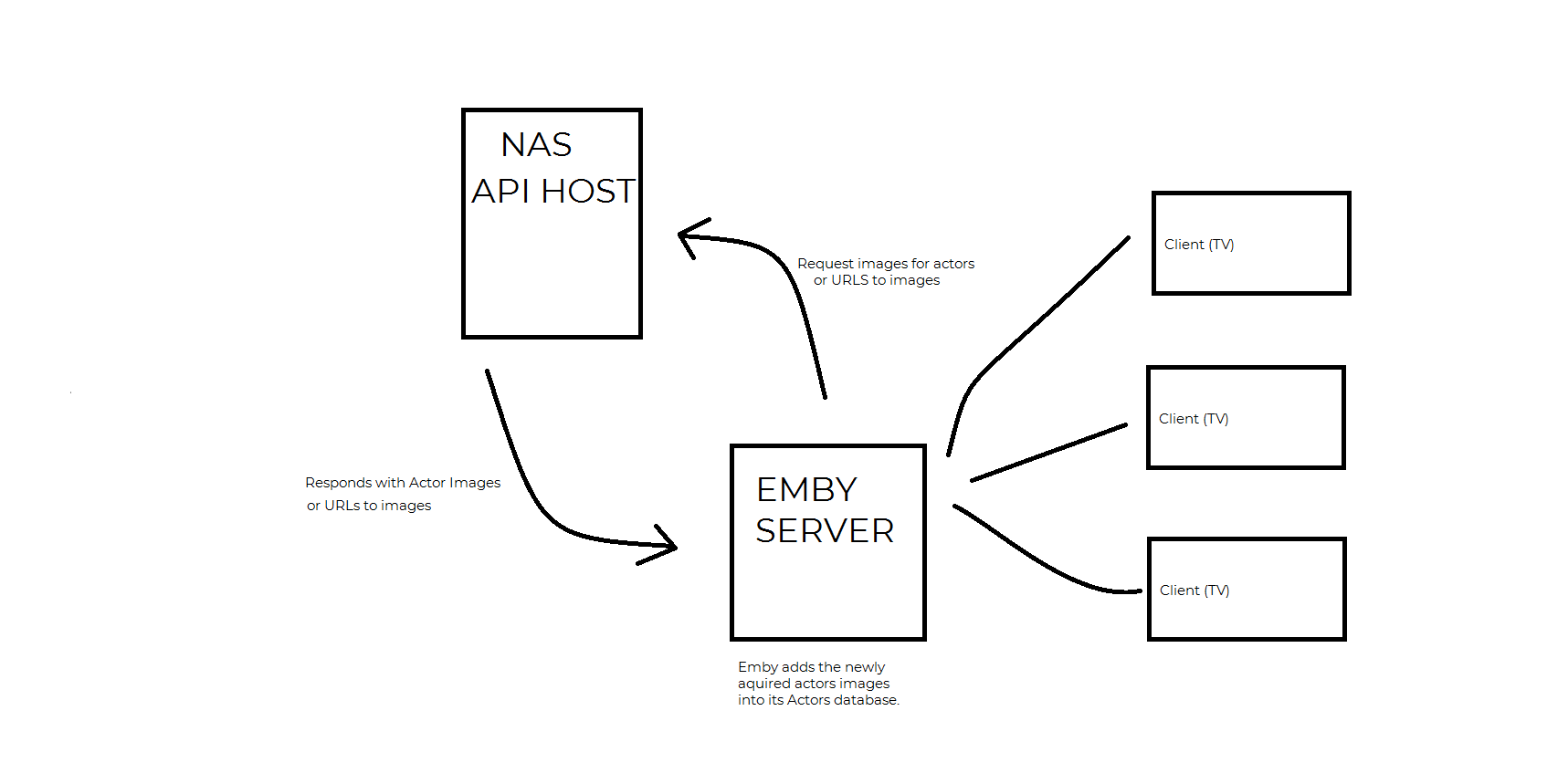
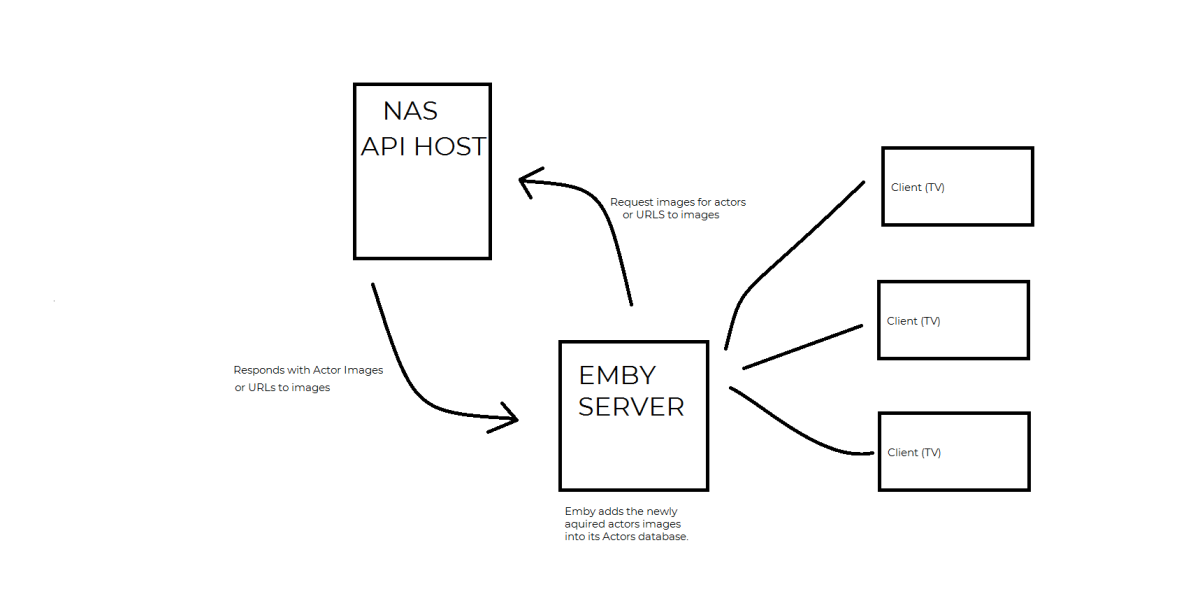
I really hope this helps. I'm not a very good teacher, and I apologize. using System; using System.Collections.Generic; using System.IO; using System.Text; using System.Threading.Tasks; using MediaBrowser.Common.Net; using MediaBrowser.Controller.Entities; using MediaBrowser.Controller.Plugins; using MediaBrowser.Model.Serialization; namespace Emby.Example { public class TempClass : IServerEntryPoint //<== Because I inherit IServerEntryPoint, I initialized when the server starts! Thanks Emby for taking care of this for me. { private IHttpClient HttpClient { get; set; } private IJsonSerializer JsonSerializer { get; set; } public static TempClass Instance { get; set; } //<== I am a public object that makes it possible to access me from anywhere in my application. public TempClass(IHttpClient httpClient, IJsonSerializer jsonSerializer) { HttpClient = httpClient; //<== I was added through Emby's dependency injection! Thanks Emby for giving me a fully initialized object I can use! JsonSerializer = jsonSerializer; //<== I was also added through Emby's dependency injection! Thanks Emby for giving me another fully initialized object I can use! Instance = this; } private async Task<Stream> GetResponseStreamDataFromMyApi(string url) //<== I am an example of a method that will request data from my API. { var requestOptions = (new HttpRequestOptions() //<== all the options your API is expecting during the request/response transaction. { AcceptHeader = "", //<== All the Headers my API is expecting to get when requesting data goes here. Url = url, //<== the URL I will use to request/access data from my API. RequestContent = "application/json" .AsMemory() //<== I am telling the API I am about to send JSON data in this example. But, there are many possible content types I could send. //Note:I am using AsMemory extension methods from System.Memory namespace so I am left off the HEAP. It looks trick, but is not. }); var response = await HttpClient.Get(requestOptions); //Go get it! I am await'd so response will eventually continue with my data. so I'll chill return response; //<== I am the response stream from the API. I contain all the data that the API just gave me... } public async Task<MyResponseClass> GetDataFromMyApi() { var streamData = await GetResponseStreamDataFromMyApi("MY_API_URL"); return JsonSerializer.DeserializeFromStream<MyResponseClass>(streamData); //== I am now a fully serialized object of whatever cam back form the API response. } public void Dispose() { } public void Run() { } } } public class MyResponseClass //<== I am an example of a class that will hold data that returned from my API. { public string Name { get; set; } public string ImageUrl { get; set; } } You can use the TempClass anywhere in the plugin, using the "Instance" variable. In essence it is now a sort of Singleton. (You can read more about design patterns later perhaps). var myData = await TempClass.Instance.GetDataFromMyApi()
 1 point
 -
Hi, there's already an open request for this or something functionally equivalent. Please join in and contribute to the existing discussion at:1 point
-
Also to add, this plugin changes the actual MKV headers (track titles) - so worth looking at it via mediaInfo itself to see if it's track titles have been changed - if they haven't, then the problem is squarely with emby somewhere .. if they have, then perhaps they have been overwritten/re-acquired. Because the plugin keeps track of what it has changed (by Itemid), it won't attempt that item again - so you need to force it using the 're-process' option within the plugin.1 point
-
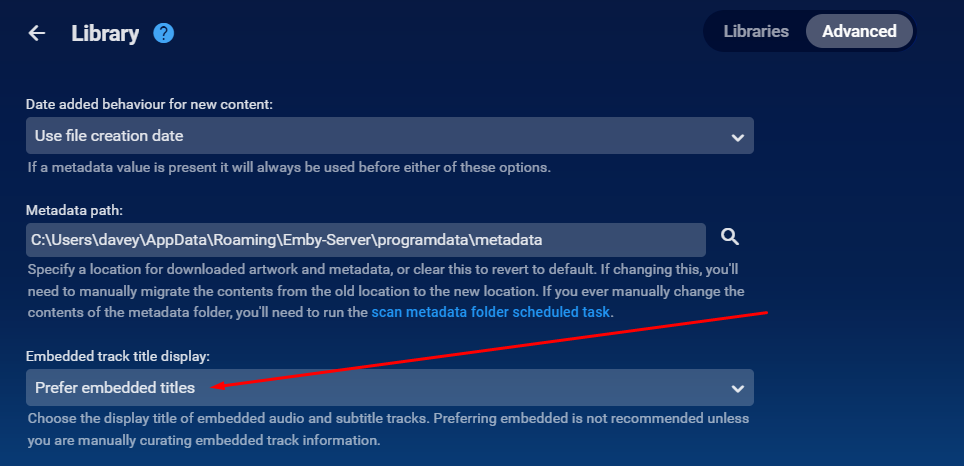
Hi there i'm not sure i understand. Are you saying the "use embedded title" setting is reverted to use display titles. When the plugin runs it actually sets this setting to use "Embedded Titles" so i can't see why this would happen. Also this only works with MKV containers.
 1 point
 -
It seems that beta .12 had a lot of problems with anything that needed transcoding and Synology. As I'm now remote I have been considering reverting back to stable but, like many on the beta, it's hard to leave Now that beta .13 is out things seem to be much better. The vast majority of the betas have been very stable but occasionally one throws up problems that can take a few days to sort out. On balance I've been happy on the betas and will remain using them. My server is used mainly by me and close family.1 point
-
Bonjour à tous, Nouvel utilisateur d'emby, et plutôt content, je teste en ce moment, je vais passer peut être à la version premium Je recherche un agrégateur de l'ensemble de mes flux video et audio Emby correspond à mon besoin et en plus je l'ai mis sur mon Nas synology donc top. Je vais tester la fonctionnalité IPTV. Il manque juste une intégration netflix, amazon prime, disney afin de tout avoir sur Emby et pas besoin de naviguer d'appli en appli. Est ce que vous savez si cette intégration est possible ( comme plex ) et si elle est à l'étude ? car ça serait top. Emby serait l'outil d'agrégation de video presque parfait.1 point
-
salut c'est une traduction qui porte a confusion faut creer une mediatheque (TV) c'est celle la pour les series TV ....1 point
-
Currently only available for movies1 point
-
Thanks for the clarity with the update, I havent really got time to mess with side-loading apps, just got the CCWGTV to be simple and works out of the box... I'll eagerly await Google to approve your new version with the fix1 point
-
If you have a USB C hub with PD{power delivery) you can also connect it to your Chromecast, download the APK onto a USB flash/thumb drive, and then install one of the file explorer apps from the play store on your Chromecast. Then just allow that file explorer app to install apps from unknown sources in system permissions, and then click the APK file on the thumb drive you've inserted into the USB C hub connected to the CC, and the Android package installer will install the APK as a normal app.(sorry for that long run-on sentence lol) This is how I sideload everything. It sounds like a lot of steps and more complicated than it actually is, but it's actually quite simple, assuming you have the USB C hub to connect to your CC. Can also add extra storage to the CC with the hub attached with a thumb drive inserted. Best of luck! Also... This is the USB C hub I have that works perfectly with my CCWGTV, and very reasonable priced...Plug the CCWGTV power cable into the hub, and then plug the USB C cable from the hub into the CC, and that's all there is to it! Can also add all kinds of peripherals with the hub ie: external mouse and keyboard, webcam, hard drives, and USB A thumb/flash drivesfor that extra storage that is sorely needed on the original 4K model. However after the Android 12 update I have noticed a lot of storage space has freed up. Anyway I'll stop rambling now. Hope this helps! Vemont USB c hub,5 in1 USB c hub... https://www.amazon.com/dp/B085XZGVN5?ref=ppx_pop_mob_ap_share1 point
-
Yes, new tv shows have no tvrage id because there is no tvrage id for them because tvrage is not operational since 2016. That's why I believe that there is no point adding any kind of tvrage information in any nfo file today. About TMDB episode IDs.. they can be very useful. For example when using Trakt. Emby has a Trakt plugin, right? Since Trakt has switched completely to TMDB with these IDs you can be sure that your watched episodes are synced to Trakt without any possibility of a mismatch. Also since TMDB supports episode groups (even if they are not supported in Emby today, in future they could be supported) season/number is not always a reliable way to avoid mismatches. All third party media managers, Kodi etc, everybody adds them to the nfo files they create...1 point
-
You read my mind; that's exactly what I ended up doing. Thanks for the help!1 point
-
Aaaaaand forget what I just said....for some reason I didn't see it earlier, but I see you already have beta programs setup for both the regular and android tv versions (yay!)1 point
-
Understood...I did get 3.2.82 on my android phone today, so it looks like some of the updates are flowing. No update on Android TV yet though. Maybe it wouldn't be applicable to fix this issue, but l think the play store beta program is still worth considering to make it easier to test beta versions. It's easy to enroll/unenroll and move back and forth from stable and beta. It's all done through the play store which is easier for the less technically inclined which might mean a wider base of testers. Would also make testing on Android TV platforms a lot easier, as sideloading on some of these platforms can be a pain.1 point
-
For sideloading to regain functionality while Google does their thing, this is all you should need: ADB from Google: https://developer.android.com/studio/releases/platform-tools Beta Emby apk: https://emby.media/community/index.php?/topic/42240-emby-android-tv-release-notes-beta/ unzip the platform-tools folder and then unzip the beta apk into that same folder. These instructions seem okay, scroll down until you see the set of instructions titled, "Using ADB to sideload apps on Android TV" https://www.xda-developers.com/how-to-sideload-apps-android-tv/1 point
-
Thanks for implementing this.1 point
-
Whoa! Black Adam might be the best superhero movie this year! That was amazing1 point
-
@rjow2021 Well that is do to it not following the rules. Look at folder name then look at file name, do you see the difference?1 point
-
HI, yes it's certainly possible for future updates. Thanks.1 point
-
Dang, beet me to it. I was going to post I upgraded this morning using a tunnel and haven't had a issue.1 point
-
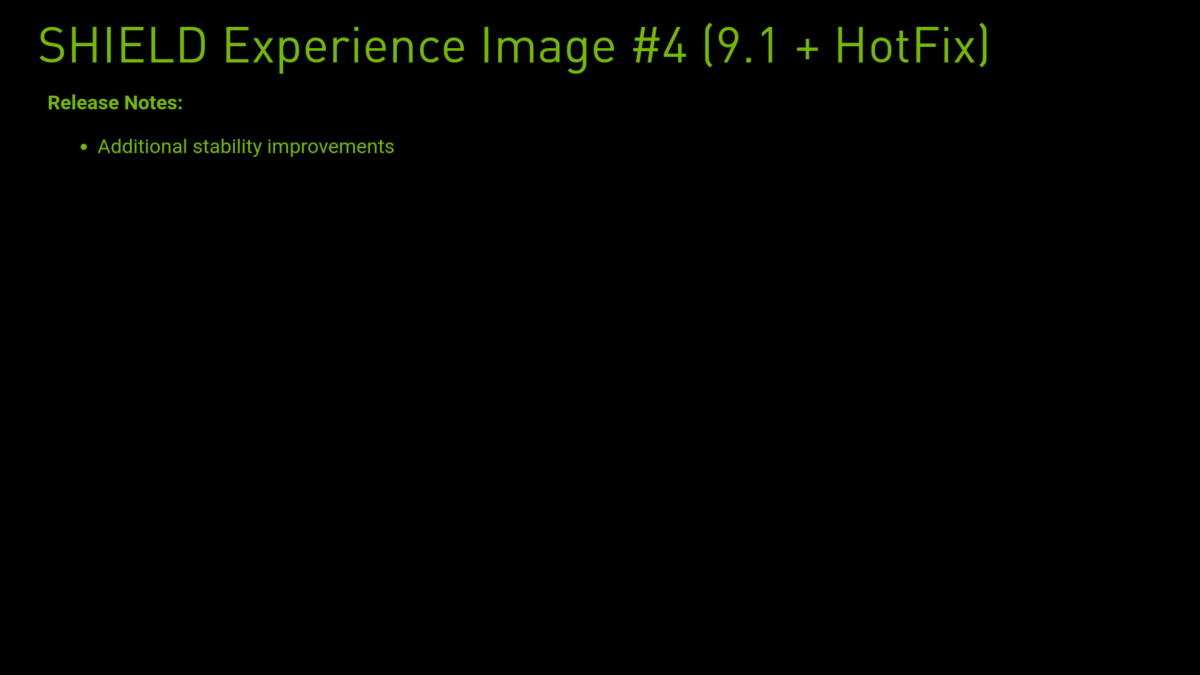
Another HotFix was released today.
 1 point
 -
Please try the 1.4.6 update that went up this morning and let us know how that compares. Thanks.1 point
-
But this only works if clients are capable of playing the media. Primarily transcode do to Auto playback quality. If client is not capable your media will just error out.1 point
-
Hi. We are doing everything we can but we are at the mercy of Google here. The changes have been submitted (for a while now, actually). We have provided two solutions that can be side-loaded immediately.1 point
-
Hi, yes this is being looked into. Thanks.1 point
-
Before you go ahead and label this a duplicate or suggest that the "set preferred language" option in settings pleases this request, I'm talking about a use-case for a feature such as this for scenarios where language-labeled subtitles doesn't benefit from the already existing preset in settings, i.e if you're watching a foreign media and there's a signs track in English because there's also a dub of the show. Having to change tracks every episode even though technically the correct language is selected but it's still not the right one gets quite tedious. What I'm suggesting is that you add the per-episode menu to the show/season details one more or less-.
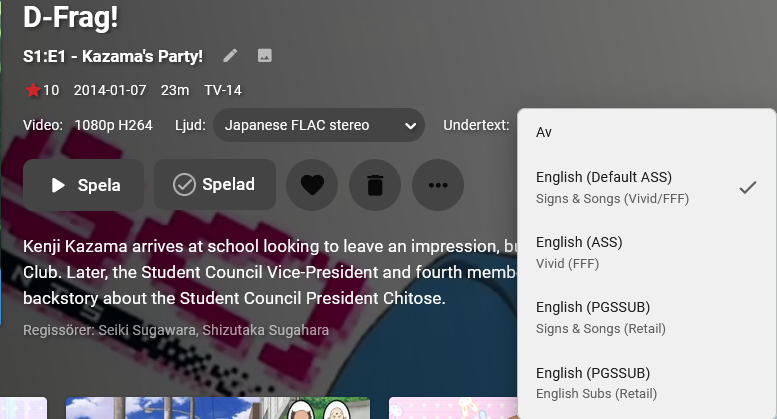
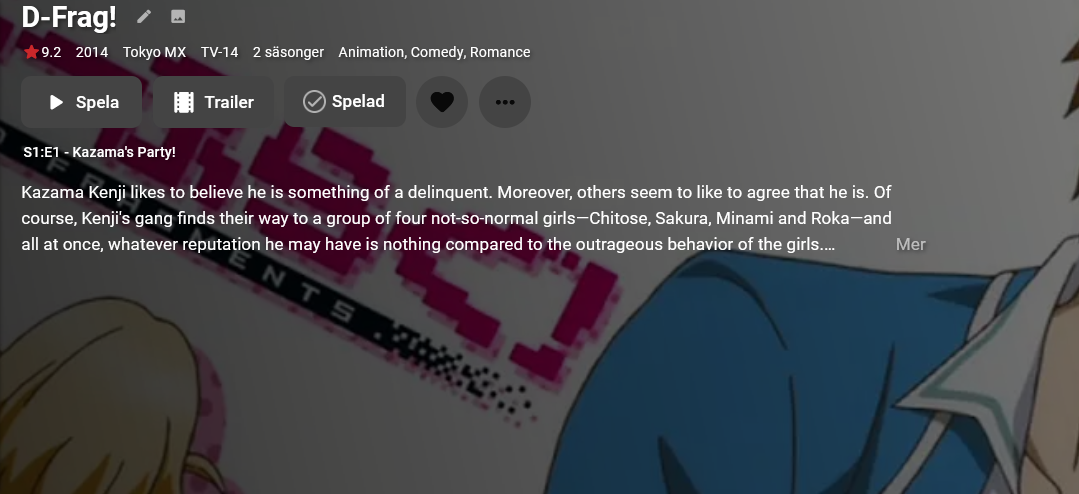 1 point
 -
Hi Luke, Are we in the future now?.... Regards1 point