Leaderboard




Popular Content
Showing content with the highest reputation on 10/18/22 in all areas
-
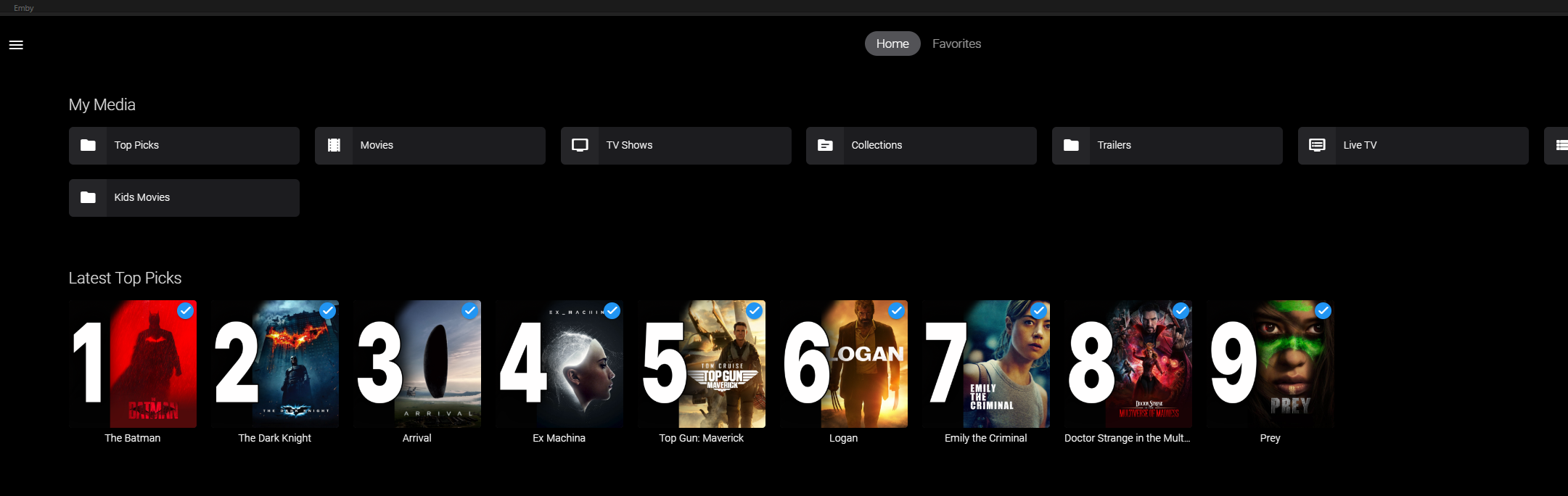
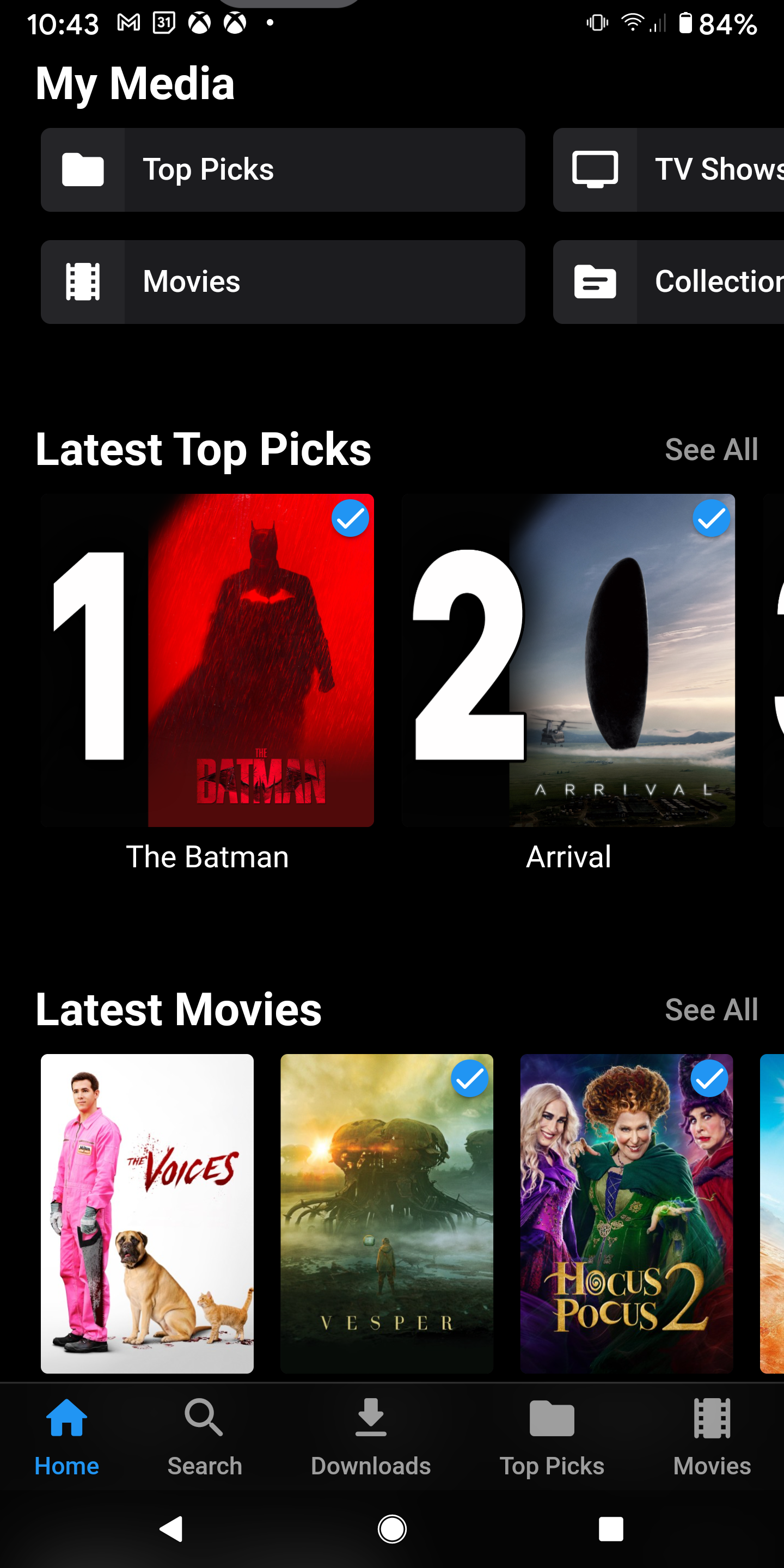
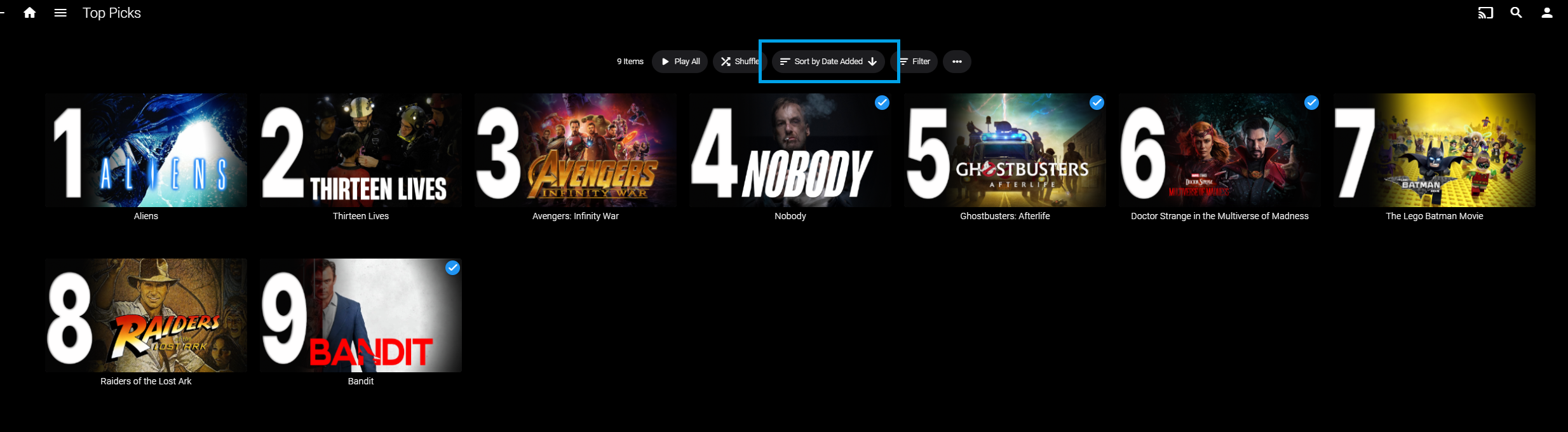
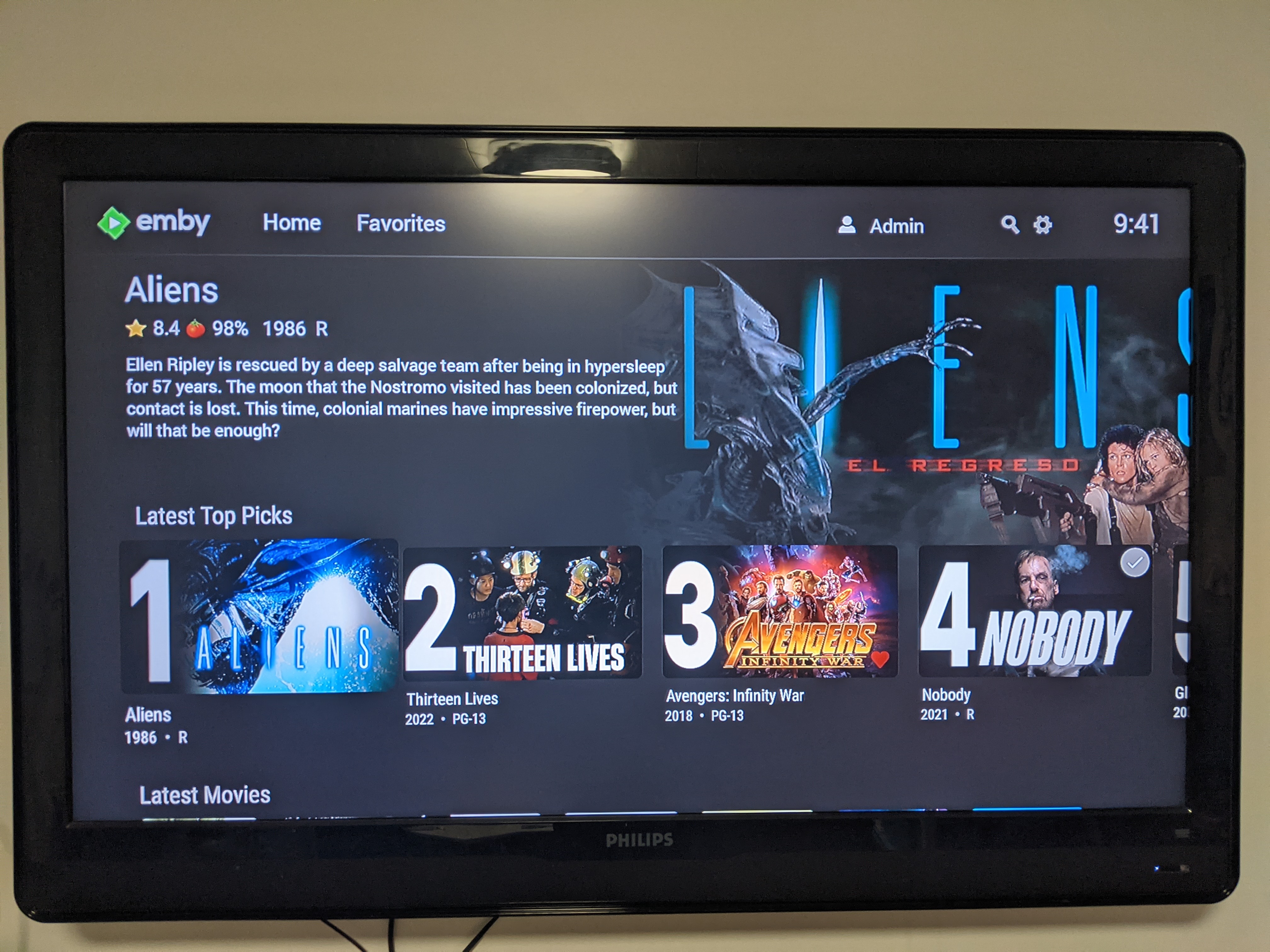
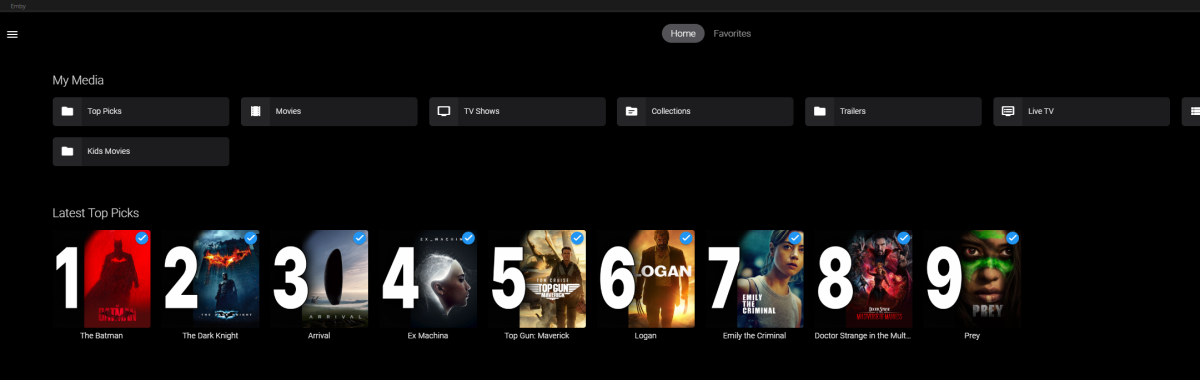
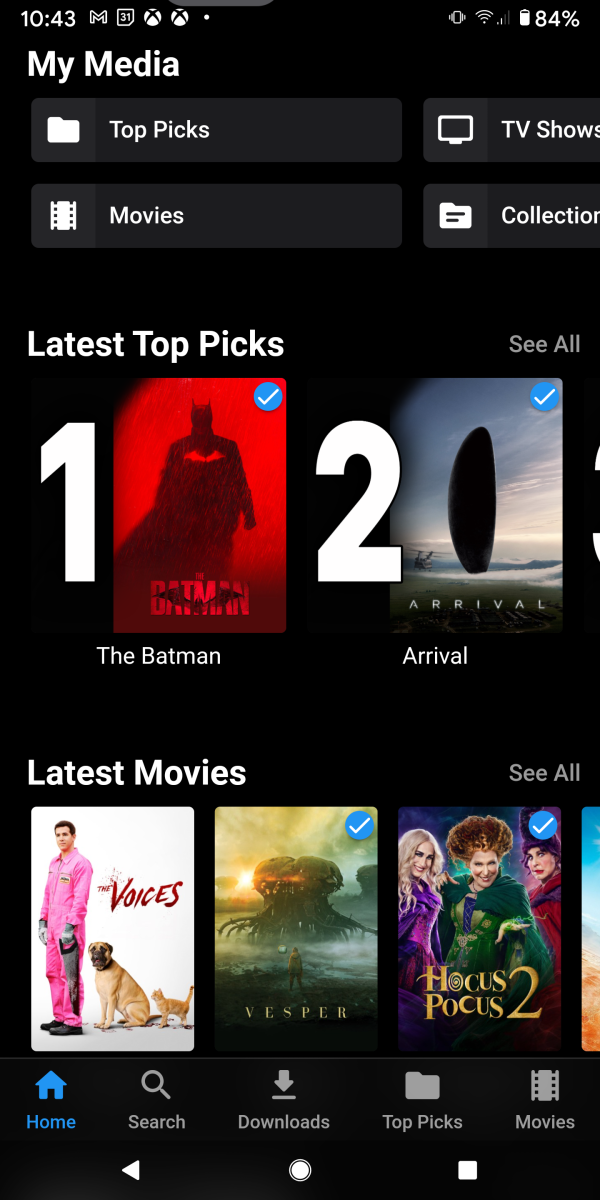
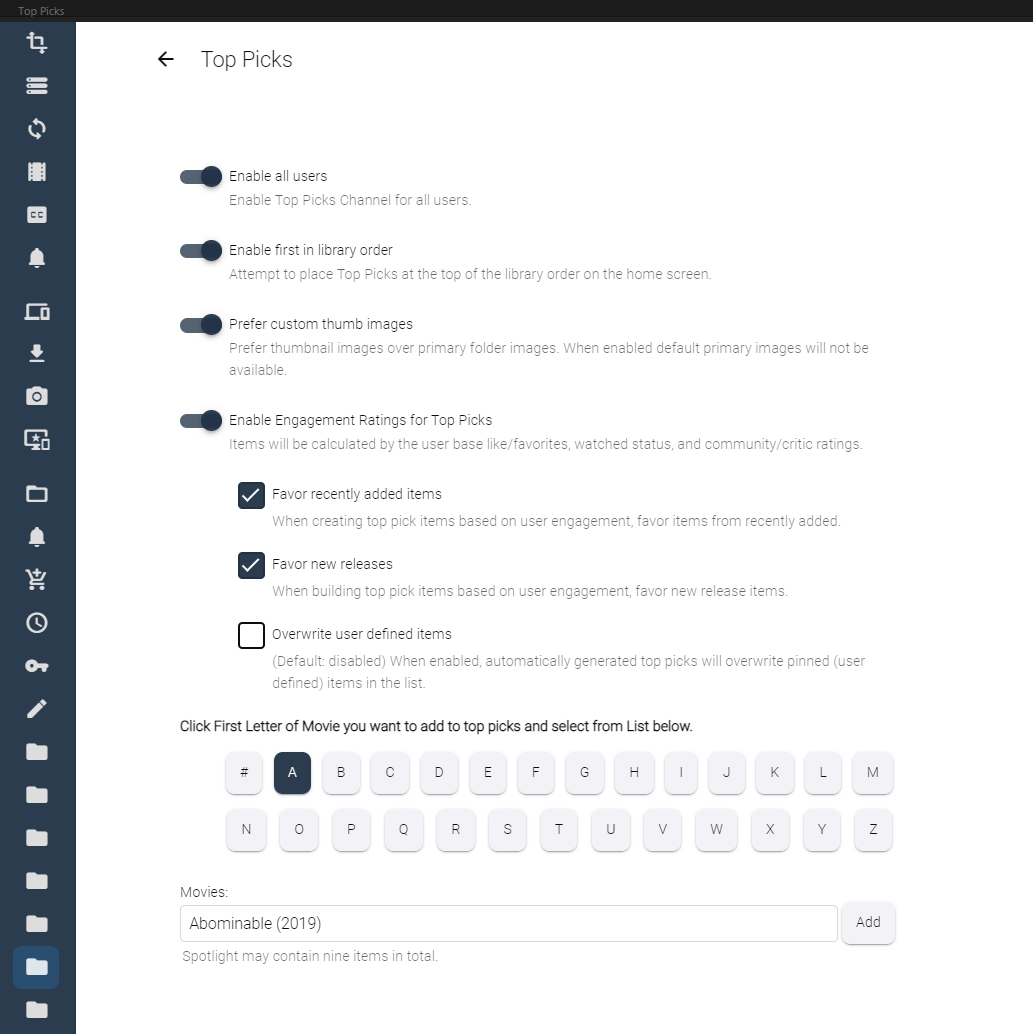
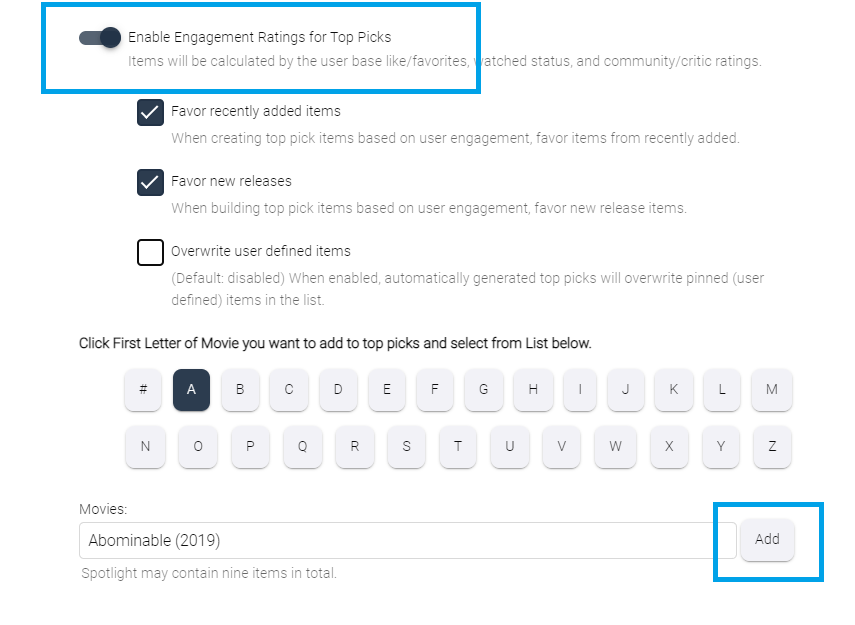
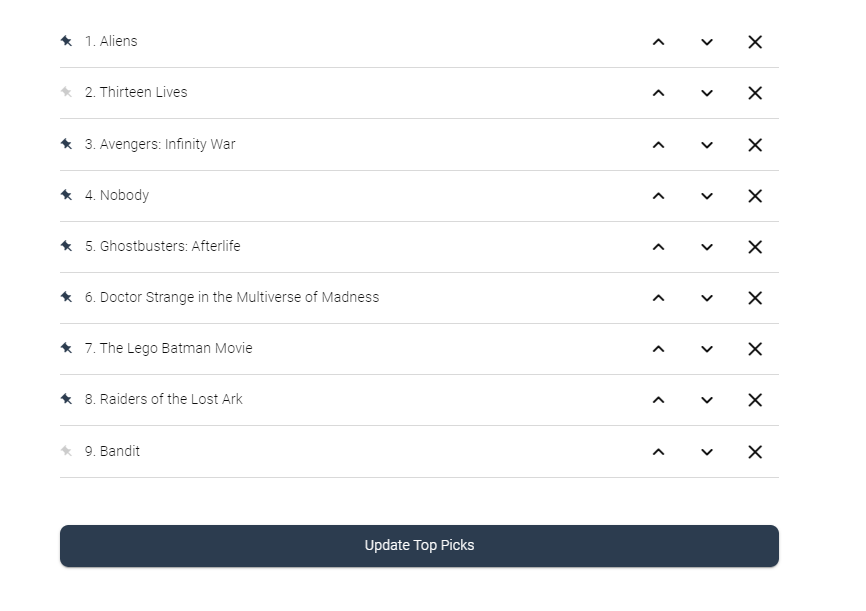
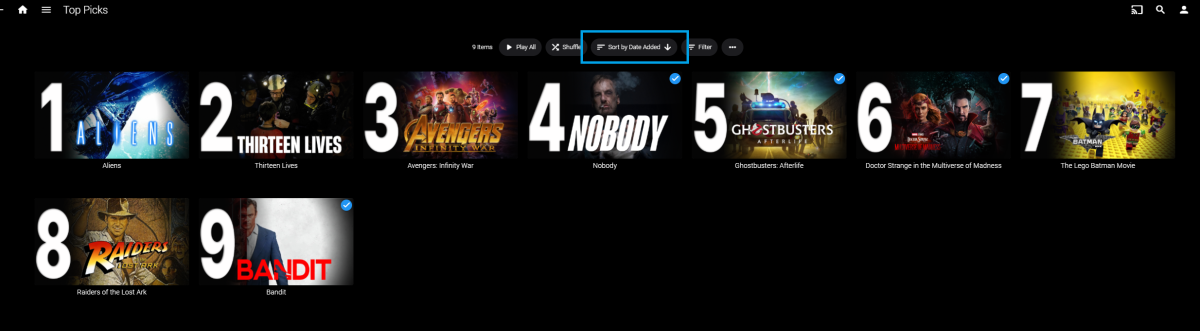
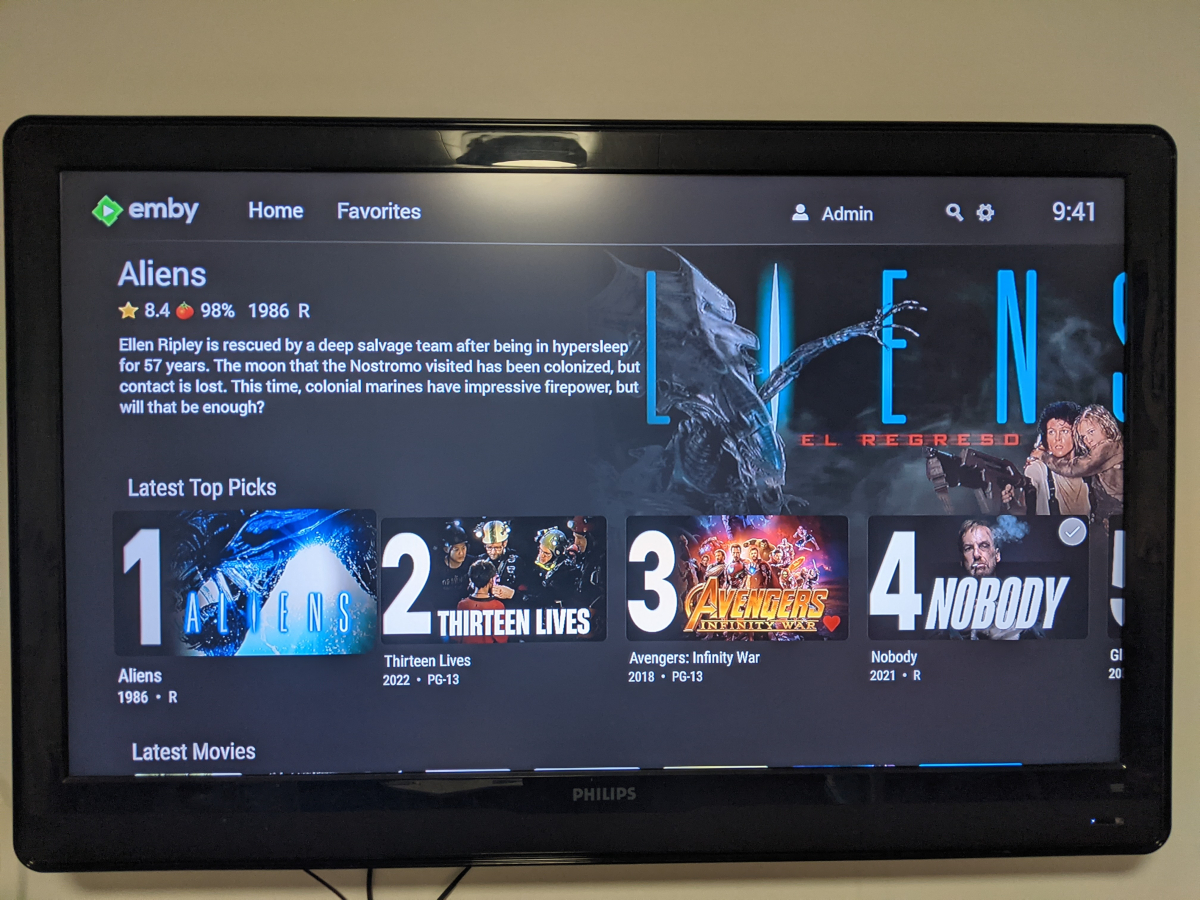
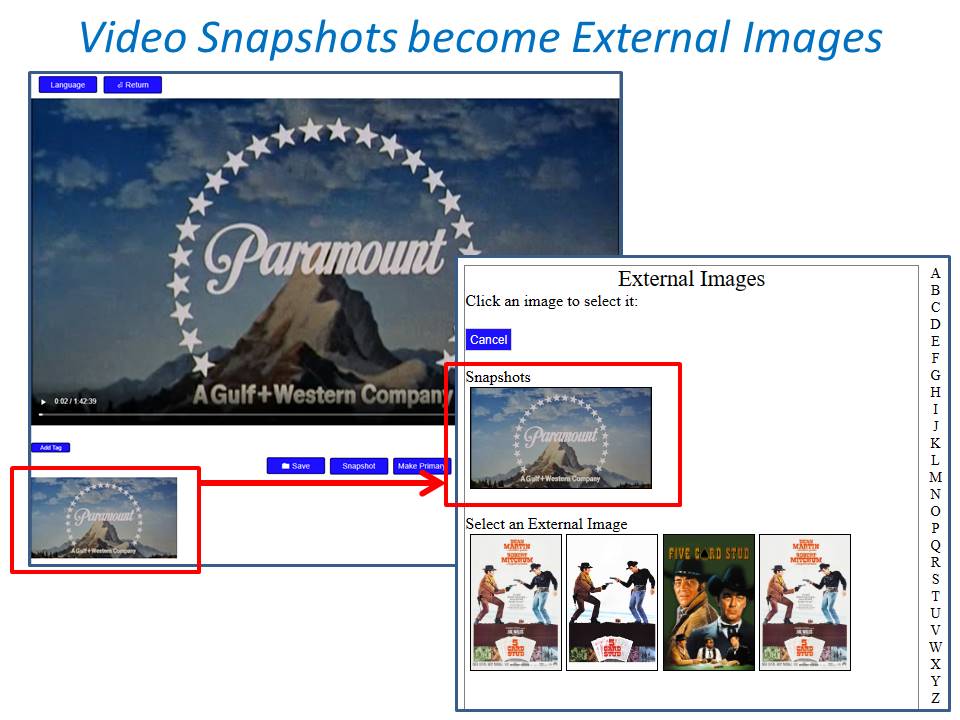
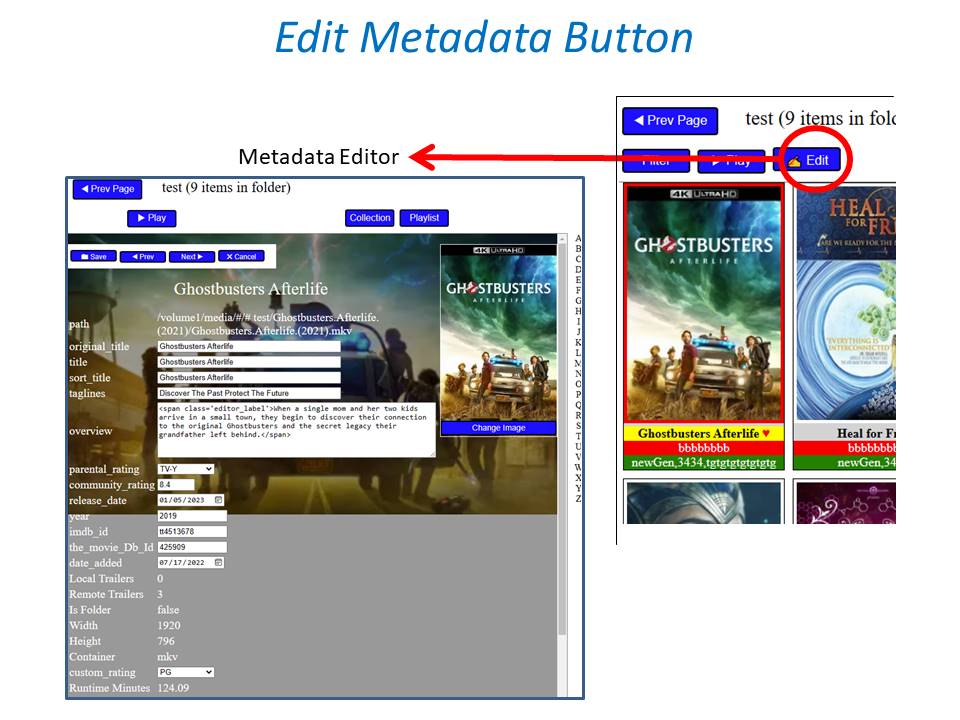
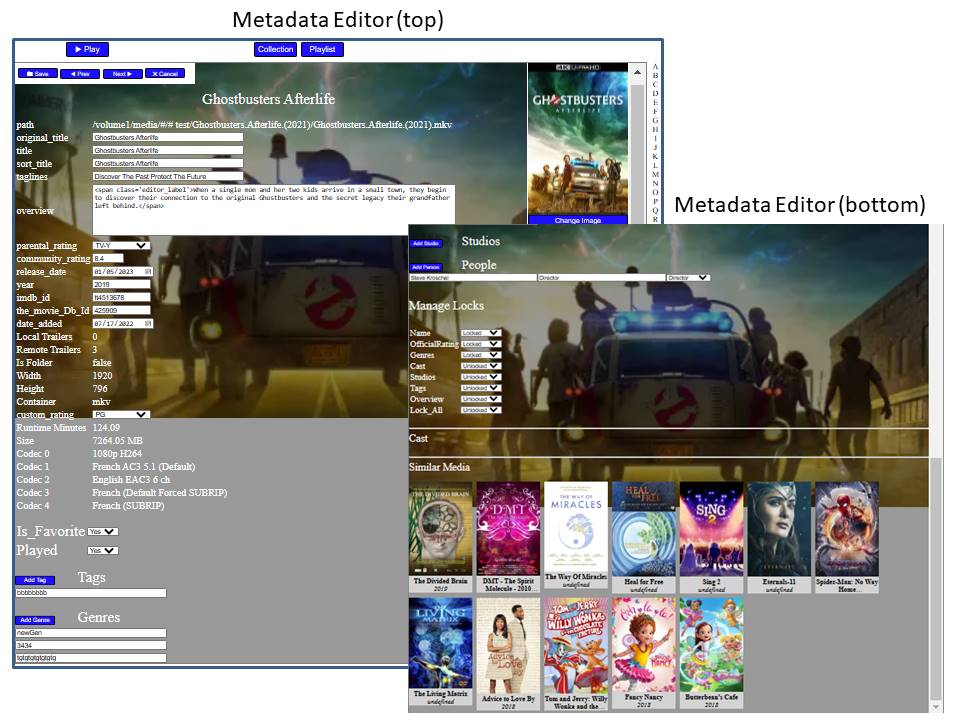
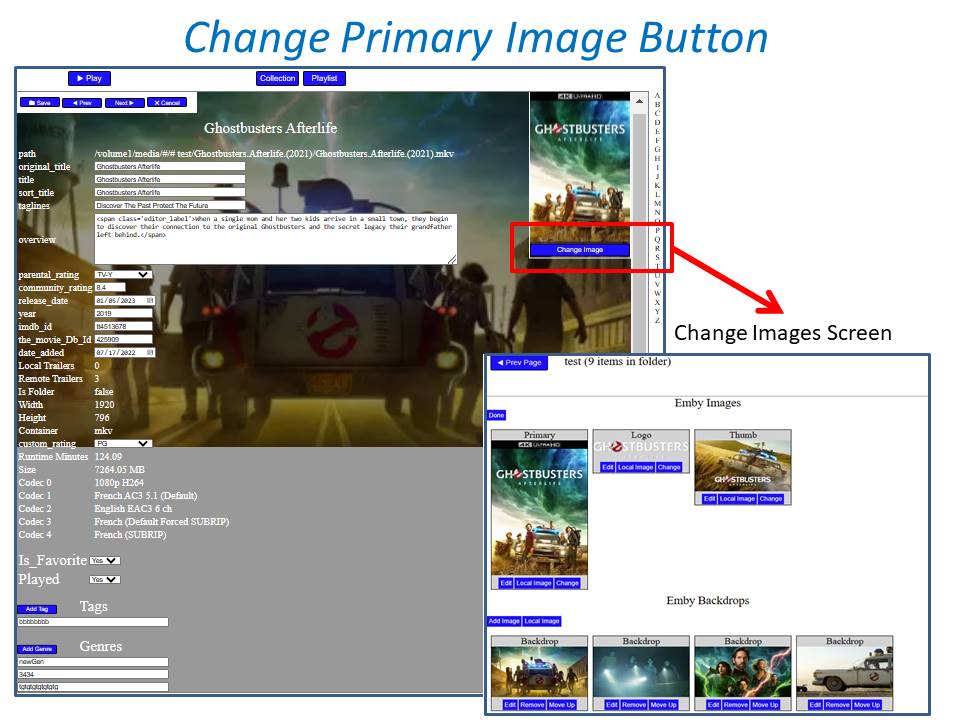
Welcome to Top Picks Top Picks will create a custom movie library with ranked items to share with your user base. Enabling settings in the top pick configuration will allow you to create a library based on your user engagement, and also customize what's being shown in the library. Note: Larger movie libraries will have the best chance at generating user engagement top pick items. Smaller libraries may only generate a couple top picks automatically. Critic rating, and community rating do play a part in choosing top pick items, along with User Likes/Favorited Items, and also Watched States. Creating, and editing the Top Picks List: After enabling, and running the scheduled task for user engagement (which will populate an initial list, but is also completely optional), you can also customize the library by adding movies of your choosing, and add-to/edit the top picks list to a maximum number of 9 items. It is important to note that users of the Top Picks library should not hide watched content from their home screen. This will ensure that all the content added to Top Picks is shown in the home screen layout. Pinning Items to the list: These items remain during the engagement rotation. This means that only auto generated items will be replaced weekly. Note: List item rotation will only happen when items are available in the library which meet the engagement criteria. This may lead to some manual up keep of the list. (In the image above, only the 2nd, and 9th item are allow to change, because they are not pinned to the list. However, the item changes will be based on the engagement results, and may not change based on the current state of the library and user engagement stats.) The more your users engage with the library, the more dynamic top picks will create lists. Favor custom thumb images over primary images: Favor custom primary images: Mobile: Android Enhanced Home Screen Layout Entering the Top Picks library you should choose to "Sort by Date Added" to have the images order themselves. There is a week long trial to test it out, after you install it from the catalog. If there are any questions please post them here in this thread. Please be kind, a lot of time, and work went into this. I'm open to further discussions regarding things that might make Top Picks better in the future as well. - chef Version 1.0.0.20 theme media is now added if it exists for a library item. Version 1.0.0.19 Current NFO files that exist in the library are now successfully used and properly altered for top pick items. This stops Emby from having to try and identify items which are already properly identified in the library. The ability to target a specific library for top pick creation. Version 1.0.0.18 Library items now have the option to show the top pick tag or not. Top picks drawing classes now attempt to draw custom thumb/primary images in memory without saving assets until complete. Version 1.0.0.17 Library is created with servers language for metadata retrieval. Top Picks will now search providers for missing resources to draw custom images for the library

 7 points
 -
Hi. We are doing everything we can but we are at the mercy of Google here. The changes have been submitted (for a while now, actually). We have provided two solutions that can be side-loaded immediately.3 points
-
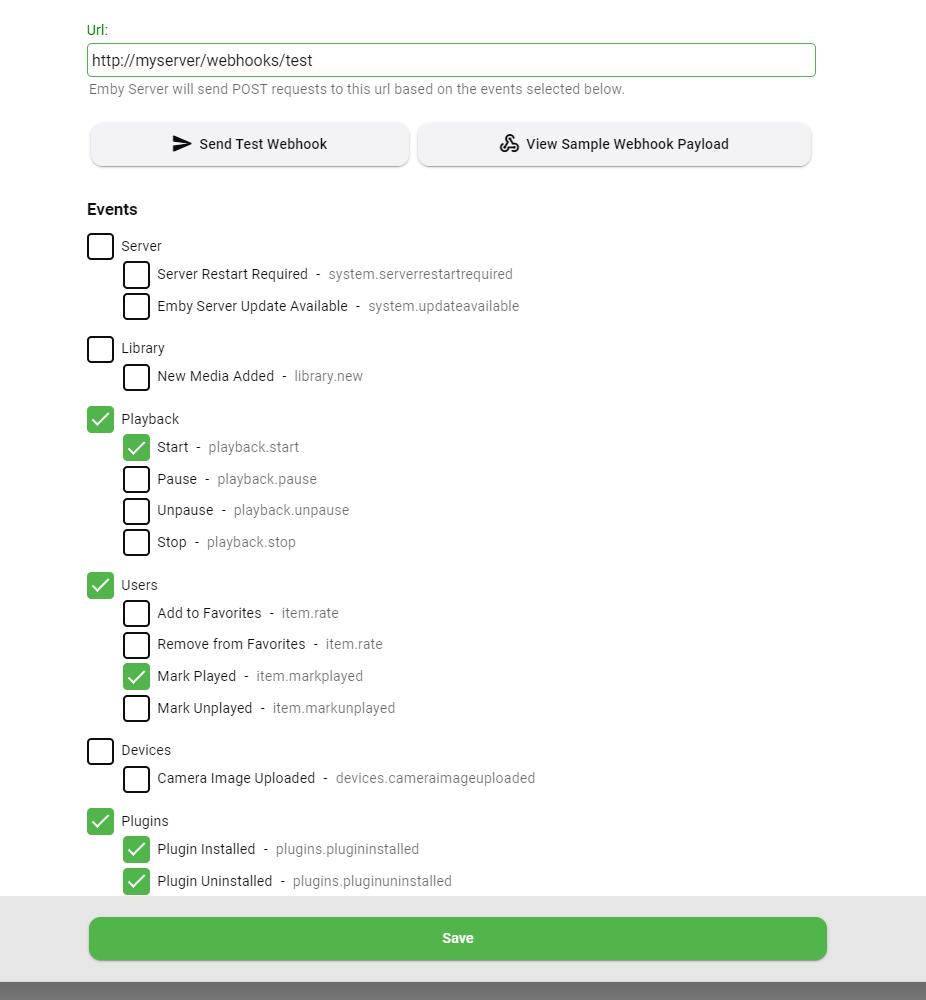
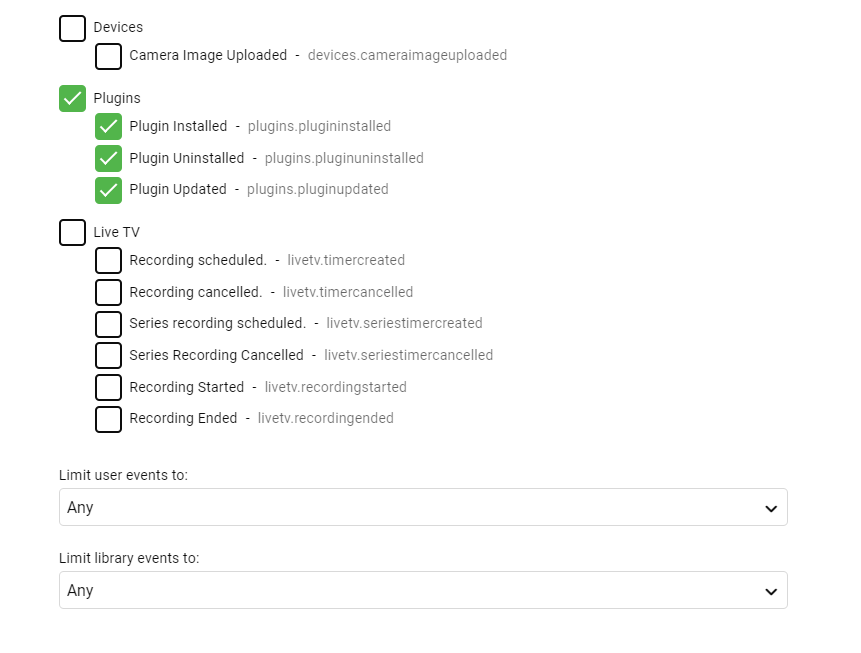
Here's what to look for in the next update to the Webhooks plugin (requires Emby Server 4.7.9+): Easy button to view a sample webhook payload Select individual events, making it easier to send different actions to different urls New events added for new media and camera upload User selection is now a multi-select You can also filter on libraries User selection is now a multi-select You can also filter on libraries
 2 points
 -
Hi, we are working as hard and as fast as we can to make everyone as happy as possible. Thanks.2 points
-
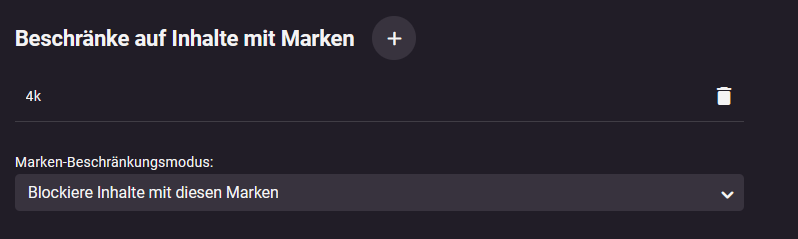
@neikDu könntest die 4K File in Emby einfach mit einem Tag versehen z.b. 4k und dieses in den User einstellungen bei Beschränkungen einfügen dann werden die Files auf dem Konto deiner Eltern garnicht erst angezeigt.
 2 points
 -
Install The Emby Discord plugin can be installed using the Emby Server plugin catalog. It requires Emby Server version 4.8+. Contribute https://github.com/MediaBrowser/Emby.Notifications.Discord1 point
-
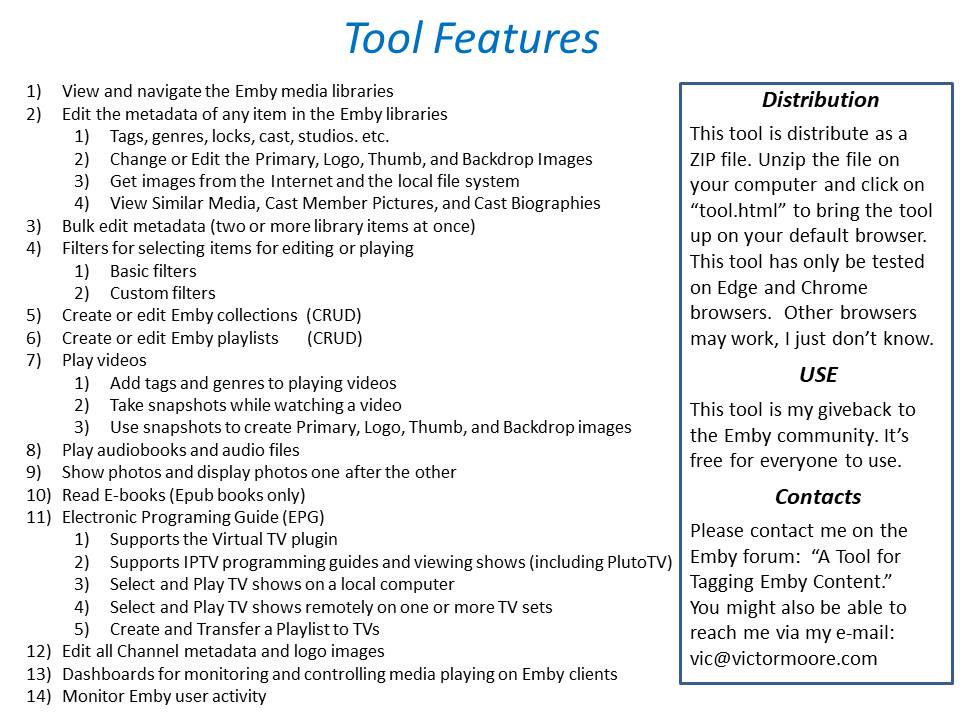
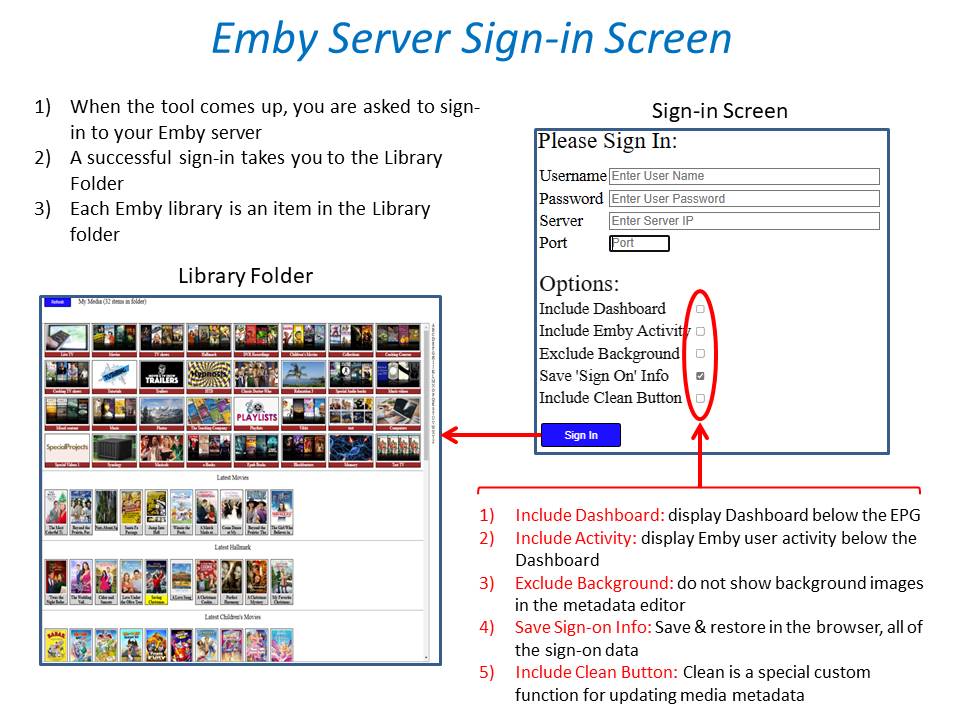
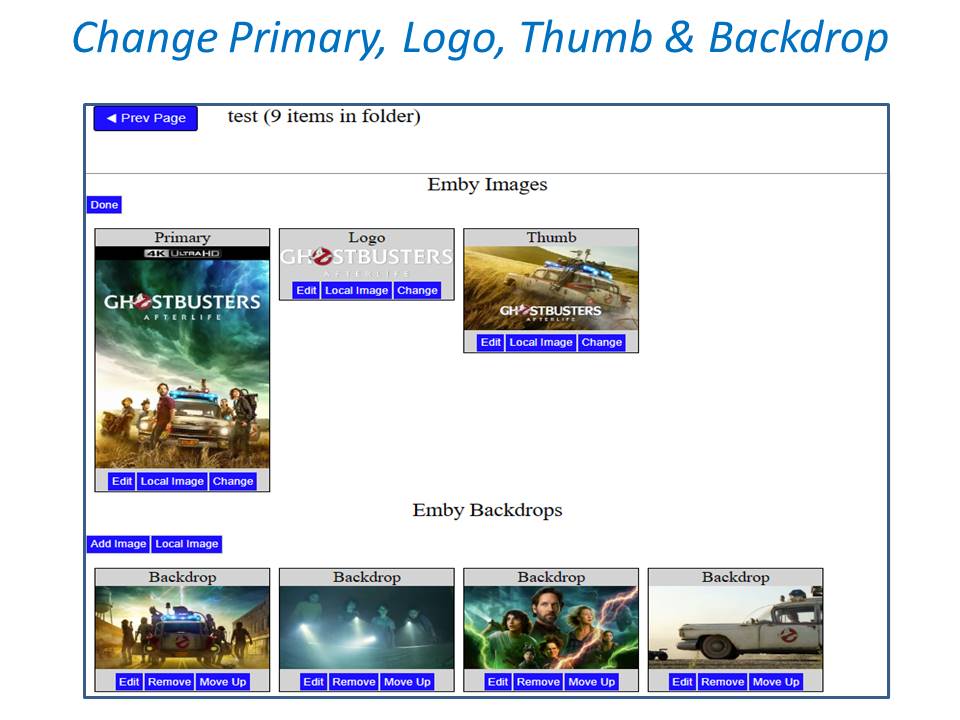
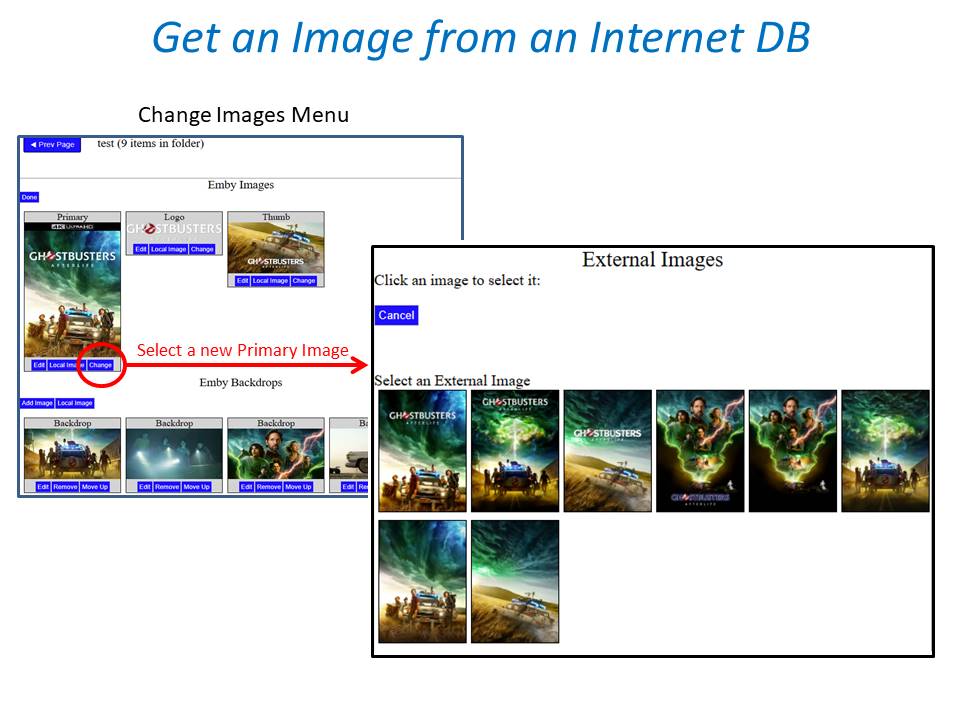
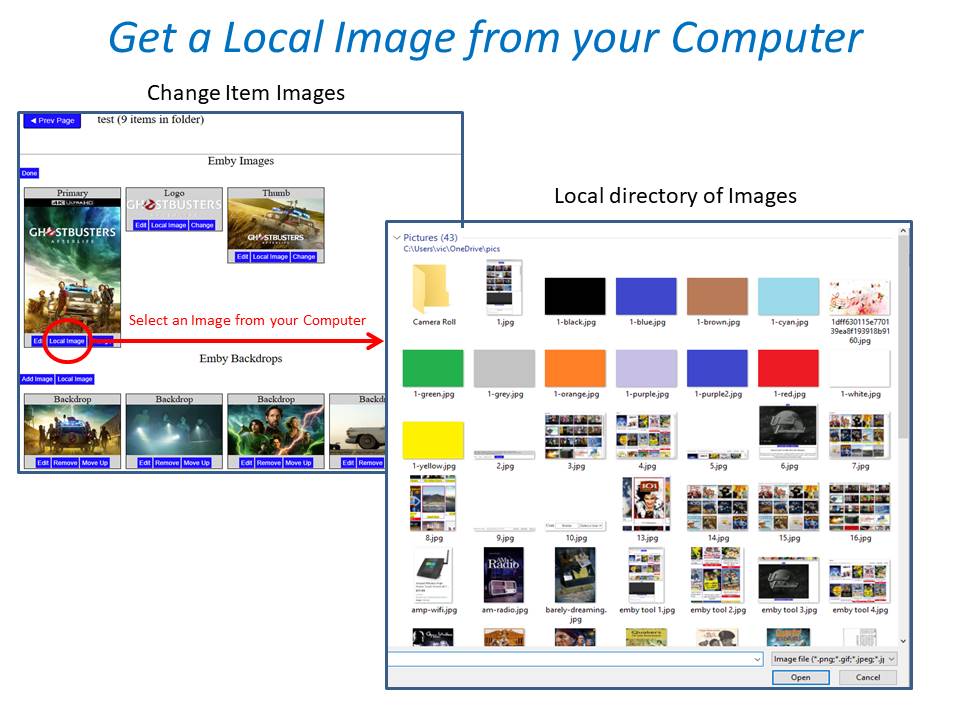
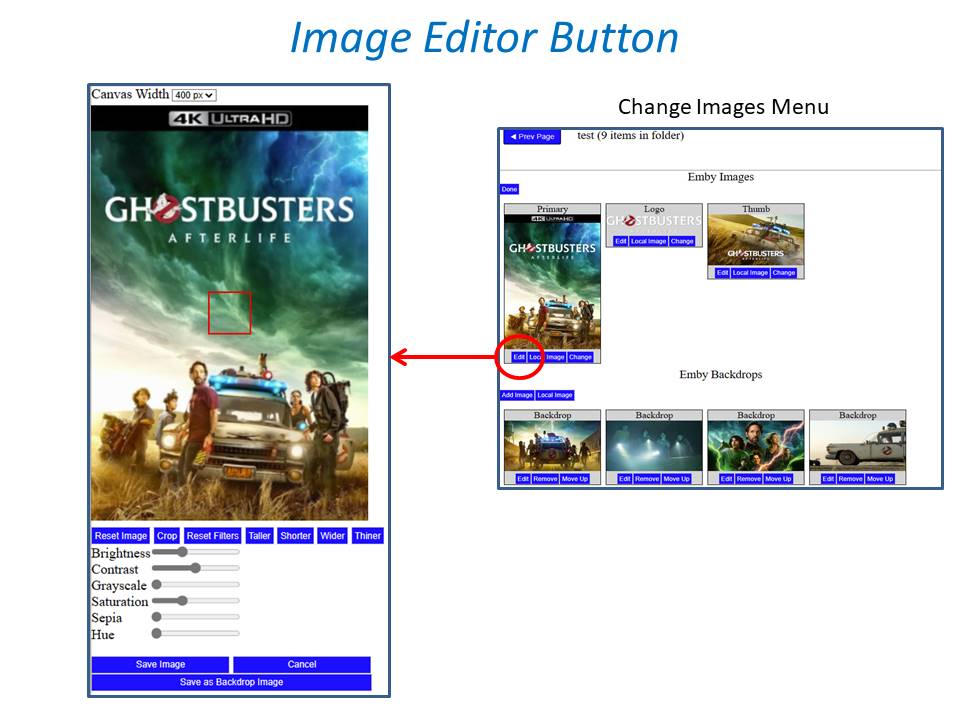
New_GUI_2.zip
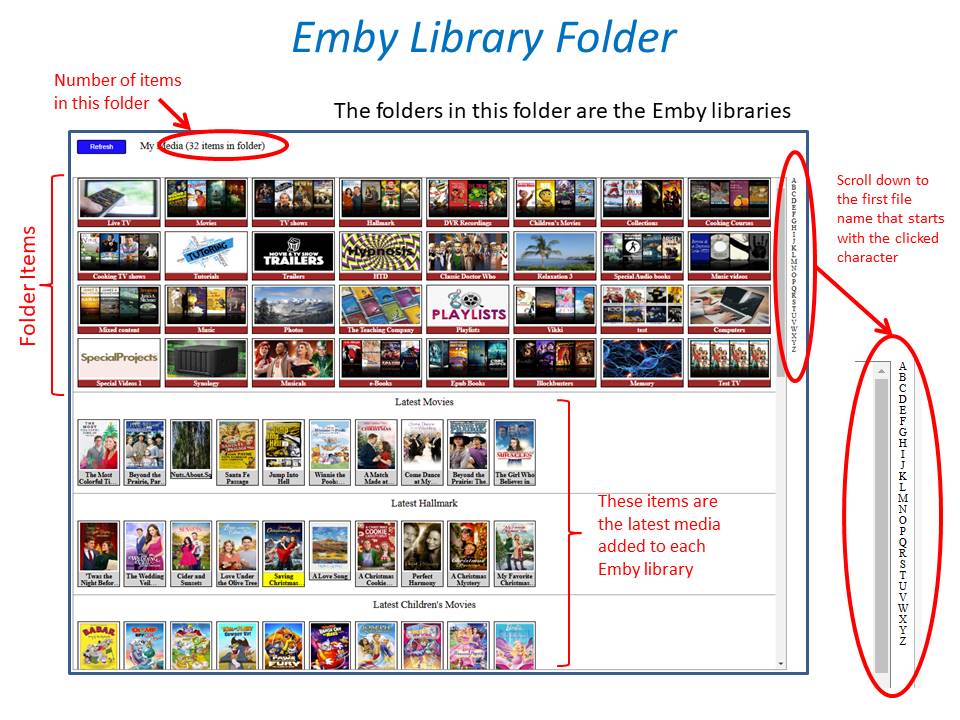
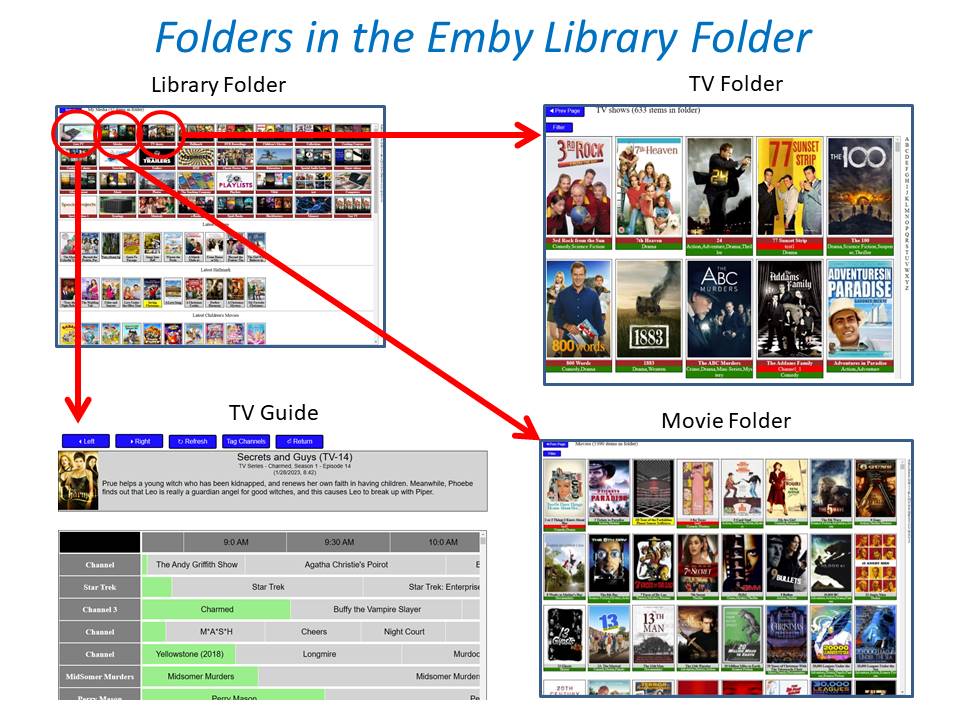
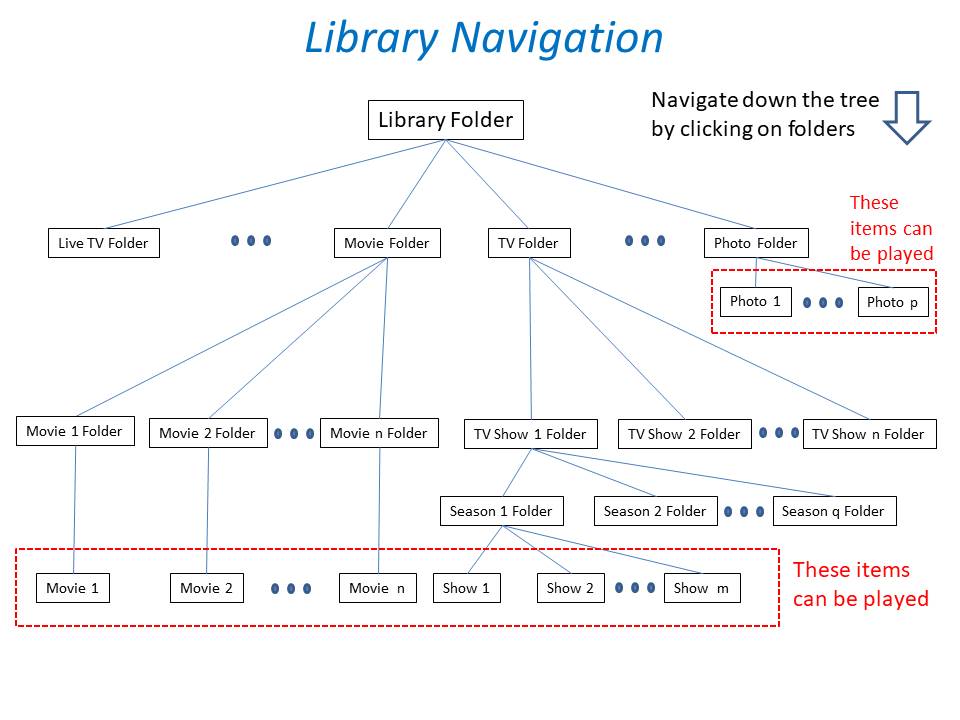
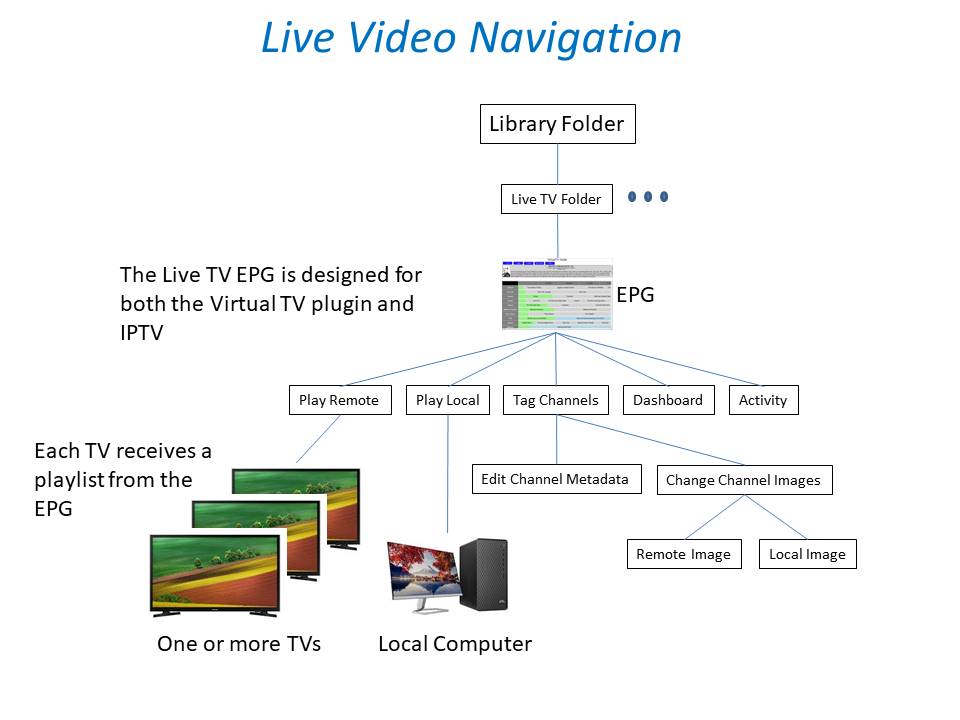
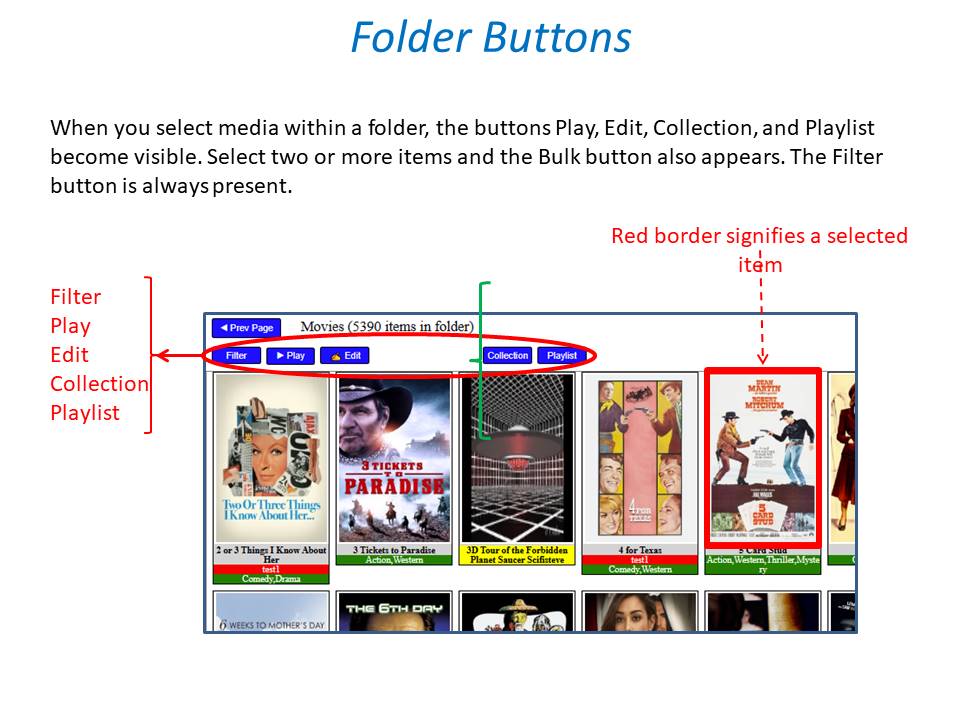
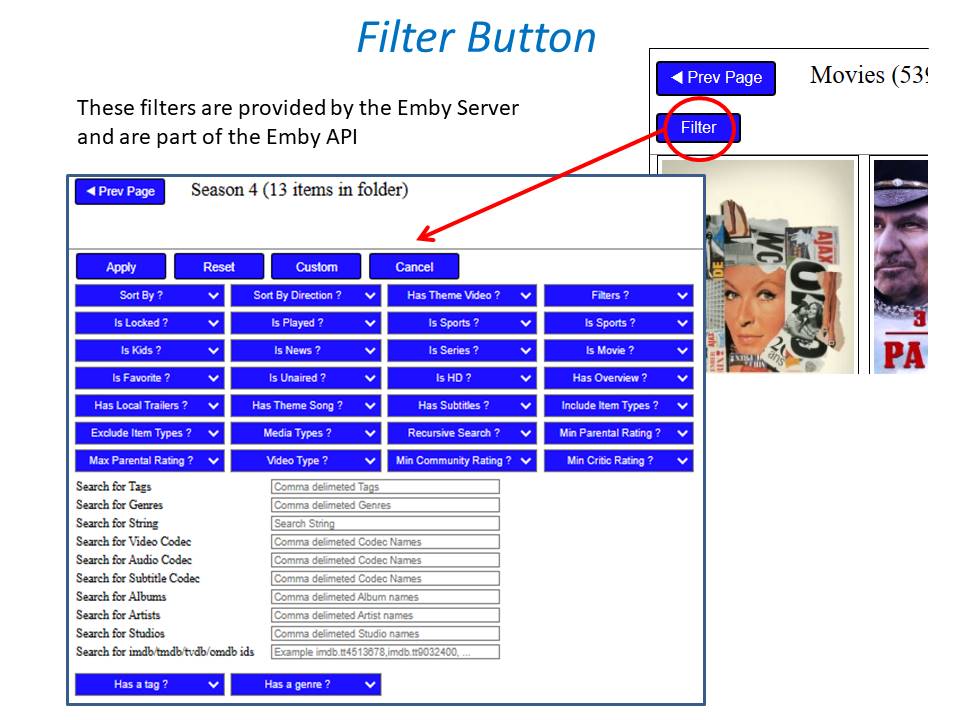
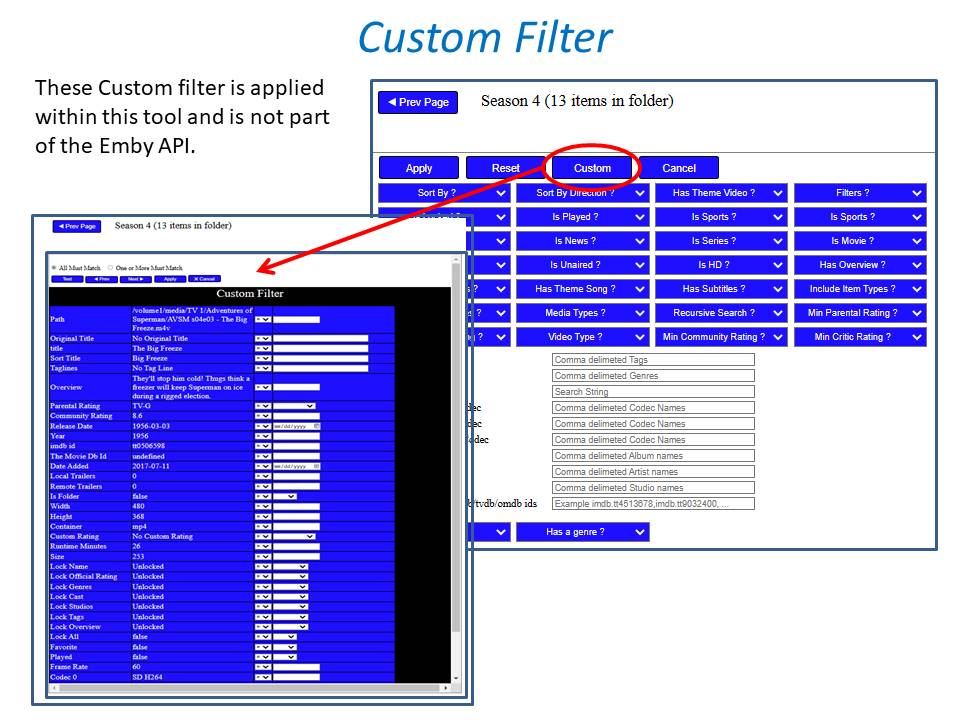
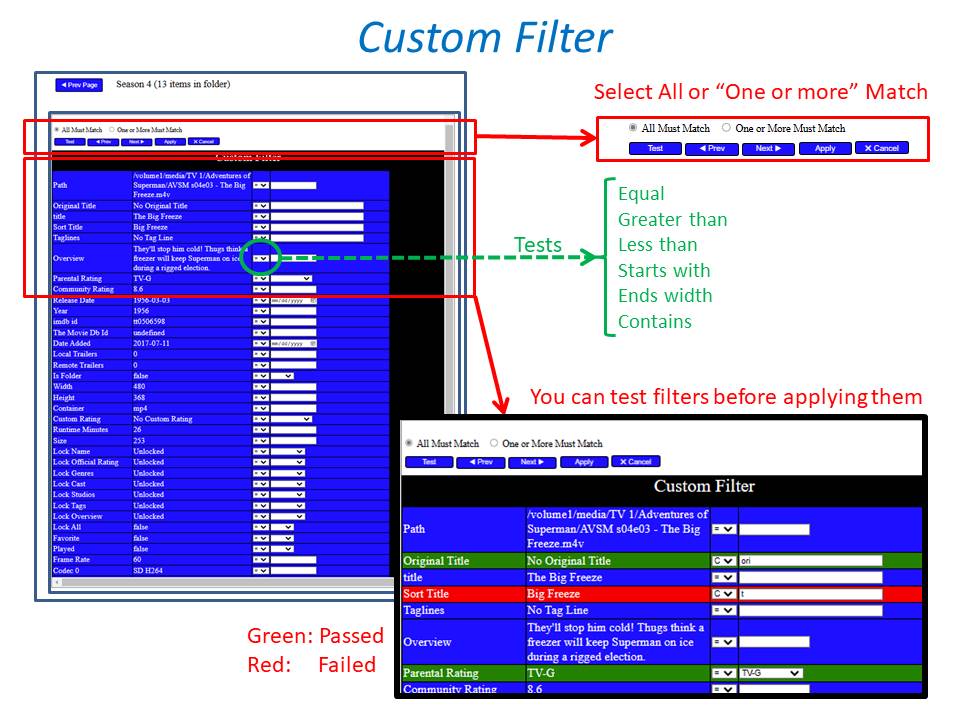
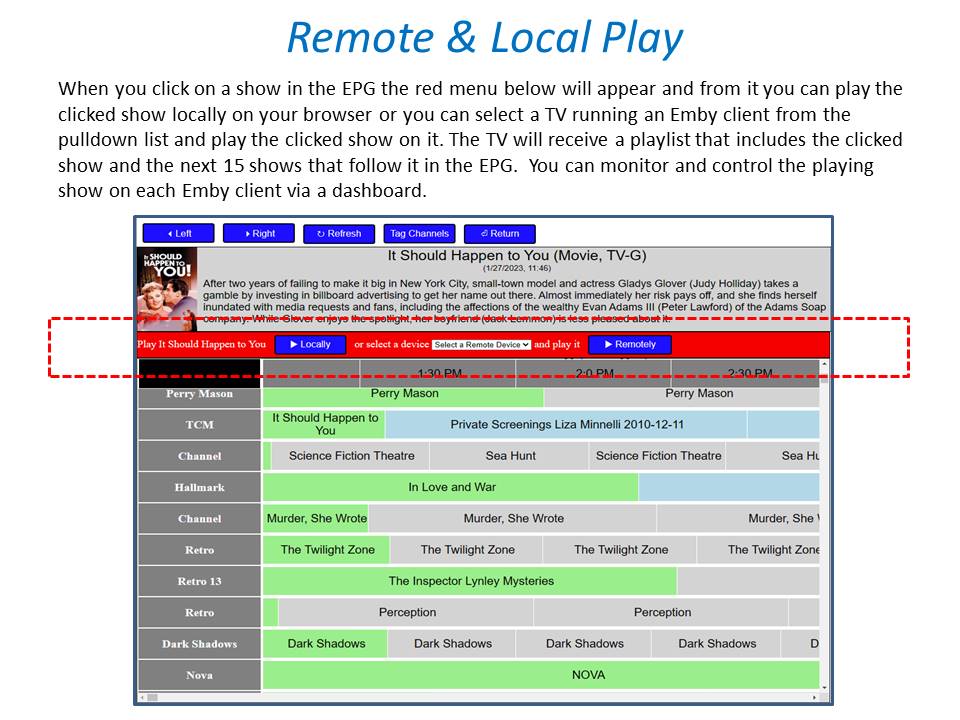
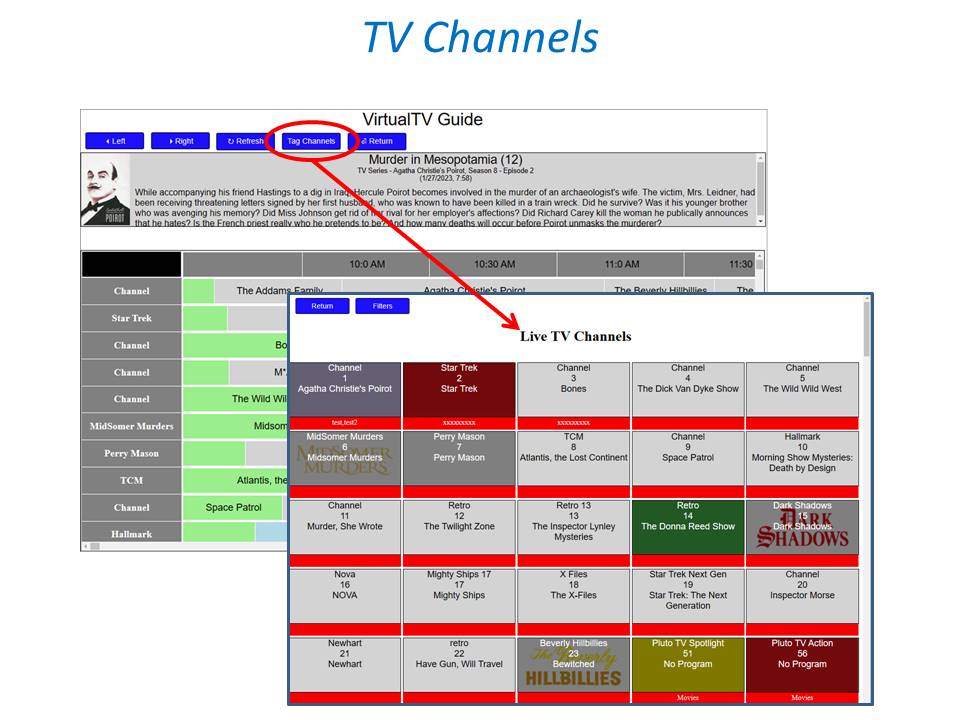
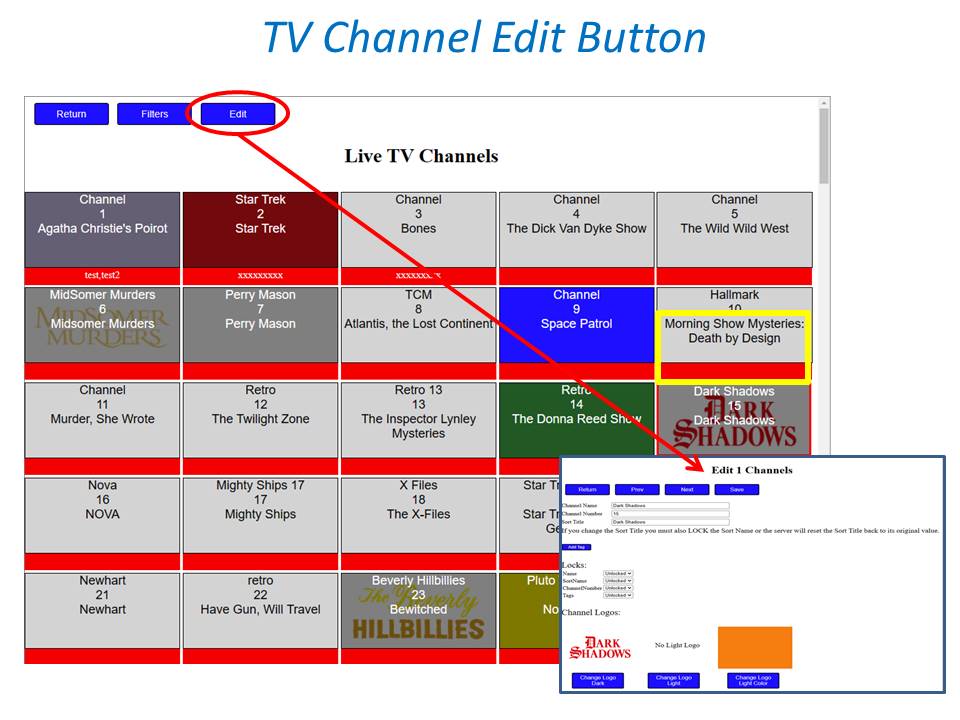
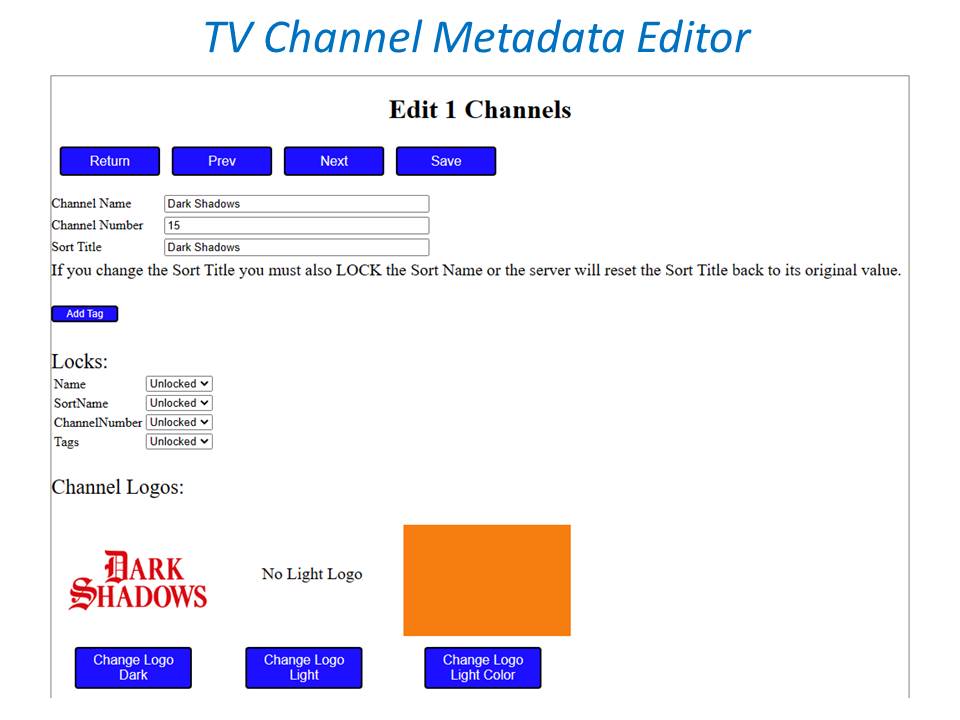
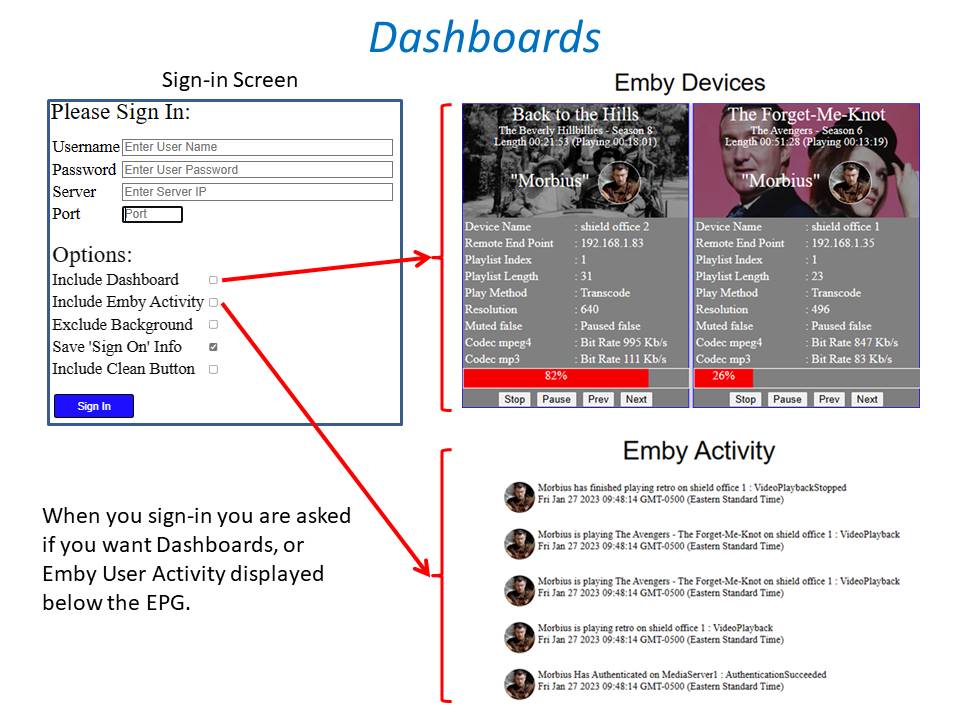
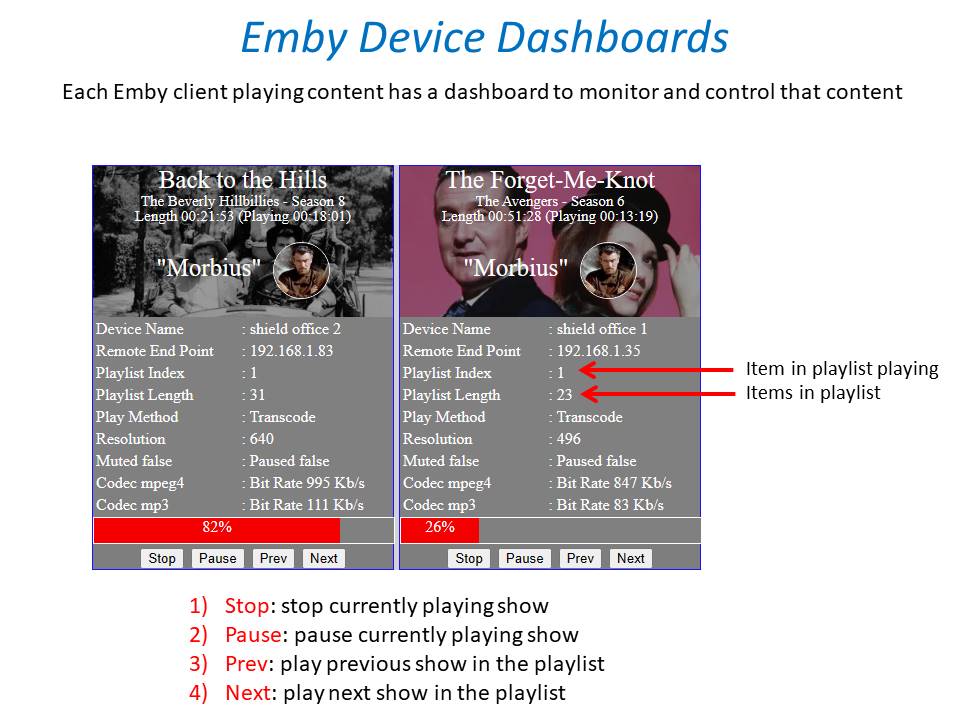
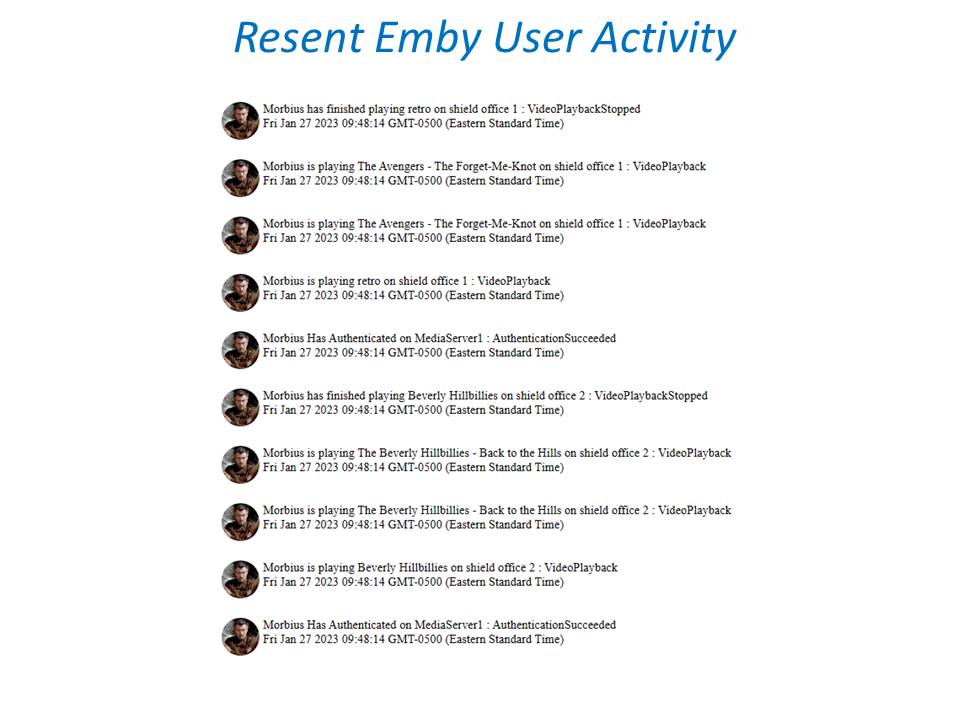
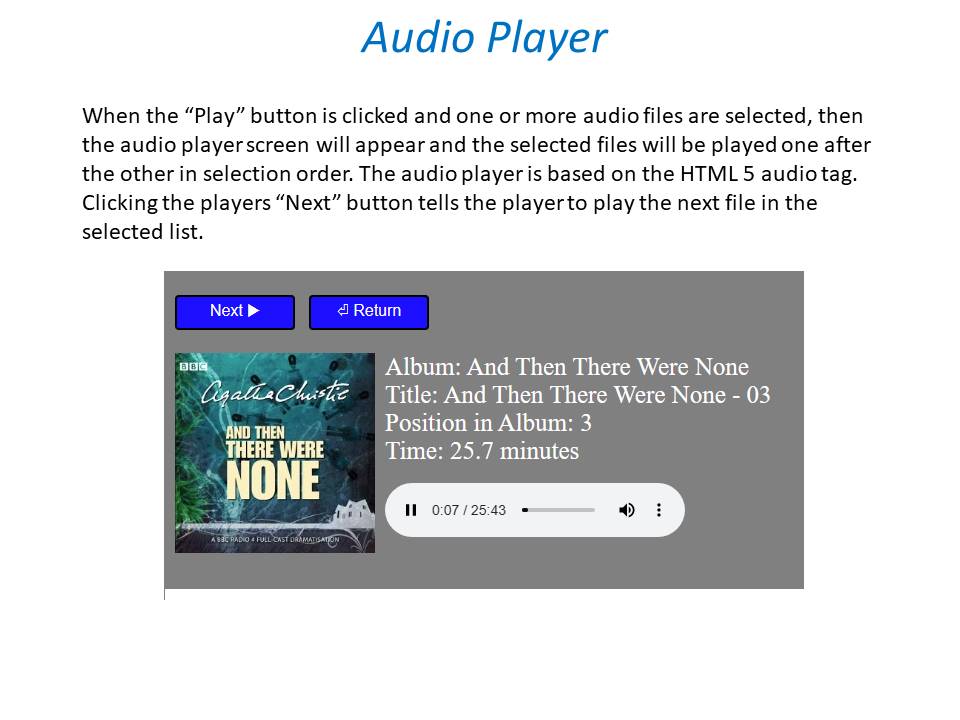
 1 point
 -
/*Dashboard Restart Notification Bell*/ #dashboardPage div.infoBanner.restartInfoBanner.flex.align-items-center i { color: red; -webkit-animation: flash linear 1s infinite; animation: flash linear 1s infinite; } @-webkit-keyframes flash { 0% { opacity: 1; } 50% { opacity: .1; } 100% { opacity: 1; } } @keyframes flash { 0% { opacity: 1; } 50% { opacity: .1; } 100% { opacity: 1; } } /*Scheduled Task Running*/ div.scheduledTaskPaperIconItem[data-status="Running"] i.listItemIcon.md-icon { background-color: red; -webkit-animation: flash linear 1s infinite; animation: flash linear 1s infinite; }1 point
-
Mobile and Theater have the side menu, so I've removed the My Media section from my home screen as it's redundant. But this carries over to ATV and the Android app on my Shield, which don't have the side menu and thus makes most of my media inaccessible.1 point
-
https://www.reddit.com/r/mkvtoolnix/comments/ko764r/create_a_segment_mkv_file_that_plays_chapters_of/ https://forum.doom9.org/showthread.php?t=169984 Technically it is possible through segmentation (in mkvs) to create a single mkv with 2 episodes, which episodes can be "selected" precisely through segmentation. I don't know if emby supports mkv playback with segments, but plex 100% does not support segments. That said, by creating 2 segments, Emby could star the 2nd segment (which would be episode 2). In short, it is not impossible but it is out of the ordinary.1 point
-
As a non Plex or Kodi user I have always liked the multi episode as one entry as it tells you there are two episodes as CW flows properly. CW can't be messed up when individual episode do not exist as when you watch the first episode you have watched both. And if your paused in the middle you still have Resume. But in the end these are all personal preference as this covers both to me.
 1 point
 -
At the same time if you watch 1 you have watched 1 and 2. There is no inbetween. But pretty sure this is about multiple <episodedetails> as I believe Kodi does the same as Plex.\ Reading and writing of nfo for multi-part episodes is wrong - General/Windows - Emby Community1 point
-
The side menu on the TV apps would solve my problem, yes. Either way, constantly toggling things is getting on my nerves.1 point
-
Plex restarts from the beginning (maybe there was a way through specific chapters or tags in the mkv to start plex at the right time). But in my case, I want to hurt myself and prefer to display the posters.§ Thanks for the response.1 point
-
Yes I would like to know this also as users have brought it up before but how do they know where the 2nd episode starts? At the same time Emby does not read multiple <episodedetails> from a single nfo file either.1 point
-
If you click to play episode 2 in Plex - does it just playback from the start of episode 1 ? (I expect it does - how does it know where episode 2 starts ?) Emby is doing exactly as the filename suggests it should - it has episodes 1 and 2 - so that is what it shows .. If you want to see 4 episodes, then you need 4 files.1 point
-
The title is pretty specific: "Allow separate home screen settings on each device"1 point
-
Soooo.. the beta app doesn't work without emby premiere, whereas the regular android app does! Sneaky... I have been thinking about Premiere as I like to support awesome apps but now I can't test if the beta update fixes my problems so I don't know if paying will deliver for me. Emby in Chrome on PC also cannot connect/play on my Google TV right now Will play more after work, quite possible I installed the wrong beta app1 point
-
That isn't what the title of this request says. It is requesting separate settings for each app/device. I don't believe that is a good idea and won't be needed once we have the solution to his actual problem which is an inability to access his libraries on some devices now.1 point
-
That is the plan but we needed a transition.1 point
-
Ok, this looks to have something to do with the console Power Sleep setting. If sleep is enabled rather than Shutdown it appears to be causing problems. I believe this setting changed. I don't remember it being called sleep so maybe it broke in the most recent Xbox OS update.1 point
-
I'm also experiencing this issue on Xbox Series X. The app will work for several days then I can't open the app. It tries, I get the Emby splash screen, then I get sent back to home. The only way to get it working again is to reinstall the app. I do use quick start. I'll include a video if it happens again.1 point
-
Yea this is a great TV movie. The MCU has been milked over the years and still is... I thought this was a refreshing change though. ++1 point
-
Nein, habe ich nicht. Aber ich weiß, dass es möglich ist. Nur kann ich Dir leider nicht sagen, wie. Einzige "schnelle Lösung" die mir jetzt einfallen würde. Benenne die Files in xxx-1080p.mkv und xxx-2060p.mkv - dann steht als erstes 1080p zur Auswahl.1 point
-
Thanks chef - that worked.1 point
-
At the moment don't have much new tv shows. But instead of remove mediainfo plugin, i disabled "AutoRun on new Media Added" in Mediainfo plugin. So far working fine. Mediainfo plugin i put in Scheduled tasks only. So probably mediainfo plugin started to work to early, when added episode. Have over 100 Tv shows to go thru again them all then. And for some reason mediainfo plugin "touching" video files which affects rsync to backup drives (copying all that files again) Will update, when again something will be wrong.1 point
-
Thanks for following up. If this happens again and persists, then this should help get you squared away: https://support.emby.media/support/solutions/articles/44002210894-corrupt-database1 point
-
Perfekt, danke dir für die antwort!!!1 point
-
Sorry, this one is my mistake. I've posted a 1.4.5 build to resolve it.1 point
-
For others interested I figured it out. Create a batfile with this command Start curl -X POST ""YOUR IP:8096/emby/library/Refresh?api_key=YOUR API" -d ""1 point
-
Edit: there is the newest Log. ffmpeg-transcode-bd77d3af-c0ec-49c2-8db8-267b29c5f605_1.txt1 point
-
I don't think this should be happening. Do you have an ffmpeg log on the server?1 point
-
The easiest way I found was to download an app called "Send files to TV" on the chromecast as well as on my phone. https://play.google.com/store/apps/details?id=com.yablio.sendfilestotv I downloaded the zip file mentioned above on my computer: extracted it, saved the apk file inside that on Google Drive, then I downloaded the apk on my phone from Google Drive, and used the Send files to TV app to send it to the chromecast. From within the send files app, arrow down to the file once its received and click. it will get you to give permission to it to open apps, then it will get you to turn on the ability to install apps from untrusted sources. Then you can update Emby to the beta version which will open.1 point
-
Valid point, TVDB are promoting subscriptions now, we really need somewhere to enter our subscriber PIN.1 point
-
SSD seems to have resolved the problem. Playback, fast forwarding, etc. is fine. Two things I’ve noticed: thumbnails for when you fast forward aren’t generated even though it’s enabled. And video frame rate seems to slow every minute or so creating a slight strobe effect, for lack of a better term. But at least it’s watchable now, so I’m happy about that. Update: Lowering the bitrate from Auto to 10/Mbps fixed the strobing effect. Still no thumbnails though.1 point
-
@nightknight Correct as 10.0.0.0/24 would be limited to 10.0.0.0 - 10.0.0.255 assuming that is you LAN network. But remember Remote access will be required for all other connections.1 point
-
The server by default is 10.0.0.0/8 per the note and would cover your network and the VPN network, I believe. Changes here can potentially cause problems if misconfigured and only recovery is manually editing the system.xml with Emby shutdown if you get locked out. Yes that would explain why 127.0.0.1:8096 would fail as Emby is not on that port locally. But it should be a matter of getting your LAN network limited here.1 point
-
I knew this was going to be a stupid one. For some reason the DHCP server, running on the gateway, never assigned DNS servers to the Emby server computer. Every other device on the network is working perfectly since the update and have valid DHCP data. Restarted the network on the Emby server and it all works. I'm a bit confused, but THANKS!!!1 point
-
Yea last time we looked they weren't using it for personal live tv, only their internet channels.1 point
-
I also changed the name of the plugin to PLUS.1 point
-
Here you beta users go! The beta server has changed enough on the backend, so that AO won't work on it unless you use this version posted here. Emby.AutoOrganize_beta_server_release.zip This will get it up and running again, however I'm going to mention that I won't be updating support for the beta server changes. When the stable version of the server implements the changes the beta server has, then they will both sync up, but until then I'm only going to work on the stable server releases. But, this will make it work for everyone on beta server for the time being. If you are on stable server DO NOT use this version LOL! it is only for beta users.1 point
-
I do think it is the internet channels. I realized that after looking into it more. I forget Plex does that live TV through them. I haven't used Plex in a long time. its mainly there for looks. lol1 point
-
I exclusively use Emby for Live TV. I love the layout of the Live TV section. It would be great if when I launch the app it automatically started in the Live TV section. It would be a nice setting in the app settings, Start in Live TV section. I know I can click in quickly if I add it to my home page, but it’s an extra step and my homepage would only serve the purpose to click in to the Live TV section. I use an Apple TV.1 point
-
That should be a new topic. Separate topics for separate issues makes searching easier, for one thing. Paul1 point
-
I got another example why this option could be useful with both Android apps because of a limitation of Exoplayer. There are a couple extended versions of movies such as The Martian and Blackhawk Down where the Atmos track was spliced together and Exoplayer loses its position while external players like VLC do not. These two movies have been mentioned several times in the forum for having problems in several places throughout the movie and the defect is right on the disc. All you have to do is go to Amazon and look at all the comments. Until Exoplayer can deal with the problem then having an option to either always play these movies externally, or an option to select an external player on the fly would be beneficial. @Audiomixer1 point
-
It is by design as min-width applies to wrap. @media (hover: hover) and (pointer: fine) and (min-width: 80em) .itemsContainer-finepointerwrap { -webkit-flex-wrap: wrap; flex-wrap: wrap; }1 point
-
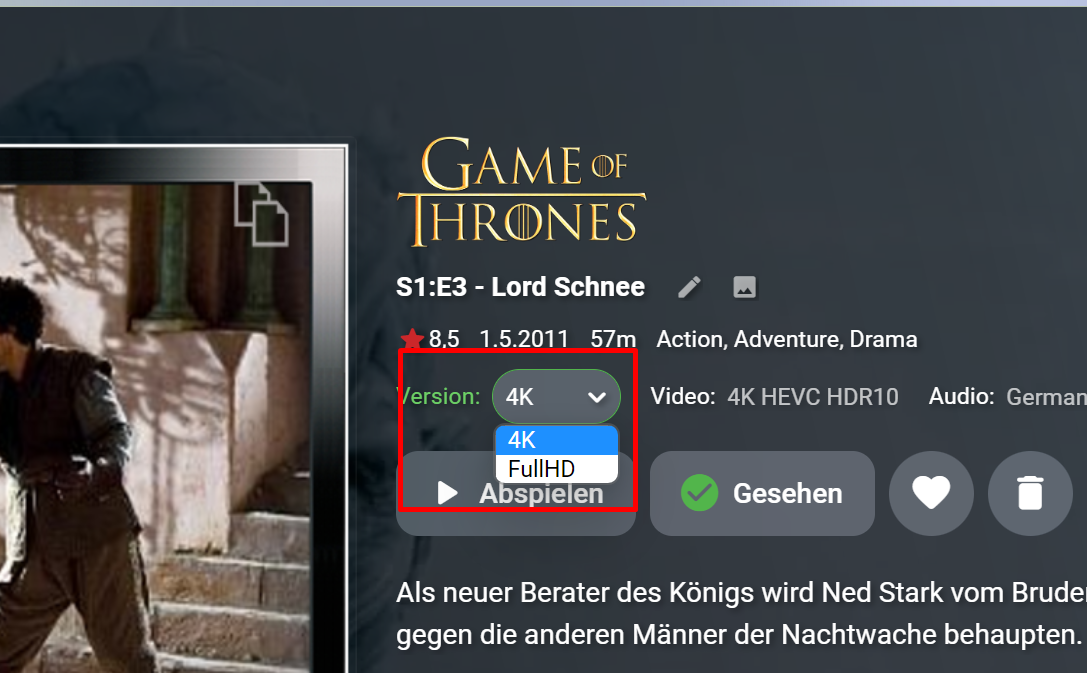
Klar. Geht auch. Ich hab z.B. Game of Thrones als FullHD und als 4K drin. Hab ich dann auch entsprechend beim File so eingetragen. "Game of Thrones S01E03 Lord Schnee-4K.mkv" bzw "Game of Thrones S01E03 Lord Schnee-FullHD.mkv" - alles im gleichen Verzeichnis drin.
 1 point
 -
in ubuntu, just create a Chain Prerouting for redirect port 80 to 8096, with the code: iptables -t nat -A PREROUTING -p tcp --dport 80 -j REDIRECT --to-port 8096 Check for the changes with: iptables -t nat --line-numbers -n -L1 point
-
Hi. When in that view, click the "cog" wheel and choose your default landing tab as "Genre".1 point
-
TVDB constantly changing episodes from specials into a season and vice versa prompted this. I wanted a tool which would align my episode filenames and their indexes to TVDB. #Purpose Renames Files to conform to a prescribed naming scheme. Uses episode name in filename to conform the index in the filename to the matching episode name on TVDB, renaming and moving as necessary. Conservative when recommending a change in index, option for manual operator approval. #Requirements Powershell 7+ Needs access to Measure-StringDistance function add url, api key and server id to config #Constraints Windows Only. Must be run on machine with access to library paths as stored in db. TVDB indexed shows only, will stop processing shows without tvdb index. Only supports aired and dvd display orders, support for others could be changed in code Fixed File Naming Scheme - aligns to Sonarr's treatment of special characters in shows and episodes. eg. trailing . or ?/- in show name, and aggregation of multepisode episodenames with a common root) note - inspect function (extracts names and indexes from path) regex might be tweaked for different naming schemes. Only works with seasons stored as SXX not XX (S is required in filename) - less flexible than embys widest supported naming scheme the filename design is hardcoded to "\Season XX\Showname - SXXEYYEZZ - episodename.ext" , this could be changed in code note: the shows root folder is never touched but the filenames and related season parent folders are prescribed by the filename design Hardcoded to English TVDB, can be changed in code #> changes 0.0.0.4 New - One,More or All shows GUI selection 0.0.0.3 bug fix - file move function broken after subtitle support. 0.0.0.2 new - also rename/move associated subtitle files....limited testing download Assisted Library Clean v0.0.0.4.zip notes Full disclosure, the file matching and confidence engine is sub optimal (if being nice). The script errs on operator assisted matching rather than automation. I had cleaned my library before I got to end, so testing was more academic than practical (less thorough) towards the end. I want to make the recommended matching much stronger/automated but there will always be case when a script can not know, eg for two 'switched' files in season, has the index changed or have the names just switched. So some human intervention might always be required. Example of TVDB Alignment issues / suggestions welcome
 1 point