Leaderboard




Popular Content
Showing content with the highest reputation on 10/08/22 in all areas
-
Hey Emby devs, Nice work overall on Emby. However, I have my own custom controller software I use to control my HTPC, and it conflicts with Emby's input using an Xbox One controller. I have not found a way to disable Emby's controller input. Am I missing something, and if not, can this be added as an option to disable all default input handling for controllers in Emby? Thanks!2 points
-
The third 9.1+ HotFix has deployed on 10/7/2022 as 33.2.0.153 with the following changes: Fixes issue where Automatic Game Mode would be enabled on NVIDIA Games even when disabled Fixes bug where protected content would not play if external storage is connected on 2015 SHIELDs (Previously resolved on 2017 and 2019 SHIELDs) Resolves issue where Control4 would not wake up SHIELD if systems is turned off while Screensaver is active https://www.nvidia.com/en-us/geforce/forums/shield-tv/9/498676/shield-experience-upgrade-91-hotfix-image/3287273/2 points
-
The internal sub is reporting as language 'de-de' which is triggering the loading of a much larger font library. When you extract it and force the language to 'ger' it uses a more compact font library. This is why it loads much faster. We can fix this for the next release.2 points
-
After update 4.7.8.0 home screen section my media tab split to 2 row now. How to make it back to 1 row like below? Thank you.
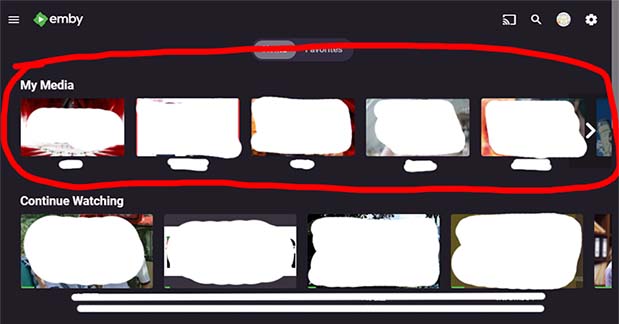
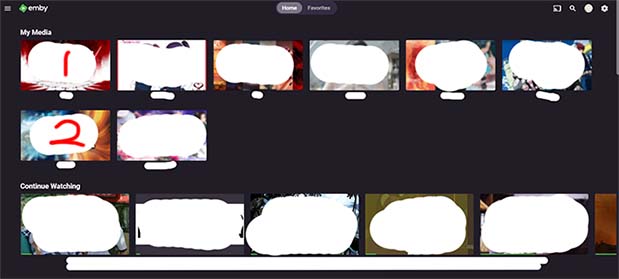 1 point
 -
I just bought a new Chormecast device with Android TV and Emby doesn't work. Its running version 2.0.79g. I try to open the app and it juts goes to a black screen. Nothing happens at all. I've tried to force-close the app, restart the chromecast, reinstalled the Emby app. Nothing appears to work. The strange thing is that I have another Chromecast that does work. Is anyone else having a similar issue?1 point
-
Two more I'm just recalling: Custom smart matches are not available for tv shows yet Moving to existing TV Shows sometimes move files to different folder than expected or sometimes even create a new folder There is more information in the PM, I will point you there.1 point
-
Thanks Luke, I can split versions and have the playlists work as I manually build them. It is a bit of a minor annoyance having to keep 2 library entries for some films, but i can enable the library settings to show resolution and that will allow for some differentiation without needing to be too worried about it for now. I appreciate your feedback.1 point
-
I can reproduce the casting to chromecast problem. I'll have to pick one of these up because it looks like even though the device only supports 1080p, the chromecast developer api's are advertising 4k support and that's why we end up trying to direct play the 4k video.1 point
-
If you're paying the extra for the premium model it would be nice if it came with a couple more years of support. Maybe 7 years vs the 5 years everyone gets.1 point
-
Correct, but really, 5 years is not that old, especially for what was their premium model. I know how hard it is to keep supporting older models1 point
-
I think it does require Internet connection when starting. @SamESdo you remember?1 point
-
I second that, something like PASTA will be great for emby, even if it have basic functionalities...hopefully is not so hard to pass parameters to the player based on the tvshow settings..1 point
-
OK, thanks, looking forward to that then!1 point
-
Was able to figure out how to use mp3Tag and it solved the problem so thank you again!1 point
-
Never mind, i am just impatient it seems. I manually ran a scan and it finished realy fast and still displayed nothing. 10 minutes later stuff is populating.1 point
-
Perfect Thank You1 point
-
Chiming in to report the same issue. It began very recently, and is genuinely a problem.1 point
-
That will get the app running but playback won't work. A new beta should be up this weekend.1 point
-
Hi. It is going to use whatever address is shown as the WAN address on your server dashboard. So, as long as you configure that correctly (network tab) then it should work. There may be a delay but the apps should get the new address.1 point
-
This should already be possible using the "smart matches". And resolution is also possible iirc, you need to configure the file pattern accordingly.1 point
-
Hi guys, need some help...i'm new to emby and as much as I love it I have the problem that whenever Emby or windows updates the IP address for remote access seems to change and i can't get access to emby from outside the home( i.e at work on tablet) how do I solve this problem? not very techie minded so looking hopefully for a straight forward solution that even a newbie can follow...thanks in advance1 point
-
You will need to use what is called a Dynamic DNS service. There are both free and paid for services. I would start by checking if your Router supports a DDNS service directly. What this does is gives you a conventional address to go to as opposed to a IP address. IE. "myemby.dynu.net" if your router does not support it directly then you will need to keep a program running on a computer on your local network. this program continually checks your IP address and updates the DDNS service if the IP address changes. Here is the free one that I use... https://www.dynu.com/Resources/Tutorials/DynamicDNS/GettingStarted I hope this helps you out, James!1 point
-
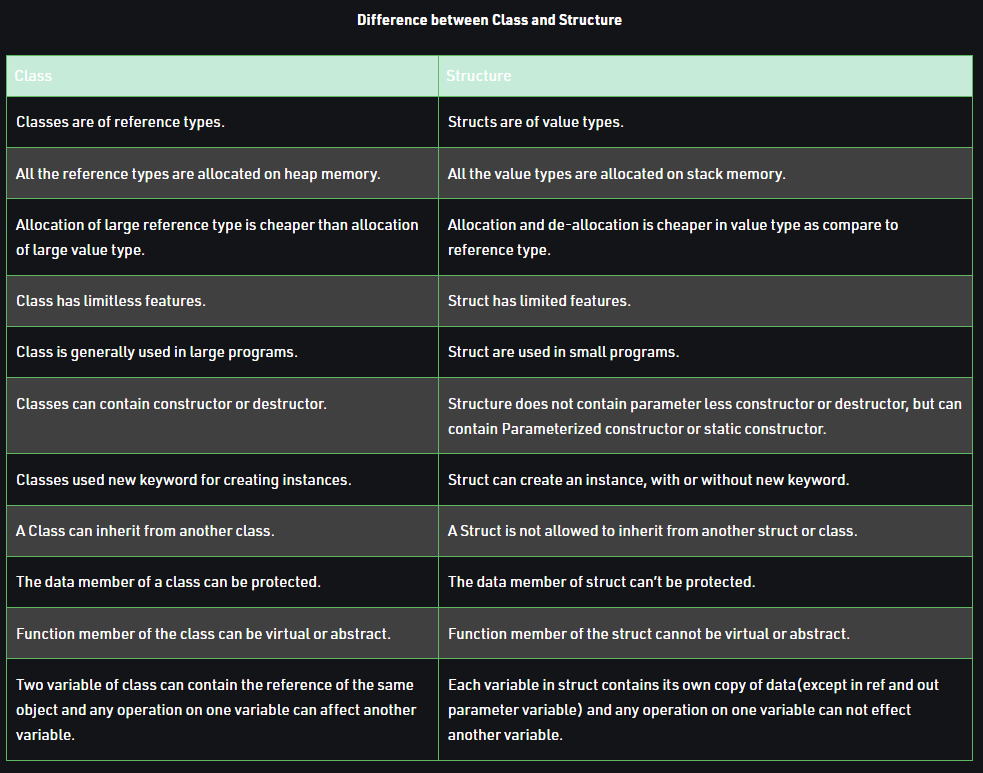
A little table for the differences. I never ever use Structs
 1 point
 -
Sounds great many thanks for your Help!1 point
-
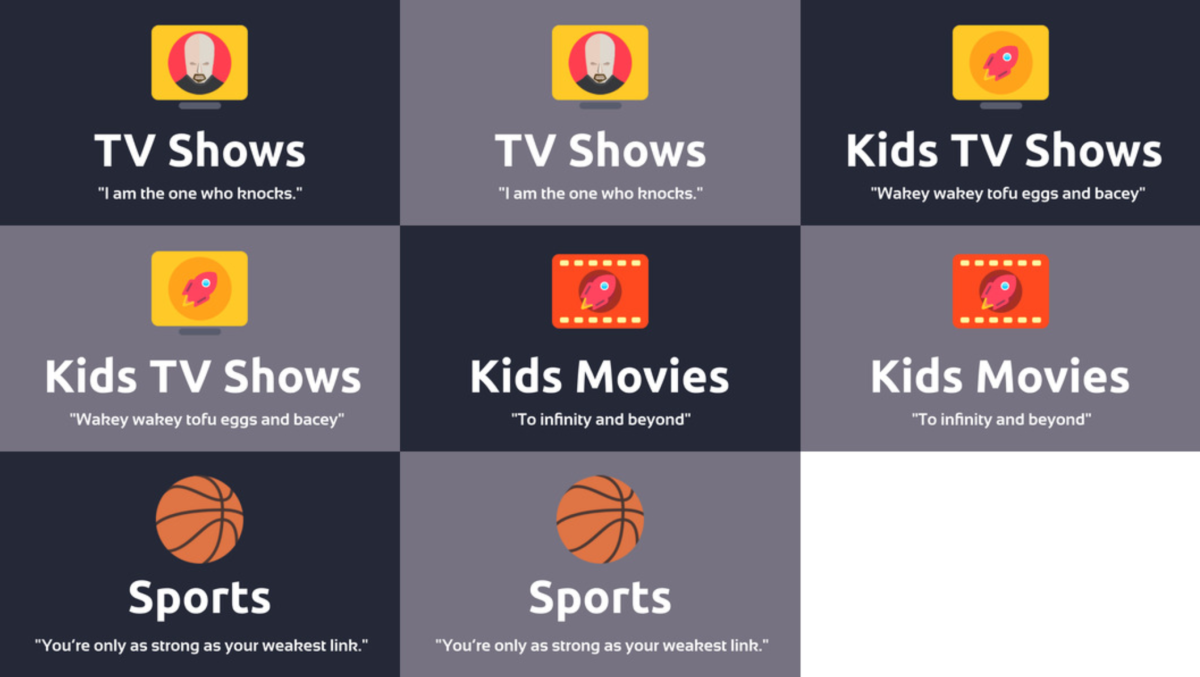
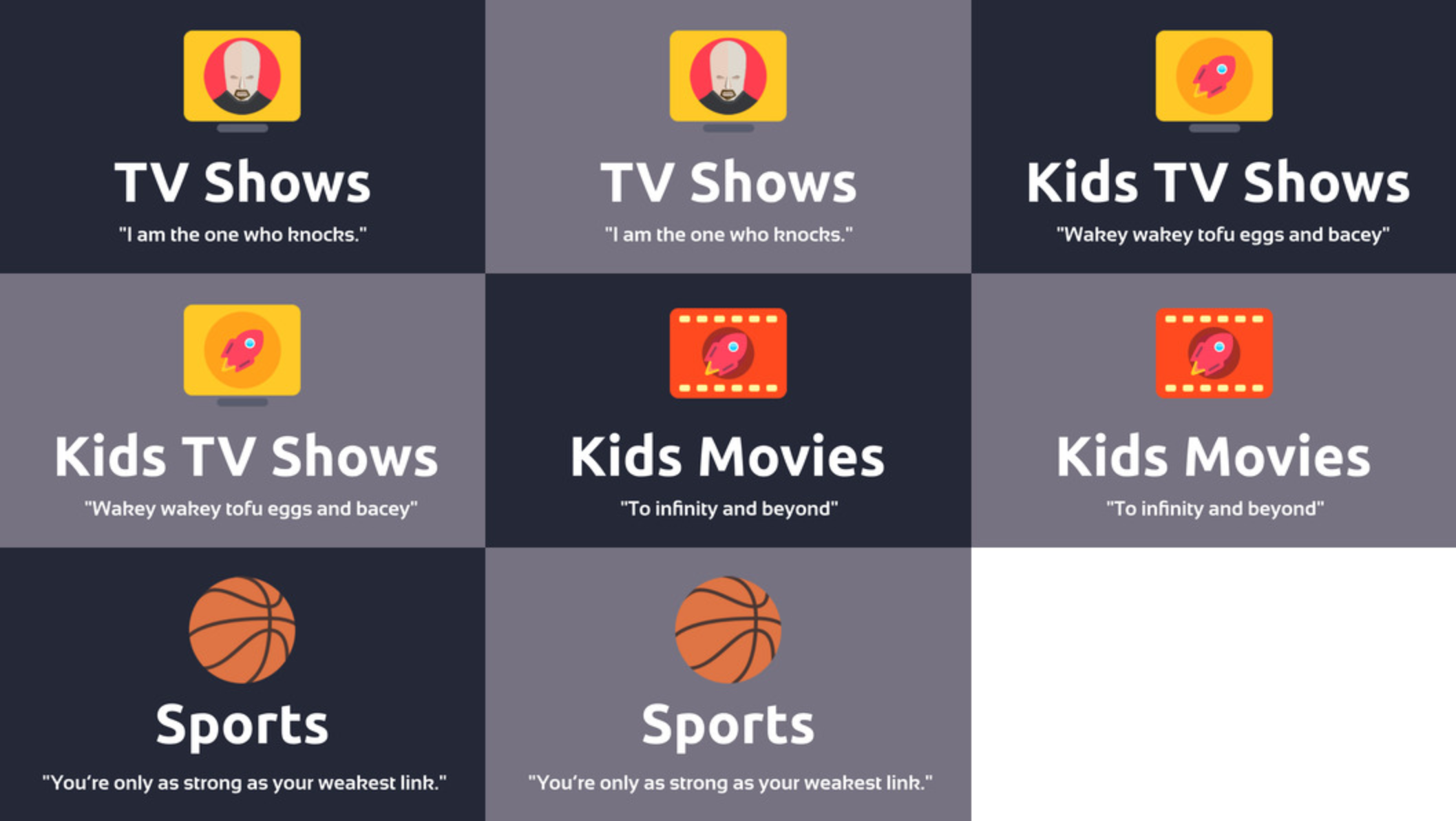
Hi everyone. I'm attaching an update: TV Shows, Kids TV Shows, Kids Movies, Sports maxigmv_library_icons_2022_export_02.zip
 1 point
 -
yes Are ass subs external or stored internally? If they are text based internally then any text based sub would be extracted as SRT. I should really add a function to extract them based on what the user wants. if the subs are already extracted then it wont touch them1 point
-
Oh ok. Thanks. Is it normal behavior when an archive file is recognized as a movie, it is automatically extracted and processed while if it's a series, it does not do anything?1 point
-
@CharlieMurphy ?1 point
-
You might want to go back and review what you changed on the router. If I'm not mistaken the #2 step put the internal address in a DMZ making all unsolicited internet traffic go to your Emby server. In other words the system with the given internal address is fully exposed to the WAN. The other steps to setup the port forwarding should have been enough.1 point
-
Hmm- ok the audio track in what I was testing with isn't going to be supported. I thought that would only cause an audio transcode with a remux to the video though. I'll find something else to test with- the change was so recent I wasn't actually aware it would start working. I'm actually more interested to see if downstream Chromium browsers(Brave) have added it or not yet. Thanks!1 point
-
@Happy2play I think i might have solved it. I have now tested 4 different series Greys Anatomy, House of Dragons, Rings of Power and Station 19. They were added and were found in not more than a min or so. What change did i do? I went through my network, and saw that the portforwarding was correct, just to the wrong IP. And then it hit me, i made a new Emby server some time ago (6-8 months ago i would guess) and changed the IP cuz i still had the first NUC to transfer the content over to the new NUC. And forgot to change the IP so it matched. I cant say with 100% certainty that this is the fix. But so far working much better than the last 2 weeks.1 point
-
@mickle026 yes this, in most languages including c# class and struct are handled nearly exactly the same once they are constructed. How you iterate over the data is the key point.1 point
-
Thanks Luke. Yes, I get it. It's just that my server now runs as a docker under Unraid, which makes it a bit of an ordeal. I'll figure it out.1 point
-
Ok very VERY VERRRRRRYYYYYYYYY weird... I change the chown to emby:users for /var/lib/data and seems to be ok... Very weird, because i don't touch anything since many times. Anyway seems to be fix1 point
-
@home04277 Please try this version:1 point
-
Same problem. Click any title, to read it's description. On the bar where it says "play", "played", "trailers", "favorite", put the selection cursor on "more". Click it. The system shows the options. None of them is initially selected. When you press up or down, nothing happens. But you can see that the background is moving. The system thinks you are still at the background screen. It ignores the new menu on top of it. After you press up, down, left or right some times, the cursor eventually appears at the right place, allowing you to select one of the "more" options on the foreground menu. This problem happens whenever the other issue related in the above answer is happening. It usually starts after you play a video.1 point
-
I tried to edit the above answer but I couldn't because there is a time limit. An important detail I forgot to mention: the problem seems to start only after you play a video. Also, where I said "resetting", I should have said "restarting" "Resetting restarting the whole system by pressing "<" and "home" at the same time for some seconds seems to solve it. But only for a few minutes." (because after you play a video, the problem comes back).1 point
-
Same problem. Turn apple tv on. Click emby. Click movies. Click any title. Now, try to go back to the Main Emby Screen (the first) using the "<" button (back). It works the first time. From movie description screen to movies catalog screen. Press the "<" button again. It doesn't work. Nothing happens. It should go to the Main screen (the one that shows "Movies", "TV Series", etc). There is a way to work around this. As skuuup said. 1 - Manually put the selection cursor at the top bar (the one with "all", "suggestions", "trailers", "favorites", "collections", etc). 2 - Press the "<" (back) button. Now it works. It navigates to the Main screen. Now, when you are at the app's main (first) screen, the correct behavior if you press the "<" (back) button again, is to exit the app and go to the apple tv main screen. Where you see all your apps. But this is not happening too. Unless you manually put the selection cursor at the top bar (in the main screen it says "home", favorites", "search", "settings"). After that, if you press the "<" (back) button again, it works. Emby closes and you see the tvOS main screen again. This problem doesn't happen always. Generally, when you turn the system on and open Emby, it works normally. But after some time browsing, the problem starts. Resetting the whole system by pressing "<" and "home" at the same time for some seconds seems to solve it. But only for a few minutes.1 point
-
Same behavior as what skuuup described on both my Apple TV boxes.1 point
-
Thanks for the hint! The patch will be included in ffmpeg shipped with the next Emby beta. The current Emby stable releases are based on ffmpeg 5.0 and are unaffected.1 point
-
Stop enabling Auto Update after I have have done an update!!1 point
-
It is the new Chomecast with Google TV HD version (2022) which runs Android TV 12.. See here1 point
-
It made for some interesting PMs which I loved following and watching you progress. You made a great choice with the Hynix P31 Gold NVMe as well, as it's among if not the best Gen 3 card available. PS 18 to 25 year Macallan, but after a nice meal once a week or so I'll treat myself to a nice dram of one of my Islay Single Malts I always have in my private stash: 16 year Lagavulin, Ardbeg Uigeadail, Laphroaig Lore or 18 year Caol Ila. But you're spot on, how smooth the setup is with a NVMe setup in this fashion. It's really a shame you can't do this setup in the GUI or use it like this out of the Box! Carlo1 point
-
I'm afraid I agree with the cheesgeezers view's on the user view being a clunky tab bar. It was much sleeker before.1 point
-
Nothing, in my eyes, should try to mimic what apple does. They are the worst UI devs IMO and just change stuff to no real benefit. They were pioneers at one time, but alas they have lost their way, but they did set the standard which is still being used today, so have to give them credit for that. Apple are like the guy said in Tron: Legacy “so what have you done this year to improve on encom OS 12?” “Well… this year… we slapped a 12 on the box”1 point
-
@Luke: What is wrong with you?! Why don't you want to fix it? I don't understand at all!!!1 point
-
Sorry for the bump - I was just looking for a feature like this too. Coming over from Plex - basically something like PASTA. Granted it's a sorta home-built solution outside of Plex itself, but it has the capability (and works flawlessly) to switch a series' default audio and subtitle track by season, by series, or by episode. So you can select to set the "Season" to match your preference, pick a language and sub, and it'll set each episode of that season to correspond to the picked choices - and if an episode is missing your preferred track/sub it'll note that and you'll see it skipped that episode in the log visible upon performing the switch. Handy tool, be cool if someone did something like that for Emby.1 point
-
Recent docker compose instructions on Ubuntu 20 (Docker v20) This assumes you have the NVIDIA drivers installed. https://docs.nvidia.com/datacenter/cloud-native/container-toolkit/install-guide.html#docker 1. Follow instructions to install docker-ce 2. Paste the code under "Setup the package repository and the GPG key" 3. DO NOT install nvidia-docker2, it is deprecated. Instead, install nvidia-container-toolkit: apt install nvidia-container-toolkit 4. Install docker-compose-plugin apt install docker-compose-plugin 5. Restart docker systemctl restart docker 6. Configure your docker-compose.yml. Example: version: '3.8' services: emby: container_name: emby image: emby/embyserver:latest # Obviously you'll need to update these environment: - UID=1002 - GID=1002 network_mode: 'host' ports: - '8096:8096' volumes: - "./config:/config" restart: unless-stopped # This is how GPU support is configured with recent docker/docker compose: deploy: resources: reservations: devices: - driver: nvidia count: 1 capabilities: [gpu] 7. Start your container docker compose up (notice NO HYPEN. `docker-compose` coming from the Ubuntu 20 repos is outdated, so you can't use the device reservations above. Instead, we're using the compose plugin from the docker command)1 point
-
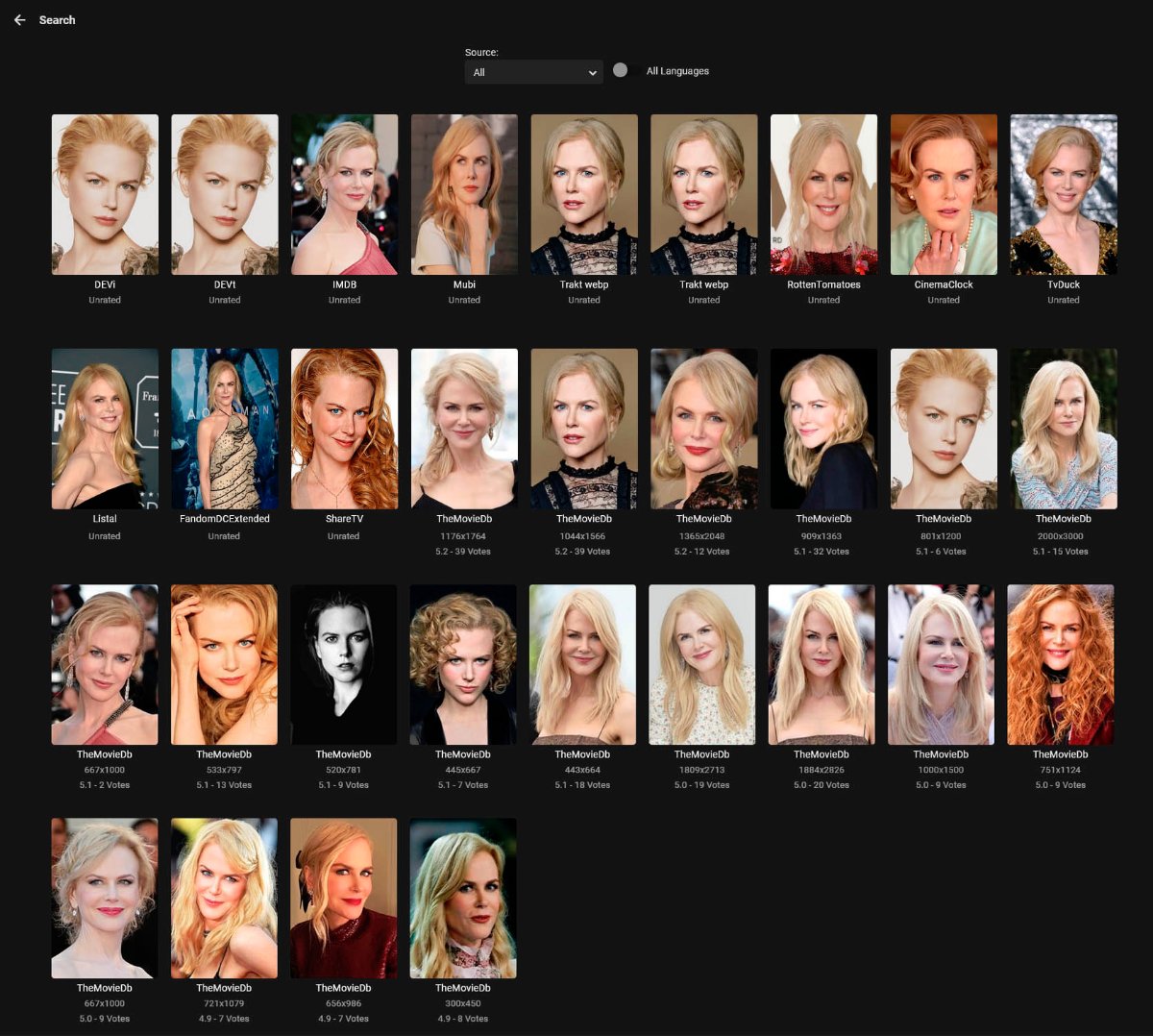
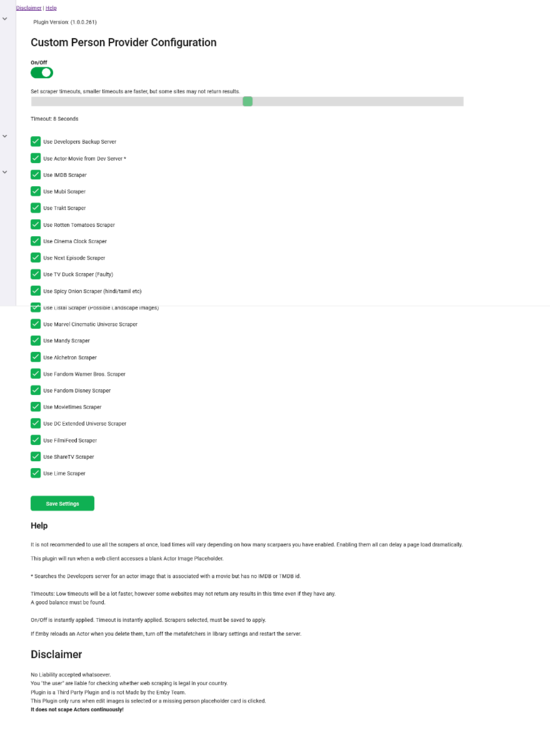
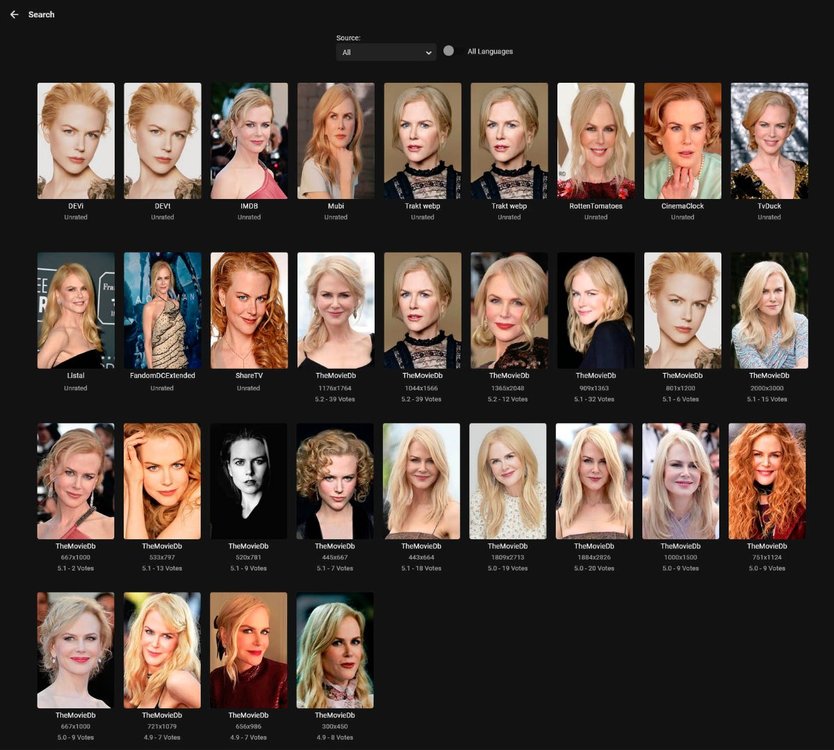
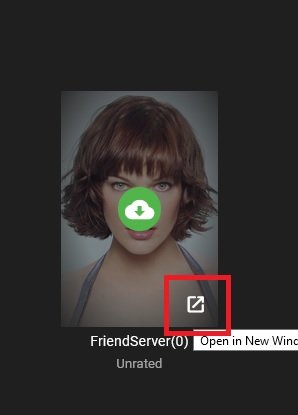
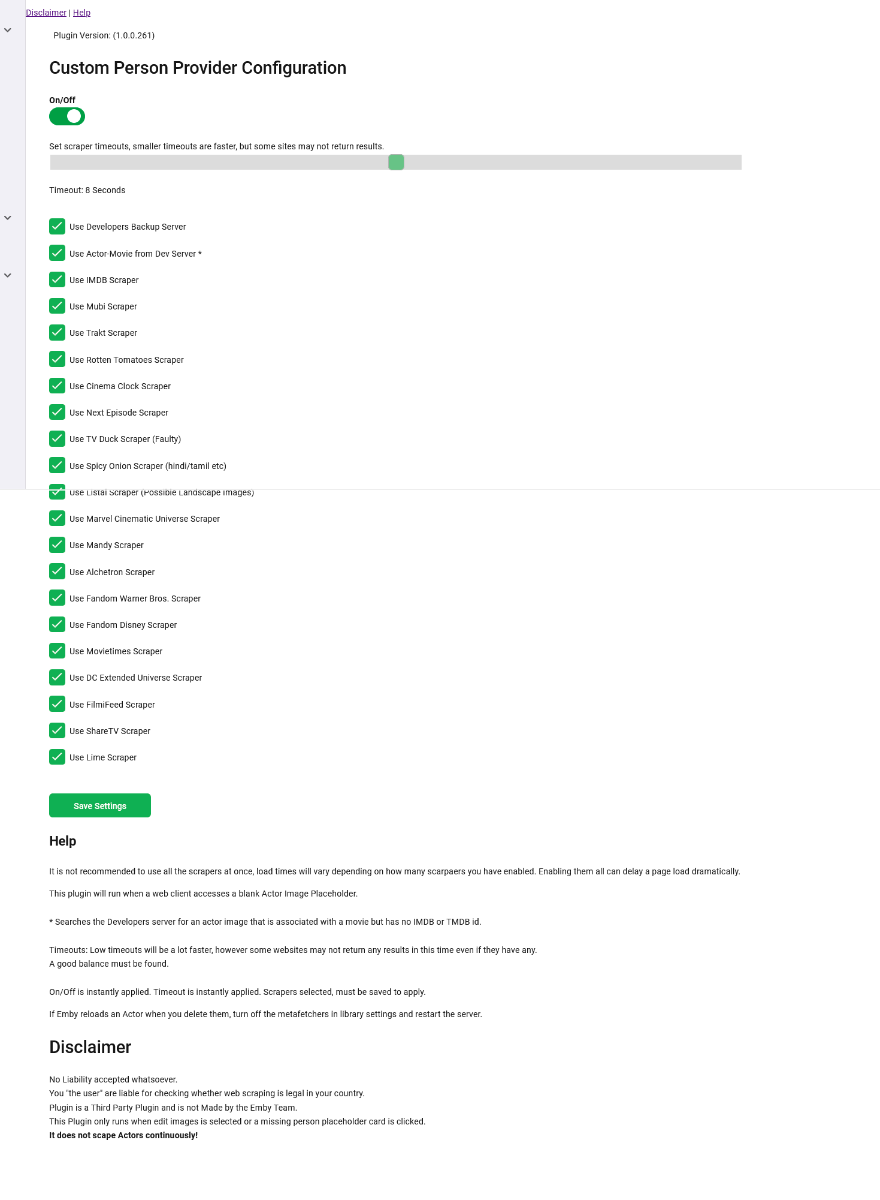
I think this is polished enough to be labelled a beta now. Original thread is here I have started a new thread to seperate this plugin and the confusion with another plugin I made. There are two seperate plugins in the original thread. This thread will carry the newest version of this plugin. What this plugin does. +++++++++++++++++ It sits in the Emby system and is called when: 1. A User or client clicks on an Actor (Movie or TV Series) that does not have an Image. 2. An Admin enabled user or client clicks on Edit Image (Even if you already have an image) What this plugin does not do ++++++++++++++++++++++ 1. Scrape web pages continuously updating you Actor Images. 2. Fetch Actor Images automatically when an item is added to your library. 3. Fix issues in your Actor thumbnails (However >this plugin< will fix bad thumbs, corrupt files etc and re-enable Emby to update properly) The Main configuration page can be found in your server dashboard Plugins. It is recommended that you do not use all the scrapers at once. This will slow page load times down dramatically even for clients. (only the Actor Info Page). If you can use a friends server, or a second server, I would recommend doing that. It will pull images from that too if it has one you need. You can do just alone that if you wish by dissabling all the scrapers but leaving the plugin turned on. If you do come accross any that do not load a thumbnail in the preview, click the bottom right of that blank image to open it in a new browser window and see if it can be accessed. I have left "TV Duck" in there but it probably will not work, so I recommend that is turned off unless you use it to open in another url and download the image manually. I currently don't know why Emby cannot download from there yet, but it can access the image. Maybe a TLS problem? Emby may create a corrupt file from TV Duck. Use the on/off toggle if you cannot delete an image, because of Emby re-fetching it. Trakt Images are Webp, If you can avoid them do so at them moment, they work in Emby, but Emby cannot currently resize them so shows an Error in the logs. If you find you dont like an image fetched, click the search icon (admins) and there may be a few to choose from depending on the scrapers selected. Some of IMDB images are cut off with half a face etc, some others may have two or more people in them, but generally most images are correct. CustomPersonProvider-beta4.6.0.22.zip CustomPersonProvider-stable4.5.0.28.zip
.thumb.png.5027e309b348f5fa5d92bedecfc44770.png)
.png.8df10dcaccd48694c654dca0efa448f5.png)
 1 point





























.png.6ba52f3cbbe67ff43524c97d18d63949.png)