Leaderboard




Popular Content
Showing content with the highest reputation on 10/03/22 in all areas
-
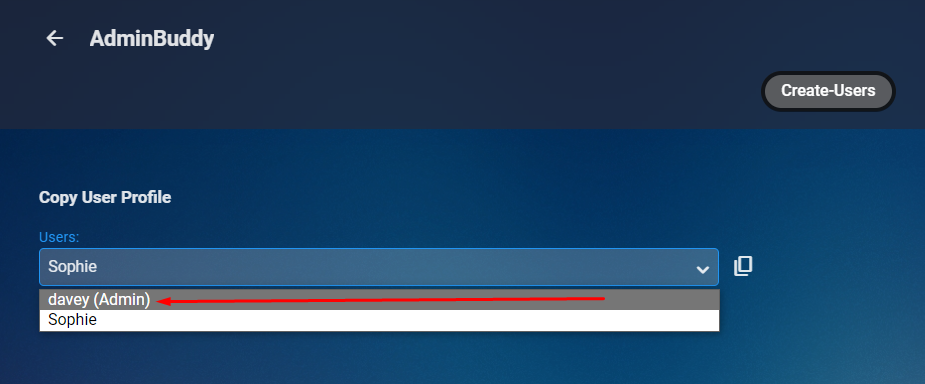
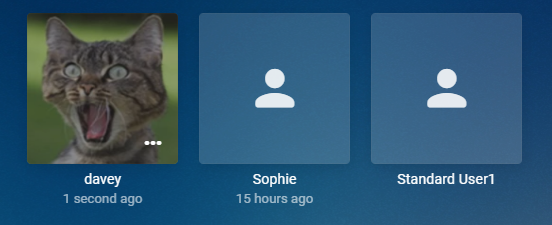
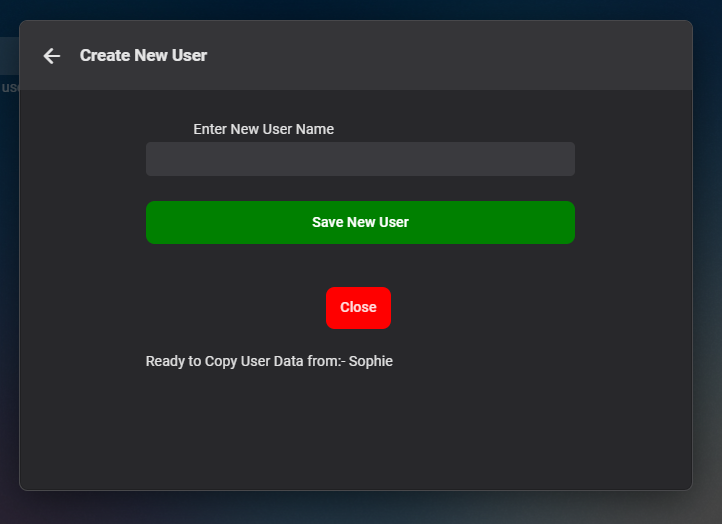
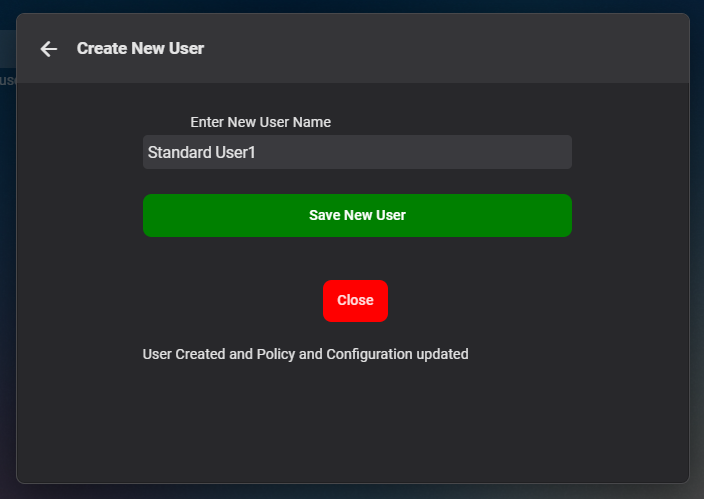
Cheesey Productions brings you ADMIN-BUDDY for Emby Please note this is just an interim plugin until the core server implements this Version 1.0.0.0 is available in the plugin catalogue under General Section Admin accounts are hightlighted Interface with info on which account is being copied After Hitting Save the status lets you know what has happened, but stays open, in case you want to create more users. Click close to exit New user is created and you can edit, delete and do what you need to in the standard User Interface Hope you enjoy
 7 points
 -
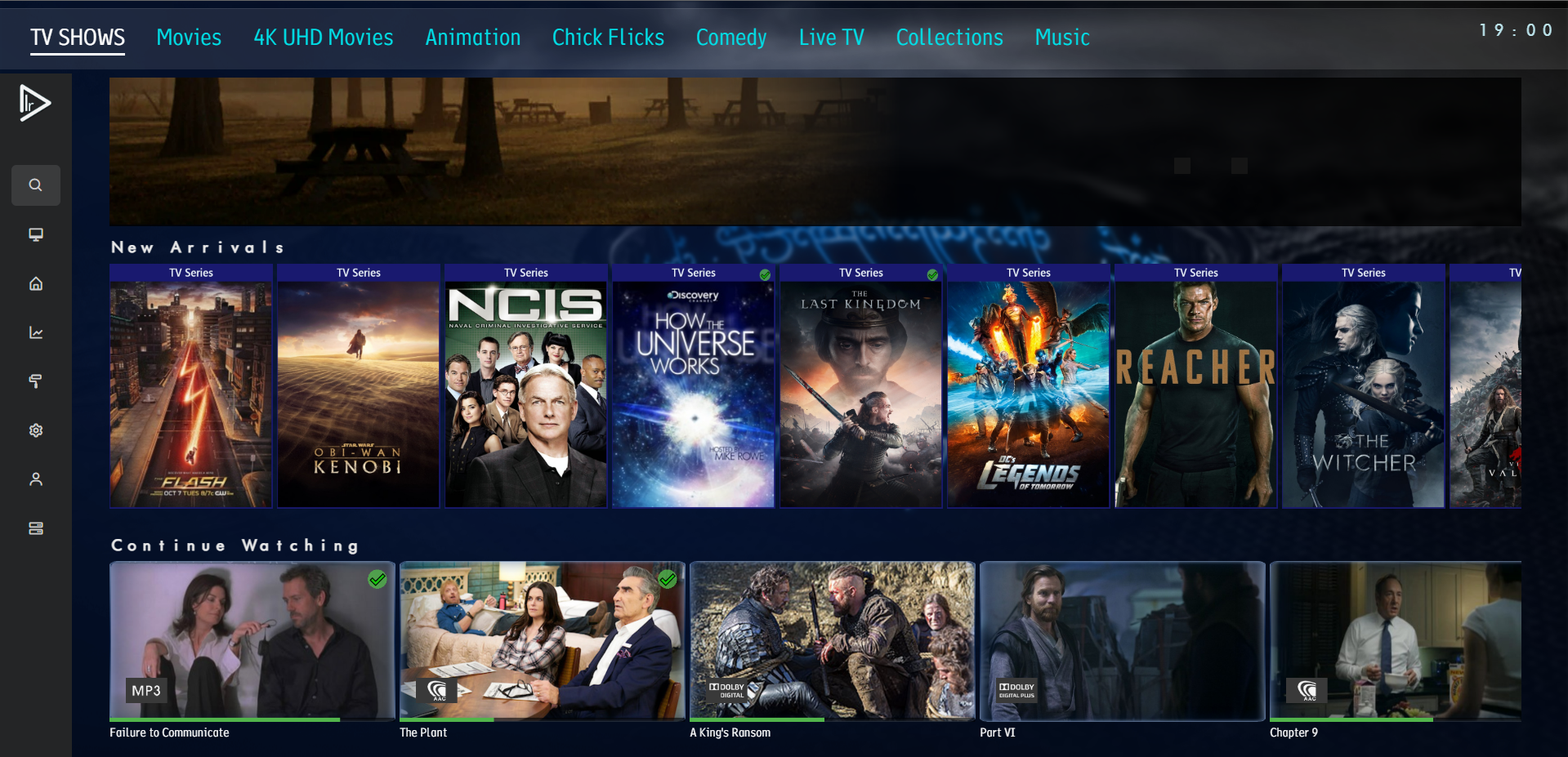
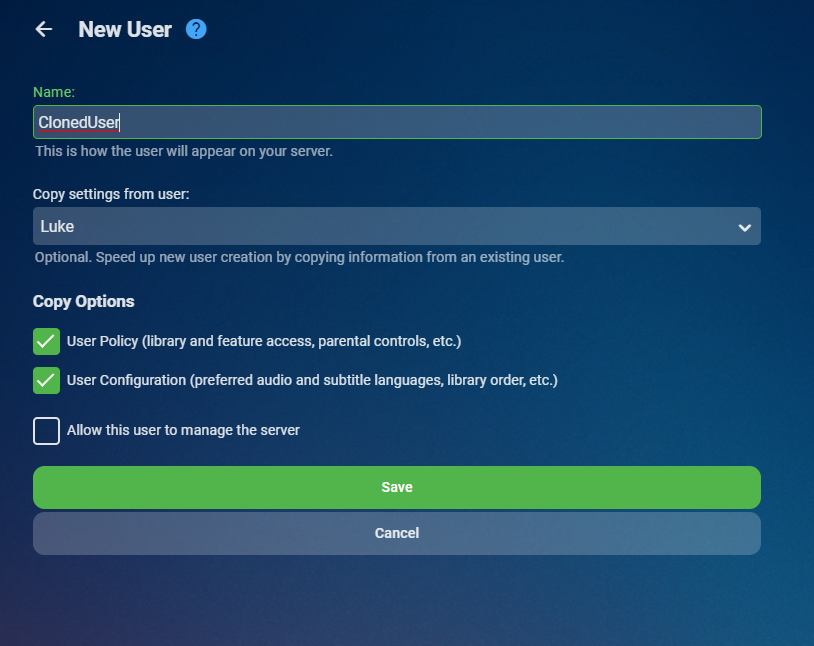
Coming in Emby Server 4.8:
 5 points
 -
Big thanks to our team buddy @softworkz for designing the new "Dark Theme", any suggestion please address the suggestion to him, thanks all.3 points
-
Might be a good idea to include the download count (if possible) in the Plug Ins Catalog section of the Server to give some idea of popularity.2 points
-
This problem I had has been fixed in the current version of the application (1.3.6)2 points
-
I had almost finished it anyway, so I'll throw it up on the plugin catalogue for use in the interim, at least you don't have to worry about it just yet and can focus on other features and requests. Version 1.0.0.0 is available in the plugin catalogue under General Section Admin accounts are hightlighted Interface with info on which account is being copied After Hitting Save the status lets you know what has happened, but stays open, in case you want to create more users. Click close to exit New user is created and you can edit, delete and do what you need to in the standard User Interface Hope you enjoy
2 points
-
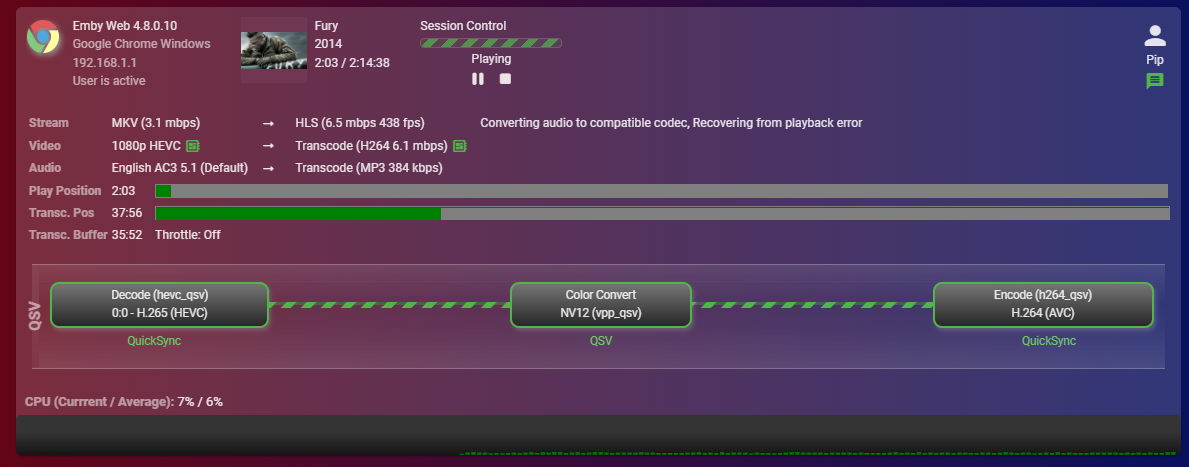
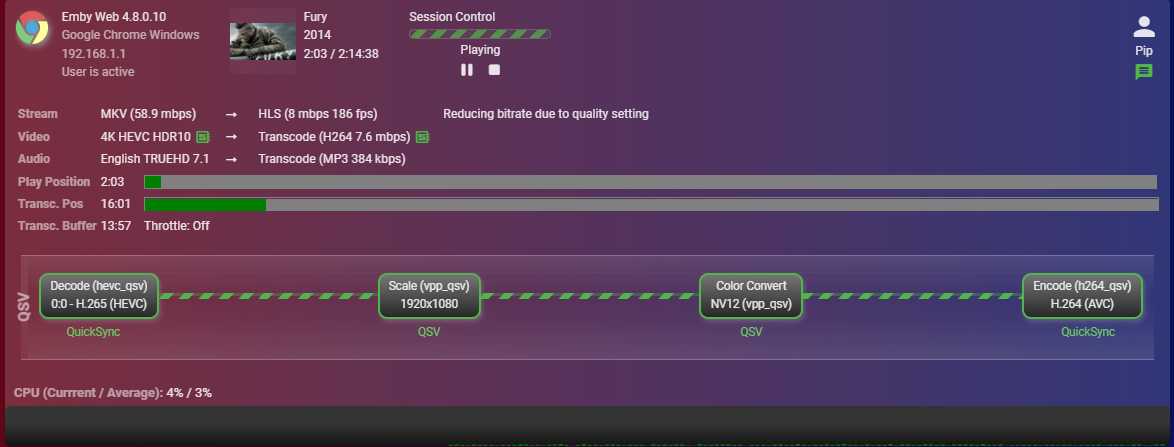
Beta Driver D3D9 and D3D11 are options but H265 > H264 fails and falls back to software transcode. Then tried Standard 31.0.101.3277 - Blazing speed with D3D11 - Chrome has a spinning blue circle that doesn't go away but it's playing. 4K loading circle not present UHD 770 was 190fps so with 4K the Arc is slightly slower (on par) but smashes the UHD 770 at 1080p. Drivers do definitely cause a lot of issues it seems, although the Arc has blistering speeds at 1080p, I'll be switching back to the UHD 770 due to needing the Arc for my AV1 encoding. But for those without those needs, seems like a good card to get your hands on.
 2 points
 -
Yes, everything in this feature request will be added: More aliases for Season 0 folder underneath series: extras specials shorts scenes featurettes behind the scenes deleted scenes interviews Support for special folders underneath season folder: extras specials shorts scenes featurettes behind the scenes deleted scenes interviews Support for specials right next to the episode files: Dexter S01E01 - Episode Title-featurette.mp42 points
-
I'm going to just put a dropdown on the new user screen to copy settings from an existing user. I think that will make a lot of people happy.2 points
-
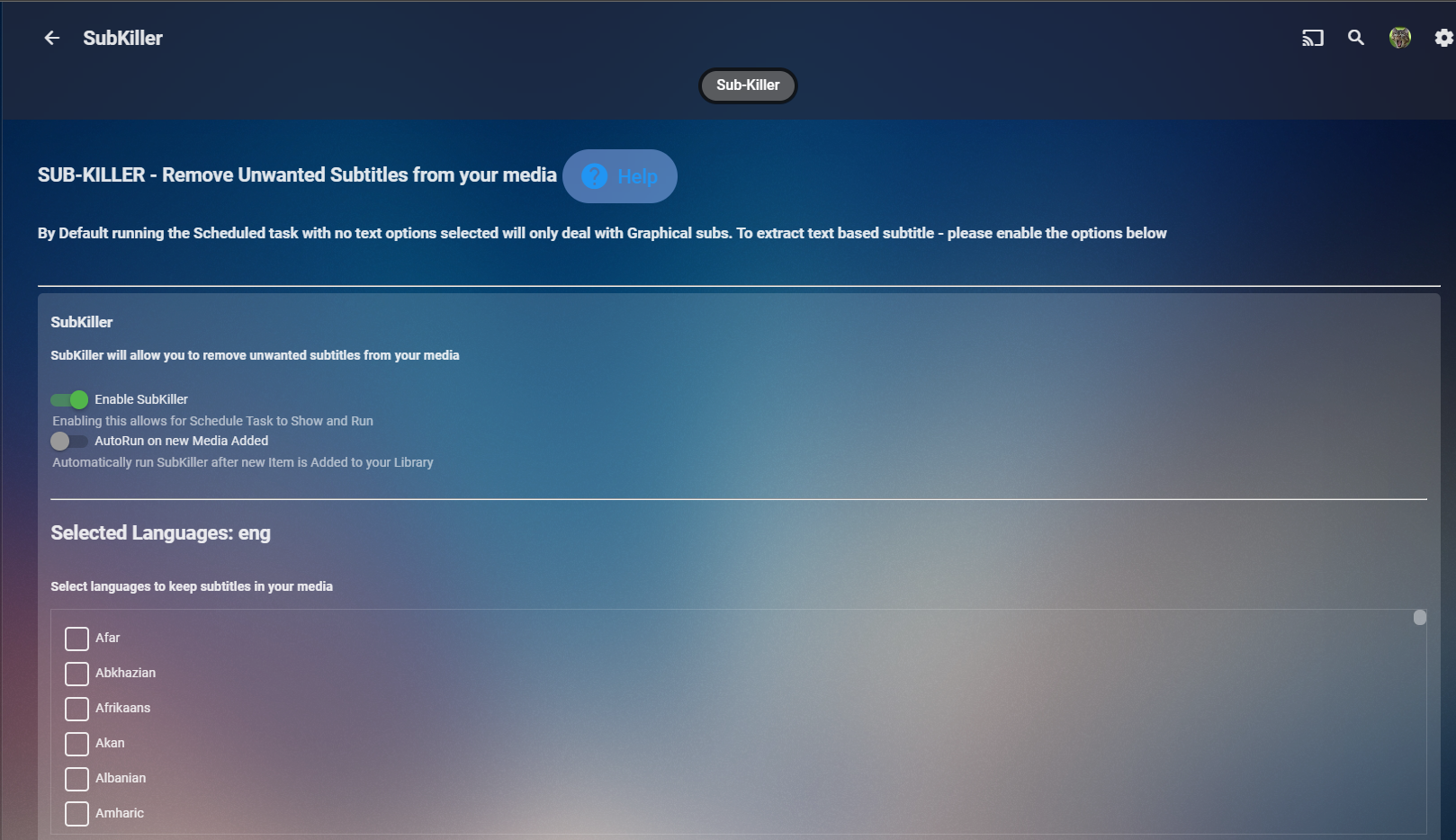
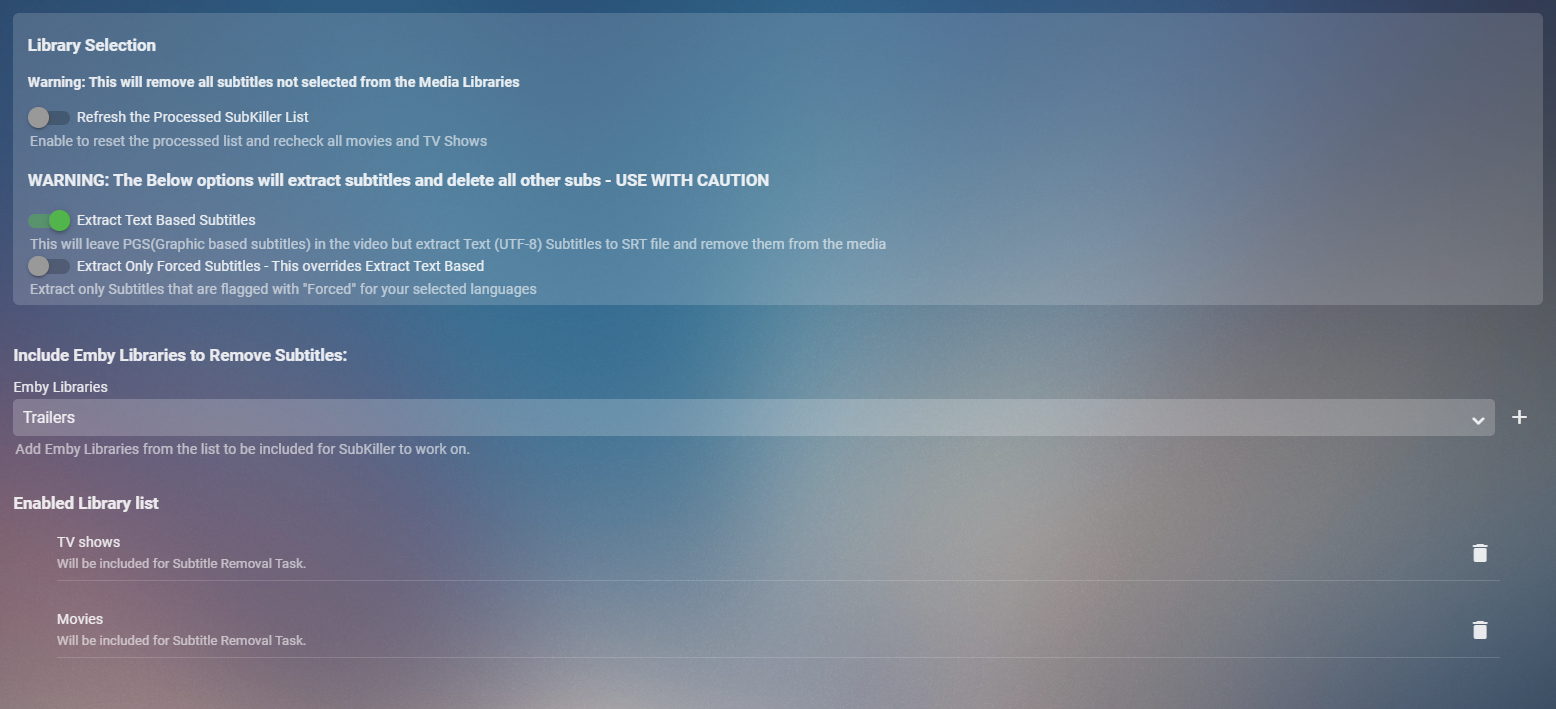
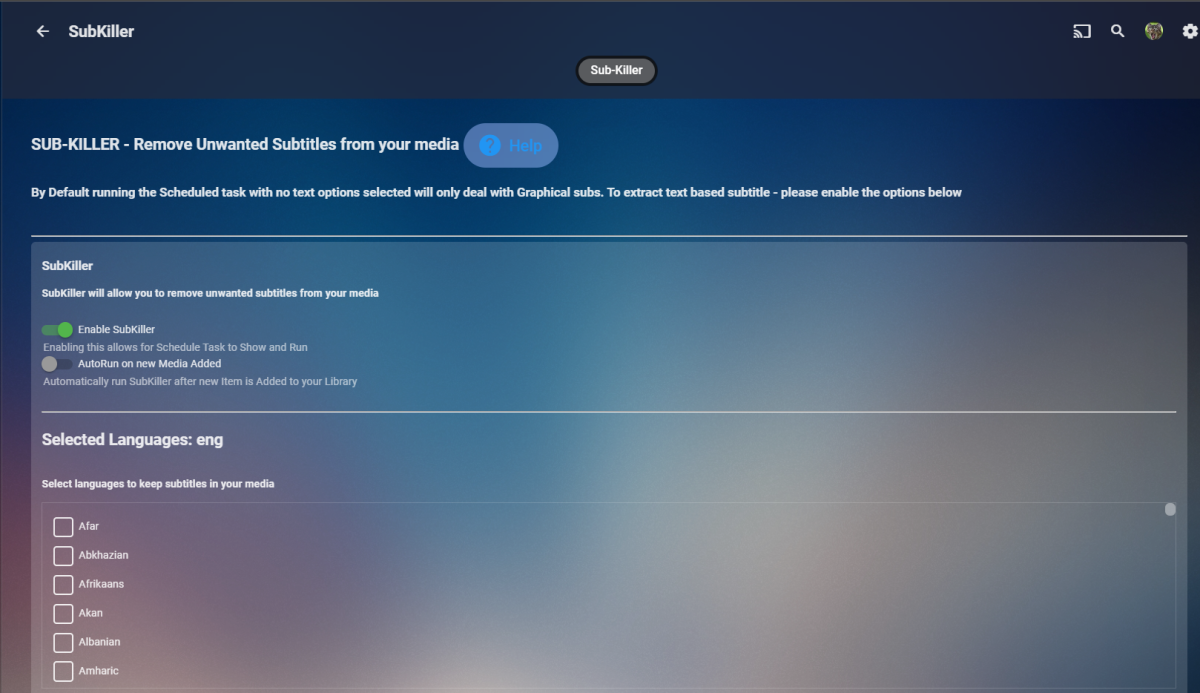
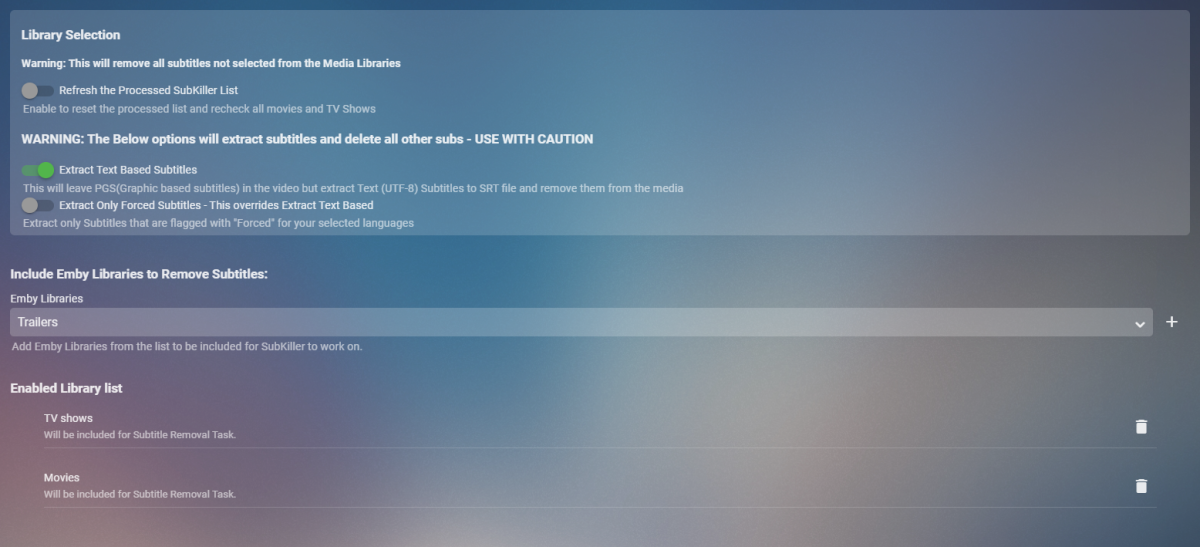
Cheesey Productions brings you SUB-KILLER for Emby Remove those unwanted subtitle languages Removes Graphical subtitles by default & can extract text based subtitles as an option Available from the plugin store A huge shout out to @rbjtech @FrostByte and @Dickydodah!for all their help with this. https://twemoji.maxcdn.com/2/72x72/1f44d.png Please read the wiki page available that will help you get set up. - currently under construction SUB-KILLER WIKI PAGE This plugin is destructive as it removes physical subtitle files from your media containers PLEASE USE A TEST LIBRARY FIRST Config Page

 1 point
 -
Can we have an option to flatten series if there are XX episodes or less. Just provides the ability to eliminate one frustrating click. I wouldn't want it on my 1,000+ episode Looney Tunes series. However, when you only have one or two seasons in a series, it helps drill down easier.1 point
-
Oh please Sir, do it. And I will love you forever.1 point
-
I feel like a dork. It is right there where you pointed. I am glad you have patience as I was adamant I was looking in the right spot. You guys are always so helpful and I cant thank you enough.1 point
-
They'll come back as soon as those devices sign in again.1 point
-
Yes, I tested it only with the local network. Today I updated my QNAP to v4.8.0.7 beta and tried it without a Emby Premiere license. It seems that the issue is gone. I will check when I have a valid Premiere license again. If there are no problems then I will mark this thread as solved.1 point
-
I had several days with nothing to do so I programmed on my laptop. I rewrote the tag tool from scratch. It's now organized into multiple files according to function. I also used the latest javascript features. The code is much faster and easier to modify. The rewrite lacks a few filters and a few other simple things. These things will be added soon. Download all of the files to the same folder and click on "tool.html." Also included is a draft for a manual. It's about 70% finishrd. 1 Display and navigate the Emby library, 2 Select and edit the metadata for an item within the library o add or remove tags, genres, studios and cast members o add or remove locks, o set watched and played status, o edit dates, ratings, and other metadata 3 play movies, videos, TV shows, audio, music, and photos, 4 read ePub books 5 Bulk edit metadata 6 Display the VirtualTV guide, o play a channel from the guide on one or more TVs o play a channel on your computer 7 Apply filters to select specific media, 8 Create a new Emby Collection and add selected media to it, 9 Add or remove media from an existing Emby Collection, 10 Create a new Emby Playlist and add selected media to it, 11 Add or remove media from an existing Emby Playlist, 12 Play an Emby playlist, 13 Dashboards for Emby devices o Monitor Emby clients playing media o Control all media playing on devices 14 Edit channel Tags, Names, and Numbers Kanipek has been helping me test the code. The testing is not finished so proceed with care. I will correct bugs ASAP. Vic jszip.min.js manual.docx media.js tool.html tool.js bulk.js channels.js dashboard.js editor.js epg.js epub - Copy.js epub.js filter.js1 point
-
HI, yes it's resolved for the next update to the Emby Android app. Thanks.1 point
-
I'm afraid I agree with the cheesgeezers view's on the user view being a clunky tab bar. It was much sleeker before.1 point
-
Hey peeps So i think we are at the stage for release. Please set up a test library (create a new library and throw in some copies of some TV or Movie files) and then do a library scan and see if you get the desired results. I think it's working well from our testing. Requires 4.7.7.0 Emby Server Version 1.0.0.0 is available in the plugin catalogue under Metadata Section. Enjoy
 1 point
 -
Yes, I just figured it out. My hardware_detection logs showed that Emby Server was detecting my GPU but that CUDA wasn't initializing for FFMPEG. It turned out I needed to add the cgroups for CUDA into my container config file as specified at this link - https://medium.com/@MARatsimbazafy/journey-to-deep-learning-nvidia-gpu-passthrough-to-lxc-container-97d0bc474957 - which I found on another thread. So I was passing the GPU to the server but not the libraries needed to actually perform the transcoding. @nmbrg if you're still having issues, give that a shot!1 point
-
Was denn für ein Versteckspiel? Wenn du auf mb3admin.com gehst, siehst du doch dass du zu Emby weitergeleitet wirst. Die hießen halt mal mediwbrowser und inzwischen Emby.1 point
-
Ok, thank you for debugging!!1 point
-
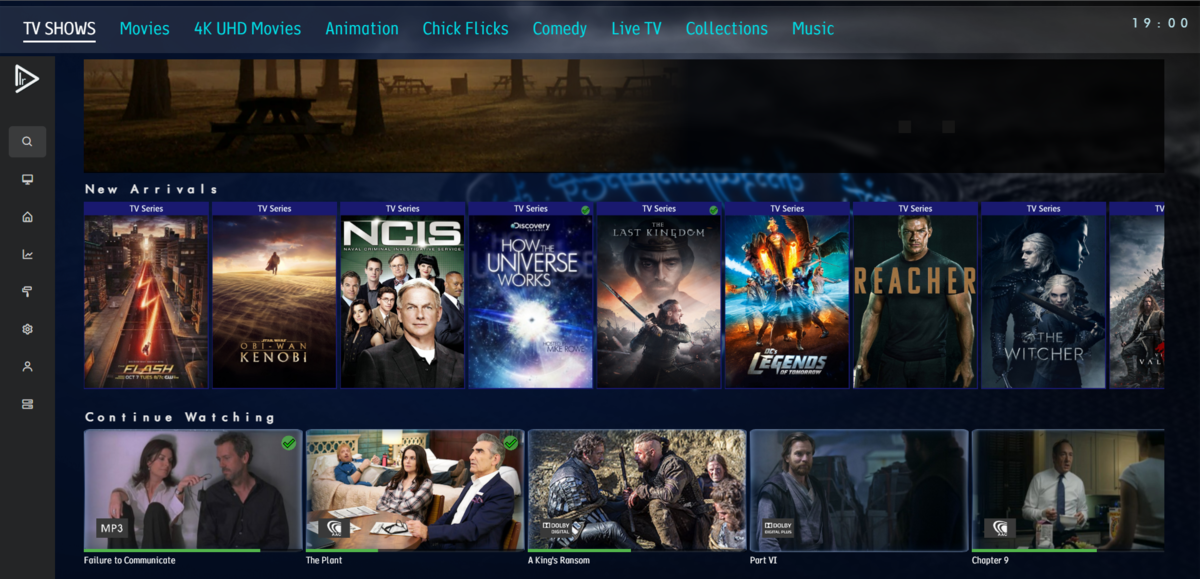
I just checked that also and got the same results. Yes used to have episodes at one point Actually I stand corrected, it only shows the series, i checked back at some old images and even back then i only got the Series. But yeah you should just retrieve the latest for each Library, and then you could add them together after that, that API looks like it only returns the first ItemType. This was from a post back on the June, 26. so looks like it's always been that way
 1 point
 -
I uninstalled the Blu-Ray one and got it back by installing Emby server Beta, just a different version of Emby in the app store and took from that folder and put it back. I didn't have to reinstall again. I just installed another instance. regards, ****************1 point
-
There is nothing to uninstall in portable version, it is self-contained, just delete folder.1 point
-
The Xiaomi Mi Box has an option to setup optical output to RAW or PCM. It's set to RAW and using any app I get the desired AC3 5.1 but with Emby only the stereo mix.1 point
-
Hi Luke, thanks for your reply. It looks like everything is working now1 point
-
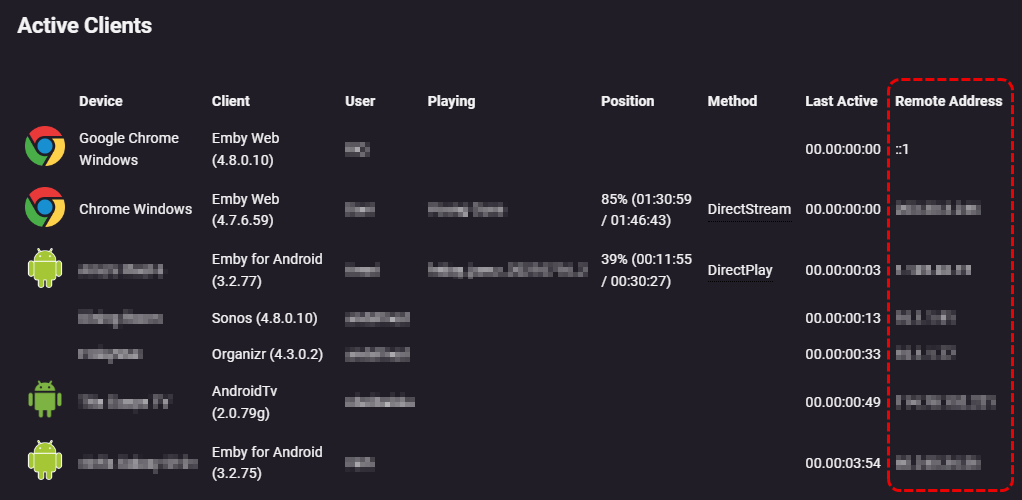
'Playback Reporting' plugin is probably your best bet via the GUI, you can get up to 2 days worth of recent devices with 'Remote Address' information
 1 point
 -
You would have to look thru Activities, clicking the header opens the entire log. There really is no easy way to see history. I guess you could make a copy of the activitylog.db and query the copy for "AuthenticationSucceeded".1 point
-
Thanks Luke, as always (mostly ), you da man.1 point
-
I am planning to change from my main media server plex to emby. I really need pip for ios. Hope to hear good news soon.1 point
-
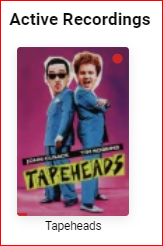
For "Active Recordings" in the admin dashboard, it would be great to have a few basics, like: a) start and end times b) video resolution c) TV channel/source d) more contrast on the progress bar (red on red is kinda hard to read) What else would be useful? (Yes, I know I can click into the details to see two of the above items.)
 1 point
 -
HI, yes we can look at improving this. Thanks.1 point
-
@cayarsI wanted to extend my gratitude for your extraordinary patience and help! I finally successfully installed the Hynix P31 Gold (1TB) and copied over the Emby folders to it. The improvement to performance has been nothing short of startling! Whereas, previously we had to contend with jittery playback and frequent freezes (when pausing play or fast forwarding), now it's as smooth as Tennessee whiskey, or an 18-yr old Macallan, whichever you prefer. Honestly, I had forgotten what a pleasure it was to play something through without some hiccups. Thanks you so very much!1 point
-
Sorry to edit your post, I want to thanks you for your words for Emby, so the thanks for quoting above. I really need to explain one thing, the OP been registered here since Nov/2021, and if meanted to get help or not, we do not give any consideration to that here, what important to Emby Team that you happy about your purchased, that how things work here, Emby Team simply not about taking your money and run away. Thanks.1 point
-
I"m also having these navigation issues. tvOS 16.0, Emby app 1.6.3(1). They definitely started when I updated to tvOS 16. @vdatanet, I tried disabling MPV and it didn't seem to help.1 point
-
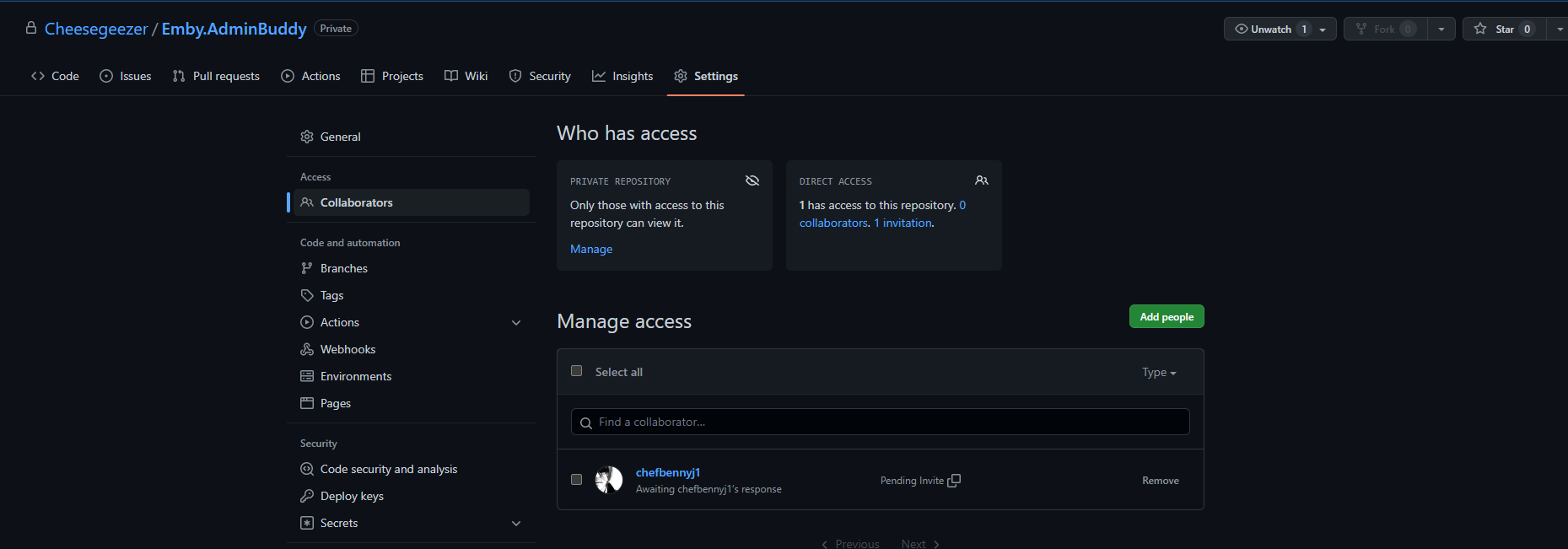
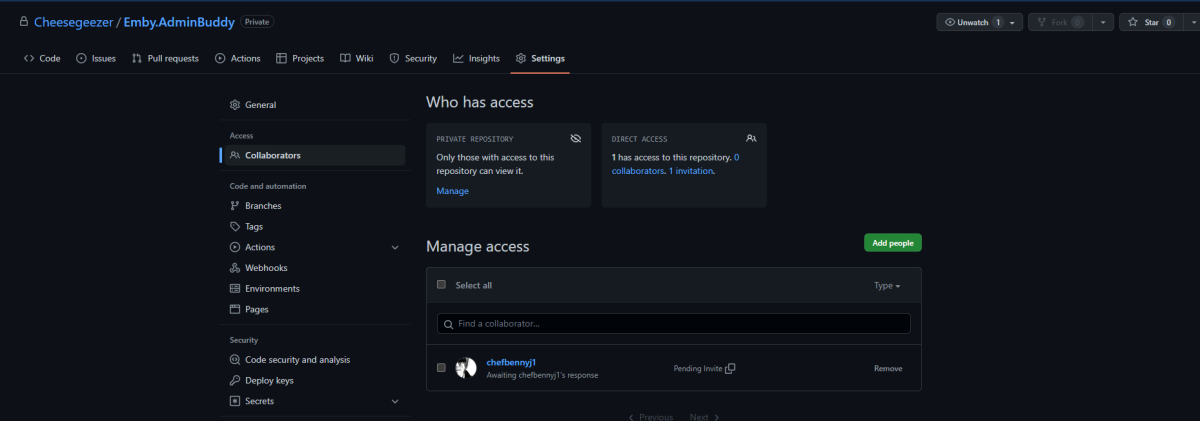
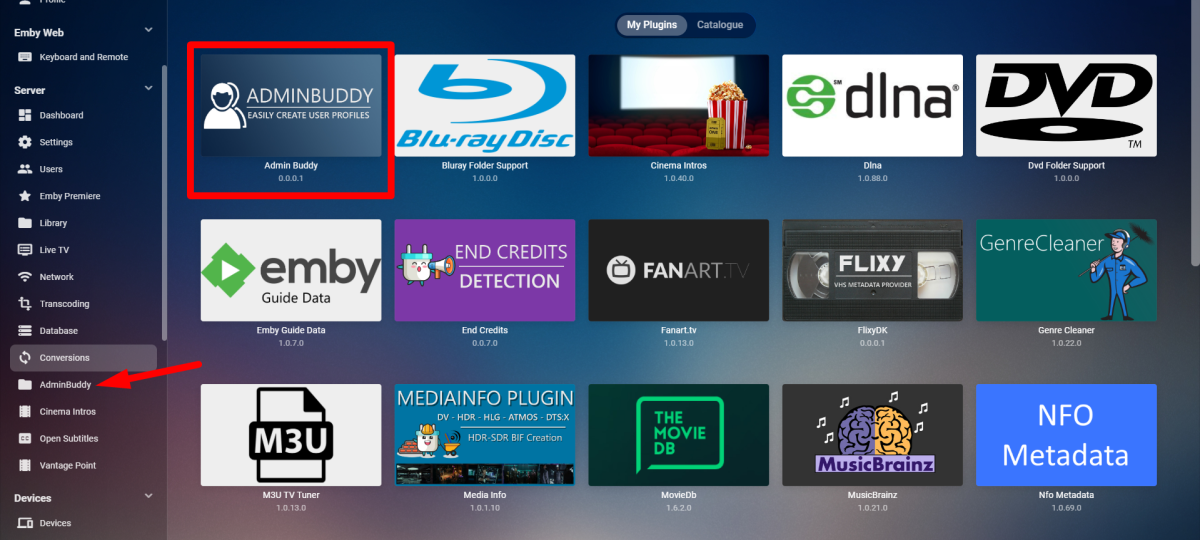
@chef I kicked of a Git Repo and added you. Just need you to accept. I just started on the config UI. Calling it AdminBuddy lol
 1 point
 -
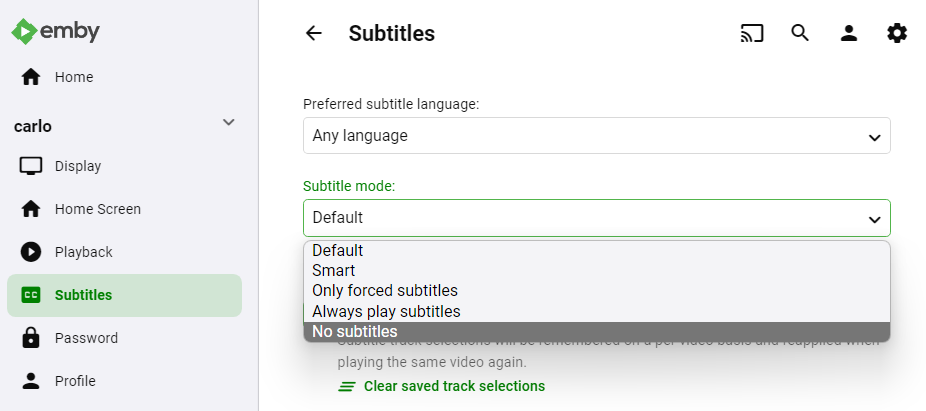
Click the person icon top right. Next choose the App Settings menu choice. Then from your user choices select the Subtitles menu. You can then set the Subtitle mode however you want it. Hope that helps, Carlo

 1 point
 -
MM, Try using the ritardo audio options with your soundbar or on the TV. For 24 fps one frame = 42 ms (0.042). For 25fps from PAL TV every 40ms is one frame. So try changing up or down by multiples of 42... 84, 128, 168, 210, 252, 294, 336. With 25 fps every 40 ms is easier to do. Don't bother changing ms sync by 10 or 20 ms. You have to jump in 42ms for 24fps to make any difference. I hope that makes sense. This will move the sync one frame at a time and make it easier to sync up the audio. Once you set it in your sound bar or TV, hopefully it works only for Emby input. Then your sync should start working for most all content, with some luck. The reason, I believe this happens is that it takes time to process the audio. Some advance audio HDMI connections can sometimes fix this automatically. Here is a page talking about how this works on Sony TV Bravio using HDMI-CEC connection. See; https://www.sony.com/electronics/support/articles/00161073 Every new TV does it a little differently and some just let you manually tweak the sync. Finally, some media copies and ocassionally broadcast is out of sync. I see this in about maybe 4% or so of online content and less often with broadcast, but it happens. Most people don't see this if it is synced within about 5 frames. I am a sound engineer, so I notice every little sync problem. Hope that helps.1 point