Leaderboard




Popular Content
Showing content with the highest reputation on 10/01/22 in all areas
-
I'm going to just put a dropdown on the new user screen to copy settings from an existing user. I think that will make a lot of people happy.5 points
-
Hi all, sorry in advance for the long winded post. I tried to keep it as short as possible while still acurately conveying my thoughts. This isn't necessarily a feature request, but it could be. You know the lovely Emby Server system tray icon? I was wondering how difficult it would be for the server coders to tweak its functionality, and if that's something they'd be interested in doing. Basically, here's the situation: I'm using the computer (which runs the server) for tasks unrelated to Emby, and I finish what I'm doing so I want to walk away. Like any power-conscious individual, I often want to put the computer to sleep/hibernate/off. First, however, I need to know if anybody is connected to the server, so I don't accidentally shut it off on them. So, I have to right click on the tray icon > Configure Emby > login and look. I don't keep the web browser perpetually open to the web interface, so it's become a routine that I have to do every time I want to power down the computer. I'd like to make this routine simpler. So, I thought of three options that could possibly make things a bit easier: 1 ) Change the system tray icon when a remote client connects, and change it back to the default when there are no clients connected. It could be something simple like little dots, as long as it's noticable: This way I could just glance at the icon before shutting the computer down. 2) Add info to the right-click menu. Just a number of remote clients currently connected: Or, a more complex option would be to list who is connected instead of a number. 3) Add popup notifications. Either the kind that integrate with windows notifications (letting windows decide how to display them) (demonstrated here on Windows 10): Or make more independent popups, like the kind you see with 3rd party firewalls/antivirus programs. (Avast puts ads in these types of notifications instead of windows notifications, so you can't stop them.). (Between the two, I'd suggest integrated over independent popups.) I'm aware that Emby Server has a few plugins available for Windows push notifications (like PushBullet), but that doesn't seem like a good solution to me. Those plugins are great if you want to notify a different device, but it seems like a waste when you don't want that message to be sent anywere, and just make a popup on the machine the event occured on. All three options have their pros and cons. For example, the icon change might be easiest, but for a forgetful user (such as myself), it might not be obvious enough to get their attention before shutting down the computer. The popup would be noticable, but I might miss the popup (afk or in fullscreen program) and shut off the computer, thinking nobody ever connected, or I just might forget that I saw the popup when it comes time to shut off the computer. Basically what I'm saying, is that a combination of two or more of these options might be best, but even one of these options would be much better than none. If anybody thinks of a better solution than these three, then I would love to hear it. If you think any of this is too complex to implement at this time, then I understand, it just couldn't hurt to ask about it. If this isn't viable, then I'll just write a program that reads the activity logs or something, and makes a little message of its own. Lastly, I wanted to leave a quick side note. Since this is my first time posting to these forums, I wanted to first say that Emby, its apps, and its supporting community are great. I've only been using Emby for a bit over a month now, but it's clear that you guys have a good thing going here. Thanks for all your hard work. It's very much appreciated.3 points
-
When you first setup a user, if you had the ability to copy all options from an existing user, would that suffice rather than building a templating system? Because that's an easy win that could be added very quickly.3 points
-
I'd love the Emby tray icon to change color or have a colored dot on the icon when someone is connected to the server. Any time I am maintaining the server, I open up Emby dashboard and make sure no one is connected, then mess with the server it's running on. I realize I could leave the Emby page up at all times but it's a multi-use server so I'd rather not. Maybe dumb idea maybe not! Would be nice for me. I didn't notice this feature request, so apologize if I missed it when searching.3 points
-
Emby Server 4.7.7 - Keyword Recording, Lock Screen, Mini-Dock & More This is the latest point release of Emby Server containing new features as well as fixes for identified issues. DVR: Support Keyword-Based Recordings Newly added to 4.7.7 is the ability to record based on keyword(s). One way to access this new feature is to use the Recording tab from the Live TV interface, clicking on the Add Recording button as shown below. This brings up the following menu allowing selection of Keyword. Selecting Keyword bring up the following: Example Keyword search to DVR all Eagles NFL games regardless of day, time, channel or other criteria. Add Lock Screen Function to Video Player for Mobile Devices Tired of accidentally touching the screen and having the video jump to a new scene or doing something you didn't intend? The new lock screen will put an end to this when-ever you choose to use it. Simple click the lock button highlighted in yellow in the picture below to activate this. Any screen touches from this point on during the video will briefly bring up the following screen but do nothing else. In order to de-active this feature you would click the lock icon shown on the picture below, then click the confirm after that. This new feature is straight forward and very easy to use. Support Three-Way Navigation Menu Toggle - Switch Between Full, Mini-Dock and Flyout Modes One of the coolest features in this new release is the mini sidebar docking option. This works on mobile (Android Mobile shown below) as well as it does for desktop modes. In order to access this, click the highlighted icon shown in the picture below. Now, click the following icon one-time. You will now have the mini sidebar open as shown below. The mini sidebar is scrollable so if you have more libraries then would fit on screen you can simply scroll this menu up or down to gain access to all libraries on your system. You can click the icon to cycle through all the modes as needed. Add Image Size Display Option 4.7.7 adds the ability for users to select the image size they wish to use on each device's Libraries. In order to use this feature enter a Library and click the 3 dot menu. This will bring up a dialog with information that is library specific that displayed. You now have several choices you can choose as shown above for image size! Other improvements and fixes include: * Various database performance improvements * Stop scanning at the top of a library when it's unreachable * DVR: Don't use episode title for comparison when it matches the series title * Improved RTL supported in the web interface * Add more fields for selection in poster views * Fix support for simultaneous music and photo playback * Add option to control display of rating information at the start of video playback * Change wording of transcoding reasons to be more user friendly * Improve filter menu indicator Please report any issues you may have in the General/Windows section of our Community Forums: Emby Community General/Windows Forum View the full article3 points
-
I'm going to do this very soon. It's a quick and easy win based on work we've largely already done.2 points
-
Luke, What sort of donation would be motivation to continue support for WMC? Serious question. I think there may be enough of us die-hards that together we could donate something worth while. Of course this assuming anyone on the team actually wants to deal with the hassle of WMC.2 points
-
If you post a screenshot of your channel setup, perhaps someone can point you in the right direction?2 points
-
I apologise if this is the wrong place for this but I wanted to say a big thank you to the people who spend their time developing and supporting this. I recently moved from Plex and was surprised to see how customizable this is and also how much better it works. After a bug with the Plex app on my Samsung TV I decided to spin up a docker container with Emby and was pleased to find all my devices supported it. The hardware transcoding seems much quicker, the tone mapping looks great and even retrieving subtitles from opensubtitles works simply (I don't know why I could never get Plex to reliably find subtitles but decided it wasn't that hard to get them myself) and it nicely integrated into Home Assistant. I can now sit back and watch a movie without interruptions - Of course I've signed myself up to Emby Premier and uninstalled Plex. Thank you very much, cheers!2 points
-
@chef Additionally, it might be nice for those folks with more impressive setups to be able to leverage LDAP OUs/Groups for such a plugin.2 points
-
fyi I'm on vacation for the next 3 weeks with limited internet access. Don't expect quick response time during this time period. Anyway, please report any issues you found. So far, I also performed several tests, everything perfect. Hoping I can declare 7.9.2 as next "official" beta version.2 points
-
Emby Server 4.7.7 - Keyword Recording, Lock Screen, Mini-Dock & More This is the latest point release of Emby Server containing new features as well as fixes for identified issues. DVR: Support Keyword-Based Recordings Newly added to 4.7.7 is the ability to record based on keyword(s). One way to access this new feature is to use the Recording tab from the Live TV interface, clicking on the Add Recording button as shown below. This brings up the following menu allowing selection of Keyword. Selecting Keyword bring up the following: Example Keyword search to DVR all Eagles NFL games regardless of day, time, channel or other criteria. Add Lock Screen Function to Video Player for Mobile Devices Tired of accidentally touching the screen and having the video jump to a new scene or doing something you didn't intend? The new lock screen will put an end to this when-ever you choose to use it. Simple click the lock button highlighted in yellow in the picture below to activate this. Any screen touches from this point on during the video will briefly bring up the following screen but do nothing else. In order to de-active this feature you would click the lock icon shown on the picture below, then click the confirm after that. This new feature is straight forward and very easy to use. Support Three-Way Navigation Menu Toggle - Switch Between Full, Mini-Dock and Flyout Modes One of the coolest features in this new release is the mini sidebar docking option. This works on mobile (Android Mobile shown below) as well as it does for desktop modes. In order to access this, click the highlighted icon shown in the picture below. Now, click the following icon one-time. You will now have the mini sidebar open as shown below. The mini sidebar is scrollable so if you have more libraries then would fit on screen you can simply scroll this menu up or down to gain access to all libraries on your system. You can click the icon to cycle through all the modes as needed. Add Image Size Display Option 4.7.7 adds the ability for users to select the image size they wish to use on each device's Libraries. In order to use this feature enter a Library and click the 3 dot menu. This will bring up a dialog with information that is library specific that displayed. You now have several choices you can choose as shown above for image size! Other improvements and fixes include: * Various database performance improvements * Stop scanning at the top of a library when it's unreachable * DVR: Don't use episode title for comparison when it matches the series title * Improved RTL supported in the web interface * Add more fields for selection in poster views * Fix support for simultaneous music and photo playback * Add option to control display of rating information at the start of video playback * Change wording of transcoding reasons to be more user friendly * Improve filter menu indicator Please report any issues you may have in the General/Windows section of our Community Forums: Emby Community General/Windows Forum1 point
-
"The company wants to establish an open, royalty-free alternative to Dolby Atmos and Dolby Vision. The project is known internally as Project Caviar." https://www.protocol.com/entertainment/google-dolby-atmos-vision-project-caviar Here we go again...1 point
-
Thanks for confirming. At least we have that problem fixed, now we can work on the next issue.1 point
-
I am using 1.4.1. Subs no longer have problems with flickering and aren't displayed until next one appears. The problem I was referring to is the one in which the initially selected subtitles do not appear at all until you change to internal subtitle of another language, then all the subtitles start to work.1 point
-
Can you start this issue as a new thread? The ass implementation is different so it will need a new investigation and I’m concerned it will get lost in this thread. @FrostByte, maybe it’s easier to just move this post to a new thread. Thanks.1 point
-
Thanks both! I'll try both approaches. I'll keep you updated over the next couple of weeks.1 point
-
Thanks for following up.1 point
-
Fair enough, up to date I never had any issues up to 16 MBps, this is the first time at 18 MBps which it struggles. So I might then reached its limit.1 point
-
Yep will do some tomorrow1 point
-
So? No need for me to continue? Is this for the now? Or the futuuuuure? you should also allow hidden users only on admin accounts to show this would allow for folk to create hidden user templates. thats the road i was gonna go.1 point
-
Ok i understand. I will wait for the update. Good luck and thank you for the help1 point
-
I think that would be great!1 point
-
7 year old buuuuump!1 point
-
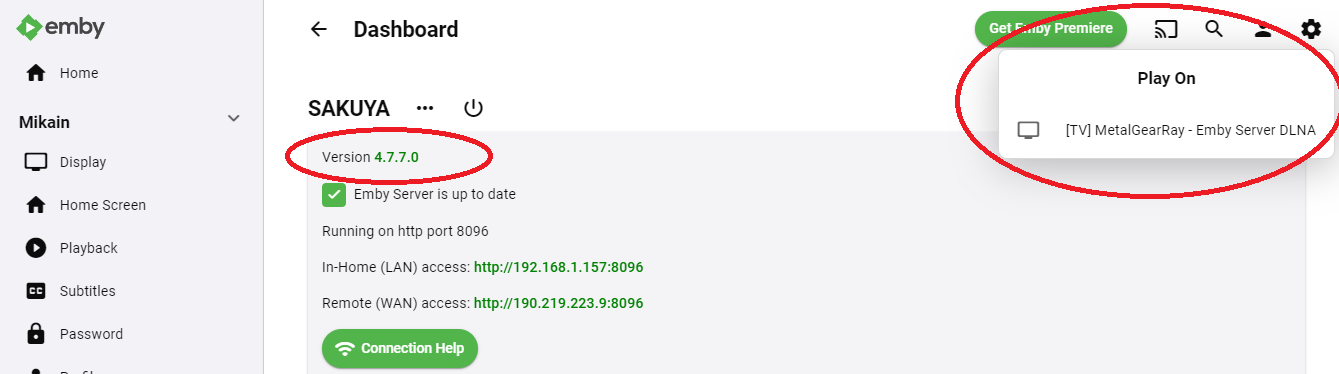
@rms8Since your server updated to 7 and 8 you will not have version still on your system. For Windows you will need to get the system file from here and shutdown Emby and replace your current one. Release 4.7.6.0 · MediaBrowser/Emby.Releases (github.com)1 point
-
Hi, after you create the recording then you can access the rest of the options on the series recording screen.1 point
-
Thanks for your reply mate. I will know now what to do in future. I have installed the newest app version through the usb port so i will play some content now and see if it has fixed the problem. I will report back.1 point
-
Hi, it's coming.1 point
-
Our emby theater desktop app can direct play just about anything without transcoding so you wouldn't have to worry about that too much anyway.1 point
-
You're the man. Can't wait to try this. Great job! Third party devs strike again!1 point
-
Oh, it's just like i said , that (remember my selection) is messed up, so subtitle off, remember selection check - and is showing on all the movies (default forced subtitles) and i'm sure that i never used that subtitles cause i have movies in spanish audio and i don't use spanish default forced subtitle ! Now i'm trying mode inteligent where my audio prefered is spanish and subtitle romanian , this is working like it says but i would like to have something more complex like if i have a prefered audio i don't need a subtitle, if i don't have the prefered audio to have prefered subtitle activated ! i have movies with spanish english audio, my prefered subtitle is romanian so i would like when the movie have spanish audio no subtitle and when there is no spanish audio the prefered subtitle ; how can i get that configured , Thanks guys , keep the great work !1 point
-
Luke, this is great news! Awersome. The sooner the better. I changed from Fire TV sticks to Apple TVs, but I had to switch to using Plex (which works perfectly on refresh rate switches and Recorded TV playback), But my goodness I want to move back to Emby once this is working. Emby server is light years ahead of Plex in terms of metadata grabbers and EPG data. So the day this port completes I'll be back on Emby!1 point
-
It was a rights issue. The folder had the rights for EMBY. I removed the rights and set them again, but no success. Then I created a new folder and gave Emby the right. The files were moved from the old folder to the new one and Emby switched to the new folder. And that was the solution. The old order was probably defective.1 point
-
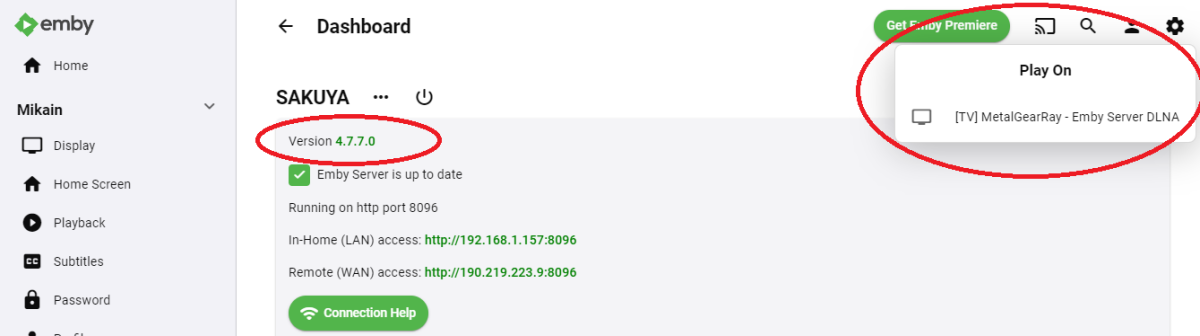
Esta funcionando, muchísimas gracias.
 1 point
 -
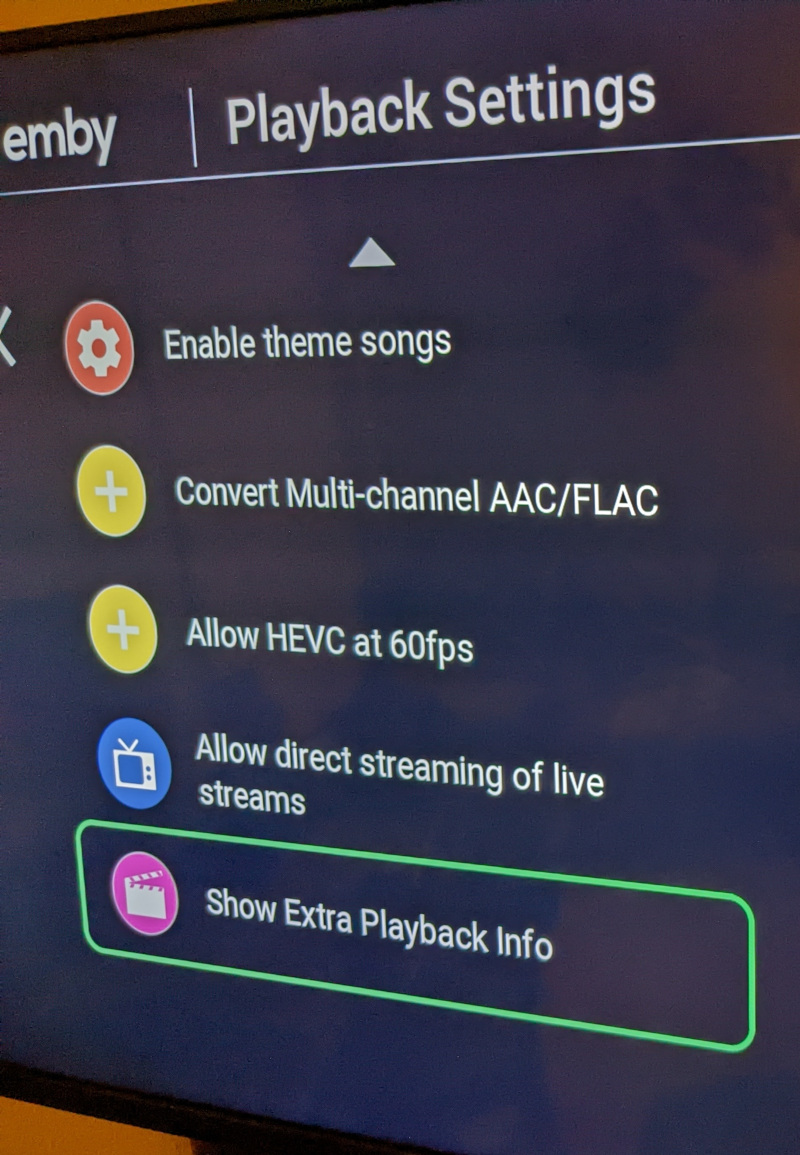
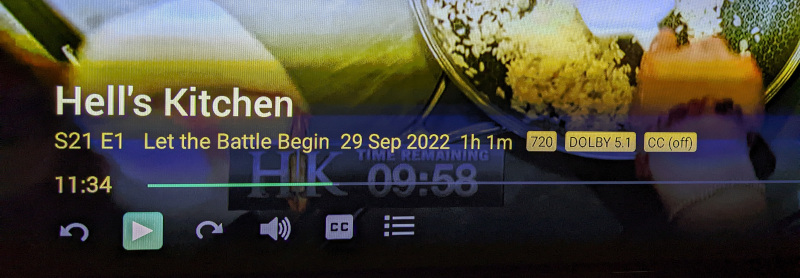
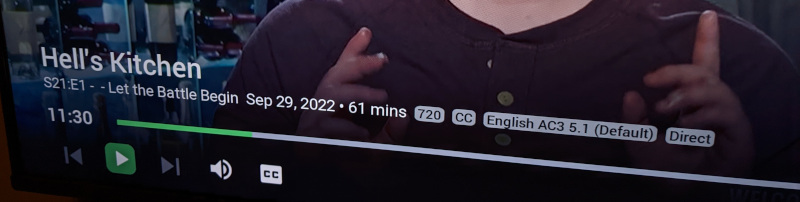
In Android TV and Roku, I have the option to 'Show Extra Playback Info' which adds playback details like Direct/DirectStream, resolution, and codec to the OSD. I use this feature daily on Roku and Android TV, but it doesn't appear to be available on Android Mobile, Emby Theater, and possibly others. I'd like to have a consistent experience across clients. Please add the 'Show Extra Playback Info' to clients that don't yet support it. Here are examples of the setting in Roku app and the feature active in the OSD for ATV and Roku:
 1 point
 -
Hi, thanks for the kind words and feedback !1 point
-
And yes a popup alert on admin users or not make it possible to template admin.1 point
-
I looked at this a while ago about doing, and Eric’s suggestion makes perfect sense to let the user set up templates. i was gonna start there but then rewrote VantagePoint, had maintenance to do with MediaToolbox and wrote subkiller (also close to release, just need to add SDH option) this would be perfect for you as can all be done in JavaScript with no C# other than the Plugin basics. we can team up if you want and knock this out quick if you want.1 point
-
@chefas a template I would think mirroring from user A to user B would apply to both config/policy. But I guess one could say I want same views for everyone but different restrictions for each so policy would be individual. I would guess mapping similar to SCB Restore Users does. Map user A views to user B, then an option to map user F policy to user B. As the already created user will have the template. In the end a user would already have to be configured to what they want to someone else. Or if the plugin will allow admin to create and store custom templates to apply to new users. So custom saved template mapped to New user but still see this as a two-phase process unless plugin can create user with custom assigned template.1 point
-
Download the dll from the start post and put it under programdata\plugins of your Emby installation. Restart Emby. The plugins folder location is dependent of your OS of course.1 point
-
Plays back via USB.1 point
-
@Luke After installing the emby systemctl stop emby-server ls -ld /var/lib/emby the result gave "emby emby" for user "emby" of user group "emby" sudo rm -rf /var/lib/emby/* sudo cp -r /home/jonathan/Desktop/emby/* /var/lib/emby/ (This command will work if you did not make the mistake as I did to delete the complete emby folder which contains the group and the user emby) copy of the emby folder which contains the following folders: cache config data metadata plugins root systemctl start emby-server localhost:8096 In my case I have too much bixoune, because I had deleted the folder /var/lib/emby so it totally fucks the emby group and even by reinstalling emby this folder does not come back as supposed, so the service does not work, I just wanted to see if it worked. To launch it manually I did: (open terminal on) /opt/emby-server/bin (folder) and type sudo ./emby-server localhost:8096 Normally we would not have to do this, but I did not look for more solution to fix the problem. emby-server.service - Emby Server is a personal media server with apps on just about every device Loaded: loaded (/lib/systemd/system/emby-server.service; enabled; vendor preset: enabled) Active: failed (Result: core-dump) since Fri 2022-09-30 12:46:58 EDT; 7s ago Process: 17725 ExecStart=/opt/emby-server/bin/emby-server (code=dumped, signal=ABRT) Main PID: 17725 (code=dumped, signal=ABRT) Everything is functional provided your mount is named the same as the original mount. If you scan the emby sections it will take time, but go slowly, anyway everything works by default. I added autoscan which automatically adds everything added by radarr and sonarr, so no scan to do unless I put files manually in the mount1 point
-
Early next week I will post a complete rewrite of the tool. It's much faster and the code is more organized. The GUI is a little different. I think its a lot better. The new code is much easier to understand and modify. It will simplify adding new features that users request. It also gets me caught up on many of the requests already made. Vic1 point
-
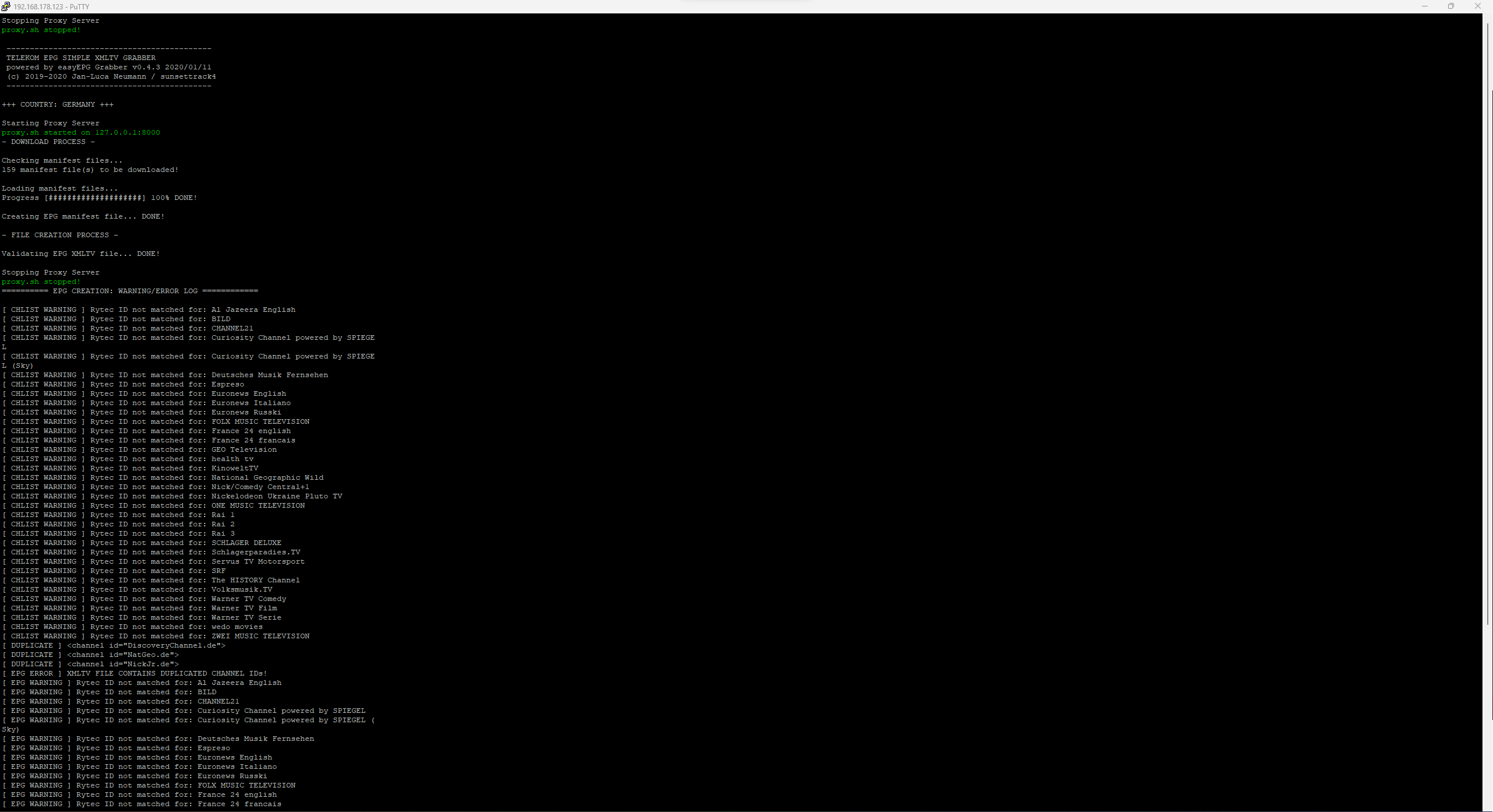
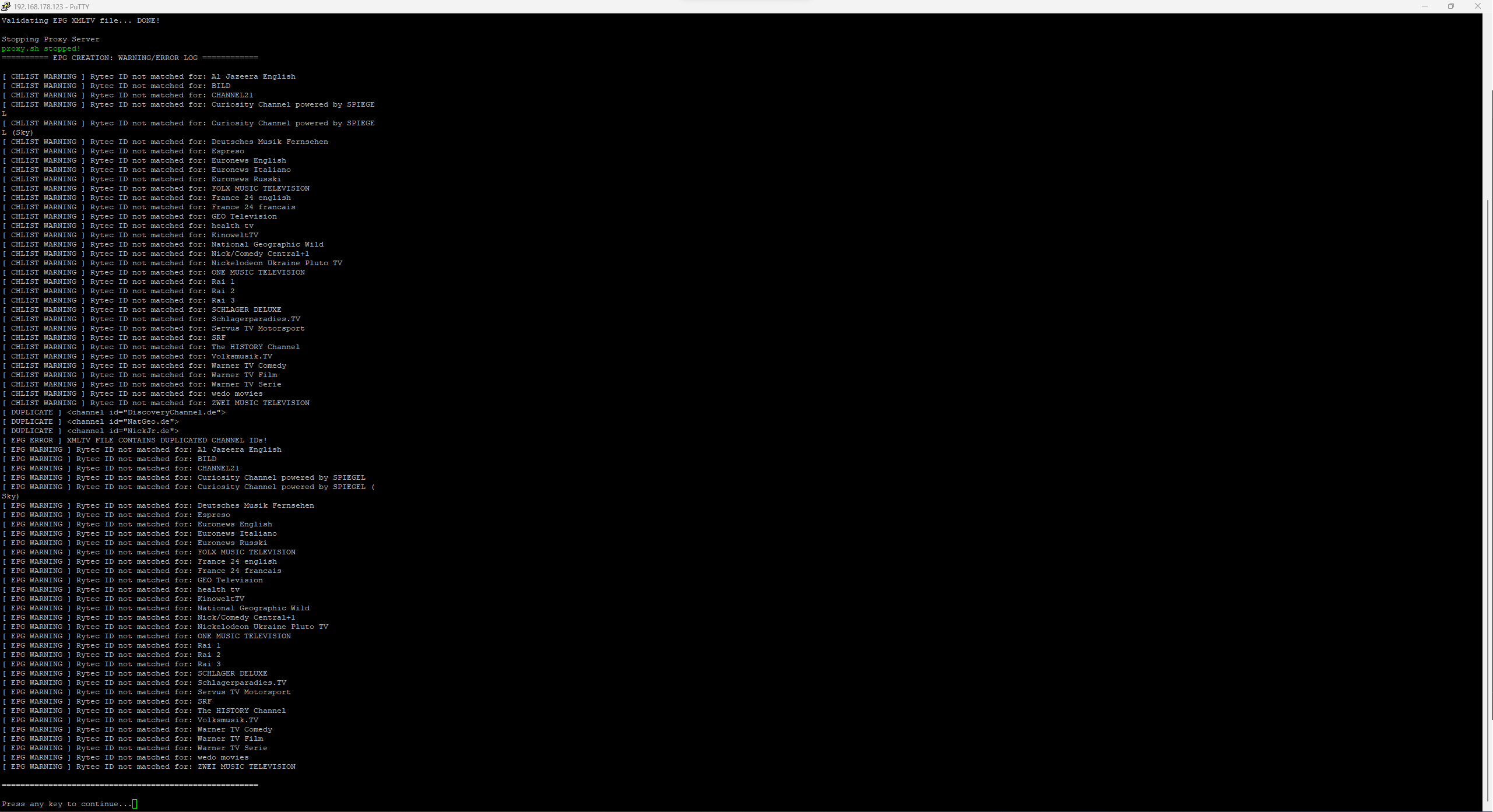
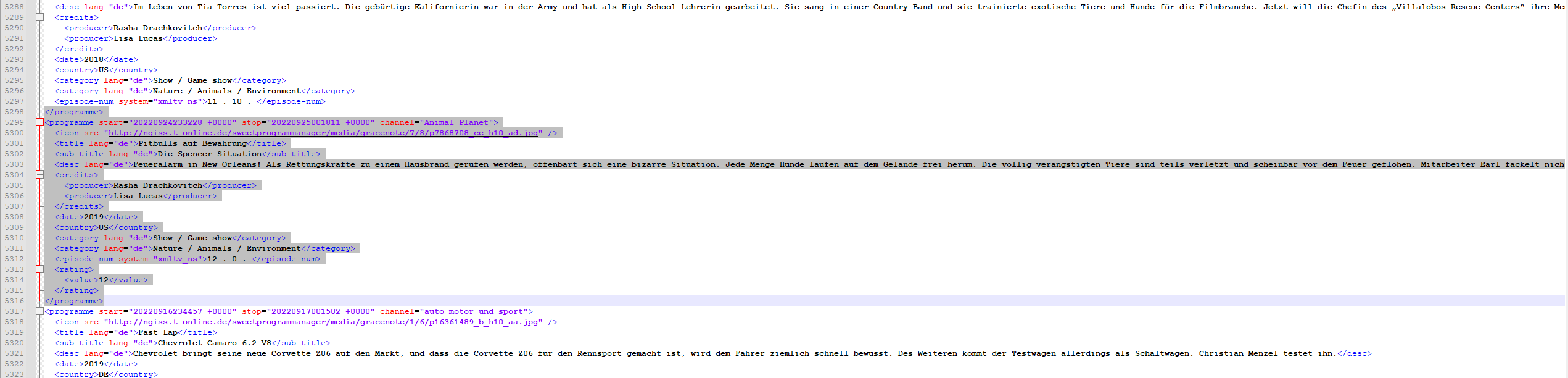
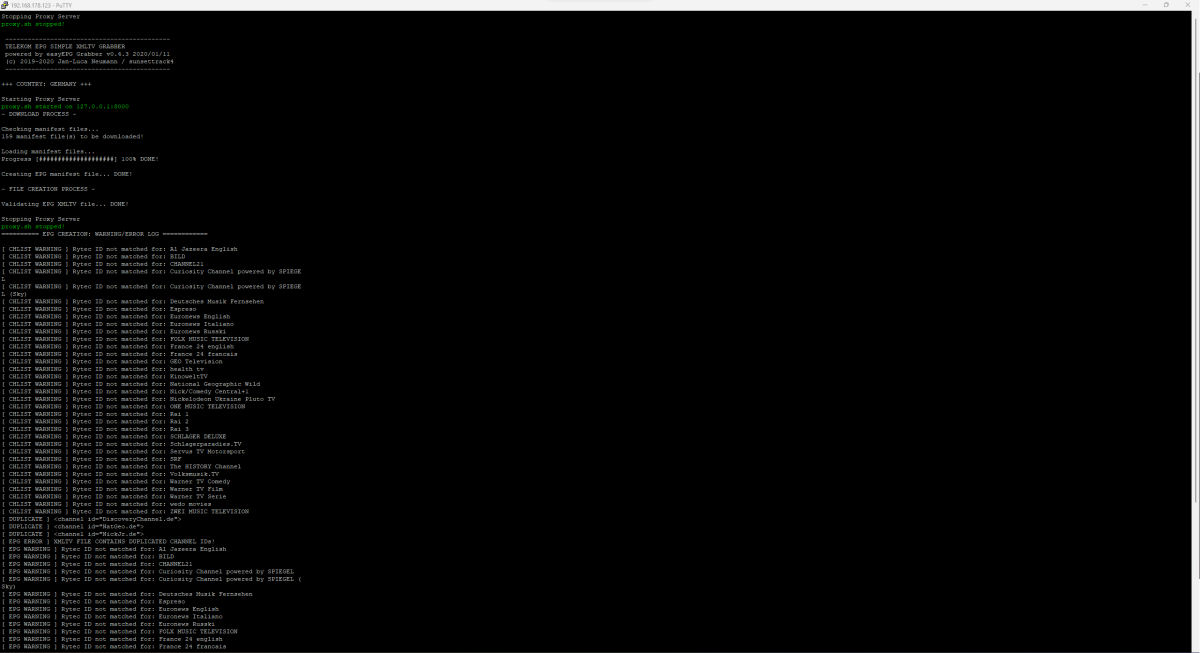
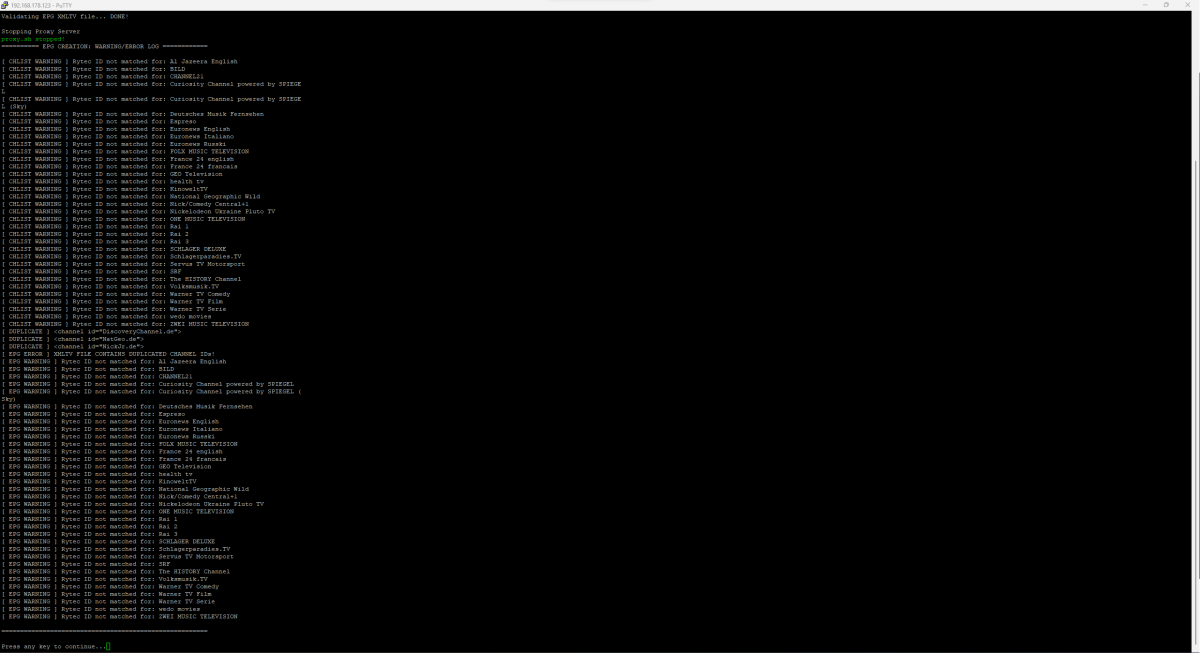
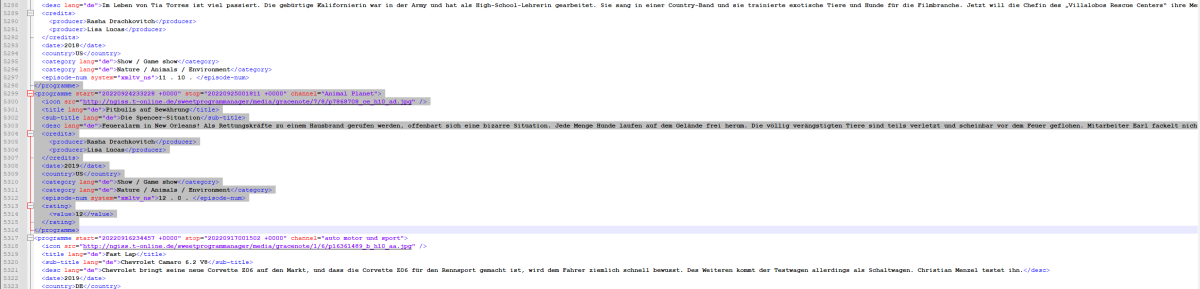
Hi Luke, you are right. My XMLs are outdated! Maybe the cronjob isnt working? So i started at least the magenta grabber to grab the newest files, but it did not work, as you can see on my files (date - marked it red). Any ideas how i can fix that? //edit: I found the reason why it didnt work anymore. I had duplicated Channels selected. I deselected them and the scrapping process was working fine than. Now the XMLs are up2date and I got EPG again.
 1 point
 -
the release of TrueNAS SCALE 22.02.4 ,i will try it1 point
-
Emby for Android 3.2.75 Released: Mini Sidebar & New OSD Features Requires: Emby Server 4.7 or later Emby for Android Version Changes: • New brightness control in video OSD • New lock screen feature in video OSD • New mini sidebar docking option • Voice input support on search screen • Various video playback fixes New brightness control in video OSD One of the new features added to Emby for Android is the ability to adjust the brightness of the video being watched. This new feature is easy to use. Just bring up the OSD and the brightness feature is all the way to the right as highlighted in the following picture. All you need to do is touch and slide the control up or down to brighten or darken the video. New lock screen feature in video OSD Tired of accidentally touching the screen and having the video jump to a new scene or doing something you didn't intend? The new lock screen will put an end to this when-ever you choose to use it. Simple click the lock button highlighted in yellow in the picture below to activate this. Any screen touches from this point on during the video will briefly bring up the following screen but do nothing else. In order to de-active this feature you would click the lock icon shown on the picture below, then click the confirm after that. This new feature is straight forward and very easy to use. New mini sidebar docking option One of the coolest features in this new release is the mini sidebar docking option. In order to access this, click the highlighted icon shown in the picture below. Now, click the following icon one-time. You will now have the mini sidebar open as shown below. The mini sidebar is scrollable so if you have more libraries then would fit on screen you can simply scroll this menu up or down to gain access to all libraries on your system. Voice input support on search screen Another great feature added to Emby for Android is the ability to use voice search. You can use voice search anywhere you see the microphone icon shown highlighted in the picture below. All you have to do is click the microphone button and then speak your search term. Other Changes Various video playback fixes View the full article1 point
-
Came to my computer this morning and opened Emby and was greeted with a nice surprise. The collections folder is there on my homepage and images started to showup. Looks like I just had to have a bit of patience.1 point
-
I just ran a dual parallel transcode on the iRIS Xe as I had it open - it does now hit 100% on the GPU - single thread only hit about 70% fps dropped to 128fps each (256 fps overall) 3 at once dropped to 85fps. (255 fps overall) 4 at once dropped to 64fps (256 fps overall) So it seems to be scaling very well considering it's reading the same source file and writing to the same NVME drive. I guess if this was extrapolated out - then I'd get back to my ~10 x 4K 24fps 'streams' on any flavour of UHD7xx/iRIS Xe - which is mighty impressive for an iGPU on a laptop ! during those 4 transcodes - cpu was @ 30% (@1.47Ghz)1 point
-
I suppose it's not one of those laptops which have an additional discrete GPU (Xe Max)? Xe Max were the first dGPUs which had moderate success only ("DG1"). The ones you mention (like A350, A380, etc) are from the new generation ("DG2"), previously named "Alchimist", now named "Arc". I'm excited as well. I'll get one in the next few days..1 point
-
Emby Server 4.7.6 - Multi-Select & Right to Left Languages This is the latest point release of Emby Server containing fixes for identified issues. Support shift to multi-select Newly added to 4.7.6 is the ability to multi-select. Instead of having to select each and every media item you can now select the first media item as shown below: then holding the shift key on your keyboard, select the top-left circle with your mouse on your end media item. In two quick clicks we now have 18 items selected in this example! Right to Left languages: 4.7.6 adds support for languages that display right to left. Here's an example Nest Hub view using the Hebrew language. Other improvements and fixes include: Improve filter menu indicator Add Select None to multi-select lists Fix regressions related to image extraction Improve the use of internet metadata with recordings Improve photo loading performance Include activity log database file when vacuuming databases Mark all video versions as played when toggling played Change wording of transcoding reasons to be more user friendly Fix sort by sort title being case sensitive in some views Fixes for file names with years at beginning Improve dsd/dsf playback over Dlna Original Blog posts for the 4.7 release: Emby Server 4.7 Release: Many New Features, Improvements and Fixes Emby Server 4.7.1 - Point Release: Round 1 Fixes Emby Server 4.7.2 - Point Release: Round 2 Fixes Emby Server 4.7.4 - Point Release: Round 3 Fixes Emby Server 4.7.5 - Point Release: Round 4 Fixes Please report any issues you may have in the General/Windows section of our Community Forums: Emby Community General/Windows Forum View the full article1 point