Leaderboard




Popular Content
Showing content with the highest reputation on 09/27/22 in all areas
-
Can we have an option to flatten series if there are XX episodes or less. Just provides the ability to eliminate one frustrating click. I wouldn't want it on my 1,000+ episode Looney Tunes series. However, when you only have one or two seasons in a series, it helps drill down easier.3 points
-
Hi all.. i was wondering if there is a way to link together related series and movies. Ex Firefly and it's conclusion movie Serenity. I can add them both to a collection i guess but as far as i tried they don't show up in my series section. Maybe we could just have a way to link them like we can link music videos to albums.. Thoughts? thanks!3 points
-
Priorities and Emby. One of the great mysteries of life.3 points
-
Would it be possible to add a toggle or an entry in the homescreen menu where you could turn off/change the position of the download row on the homescreen as it's a bit annoying, in my case the second row3 points
-
I don't think it makes a ton of sense to have more than one set of intro markers, however what would be the harm in allowing it? OTOH, when plugins like the Comskip one start importing EDL data into markers, supporting multiples of something like "commercial start/stop" sets would make sense. For that matter, eventual support for multiple "postcredit start/stop" sets might make sense.3 points
-
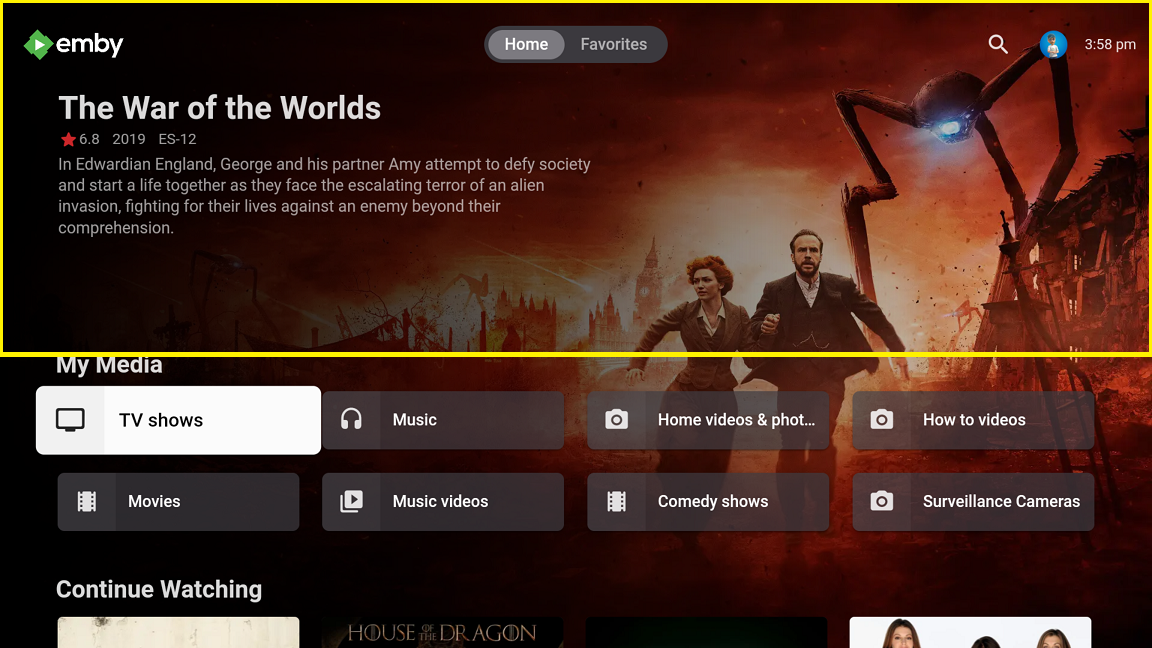
@arrbee99 idea of restricting the backdrop to the whole top area isn't bad though. To me that looks better than having a little box on the right side. You could even darken the left side some like I've seen before if needed. I don't think you can use banners though as not everyone will have them. So, you might need to bring it down a little in order to not stretch the image.
 2 points
 -
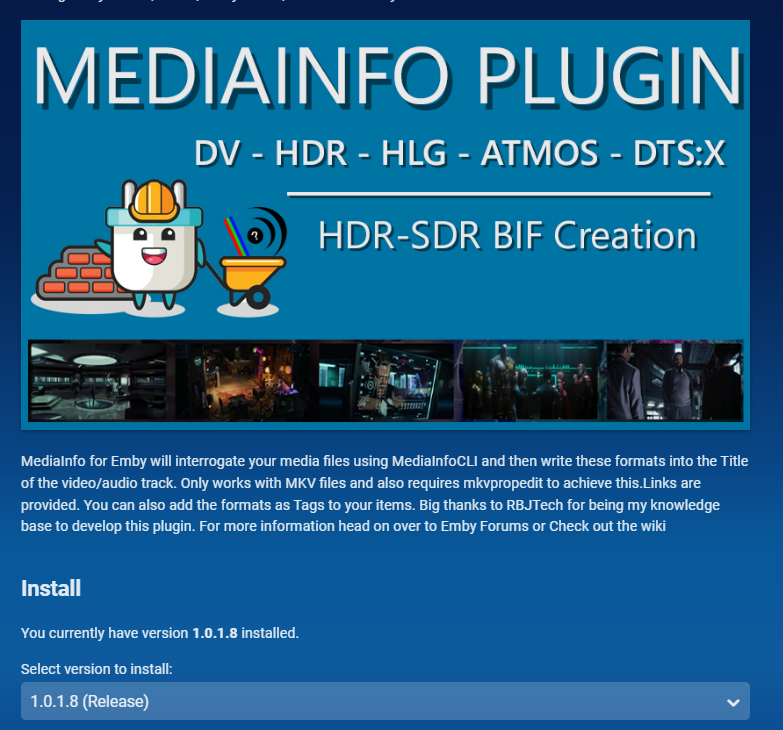
Hi all Version 1.0.1.8 is released in the plugin store Refresh your browser cache please add in the DV5** HDR identification issue ADD a note in the UI to explain if DV5** is seen in the Title This is incorrect and requires user attention Incorporate @softworkz improvements - Thanks Chief Remove SubKiller from the Media ToolBox - This will be a seperate plugin
 2 points
 -
If that's genuinely all coming, I don't know why things like three way toggle menu options are being prioritised in terms of Dev or testing time2 points
-
So the pull request got merged in. https://github.com/ix-plugin-hub/iocage-plugin-index/pull/327 If someone has issues please poke me so I can try and help. Once again, I do wish to state that anyone here can help maintain these and I'd be super happy if anyone else would look at this code as I am not a professional coder by any stretch of the imagination.2 points
-
Hey Guys. I'd like to take slovak or czech.. Both native.2 points
-
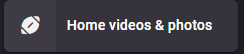
Finally internet is back up. @BGman Not sure what you are calling backend/frontend. CSS or edit server files only affects the local web client and has no affect on the online app or any other client. So only browser connections directly via WANIP or DDNS address. Easiest route here is script editing the js with every update, but this affects all icon not just one. From the browser console it can be impossible to see the code for the icon in some cases as the hex code does not appear as you have seen. <i class="navDrawerListItemIcon listItemIcon md-icon autortl"></i> You can target [data-id=xxxxxxxxxxxxx] which is parentid for Home Screen items. So if you have 5 libraries with this icon you can target 5 libraries with css differently. Library example you need your library parentid [data-type="home"] [data-id="f1ffda17fff72a19997ec7e667bb8d3c"] button i { visibility:hidden; content: ''; } [data-type="home"] [data-id="f1ffda17fff72a19997ec7e667bb8d3c"] button i:before { visibility: visible; position: absolute; content:"\EA29"; } But navdrawer is a little more difficult as you have two navdrawers using relatively the same code (Dashboard and everywhere else), so editing the third library on Home nav edits Playback on Dashboard nav. Navdrawer example body > div.mainDrawer.focuscontainer-y.emby-scroller.scrollY.hiddenScrollY-hover.scrollY-mini.drawer-open > div > div:nth-child(3) > div > div:nth-child(3) > div > div.navDrawerListItemImageContainer.listItemImageContainer.itemAction.listItemImageContainer-square.defaultCardBackground.defaultCardBackground0 > i { visibility:hidden; content: ''; } body > div.mainDrawer.focuscontainer-y.emby-scroller.scrollY.hiddenScrollY-hover.scrollY-mini.drawer-open > div > div:nth-child(3) > div > div:nth-child(3) > div > div.navDrawerListItemImageContainer.listItemImageContainer.itemAction.listItemImageContainer-square.defaultCardBackground.defaultCardBackground0 > i:before { visibility: visible; position: absolute; content:"\EA29"; } But you can sort of work around it if you do not dock navdrawer adding a :not(). body > div.mainDrawer.focuscontainer-y.emby-scroller.scrollY.hiddenScrollY-hover.scrollY-mini.drawer-open:not(.drawer-docked) > div > div:nth-child(3) > div > div:nth-child(3) > div > div.navDrawerListItemImageContainer.listItemImageContainer.itemAction.listItemImageContainer-square.defaultCardBackground.defaultCardBackground0 > i { visibility:hidden; content: ''; } body > div.mainDrawer.focuscontainer-y.emby-scroller.scrollY.hiddenScrollY-hover.scrollY-mini.drawer-open:not(.drawer-docked) > div > div:nth-child(3) > div > div:nth-child(3) > div > div.navDrawerListItemImageContainer.listItemImageContainer.itemAction.listItemImageContainer-square.defaultCardBackground.defaultCardBackground0 > i:before { visibility: visible; position: absolute; content:"\EA29"; } This will change a little in 4.8+ with the changes to the navdrawer options.

 2 points
 -
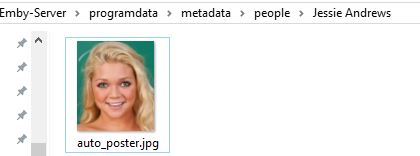
This is an Adult Person Image provider. (Erotik Adult Stars) It is a very lightweight, very minimal intrusion web scraping image provider. You must click on an empty person image to trigger it - don't ask me to automate it. (I won't) It works in the background when you click a person image. The image won't be displayed right away and there will be no person page loading slow down The image will be available if it exists shortly (within minutes), for when you refresh the page - give it at least 5 seconds. There is no identify feature How it works, It is triggered when you click on a blank person thumbnail. It asks the server for a head respose (OK) if a persons page exists, if it doesnt it exits and does nothing more. If the page exists it searches for the Headshot and downloads it to the People cache, assigns it to the Person Thumbnail. It does nothing more. 1 request per person. 1 request if the page exists. 1 headshot image download if it exists. 26.Sep.2022 - 20.36.06 Jessie Andrews - Internal (Item) ID: 228223 26.Sep.2022 - 20.36.10 Jessie Andrews - Updated Primary image Path: C:\Users\{user}\AppData\Roaming\Emby-Server\programdata\metadata\people\Jessie Andrews\auto_poster.jpg 26.Sep.2022 - 20.36.10 Jessie Andrews - Job Completed! Why use IAFD? Because they are headshots - not bodyshots. Thats it Can work with the Adult Movie Provider < Here > IAFDPeople.zip
 2 points
 -
If you want to use SU with WinSCP then I wrote up a little guide for that.2 points
-
i have thousands of obscure things... lots of shorts, things not on imdb, alternate versions of things etc.. and every time i have to move and redo my setup/re-import everything i have to spend days identifying things in my movie library... but there is no real way to do it... have to manually add an image and name etc... with plex i can just click one button UNMATCH and it removes the usually misidentified match/metadata and replaces it with the thumbnail and filename. just finding the mismatched items that aren't on imdb is a full days work ; ) : ( i'd kill for an unmatch button : )1 point
-
Yesterday there was a firmware update. After that, Emby server closes with the following error: "[App center] Emby Server has an invalid digital signature. The app has stopped and cannot be installed on QTS. You can remove it in the app center" So I can't use Emby anymore. Are there plans for a quick update?. I am on QTS 5.0.1.21451 point
-
Emby for Android 3.2.75 Released: Mini Sidebar & New OSD Features Requires: Emby Server 4.7 or later Emby for Android Version Changes: • New brightness control in video OSD • New lock screen feature in video OSD • New mini sidebar docking option • Voice input support on search screen • Various video playback fixes New brightness control in video OSD One of the new features added to Emby for Android is the ability to adjust the brightness of the video being watched. This new feature is easy to use. Just bring up the OSD and the brightness feature is all the way to the right as highlighted in the following picture. All you need to do is touch and slide the control up or down to brighten or darken the video. New lock screen feature in video OSD Tired of accidentally touching the screen and having the video jump to a new scene or doing something you didn't intend? The new lock screen will put an end to this when-ever you choose to use it. Simple click the lock button highlighted in yellow in the picture below to activate this. Any screen touches from this point on during the video will briefly bring up the following screen but do nothing else. In order to de-active this feature you would click the lock icon shown on the picture below, then click the confirm after that. This new feature is straight forward and very easy to use. New mini sidebar docking option One of the coolest features in this new release is the mini sidebar docking option. In order to access this, click the highlighted icon shown in the picture below. Now, click the following icon one-time. You will now have the mini sidebar open as shown below. The mini sidebar is scrollable so if you have more libraries then would fit on screen you can simply scroll this menu up or down to gain access to all libraries on your system. Voice input support on search screen Another great feature added to Emby for Android is the ability to use voice search. You can use voice search anywhere you see the microphone icon shown highlighted in the picture below. All you have to do is click the microphone button and then speak your search term. Other Changes Various video playback fixes1 point
-
Note this will change Normal My Media icons also for items that do not have images. I know this is about icons but here is replace normal My Media image with icon. [data-type="home"] [data-id="f1ffda17fff72a19997ec7e667bb8d3c"] button.cardImageContainer img { display: none; } [data-type="home"] [data-id="f1ffda17fff72a19997ec7e667bb8d3c"] button.cardImageContainer:before { position: absolute; content: "sports_football"; color: red; font-family: 'Material Icons Round'; font-size: 4em; }
 1 point
 -
A site like this will help seeing name or code MATERIAL ICONS SEARCH (underground.github.io) [data-type="home"] [data-id="941665aa869a89d119dca0e32e6fd824"] button i { visibility:hidden; content: ''; } [data-type="home"] [data-id="941665aa869a89d119dca0e32e6fd824"] button i:before { visibility: visible; position: absolute; content: "new_releases"; color: red; } Adjust other code accordingly
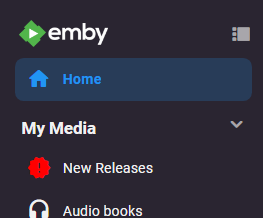 1 point
 -
I'm seeing the same thing. No brightness control. I also don't see the "Info Chapters Cast&Crew etc." row at the bottom of the screen or have the mini-status bar switch mentioned. Server is 4.7.6.0 App is 3.2.75 Phone is Pixel 6 Pro with Android 131 point
-
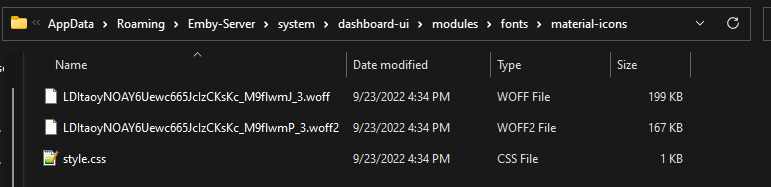
Google was my friend. But I would assume the font files contain all the material icon values. So knowing the code or icon name will work in content. [data-type="home"] [data-id="f1ffda17fff72a19997ec7e667bb8d3c"] button i { visibility:hidden; content: ''; } [data-type="home"] [data-id="f1ffda17fff72a19997ec7e667bb8d3c"] button i:before { visibility: visible; position: absolute; content:"sports_football"; }
 1 point
 -
Thank you guys, btw if anyone needs https the easy way again with official charts , I have solved it too, just ask and will post what you must do. You off course need to have ssl ready at your server.1 point
-
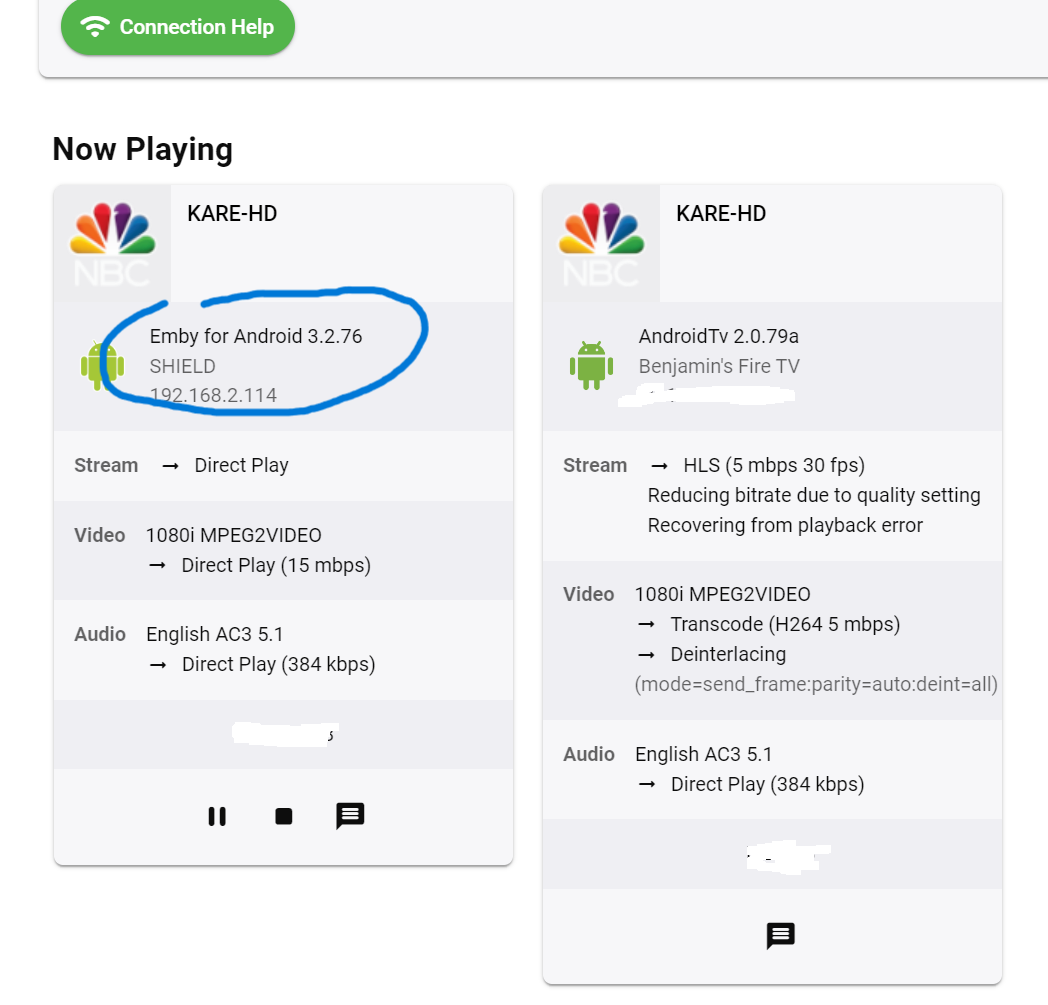
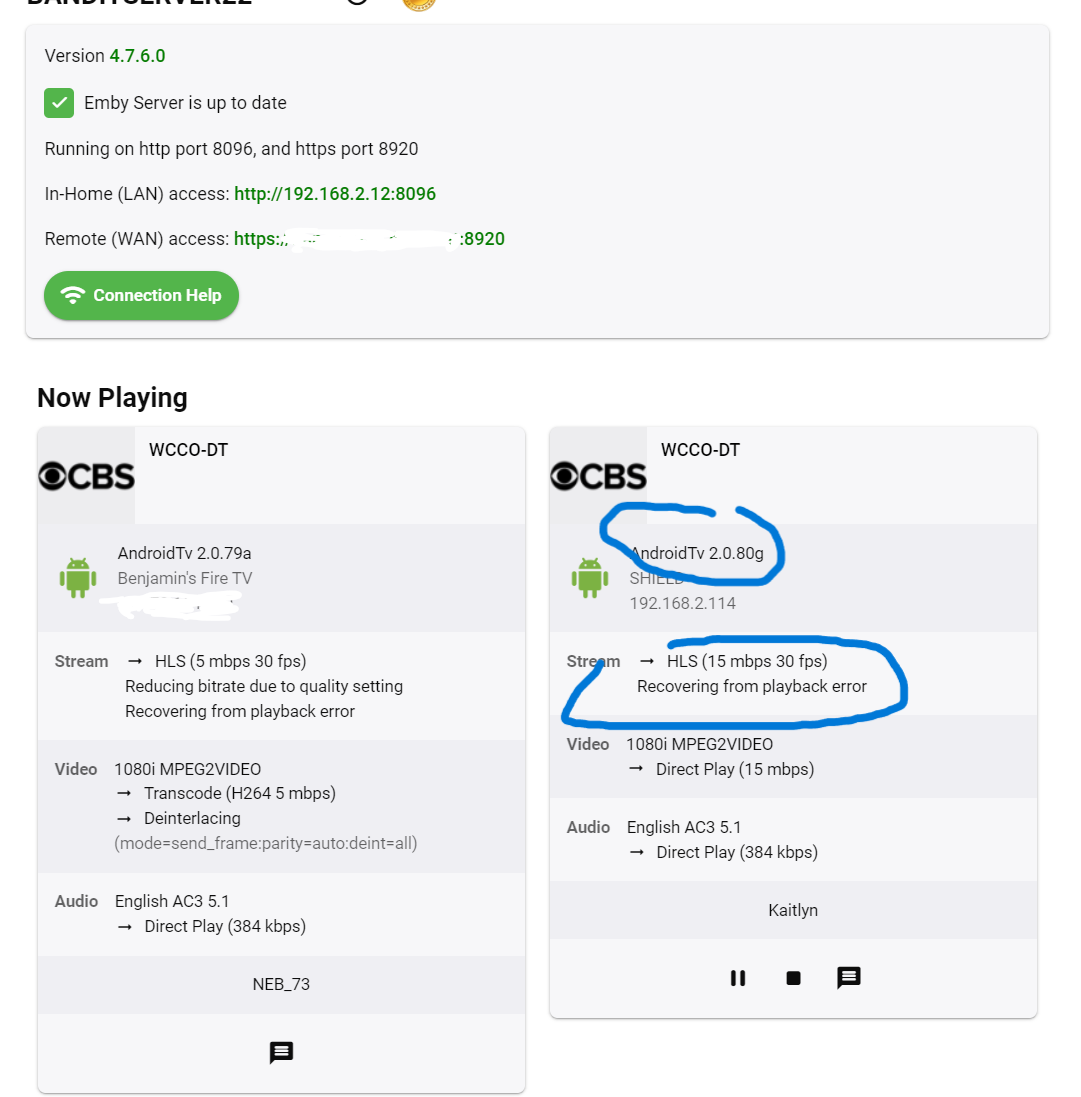
i can tell you on the android app i dont get live tv playback errors on the server side like i do on the android tv app. also the live tv starts playing quicker and less pausing on first play.
 1 point
 -
There are a couple topics on this, but yes there is a hard coded limit of 8. Can't remember if it applied to the plugin also.1 point
-
GTG now! Thanks again1 point
-
You have been so helpful helping me understand this. I appreciate it very much! Looks like I will be looking for a deal on the Nvidia Shield. I have been a Roku user for years but I still have two more HDMI ports in the Sony Receiver, so here we go. Thanks again.1 point
-
Roger. It was a general statement only in response to what cayars said and based on what I see a lot, nothing to do with you. Most of the problems in the forum when upgrading DSM 6-7 are the steps using Putty and shared folder permissions.1 point
-
Thanks for the awesome update emby team. I made a thread where I mentioned brightness slider not visible on Samsung s22 ultra. Is that addressed in this release? Also i hope we get auto rotate soon.1 point
-
They've managed to confuse everyone with that screen: https://community.roku.com/t5/Roku-Device-Features-Settings-Updates/Roku-Dolby-TrueHD-Now-Listed-as-a-Supported-Format/td-p/563990 But the specs haven't change: https://developer.roku.com/docs/specs/media/streaming-specifications.md And I'll preemptively mention that the Atmos support is *only* over DD+, not when packaged with TrueHD.1 point
-
Thanks, didn't know about "DVD order" in metadata manager, helped me.1 point
-
Emby for Android 3.2.75 Released: Mini Sidebar & New OSD Features Requires: Emby Server 4.7 or later Emby for Android Version Changes: • New brightness control in video OSD • New lock screen feature in video OSD • New mini sidebar docking option • Voice input support on search screen • Various video playback fixes New brightness control in video OSD One of the new features added to Emby for Android is the ability to adjust the brightness of the video being watched. This new feature is easy to use. Just bring up the OSD and the brightness feature is all the way to the right as highlighted in the following picture. All you need to do is touch and slide the control up or down to brighten or darken the video. New lock screen feature in video OSD Tired of accidentally touching the screen and having the video jump to a new scene or doing something you didn't intend? The new lock screen will put an end to this when-ever you choose to use it. Simple click the lock button highlighted in yellow in the picture below to activate this. Any screen touches from this point on during the video will briefly bring up the following screen but do nothing else. In order to de-active this feature you would click the lock icon shown on the picture below, then click the confirm after that. This new feature is straight forward and very easy to use. New mini sidebar docking option One of the coolest features in this new release is the mini sidebar docking option. In order to access this, click the highlighted icon shown in the picture below. Now, click the following icon one-time. You will now have the mini sidebar open as shown below. The mini sidebar is scrollable so if you have more libraries then would fit on screen you can simply scroll this menu up or down to gain access to all libraries on your system. Voice input support on search screen Another great feature added to Emby for Android is the ability to use voice search. You can use voice search anywhere you see the microphone icon shown highlighted in the picture below. All you have to do is click the microphone button and then speak your search term. Other Changes Various video playback fixes View the full article1 point
-
I managed to fix these by copying the media files and deleting the old copy. Renaming doesn't work, because Emby is smart enough to detect file renames and rename the file in the database. Thanks for all the help!1 point
-
Luke, thank you for the reply. To answer this, I solved it- I was being thick headed. Nothing was wrong, I was looking at the server path and not the containerized path. Once I went to /data/movies it works just fine.1 point
-
The additional functions that are in ATV now are slowly making it into the standard app. Luke has mentioned more passthrough options will be coming with the standard app. However, as of now the goal seems to be that eventually there will only be one Android app in the future. If you want to contribute you can run both apps and make comments in the testing thread for the standard app to make it better. Nothing is stopping you from using ATV though as ebr has been maintaining and keeping it functional with new server and Exoplayer updates. Concentration of their efforts has obviously been focused more on the standard app right now though.1 point
-
Finally, it worked Thanks @Happy2Play @Luke I'll just add that device ID file to .gitignore to avoid situations like this in the future. Thanks again!1 point
-
I have recently moved some shared folders from one drive to another and with that folder I had issues I forgot to change it in the Emby library. After changing that all went well. My mistake.1 point
-
That makes sense. Thank you. I will probably just join the two video files and use the library provider I have been using.1 point
-
ok, i sent you an email1 point
-
1 point
-
The .NET runtime is embedded into Emby Server, so you don't need to install that, but the runtime itself will have it's own dependencies that will have to be installed into the Windows operating system. Newer versions of Windows will have this built-in, so maybe there is a required install step that we need to figure out and add to the instructions for installing on Windows 7. You don't need the .net 4.8 runtime, but the installer for it probably installed something else that you do need, e.g. perhaps a newer visual c++ runtime, something along those lines.1 point
-
When a .net app is published it will create a runtime folder with a bunch of DLLs in it. I'm sure that windows updates would most likely handle installing certain runtimes on the machine for new version if windows. Because it's win 7, the hotfxr.dll is probabaly a dependancy that emby figured might be available. Instead of installing any portable version of Emby (which seems to be missing hotfxr) install from the download (not the portable one) on emby.media. If you did try that before. I would try again. At least at that point it should contain all the runtimes nesessary to run the server.1 point
-
Luke, you may have answered this but I cannot find it but WHY can't EMBY fix the "digital signature issue" permanently? Is QNAP trying to extort money from EMBY or are they trying to promote PLEX (who they "approve")?1 point
-
you are logged on with an Emby admin account there, hence the many options you quoted. Create another Emby user and reduce the user options to administer, and log into the TV with that account. Far less options shown.1 point
-
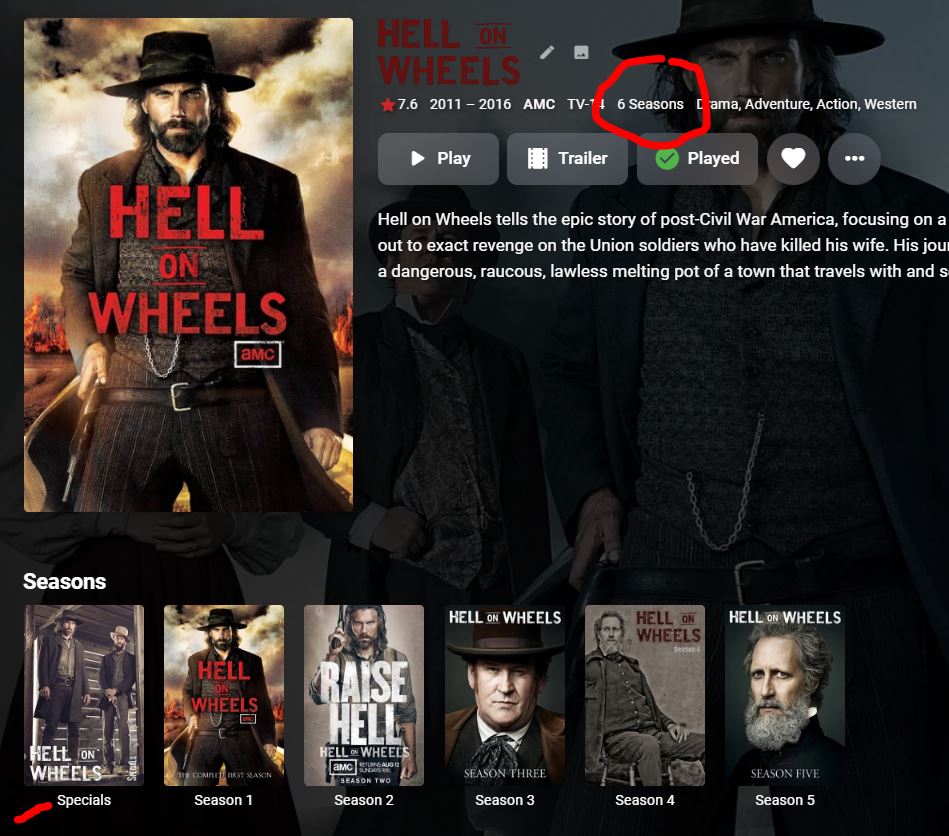
The current naming option causes all my shows to read as having extra seasons. There's gotta be a better way!
 1 point
 -
Something has change, the shutdown is more frequent like now it's shutting down Emby in less than 5 minutes1 point
-
https://www.nvidia.com/en-us/geforce/news/rtx-40-series-graphics-cards-announcements/ Mentions the dual NVENC. My mistake about NVDEC. Both product pages only make mention of NVDEC 5th gen (4090 and 4080, click on Specs then Full Specs). Since this topic is about transcoding to AV1, the capabilities of the decoder are of second-order importance (IMO).1 point
-
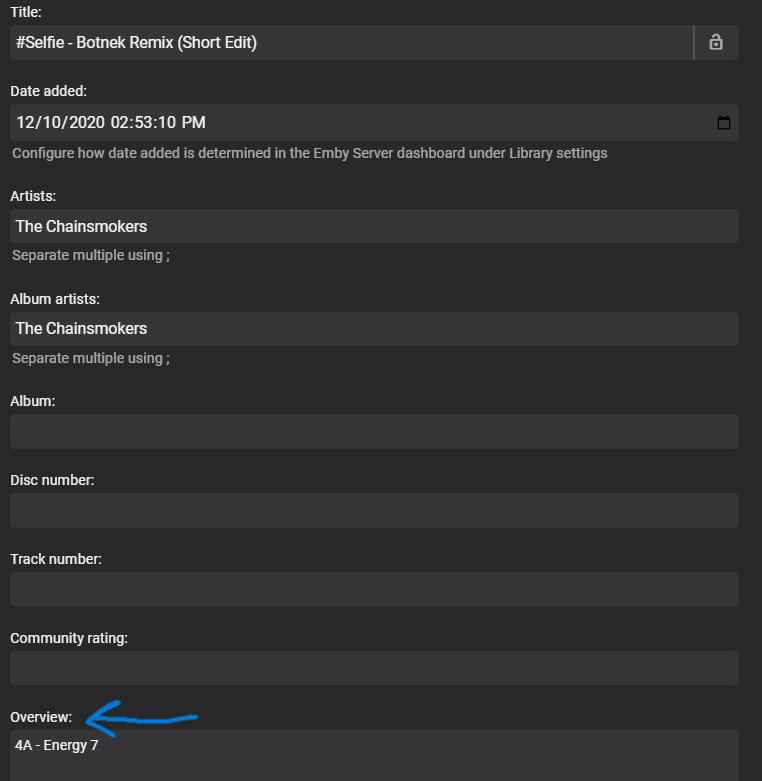
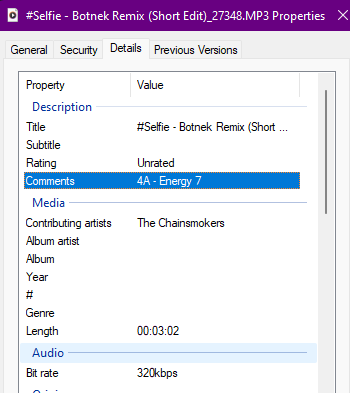
@slyfox I'm not sure if it's a feature that has been added after you posted this request, but the "Overview" metadata is showing information that my windows computer shows in the "Comments" field. I just downloaded it from my server back to the desktop and it retained the information in the "Comments" field. Not sure if that satisfies your issue, but I know it works for my purposes. I had a very similar concern. I use my music to DJ and the Comments metadata contains my Chord and Energy values that help me quickly sort music during high-pressure live gigs.
 1 point
 -
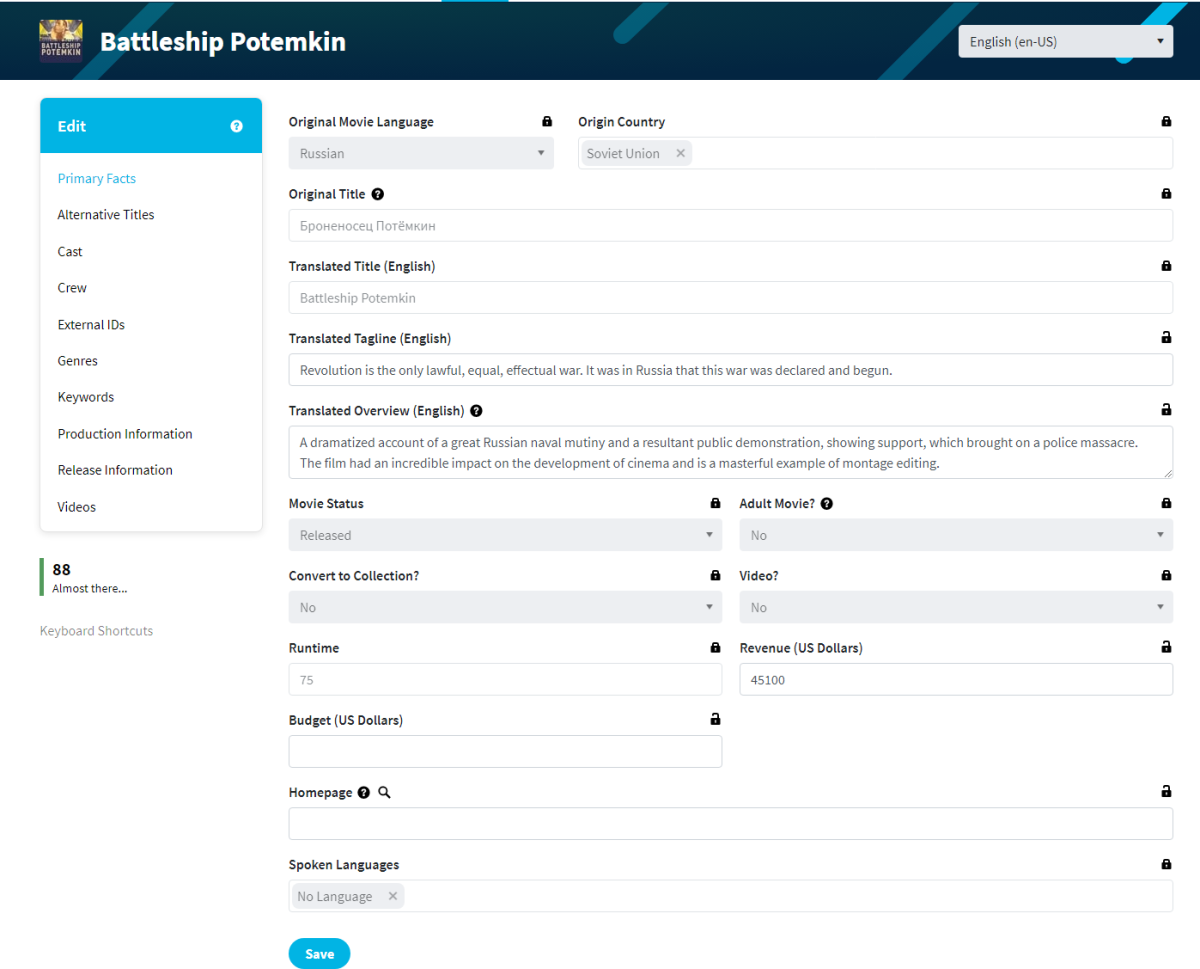
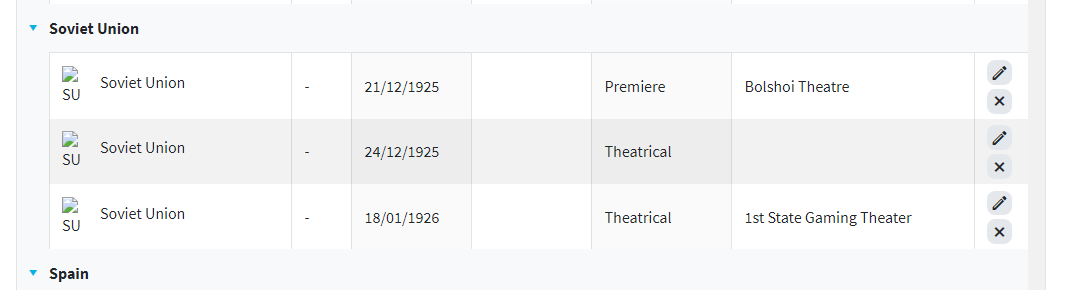
Can no-longer-existing countries be added to the metadata choices? I'd like to be able to accurately tag, say, pre-1991 Soviet films.1 point
-
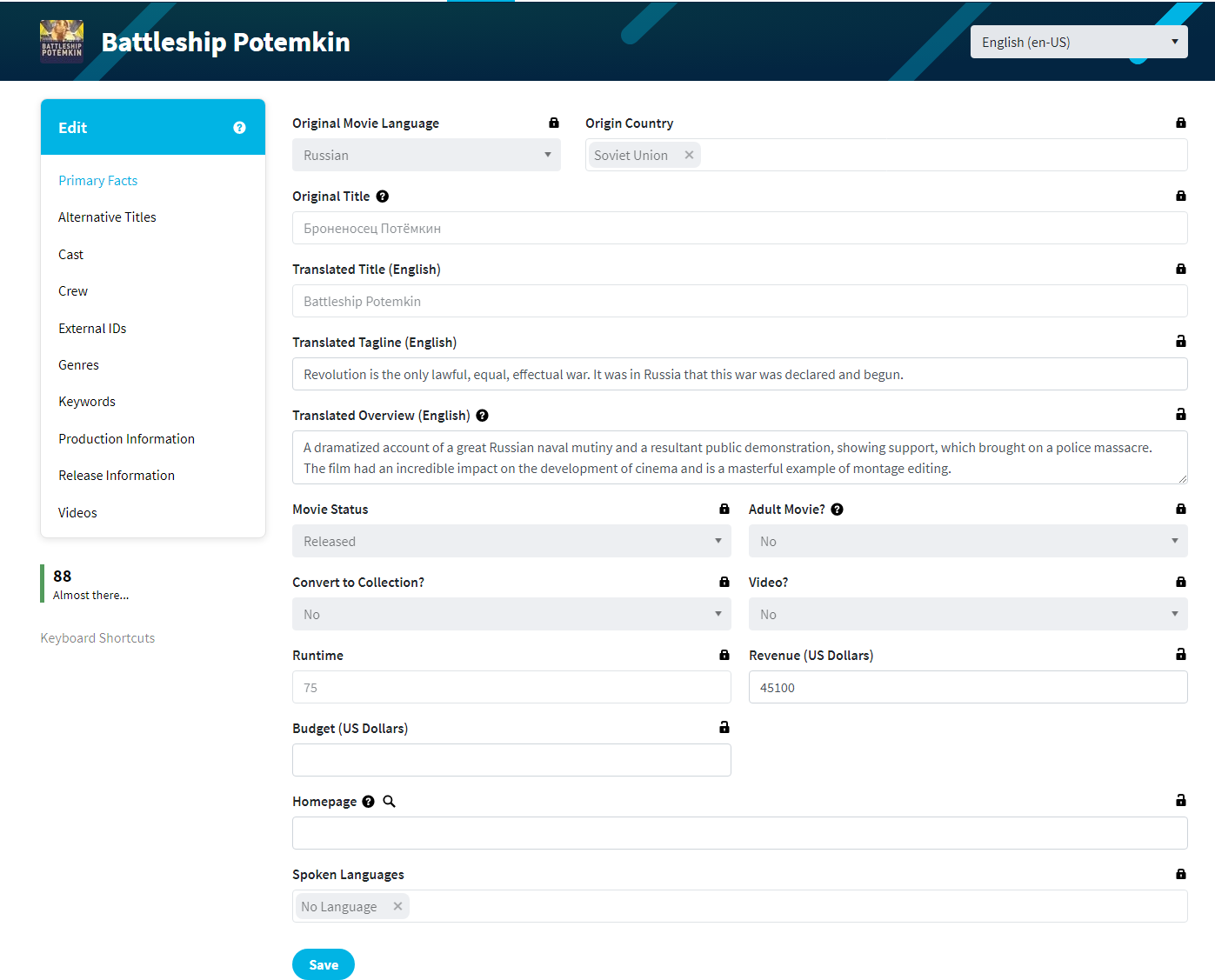
Dev will have to comment but Country of Origin is already recorded but not really used or visible in Emby and has nothing to do with Metadata Country. This does answer @Luke's question, but looks broken Battleship Potemkin (TMDB api)
 1 point
 -
There are no trackers in our emails. We have no need (or desire) to track when and where our emails are opened. No other entities are inserting content into our emails. DuckDuckGo is apparently treating any remote image in an email as a "tracker". Opening an email from us with remote images would show in our web logs as an image being requested from a particular IP address, but without a unique identifier as part of the image URL there would be no way of knowing by whom and from which email it was being accessed. None of our emails contain images with URLs that are unique to the email or to the recipient. admin@emby.media is the email address used to send almost all of our forum-related emails.1 point
-
Oooo...just noticed that the "other" software has started to add this: Experimental support for local TV extras Come on Emby, don't let them beat you to the punch!1 point
























.thumb.png.7226cadcde075f49667f5fdd1c32a79c.png)