Leaderboard




Popular Content
Showing content with the highest reputation on 09/18/22 in all areas
-
So basically this. I have TV Shows, Movies, and Anime libraries. For anime; I'd prefer to set the default to Japanese with Subtitles. For movies, English and no subs unless forced. For TV Shows, the same. However, Emby only allows one overall setting this for this, for all libraries, instead of just one. I think it'd be a pretty nice little feature.2 points
-
I read a little bit anxiety in your lines....2 points
-
Hi, with the new option set to on the thumbs are back in business:) And some feedback to image loading performance, especialy with a windows client. Images load now ultra fast, without (or nearly without) caching issues. I can say, image loading is now almost perfect on windows Images load faster than before with a mysql database. Im really tempted to reset the database a few more times zu see the fast image loading again2 points
-
I think the real problem is that no Kodi skin expects poster images for episodes! If now the episode widget shares some skin code with movie widgets you get the problem. Poster images for episodes should be handled only by the Kodi skins by setting the parent tv show images. It should not be set by the Emby addon.2 points
-
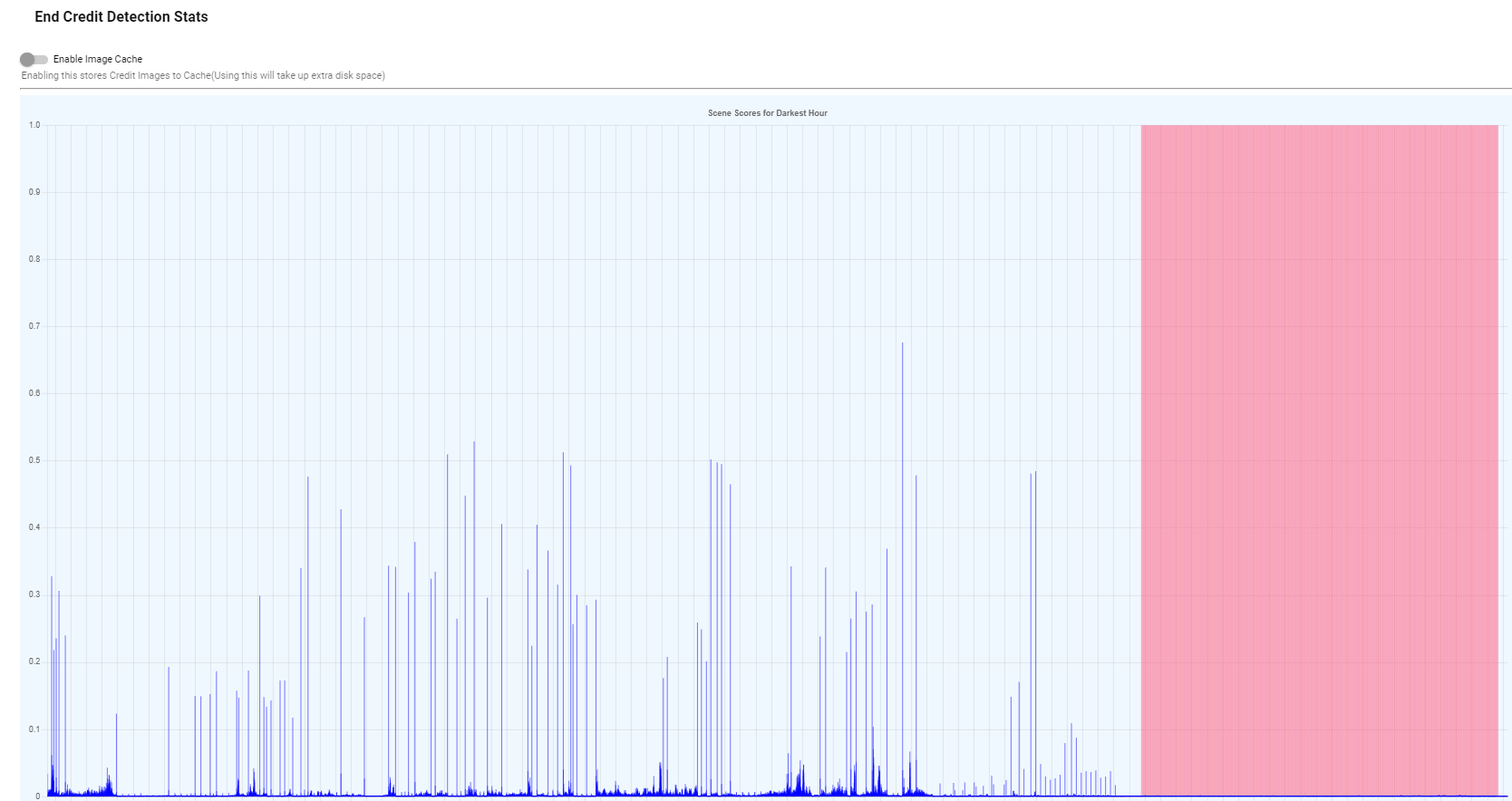
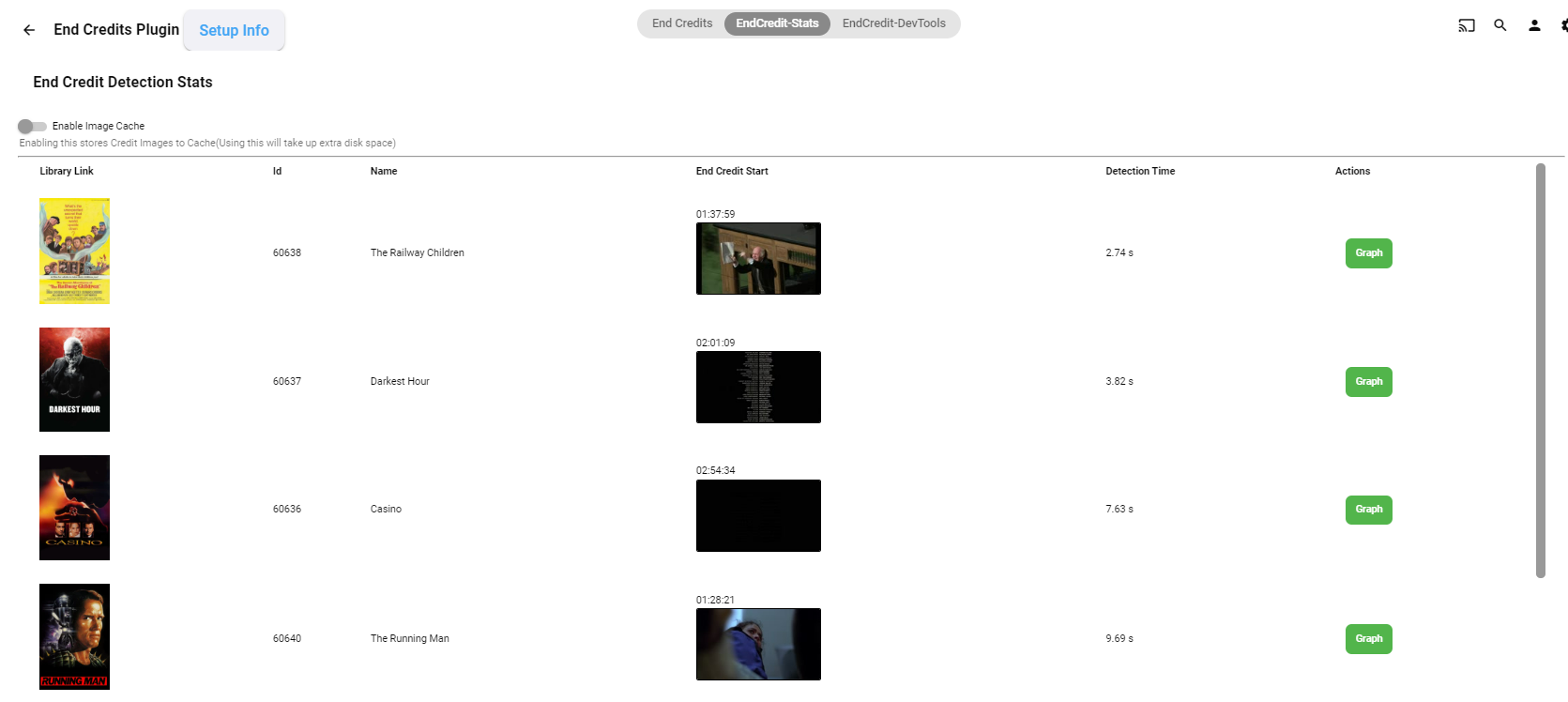
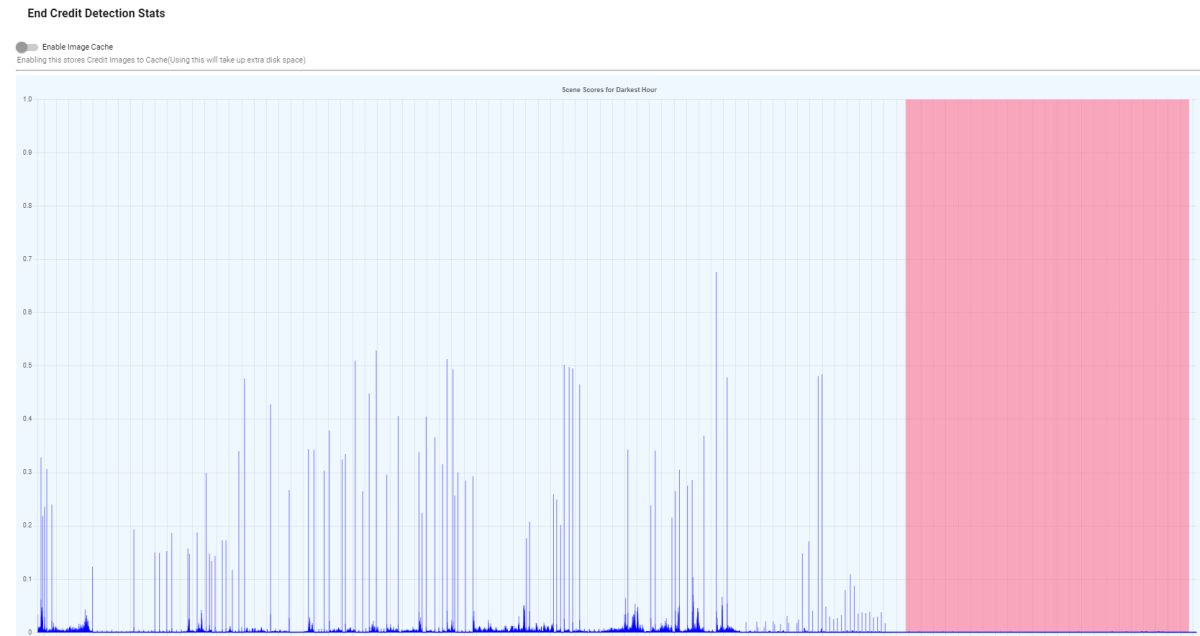
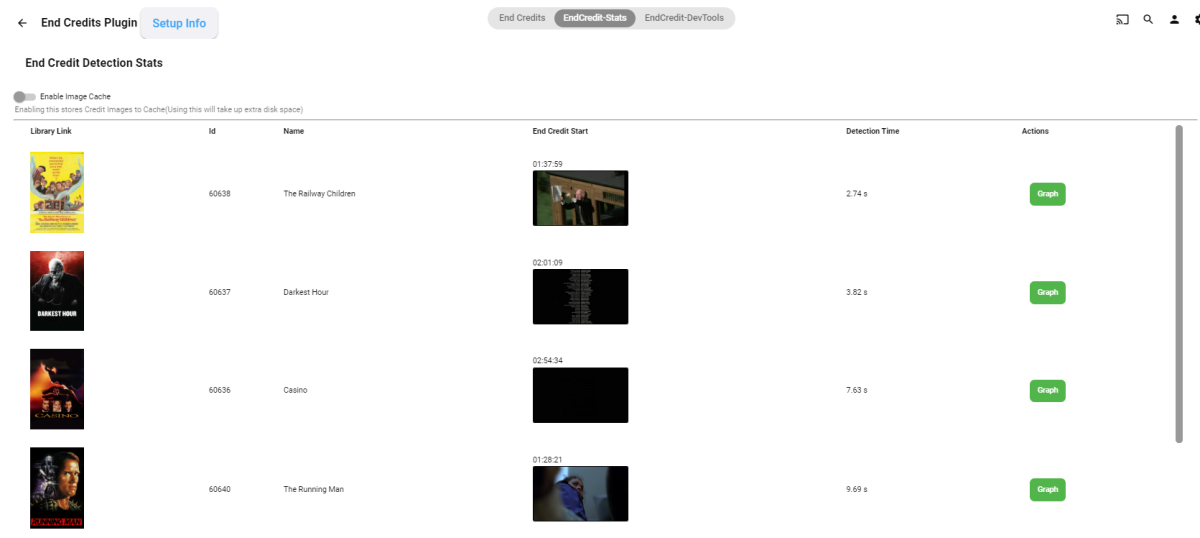
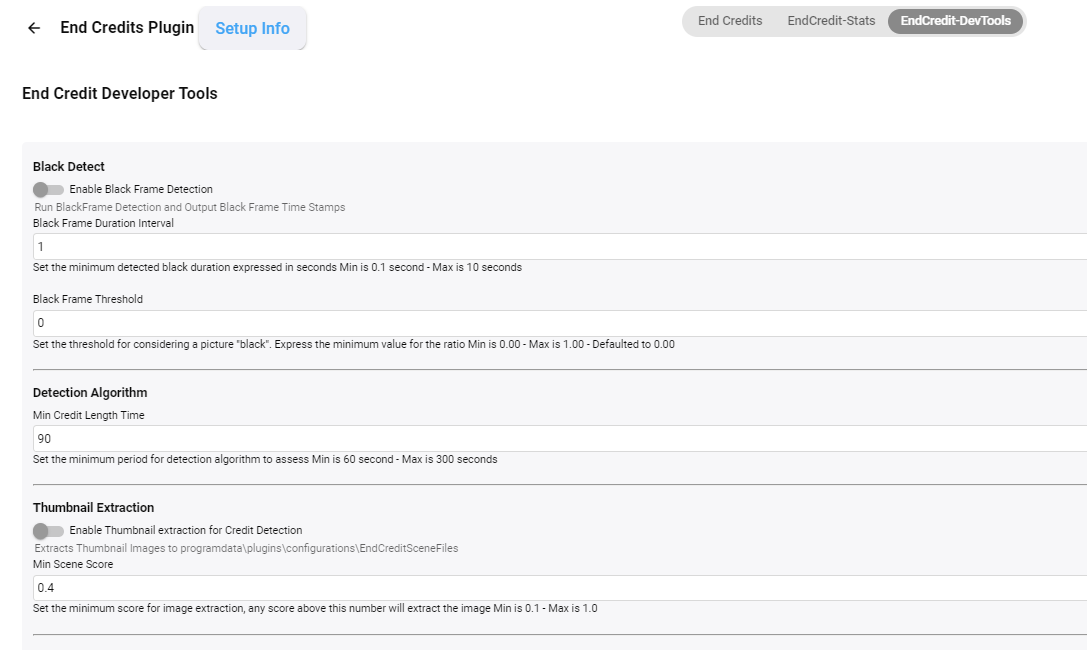
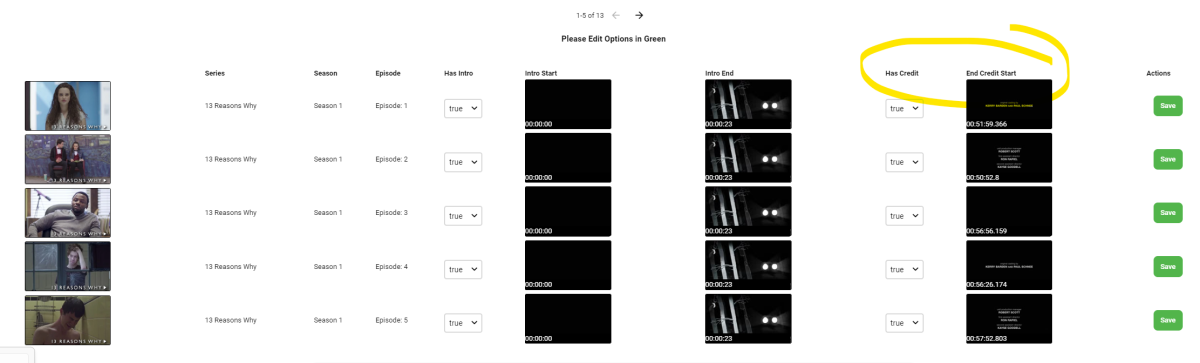
@softworkz Some interesting reading. For TV Shows - the Introskip Plugin ( @chef) created over 18 months ago used a combo of Black Frame detection and Chromaprint - it was very accurate if the show used the classic 'credits' roll. I've been using it on the AndroidTV App (GoofleTV/FireTV) for all this time - that app pulls up the 'Next Up' banner (at the correct time) - or you can tell it to Auto-Skip to the next episode - it worked well and still does.. @Cheesegeezer and @samuelqwe have also been working on credit identification for movies/films - but this time based on Scenes with ffmpeg - early days, but this again is working well for some types of 'credits'. I hope cheese and sam don't mind me showing this - but the plugin is in a good shape.. development on it has paused as other life priorities have hit - but the logic looks solid. (pink area shows the 'credits' section - basically identified because it has no 'scene' changes..)
 2 points
 -
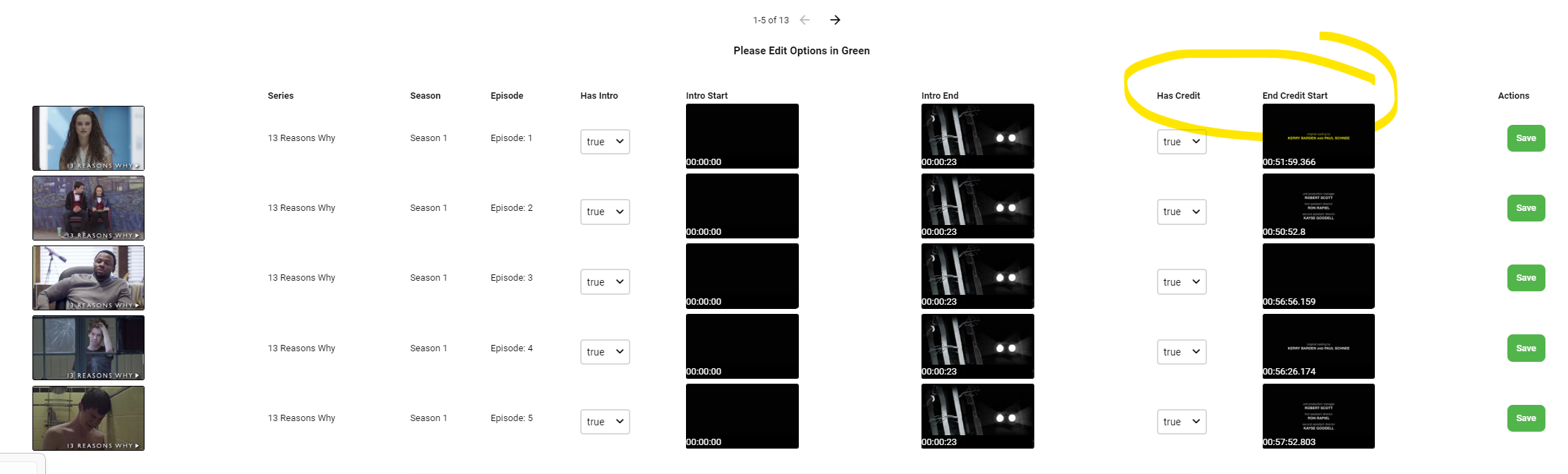
Since we can now detect end credits, or manually add them in other cases, it would be nice to see this, rather than an automatic percentage/time remaining, trigger the "next episode" popup and decide whether an episode is resumable or not. Even better if it could expand to movies for the latter point.1 point
-
When I first laucbh the app and the TV show movie is selected under continue watching dose not work I have go select a different video and back on it for it to start working. Please see video1 point
-
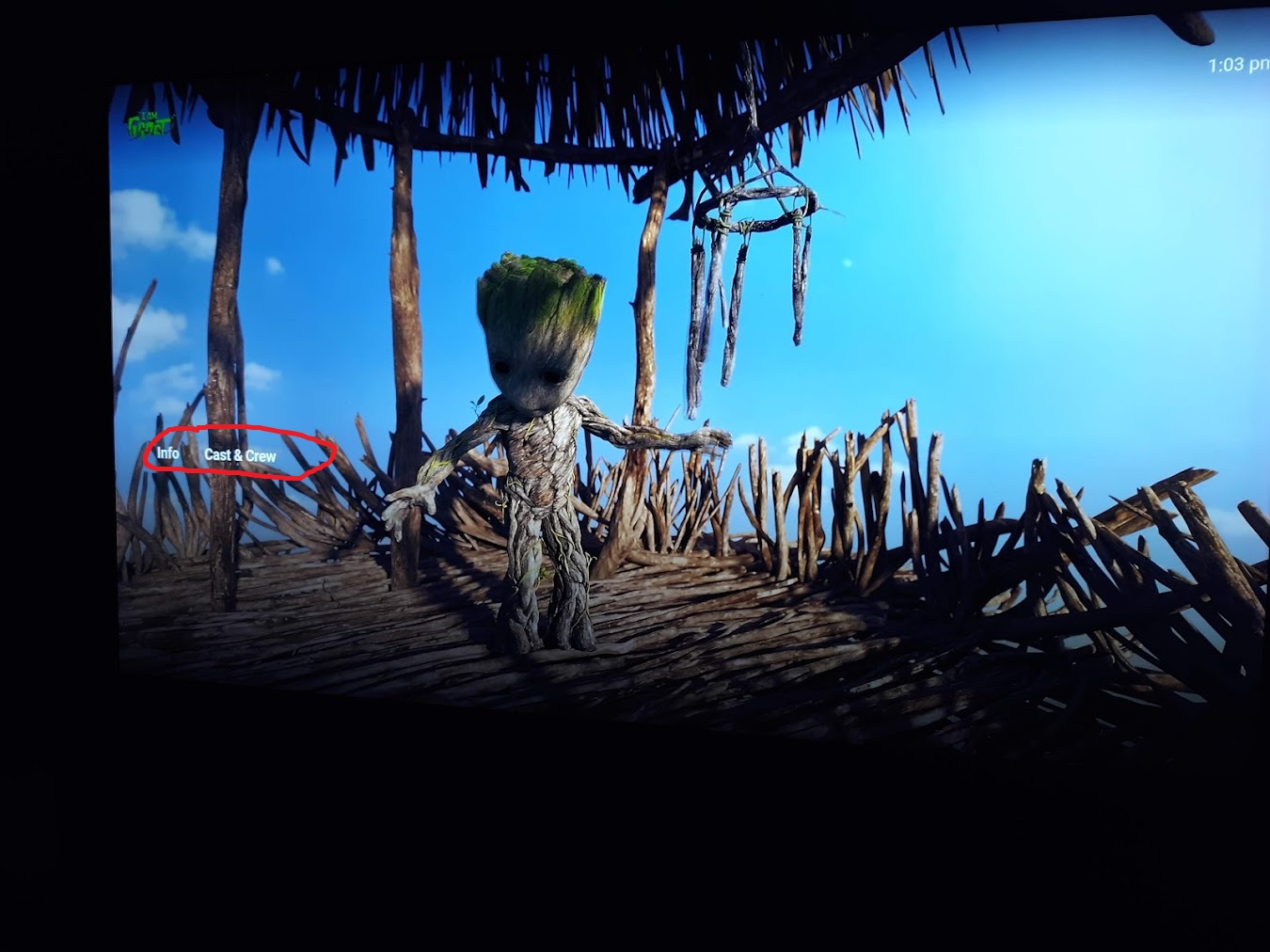
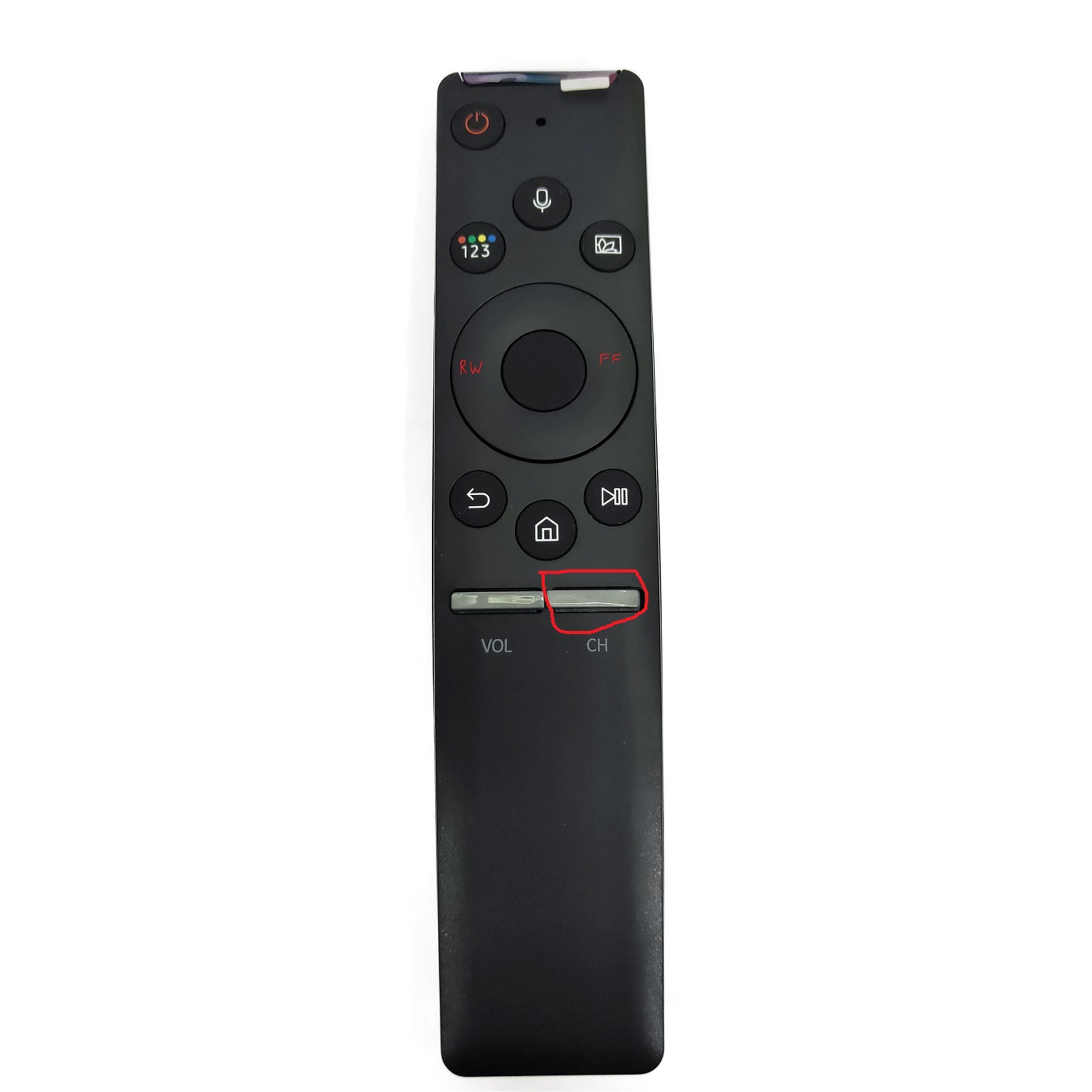
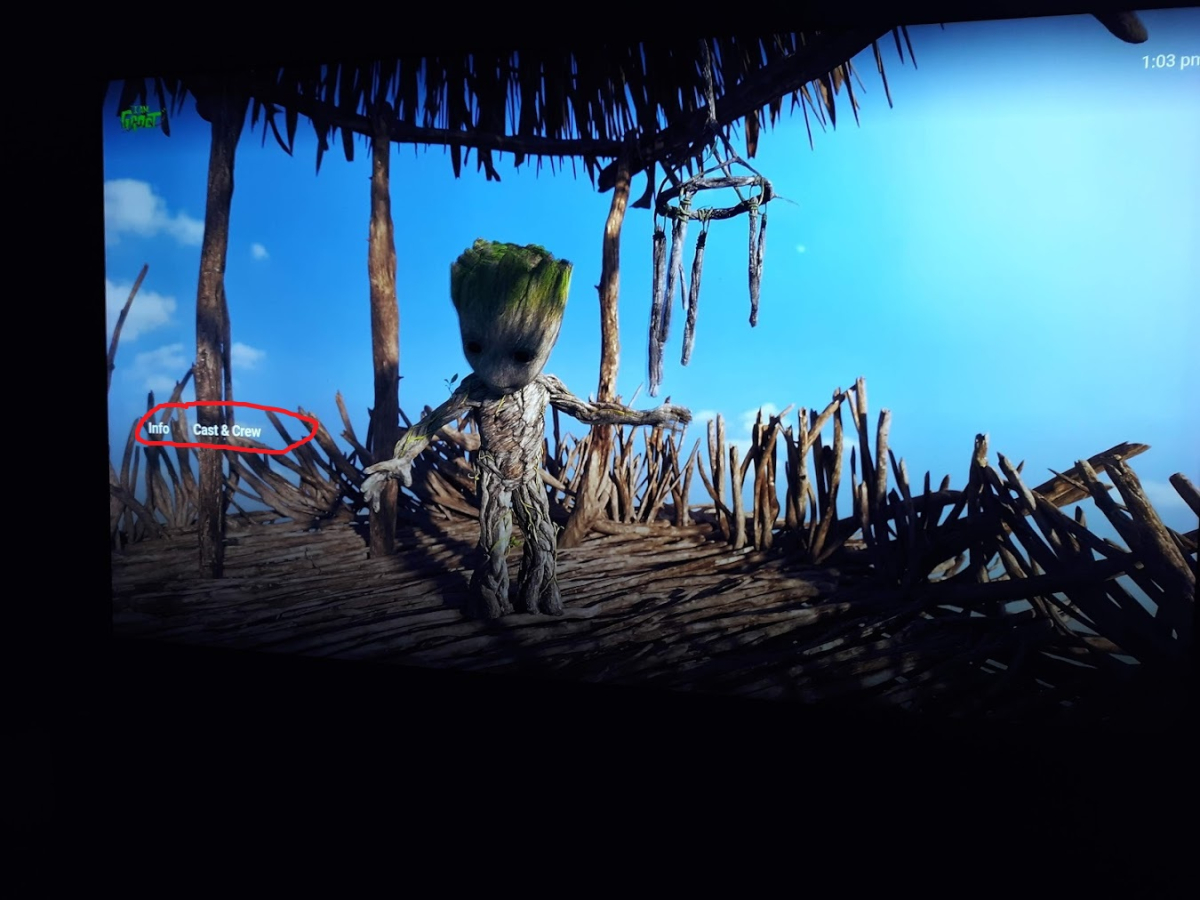
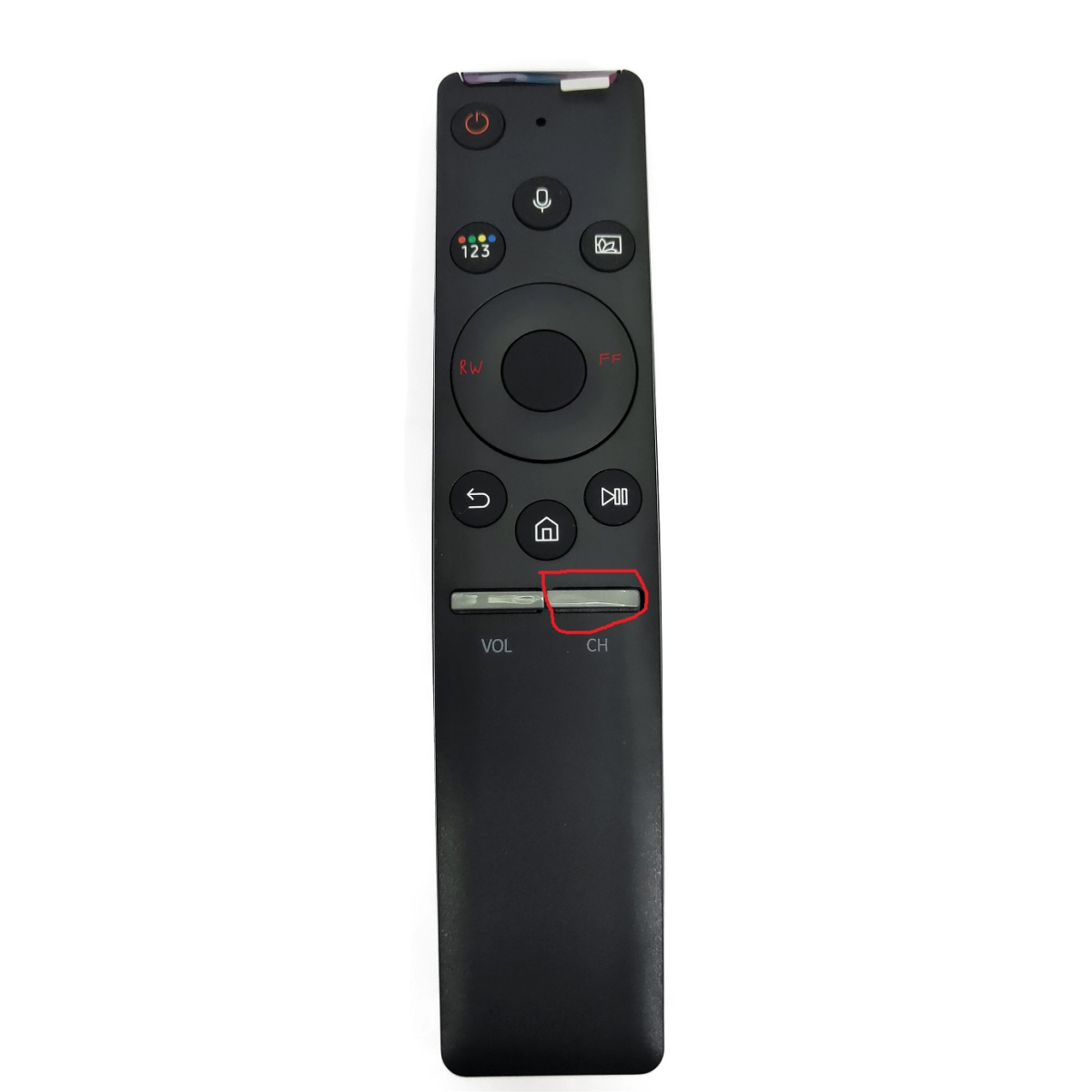
Pressing in on the Channel List button while watching a movie brings up an empty Info box that never goes away unless you press Back/Return The normal clicking down arrow on the remote brings up a working Info/Chapter box v 1.3.7 server 4.8.0.8 Samsung Q8FN (2018) Steps Click Play on any movie Press in on the Channel List button The words Info, Chapter, Cast & Crew, etc stay until pressing return
 1 point
 -
Happy is right. However there are a couple tricky elements in the Emby DOM that do not adhere to it's root custom variables. For example 'emby-toggle' seems to be one. That element has its own css and it was never updated to use the variables.1 point
-
There are several topics with this, targeting :root is easier the targeting elements. Original code for navdrawer .navMenuOption-selected { background-color: hsla(var(--theme-primary-color-hue),var(--theme-primary-color-saturation),var(--theme-primary-color-lightness),.2)!important; } and .emby-checkbox:checked+.checkboxLabel:before { border-color: hsl(var(--theme-primary-color-hue),var(--theme-primary-color-saturation),var(--theme-primary-color-lightness)); background-color: hsl(var(--theme-primary-color-hue),var(--theme-primary-color-saturation),var(--theme-primary-color-lightness)); } Targeting Theming is the best route. Use an online site to get HSL color values, here is a Blue. html.accent-emby:root { --theme-primary-color-hue: 222; --theme-primary-color-saturation: 100%; --theme-primary-color-lightness: 50%; --theme-accent-text-color-darkbg: #004cff; --theme-accent-text-color-lightbg: blue; } But if your accents have been changed in UI you may have to add "!important" to each line and change to html:root. html:root { --theme-primary-color-hue: 222!important; --theme-primary-color-saturation: 100%!important; --theme-primary-color-lightness: 50%!important; --theme-accent-text-color-darkbg: #004cff!important; --theme-accent-text-color-lightbg: blue!important; } But will assume none Premiere and not adjusting User Display Theme/Accent, first option should be fine.1 point
-
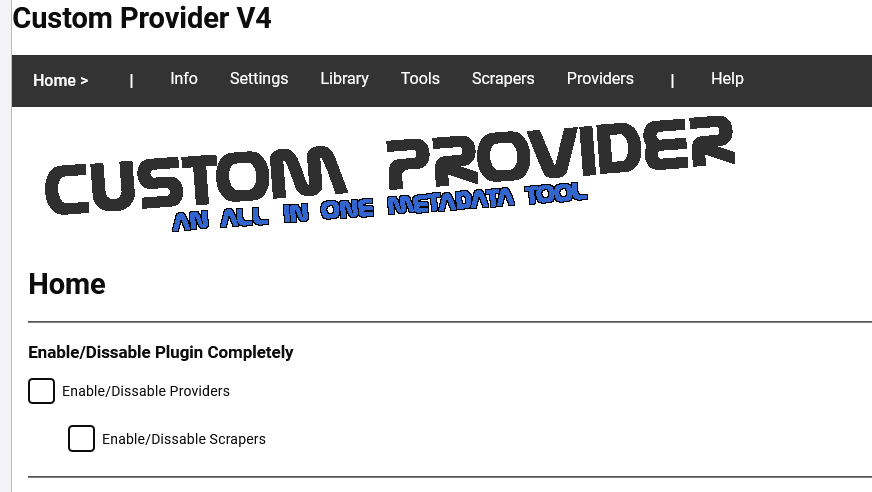
no html, the label is swapped for image data as base 64 string in a html file <div style="padding:0 16px"> <label id="LoadHTML=MainHeader.html"></label> <h1>Home</h1> <hr /> <h3>Enable/Dissable Plugin Completely</h3> <div class="checkboxContainer checkboxContainer-withDescription"> <label class="emby-checkbox-label"> <input is="emby-checkbox" type="checkbox" id="enableProviders" name="enableProviders" class="emby-checkbox emby-checkbox-focusring"> <span class="checkboxLabel">Enable/Dissable Providers</span> </label> <div class="fieldDescription checkboxFieldDescription"></div> </div> <blockquote> <div class="checkboxContainer checkboxContainer-withDescription"> <label class="emby-checkbox-label"> <input is="emby-checkbox" type="checkbox" id="enableScrapers" name="enableScrapers" class="emby-checkbox emby-checkbox-focusring"> <span class="checkboxLabel">Enable/Dissable Scrapers</span> </label> <div class="fieldDescription checkboxFieldDescription"></div> </div> </blockquote> <hr /> </div> this is wrapped in <div id="CPV4ToolsHome" data-role="page" class="page type-interior pluginConfigurationPage page-windowScroll" data-require="emby-button,emby-select,emby-checkbox,emby-linkbutton,emby-input" data-controller="__plugin/CPV4ToolsHome.js"> <meta name="viewport" content="width=device-width, initial-scale=1"> <meta http-equiv="cache-control" content="no-cache, must-revalidate, post-check=0, pre-check=0" /> <meta http-equiv="cache-control" content="max-age=0" /> <meta http-equiv="expires" content="0" /> <meta http-equiv="expires" content="Tue, 01 Jan 1980 1:00:00 GMT" /> <meta http-equiv="pragma" content="no-cache" /> </div> with a css style as well javascript define(["loading","require", "jQuery", "globalize", "emby-checkbox", "emby-select", "emby-linkbutton", "emby-input", "emby-button"], //return function (page, params) { function (loading) { return function (page) { var pluginUniqueId = "B19C4634-2C02-4DD9-8579-F950961EB219"; page.addEventListener('viewshow', () => { ApiClient.getJSON(ApiClient.getUrl('CPP/MainHeader.html/LoadHTML')).then(response => { var dat = response; document.getElementById("LoadHTML=MainHeader.html").innerHTML = dat.Text; console.log(dat.Text); }).catch(e => { console.log(e); }); } ); } } ); c# using MediaBrowser.Common.Net; using MediaBrowser.Controller.Configuration; using MediaBrowser.Controller.Library; using MediaBrowser.Model.IO; using MediaBrowser.Model.Serialization; using MediaBrowser.Model.Services; using System; using System.Collections.Generic; using System.IO; using System.Text; namespace Custom_Provider_v4.Configuration { public partial class LoadHTMLToHTMLfromFolder : IService { private readonly IServerConfigurationManager configurationManager; private readonly IHttpClient _httpClient; private readonly IFileSystem _fileSystem; private readonly ILibraryManager libraryManager; private IJsonSerializer JsonSerializer { get; } internal static LoadHTMLToHTMLfromFolder Current; public LoadHTMLToHTMLfromFolder(IServerConfigurationManager serverConf, ILibraryManager libMan, IHttpClient httpClient, IFileSystem fileSystem, IJsonSerializer json) { configurationManager = serverConf; _httpClient = httpClient; _fileSystem = fileSystem; JsonSerializer = json; libraryManager = libMan; Current = this; } [Route("/CPP/{PageName}/LoadHTML", "GET", Summary = "Load a Local HTML Page and Embed it Images")] public class LoadHTMLToHTML : IReturn<object> { public string Text { get; set; } /// <summary> /// The Name of the Image to process /// </summary> /// <value></value> [ApiMember(Name = "PageName", Description = "Load HTML Page", IsRequired = true, DataType = "string", ParameterType = "path", Verb = "GET")] public string PageName { get; set; } } public string Get(LoadHTMLToHTML result) { var config = Plugin.Instance.Configuration; Current = this; string ThisPluginPath = Path.Combine(Current.configurationManager.CommonApplicationPaths.PluginsPath, "CustomProvider"); string PageName = Path.Combine(ThisPluginPath, result.PageName); // generic check or exit if values are empty if (File.Exists(PageName)) { string HTMLText = File.ReadAllText(PageName); return JsonSerializer.SerializeToString(new LoadHTMLToHTML() { Text = HTMLText }); } else { return JsonSerializer.SerializeToString(new LoadHTMLToHTML() { Text = $"Exited with incorrect parameters (Page name:{PageName}) set.<br />Does File Exist/Name spelt correctly? <br />" }); } } } } Basically what it does is load html text from a html file in the plugins folder "/Plugins/CustomProvider" In that html file I can put anything, but images must be a base 64 string The html is put where the label is. The get url CPP/MainHeader.html/LoadHTML calls the LoadHTML in the .cs file and sends in MainHeader.html as the filename which returns the html file as a string. so what I should be seing is But as roaku pointed out there may be several cached versions of the page.....
 1 point
 -
@quickmic will definitely test the new version as soon it is out. But may I suggest something, so that your work from the last days will not be completely obsolete. I think what you are saying, that all mappings should fit to Kodi standard without the user to switch something on is definitely right. But maybe it is possible if we look for a more emby look a like experience to add what you wrote above and obviously done before with your fallbacks and fixes as an option. Meaning one option to enable to make the mapping like you mentioned above. Only in case it will not work with a standard approach.1 point
-
Yes, but it's crap if you must enable an option that the default skin shows the artwork correctly. Users not following this thread are not aware of it. plugins default settings should be "correct" for 99% of all use cases.1 point
-
Not sure if we are talking past each other, Embylover and I have the same view in my opinion. Hope it all turns out well1 point
-
fyi I'll remove the option once again in next version and try to fix it with default settings.1 point
-
Yes, that do we know. But emby next up uses tvshow backdrop as fallback if tvshow thumb is not available. For that case you have implemented the fix/fallbacks seger and I asked for.1 point
-
Well I don't know what than happens. But you know what you are doing1 point
-
New version available 7.8.2: Delta changelog: Add option to overwrite episode posters by episode thumbnails Comment: Option must be enabled BEFORE sync. Database reset including artwork is required. Todo: (startup) nodes reset, code-rewrite1 point
-
Sorry, I was editing my previous post before. You are correct, the issue seems to only be with the "Recently Added Episodes" widget. The option you added in the previous version got things to work just how I wanted them1 point
-
I found the solution. Unfortunatley the hard drive used to store the music was failing. It was as simple as it could't read some of the disk, which of course meant it couldn't read the music details. Simple, discovered when a disk test failed. now replaced and works fine, but it still pauses for a few hours, leave it ovenight and it's fine. Happy I have good backups though I hope this helps someone1 point
-
Oh beautiful artwork, what a lovely peace of code.1 point
-
Hi, the default option in Kodi Estuary is showing tv-show episode thrumbnails for newly added episodes. It would be nice to have an option to switch it back to this, but this is not a must have (for me).1 point
-
I do have a tuner and I get the same result as initially reported if the user doesn't have access to live TV but it works as expected if they do. However looking at live TV when watching "recorded" content seems strange if this is removed when not on the Live TV tab it would make more sense. The skipping to the next track makes sense for music as you can see what is happening but in TV shows it's just confusing as there is no visual clue as to what just happend. It doesn't do this in movie libraries BTW.1 point
-
Correct, no tuner. I use a hotspot for Internet as I'm living in the boonies If you can disable it when LiveTV isn't enabled, or when not on the LiveTV tab, or especially when playing media that would be great. Accidently clicking it when watching movies or listening to music causes issues.1 point
-
@Painkiller8818The next USB release should have some additional debug in stats for nerds. When it's available, can you please turn on stats for nerds and take a short video of the playback so I can confirm what Samsung have changed. Thanks1 point
-
Spoke too soon, still some crashes but less than before.1 point
-
I can confirm, the fix helps. I had no crashes after replacing the files.1 point
-
I don't know if this will fix all problems but according to the thread, it will not affect embuary.info.script only. Seems to be an old python bug which only affect embedded python like Kodi uses, at the end of the comments there is also a workaround mentioned, but I have not enough knowledge to know exactly what they want to tell. I think this has to be applied from plugin maintainers but if a plugin isn't maintained anymore than ....1 point
-
The channel up and down, which is the same button displays strange behaviour as well. I'm not sure but it seems to jump to the next episode in the series which is very confusing.1 point
-
New version available 7.8.1: Delta changelog: Fix mandatory reset function (skin refresh issue) Fix sync update issue when Kodi library scan is initiated Todo: (startup) nodes reset, code-rewrite1 point
-
SO manually installed the Flatpak version (other FP bundles open Fedoras app store to install but emby does not) and all seems fine.1 point
-
I'll review it once again, maybe I find a patter but even without the plugin enabled I experienced crashes.1 point
-
btw, trigger the scan manually (via skin option -> library update) should also escape the loop without Kodi restart.1 point
-
This will be fixed in next version. Sometimes Kodi doesn't respect the library "scan" command and the plugin sync hangs in a infinite loop. -> Kodi restart is required and exactly this caused the issue. Also I'll add a 50sec timeout if Kodi is not starting the scan even the plugin send the command.1 point
-
I'd like the option re-added if possible? I use the default Kodi skin and prefer to see the thumbnail over the poster.1 point
-
I'll review that, what skin are you using? Is already fixed in my test version. Workaround: Disable the skin refresh in next-gen config menu and restart Kodi.1 point
-
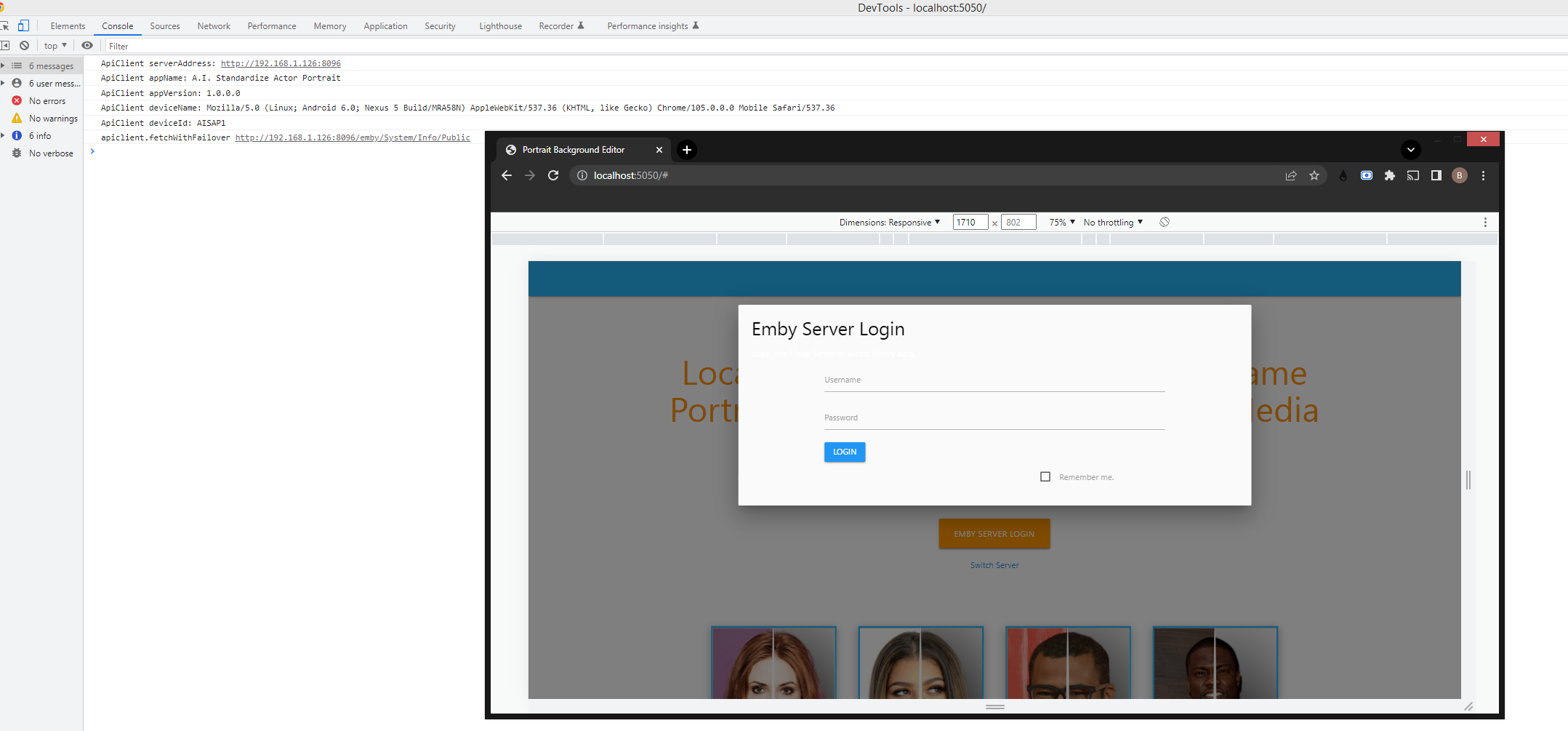
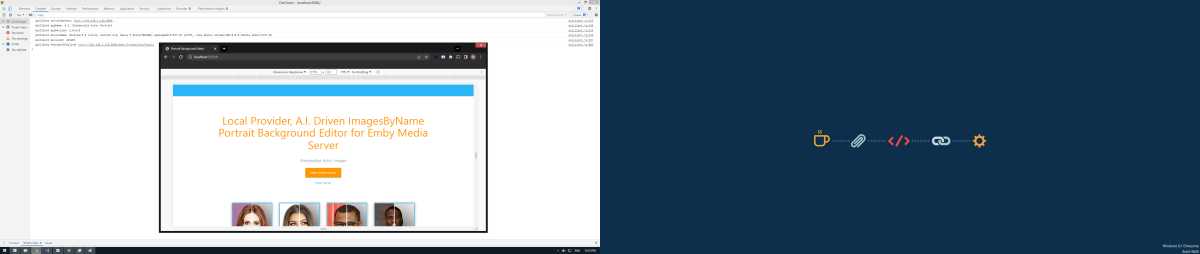
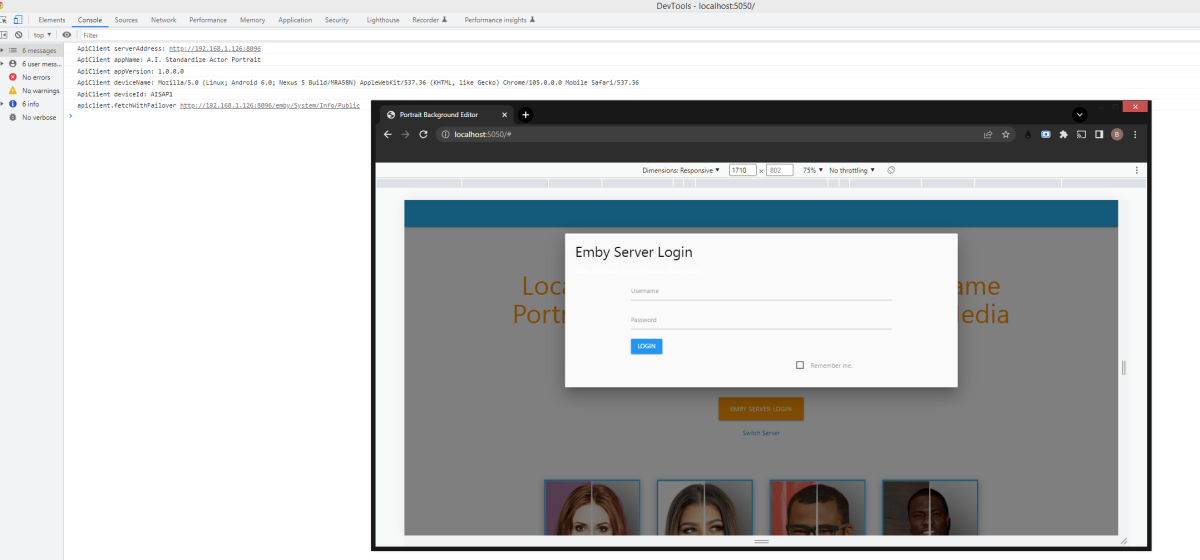
Emby server discovery and login
 1 point
 -
Yea, generally this is the guide button. I can test this and also a full remote that has both buttons1 point
-
Yes that is true when posting in a topic that is over 4 years old. 9 times out of 10 old topics have nothing to do with today's issue and one should create their own topic. Also unbanned previous account.1 point
-
I can confirm the same problem as the User above me. Also discovered some more major Problem with 1.3.7 and subtitles. After I forward my Episode with Subtitels the Screen starts flickering Black every Time a new sub is showing up. Made me switching back to 1.3.6 and the problem is gone. TV: SAMS GQ-55Q6F1 point
-
Tried this now with 1.3.7 Subs are still flickering (showing up for half a second and disappear) I am now using the eng AC3 and everything is direct play. So the Problem is not fixed. Uploaded a video where you can see it Also new playback problems appear with this version, but maybe i should make a new thread for them. Assassins_Creed_4k_subs.mp4
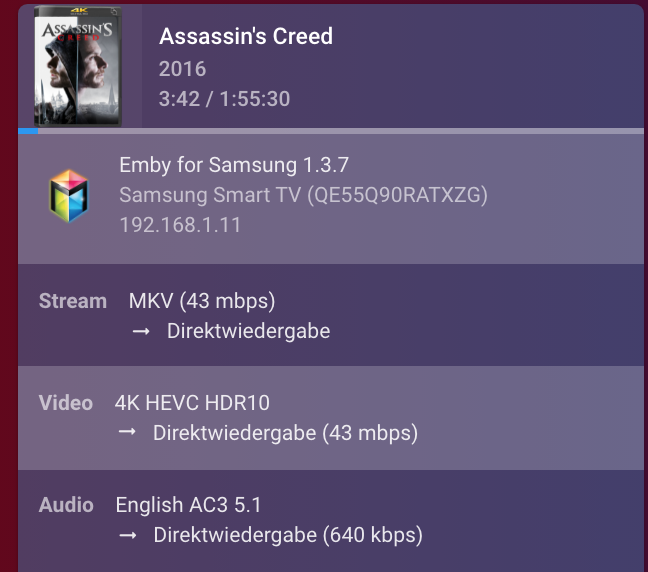 1 point
 -
This is the MX PLAYER+Xposed framework to achieve the function of touching 2X or 4X speed by pressing any area with long fingers I hope developers can adopt Screenrecorder-2022-09-17-22-23-30-746.mp41 point
-
seems like this should be implemented in conjunction with the years outstanding request for an unmatch function1 point
-
Still an issue on 1.3.71 point
-
I have already given samples for both here: I first reported this issue in February. Any aac soundtrack and any DTS soundtrack have the issue. Correct behaviour should be: AAC files should either output as 2ch pcm or multi channel pcm and not freeze on first frame. DTS files should output DTS and not stutter. DTS-HD files should output DTS core and not stutter. They should not be outputting 2ch pcm when 'allow DTS passththrough is enabled' and 'allow DTS HD passththrough is disabled'. True HD/Atmos seems to be working as intended and is transcoded server side to Dolby Digital. There's no core track and if the TV receives a direct copy it will only output 2ch PCM. Dolby Digital plus/Atmos is working fine directly playing. I hope this is clear and allows you to replicate the issue. It's worth noting you don't need a external HDMI device to test. I was getting these problems before I bought a soundbar.1 point
-
probably planned for a future release… it already is!! Finally… you should be rewarded for all the amazing free plugins you have already provided the emby community. 100% behind you on this bro1 point
-
I can put this in the plugin catalog anytime. The reason that I am waiting is because there is a core feature that the devs are working on, that will help organize how the ranked items appear on the home screen. Currently, I have no real control over where the items get placed. We can rank them, and create the custom thumb and primary images, but when they get displayed they may or may not be inorder. The devs are going to add this ability for one of the upcoming releases of Emby. Then I'll put it in the catalog for everyone to use. It will be awesome!! Just as an aside, this will be a paid feature though. I think it's worth a couple bucks for the time it took me to write and refine it.1 point
-
I think most people who are faced with decision tend to immediately think of it in terms of what they think they're going to be losing, but they don't realize all of the flexibility they'll be gaining by switching to plain video files.1 point