Leaderboard




Popular Content
Showing content with the highest reputation on 09/17/22 in all areas
-
It would be convenient if there was an option to make Emby not to show the embedded subtitles. I think it has been requested before. I could remux my files and remove them, but I don't want to do that because I want to use them in other players like MPC-HE or MPV. I always put an external subtitle for Emby in every file because I want to avoid the extraction process of an embedded subtitle. So I end up with a subtitle option with 2 subtitles of the same language in Emby, the external and the embedded, a subtitle I want to avoid having even as an option in Emby. Please consider this as a possible option in future, in my humble opinion many people would welcome an option to "get rid" the embedded subtitles without having to remux their files.2 points
-
Yes those are part of the file. There are currently no options to ignore or change the order of them.2 points
-
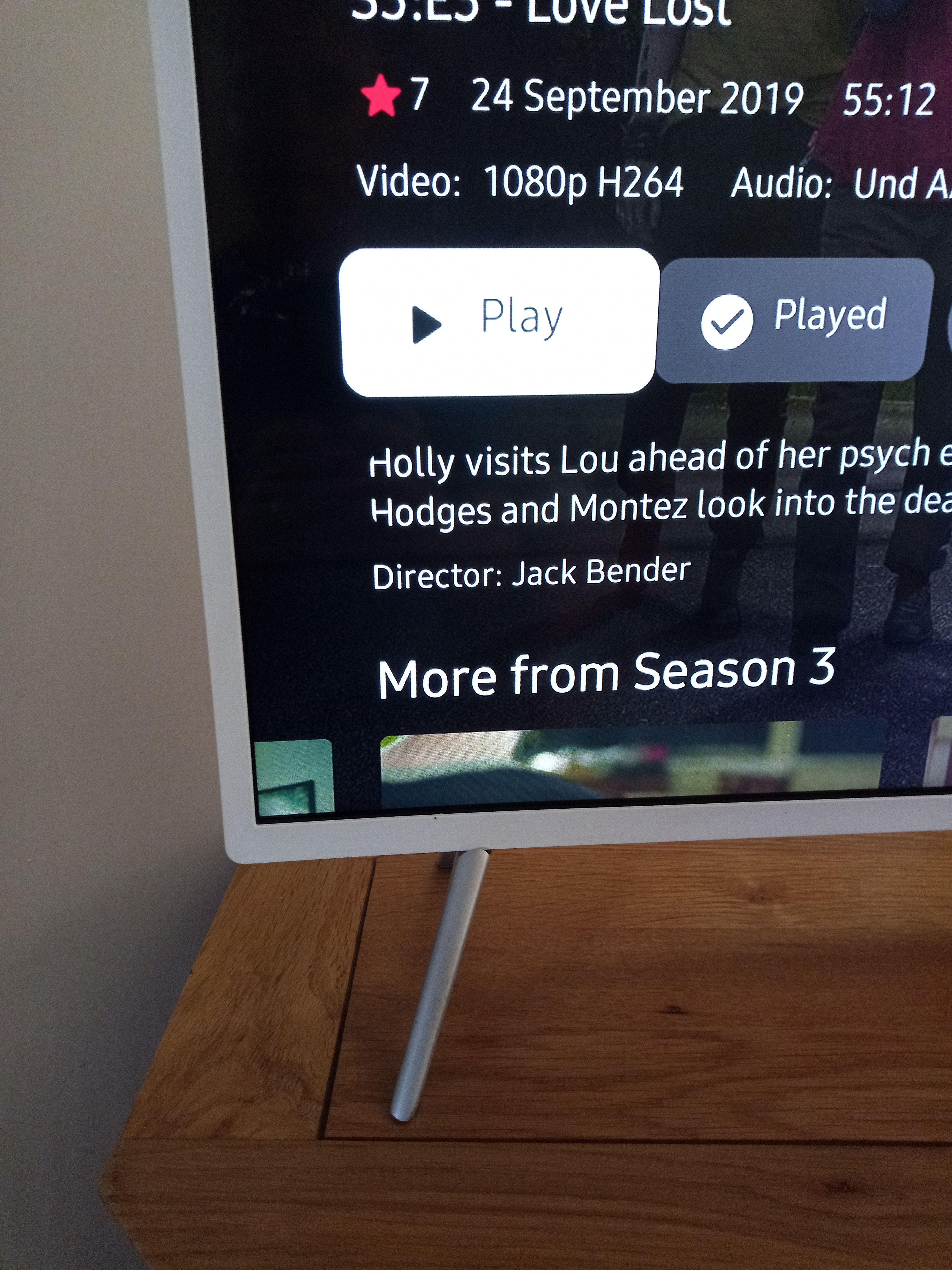
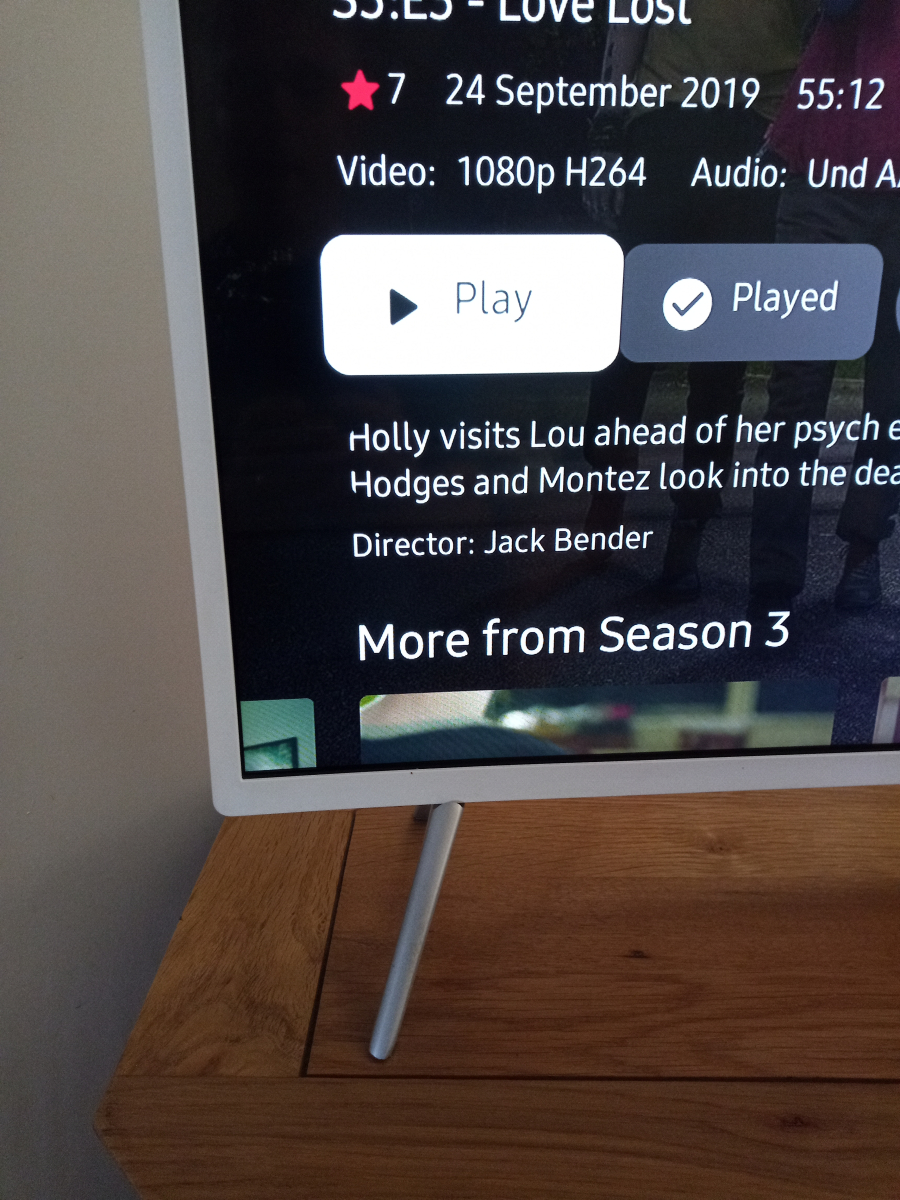
1.3.6 doesn't work on some older TV's and 1.3.7 fixes that problem but has introduced this black screen issue. If you look carefully you can see that the home screen is dulled down as though there is an ovelay over it once the black screen appears. In fact it's all screens except the episode level. I've tested the new build 1.3.7 on my UE43KU6510 and my UE32M5500 and the playback is now working as expected on both. However a new display bug has crept in. The isue is very minor and only affects the 6510. When viewing the episode display the info about the episode seems to be in a box with curved coners and the edge of the text is cut off. The 5500 is absolutly fine on this. This "curved box" issue is also seen on movies and music but not anywhere on the TV guide.
 2 points
 -
Since we can now detect end credits, or manually add them in other cases, it would be nice to see this, rather than an automatic percentage/time remaining, trigger the "next episode" popup and decide whether an episode is resumable or not. Even better if it could expand to movies for the latter point.1 point
-
It is recommended that when playing media, long press on a certain area of the screen or the entire screen area to trigger 2.0X speed or 3.0X speed, and release the finger to return to 1.0X speed1 point
-
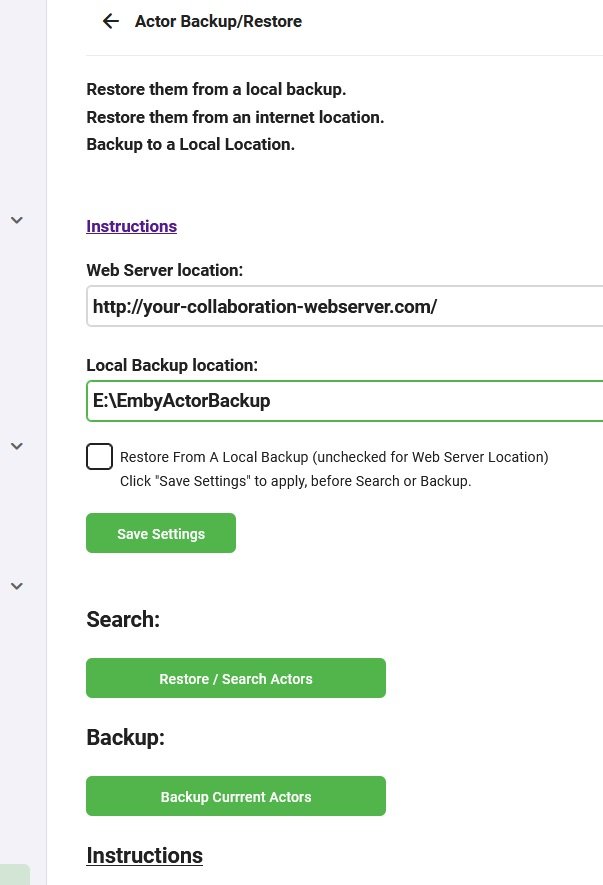
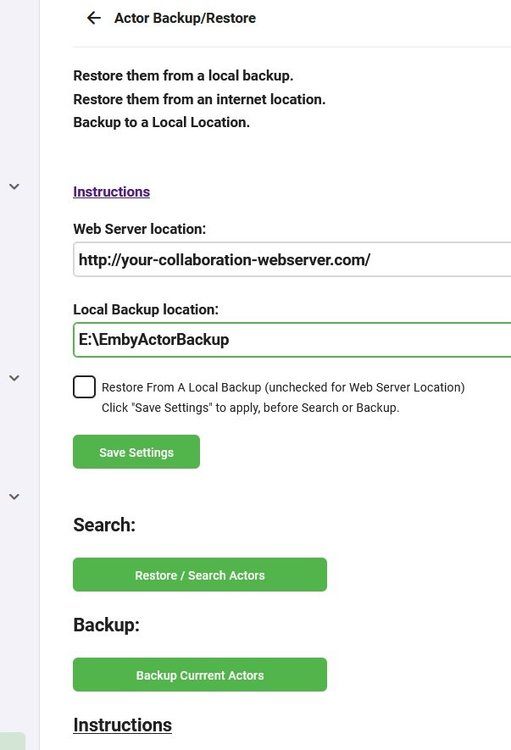
The original plugin has ceased development, a new plugin is in development futher on in this thread. (re-using the thread as the plugin now does this and much more) Please go to the latest post for the newest updates Backup / Restore Actors - Beta with local or web based restore. This is by no means meant to replace the other addon for backing up Actors, it is simply an alternative with a different goal. I'm looking for a couple of testers (up to 50), I can supply my web based restore url for my actor database, so you can try restoring from mine and see if it adds any people to you collection. IT IS NOT A WEB SCRAPER!! It is ideally suited for an online collaboration, backup to your hdd/ssd drive , ftp them folder structure online some where, add to it via other peoples backups use a single url for downloads between the collaborators. You can use either a local disk to restore from, a web based server or a NAS. With a NAS you have more than 1 option. You can use it as a local backup/restore server. You can enable http services in your NAS, open the ports and allow others to restore their images directly from your NAS via your ip address. http://<yourip>:port/ , http://<your noip/dyndns>/, http://<your noip/dyndns>:port/ Backup to Local Drive (any that your machine can write to including smb) Restore from Local Backup Location Restore from Internet Location , ie a http:// location. The restore function will check your file/actor integrity and delete/repair corrupt files and associations even if it doesn't replace the image. if you use the restore function with a valid path but no backup, the app will run the integrity check and fix corrupt actors and placeholders, without restoring any images. Use / Share backups online to increase your Actors via collaboration Extracts into an IMDB structured folder Extracts into an TMDB structured folder Extracts unknowns in to Actors Folder Extracts Movie Titles into Folders with Actor Names Extracts TV Shows into folders with Actor Names Currently there is no stop button, or progress indicator other than minimal log output. However if you do NOT navigate away from the page it will update when its done. You must click "Save Settings" after changing anything to update the server. There is no liability offered or accepted, use completely at your own risk. Built with netstandard2.0 Its not been tested in any other environment than win 10 x64, but: It should be Linux compatible and It should work on all systems Emby runs on, linux or windows based. Still in development. Currently has not tested on any other machine than mine. Open to suggestions.
 1 point
 -
Hi, Is it possible to keep the video playing in the background when I switch the app on iPhone? Also is it possible to not relaunch the app completely if I watch a movie. Switch the app. Come back to it. It reloads everything and not pointing to the video playing. Thanks1 point
-
The nice guys that were creating and managing the free xml guide data for Australia - xmltv.net have an issue with their services. The services they were scraping have IP limiting and now the guide is not complete and will run out at the end of today. This means us 'poor folk' in Australia have to pay AUD$4 a month to IceTV to get the guide data if we wish to use the Emby recording. As I am now no longer working, that is not possible for me. I am going to have to remove the emby HDHR tuners and start up my tvheadend container again, then use the tvh plugin - all so I can get the rubbish over the air guide data. Other premier users of emby get free guide data (USA, UK etc) - is there any possibility that emby can go a deal with IceTV and get us a better deal, if not free ?1 point
-
Ah, interesting article. I'm sure there's much more to it than they are writing... The one important difference between them and a local Emby server is that they got almost infinite computing resources available.1 point
-
This is pretty much how Netflix does it. https://netflixtechblog.com/extracting-contextual-information-from-video-assets-ee9da25b60081 point
-
i use a logitech harmony for all my devices and there is a normal stop button on it. (Maybe it uses the same code like the old samsung tv remotes)1 point
-
Here are a few thoughts regarding the procedure and processing: I would make this work on top of thumbnail extraction and not even touch the video files. It would make thumbnail extraction a requirement for the end-credits detection, but I think that's quite acceptable for users who want that feature. This will tremendously reduce processing time and required CPU resources to an almost negligible amount. There's no seeking, decoding, scaling, color conversion required. You can simply work on the jpg images in the bif files. Then, I would probably not use OCR for this. For OCR, you need to know exactly which language the titles will be and you need different language model data for each language. You could jump on an upcoming Emby feature in this area for the models, but I don't think OCR is a good approach at all for this. It also wouldn't work well on the thumbnails. For the actual detection, I would combine multiple image analysis approaches: Advanced Dark Background Detection The challenge here is to distinguish between a normal dark scene and a black frame with credits. The difference is that in the latter case you will have almost the "same black" color in many parts of the image while in normal scenes there will be many different shades of black. You can find the difference by calculating a histogram from the image which makes it easy to determine the spread of black tones. Detecting Typical Titles End titles can come in many different ways of appearance. That means that you also need multiple approaches of detection. It's best to start with the most simple one which provides a high level of confidence. Such case would be white/grey text on a solid black background. For this case, you can again use the image histogram to see whether there are two high and narrow peaks (black and white). Advanced Text Detection To detect the presence of text in an image, we can make use of an other detail which is specific to text in a video: Text is made of letters which are forming contiguous areas of a single color, whereas filmed images (background) are formed by color pixels all of different colors. One way to recognize such potential text areas is to use a convolutional algorithm which can detect clusters of the same color. If this results in possible candidates, you can filter the image so only those colors remain and then you can do some line-by-line analysis looking for those colors and check whether this would match the typical distributional characteristics of text. Finally Variations of the above and other methods will allow you to compute a combined confidence level and the successful methods for each thumbnail. The final evaluation would be done by looking at the results for the processed thumbnails (5min from end at 10s intervals makes 30 images), especially with respect to the contiguity and going backwards, starting from the last. For example, when most of the last 10 images are positive (and of similar detection kind) and all earlier ones are negative, you have a conclusive result. I'm not sure how the results are meant to be used. But when it's about showing some "skip end titles" message in a client, then you would have a maximum timing offset error of plus/minus 5 seconds, which is probably ok IMO. PS: What has been said above is correct though: no method will work reliably in all cases1 point
-
Thanks, Luke. Of course, I was in the completely wrong screen of a television show. When you get to an actual episode, there's the media info. Dain bramage for sure.1 point
-
fixed thx1 point
-
Please try again, I re-uploaded the file1 point
-
thank you!1 point
-
OK yea we should only be trying to do that if the guide tab is available. Thanks.1 point
-
i got failed to an invalid file structuree if i want install the 7.8.0 zip1 point
-
New version available 7.8.0: Delta changelog: Fix progress info for some nodes Fix sort order for next up episodes for dynamic nodes Fix duplicate songs for song update fix next-up edge case issue fix music album, song and artist update issues add select option for skip-intro notification add hide option for server messages fix music sortname issue fix webservice connection issue rewrite artwork loading code. Kodi gets binary data directly from plugin's webservice instead of a redirection URL fix skin reload issues rewrite artwork loading change artwork mappings rewrite startup code (faster webservice init) Comment: Database reset is mandatory. Also reset artwork when asked, could work without but NOT tested! Due to many changes in the code, please keep an eye on anything odd. Especially sleep mode. Native mode not tested yet, but I don't expect any issues which are unique to this mode. Embuary: I performed lot's of test with this skin. Artwork should be fine, keep in mind this skin does not benefit from next-gen plugin nodes by default. (skin modificatations should be used) Please DON'T drop skin related questions in the main next-gen thread. Open a new thread for such cases! Also I suffered several crashes on startup which are NOT related to the next-gen plugin. However, a Kodi restart should cover the skin/helper issues and I added several "workaround" for this skin. Also, keep the next-gen skin-reload option disabled (now by default off) for Embuary otherwise will crash/be unstable. Todo: (startup) nodes reset, code-rewrite1 point
-
Glad to hear you're enjoying it.1 point
-
The TV are having also the same issue, buffering I will provide the logs as soon as I can.1 point
-
I've just seen that the black screen issue has been reported in the "home screen focus preview background images stop work on 1.3.7" thread. The text issue hasn't as far as I can see so I have added it to that thread. as far as the visual seeking and crashing issue I would say that that is fixed1 point
-
seems like this should be implemented in conjunction with the years outstanding request for an unmatch function1 point
-
Lend your support over here by 'Liking' the first post1 point
-
Yea it didn't grab me personally, I was hoping it would. I wasn't expecting it to be on par with the movies but the cast and the script just didn't jell with me. I'll still watch it though but it's not on my must watch list..1 point
-
If you add "http://kodi.emby.media" to the sources in kodi file manager you can simply browse through "Public testing" folder and install/copy any zip directly from that folder within Kodi.1 point
-
Ok, well if that's the case then this option to 'Download images in advance' will have no bearing on your playback performance. It only refers to how Emby fetches your coverart, backdrops, etc. Follow the link in the 2nd post to report a problem with playback and supply the necessary information including logs, etc.1 point
-
I tried telling the wife I won’t bother recording tv anymore, for the little we actually watch……. But she wants to FF the ads!!!!!1 point
-
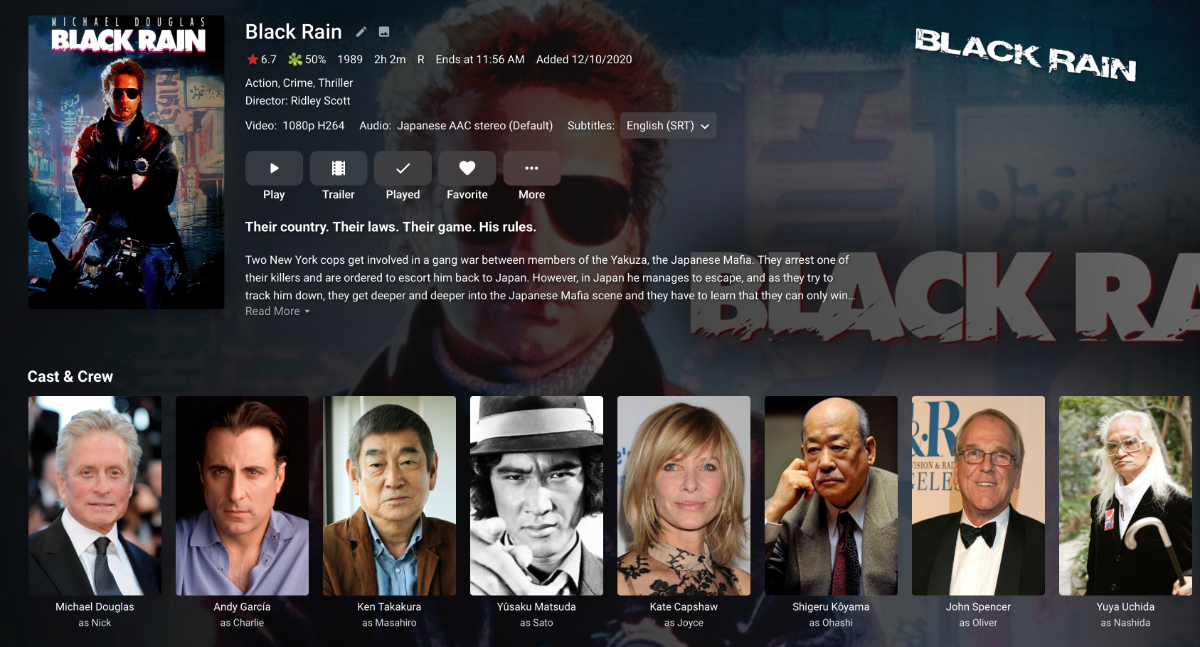
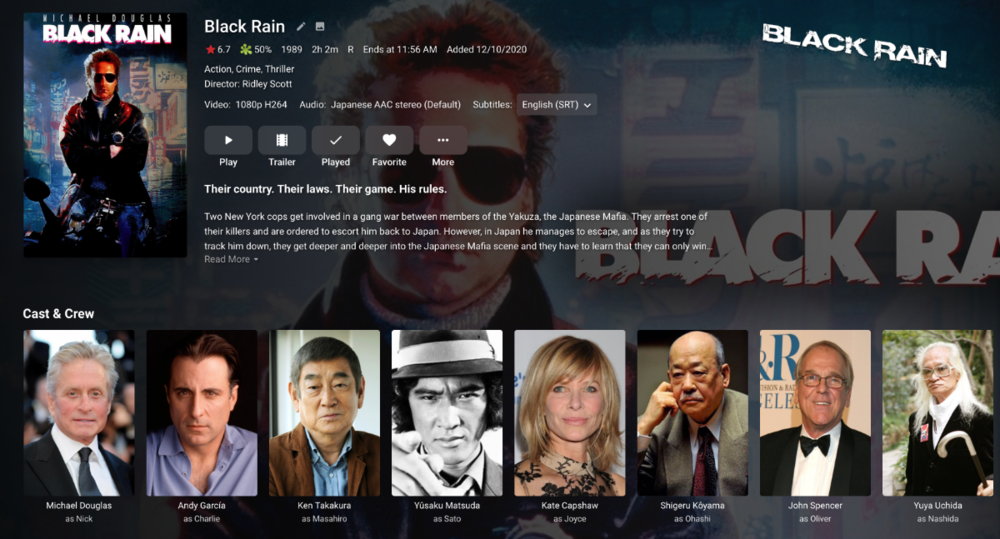
Hello, I noticed that, when using 'Identify' function, the tagline of the previous wrong film remains in the new correct one. For example, if I add Shohei Imamura's Black Rain (1989), Emby recognizes it as Ridley Scott's Black Rain (1989). Then I correct the identification but the previous tagline remains. I'm guessing this is because the new one hasn't got tagline information in TMDb, but shouldn't this function erase all metadata of the incorrectly identified film? Thanks for your help!
 1 point
 -
Hi, there's already an open request for this or something functionally equivalent. Please join in and contribute to the existing discussion at:1 point
-
Just clarifying @nallcho14 when you say "videos buffering" - do you mean during playback, or just slow loading posters when scrolling your library?1 point
-
Nothings, item is removed from media library but not channel. Library scans and Refresh channels makes no difference. And trying to remove via the api gives Unauthorized access.1 point
-
Actually, when it happens every page just has a black background afterward. Even the gray background in the Dark Theme is just black everywhere.1 point
-
Still an issue on 1.3.71 point
-
Hi, the desktop app supports external players, yes.1 point
-
It's in-progress. There are steps that need to be taken first, such as having the ability to switch back and forth between the native Apple player and our embedded player (mpv). So that groundwork is what we're currently working on.1 point
-
I had this issue with TV Shows. At least for TV Shows I have found a way to fix this that works for me. Maybe it will help someone else out. If you have two versions of an episode (e.g. Release Episode, Alternate Ending, etc.) You just need to add letters to the end of your Season/Episode Naming/Numbering schema. You will need to Delete the .NFO files before or after you change these file names. You will need to rename any associated bif or image file names to match your new filenames. Then go to Library and click the 'Scan Library Files' to have the server look for your changes. Example (Original files could be): Name of Show - S01E20 - The Season Finale.mkv Name of Show - S01E20 - (Alternate Ending) - The Season Finale.mkv Change these numbers by adding letters in the order you want them to be sorted in Version. Name of Show - S01E20a - The Season Finale.mkv Name of Show - S01E20b - (Alternate Ending) - The Season Finale.mkv This works for me. I haven't tested this with Movies yet. I don't really have any Movies with multiple video files. This happens all the time with TV Shows however. Someone could test something similar with Movies to see if that has any effect. Good luck!1 point
-
If I have a collection that's sorted by title, it makes sense to still have the alpha picker on the side as when browsing a library.1 point
-
A free guide is better than nothing, but as someone else said on here, we are getting a raw deal guide wise.0 points