Leaderboard




Popular Content
Showing content with the highest reputation on 09/12/22 in all areas
-
Thanks, that's what I figured.2 points
-
No, all the uninstall/install behaviour happens outside of the app, we have no control over it.2 points
-
That's what these usb versions are meant for. Then they are eventually submitted to the store where available. The whole reason there is a 30 day time bomb is because Samsung doesn't want developers to release apps without going through them.2 points
-
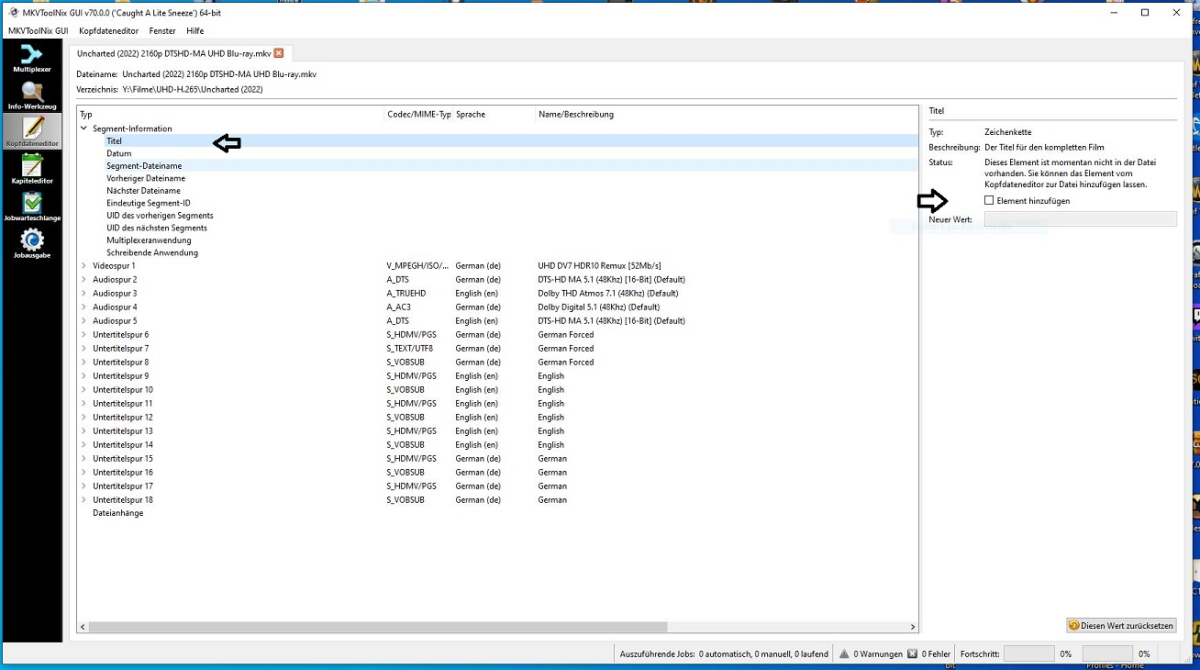
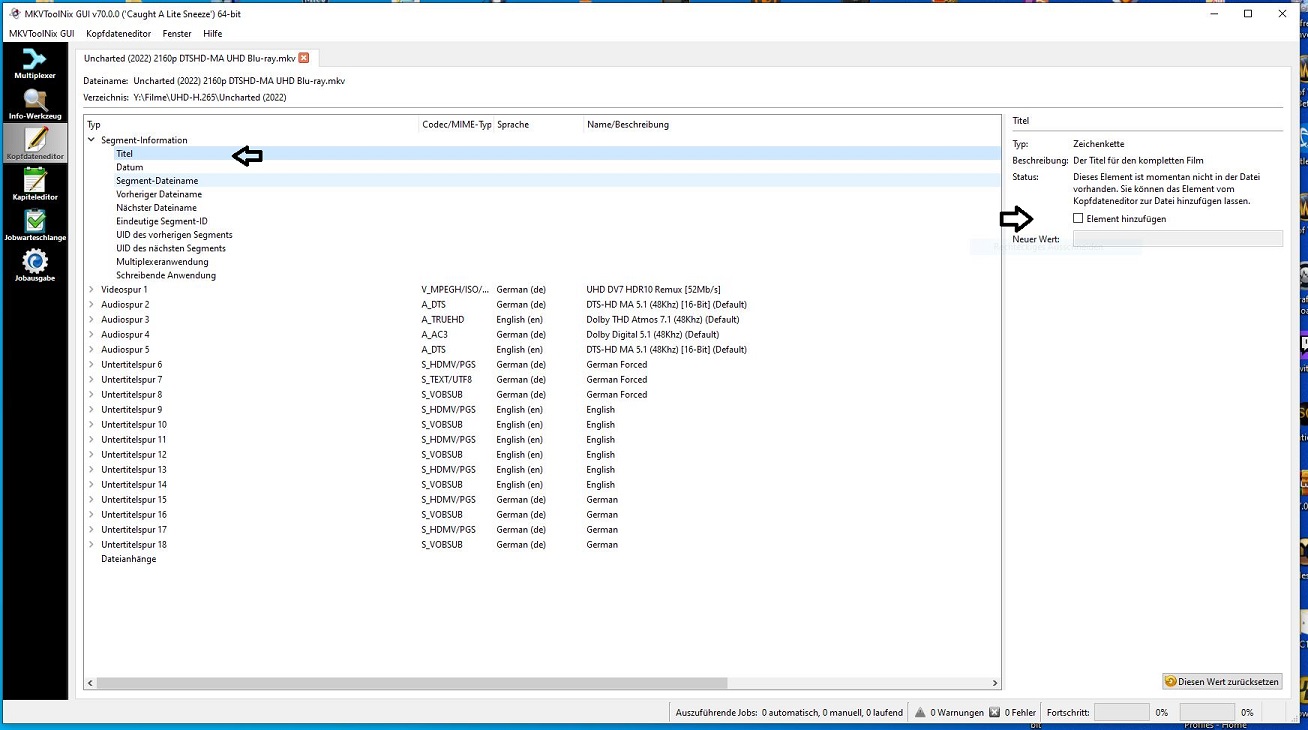
Hi, after i messed around with the library versions / passes i also think it would be nice to have an option to tell especialy mediainfo to use the system librabries instead of the emby libraries. In addition i have a feature request;) Is it possible to get a setup option to clear embedded title before the new ones will be written on newly added files? Some movie files (releases;)) come with an embedded title in the segment information title fild. This will cause emby will show this title instead of the embedded info on the video track. Only way right now is to edit every single file from hand, or do a reset embedded title run (and a normal run after) on the whole library. In addition i want to thank you for this nice addone:) Andreas
 2 points
 -
I can't say, but I expect next few weeks at most2 points
-
As I mention in a related post, I love the additional subfolders for Movie Extras (eg, Shorts, Scenes, Interviews, etc.)! It would be awesome to extend this functionality to TV Series as well. Specifically to add support for many/all of the same folders supported for Movie Extras, eg, extras specials shorts scenes featurettes behind the scenes deleted scenes interviews trailers As well as any additional folders that get added in the future (eg, hopefully Galleries). Support Placement of "Extras" Folders Within Each Season Folder, Plus A Naming Scheme to Link A Particular Extras Folder with a Specific Episode (eg, "\Season 1\E1 - Deleted Scenes\" for episode 1 deleted scenes): I want to clarify that it would be great if these various "extras" folder types could reside within each Season folder. So for example, within a Season 1 folder we could then have an "Extras" folder, a "Deleted Scenes" folder, a "Featurettes" folder, etc. And furthermore, that we could designate a particular folder to refer to a specific episode (eg, "\Season 1\E1 - Deleted Scenes\" for episode 1 deleted scenes). See more below, particularly why I think this would be so useful: https://emby.media/community/index.php?/topic/55915-emby-server-theater-additional-extrasspecial-folder-types-for-tv-series-similar-to-movies/&do=findComment&comment=587195 Thanks for your consideration! PS - If this is something you might like to see implemented, be sure to "Like" this top/first post (as well as any subsequent posts in this thread that highlight particular aspects of what you are interested in) -- "Liking" the top/first post helps the Devs to know how much interest there is in a given Feature Request.1 point
-
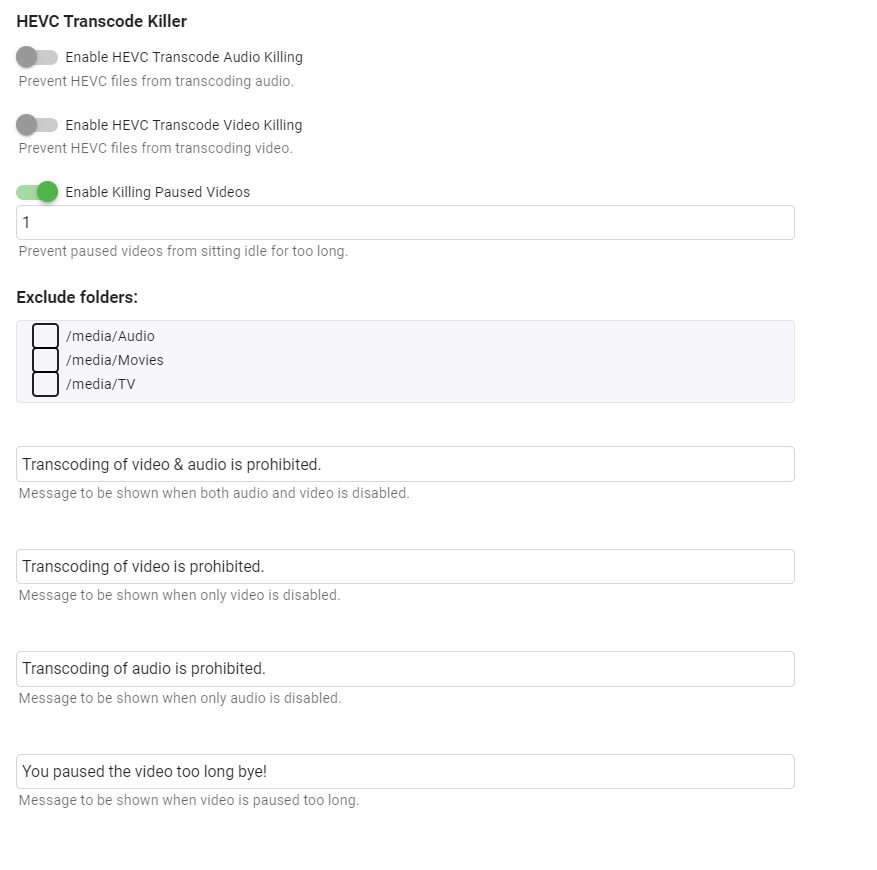
Emby Kill Streams Plugin This plugin offers a couple options to kill transcoding 4k streams, streams that have been paused for xx min (set in config), and a fun nag warning to tell users not to transcode if set. Screen shots and dll on github. https://github.com/bakes82/Emby_KillStreams https://github.com/bakes82/Emby_KillStreams/releases1 point
-
I reworked my original 4k transcode killer to just target hevc transcoding and instead of being on a schedule job to be on playback reporting. I only tested on web ui/ios/shield. https://github.com/bakes82/Emby.HEVCTranscodeKiller Update 4/8/2022 - Added paused video killing.
 1 point
 -
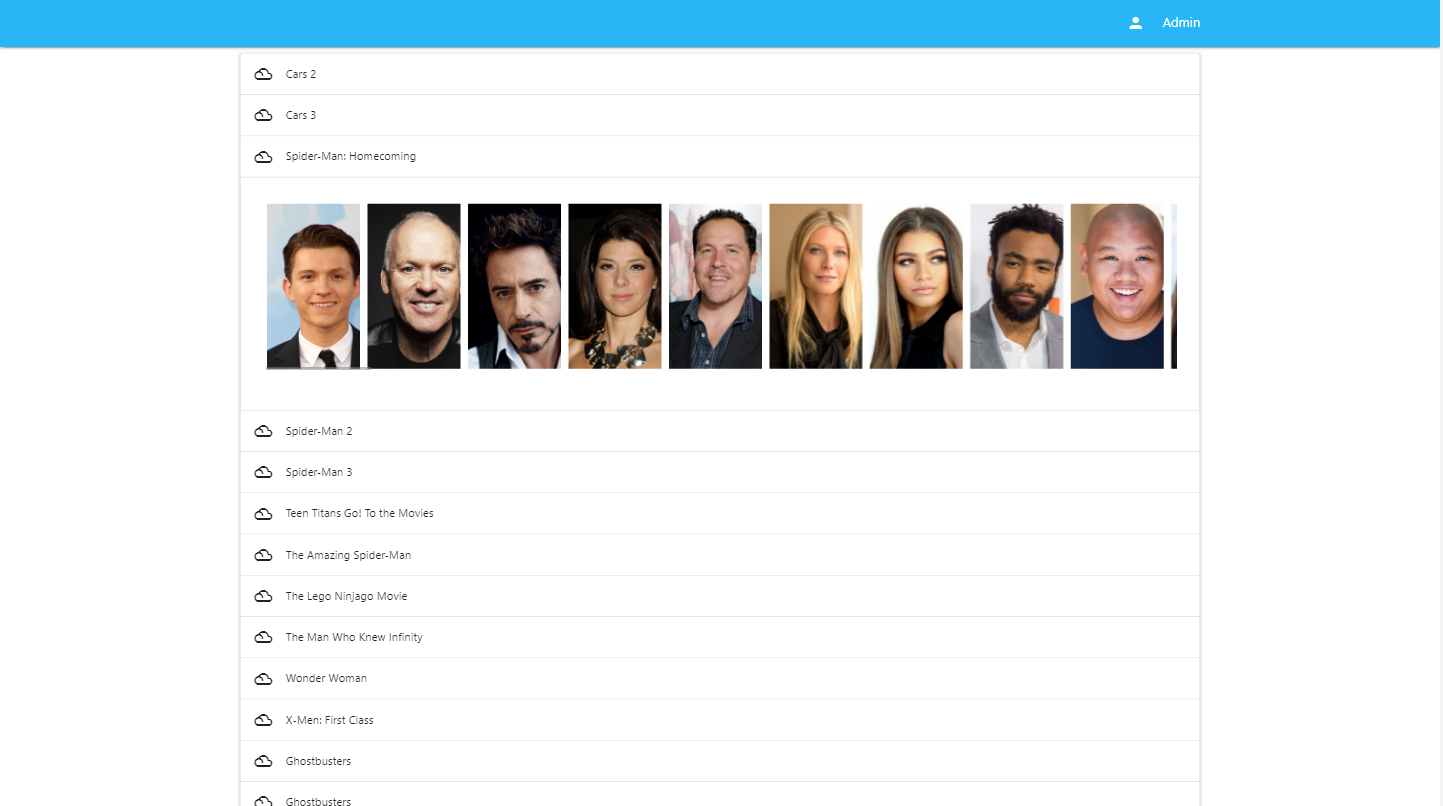
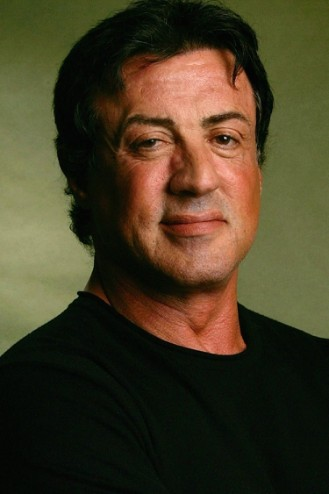
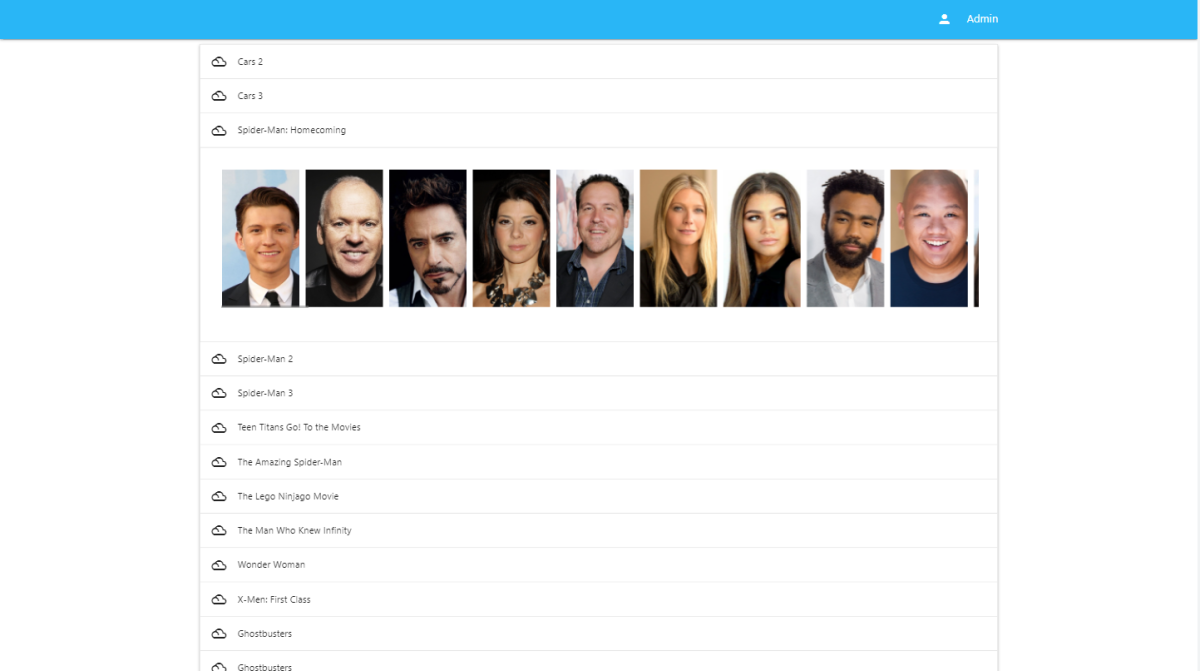
Hi, I have finally been successful in creating a tool using AI to help standardize Actor Images for Emby. This was no easy task. I thought I'd post and see if there was interest in a utility like this. Here are some examples of the subtle changes the utility will make to the person images to make them uniform in the UI. Before Images: After Images: The AI targets the background of the image, and then we create a shadow behind the actor. Of course the background image is completely customizable. You can make the background the actor is standing in front of anything you want. These images just use a white background to show the shadow a little more. I think this creates subtle changes that may have a nice impact on the actors row in emby clients.








 1 point
 -
For some reason under v2.0.77g when I start a movie with rating information (rated R, PG, etc), it is now showing on the screen for a few seconds. I don't need to see this, how do I turn this off?1 point
-
Why Samsung? Why you make the things so difficult? Uninstall/Re-install is still okay, however after every re-installation, re-doing the settings is annoying.1 point
-
I've never seen anyone say it upgrades from usb, they all have to delete the old version first. The only way to upgrade is from the store.1 point
-
I see. Piggybacking to original question, is it possible to update the existing app when an upgrade is released rather than having to re-install it?1 point
-
Version 1.3.5 was already released when SamES mentioned that. So he's probably saying he's already made the fix and whenever Luke compiles the "next" release 1.3.6 you should have it.1 point
-
This never happens. It's things I want and will use! https://www.businesswire.com/news/home/20220912005247/en/Roku-Launches-OS-11.5-and-New-Software-Features-Making-Streaming-More-Seamless-Than-Ever Hopefully, Emby can support them, but I know some Roku features don't play nicely with personal content.1 point
-
Well, the bug here is me, I'm astronomically stupid. In trying to repeat steps, I have now realized that I never actually selected "All" I was just hitting okay because it looked to me like "All" was highlighted already. And then my files were completely visible in the Add-On so I just assumed that they were importing but something else was broken. Shoot me in the face!1 point
-
You can fix this in your plugin. As mentioned above: I can help you with this if you wish. (but I can't access your project anymore). softworkz1 point
-
We'll take a look at it. Thanks.1 point
-
When using the android TV app, stats for nerds reports software decode rather than passthrough1 point
-
THANK YOU THANK YOU THANK YOU, I think a lot of users will be happy to get these curved options and thank you very much for this balancing act! Looking only forward from now on and thank you for the outlook: OK, that's great too, and thanks! I'll see what other messages come through. THANKS AGAIN!!!1 point
-
Only thing I noticed on my DS918+ is that some apps have issues with transcoding when subs are active, but I barely use transcoding, so I haven't bothered yet to extract some error logs (might do so some day). Not sure if that worked on the previous version, so can't really tell if it's a regression.1 point
-
just an update, this doesn't appear to be fixed in the 8/19 build. Art1 point
-
The August 19th build appears to have resolved this. Art1 point
-
It will be a second app. Icons are similar, but the one will have AndroidTV under the logo and the standard Android app won't have the text1 point
-
I couldn't find a way to set a custom path for libraries but I am by no means a Linux expert. @Derkington, I just added the missing versions (GLIBCXX_3.4.29 & CXXABI_1.3.13) to Emby's library in "/opt/emby-server/lib/libstdc++.so.6" and it seems already to do the trick. Maybe the problems go away if you give it a try with this workaround?1 point
-
thanks i will test it and report the results1 point
-
@cayars can look at updating it. Thanks.1 point
-
Fixed in next release1 point
-
I have been having a heck of a time today trying to get this to work. I'll go through everything I tried because every single version gave me the same results. I started with LibreELEC 10.0.2, and went through the regular install instructions on the website - install the repo from zip, install regular Emby addon from repo. That didn't work because that version of Emby-for-Kodi didn't work with Kodi 19 Matrix (because of Python 2 dependency). So I did a little research and decided to go with LibreELEC 9.2.8 with Kodi 18 Leia. Emby-for-Kodi installed now. I installed regular Emby-for-Kodi via the repo like the instructions said. It installed, and rebooted. I was able to log into Emby, it asked all the questions, then it prompted for sources, and my options were All - Movies - TV Shows - Music. I selected All. No prompts on screen, it just went quiet. Nothing happened. Nothing in my Kodi Libraries. I went into the Addon and it had everything, complete with info and cover art. More research. Nothing substantial but this seems to be a somewhat recurring theme though most users seem to have only one or two libraries that wouldn't show up. So then I went for the Emby-for-Kodi Beta release. Exact same process, exact same results. Then I find out about Emby-next-gen, and that works with Kodi 19 Matrix. Surely this is the solution. I reinstall LibreELEC 10.0.2, I install emby-next-gen from the repo. Exact same setup, exact same results. THEN I found this thread, and about installing emby-next-gen latest builds. I installed the latest build, 7-0-8? Off the top of my head, whatever was at the bottom of the list. Again, exact same setup. This time because I just uninstalled emby-next-gen from the Kodi menu, when I installed from zip it did tell me I needed to reset my kodi libraries. It went through that, it rebooted. Exact same setup - login to Emby, add the sources, "All", still not showing up in Kodi, and this version has the "dynamic" and "synced" folders. All of my movies, TV shows, music are showing up in dynamic but not synced. By this time I've seen one of your setup Youtubes and noticed when you're adding Emby sources there's a screen popup with the progress. I'd never seen that. So, I was on the cusp of coming here and asking questions when I figured I'd try one more thing - I reset the Kodi database again, and this time instead of adding "All" I just add Movies. BAM THERE'S THE POPUP. Everything adds, all is good. It works just like it was supposed to 4 hours ago. In setting up a separate Kodi profile (for a separate Emby login) I figured I'd go a step farther. I selected Movies, TV Shows, Music all individually. And yes, that worked too. Sorry for the wall of text, I needed to vent because I've been beating my head against this for 4+ hours and I figured it would be worth spelling out my entire process. TLDR there's a bug when adding "All" emby sources. Individual sources work even when you select them all, but "All" does not.1 point
-
I am running 5.0.0.2131 on two tvs-871 and one tvs 471 no issues here yet1 point
-
1 point
-
With cgnat , no amount of messing with a router will help. It is impossible to port forward. Only option is to tunnel in some way (tailscale, cloudflare tunnel etc). Ignoring the 4g/5g isp’s there are others that put cgnat in my default, then you have to state why you want a real ip instead (to port forward), yet I hear of more and more isp’s just not allowing it regardless,1 point
-
Oh geez. Thank you. Didnt even notice that last section. You can delete this post if you like1 point
-
OK so...I retried with SSA subs on and "Burn in SSA subtitles" OFF, and everything is working fine. Go figure, I thought I had tested that thoroughly.1 point
-
Thanks! So for now I guess I'll just ignore the playlist feature until it is made more "private" Thanks for the fast response as always @Luke1 point
-
Thank you! Looking forward1 point
-
None of that makes any sense - MediaInfo is simply writing the title to the tracks of the MKV - it has no impact on the emby system what-so-ever once it has make the change. You can do the same change yourself manually via mkvtoolnix - and it would also make no difference. You must have other factors coming into play here - this plugin would not cause these issues.1 point
-
These 5G Home Gateways do not have port forwarding capabilities. It is a CGNAT. Did a free trial for about a week and our connection speeds were garage with multiple users so it wasn't worth is here. @cayarsYou have some advice here?1 point
-
All of your outbound https connections are failing. Fixing that should get the scanning back on track. Regarding Emby installation and permissions this should help with the Archisms - https://wiki.archlinux.org/title/Emby1 point
-
Please try the next USB release. It should fix the issue with subs not disappearing. I have found a way to get around this firmware change1 point
-
This should be taken into consideration when calculating the top items. Luckily, you do have the option to add or remove items from the list. I'll take a look at it and see what we can do about it. On the flip side, I am now realizing that for accounts that can't see higher rates items, I might have to also handle that. For instance if the top three picks are rated PG-13 then the account with the parental control will only see pick four through nine. I think I know how to handle this. But It is now on my radar.1 point
-
Don't worry about sending me an image for now. I've made a small change, let's see if that resolves it in the next release1 point
-
Some really exciting stuff here... it might not seem like it. But, it is. So, I'll be able to put this out there. I have now found the best way to show actors. Next, I'll add the process button to process all. It's so close to being done.
 1 point
 -
I can put this in the plugin catalog anytime. The reason that I am waiting is because there is a core feature that the devs are working on, that will help organize how the ranked items appear on the home screen. Currently, I have no real control over where the items get placed. We can rank them, and create the custom thumb and primary images, but when they get displayed they may or may not be inorder. The devs are going to add this ability for one of the upcoming releases of Emby. Then I'll put it in the catalog for everyone to use. It will be awesome!! Just as an aside, this will be a paid feature though. I think it's worth a couple bucks for the time it took me to write and refine it.1 point
-
Nope. I was linking to that to show that IMHO we should be adding the Live TV stuff (which is 99% server work) instead of doing minor things like hiding video player transport buttons.1 point
-
This fast enough? I was thinking if the process was threaded you could do more then one at a time. So, two or three in that amount of time (about 2-3 seconds) 1 second per image. And I'll fix it to process everything in memory which will also make it much faster. Right now it is writing files. It doesn't have to do that.1 point
-
Twiddling around with stuff like this -1 point
-
I'm sure somebody is extremely happy to have this feature. +1 for an option to turn this off. Please. You HAD to have known there would be complaints about this. The fact that there is not already an option to turn it off is quite ridiculous.1 point
-
You don’t. Its built in. It would be nice to have a disable in settings.1 point
-
These scripts do just about anything DV related, and tutorial videos are good. I don't use MP4, but there is an option for that. The guy who created them has a C2 so I'm sure MP4 works. Dolby-Vision-Tools - Google Drive The guy hangs out on the Makemkv forum if you wish to communicate with him.1 point














.png.6ece4b3c5b89cabe1f522b66843aa3ad.png)

_1.thumb.jpg.d4e6a650cb4552bc437a9e6156024102.jpg)