Leaderboard




Popular Content
Showing content with the highest reputation on 09/06/22 in all areas
-
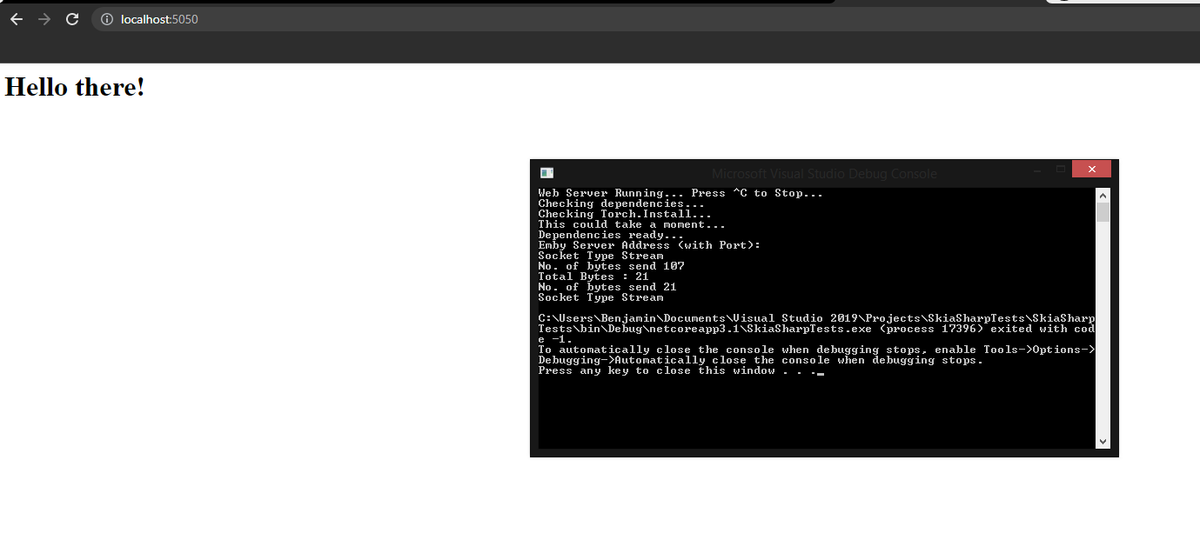
BOOM! It's a web service!! Now we can use the Javascript ApiClient to talk to Emby.
 6 points
 -
Someone would have to post the dll, I don't have it anymore. I've been working on a sup'd up version of this.
 4 points
 -
Unless I'm being a bit blind (highly possible!), I'd love a way to hide a couple of the top green navigation items without hacking it in myself. For example, in Movies I don't want the 'Trailers' item to appear for any profile and for TV I don't need the 'Upcoming' nav link. Obviously not a major issue but thought it would be a nice thing to have, perhaps allowing them to be re-ordered like the home page items but again just a nice extra,3 points
-
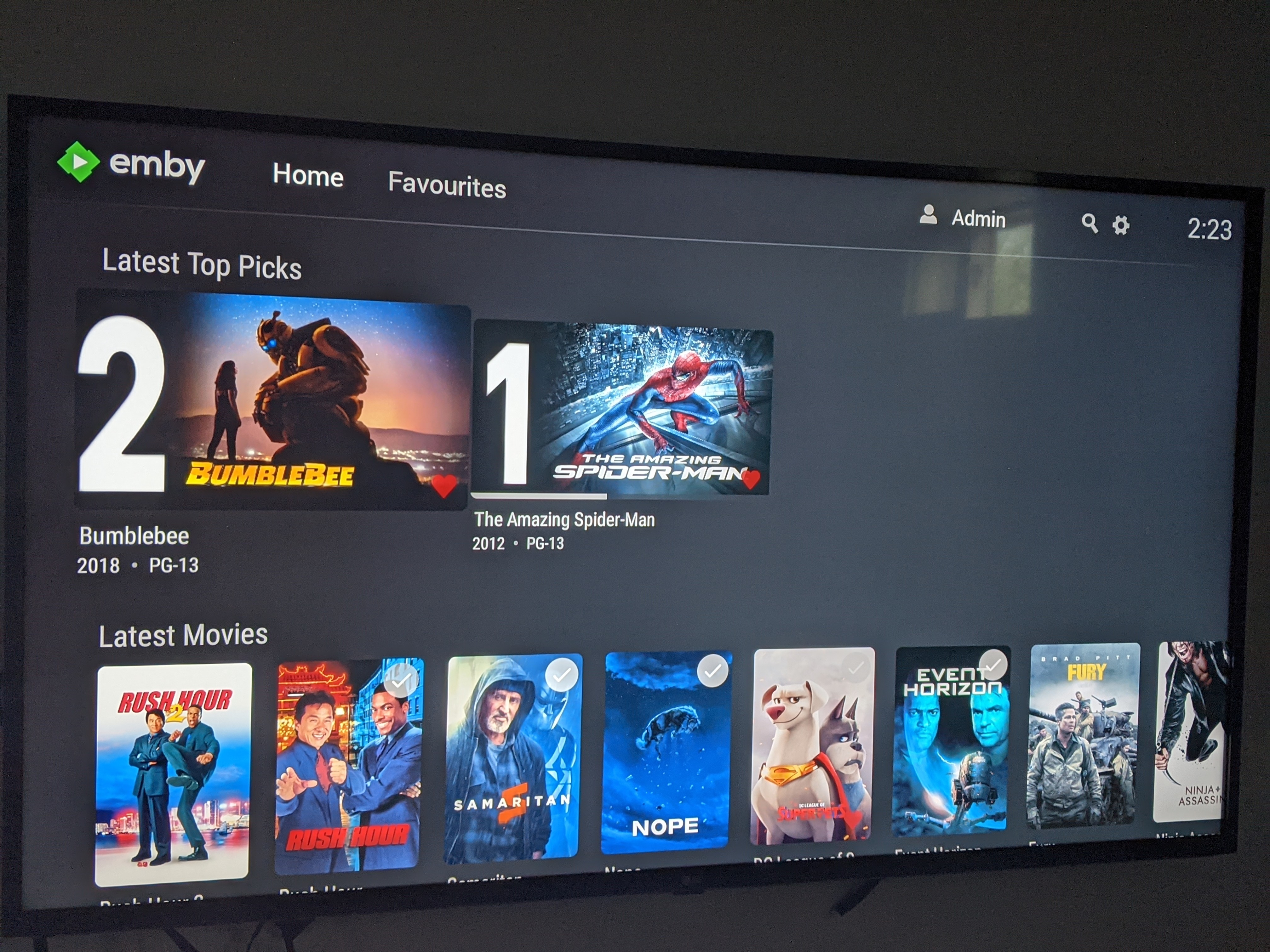
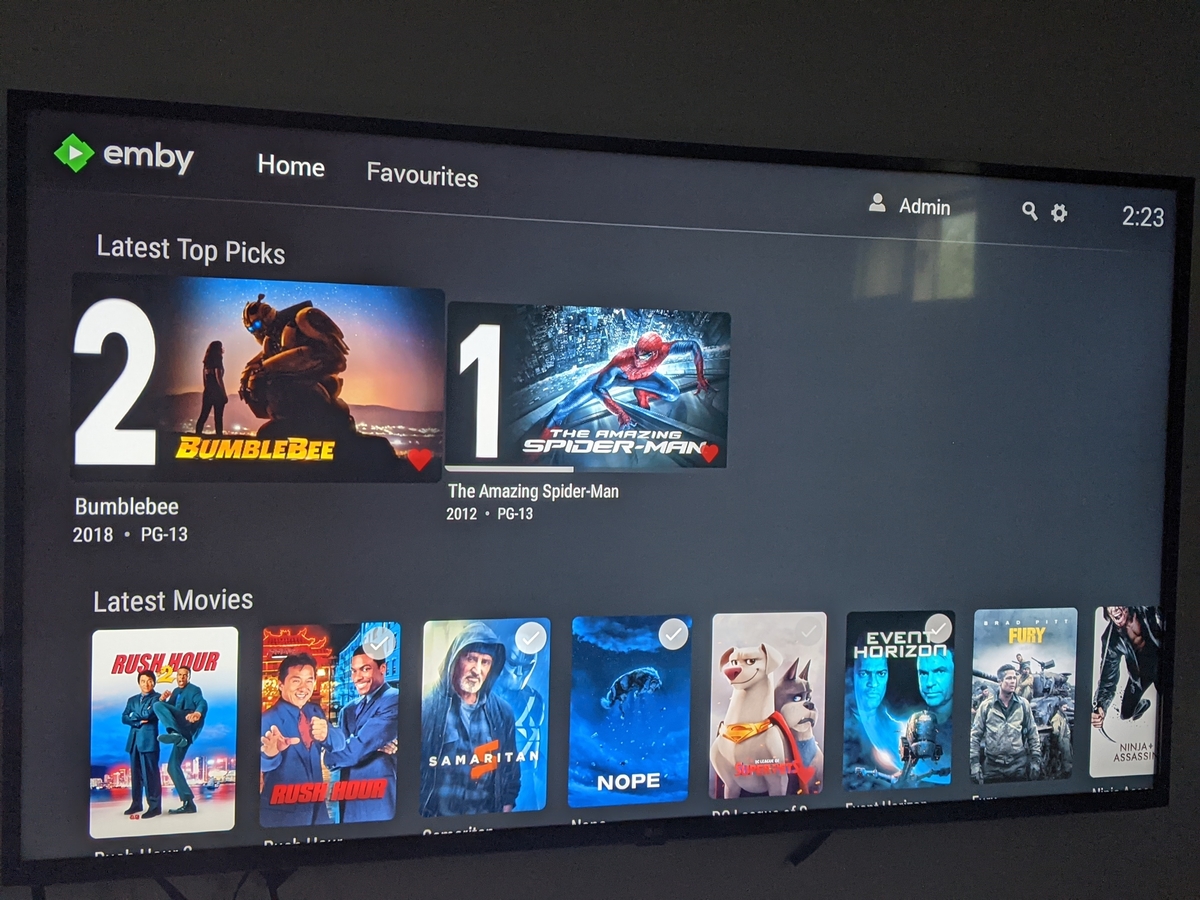
Those channel thumb Images get custom made for each item. They create their own numbered matte using the backdrop, custom overlay, and clearlogo. You can customize the items that appear in the channel, and their rank on the home screen. You can also turn on an auto toggle which calculates likes/favorites, watched items, and new releases across your user base. Then auto calculates weekly what should be in the channel for you, all the while leaving it customizable for the admin. It uses the same Like Allgorithm that YouTube, Amazon Prime, and Netflix uses to auto create the channel list. When it is turned on. Cool right!3 points
-
Here is a little teaser video (with some really weird music in the background).3 points
-
Not sure if there’s a new update out that included this feature but it caused a headache this morning using my Xbox. I couldn’t figure out what was going on until I went digging through the settings. I think the default should be “No” and users can select whether they want it on or not. “Auto” did not work correctly and I wasn’t able to pause or skip to the end/next episode. This only seems to be an issue with remotes/devices that have limited button options but I figured I’d bring it up.2 points
-
Agree, not sure why it can't be in both places.2 points
-
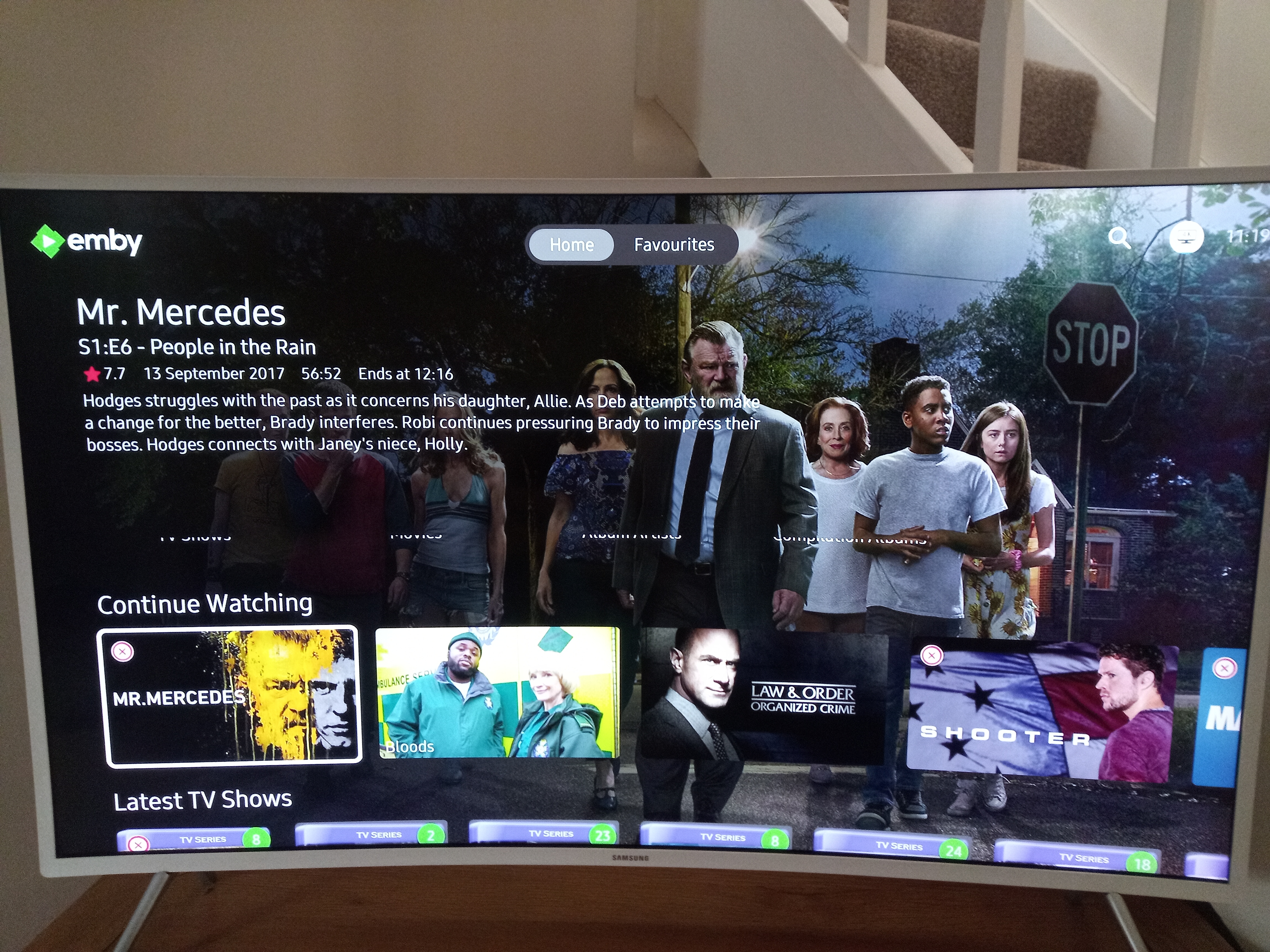
Hi, I had seen that the time remaining was on the right and can see it counting down but I didn't realize that the number after the slash was the end time . I would say that it's not as user friendly or intuative as having it in the info display with the words "Ends At" and it would be nice if it went back there in a future build. Well done for finding it2 points
-
New version available 7.7.8: delta changelog: fix duplicate track# for songs in database fix music album remove issue fix genre node charecter limit fix skin reload on init sync (and library added) add selection for episode poster assignment add translations add "reuselanguageinvoker" parameter to addon.xml comment: episode artwork can be adjusted to episode (kodi poster) is assigned to episode (Emby primary) - default OR episode (kodi poster) is assigned to series (Emby primary) Changing the parameter requires db reset -> review help text in plugin config menu2 points
-
Just an update on this, I deleted the app and reinstalled and then restarted the machine. All is well now.2 points
-
Hello, I would like to address an issue in regard to the Emby Team and communicating about the Apple TV client. It is a client that in your portfolio but yet it's being forgotten, the release notes are not up to date. If there is a new version available there is no update on the forum anymore. Development is also an issue it seems, please don't treat a product in your own portfolio as a forgotten child. As stated by Emby developers, they want all Clients more or less the same, but yet some features are not being pushed to the Apple TV. All i'm trying to say is, treat all of your clients like they are the same, doesn't matter the amount of active users. Keep your buying customers happy it's the whole reason Emby as a company exist <rant/> Besides this issue i'm an avid fan of Emby and their products!1 point
-
I have a UE43KU6510 running V1.3.4 on server V4.7.6.0 and the new "Add home screen focus preview" option has a small bug in that the bottom of the library labels can still be seen. Pictures below may explain better.
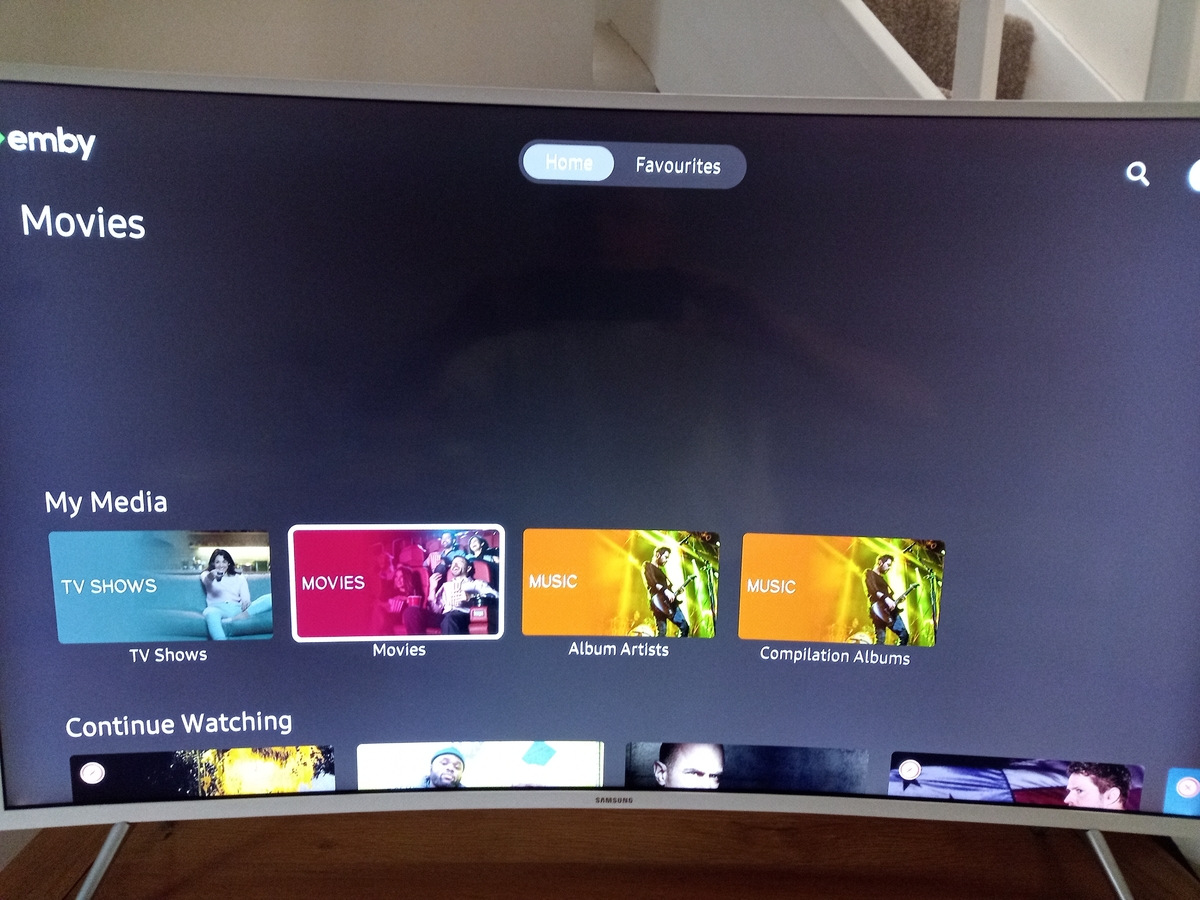
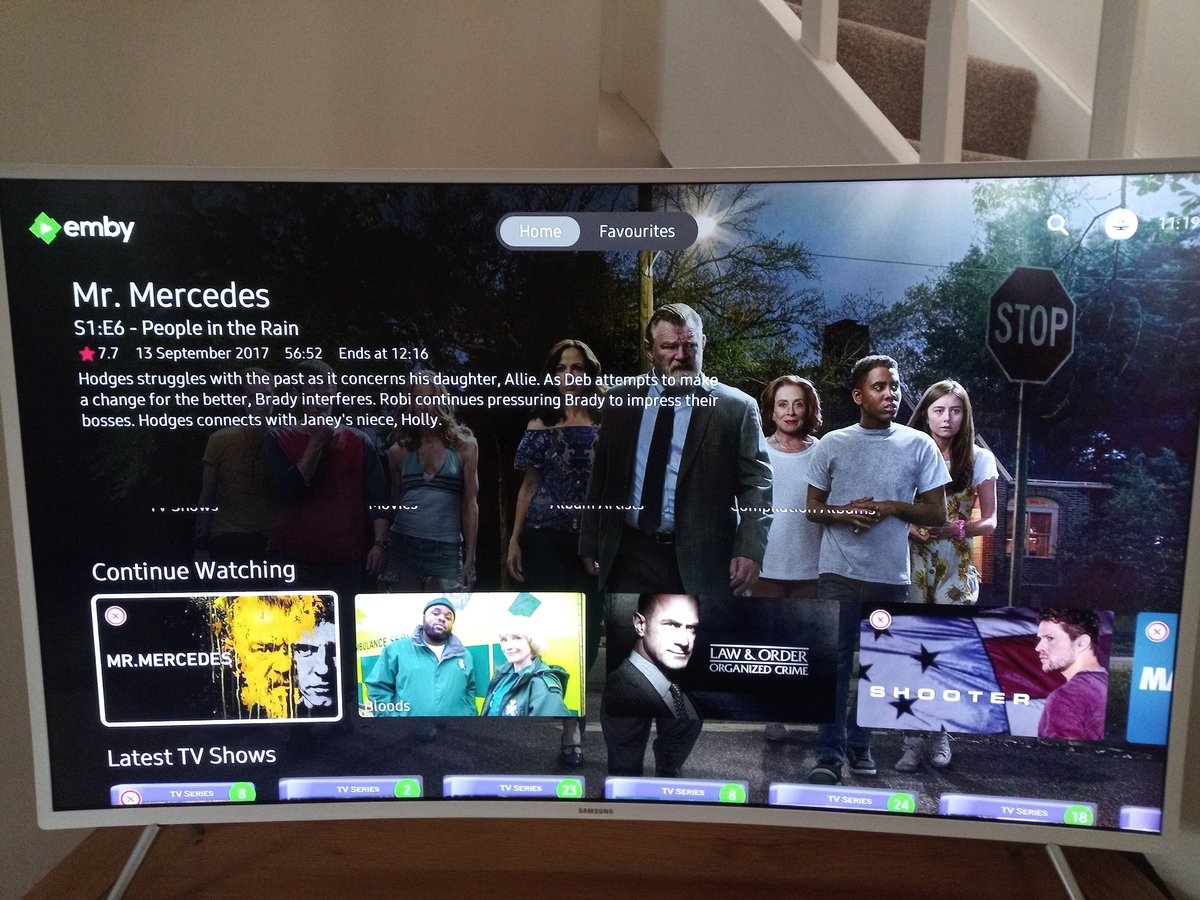 1 point
 -
@quickmic @Luke I have been a long time user of the software, but been out of town on business for the past year. Currently running 6.2.22, but after trouble started, I refreshed and tried 6.2.20 as well. Issue is, I have 7 libraries in Emby (current version of Emby Server 4.7.6.0 and one of them simply does not present to Emby Next Gen in Kodi. It works find Emby Server, it is there...I can go to the webpage and see all the media, I can play the media, no problems. What seemed to trigger this is: Today, I moved a bunch of movies from one library to another. I have done this before and learned the hard way to do it in steps: Shutdown KODI Move media out of LibA to a staging location Rescan the library, wait to finish Start KODI let it update Shutdown KODI Move the media out of staging location to LibB Rescan the library, wait to finish Start KODI, let it update All is usually good. Worst case, I have to do a local database reset and that fixes it. Today however, no matter what I do...the one Library is not there when I scan the media after a reset. When it asked me to add the media, it shows 6 of the 7 libraries. I have tried Local Database Reset multiple times. I uninstalled the plug in and reinstalled the stable version, did another reset, uninstalled the stable, back to beta....everything works fine everytime except that one library will not show up. I then removed the library in Emby Server and recreated it. Before I did that, I removed the plugin from Kodi...so I know it was fresh. Recreated the library in Emby, let it build and refresh...I can use the webpage, watch the media, it all shows up as normal...but same thing, will not show in Emby Next Gen. I don't see any errors in Kodi log or in my emby log. Any idea what might be going on here? I am not sure if it's an Emby issue or an Emby Next Gen issue...so I tagged Luke as well. Thanks.1 point
-
HI, that's strange, but we'll take a look at it. Thanks for reporting.1 point
-
The issue of a a manual refresh of metadata of a music library does not always include artists in the refreshes should be improved in the 4.8 beta server. Thanks.1 point
-
So in case anyone has the same needs as me, | wrote a Windows Batch script to automate the creation of the strm files needed based on the original ISO filename and location. Just save the below into filename.bat and edit and set the correct variables for your ISO files and location, right click the bat file and run as adminsiatrtor on windows to create an strm file for each episode that contains the direct streaming filepath to the file on your network. Maybe someone else will find this useful. @echo off set isoname=BIG BANG THEORY (2007) S08E13E14E15E16E17E18E19E20E21E22E23E24.ISO set isopath=\\192.168.1.2\TVShows set filepath=G:\TVShows set tvfoldername=The Big Bang Theory (2007) set tvseasonname=Season 8 set season=S08 set a=14 set b=24 :loop if %a% gtr %b% goto completed rem Pad a (1st episode) value, store it in padded set padded=0%a% set padded=%padded:~-2% rem Show padded value echo %padded% set /A a+=1 echo %isopath%\%tvfoldername%\%tvseasonname%\%isoname%>%filepath%\"%tvfoldername%"\"%tvseasonname%"\"%tvfoldername% "%season%E%padded%.strm if %a% leq %b% goto loop :completed EmbyMakeEpisodes.bat1 point
-
This is amazing chef. I’m not being picky just curious how does this look on the alternative layout on Emby as I am using the alternative layout.1 point
-
Not currently but that's something I've been meaning to add.1 point
-
This is basically a separate library (looks like it) for top picks ?1 point
-
Hi @Luke yes that was the problem. I just changed path to library. Today i made a new one and it is working. thanks all for the help1 point
-
@Luke Any news on this yet? Instead of looking at a bunch of album names when going into GENRES we want a view of "Sort by Artist" so we get artist name with albums then listed under that genre (by ID3v2 tags on track usually). The artist should be listed just once and not for each album, and when you click on the artist you then get the albums. This used to be the case in Emby until it was changed some releases ago. It's a major p***off to have a useless bunch of albums presented randomly like Emby has done copying Spotify who also get it wrong. If you have lots of Artists a huge list of Albums is pointless. You are going into genres to see artists with a list of tracks tagged for the genre. Thanks.1 point
-
Thanks for the log, looks quite ok to me. No crashes etc. My, first guess. The Emby user selected (on Kodi) doesn not have the privileges to access the "missing" library. Please check Emby user privileges and/or use an admin account for verification.1 point
-
YES!! FINALLY! This will satisfy my request from some time ago! Thank you! Please share as soon as you are willing!1 point
-
Will do. I will report back.1 point
-
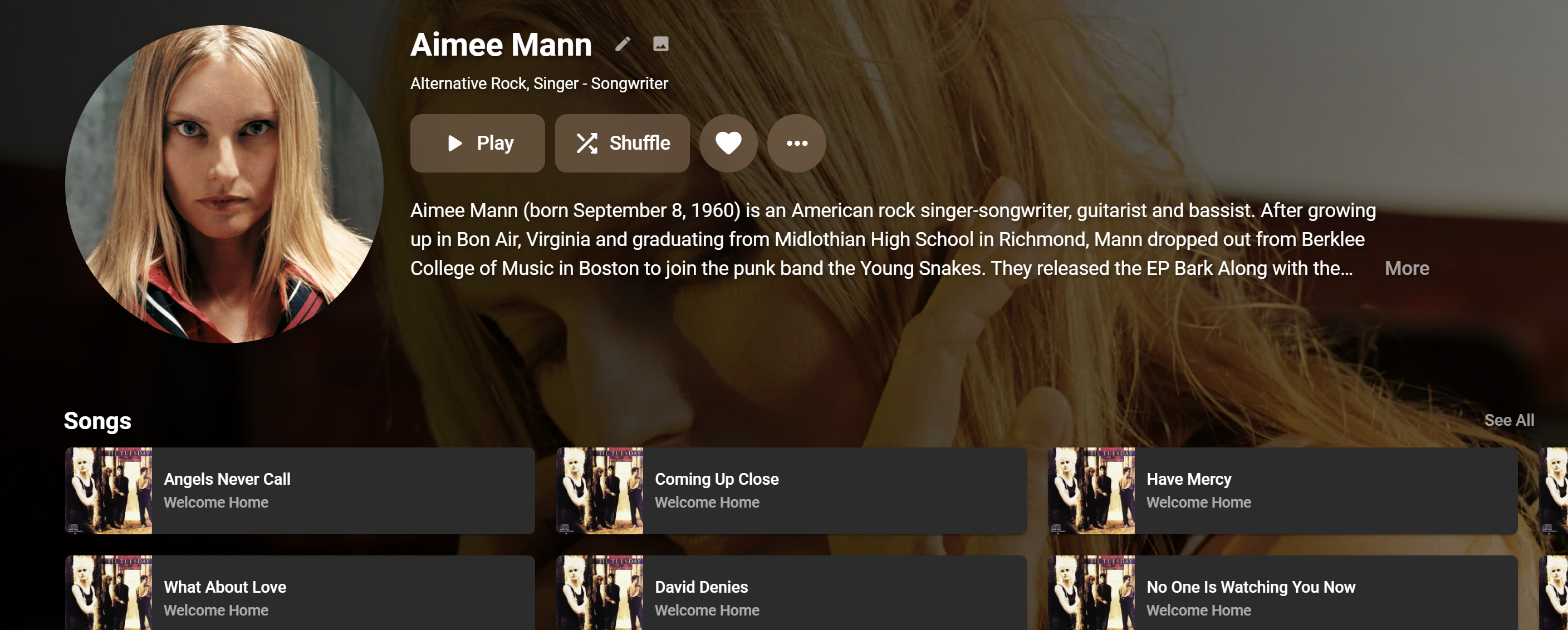
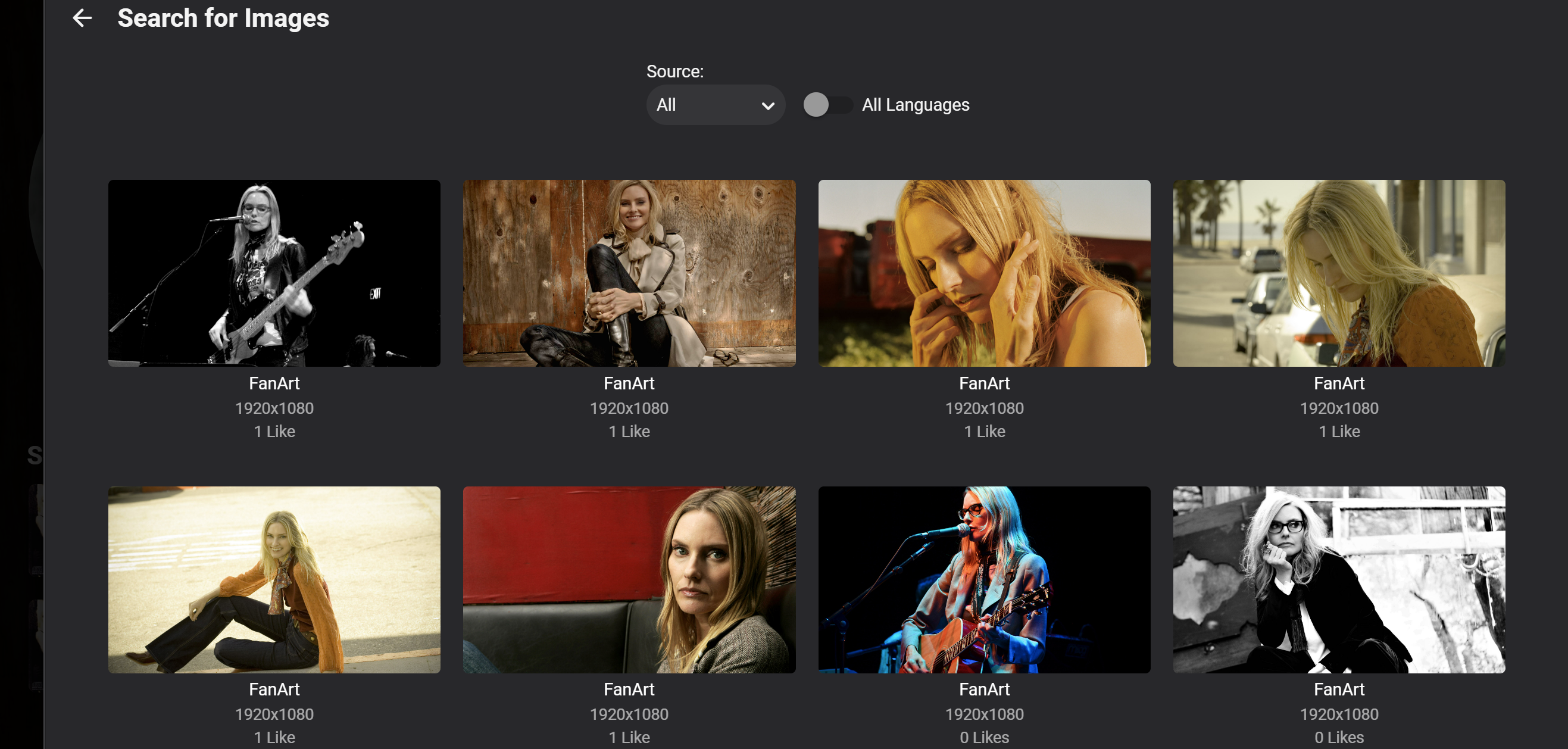
Hi @wordlover, @King_Col_Bundy Check the providers Aimee Mann for instance has lots of available art.
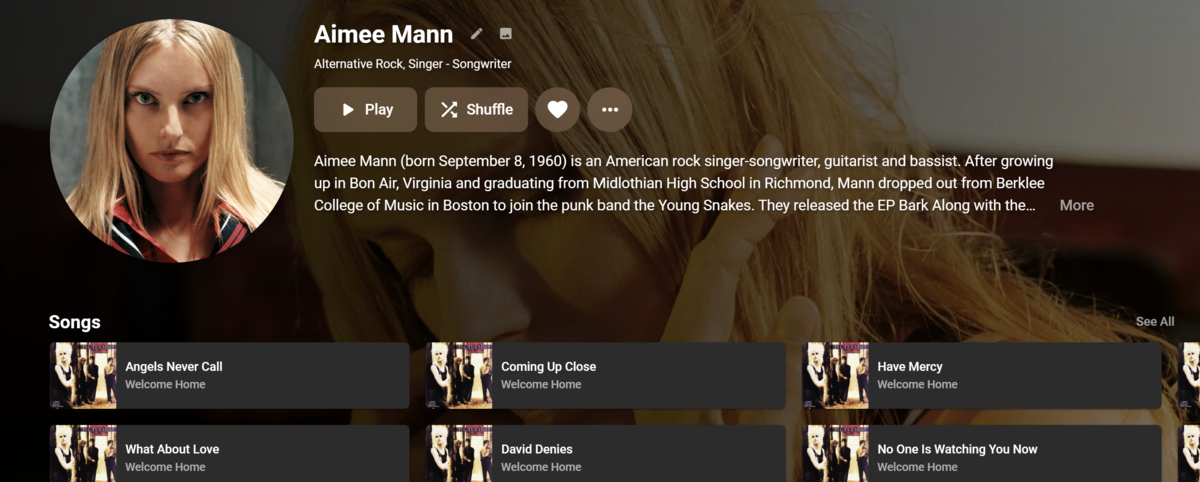
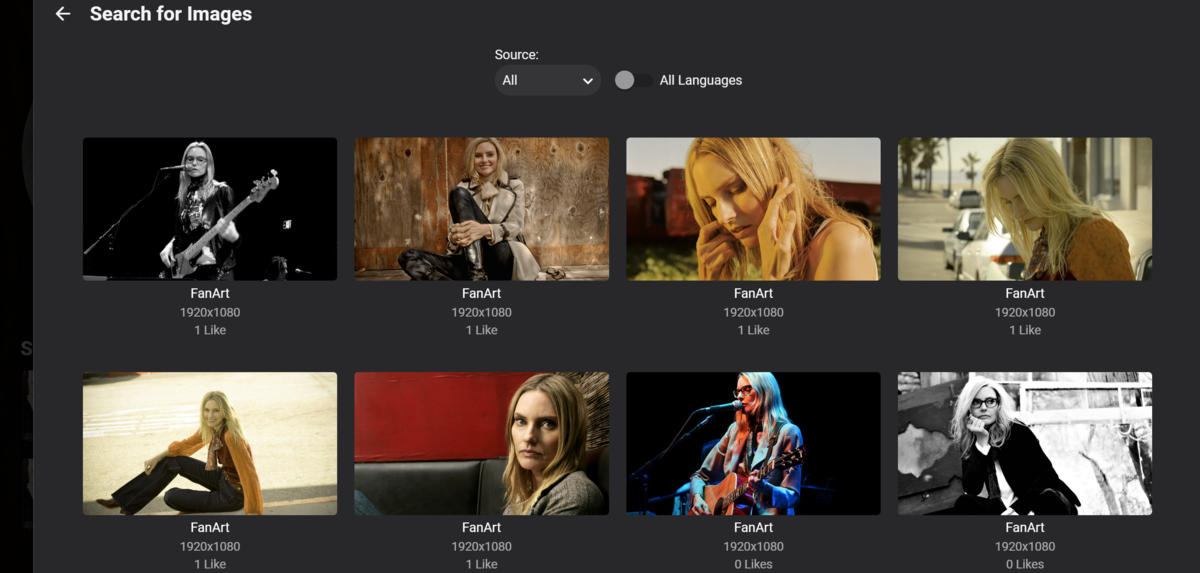 1 point
 -
@wordlover And what providers do you have enabled on your library for Metadata and images?1 point
-
Omg yess chef. This is amazing so up for testing for you1 point
-
Well if in the Metadata, say via NFO import the certification while set under UK/GB setting is anything other than GB-15 specifically, be it just 15 or GB_15 and you have it set to show Max GB-15 in Parental Control only those specifically GB-15 are shown, not 15 or GB_15 which TMM write to NFO. I've shifted over to US certs as those are written as they are in Emby so makes life easier. But would be great to have it that if you set UK/GB and have certification of 12 12A 15 or 18 or GB_XX that they are seen and not just GB-XX Oh another thing, still with certifications, if set Max to R/MA etc for US setting, stuff that is GB-18 are shown, might need to look into that too, as the next up in US setting is NC-17 which even that shouldn't be showing GB-18.1 point
-
Thanks - this looks really clean. If you open it to anyone for testing; holler.1 point
-
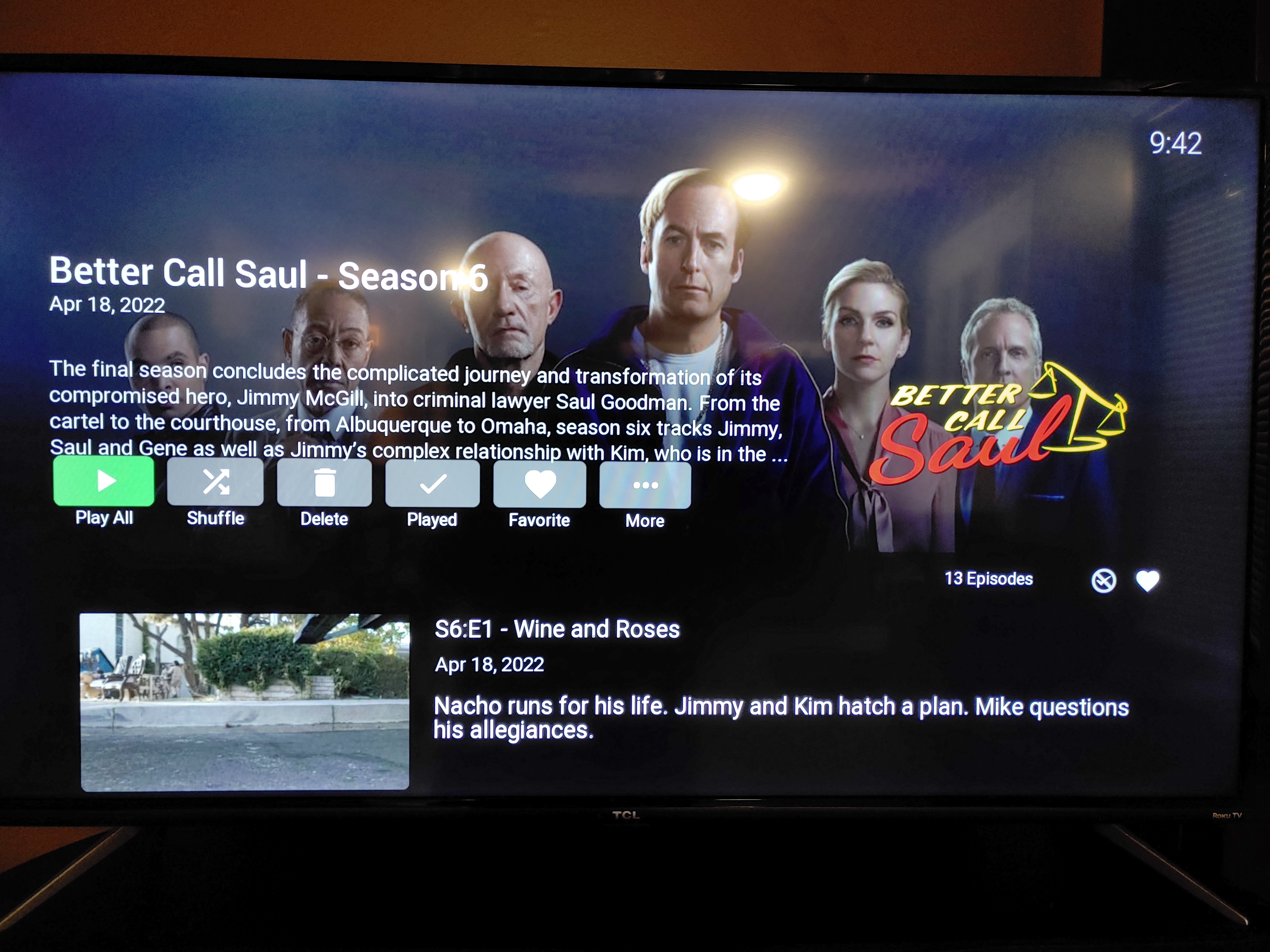
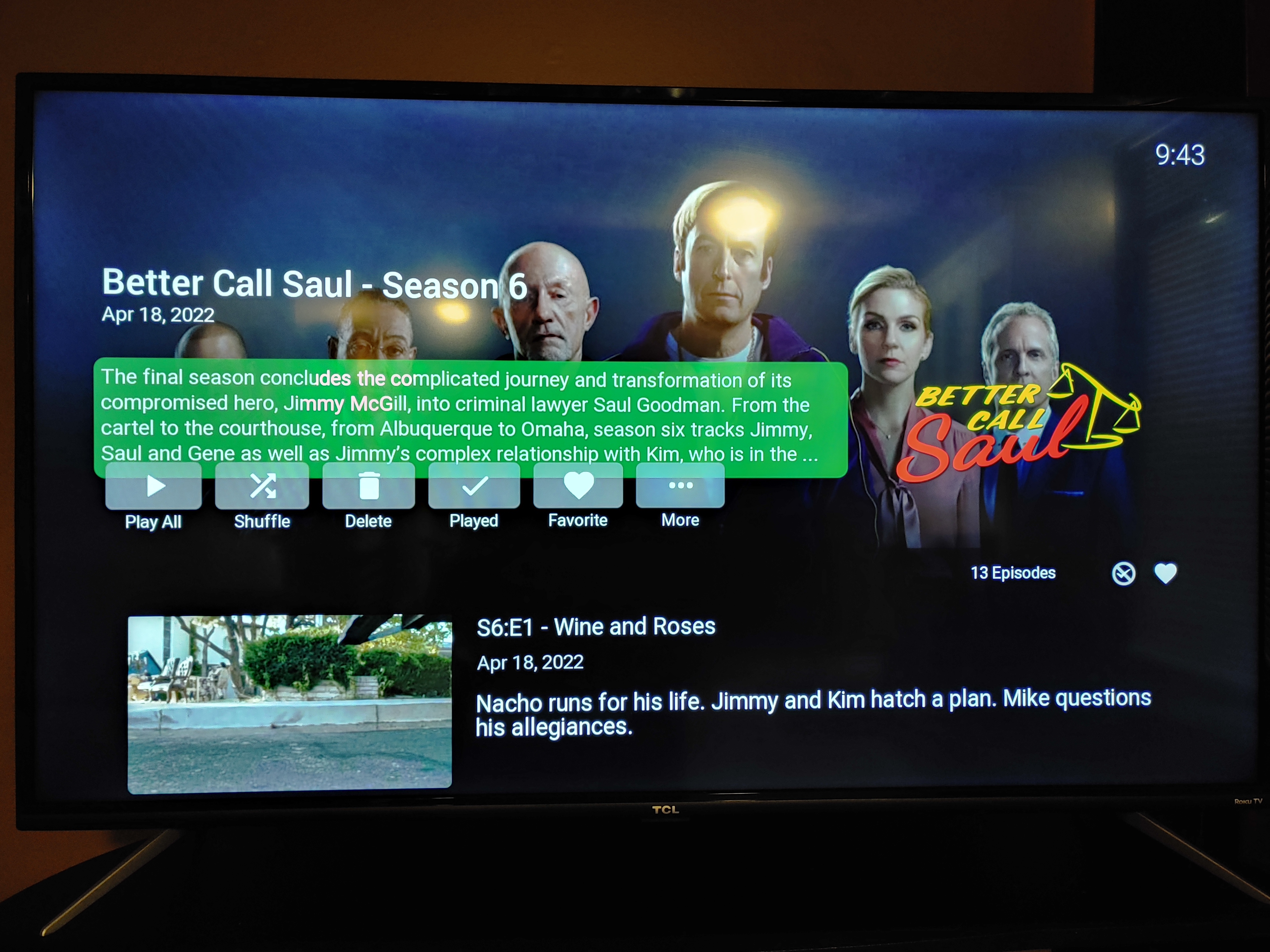
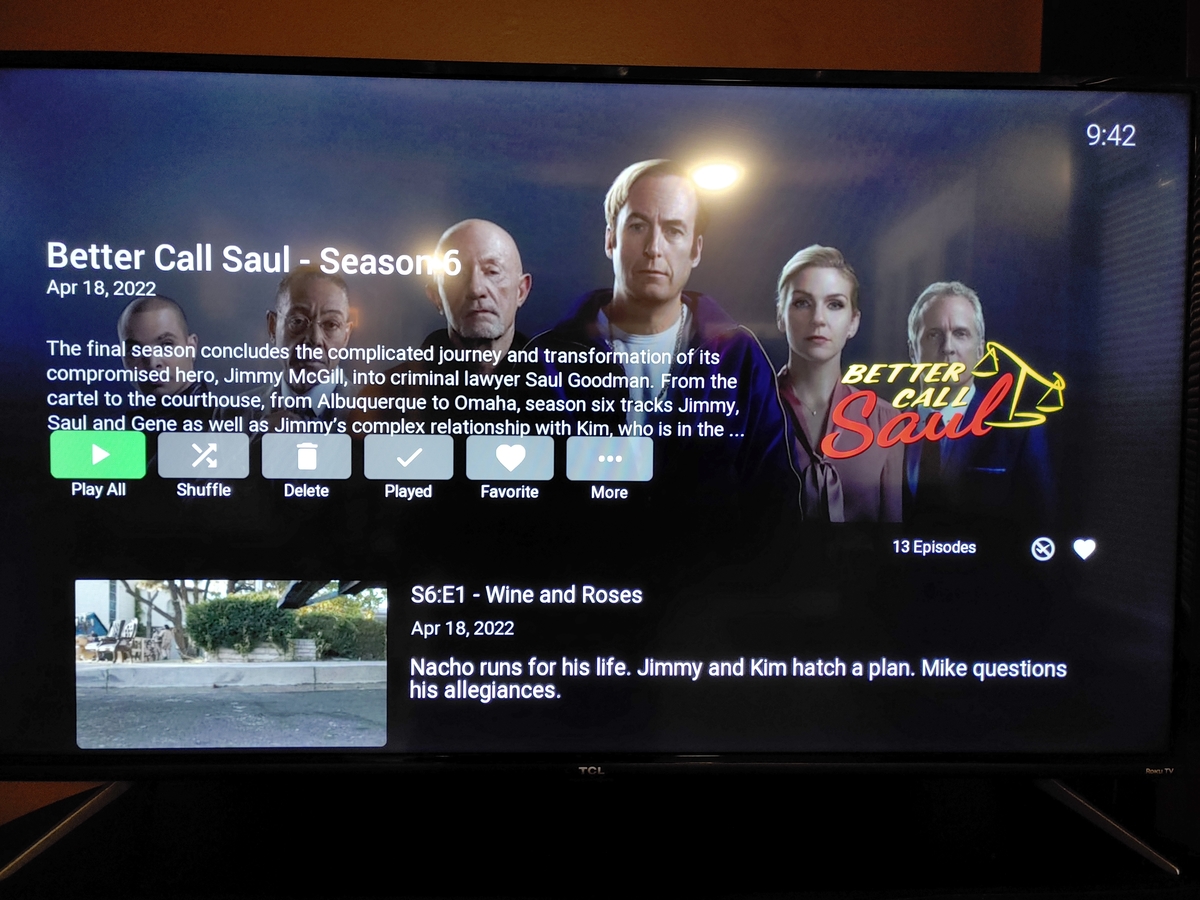
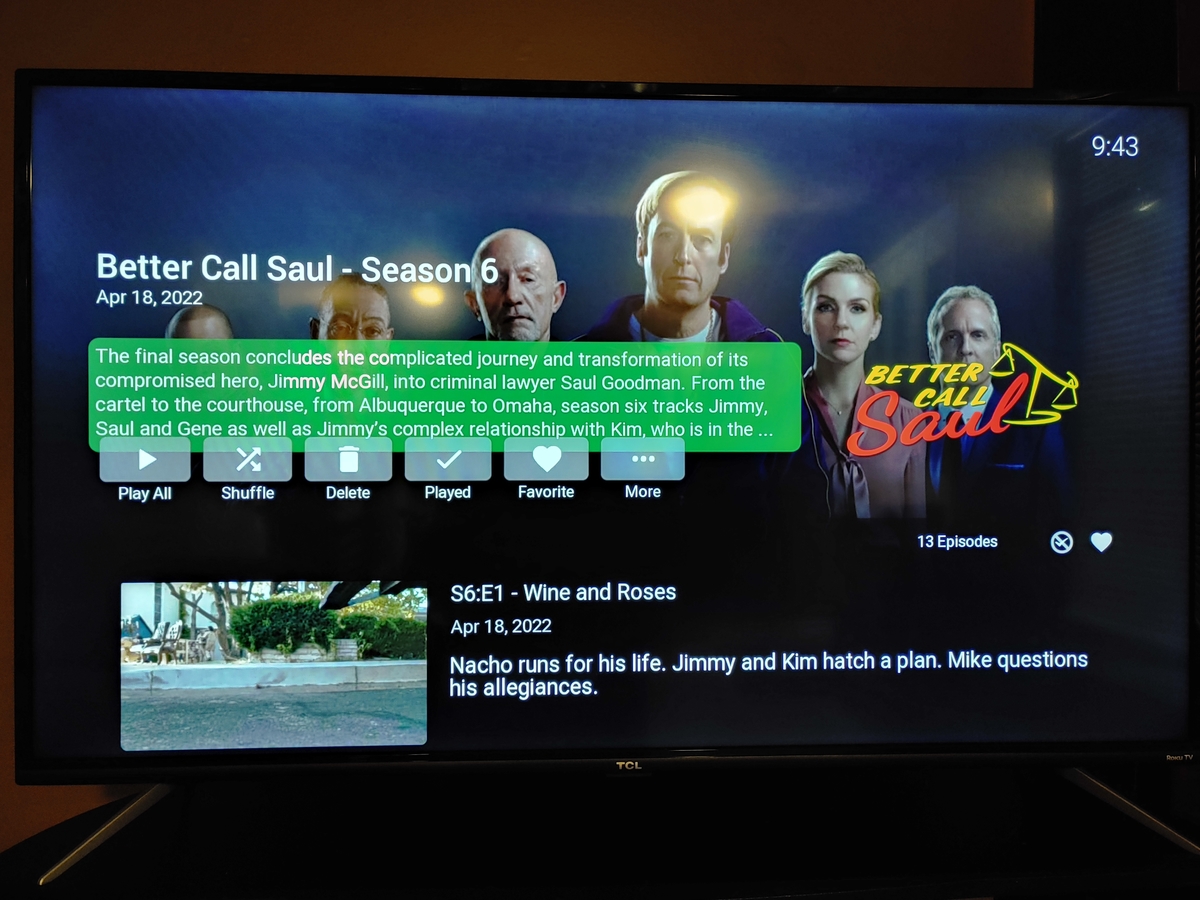
Hello. In the season view, if the season summary takes 4 lines, the summary and buttons overlap a bit. See pictures
 1 point
 -
Hey I vote either way as long as its functional thats all that matters. Whatever way u see fit @quickmic I am good with. Mook1 point
-
Hi, you probably have the old titles still inside nfo files, correct?1 point
-
there is a scripterx action for mediaitemremoved and you can specify library type as one of the parameter1 point
-
HI, yes we are looking into it. Thanks.1 point
-
There are no trackers in our emails. We have no need (or desire) to track when and where our emails are opened. No other entities are inserting content into our emails. DuckDuckGo is apparently treating any remote image in an email as a "tracker". Opening an email from us with remote images would show in our web logs as an image being requested from a particular IP address, but without a unique identifier as part of the image URL there would be no way of knowing by whom and from which email it was being accessed. None of our emails contain images with URLs that are unique to the email or to the recipient. admin@emby.media is the email address used to send almost all of our forum-related emails.1 point
-
Emby doesn't know if a file is DV yet (all HDR is reported as just HDR), but both Android clients should be able to report the capabilities of the device the Shield is directly hooked up to. In ATV this information should be in SFN, and in the standard app there should be a line in the log with something like below *** Supported HDR Types: ,10,DV I get LLDV and RPU supposedly, but I don't get FEL from UHD movies I'm not aware if Emby does anything with that information though, I believe it just passes whatever you give it because it doesn't know if your file is DV. The capabilities are probably just FYI so you know why DV is or isn't working.1 point
-
SKIP INTRO is in both the Android TV and Android standard app and I think ROKU, but not in the LG app yet or Apple TV app. Standard Android app also supports Vantage Point Cinema/TV Intros as well whereas Android TV App doesn't (at least on Amazon Fire Stick 4K Max)1 point
-
@LukeIs there a plan for Skip Intro as well or is it already implemented? Because of the outdated release notes we don't know the current features for Emby for Apple TV. @ebrIs it possible for you to update the release notes, once there are updates available? Also bring them up to date? 1.5.2 is the latest note, if i'm not mistaken we are at version 1.6.3. We seem to be missing quite a bit. Again, not here to complain, but to help and see where support and communication can improve.1 point
-
When's the new version planned to release?1 point
-
To my view, still the first one stand out, and yes, good idea that flower that cool the blood down.1 point
-
and yet this is probably one of the most requested features throughout history of Emby and still not done I'd like to rename "Shows" or "Movies" as "A-Z" because essentially that is what those options are and to get rid of "Upcoming" because its never been populated yet. Similarly, in TV library Episodes is useless for me as just a flat list of episodes unsorted, so again, would like to have choice of removing that option.1 point
-
As soon as the current set of outstanding issues is resolved. We're almost there.1 point
-
We need alerts of failed recordings ... I am trying to capture full series ... but am disappointed when I go to watch an episode and find only 21 minutes of the hour show recorded. This is a show stopper to record full series for me. no indication at all that the episode failed.1 point
-
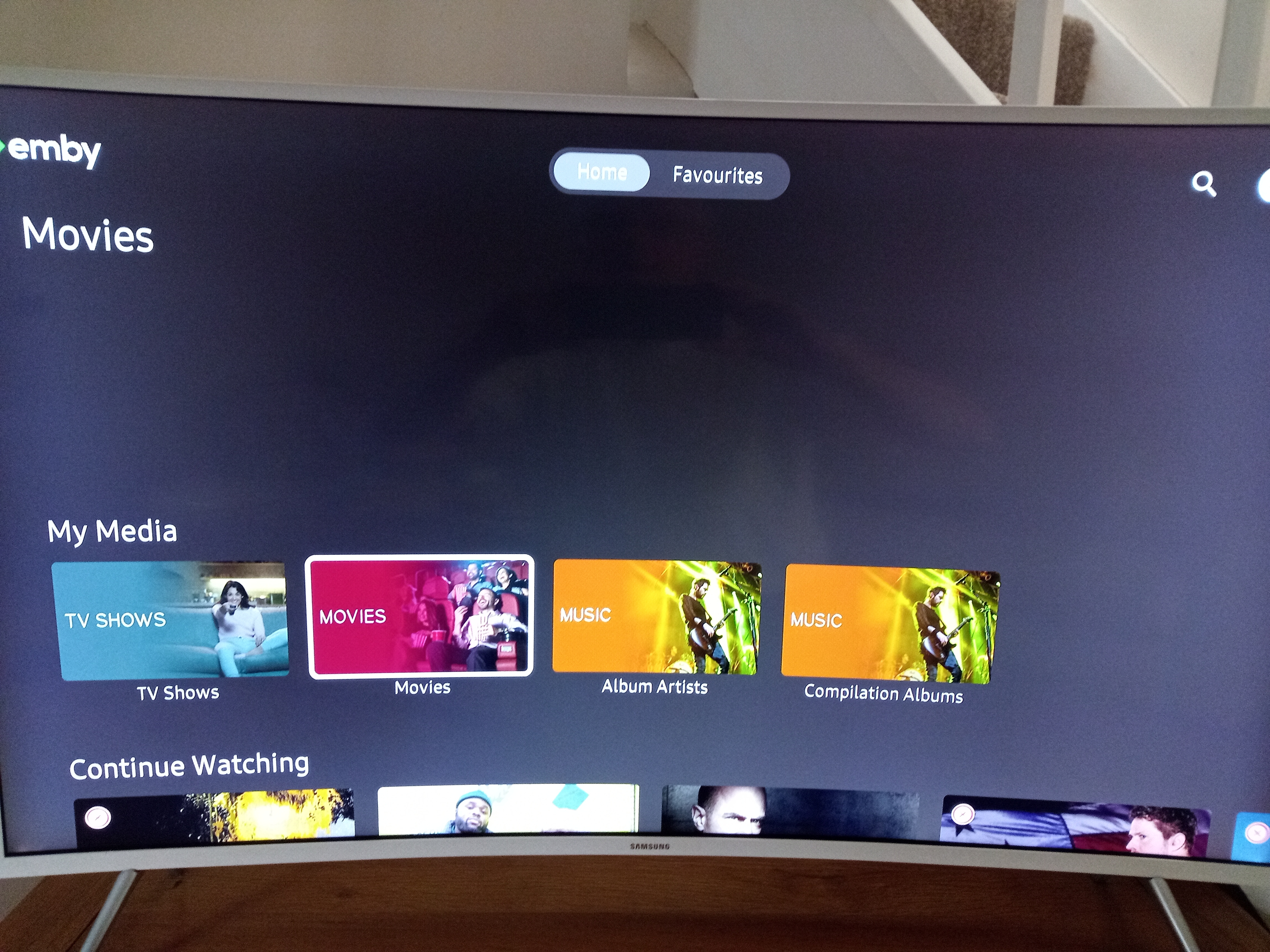
Hi. Why do you think it looks out of place in TV mode? Most media apps have a very similar presentation on TVs. We do plan to make it customizable on which tabs show and, I guess, if you only allowed one tab then it could be eliminated - but you'd lose a lot of functionality.1 point
-
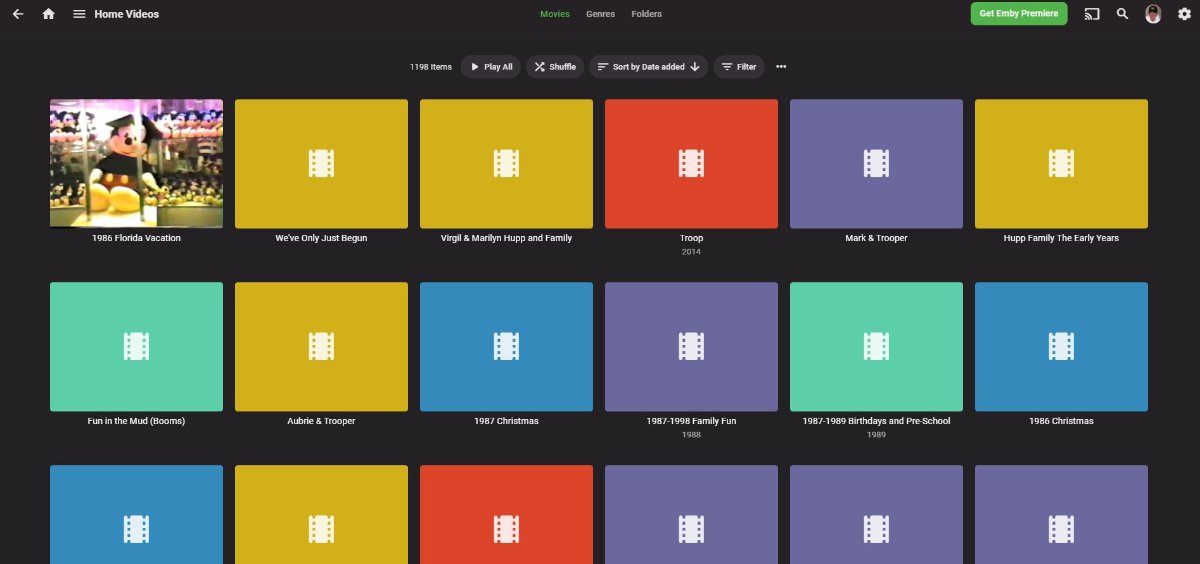
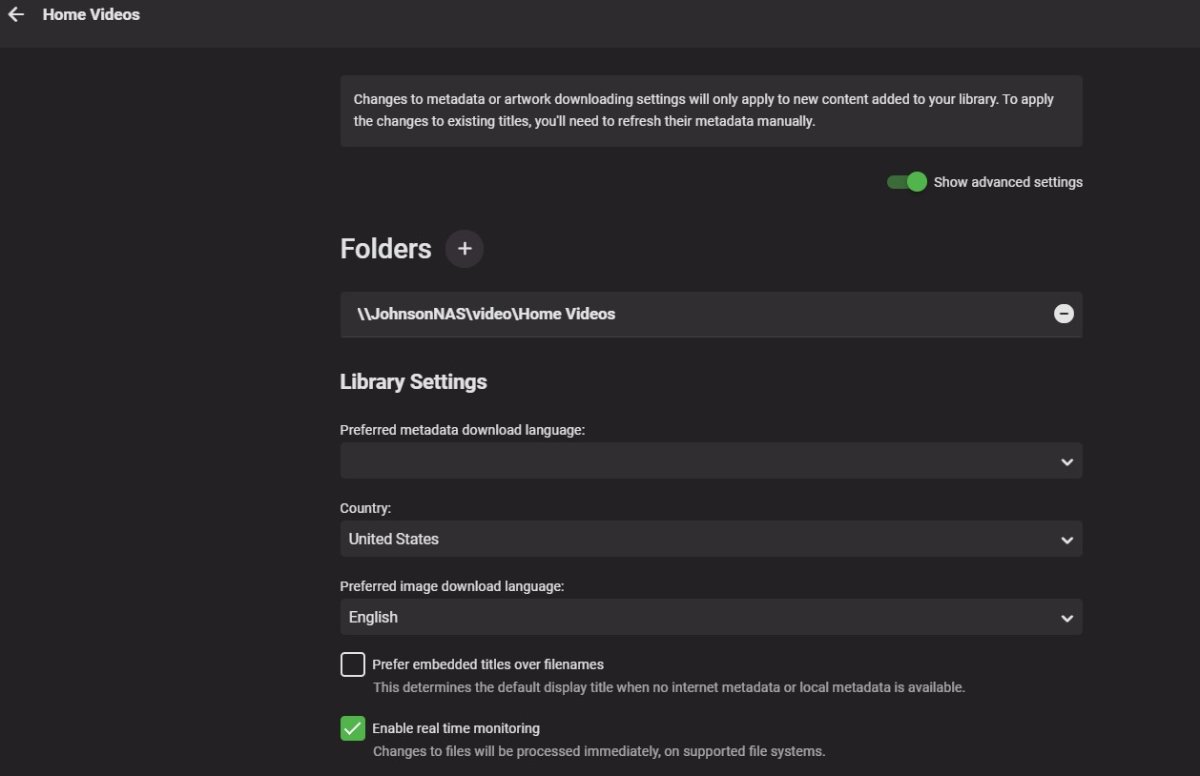
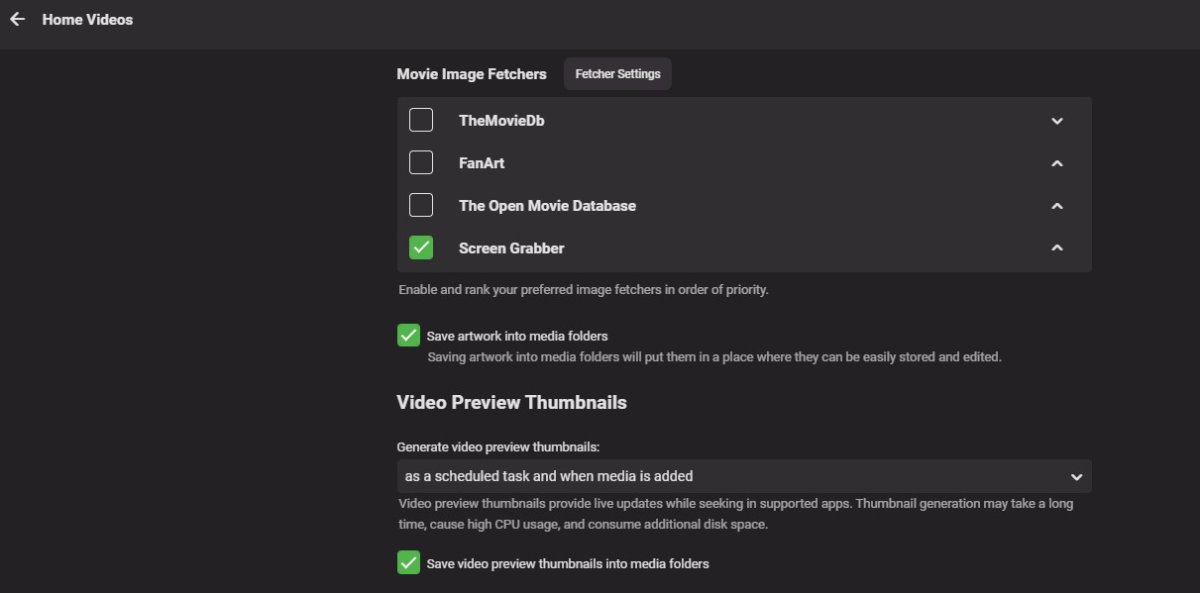
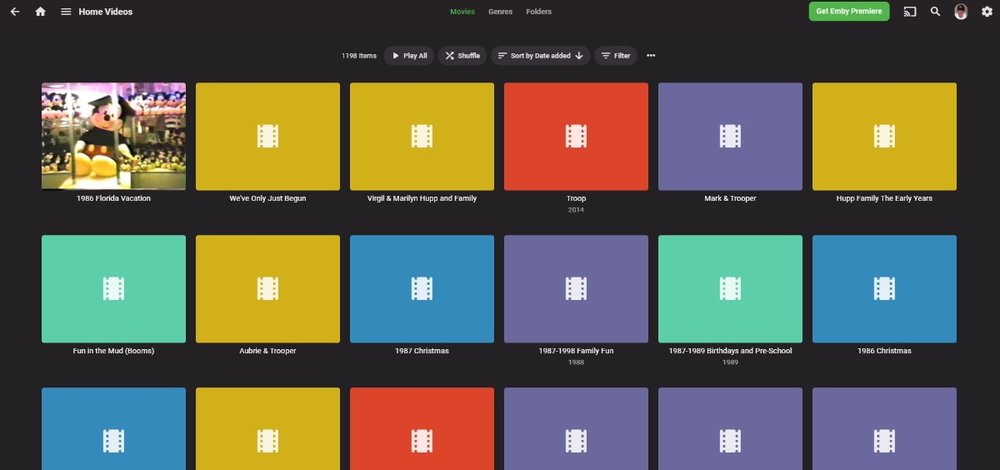
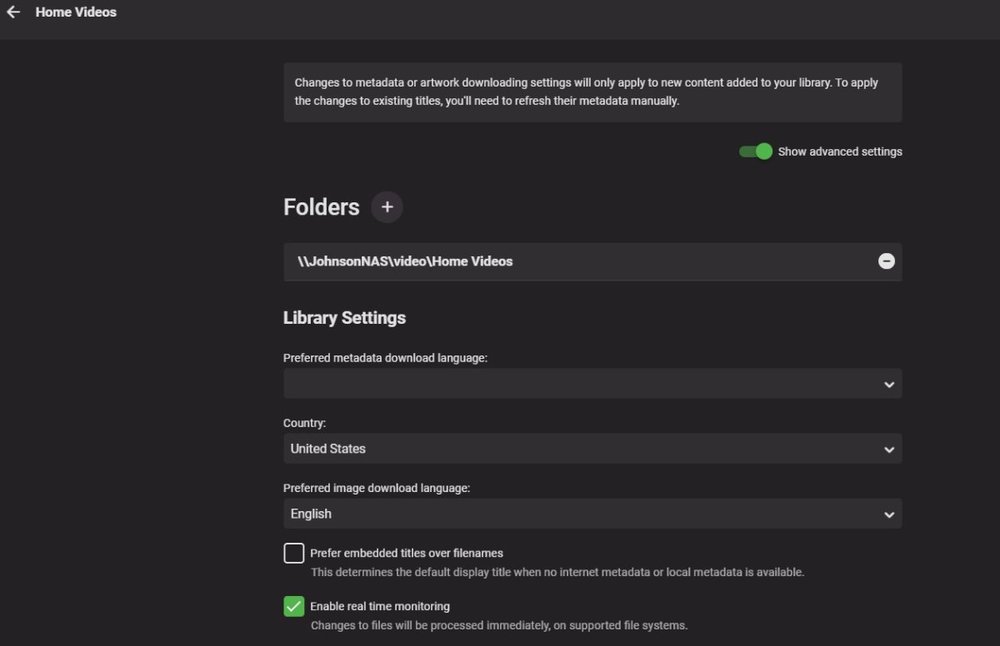
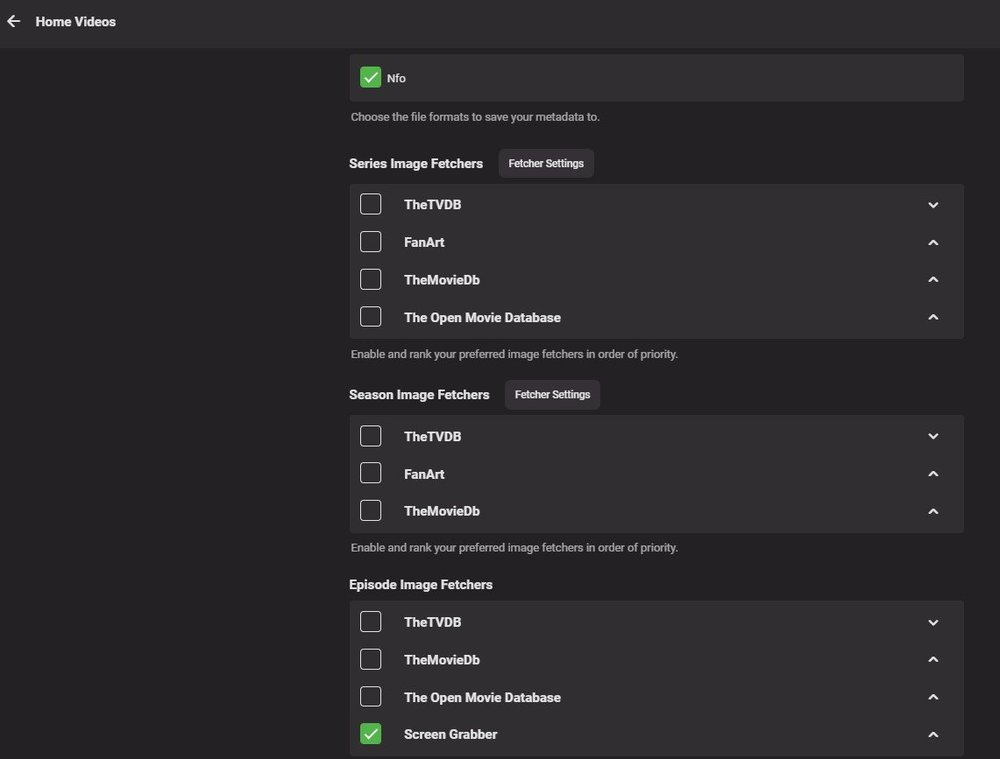
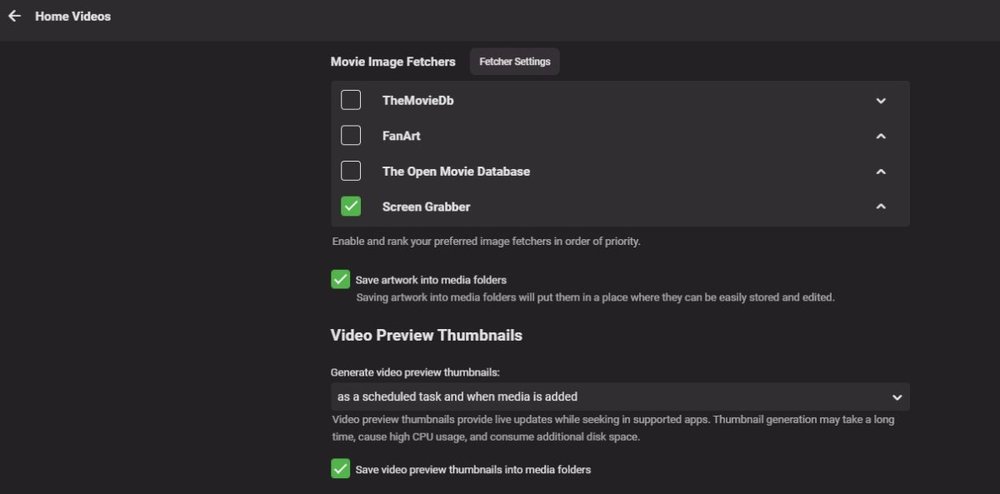
For some reason I cannot get emby server to generate thumbnails for my Home Videos (except for one such video - see the first video labeled 1986 Florida Vacation). I have a couple thousand such videos, so having a "poster" for each one would be extremely helpful in locating a specific video clip. I have tried every setting that makes sense in my Home Video "Library" section off the dashboard screen, but still nothing. Here is a screen shot of the blank posters that I am referring to and a couple screen shots of my Home Video Library setup configuration. To save screen shot space, I only show the fields in which I have made a selection, every other field has been left blank (many are not shown). Any help would be appreciated.
 1 point
 -
Any ETA on discogs being added? is this something that could happen or soon? Or something to happen down the line?1 point
-
That is a completely inaccurate statement. Your argument based on amount of digital releases is flawed. From what I can find current stats show Discogs out in front. Discogs: 1,581,884 current file releases MB: 534,820 releases without physical packaging MB only has 2.7 million releases and Discogs has over 13 million I admit I am biased because I was in bed with Discogs long before I heard of MB so never really used it much. They both have their flaws and advantages as most choices in life do. My experience with consistent data in MB using Beets has not been good, I use Discogs almost exclusively.1 point
-
I also would like to request a "New Releases" tab on Homescreen and Suggested. I find it hard to believe this hasn't been implemented yet. It's cool having all your newly added movies available, but newly released is just as important.1 point
-
I'm going to guess this is Artist? My library is a total train wreck when it comes to Artist. 10,000+ Artists and 2000 (ish) Album Artists. Its so bad i dont even browse by Artists currently. It is definitely musicbrainz. And musicbrainz is adding artists to your emby database. I have spent 100's (no joke) of hours cleaning up and verifying every last album in my library (with mp3tag). Still an on going process. It's amazing how some of the artists tags are being provided. I'm talking popular bands with EACH member or past members being given credit as artist on a song. Or one album using the & symbol for artist tag. Then a different album from the same artist spelling and for the artist tag. Yes that means a new artist being added to the emby database. Don't even get me started on Various Artist albums. DIscogs (a metadata provider) runs a much tighter ship in my opinion. I am a member and contributor there. I spend time doing analog to digital conversions of LP's and adding them to the Discogs library (personal collection). Every album is verified for complete accuracy prior to being added to their database. Highly doubtful you will find a song with every band member listed in the artist tag. But i find myself using musicbrainz more often due to the convenience. So its not an issue with emby at the end of the day, its the metadata being provided from musicbrainz.1 point
-
I also would like to hide tabs from the music library, for example, I want to hide the "Favorites" and "Album Artists" tabs.1 point