Leaderboard




Popular Content
Showing content with the highest reputation on 08/30/22 in all areas
-
I have edited the xml and related it to the next up plugin and adjusted the position for me, for me it is now exactly how I wanted it. Maybe I can make someone else happy with it. Just add the file: "addons\plugin.video.emby-next-gen\resources\skins\default\1080i\SkipIntroDialog.xml" exchange. @quickmic I don't know at all and I hope it's okay that I'm posting this here? Can you help me if necessary how I can make it so that I get it displayed again when I rewind? Thank you and best regards Seger SkipIntroDialog.xml
 3 points
 -
Hello, I would like to address an issue in regard to the Emby Team and communicating about the Apple TV client. It is a client that in your portfolio but yet it's being forgotten, the release notes are not up to date. If there is a new version available there is no update on the forum anymore. Development is also an issue it seems, please don't treat a product in your own portfolio as a forgotten child. As stated by Emby developers, they want all Clients more or less the same, but yet some features are not being pushed to the Apple TV. All i'm trying to say is, treat all of your clients like they are the same, doesn't matter the amount of active users. Keep your buying customers happy it's the whole reason Emby as a company exist <rant/> Besides this issue i'm an avid fan of Emby and their products!2 points
-
2 points
-
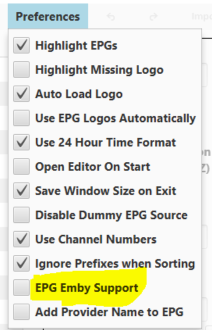
I have used this app for some time. They recently overhauled it and now are ready for new users again. It's not a proxy like xTeVe is, it allows you to prune and arrange your IPTV streams and generate m3u and xmltv files that can be consumed by Emby. Use of the app is free, if you want their extensive guide data, there is a minimal charge if it's for personal use. It also fixes the Emby bug (IMO, the Emby devs disagree ) so you can use 1 xmltv entry for multiple streams by setting this option. To find out more and get the app, use this Discord invitation.
 1 point
 -
Autoplay home videos? Hi all, I have recently set up an Emby library and have some files sorted in 'home videos' libraries so that the system does not try to attach metadata. What I have found though is that it does not autoplay to the next episode. I have them all sorted alphabetically and would like to go from A to B for example, but after finishing the episode it brings me straight back to the menu view of the episode. I do have play next episode automatically selected, and it works fine for TV shows, movies, etc. Alternatively if there is a way to turn off metadata fetching for TV shows in one library that would also be helpful! Cheers1 point
-
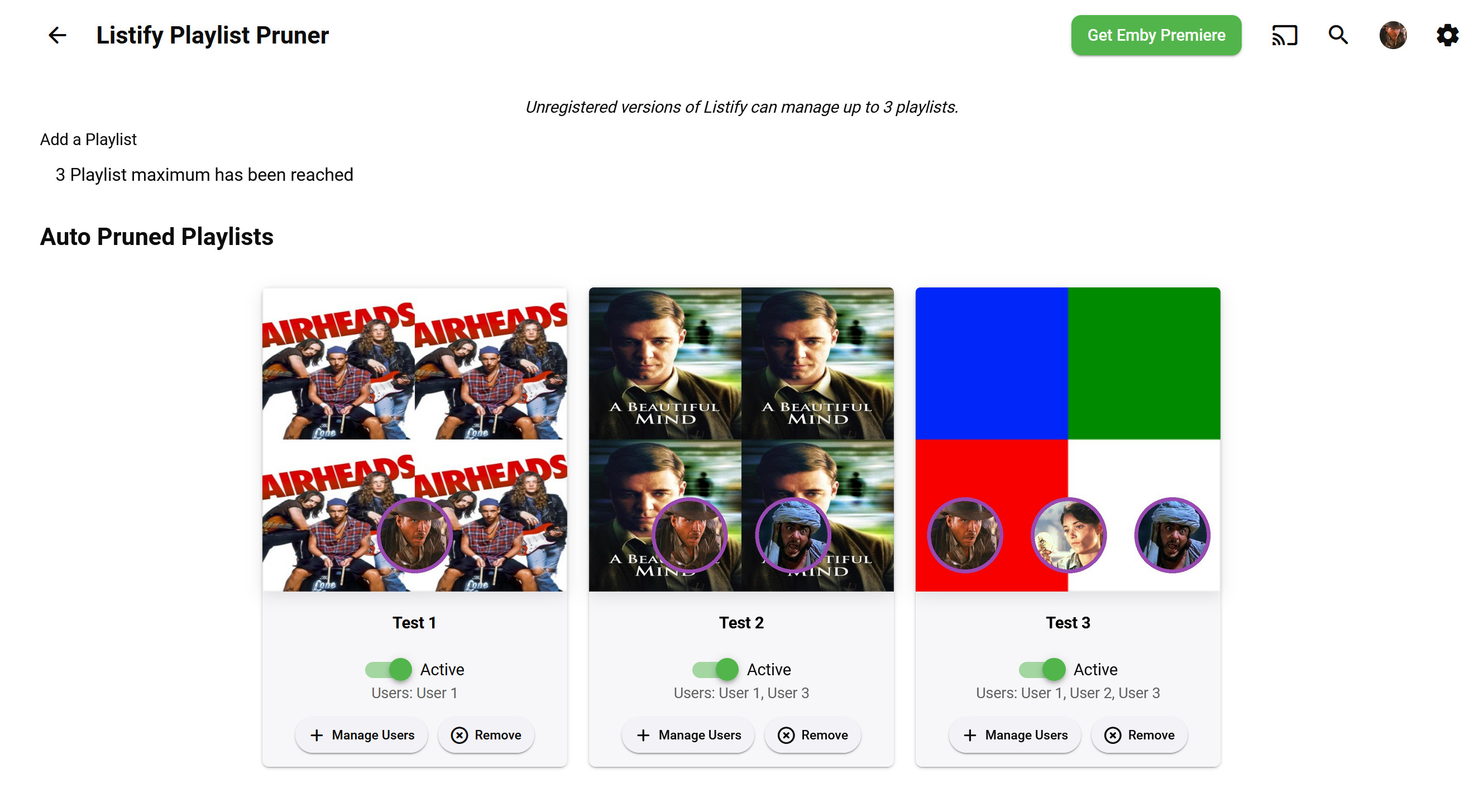
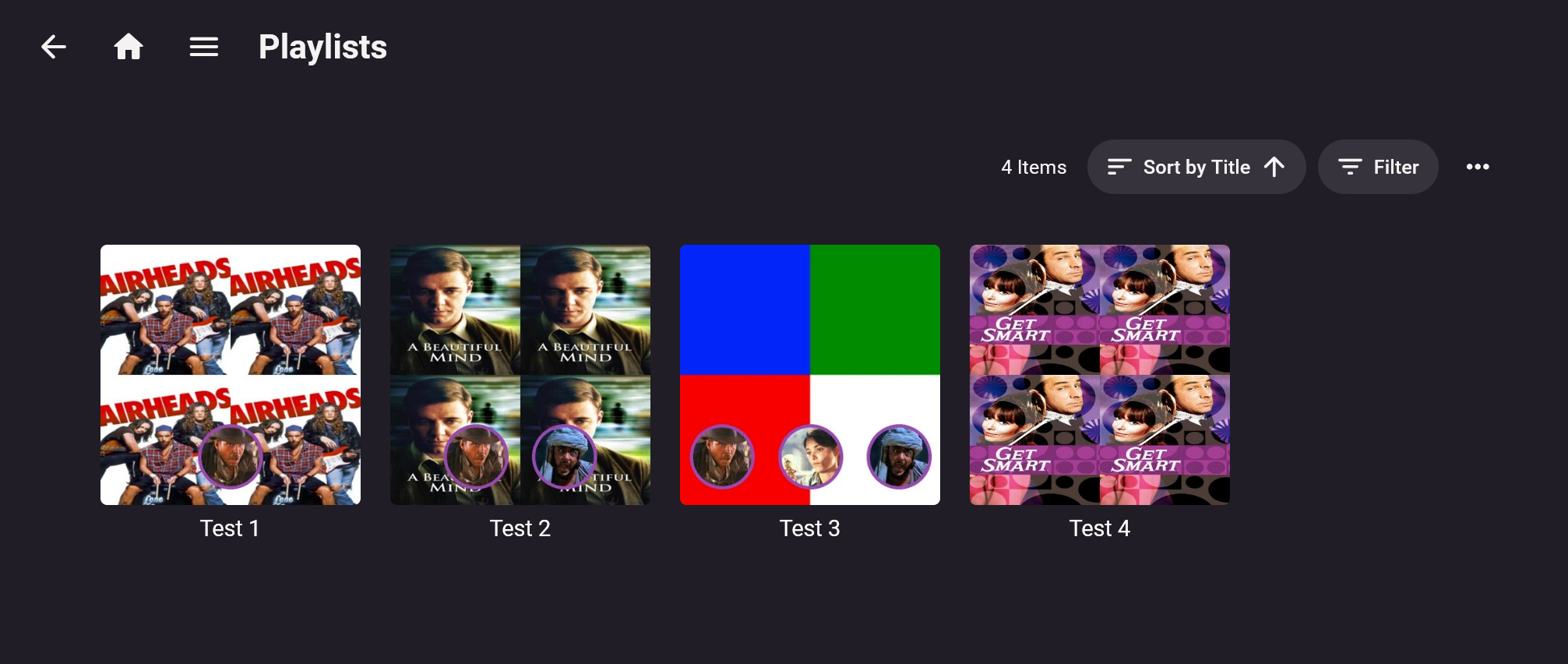
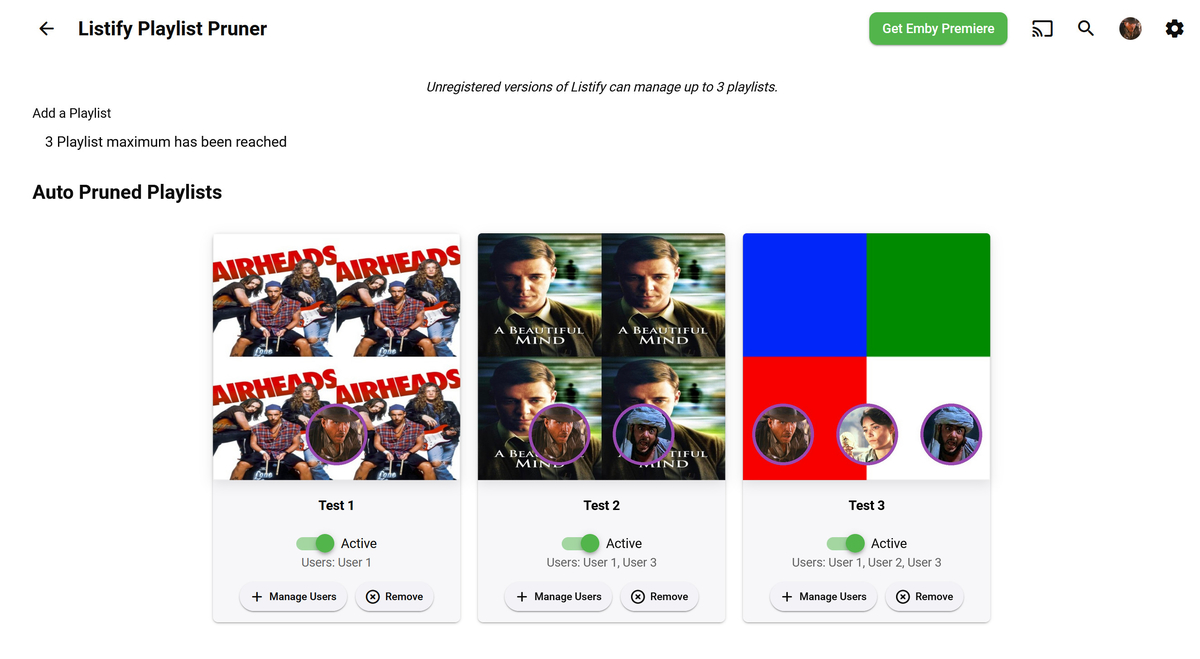
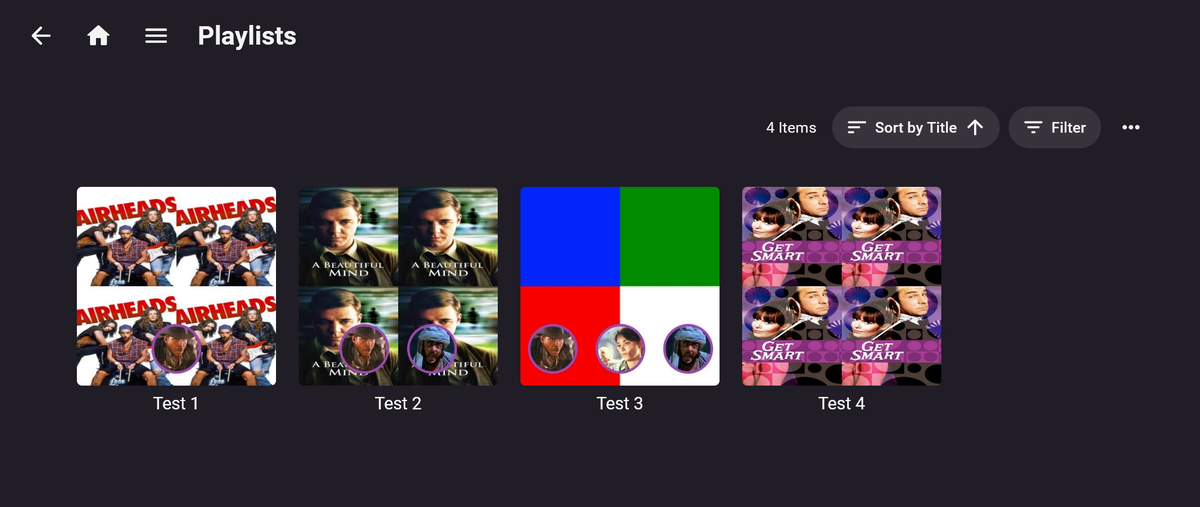
Hi everyone. I've got a new playlist management plugin that's ready for beta testing. I think it will come in handy for anyone who's tired of manually removing watched items from their 'watchlist' playlists. This is where Listify comes in. Listify will automatically prune watched items from your playlists when configured users watch an item to completion or manually mark it as watched. The profile pictures of the configured users are dynamically added to the managed playlists so users can tell at a glance how the playlists are being managed by Listify. I'm finding it useful, and I hope others will too. A beta build is attached to the next post. Please give it a try.
 1 point
 -
I created a desktop (windows is released, linux works but I havent packaged it up) application where you can setup multiple servers, and have the tool sync the User Data between the servers. The next big push, is to create an Emby Plugin where you only have to setup the secondary servers. The codebase is 100% opensource MIT licensing. Use it to your hearts content, complain all you like I can take it. But seriously any feedback is most welcome. You can download the release here https://github.com/towel42-com/EmbySync/releases , there currently is no "whats the latest version" check, so if I update you will have to manually update. For now, it only synchronizes the user data between the servers. In the long term, I would like to be able to synchronize all user data, as well as server settings. Meaning everything from layout choices for the user to custom collections. It has both a Graphical UI (standard windows double click tool) as well as a command line version to enable scripting. Thanks, and let me know if you have any issues.1 point
-
Seems like something regarding scrolling in emby theater was updated. It's great! Before, scrolling with a mouse wheel was very very slow, short scroll increments. Now, it scrolls quickly and nicely. More of this sort of thing please. Can we get the shuffle button back out into the main area?1 point
-
It means the device had trouble direct playing the original file, so we automatically switched to transcoding in order to keep playing.1 point
-
Hi, have you taken a look at the playback reporting plugin?1 point
-
Couple things, First you're hitting a 404 at the Users endpoint. What are you trying to do exactly there? As far as the JSON error, I've seen this before. I'd need to be sure but... if you do this to your fetch data does it complete the JSON object, and the error go away? body: "{" + JSON.stringify(data) + "}" Yeah it might be better to create an async functions for the fetch calls, and feed the data in there. But... it is personal taste I guess. this is untested, but... const token, server; async function Post(endpoint, data) { var result = await fetch(`${server}{endpoint}?X-Emby-Token=${token}`, { method: 'POST', body: JSON.stringify( data ) }; console.log(result.json()); } Then you are just sending your endpoints to the method... await Post("/Users/{id}", somedata); But... and sorry to ramble... if you open the ApiClient.js for the emby dashboard, you could pretty much grab what you want from it. Further more if you add the files from Javascript API, you can use them too. I did this for the POSTERS app. you could download that app, and take whatever you'd like from it. If it helps. Did I help here? I'm unsure.1 point
-
Ok, then I am humbly asking to maybe include the described functionality, similar to the guy four years ago in the linked post. Would be a really meaningful and practical addition I think. Thanks for your time and the explanations on the topic, I just didn't get, why the pictures being generated by the chapter scanner anyways can't be used for this. Have a nice time.1 point
-
Version 1.8.0 Added: Added new experimental advanced equalizer for Android 9+ (May not work on all devices): Preamp. Equalizer with configurable 5, 10, 15, 31 bands. Compressor. Limiter. AutoEq profiles for perfect tuning of your headphones. (4000+ profiles included and support for custom files) Expert mode allowing full control over the number of bands and their frequencies + advanced settings for the compressor and limiter. Automatic loading of profiles based on currently active sound output. (Specific BT headphones, USB, jack headphone, …) Added queue options to the API. Allow folder download from file mode. (Not recursive) Add new option to set maximum bitrate on Wifi. Enabled file mode support for Subsonic servers. Added button to import some common default smart playlists. Changed: Refactored settings to add a Now playing top section. Refactored many internals about now playing handling (Lyrics fetching, queue, …) to prepare the future. Please report any issues to support. Fixed: Fix ui drawn under the navigation bar in some cases on some devices.1 point
-
d everything. Emby guide data supports 14 days out at least. The data is generally very good. It's just a matter of whether it's offered in your country or not.1 point
-
That all looks good. VP8 is an old codec, don't worry about it. Set the 'Throttle' to yes - enable throttling and ideally set your transcoding temp path to an NVME drive (or SSD if you don't have an NVME) Then you are all set - enjoy your new hidden but powerful iGPU !1 point
-
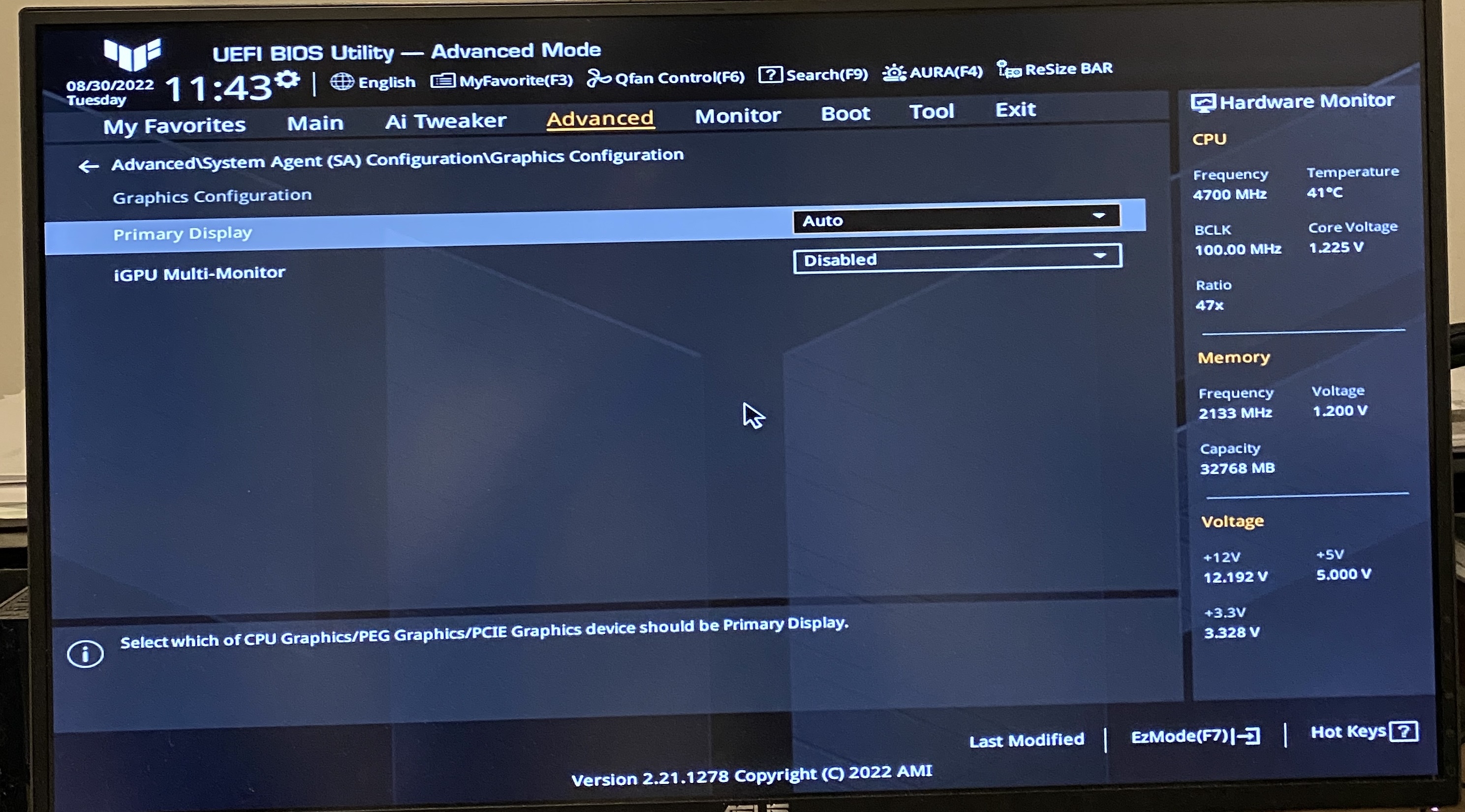
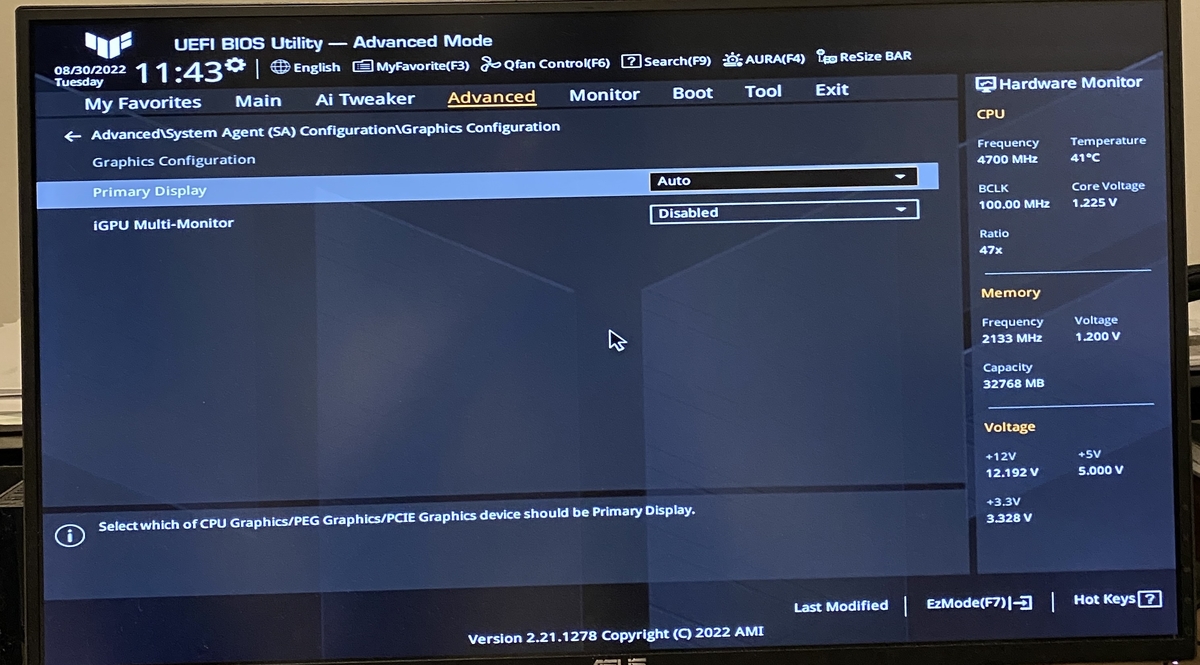
@rbjtech I think I enabled it in BIOS. I see it in task manager the second GPU and it shows in Emby Advanced settings on Transcoding setting in Emby. Do I set it like I see in your screenshot you posted ? Here is a image of my BIOS. I set it to enabled.
 1 point
 -
In the current form this is only supported to the media folers via creating kodi style ".actors" folders. It is not the same as People backup as it doesnt save anything oither than the images.1 point
-
@TheUrbanXplorer already taken care of.1 point
-
@Luke found a script that does this, look at https://github.com/Eshaan7/RenameThemSubs Maybe this could be a feature for emby, for now you can close this topic if need be.1 point
-
imo - Yes. Depending on the amount of main memory you have - it will also allow many more 4K Transcodes as it will not be restricted by the memory on the GPU Card. I believe an RTX 2060 Super has 8Gb - so you are probably limited to 7 transcodes. the iGPU (UHD770) will use (up to) half your main memory - so if you only have 16Gb - then it will also have 8 - so 7 transcodes. But if you have 32Gb - then you can use 16Gb of VRAM. I max out at ~9-10 4K > 1080p/8Mbit with ToneMapping remux simultaneous (non throttled) transcodes using the UHD770 - if throttled, then depending on start/stop times - then ~12-14 It's pretty amazing what the UHD770 can do ...1 point
-
There will be a beta sometime this week.1 point
-
Use the UHD770 iGPU in your 12700K - it will highly likely outperform the Nvidia Card at a fraction of the power ! Just tested a 4K remux @ 80mbit/sec to 4Mbit (scaled to 1080p) - the 12700K iGPU does it at ~290fps - so yes, faster than the above Nvidia card .. Not sure why you're not seeing it as GPU1 in your Task Manager. Have you turned it off in the BIOS ?1 point
-
Nope, you were right the first time, I was unaware that Emby stopped updating the guide when it couldn't access ONE of my several xml links, which caused my guide to be sparsely populated in a weird way that didn't correspond to the working xml links. Where Kodi would ignore the bad xml, Emby did not, I'm sorry for wasting your time. I could have just deleted the bad xml file(in the Live TV Section) and been done with it, unfortunately I got over zealous and did a fresh install, On a positive note, I'm getting VERY efficient at reinstalling everything. LOL! Thx again Luke1 point
-
Everyone on cf should plan for a contingency in case the worst happens. Have a roll back solution so you can keep your remote users operational. If like me you ported to cloudflare from an nginx / letsencryot solution, or a direct to emby with Certs config, then dust off that doco you (hopefully) made and prepare for the worst. Saves having a busted system that then you have to piece together under duress with unhappy remote family and friends. Easiest way I had was to roll back to a new basic nginx working solution for emby, then I moved to cloudflare tunnels which does not need nginx (as it is also a proxy server), so should cf stop working, I just re-enable the port forwards and deactivate the emby dns entry to point back to the nginx reverse proxy. No more cf then. Until someone with more skills that me can come up with a cdn that works with emby.1 point
-
you can not upload the same chromaprint data, it will as you point out use the md5 to check and just give you the already existing entry. This is to stop duplicate items in the system. if the chromaprint is exactly the same there is no point in uploading it anyway, the existing one will detect just fine. To simulate how the Theme Service DB lookup would work with your 5 intro info items, zip them all up in the same zip and submit that to the detection job form. It should them use all the 5 to detect.1 point
-
@Luke 问题已解决,谢谢!1 point
-
@LukeThe main reason I want this is because the Emby server for the family is a Synology NAS and is not powerful enough to turn on HDR by software or hardware. I wanted to run a second Emby server on my home desktop gaming pc sense it is powerful enough for HDR software or hardware too on! Plus I am not using the resources of the family NAS at the same time and splitting it up.1 point
-
Ok that seems to be what it was. Radarr is working but Sonarr only works when i manually go into command and type caddy run. As soon as I exit that and start the caddy service in task manager it no longer works stating This site can’t provide a secure connection. But Radarr continues to work alongside emby. Any ideas? Edit: Nevermind, as soon as I posted this it started working. Thank you so much for all your help!1 point
-
Have you configured your DNS provider of your domain name for the additional services? sonarr.domain.com radarr.domain.com either CNAME records pointing to your A record? Sorry I have no experience with those *arr services, but I run others behind Caddy and the idea is the same.1 point
-
Fue de mucha ayuda gracias, utilize varios de los script y me funcionaron, pero ninguno me ayudo con el tema del fondo, sigo sin poder personalizarlo, pero de todas maneras muchas gracias @arrbee991 point
-
Yep looks good. As long as you've port forwarded 80 and 443 to your Caddy host in your router. NSSM is one way, and seems to work no problem. There's also the other method that Caddy documents here using WinSW: https://caddyserver.com/docs/running#windows-service Once you are happy with Emby's config, you would simply duplicate that and replace appropriately for the other services, eg: #Emby emby.mydomain.com { encode gzip reverse_proxy 192.168.2.109:8096 } #Sonarr sonarr.mydomain.com { encode gzip reverse_proxy <Sonarr IP>:<Port> } #Radarr radarr.mydomain.com { encode gzip reverse_proxy <Radarr IP>:<Port> }1 point
-
I would suggest stripping it all back initially to ensure you get the core functionality working first. Some of your config format doesn't look correct. Try getting just Emby working first, something like this for now: { email ******@gmail.com } #Emby emby.mydomain.com { encode gzip reverse_proxy 192.168.2.109:8096 } If you aren't running caddy via a service, you'll need to keep the command window open for it to continue to run.1 point
-
I fixed a bug in bulk edit. I also added the means to add movies to collections via the metadata editor. Vic emby_new_tool_39.html1 point
-
no, I was going to use more 1:1 matching trying to match seasons and episodes to and have some complex matching system but in the end there were a lot of edge cases and as the code and logic got more and more complex I scrapped it. I ended up using a simple approach and logic. - assume all episodes have something that need to be detected - try to "detect" all intro info cp items for the whole show Example: Game of thrones is a great example here, in its first season it has 3 different intro music variations (perhaps more) you actually need 3 chromaprint intro detection items to detect the intros correctly. This is because the music is different in most of the episodes of the first season, the second season is also different but from what I can tell it is all the same so one intro info is fine. And then the next 5 seasons are all the same. This means you need 5 or so intro detection info items. This got complex fast. SO how to easily fix this, you throw them all at each episode and used the best match. The detection process on my test system is very quick, the sweep scan I use takes about 33-50 ms per intro for a 10 min window search. This means you can search each episode for the 5 intro detection items in about 200ms or so. While this is obviously not optimal I feel it is the best solution to keep it simple and allow the most flexibility. I did have all the intros for GOT in Theme Service at one point but removed them for some reason, probably when I was testing. But for this system I needed 5 or so intro detection items to get full coverage. Another tricky thing with GOT was that some intros had the HBO fuzzy logo at the start and some did not, I had to create the intro detection items without the HBO logo to get the best matches.1 point
-
yes I admit it is a little confusing at the moment, it is automated but it is not clear. On the options page in the plugin there is a way you can "download" all the data from the service to use in auto matching. To do this go to the options page and hit the "download into data" button, it should nto take long, a few seconds. Then hit the "Reload intro data" button. This downloads the intro data from the Theme Service web site and saves it locally in the directory specified in the settings at the top of the page. It is just a zip of all the intro data. You can also drop json intro data file in that directly is you just want to test some for automation. You should now see you have something like this below the buttons: Loaded Intro Data 21 series 26 items At the moment the download has to be done manually using the button, the intro data is auto loaded when Emby starts or when you hit the above Reload button. Once you have the DB loaded on the Intro Detect page in the form you can skip adding a json file and just select your Series season episode. The system will then use IMDB ideas to select the correct intro data from the downloaded Theme Service site to detect the intros. Also once you have the DB downloaded and loaded you can have the plugin process new episodes automatically by chekcing the process added items, this will do a detection and add chapters for any new episode added to the system. TLDR:- - On the options page download and load the intro DB data - On the detection form dont use the file selector, the IMDB for the series will be used to select intro detection items from the downloaded data.1 point
-
Ok i see what is happening now, the sorting is textual on the name, i prepend the index number to force sort in the correct index order but only add one zero padding thus with high index numbers the ordering is by the first digit which is all sorts of wrong in situation like this. I will add proper index sorting.1 point
-
Failed for both 8096 and 8920. Went back into router config on server side, put in the manual port forwarding for 8096. Connection successful now. No idea why intermittent access and a false positive browser test was possible before, but here we are. Lesson learned: manual port forward; do not bank on UPnP for remote access. Thank you visproduction and ebr for your troubleshooting assistance.1 point
-
I moved the external HD to the Mac and changed the paths to point to it. Works beautifully now.1 point
-
At the decoder side, there's not much difference. For encoders, QuickSync is usually the better choice and it makes things easier to have decoders and encoders from the same HWA, even though mixing is possible as well.1 point
-
I'll also change episode posters to Series primary. Let's see if this will break somebody's else use case.1 point
-
1 point
-
Weird. That was the issue. Somehow they got mapped to the same channel. Remapping them fixed the issue. Thanks.1 point
-
Or maybe one of the other hundred https://docs.google.com/spreadsheets/d/e/2PACX-1vTtWQwRLBTPp5TNh8KmtSH3Rvz9Zm6ovUL__YL9Ax1ikzGLCzdfhryjMJ6-g5N1rJIf5LrDGjE5jqds/pubhtml?gid=1930489182&single=true1 point
-
honestly, Luke, I think this is more hardware related. I was getting the sound drop outs on my dinky Roku TV in the kitchen, and I get it sometimes on the Chromecast with Google TV, but I can tell that is just network related. So, I think we can put this one to bed.1 point
-
Hi, we have a new Windows app coming in the near future and this will no longer be an issue. Thanks.1 point
-
FYI everyone. In the final stages of testing, here is a sneak preview of the next version1 point
-
Good day @ebr We have for subtitle, I ask for audio some years back, did you apply this yet? Thanks. My best1 point
-
Requires Emby Server 4.7 or greater Version History 0.9.1.1 Compatibility with the final Emby 4.8 release. Experimental support for the netvips image processing library. 0.9.0.0 Features: - Initial Release Known Issues: - Playlist Image Enhancement is currently only available for Skia based Emby builds - A page refresh is currently required to see updated Playlist Images after configuration changes Listify.dll1 point
-
If you've got something like this css for the Home page, under the section "/* Moving My Media Down */" - /* Add to blank home page online image Gollum - remember to untick Enable Backdrops in Display */ /*div.scrollFrameY.flex.flex-direction-column.flex-grow.focuscontainer-down.emby-scroller.scrollY.overflowYScroll {background-image: url("https://static0.srcdn.com/wordpress/wp-content/uploads/2019/03/Gollum.jpg");}*/ /*div.scrollFrameY.flex.flex-direction-column.flex-grow.focuscontainer-down.emby-scroller.scrollY.overflowYScroll {background-size: cover;}*/ you need to replace with something like this - /* Add to blank home page online image Gollum - remember to untick Enable Backdrops in Display */ [data-type="home"] div.focuscontainer-down {background-image: url("https://static0.srcdn.com/wordpress/wp-content/uploads/2019/03/Gollum.jpg");} [data-type="home"] div.focuscontainer-down {background-size: cover;} Hopefully, as mentioned, thats for the Home page. If you have an image under the TV Guide, that still seems to work. I need to put up a new version, it juse always seems to be a tomorrow, tomorrow, tomorrow thing... EDIT - thanks to Happy2Play for the new css1 point
-
My experience is that if your Emby server has to reach its storage wirelessly, no matter the quality of the wireless signal, there will be issues either randomly or on a quite regular basis. Remember this is streaming and even using buffering to maximum advantage any signal interruption that is for more than a very short time will cause problems. Wired is always better than wired. In general: Servers and their attached storage should NEVER be connected wirelessly or there will be, more often than not, problems ranging from little hiccups all the way up to total stream failures. Clients can be, and usually are, fine if connected wirelessly but even clients can sometime have problems because of the flaky nature of wireless connectivity. People are adverse to "wires" but it often comes down to a to a choice between a few wires that can usually be neatly dressed or even hidden and a "perfectly pretty" setup that has no wires and does not work well much of the time. It is your setup and you can do as you choose but using wireless storage is just asking for problems that are very easily avoidable.1 point