Leaderboard




Popular Content
Showing content with the highest reputation on 08/25/22 in all areas
-
Don’t sell yourself short fella… it was actually rewlly good and the concept proved but need core interaction to realistically make it a usable option3 points
-
And, just as another point of information - the other guys already have 2FA but that did not stop this attack apparently. This is still a good request. I just don't think it is any kind of "Holy Grail" to any real exposure here since Emby users are spread out among all different Emby instances, rather than a central repository.3 points
-
Hi. I don't feel their situation has much bearing on this request as we do not have a central repository of all Emby users like the other guys. YOU control your users. Any 2FA to your own server instance would only serve to protect those users on your server. We do have optional Emby Connect but that is completely optional and easily managed by you. Now, this request is still valid but the exposure for our system is nothing like it is for theirs.2 points
-
Just wanted to put this to bed. Emby has been bulletproof on this native recording now - so much so that I am confident I can remove the 'currently stopped' TVHeadend docker. I have had zero issues since the first hiccup.2 points
-
I'd really like to have 2 Factor Authentication added to the login screen. It's just this (optional) extra layer of security to help secure the server (which, especially if people use camera uploads) contains pretty private data. There are for every type of programming language quite a few libraries available, so implementation on a server shouldn't be too hard to realise1 point
-
As I'm transitioning from Volumio and Plex to Emby to centralize my usage to one app, the one thing I'm missing the most is gapless playback. This is particulary annoying when listening to albums like "Dark Side of the Moon" by Pink Floyd. I'm experiencing a buffer of about 1 second in between songs, which really ruins the immersion. Would be awesome if this would be implemented in both the Chromecast, and web player.1 point
-
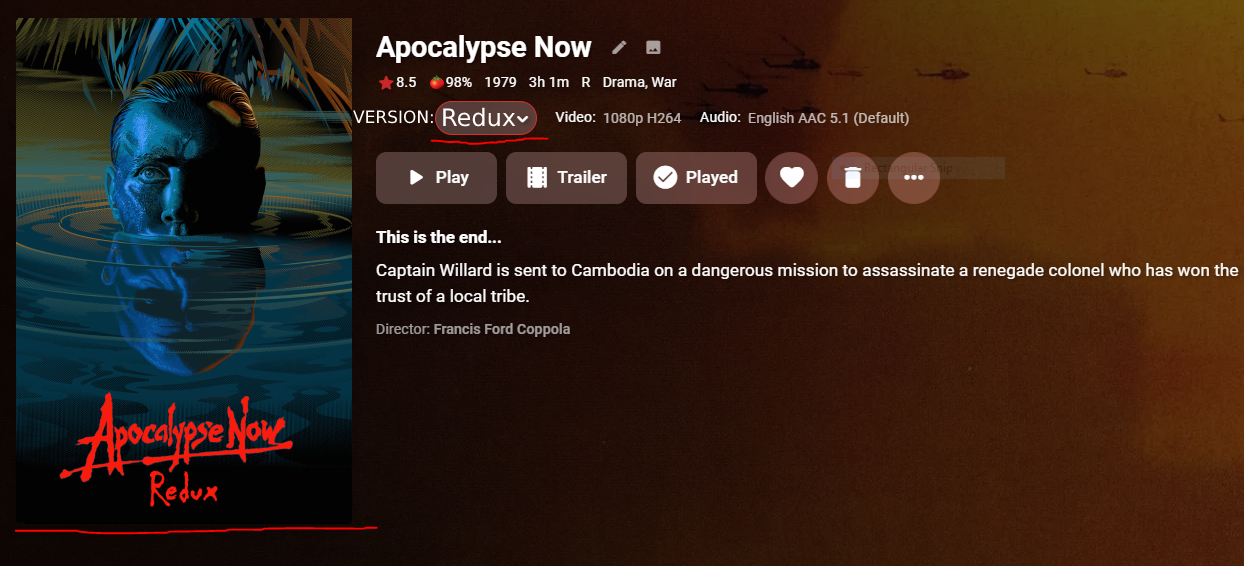
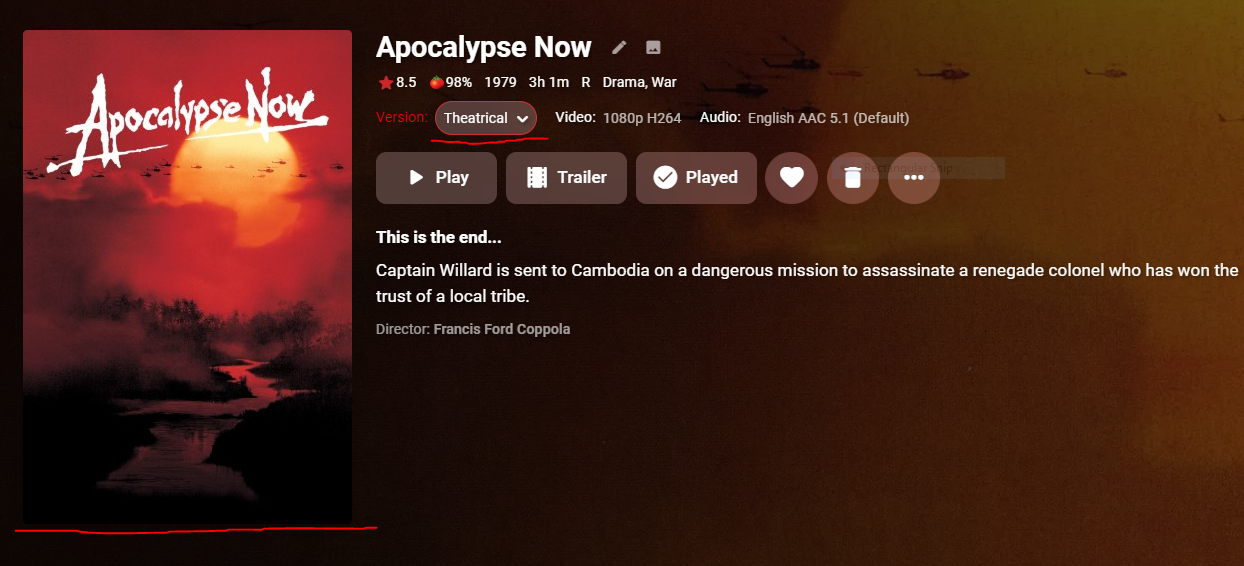
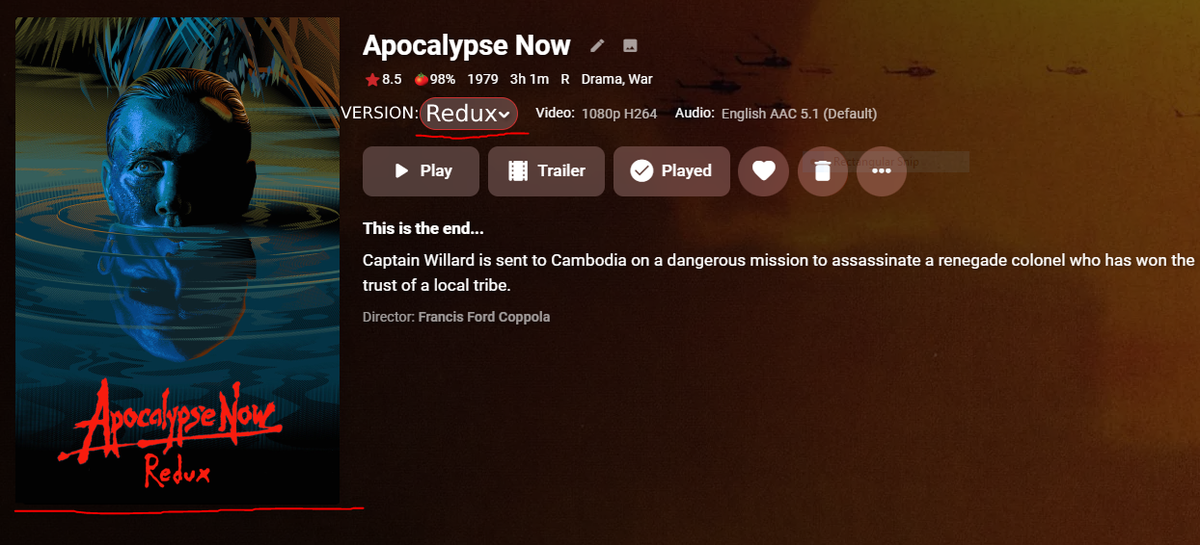
I was wondering if implementing this feature could be a possibility eventually. Considering the option to change the version of a movie is so tiny, I'd like to be able to have the poster change whenever choosing the different cut of a movie such as Apoc. Now with the 10,000 cuts it has. I understand I can split apart the movies but this ruins the look and flow of my set up imo and I personally think the ability to change version posters would be neat. I also realized that the information such as length, rating, etc are based on the original release of the film and don't change when selecting another version. Thanks for all the hard work regardless! I attached some photos of an example of the change aswell.
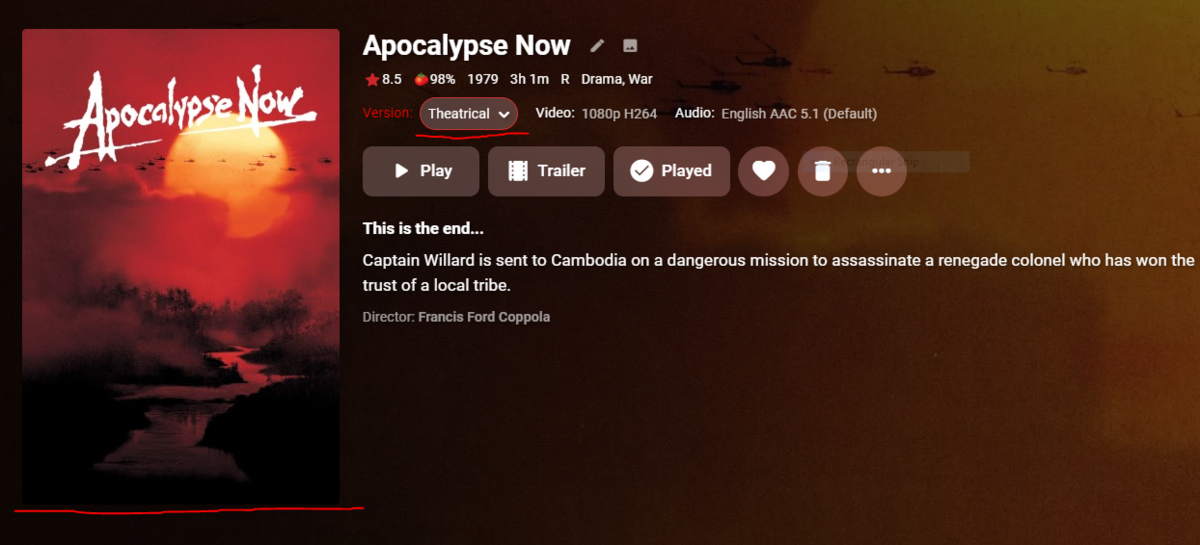 1 point
 -
Sorry I really have not had a chance to come back to this. We're doing the best we can to make everyone as happy as possible.1 point
-
Thanks Luke, I'll send this to my son and see if he can try it later tonight. I'll report back once he does.1 point
-
HI, yes it's possible we can look at supporting this in future updates. Thanks.1 point
-
I believe my sister has both the old ones like I have and a firestick, so I am going to have her test and see if we see the same behavior between them.1 point
-
Yes, it will perform better on an SSD. Almost any app will.1 point
-
Hi @Luke! Thanks for your answer: I have RPI2 and installed https://github.com/MediaBrowser/Emby.Releases/releases/download/4.3.1.0/emby-server-deb_4.3.1.0_armhf.deb Now, I installed Emby on a Synology NAS, and it worked out-of-the-box, so I'll be using that one Best!1 point
-
I would say the built in proxy in Synology is incompatible with Emby. It seems to cause a lot of issues and there is no way to make adjustments to it's setup that would be needed. But I'm a little lost why you think you need to go through the proxy to reach Emby. As long as your not using a port that Synology has reserved you can do a port forwarding from your router directly to the IP Emby Server is using and that should work. Ports 8096 and 8920 work fine this way and are the Emby default ports too. Can you give us more information on your setup and what ports you're using? Carlo1 point
-
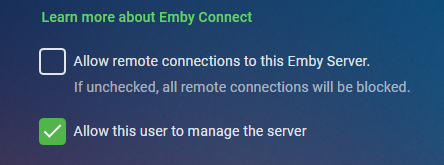
No there isn't anything specific, but I've got the feeling there will be a guide soon. There are guides for setting up Emby Server behind a local reverse proxy which can be used for security reasons. There are also guides available for setting up your server behind a CDN such as Cloudflare which also adds several layers of security to your setup. Security "starts at home" and what I mean by that is to first start by reviewing your current system. Do all users have passwords? Are you using the options on the user's profile tab to "Hide this user from login screens" for local and remote use unless they've logged in previously? Those two alone are the two biggest changes you can make from a security standpoint. If no one has ever logged in from a device or browser previously you don't want to give logins name away on the login screen as that's one piece. Using a strong password is always a good idea as well. Assuming you have remote setup you want to use a domain name and have a valid certificate. You want to make sure to have setup Emby to use your certificate so all remote access is encrypted properly when needed as well. Make sure you don't have an admin account name "administrator", "admin" or "root" as those are targets on every platform. Also if possible don't have your admin account the same as your local viewing account. Name your admin account something cryptic that would never be guessed. This way if you use a local username of "Carlo" or "John" it's just a "view" user and not a member with power to do harm. Setup your admin account so it's only usable on your home LAN and not remote. Those are the main things I would suggest doing. Carlo
 1 point
 -
1 point
-
Actually I did a better search and found this, looks like same issue and I have beta running now and it seems (so far) OK.1 point
-
I just ran a dual parallel transcode on the iRIS Xe as I had it open - it does now hit 100% on the GPU - single thread only hit about 70% fps dropped to 128fps each (256 fps overall) 3 at once dropped to 85fps. (255 fps overall) 4 at once dropped to 64fps (256 fps overall) So it seems to be scaling very well considering it's reading the same source file and writing to the same NVME drive. I guess if this was extrapolated out - then I'd get back to my ~10 x 4K 24fps 'streams' on any flavour of UHD7xx/iRIS Xe - which is mighty impressive for an iGPU on a laptop ! during those 4 transcodes - cpu was @ 30% (@1.47Ghz)1 point
-
I got this working. It worked like a charm! Thanks.1 point
-
You should also compare two parallel transcoding operations on each system.1 point
-
Hi @Luke Yes and it's probably much better if I take a NVIDIA card. Right now I'm looking into a P2000 Quadro card. As soon as I have it I can give some updates.1 point
-
For audiobooks, I organize each series as an album. So for example, Harry Potter would have seven books within the series. However, when the Album tag is read by Emby, it gives each book the same cover image regardless of the image metadata on each file. I would like to see each file's metadata be utilized individually instead of just the first one when it comes to the cover image as well.1 point
-
We are looking into why it happens with some recordings, but not others. Thanks.1 point
-
Yeah. Each track certainly has its own image tag so I would think that they should be imported individually with the rest of the metadata tags. I'll put in a feature request.1 point
-
Which I wish we could do - e.g. for compilation albums. Paul1 point
-
Thanks Loads I will let you know, just changed the settings1 point
-
Hey, sorry I didn't get back to you. As I said, this worked fine for a while. All shows and episodes updated fine when added. Happy2Play's request caused me to go and look at the Library itself. I found that all Library providers for Episode Metadata Downloaders had been unchecked. Which is apparently why it knew about a series and pulled artwork, but some information, like episode metadata information, was missing. I'm wondering if a recent plugin upgrade caused the problem and not 4.7.6.0. I did NOT uncheck Library providers, I'm 100% positive of that. So I checked all the providers, re-scanned the library, and everything populated. Thank you for reaching out to check!! I love this product.1 point
-
That would be great. Not a need to have, just a really nice to have.1 point
-
This is included with Emby Server installations out of the box, so you must have uninstalled it at some point. Thanks for following up.1 point
-
Could use oauth, looks easier to setup1 point
-
I can call exit( -1 ) to clear all memory.. its not exactly memory management1 point
-
@rbjtechnm. I found a way, though it's a bit of a hack at best.1 point
-
Never mind guys...after a bunch of reboots and refresh is working!...now I just need to play with tags and filter fields to get the channels as I want. Thanks! ...great software, great plugin!1 point
-
Confirmed. 1.6.3 has resolved the issue for me. Thanks everyone.1 point
-
This is exciting - I was just hoping to see if Emby supports carrying GPS data prior to subbing to Premier. Keeping an eye out on this thread for sure.1 point
-
Yes, there's currently no good solution for multiple cuts [sic] versions. You have to choose which set of compromises bother you the least.1 point
-
Note with items not grouped, watching different cuts are tracked the same way as they have the same providerids so if you watch one and pause/stop creating a Resume/Continue watching point all versions will appear in Continue Watching.1 point
-
@ebr Ahh sorry about that! I searched beforehand and didn't see that. So for now the best course of action is to split these files apart if that poster and information change is wanted? Not the biggest deal for me, I just prefer a cleaner library. I love that the option is there for versions but I would like to see what you had said with another way to switch "cuts" instead of being used for quality. If I want to change the quality of the video for some reason I'd probably do it within the actual player using the "Quality" setting, although I can understand some not wanting to do it that way. Thanks for the reply!1 point
-
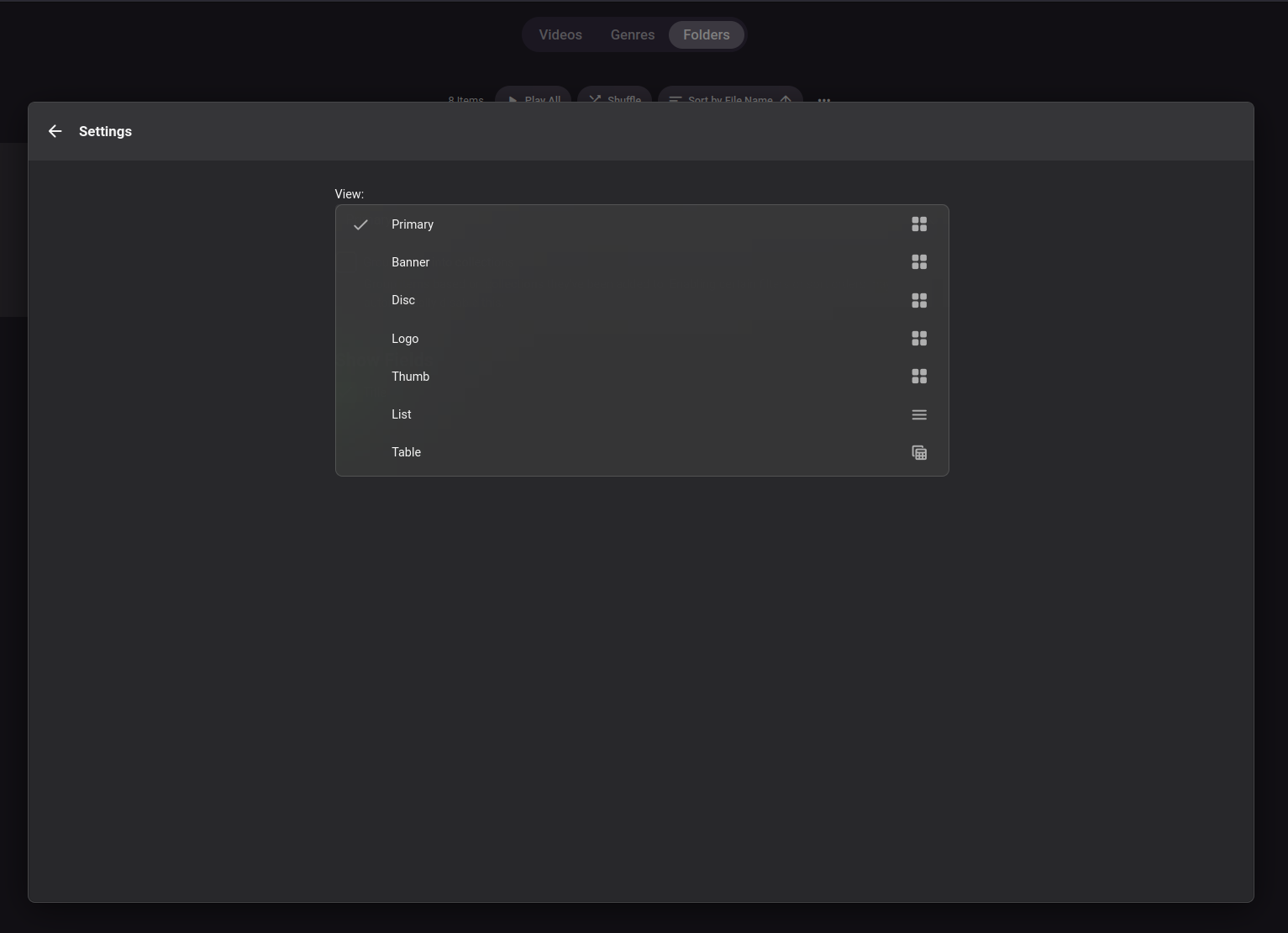
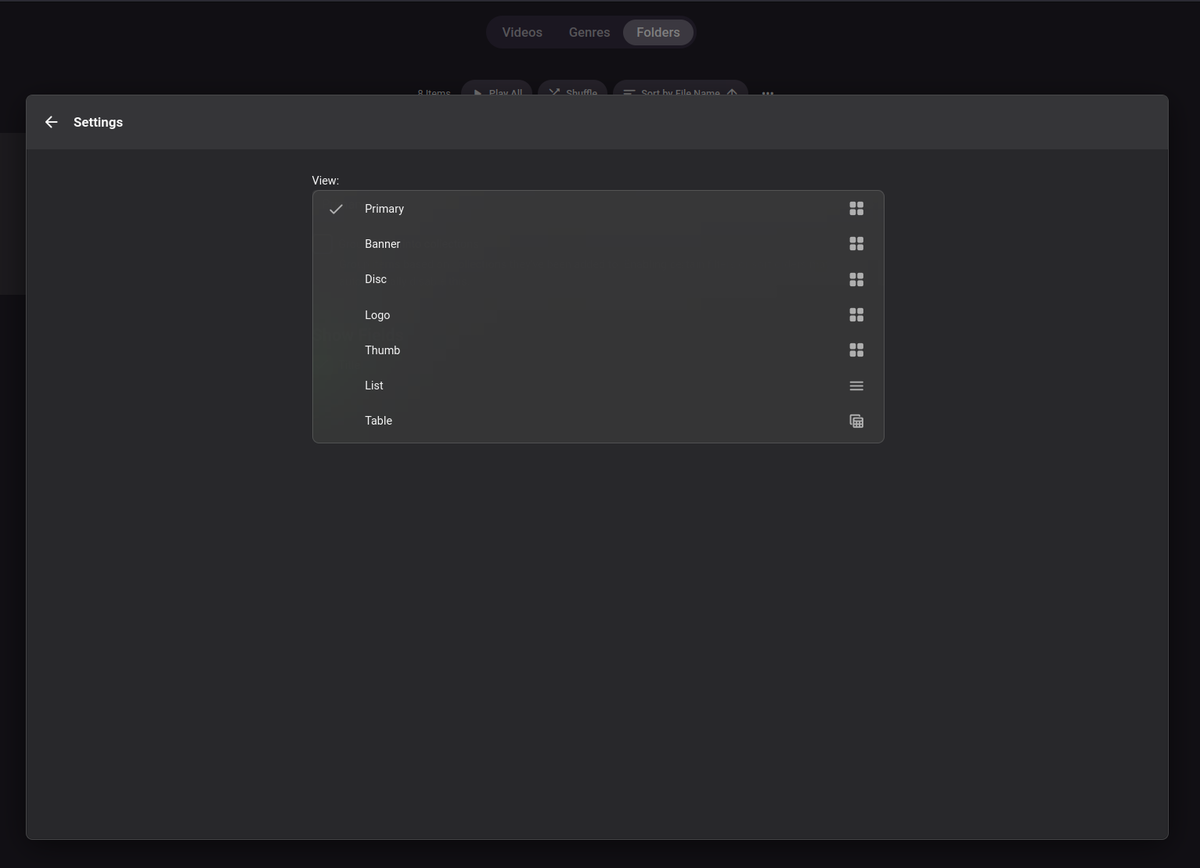
Also please have this be configurable as well for the whole library. So we can specify default view.. E.g. Folder/Table.. and if needed it can be adjusted per folder as now. Thanks!
 1 point
 -
I think it was an isolated problem. All my other clients have no problems. I just switched almost everyone to the new server, no problems with the i5-12400T, it runs smoothly, I'll come back when there are more people at the same time (end of vacation).1 point
-
I think I am able to reproduce this now, will look into it.1 point
-
I used the "Manual Install" button in the Synology package manager to install 4.8.0.8-* (beta) and all the problems are solved. Live TV works fine now for the problem channel that was stalling out at 26%. I also see closed captions now -- new feature -- very exciting! Thanks for the help, I think this issue can be closed as resolved? embyserver (1).txt ffmpeg-transcode-cea275cf-e8d5-4df9-8b65-a4852bb5d12c_1.txt1 point
-
At least, add them disable by default if needed. No one is complaining on vlc... Thx1 point
-
Yeah, I was hoping it was Postgres or something like that. McAfee SIEMs has several database types that it can query, but I don't see SQLite being one of them in the options. I installed the SQLite database browser and this is a gold mine of the information I am looking to pull into long term storage for SIEM. This is a much better data source than embyserver.txt. I'm going to try to use some canned data sources built into the SIEM and see what comes back. Not expecting much, but it's worth a try.1 point
-
It worked! And I'll keep an eye out for that Plugin. For anyone finding this thread later, ignore what the MkvToolNix installer says about downloading a 3rd party GUI - it does come with its own - and that's what you will need to use to follow @FrostByte's instructions.1 point
-
Well this is only a guess based on my experience with programming but they would probably need to upgrade several internal system. User permissions UI components Backend functionality External API ? The problem is... because there is no metric for how important features are to users, this was put on the low burner. I think this would be welcomed by the community, so hopefully if we keep talking about it and makes some noise here, our "rating" will go up. Because god forbid we have a system... https://features.jellyfin.org/1 point
-
Lowered to 1mbps and has been working well. The problem is for new titles it wants to default to a much higher rate sometimes like 60mbps, ignoring server and user settings. I set my user preference to 4mbps and if the video bitrate is higher than that (5mpbs for example) it will say no compatible streams available. I set my user preference to 8mbps and manually set video stream rate to 1.0 or 1.5mbps and that works perfect. I have to fight with it which seems like something I shouldn't have to do. God forbid I accidentally get a bluray title by accident at 25mbps and I have to reconfigure the entire server to attempt to play it and it never works because my wifi just isn't fast enough for it. This is really a slow wifi scenario and I know that doesn't help but I just moved into a new place and forced to use repeaters because of cinderblock walls. This winter when it cools down and I can actually go into the attic without suffocating or dying of heat stroke I intend to run ethernet. I'm stuck with what I have for now.1 point
-
Thanks! okay but this doesn’t work here either. I will open a separate thread about it.1 point
-
Count me in!!!I would love if it was made possible to assign to a user a permission to download from a specific library and not from an other. For instance we have a user we will call Dave - I would love for Dave to be able to watch, but not download from the Library we will call "Movies", at the same time I would like Dave to be able to watch and download from the library we will call "Films". At the moment I can only grant Dave download permissions to all Libraries he has access to or revoke that permission. Would be great to add flexibility there. Thanks in advance1 point
-
Here is the scenario: You have 2 versions of the same movie, a director's cut and a theatrical cut. Director's Cut is 2:14 with 18 chapters Theatrical Cut is 1:48 with 16 chapters. In the client UI (both web and Roku, and I assume all others), in the movie details page the time/length element, "Ends at" element, and all the chapters (number, thumbnails, etc.) are based on the 1st version alphabetically. So, for our example, it would show a length of 2:14. If it was 07:00 the End At would be 9:14, and there would be 18 thumbnails for the chapters. ... as the Director's cut is the 1st version. This doesn't change even if you use the Version pull down menu to select the other version. I suspect Emby is basing the length (and hence the Ends At) off the metadata not the file itself. I would like the UI to change those 3 fields base don the selected version in the pull down menu. So it starts off with length of 2:14. If it was 07:00 the End At would be 9:14, and there would be 18 thumbnails for the chapters. But, if I switch to Theatrical, the UI switches to length of 1:48. If it was 07:00 am the End At would be 8:48, and there would be 1_6_ thumbnails for the chapters. Thanks1 point