Leaderboard




Popular Content
Showing content with the highest reputation on 08/11/22 in all areas
-
Emby Server 4.7.6 - Multi-Select & Right to Left Languages This is the latest point release of Emby Server containing fixes for identified issues. Support shift to multi-select Newly added to 4.7.6 is the ability to multi-select. Instead of having to select each and every media item you can now select the first media item as shown below: then holding the shift key on your keyboard, select the top-left circle with your mouse on your end media item. In two quick clicks we now have 18 items selected in this example! Right to Left languages: 4.7.6 adds support for languages that display right to left. Here's an example Nest Hub view using the Hebrew language. Other improvements and fixes include: Improve filter menu indicator Add Select None to multi-select lists Fix regressions related to image extraction Improve the use of internet metadata with recordings Improve photo loading performance Include activity log database file when vacuuming databases Mark all video versions as played when toggling played Change wording of transcoding reasons to be more user friendly Fix sort by sort title being case sensitive in some views Fixes for file names with years at beginning Improve dsd/dsf playback over Dlna Original Blog posts for the 4.7 release: Emby Server 4.7 Release: Many New Features, Improvements and Fixes Emby Server 4.7.1 - Point Release: Round 1 Fixes Emby Server 4.7.2 - Point Release: Round 2 Fixes Emby Server 4.7.4 - Point Release: Round 3 Fixes Emby Server 4.7.5 - Point Release: Round 4 Fixes Please report any issues you may have in the General/Windows section of our Community Forums: Emby Community General/Windows Forum View the full article3 points
-
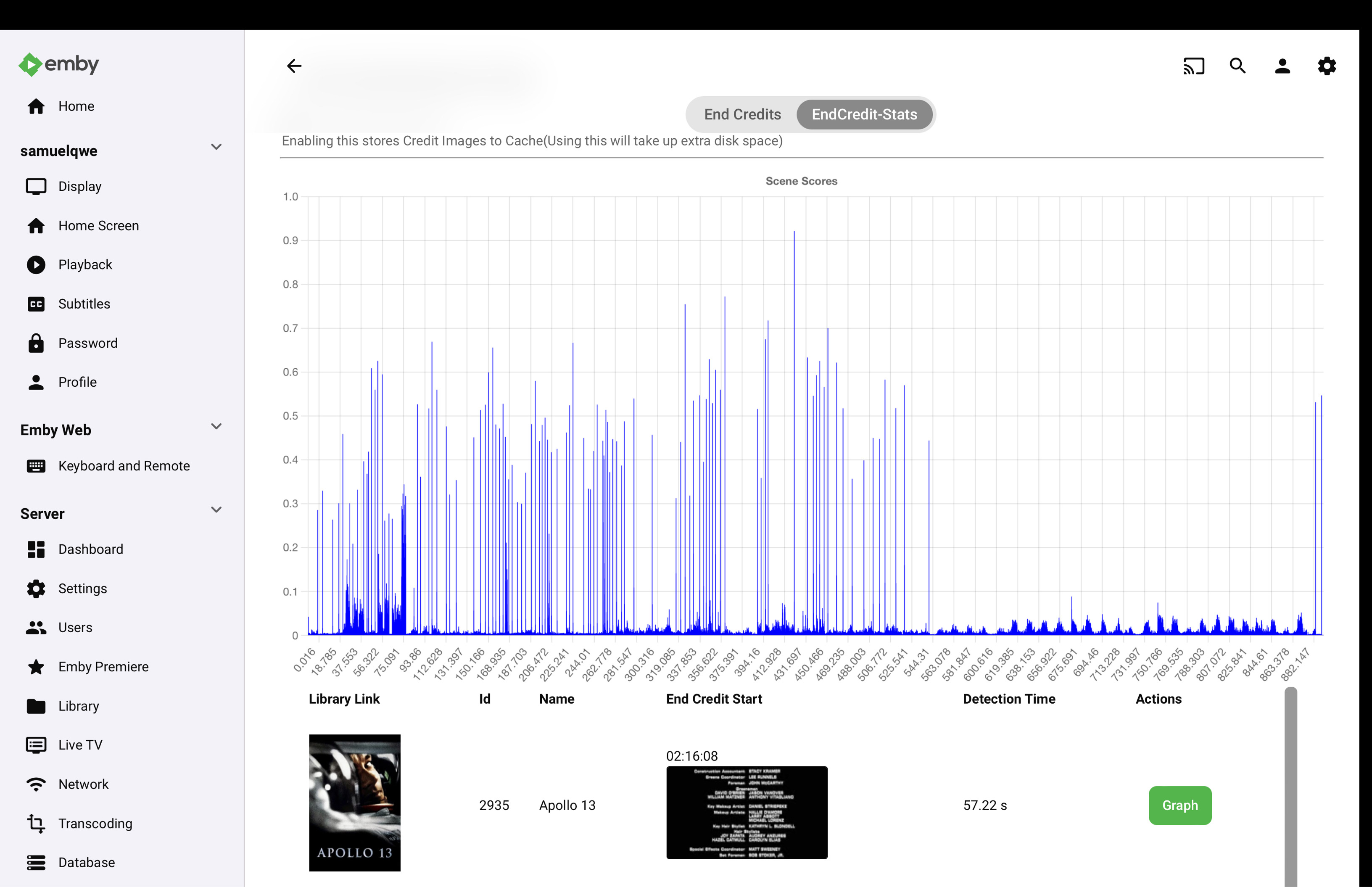
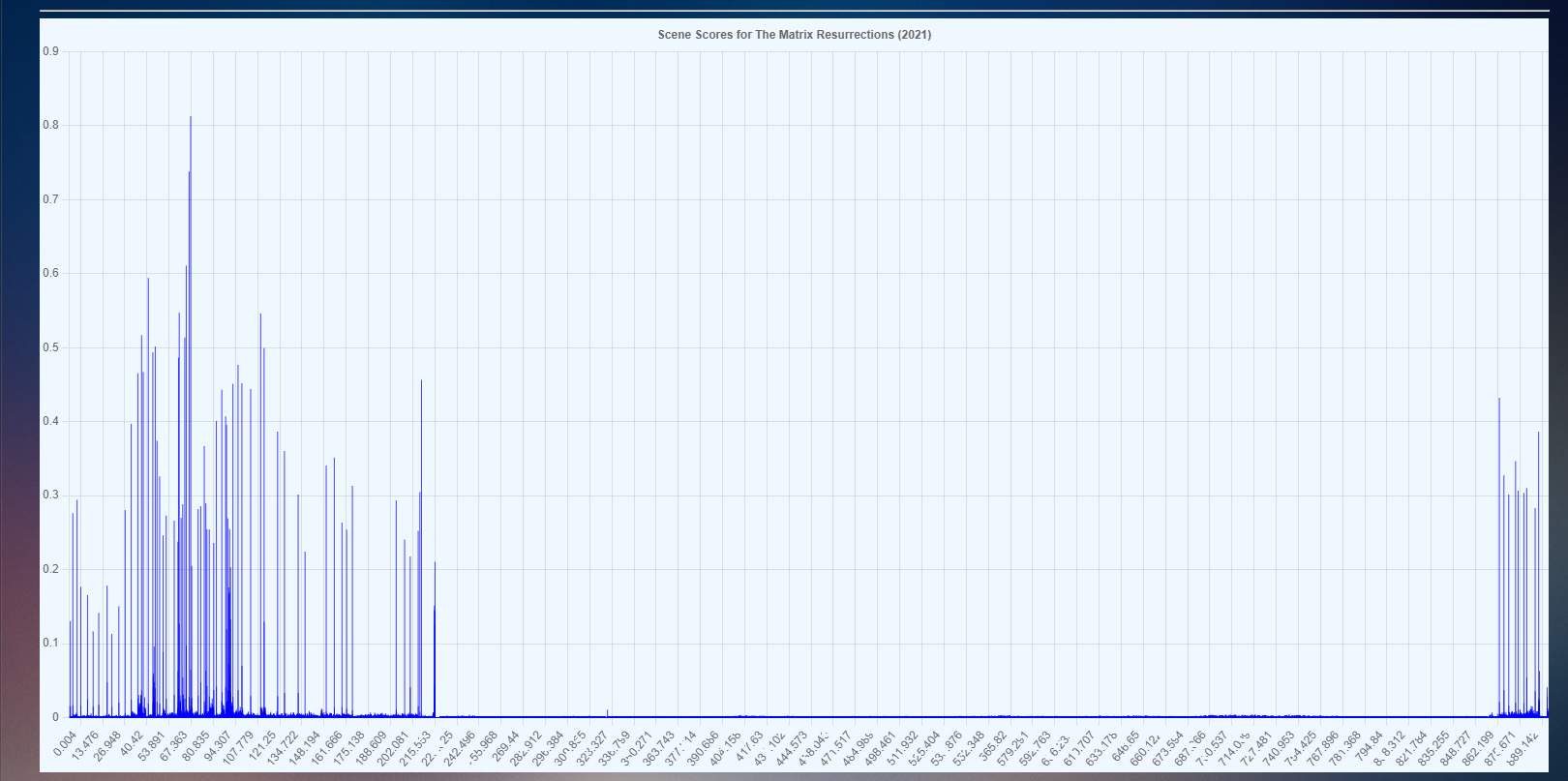
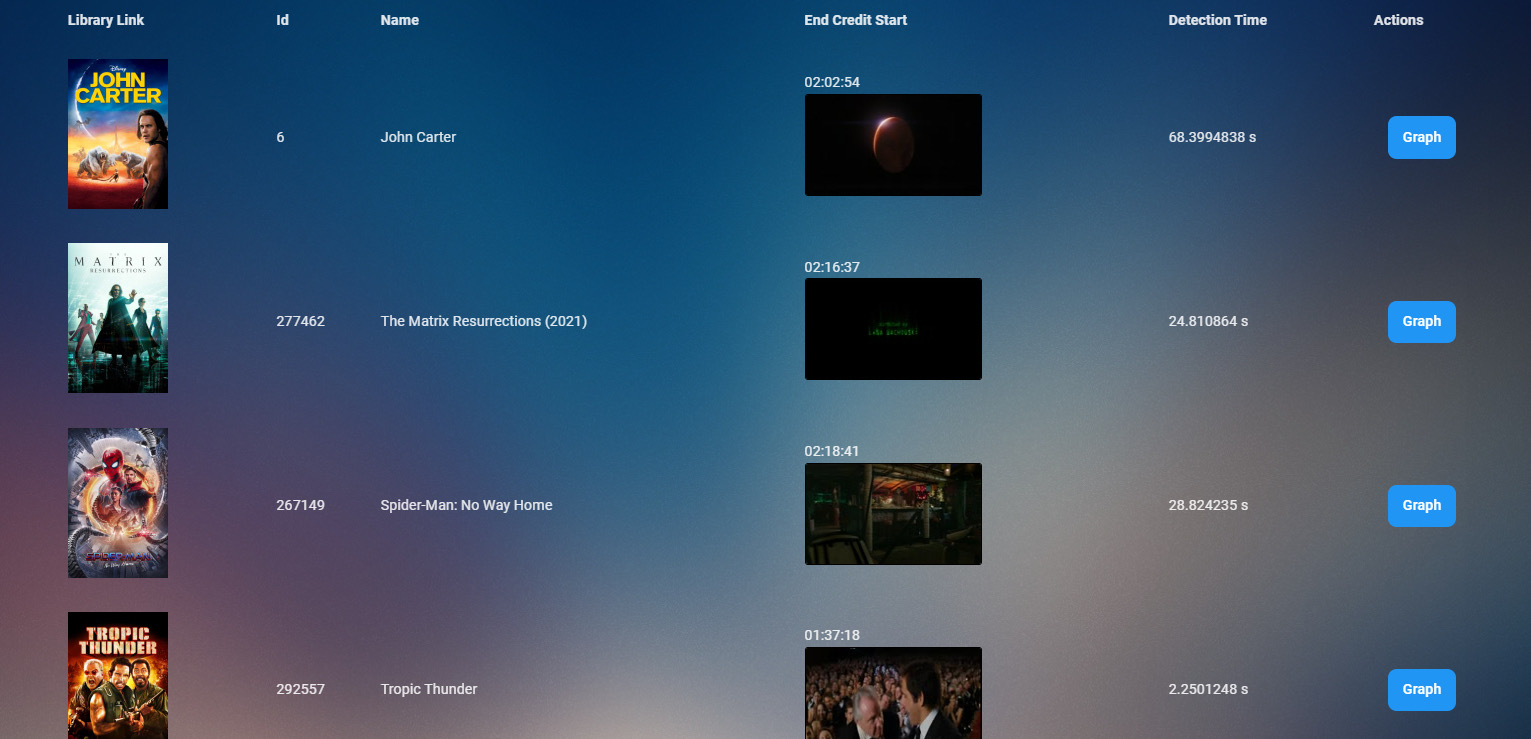
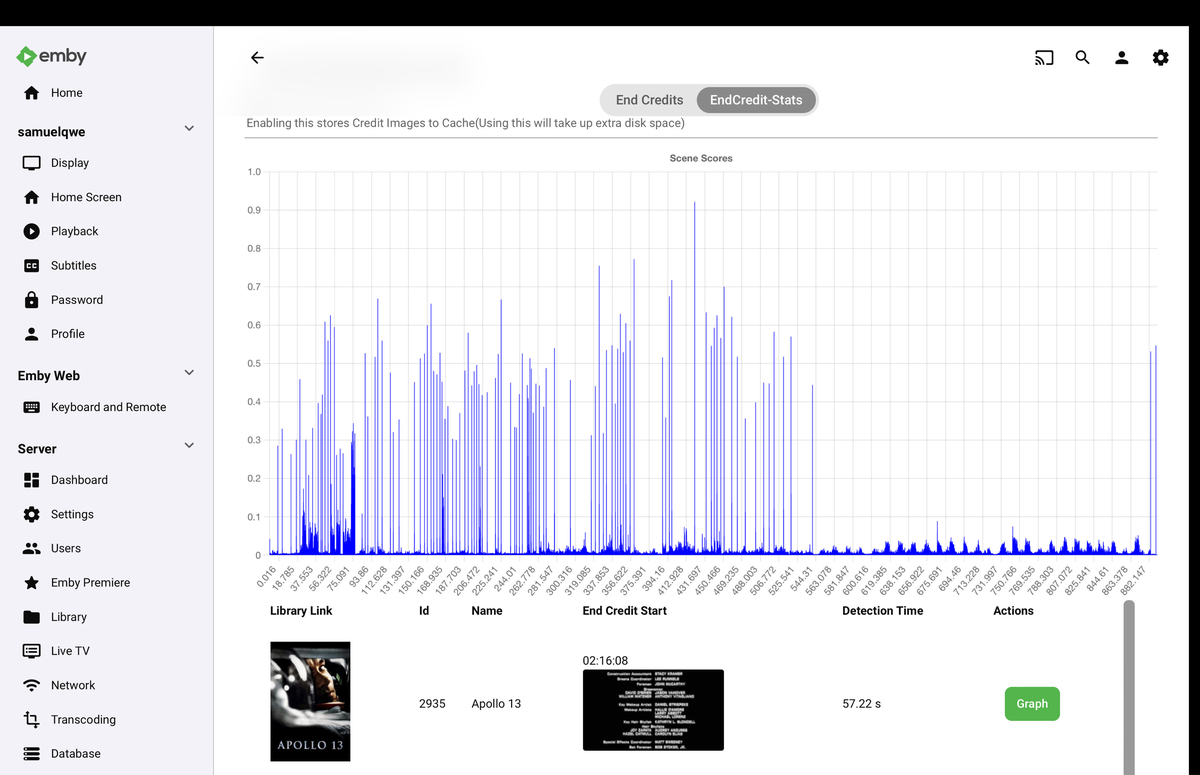
Myself and @samuelqwe & @rbjtech are currently working on a new method for end credit detection.
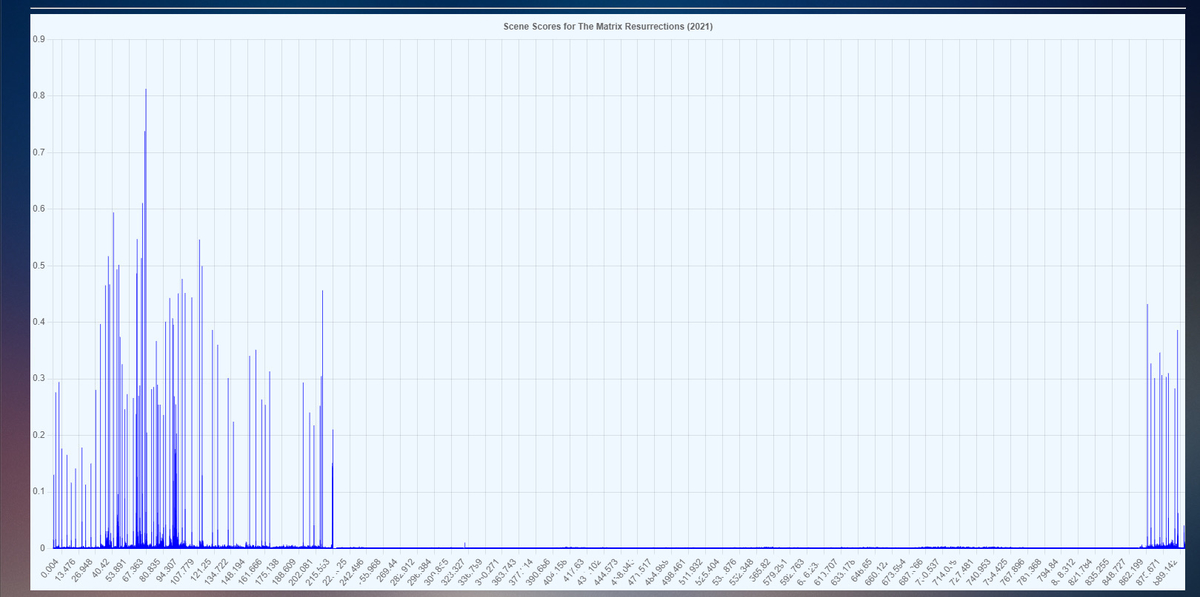
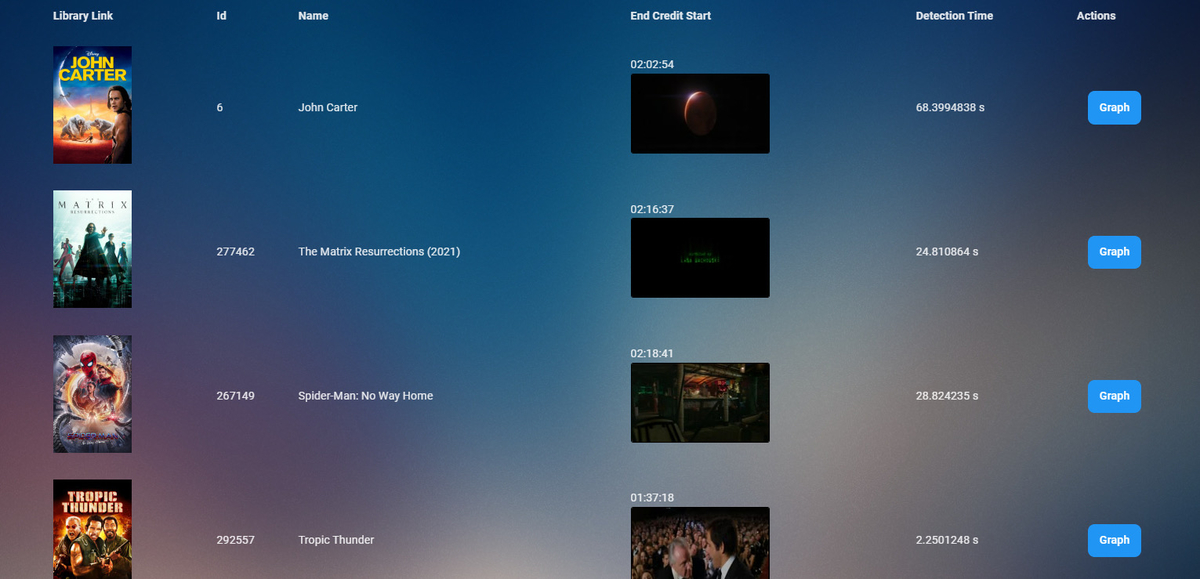 3 points
 -
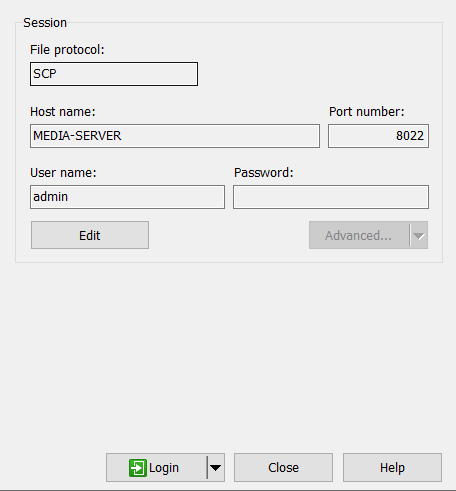
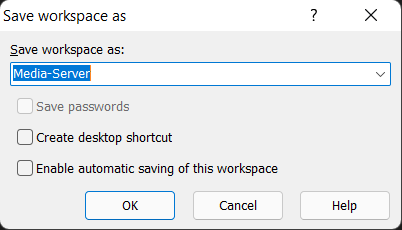
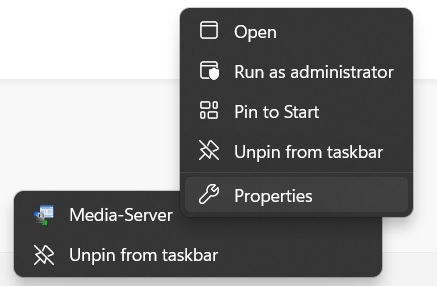
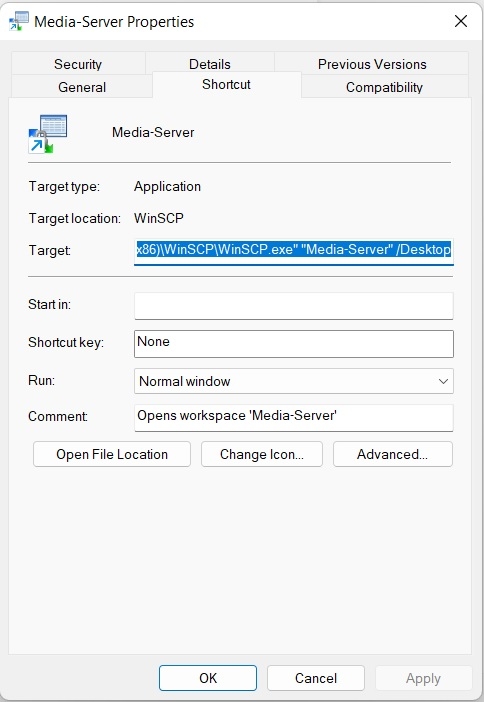
Expanded the instructions on how to pin a Windows shortcut for WinSCP on the taskbar that automatically opens your workspace.2 points
-
Standalone plugin. I believe the plan is to write the end credit data as hidden chapters/markers - the same way the Introskip Plugin does today for TV Series. As this plugin will do movies as well as TV Series, I'm unsure at this time what support the clients would have for it. Today, only the AndroidTV Client has support for end credit data for TV Series only - ie it brings up the OSD for 'Next Episode' when the marker is available.2 points
-
Yup! I just need to figure out how to fill a channel with a folder, and place items in it. But this is totally doable. I wanted to add tv shows to the kids channel, but I couldn't figure out how to add items to a channel folder. I'll figure it out because this is a good idea. I think MediaBrowser use to do this, so we'll bring it back.2 points
-
If you're really bored, and you've tried aversion therapy, and...(you don't want to know what comes next), maybe there could be a way to come up with a decades channel, so you could possibly have a 40's one, or a 90's one. Or something.2 points
-
Not sure if this is the right spot where to request this. .. Nevertheless can we please add the feature for embyserver. Pretty much ro setup a pause timeout limit . so if a user put a video/movie on pause for more than xyz timeout limit would kick them back to the video/movie home page... Thanks Sent from my LG-US996 using Tapatalk1 point
-
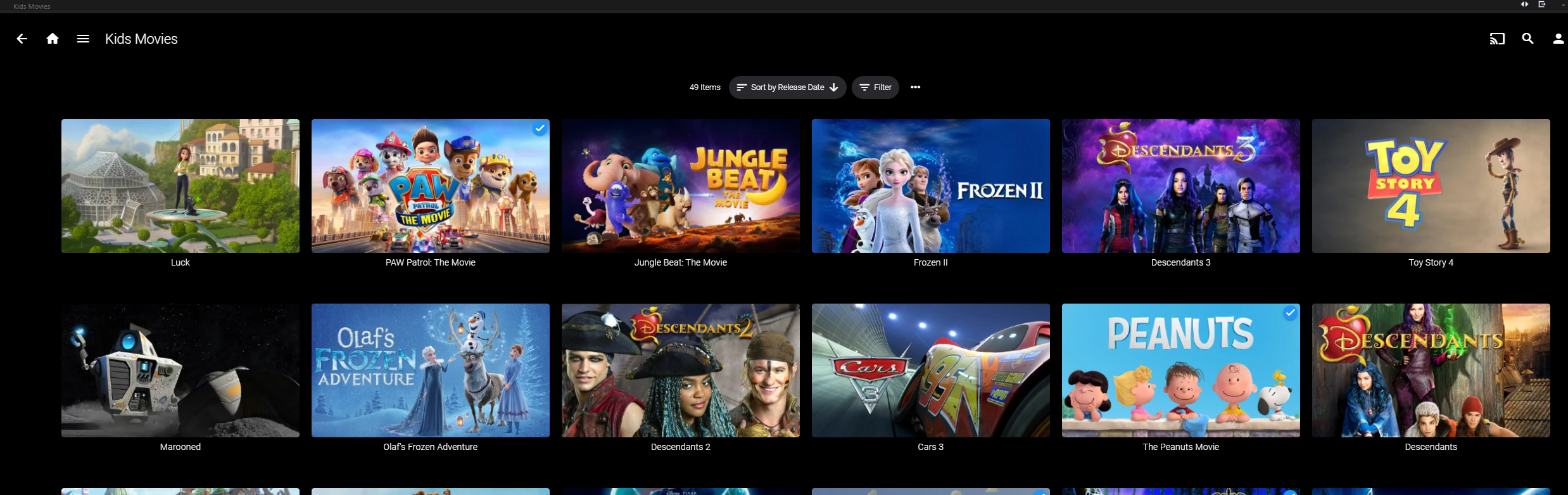
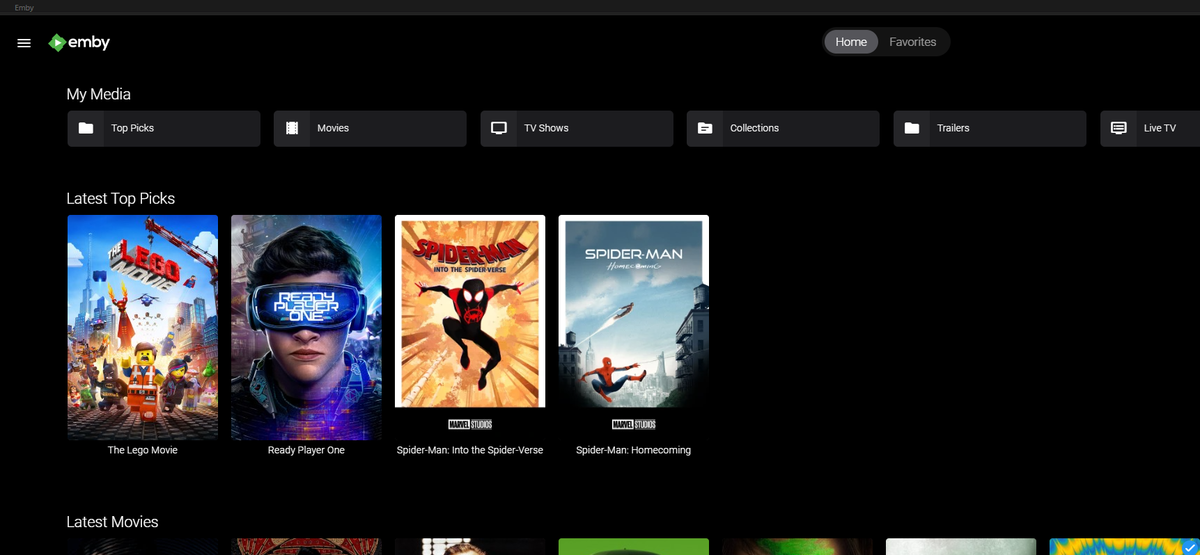
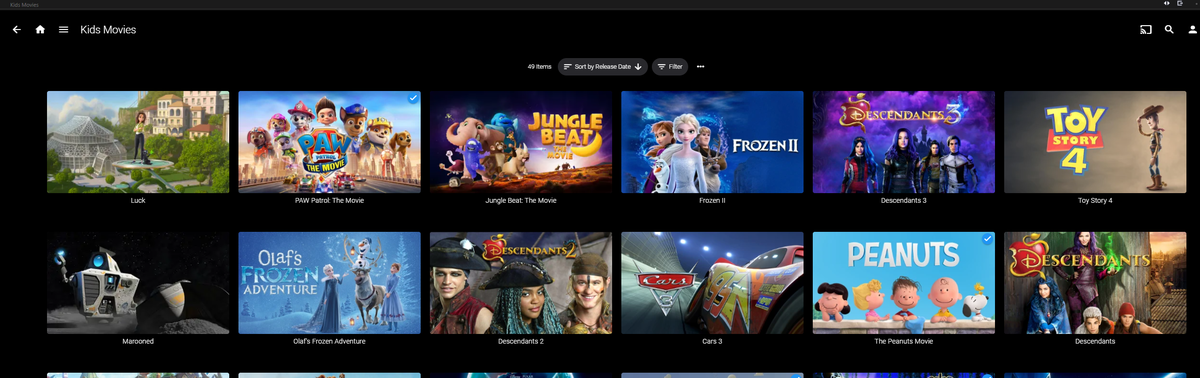
I feel like I owe the community one or two because I wasn't able to write a successful watch party plugin. Kids Channel: Creates a collection of movie items acceptable for your kids. Rated "G" from your library. ( (Disclaimer: This plugin will look at movie rating of "G" to decide if it is appropriate. The channel should be checked by a parent first to make sure all items are indeed appropriate for your children. Use Emby's built-in Metadata Editor to change Custom Patental Ratings values to ensure the library is actually safe for your kids!) Yeah sure they could have their own account, but what if they are driving you nuts, and all you want is for them to "Sit down! Be quiet! Let Dad have a moment of silence!".... oh... was that out loud??? Well, now you can simply scroll over the the "Kids Movies" channel and let them choose something, so you can finally have "just one moment of peace and quiet before the wife get home!" .... yikes speaking out loud again Yes you too can find that silent moment between sibling rivalry. Emby.KidsChannel_v1.0.0.2.zip Install, restart the server, and run "Refresh Internet Channels" Scheduled Task. Coming Soon "Top Picks Channel" Create custom Top Picks for your users and display them on the home screen. Enjoy!

 1 point
 -
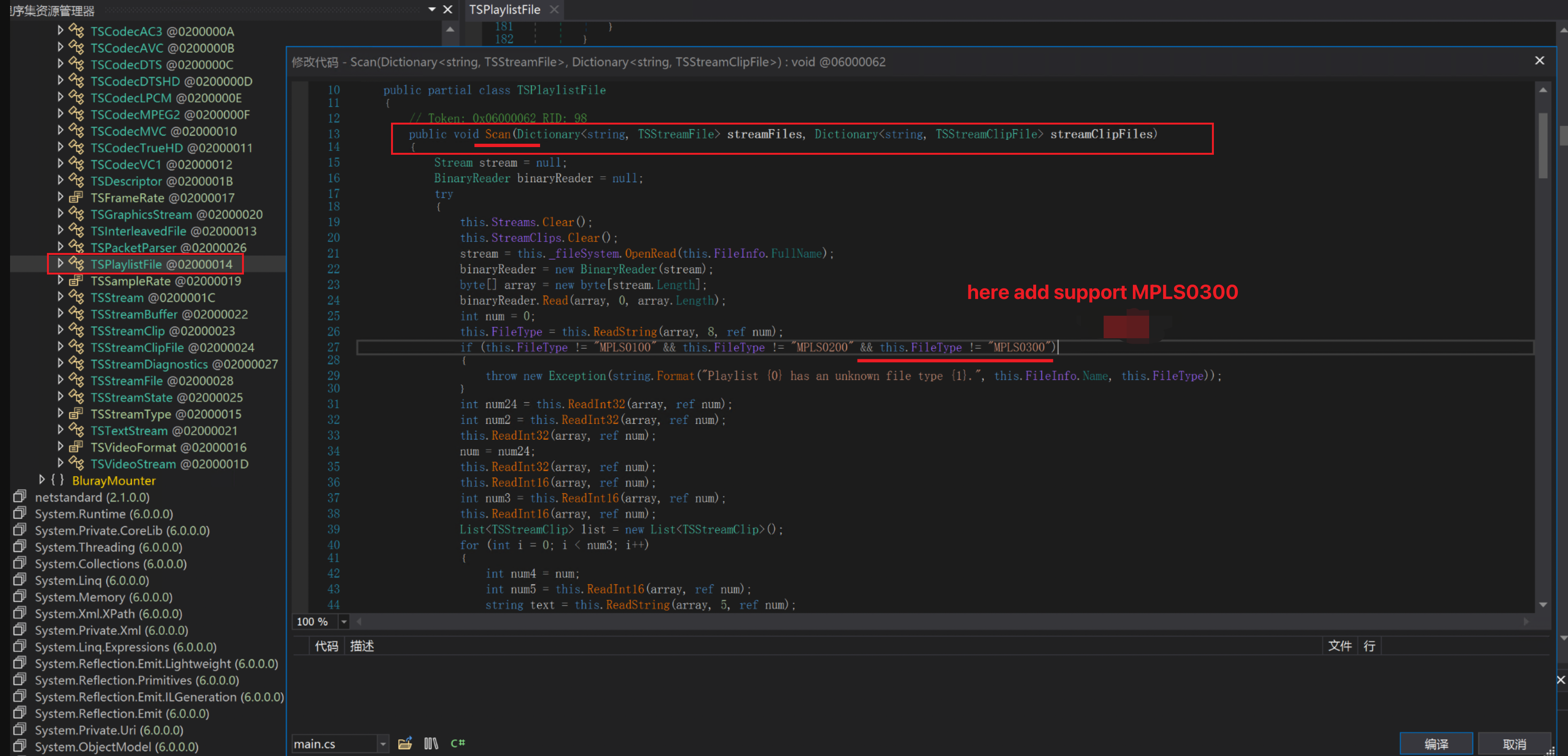
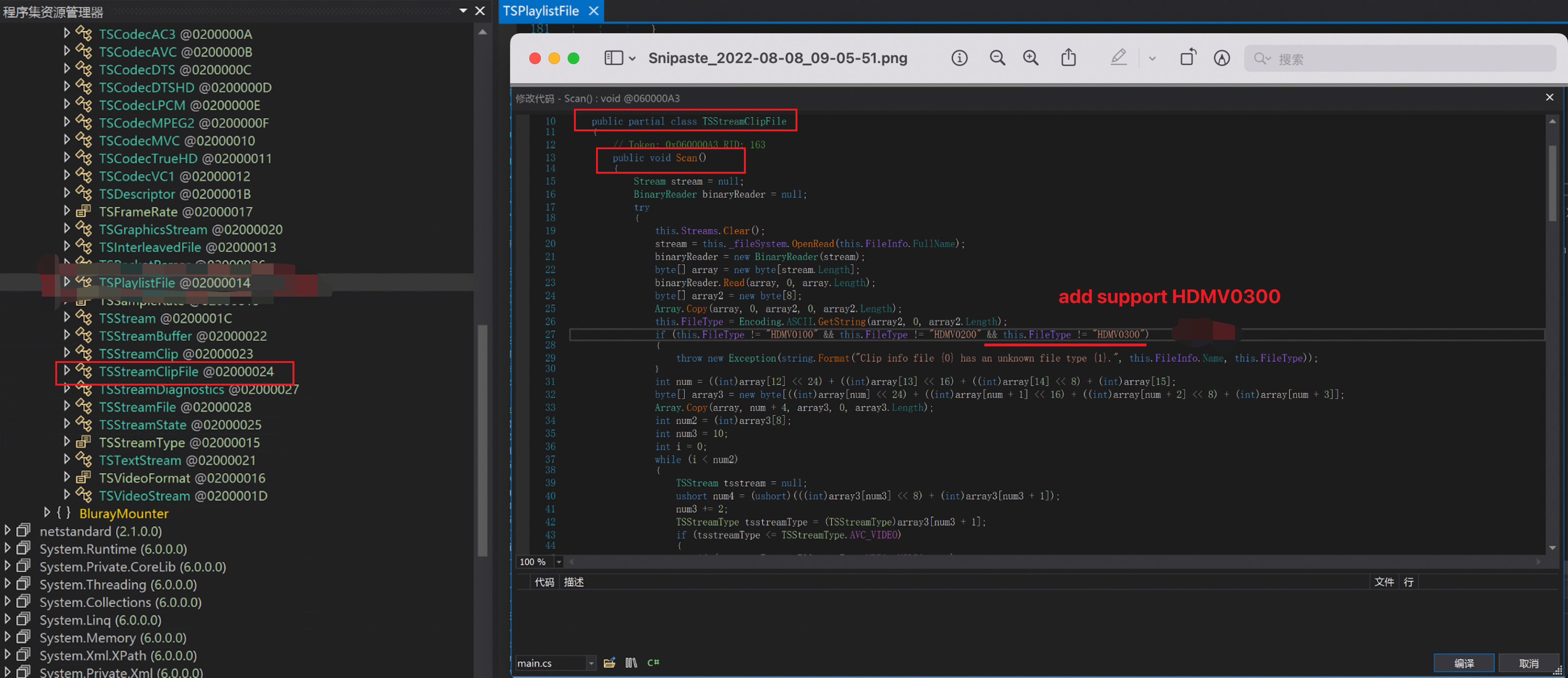
Now Emby can get the correct information for most of 1080P BDMV Folder movies ,including duration, audio track, subtitles, etc. It can also stream it correctly. But when it comes to UHD BDMV Folder movies, it doesn't work。In emby's log we found System.Exception: Clip info file 00000.clpi has an unknown file type HDMV0300. 1080P Bluray to 4k UHD Bluray doesn't change much structurally. The HDMV0300 and HDMV 0200 are basically unchanged, at least during from bdmv folder find the correct mt2s to stream。 Most files can be easily supported by modifying the BlurayMounter.dll as follows: It doesn't look very simple. Modify the code in these two places, most UHD can scan the correct media information and stream normally。 Although mkv is popular now and in the future, although Luck once replied this "the feature of bluray support has always been experimental and the BDInfo library is no longer being developed by the original author." I wish Emby would make a small change. Thank you very much !
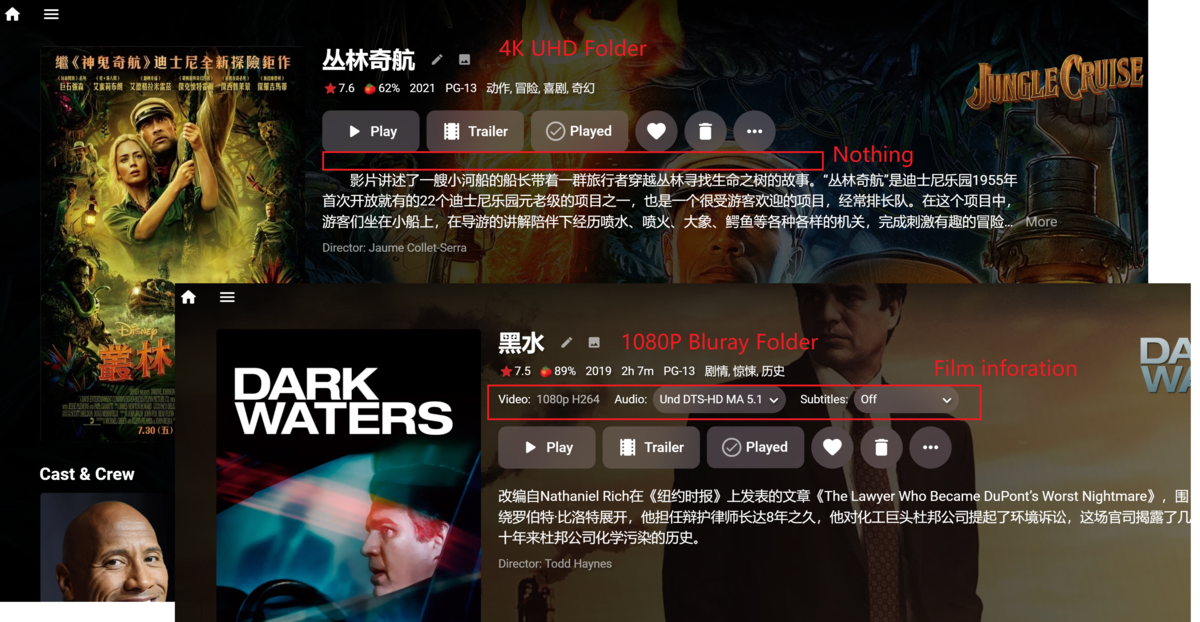
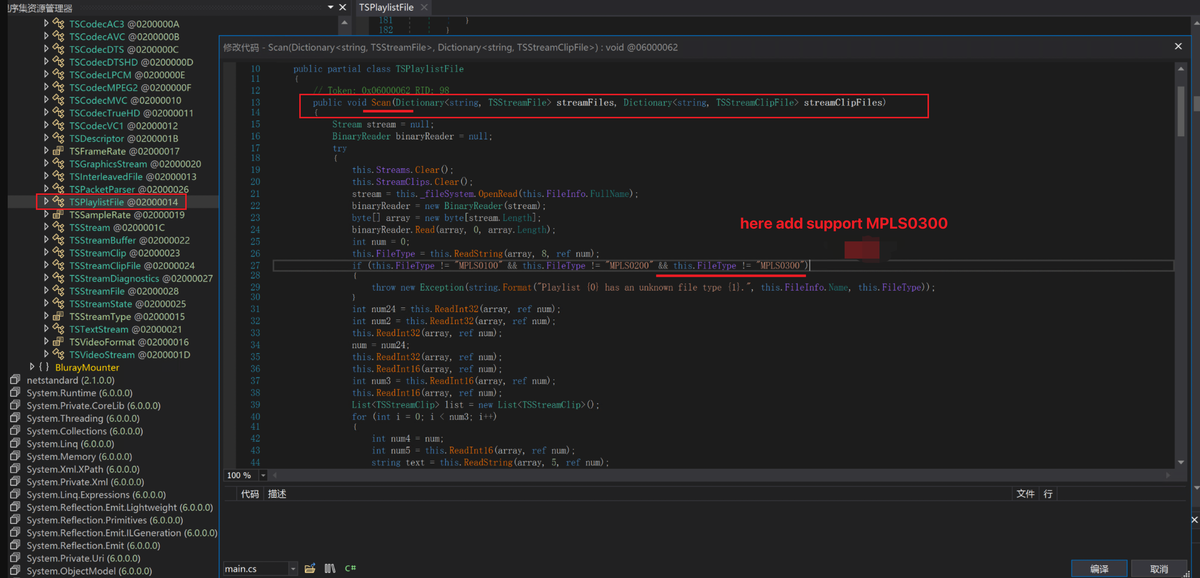
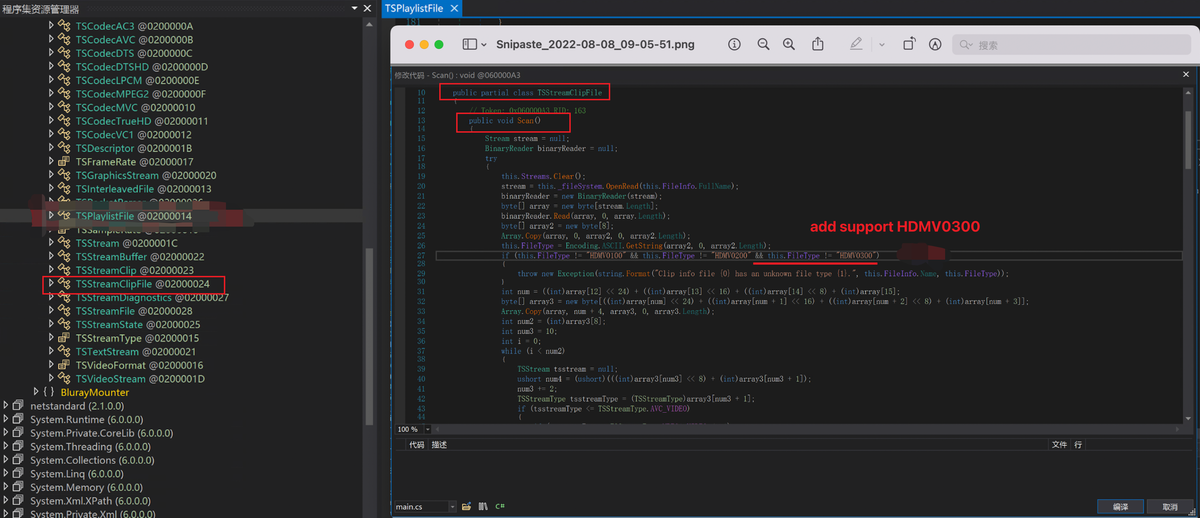 1 point
 -
I don't know. I see the requests in your server log and they look like legitimately wrong username/password combinations. A common cause of this is confusing the Emby Connect login system vs. the local users on your personal Emby Server. So maybe the others are trying to use Emby Connect credentials on your server.1 point
-
Now that I know what to look for, I might give that a shot and see what kind of trouble I can create. Thanks Based on Luke's comment above it sounds like it is something that may get an overall fix, but I don't mind rolling up my sleeves if I can get it sooner.1 point
-
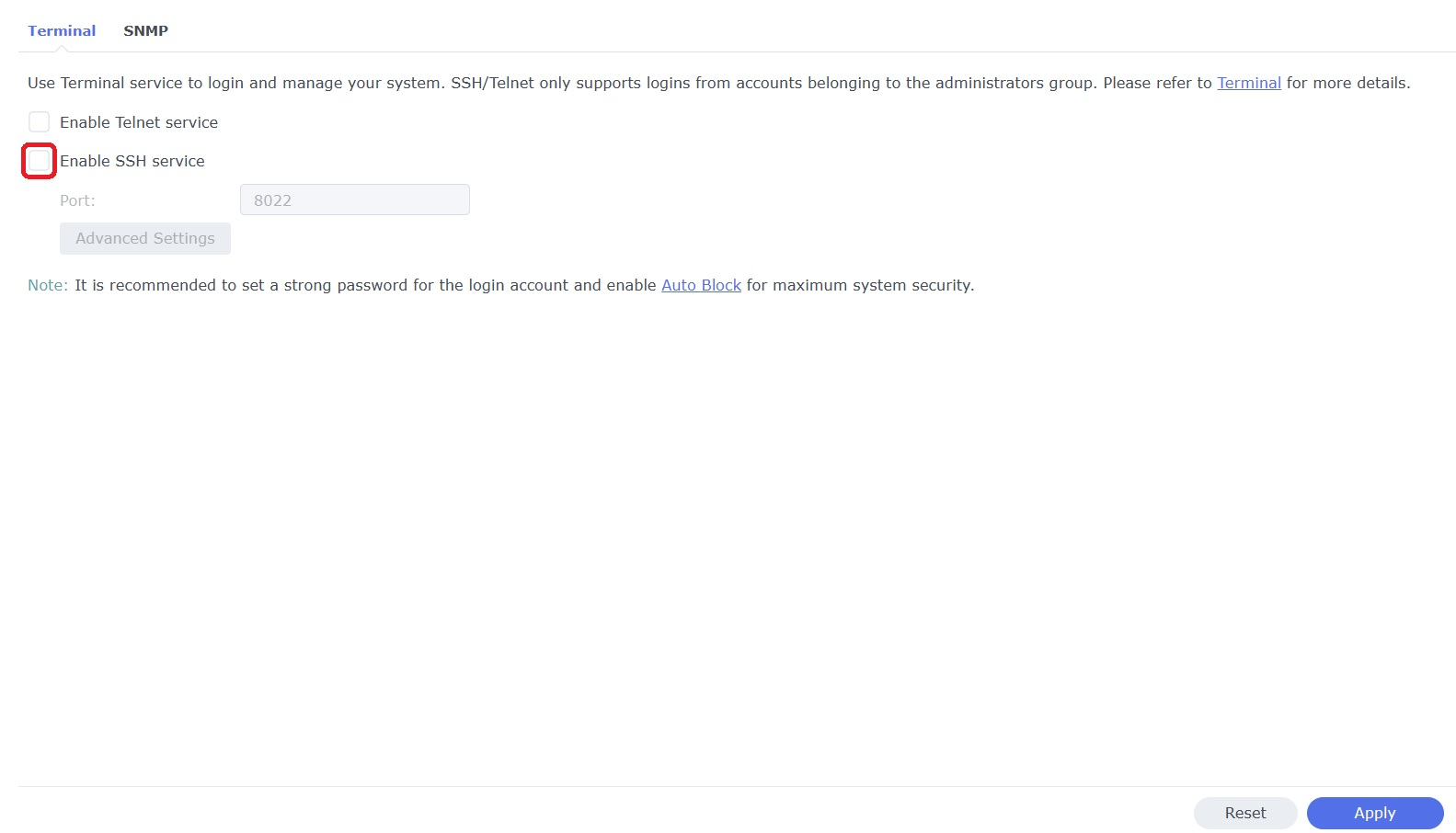
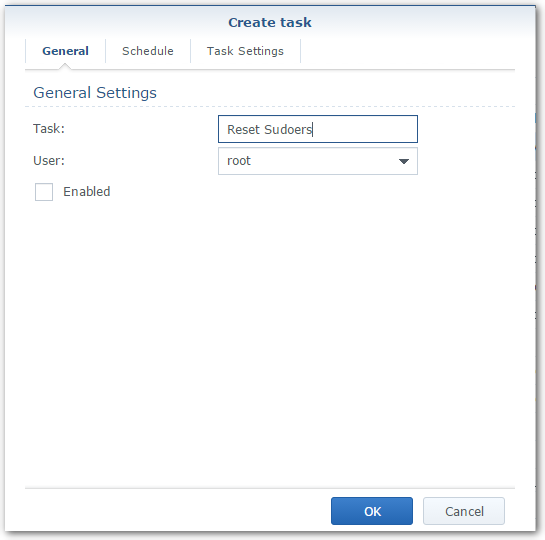
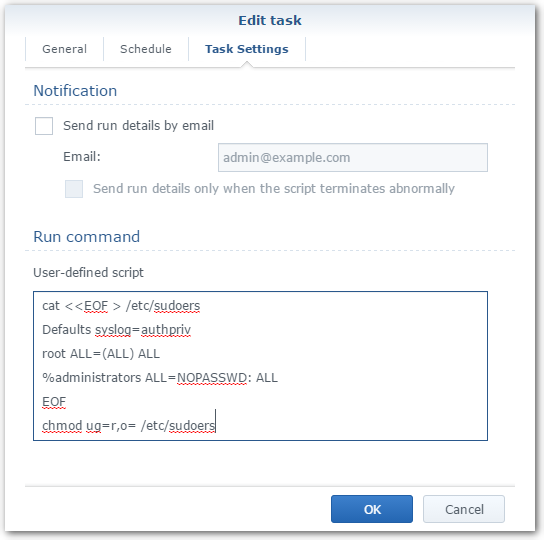
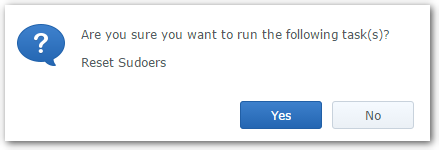
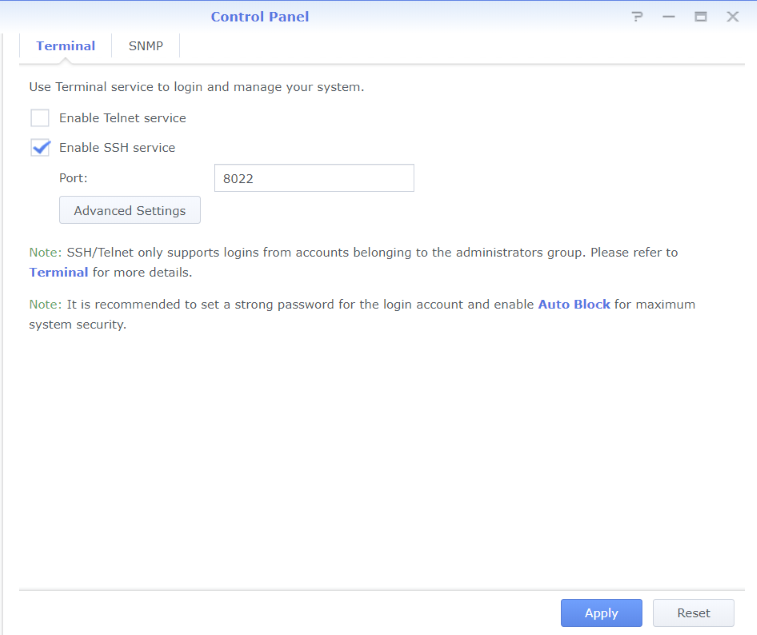
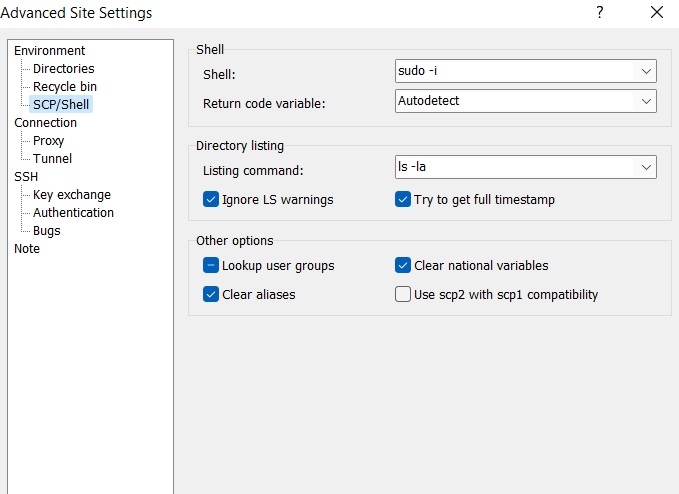
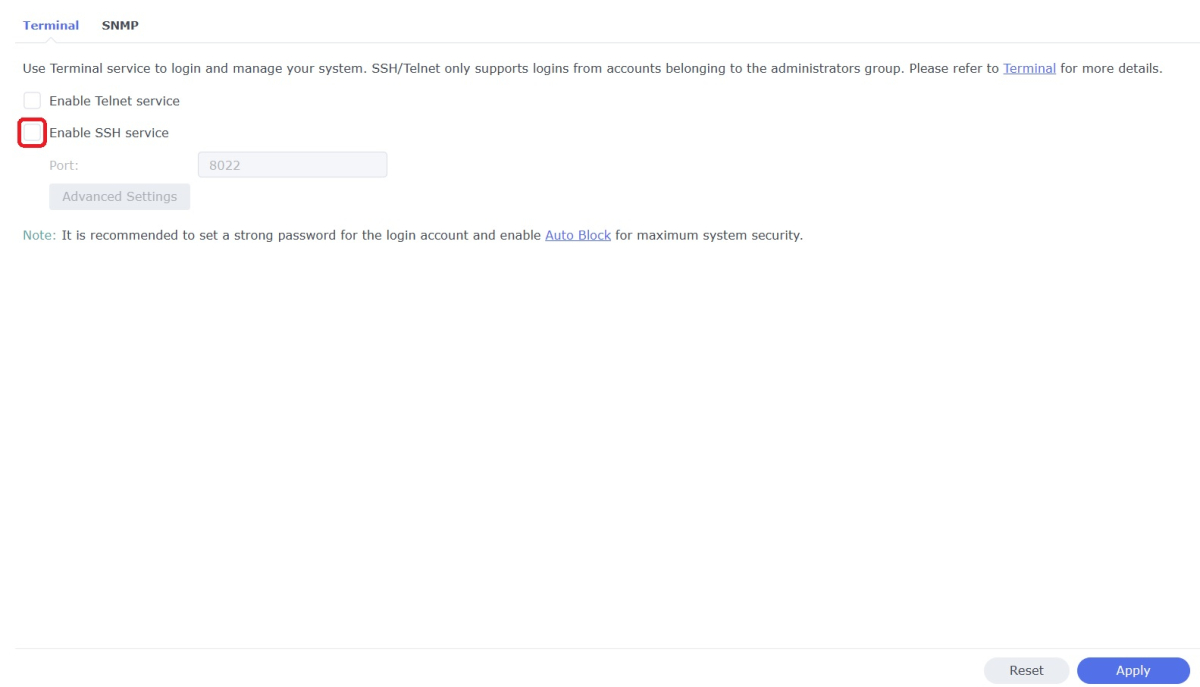
WinSCP is a popular SFTP client and FTP client for Microsoft Windows which can be used as a GUI alternative to Putty or Terminal. The procedures below will allow you to perform tasks as Superuser just like you can with Putty or Terminal. Superuser privileges may be needed for the following: full read/write/ execute privileges creating or installing files or software modifying files and settings deleting users and data If you do not need superuser access with WinSCP and just want to access your NAS using Admin then skip the steps (2, 3, and 6) in blue. 1. Enable SSH on Synology NAS Open DSM Control Panel Click Terminal & SNMP Click Terminal tab Check "Enable SSH service" Click "Apply" 2. Create script to modify sudoers config file on Synology NAS This script modifies the sudoers file which is needed to prevent DSM from prompting administrators only for the Admin password again when switching to superuser during the login process as WinSCP can't handle this prompt. This script is saved to rerun again later because DSM updates tend to overwrite any changes to the sudoers file. Open DSM Control Panel Click Task Scheduler Create a Scheduled Task - User-defined script Click General Tab Set task name "Reset Sudoers" Set user as "root" Uncheck "Enabled" box Click Task Setting tab Copy/paste the following into the Run command box cat <<EOF > /etc/sudoers Defaults syslog=authpriv root ALL=(ALL) ALL %administrators ALL=NOPASSWD: ALL EOF chmod ug=r,o= /etc/sudoers Click OK 3. Run the "Reset Sudoers" script on Synology NAS This step will need to be rerun whenever a DSM update puts your sudoers file back to default Highlight the new script you just created Click Run Click Yes 4. Install WinSCP Download and install WinSCP on Windows machine https://winscp.net/eng/download.php Allow WinSCP to start when done 5. Configure WinSCP to auto logon Create a new session/site: Change Login window using the following File protocol: SCP Host name: enter the NAS host name or IP address Port number: enter the port number you used from step 3 Enter User name: "admin" and password 6. Add switching to super user Click the Advanced... button In the the Advanced Site Settings window do the following: Select SCP/Shell under Environment Shell box: "sudo -i" Click OK to return to the Login window Click Save Click "Login" 7. Create a saved workspace for WinSCP (this step is optional) This will create a Windows shortcut to start WinSCP and automatically login to your session without any prompts Log into your new session you created in Step 5 Click Sessions Click Save Workspace... type a name for your new workspace Click OK 8. Create a shortcut for WinSCP on taskbar (this step is optional) While WinSCP is running Right Click the icon on the taskbar and choose "Pin to taskbar" Right Click on the WinSCP icon on the taskbar again Now Right Click on the WinSCP workspace you used in Step 7 and choose properties Your shortcut should look something like the one below with the exception of the workspace you used above Example Windows shortcut used on target line above "C:\Program Files (x86)\WinSCP\WinSCP.exe" "Media-Server" /Desktop Click OK Click WinSCP icon on taskbar start WinSCP and be logged into your NAS as Superuser without any prompts 9. Disable SSH in DSM (this step is optional) After you're all done using WinSCP it may be a good idea to close this port for security reasons. Additionally, you can also disable your Admin account now if you enabled it to do this. When you need to use WinSCP again just reenable SSH and you're ready. Open DSM Control Panel Click Terminal & SNMP Click Terminal tab Uncheck "Enable SSH service" Click "Apply"
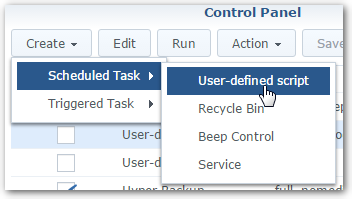
 1 point
 -
Let's add a VST pipeline so we can put a brickwall limiter on the master to pump up the voume without clipping. Maybe add some nice analog tape simulation so everything sounds like it was recorded in 1983, since that's trendy right now.1 point
-
You could put the title as the name of the video stream in the source file - it would show up as the description of the video, but be in about the place you want it. Paul1 point
-
I left the port at 22. That was my fault. I had the value changed from 22 on to 8022 Hell, what got into me.1 point
-
Fair enough. I'll keep an eye on any updates that roll out1 point
-
Are you sure that's the address of your NAS? What exactly happened when you tried? Maybe this video will help you?1 point
-
I think your problem here is the address you entered into WinSCP. Look at it in the screenshot: "192.168.178" - that can't be right. Please try using the correct address before any remote session and let us know of the result. Thanks.1 point
-
Hi. Yes, the app description does cover this. You can see all the features and requirements here: Feature Matrix1 point
-
Thanks, yes. This appears to be working.1 point
-
Thanks. I did a 'search for missing' metadata refresh, and by the embyserver.txt log that I'm tailing, it is now making *.bif files for the episodes. A couple of curious points. There is no clear GUI indication of what it is doing (no running task on dashboard, no active scheduled task). Just the circular progress icon on the library stuck at 90%, which will presumably be like that for the next week or two as it chews through the episodes. Also, I didn't have to refresh the metadata to apply the *.bif change to the movies, nor for the four episodes it did do immediately after I set it to '10 seconds'; nor to apply the 'skip intro' setting to the library. None of that is critical, just curious observations about emby's behavior. Thanks for your help.1 point
-
We have a remote support session scheduled for this evening.1 point
-
Cool thanks Luke1 point
-
Hi there, yes it's certainly possible for future updates. Thanks.1 point
-
I will give this a try and report back1 point
-
One step further. If I understand correctly (and I fully accept that I may not understand correctly), if the media is direct played it is most likely using the native media player on the target device. It wouldn't be the emby client's fault so much as the how the Roku/Fire stick/Chromecast/Shield/Apple TV hardware handles that type of audio stream. If so, I think the only way for emby to get the device to behave differently would be to force a transcode and do the downmix on the server. The emby client is doing it's job correctly based on what capabilities the hardware is reporting.1 point
-
pkg add --force https://github.com/MediaBrowser/Emby.Releases/releases/download/4.7.6.0/emby-server-freebsd13_4.7.6.0_amd64.pkg This command run in the emby-server jail worked to upgrade the emby-server package from 4.7.5.0 to 4.7.6.0. Running the iocage fetch command from the TrueNAS host creates a new jail, it doesn't upgrade the existing one. Then I ran pkg upgrade in the emby-server jail, restarted the jail and everything is working as it should. The following packages were upgraded/installed: New packages to be INSTALLED: brotli: 1.0.9,1 Installed packages to be UPGRADED: ca_root_nss: 3.78 -> 3.81 freetype2: 2.12.1 -> 2.12.1_2 glib: 2.72.2,2 -> 2.72.3,2 harfbuzz: 4.4.1 -> 5.1.0 libdrm: 2.4.111,1 -> 2.4.112_1,1 libiconv: 1.16 -> 1.17 libxml2: 2.9.13_2 -> 2.9.14 most: 5.1.0 -> 5.2.0 nettle: 3.8 -> 3.8.1 pango: 1.50.7 -> 1.50.8 tesseract: 5.2.0 -> 5.2.0_1 webp: 1.2.2 -> 1.2.31 point
-
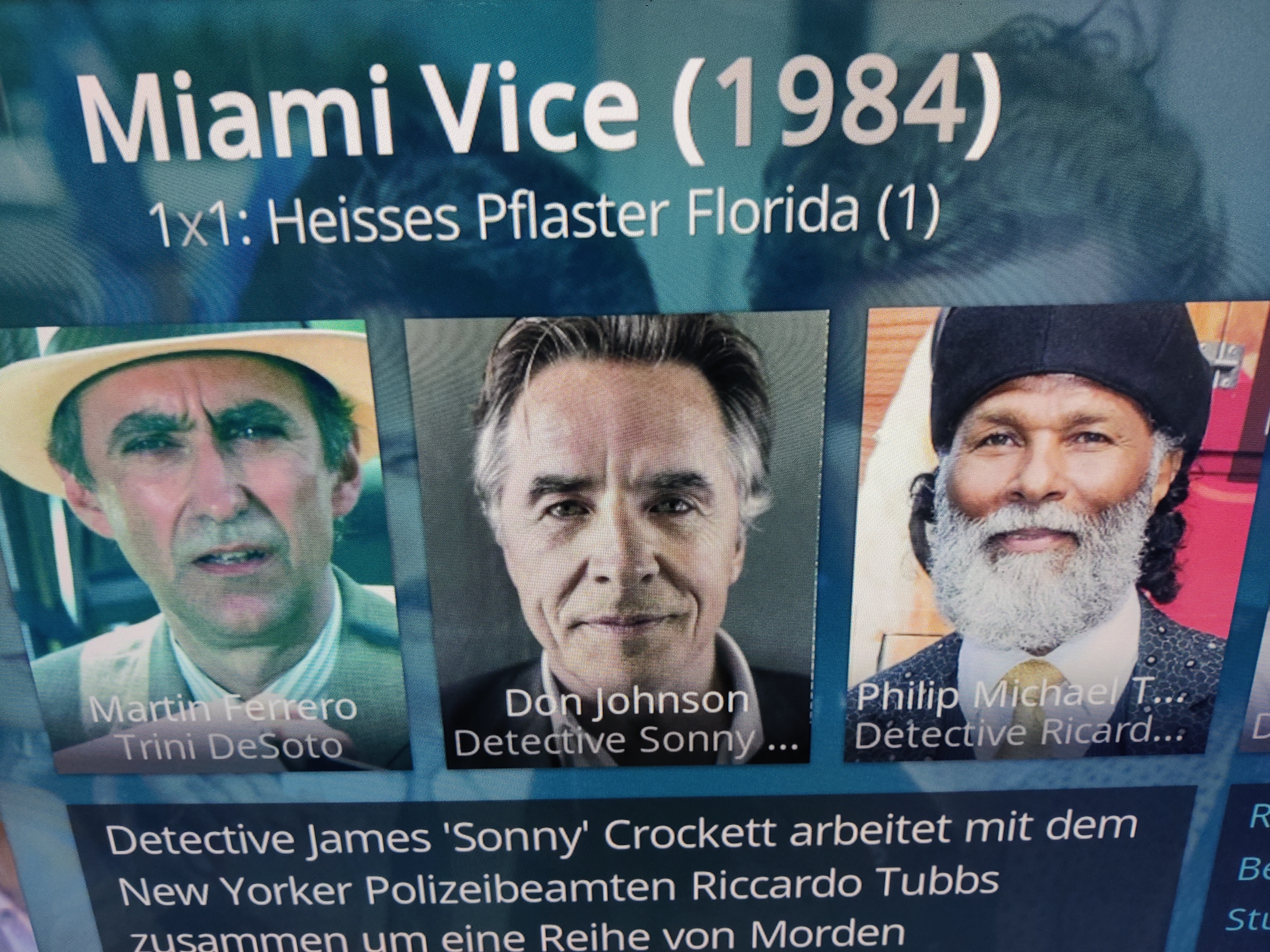
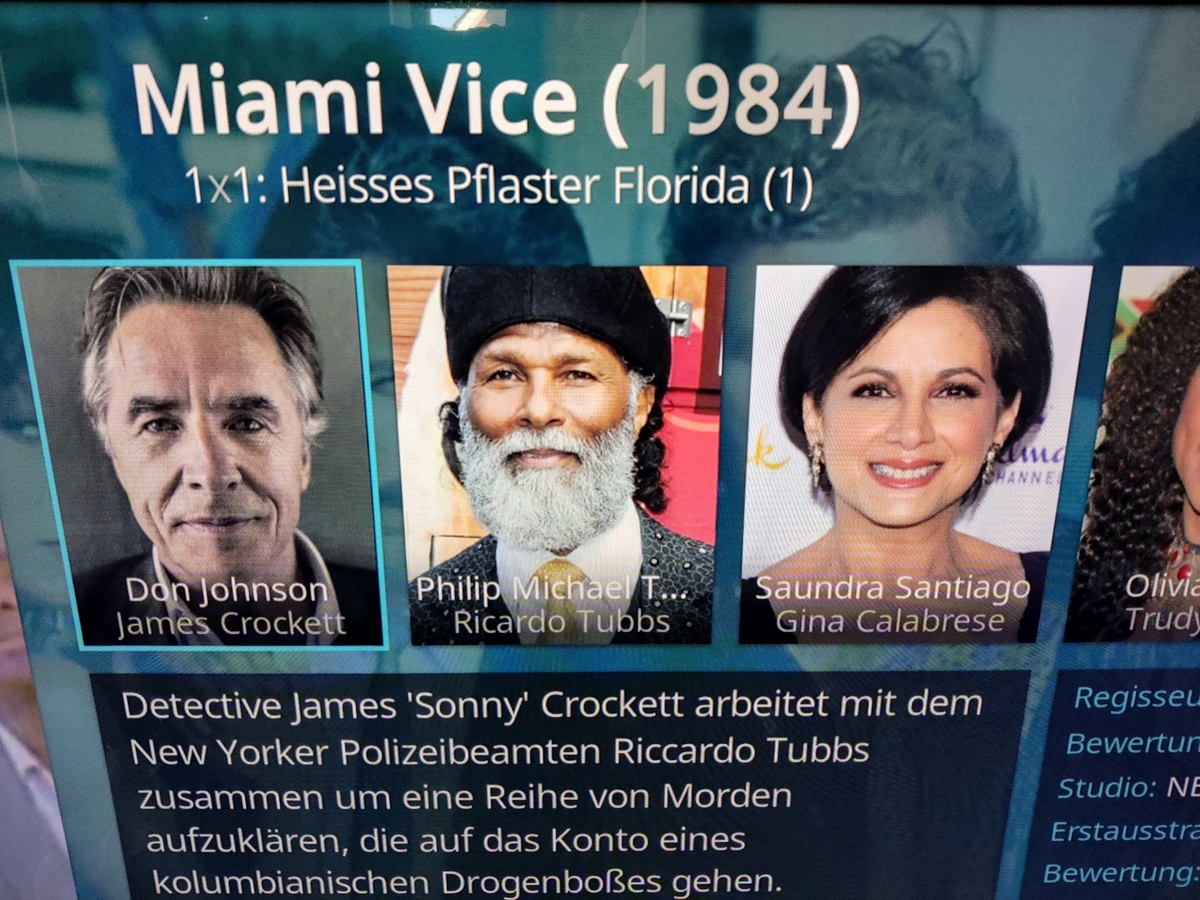
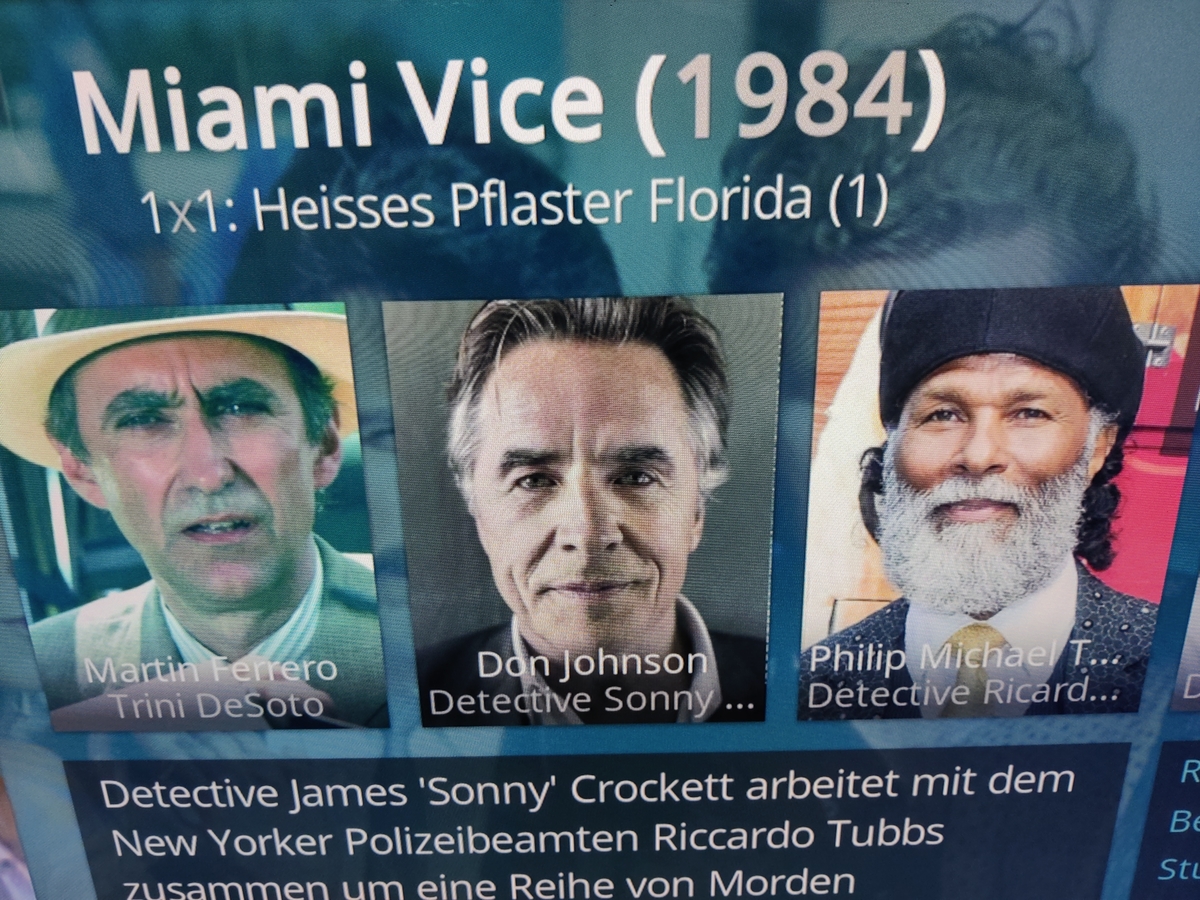
@quickmic, in emby Server werden die Schauspieler in Episoden nicht doppelt angezeigt und werden auch nicht doppelt in den Episoden "NFO" dateien aufgeführt. In KODi werden am Ende der Episoden Schauspielerliste aber auch noch die von der TVShow angezeigt wenn die Rollennamen unterschiedlich sind. TVShow actors (diese passen wie in emby) - "Detective Sonny Crockett" Episode actors (Am Anfang wie in emby) - "James Crockett" Episode actors (Am Ende doppelt)

 1 point
 -
Just to confirm, I am now able to browse and upload images now. Many thanks1 point
-
@ember1205As @Q-Droidstated, `systemctl edit` is the standard way of editing systemd services and is very well documented all over the internet already. However it sounds like we already provide all you need to achieve what you want without editing any service. Indeed, we also ship another systemd service, right beside `emby-server.service`, named `emby-server@.service`. It is specifically designed to run emby as another user, and follows the same conventions as many other services that achieve the same thing. All you need to do is: systemctl stop emby-server systemctl mask emby-server systemctl enable --now emby-server@<insert_user_here> and you're off to the races. No subsequent update will disrupt your setup. You can also modify where emby stores its settings by editing `/etc/emby-server.conf` and setting `EMBY_DATA` to any path other than `/var/lib/emby`. Hope that helps.1 point
-
Here is some feedback from me after some time. I have now solved it in such a way that I have filled the "Album" tag with "Singles - Genre Name" for the songs that do not belong to an album. In addition, I have entered Various Artists under "Album Artist". This works perfectly. This also allows everything to be displayed cleanly in the Emby app on the smartphone when the content is downloaded.
 1 point
 -
could you maybe start working on the poster app again really looking forward to that.1 point
-
No problem got you. Please try with default skin and look for duplicated there. Actually, you cannot change the view from plugins options. Maybe in Kodi options, anyway the plugin assigns episode actors to episodes and tvshow actors to tvshows (as it should be). Kodi's database is designed that way and makes sense. If you have the same actor assigned to episode an tvshow it could result in duplicates (not tested). Can you confirm that the same actor is assigned to both (on Emby server)? This would explain the observed issue.1 point
-
HI, we might just need to adjust the cut-off for the fresh/rotten icons. @ebr Thanks for reporting.1 point
-
Use something like WinSCP, putty, Terminal, etc to open and edit /volume1/@appdata/EmbyServer/config/system.xml1 point
-
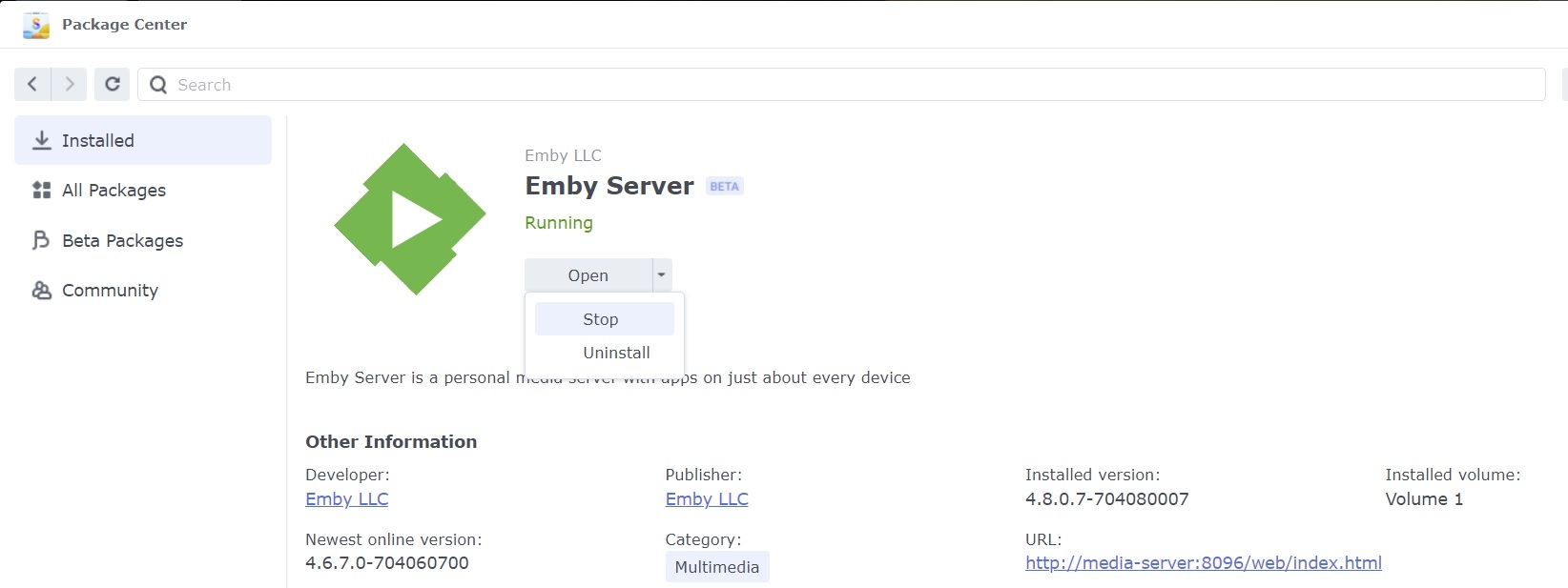
Yes, if you can't get to the Emby server dashboard to shutdown then use Package Center
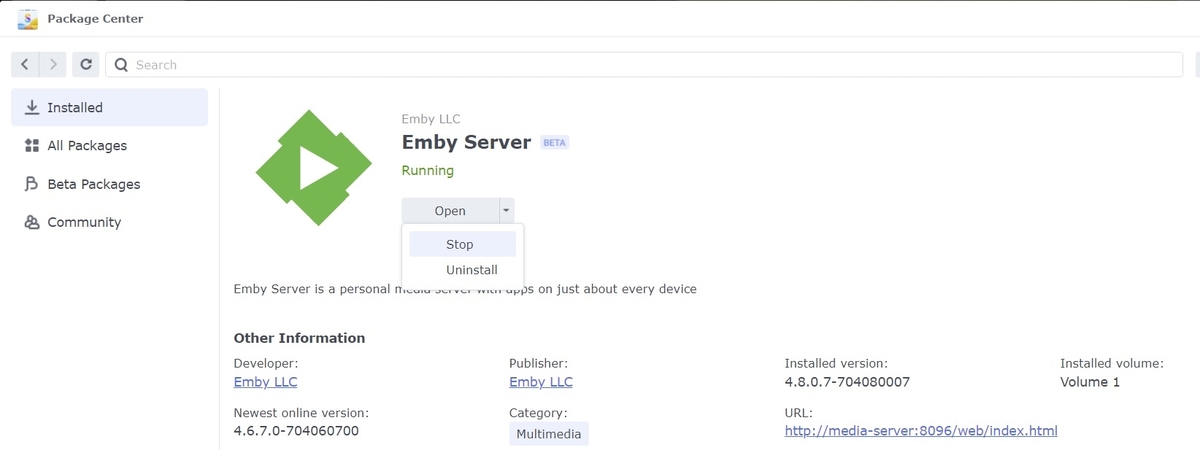 1 point
 -
@Franklin18 Not a Synology user but can't you shut down Emby from DSM Control Panel? As for getting to file you would have to use something like WinSCP to get to the files.1 point
-
I've updated the channel plugin to v 1.0.0.2 I was able to recreate this issue. Thank you @seanbuff. I changed the library query to get all the movies and then filter items with "CustomRatings" equals to "G", and also OfficalRatings equal to "G" after instead of trying to filter the actual db query. This seemed to fix the issue, and the channel library added all my custom rating items. So please try out 1.0.0.2 posted above. Probably best everyone update to that version.1 point
-
Does anything clear your browser history on exit?1 point
-
Hi, sounds like something is clearing your browsing data. If you can resolve that, then that should resolve your issue.1 point
-
To me everyone is still talking about something different as Server or Client are totally different? If an item is Direct Played, then the server is eliminated and anything that happens is the clients fault.1 point
-
Is that the mode where you jam the actual path directly in the kodi db? If so i dont think that is the case here as he is having issues with remote machines and they can not use direct path at all. So it was the http/2 advanced setting that fixed it? i thought that might be a long shot as you mentioned you were having the same issue on both shield and pc and i did not think pc had this http/2 problem. Perhaps this issue is more wide spread than i thought.1 point
-
Ok thanks. I always suspected the ISP router was not too good for high but rates even though they advertise 1Gbps. So, some background, the movies mentioned above have bit rates above 60mbps. Added to this, it really depends how close your player, in my case the TV, is from the router. Furthermore you have to check how much interference there is with other (neighbour wifi) channels. The 5GHz, while it has a good bandwidth is very sensitive. Unfortunately the ISP provided router is limited in configuration parameters and channels. I am using a separate router and I had to play around for quite a while to find the right channel so it does not interfere with others. Hope this helps anyone facing this issue. Thanks1 point
-
Hi, can we please see the emby server log from an iOS example? Thanks.1 point
-
Confusing!1 point
-
yes it could be a good point to have a hardware guide regarding the current GPU prices (even if it's lower than last year). But the rest of emby ant it's concept are very cool and this "problem" doesn't detract this fact. Thanks for your help.1 point
-
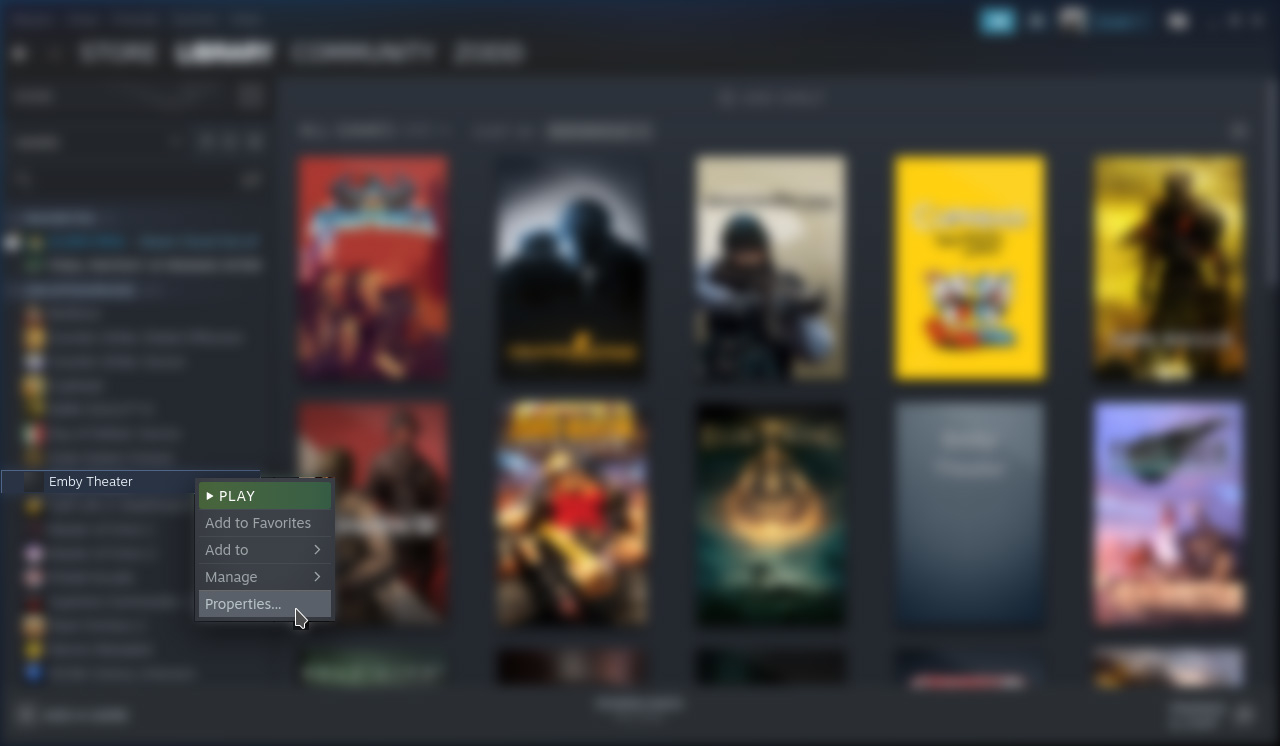
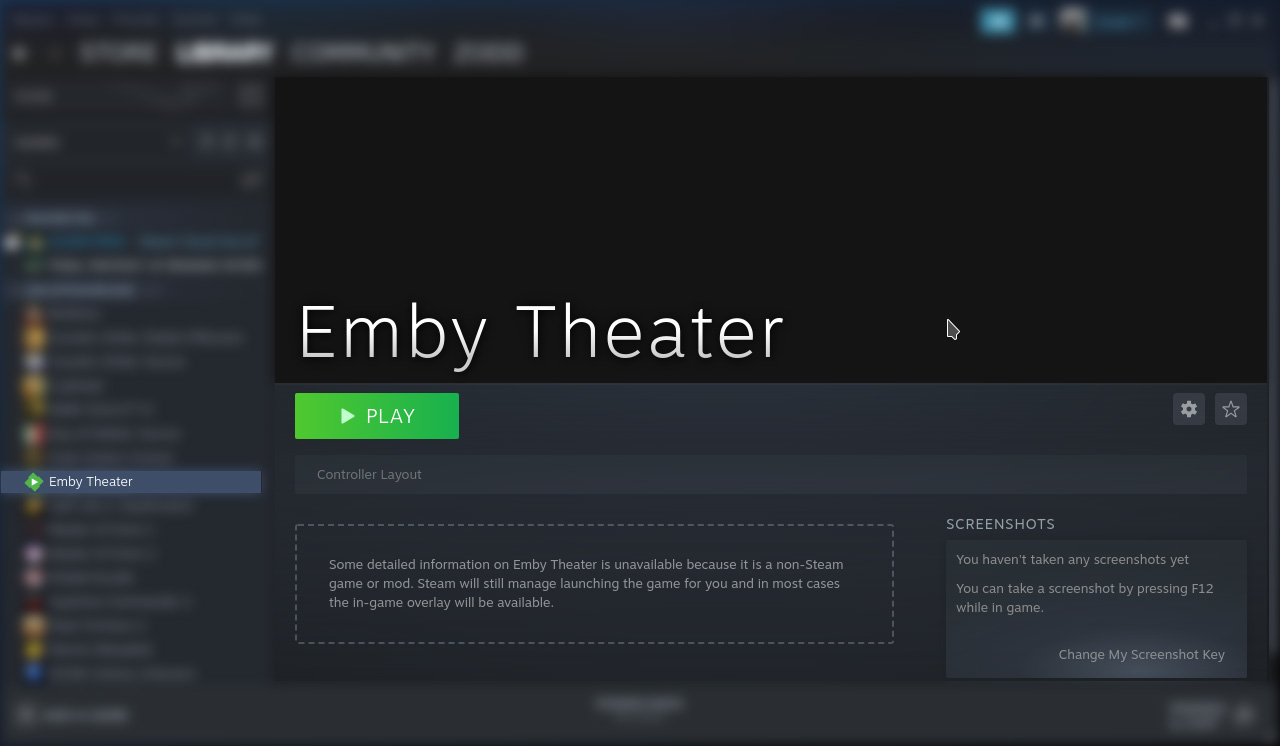
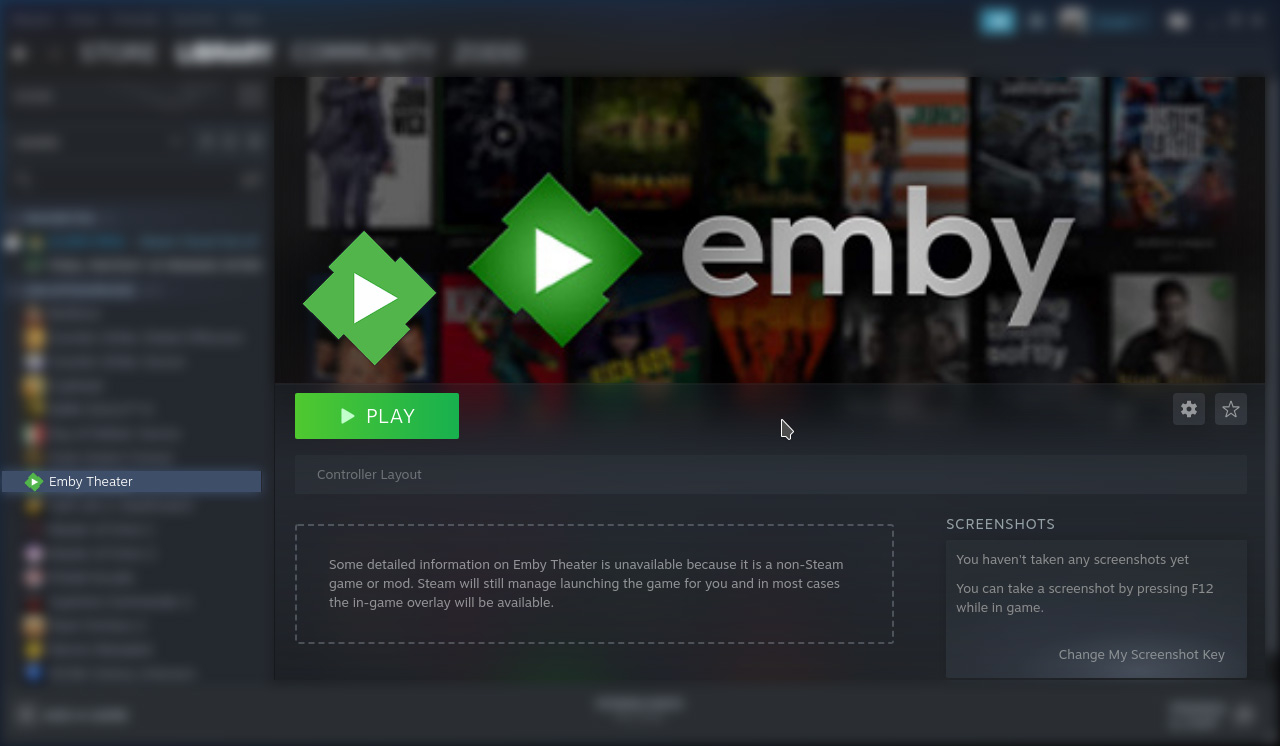
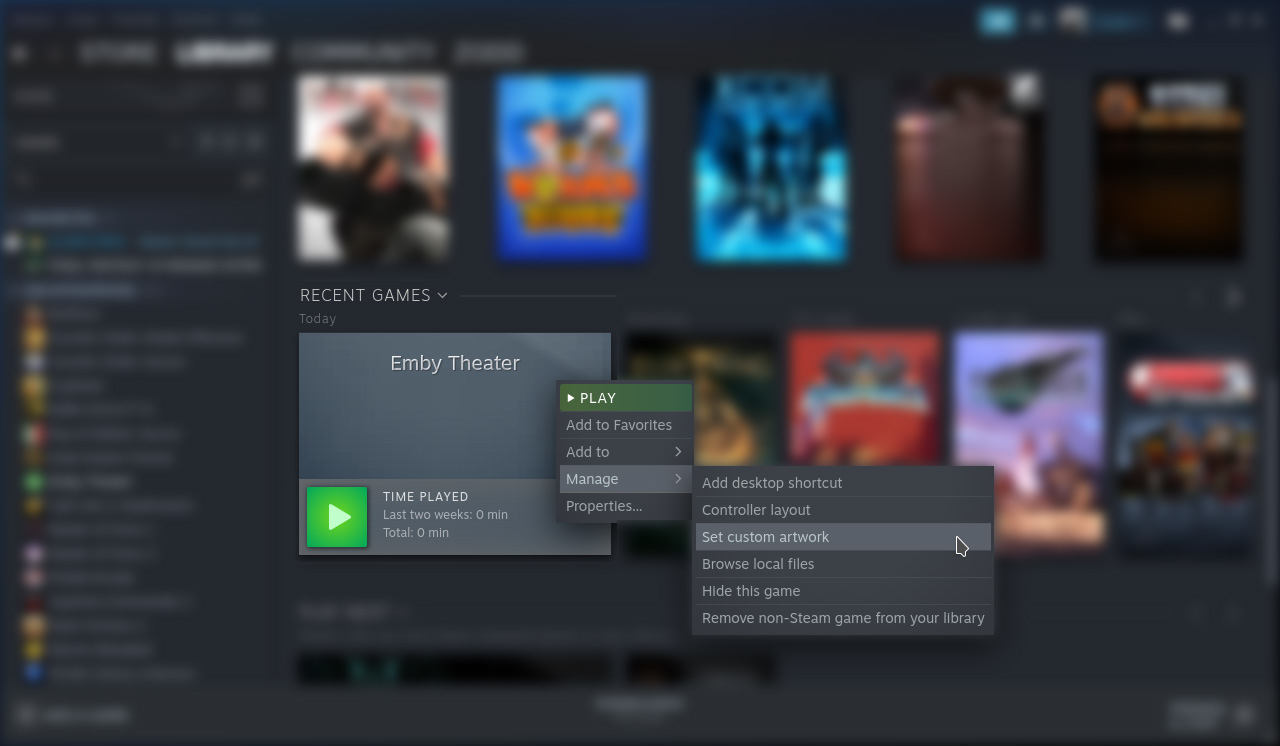
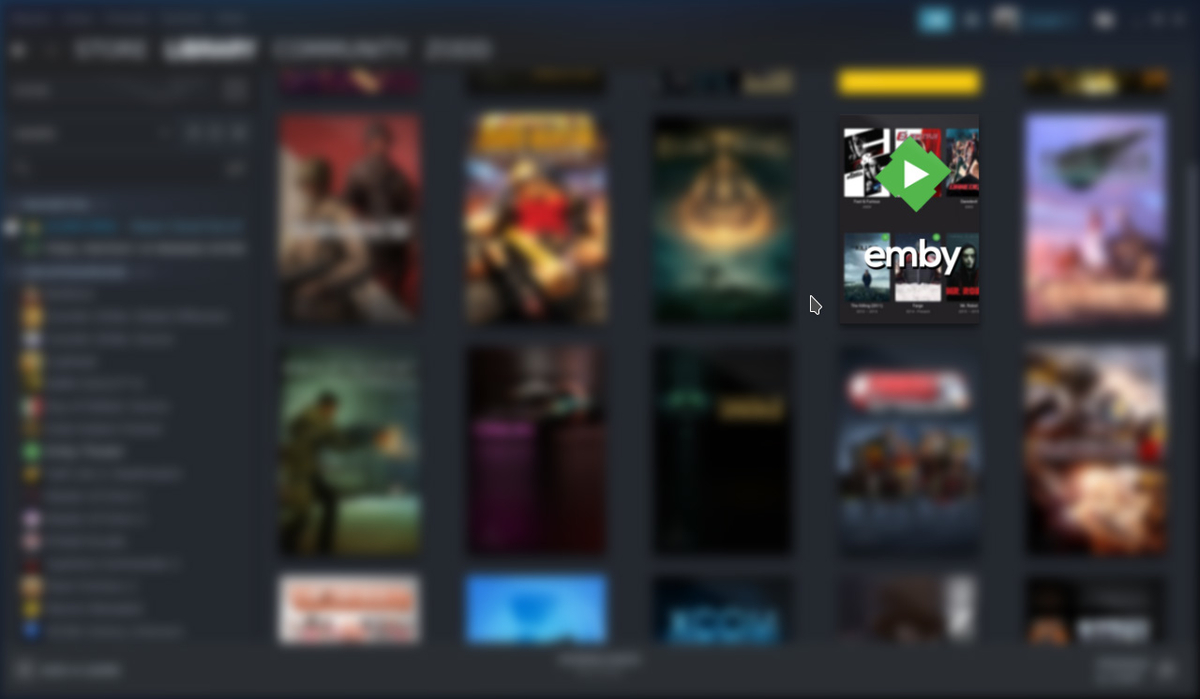
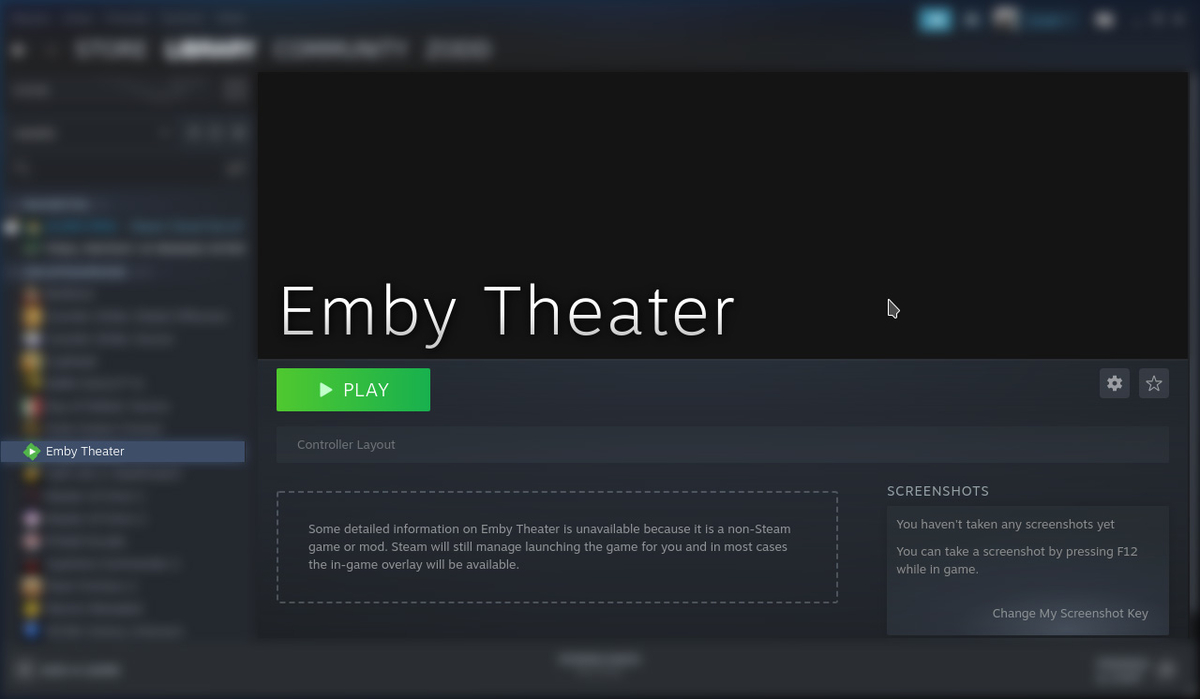
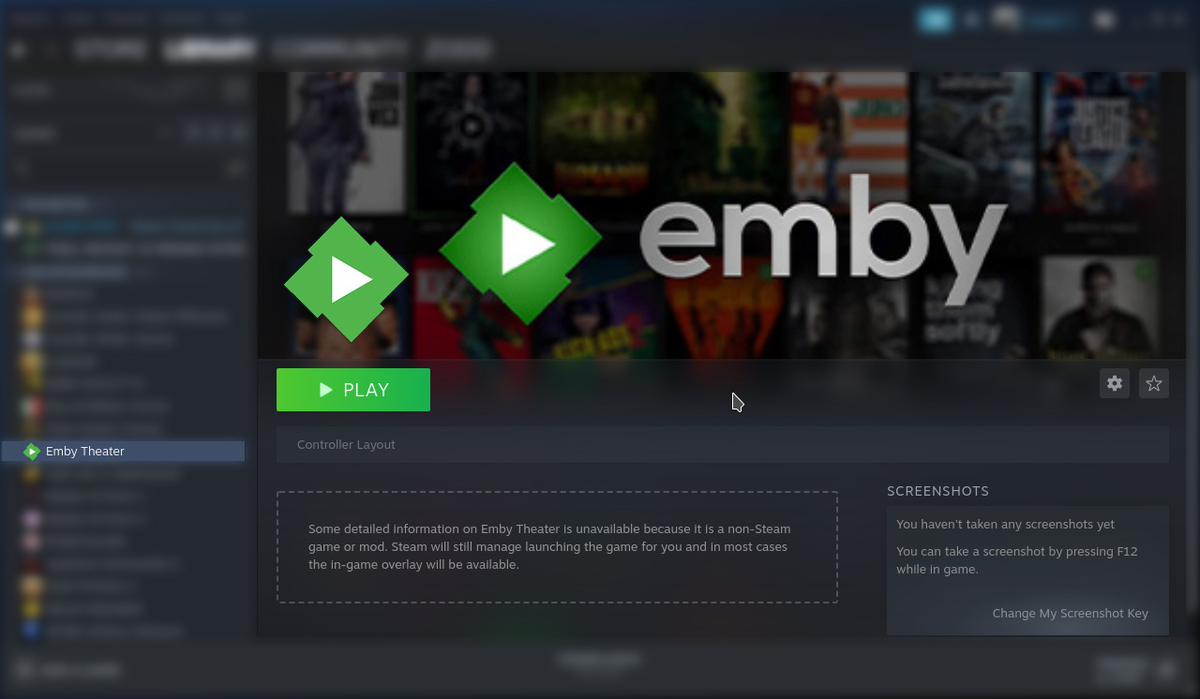
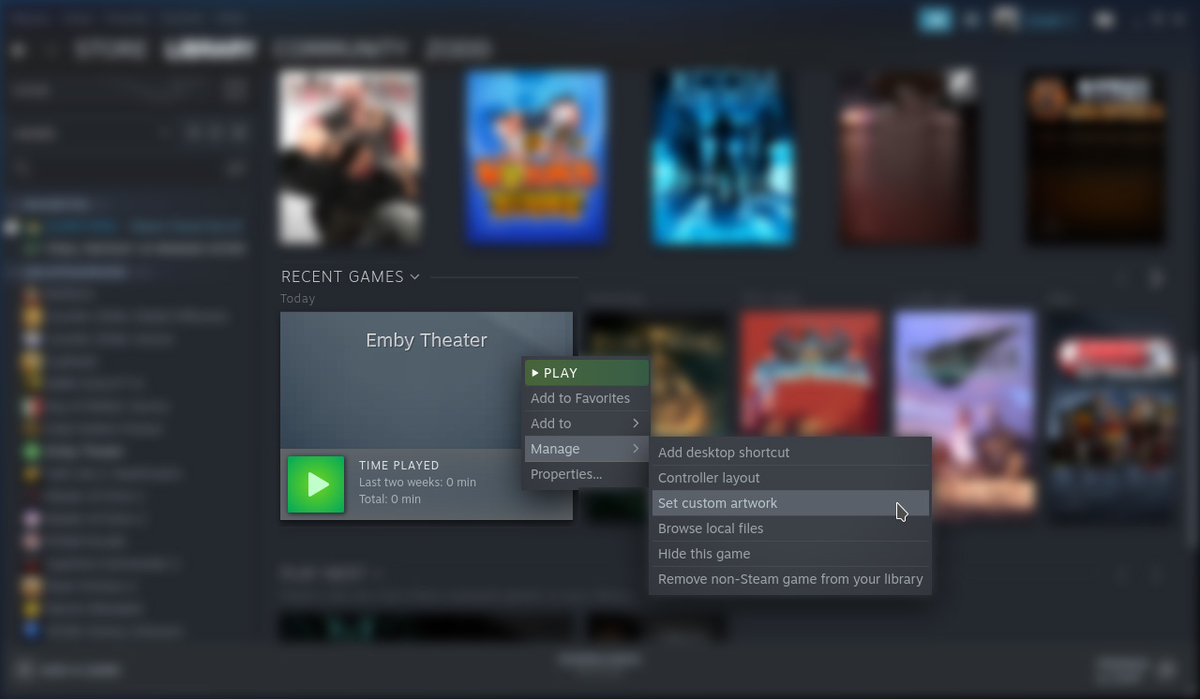
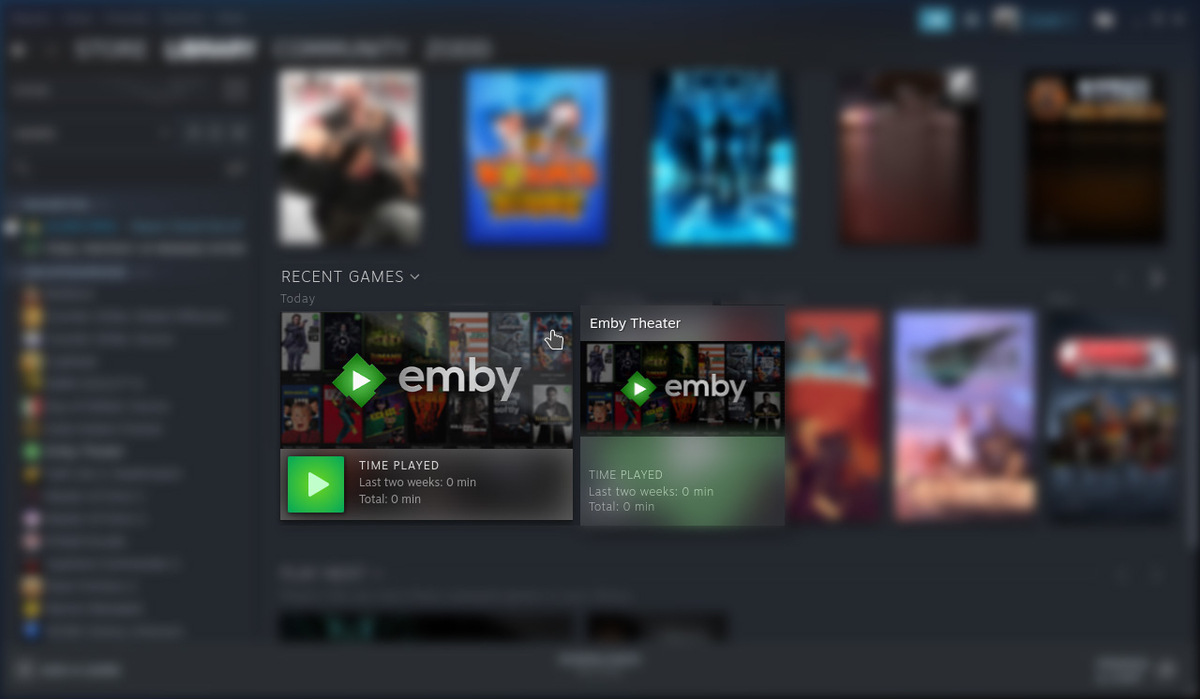
Customize Game in Steam (5 Locations) Download: Icon Download: Box Size Download: Backdrop 1. To update Icon, in the Uncategorized List, right click on Emby Theater then click Properties... Left Click in the Black Square (Icon) Next to the "Emby Theater" label. Navigate to /home/deck/Downloads and select Icon.png then click Open. The icon should now be applied. 2. Update the Library Box Cover, Right Click the Emby Theater, Click Manage, then Click Set Custom Artwork Navigate to /home/deck/Downloads and select box-size.jpg then click Open. The artwork should now be applied. 3/4. Update the logo and backdrop, Click on Emby Theater. Right click on the backdrop and click Set Custom Logo Navigate to /home/deck/Downloads and select icon.jpg then click Open. Right click on the backdrop and click Set Custom Background Navigate to /home/deck/Downloads and select backdrop.jpg then click Open. The artwork should now be applied. 5. Update the recently played artwork, launch Emby, then quit. Scroll down the list to recently played. Right click Emby, click Manage, then click Set Custom Artwork. Navigate to /home/deck/Downloads and select backdrop.jpg then click Open. When you're finished you should now have all custom artwork set for Emby.
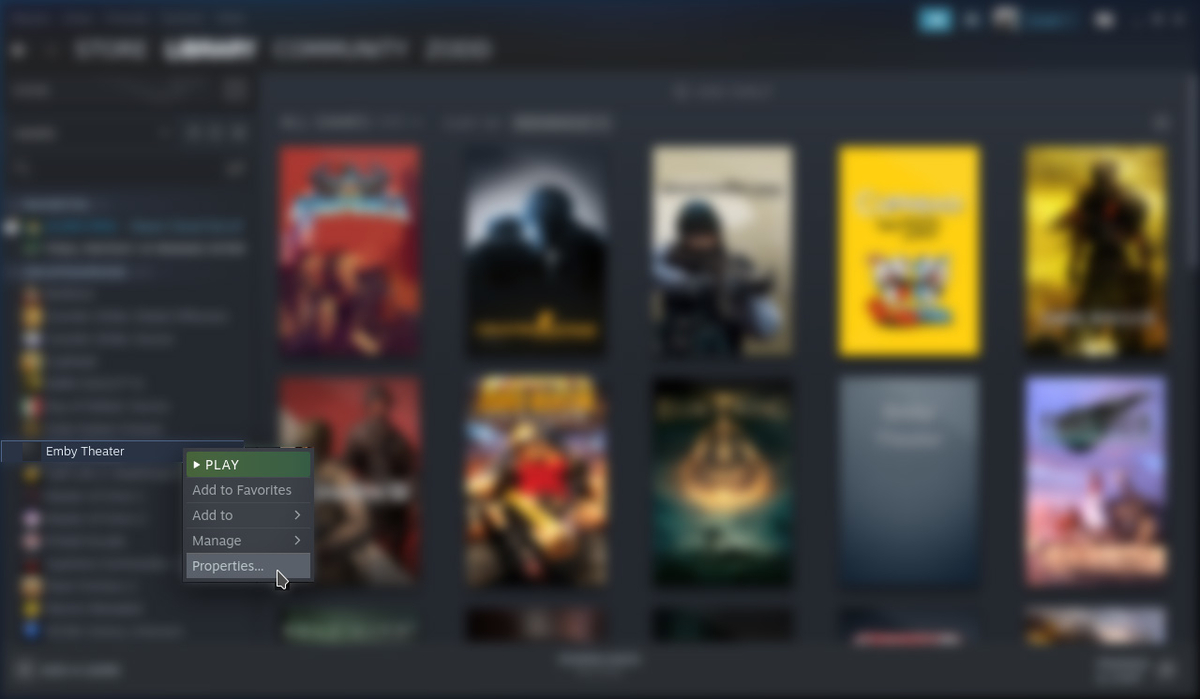

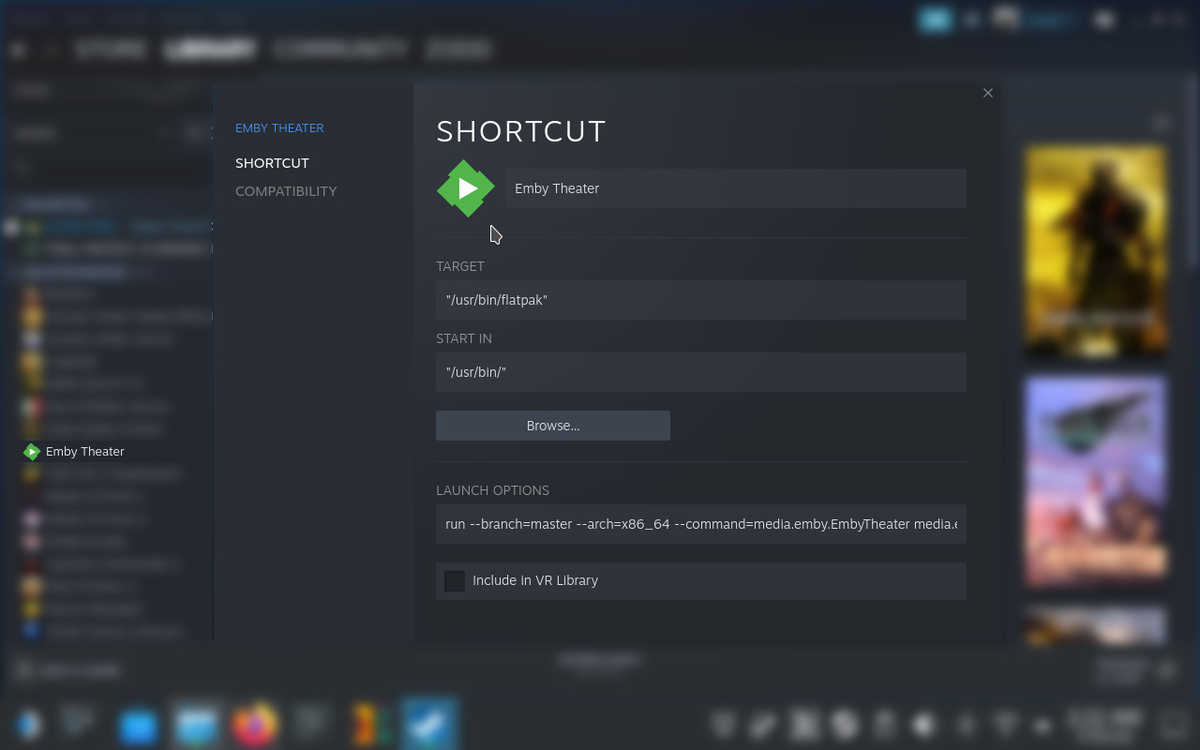
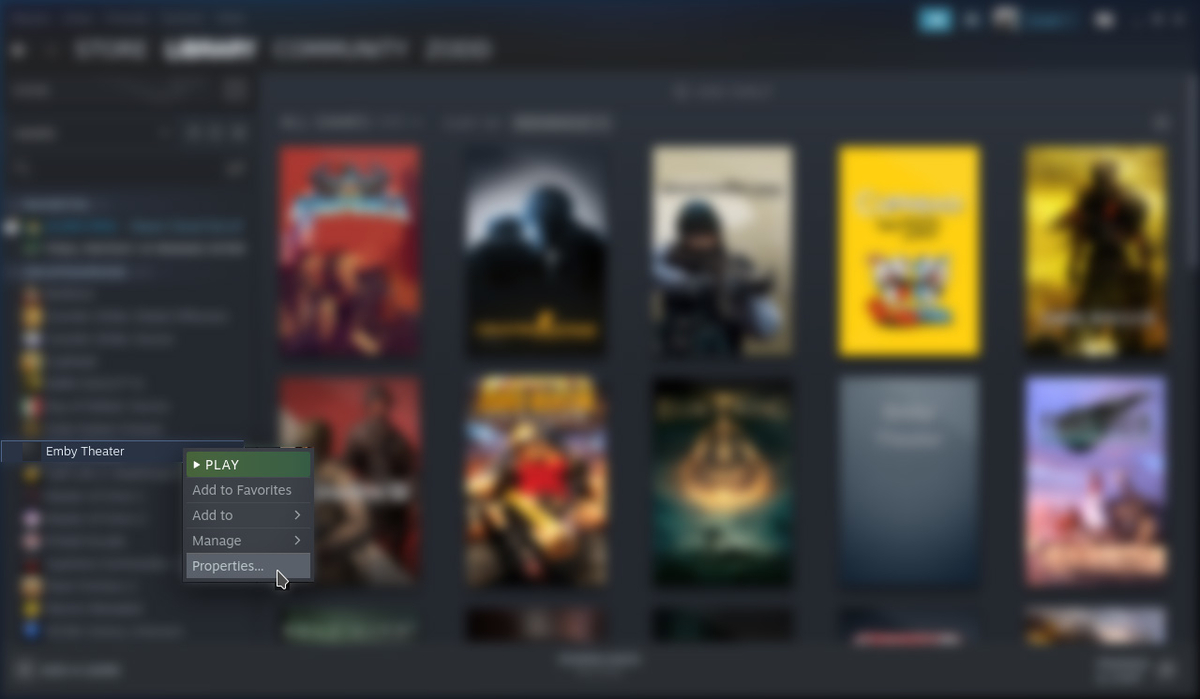

 1 point