Leaderboard




Popular Content
Showing content with the highest reputation on 07/26/22 in all areas
-
@ebr the first step is admitting you have a problem. Thumbs are not the issue. This is a pure regression, and I've not before had a noticeable problem with buffering and it interfere with FF. I'll repeat: Play Pause tap FF (now wait for a day or two if you wanna) Play - nothing happens Play again - it plays3 points
-
Well, this Emby community support forum, and no other. Thread close.2 points
-
Thank you so much. This worked a treat, with one modification for future reference. To navigate to the directory it is cd /volume1/@appdata/EmbyServer/plugins sudo -i cd volume1/@appdata/EmbyServer/plugins chown emby:emby myfile.dll chmod 644 myfile.dll ls -l myfile.dll2 points
-
Yea mate, I'm a old school Trek fan too! Total sci-fi nerd really.. Since Hulu took over form Fox the production quality seems to have been bumped up (special effects/sets etc.), the comedy aspects are not as prevalent as the first two seasons but that's ok, it still has a light heartedness which is cool.2 points
-
I feel the following filter & sort options are lacking the following: * filter by HDR * sort by video bitrate * sort by audio bitrate * sort by filesize * filter by subtitle language * filter by audio channels * filter by audio language Anybody have anything they would like to add to this list?1 point
-
@Desafino i guess stuff is working now for you now. Silence is golden lol Frosty can help with questions if you have any, I’m in UK so its my bedtime. But can help tomorrow morning if you are still stuck and Anyone else is tied up. cheers1 point
-
Love you Gumbo!!1 point
-
Bah. Ok. Ok. Download cli and the path is wherever Desafino places it1 point
-
If you used the Windows installer for both they are probably in the paths below, but go ahead and check. C:\Program Files\MediaInfo\MediaInfo.exe C:\Program Files\MKVToolNix\mkvpropedit.exe1 point
-
Hi , sorry to take a while to get back but i was on holiday. Ive tested it and the new Android one work perfectly with my bose.1 point
-
Never mind i solved it, i had created a jail and proceeded to try install it in the jails shell and it kept throwing errors. Once i followed the steps for 13 in the Truenas shell it created a jail, installed inside the jail etc fine. I looked back at the steps i took to get it solved for a friend and couldn't work out why it wasn't working till i realised lol.1 point
-
OK thanks. I' thinking of moving from Plex to Emby and couldn't find that mentioned anywhere. G.1 point
-
Thanks for adding a way to clear filters in Live TV1 point
-
Not supported with mpv. They have to change the rendering completely to support it, and they've been working on it for a couple years. I'm sure they'll eventually get there. The best approach for us using it is to utilize the native player whenever possible, and make sure that mpv is tone mapping when it is used.1 point
-
Okay, those are closed captions and appear to be the type that the player we use does not currently recognize for some reason. We have not yet determined exactly why.1 point
-
Let's see what @kingy444 has next. He has been working diligently.1 point
-
Olá Luke. Obrigado pelo seu feedback. As vezes dou opiniões etc, mas também reconheço o esforço e o ótimo trabalho que vocês fazem. Estão de parabéns, excelente e maravilhoso como sempre.1 point
-
Perhaps this is my fault. I should try and make the JavaScript accessible. I'll go through it and make things a little more clear as to what is happening. I'll add a bunch of variables to the top of the script so that they can be easily changed. I think this would (should) be a perfect project for everyone to have a chance to create and share their stuff. Give me an afternoon and I'll do my best to make it a bit more accessible to everyone. To be honest the code does get a little messy half way through. I should set it up like a Arduino app where controlling variables are at the top. I'll be back! It'll be great! Can't wait to see what people come up with!!1 point
-
Thank you for finding that (and providing the exact steps to remove the file!). Wasn't sure if there was another issue with the process that reads the file compared to the file itself. As for the CEC commands, I'll check if the corrupted settings file had anything to do with this then move onto trying the plugin's startup delay incase there's a race condition when using OSMC.1 point
-
Thanks, that would be great, I think regardless its probably worth the option for those who can use it without issues, as opus is a much much more efficient codec than mp3.1 point
-
Whilst I do also like that idea, it's not exactly what I'm asking for. My initial paragraph of the post might have been confusing but I want to gave the option to not include certain library folders in certain top bar categories. I don't want to get rid of them since I might add full albums later but I want my playlist file with 500+ songs each from different albums to not generate 500+ albums cluttering everything up.1 point
-
Perhaps try using emby server instead of jellyfish. Otherwise, that sounds like perhaps an issue to bring up with them. It would make sense to me that you would use emby clients to connect to emby server. In my opinion.1 point
-
I'm wondering, is passthroughing hdr still technically not possible with mpv, or is it like DTS, so you just have to go on developing for it?1 point
-
@chef Thanks for getting Auto Organise working again. One thing I'd like to see fixed is making it only copy one file at a time. I just organised 5 episodes of the same series and all 5 files were copied simultaneously, that has to be really bad for both copy performance and file fragmentation on the destination.1 point
-
@Luke Not sure which feature you're asking for a Feature Request to be raised for, but as you know, all issues with the standard Android app compared to the much better Android TV app are listed here: Please review and update the standard Android app accordingly, otherwise you'll have a mutiny on your hands ,if the Android TV is pulled with no comparable app. Thanks.1 point
-
Thanks for the log, first thought comes to mind. The plugin's setting file is corrupted. Try to delete. rm /home/osmc/.kodi/userdata/addon_data/plugin.video.emby-next-gen/settings.xml Edit: confirmed: ERROR <general>: CAddon[plugin.video.emby-next-gen]: failed to load addon settings from special://profile/addon_data/plugin.video.emby-next-gen/settings.xml btw: This is not a plugin issue, usually happens on powercuts in a bad moment (write io in progress). Maybe I can add an indicator to detect broken setting files, but would be just a workaround.1 point
-
this chat thing is confusing but yes def a photo issue as it started when I dump photos into the emby folder1 point
-
Yea that's srt.1 point
-
yep definitely photo related as it started when I dumped lots of photos into the emby photos folder1 point
-
OK we'll take a look. Thanks.1 point
-
Hi, maybe. You can definitely avoid the transcode by adding: { "Format": "subrip", "Method": "Embed" } But even without this you can still avoid the transcoding because the server can extract the subtitles on the fly and convert to a compatible format, such as external srt which you've enabled. Do you have on the fly subtitle extraction disabled in server transcoding settings?1 point
-
Good to know thank you. I'll try to reproduce this week and generate logs.1 point
-
ok, great. thanks.1 point
-
As long as items have providerids watch status is maintained. Items that do not have providerid metadata will lose watched states when moved.1 point
-
Hi, please take a look at our backup guide and let us know if this helps: https://support.emby.media/support/solutions/articles/44001159936-backup Thanks.1 point
-
Watched status is not written in NFOs; use Server Configuration Backup plugin for restoring User data (playstates, favorites, etc).1 point
-
wow thanks!!love you!1 point
-
Understood and thanks. Just wanted to give some additional use case for why this would be a great implementation to have the track selection be saved after making the change without needing to actually play the media. I'll admit I didn't read through many threads about this as it wasn't the easiest to find things specifically about this specific request, but I found the thread I linked to and based on that made my decision to give some additional reasoning for wanting this change to be implemented. I had thought about something similar to Cayar's with the options of having preferences for codec and number of channels, however I will admit I didn't think about the commentary track issue like you had mentioned and the implication for those that don't include a regular stereo track. However, I do feel like my method I mentioned near the end of my OP would be a good middle ground as it would at least let users to have a default set and then possibly specific to specific clients if necessary. Also, I feel like this should be able to be something that can be enabled if wanted, otherwise the default behavior would be whatever the audio/subtitle track was set to would apply to all clients like it does now. I do think that while automating stuff is certainly cool, there are definite issues/disadvantages like you brought up. This actually causes an issue in Plex because they decided it would be a good idea to default to a stereo track over a mono track if one exists, which actually presents the exact issue you brought up. I've had a few different movies where they had a mono track and I also included a stereo commentary track and because of the default logic implemented, for all my users, the commentary track is selected and it confuses the heck out of them (as well as me initially). I realize it would be a bit of work to implement my suggested method, but I think it could be beneficial to those that have multi channel setups along with also using setups with just stereo capabilities and where what they have access to includes a stereo track. And I definitely wouldn't want the option to be forced on users but them be able to decide if they want to have that different option. -Shark2k1 point
-
If you look at KB article: https://support.emby.media/support/solutions/articles/44001159110-tv-naming that naming convention was never officially supported, so if it was working for you it might've just been an exploit you found (as there were some others as well) that over time got plugged. Your best course of action would be to follow one of the recommended conventions, going forward.1 point
-
Hi, we're looking into it. Thanks.1 point
-
Three hour recording set for 7/24 at 1PM cut off after 62 minutes. ffmpeg-directstream-4d703638-c13a-40fd-8d1e-146d36e02788_1.txt embyserver-63794304000.txt1 point
-
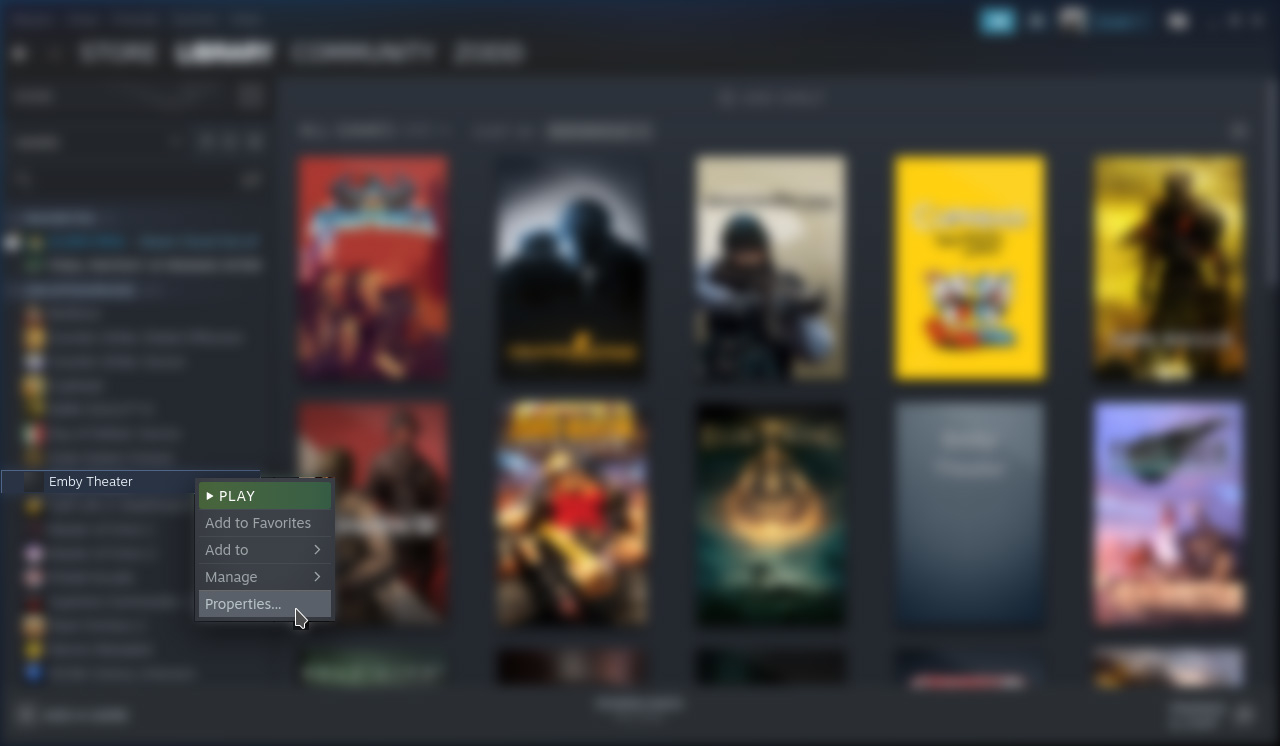
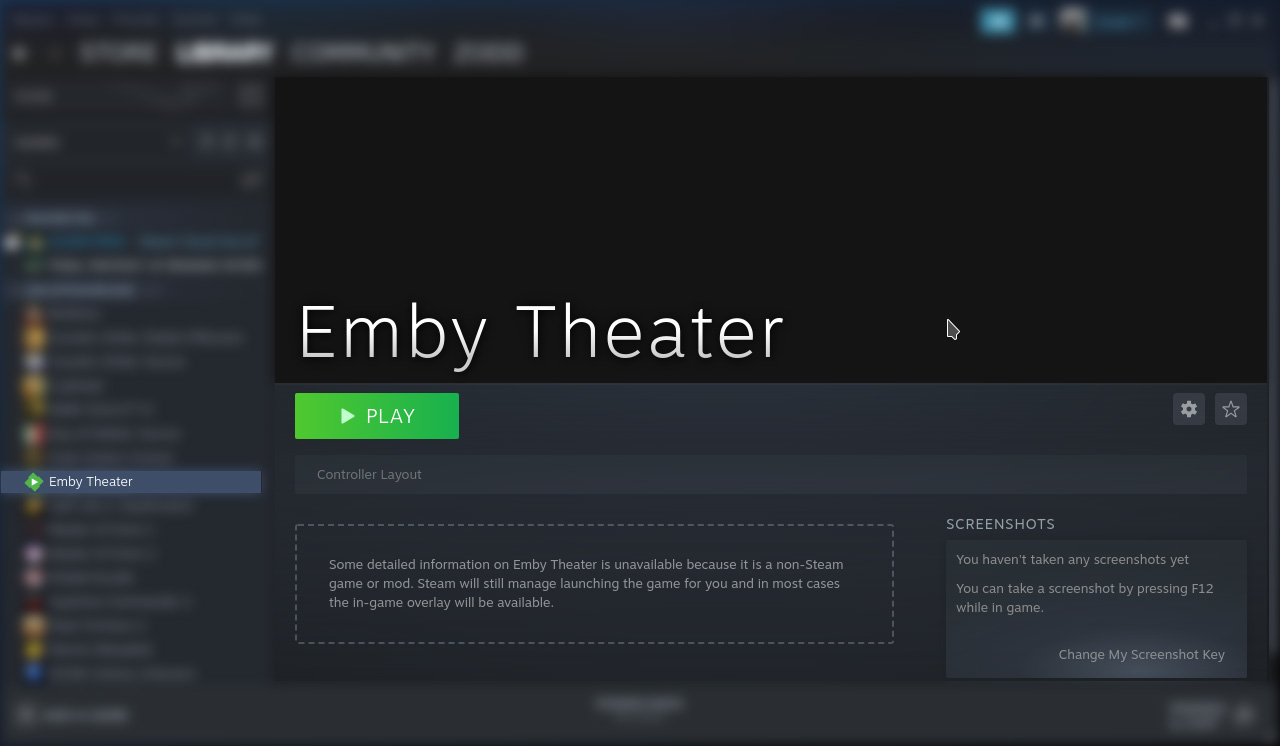
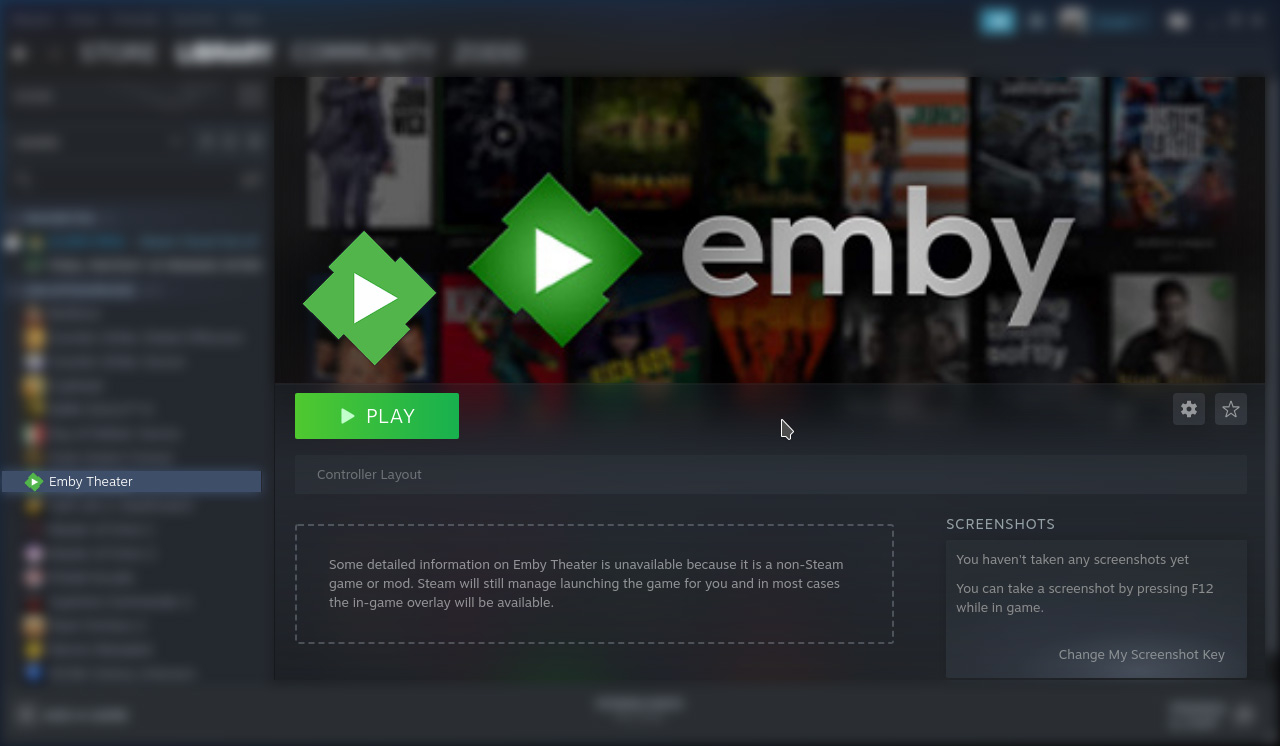
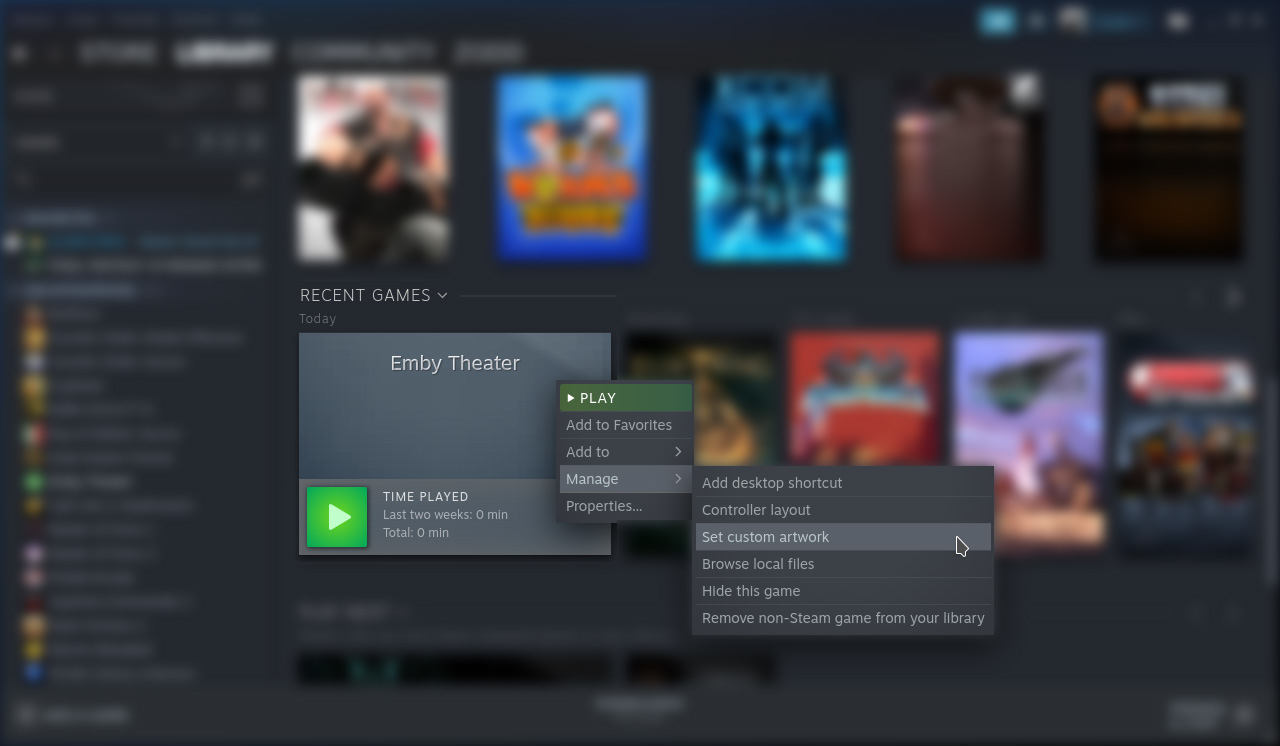
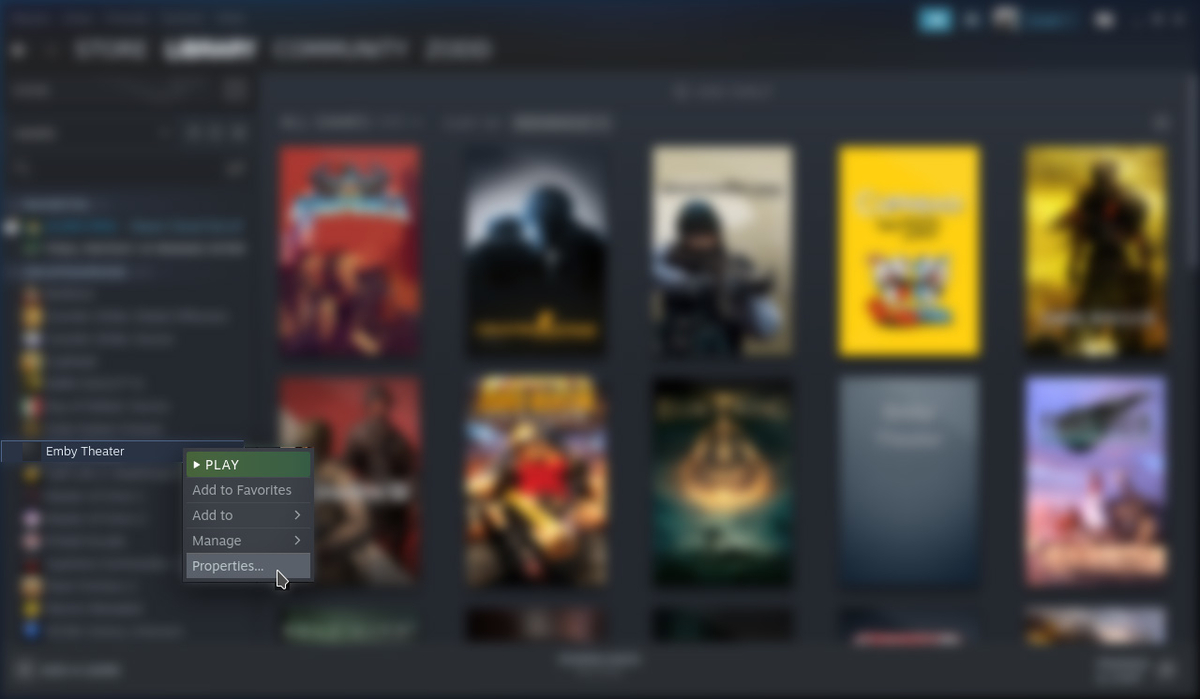
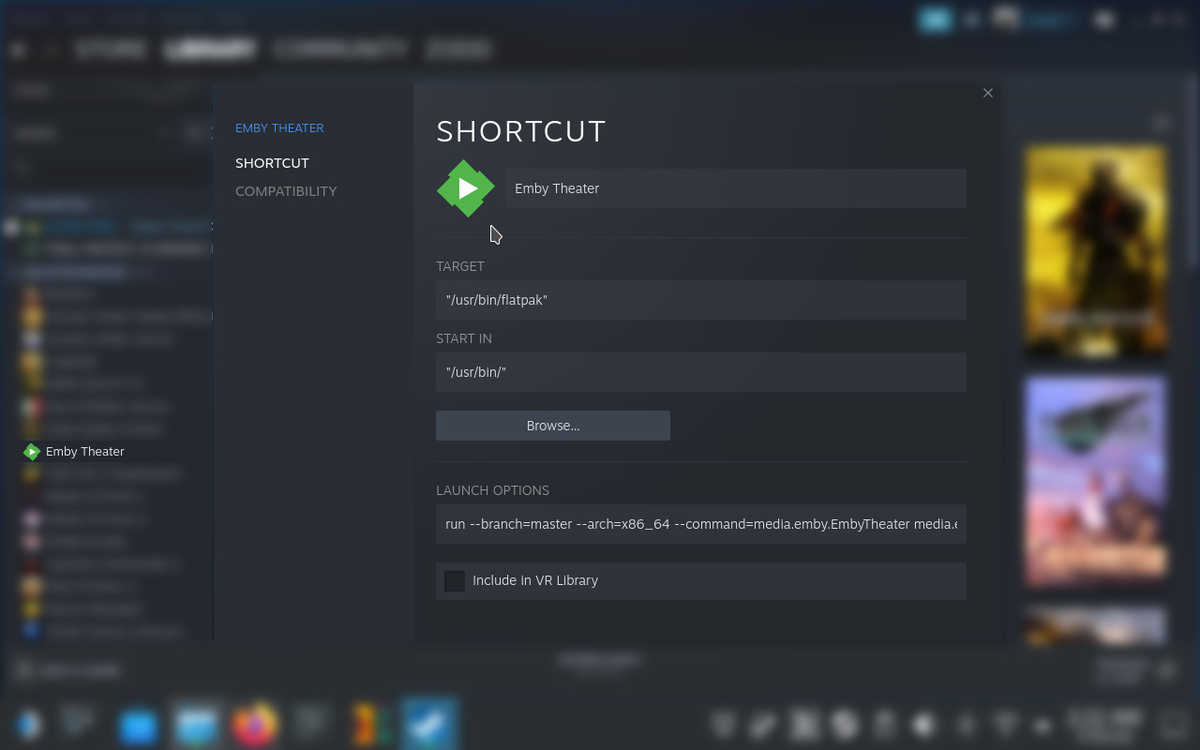
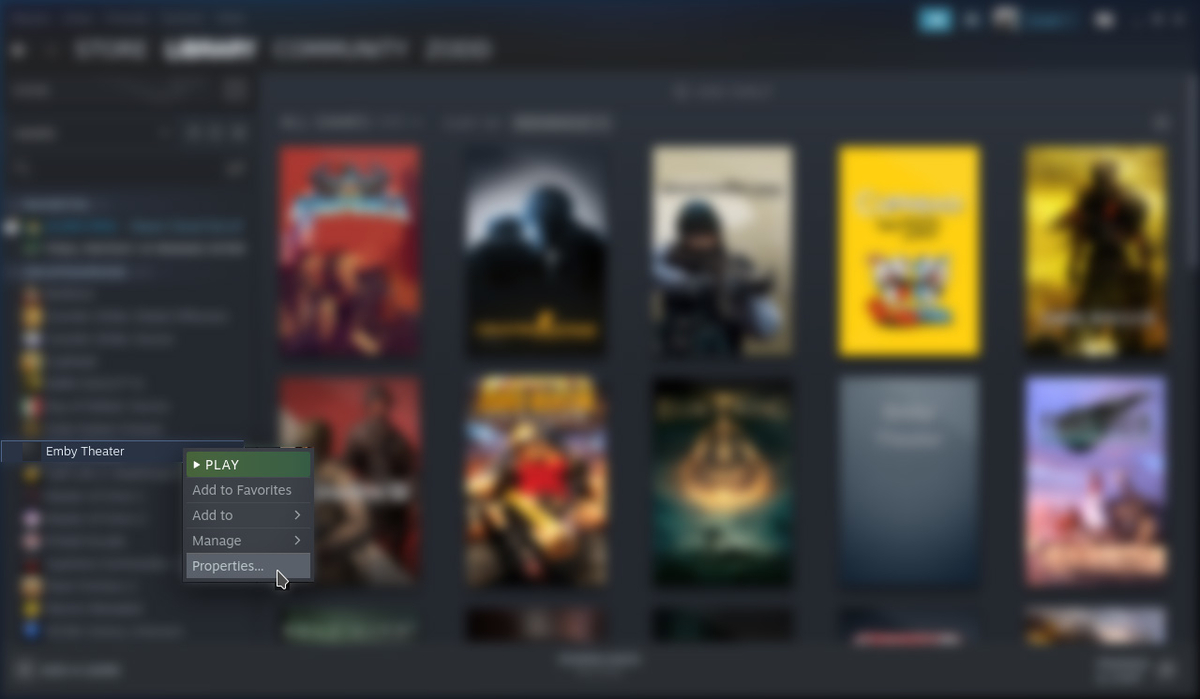
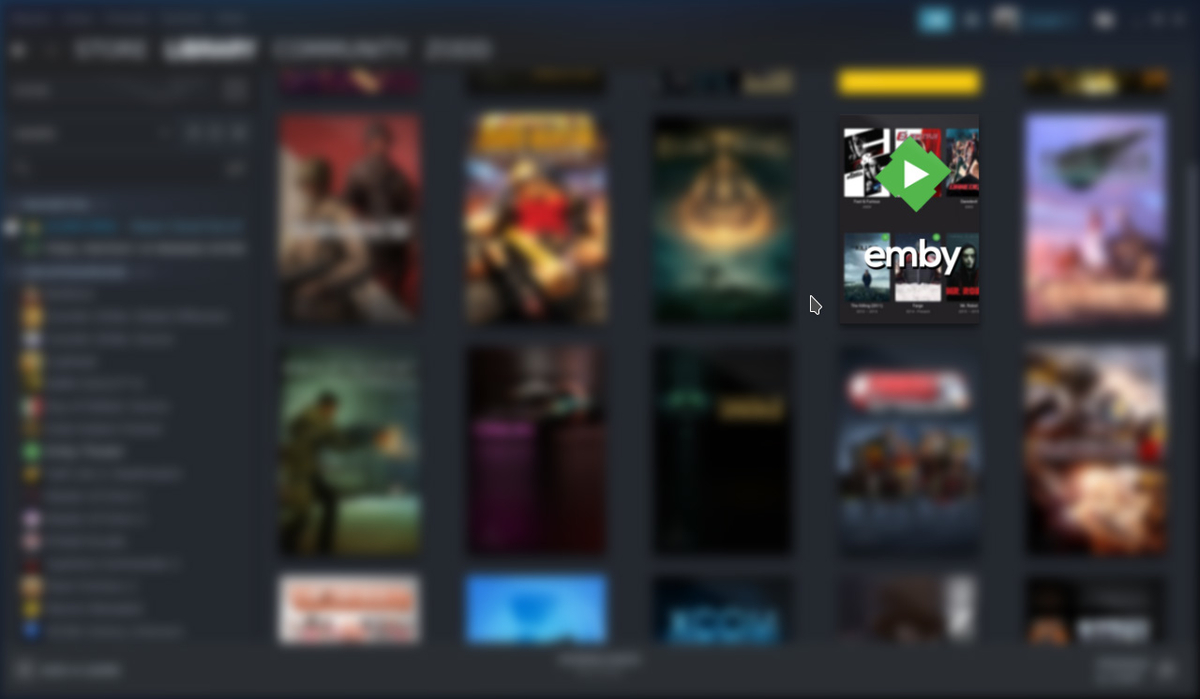
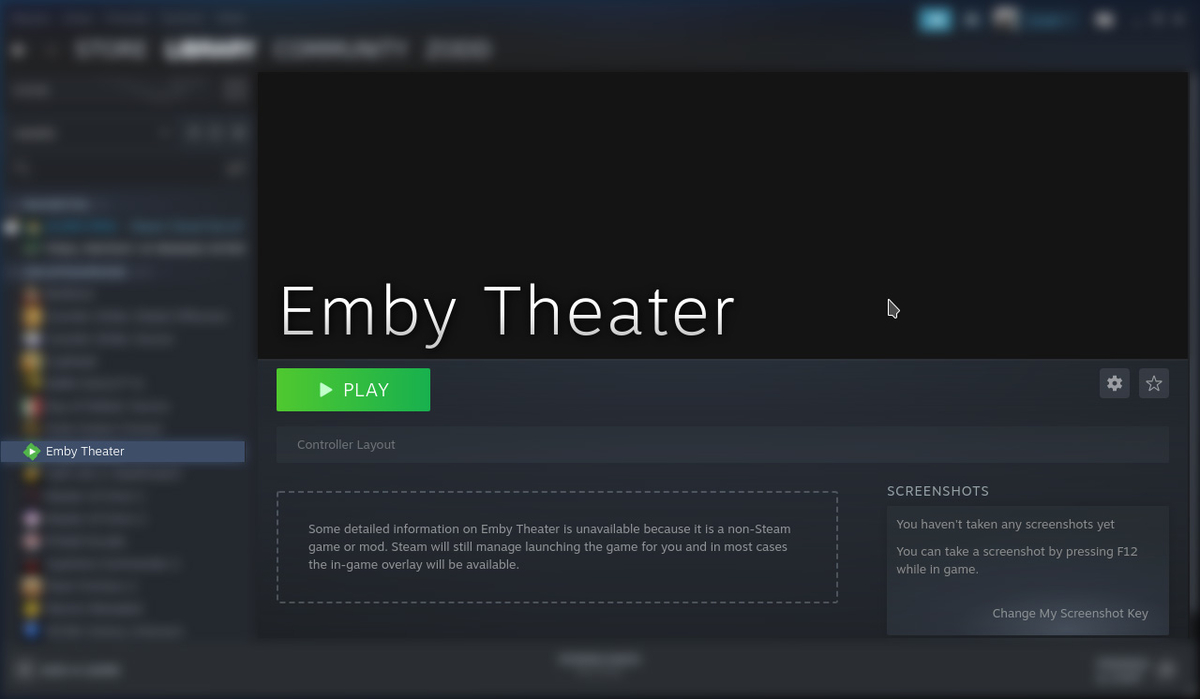
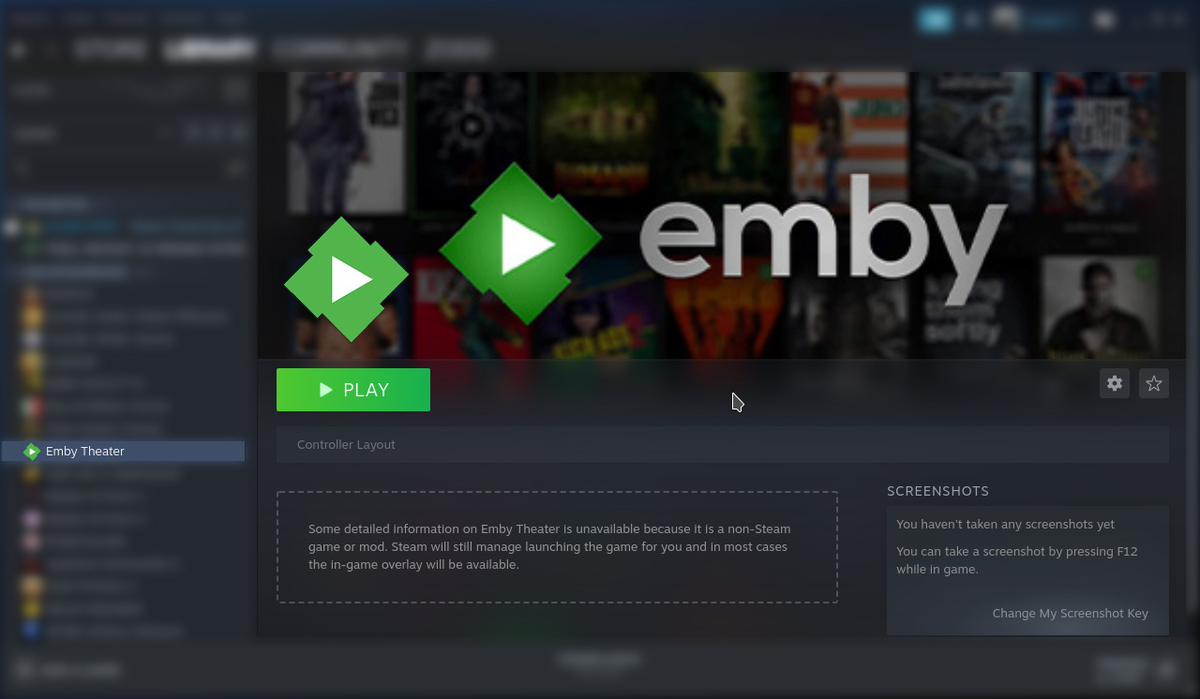
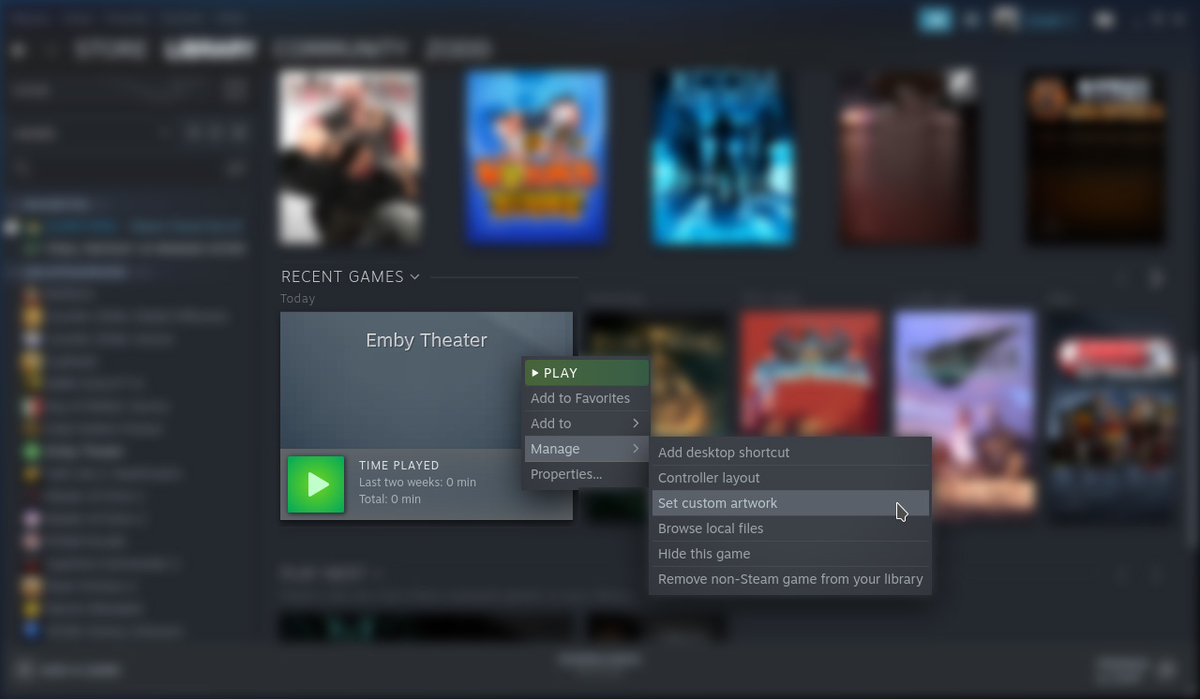
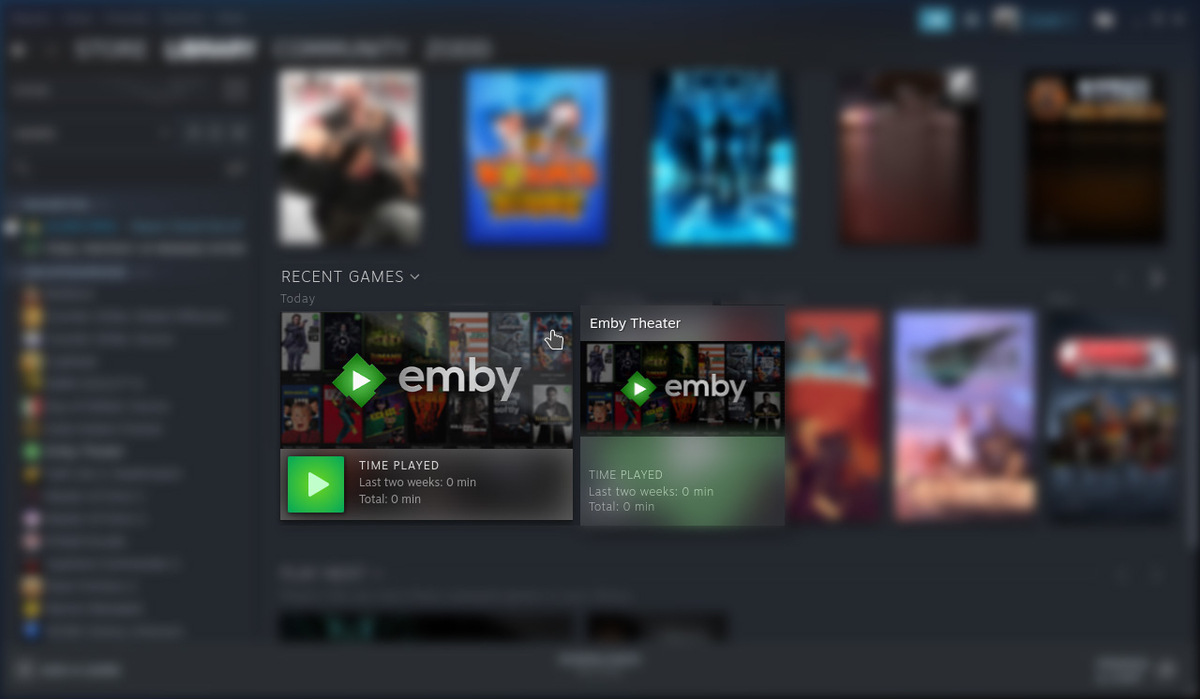
Customize Game in Steam (5 Locations) Download: Icon Download: Box Size Download: Backdrop 1. To update Icon, in the Uncategorized List, right click on Emby Theater then click Properties... Left Click in the Black Square (Icon) Next to the "Emby Theater" label. Navigate to /home/deck/Downloads and select Icon.png then click Open. The icon should now be applied. 2. Update the Library Box Cover, Right Click the Emby Theater, Click Manage, then Click Set Custom Artwork Navigate to /home/deck/Downloads and select box-size.jpg then click Open. The artwork should now be applied. 3/4. Update the logo and backdrop, Click on Emby Theater. Right click on the backdrop and click Set Custom Logo Navigate to /home/deck/Downloads and select icon.jpg then click Open. Right click on the backdrop and click Set Custom Background Navigate to /home/deck/Downloads and select backdrop.jpg then click Open. The artwork should now be applied. 5. Update the recently played artwork, launch Emby, then quit. Scroll down the list to recently played. Right click Emby, click Manage, then click Set Custom Artwork. Navigate to /home/deck/Downloads and select backdrop.jpg then click Open. When you're finished you should now have all custom artwork set for Emby.

 1 point
 -
OK we actually tried to use opus as the download format in the past but found that some devices had problems with it, even those that technically supported opus. But I think enough has changed since then that we could probably try it again.1 point
-
Are your subtitles not Roku friendly? When those users enable those subtitles it will cause transcoding because the subtitles are not supported. What winds up happening is your Emby server will "burn" these into the video stream which causes transcoding on files that would otherwise direct play. What is the reason given for the transcoding on stats for nerds? Without more information we can only speculate. If this is about the IPTV plugin not direct playing the container and only copying the streams, then that is what happens, on purpose. We cannot direct play user submitted URLS from Emby on store applications. When that happens the app stores become aware of what exactly you are playing and from where. The app stores "see" the URLS you play. Where they originate from. This can mean if you are using pirated links or something else similar it can place Emby as complicit in your actions. To prevent the app stores from ever thinking Emby is associated with stream piracy we cannot direct play and can only copy streams from IPTV. Do you understand? Jellyfin does not care about you as a user. Do not become confused. They are not protecting you from app stores banning your devices. They are not protecting themselves. A foolish man believes everyone is only capable of good. You must protect the innocent and good from the bad around us. If that upsets you I apologize.1 point
-
Anyone watching this season of The Orville New Horizons? It is really something else. I have to say the new format for the show is hitting all the marks for me. But, I'm an old school Trek fan.1 point
-
@ebr Just wanted to chime in on this and echo my support for an option to disable this feature. After searching endlessly in the settings, I am somewhat happy to see this wasn't just a case of me missing something obvious. I am sure there are users that find this feature to be informative, but for those of us wanting to outright disable this feature across the board, that option should also be made available. If this is a matter of users inadvertently playing a movie above an age appropriate category, I would merely point them toward the media filter option or the parental controls under the user profiles.1 point
-
I've had a few releases recently where the content was displaying purple/green. I have just been grabbing a different rip. But stumbled across this thread while trying to determine the cause. An interesting read on the 'format' wars, guess as consumers we will always have to work around one format over another. This thread on custom formats for radarr is a great resource. I will have a proper read through and reset all of my quality settings using the posted custom formats. Hopefully that will stop all of these purple/green files. I generally don't check grabbed files until I sit down to watch them. I want an automated system, these custom formats look like they will help me take this to another level1 point
-
@ebr Can you tell us the purpose of this info pop-up? How is it supposed to help us?1 point
-
Right now. None of my ATSC 3.0 channels are playing due to another issue I posted about1 point
-
Just to demonstrate how Intel compares to AMD in that matter. Here's the current list of Intel's pending contributions to ffmpeg: https://github.com/intel-media-ci/cartwheel-ffmpeg/tree/master/patches (hundreds of commits already made in the past, more than 10 developers working on contributing to ffmpeg) I'm not directly an Intel fan and had many AMD setups as well. But for hw video acceleration, AMD is not a good choice at this time and Intel's dedication to that area really deserves to be acknowledged!1 point