Leaderboard




Popular Content
Showing content with the highest reputation on 07/05/22 in all areas
-
Yup, as I pointed out to earlier, just because people don’t feature request, it doesn’t mean people don’t want it.3 points
-
@SikSlayer i saw your confused face. Its a little joke, because thats the formatting that @rbjtech likes and if you have used the plugin you will see an option for RBJTech formatting. Which displays the output like that3 points
-
Thanks for clarifying. The two posts were seemingly contradictory.2 points
-
New version available 7.5.1: delta changelog: Add landscape image to episodes Fix root folder sync issue Fix artwork loading issue Comment: To fix the artwork issue, TVShows repair sync is required2 points
-
this is in the beta release of EmbyCon for both Kodi 18 (EmbyCon 1.9.130) and Kodi 19 (EmbyCon 1.10.22) If you have Intro detection turned on in your Emby Server as outlined here: https://emby.media/community/index.php?/topic/110199-save-time-with-embys-intro-skip/ And you have confirmed it works by using the Web Client as shown in the above link then you should be able to turn on the Intro Skipping option in EmbyCon. To turn on this features in the EmbyCon Kodi addon client open the EmbyCon addon settings and under playback at the top you should see "Intro Skipping" as an option, you can turn it on to show a dialog button or have it auto skip the intro.2 points
-
I moved from Plex to Emby and even though I think Emby is superior in its flexibility there are some things I like better with Plex, especially in terms of its looks. This theme is trying to fix that by making it a bit more similar to Plex but with some, in my opinion, improvements. The CSS is attached to this post for anyone interested and below are some screens to show it off Good to know I only use Chrome so I can't guarantee this CSS works as expected in other browsers. If you want the sidebar menu to look like in the screens, make sure to pin the sidebar. Watched badge/banderoll is inverted which means that the badge will not be shown if media have been watched, like in Plex. For desired look, please use the "Dark" theme for both Theme & Settings theme in the display settings. Emby-Stable-style-v3.6.txt





 1 point
 -
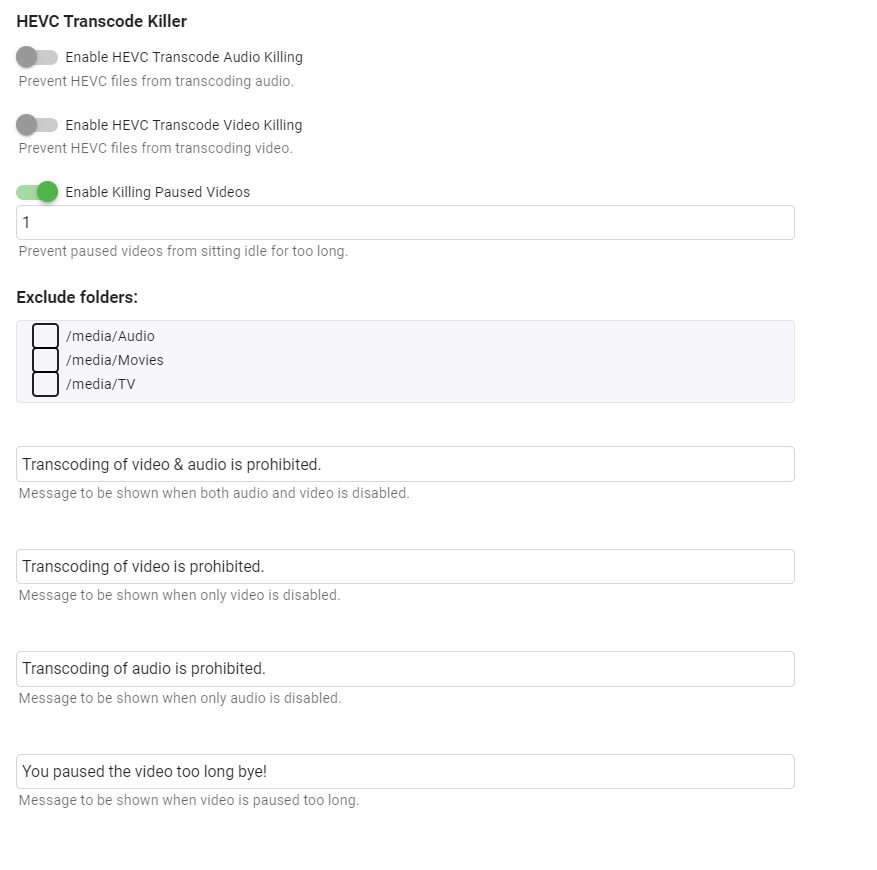
I reworked my original 4k transcode killer to just target hevc transcoding and instead of being on a schedule job to be on playback reporting. I only tested on web ui/ios/shield. https://github.com/bakes82/Emby.HEVCTranscodeKiller Update 4/8/2022 - Added paused video killing.
 1 point
 -
Could Emby Theater please have the ability to change automatically to HDR when starting an HR video. Kodi supports this on Windows. MadVR supports this on Windows and has for years but apparently MPV was better for Emby. the tv and android apps support this.1 point
-
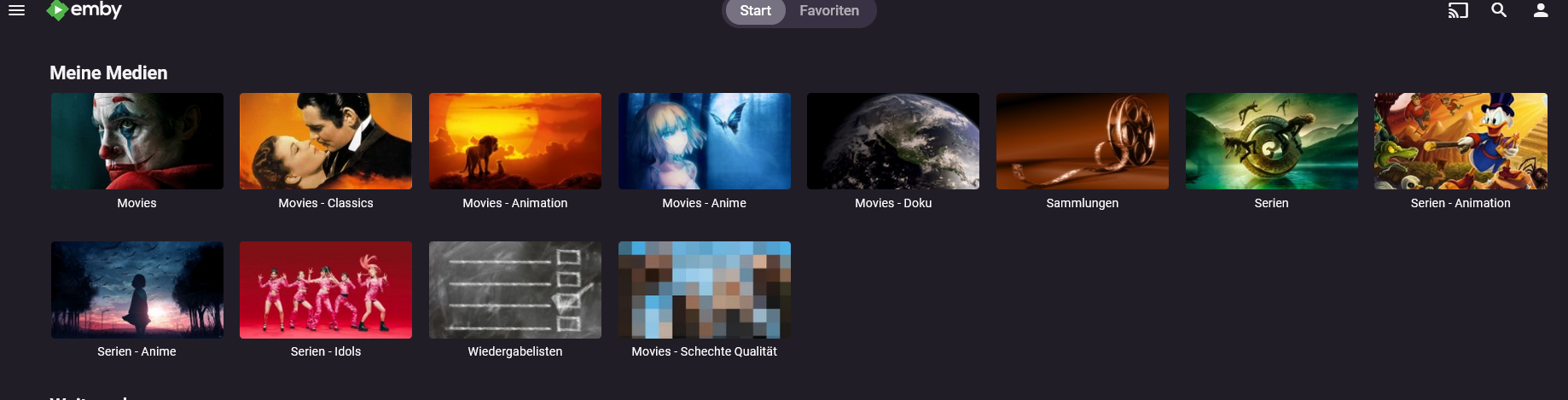
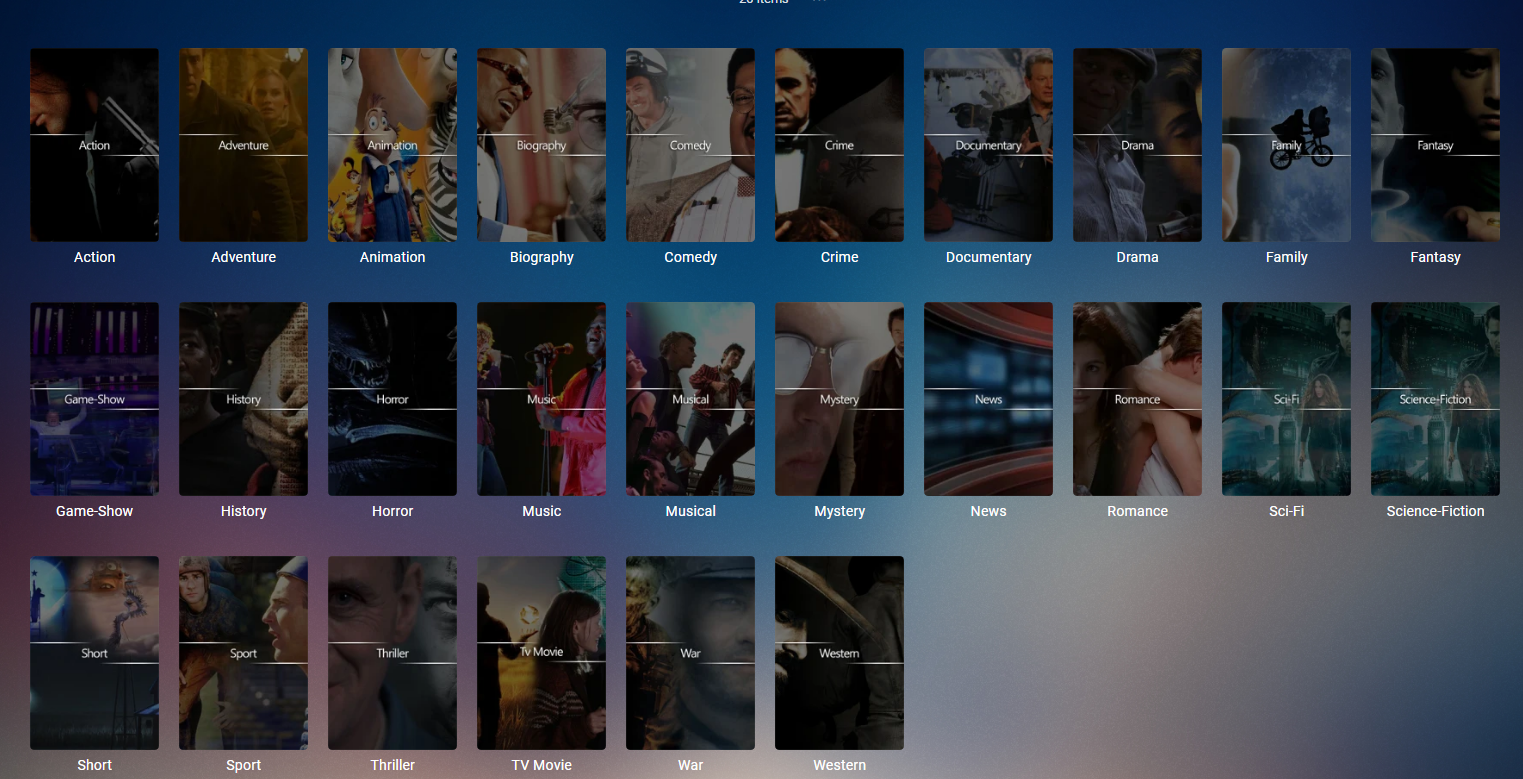
Please add Tags/Marker to the header top menu besides Start and Favorites I can go into each library and yes there i have Tags/Maker besides all the other stuff but when i click it i see only this tag in this one library. I need it as a global search as i have my movies splitted in different librarys (picture in attachement) When i now wanna look for tags like Blockbuster, Cyberpunk, Remake, Anime, Space Opera, etc. than i wanna see all Media i have with this tag. Not just from one library - i need it for all. It works perfectly fine over the search in top right corner. When look for one tag than it give me all my media with this tag - movies and shows mixed together. So it works already. All i need is a global Tag Menu added to the top thank you
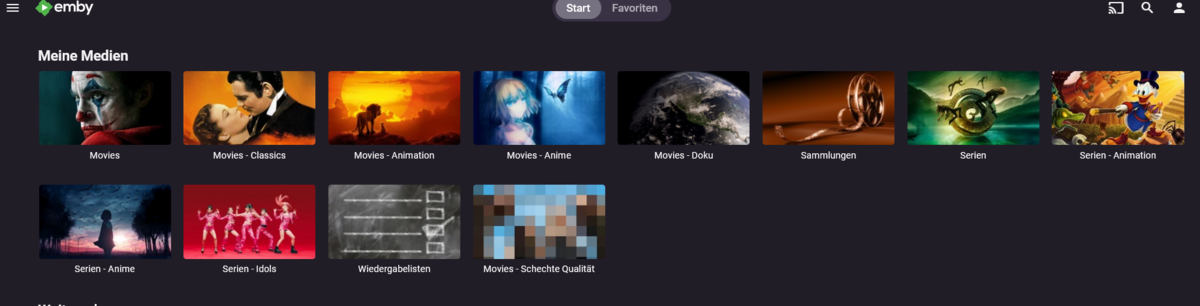 1 point
 -
Currently no, same applies to My Media images.1 point
-
Yes as these are global images for the placeholder not per user. One would need to assign static images. Will search but issues like this have been mentioned before.
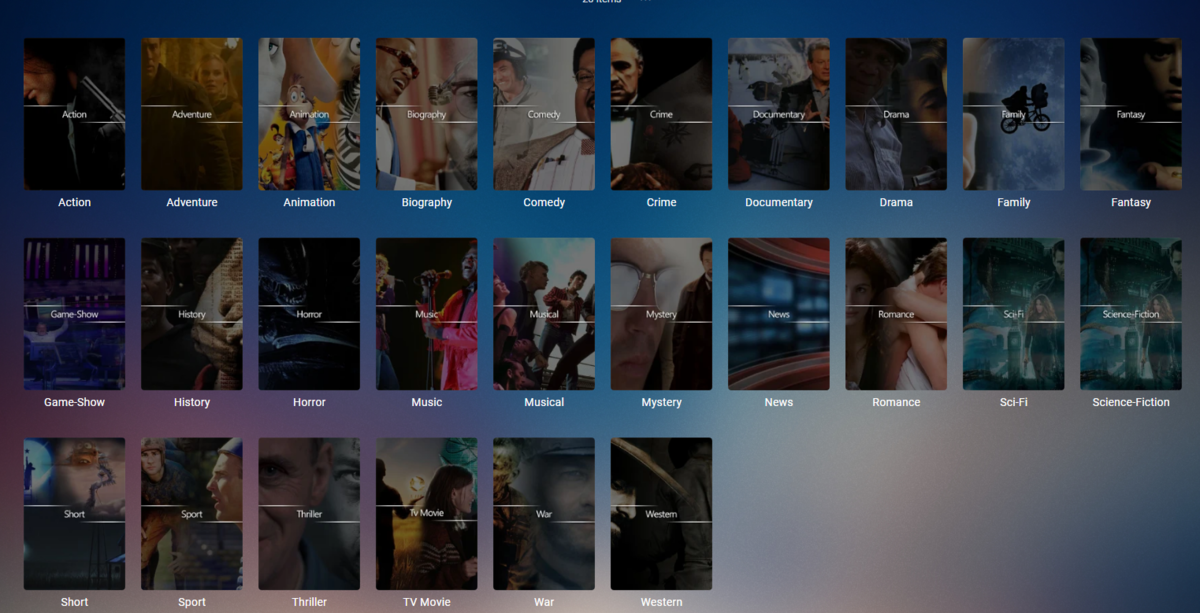 1 point
 -
As a side note, I found this to be the case with all emby generated artwork but worked around it by putting custom photos in place for movies tv shows etc under the my media heading. But would rather not have to think about it1 point
-
You don’t. Its built in. It would be nice to have a disable in settings.1 point
-
OK, thanks. I will try to do that by the end of the week. I hope the problem of not detecting a new version of emby server is solved in version 4.7.4. I hope that il will resolve the problem with emby-theatre. I will send you feedback anyway. Thank you again Luke for your availability and your clear and quick answers.1 point
-
Luke, I've been using the new update for a little bit now and it seems to work pretty ok. Occasionally the bug still happens; however, I find if I am more deliberate on subsequent selections, the issue usually works itself out.1 point
-
I don't know what the difference is but I personally would only install official stuff. That should avoid errors/issues like this one. But basically the other docker image seems to be missing the required chromaprint feature in the embedded ffmpeg. Anyways, glad you sorted it out.1 point
-
Thank you very much for that useful info @Painkiller88181 point
-
I've been forced to sign up with my wife's email as my own has been banned, This means I cannot ask questions in the forum, and there is NO ANSWER when I post on other media platforms INCLUDING billing support. AND YET EMBY keeps taking the subscription every month as it has done for years. ALL THIS because something went wrong when I tried to update my password? Customers are what keep your platform active, so why the shoddy, faceless support for something simple as changing passwords and solutions if it goes wrong? I want to be able to use my own email address AND to let family and friends log onto my server as it was before this debacle. The issue is this, I request a 'forgotten password link' using my email. I get the email and update my password, I click enter and I GET BANNED FROM ALL EMBY SITES?? A little help would be great!1 point
-
Save Time With Emby's Intro Skip Requires: Emby Server 4.7 or later One of the new features in Emby Server 4.7 is the ability to skip TV Show Episode Introductions segments. This allows you to jump right to the start of the action saving you a great deal of time allowing you to quickly get to the good stuff! Combine Into Skip with Automatic Play Next Episode for a superior binge-watching experience!. This guide will cover the following: Configure a TV Library in Emby Server Configure Emby Client for Automatic or Manual Intro Skip How to use Configure a TV Library in Emby Server In order to use Intro Skip a TV Show library needs to be configured. Edit a TV Library on the Emby Server console. Scroll down to the Markers section in the library and change the option from NEVER to either "as a scheduled task" or "as a scheduled task and when media is added" depending on your particular needs. Once setup go to Scheduled Tasks and you'll see a new option has been added: By default this task is set to run every 24 hours. You can adjust it to run at specific time if you like. To add a new Task click the + sign above. This shows a new schedule that starts at 3 AM and is allowed to run for 4 hours. After clicking Add: We can now click the trashcan icon on the 24 hours schedule ending with: From our Scheduled Tasks menu we can manually run this job clicking the arrow icon. You will then see a status bar showing the percentage complete. There is nothing more needed on the server to use Intro Skip except to give it time to analyze all episodes and build the Intro Skip indexes. This process may take a while depending on the number of episodes you have. Configure Emby Client for Automatic or Manual Intro Skip Each client can be set to ignore TV Show Intros, automatically use Intros, or to prompt use showing a button. You can set this option in the client option's Playback Menu. Using Intro Skip With the Skip Intro button selected you can clearly see the button on the OSD immediately at the start of playback. The timeline is still at 0:00 before the show has started to play and we can already skip the introduction of the show. Clicking the Skip Intro button immediately jumps right to the start of the Episode. With the client option set to Automatically skip intros our TV show intros have been put on auto pilot. Right at the start of playback it jumps to the end of the intro right at the point of the fade in. View the full article1 point
-
I fixed it by switching from the binex's Emby docker to the official one, I only downloaded Emby yesterday so its not too much work to set everything up again..1 point
-
thanks for the landscape fix...works perfect now1 point
-
Luke! you're a star!! Thank you for getting to the bottom of this for me. I really am so grateful. Now if only I can get back the wasted hours spent trying to fix this, that is, to do the impossible! Yes, my Samsung is pre-2014 so over 8 years old. It would be great if, in a near future update, you can put in a piece of code to handle the various aliases you mentioned. My particular Samsung is certainly still going strong, and I suspect that, worldwide, it's far from the only one. Meanwhile, thank you for identifying exactly what's going on here. Best regards Frankie.1 point
-
Hi i don’t know if it’s related, but on skin artic horizon 2 by jurialmunkey , episodes thumbnails do not show using version 7.2.0 or up. Everything is ok if I use Plex for kodi.
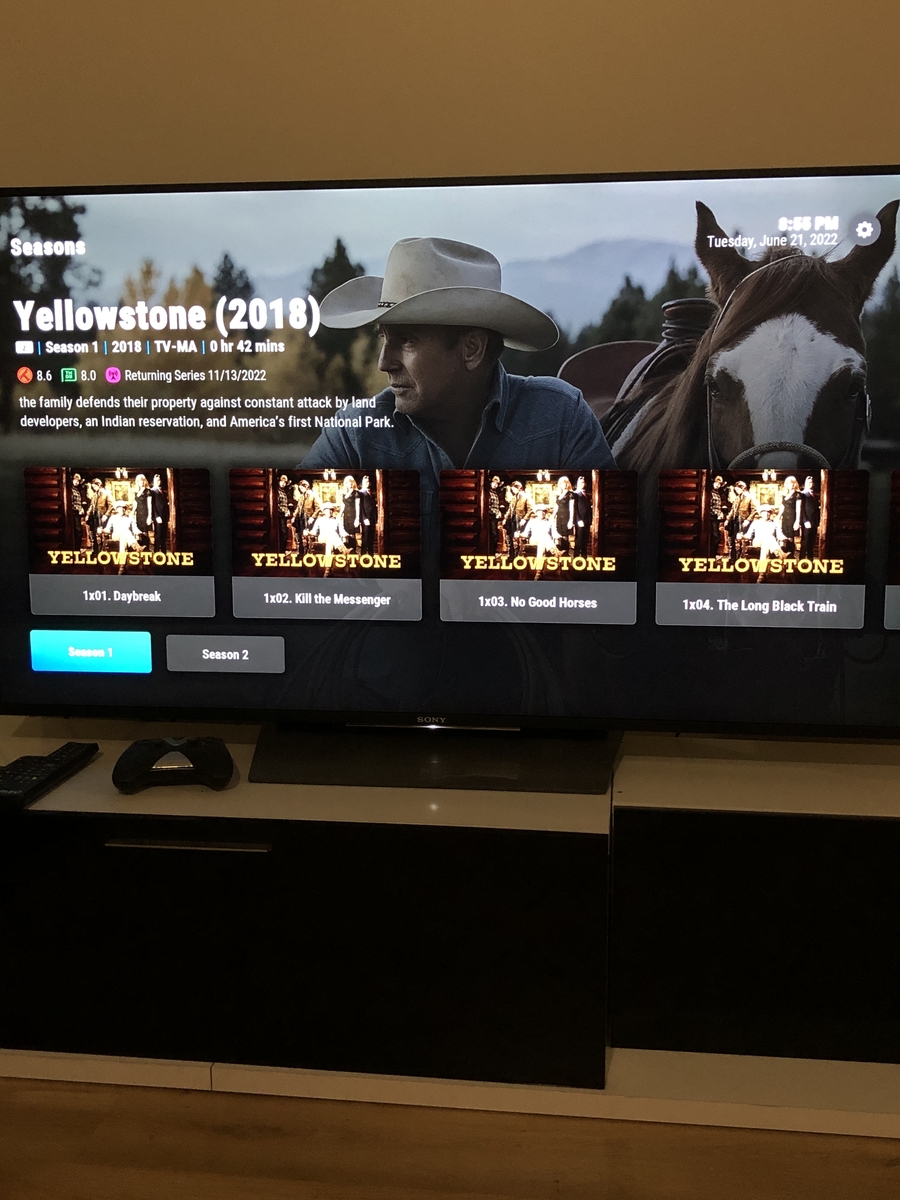 1 point
 -
ok, backup is complete, now v4.7.2 working and even the upgrade to v4.7.5 is running1 point
-
I‘ll check that out. Thanks Luke.1 point
-
I deleted all my artwork, and I think I see the issue. Once cached, it's fine. For some reason the skin doesn't load the URLs properly. Will check.1 point
-
On my computer the trailers play fine? my Emby app for iOS trailers play fine? it’s just android tv app has this weird issue1 point
-
FYI just reproduced it with a Direct Play, same thing.1 point
-
Nevermind! Seems like it just needed some time, everything plays correctly now!
 1 point
 -
Interesting, I did not realise that would work on a GCwGTV or android TV? If so why is there 2 apps? Anyhow I'll give it a go tonight, about 4 hours from this post.1 point
-
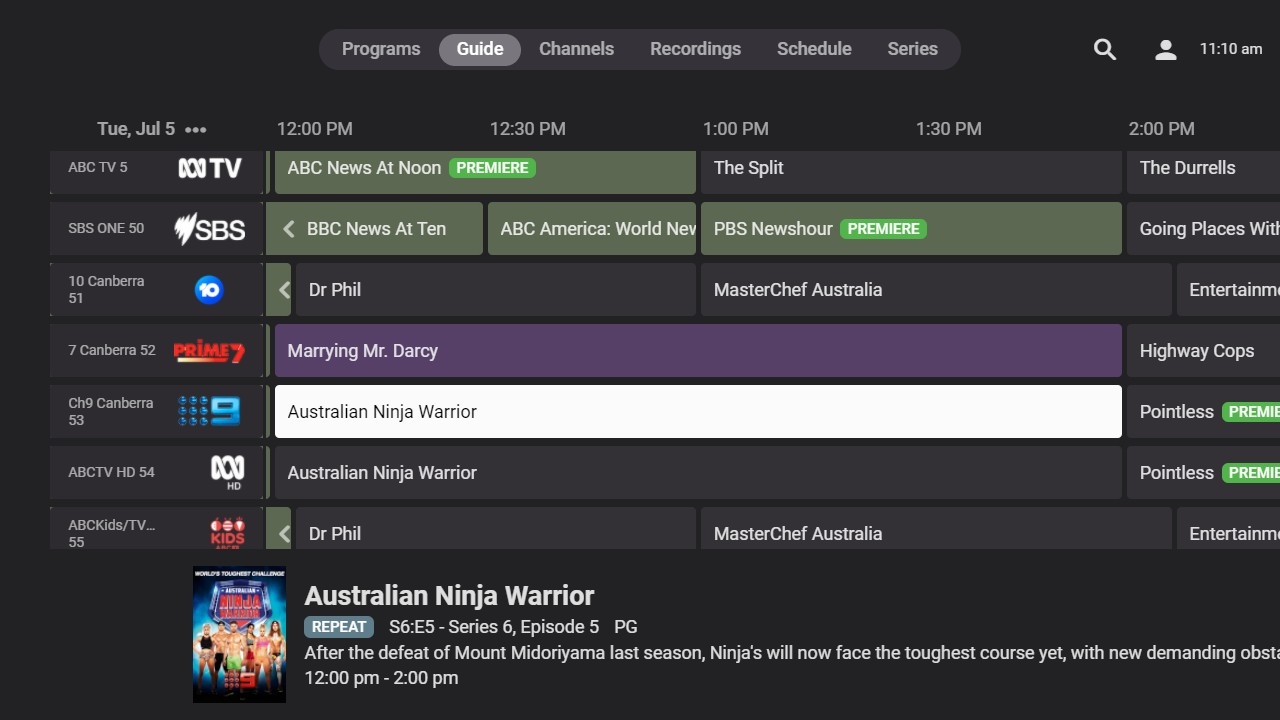
I think I misled you. Looking again at the combination of Hauppauge WinTV and IceTV xmltv source within Emby, EPG mapped to that source, I think I am now seeing the PREMiERE banner only on new shows. I think before I may have been looking at a set of data arising from a series of shows that were actually first runs, giving me the impression that all programs and channels were carrying the PREMIERE banner. I'll keep an eye on it, but maybe I'll raise the issue on the NextPVR forum as emveepee suggested, if indeed the data is coming through from NextPVR marked as Premiere. If you look back at the image I posted previously of the NextPVR Client (with "Highlight 'new' shows" checked in NextPVR), there are actually three PREMIERE banners with the red one picking up S01E01 from the xmltv feed and two green ones which have picked up S04E01 from the feed. Other than that I have no idea what data coming through from NextPVR might be marked as PREMIERE.
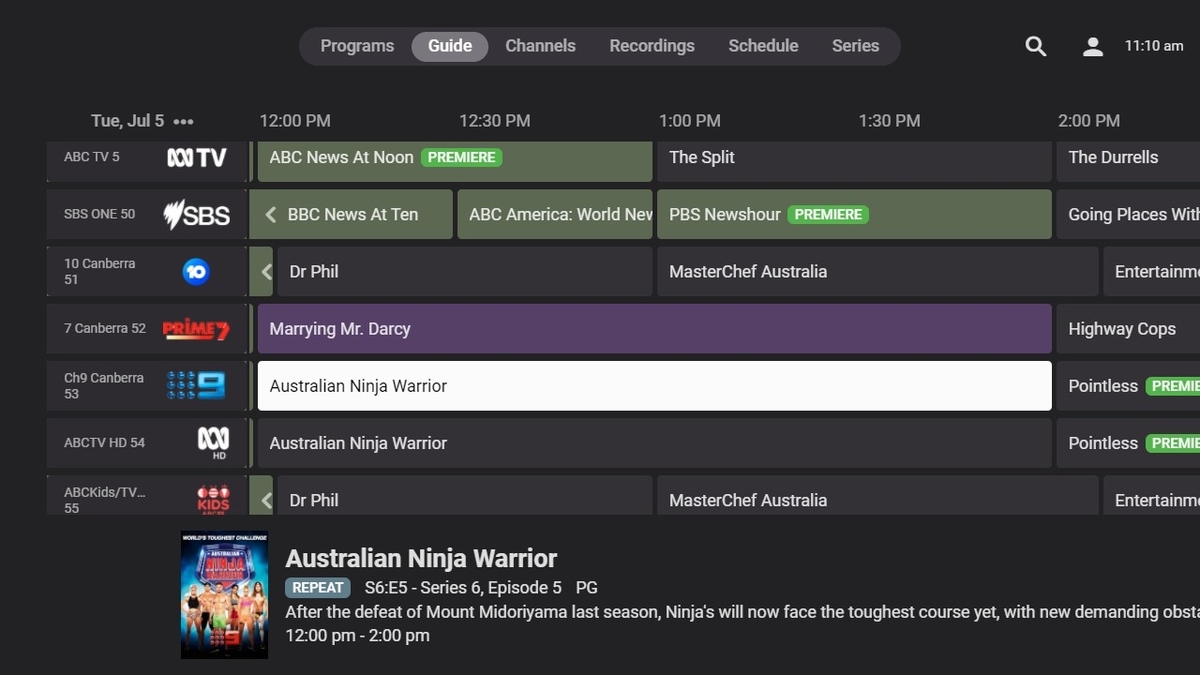 1 point
 -
Okay it actually does transition from LAN to WAN, it just appears to take a while as all I got were blank screen. After a while the screen populated again.1 point
-
Excellent! Thanks!1 point
-
Just clean installed 6.2.20 as a reference, everything synced fine. 2022-07-05 09:16:39.610 T:29406 INFO <general>: INFO: EMBY.core.movies: ADD to boxset [137/1165] Zoolander: 554 to boxset 2022-07-05 09:16:39.610 T:29406 INFO <general>: INFO: EMBY.core.movies: ADD to boxset [137/1166] Zoolander 2: 1212 to boxset 2022-07-05 09:16:39.634 T:29406 INFO <general>: INFO: EMBY.core.movies: UPDATE boxset [37597] 137 Zoolander Collection 2022-07-05 09:16:39.661 T:29406 INFO <general>: INFO: EMBY.database.dbio: --->[video191862848704] 1142 rows updated on db close 2022-07-05 09:16:39.692 T:29406 INFO <general>: INFO: EMBY.database.dbio: ---<[video191862848704] 1142 rows updated on db close 2022-07-05 09:16:39.693 T:29406 INFO <general>: INFO: EMBY.database.dbio: ---<[ database: video191862848704/0 ] 2022-07-05 09:16:39.749 T:29406 INFO <general>: INFO: EMBY.database.library: -->[ library refresh video / worker library ]1 point
-
That's why I extract embedded SRT subs and put them alongside the file itself. Doing so it's much easier to manage imo.1 point
-
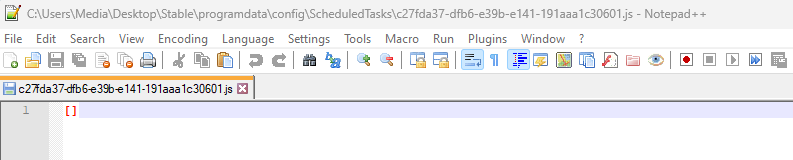
Data task will always regenerate themselves, that is why the custom tasks folder is created in config. If there is content beside [] in the config custom task you did not do it right. content of the custom task.js
 1 point
 -
Just a suggestion. You can use the header editor in MKVToolnix to set subtitles correctly.1 point
-
That's the list of updates, yes.1 point
-
Hi. On the login screen, there is a "Send Logs" button. Can you try to login, let it fail, and then press that button? Then come here and tell me exactly what time you did that. Thanks.1 point
-
Glad you sorted it out (but still don't know which thumbnaios you were referring to). In any case, any change in library settings regarding metadata/artwork settings usually applies only to newly added content. For existing content, depending on task required, either Refresh Metadata>Replace All or moving it out of the library, scanning, returning it (as a new item), scan is required - as you've discovered yourself. Screengrabber is used for locally extracting images from video files, depending on its position in artwork scraper order it might or might not provide for example Primary image, but has no influence on Chapter Markers or 10-seconds bif generation. It is usually last resort to get artwork if all online scrapers fail. I would assume it could be done via API calls or maybe ScripterX plugin, but someone proficient in Linux might chime in regarding that.1 point
-
Next USB version with the fix is not released yet. Worst case it will be in 14 days as that's when the current USB release will expire, so it will be published before that. Hang tight, it will fix the issue for you.1 point
-
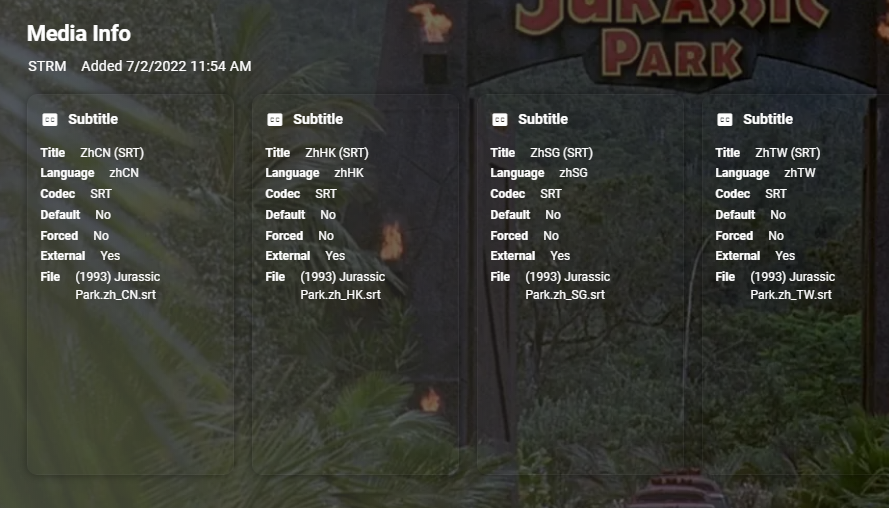
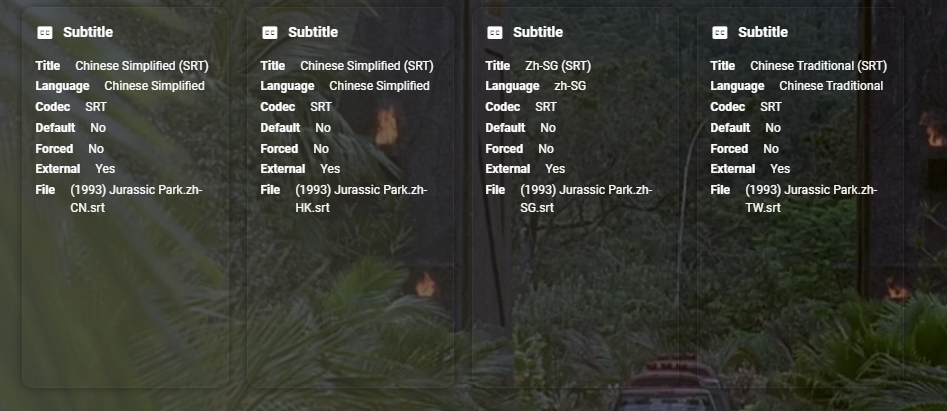
Yes, zh-SG does not work either but listed in KB. ISO and Country codes used together @cayarsKB appears to be wrong with underscore instead of dash.
 1 point
 -
There's a myriad of different ways to render content and it just so happens that the one we're using is triggering a Firefox defect.1 point
-
Shield Experience 9.1 has been released. It is the same as the 3rd ebeta installment. https://www.nvidia.com/en-us/geforce/forums/shield-tv/9/496476/shield-experience-upgrade-91-released-63022/ Today we released SHIELD Experience Upgrade v9.1 (33.2.0.125) for all SHIELD and SHIELD Pro units. This update is based on SHIELD Experience Upgrade 9.0 and includes the following fixes: Enhancements: Adds support to automatically enable game mode on supported TVs (ALLM) Adds night listening mode (HDMI audio only) Adds option specify network workgroup when connecting to SHIELD over local network Adds option to create your own password when connecting to SHIELD over local network [SHIELD Pro 2019] Adds AI upscaling support for 60Hz HDR10 video [SHIELD Remote 2019] Adds option to only wake SHIELD with power button or NETFLIX button [Game Controllers] Adds option to only wake SHIELD with logo button Adds option to match uncompressed audio with Dolby reference volume levels Adds option to disable displaying HDR/Dolby Vision content Adds notification when app uses microphone Bug Fixes: Display Fixes bug where Dolby Vision mode would become re-enabled after reboot Network Resolves issue where link speed was not reported when connecting ethernet cable Resolves issue where “Restart Wi-fi” in Quick Settings was not working properly Audio Resolve audio pops heard after hotplug of USB audio devices Fixes bug where some apps would only play through headphones after “Match content audio resolution” is enabled Resolves issue where HDMI fixed volume required disable-enable cycle to work properly Fixes bug where stereo upmix would not become enabled after playing multichannel discrete audio [SHIELD 2019] Disables comfort noise feature when Dolby Audio Processing is enabled Storage Improves file transfer speeds to attached storage Resolves issues where NAS would not reconnect after SHIELD restart Accessories Fixes bug where SHIELD Controller 2017 or SHIELD Remote 2015 would not auto pair after taking upgrade SHIELD TV app Fixes bug where SHIELD TV app would not send keyboard entries while streaming GeForce NOW Resolves SHIELD TV app issue where user could not copy/paste text (passwords, URL, etc) Other Resolves issue connecting to GeForce NOW servers while NVIDIA Share is active Improves stream to twitch duration indefinitely Resolves issue where system would become unresponsive after enabling Dolby Audio Processing from quick menu Resolves issue where SHIELD would wake up unexpectedly Improved HDMI-CEC compatibility with other HDMI connected devices Resolves issue where app switcher (double tap home) would not show most recent screenshot properly Resolves adb connection issue where host PC would need to be re-authorized after 7 days Fixes bug where D-pad "up" and "down" would not function after upgrade1 point
-
Exactly the question I had. It's hard to build music playlists over time because who knows if you previously added a particular song to a music playlist when you have thousands and thousands of songs. Just a pop up that says "it's already in there, would you like to add the duplicate entry (yes/no)" would be great.1 point
-
@Luke @Happy2Play I've edit the system.xml file and now the movies are sorted as I want. Thank's1 point
-
Hi, this is not yet supported in our Apple TV app but is planned for the future. Thanks.1 point
-
Hi, yes we're working on a new windows app that will be able to do this. Thanks.1 point
-
Also very useful for when you know a new program is coming but it's not in the epg yet1 point
-
Nice catch ! I never caught that in my original script either. So MLP FBA + 16 Channels = TrueHD + Atmos MLP FBA Only = TrueHD0 points












.thumb.jpeg.1f6f89ab6ab9e63551e513f3762b58cf.jpeg)