Leaderboard




Popular Content
Showing content with the highest reputation on 06/15/22 in all areas
-
Found out why my header wasn't scrolling. It was my browser DuckDuckGo Privacy extension. Once I gave the Emby app permission everything worked again.2 points
-
its a bit disappointing that there has been only the smallest amount of dev engagement with this issue. its clearly been caused by the most recent stable update and while it doesnt seem to be happening consistently all of the time for all of on this thread it would be good to know that it is being worked on as it is very noticeable. even if we are just at the collection of data stage to try and work out what the root cause is2 points
-
Why do you feel that converting to the MKV container is not the way to go ? The plugin relies on the media being MKV - as it is the only container that allows you to modify the headers without re-writing the entire file. The conversion is a 1:1 container swap - 'mkvmerge -o output.mkv input.ext' - that's it - it is not doing anything else. To add, MP4's with any form of DV in them are NOT converted by default - as we know they can cause issues. Personally, I think a MKV toolset like this to 'fix up' bad or missing codec from media files is long overdue - and will actually reduce support calls to emby. How many support requests have there been about DV not playing or no audio from a DTS-HD only stream for example ?2 points
-
Hi, it's coming. Thanks.2 points
-
That was quick, easy and painless!!! GrimReaper rocks! THANKS for your help!2 points
-
Hey All, sorry for the long radio silence, yea seems like the latest version doesn't play to nicely with the smart plug. I'll work on it this week, expect a release soon. (Have nearly finished the other items as well). Till then....2 points
-
Hi Emby community. I want to share my first plugin, it´s the SubdivX subtitle provider Buenas comunidad de Emby. Les quiero compartir mi primer plugin, es nada mas y nada menos que para el famoso SubdivX. Latest: Version 1.0.2 Old: Version 1.0.11 point
-
Thanks Luke,will try when I get home a little later today and let you know. Appreciate the effort! Chris1 point
-
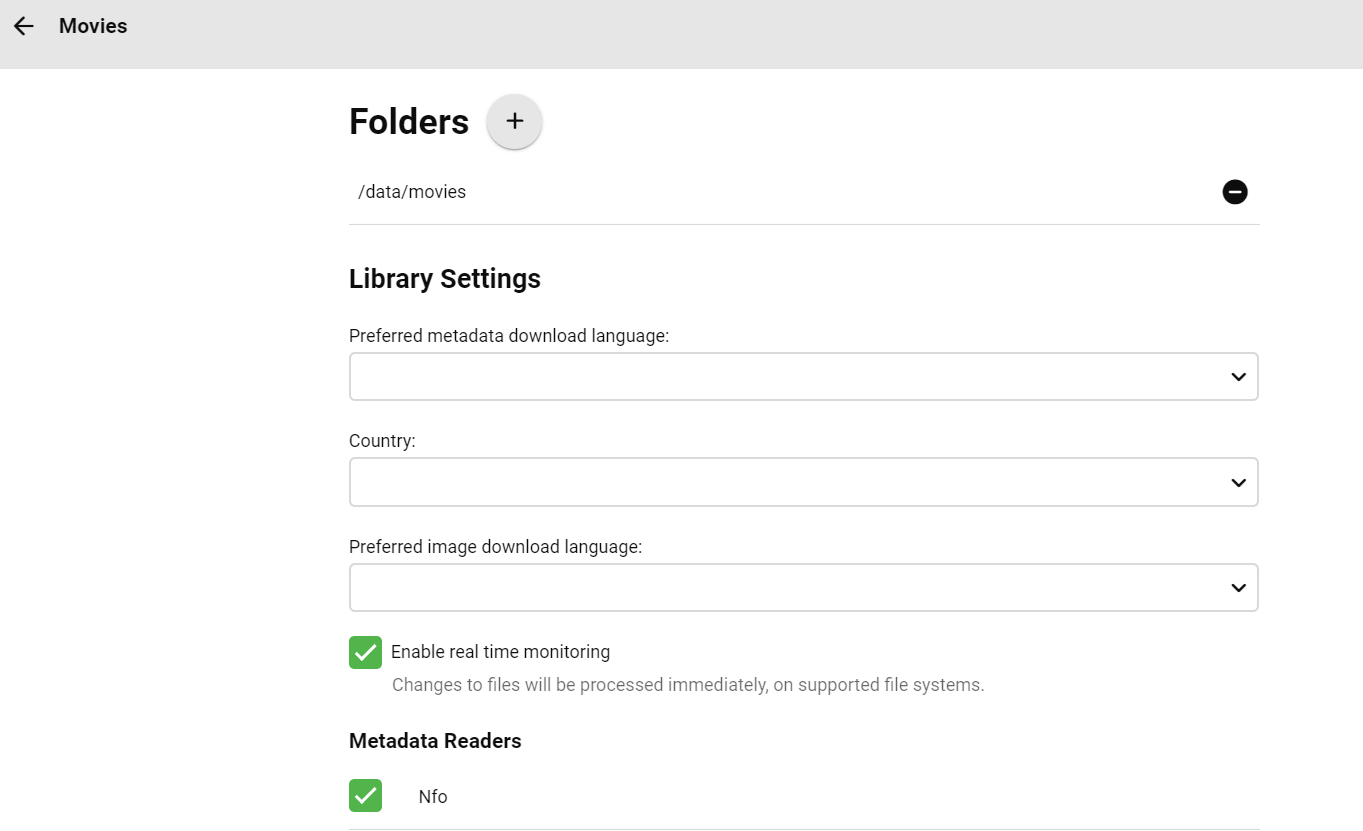
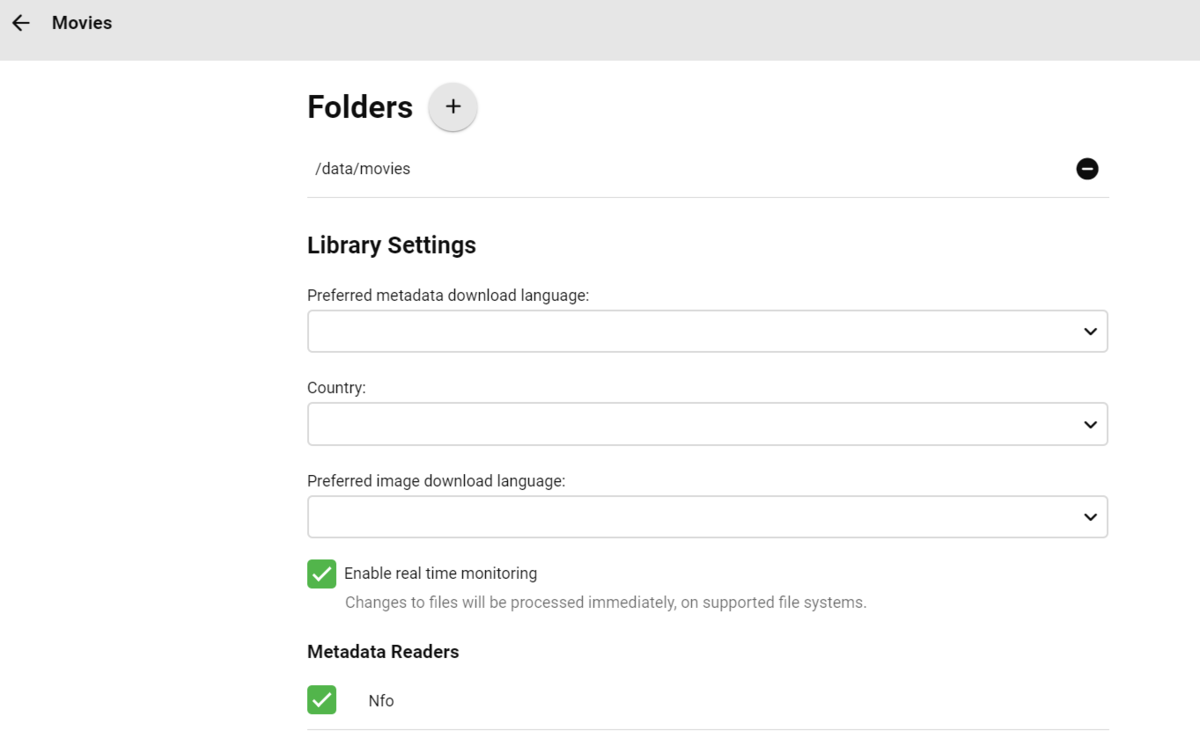
@Luke got it, thanks! Hadn't seen that sub-menu. Settings > Server > Library > Movies (middle right collection with various icons) > Enable real time monitoring
 1 point
 -
@Luke @Happy2Play I've edit the system.xml file and now the movies are sorted as I want. Thank's1 point
-
I disagree I don't think it is a mess at all, and at the same time many users are quite happy with Emby. It is just not as advanced as other backends which to be fair have been around for a decade longer. Too many posts have been made about delivering functionality that isn't there yet and now temporarily? avoiding tuner development might allow the core can be improved. Martin1 point
-
Just in case, here's an example from another plugin; https://github.com/MediaBrowser/Podnapisi/commit/4eb5896bb78586d266da1ea4bb12be6c9cdfaec21 point
-
OK yes I see the problem. It's an issue in the beta, but not stable. It will be resolved in the next build. Thank you for helping to test the beta.1 point
-
Also note that non-VIP users have limit of 200 subs/24 hrs, while for VIP users that limit is 1,000/24 hrs. If you've reached that, DL will continue on next task execution 24 hrs later.1 point
-
Yes thats the latest on here, I cannot post the one on my server at the moment because of a few issues, but I have figured out what causes the slow down with pages with missing metadata, and done a lot more "behind the scenes" since that build as I have figured out quite a bit more and how it works. It will come, its just not ready yet. As for maintaining build notes on here, I ought to split off to a dedicated plugin page as this is not even the same plugin as post 1.1 point
-
AFAIK Apr 21st, that's the one I'm using.1 point
-
@chef I dont use nfos... As far as the db is concerned, it's a delete and re-add. It's got no way to know it's the same material in a new location. I'm pretty sure my way will work, I might do a test run soon.1 point
-
Appreciate it.Have been switched to the beta version let's see how it goes...1 point
-
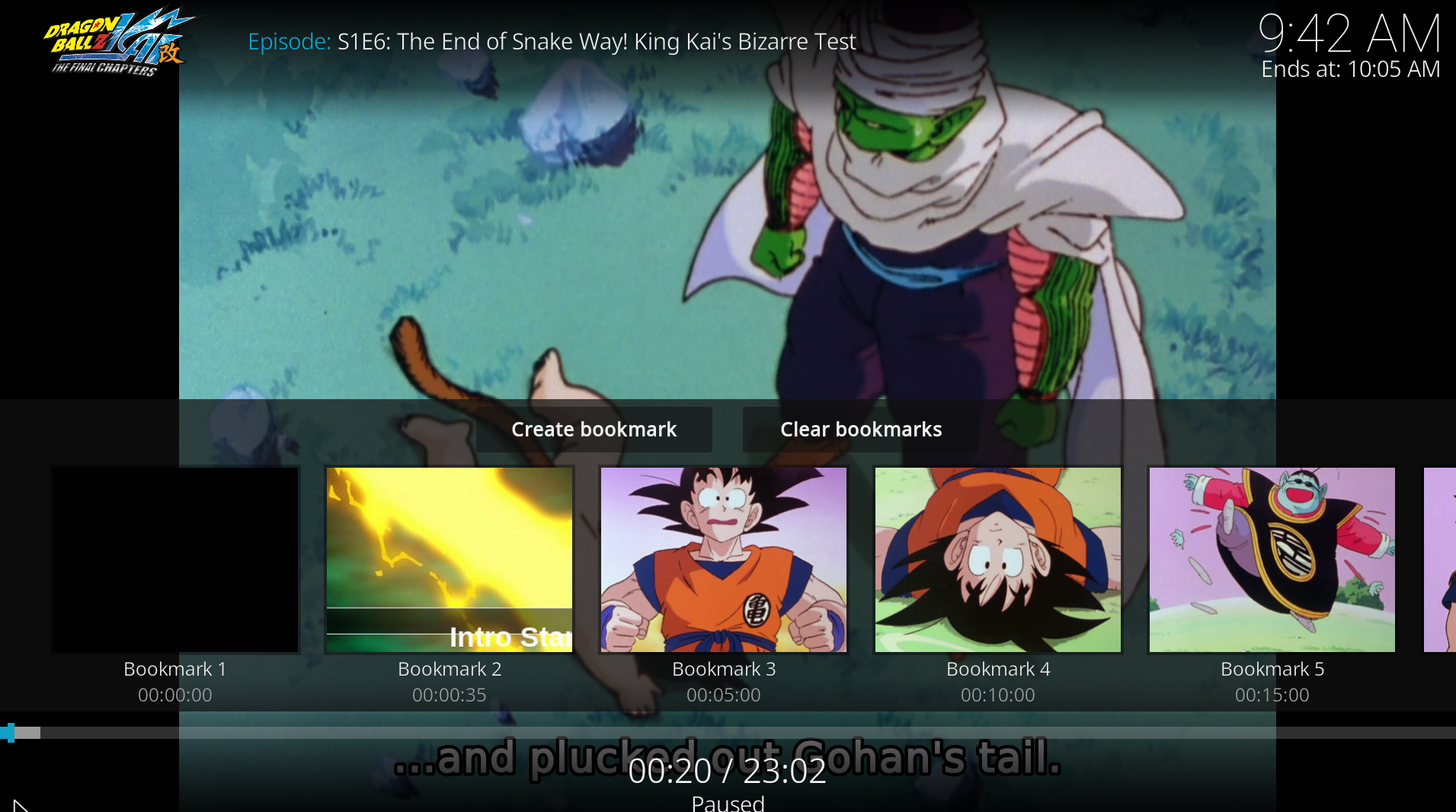
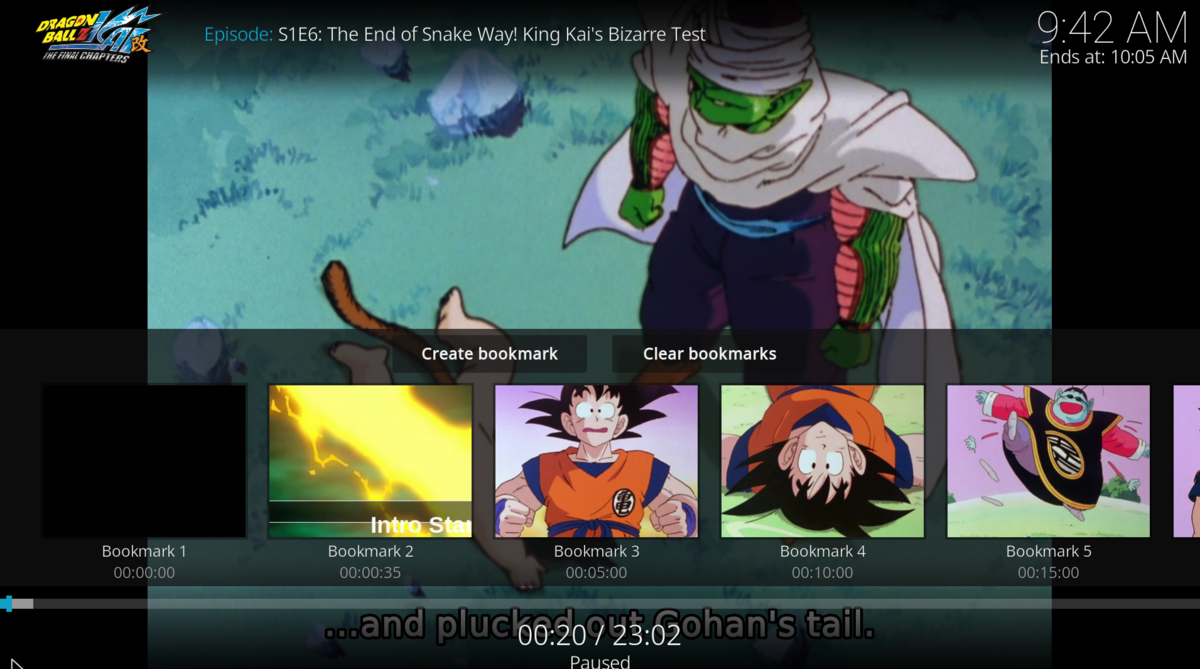
Thanks for the clarification - in that case I believe I am only showing the 'IntroStart' marker and not 'IntroEnd' which I think won't be very useful?
 1 point
 -
@ShadowKindjal in the past I've seen strange and difficult-to-pinpoint corruption issues in SQL-type DBs when the drive where the DB files are stored runs out of space while the DB is otherwise open/active. I'd consider the current database to be potentially suspect - if it were my system, I would reset Emby entirely and rebuild to be safe. Chasing around DB gremlins is no fun.1 point
-
@Happy2Play Man you are a total beast in this thread. Great job helping everyone out.1 point
-
If you run the library scan after the restart, would that not apply the new locations. The library scan might take an extra moment to complete, but it should correct the db for you.1 point
-
Sooooo as it turns out I am an idiot. I was logging in with the wrong user on my device.... Anyway... Thank you for your assistance. I learned a lot.1 point
-
Hope it will be soon now @ebr. I've been praying for this for so long1 point
-
Well, a checkbox doesn't really make sense but, I suppose, a button next to the field to fill it with the filename could conceivably be possible...1 point
-
Yes, that is possible for the future.1 point
-
Yes, that makes sense. We do need more subtitle options - for placement, size, margins and colour.1 point
-
So the concept of a 'MKV toolbox' came about as building on a Plugin is much easier than creating one from scratch and if the themes are related (ie MKV manipulation) then I personally don't see any issues with it all going into the same plugin. Now it uses Tab's - it's much easier to see this is a separate 'function'. Where the line needs to be drawn is where you are using the plugin to do independent functions - the HDR>SDR BIF generator actually falls into the category. In it's current simplistic form - it probably doesn't warrant it's own plugin - but if it's expanded to add lets say multi-threaded normal BIF creation - then a stand alone plugin would probably be the way to go. This is @Cheesegeezer's plugin at the end of the day - so he has the final say1 point
-
Moin moin, ich weiß nicht warum, aber Emby hat "über Nacht" die Bibliothek aktualisiert und jetzt stimmen die Vorschaubilder. Gruß Eddie1 point
-
yeah I think I identified that I thought it was the 4.6 update were things changed. I mostly notice this on TV Shows I set to unwatched to re watch them, after the first episode it jumps to the first episode with SortParetnIndexNumber = null and SortIndexNumber = 10000 and it is all the post 4.6 epidoes that have null|10000 in the fields. My guess is the migration code inserted 0 instead of null when migrating the DB schema, or something like that.1 point
-
Fixed it for me. Feeling REALLY dumb. It’s the little things.1 point
-
Thanks Luke, will do it tomorrow I wasn't aware of the change on the dependencies.1 point
-
Let me know if I can be of any help.1 point
-
Right-click anywhere on library thumb or mouse hover left click three dot menu lower right corner>Edit.1 point
-
ok will try that!1 point
-
Under "Folders" section, remove old path(s)/add new path(s).1 point
-
Settings>Library, edit any library. Note that if drive letter/folder structure change, all items will have to be rescanned/readded as if new.1 point
-
Please please please guys - don't do all those conversions as if your media files were zip files. Only very rarely does this make anything better, but often the opposite. At some day I will have enough from looking at all those kaputt-converted files and I'll quit.1 point
-
Yes, I think the issue was "importing" the Live TV recording timers from 4.6.7 into 4.7.2 was the issue. After deleting these timer files, the guide refreshed fine. So this one is solved, but I am struggling with the audio sync issue, which is a real deal breaker.1 point
-
Yes very odd! I will test it as soon as I got a chance in the next couple days...1 point
-
Is there a better way to automate this process for the user? I recently updated my home theater a bit and added surround sound, and it's gotten me to think more about how this is implemented. Would it be possible to have playback speed enabled for every file, and when necessary down mixed to stereo? In these cases, a simple pop-up message could let the user know that the audio quality is being (or may be) impacted by the faster speed. In theory, the person looking to speed up playback could find the option and then if the sound is affected decide for themselves if the trade-off is worth it. Before, I was happy to set Emby to stereo and forget about it. Now, I'm recognizing that a lot of the time I'm a part of this vast majority of people and I don't want stereo on by default. However, I also don't want to have to go into settings to downgrade the audio every time I want to increase playback speed. I'm especially worried how this will affect a household of users who aren't really comfortable going into settings at all. What's happening is that Emby is becoming the service for faster speed and terrible sound, while an alternative is being used for good sound and normal speed.1 point
-
I know exactly what it is bud and how to handle it1 point
-
The 4.8.0.1 beta has added a (hidden for now) configuration value for the scan time. Paul1 point
-
good, today and tomorrow I'm out . Asap I will come back I will test the procedure. in the meantime I dowload the tool and start to have some feeling with it I'll keep you updated many thx for your help \Gianni1 point
-
Hey there, 3.0.15. I actually figured out how to use mpc-hc as an external player, using madvr as renderer. If I can't get It to tonemap correctly. This works as well. Thanks for quick reply !1 point
-
Yes, I have the exact same problem, I cannot watch movies together with my very real girlfriend. To be blunt me and my very non-imaginary girlfriend have grown more apart because of this missing feature.1 point
-
If you go into settings, do you have the Local Network permission turned on for Emby?1 point
-
That would be awesome for people like me, without deep knowledge.1 point
-
Workaround is also working for me. Any idea when this will be supported by the GUI? Many thanks!1 point
-
I've put together a list of thoughts I've gathered from my own experience and from other users' input. Some thoughts about what audiobook support is missing in Emby: Top priority features: store album position (not just track position) and when starting the album, go to that track/position instead of track 1 adjustable playback speed (a dealbreaker for me, but some might disagree) when "continue listening" is used, queue up entire album into "now playing" "Nice to have" features (in no particular order): Finish distinguishing media type from Music (still says "latest music" in web, and when downloading on mobile, it puts audiobooks in the "Music" folder, and other similar relics) limit saved progress to one track per album. (That way when you resume an album, there's clearly one place you mean for it to resume from. If you play a few minutes of chapter one, then realize you already finished that chapter and start the next track, you want it to save the progress in track 2, and forget that you played half of chapter 1.) metadata agent for matching artwork and descriptions separate metadata fields for author AND narrator multiple author tags that can allow books to appear under both authors handling of non-square cover art keep track of "in progress" or "continue watching" audiobook albums (add to home screen similar to movies, and create "recently listened books/albums" and "Recently added books/albums" in "Audiobooks" library type, instead of recently added/played tracks as it is now) skip ahead/back in larger (or custom) increments (e.g. 1 minute; currently an app-wide setting) and perhaps separate buttons for small and large jumps (keep 10 second button, but add a new 1 minute or 3 minute button) apply skipping ahead/back to progress in the album, not just the track, i.e. if you're ten seconds into a track and you press "skip back 1 minute" then allow it to go back to before the end of the previous track. Sometimes track boundaries are arbitrary. go back a few seconds automatically when resuming, especially after a long pause or being stopped (restart the word/phrase; could be an optional setting; would be nice for video as well...) sleep timer to stop playback after a given amount of inactivity remember furthest played position in book/album (similar to furthest read position on Kindle) so that if you accidentally start over, or have to jump back for something, you can jump forward to the autosaved furthest location again enable resetting of furthest played position, if you want to start a book over, or accidentally jumped to the end display album duration on album info page show album progress/total duration in playback screen, not just track progress/duration allow shuffling albums, not just tracks somehow account for series of books, perhaps a new tag to account for being in a series and what number in the series. Thus when you finish book one, it can suggest book 2. Perhaps add a "series" view similar to collections. Somehow also account for some books being in multiple series (e.g. book 12 of series A is also book 2 of the spinoff series). Somehow also account for different books in a series having different authors. Just my thoughts, but those top three or four would be enough for me to switch to Emby full time for my audiobook needs. And the rest would take it from "workable" to awesome. Many of these could be summed up as: treat audiobook albums as a single media item for most purposes (showing progress/duration, storing resume position, marking as complete, jumping forward/backward, showing recommendations of albums instead of random tracks, shuffling albums instead of tracks, recently played albums instead of tracks, queue up album instead of track when resuming, etc.)1 point