Leaderboard




Popular Content
Showing content with the highest reputation on 05/27/22 in all areas
-
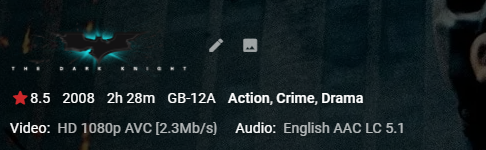
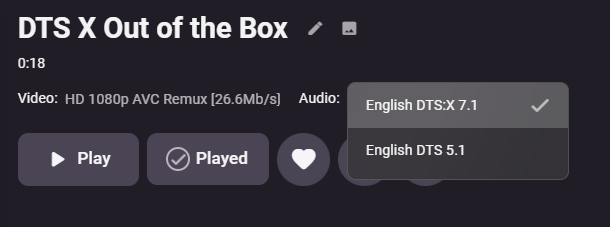
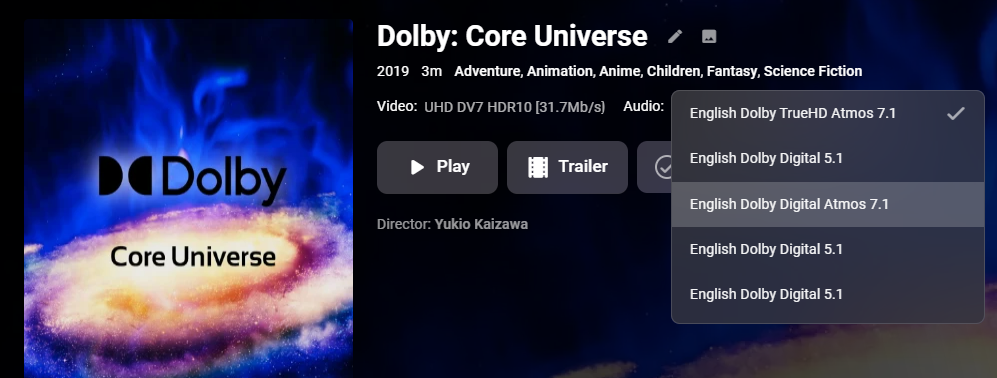
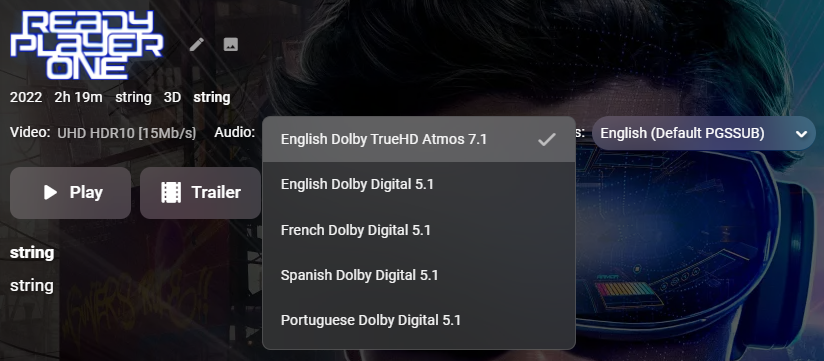
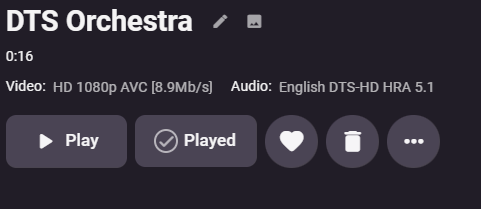
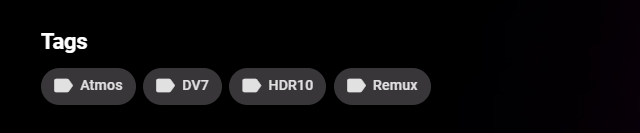
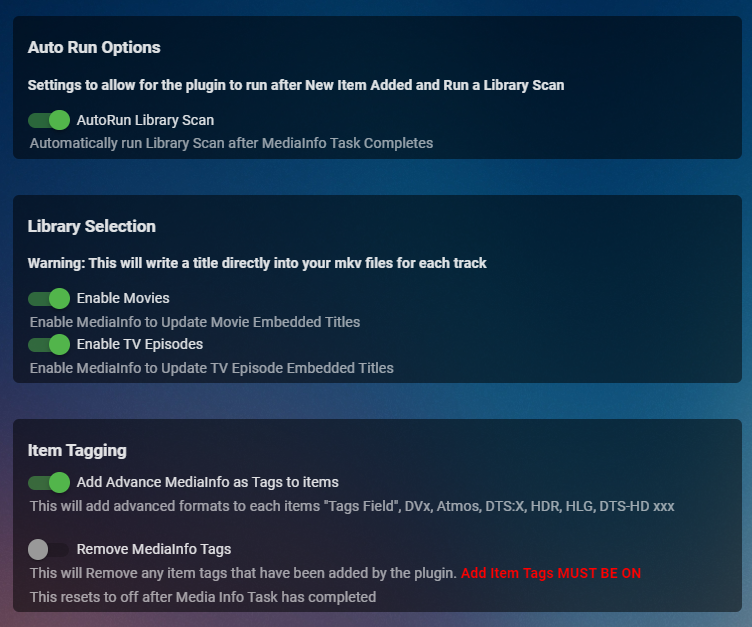
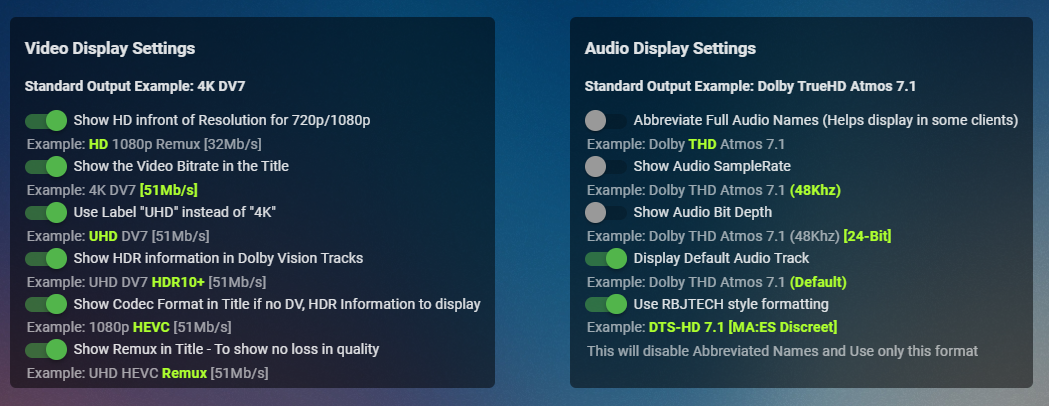
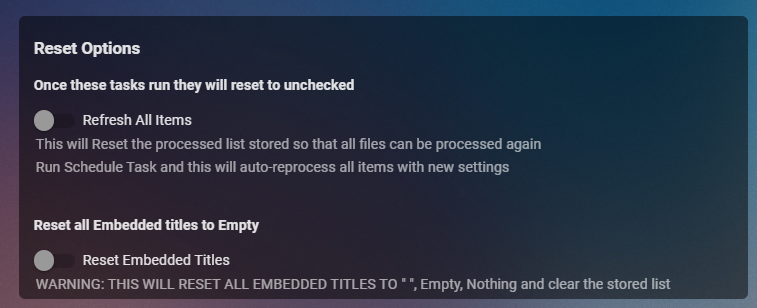
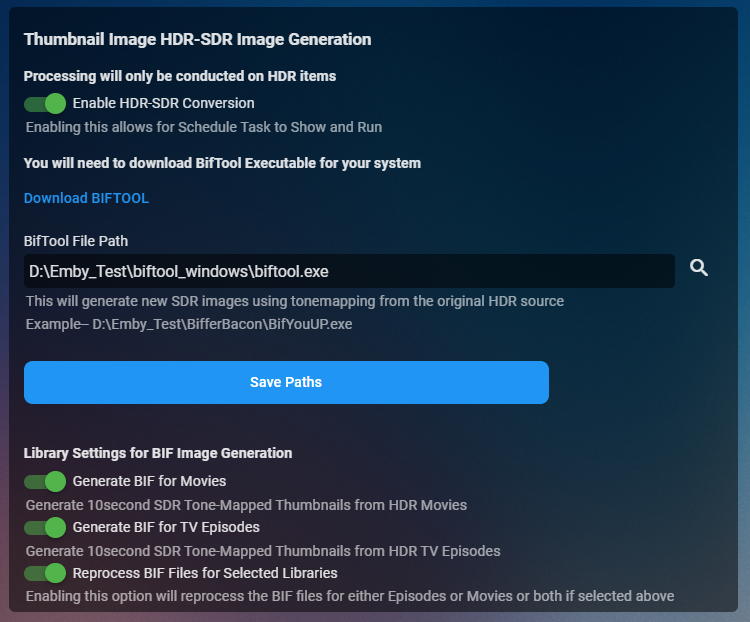
Cheesey Productions brings you MediaInfo for Emby Bringing your Media Info Formats up to Date (including HDR, Vision, Atmos, HLG, DTS:X, DVx, etc) And HDR-SDR Image Extraction using tone mapping for clearer seek images Available from the plugin store A huge shout out to @rbjtech for all his help with this. He was my knowledge base. Thanks Rich Please read the wiki page available that will help you get set up. MEDIAiNFO WIKI PAGE PLEASE NOTE THIS PLUGIN WILL MODIFY YOUR MKV EMBEDDED TRACK TITLES Some examples Also you can add tags to your items Enable the options in the settings and this will only add the tags for the unique formats the emby doesn't already take care of. There are plently of options for you to chose from to get your media looking how you want New Feature Added ---- HDR - SDR BIF File Creation using Mobius Algorithm for ToneMapping This generates larger and crisper images for Chapters and 10Sec ThumbnailSets WE URGE YOU TO READ THE WIKI PAGE 2 SO YOU UNDERSTAND FULLY WHAT'S INVOLVED HDR-SDR IMAGE GENERATOR WIKI Settings can be found at the bottom of the media info page. Feed back is always good. After replacing the dll always remember to clear your browser cache and restart it, to load new changes in the UI.
 7 points
 -
So the usual process on FR's is the team wait to see how much interest there is - and then maybe allocate resources to it sometime in the future if it gains traction. This FR has had ZERO likes - and yet it has been implemented. There are maybe 100's of FR requests with many likes - and yet this one has jumped them all... And to top it off - it has been implemented without the ability to turn it off. Personally, I have no issues with it - and maybe it was an easy win - but when other fundamental aspects of the system are still missing that have been waiting YEARS to be implemented, it's a little odd to see these 'features' creeping in under the radar.4 points
-
It's something that we plan to add though. Thanks.4 points
-
This is for Emby Theater for Tizen and iOS. It seems all these recent updates are to “clean up” the OSD etc. Well, there is tons of room now that you have removed the poster from the video details screen, so can we please get the “Ends at” time back on details? Makes absolutely no sense that that it was removed in the first place. I realize it can be seen after the video is playing by pressing down to get to video info but the whole point is to see if you have time to watch the video BEFORE you start it! Seems pretty straightforward. thx!3 points
-
Emby Server 4.7 is Released with Many New Features, Improvements and Fixes Emby Server 4.7 is starting to rollout to different platforms. It's packed with new features, improvements and fixes. We wanted to give you a Preview of some new functionality and changes to Live TV as well as bring to your attention possible post installation configuration changes that might be required. If you currently use one of the following Live TV Plugins (NextPVR, MediaPortal, ServerWMC, TVHeadEnd, TVMosaic, Vu+, DVBLink or DVBViewer) you will need to reconfigure the plugin after it is updated following the 4.7 installation (the server checks for new plugins after a new install). As part of this process the guide will refresh. Please let it completely finish before going to the next step. Once the guide refresh is complete please go to Live TV menu and add a new tuner. You will see an entry for the plugin you are using. See Below: Live TV has many new features as well as a new plugin framework. Our own internal tuners and guide have been moved into plugins using this new framework as well. Setting up a tuner for use in Emby thanks to the new framework allows for a unified architecture, simplifying tuner/source setup. Here's an example of the Add TV Source dialog showing a few of the different choices using the new plugins. Whenever you install a new Live TV Plugin an entry will appear on this dialog. All available tuner types are now managed from one central place simplifying setup and configuration. All tuner types now share a common set of features. This allows 3rd party plugins to work exactly the same as Emby provided sources. This is now possible thanks to a new TV framework Emby uses debuting in this release. This new framework allows for simpler TV plugin creation as the server takes over responsibility of many functions previously needed at the plugin level. This helps to prevent issues related to specific plugin code as Emby server can now handle streams in a very consistent manner regardless of source. This is a WIN/WIN for developers as well as users! Emby Server 4.7 along with it's new TV plugin Framework includes new features and expanded functionality. Some of the highlights are: Support for OTA ATSC 3.0 & 4K Live TV If you have an ATSC 3.0 compatible tuner and live in a TV market currently broadcasting ATSC 3.0, Emby has everything you need to embrace this new technology. This includes new support for the proprietary AC-4 coded needed to decode audio streams. Not only will you get a beautiful picture especially on 4K HDR channels, but awesome sound as well! Cable Support for 4K Channels Emby supports receiving 4K digital cable channels. All you need is a compatible tuner like the ever popular HDHomeRun Prime. Of course your provider needs to support 4K channel transmission and have this turned on for you account. Check your providers website for 4K support as many providers have this available, often at no additional cost. 4K Channel support is not limited to built in OTA and Cable tuners but is fully supported through all tuner types if the source itself support 4K. Here's a great screenshot of a 4K SDR broadcast captured from an HDHomeRun Prime tuner: Universal Closed Caption Support In All Emby Clients Every Emby Client including web browsers fully support Closed Captions, not to be confused with subtitles. The Emby Transcoder is fully Closed Caption aware, so it doesn't matter how or where you play Live TV in Emby, it's now available if you require it. Manual Recordings Support Another new addition to Emby is support for manual recordings regardless if you have guide information or not. You can setup these recordings to use specific channels, set the starting start and end times, you can set the frequency of recordings (one and done or Recurring) as well as specific days of the week. Of course you can personalize the title of the recording(s) as well. You can setup a manual recording easily by clicking the the Create Recording button followed by choosing the Channel and Time option on the popup window. You can then setup the manual recording criteria that will be used. Here you see the custom recording already scheduled to record. Multiple Channel Support for Series Recordings You can now setup a single recording that can be used across specific multiple channels you choose. Emby also has adds new options to allow: Support Negative Recording Padding Values Enter a negative Number in the Start or End Options Max Recording Length for Series Recordings You can now set as a precaution a maximum duration that any recording can have. This shouldn't be needed but is there if you need it should you have a "fringe" reception channel that sometimes causes you grief with recordings. All New Views in Live TV Recordings Tab Emby now supports viewing your recordings just like other Movies or TV Shows libraries. Explore this option on your own and you should feel right at home with it. Server Dashboard Changes The server dashboard has been reorganized a little to make it easy to quickly find information. It also adds additional information. Here you can quickly see 2 Active Recordings taking place on the Server. Now Playing Dashboard The Now Playing section on the Dashboard sports a lot of new information but is easier to view as well. In the above picture you can quickly see Apollo 13 is Direct Playing the content as well as see additional information about the streams. My Cousin Vinny on the other hand is Transcoding the Video while leaving the Audio untouched, but is sending this to the client using HLS. The little graphics in the Video section following HEVC tell you it's using Hardware Transcoding. You can see the transcoder is Throttling (waiting) as it's producing 53fps which is more than what's needed at the time. The new Now playing also sports new features such as being able to click on the video name (ie Apollo 13) and be taking directly to it's detail page. Same with clicking on the username or device type. It's very cool! Improved Tab Design Used at the Top of Pages Emby now uses an improved design for tabs whenever show on a page. It's much easier to quickly see there are multiple tabs on the page with options and features. It's also much easier to see which tab your currently using. The new tab interface look follows your choice of theme information as well. New Theme Options Emby Server 4.7 gives you more control than ever over the look of your pages by allowing you more control over the theme options. You now have separate theme and accent color options. Want a strong all blue theme? How about and easy to see dark theme with Pick Highlights? You can also use a bit of imagination mixing different Theme, Setting Theme and Accent colors to achieve interesting results not possible previously. Embedded Lyrics Support for Music Files Emby now supports display of musical lyrics you provide. This doesn't require modifying your actual music tracks but is done using a text file residing next to the track! You can quickly and easily use a tool such as MediaHumon Lyrics Finder that makes quick work of adding Lyrics to your existing content. Rescan your music library and have this: This is a great new feature that's easy to implement, uses hardly any storage space (text files) and gives you great results! (first icon bottom left) Audio now playing screen The above picture shows one view of our new audio Now Playing Screens. Here's another version of the same screen without the lyrics showing your current queue: This view uses the middle button at the bottom between Lyrics and the cog/settings icon. Clicking the last icon (cog/settings) brings up a mini menu allowing you to change playback speed, Stats for Nerds or the ability to save your current queue as a playlist. Without any of the options selected you can have a simpler viewer centered on the page like this: You can get to these screens clicking the far right icon on the audio playback toolbar at the bottom of the screen. This new audio toolbar put everything you need right at your fingertips. See the artist, album and song. Change volume, set repeat mode, pause, stop, change tracks or switch views as shown above. The toolbar stays at the bottom of the screen for music while allowing you to explore other parts of the system. Very Nice! Audio Book Continue Listening Emby supports continue listening to Audio Books. The above screen shot shows the docked toolbar at the bottom of the screen while the top portion show a new option being set to display on the home screen to be able to quickly access and continue listening to audio files. New On Screen Display (OSD) Features Some of the new 4.7 OSD features have been shown recently in a couple Emby client blog posts using a preview release of 4.7. Some of the functionality of visual timelines and thumbnail graphics have been available in some form the past but now are fully unified in a cohesive manner that's very easy to use from a keyboard, mouse or remote. It's very slick, adds new navigational functionality as well as additional information you had to quick playing in the past to access. You can see how much thought and care went into this design allowing it to work effortlessly across the different cleints. Visual Timeline Showing Overlayed Chapter Information Done Through Keyboard Navigation Info - Bottom-Left Menu Option This will bring up information about the movies, show episode or TV channel you happen to be watching. Chapters Menu This shows the next menu option displaying a list of embedded chapters including the Chapter name, the timeline it starts as well as of thumbnail from the start of the scene. Cast & Crews How often have you watched something and wanted to know the actor or actresses name playing a part? Previously you had to exit playback to look this information up but now it's right here always available a click or two away. What a non-intrusive time saver this option is! On Now You can quickly and easily see what's on TV using the two new views added to the OSD. The On Now view above uses the programs graphics if available (Emby Guide supports this) to show what's currently on each channel in your lineup. You can easily scroll the list sideways to get a good look at everything currently being broadcast. The Guide showed below allows you to quickly see what's on a currently as well as what's coming on later. It's not limited to what's shown but allows scrolling up and down channels as well as the timeline so you can see what's coming on 12 hours from now. It's a fully functional Mini-Guide built right into the OSD. All of the OSD functions shown above work right over top the currently playing media allowing you access to a lot of new information with the least amount of disruption possible. Previously you probably got gripes and complaints from family members if you exited the media playback to get a look at the cast list to see the name of the actor. Now instead of having to wait to the end of the movie to see the cast list or catching wrath from the family, you can quickly view this information in a non-disruptive manner. Having all this new information as well as new tools for easier navigation right at your fingertips during playback shows how much thought and design went into this new version. Emby sets the bar high for OSD functionality that others can't compare to. More To Come! We're excited to share how awesome Emby Server 4.7 release is. We plan to following up this blog post with additional posts in the coming days expanding on it's new features. A special thank you goes out to all the people that helped test the many beta versions along the way! Inevitably with a monster release of this size there will likely be some issues we'll address with quick to follow maintenance releases. Please make sure to let us know in the community forum what you think of our new 4.7 release and any issues or questions you might have. Post Questions, Comments and Issues Here. Other Improvements Update to .NET Core 6.0 Update to ffmpeg 5.0 id3v2 parsing: Read full null separated list for text info frames Add Log anonymization feature Add now playing screen style options Reduce port mapper network traffic Add library option to control importing of playlist files Add log file rotation option Clean HLS segments during playback when disk space is low Reduce sizes of server log files when debug logging is not enabled Add subtitle download max age option Add subtitle download option for forced subtitles only Support comment tag as description for audio files Preserve subtitle track language with conversion and download features Safeguard against junk year values when probing audio files Save writers as composers when probing audio files Support a-z picker in descending order Support a-z picker when sorting by album artist or album Support reading roontracktag for music Clear episode external ids when changing series display order in metadata editor Improve deriving hw devices Support Audio Book resume Adjust for QSV changes in ffmpeg Support HW Acceleration for (graphical) subtitle burn-in Add subtitle background color and opacity options Add logo as title display option Add resume rewind playback option Make context menu header texts clickable Update TVDB plugin to newer TVDB API Update multi-episode metadata fetching to work with all metadata providers Add South African ratings Improve camera upload error handling Support convert feature with multi-select tool Improve multi-version display names Don't show video OSD on double tap skipping Reworked Active Devices display into Now Playing Improve audio book detail screen Improve audio OSD Improve efficiency of real-time monitor Improve DSD audio support over DLNA Minor adjustment of detail screen buttons Display chapter name in seek thumbnail previews Add channel name and channel number as DVR post processing command line arguments Improve scan metadata folder scheduled task progress reporting Improve performance of playlist detail screen Add sort by track number option to folder views Add Copy to Clipboard support in API Keys screen Enable chapters for audio books Update decision making for periodic refreshes Support TCM as composer Show full Chinese display name in track languages Update top tab design to be more discoverable Improve layouts with docked sidebar Set DLNA Server to off by default Allow for higher audio stream copy bitrate Support subs and subtitles folder case-insensitive Update album/song links with Included In section Make DVR wake server optional on supported platforms Set subtitle filename when downloading subtitle files to the browser Always display sort title in the metadata editor Make sort title lockable in the metadata editor Add Italian ratings Always record episodes when the option to check existing library is not selected Adjust recording image save behavior for series episodes that are sports Don't convert really large images to webp Improve album Identify search results display Support audio description and studio from copyright tag Support wm/year and original year tags Improve same subnet detection Improve episode parsing with episode titles contain numbers Add paths to log file for reference Allow deleting albums and artists Update folder queries to fix metadata manager sorting for albums Log DX detection into main log if debug logging is enabled Avoid resetting real-time monitor to parent folder when possible Adjust continue watching query Improve series grouping in mixed content Remove rejection of large camera uploads to allow any file size Support .mid audio files Support sort_with embedded sort title for videos Update sort by date last episode added to not be impacted by virtual episodes Prevent split button on missing episode detail screen Resolve performance issues associated with having large numbers of devices in the server database Bug Fixes Fix android database errors on deletion Fix year not being parsed from movie folder name Fix QuickSync HW overlay with tone mapping Fix display of incorrect video format names Fix Avoid detection of duplicate DX11VA devices Fix regression bug with ASF when reading image attachments Fix search displaying previously aired programs Fix incorrect photo orientation in slideshows Fix Roku playback failures with very long recordings Fix Windows: restart scheduled task and DVR times when system time changes (daylight savings) Fix QuickSync HW overlay with tone mapping Fix CBR books sending wrong mime type Fix DVD & Bluray folders not being hidden via .ignore files Fix transcoding throttling not occurring with Chromecast Fix classic image series extraction Fix music album parsing error when album name is () Fix folder images getting replaced when not saving images in media folders Fix identify feature with music videos Fix episodes with season numbers greater than 200 Fix photo scanning getting stuck in a loop with certain files Fix edge case closing of streams being left opened after stopping playback Fix occasional display of incorrect video format names Fix occasional duplicated Sign Out entry Fix list view multi-select in FireFox Fix hide from resume getting unhidden after adding a new episode Fix local NFO ignoring date added value in certain cases Fix for graphic subs burn-in with tone mapping on QSV Fix scaling of wrong-sized graphical subtitles Fix incorrect hw context indication for D3D11VA decoders Fix av1 direct play Fix album items being added to playlist alphabetically Fix transcoding audio channel count with convert function Fix artists inheriting genres from albums when they shouldn't Fix sporadic cases of burned in subtitles not appearing Fix detection of video stream vs. embedded image Fix web app playback failures in cases of videos that played successfully with Emby Server 4.5 Various fixes with manual subtitle downloading for multi-version videos Various fixes for Apple TV top shelf content Various transcoding fixes2 points
-
Well that fixed it, and made me feel a bit foolish, as I thought I had tried each spk file. Thank you very much @FrostByte I realty appreciate your help!2 points
-
Howdy, I just checked with the new version and it works fine (just as before Thank you2 points
-
But you're imposing something on a user that 1) didn't request it and 2) doesn't want to see it. There are more people currently not wanting it, than wanting it. Even the user that originally requested think having the option is a good idea. Please stop adding things that impact UX, without the option to turn it off.2 points
-
IT SHOWED UP !!!! Yippeee!!!!! Thank you for all the assistance. Whew!2 points
-
I have used kodi for years, then plex also for years. One day we lost power and then even on my own internal network with a generator it basically took forever to stream my own media on my own network if at all. As far as im concerned, plex doesnt need to call home intranetwork. I tried emby and saw that this issue didn't occur and that it easily handled all my needs as good if not better than plex. I invested in premiere access and haven't regretted it. I still use plex as i had an early lifetime, but emby for me has been solid. The devs actually respond.2 points
-
I've been dying to know if this has garnered enough interest to be worked on. I found Emby (MediaBrowser 3 at the time) and its bookshelf plugin while I was searching for something that was like Plex for comics. Plex doesn't do this (and probably never will), Kodi doesn't have what I'm looking for either, and ComicRack seems to be dead at the moment. Unfortunately the bookshelf plugin doesn't work the way I had hoped. I was dissappointed to see it only offer a download to the file to which I can open it to the program of my choosing. Even browsing through the books I only had the option of going through folder-like directories and couldn't browse by author like the people section in the other media types. I would love for it to be fully integrated into Emby where I can open and read a comic right on my phone and tablet or even my web browser as I could with my movies and tv shows. Also, I hope to god somone is working on the "Games launching in android" feature you mentioned on your up-for-grabs blog post. That would be awesome!1 point
-
Since we can now detect end credits, or manually add them in other cases, it would be nice to see this, rather than an automatic percentage/time remaining, trigger the "next episode" popup and decide whether an episode is resumable or not. Even better if it could expand to movies for the latter point.1 point
-
Mostly pertains to m4b but I have seen tags on mp3 files that have time stamps you can jump around in too. Can pm if example needed.1 point
-
I sometimes enter my movie library with the desire to watch a movie but no real idea about what movie I would like to watch. Currently I can browse from a-z or z-a or by date added or by genre or by date released or maybe a few other choices but that means I am limited to seeing my movies in just a few orders and I see the same movies first in each sort every time. While that may seem like a good variety it really limits browsing and also means that some movies are always late in the browse. I have a library of well over 3000 movies and it sometimes takes a long time to find a movie to watch. What I would like to have is the option to present the movies in a random order that is different each time I browse. That way movies that I usually do not get to browse might show up earlier. I do NOT want random play I just want to be able to choose to browse my movies in a random order. I would really like this on the Roku client but I believe if it were implemented at the server then it would be easier for the clients to implement it.1 point
-
I Think adding Karaoke and CD Graphics support to Emby would be great for parties :) What do you think ?1 point
-
There is no menu selection for it. After clicking (...) then scroll up and click the series name in green. It should do the same thing as if you clicked the series name on the previous page. However, I agree it would be nice if you could click the logo1 point
-
I'm not sure, i haven't added anything new for a long time, but maybe someone else have the same. I can test with a new profile without any extensions and see if it is still happening1 point
-
That's fine, just my own curiousness. I really appreciate you hanging in there with me. I will upgrade later today and add my IP address manually, but as a precaution I'm backing up my entire Emby folder.1 point
-
Confirmed. 2.1.0.4 mediastream rules matching now with Emby on Windows.1 point
-
The chapters won’t update automatically, you have to refresh the metadata for the items you changed the timings for. Once you’re sure that any Intro chapters are gone on those items, you can run the chapter insertion task to put in the chapters with the new timings.1 point
-
It would be nice to have a FR voting feature here and / or in the apps. You guys can tag features being considered and allow the community here and on devices to vote.1 point
-
Have you guys seen this? https://emby.media/community/index.php?/blogs/entry/527-emby-server-47-release-many-new-features-improvements-and-fixes/ https://emby.media/community/index.php?/blogs/entry/528-emby-server-471-point-release-round-1-fixes/ This new version of our server has a ton of new features, improvements and fixes. That hasn't been true for quite a while. There are quite a few people involved in development these days.1 point
-
Server and only manually currently.1 point
-
HI, yes we are continuing to work on improving it. Thanks for the feedback.1 point
-
The new Intro Skip which is part of Emby Core, not a plugin. If you're not sure what it is, then perhaps you don't have it enabled.1 point
-
Following EBR's advice, I removed my music videos from artist folders. And using most of Tremas instructions and MediaMonkey to correct and tidy up id3 tags, my MV collection is back from the dead, minus some Ninja Turtles. Thanks everyone1 point
-
Okay, you should be using the X64 download then.1 point
-
I don't know the developpement recently feel very akward.. I don't see much feature, many things that doesn't work for a very long time (Transcoding on the Android version often crash and don't load anything.) As a early supporter it break my heart to see how it is evolving..1 point
-
I have been silently following this thread for around a year now, checking it every few months. I suppose that wasn't helping, and I should've posted to show that I am interested. So here I am, posting to show that this is a feature that I am even willing to get the life-time membership if it would offer it.1 point
-
Info: Because Kodi was still crashing after watching episodes, even with the newest versions, I decided to use "Direct Pathes" in Emby. Now everything is allright.1 point
-
I think it's a good idea and will use it if it remains as an option, but it does lose some of its impact without the reason.1 point
-
What version Plugin do you have ? You may have to manually remove the Introskip DLL and reinstall from the Catalogue. This should be v 1.0.0.0 The Plugin (v1) has been fully tested with 4.7.0.40 beta and 4.8 beta For importing the markers needed for the manual button - look at the entry the Plugin Wiki - here1 point
-
@ferzal @lardners Please install Beta 2.1.0.4 from the catalog and let me know if this fixes your MediaStream rules.1 point
-
It's on the to do list.1 point
-
Thanks for the quick reply guys.1 point
-
Cool! Then I would suggest nuking any NFO that was created by the previous import and using MediaMonkey to tag (ID3) all of your video files (including album art if you like). If there aren't ID3 tags already, MediaMonkey should easily be able to read artist and title from your file naming convention (or just use MediaMonkey's metadata lookup). Then use this script in MediaMonkey to spit out new NFOs: https://github.com/ndaley7/Media-Monkey-NFO-Generator Re-import and you should be good. That's what works for me (fingers crossed)1 point
-
I would love this feature myself.1 point
-
The apps all present music videos in a similar fashion to movies because they can have just as rich of metadata as a movie. There can be chapters, people/actors etc. I think if you fix the versioning situation, and disable tmdb as a provider, you should get a long way to what you expect.1 point
-
OK so 4.7 for macOS is up, and just like before, it's not M1 native yet, but we're hoping to have that in the coming days/week once we get all of our required components built for arm64. It will be a separate download for that architecture. Thanks guys.1 point
-
[length of film in minutes] * 60 * (20,000,000 / 8).1 point
-
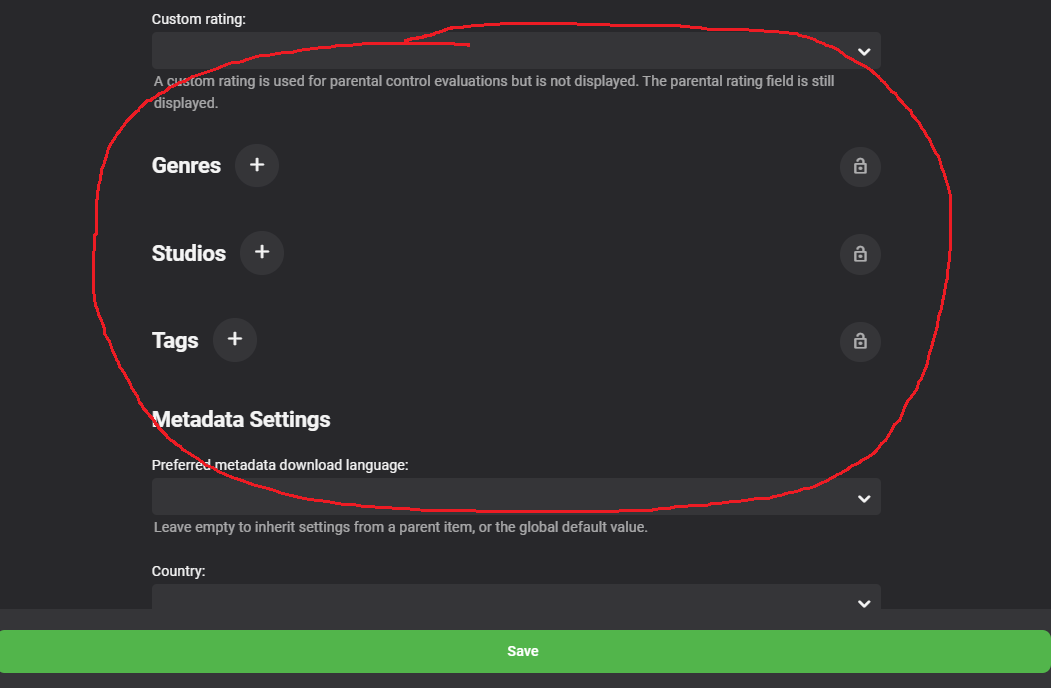
Would it be possible to add the People category to books so you could search/sort by them? Thanks!
 1 point
 -
That isn't a backdrop - it is the primary image for the episode which, when shown as a backdrop, I agree, doesn't look that hot.1 point
-
I would also like this feature to be implemented. Watch parties are the best! Hopefully we can drive more attention here by getting more people to show interest in this feature. Right now I am having to stop using Emby and switch back to Plex so that we can take advantage of the Watch Together feature that Plex has.1 point
-
Oh this would be amazing! I miss the watch together feature plex has. Count me in for this1 point
-
Totally agreed and we are many in the same situations. That's why i'm very surprised in all that time they didn't even start this project.1 point
-
I have to agree with what others have said... Love Emby, but this missing feature is a problem. I have a lifetime license for both Emby and Plex.... I maintain both, plex only for this one feature. If Emby implemented this premier feature, I suspect you could pull a lot of Plex users over. Plex has become very commercial and people are looking for a better alternative.1 point
-
Not sure if he means this or not, but JellyFin apparently has this feature as of July 2020 called SyncPlay.1 point
-
The concept of getting a simultaneous playback from the same emby server I got working as a proof of concept in 15 minutes via the API .. 0. Grab the session Id's of all logged on users - API = /Sessions 1. I run an API to force all the logged on clients (sessions) of my choosing to show the same 'Film' (the same view as if they all selected the film manually) - API = /Sessions/{Id}/Viewing 2. I run a 2nd API command to play the film on all of those sessions. It starts simultaneously on all the clients. Tested on a remote client as well - it works perfectly. API = /Sessions/{Id}/Playing 3. I can play the film from anywhere - via Runticks - and restart anywhere I like (for all the sessions). (this is how Autoskip on IntroSkip works..) 4. I can control (pause etc) the film and sessions without issues. What is missing is the control mechanism if somebody else (a non API request) pauses the film outside the API - this is where we need a 'watch' process to monitor each session - and if a pause is seen, then we just need to pause each session (and we can also easily display a message, that this viewing has been paused by 'user X' ) API = /Sessions/{Id}/Message In summary, for the real basics, most of the functionality is already available - but for bells and whistles, lobbys, permisions (who can pause etc) etc - then this will need more development.1 point
-
In the Microsoft store there is an 'extension for HEVC' install this and Windows can handle this format.1 point