Leaderboard




Popular Content
Showing content with the highest reputation on 05/20/22 in all areas
-
Emby Server 4.7 is Released with Many New Features, Improvements and Fixes Emby Server 4.7 is starting to rollout to different platforms. It's packed with new features, improvements and fixes. We wanted to give you a Preview of some new functionality and changes to Live TV as well as bring to your attention possible post installation configuration changes that might be required. If you currently use one of the following Live TV Plugins (NextPVR, MediaPortal, ServerWMC, TVHeadEnd, TVMosaic, Vu+, DVBLink or DVBViewer) you will need to reconfigure the plugin after it is updated following the 4.7 installation (the server checks for new plugins after a new install). As part of this process the guide will refresh. Please let it completely finish before going to the next step. Once the guide refresh is complete please go to Live TV menu and add a new tuner. You will see an entry for the plugin you are using. See Below: Live TV has many new features as well as a new plugin framework. Our own internal tuners and guide have been moved into plugins using this new framework as well. Setting up a tuner for use in Emby thanks to the new framework allows for a unified architecture, simplifying tuner/source setup. Here's an example of the Add TV Source dialog showing a few of the different choices using the new plugins. Whenever you install a new Live TV Plugin an entry will appear on this dialog. All available tuner types are now managed from one central place simplifying setup and configuration. All tuner types now share a common set of features. This allows 3rd party plugins to work exactly the same as Emby provided sources. This is now possible thanks to a new TV framework Emby uses debuting in this release. This new framework allows for simpler TV plugin creation as the server takes over responsibility of many functions previously needed at the plugin level. This helps to prevent issues related to specific plugin code as Emby server can now handle streams in a very consistent manner regardless of source. This is a WIN/WIN for developers as well as users! Emby Server 4.7 along with it's new TV plugin Framework includes new features and expanded functionality. Some of the highlights are: Support for OTA ATSC 3.0 & 4K Live TV If you have an ATSC 3.0 compatible tuner and live in a TV market currently broadcasting ATSC 3.0, Emby has everything you need to embrace this new technology. This includes new support for the proprietary AC-4 coded needed to decode audio streams. Not only will you get a beautiful picture especially on 4K HDR channels, but awesome sound as well! Cable Support for 4K Channels Emby supports receiving 4K digital cable channels. All you need is a compatible tuner like the ever popular HDHomeRun Prime. Of course your provider needs to support 4K channel transmission and have this turned on for you account. Check your providers website for 4K support as many providers have this available, often at no additional cost. 4K Channel support is not limited to built in OTA and Cable tuners but is fully supported through all tuner types if the source itself support 4K. Here's a great screenshot of a 4K SDR broadcast captured from an HDHomeRun Prime tuner: Universal Closed Caption Support In All Emby Clients Every Emby Client including web browsers fully support Closed Captions, not to be confused with subtitles. The Emby Transcoder is fully Closed Caption aware, so it doesn't matter how or where you play Live TV in Emby, it's now available if you require it. Manual Recordings Support Another new addition to Emby is support for manual recordings regardless if you have guide information or not. You can setup these recordings to use specific channels, set the starting start and end times, you can set the frequency of recordings (one and done or Recurring) as well as specific days of the week. Of course you can personalize the title of the recording(s) as well. You can setup a manual recording easily by clicking the the Create Recording button followed by choosing the Channel and Time option on the popup window. You can then setup the manual recording criteria that will be used. Here you see the custom recording already scheduled to record. Multiple Channel Support for Series Recordings You can now setup a single recording that can be used across specific multiple channels you choose. Emby also has adds new options to allow: Support Negative Recording Padding Values Enter a negative Number in the Start or End Options Max Recording Length for Series Recordings You can now set as a precaution a maximum duration that any recording can have. This shouldn't be needed but is there if you need it should you have a "fringe" reception channel that sometimes causes you grief with recordings. All New Views in Live TV Recordings Tab Emby now supports viewing your recordings just like other Movies or TV Shows libraries. Explore this option on your own and you should feel right at home with it. Server Dashboard Changes The server dashboard has been reorganized a little to make it easy to quickly find information. It also adds additional information. Here you can quickly see 2 Active Recordings taking place on the Server. Now Playing Dashboard The Now Playing section on the Dashboard sports a lot of new information but is easier to view as well. In the above picture you can quickly see Apollo 13 is Direct Playing the content as well as see additional information about the streams. My Cousin Vinny on the other hand is Transcoding the Video while leaving the Audio untouched, but is sending this to the client using HLS. The little graphics in the Video section following HEVC tell you it's using Hardware Transcoding. You can see the transcoder is Throttling (waiting) as it's producing 53fps which is more than what's needed at the time. The new Now playing also sports new features such as being able to click on the video name (ie Apollo 13) and be taking directly to it's detail page. Same with clicking on the username or device type. It's very cool! Improved Tab Design Used at the Top of Pages Emby now uses an improved design for tabs whenever show on a page. It's much easier to quickly see there are multiple tabs on the page with options and features. It's also much easier to see which tab your currently using. The new tab interface look follows your choice of theme information as well. New Theme Options Emby Server 4.7 gives you more control than ever over the look of your pages by allowing you more control over the theme options. You now have separate theme and accent color options. Want a strong all blue theme? How about and easy to see dark theme with Pick Highlights? You can also use a bit of imagination mixing different Theme, Setting Theme and Accent colors to achieve interesting results not possible previously. Embedded Lyrics Support for Music Files Emby now supports display of musical lyrics you provide. This doesn't require modifying your actual music tracks but is done using a text file residing next to the track! You can quickly and easily use a tool such as MediaHumon Lyrics Finder that makes quick work of adding Lyrics to your existing content. Rescan your music library and have this: This is a great new feature that's easy to implement, uses hardly any storage space (text files) and gives you great results! (first icon bottom left) Audio now playing screen The above picture shows one view of our new audio Now Playing Screens. Here's another version of the same screen without the lyrics showing your current queue: This view uses the middle button at the bottom between Lyrics and the cog/settings icon. Clicking the last icon (cog/settings) brings up a mini menu allowing you to change playback speed, Stats for Nerds or the ability to save your current queue as a playlist. Without any of the options selected you can have a simpler viewer centered on the page like this: You can get to these screens clicking the far right icon on the audio playback toolbar at the bottom of the screen. This new audio toolbar put everything you need right at your fingertips. See the artist, album and song. Change volume, set repeat mode, pause, stop, change tracks or switch views as shown above. The toolbar stays at the bottom of the screen for music while allowing you to explore other parts of the system. Very Nice! Audio Book Continue Listening Emby supports continue listening to Audio Books. The above screen shot shows the docked toolbar at the bottom of the screen while the top portion show a new option being set to display on the home screen to be able to quickly access and continue listening to audio files. New On Screen Display (OSD) Features Some of the new 4.7 OSD features have been shown recently in a couple Emby client blog posts using a preview release of 4.7. Some of the functionality of visual timelines and thumbnail graphics have been available in some form the past but now are fully unified in a cohesive manner that's very easy to use from a keyboard, mouse or remote. It's very slick, adds new navigational functionality as well as additional information you had to quick playing in the past to access. You can see how much thought and care went into this design allowing it to work effortlessly across the different cleints. Visual Timeline Showing Overlayed Chapter Information Done Through Keyboard Navigation Info - Bottom-Left Menu Option This will bring up information about the movies, show episode or TV channel you happen to be watching. Chapters Menu This shows the next menu option displaying a list of embedded chapters including the Chapter name, the timeline it starts as well as of thumbnail from the start of the scene. Cast & Crews How often have you watched something and wanted to know the actor or actresses name playing a part? Previously you had to exit playback to look this information up but now it's right here always available a click or two away. What a non-intrusive time saver this option is! On Now You can quickly and easily see what's on TV using the two new views added to the OSD. The On Now view above uses the programs graphics if available (Emby Guide supports this) to show what's currently on each channel in your lineup. You can easily scroll the list sideways to get a good look at everything currently being broadcast. The Guide showed below allows you to quickly see what's on a currently as well as what's coming on later. It's not limited to what's shown but allows scrolling up and down channels as well as the timeline so you can see what's coming on 12 hours from now. It's a fully functional Mini-Guide built right into the OSD. All of the OSD functions shown above work right over top the currently playing media allowing you access to a lot of new information with the least amount of disruption possible. Previously you probably got gripes and complaints from family members if you exited the media playback to get a look at the cast list to see the name of the actor. Now instead of having to wait to the end of the movie to see the cast list or catching wrath from the family, you can quickly view this information in a non-disruptive manner. Having all this new information as well as new tools for easier navigation right at your fingertips during playback shows how much thought and design went into this new version. Emby sets the bar high for OSD functionality that others can't compare to. More To Come! We're excited to share how awesome Emby Server 4.7 release is. We plan to following up this blog post with additional posts in the coming days expanding on it's new features. A special thank you goes out to all the people that helped test the many beta versions along the way! Inevitably with a monster release of this size there will likely be some issues we'll address with quick to follow maintenance releases. Please make sure to let us know in the community forum what you think of our new 4.7 release and any issues or questions you might have. Post Questions, Comments and Issues Here. Other Improvements Update to .NET Core 6.0 Update to ffmpeg 5.0 id3v2 parsing: Read full null separated list for text info frames Add Log anonymization feature Add now playing screen style options Reduce port mapper network traffic Add library option to control importing of playlist files Add log file rotation option Clean HLS segments during playback when disk space is low Reduce sizes of server log files when debug logging is not enabled Add subtitle download max age option Add subtitle download option for forced subtitles only Support comment tag as description for audio files Preserve subtitle track language with conversion and download features Safeguard against junk year values when probing audio files Save writers as composers when probing audio files Support a-z picker in descending order Support a-z picker when sorting by album artist or album Support reading roontracktag for music Clear episode external ids when changing series display order in metadata editor Improve deriving hw devices Support Audio Book resume Adjust for QSV changes in ffmpeg Support HW Acceleration for (graphical) subtitle burn-in Add subtitle background color and opacity options Add logo as title display option Add resume rewind playback option Make context menu header texts clickable Update TVDB plugin to newer TVDB API Update multi-episode metadata fetching to work with all metadata providers Add South African ratings Improve camera upload error handling Support convert feature with multi-select tool Improve multi-version display names Don't show video OSD on double tap skipping Reworked Active Devices display into Now Playing Improve audio book detail screen Improve audio OSD Improve efficiency of real-time monitor Improve DSD audio support over DLNA Minor adjustment of detail screen buttons Display chapter name in seek thumbnail previews Add channel name and channel number as DVR post processing command line arguments Improve scan metadata folder scheduled task progress reporting Improve performance of playlist detail screen Add sort by track number option to folder views Add Copy to Clipboard support in API Keys screen Enable chapters for audio books Update decision making for periodic refreshes Support TCM as composer Show full Chinese display name in track languages Update top tab design to be more discoverable Improve layouts with docked sidebar Set DLNA Server to off by default Allow for higher audio stream copy bitrate Support subs and subtitles folder case-insensitive Update album/song links with Included In section Make DVR wake server optional on supported platforms Set subtitle filename when downloading subtitle files to the browser Always display sort title in the metadata editor Make sort title lockable in the metadata editor Add Italian ratings Always record episodes when the option to check existing library is not selected Adjust recording image save behavior for series episodes that are sports Don't convert really large images to webp Improve album Identify search results display Support audio description and studio from copyright tag Support wm/year and original year tags Improve same subnet detection Improve episode parsing with episode titles contain numbers Add paths to log file for reference Allow deleting albums and artists Update folder queries to fix metadata manager sorting for albums Log DX detection into main log if debug logging is enabled Avoid resetting real-time monitor to parent folder when possible Adjust continue watching query Improve series grouping in mixed content Remove rejection of large camera uploads to allow any file size Support .mid audio files Support sort_with embedded sort title for videos Update sort by date last episode added to not be impacted by virtual episodes Prevent split button on missing episode detail screen Resolve performance issues associated with having large numbers of devices in the server database Bug Fixes Fix android database errors on deletion Fix year not being parsed from movie folder name Fix QuickSync HW overlay with tone mapping Fix display of incorrect video format names Fix Avoid detection of duplicate DX11VA devices Fix regression bug with ASF when reading image attachments Fix search displaying previously aired programs Fix incorrect photo orientation in slideshows Fix Roku playback failures with very long recordings Fix Windows: restart scheduled task and DVR times when system time changes (daylight savings) Fix QuickSync HW overlay with tone mapping Fix CBR books sending wrong mime type Fix DVD & Bluray folders not being hidden via .ignore files Fix transcoding throttling not occurring with Chromecast Fix classic image series extraction Fix music album parsing error when album name is () Fix folder images getting replaced when not saving images in media folders Fix identify feature with music videos Fix episodes with season numbers greater than 200 Fix photo scanning getting stuck in a loop with certain files Fix edge case closing of streams being left opened after stopping playback Fix occasional display of incorrect video format names Fix occasional duplicated Sign Out entry Fix list view multi-select in FireFox Fix hide from resume getting unhidden after adding a new episode Fix local NFO ignoring date added value in certain cases Fix for graphic subs burn-in with tone mapping on QSV Fix scaling of wrong-sized graphical subtitles Fix incorrect hw context indication for D3D11VA decoders Fix av1 direct play Fix album items being added to playlist alphabetically Fix transcoding audio channel count with convert function Fix artists inheriting genres from albums when they shouldn't Fix sporadic cases of burned in subtitles not appearing Fix detection of video stream vs. embedded image Fix web app playback failures in cases of videos that played successfully with Emby Server 4.5 Various fixes with manual subtitle downloading for multi-version videos Various fixes for Apple TV top shelf content Various transcoding fixes View the full article5 points
-
at some point the dev's may listen that no-one likes the standard android app. we live in hope3 points
-
Emby Server 4.7 is Released with Many New Features, Improvements and Fixes Emby Server 4.7 is starting to rollout to different platforms. It's packed with new features, improvements and fixes. We wanted to give you a Preview of some new functionality and changes to Live TV as well as bring to your attention possible post installation configuration changes that might be required. If you currently use one of the following Live TV Plugins (NextPVR, MediaPortal, ServerWMC, TVHeadEnd, TVMosaic, Vu+, DVBLink or DVBViewer) you will need to reconfigure the plugin after it is updated following the 4.7 installation (the server checks for new plugins after a new install). As part of this process the guide will refresh. Please let it completely finish before going to the next step. Once the guide refresh is complete please go to Live TV menu and add a new tuner. You will see an entry for the plugin you are using. See Below: Live TV has many new features as well as a new plugin framework. Our own internal tuners and guide have been moved into plugins using this new framework as well. Setting up a tuner for use in Emby thanks to the new framework allows for a unified architecture, simplifying tuner/source setup. Here's an example of the Add TV Source dialog showing a few of the different choices using the new plugins. Whenever you install a new Live TV Plugin an entry will appear on this dialog. All available tuner types are now managed from one central place simplifying setup and configuration. All tuner types now share a common set of features. This allows 3rd party plugins to work exactly the same as Emby provided sources. This is now possible thanks to a new TV framework Emby uses debuting in this release. This new framework allows for simpler TV plugin creation as the server takes over responsibility of many functions previously needed at the plugin level. This helps to prevent issues related to specific plugin code as Emby server can now handle streams in a very consistent manner regardless of source. This is a WIN/WIN for developers as well as users! Emby Server 4.7 along with it's new TV plugin Framework includes new features and expanded functionality. Some of the highlights are: Support for OTA ATSC 3.0 & 4K Live TV If you have an ATSC 3.0 compatible tuner and live in a TV market currently broadcasting ATSC 3.0, Emby has everything you need to embrace this new technology. This includes new support for the proprietary AC-4 coded needed to decode audio streams. Not only will you get a beautiful picture especially on 4K HDR channels, but awesome sound as well! Cable Support for 4K Channels Emby supports receiving 4K digital cable channels. All you need is a compatible tuner like the ever popular HDHomeRun Prime. Of course your provider needs to support 4K channel transmission and have this turned on for you account. Check your providers website for 4K support as many providers have this available, often at no additional cost. 4K Channel support is not limited to built in OTA and Cable tuners but is fully supported through all tuner types if the source itself support 4K. Here's a great screenshot of a 4K SDR broadcast captured from an HDHomeRun Prime tuner: Universal Closed Caption Support In All Emby Clients Every Emby Client including web browsers fully support Closed Captions, not to be confused with subtitles. The Emby Transcoder is fully Closed Caption aware, so it doesn't matter how or where you play Live TV in Emby, it's now available if you require it. Manual Recordings Support Another new addition to Emby is support for manual recordings regardless if you have guide information or not. You can setup these recordings to use specific channels, set the starting start and end times, you can set the frequency of recordings (one and done or Recurring) as well as specific days of the week. Of course you can personalize the title of the recording(s) as well. You can setup a manual recording easily by clicking the the Create Recording button followed by choosing the Channel and Time option on the popup window. You can then setup the manual recording criteria that will be used. Here you see the custom recording already scheduled to record. Multiple Channel Support for Series Recordings You can now setup a single recording that can be used across specific multiple channels you choose. Emby also has adds new options to allow: Support Negative Recording Padding Values Enter a negative Number in the Start or End Options Max Recording Length for Series Recordings You can now set as a precaution a maximum duration that any recording can have. This shouldn't be needed but is there if you need it should you have a "fringe" reception channel that sometimes causes you grief with recordings. All New Views in Live TV Recordings Tab Emby now supports viewing your recordings just like other Movies or TV Shows libraries. Explore this option on your own and you should feel right at home with it. Server Dashboard Changes The server dashboard has been reorganized a little to make it easy to quickly find information. It also adds additional information. Here you can quickly see 2 Active Recordings taking place on the Server. Now Playing Dashboard The Now Playing section on the Dashboard sports a lot of new information but is easier to view as well. In the above picture you can quickly see Apollo 13 is Direct Playing the content as well as see additional information about the streams. My Cousin Vinny on the other hand is Transcoding the Video while leaving the Audio untouched, but is sending this to the client using HLS. The little graphics in the Video section following HEVC tell you it's using Hardware Transcoding. You can see the transcoder is Throttling (waiting) as it's producing 53fps which is more than what's needed at the time. The new Now playing also sports new features such as being able to click on the video name (ie Apollo 13) and be taking directly to it's detail page. Same with clicking on the username or device type. It's very cool! Improved Tab Design Used at the Top of Pages Emby now uses an improved design for tabs whenever show on a page. It's much easier to quickly see there are multiple tabs on the page with options and features. It's also much easier to see which tab your currently using. The new tab interface look follows your choice of theme information as well. New Theme Options Emby Server 4.7 gives you more control than ever over the look of your pages by allowing you more control over the theme options. You now have separate theme and accent color options. Want a strong all blue theme? How about and easy to see dark theme with Pick Highlights? You can also use a bit of imagination mixing different Theme, Setting Theme and Accent colors to achieve interesting results not possible previously. Embedded Lyrics Support for Music Files Emby now supports display of musical lyrics you provide. This doesn't require modifying your actual music tracks but is done using a text file residing next to the track! You can quickly and easily use a tool such as MediaHumon Lyrics Finder that makes quick work of adding Lyrics to your existing content. Rescan your music library and have this: This is a great new feature that's easy to implement, uses hardly any storage space (text files) and gives you great results! (first icon bottom left) Audio now playing screen The above picture shows one view of our new audio Now Playing Screens. Here's another version of the same screen without the lyrics showing your current queue: This view uses the middle button at the bottom between Lyrics and the cog/settings icon. Clicking the last icon (cog/settings) brings up a mini menu allowing you to change playback speed, Stats for Nerds or the ability to save your current queue as a playlist. Without any of the options selected you can have a simpler viewer centered on the page like this: You can get to these screens clicking the far right icon on the audio playback toolbar at the bottom of the screen. This new audio toolbar put everything you need right at your fingertips. See the artist, album and song. Change volume, set repeat mode, pause, stop, change tracks or switch views as shown above. The toolbar stays at the bottom of the screen for music while allowing you to explore other parts of the system. Very Nice! Audio Book Continue Listening Emby supports continue listening to Audio Books. The above screen shot shows the docked toolbar at the bottom of the screen while the top portion show a new option being set to display on the home screen to be able to quickly access and continue listening to audio files. New On Screen Display (OSD) Features Some of the new 4.7 OSD features have been shown recently in a couple Emby client blog posts using a preview release of 4.7. Some of the functionality of visual timelines and thumbnail graphics have been available in some form the past but now are fully unified in a cohesive manner that's very easy to use from a keyboard, mouse or remote. It's very slick, adds new navigational functionality as well as additional information you had to quick playing in the past to access. You can see how much thought and care went into this design allowing it to work effortlessly across the different cleints. Visual Timeline Showing Overlayed Chapter Information Done Through Keyboard Navigation Info - Bottom-Left Menu Option This will bring up information about the movies, show episode or TV channel you happen to be watching. Chapters Menu This shows the next menu option displaying a list of embedded chapters including the Chapter name, the timeline it starts as well as of thumbnail from the start of the scene. Cast & Crews How often have you watched something and wanted to know the actor or actresses name playing a part? Previously you had to exit playback to look this information up but now it's right here always available a click or two away. What a non-intrusive time saver this option is! On Now You can quickly and easily see what's on TV using the two new views added to the OSD. The On Now view above uses the programs graphics if available (Emby Guide supports this) to show what's currently on each channel in your lineup. You can easily scroll the list sideways to get a good look at everything currently being broadcast. The Guide showed below allows you to quickly see what's on a currently as well as what's coming on later. It's not limited to what's shown but allows scrolling up and down channels as well as the timeline so you can see what's coming on 12 hours from now. It's a fully functional Mini-Guide built right into the OSD. All of the OSD functions shown above work right over top the currently playing media allowing you access to a lot of new information with the least amount of disruption possible. Previously you probably got gripes and complaints from family members if you exited the media playback to get a look at the cast list to see the name of the actor. Now instead of having to wait to the end of the movie to see the cast list or catching wrath from the family, you can quickly view this information in a non-disruptive manner. Having all this new information as well as new tools for easier navigation right at your fingertips during playback shows how much thought and design went into this new version. Emby sets the bar high for OSD functionality that others can't compare to. More To Come! We're excited to share how awesome Emby Server 4.7 release is. We plan to following up this blog post with additional posts in the coming days expanding on it's new features. A special thank you goes out to all the people that helped test the many beta versions along the way! Inevitably with a monster release of this size there will likely be some issues we'll address with quick to follow maintenance releases. Please make sure to let us know in the community forum what you think of our new 4.7 release and any issues or questions you might have. Post Questions, Comments and Issues Here. Other Improvements Update to .NET Core 6.0 Update to ffmpeg 5.0 id3v2 parsing: Read full null separated list for text info frames Add Log anonymization feature Add now playing screen style options Reduce port mapper network traffic Add library option to control importing of playlist files Add log file rotation option Clean HLS segments during playback when disk space is low Reduce sizes of server log files when debug logging is not enabled Add subtitle download max age option Add subtitle download option for forced subtitles only Support comment tag as description for audio files Preserve subtitle track language with conversion and download features Safeguard against junk year values when probing audio files Save writers as composers when probing audio files Support a-z picker in descending order Support a-z picker when sorting by album artist or album Support reading roontracktag for music Clear episode external ids when changing series display order in metadata editor Improve deriving hw devices Support Audio Book resume Adjust for QSV changes in ffmpeg Support HW Acceleration for (graphical) subtitle burn-in Add subtitle background color and opacity options Add logo as title display option Add resume rewind playback option Make context menu header texts clickable Update TVDB plugin to newer TVDB API Update multi-episode metadata fetching to work with all metadata providers Add South African ratings Improve camera upload error handling Support convert feature with multi-select tool Improve multi-version display names Don't show video OSD on double tap skipping Reworked Active Devices display into Now Playing Improve audio book detail screen Improve audio OSD Improve efficiency of real-time monitor Improve DSD audio support over DLNA Minor adjustment of detail screen buttons Display chapter name in seek thumbnail previews Add channel name and channel number as DVR post processing command line arguments Improve scan metadata folder scheduled task progress reporting Improve performance of playlist detail screen Add sort by track number option to folder views Add Copy to Clipboard support in API Keys screen Enable chapters for audio books Update decision making for periodic refreshes Support TCM as composer Show full Chinese display name in track languages Update top tab design to be more discoverable Improve layouts with docked sidebar Set DLNA Server to off by default Allow for higher audio stream copy bitrate Support subs and subtitles folder case-insensitive Update album/song links with Included In section Make DVR wake server optional on supported platforms Set subtitle filename when downloading subtitle files to the browser Always display sort title in the metadata editor Make sort title lockable in the metadata editor Add Italian ratings Always record episodes when the option to check existing library is not selected Adjust recording image save behavior for series episodes that are sports Don't convert really large images to webp Improve album Identify search results display Support audio description and studio from copyright tag Support wm/year and original year tags Improve same subnet detection Improve episode parsing with episode titles contain numbers Add paths to log file for reference Allow deleting albums and artists Update folder queries to fix metadata manager sorting for albums Log DX detection into main log if debug logging is enabled Avoid resetting real-time monitor to parent folder when possible Adjust continue watching query Improve series grouping in mixed content Remove rejection of large camera uploads to allow any file size Support .mid audio files Support sort_with embedded sort title for videos Update sort by date last episode added to not be impacted by virtual episodes Prevent split button on missing episode detail screen Resolve performance issues associated with having large numbers of devices in the server database Bug Fixes Fix android database errors on deletion Fix year not being parsed from movie folder name Fix QuickSync HW overlay with tone mapping Fix display of incorrect video format names Fix Avoid detection of duplicate DX11VA devices Fix regression bug with ASF when reading image attachments Fix search displaying previously aired programs Fix incorrect photo orientation in slideshows Fix Roku playback failures with very long recordings Fix Windows: restart scheduled task and DVR times when system time changes (daylight savings) Fix QuickSync HW overlay with tone mapping Fix CBR books sending wrong mime type Fix DVD & Bluray folders not being hidden via .ignore files Fix transcoding throttling not occurring with Chromecast Fix classic image series extraction Fix music album parsing error when album name is () Fix folder images getting replaced when not saving images in media folders Fix identify feature with music videos Fix episodes with season numbers greater than 200 Fix photo scanning getting stuck in a loop with certain files Fix edge case closing of streams being left opened after stopping playback Fix occasional display of incorrect video format names Fix occasional duplicated Sign Out entry Fix list view multi-select in FireFox Fix hide from resume getting unhidden after adding a new episode Fix local NFO ignoring date added value in certain cases Fix for graphic subs burn-in with tone mapping on QSV Fix scaling of wrong-sized graphical subtitles Fix incorrect hw context indication for D3D11VA decoders Fix av1 direct play Fix album items being added to playlist alphabetically Fix transcoding audio channel count with convert function Fix artists inheriting genres from albums when they shouldn't Fix sporadic cases of burned in subtitles not appearing Fix detection of video stream vs. embedded image Fix web app playback failures in cases of videos that played successfully with Emby Server 4.5 Various fixes with manual subtitle downloading for multi-version videos Various fixes for Apple TV top shelf content Various transcoding fixes2 points
-
Just confirming that the DSM 7.1 update went smoothly. No damage or changes were done to my "FastEmby" SSD drive. Emby Server 4.7 went smooth as well. Was also really happy to see the database maintenance features. Well done!2 points
-
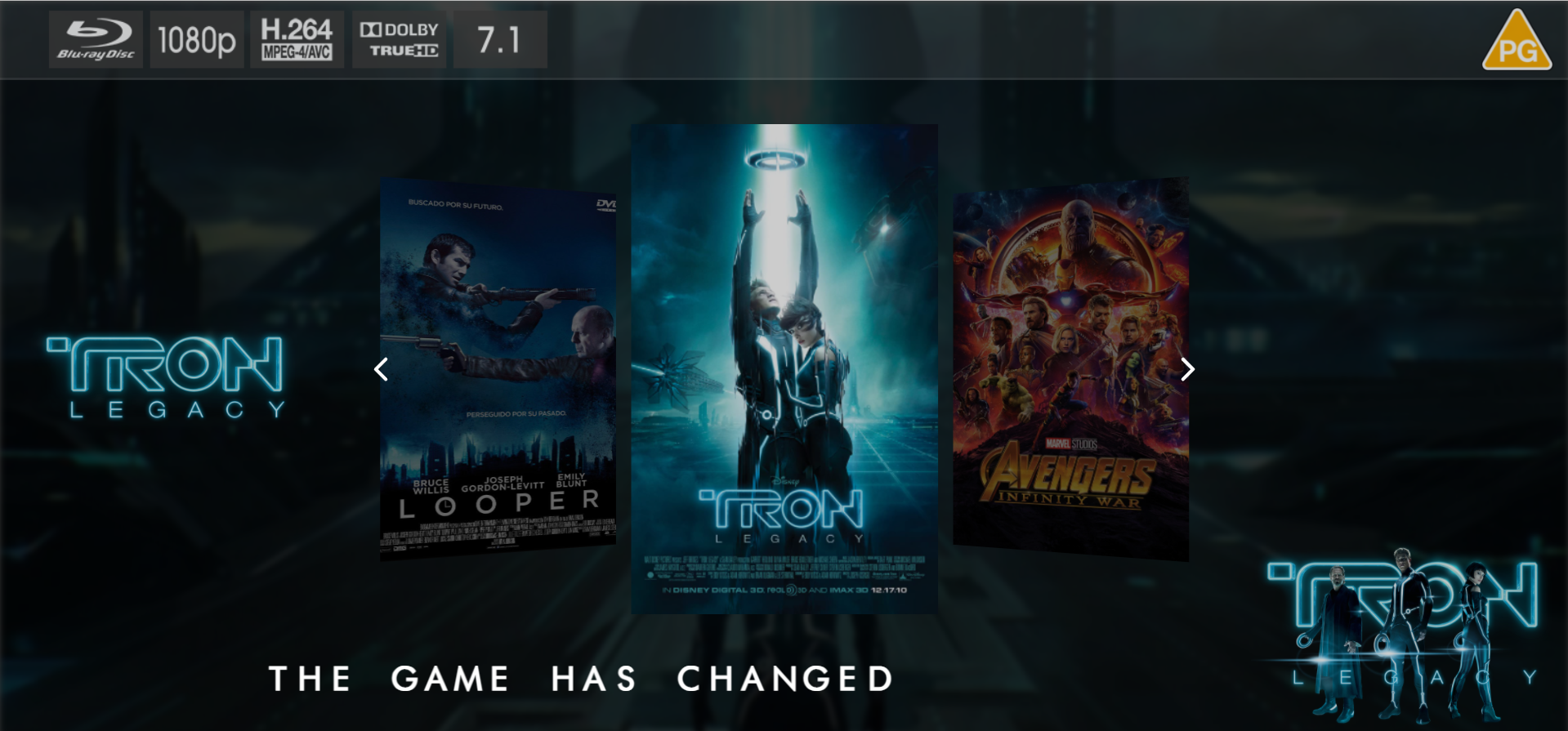
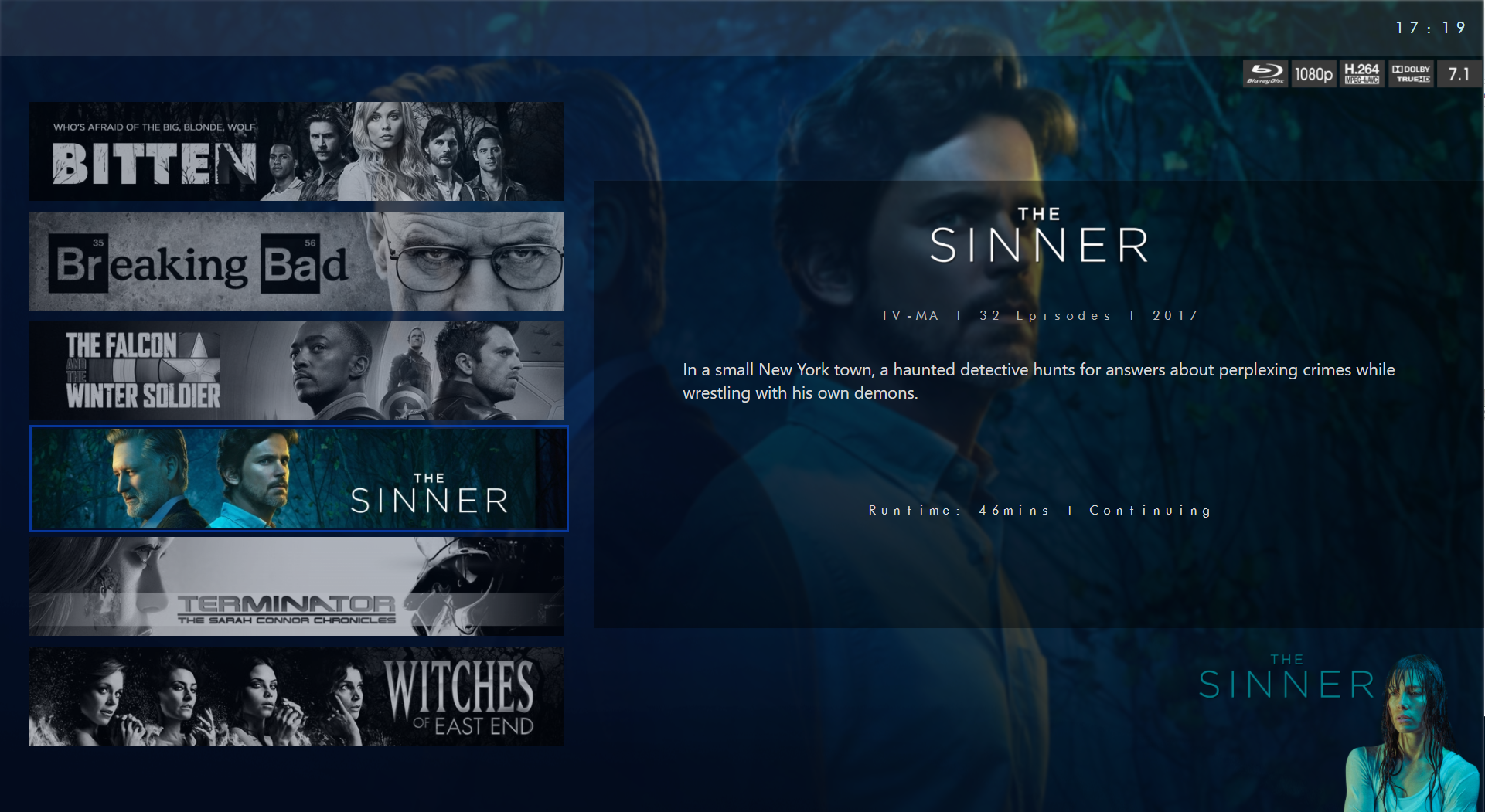
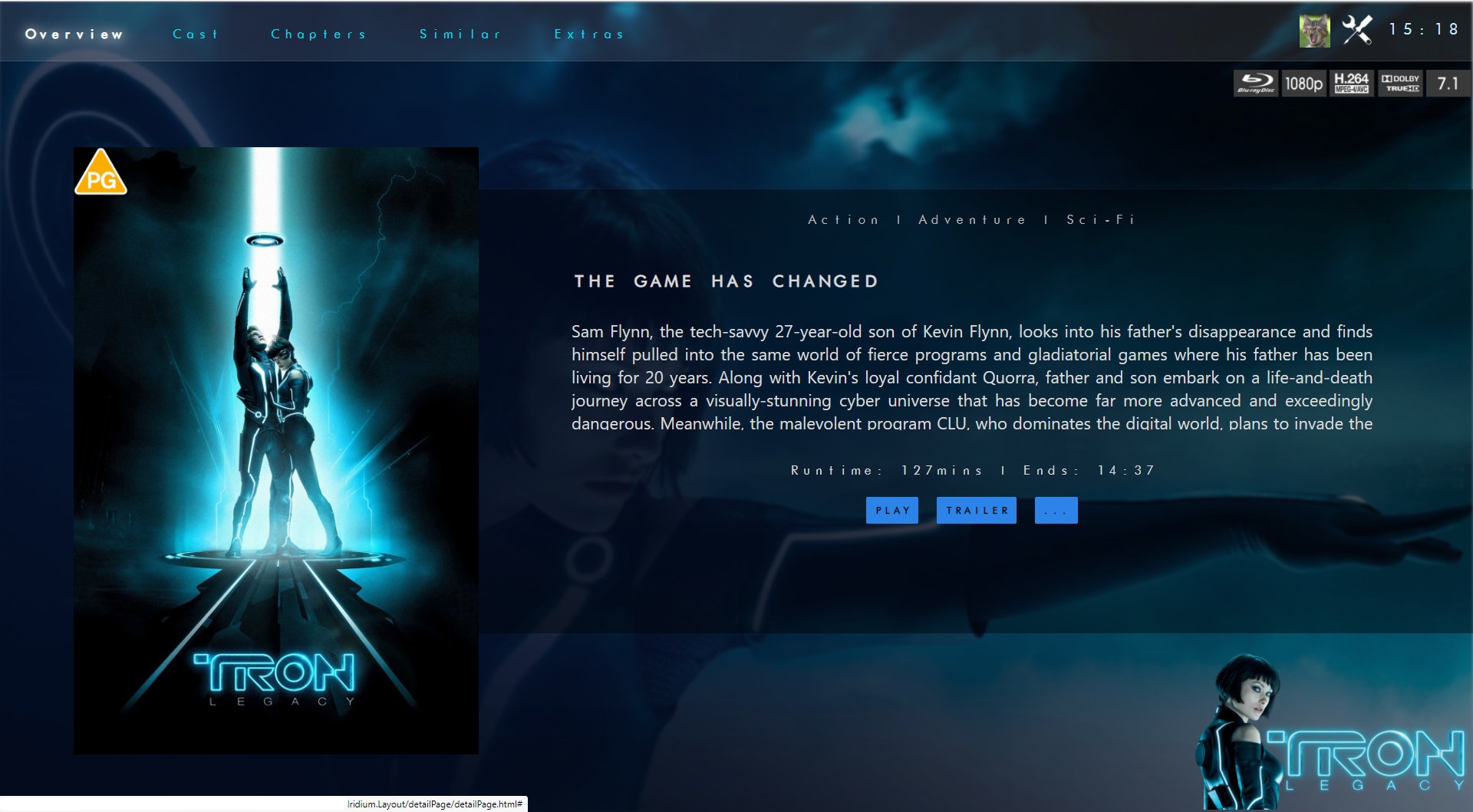
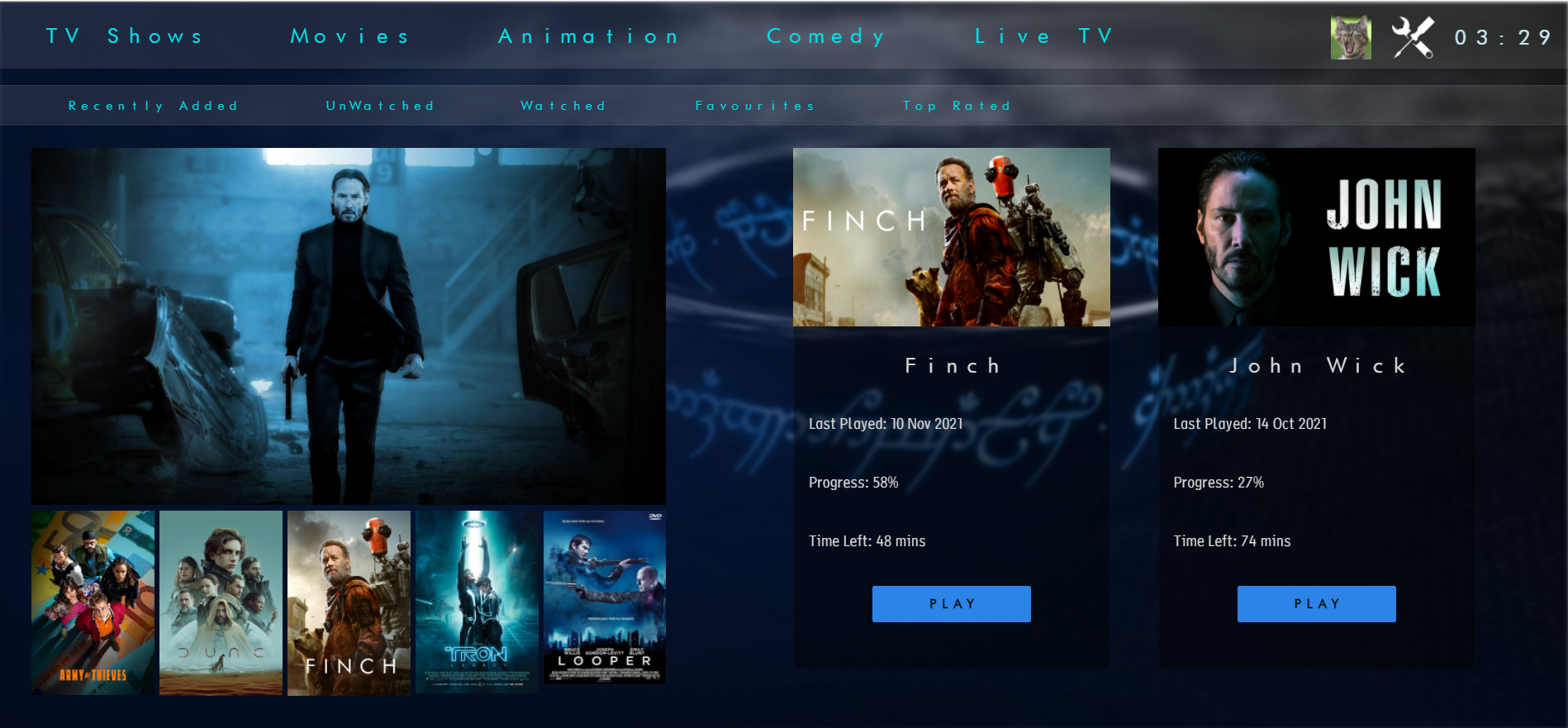
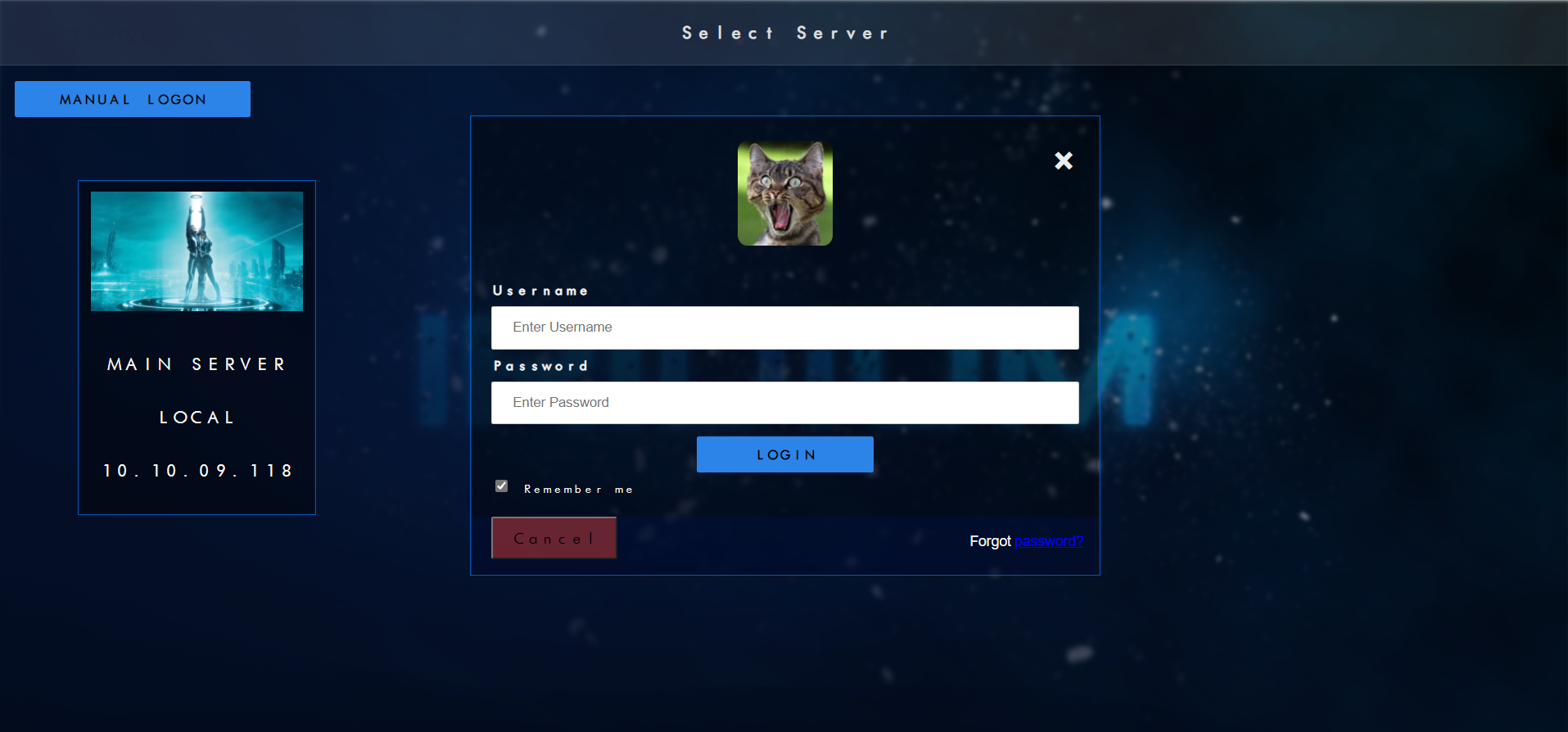
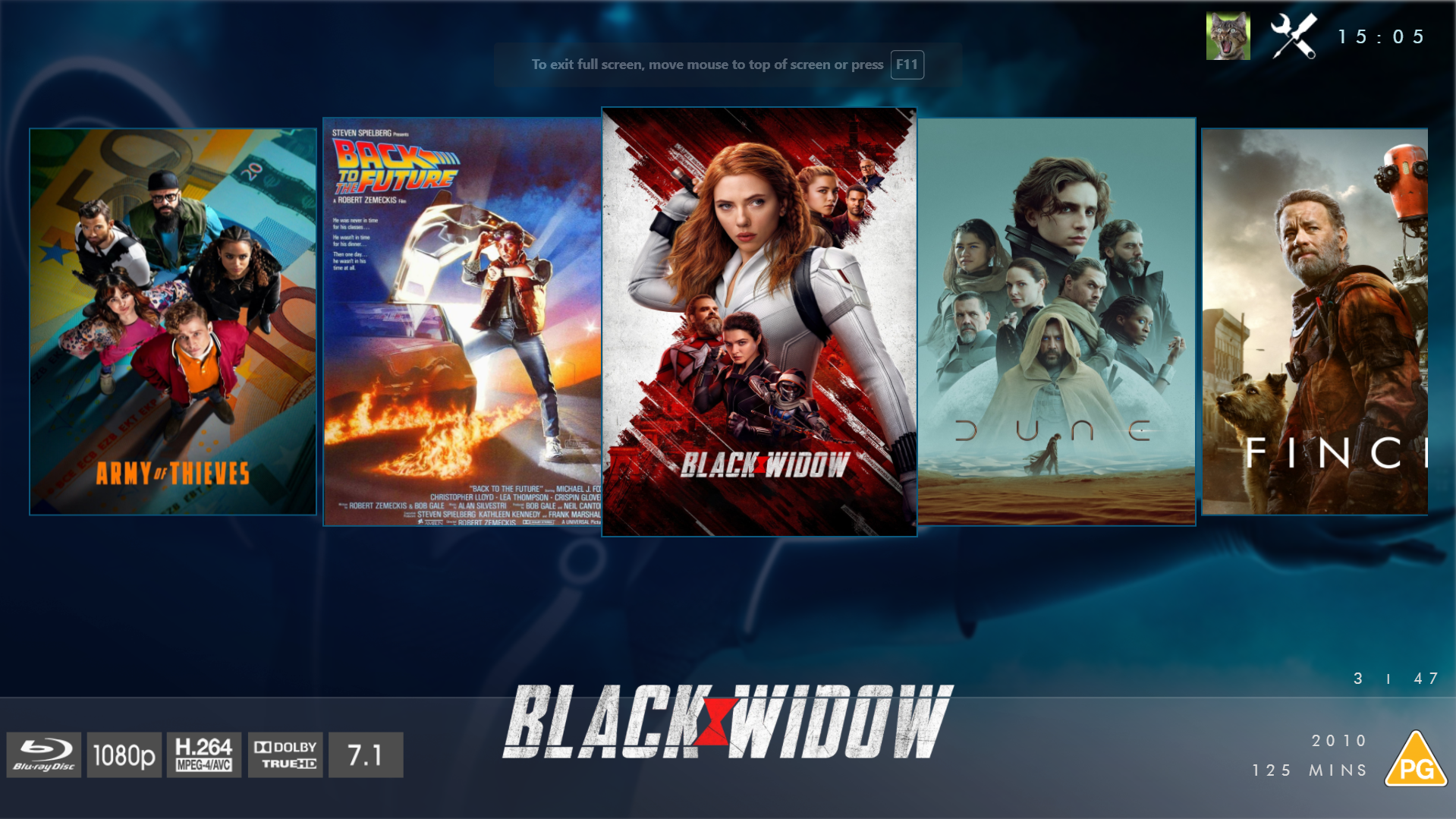
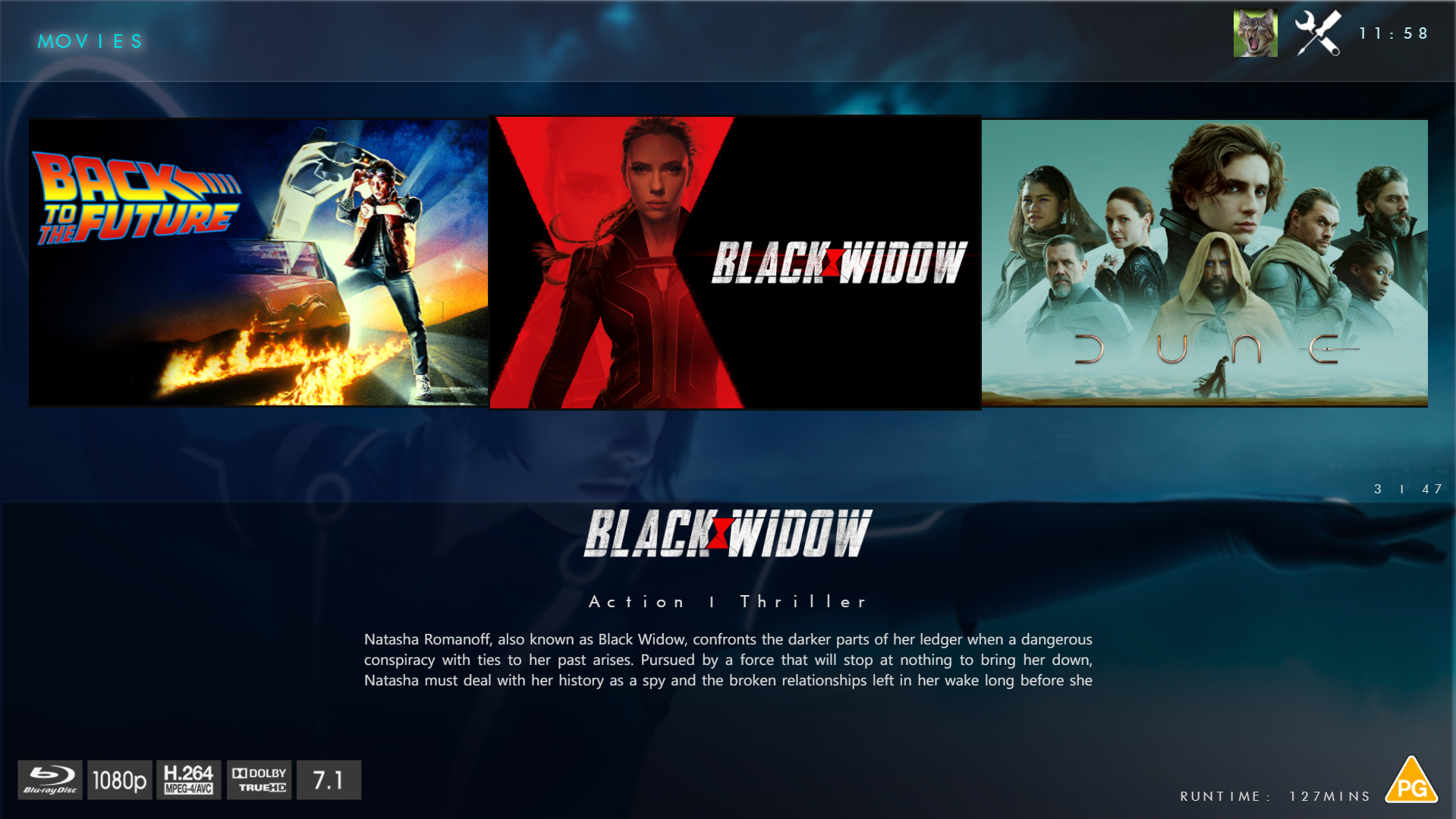
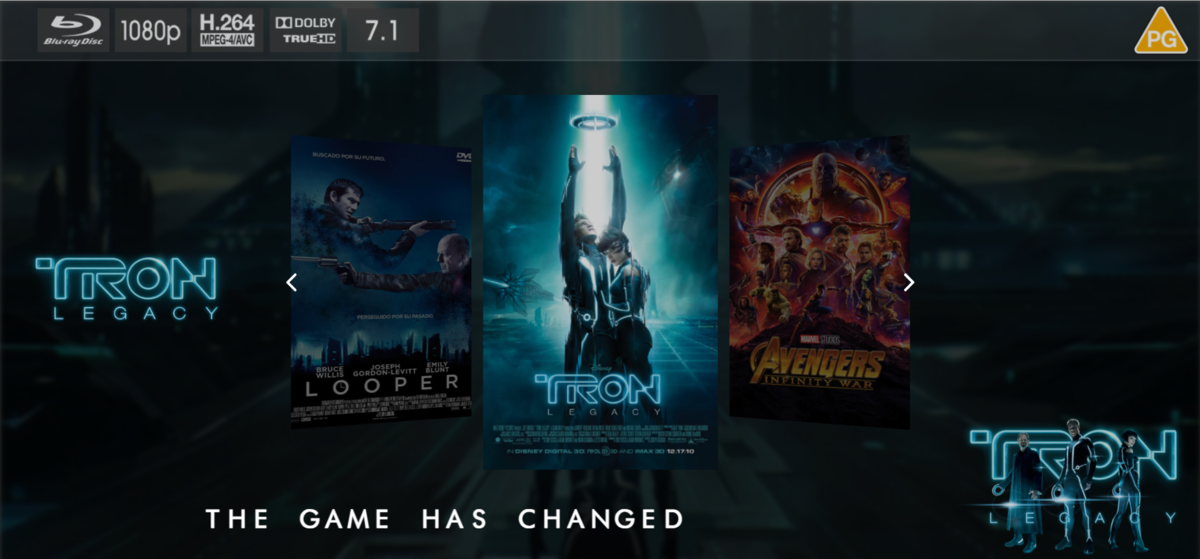
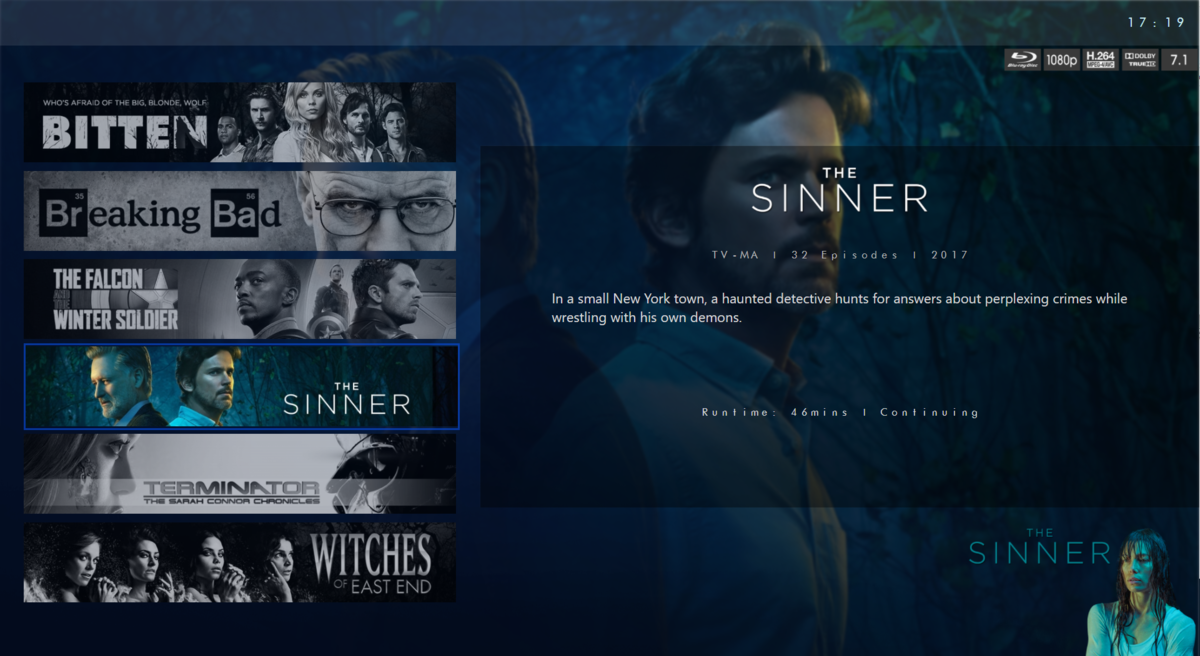
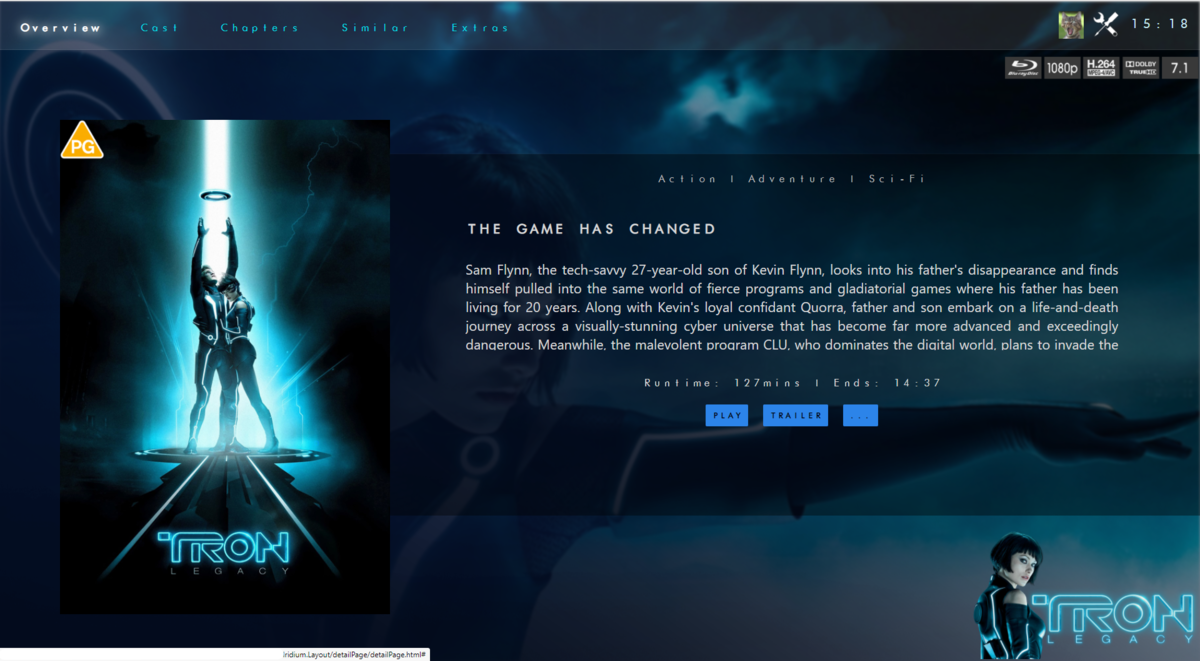
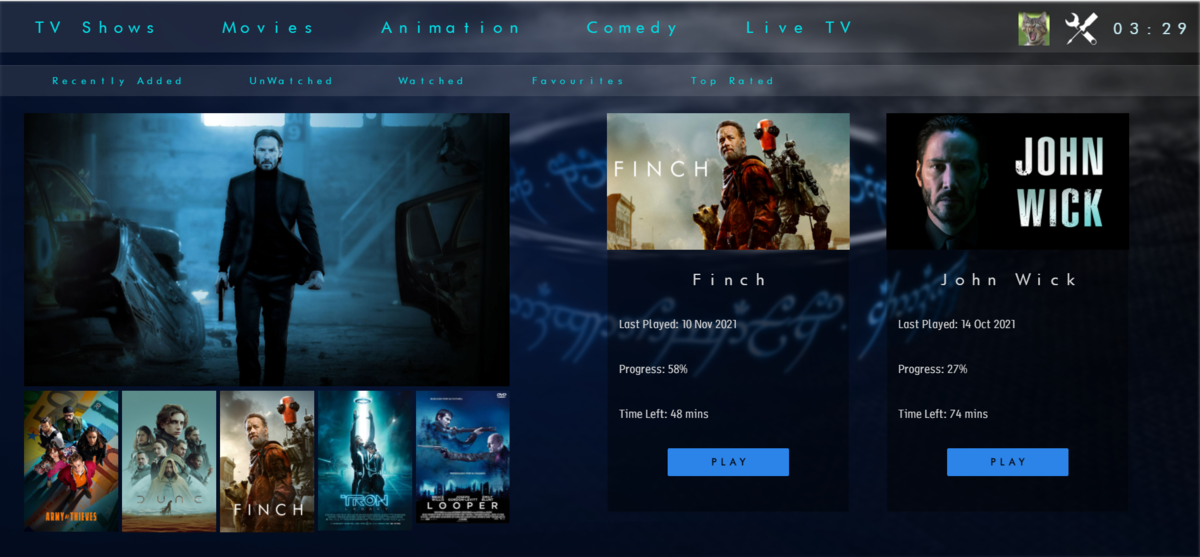
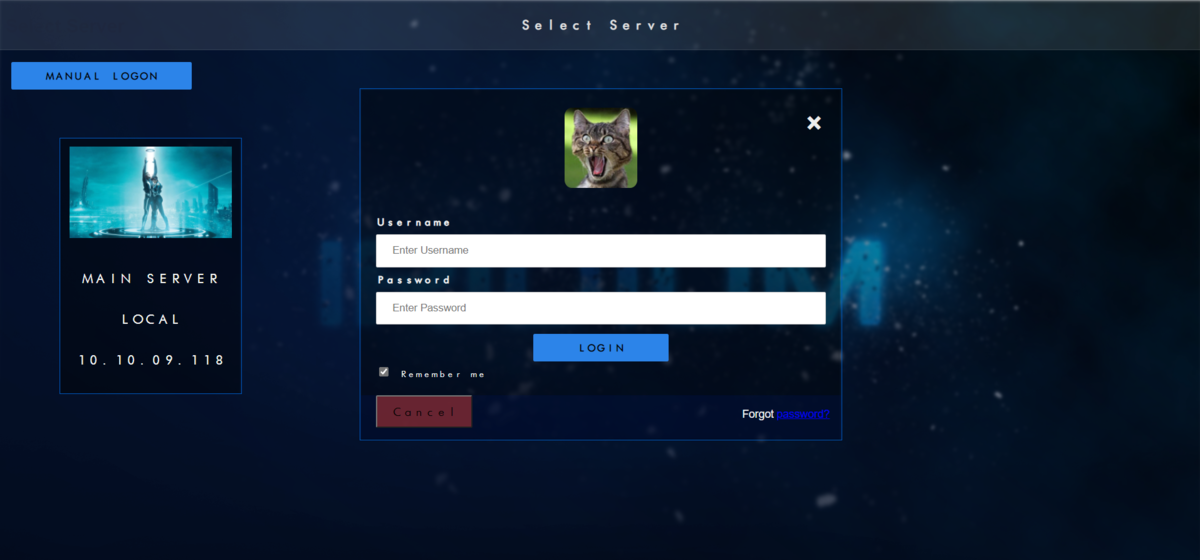
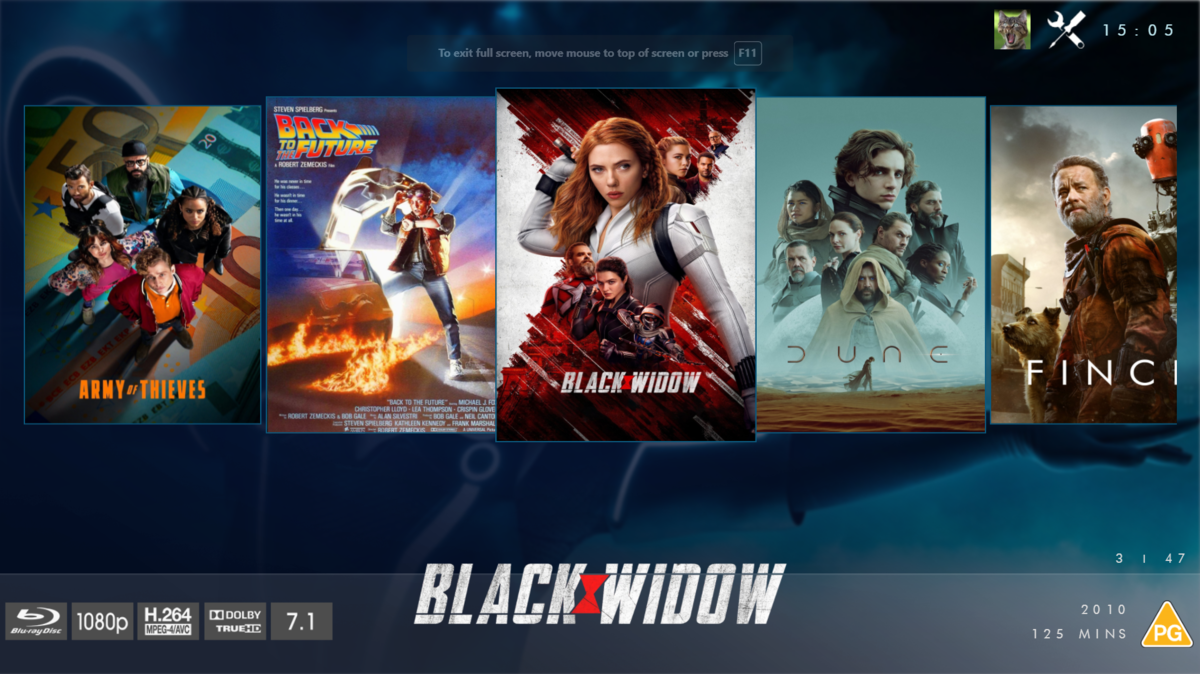
@chef @Cheesegeezer Another amazing production is about to be brought to you from devs - Cheesegeezer - I have started a new theme to bring to the masses. I am a long way off completion however we can continue to update you on the progress. The layouts are about 80% complete and once completed we can start to work on the code behind. We are interested in a closed group of testers when the time comes. I would just like to say that this was originally designed for Emby WMC back in 2014 and was just release there when M$ ditched support for WMC and the project died. @shaefurr did an amazing job with the concept artwork for me to work with back then, and this theme pays homage to him. So with out further ado... here's some of the layouts that are now coded. IRIDIUM - One theme to conquer all LOGON SCREEN HOME PAGE FIRST VIEW TYPE - COVERFLOW COVERFLOW 2 BANNER VIEW FINAL DETAILS PAGE LIST VIEW THUMB VIEW
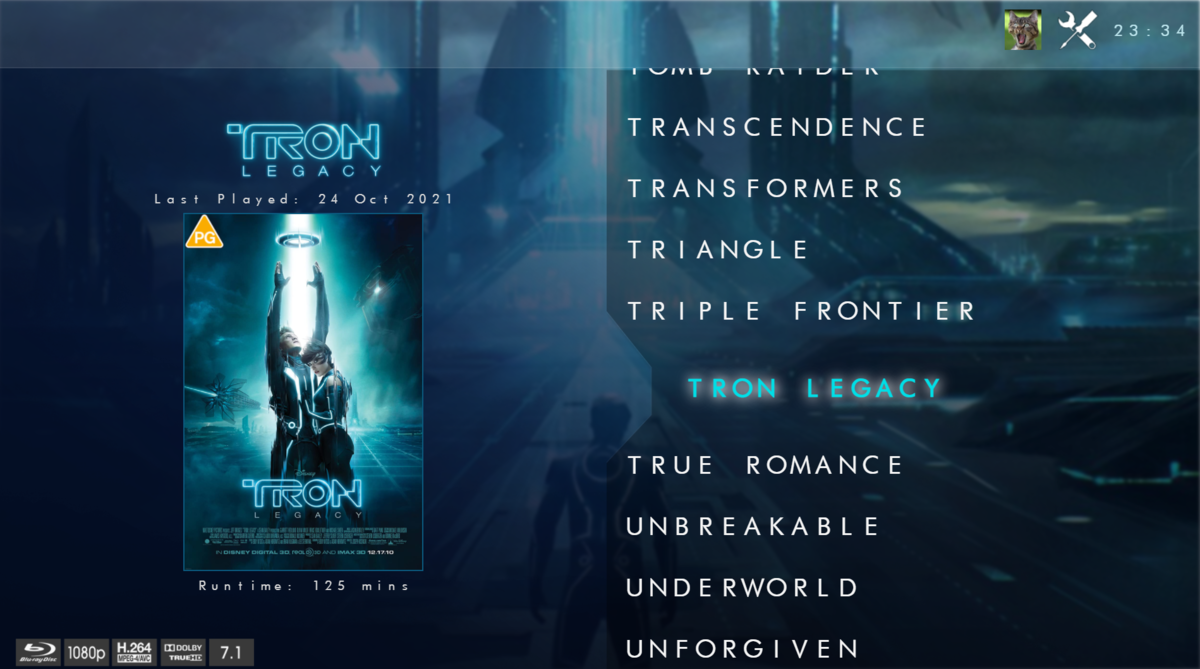
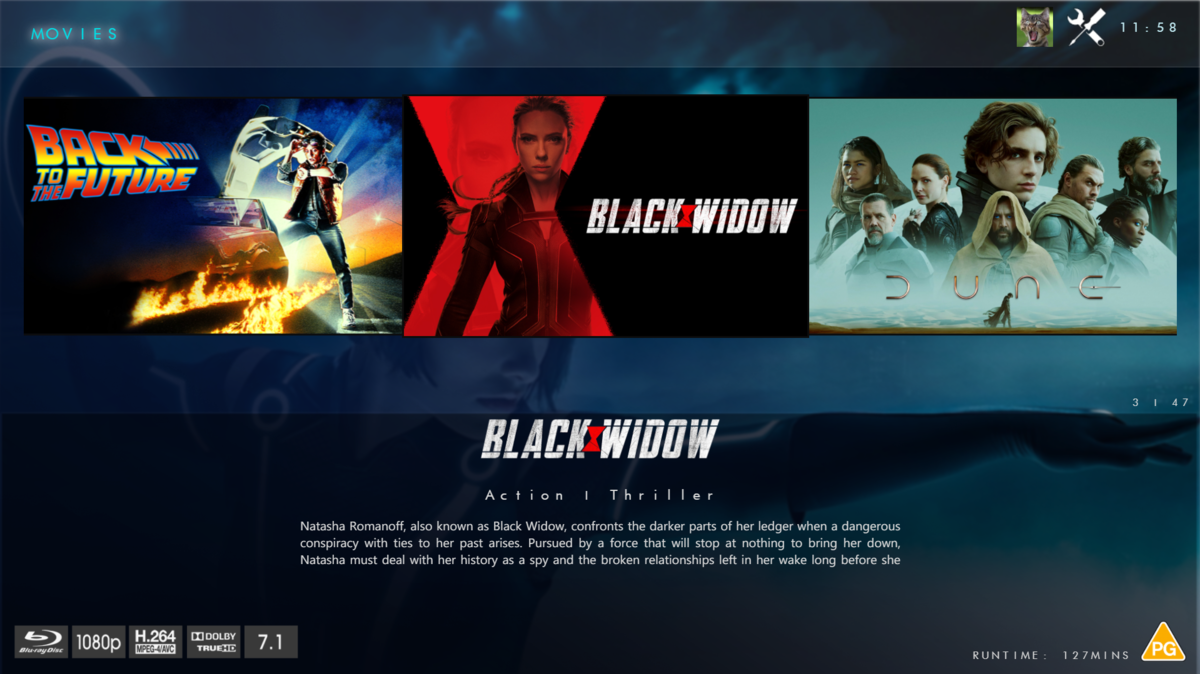
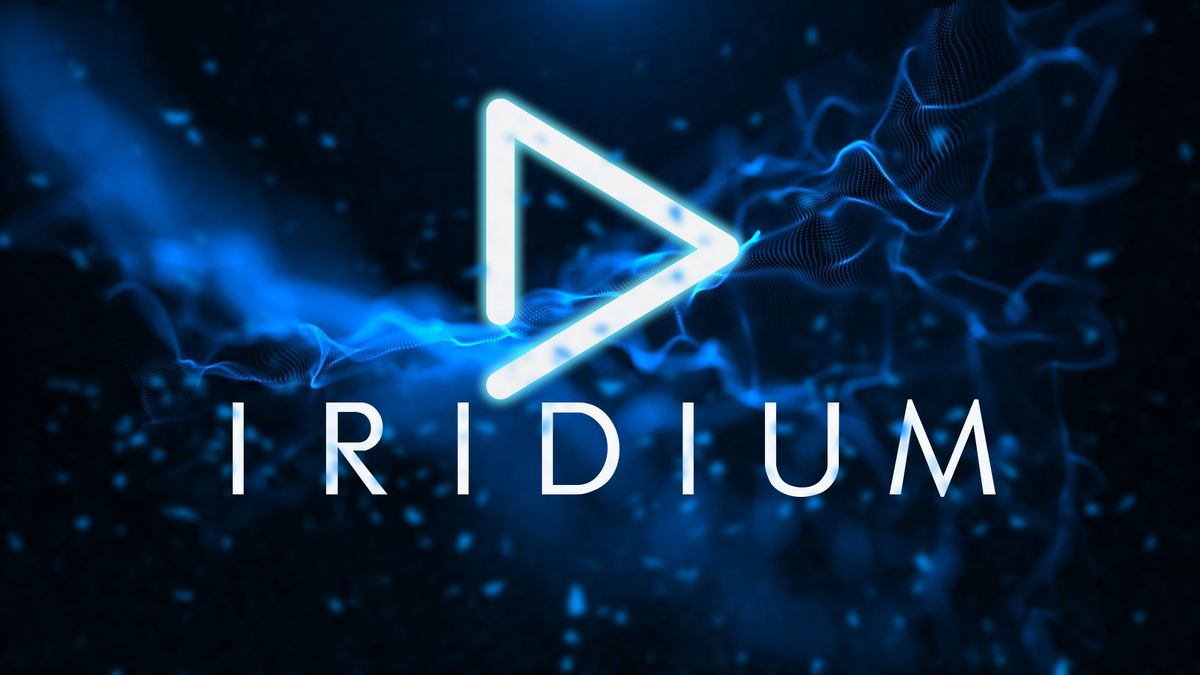 1 point
 -
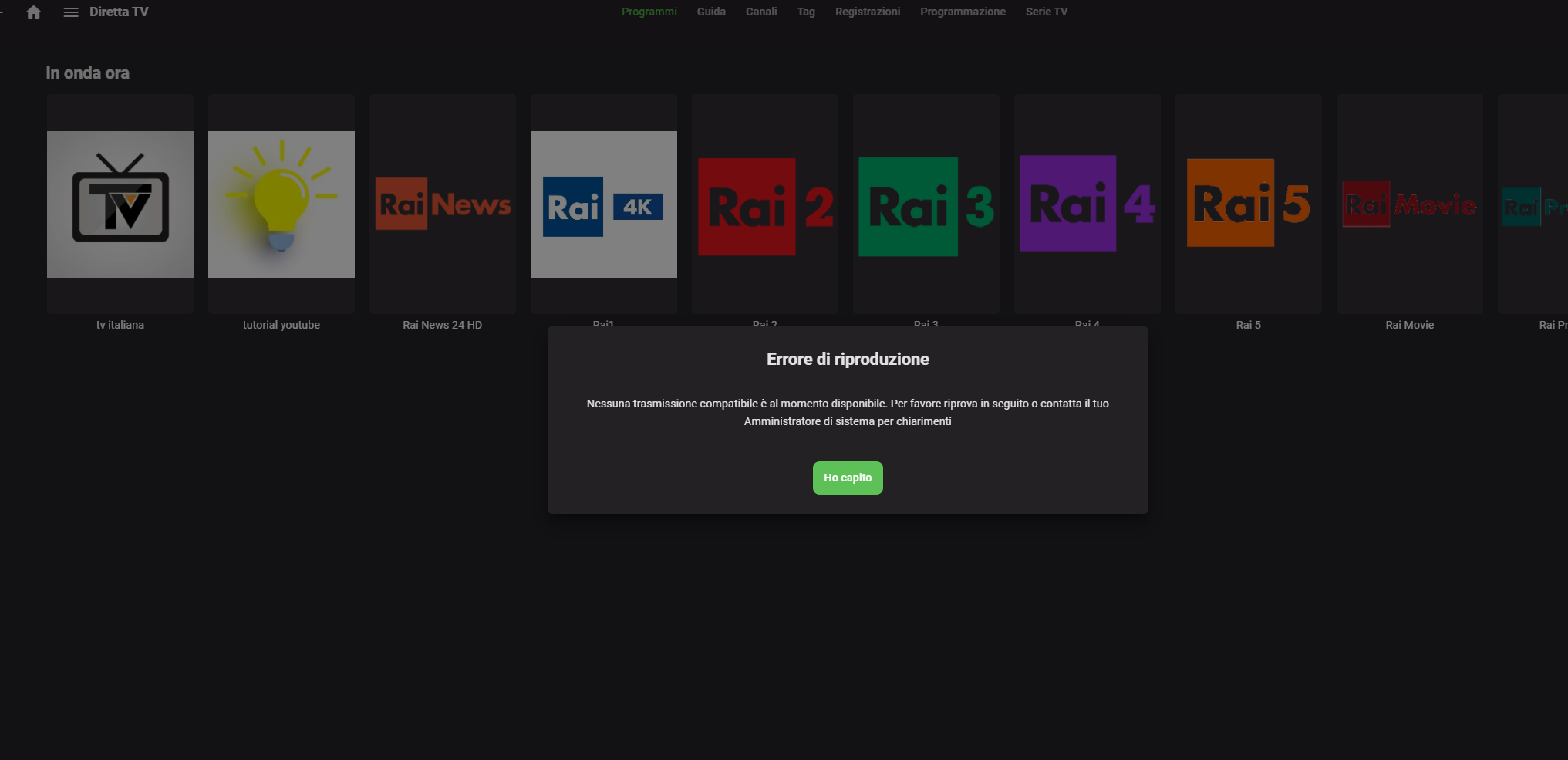
Ho settato correttamente una list m3u ed anche la guida ma i canali Rai e Mediaset non si aprono dandomi l'errore (nessuna trasmissione compatibile che posto come screenshot. Altri canali come La7, euronews vanno senza problemi Provato con VLC e i canali Rai e MediaSet funzionano Che settaggio devo impostare in SetupTV ? Grazie Hispa embyserver (7).txt
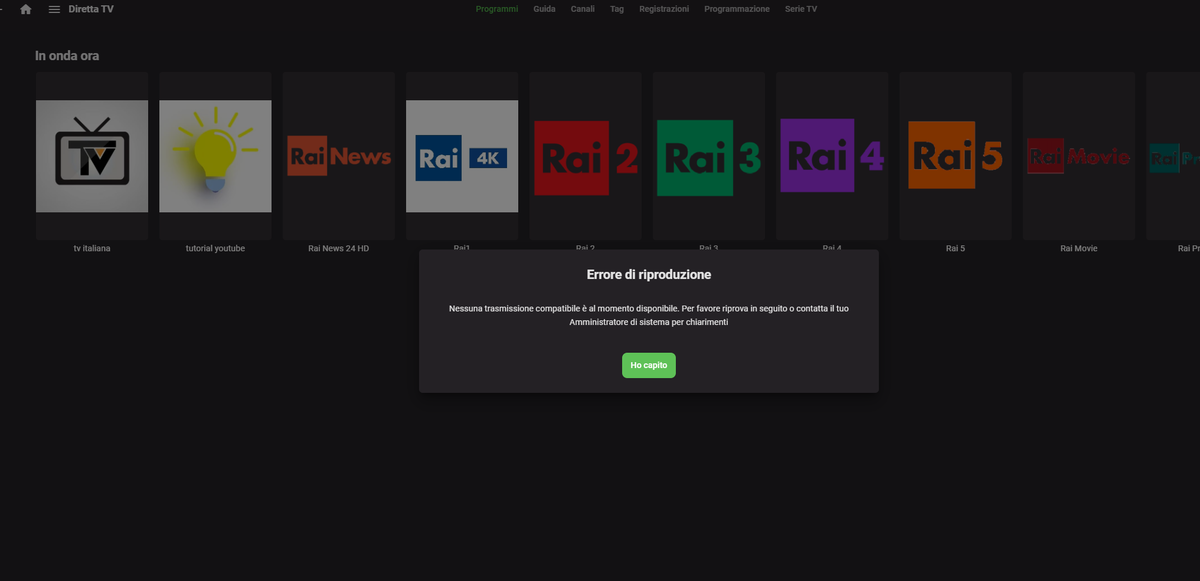 1 point
 -
Hi. I want to export an Emby playlist (XML) to a standard one (M3U) Is there any way, or an utility, to do this? Thank you in advance!1 point
-
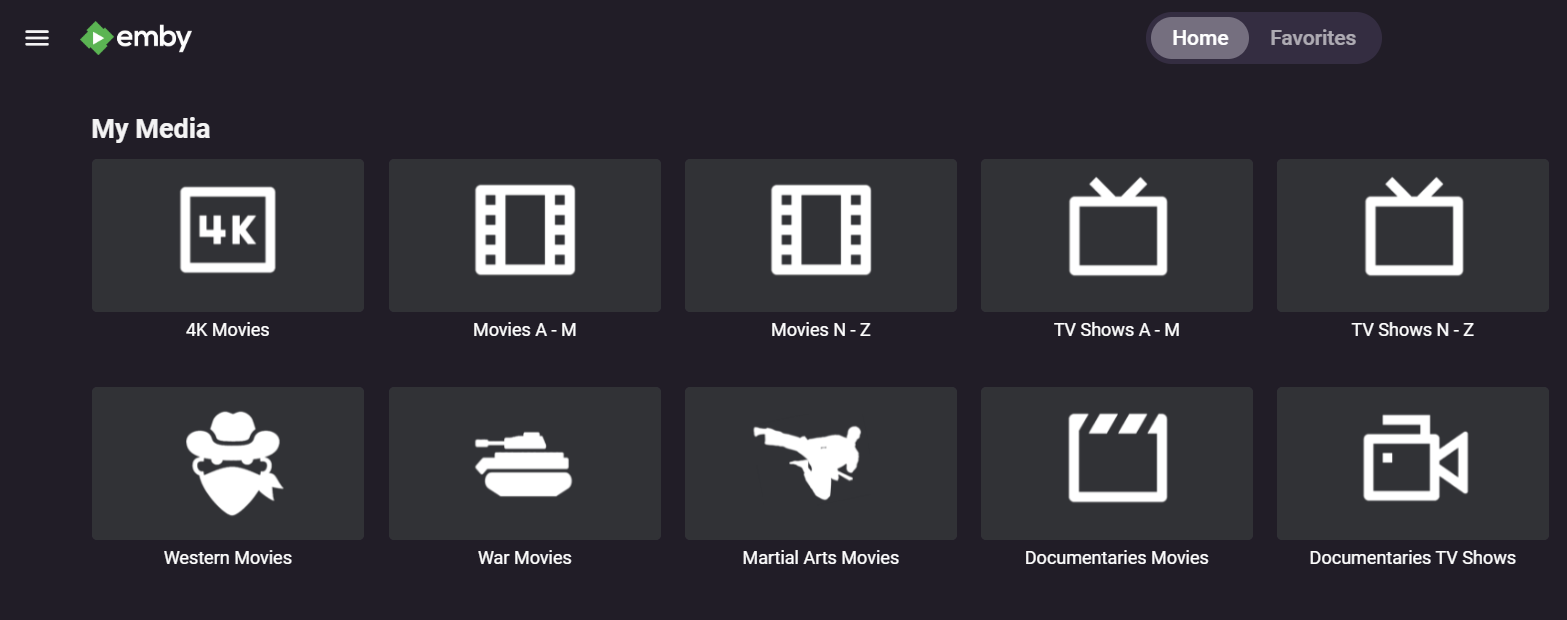
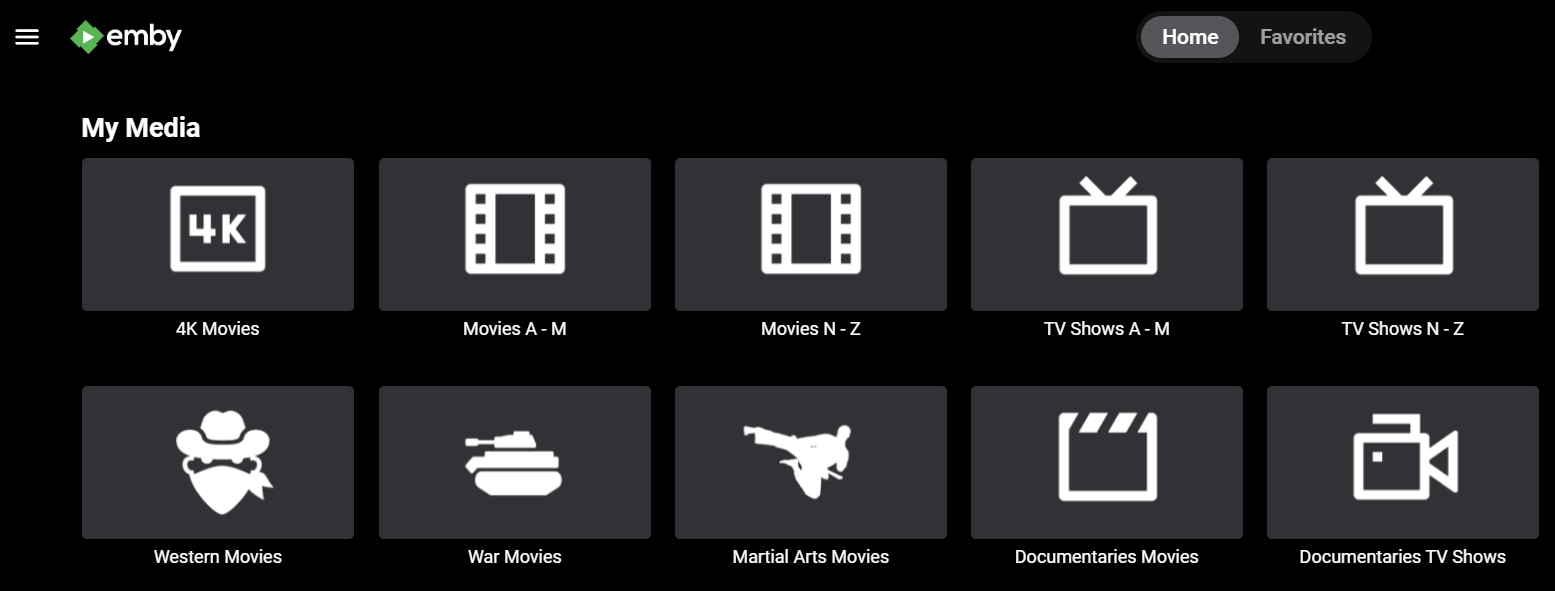
I'll post 2 images. 1 Dark Theme and 1 Black Theme (hate black). Dark theme under 4.6 has black, just not as intense as the Black theme. Dark theme under 4.7 has shifted towards purple/grey. Both of these are under 4.7, the grey icons are mine, I'm talking about the background color has shifted.
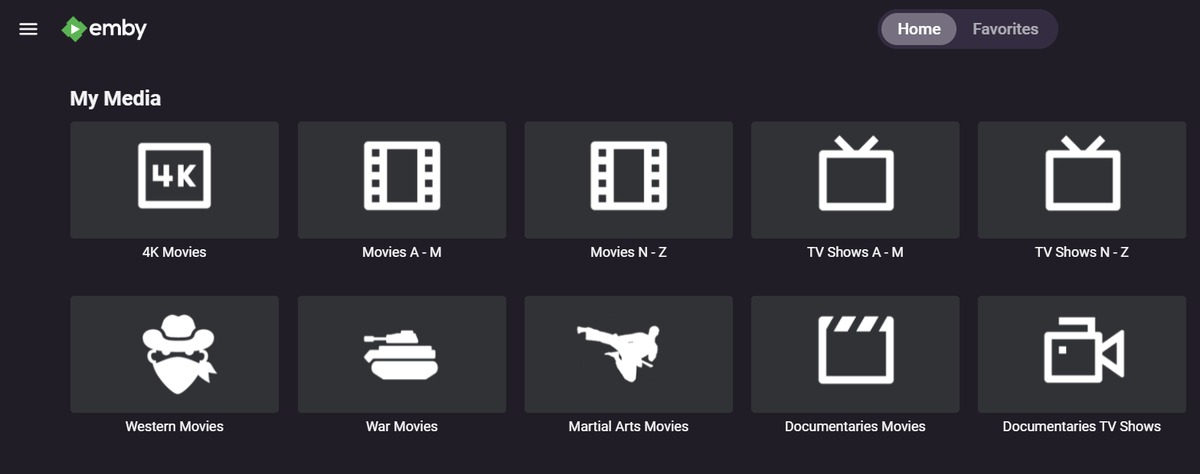
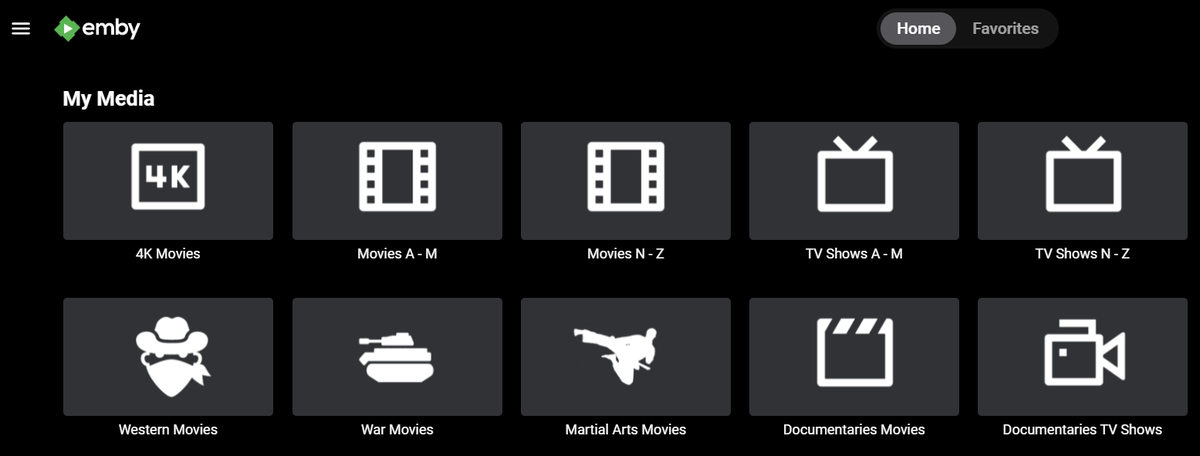 1 point
 -
Yes I previously commented on the introduction of a purple tinge but was politely ignored https://emby.media/community/index.php?/topic/96849-46037-dark-theme-color-has-changed-again/&do=findComment&comment=1008411 But more to the point, if you want a black theme, then you should choose 'Black' and not 'Dark' the Shield ATV app themes have never matched the web app.1 point
-
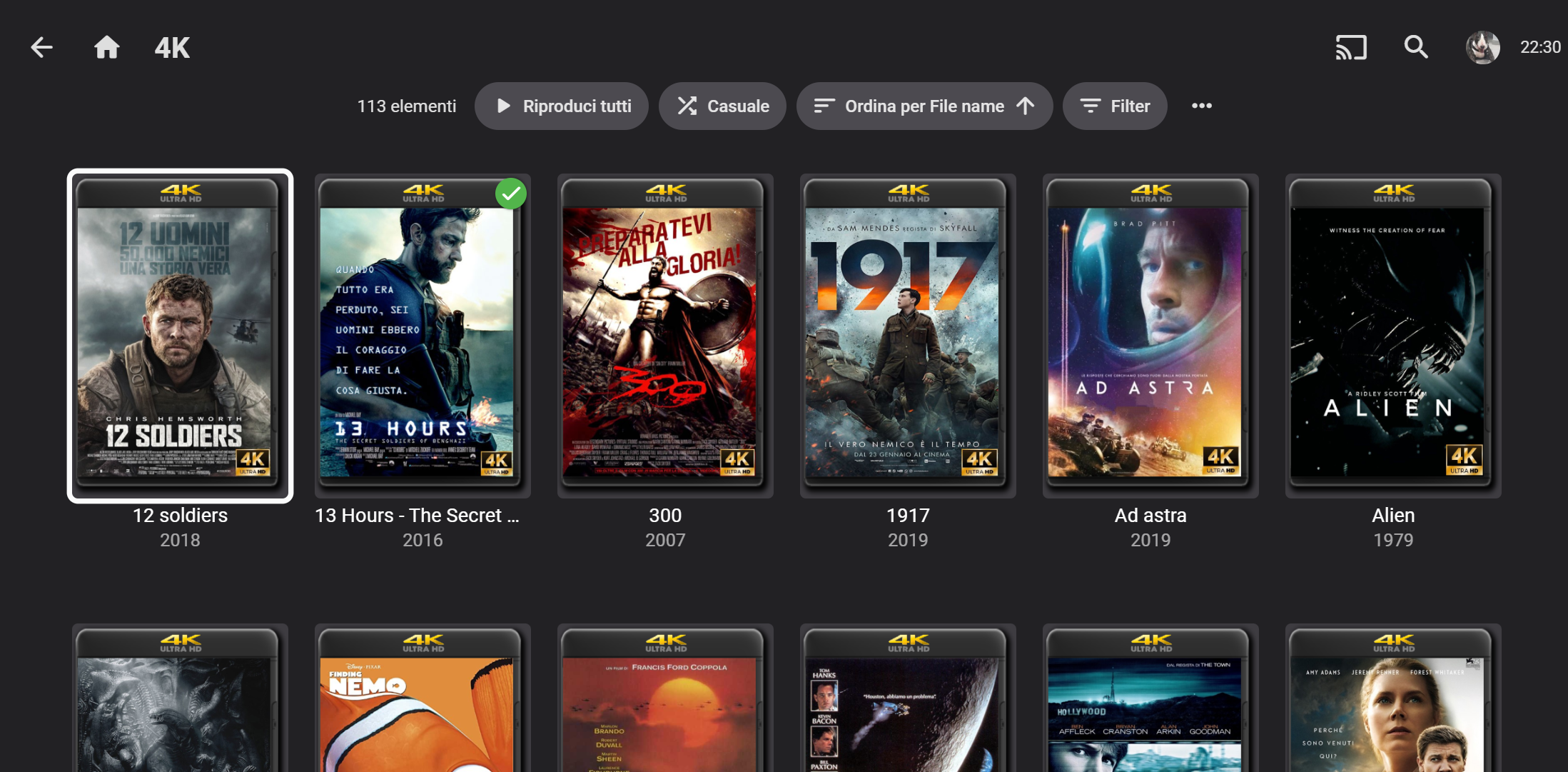
On FireTV the posters of movie is real too big, see my screenshot. There is a way to decrease poster size ? Thank Hispa
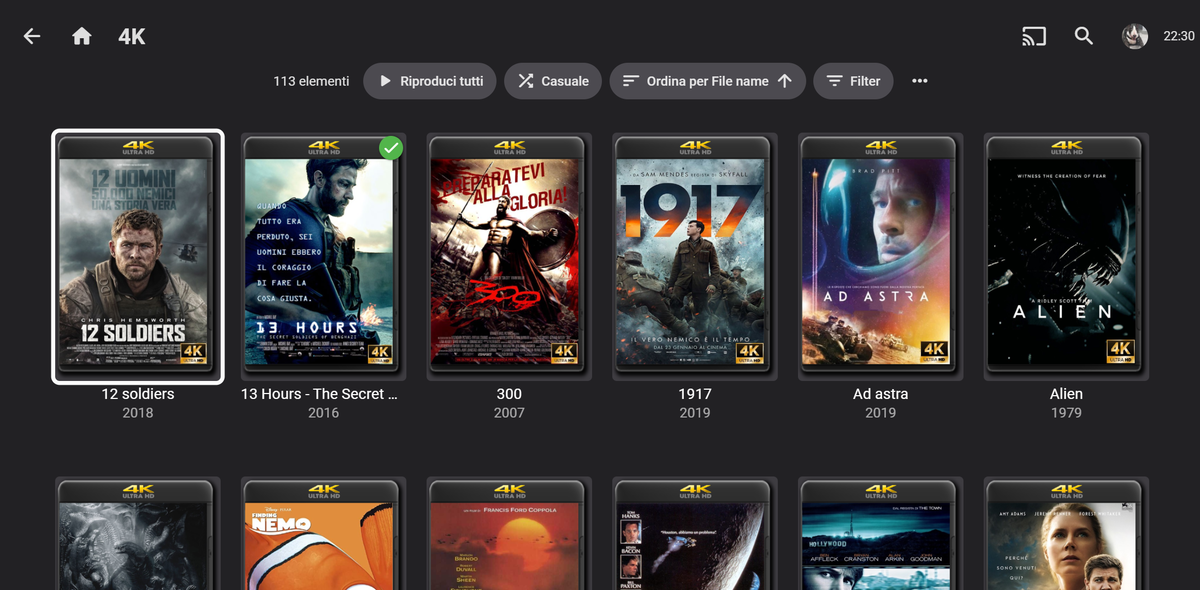 1 point
 -
Yeah ok so i just installed the release version and somehow that has vanished. I’ll get this done probably on Monday realistically to make sure everything is upto date. sorry all! And thanks @Spaceboy And @fillidill for highlighting this. i must have had a brain fart and lost my only brain cell somewhere lol1 point
-
Oh no! Ok ok, I’ll have to check this tomorrow. thanks for the heads up,1 point
-
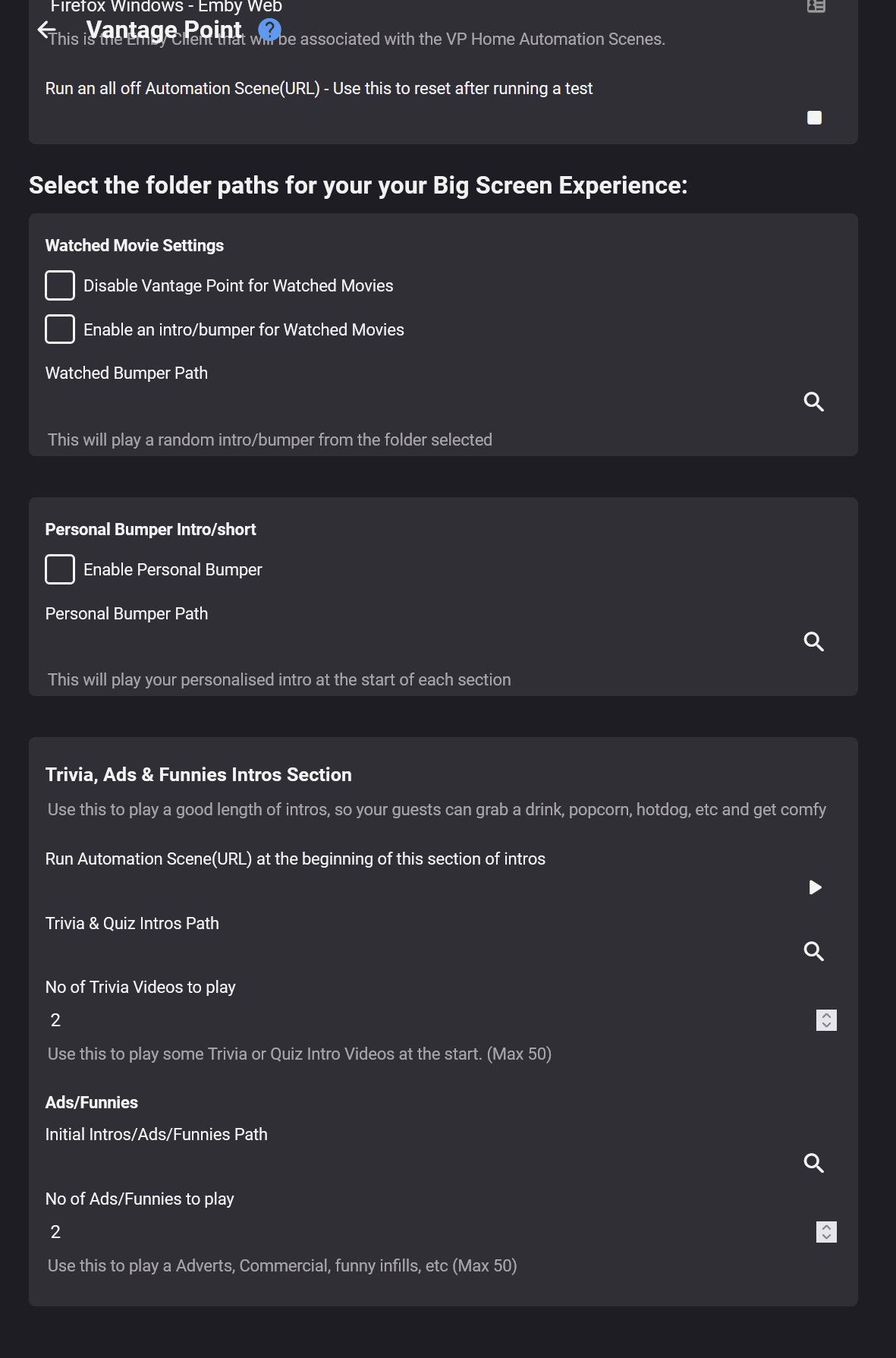
Jumping in here. I've been looking for the local trailers settings. I don't seem to even have that section called "LOCAL Trailers & Coming Attractions Section". Mine is called simply "Trailers & Coming Attractions Section". I have the latest beta version (not the one from the catalogue) of your plugin that can be found in the other thread and I have cleared my browser cache.1 point
-
A surprising new feature is the video information during playback. Click the icons in the lower left of the screen for Info, Chapters and Cast and Crew. A great feature and easy to miss. Nice work!1 point
-
Must have been a huge effort. Thank you.1 point
-
Great job #TeamEmby keep going!1 point
-
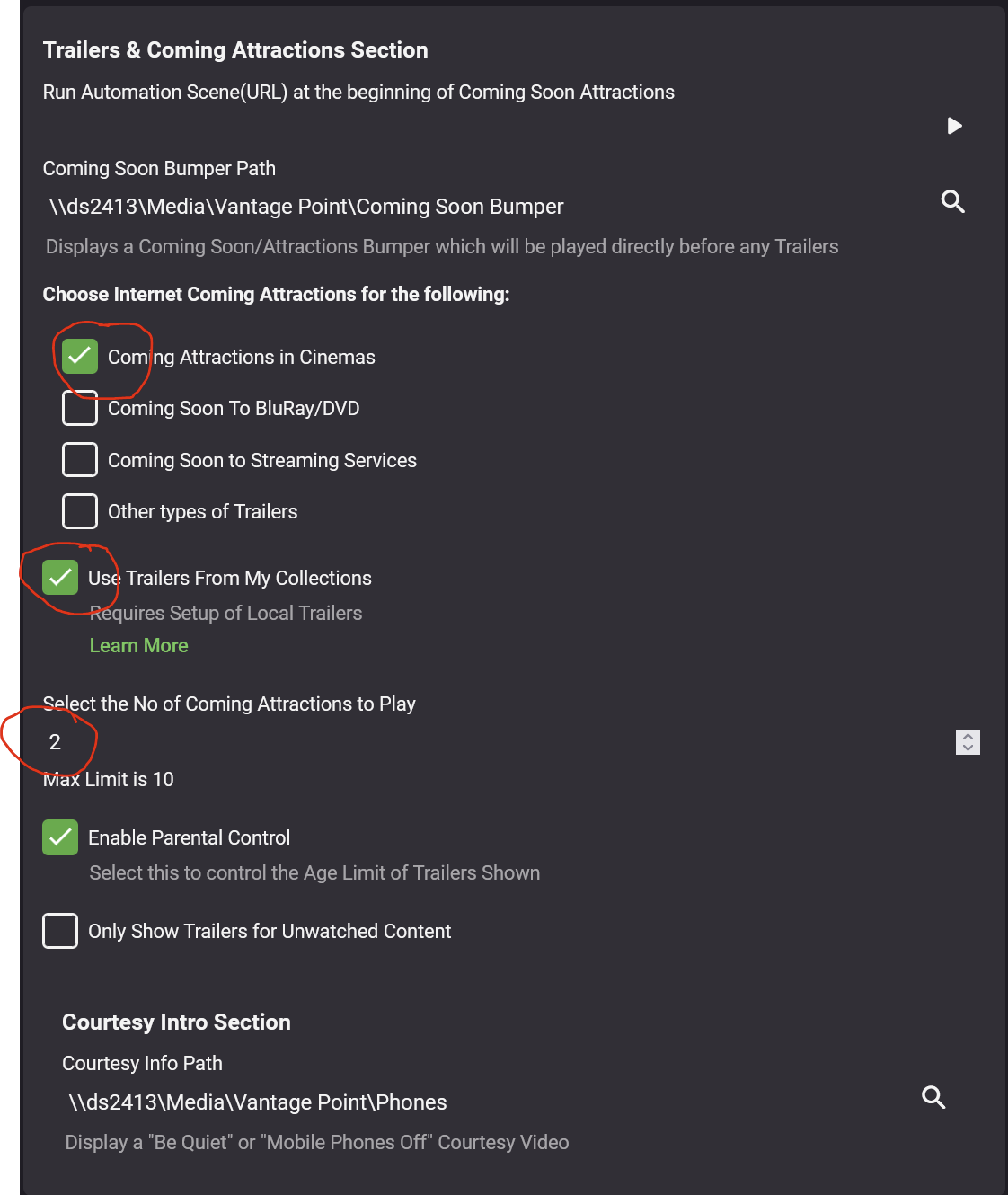
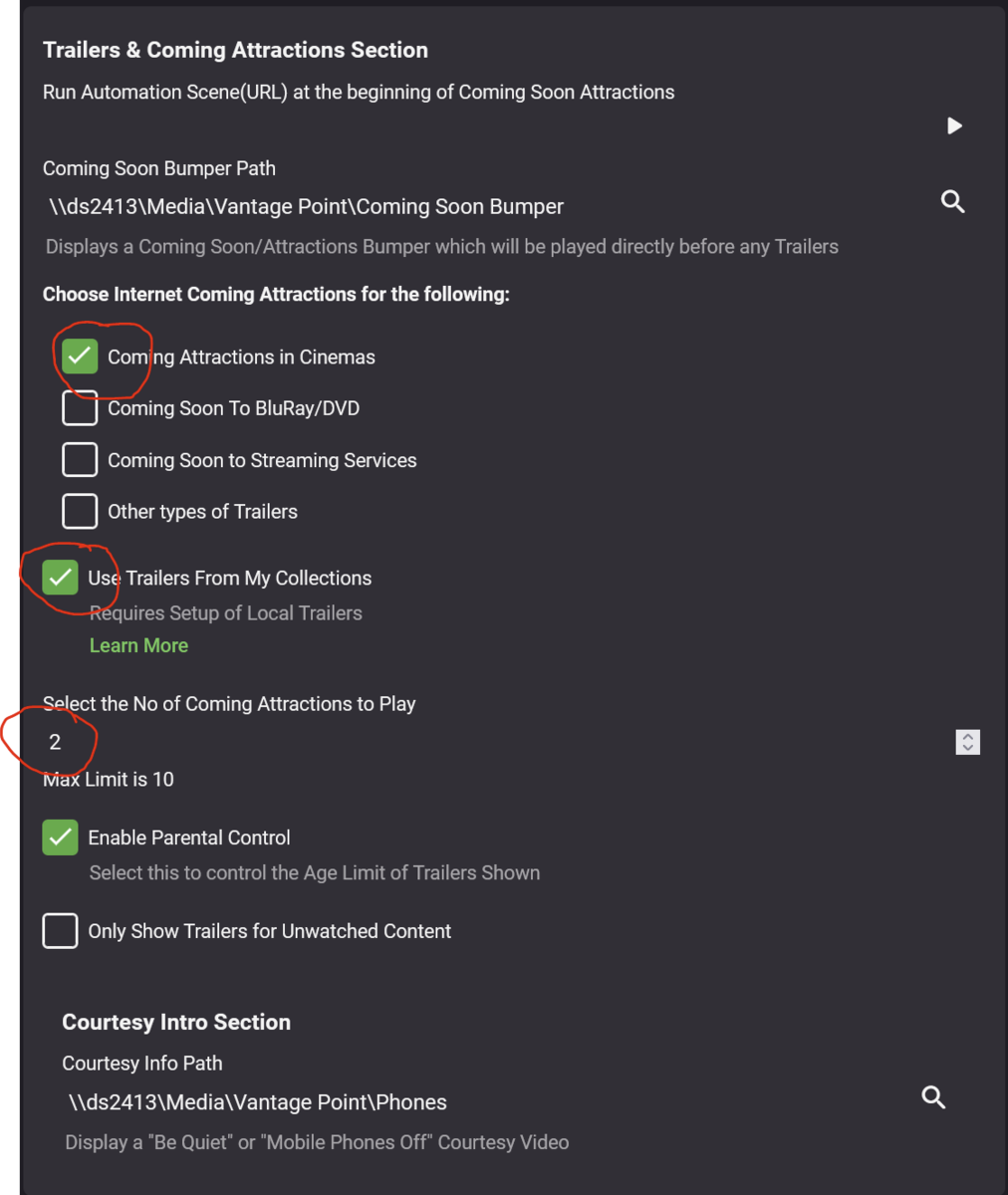
the boxes above
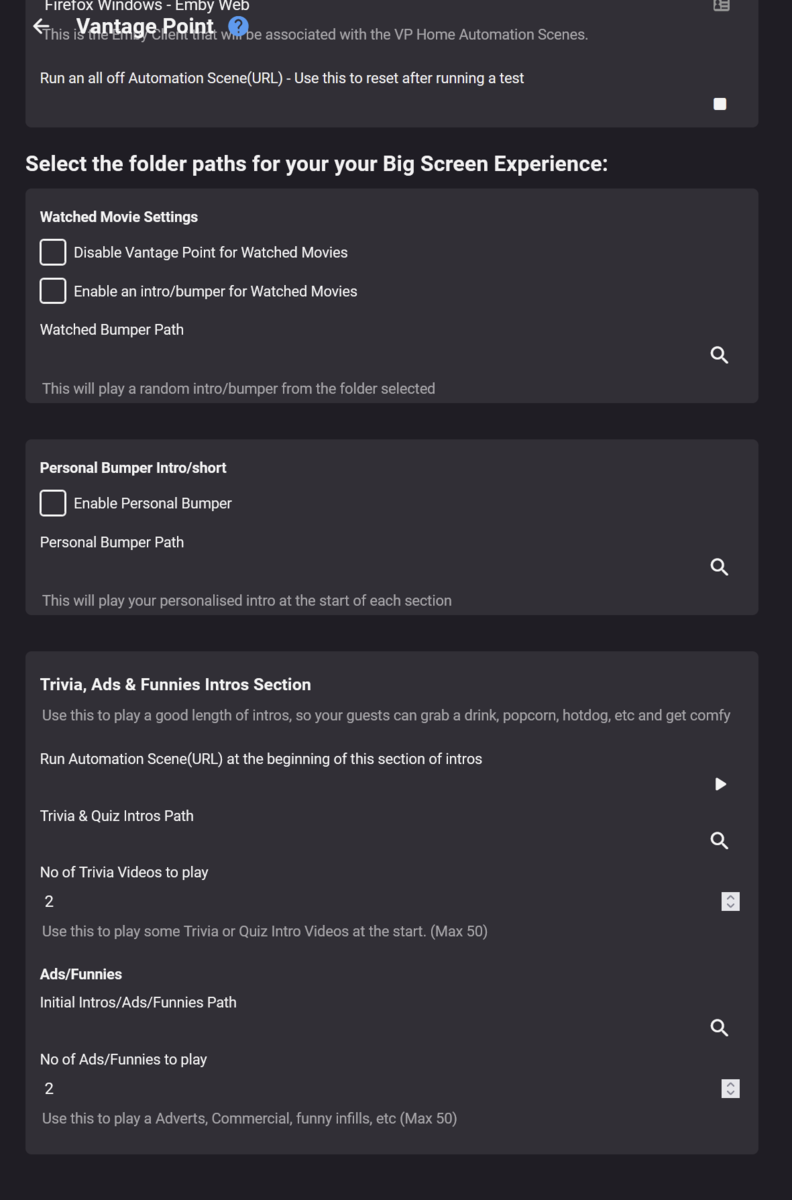 1 point
 -
with these 3 options set my understanding is that i will get 2 trailers before each movie. which i do. but they are always from my collection and based on testing a number of movies never from the internet. ideally i'd like to specify one from each and even have the possibility of including a "from my collection" bumper after the online trailer and before the my collection trailer. hope this makes sense and i have understood the config. no rush
 1 point
 -
The standard Android app running on an Android TV device ain’t a great experience after a brief testing it looks like it just presents the web Ui in a wrapper and some off of the Ui aspects don’t looK right (cover art overlapping the row headings when highlighted is one example) highlighted items don’t have a coloured border setting them The theme I use on the ATV app (material Green) isn’t available, and going into to “app” settings just puts you into the entire server settings Overall a worse experience than the ATV app, and it didn’t make any difference to the playback of live TV not the standard app guide layout is poor compared to ATV app1 point
-
Yea it's just because we have one generalized request object for querying that is used in a lot of places and that causes swagger to think that.1 point
-
The message just needs to be updated.1 point
-
I would check user library access and make sure that your emby user is granted access to the libraries with the music.1 point
-
We'll take a look at it. Thanks.1 point
-
Good morning, I know that the heart of Emby is not the management of personal photos and videos, however I would like to propose a feature and explain why I propose it. When google photos turned off the possibility of having free unlimited storage space for backing up photos and videos, users looked for an alternative on the net that would take into account: 1) automatic backup from pc and smartphone; 2) large space available; 3) advanced features for memories. Other actors at this point have taken over the undisputed Google, including Amazon, Dropbox, Box, OneDrive etc ... Almost all paid and with limited storage space. I believe that Emby can fully satisfy these characteristics as points 1) and 2) are already satisfied. Point 1) already exists. Point 2) already exists and is better than cloud services as it is not linked to a space who knows which server, but to a self-managed space owned by it. What is missing is point 3). Some would say that you can do without, but I assure you that those notifications that arrive in the smartphone that tell you for example: "look at this memory of 5 years ago" showing you photos and videos shot at that time are really nice. Emby already has its smartphone application and I think it can send this notification, everything is in configuring the notification algorithm well (example: send notification as a "memory" only if there are 3 or more photos and videos archived with the date of acquisition closer than 30 minutes). By doing so, the notifications of real "memories" should arrive, identifying vacation days or moments of real importance. When you click on the notification, the app will show the photos and videos of the whole day. I repeat, I know that we are a little out of the essence of Emby, but I think it can be useful to many. Regards.1 point
-
I agree, let's fix de-interlacing FIRST (properly like double frame rate/sendfield) and frame rate match Other apps have done it for a while now......years on and still not done.....Its my number one of hate about the Emby App on Apple TV, despite it looking polished.1 point
-
It's having a problem unzipping the file the srt file is in. The author will need to have a look.1 point
-
Since I don't have an NVidia Shield and I want to keep using Synology and also thanks to your help I haven't found any errors in the logs, I leave it enabled on Direct Play. This is how Emby works on my Android TV. Thank you all for your support!!!1 point
-
This might point you in the right direction. It refers to Windows 11, but that's only because the downloaded file, an APK file, is stored on a Windows 11 computer. You should be able to substitute Windows 11 for Synology in the instructions.1 point
-
I had also problems after update to 4.7.0.60 (from 4.6.7.0) . Using the portable-Version (x64). After download the Version 4.7.0.60 manually, i extracted everything and copied over the old files. After that, everything works fine again. Maybe something was in use during the autoupdate.. .i dont know, but it solved my issues. maybe that helps1 point
-
Thanks for the info... updated again and it works fine now!1 point
-
lol - it was significantly more helpful than yours !1 point
-
Personally I think playlists are almost unusable until we get separate playlists for individual users.. I chose Emby over Plex mostly because I wanted to share my media library with my family and friends. Emby looks and performs better (in my opinion) than plex for sharing with non-tech savvy family. That said, when all users get all playlists and everyone can edit them regardless of who created the list, it becomes unusable. This makes me reconsider offering my music collection to my family, as it is in my opinion the one section that really needs playlists, but in its current form is more of a hassle than a feature.. Please Emby team.. Before adding bells and whistles to playlists, give us the basic functionality we need.. individual user playlists.1 point
-
New TVDB api already supports new seasons order, need to add them to emby plugin, that is what I mention that is missing1 point
-
Nevermind I found it in the user profile settings.1 point
-
HI, yes we can look at adding this. Thanks.1 point
-
@Lukeis there an issue showing custom path on start-up (Info Main)? As a roll-over log shows that correct path (Info App). Info Main vs Info App Info Main: Transcoding temporary files path: C:\Users\adminperson\AppData\Roaming\Emby-Server\programdata\transcoding-temp Info App: Transcoding temporary files path: Z:\Emby\transcoding-temp But per the log it appears custom path is being use for the sessions shown in these logs.1 point
-
If you're not sure then the easiest thing to do is just get it from Synology Package Center.1 point
-
Hi. Most likely it is ARM.1 point
-
I upgraded by stopping Emby in Package Center first and then click Manual Install and locate the downloaded new version. It worked nicely. Didn't lose any settings and everything in the library is still there.1 point
-
TVDB switched to a new API version (version 4) as well as new subscription model ($12/year per individual) that is no longer free to use. https://thetvdb.com/subscribe One of the benefits of running Emby is that you do not need to have an individual subscription as this cost is picked up by Emby on your behalf and is transparent to you. It doesn't matter if you have Premier or not, we foot the bill for this access so all Emby Servers have access to TVDB. The update mentioned above is the change needed to migrate from API version 3 to 4 that was needed as part of this process (old API is sunsetting). It's my understanding that with the change in subscription models TVDB will be expanding the API over time making additional information available. As the API continues to grow and expand, Emby will be able to take advantage of it. Hope that helps.1 point
-
The fix for this will be in 4.7.1 in the coming days. For now I've also patched the current stable release so you can also reinstall from the website on top of your existing installation. Thanks.1 point
-
We'll add rebooting the nas to the install instructions. Thanks.1 point
-
a few things to check. You need to clear any cached files when you change the people setting. For testing this just turn off caching in the EmbyCon advanced settings. Advanced -> Cache emby server data response = OFF Also you can clear any cached data using the "Clear cached serve data" action in the addon main menu under "Add-on actions" menu. If you are still having people issues switch back to the default skin Estuary and make sure it (people) is working there, some skins do their own thing using extra addons that are not supported in EmbyCon. Grouping might be the same as above, clear the data cache. Not sure about the missing titles, again try clearing the cache, try the default skin etc.1 point
-
Hi, thanks, we'll take a look at it.1 point
-
I’m working on one click my signature1 point
-
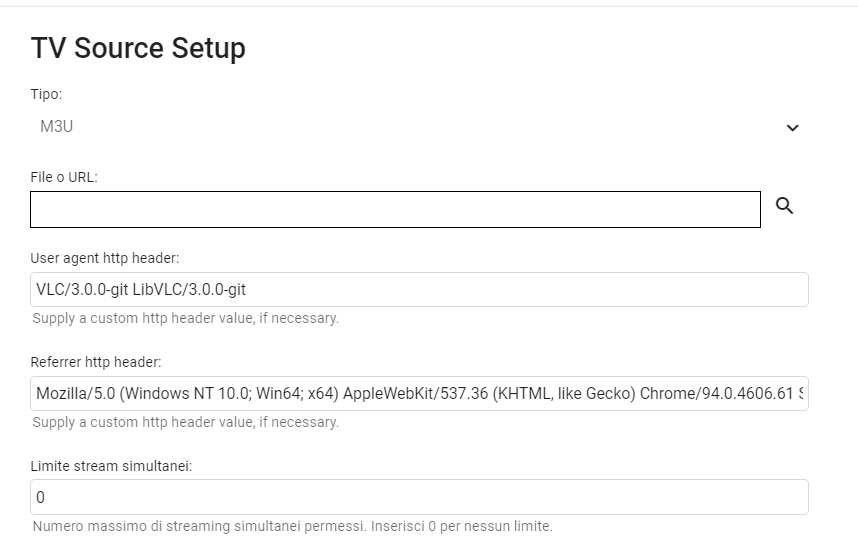
Posso avere il testo che hai inserito in Referrer http header Grazie Hispa1 point
-
After several tests, and user agent changes now it seems to work, as per the set photos, if I change it they don't work. the log gave access denied 403, mha only on emby other prog etc it worked Dopo vari test,e cambi user agent adesso sembra funzionare, come da foto impostati,se cambio non funzianano. il Log dava accesso negato 403,mha solo su emby altri prog etc funzionava
 1 point
 -
I want to request site Titlovi - https://titlovi.com/ This is the best site for subtitle download in 5 different countries because moderators are strict, there are no a.i. translated subtitles, only community. Suported countries are 1. Serbia 2. Croatia 3. Bosnia 4. Slovenia 5. Macedonia And with English subtitles that are also posted there, they have 6 languages suported They have api, and official kodi addon. https://github.com/tturkalj/service.subtitles.titlovi-com-official/ https://kodi.titlovi.com/api/subtitles1 point
-
Addic7ed is now in the Emby plugin catalog. You'll need to configure your Addic7ed credentials in the plugin configuration. Enjoy.1 point
-
It's a good idea although I plan to eventually just make m3u the native format anyway.1 point