Leaderboard




Popular Content
Showing content with the highest reputation on 05/15/22 in all areas
-
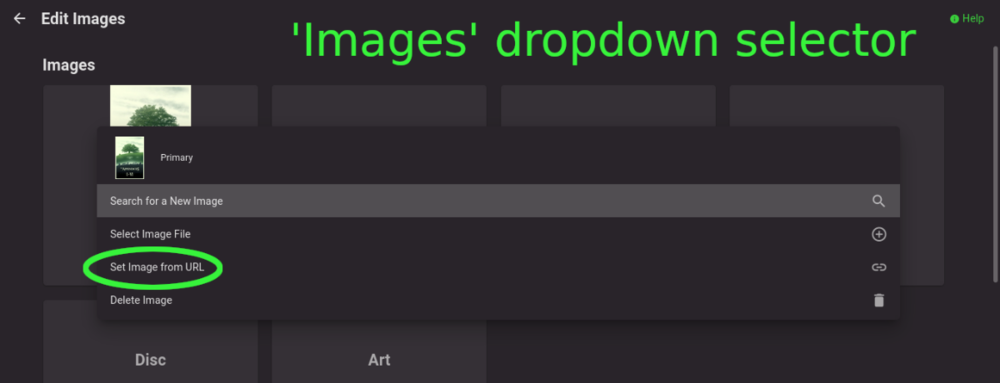
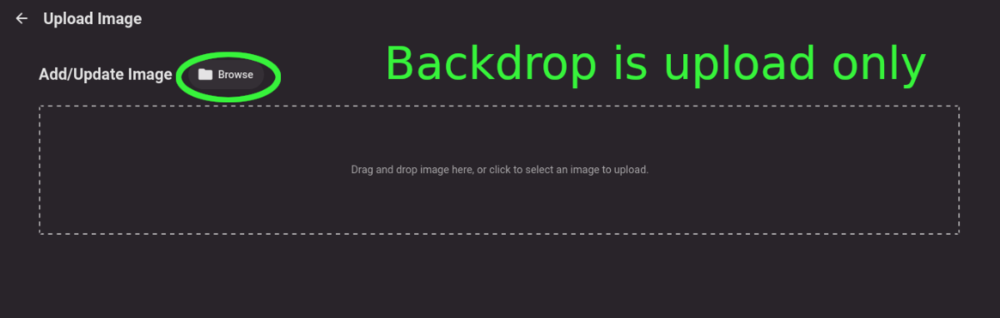
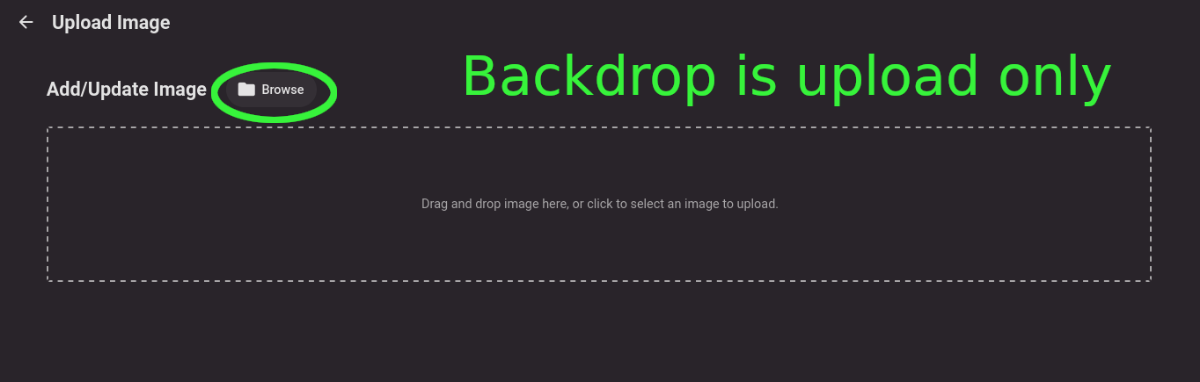
Title describes what I want but also here are some web app screenshots: The Image editor for all the types under 'Images' has a wonderful selector that includes a 'Set Image from URL' option: The Backdrops section only allows for adding images by file upload: I'd like to add Backdrops from URLs please.
 2 points
 -
Oh wait, i just noticed the issue, the main library has access to that drive, ffs, sorry guys my bad, feeling a little Homer Simpson like here. Tested and that was the issue, so sorry to be a bother, sometimes it just has to stare you in the face to be noticed.2 points
-
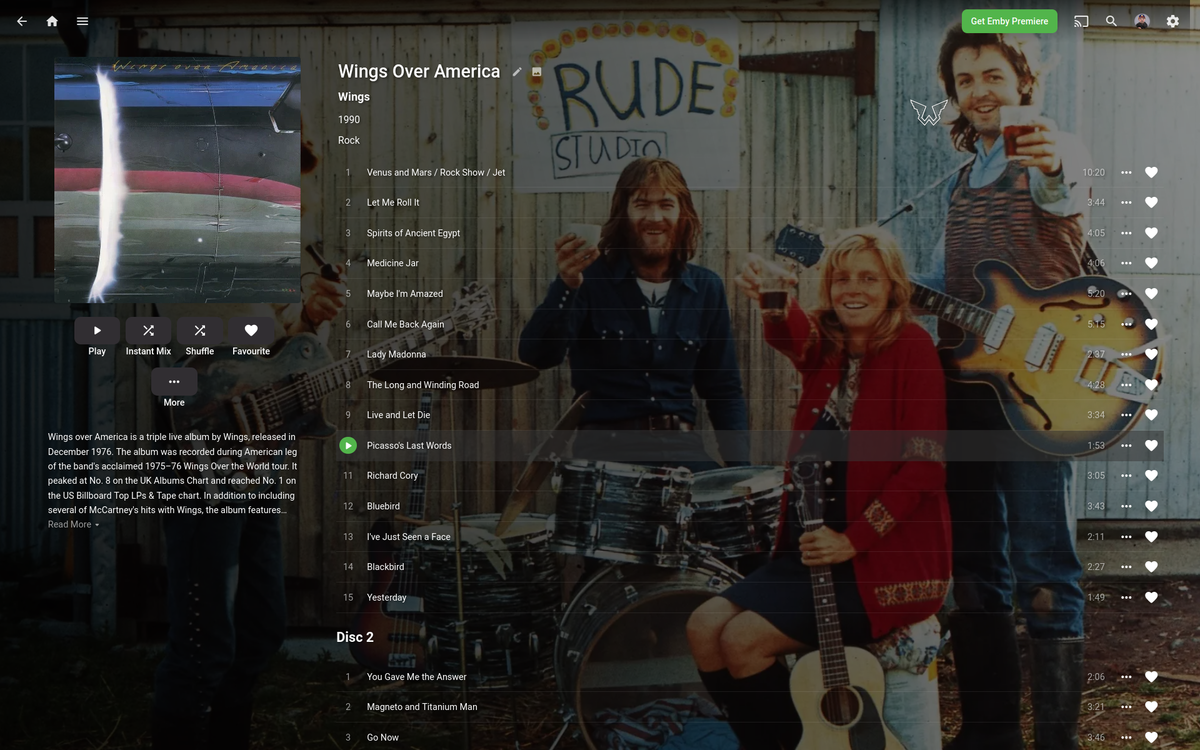
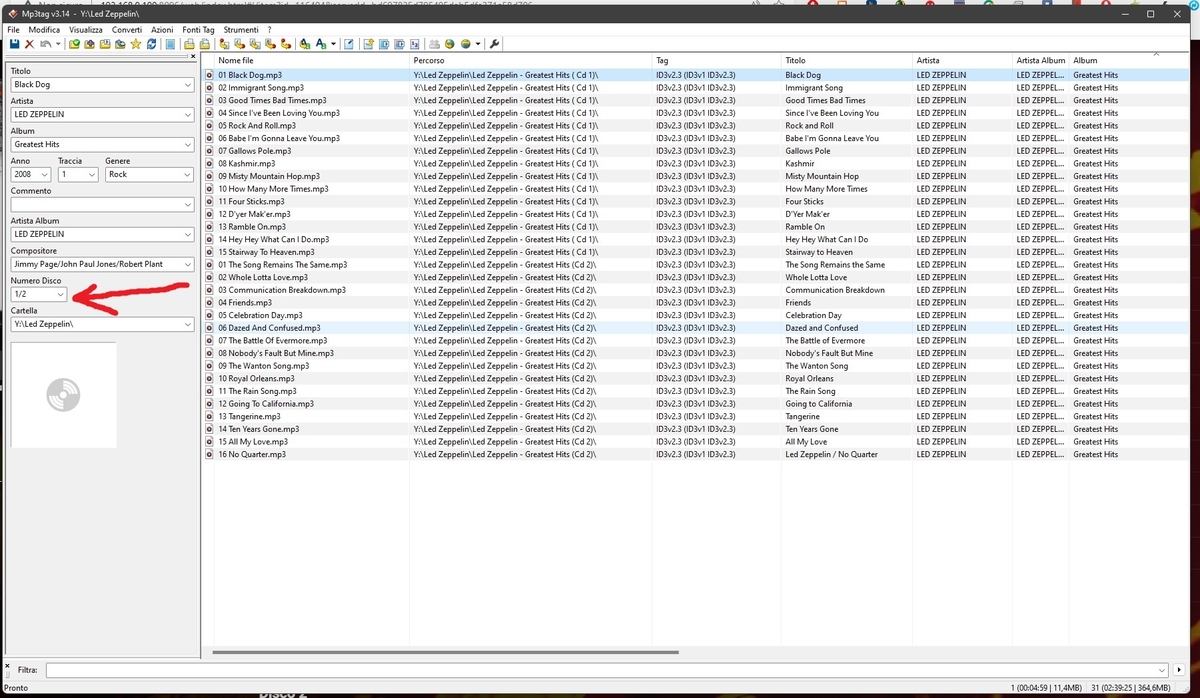
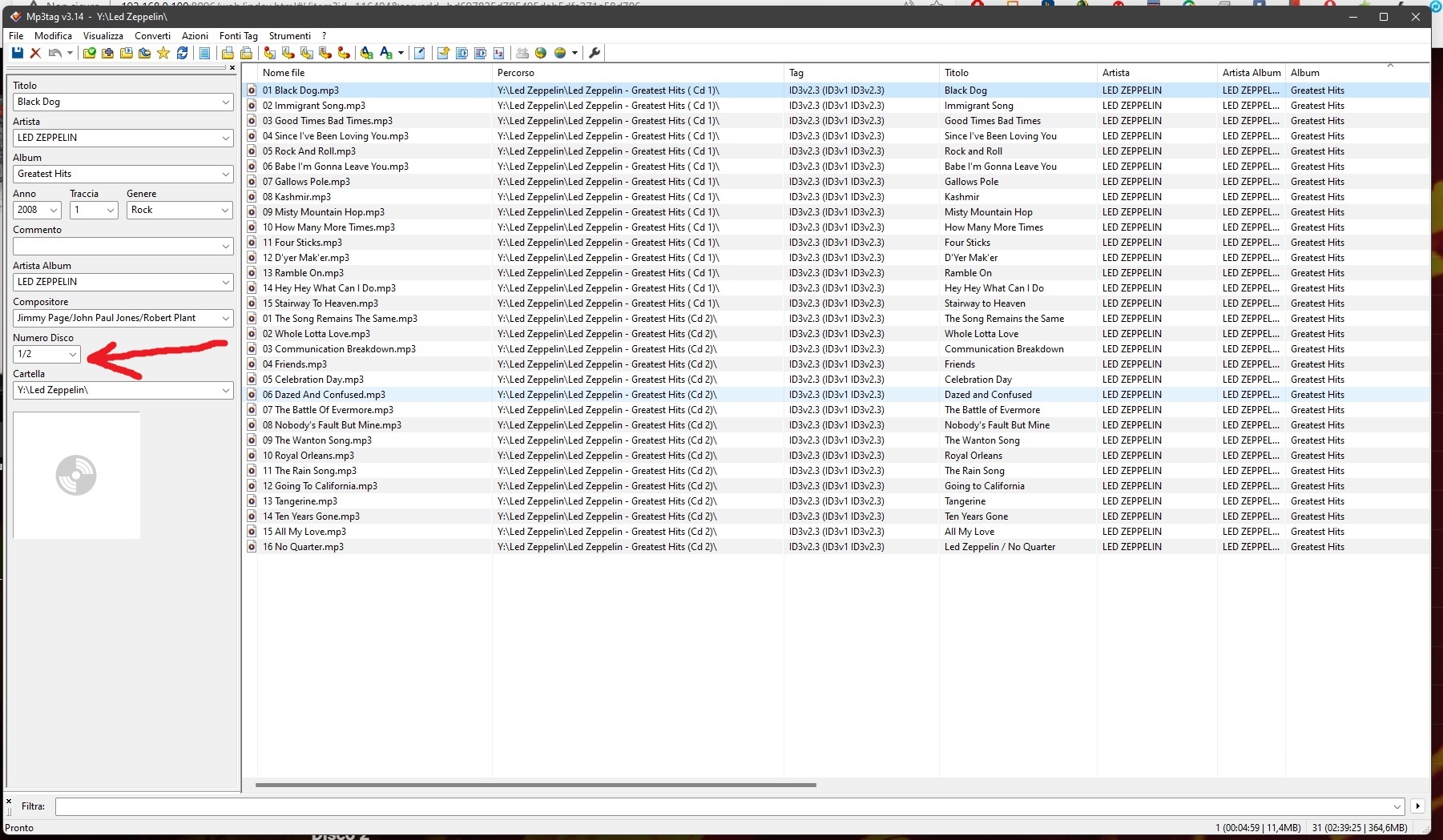
I achieve this by using a tag editor and use the cd tag (1of2, 2of2 etc.) for each CD. Then dump all the tracks into one folder and name it "Greatest Hits" in your case, then adjust all the album name tags in that folder to match that "Greatest Hits".
 2 points
 -
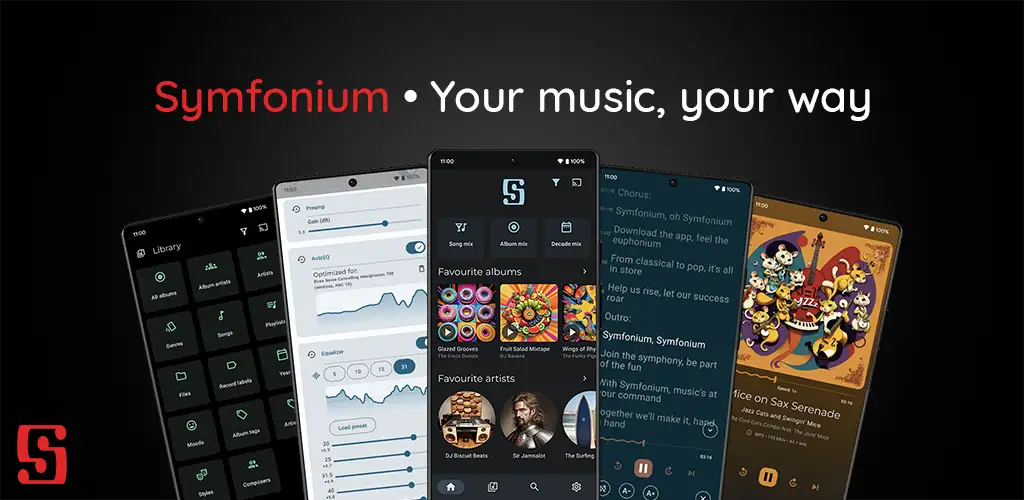
Symfonium is a simple and modern music player, with an unique vision to be your central control point for your music. Add multiple media providers (Your local device, Plex, Emby, Jellyfin, Subsonic, Kodi) then play your music on any supported player (Your local device, Chromecast, UPnP, DLNA, Kodi). Remark: This is a paid application with a free trial to ensure continuous updates without tons of bothering ads. It does not allow you to play or download media that you do not own. MAIN FUNCTIONS • Consolidate all your music from different media providers (Your android device, Plex, Emby, Jellyfin, Subsonic*, Kodi) in a fast, beautiful and intuitive interface. • Cast your music to Chromecast, UPnP/DLNA or Kodi devices. (Support UPnP gapless on compatible devices) • Cache your media for offline playback (Manual or automatic with custom rules). • Advanced Android Auto support. • Advanced custom tag parser for local device (Support more files, more tags, multiple values, separators, cue files, …). • Many functions for audio books like playback speed, skip silence, resume points, … • Smart filters and smart playlists to organize and play your media on many different criteria. • Complete playlist support with sync with most media providers. • Fully configurable interface: organize your tabs, shortcuts, home page, now playing, sorts, use lists or grids with custom sizes and much more. • Transcoding support when casting to Chromecast (And soon UPnP). • Multiple now playing media queues, easily switch between audio books and playlist or albums without loosing your configuration (Playback speed, shuffle, position, …). • Complete file mode support. • Playback cache, no more music stop during network hiccups. • Adaptive widgets. • Composer support for classical music lovers. • Support favorites and 5 star rating. • Lyrics support (Including synced lyrics. Embedded in the media files or provided by the media provider). • Advanced personal and instant "Mix" modes that evolves with your listening habits. • Fully embrace Material You and Android 12+ colored themes, while still proposing many other themes (Or create your custom ones). • Advanced local music player with gapless, volume boost, replay gain and supporting many formats like Alac, Flac, Opus, Aac, Dsd, Aif, Wma, Mpc, Ape, Tta, Wv, … • Advanced equalizer with preamp, compressor and limiter. (5, 10, 15, 31 bands or up to 256 bands in expert mode) • AutoEQ support, with more than 4200 optimized profiles tailored for your headphone model and support for custom ones. • Multiple equalization profiles, with automatic switching on headphone change. • Artist images and biography scraping for local Android media. • Sleep timer, widgets, automatic suggestions and everything for the music lovers. (Missing something? Just request it on the forum) • And much, much more, just install and try everything with the full free trial. HELP AND SUPPORT • Official website: https://symfonium.app • Forums and documentation: https://support.symfonium.app/ NOTES • Symfonium relies on the media providers to provide accurate music library data, it does not directly parse tags nor have metadata editing functions. • Symfonium development is user driven and moving fast, be sure to open feature requests on the forum to have the perfect app for your needs. • Plex pass or Emby premiere are not needed for Symfonium to provide all it’s features. DOWNLOAD • Symfonium is available on Google Play Store: https://play.google.com/store/apps/details?id=app.symfonik.music.player
 1 point
 -
One thing the streaming community hasn't done well is really create tools that allow us to simulate live TV well. I think the biggest reason that binging on Netflix (and Emby) is so popular is because you push a button and go. I'd like to see Emby create a "To Watch List" that basically allows you to sort shows into a specific order. When you watch that list, it will only play the most recent episode of each show in the list that premier inside that week. Lets pretend I made a DC TV Watch list, it would only play this weeks episode of Arrow, Flash, Legends, Supergirl and Gotham one after another. If an episode didn't premier that week, it gets skipped. Additionally, I'd like to see this system *ALSO* allow us to insert bumpers similar to Cartoon Network or Toonami. In the here and now, it would only insert bumpers between the series, but it would be nice if in the future, a system that allows some method for choosing the appropriate points between each act of an episode where bumpers could also be inserted. Bumpers would be a community thing to create, but inside the "to watch list", you'd choose what bumpers (if any) are used. Bumpers could even be surrounded by previews. Finally, another thought: while Emby already can pull Movie Trailers, it might be another cool future project if we could pull previews of related series not in the "To Watch List" and/or perhaps ones that aren't on your server that are similar to what you are watching. There's a lot of ideas in this post to digest and several should be their own project as part of this concept. Thoughts1 point
-
To Plugins forum subsection, from General/Windows, once clarified what does OP refer to.1 point
-
Sure thing, glad you see it as help and don't be frustrated if we post this nasty bugs.1 point
-
The combination of the embedded album and albumartist, so those values need to be consistent for all tracks in the album.1 point
-
7.0.1-build 99 tested. Resetted watch state manually played/pause a movie and an episode, restarted Kodi and for now all seems to be working like it should. Will have a look at it further but I'm thinking it is fixed now. Thank you again @quickmic for the fast compiling of new builds.1 point
-
New version available 7.0.1-build 99 delta changelog: additional progress/watched fixes prepare additional translation1 point
-
Yes it covers all newer models.1 point
-
If I stop the playback (in Kodi) I get the progress bar and it looks normal. Then I restart Kodi, once Kodi is once again running the movie has the progress bar but it's also marked as watched.1 point
-
Hi Emby is going to use the embedded "Album" tag to group the tracks. In your example if you want them to appear under "Soundtrack" change the album tag to soundtrack. May need to change the "album artist" to "Various Artists" or whatever you use for compilation albums as well. In effect creating a custom compilation album called "Soundtracks", that should give you the display grouping you want. -vicpa1 point
-
Just checked and I have the same.1 point
-
Tested 7.0.1-build 96, episodes, seasons and TV shows are fixed now. But watched/progress status for movies not working. If you pause a movie and restart Kodi, movie will be marked as watched and has progress bar.1 point
-
Testing it now, so far I can't see anything that's not ok. I had to manually match Kodi and the server since they seem to treat the next episode differently but that's user case and not for all. Great job as always!1 point
-
and another update 7.0.1-build 96 delta changelog: limit item in recently played node add same fixes for progress/watched fixes also on init db sync Comment: I hope this is the last patch specific to the watched/unwacthed matter1 point
-
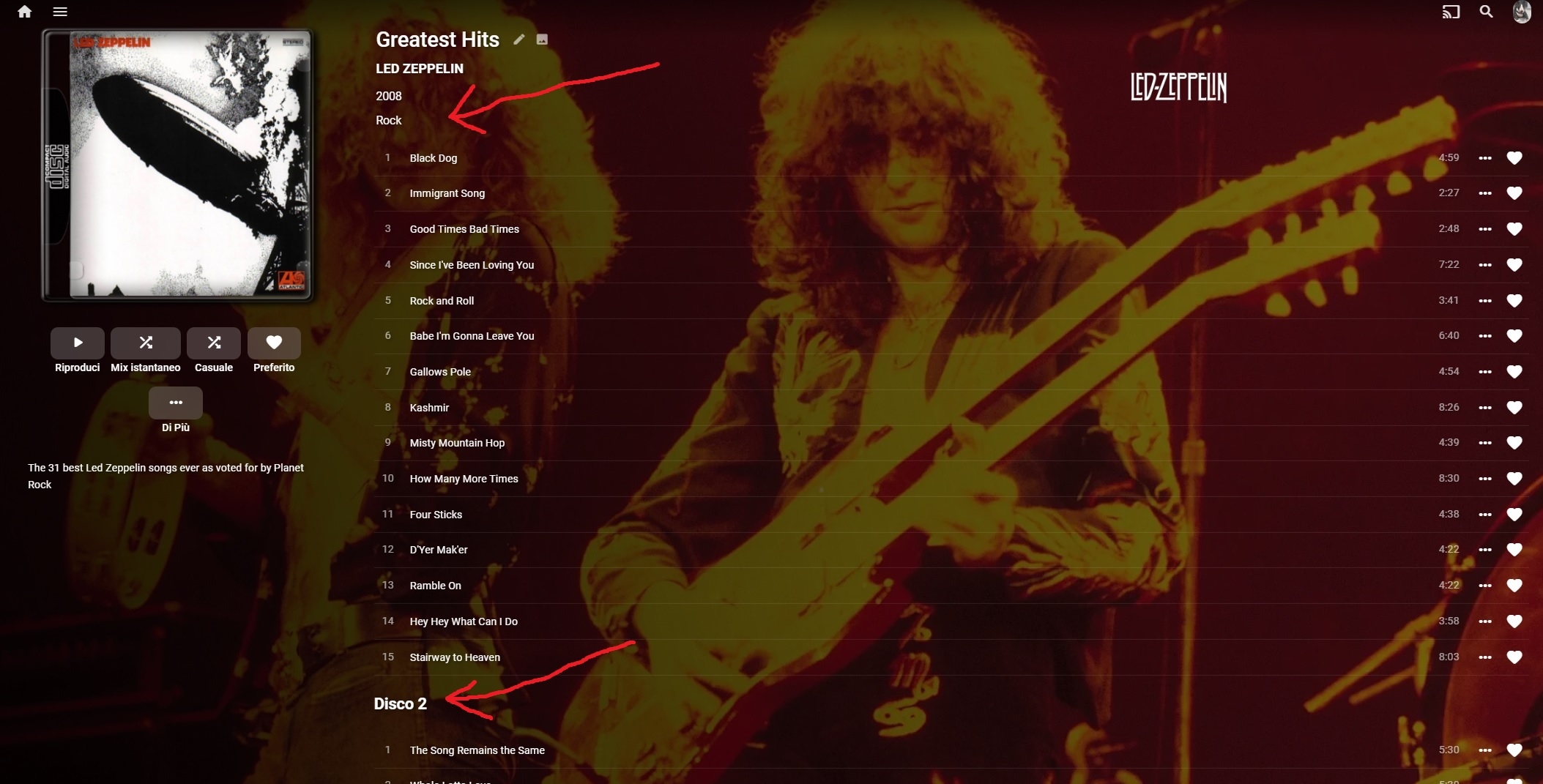
Thanks Paul, It would be good to have a D1/D2 title above a multi disc album, but as you stated its not that relevant for a one disc. I don't really care about it that much because its fairly obvious as you scroll through the CD's.1 point
-
Tested, did a DB reset from addon menu and added the libraries again. This looks ok now. Did same test as a described earlier today and now it makes the changes to Season and TV Show as well. Now the Next episode seems way more in sync, I have a mismatch on some files (Kodi shows additional episodes), probably that I've marked items when sync hasn't been reliable so I will toss the entire kodi db and then I'm keeping my fingers crossed that it will be an exact replica of the server when I've re-synced.1 point
-
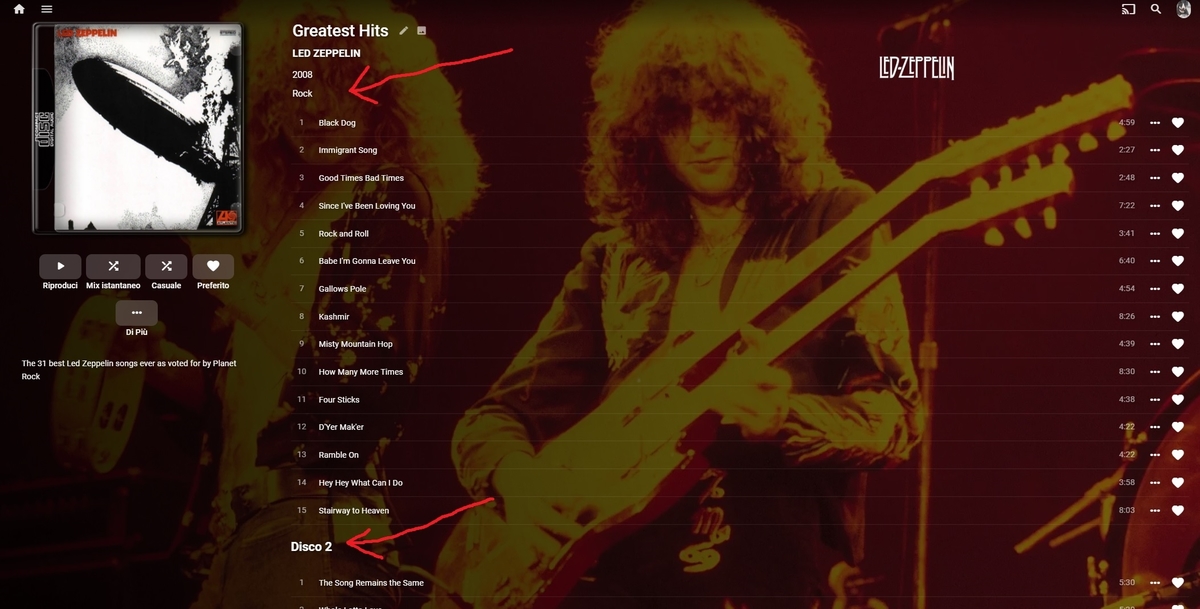
"Disk 1" is not displayed because it would be silly if there is only one CD. I guess that Emby could check before making that decision, but the way it is was a deliberate choice by the developers (it's been brought up before). Paul1 point
-
Yea mate, nice work! Great double album by the way.. I have that one.. Love Jimmy page..1 point
-
BIG THANK Junglejim I follow your suggesions and solve !!! Just a comparison, i set in this way cd 1/1 in Mp3Tag (screenshot one) and you can see the result on Emby (screenshot 2), where is displayed cd 2 and no cd 1...also for you ? Thank Hispa
 1 point
 -
I'll upload a new version in the next hour... I hope everything is fixed by then. btw, and I think this is also part of the node confusion. Nodes ARE NOT updated by just installing a new version. They will be refresh by a complete database refresh, but more convenient. Just delete the ./kodi/data/userdata/library and restart Kodi twice. This will update all nodes. @embyL0VER I assume your nodes are "old" and therefore the next episode is correct your setup. There is a bug (i'll fix it) if you refresh the nodes.1 point
-
Always use synced nodes if your content is synced to Kodi. Yes dynamic nodes are much much slower, cause they always query data from Emby server and not from Kodi's database. For some very special nodes it's not possible to use Kodi's database as a source even if you have the content synced, that's why I don't hide dynamic nodes completely for synced content (as it was in the past). The the Kodi stock nodes are in some cases even faster as the synced nodes form the plugin but this is usually neglectable. Not sure how you display nodes, my skin it completely customized. There is no autoload of nodes just because they are available (I think embuary does that?). However, yes hide/remove dynamic nodes if they are in use. btw, the skin I use also loads in the background xsp's (shipped with the skin). I also removed them, cause no need and they are also quite slow. If you which, you can open another thread for skin optimization. At the moment, I try to tackle two issues. One is the next up node (next episodes) the other is watched/unwatched issue for season and tvshows. Even all episodes are tagged as unwatched, season and tvshows status still is wrong. btw, I think we use the same node "next up" is just the internal name for the node, the label is "next episodes"1 point
-
Yep, translations still pending. Well actually the node uses Kodi's internal functionalities, so there is nothing I can do. Maybe Kodi's native nodes are faster in some cases (some uses database views which are faster), but they do not support multi-libraries. If you don't use multi-library for e.g. TV-Shows, you can try stock Kodi nodes. "Next episode": At least there is one issue. The query is cached and not released after watched/unwatched toggle. Maybe there are additional issues, I'll check. Frankly, I don't use this widget therefore not sure how it should work (in edge cases). Which episode(s) should be showen if a TV Series has gaps? I mean, easy when e.g. S01 fully watched and S02E01-E04 watched. It should list S02E05 but what if: S01E01-E03 watched S01E04 not, S01E05-E01EXX watched. S02E01-S02E05 watched, S02E06 unwatched, S02E07-S02E08 watched, S02E09 unwatched, S02E10-E02EXX watched. I think currently next up node shows 2 episodes. S01E04 and S02S06 btw, reason I'm not sure. The next-up node code is one of the few spots which are still just ported from 4.X and not been reviewed.1 point
-
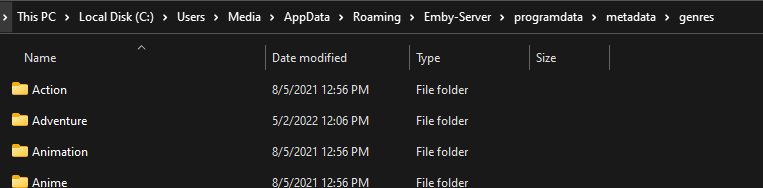
They go in /metadata/genres folder
 1 point
 -
Mixed content will never support all of the possible naming conventions that a dedicated TV library supports. It's just not possible. It only supports the obvious ones where it's easy to make sure that it's an episode and not a movie.1 point
-
Many have to go over specific example and user settings as I can no reproduce a user search getting results and accessing anything they have they have been removed access from.1 point
-
Please test this when the next USB release is published. Thanks1 point
-
i have the latest beta .39, how i can enable it?1 point
-
Hey, I understand the Android TV app would need a "overhaul" in order to get the feature. The "bug" I am talking about is the Android Theme videos bug, where the backdrop theme video plays in the foreground (reguardless of what android device it is installed on) Because, you can have theme videos on Shield TV by installing the standard Android App, but the standard android app doesnt work as intended. (on my phone AND my Shield TV)1 point
-
Hi, can you try side loading our standard Android app on the same device and let us know how that compares: https://emby.media/emby-for-android.html Thanks.1 point
-
Hi, yes inline editing is something we can look at in future updates. Thanks.1 point
-
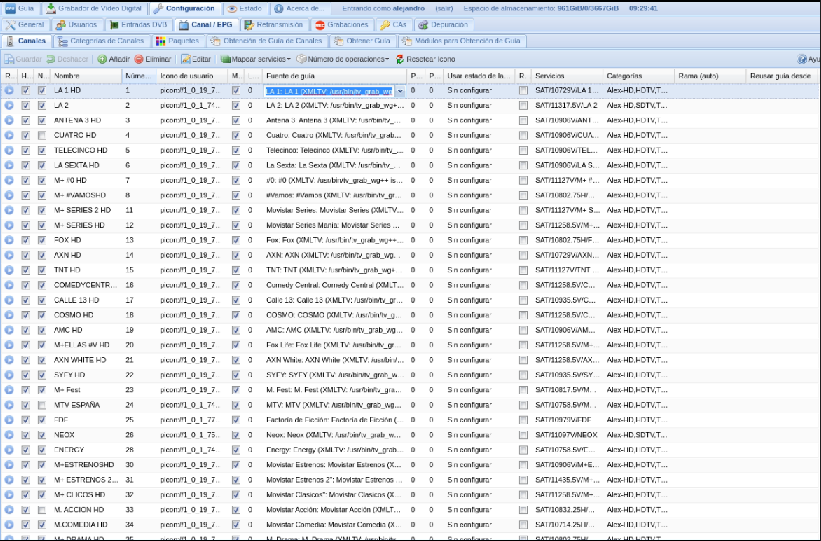
Hello ok thanks. Well, for me, the fastest way if it has to be done through the WebUI would be using the channel configuration of the tvheadend backend, where you can edit each cell and see all the channels at the same time, and be able to drag etc. here you enter each channel and select the guide file and then the guide channel. It may be very complicated, but it's an idea
 1 point
 -
HI @dr_faulkner we'll have a new update to this app out soon. Please try that once available. Thanks.1 point












_svg.thumb.png.85e4ee6291ddd76347269c05175b5dda.png)