Leaderboard




Popular Content
Showing content with the highest reputation on 05/14/22 in all areas
-
@quickmicI think I can confirm this. I use synced nodes for my widgets. When marking a recently added movie from the "recently added" node it disappears from there and is added to the "recently played" node. When then marking it as unwatched it will still be in the "recently played" but it's also available again in the "recently added" node2 points
-
New version available 7.0.1-build 88 delta changelog: modify progress updates for paused content on emby server fix progress reset Comment: Please keep an eye on content progress. I modified the progress reset function, but due to lagging of a proper Kodi notification system and additional design flaws (Kodi leaves database open while browsing through lists) it's not a straight forward implementation.2 points
-
Thanks. Should be fixed in the next release2 points
-
@cjtripper This solved my problem. I didn't see an Emby user on the first ls, but there was a hit on the cat /etc/passwd. I just went through the whole script and after refreshing the page it worked. The initial browser page load reproduced the error, but within a second or two the connection was open on port 8096. I've no idea how much time I could have spent looking into this if you hadn't written this very specific little piece. So thanks a lot!2 points
-
As much as I love the integrated music artist pages, the problem is there is no way of separating the audio tracks and video tracks of a particular artist. Example: You have 50 Beatles songs in just audio and 10 videos. You can only play or shuffle all 60 files together, there is no option to just play/shuffle the videos on their own or the audio on their own. A quick drop down list of Play All > Play All Audio > Play All Video / Shuffle All > Shuffle All Audio > Shuffle all Video would be great. I know I could make playlists but when you have a library of over 1500 artists then it becomes very tiresome to do that. Sometimes I just want a quick shuffle of one particular artist's videos. A quick "Shuffle All Videos" option would be lovely. .2 points
-
HI, yes I agree this makes sense.2 points
-
You have a HUGE family.2 points
-
Could you allow users to customize the order of movies in collections instead of only having it by alphabetical or by release date? Example: I want to have a collection of Batman movies, both animated and motion pictures but want the motion pictures together followed by all the animated ones. With the current order options, this isn't possible. Thanks!1 point
-
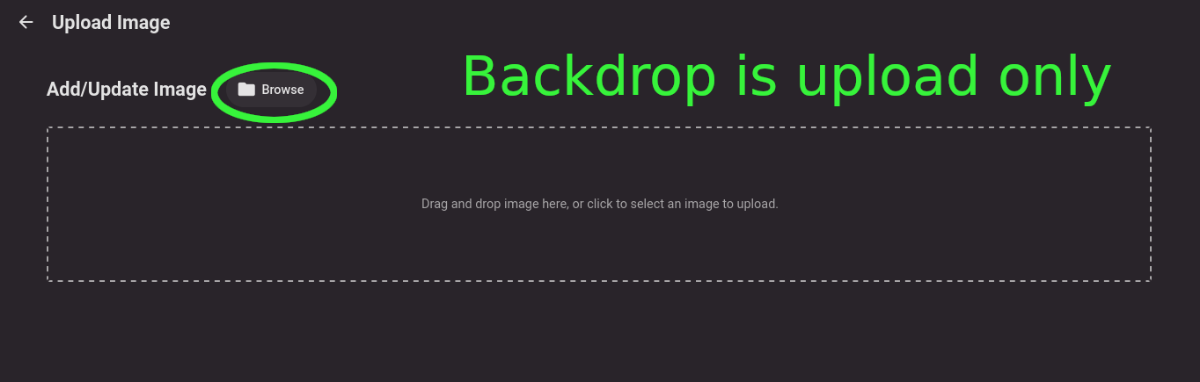
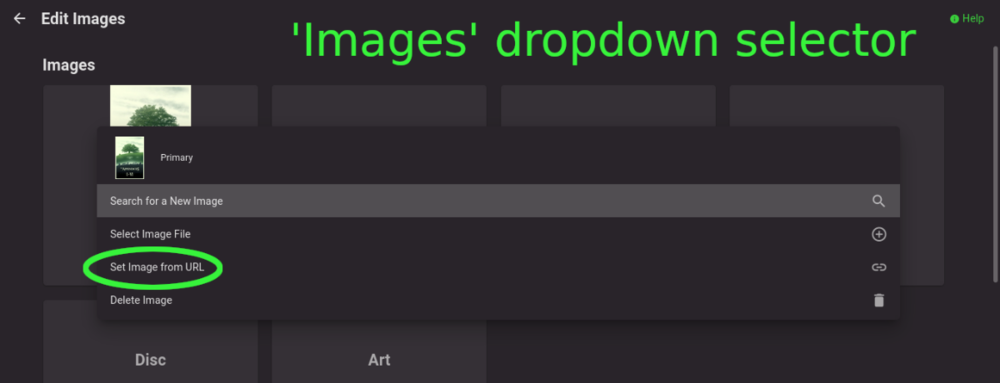
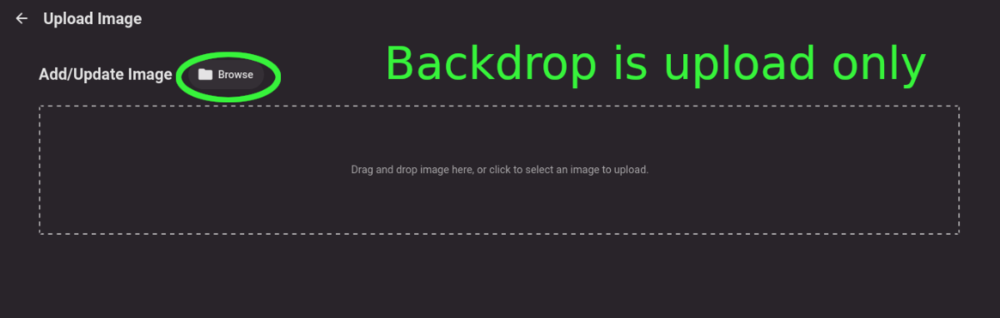
Title describes what I want but also here are some web app screenshots: The Image editor for all the types under 'Images' has a wonderful selector that includes a 'Set Image from URL' option: The Backdrops section only allows for adding images by file upload: I'd like to add Backdrops from URLs please.
 1 point
 -
Hey guys, Is there any way to disable the Emby volume slider? I use HTPC's and desktop WebGUI 99% of the time, it's incredibly annoying when your keyboard/remote volume buttons control both OS and Emby volumes. For example, if you turn the volume down, windows and Emby goes down, then when you turn it up they both go back up. However, if the Emby volume is already at max, just the OS changes. This means the 2 audio controls are competing and mostly just annoying what little OCD I have. Constantly setting Emby back to max volume with a mouse. Or rather, unbind the Emby slider from VOL + and VOL -.1 point
-
Can we have an option to flatten series if there are XX episodes or less. Just provides the ability to eliminate one frustrating click. I wouldn't want it on my 1,000+ episode Looney Tunes series. However, when you only have one or two seasons in a series, it helps drill down easier.1 point
-
And a way to upload an image to change the top emby logo for the apps, and can upload a custom app icon. if you cant I program as a hobby , is there api's at least to change fonts the app uses and images for the app icon and logo? If not can you make it possible?1 point
-
Yes the lastplayed node seems to be working. But if you set for example the first episode of a series as watched than in the next up node/widget episode two will be shown. But if you than set the first episode as unwatched, normal behaviour should be that in the next up widget no episode of the series should be shown. But now you always see the first episode. But normally this shouldn't happen as the next up widget should think you haven't started the series yet. I'll test this again with 6.x version and it is working normally.1 point
-
Hm this doesn't seem to work. Have marked some episodes as watched/unwatched but same issue. Will now reinstall a 6.x version checking, and after that updating again to 7.x1 point
-
I don't know if this sounds good or bad .... But thanks will test that new version as soon as it arrives.1 point
-
Thanks for looking into it and sry for making you that kind of trouble on weekend.1 point
-
I think I know why. Set to unwatched resets Kodi's playcounter, but not the last played timestamp. I assume that's the issue, will check.1 point
-
Just installed embuary skin, cannot find that node. -> "last seen episodes"1 point
-
Ok, I'll check again. Maybe I missed something.1 point
-
@softworkzThanks for the reminder. I did restart the Emby server (PC) by powering it off. Firewall (ufw) is disabled. It reads Status: inactive I will test with diagnostic plugin and will revert back.1 point
-
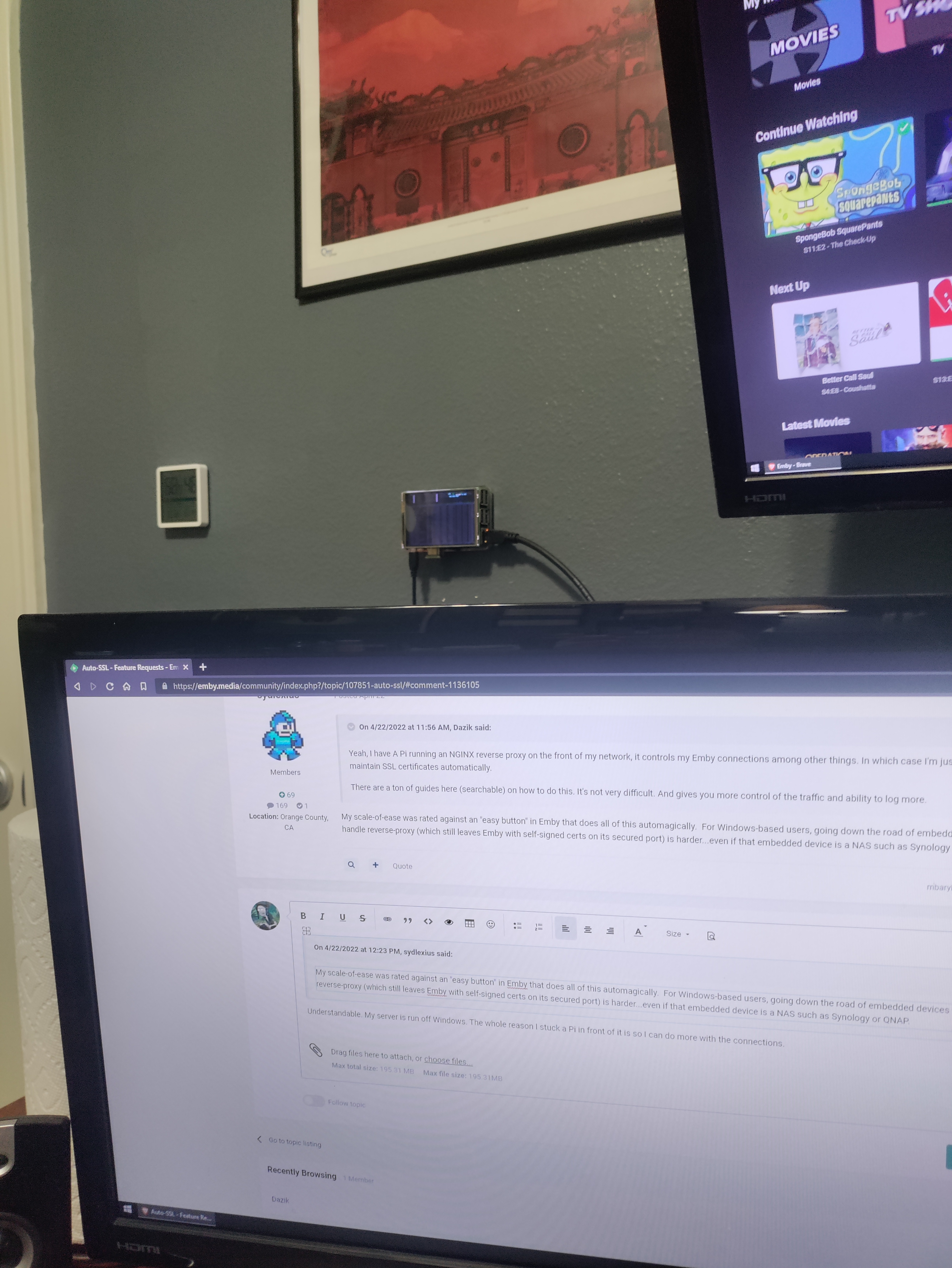
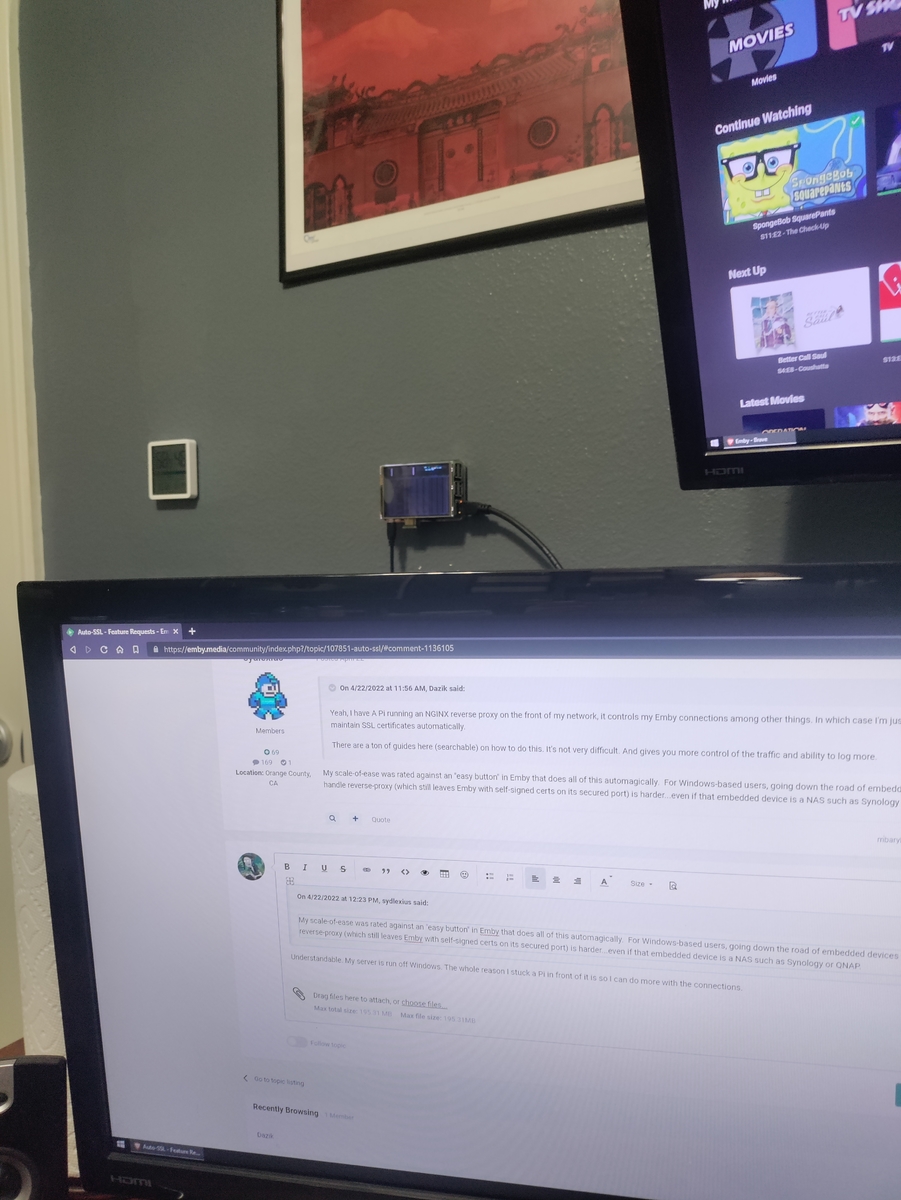
Understandable. My server is run off Windows. The whole reason I stuck a Pi in front of it is so I can do more with the connections. Pi 3+LCD Screen was $89 total. Debian, install nginx + certbot, one simple config to route to the local IP/PORT, then 1 command to auto-setup the certificate (and renew it without you needing to touch it when its due). My config is not as complex as some others here. I just need it to work. Nginx Config to be created in /etc/nginx/sites-enabled: server { server_name www.your.domain.com your.domain.com; location / { proxy_pass http://192.168.1.2:8096; //The local Emby server proxy_set_header Host YOUR.DOMAIN.COM; proxy_set_header Range $http_range; proxy_set_header If-Range $http_if_range; proxy_set_header X-Real-IP $remote_addr; proxy_set_header X-Forwarded-For $proxy_add_x_forwarded_for; #Next three lines allow websockets proxy_http_version 1.1; proxy_set_header Upgrade $http_upgrade; proxy_set_header Connection "upgrade"; } } After creating, run /etc/init.d/nginx restart "OK Status" means your config is good. Now run certbot to create/maintain the certificate: certbot --authenticator standalone --installer nginx -d your.domain.com -d www.your.domain.com --pre-hook "systemctl stop nginx" --post-hook "systemctl start nginx" When opted by certbot, select option 2. Redirect all traffic to https (port 443) Once working, setup any clients to connect to https://your.domain.com and port 443 All you need to do for local network is insure the local connection is going to the NGINX server instead of the emby server. The NGINX server will connect over LAN and serve the pages via reverse proxy. I like mine mostly because if there are any connection issues I will see a red line behind my monitor which alerts me to an error. Then it's just a matter of checking the logs.
 1 point
 -
Thank you guys for all the suggestions! I figured it out: apparently for port forwarding rules on my Motorola router, i have to set the external IP to 0.0.0.0 Not sure why that is... If someone knows i'd be interested to understand why that is. For now, glad we're rolling and that i didn't have to open up UPnP.1 point
-
Will check as soon as possible, today. Thank you @quickmic1 point
-
Yes, it is. Thanks.1 point
-
Will arrange one after weekend, time permitting.1 point
-
Received from server, but the actual problem is the missing PlaybackPositionTicks. It's not reported on paused. Playcount > 0 is watched PlaybackPositionTicks = 0 is not in progress. In next version a 'Played': False, will overrule Playcount and set to 0. Progress will not be updated on pause (due to missing info), will be updated after playback stop.1 point
-
Just here to confirm that following @Happy2Play's instructions (downgrading MS HEVC extension to v1.0.31823) solved the issue for me as well! Thank you kind sir1 point
-
Moin moin, nachdem es für meine Diskstation Emby 4.6.7.0 als Paket gibt, habe ich mehrerer Aufnahmen getestet. Bis jetzt konnte ich keine kaputten Aufnahmen mehr feststellen. Gruß Eddie1 point
-
You can use Vic's tool:1 point
-
Thats some serious load there. I'd love to be able to stress my system like that someday if I ever hosted on something with a gigabit upload but right now I'm limited to 15mbps outbound so I keep my userbase to around 2-4 concurrent streams.1 point
-
Must be a browser setting.
 1 point
 -
Modified so people know what steps they can skip if they just want to use WinSCP with Admin and don't need to switch to superuser when accessing their NAS.1 point
-
Sorry no, but you can get your own or edit them and apply from a custom folder location.1 point
-
I noticed a difference in loading also. Slower than before. I think it is due to subtitles. I think it is now first extracting the subtitles from the file before it starts playing. Before it started playing directly and after xx seconds the subtitles appeared, now the subtitles are there right from the start.1 point
-
Hi Luke, sorry that it took a while to answer. Here's the requested logfile. There is nothing special to see in the logfile beside the timestamps 1. I started the movie 00:00:39.031 2. The subtitle encoder started 00:00:39.418 3. The subtitle encoder finished 00:01:42.705 4. I stopped playback of the movie 00:02:44.941 after the movie played about 1 minute -> Stopped at 61154 ms So you can see after I started playback the tv screen went black from 00:00:39.418 to 00:01:42.705 (during subtitle encoder was running) and at 00:01:42.705 when the subtitle encoder finished the movie started to play about one minute til 00:02:44.941. This behavior for srt subtitles is new in 1.0.35. With 1.0.33 and the former versions this worked without any problems. As I already wrote the workaround is to start the movie without selecting srt subtitles at the movie screen and then activate the srt subs from the OSD when the movie is already playing. doing so the movie continues playing while the subtitle encoder is working in background (as it should be) embyserver.txt1 point
-
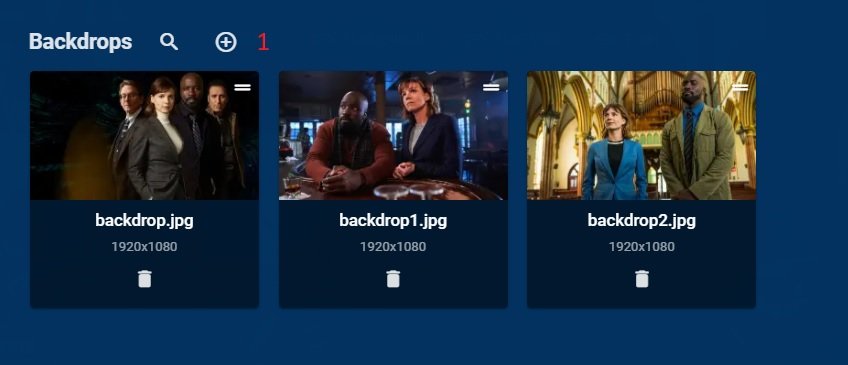
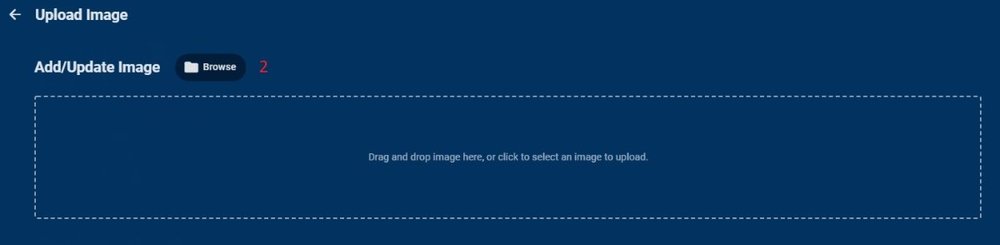
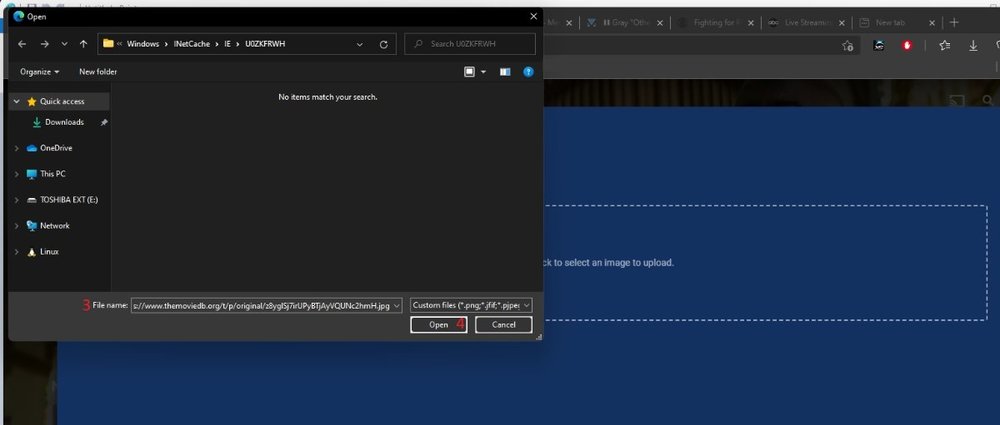
Just like this.
 1 point
 -
*updated 2022-03-04 for Asustor ADM 4.xxx, and provided a more detailed process with additional confirmation steps* When reinstalling Emby server on my Asustor 5304, I had to complete these steps (via SSH terminal session to my NAS box) after uninstalling Emby (from AppCentral) and before reinstalling Emby: Connect a teminal session via SSH to your Ausutor, login with an account that has admin permissions to your NAS - not an emby account or the emby user (see post below in this thread for using PuTTY to make a SSH connection to your NAS). Note that SSH must be enabled in Asustor Services->Terminal. Default port is 22. type "ls /home/" without the quotes to see the list of user home folders, emby is the default name for the installed emby user, containing all the emby files/configs type "rm -rf /home/emby" without the quotes to delete the emby folder type "ls /home/" without the quotes to verify the emby user folder has now been deleted type "cat /etc/passwd" without the quotes to view user accounts on your NAS, emby is the default name for the installed emby user type "sudo /volume0/usr/builtin/sbin/userdel emby" without the quotes to delete the emby user account. You will be prompted to re-enter your password for the administrative account you logged in via SSH with. type "cat /etc/passwd" without the quotes to verify the emby user has now been deleted type "cat /etc/group" without the quotes to view user groups on your NAS, emby is the default name for the installed emby group type "sudo /volume0/usr/builtin/sbin/groupdel emby" without the quotes to delete the emby group. You will be prompted to re-enter your password for the administrative account you logged in via SSH with. type "cat /etc/group" without the quotes to verify the emby group has now been deleted type "exit" without the quotes to end/exit your SSH Also confirm you are connecting to the default port of 8096 (http://<yourNASIPaddress>:8096) after the re-install as your https:// certificate and any custom port numbers would need to be set up again if previously using https:// or custom ports. You can also check your Asustor firewall to ensure it is not blocking the Emby ports or the client device you are connecting with. It likely wouldn't hurt to clear your cache on your browser also if it possibly has cached passwords from your previous config before the reinstall.1 point
-
Other than buying a soundbar 1. If you're still using your TV speakers though make sure you have the following set on your Xbox: Settings Display & Sound Volume Setup TV & AV control Audio > Set this to stereo Settings Display & Sound Audio Output HDMI audio > set this at bitstream. Or, you could try stereo uncompressed but that may convert it to 2 channel PCM Format > Set this to Dolby Digital as most TV speakers support DD. 2. Next if your TV has the ability to set audio output format make sure it's set at DD 3. Lastly, make sure you have Emby's volume control setting set high enough. A lot of people don't know it's there Start a movie in Emby on the Xbox Click the Home button on the controller. This should bring up a menu Scroll to Emby Theater and click on it (should be the first item on menu) Now you should see a volume control slider Move this to the right Scroll down and return to Emby Theater1 point