Leaderboard




Popular Content
Showing content with the highest reputation on 05/12/22 in all areas
-
This is planned for the core. I wouldn't spend time on it.4 points
-
Hi, I am a new Emby user and I can say I am impressed with it. I have been using Kodi for a long time and I rely to nfo files (it's my preferred choice for dealing with my media). Since Emby can't parse artwork from NFO files, I decided to give a try to local artwork. My problem now, my artwork is not in jpg and png files, I prefer it to be in webp format (smaller filesizes, massive savings especially in png files since png is lossless and huge in filesize). If I rename the webp artwork to png (for example poster.webp to poster.png) Emby reads and displays the webp artwork fine. So what I am requesting.. is it possible for Emby like Kodi does to read more image formats for local artwork and not only jpg and png? It's only an import issue, Emby imports and displays the webp artwork fine if I change the extension to png. Thank you in advance for any reply to my request Emby devs.2 points
-
I think @cayars may have done a write-up on that. He's connected to so many people's NAS now to do tech support.2 points
-
Edit: ok I'm dumb lol the internal port changed when I did a fresh install so the port forwarding was wrong. Everything works lol guess I was just frustrated and having alot of issues since I'm not super familiar with Linux. But your help definitely got me on the right path. It still never worked from my data drives but this setup works for me. Also moved my metadata folder and transcoding to the data drives so it won't fill up my OS. Good enough! Appreciate all the help2 points
-
Just a small report back: It works perfectly fine, thank you!2 points
-
ok justt an update, reinstalled it and everythings working... except being able to connect to the server from outside my local network. the ports are forward etc. i never changed my router or anything so its something in OMV6 i think messing with permissions. i know they changed how things are from 5 so thatll take some research although i did notice that installing emby does NOT make a emby user anymore so im not sure how that effects anything. i have no way to give emby permissions atm that im aware of (linux noob) but at least atm locally everything is working so theres that @Junglejim@Luke2 points
-
Hi, Since I am using more and more TMDb, (since tvdb is more and more a mess), I am missing a very important feature. tvdb had the feature of grouping stuff into aired, DVD and absolute, which is supported by emby. TMDb had also this feature. See this example for "La casa de papel" (Money Heist, Haus des Geldes): The Original Order is allways the "aired order" of the original country. "La casa de papel" was originaly released by "Antena 3" and was taken over by Netflix, which results in different episodes ordering, which is a mess. They solved it in episode grouping. This feature is missing from emby, but it's integrated in their API and is allready supported in other apps, like kodi. At least, Banana a TMDb Mod claims it, that it's supported by Kodi: https://www.themoviedb.org/tv/71446-la-casa-de-papel/discuss/5e7032d84f9a99001152704f?page=1#5eb76872ca7ec6001f7c53cb Is it possible to add this feature into emby? It is the last scraping feature, I really really miss for TMDb on emby. It adds much flexibility and is overall a much better solution, than on tvdb with their aired, dvd and absolute order. Another great example is Dragonball Super: As you see, it adds much more flexibility for different regions over the world. It's in my own eyes a must have for emby!

 1 point
 -
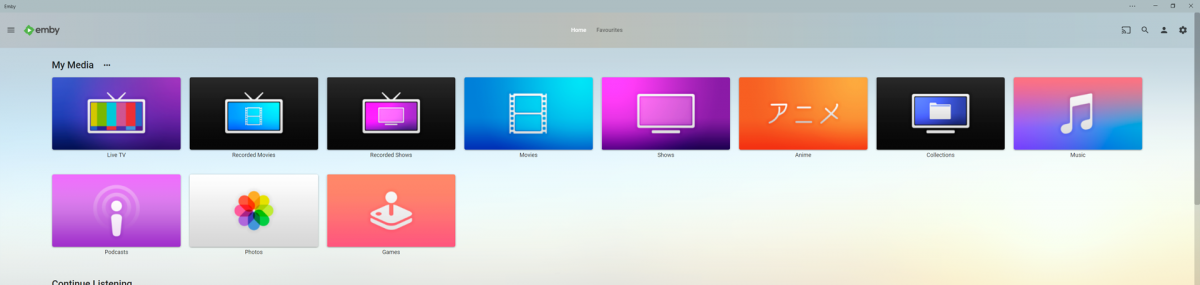
Some buttons I made for "Base" libraries. Included in the zip are the images seen below, an image with more icons, a blank background button to make more or change colors, as well as the PSD file that contains all of the ones shown. Also included in pink are buttons for Smart home devices and status. MediaButtons.zip1 point
-
Would be great if can limit the device per users. The simultaneous streams don't prevent to user to login on another device and it will consume the space for the devices limits on Emby Premiere.1 point
-
It would be awesome if we could choose a list view (like what is available on the web viewer) for the display on Roku and other devices. Many of the videos in my collection start with very similar words and it is hard to tell what is what when the rest of the title gets cut off. A list view (like what is available on the web viewer) to be able to see the entire or at least more of the title would be awesome. Thank you!1 point
-
Hi, I'm one of (I presume) many people using emby from a bi/trilingual background, and as such have TV Shows that often have more than one audio track (German / English / Japanese in my case). You can set your preferred languages for Audio Tracks in emby of course, but I would like to see this expanded a bit: It would be awesome, if you could set the default language for a Movie / TV Show / Season seperately on a per-user basis. For example, I might have a show with a German and an English Audio track, and our defaults are set to German (the language spoken in our household), but I personally might prefer to watch this particular show in English and my Wife and kids in German - right now I have to change the language every time I start a new episode, and it would be awesome to be able to save my preferences for the whole show attached to my user. Also, this could (and should) be extended to subtitles and display of the same - it would be awesome to have Anime shown in German to my family, but to me, in Japanese with enabled subtitles (embedded in the video), but disabled for them watching in German. Just my 2cents to make emby more enjoyable for a broader target audience - and thank you for your hard work!1 point
-
Would it be able to implement a user setting that disable the "Download" option in browser. When I tested this option, it allows you to download the source file. This is a option i don't want to allow to some users to keep the legality of the usage. But I still want to provide those users to sync/"Download to" in app.1 point
-
Can we have an option to flatten series if there are XX episodes or less. Just provides the ability to eliminate one frustrating click. I wouldn't want it on my 1,000+ episode Looney Tunes series. However, when you only have one or two seasons in a series, it helps drill down easier.1 point
-
Emby for LG 1.0.35 has been released. We hope you enjoy the many new features of this build! Visual Timeline Seeking including Thumbnail Graphics Included in our new 1.0.35 release for LG is support for visual seeking. You can Rewind, Fast Forward or Jump to any position in the timeline quickly and easily using our new seeking. Best of all, our new seeking combined with thumbnail graphics makes it easy to pin-point the scene you want to re-watch or queue up. The above pictures shows how easy it is to find a scene you want to watch. You even get the chapter name embedded in the thumbnail picture. Speaking of which, Chapters make use of our thumbnail graphics as well with their own set of information and use of graphics. The above screenshot shows the use of Thumbnail graphics in our Chapter selector available from the easy to use OSD menu, no bull. This screen demonstrates how easy it is to view the Name, Starting Time as well as Thumbnail showing the action taking place at the start of the Chapter. Improvement to Audio On Screen Display (OSD) You can now toggle the play queue on and off, allowing you to choose between seeing the list, or just the artwork. This change makes room for additional space needed for a new user requested feature that is quite popular. New Use of Graphics Elements This release of Emby for LG uses additional graphical elements in subtle ways that sure to please. It still has the classy interface you've come to love but uses additional graphics in a modest manner giving it an elegant and refined look. The screenshots above demonstrates this with a couple simple changes from a text based titles to the graphical logos. Additional useful information is now available right in the OSD besides the chapter shown above. You can now quickly get a look at different things on TV with graphics using On Now or easily bring up a traditional Guide in grid format. These new OSD designs strike a nice balance of providing additional information while still allowing you to easily enjoy the content be watched. Of course that's not all. Emby for LG 1.0.35 has additional new features and fixes including: Better remote control and fixes for certain models Improve Performance with Large Libraries Improved Performance of Playlist Detail Screen Improved Audio Book Detail Screen Addition of a Resume Rewind Playback Option (Server version 4.7+ required) Newly added Support for A-Z Picker with Descending Order New Support for A-Z Picker when Sorting by Album or Album Artist Various Improvements for Subtitles New Options for Subtitles allowing you to set Background Color and Opacity Options for Easier Viewing1 point
-
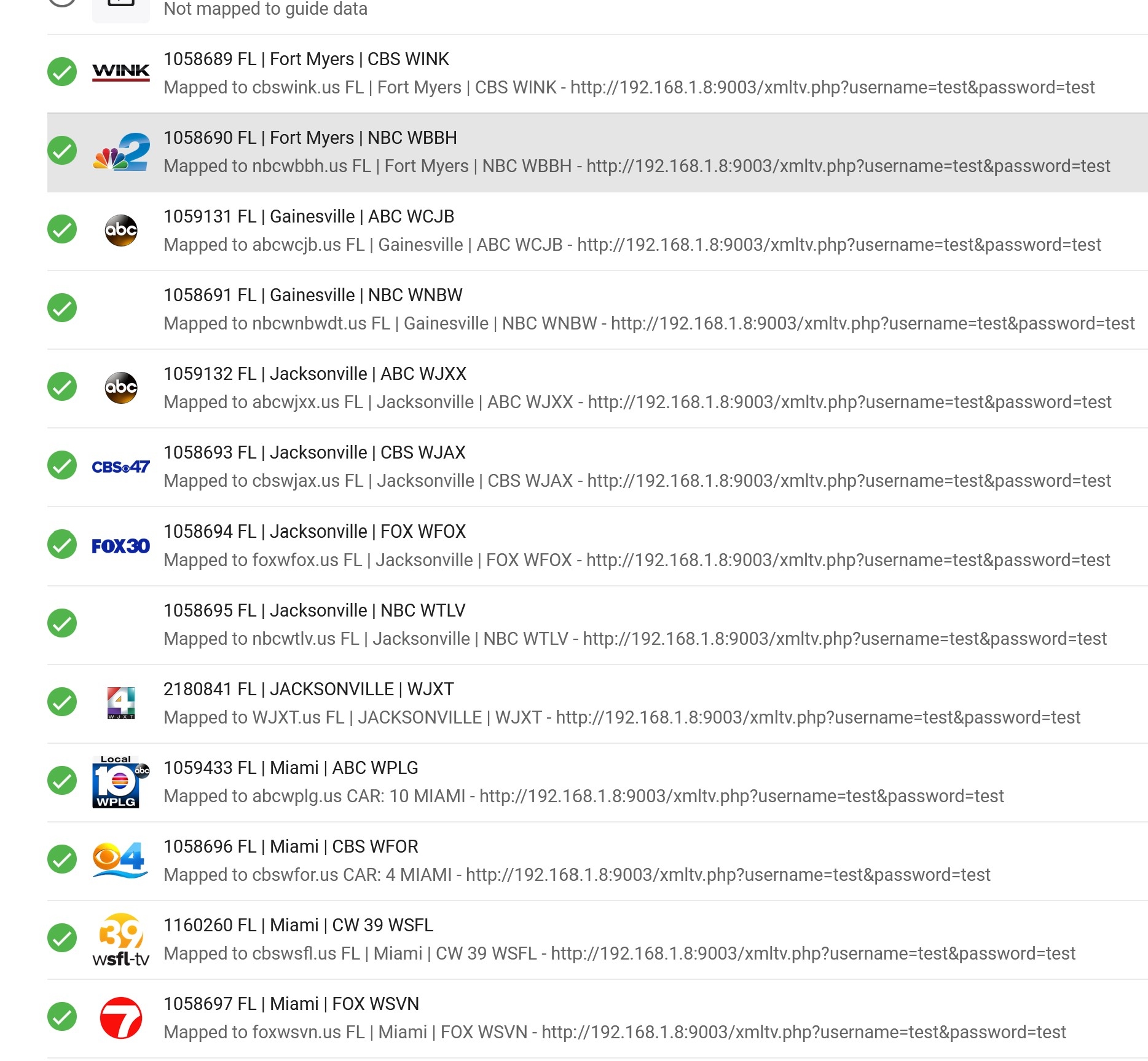
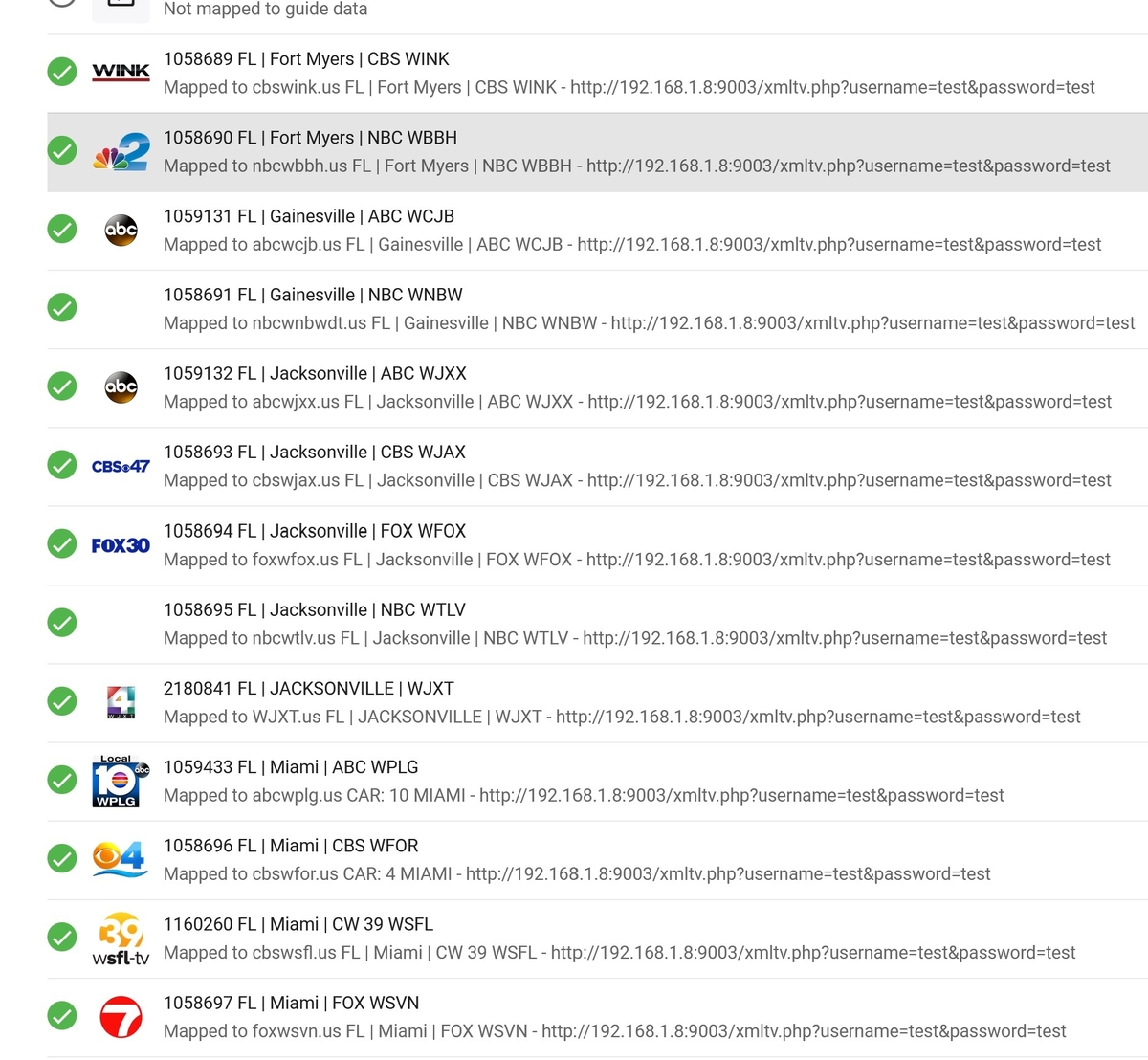
On the Channels setup, most of us that use IPTV have way too many channels selected as default. Could we possible add a Default that the channels are unselected or a "Unselect All" button?
 1 point
 -
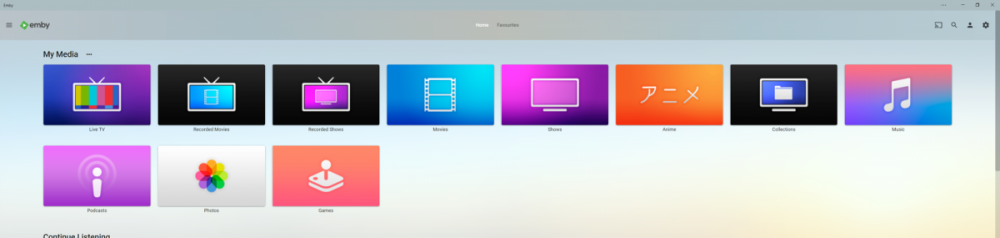
Got bored and wanted to get back into making things in photoshop so i decided to make a few apple tv themed library icons to add a bit of colour to my server, it has been awhile since i worked in photoshop but luckily apples designs for their icons are pretty simple and easy to replicate. I have taken some liberties of course for personal preference but overall i think they turned out okay and i had quite a lot of fun making these and have already decided to maybe make more aha hope you guys like them. --------------------------------------------- Here is an Imgur Album if you only want specific Icons otherwise the zip file includes all the files. https://imgur.com/a/bnVq43H --------------------------------------------- library icons.zip - File Contents Anime.png // 1280px x 720px Collections.png // 1280px x 720px Files.png // 1280px x 720px Games.png // 1280px x 720px Live TV.png // 1280px x 720px Movies.png // 1280px x 720px Music.png // 1280px x 720px Photos.png // 1280px x 720px Podcast.png // 1280px x 720px Recorded Movies.png // 1280px x 720px Recorded TV Shows.png // 1280px x 720px TV Shows.png // 1280px x 720px ---------------------------------------------
 1 point
 -
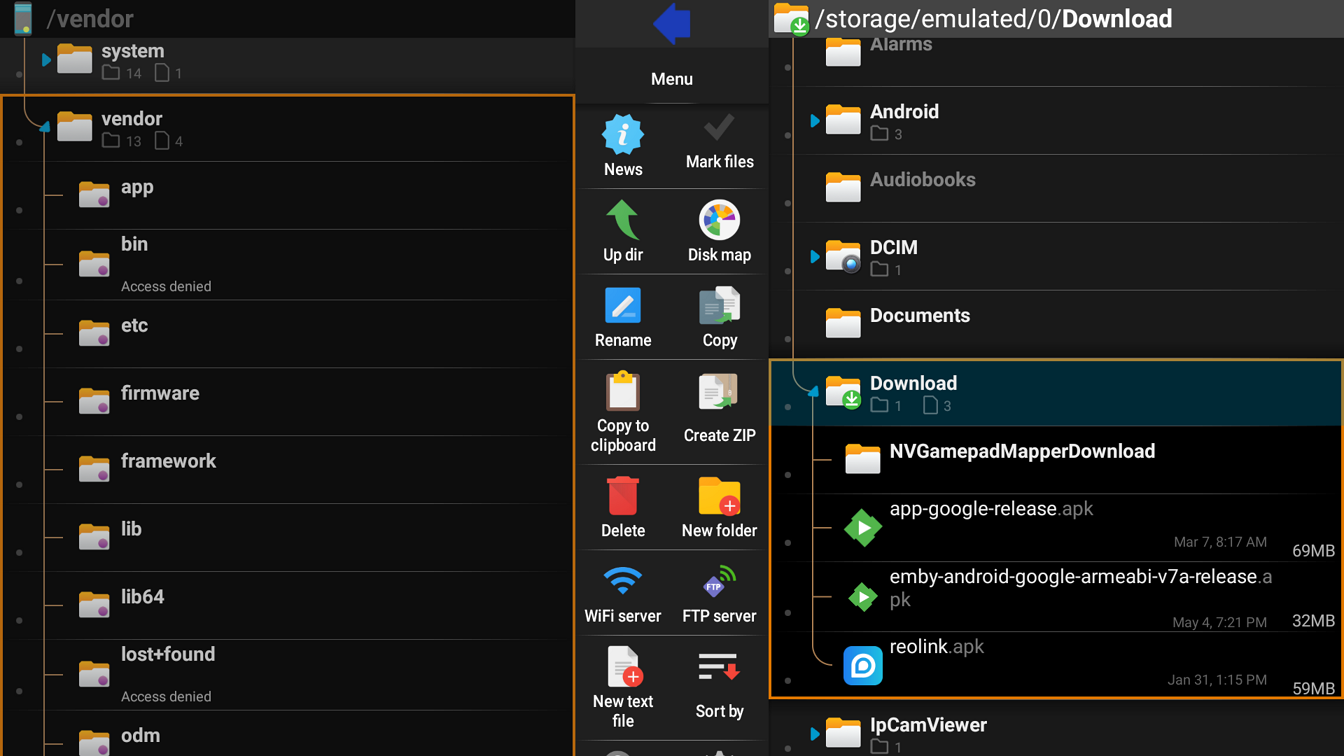
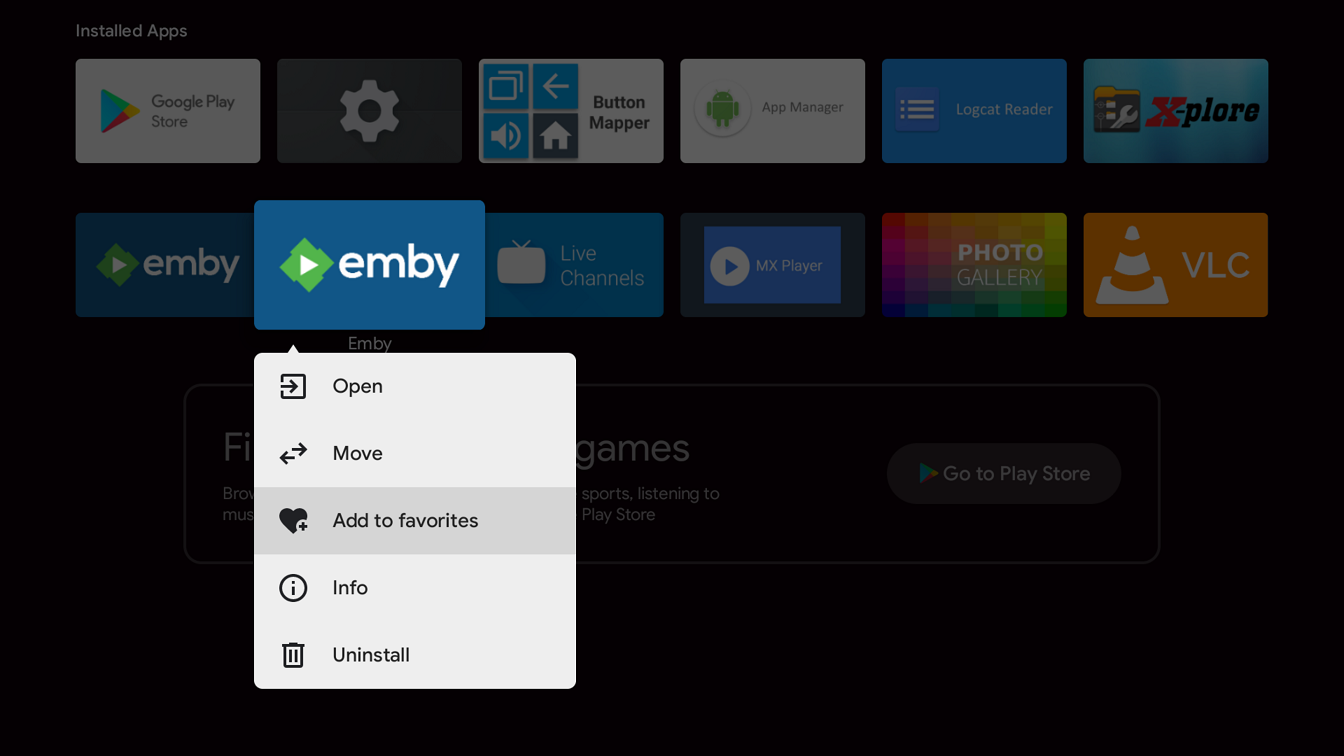
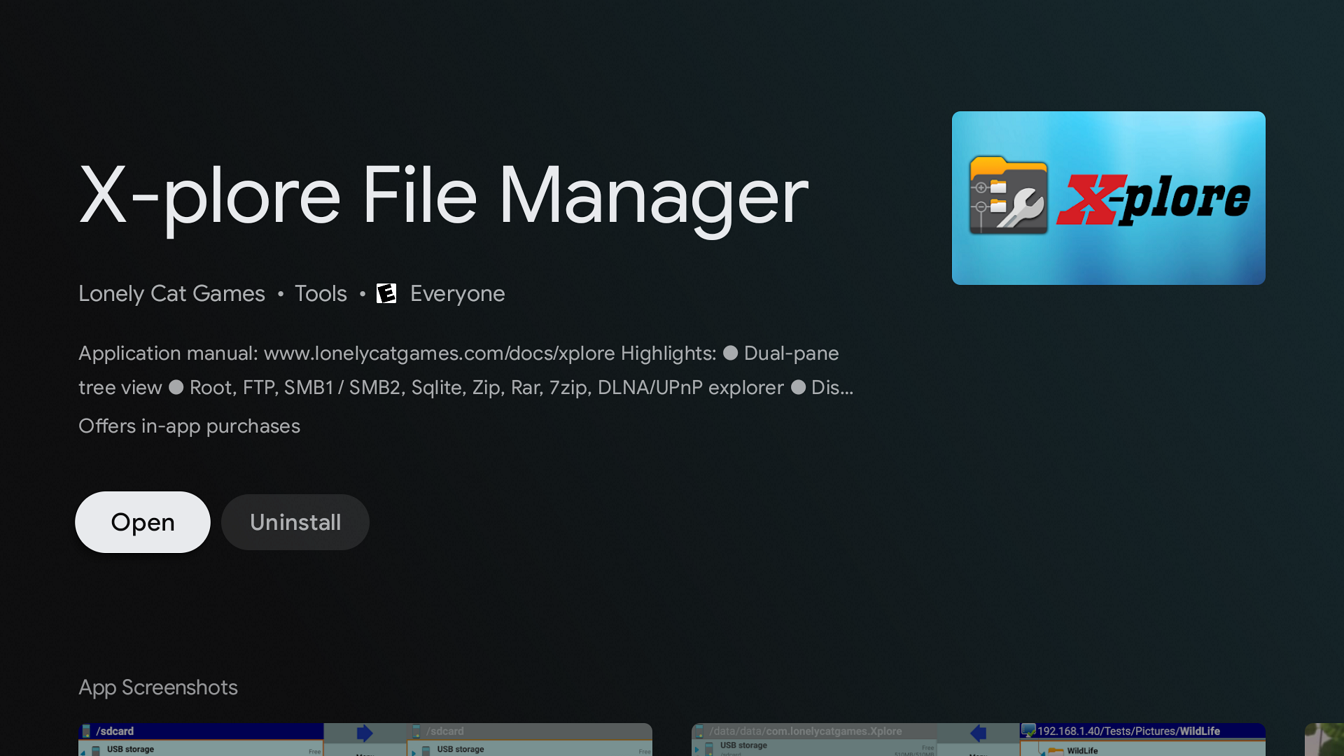
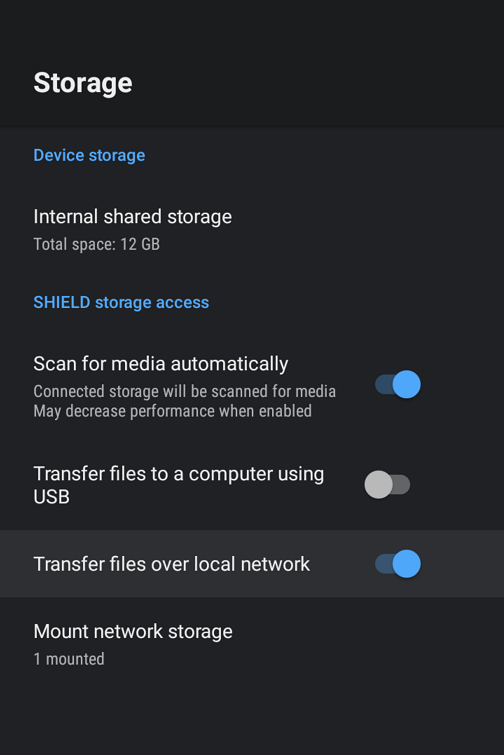
There are several methods to sideload an app on an Android TV device such as the nVidia Shield including by usb, smart phone, etc. The method described below uses smb3 from a Windows 11 client. Different Android devices and connecting clients may differ in steps The nVidia Shield uses smb3 as of SE8. If your Shield isn't upgraded to at least SE8 you should do so now. 1. Enable smb3 connections on nVidia Shield Go to Settings --- Device --- Storage Click and enable "Transfer files over local network" Note the Username and Password 2. Enable SMB3 on Windows client Windows 11 comes with smb3 already enabled. Older versions of Windows and other clients may require you to enable smb. 3. Download apk from website Both the standard Android (arm7 Shield, arm8 Shield pro) and Android TV apps work on the Shield. You can choose one or install both if you like. https://emby.media/download.html 4. Copy downloaded apk from Windows client to Shield (if you prefer to host the apk on a NAS see the second post) Start File Explorer Browse Shield by typing \\Shield (or IP address) in File Explorer (use the Username and Password from Step 1) Drag-and-drop downloaded apk from Window 11 to your folder on the Shield 5. Install X-plore File Manager on Shield start Google Play Store app search X-plore Install 6. Install Emby on Shield Start X-plore navigate to the folder where you copied the apk in Step 4 Click on the apk file Select Install and click OK 7. Add Emby to favorites on Shield Home Page (optional) navigate to Installed Apps hard press the Emby icon Select "Add to favorites"
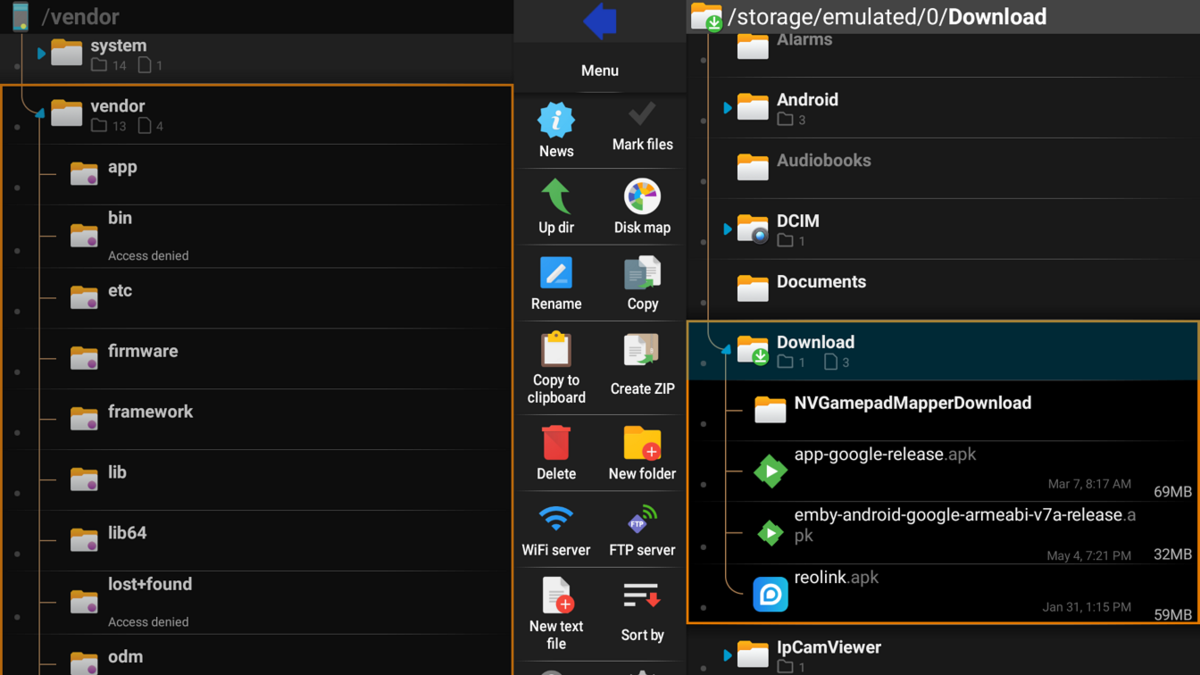
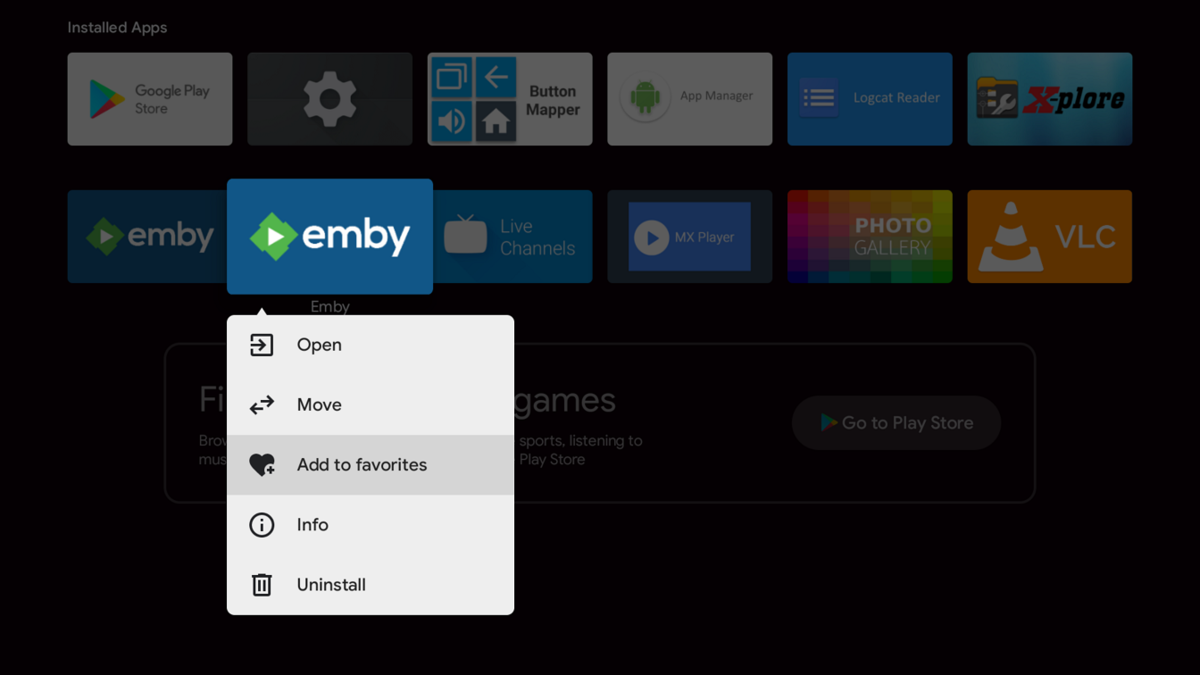

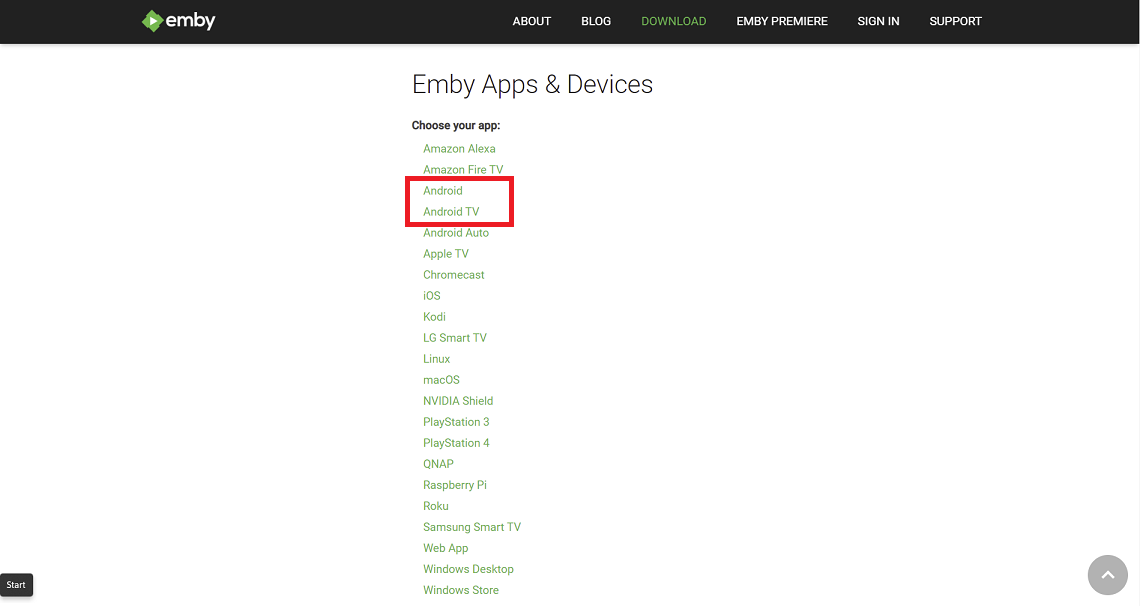
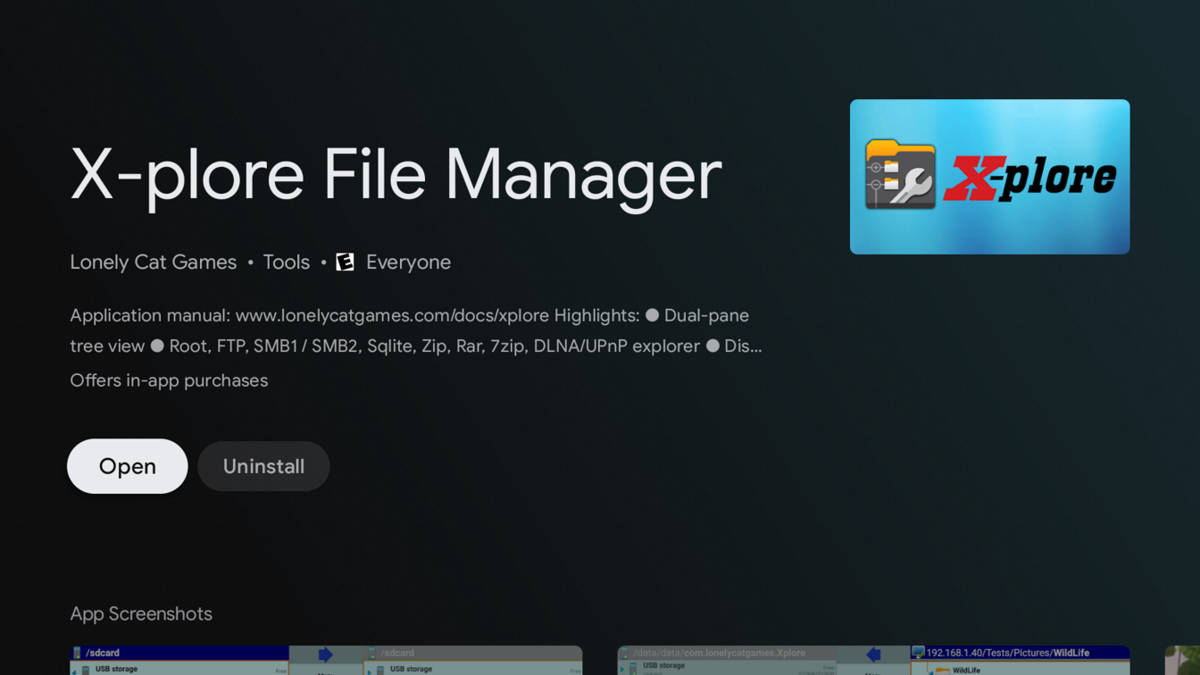 1 point
 -
Emby for Samsung 1.2.6 has been released. We hope you enjoy the many new features of this build! Visual Timeline Seeking including Thumbnail Graphics Included in our new 1.2.6 release for Samsung is support for visual seeking. You can Rewind, Fast Forward or Jump to any position in the timeline quickly and easily using our new seeking. Best of all, our new seeking combined with thumbnail graphics makes it easy to pin-point the scene you want to re-watch or queue up. The above pictures shows how easy it is to find a scene you want to watch. You even get the chapter name embedded in the thumbnail picture. Speaking of which, Chapters make use of our thumbnail graphics as well, with their own set of information and use of graphics. The above screenshot shows the use of Thumbnail graphics in our Chapter selector available from the easy to use OSD menu, and that's no bull. This screen demonstrates how easy it is to view the Name, Starting Time as well as Thumbnail showing the action taking place at the start of the Chapter. Improvement to Audio On Screen Display (OSD) You can now toggle the play queue on and off, allowing you to choose between seeing the list, or just the artwork. This change makes room for additional space needed for a new user requested feature that is quite popular. New Use of Graphics Elements This release of Emby for Samsung uses additional graphical elements in subtle ways that sure to please. It still has the classy interface you've come to love but uses additional graphics in a modest manner giving it an elegant and refined look. The screenshots above demonstrates this with a couple simple changes such as changing the title that was text to graphical. Additional useful information is now available right in the OSD besides the chapter shown above. You can now quickly get a look at different things on TV with graphics using On Now or easily bring up a traditional Guide in grid format. These new OSD designs strike a nice balance of providing additional information while still allowing you to easily enjoy the content be watched. Of course that's not all. Emby for Samsung 1.2.6 has additional new features and fixes including: Better remote control and fixes for certain models Improve Performance with Large Libraries Improved Performance of Playlist Detail Screen Improved Audio Book Detail Screen Addition of a Resume Rewind Playback Option (Server version 4.7+ required) Newly added Support for A-Z Picker with Descending Order New Support for A-Z Picker when Sorting by Album or Album Artist Various Improvements for Subtitles New Options for Subtitles allowing you to set Background Color and Opacity Options for Easier Viewing1 point
-
Just added those as well: 554/tcp ALLOW IN Anywhere 554/udp ALLOW IN Anywhere 5556/tcp ALLOW IN Anywhere 5556/udp ALLOW IN Anywhere 5559/tcp ALLOW IN Anywhere 5559/udp ALLOW IN Anywhere 5557/tcp ALLOW IN Anywhere 5557/udp ALLOW IN Anywhere 5558/tcp ALLOW IN Anywhere 5558/udp ALLOW IN Anywhere1 point
-
Do you have Emby setup for remote access? That should give you access to all your multimedia. Synology also has built in QuickConnect which you can setup from Control Panel ->External Access menu. This will give you access to the whole NAS. You could even setup VPN access if that would be a preferred way to access programs from your Synology. You have options. Obviously, test thoroughly before leaving for Monaco that you have the type of access you want to have from the Internet.1 point
-
FYI you can do this in the Android TV app right now. There is an "All Episodes" season and in that view you can filter by unwatched and favorite.1 point
-
Okay First off Ignore my message above. Secondly i give you permission to give me the forum dunces hat and i will toddle off to the corner and stand there like the plonker i am. I suddenly thought about the file i know that was tagged and was testing which was Dumbo. and then i womndered how long it was and its like 63 mins. And i have it set to ignore less than 110 Mins so of course nothing was going to play. So i tested a different film and boom the correct tag and cert plays.
 1 point
 -
@Cheesegeezeri replaced the dll, restart the emby docker and when i add codec tags path back it it goes back to not playing any intros including the certs Update - removed the codec tag path and saved rebooted docker and prerolls do not play either, this happened on last test where it did not start straight away for some reason1 point
-
That has been a problem in the past. I'll have to look into DNS and ddns and get that set up. In the past I've just used TeamViewer to log into the remote machine and reset and be so that it can grab the new IP address from my service provider. But they seem to have stopped rotating my IP address at least for now. But I'll definitely look into the two things that you suggested. And the port forwarding seems to have stuck. It's no longer dropping off.1 point
-
This is currently an open issue. I believe it is the only situation left that will strand a tuner.1 point
-
Videos are coming to Android Auto soon. https://www.androidpolice.com/android-auto-is-almost-ready-for-split-screen-mode-as-streaming-video-apps-come-to-automotive/1 point
-
If you are connecting to your emby server via the WAN IP then another reason could be your ISP keeps changing it periodically. Every few hours seems a bit excessive, but it may be the issue. You should really be using DDNS and a DNS name to connect to the service - this way it automatically updates it for you as it changes. Look at your public IP and make a note of it - next time emby is unavailable from the WAN, look to see if you have been allocated a new WAN IP. (dynamic allocation - this is perfectly normal, but doesn't usually happen every couple of hours, it's usually when you power off your equipment for a couple of hours/days).1 point
-
AndroidTv 2.0.70g possible bug with Live TV guide settings. when viewing the guide and selecting settings, there is a setting to show or hide the "LIVE" tag. it defaults to ON, but turning it OFF then saving appears to do nothing, as the tag remains in place and going back into the settings it is still showing as being enabled. the setting does seem to work on emby web though.1 point
-
Music videos are already possible.1 point
-
Back home and tested with 7.0.1-build 53 Now I can restart my docker container with Emby server and the clients receives updates without the need to restart kodi, so this issue seems to be fixed1 point
-
You can disable it on Emby Network menu, but unistalling the plugin will work also assuming you have manually port forwarded. I am guessing here as embyserver-63787898535.txt has a lot of portmapper activity.1 point
-
A guess would be automatic port mapper, have you tried disabling it and manually port forward? Many have to restart your route also.1 point
-
That last line shows that emby is not sending your batch file a proper filename ( "{E:\TV Shows 2}" ) should be more like "E:\TV Shows 2\Myshow\Season 10\Myshow S10E10 epname.ts" In Live TV -> Advanced -> Recording Post Processing -> Post-processing command line arguments: What does it say? it should say: "{path}" Also it's best quote your batch file "C:\Users\Family\AppData\Roaming\Emby-Server\Comskip\ComskipBat.bat" just incase you ever change it to something having a space in it.1 point
-
Hi, the answers are no, it's planned for the future, and yes we'd have to look at what buttons are available.1 point
-
Images as CRITICAL - how else would you know if the Marker was accurate or not ? This is why the the Plugin uses images .. and we can very quickly see, without even looking at the timings, if the Intro's and Credits are accurate.. ?1 point
-
J'ai fini par trouver ce raisonnement lundi en épluchant un peu les fichiers du serveur et en redémarrant en ligne de commande, et effectivement ça résout bien le soucis. Tu réconfortes donc le process, merci à toi en tout cas, c'est top Problem resolved, system.xml and restart fixed it. Thanks1 point
-
OK it's because the guide data gives us a zap2itid which we try to use to look it up on tvdb, and since tvdb doesn't have that id on file you get no results. I'm pushing an update to the tvdb plugin to have this fallback to searching by name in that case.1 point
-
Emby For MacOS 2.1.6 - Point Release: Additional Changes & Fixes This is the latest point release of Emby for MacOS containing the latest changes & fixes. Fix double paste when copy/pasting text into text fields Minor fix to stop pasting copied items twice (double paste) Exclude downloads from iCloud backups This change excludes the Emby download folders from iCloud backup, reducing your iCloud bandwidth and storage needs Fix sporadic video playback crashes This set of fixes address video playback crashes that could happen under specific situations. Original Blog post for this release: Emby For MacOS 2.1.3. Released, Featuring: Timeline Seeking & Thumbnails Please report any issues you may have in the iOS/MacOS forum of our Community Forums: Emby Community iOS Forum1 point
-
Hi there, yes a list view is planned for future updates. Thanks.1 point
-
Some of my users forget about shows. Looking for the ability for users to be able to track or follow a show. Then when new files/episodes are added to that show they get a notification or email. Right now the only option is a newsletter, but that sends out everything added, which many aren't interested in all the new files. If they could select the shows or genres they want updates about and the frequency it could help them follow along with shows or get them to login to watch a show they may have forgotten about.1 point
-
Nothing specific to your situation but some general 4K/NAS general info that may be beneficial. When you get to large resolution files your bitrate is also proportionally higher as well compared to 720 or 1080 FHD video. Generally speaking it's going to be 4x 1080 and then some as the resolution is 4 times higher. Typically the audio tracks are higher bitrate and often you'll have graphical subtitles. So it can easily get to be 6 or 8 X more bandwidth then a typical 1080p movie so you want to be aware of these types of things. You want your environment to be setup as perfect as possible to have lag free viewing for these types of videos. It's best to avoid WiFi use completely, instead relying on 1Gb or better Ethernet that will be both consistent and reliable compared to WiFi which can be something of a wildcard. Ideally, you want your daily Emby app of choice to be able to play back these videos natively. That means having built in support for the type of video and audio at the hardware level. Some types of HDR due to their proprietary nature can only be viewed this way. One example is Dolby 4K disks which comes in different profile levels. Some Dolby discs will have an HDR10 4K version or Enhanced 1080p version available as well. So in order to play back the actually Dolby vision video would require your player to support it directly. If not and it has to be transcoded it will use the HDR10 or Enhanced 1080p version instead if present or will fail as there is nothing that can be done otherwise for a proprietary format. https://avdisco.com/t/demystifying-dolby-vision-profile-levels-dolby-vision-levels-mel-fel/95 Emby tries to give you the best of both worlds by allowing you to have and play these proprietary formats given the correct hardware and will fallback to transcoding when it can. So you as the admin need to be aware of what type of media you acquire and setup your libraries accordingly. For example you could have a Dolby 4K library but not share it with anyone by default unless you know they can play it and will only use that version when using a device that will play it! When you can't direct play a 4K HDR10+ video, Emby can transcode it as well as tone map the video so it doesn't look washed out. It can most of the time also handle graphical subtitles and produce 4K SDR video as well. This is really demanding and hard to do. No other media server can do that. Most can't touch graphics subs at all with tone mapping or need to transcode down to 720 or use low bitrates like 2 to 4Mb. Emby spent a lot of time engineering and testing our tone mapping algorithms to come up with the leading solution yet for any home media server. Emby is able to tone map 4 or 5 streams on some setups that others can't get 1 stream. It's pretty impressive. That's all great if running a monster PC but our little NAS boxes are a different "beast". Surprising Emby can made this mostly possible as well if using a NAS that's Intel based with a graphical processor built in featuring a recent version of QuickSync. I have a Synology 920+ with a 4 core J4125 Celeron which is the big brother to your 220+ with it's 2 core J4025 CPU. However they both feature the same Intel UHD Graphics 600 GPU which has QuickSync. The specs for our Graphics are almost identical. https://ark.intel.com/content/www/us/en/ark/products/197307/intel-celeron-processor-j4025-4m-cache-up-to-2-90-ghz.html https://www.intel.com/content/www/us/en/products/sku/197305/intel-celeron-processor-j4125-4m-cache-up-to-2-70-ghz/specifications.html The only difference I see is 50MHz difference in burst speed, but don't think that factors in for this type of tone mapping and transcoding. By being careful of the 4K media I acquire, making sure to get Dolby profile versions I can direct play and/or making sure it has backup video (enhanced 1080p/HDR10+) gets me 70% of the way. I then check what audio tracks are present to make sure I have a compatible format. If not I'll run it through a converter to create a new audio track or two including a 2 channel stereo track (many bedrooms are 2 channel audio only). Now I'm about 95% of the way to having 4K video that will always direct play. If I must have graphical subs for a foreign film then I can try and source a test based subtitle through Emby from Open Subtitles. If I get one I'm still Gold. Otherwise I'm probably going to have to let it transcode and except that which Emby usually handles fine. So there's a lot of general info mentioned that's just good to keep in mind for planning your future libs. Hope you find some value in it. Carlo1 point
-
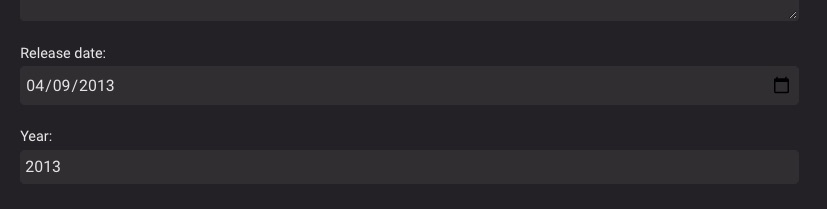
Thanks for digging into this. For what it's worth, I followed what you're doing and tried it myself: ffmpeg -i 20130410_131525.mp4 -metadata date="2013-04-10" -c copy output.mp4 Confirmed the date metadata is present: /d/tmp$ ffprobe output.mp4 ... Output #0, mp4, to 'output.mp4': Metadata: major_brand : isom minor_version : 0 compatible_brands: isom3gp4 date : 2013-04-10 ... Then copied "output.mp4" to "20130410_131525.mp4" and used the "Refresh metadata" feature in the Emby UI on just this file, then visited the "Edit metadata" page to see this: We're close! In fact, I can work with this now that I know what bit of metadata to add and how to do it, but please: consider a feature to fallback to "creation_time" when there is no "date" shown from ffprobe, and maybe look into why "04/09/2013" shows when ffprobe shows "04-10-2013" I checked my Synology server to confirm the date/time settings are correct.
 1 point
 -
HI, yes we can look at improving this. Thanks for the feedback.1 point
-
When users download they are not seen, only in the log it says that a download was started. I would like a section to be created where the downloads and the percentage are listed, also that the download bandwidth can be controlled for each user.1 point
-
That is excellent to hear. Thank you for such a great product! And for listening to your users!1 point
-
Hi there, yes it's planned for the future. Thanks for the feedback.1 point
-
Hi, I have tried to see if that was brought up before in the forum but I didn't see anything quite like what I'm about to mention. Right now Emby has a way to set global preferences for Audio and Subtitles language that can override default flag on video files. It's also possible to select the audio/subtitle track when playing a series's season or a single file.. that seems to also take into account the global preference mentioned just above. What I propose is to be able to save even more granular preferences for Audio/Subtitles. My use case is that I listen to a lot of different kind of video media in different languages.. and the majority of my files have multiple audio and subtitles tracks and I don't always want to listen to them in French, English, Spanish, German or Japanese... We need a way to be able to save Audio/Subtitles track preference on a movie/tv series (tv series season) basis.. these specific preferences would override the global preferences as they are more specific. Another argument in favor of this feature are file with multiple Audio/Subtitles tracks flagged with the same language... I've seen this happen in 2 cases recently: Movie - Cast Commentary track which is often the same language as the default flag of the file Anime DVD and BD releases often have JPN & ENG audio tracks but also 2 ENG subtitle tracks... 1 which only contain the typesetting (translation of signs and written japanese) and 1 for the full audio + visual translation... I think this demonstrate a need to be able to save granular preferences for Audio/Subtitles track on a per Series per User Profile basis. Thank you!1 point
-
Is there a way to limit the file download speed for individual users? Streaming seems to work fine for multiple users at the same time, but if one of them starts a file download, it lists 20+ downloads the Activity list for each file and it kills my bandwidth. eg. It will list something like this 20+ times for each file... User1 is downloading Show- S1, Ep1 01/03/2020, 22:10:56 App: Emby Web, Device: Chrome I've played around with the settings in the Downloads section, but it doesn't seem to make a difference, I assume these settings only relate to downloading to a device rather than file downloads.1 point
-
Just keep it simple. If the series does not use folders OR there is only one season (one folder) then flatten. If there are two or more seasons or a season 1 plus a season 0 (two of more folders) then don't flatten. AND/OR have an option: include special folders (Season 0) in folder count so the admin can decide on a per series bases. This way if you only have a couple of files in season 0 you can still flatten it.1 point


.thumb.jpg.1ea4e6b27fd5921ad22171468034b3f4.jpg)