Leaderboard




Popular Content
Showing content with the highest reputation on 04/13/22 in all areas
-
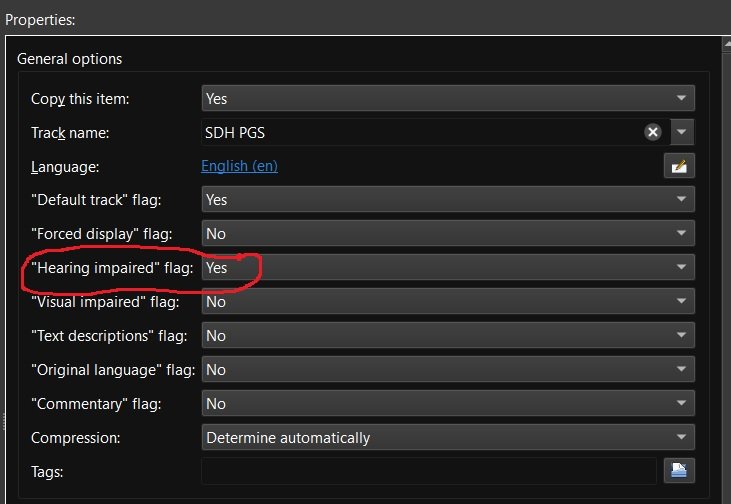
Recently matroska and mkvtoolnix added support for additional subtitle flags including "Hearing impaired" for subtitles for the deaf and hard of hearing (SDH). Request: Emby add some or all of the additional subtitle flags to media info and also as a choice for playback under user user settings. add support for external SDH subtitle naming (ex. moviename.SDH.eng.srt) Reason: my wife and are are getting older and it seems more and more I'm hearing "What did they say" a lot. If I could set certain Emby users to always play the "Hearing impaired" subtitles if available then I wouldn't have to back up and restart playback with SDH subtitles enabled. Other flags like "Commentary" would be nice also as I have several films with those Having this flag would also make it easier to run a script to list which movies have and don't have "Hearing impaired" / SDH subtitles so that I can go out and get the missing ones.
 4 points
 -
We're making progress. Hopefully, won't be too much longer.4 points
-
I really want the commentary flag, personally. The SDH is obviously important for accessibility reasons. Iconic will support them once they're available.3 points
-
Here is my collection of about 50 pre-rolls for Emby: https://prerolls.me/platform/emby/
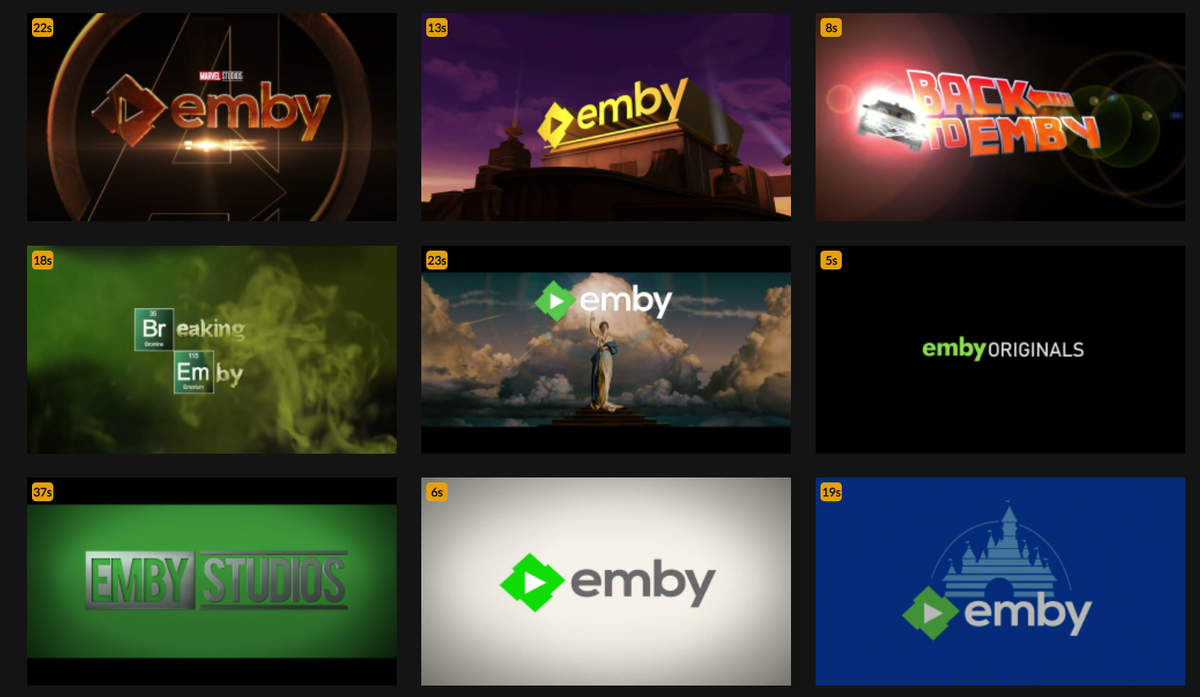 2 points
 -
Our standard android app is back in the store now: https://emby.media/emby-for-android.html2 points
-
emby is back online https://play.google.com/store/apps/details?id=com.mb.android2 points
-
Yes, we will. Thanks.2 points
-
Hi. The mobile app should be available again now in the store.2 points
-
I'm currently using "moviefilename.English-SDH.srt" for external subtitles and the language displays as "English-SDH" but seems to work and not break the English However, as mentioned above moviefilename.eng.SDH.srt would be preferred. There is already a flag for internal SDH, Emby just doesn't recognize it. As someone with a spouse who suffers from hearing loss this request is very important to me and an option to select SDH as a preferred subtitle option would be great.2 points
-
From an external srt naming scheme, I am not seeing a way currently. Assume it would need added similar to how "forced/foreign" is. @Luke Currently it will break language. Embedded will present the embedded name. Different file added SDH to Name in MKVToolNix header editor on the srt subtitle track.
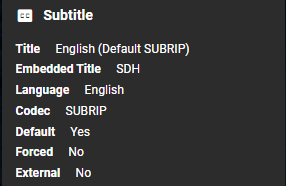
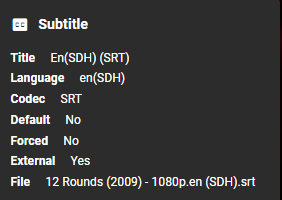
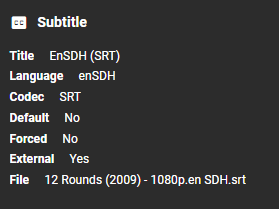
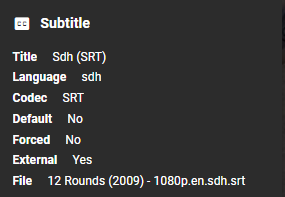 2 points
 -
Nope. Lend your support here: Related thread:2 points
-
It appears that any playlist that any user creates is public--all other users can see it. I can appreciate the benefit of a public playlist. I could create a playlist called "Harv's Favorite Horror Films" for example, in case other users are interested in checking out what I like. However, the way most of my users are using playlists is to keep track of things they want to watch in the future. They are typically things that the user has not watched yet, so it's not meant as a recommendation to others, just as a way of them personally keeping track of what they want to watch. Having that kind of playlist be public is of questionable benefit to other users. Additionally, it is not clear when you create a playlist that other users will be able to see it. That has the potential to cause some embarrassment. He hasn't created one yet, but I wouldn't want to see my nephew's "movies to fap to" playlist, for example. If I could make a suggestion, I would suggest associating each playlist with the user who created it, and giving that user the ability to make the playlist private or public. For example, the following two checkboxes could be shown when creating or editing a playlist: Allow other users to see this playlist Allow other users to edit this playlist Initially, both checkboxes would be unchecked. Since another user cannot edit a playlist they cannot see, the second would be allowed to be checked only if the first were also checked. (You could grey it out to make that clear.) Depending on your UI preference, it could also be a drop-down menu. Playlist visibility: (Only me | all users can view | all users can view and edit) Thanks for considering this.1 point
-
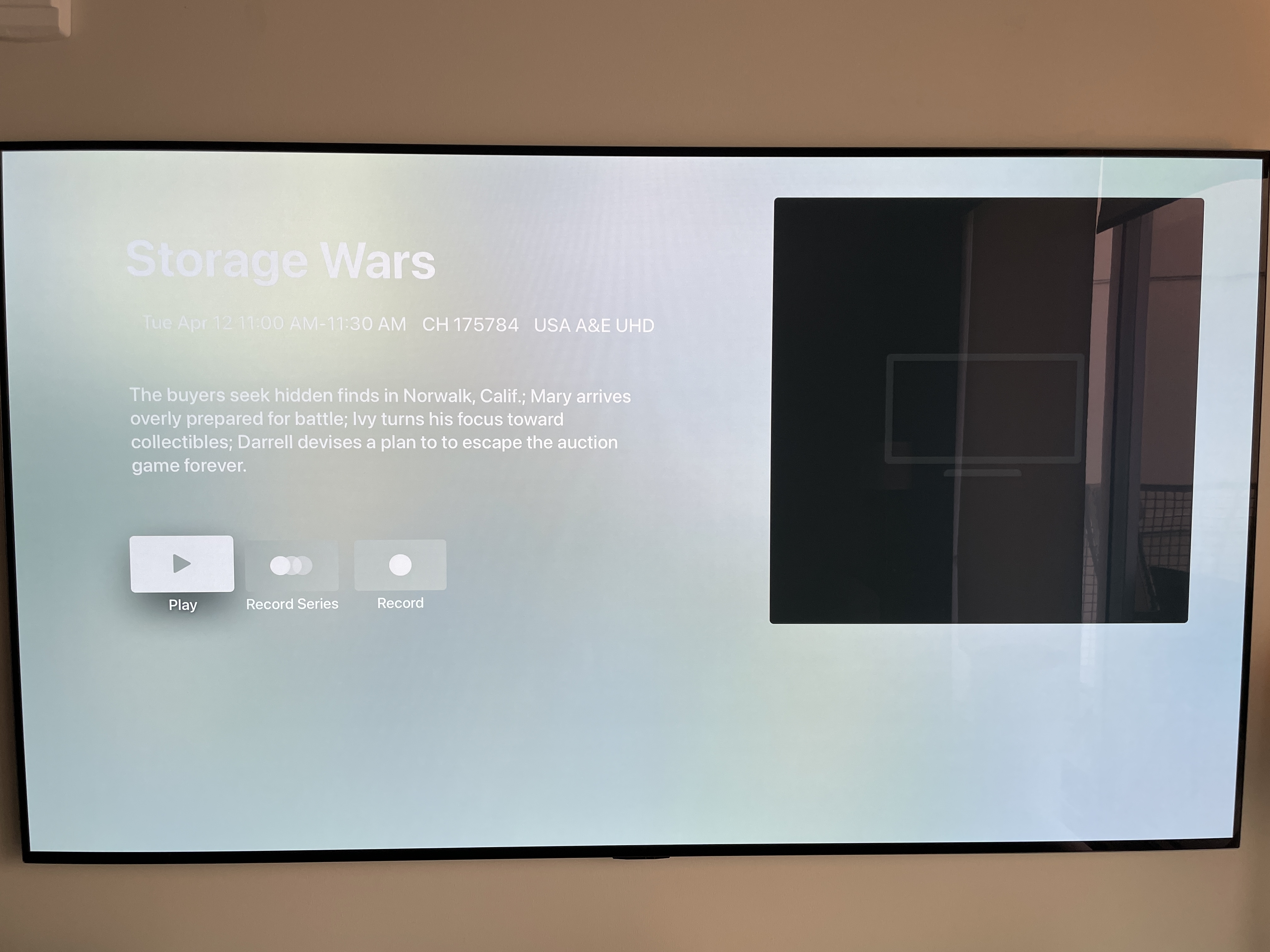
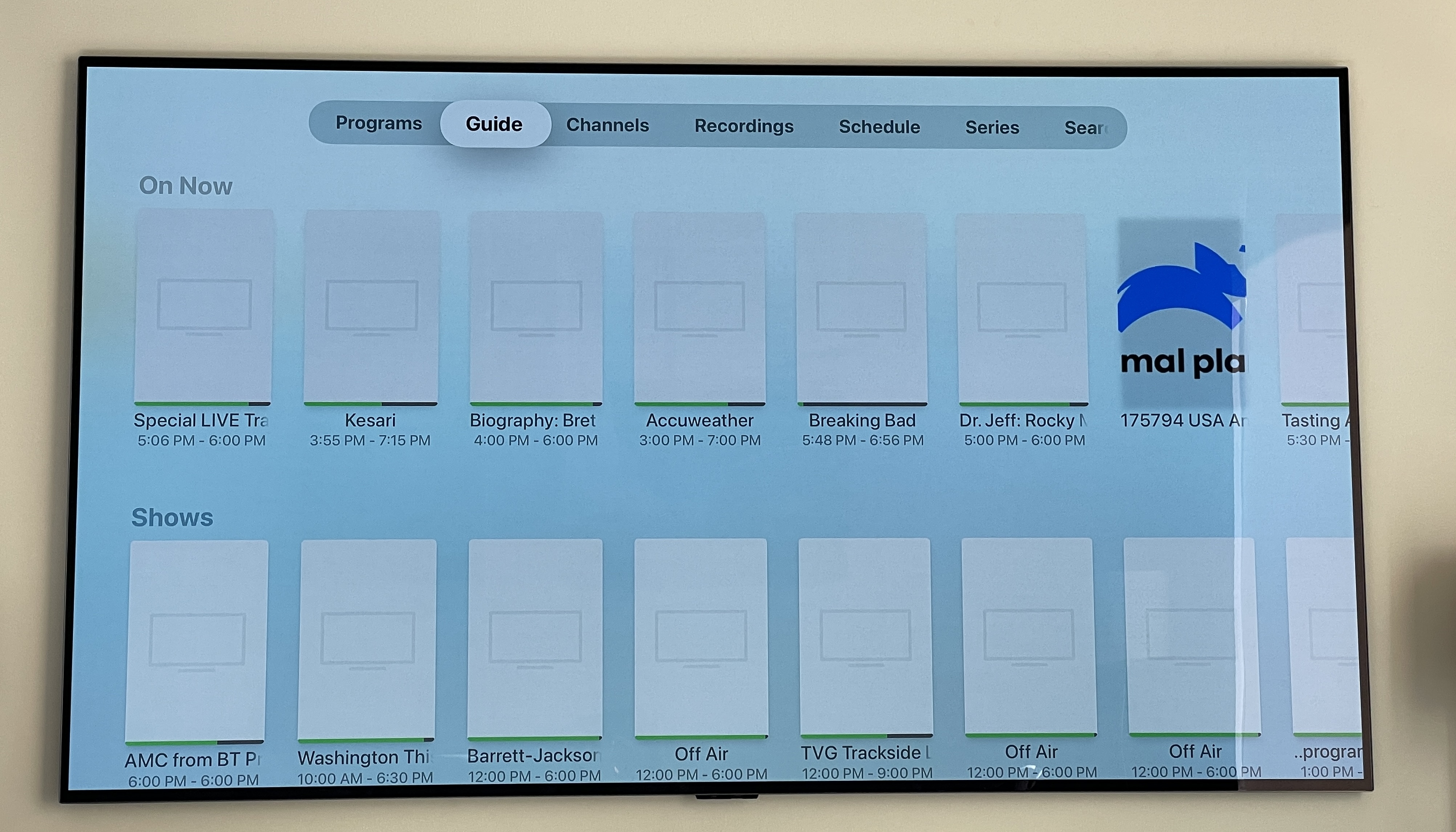
Hello. I've been using Emby for about 3 weeks now, have it set up as server on my PC and using it on Apple TV. I've run into several issues, lot of which are low hanging fruits and shouldn't take too long to fix. 1. The white text on light background contrast is bad on the app so I had to change my theme to dark on my Apple TV in order to be able to read media info (see screenshot) 2. Most of the content panels inside the tabs (within Live TV) start listing contents from "Programs" even when you are currently not inside the Programs tab. You need to back entirely out of LiveTV and go back in to remedy this until it happens again. (see screenshot) 3. Recording tv shows fails often if you are watching something else through Emby live tv at the same time (and I have a 2 connection sub from provider) 4. Many times the app just closes on its own (usually when watching a live tv channel) and the Apple TV screensaver immediately kicks in (see log info when this happened) 5. On the iOS app the sort for live tv guide is "Default Channel Order" which is the actual order inside the m3u/epg file. For some reason that option is not available on the Apple TV tvOS app but instead it sorts by ID which makes no sense at all and is very frustrating. Rest of sorting options are useless as well. Your apps' UX should be at least consistent across your platforms! 6. Since there is no "Default Channel Order" sorting on Apple TV I resorted to using the "Favorites" feature. Except all my saved favorite channels vanished when I had to do make a change to my live tv lineup. So that's a useless feature. I'm currently paying the monthly fee and want to pull the trigger on the $120 lifetime but you need to give the AppleTV app some TLC in order for me to do so. Thanks. Best, Tolli LOGS for item #4: 2022-04-13 09:39:12.362 Info Server: http/1.1 Response 200 to 192.168.50.41. Time: 5ms. http://192.168.50.100:8096/emby/videos/1525068/live.m3u8?DeviceId=612B90A7-B7D1-440F-A990-CA1C1AF288EC&MediaSourceId=5f1ed650a8c91535b07fbfecc146bd1c&PlaySessionId=4aa5822c00904392a2818a75d2b99d69&LiveStreamId=06044cf0e6f93cdae5f285c9ecfaaeb4_01413a525b3a9622ce6fdf19f7dde354_5f1ed650a8c91535b07fbfecc146bd1c&VideoCodec=h264,hevc,mpeg2video&AudioCodec=ac3,mp3,aac&VideoBitrate=139808000&AudioBitrate=192000&TranscodingMaxAudioChannels=6&SegmentContainer=ts&SegmentLength=3&MinSegments=1&BreakOnNonKeyFrames=True&hevc-profile=Main,Main10 2022-04-13 09:39:12.658 Info Server: http/1.1 GET http://192.168.50.100:8096/emby/LiveTv/Channels/1525068?userId=HIDDEN&X-Emby-Client=tvOS&X-Emby-Device-Name=Living Room&X-Emby-Device-Id=612B90A7-B7D1-440F-A990-CA1C1AF288EC&X-Emby-Client-Version=1.5.7 (1). UserAgent: Emby/1 CFNetwork/1331.0.7 Darwin/21.4.0 2022-04-13 09:39:12.662 Info Server: http/1.1 Response 200 to 192.168.50.41. Time: 4ms. http://192.168.50.100:8096/emby/LiveTv/Channels/1525068?userId=f2821f0ff93a4398b3bbf7c81198f832&X-Emby-Client=tvOS&X-Emby-Device-Name=Living Room&X-Emby-Device-Id=612B90A7-B7D1-440F-A990-CA1C1AF288EC&X-Emby-Client-Version=1.5.7 (1) 2022-04-13 09:39:12.933 Info Server: http/1.1 GET http://192.168.50.100:8096/emby/LiveTv/Channels/1525068?userId=f2821f0ff93a4398b3bbf7c81198f832&X-Emby-Client=tvOS&X-Emby-Device-Name=Living Room&X-Emby-Device-Id=612B90A7-B7D1-440F-A990-CA1C1AF288EC&X-Emby-Client-Version=1.5.7 (1). UserAgent: Emby/1 CFNetwork/1331.0.7 Darwin/21.4.0 2022-04-13 09:39:12.935 Info Server: http/1.1 Response 200 to 192.168.50.41. Time: 2ms. http://192.168.50.100:8096/emby/LiveTv/Channels/1525068?userId=HIDDEN&X-Emby-Client=tvOS&X-Emby-Device-Name=Living Room&X-Emby-Device-Id=612B90A7-B7D1-440F-A990-CA1C1AF288EC&X-Emby-Client-Version=1.5.7 (1) 2022-04-13 09:39:13.010 Info Server: http/1.1 GET http://localhost:8096/emby/ScheduledTasks?IsEnabled=true&X-Emby-Client=Emby Web&X-Emby-Device-Name=Chrome&X-Emby-Device-Id=56d08055-9c92-4b93-a3f6-8731190f99bb&X-Emby-Client-Version=4.6.7.0. UserAgent: Mozilla/5.0 (Windows NT 10.0; Win64; x64) AppleWebKit/537.36 (KHTML, like Gecko) Chrome/100.0.4896.60 Safari/537.36 Edg/100.0.1185.29 2022-04-13 09:39:13.012 Info Server: http/1.1 Response 200 to ::1. Time: 2ms. http://localhost:8096/emby/ScheduledTasks?IsEnabled=true&X-Emby-Client=Emby Web&X-Emby-Device-Name=Chrome&X-Emby-Device-Id=56d08055-9c92-4b93-a3f6-8731190f99bb&X-Emby-Client-Version=4.6.7.0 2022-04-13 09:39:13.017 Info Server: http/1.1 GET http://localhost:8096/emby/ScheduledTasks?IsEnabled=true&X-Emby-Client=Emby Web&X-Emby-Device-Name=Chrome&X-Emby-Device-Id=56d08055-9c92-4b93-a3f6-8731190f99bb&X-Emby-Client-Version=4.6.7.0. UserAgent: Mozilla/5.0 (Windows NT 10.0; Win64; x64) AppleWebKit/537.36 (KHTML, like Gecko) Chrome/100.0.4896.60 Safari/537.36 Edg/100.0.1185.29
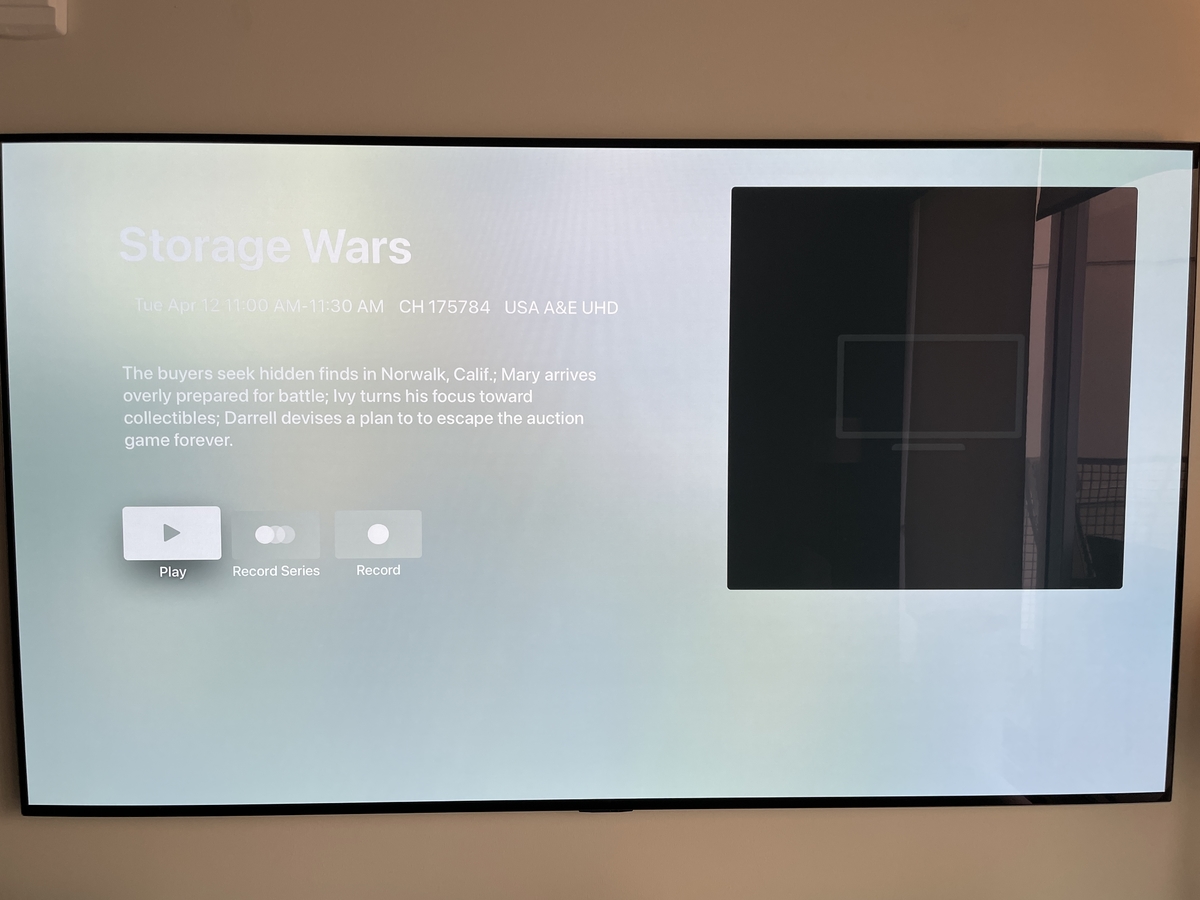
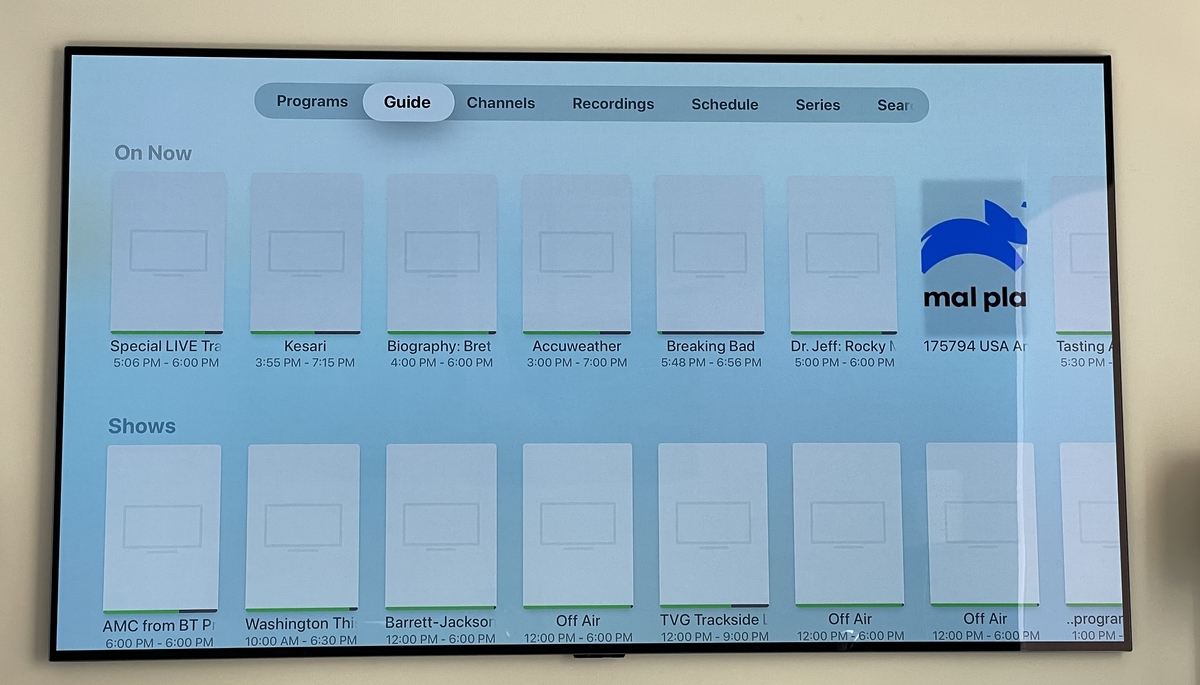 1 point
 -
Was just thinking that while reading this topic. Glad you figured it out.1 point
-
Hi Luke, I wound up getting it working. Turns out it was the TLS version causing problems. I had it set to v1.3. I stepped it down to v1.2 I believe.1 point
-
I would update sequentially. Release 4.5.4.0 · MediaBrowser/Emby.Releases (github.com) then Release 4.6.7.0 · MediaBrowser/Emby.Releases (github.com)1 point
-
Only the standard app has been restored at this point. We are still waiting on Google for the TV one.1 point
-
THANK YOU!!! This is the key that solve my issue. I´ve never noticed this checkbox befor. In German its called "Emby Thumbnails"1 point
-
Thanks. I thought I watched that but maybe it was something else.1 point
-
Hornchenmeister, I have the same issue. I also have to load my library images in Embuary skin every time I set it up or reset it. However, mine stay after I do that manually. I think what you need to do is when you are replacing the generated image with your own, you have to uncheck the checkbox that says something like "use Emby style image" because that is where the auto-generated one from the content comes from.1 point
-
If anyone else wants an easy way to create folders based on movie names and move all corresponding files into them, put this into a .bat file, save it in movie folder and run it. If you have video files other than mkv/mp4, edit it accordingly. FOR %%m in (*.mkv *.mp4) do ( mkdir "%%~nm" move "%%~nm"*.* "%%~nm" )
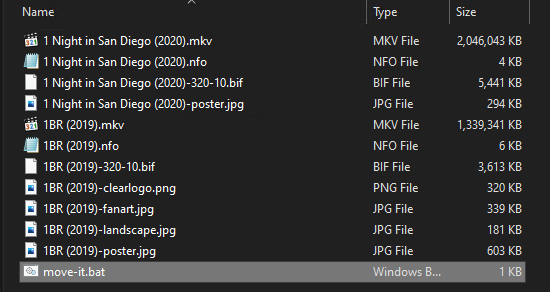
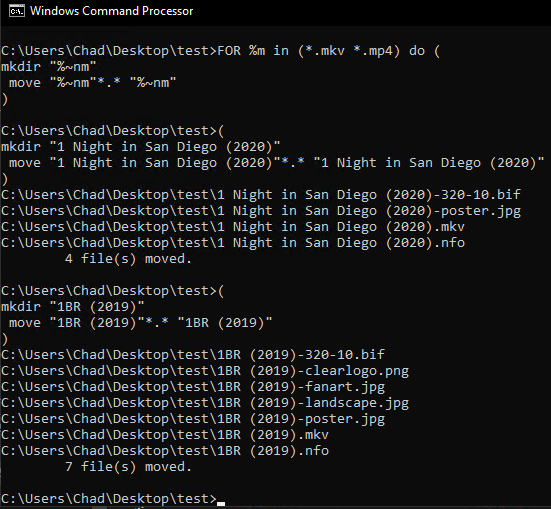
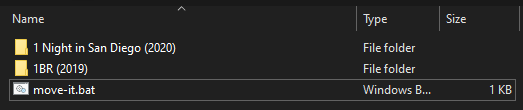 1 point
 -
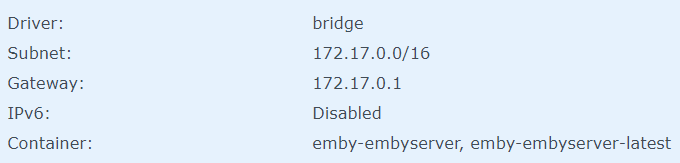
Thanks for posting your question, I think I had the same problem (I'm also running Emby on a Synology nas with a firewall, and had issues trying to identify media failed to search (after it working very reliably for a long time) Thanks to this post, I remembered I had recently cleaned up my Synology firewall settings. I believe I had inadvertently removed the rule to allow applications on the Docker bridge to access the Synology network. (unrelated I wish Synology allowed us to put comments in the firewall rule settings so we know what they were for!...) As the Docker configuration has my emby server on this bridge: I added a rule like this: Once doing this, I was able to identify media and retrieve metadata. I had originally thought I had to allow access from the docker images to the main internet firewall, but it seems the issue was that the docker bridge needs to go through the synology system first. This seems reasonable, but I must have forgotten since I set it up a while ago. Hope it helps someone! BTW, I'm on DSM 7.0.1

 1 point
 -
Sorry guys, it was a permissions issue. Now fixed!1 point
-
I just don't trust the firewall on my router. Simply because I don't see the firmware get many updates and I don't see many features to protect against intrusion. It is a simple ISP provided router. That said it seems to handle connecting well. I'm now on the journey of setting up a reverse proxy to protect my Emby server and other services I like to access externally.1 point
-
See ebr's message about the standard app and the next two posts afterward in the mobile app thread. It sounds like they are still working on getting ATV back.1 point
-
2. My.Little.Pony.S01E01.eng.default.mkv or My.Little.Pony.S01E01.eng.mkv depending if you want the default flag set 3. My.Little.Pony.S01E01.English SDH.mkv make sure to use Alt+255 for the space between English and SDH. This only changes the name for selecting. It won't allow you to make SDH a subtitle setting1 point
-
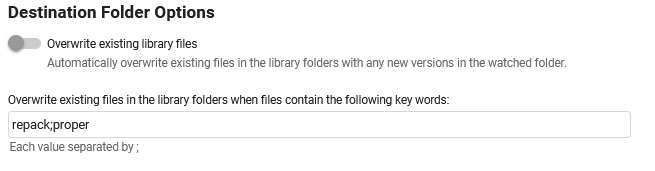
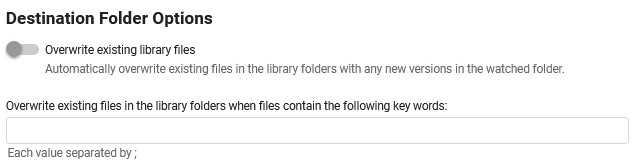
i have to revert my successfull meassage on the overwrite exceptions, partly if an exception is set, only files that fullfill it get sorted, all other files, duplicates and new ones, are not processed, but they all still get marked as completed in the overview S01E01 is a new one in the following exsample 2022-04-13 17:46:43.526 Info App: Beginning Episode Organization 2022-04-13 17:46:43.526 Info App: Sorting file D:\SORT IT BITCH !!\video\Outlander - S01E01 - Sassenach.mkv into series E:\Serien\Outlander (2014) 2022-04-13 17:46:43.526 Info App: Sorting file D:\SORT IT BITCH !!\video\Outlander - S01E01 - Sassenach.mkv to new path E:\Serien\Outlander (2014)\Season 01\S01E01 - Sassenach.mkv 2022-04-13 17:46:43.779 Info App: Beginning Episode Organization 2022-04-13 17:46:43.779 Info App: Sorting file D:\SORT IT BITCH !!\video\Outlander - S01E02 - Burg Leoch.repack.mkv into series E:\Serien\Outlander (2014) 2022-04-13 17:46:43.779 Info App: Sorting file D:\SORT IT BITCH !!\video\Outlander - S01E02 - Burg Leoch.repack.mkv to new path E:\Serien\Outlander (2014)\Season 01\S01E02 - Burg Leoch.mkv 2022-04-13 17:46:43.783 Info App: Perform Sorting 2022-04-13 17:46:43.783 Info App: Auto organize added E:\Serien\Outlander (2014)\Season 01\S01E02 - Burg Leoch.mkv to inprogress list 2022-04-13 17:46:43.784 Info App: Copying File --- with the exception removed, duplicates are marked correctly as such and new files are processed 2022-04-13 17:51:43.614 Info App: Beginning Episode Organization 2022-04-13 17:51:43.614 Info App: Sorting file D:\SORT IT BITCH !!\video\Outlander - S01E01 - Sassenach.mkv into series E:\Serien\Outlander (2014) 2022-04-13 17:51:43.614 Info App: Sorting file D:\SORT IT BITCH !!\video\Outlander - S01E01 - Sassenach.mkv to new path E:\Serien\Outlander (2014)\Season 01\S01E01 - Sassenach.mkv 2022-04-13 17:51:43.615 Info App: Plugin options: no overwrite episode 2022-04-13 17:51:43.615 Info App: Perform Sorting 2022-04-13 17:51:43.615 Info App: Auto organize added E:\Serien\Outlander (2014)\Season 01\S01E01 - Sassenach.mkv to inprogress list 2022-04-13 17:51:43.616 Info App: Moving File 2022-04-13 17:52:50.732 Info App: Beginning Episode Organization 2022-04-13 17:52:50.732 Info App: Sorting file D:\SORT IT BITCH !!\video\Outlander - S01E02 - Burg Leoch.mkv into series E:\Serien\Outlander (2014) 2022-04-13 17:52:50.732 Info App: Sorting file D:\SORT IT BITCH !!\video\Outlander - S01E02 - Burg Leoch.mkv to new path E:\Serien\Outlander (2014)\Season 01\S01E02 - Burg Leoch.mkv 2022-04-13 17:52:50.733 Info App: Plugin options: no overwrite episode 2022-04-13 17:52:50.733 Info App: File 'D:\SORT IT BITCH !!\video\Outlander - S01E02 - Burg Leoch.mkv' already exists as 'E:\Serien\Outlander (2014)\Season 01\S01E02 - Burg Leoch.mkv', stopping organization --- and the "delete empty folder" option is also not working any more (regardless the overwrite exception)


 1 point
 -
Hi, that's strange. We'll take a look. Thanks.1 point
-
Hello, it is a new show for my collection.1 point
-
Hi. Do you see it now?1 point
-
Had that last night without the update. Probably a YT issue as friends, without Shields, had similar issues.1 point
-
According to nVidia the YouTube problem is unrelated to the update. YouTube/YouTubeTV/Other Google servi | NVIDIA GeForce Forums1 point
-
1 point
-
1 point
-
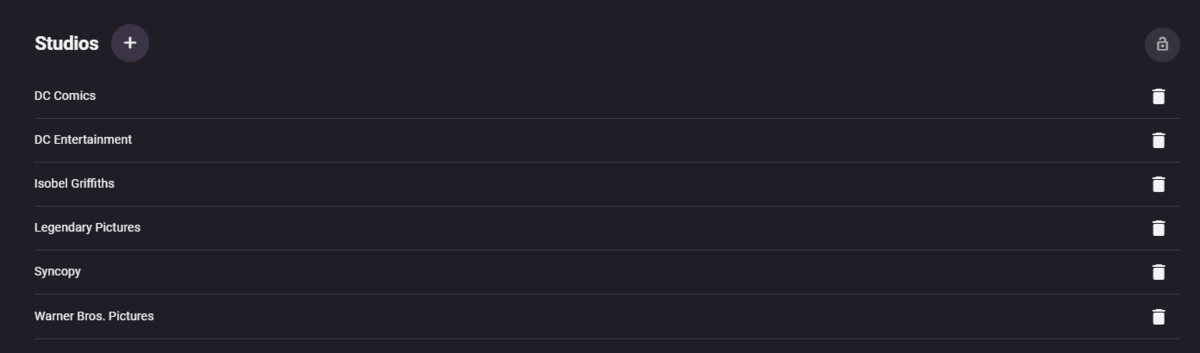
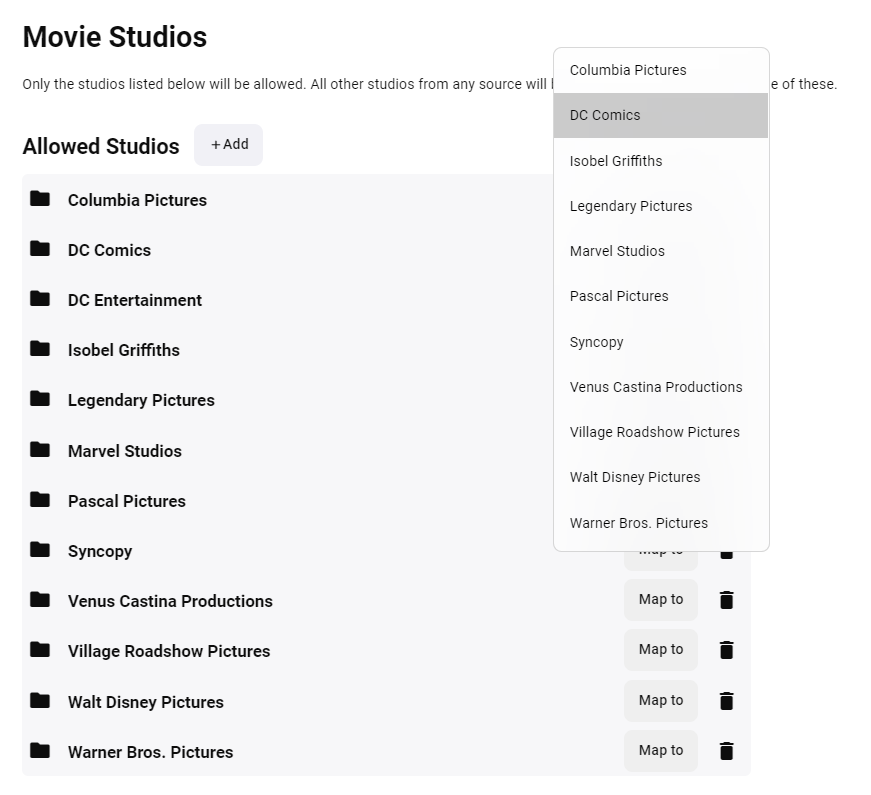
Thanks Sammy, Yeah I need to get these fixes done. But this will give you an idea of Vantage Point can offer @JeremyG you could use the studio and genre cleaner plugins that would consolidate multiple studios into one. The same with Genres. These studios for example could be consolidated, DC Entertainment could be part of DC Comics. in the plugin just map a studio/genre to another
 1 point
 -
My big thanks to @Luke and @Happy2Playfor their assistance with my issue. It has been resolved. Seems for some reason on my router my port forwards were erased. I uninstalled portmapper and forwarded the ports and all is fine. Been up and running rock solid for 2 hours now. Thank u guys so much u have been a great help Mook1 point
-
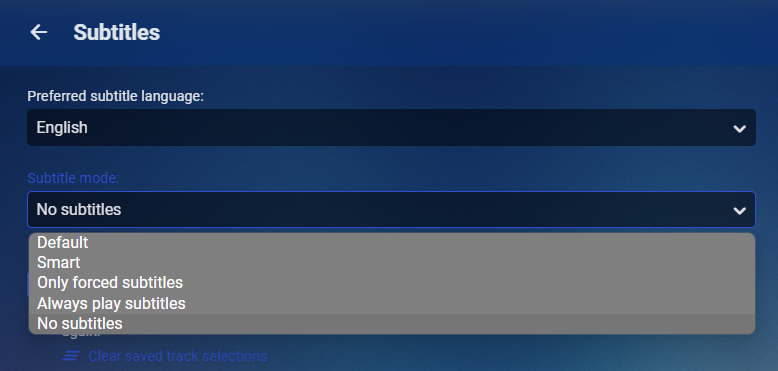
What is your user subtitle mode?
 1 point
 -
Hi there, did you explore the stats feature in the video player to learn why it was transcoding?1 point
-
I'm wagering you're going to see a mass exodus from Plex to Emby in the next few weeks. This is likely my first post here. I've been a very quiet background Emby supporter for a long time, but it seems times, they are a changin' and I may likely migrate all of my users this way.1 point
-
(Sorry if this is a duplicate. I'm new to Emby and I couldn't find any mention about it in the search.) So today I learned . . . very much the hard way . . . that the "shutdown" option in the settings menu of the Windows Theater app doesn't mean "shutdown the app" or "shutdown the server", it means "shutdown the entire system immediately and with no further warning". To my mind this is extremely unexpected behavior. I can't think of another app that uses "shutdown" in this context. Maybe it's appropriate for something that performs system maintenance but a media player isn't the kind of thing I expect to instantly nuke my system from a simple menu command. That feature was obviously put there for some sort of reason so I'm not suggesting it be removed. It should, however, be appropriately labeled as "Shutdown System" or something such so that folks like me don't accidentally trash 45 minutes of hard work thinking that they're closing their media player and end up looking at a black screen where their new CAD drawing used to be. A simple change here would save many hard feelings in the future. Thanks.1 point
-
Probably because their features and audience have more in common, and don't diverge in enough ways to get people to think they are categorically different.1 point
-
For years it has been clear that Plex has chosen to maximize their profits at all times at he expense of their users. They really now show that the users are only there to act as stepping stones to the greater monetary rewards that is all Plex is interested in. As I an many other have said in some threads on the Plex forums Plex has become, apparently by their own choice, the Ferengi of the streaming world. Some of the "rules" that Plex has applied to their business model. #1: Once you have their money, you never give it back. #10: Greed is eternal. #21: Never place friendship before profit. #45: Expand or Die. #55: Advertise #66: Double the price, then sell it half off. #72: Never trust your customers. #85: Never let the competition know what you're thinking. #92: There are many paths to profit #107: A warranty is valid only if they can find you. #136: Seek profit first and everything else will follow #152: A lie is a way to tell the truth to someone who doesn't know #165: Never let your sense of morals get in the way of opportunity. #188: A fool and his money are the best customer #196: Listen to advice; then do what you want anyway #232: Deal only with select clientele. (Those who are rich and not so bright.) #247: Don't negotiate with the underlings. And there are others that Plex has taken to heart.1 point
-
I would suggest (at this point) for new users to wait and not use this particular plugin. It was an early test of capabilities. There will most likely be major changes happening in the next little while that makes this plugin obsolete. It has been an amazing community driven project. The next iteration of an intro skip option, will most likely not have anything to do with this particular plugin, and will take the idea to the next level. Thanks to every person who took the time over the years to get things where they are today... Which is going to be amazing!1 point
-
This was added in recent updates to the Emby iOS app. Thanks.1 point
-
It's not in the emby app it will be in the fire TV os settings.1 point
-
What interface is Emby running on in Docker? Bridge, Host, Macvlan or other network setups will require different firewall ports. Just a quick look at your server log and 172.17.0.2 or 172.17.0.1 likely needs opening in the firewall.1 point
-
Ok thanks, i installed it but the for me most important part is missing. I want to see when ppl are actually streaming a movie. This is not implemented. I need a overview of who is actually watching a movie, is he transcoding or direct play etc. and a history who was wachting what movie and when etc.. Maybe this is comming soon, this is what makes tautulli so great for me.1 point
-
Nope - dont agree on any otf that - sorry - Im pretty sure we can all agree, that 1080p is default for most of the world, and we can pretty much agree that for users (not admins), file info is ugly and not in any way shape or form necessary. i was giving you an option or two to solve your problems even if its a work around - not weird at all But as you cant get past - you want this and that - which may or may not get added at some point - but having an attitude about this is not going to help you gain traction on this request1 point
-
I would like an option to when the last episode of a season is deleted emby deletes the season folder automatically as well.1 point