Leaderboard




Popular Content
Showing content with the highest reputation on 03/20/22 in all areas
-
I'm a plex life time member, but I have been using Emby for over six years continuously, but there is a feature which I have always thought is missing in Emby which I would like and encourage the developer to consider including especially in this dispensation where families can social or commingle due to COVID 19. Today, I received a notification from Plex about it new feature titled Watch together you can read about it here https://support.plex.tv/articles/watch-together/ The feature allows friends and families at distance to watch same movies together instantly, you simply invite all your buddy, once they signed to the system which can be seeing in the server then play and pause as needed, this I think is cool feature should be added to emby. Let's here your though if Emby developer should consider adding this feature to our beloved Emby Media https://www.bing.com/news/search?q=Plex+Watch+Together&qpvt=plex+watch+together&FORM=EWRE2 points
-
Happy2Play, that same advice was given to me by GrimReaper, and I forgot to do it. I will do better starting tonight. Thanks for the help. Vic2 points
-
I agree with Cayars. Any settings I mention here won't transfer perfectly to your setup. You were asking for a general suggested bitrate to start. So, here is something. Using a calculator, based on my preferred quality of 1920 x 1080, 24fps, I get these bitrates: 4K - 30fps Low action drama 9,000 kbps Moderate action 10,600 kbps High action 12,000 kbps 4K - 24 (or 23.976) fps Low action drama 7,300 Moderate action 8,400 High action 9,600 These match similar settings for 1920 x 1080 at 24 fps Low action drama 1,800 Moderate action 2,100 High action 2,400 I see some quantinization and pixel blurring for movement for low action drama bitrates listed above, but it's very difficult to notice. Moderate action clears it up almost perfectly and makes the facial textures have a excellent color detail. High action is really only needed for fast movements, explosions. It helps define the really small detail in rolling smoke type of scenes. I also get better detail in all these settings because I set double the standard motion search range and set the Partition search settings, much higher than normal, which doubles the encoding time. I don't use Emby to convert and I don't know what the equivilant settings for Emby profile and level would be. You would need to dig into the manual for those settings to decide what is best. Emby combines a lot of these settings into the profile and level. I use AVIDemux (avidemux.org). You could also do every individual settings with ffmpeg. My settings are probably around 90% of the way to the highest settings, which means you would need a fairly fast computer to handle 4K, at that level. If you wanted to go higher, you could try reducing the Min / Max GOP size by 25% and increase the bitrate by 25%. I think that would only really help fast action. My I7 notebook usually takes around 5 hours to encode for a 1080P 2 hour show. Obviously, any change in the Emby profile and level will make a large effect on the quality of your end media copy. So, these bit rate settings are only part of the story. I use a constant bitrate, even though that is expensive for file size. I don't like the idea that an occasional high bit rate that can come from a variable bit-rate can trigger encoding to start or cause buffering for remote viewing. Other, higher than normal settings, I use to get the quality I like for h.264 are: Motion estimation search: 11 best Uneven Multi-hexagonal Search Motion sector search range for fast motion: 32 Directed Prediction mode: Spatial Weighted prediction for B-Frames Partition search to include all 8x8 and 4x4 plus added 8x8, 8x16 16x8 P-Frame and B frame Intrapredicted Blocks - This adds about 100% more time to encode and I believe it helps with fast action, rolling smoke. Max reference and consecutive B frames: 3 Adaptive B-frame decision: Optimal B-frames as reference: Non-strict I- frames GOP Minimum 24, Maximum 120 i-frame threshold 40 Analysis: Mixed References, Chrome Motion Estimation, Trellis Quanization - Always On, Fast Skip detection on P-Frames DCT Declination on P-Frames Quantization: standard and normal I would prefer to have media saved in h.265, but I have not found a way to allow any user with a standard browser in Windows Chrome or Firefox to playback h.265 without some plug in and I don't want to encode any content on demand. I don't have a server that can handle that. If anyone has any comments on these settings, I would like to hear them. Hope that helps.2 points
-
This plugin repo has a very simple configuration page. You should be able to figure yours out from it.2 points
-
While it has never been "open source", the repo was public in the very beginning, but only for a little while until we realized one of the competitors was snooping around…2 points
-
Have you tried prerolls.video ?2 points
-
To be fair this FR is only the most recent incarnation of this idea, especially since the other guys named it something. Loosely this sort of thing has been requested since 2015, "Multi-Cast Support" -- with a lot more support than just 9 people.2 points
-
The latest beta runs Dolby Vision smoothly, and it plays perfectly gapless audio. It does not fix my problem with HDR and Dolby Vision streams buffering, but it does now show them as paused when that happens. Next step is to move the PC to where I can make a wired connection to the same Eero node as the Shield.2 points
-
Personally I would do this outside of Emby before you ever add the content to your library. Part of curating the media so to speak. What I'd recommend as one tool to look at is sickbeard mp4 automator which has a name you can ignore. It can do a lot from fetching meta data, pulling subtitles down, interfacing with multiple different programs many people likely use as well as the "core". I personally use a modified version of the core part of the program which is a wrapper around ffmpeg that you can use to setup specific criteria. For example I have my config set to create 2 channel audio if it doesn't exist, keep other audio tracks in English only. Discard all subtitle tracks if audio is in English or keep only English tracks if audio is different than English. The I have it setup to deinterlace video as needed take any video codec and convert it to 8 bit HEVC using the compression level I find a good balance between not being able to tell it's been modified with 30-40% space saving (video alone) to 50-60% savings but quality IMHO is blown. So I compress down to where I can just notice it then back up a notch or two. The above is for non 4K. I never got the settings where I like them to use for both 4K and and 1080 media but never tried that much to be honest. I didn't want to hack it to death with if 4K logic. So what I did is install a 2nd/3rd copy in a different folders and setup the config for these. I cheated. So two ways to process 4K video depending on color space & HDR vs SDR. SDR gets processed just like the 1080 for subs & audio but I don't touch the video if HEVC 8 bit. Otherwise this gets processed as well. 4K HDR same as above this time it's using 10 bit files for basic processing but then I create a 1080p version as well from it. I can then optionally use it or not depending if I have it already in 1080. The toolkit above can fetch srt subs, so if I need/want the sub but it's a graphical format it gets removed if an SRT is found. All files use the MKV container. So my library is 99%+ MKV, H.265, 2 channel AAC, optional English subs, English subs if not English audio. https://github.com/mdhiggins/sickbeard_mp4_automator It uses python and scripting so you have to dig in and RTFM. It not a program you can copy/paste (don't ask me for my settings) as you need to adjust it for your use and equipment which is different than mine. Speaking of equipment it will use GPUs like Emby does but since you aren't under pressure time wise you can do different style encodes like 2 pass, so you know where to allow extra bits, and no when lower amount of bits is ok. You can also set limits or ceilings so that even fast scenes that need high level of bits can't overly spike or playback will be problematic on remotes systems if their playback buffer empties. The last part of my setup is for DVR. I run these through comskip set for me to never cut the into the movie/show but I have it cut and leave the sections. I can then quickly check the front back and trim anything it missed very fast. Then I move it to a sub folder when it gets put back together pulls the CC out and converts it to SRT. Then it funnels it to when any 1080 media starts out. That was the way things were but I'm planning on trying to redo this a completely different way when I can find time.2 points
-
Hi, I would love to have tautulli or equivalent for emby. Especially for people coming from plex, we would love to see something like tautulli. I know there are a few Statistic plugins but i think we all know there is nothing like tautulli out there. I love the way i see people currently watching movies on my server and the details of what is transcoding etc. i know emby also shows ppl watching movies but it isn't the same. I don't get a notification or even see a icon if someone starts to play while i have the emby page open. There is no icon that shows me someone is watching a movie. Tautulli is also open source so if someone has the skills in python to make it work for emby, this would be amazing. For me this is actually really the only reason I hesitate to switch completely. maybe someone can make this happen1 point
-
I am switching over from a Win7 box running MBC to Chromecast dongles. With the Win7 box I had a HDMI to Cat6 setup that allowed me to stream to up to 4 displays/TVs simultaneously. It was great while it lasted, but involved stapling cables to the ceiling to run it from room to room - plus it has borked Can there be an option to multi-cast to several receivers at once? i.e. simultaneously play to Chromecast dongles in my office and living room and kitchen simultaneously so i can walk from room to room without stopping and restarting the movie or show all the time? I realize that bandwidth could POTENTIALLY be an issue, but i have a fill gigabit network and a multi-port NAS so that really is the least of my worries... Thank you!1 point
-
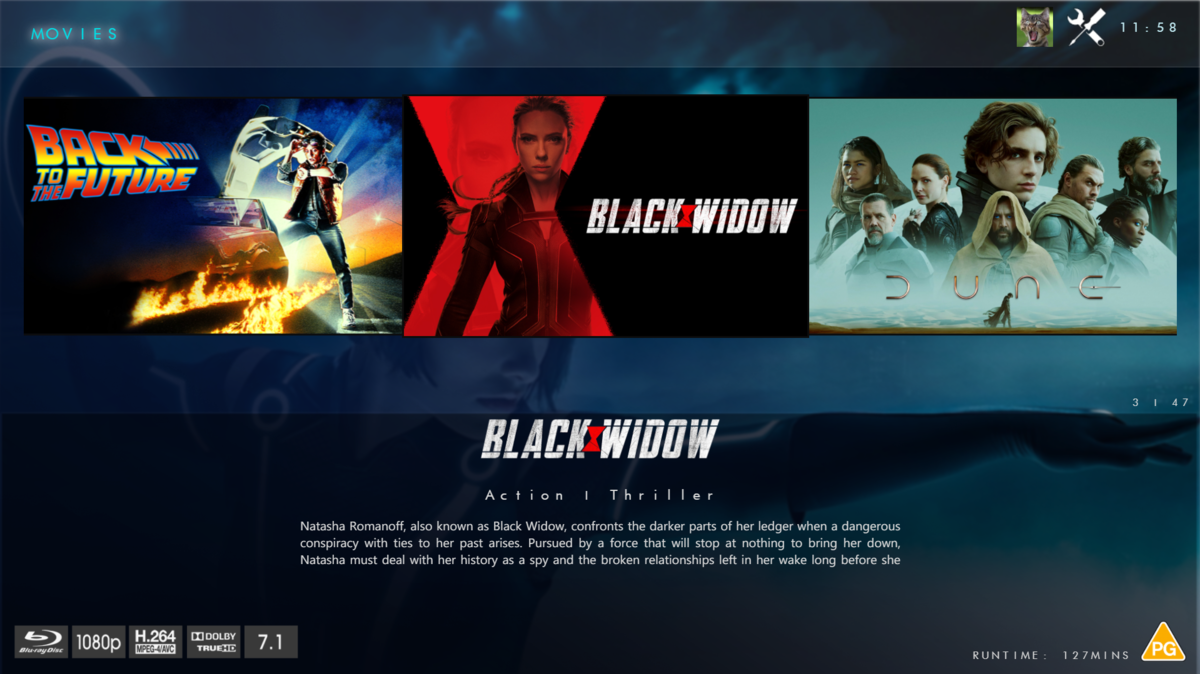
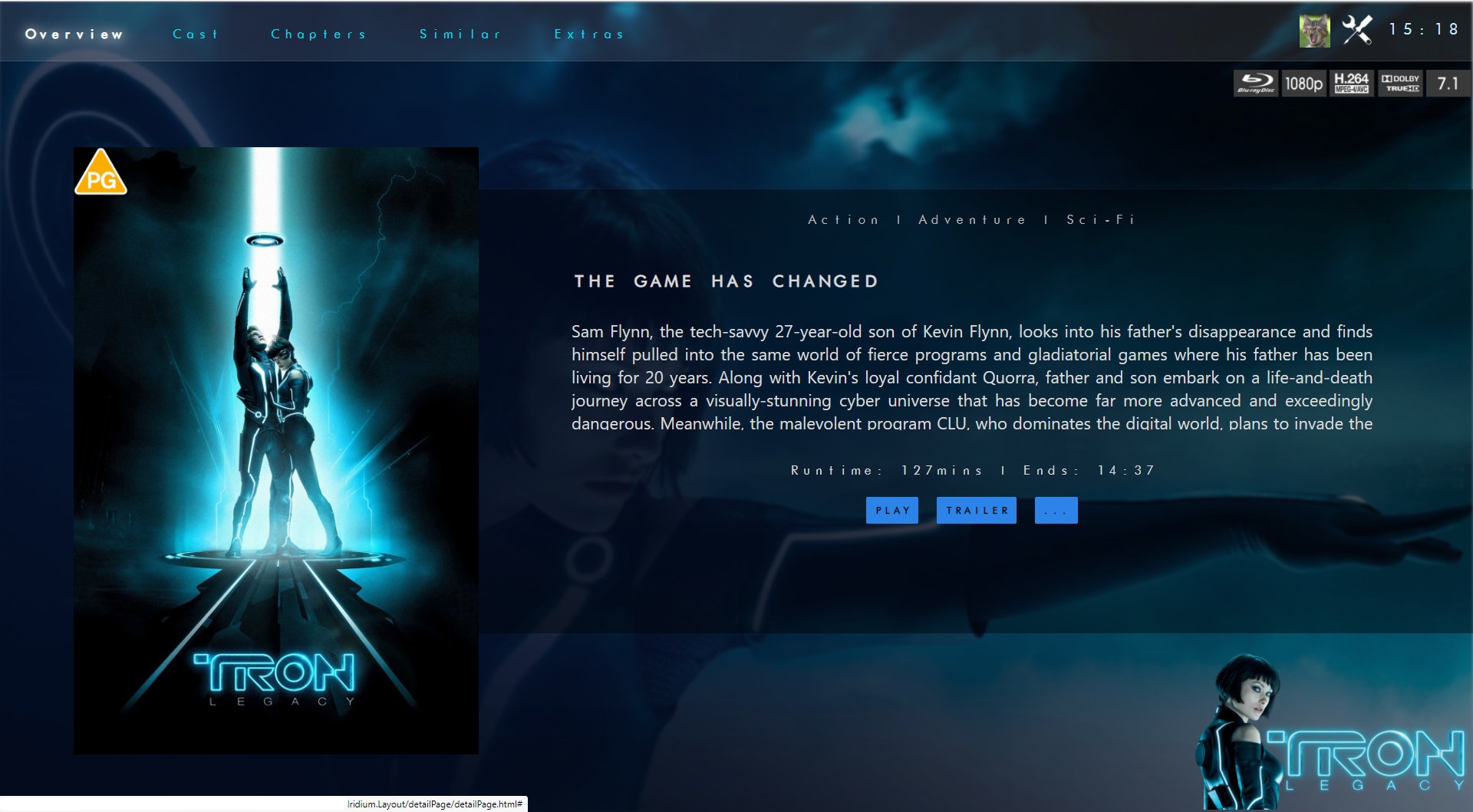
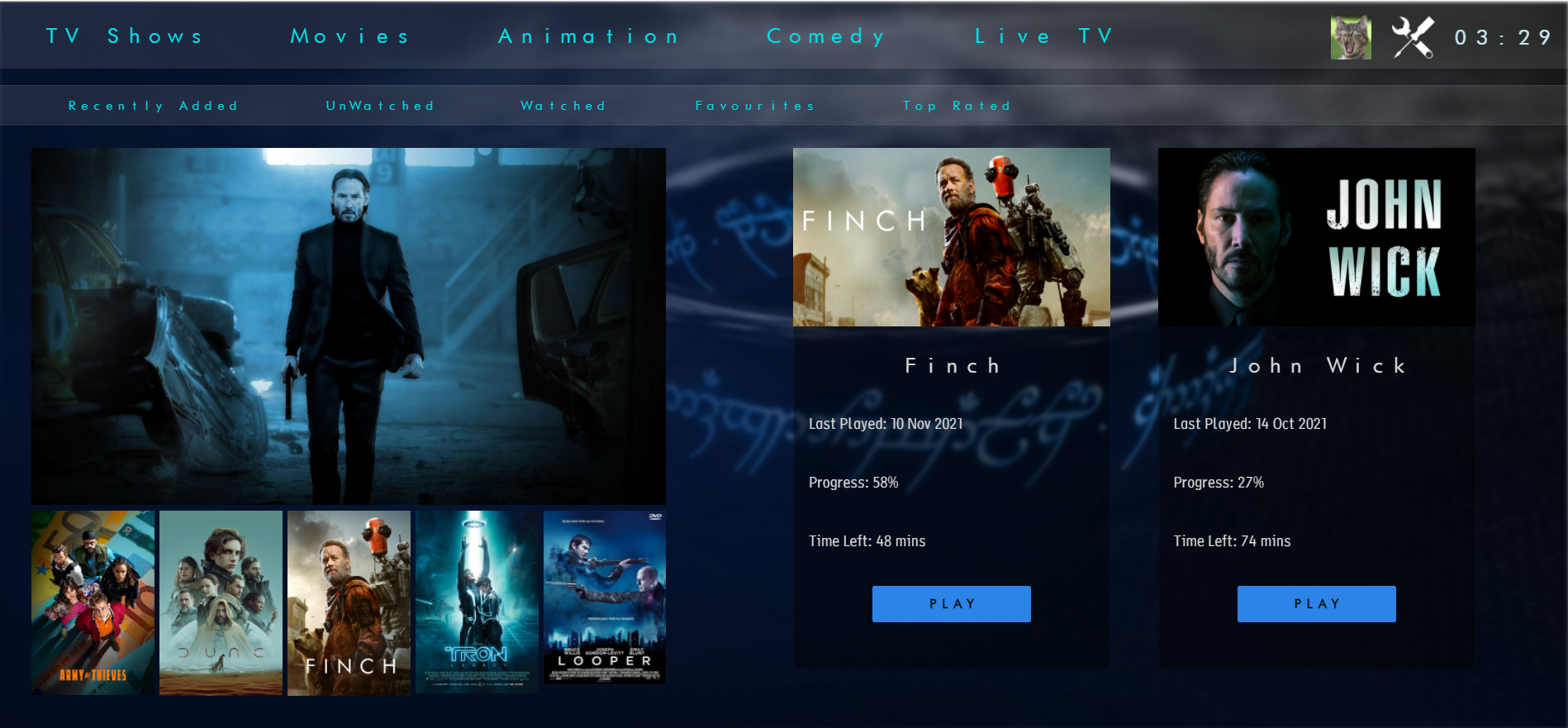
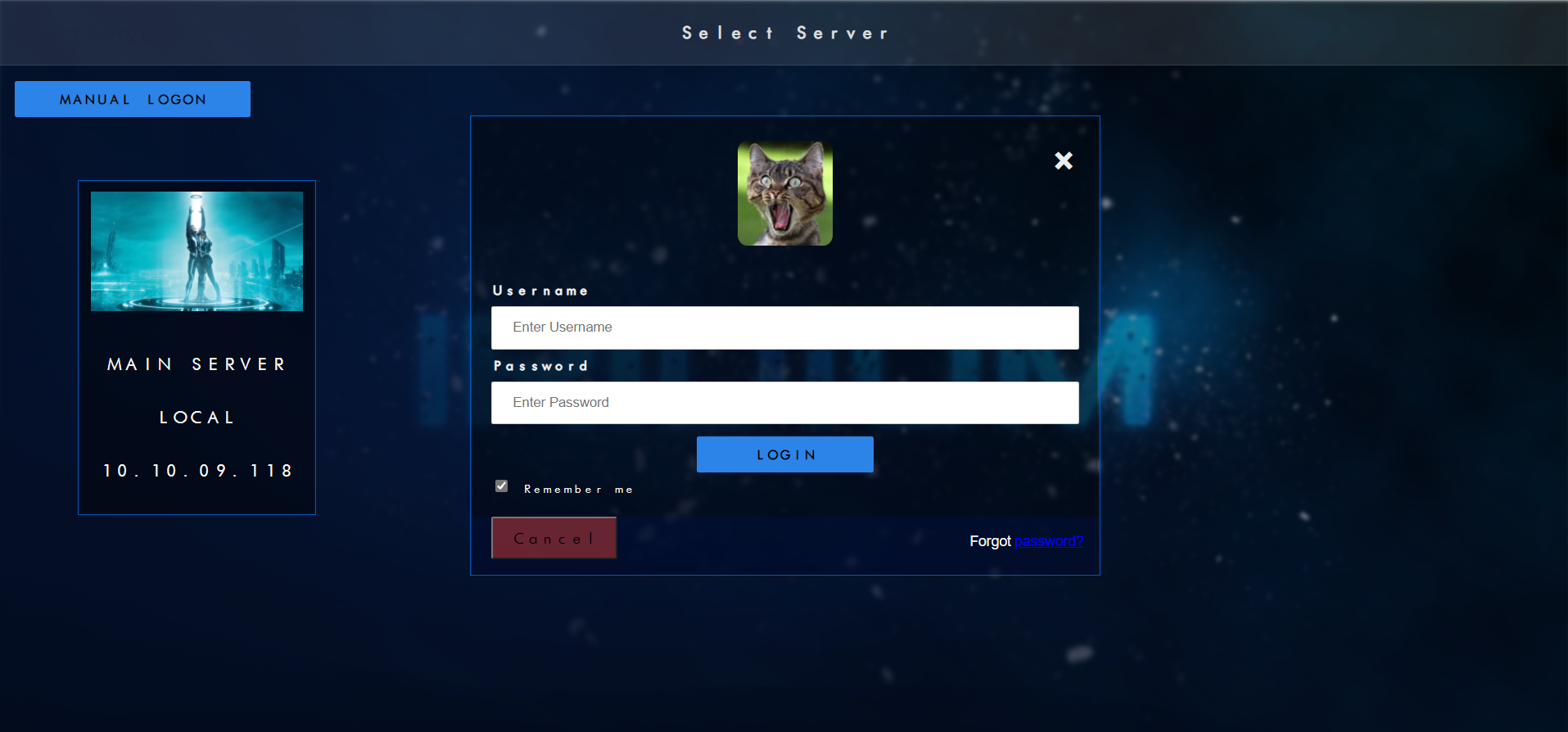
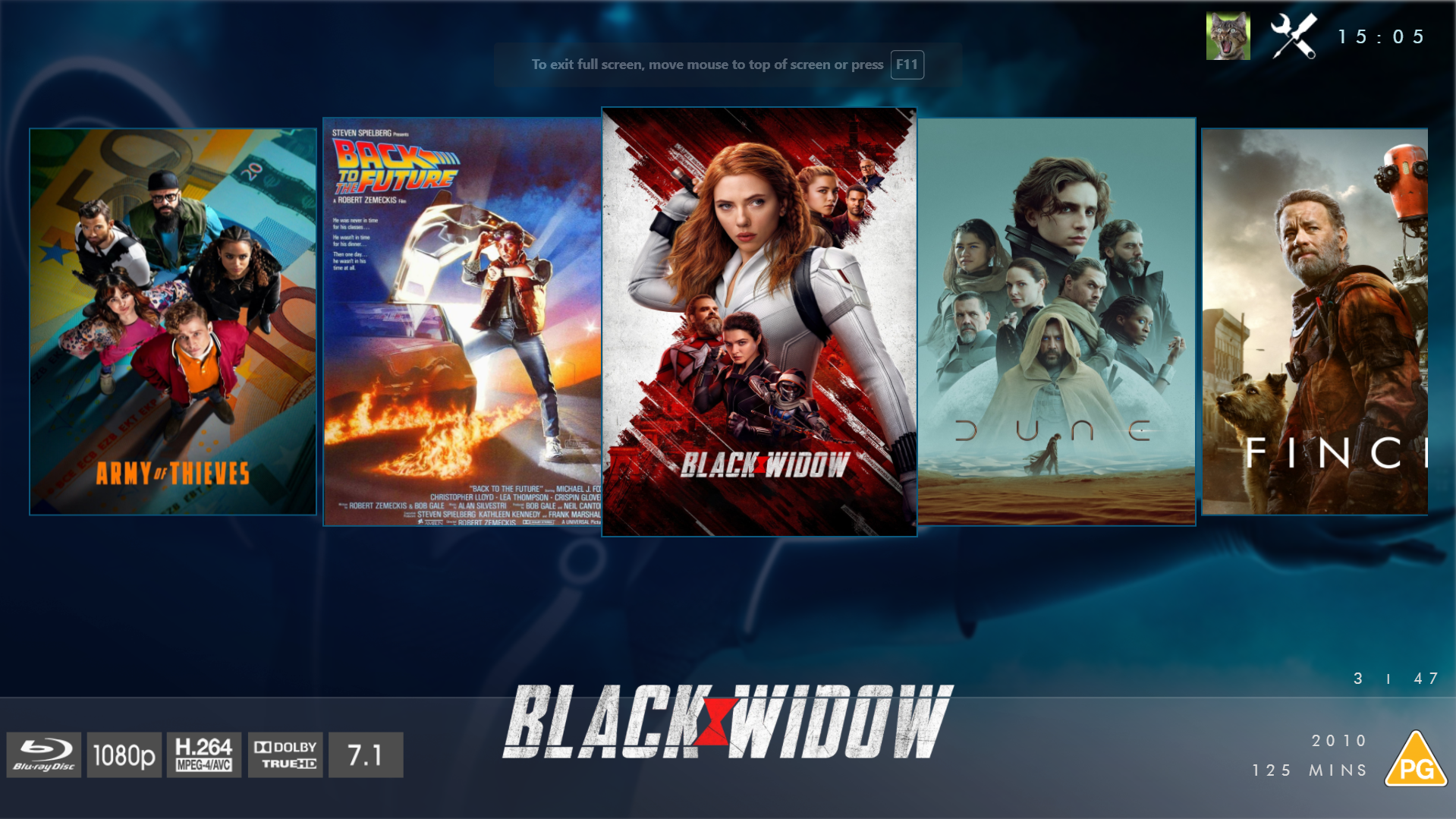
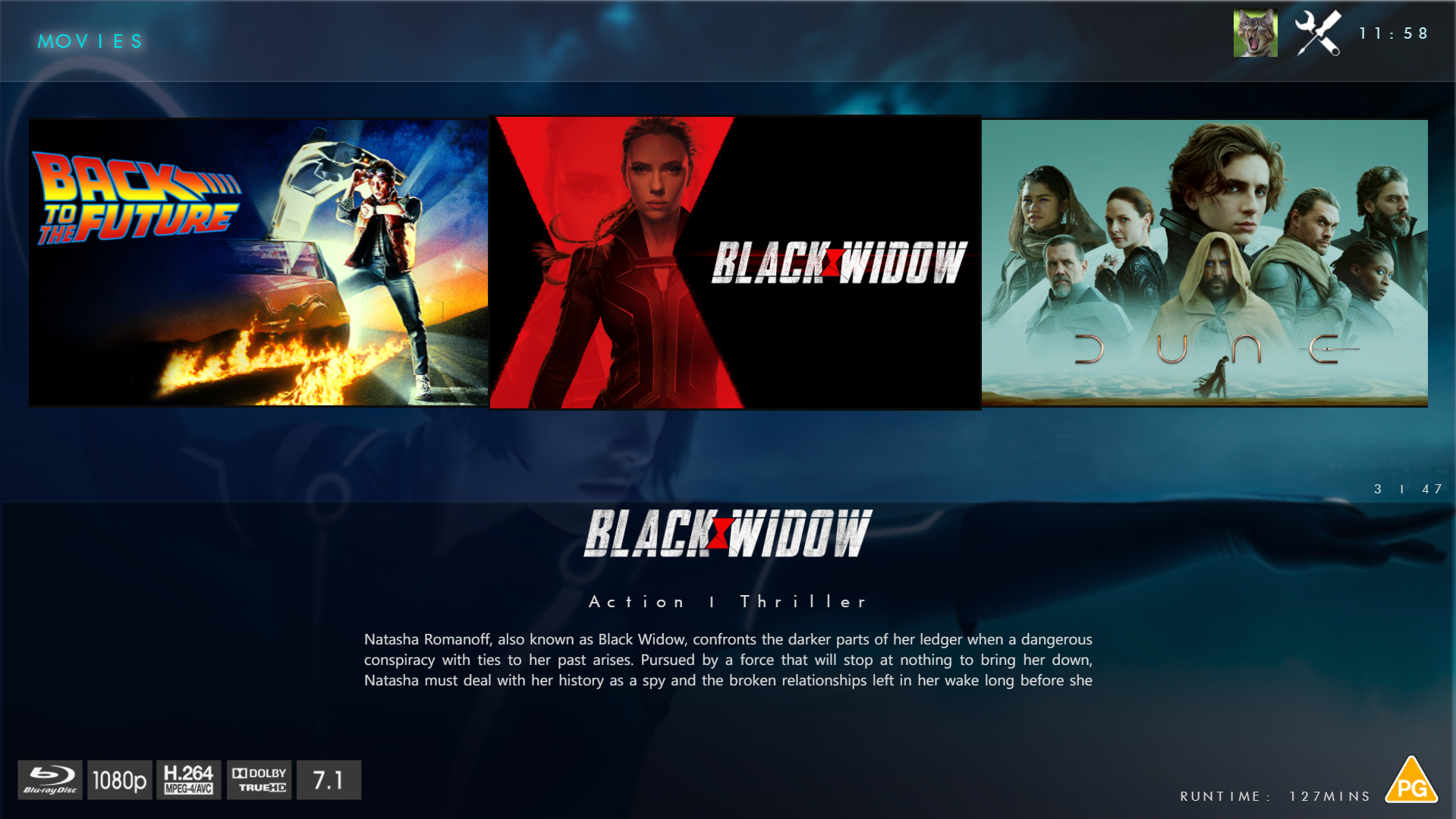
@chef @Cheesegeezer Another amazing production is about to be brought to you from devs - Cheesegeezer - I have started a new theme to bring to the masses. I am a long way off completion however we can continue to update you on the progress. The layouts are about 80% complete and once completed we can start to work on the code behind. We are interested in a closed group of testers when the time comes. I would just like to say that this was originally designed for Emby WMC back in 2014 and was just release there when M$ ditched support for WMC and the project died. @shaefurr did an amazing job with the concept artwork for me to work with back then, and this theme pays homage to him. So with out further ado... here's some of the layouts that are now coded. IRIDIUM - One theme to conquer all LOGON SCREEN HOME PAGE FIRST VIEW TYPE - COVERFLOW COVERFLOW 2 BANNER VIEW FINAL DETAILS PAGE LIST VIEW THUMB VIEW
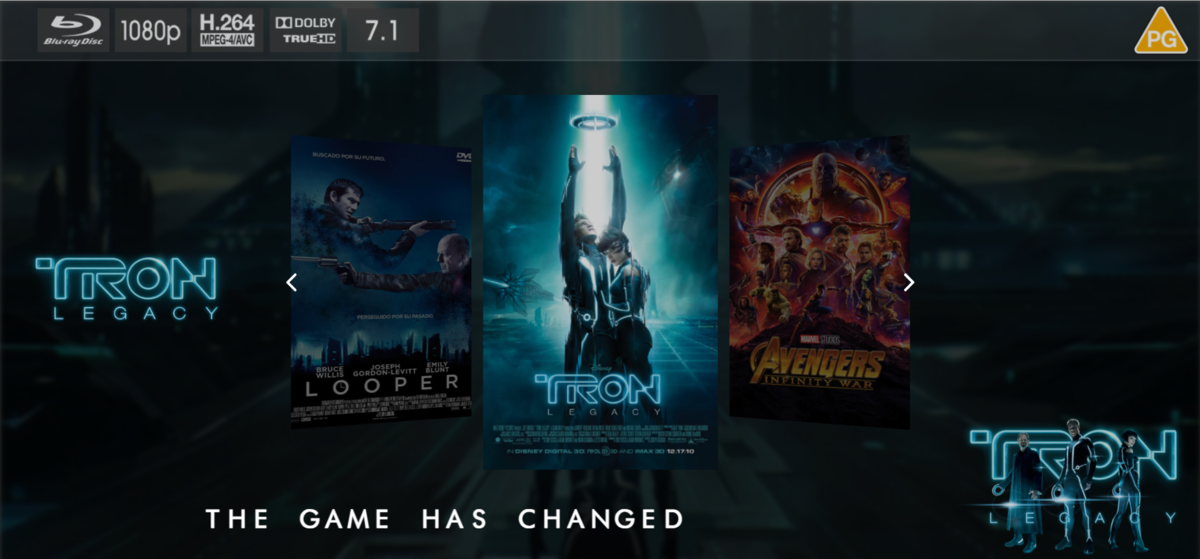
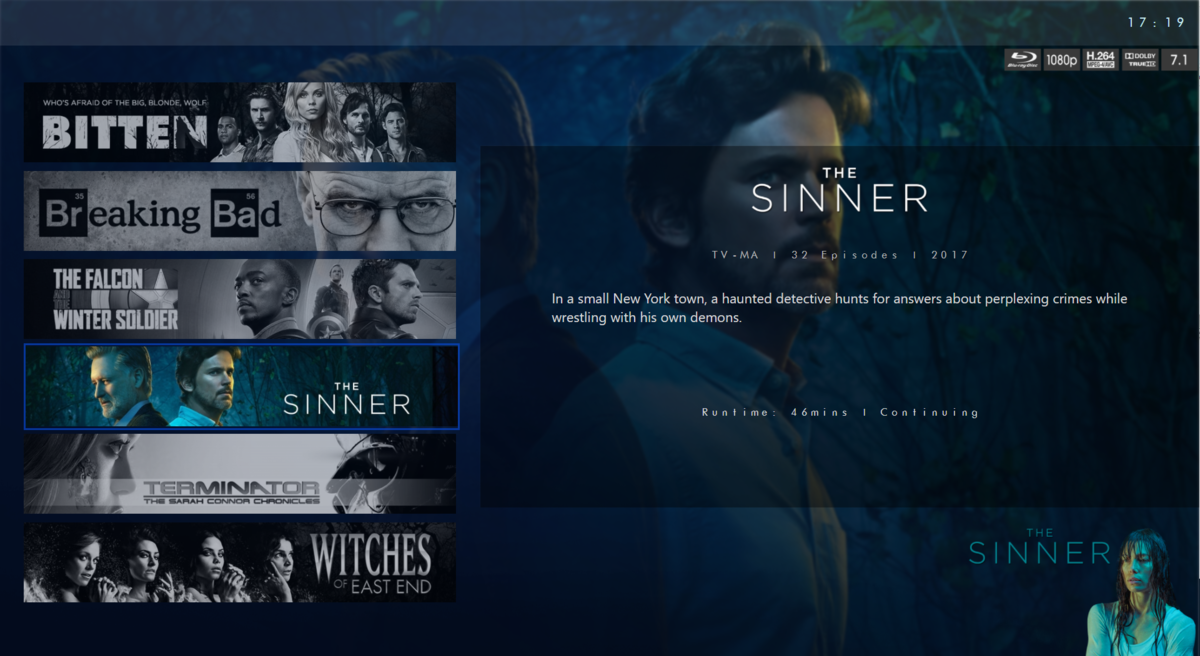
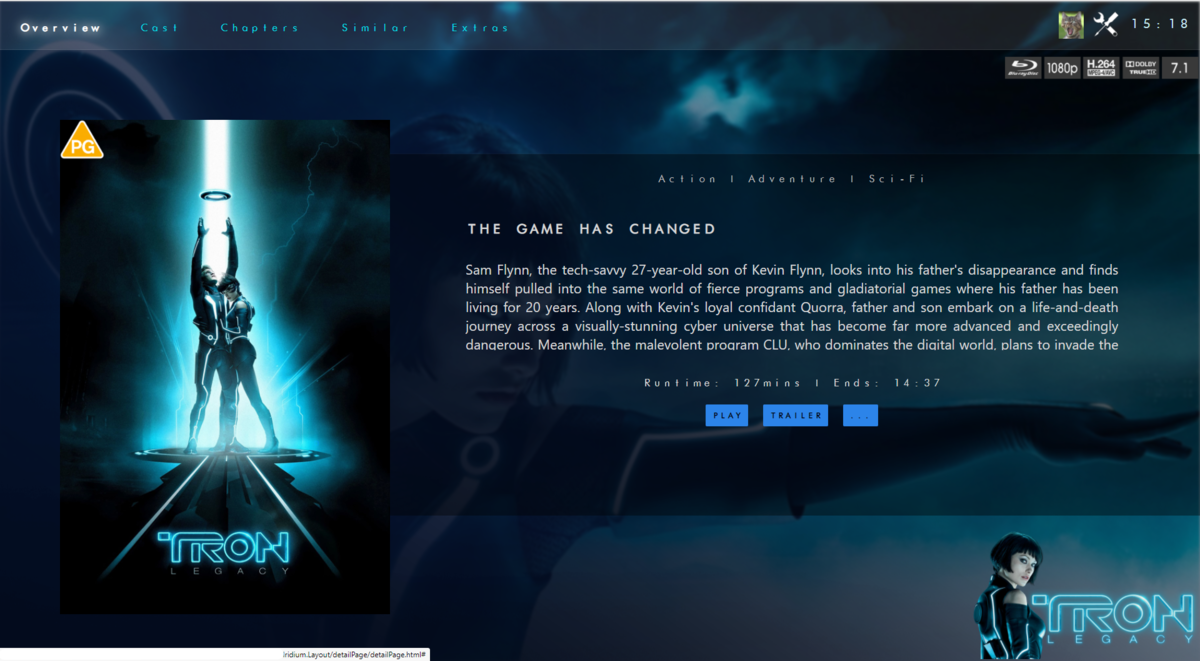
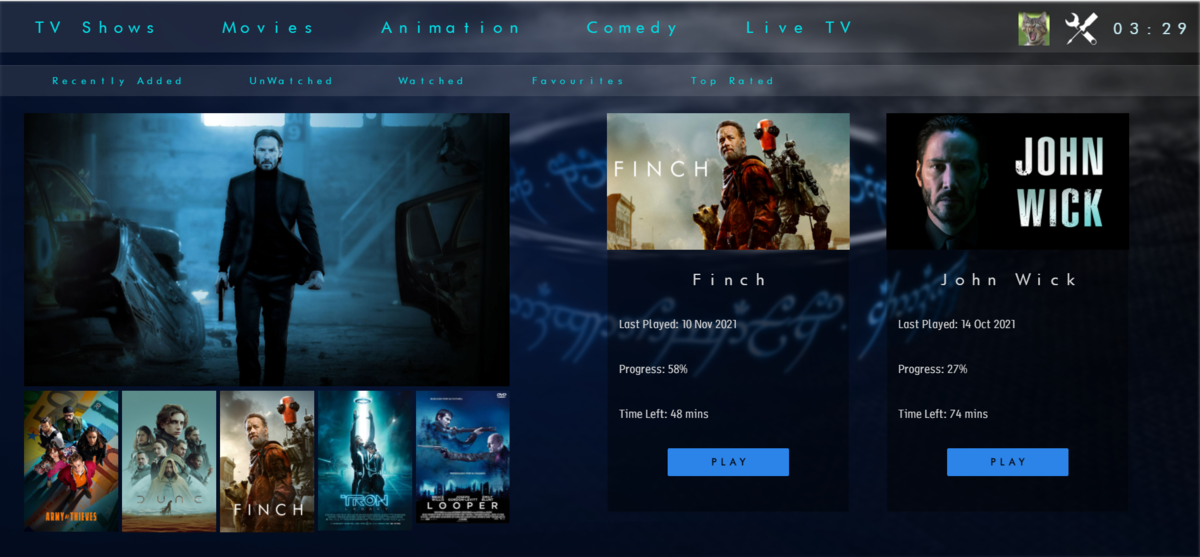
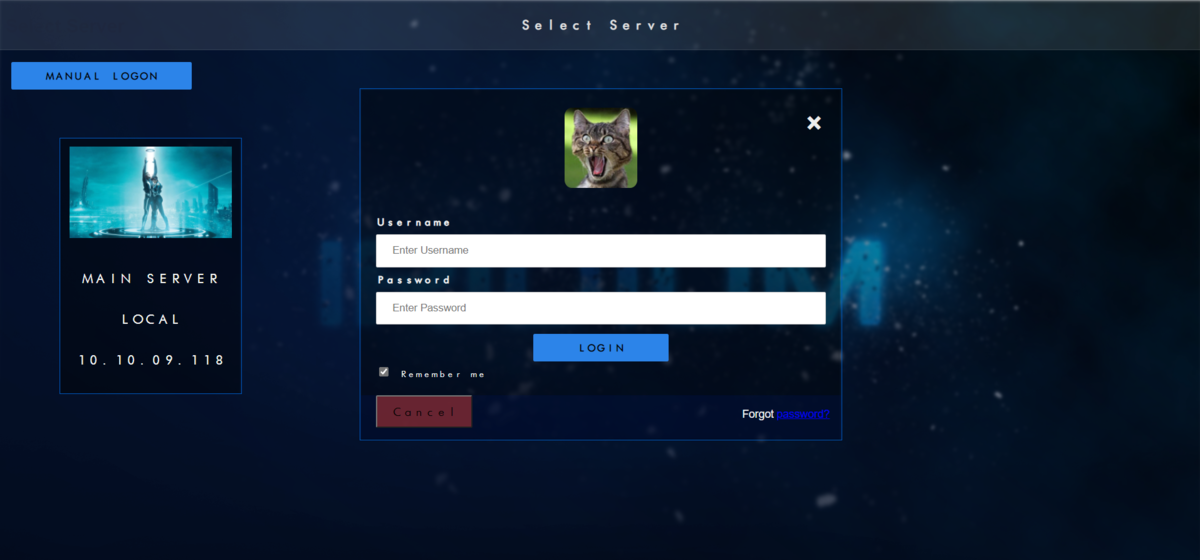
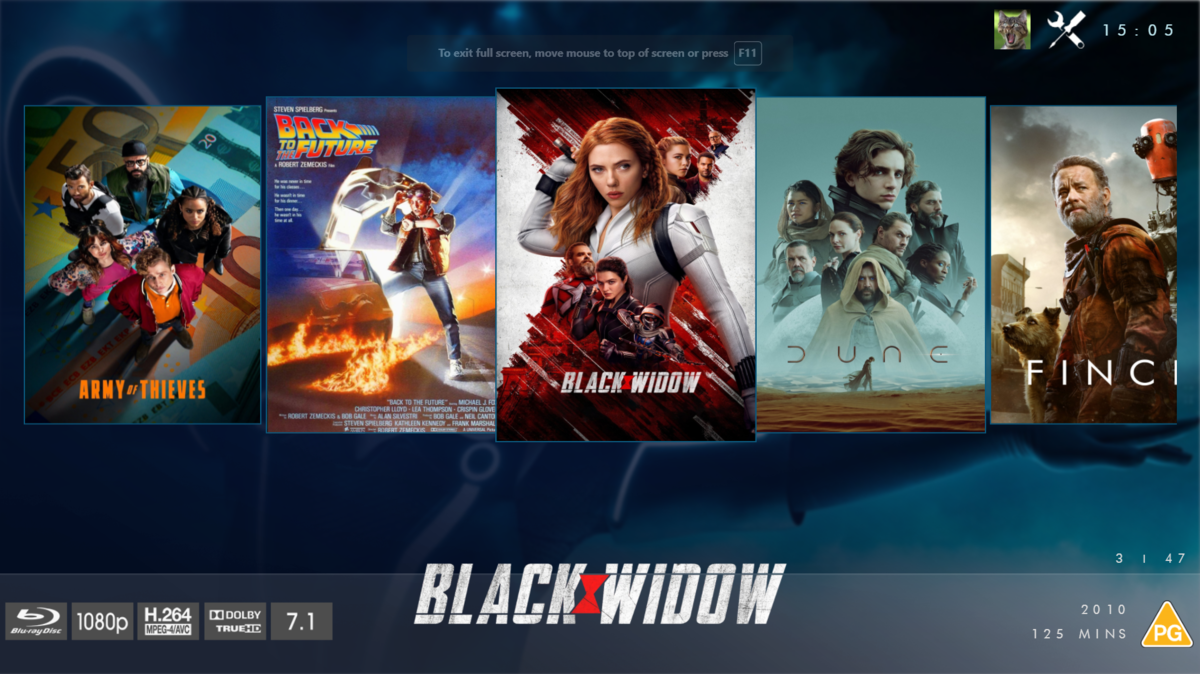
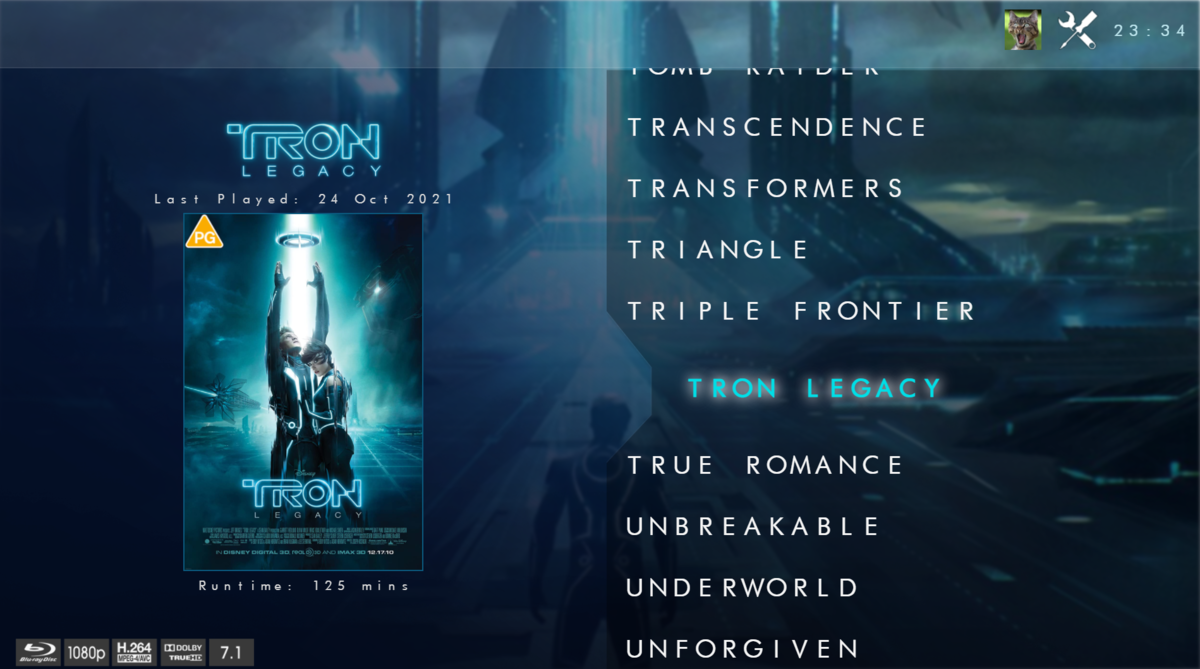
 1 point
 -
Can we get this in the header for filters. Or another way to reset filters as a lot of these check/uncheck filter options can be tedious.
 1 point
 -
That worked. Thanks for the quick turnaround!1 point
-
Thanks Luke, just wanted to make sure there wasn't a way to reduce my bandwidth usage. Emby is fantastic, keep up the great work1 point
-
Let us know how you get on. Thanks.1 point
-
OK yes we have that in some of our other apps. It's possible for future updates. Thanks.1 point
-
Hello, I had the same problem as @gevarghe, emby-next-gen plugin stopped working after update to version 6.2.12. Tried with 6.2.13 and 7.0.0-501, same thing. I didn't update anything else before it stopped working. At first I couldn't play the files, so I went into the plugin settings and I could not connect to server (when clicking on the button, the popup just closes and I get an error). Looked a bit more at logs and apparently, the advancedsettings.xml was malformed, so I removed it and after a few kodi reboots, I can connect again. I attached some infos and the kodi.log and advancedsettings.xml that was causing my problems if it can help. Thanks for the great plugin ! kodi.log advancedsettings.xml1 point
-
Hi, yes it's a good idea. Thanks for the feedback.1 point
-
Guess it depends on what your other services are doing. I wouldn't obviously peg all cores as yeah that will cause pain but you have 2 cpus so i would start by assigning say 60%-70% all cores, if all your services run fine still then up it until you find the sweet spot Also for reference one thing you might want to look at is the following docker Media manager / encoder this will scan your whole library and media-probe it, then you can apply a filter to it for example h265 4k over 60mbps and then set it to apply a "plugin" these are downloadable media profiles that you can apply to those files. That way the process is automated. A profile could be for example apply 4k - hdr - hd audio + AAC Audio track, 20mbps etc etc And i think the issue probably lies with the bitrate most likely so switching down to a more efficient 4k file shouldn't be to bad a process It manages the process but you also set up a simple ffmpeg or handbrake vm or docker and it sets them off to do the heavy lifting so Tdarr doesent use much resources itself so if you created a VM with docker installed you could run tdarr docker plus and ffmpeg or even several ffmpeg dockers, plus i believe although not 100% sure it can send to other machines also to do the work i.e a pc etc. Hell you could probably also set up a few VPS in the cloud and also let them do some work, and if you are in Europe most German vps provides offer 14 days no questions ask refund / trial of there servers but of course one would not abuse that fairness And i know u keep your server off public but if u did get additional resources i.e cloud vps you could use rclone to create a secure sftp mount to your local server so it sends it off for processing and brings it back securely alongside your existing I only played around with it for a short while so cannot vouch for the full process as i was just curious but may be worth looking at1 point
-
The duplication I get, it's the appearance of much older viewing habits instead of recent ones part of the same series that seems like a bug. I'll see how it goes after the update. Thanks.1 point
-
I just switched from Plex to Emby because Plex for some reason can't play 4K HDR video with subtitles on LG TV and starts to transcode. Yesterday I discovered Emby and was super stoked that it can do that. My happiness is gone today since I found out there is no gray or transparent color for subtitles therefore Emby is also useless for me Please add either grey color or transparent checkmark for subtitles on LG TV just like Netflix and others have.1 point
-
@Anthony Musgrove @Luke Hi Antony Hope you are well. Scripterx has been working flawlessly since inception till now for me. Thank you. However, now on beta 4.7.0.31 Scripterx has not been working for me over the last few updates. I am getting the following error in my logs: (i have tried uninstall/reinstall): 2022-03-20 12:02:10.740 Error App: Error creating EmbyScripterX.ScripterXController *** Error Report *** Version: 4.7.0.31 Command line: C:\EmbyServer\system\EmbyServer.dll -noautorunwebapp Operating system: Microsoft Windows 10.0.19044 Framework: .NET 6.0.2 OS/Process: x64/x64 Runtime: C:/EmbyServer/system/System.Private.CoreLib.dll Processor count: 12 Data path: C:\EmbyServer\programdata Application path: C:\EmbyServer\system SimpleInjector.ActivationException: SimpleInjector.ActivationException: No registration for type ScripterXController could be found and an implicit registration could not be made. Method not found: 'System.Collections.Generic.IReadOnlyList`1<MediaBrowser.Controller.LiveTv.ILiveTvService> MediaBrowser.Controller.LiveTv.ILiveTvManager.get_Services()'. ---> System.MissingMethodException: Method not found: 'System.Collections.Generic.IReadOnlyList`1<MediaBrowser.Controller.LiveTv.ILiveTvService> MediaBrowser.Controller.LiveTv.ILiveTvManager.get_Services()'. at EmbyScripterX.ScripterXDVRMonitor.attachLiveTVInstance() at EmbyScripterX.ScripterXDVRMonitor..ctor(ILiveTvManager liveTvManager, ILibraryManager libraryManager) at EmbyScripterX.ScripterXController..ctor(ISessionManager sessionManager, IJsonSerializer jsonSerializer, IHttpClient httpClient, ILogManager logManager, IUserDataManager userDataManager, ILibraryManager libraryManager, IProviderManager providerManager, ITaskManager taskManager, ILiveTvManager liveTvManager, IDeviceManager deviceManager, ICollectionManager collectionManager, IServerConfigurationManager serverConfigurationManager, IApplicationHost applicationHost, IServerApplicationHost serverApplicationHost, IUserManager userManager, IDeviceDiscovery deviceDiscoveryManager, IEnvironmentInfo environmentInfo, IApplicationPaths applicationPaths, IHttpServer httpServer, IZipClient zipClient, IFileSystem fileSystem, IXmlSerializer xmlSerializer, ISubtitleManager subtitleManager) at lambda_method847(Closure ) at SimpleInjector.InstanceProducer.BuildAndReplaceInstanceCreatorAndCreateFirstInstance() at SimpleInjector.InstanceProducer.GetInstance() --- End of inner exception stack trace --- at SimpleInjector.InstanceProducer.GetInstance() at SimpleInjector.Container.GetInstanceForRootType(Type serviceType) at SimpleInjector.Container.GetInstance(Type serviceType) at Emby.Server.Implementations.ApplicationHost.CreateInstanceSafe(Tuple`2 typeInfo) Source: SimpleInjector TargetSite: System.Object GetInstance() InnerException: System.MissingMethodException: Method not found: 'System.Collections.Generic.IReadOnlyList`1<MediaBrowser.Controller.LiveTv.ILiveTvService> MediaBrowser.Controller.LiveTv.ILiveTvManager.get_Services()'. Source: EmbyScripterX TargetSite: Void attachLiveTVInstance() at EmbyScripterX.ScripterXDVRMonitor.attachLiveTVInstance() at EmbyScripterX.ScripterXDVRMonitor..ctor(ILiveTvManager liveTvManager, ILibraryManager libraryManager) at EmbyScripterX.ScripterXController..ctor(ISessionManager sessionManager, IJsonSerializer jsonSerializer, IHttpClient httpClient, ILogManager logManager, IUserDataManager userDataManager, ILibraryManager libraryManager, IProviderManager providerManager, ITaskManager taskManager, ILiveTvManager liveTvManager, IDeviceManager deviceManager, ICollectionManager collectionManager, IServerConfigurationManager serverConfigurationManager, IApplicationHost applicationHost, IServerApplicationHost serverApplicationHost, IUserManager userManager, IDeviceDiscovery deviceDiscoveryManager, IEnvironmentInfo environmentInfo, IApplicationPaths applicationPaths, IHttpServer httpServer, IZipClient zipClient, IFileSystem fileSystem, IXmlSerializer xmlSerializer, ISubtitleManager subtitleManager) at lambda_method847(Closure ) at SimpleInjector.InstanceProducer.BuildAndReplaceInstanceCreatorAndCreateFirstInstance() at SimpleInjector.InstanceProducer.GetInstance() Is this one for you or @Luke to fix? Krs Mark1 point
-
@Q-Droid all credit to you! You have fixed it!! For anyone else who has a similar issue, the nobrl ... was the solution. I did a bit more reading and found this post on Docker Forums: https://forums.docker.com/t/a-workaround-for-net-writing-to-cifs-volume-yielding-empty-file-and-access-to-the-path-is-denied/110872 which helped me add nobrl into my Docker-Compose file. Everything worked after that... I have attached my example docker-compose file that shows this added for any other 'newbies' to docker! Thank you again for the help... really appreciated!! (Note: I marked this post as the solution as the second option you suggested was not needed...) docker-compose.yml1 point
-
Hi @FrostByte No confusion here - I'm referring to Tracks, not layers .. I asked the OP to post the ORIGINAL mediainfo - for a UHD DV profile 7 - this will show 2 video tracks. In the example posted - this is ALREADY a DV single track conversion - thus there is zero point trying to pass it though MakeMKV again - that is the point I was making Thye above media should play as DV 'as is' - there is nothing more to do to it. If it does not play, then it's either an incorrect client setting or the track has not been created properly - neither have anything to do with Emby as we known Emby can play Profile 7 DV Remux's on the Shield just fine.1 point
-
Thanks for clearing that up Luke.1 point
-
Thanks for the suggestion FrostByte. I was thinking that as well that this might be a way of getting around it. There are 8 TV's in total that were installed around 2019 so should be supported.1 point
-
Much Appreciation!1 point
-
Greeting Embians! Quick Subsonic plugin update: Just got back home from an on-site work week abroad so I will be continuing work on the plugin this weekend. Had someone open an issue at the repo regarding support for Subsonic's Lyrics API, and since Emby 4.7 will apparently be supporting embedded and external lyrics, I will look into that, although I don't know at this time if there will be an Emby API LyricsService. I'll check out the newest beta Swagger to see if I can spot anything. That said, I'll keep it on the front burner since that has been supported for a while in the Subsonic API anyway. I also wanted to let ya'll know that I changed the name of the project slightly, as EmbySub could have been confused with subtitle functionality. New repo URL: https://github.com/trifleneurotic/EmbySonic Cheers!1 point
-
@DarKni8 Don't forget when you get a chance to upload the info requested so we can look to see what's going on. Other than that all anyone can do is guess. Carlo1 point
-
You will always get a better result using tools that are designed for the job. I spend a lot of time though curating my media to get the best playback experience.1 point
-
Hello i think saying only 9 person are interested is close ot be a lie there's multiple post about this feature and for a very long time. A random guy did a plugin for that and it didn't sound that much complicated and/or difficult to implement.1 point
-
How would anyone know they were there if they were hidden by default?1 point
-
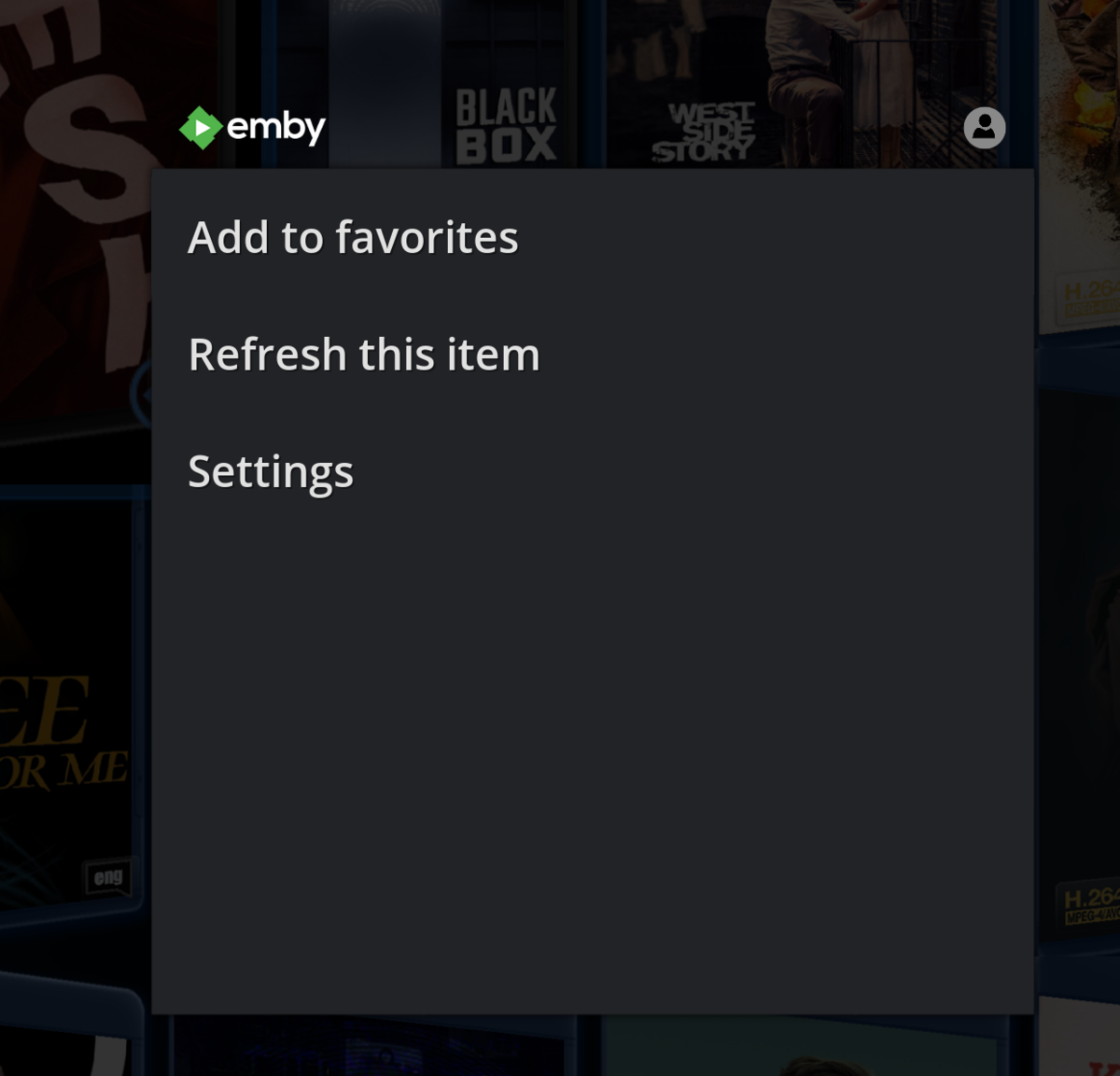
Movies section, context menu, Emby Options, there is no Delete from Emby
 1 point
 -
I think it would be a good idea to have a recording history feature and track this information.1 point
-
Thanks for the feedback.1 point
-
Since version 4.5.0.5 the Emby Server doesn’t start automatically when the Shield TV is rebooted. I hope this can be resolved in the next versions. Perhaps it is possible that Emby Server notice itself when it is active and when not so it does start when it is not active. With Emby server crashes sometimes it restart itself but there are also times it does not. When away from home it is for as far as I know not possible to start the server manually. It is possible with the Shield TV app but only locally. Thanks.1 point
-
Yeah, those devs suck. Introducing an issue in a beta line... who ever heard of such a thing?1 point
-
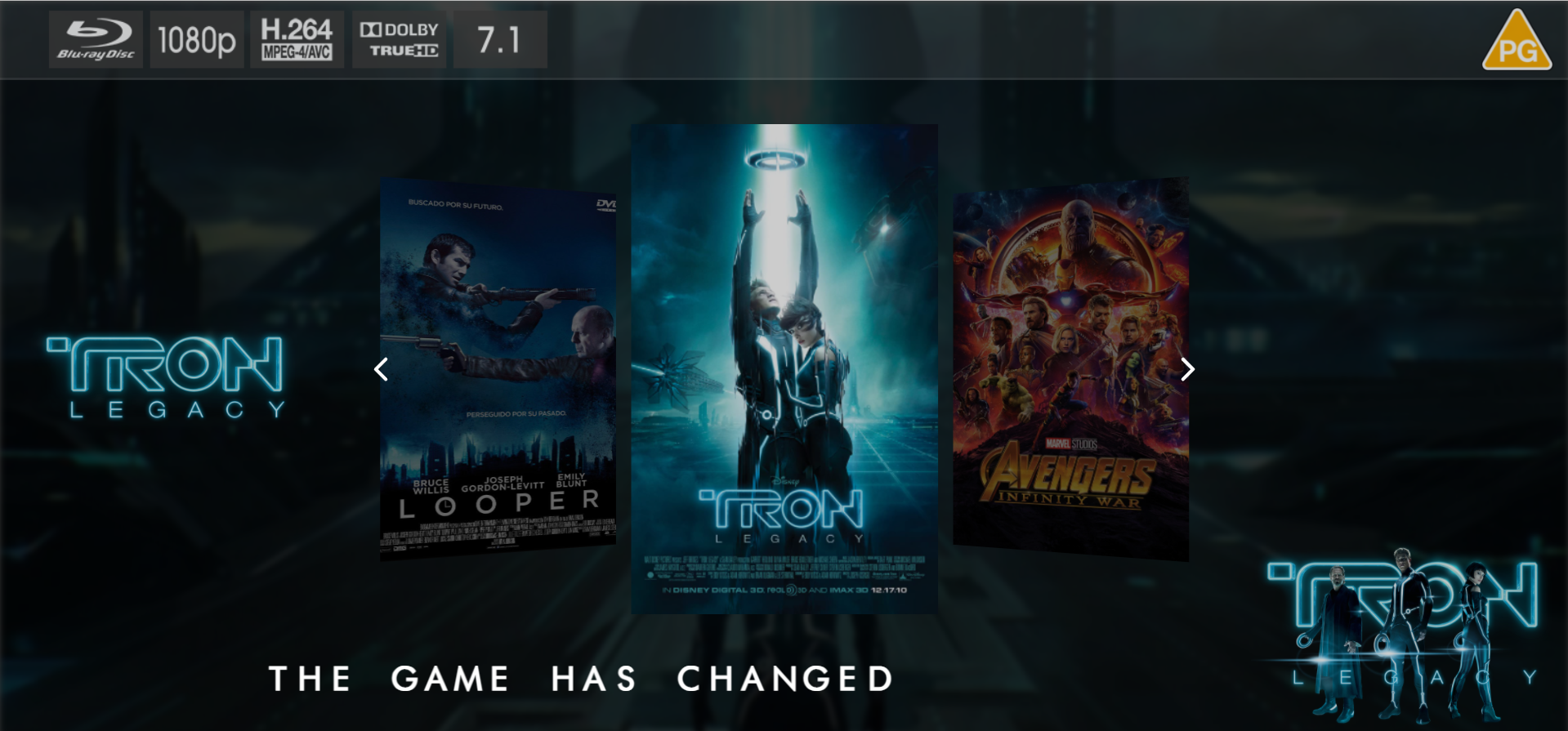
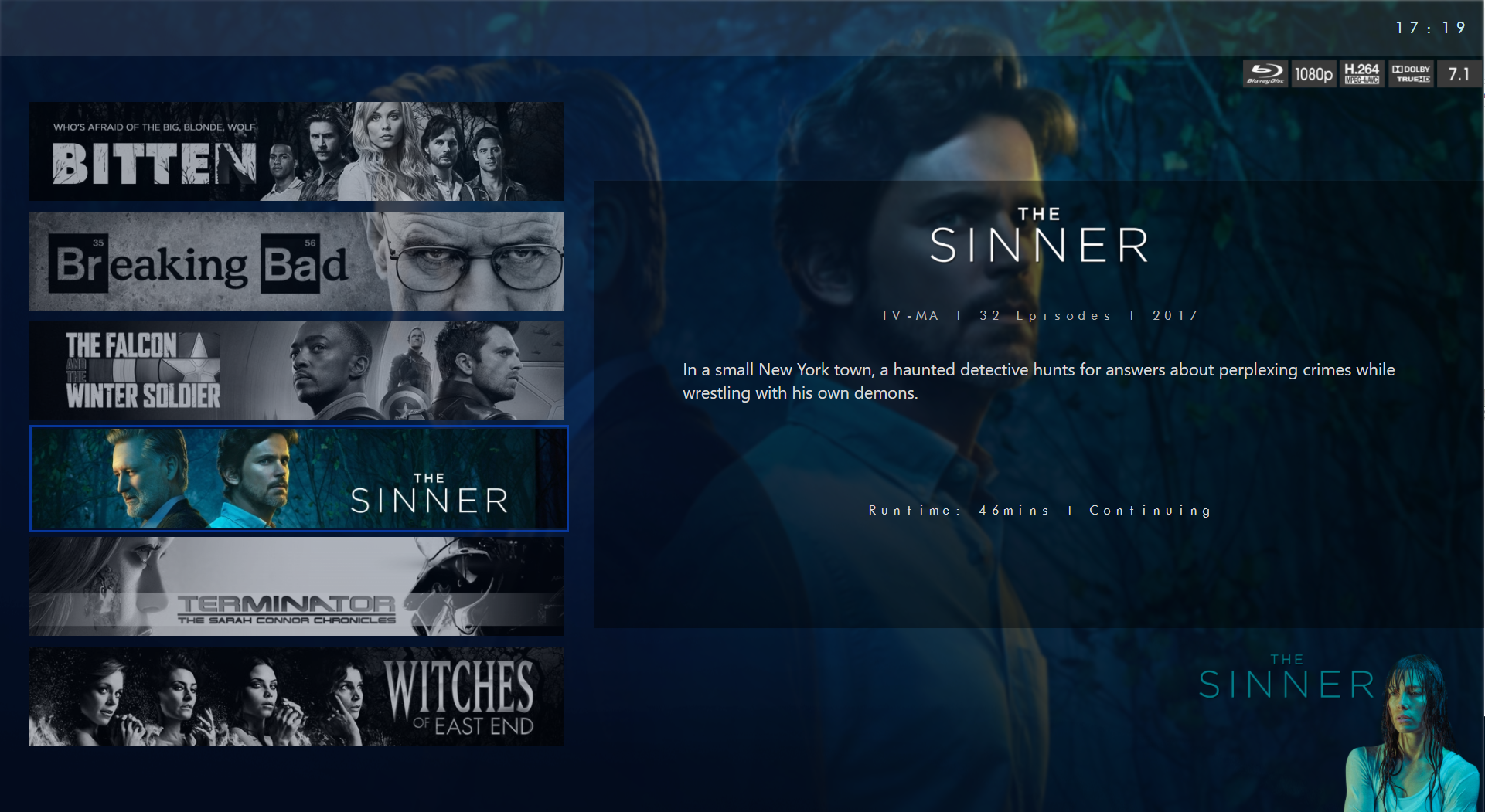
Hi @@cochize1, if you are using the reverse Proxy of your synology, you don't need to forward the ports 8096 and 8921. I would change the setup of your router as the following: Incomming Port 80 -> destination Port: 80 Incomming Port 443 -> destination Port: 443 In emby, you should change the following settings: Disable the checkbox: "allow remote connections ..." and remove the "local https port" configuration. Additionally, you don't need to setup anything in the 'Advanced' section - remove the External Domain setting and the configuration for Port 80 and 443 We will do all required settings in your Reverse Proxy of the synology. In the Reverse Proxy, I would configure it as followed:1 point






















.thumb.jpg.21d888786f2104b4f688825203ce7598.jpg)