Leaderboard




Popular Content
Showing content with the highest reputation on 03/06/22 in all areas
-
glad you registered to share this insight3 points
-
It would be useful to have a "Thumbs Up/Thumbs Down" for music files, rather than just a "heart." Some tracks are in our libraries and we don't want to delete them, but we would like to exclude them from play when we queue up a full album or create a playlist by adding full albums. Examples: an awful track on an otherwise good compilation disk, or a spoken-word intro track on a music album. Being able to easily mark such tracks with a "thumbs down" would be very useful.2 points
-
I like to have complete albums but sometimes I really dislike some of its tracks at the first listen. I'd like for them not to appear in the playlist, wether it's from Play All button on the album page or the whole music library Shuffle button, but be able to play them manually (by clicking on it or adding it the to playlist myself). Just like knowing it's here and that I can give it a new try sometimes What do you think?1 point
-
Can we lock the movie order in a playlist? I want to make a MCU movie sequence, but anyone can change the order in it and i need it to be always the same order.1 point
-
Thanks everyone! learned alot here..1 point
-
@usnscpo and @Cadkey If you create a Scheduled Task, you also have to run it as user root, or you may get permission errors1 point
-
@usnscpo adapt the first version exactly as you adapted the pdf tutorial on your Nas.1 point
-
Ok after some time now serietv is updated Hispa1 point
-
It's working with that beta version of Emby! so, I guess there is something wrong with the stable version. You guys should look into it.1 point
-
That worked. Thanks!1 point
-
I'll try again when I get back to my computer1 point
-
Agreed - I used the latest Samsung USB drivers - those worked with fastboot. https://developer.samsung.com/android-usb-driver You can test the success of the drivers without doing anything destructive to the Shield, get into Dev mode on the Shield, then just plug it into the PC and use fastboot to check connectivity with a device id - if you get that far then you are good to go.1 point
-
Hi there, I would just be patient. It will scan one and then the other.1 point
-
No IDS/IPS, not officially. You're not the first to ask for that feature. But... when you login to a vyos router, you are at the Debian linux command prompt. If you want, you can enable debian repositories, and install anything you want. Some people have done that. It's not recommended obviously, because you then risk breaking vyos features. I won't do it. I picked the above hardware because the chips support gigabit wirespeed in hardware. I can route at gigabit wirespeed and the cpu barely gets over 1%, which leaves the cpu available for things like vpn encryption. You can still set firewall rules both in vyos and in debian linux iptabes, like blocking an address that makes too many failed access attempts. I keep a half dozen ssh sessions open, each one running iftop for each interface, including the wan and the openvpn tunnel, so I can see in real time who is talking to who. Makes it super easy checking for things like dns leaks. The only traffic leaving my router goes to a nord vpn server. I can see everything is fine, which is good enough for me. Don't think I need intrusion detection anymore, since I'm not leaving any external ports open, not even ping. I drop everything. I'm in love with vyos. Every day, I smile as i check everything. It's incredibly stable, no reboots after making lots of changes. It's been around for years, so it's seasoned. If you like debian linux, and command line routers, you'll love it. So much easier IMHO than pfsense or OPNsense, which lock you into a GUI that isn't very intuitive, and the shell access on those is quite limited, even if you do know BSD.1 point
-
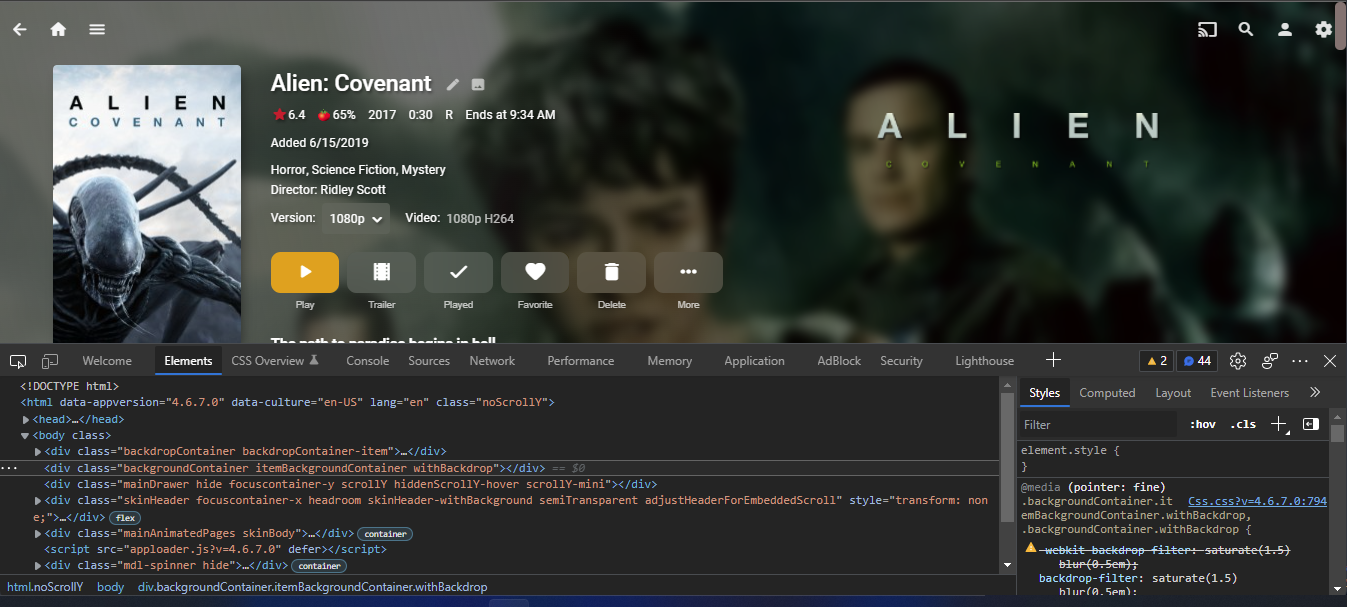
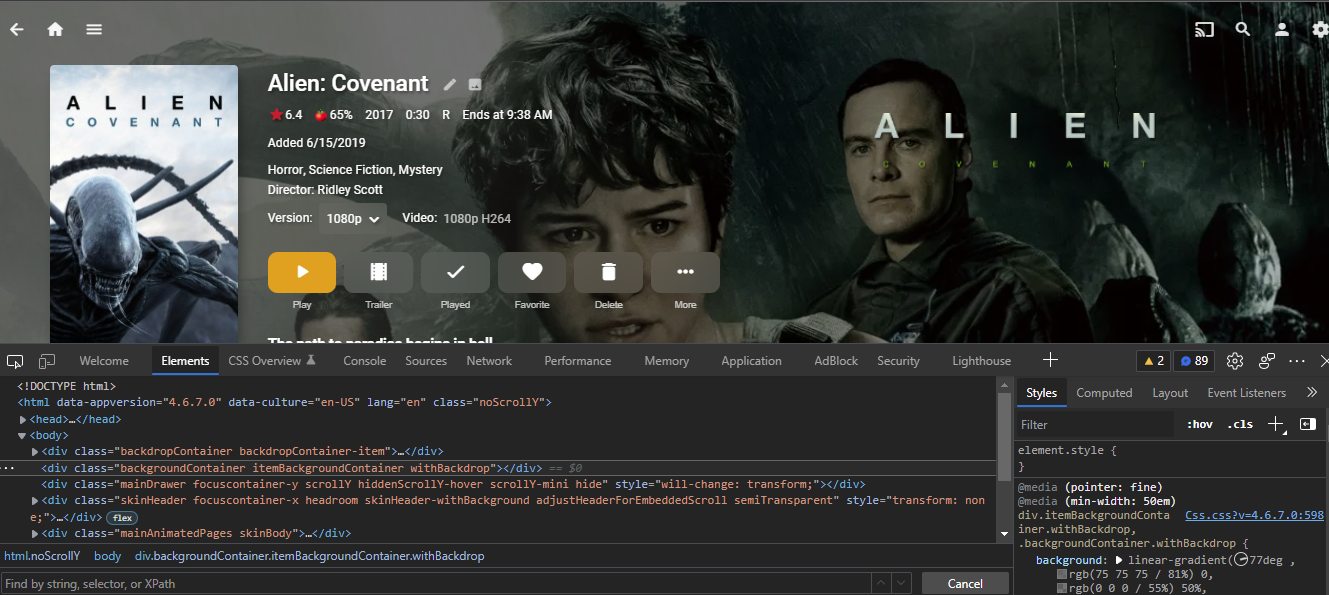
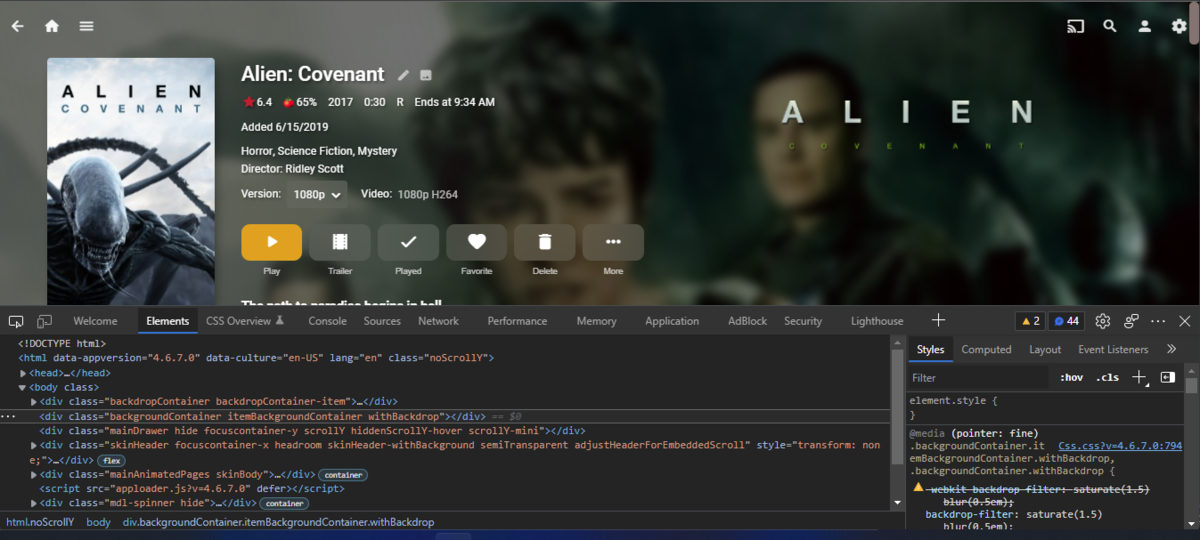
Don't follow before after All I did was remove first on from the theme. .backgroundContainer.itemBackgroundContainer.withBackdrop, .backgroundContainer.withBackdrop { -webkit-backdrop-filter: saturate(1.5) blur(0.5em); backdrop-filter: saturate(1.5) blur(0.5em); }
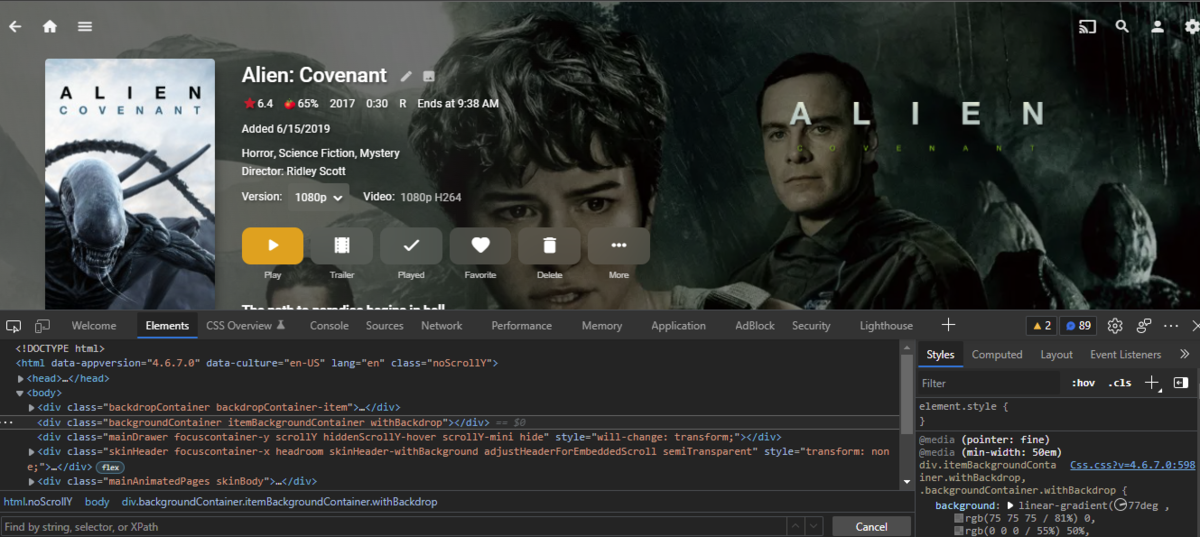 1 point
 -
Yes i search to copu old my programdata with also cache and other folder to mu new server on new Qnap...and enconter this problem, but solved only copy these folder: /ProgramData/config /ProgramData/data/users.db /ProgramData/data/library.db and metadata folder and now work well Hispa1 point
-
I tried to flash one of my shields back to 8.2.3 some time ago but for some odd reason, the nvidia provided drivers for windows that worked before would not work now. Interestingly though I was able to access the shield correctly via my Mac but decided against downgrading.1 point
-
Does vyos have a well supported IPS ? (snort etc?) That is the feature that usually slows down edge devices. The mini-pc you have is a nice balance of hardware - I still use a 5 year old Asus N3150 mini-ITX which has an integrated 4 Core CPU (Celeron) but only @ 1.6Ghz. tbh- mine has never hit more than 50% peak cpu (with IPS) so your should have plenty of grunt for future needs.1 point
-
re the downgrade - If you have ever rooted an Android phone, then the process is along the same lines for the Shield. You don't need to 'root' it as it's all official OS builds - but you do need to unlock the bootloader, but that's just a single command. As long as you can get fastboot working - then it's actually fairly painless tbh.1 point
-
I'm not sure anyone can see much of a benefit of FEL and 12-bit colors right now. Maybe a little. Are there any 12-bit panels on TVs yet? I believe Hisense is making one with two panels (1080p and 4K) that display 12-bit. Sort of like UHD does with adding the 1080p EL. So there probably are some TVs that are 12-bit, or soon to be hopefully. MEL/RPU will only get you metadata changes. So, I guess what I'm after is to eventually get the additional FEL 12-bit color enhancements from a digital file without having to stick a disc in a player and still play everything else with one box. Some of the new 12-bit Zidoo boxes have internal bays for HD. I was thinking of putting ISO on them and all the mkv would stay on the NAS. Since only about half my DV titles have FEL this shouldn't be too much space. The DV titles with only MEL would still be converted to mkv and stay on the NAS. There are some interesting threads on Zidoo and AVSforums which I'm only partially done reading. This is all in the initial planning phase, but it may go forward IF my Shield were to break anytime soon.1 point
-
Solved from the Shield forum. The latest Shield software v9 has broken it, you need to turn off Dolby Processing on the Shield and you get AAC surround back.1 point
-
Happy removing the top one removes the backdrop altogether, or at least that's what I got. arrbee99 that just looks naked to me. Maybe I'd get use to it in time, but to do that is all the more reason to get rid of the background blur altogether to make sure the image pops. Grim looks like that Emby keeping the images from "Carnival Row" for as long as it did was a one off after all. I just logged back into Arco after going into Manjaro and adding the CSS there and the new Images were gone.1 point
-
It is a fact that postprocessing detection is more accurate, since comskip use the data for the complete show before making decision on cuts. On live show it only make decision on cut on small segment of the show. But it also depend on the show and the channel the processing is done. When the logo detection is accurate usely preprocessing is very accurate. When commecial are separated from the show with black frames the detection is also very accurate. I found that live show like news casts or sport are less accurate. I keep the logo detection done by comskip on postprocessing and use it for preprocessing of the next show on the same channel. I found the pre-processing more accurate this way (If the logo detection was good).1 point
-
Hi, I'll close this post as the solution has been given (but will open an other withan other subject) Thank you for your help ! regards1 point
-
Not as impressive as what others have submitted, but I thought I'd post them anyway for those who want something a little more simple.










 1 point
 -
Per url above. @cayars could that url be added to the KB for users to check their status. Global (system) download limit: 200 per 24 hours Detected IP(s): Array Raw IPs: xxx.xxx.xxx.xxx, xx.xxx.x.xx Detected Country: us BANNED: No User Agent: Mozilla/5.0 (Windows NT 10.0; Win64; x64) AppleWebKit/537.36 (KHTML, like Gecko) Chrome/98.0.4758.102 Safari/537.36 Edg/98.0.1108.62 Accept Language: en-US,en;q=0.9 FINAL RESULT: Accepting download You are not logged-in on OpenSubtitles.org SYSTEM should count downloads by IP ADDRESS(es) ========================================== List of downloaded subtitles per IP: xx.xx.x.xx for last 24 hours - total 0 Array ( ) You can download 200 subtitles more ==========================================1 point
-
It's 200/24 hrs.1 point
-
I tried removi/ng the poster and moving the text down and it just looked off to me, but that just my opinion. Happy I don't think I'm getting what you mean.1 point
-
Just in case Happy2Play has gone to bed / gone shopping / gone to have dinner, I think in the css you copied you should find something like this - div.backgroundContainer.withBackdrop {backdrop-filter: blur(6px);} and just turn it into a comment, as in /*div.backgroundContainer.withBackdrop {backdrop-filter: blur(6px);}*/ Happy2Play actually knows what he's talking about though, so bear that in mind...1 point
-
Beautiful, thank you! Regards Mark1 point
-
Where were you looking? But if you were to look at system css you would have had to look at the card.css. But you should use the browser console to see select the elements then apply custom css to Emby as editing system files requires update with every server update. You should only run into issues default code already has "!important".
 1 point
 -
What I'm seeing in your logs in a timeout on the requests. It's like you hit your limit for the day and they refuse the connection. VIP is good for 1000 requests per day but I've never read what you get as non-paid. This could be figured out pretty easily by counting requests sent in the code. @Luke could we some something simple like that added in the server so it will only make 980 to 1000 requests in the code per day (VIP)? That would help as they wouldn't be getting nailed by our servers everyday. Would make library scans more efferent as well. Ideally, if we get back 3 to 5 messages in a row of a timeout we could stop and update the schedule to try again in an hour or two.1 point
-
Yup Emby team, please dont go in wrong direction. Do the basics right, then work on all bells and whistles.1 point
-
That’s a good idea. I’ll test that. I was expecting live processing to be more cpu intense based on the documentation in the plug-in.1 point
-
Hi, what was the solution?1 point
-
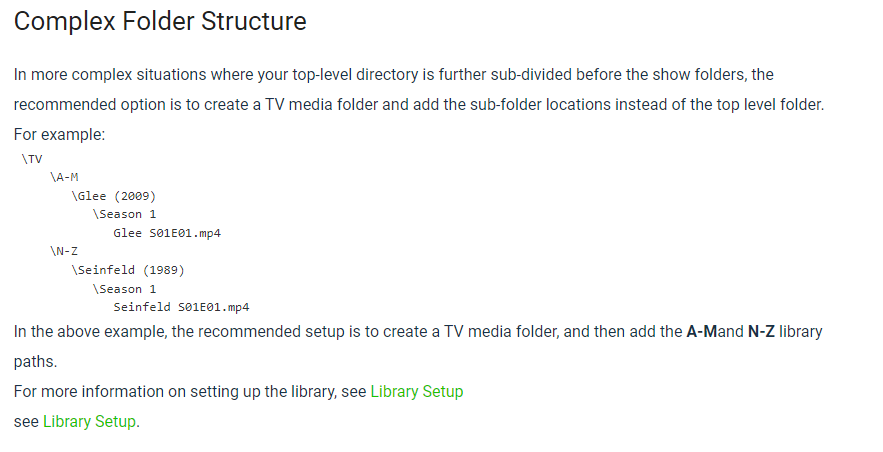
@iJoMun If you want to keep the Premiere channel name on disk such as [HBO Max] you can do that but you would then add each and every channel as a mount point to TV Library. From the Knowledge Base - https://support.emby.media/support/solutions/articles/44001159110-tv-naming The key to getting good results is the Show\Season\Episode structure that is 3 levels deep under the mount point. \TV \Glee (2009) \Season 1 Glee S01E01.mp4 Glee S01E02.mp4 PS I said I'd help you with those other things when ever you were ready. You just take a long time getting ready is all. When ever you want to do let me know a day or two ahead of time and we'll set that up.
 1 point
 -
So [HBO Max] is being seen as a Show and everything in that folder is seen as a Season? But if I had to guess Our.Boys.S01 folder will break the entire structure as it is a Season folder under the parent folder [HBO Max]. Emby currently requires every series to have their own parent folder.1 point
-
I understand Looks like it's settled...This weekend I will make a transfer .sub to srt ..... Only a total of 14 ......Thank you1 point
-
Bonjour, Tout fonctionne parfaitement maintenant ! Je ne sais pas si cela est dû à une mise à jour du Media Center de la Box THD de SFR ou bien à une mise à jour de Emby, mais tout est rentré dans l'ordre. Merci.1 point
-
We announced a while back that Emby for WMC would not continue to be supported beyond server version 4.6. With the release of 4.7 getting closer, we just wanted to issue a gentle reminder. View the full article1 point
-
Hi, did you notice the error messageb in the ffmpeg log? Has something gone wrong with your media storage volume? 09:29:40.531 /Volumes/New-Disk/2021/Welcome.to.Chechnya.2020.720p.AMZN.WEBRip.800MB.x264-GalaxyRG[TGx]/Welcome.to.Chechnya.2020.720p.AMZN.WEBRip.800MB.x264-GalaxyRG.mkv: No such file or directory1 point
-
@Luke I want the functionality this request is pushing for but I don't think the requested feature would work. I'm unlikely go go through my tracks and mark each one with a 'like it/don't like it' tag. That said, if you added a control during playback that make it easy to flag songs I dislike and then filtered them out for the future, that would be awesome. So when playing a playlist, using instant mix, or shuffling a genre or artist and a track that I don't like plays, I could click the 'this sucks' icon. The track would then be skipped and marked to be ignored in this kind of playback in the future. If it's a playlist the track could automatically be removed from the playlist too. Over time those tags would shrink the list of content emby would select from when playing in various mix modes to just things I might want to hear. I'd love that.1 point
-
You will probably find your Premiere count goes a lot further then you think it will. PC and Mobile Browsers, Roku, Apple TV as well as Smart TVs (LG and Samsung) do not require a Premiere license for playback. They would only need a Premiere license if they use other Premiere features such as Live TV (refer to matrix) which is easy to control from the Dashboard user access controls. Users with iOS and Android mobile apps, Android TV and Fire TV apps can purchase an app unlock for full playback and then it would be essentially like the above. An unlock via an app is good for all devices on the same store account of the same type. As an example if you had 3 Firesticks all logged in with the same email account one unlock is all that's needed for those 3 devices. The first device unlocks the app while the other devices can restore the license already purchased. We try to be fair overall on how this works. This gives you a bit more freedom in how you can manage users to maximize your Premiere License.1 point
-
Hi, You can control what each and every user has access to on your server so you could keep them from using specific Premiere features such as Live TV. Doing this you could limit their use to free clients or the couple of clients they can purchase for roughly $5/lifetime to use. That way they would not use any of your Premiere licenses. You can set stream limits on users as well to help stop them from sharing their login credentials as they end up hurting themselves doing that. You can restrict users to specific devices which you already found as well. One of the best methods is to simple rename the device when they login with their name (device menu) so you can see something like "Shield TV - Tom Jones" which makes it easy to see what devices belong to what users. Then go to their access tab in users menu and give them only access on that one device. They will not be able to login on other devices that way using up other licenses. Any device not used in a week will fall off your license count so keep in mind this is a rolling count of active devices and will not match what you see in the device menu which could be far older than that. You can also login with all your own devices using a Premiere feature to ensure your own devices get a proper license before you start sharing your server wildly. As a last resort, just so you know there is an option to upgrade to 45 devices lifetime or 45 or 75 devices monthly so keep that in mind if ever needed. https://emby.media/premiere-ext.html1 point