Leaderboard




Popular Content
Showing content with the highest reputation on 03/05/22 in all areas
-
I have this very simple script that saves the cache and metdata folders to the original Emby folder. This allows to acquire a copy if the NVME disk fails, as well as to very quickly revert to 'standard' version of the Emby folders on volume1. This SH file can be launched automatically in the task scheduler, every night. To be adapted according to your configuration. This corresponds to the folders and configuration of the tutorial. #!/usr/bin/env bash cp -ru /volume3/EmbyFast/metadata /var/packages/EmbyServer/var cp -ru /volume3/EmbyFast/cache /var/packages/EmbyServer/var EmbyBackup.sh As an example, my classic configuration: #!/usr/bin/env bash cp -ru /volume2/EmbyFast/metadata /volume1/@appdata/EmbyServer cp -ru /volume2/EmbyFast/cache /volume1/@appdata/EmbyServer4 points
-
I tried to make this as easy to follow as possible and made it a bit flexible to handle 1 or 2 NVMe(s). You can choose a single disk or use RAID 0 or 1. You can also choose to use the ext4 file system or BTRFS. It's a lot of combinations to test but I did with the 7.1 DSM install afterward. I'd keep an eye on the size of /dev/md0 in the root directory using this command: df - h If your use column shows 75% or higher I would find out why and remove the files before doing the NVMe stuff. NVMe Synology Storage.pdf4 points
-
glad you registered to share this insight3 points
-
It would be useful to have a "Thumbs Up/Thumbs Down" for music files, rather than just a "heart." Some tracks are in our libraries and we don't want to delete them, but we would like to exclude them from play when we queue up a full album or create a playlist by adding full albums. Examples: an awful track on an otherwise good compilation disk, or a spoken-word intro track on a music album. Being able to easily mark such tracks with a "thumbs down" would be very useful.2 points
-
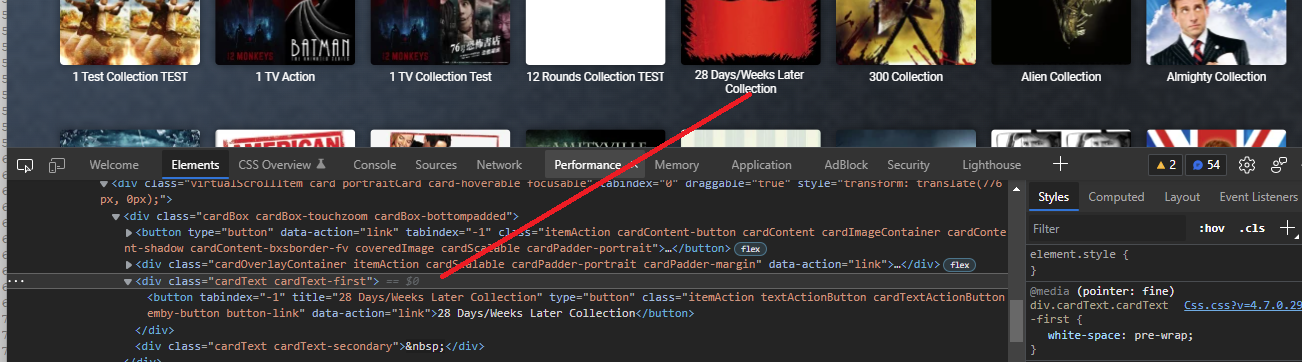
Change to "div.cardText" to cover all or add "div.cardText.cardText-secondary".2 points
-
It's nice for the cache and meta-data folders which make screen scrolling pretty fast, but I think this helps the most performance wise for those recording and watching Live TV like sports. It's an all around good performance booster. If you do a lot of DVR recording you may want to leave both setup as that gives you a decent amount of storage before. I didn't want to get into how you can process DVR stuff in the PDF. Alternately, if you know you won't need it for this purpose you could copy everything off, unmount the drive. Then setup one in Storage Manager as a read cache. Then follow the directions in the pdf again to setup just a single NVMe drive.2 points
-
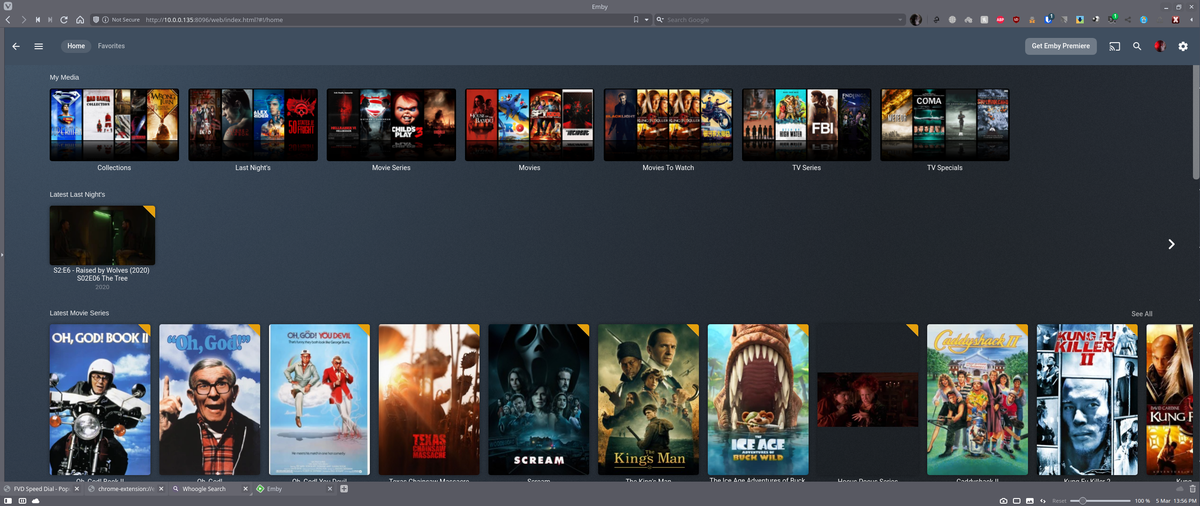
@arrbee99 OK long story short til this morning that library had 4 images from a show that was in it months ago, that was the only series in it at the time it was created. When I add this CSS and saw that library was still looking the same I deleted it and recreated it getting the blank library. I just copied 4 shows to it, scanned the library, deleted the copied shows, rescanned the library, refreshed the page and the images are still on it. I even did a restart of Emby and they're still there. Not to shabby of a cheat if I do say so. Thanks for giving me the idea.
 2 points
 -
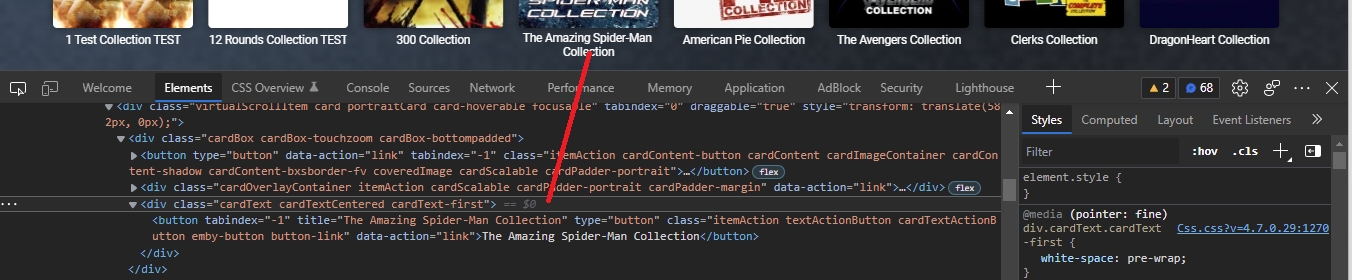
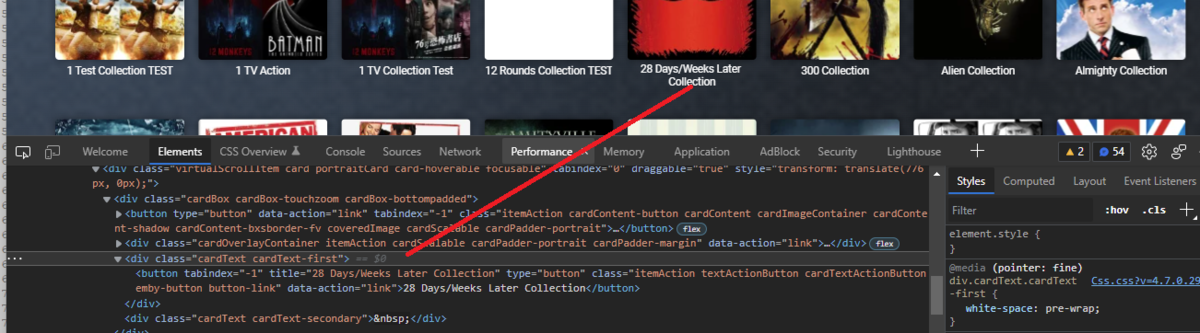
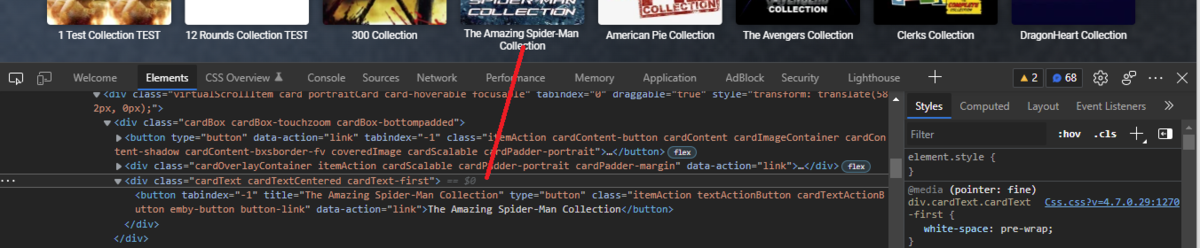
Sorry was looking at Collection tab not Collection library. My custom css is to targeted as that view does not have "cardTextCentered", so the fix is to change to this "div.cardText.cardText-first" to cover more.
 2 points
 -
I've been back on SE8 for a few weeks now, zero issues - Android 11/SE9 provided nothing new for me (Dolby Audio Processing is turned off anyway - I have a AVR for that) - so I'm using DFA now as I always did.. Everything with DV/DA plays and sync's perfectly - don't touch it ! To note - Even though the 'upgrade' flag is firmly off - I still get nagged about going to SE9 every couple of days - I may capture the call home and see if I can block it on my outgoing web filter/fw ...2 points
-
Super cool, thanks Carlo.2 points
-
It doesn't matter how much you are probed or scanned, unless the amount is at the level of a DoS attack - which is unlikely for a domestic user. Security is about making sure that these probes don't get any further, i.e. strong password and additional protection as appropriate, which can prevent actual infiltration. I have been running servers on my home Internet for over twenty years now, and neither my mail server, my web server, nor my SSH server has ever been penetrated. The passwords are good, but not extreme (my password-safe software considers anything under twenty characters to be "weak"); occasional observation of the login attempts (typically several a second) shows that they are extraordinarily repetitive - the same user names and passwords are attempted again and again and again. It's pointless, but I suppose it costs the attackers (who are presumably mainly just "script kiddies") essentially nothing in any resource terms (including thought). But vigilance is prudent; paranoia, not so much. The main danger to your network is not external access of this sort, but a user inviting the baddies in by clicking the wrong link in an email or visiting a dubious web site. Good antivirus software can help protect against that (I use Eset). Paul2 points
-
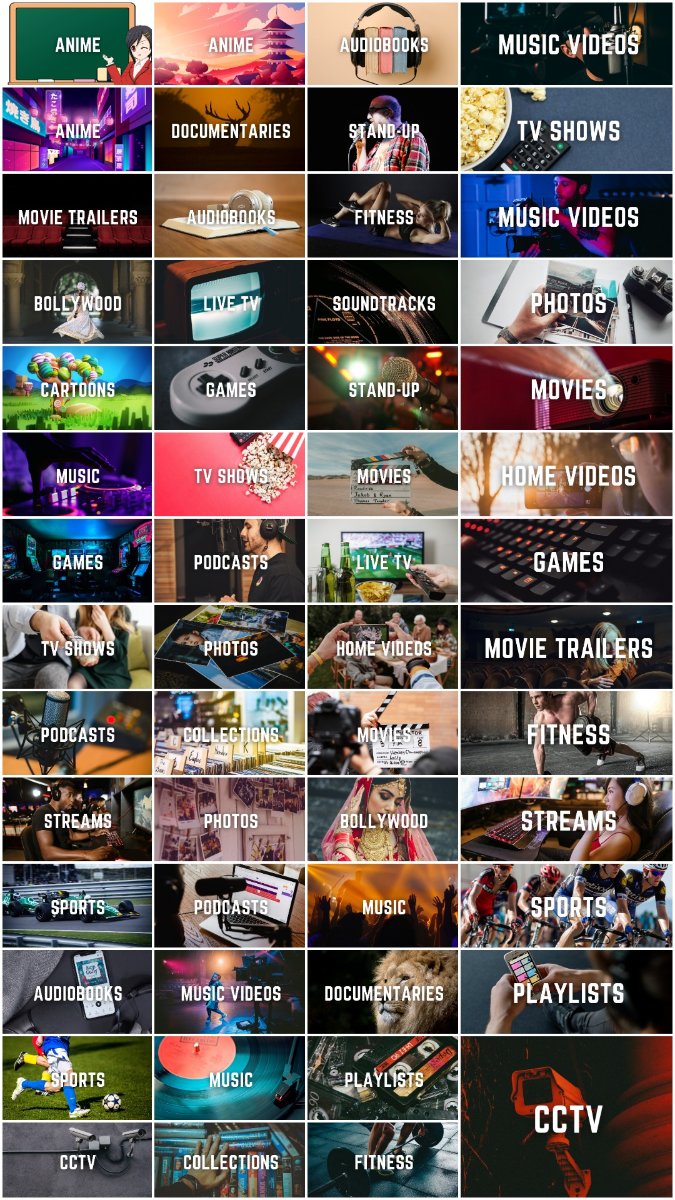
Xzener's Emby Icons Download Xzener's Emby Reflection Icons Download Xzener's Emby EHS (Non-3D) Icons Download Xzener's Emby EHS Icons Download Reposted links in post 1051 point
-
Hello, I know this topic must have been discussed thousands of time, but I cannot find a solution to fix it. I have some old video (mov format) created with an old iphone. video is in portrait format. In Emby web app, video is perfect. In VLC also. But on my Samsung app on my tizen smart TV, the video is rotated by 90°. So it fit very well my 16:9 TV, but it's difficult to watch without a stiff neck. I'm pretty sure there is something to modify with the video metadata, but can't find why ? And it's ok on emby webapp, so it's only a tizen problem, or is it a video problem ? Thanks.1 point
-
The Mult-Select in the Server web app is super-useful (I'm so grateful to those that introduced me to it!). But given that the Server web app has some excellent filtering functions (eg, in my case I make use of filtering by Tags) it would be very handy to have a "Select All" functionality, so that I can filter down to the results I'm looking for and then easily add them to a Collection (or, when eventually we have Bulk Editing abilities, open a Bulk Edit view on all the Selected items). Thanks! PS - If this is something you might like to see implemented, be sure to "Like" this top/first post (as well as any subsequent posts in this thread that highlight particular aspects of what you are interested in) -- "Liking" the top/first post helps the Devs to know how much interest there is in a given Feature Request.1 point
-
It appears that any playlist that any user creates is public--all other users can see it. I can appreciate the benefit of a public playlist. I could create a playlist called "Harv's Favorite Horror Films" for example, in case other users are interested in checking out what I like. However, the way most of my users are using playlists is to keep track of things they want to watch in the future. They are typically things that the user has not watched yet, so it's not meant as a recommendation to others, just as a way of them personally keeping track of what they want to watch. Having that kind of playlist be public is of questionable benefit to other users. Additionally, it is not clear when you create a playlist that other users will be able to see it. That has the potential to cause some embarrassment. He hasn't created one yet, but I wouldn't want to see my nephew's "movies to fap to" playlist, for example. If I could make a suggestion, I would suggest associating each playlist with the user who created it, and giving that user the ability to make the playlist private or public. For example, the following two checkboxes could be shown when creating or editing a playlist: Allow other users to see this playlist Allow other users to edit this playlist Initially, both checkboxes would be unchecked. Since another user cannot edit a playlist they cannot see, the second would be allowed to be checked only if the first were also checked. (You could grey it out to make that clear.) Depending on your UI preference, it could also be a drop-down menu. Playlist visibility: (Only me | all users can view | all users can view and edit) Thanks for considering this.1 point
-
Title says it all, ability to ignore shows or movies that are thumbs down in various views, such as Next Up, Suggestions, Latest Media. Problem I'm trying to solve is to get rid of all that media that I add to the library for the wife and kids that I don't like or watch, without having to build complex libraries or filters.1 point
-
Some icons I threw together for https://emby.media/community/index.php?/topic/82104-emby-clean-css-cleanup/ [edit] Not exactly sure why/where the white stuff is coming from but i'll zip them up without the artifacts. Should look like this screenshot https://www.dropbox.com/s/69a99wicpqif53a/icons.zip1 point
-
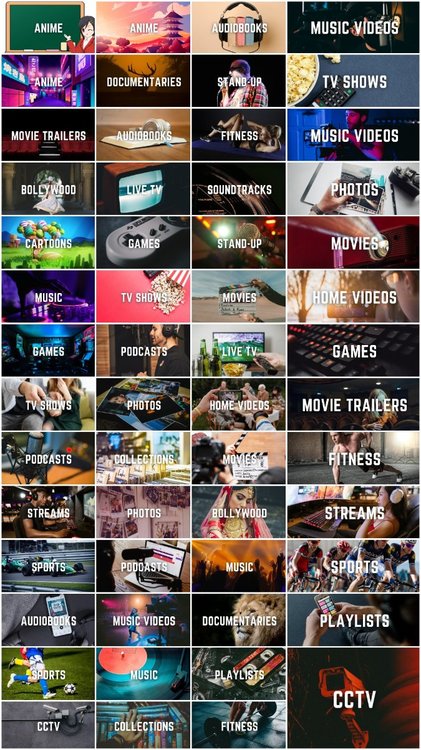
Hi guys, I created those simple library icons for myself but decided to share - maybe someone will find them useful. Every icon is a PNG file in 1280x720 px. Download link: https://drive.google.com/drive/folders/15SGUccIljBZEysLj-cuMzpJ3I3QOVbIB?usp=sharing
 1 point
 -
Yea I was thinking the long theming CSS instead of that. OMFGawd. Thanks for making realize I was look at the wrong CSS. EDIT: Perfect, worked like a charm. Thanks guys for the help with this, greatly appreciated.1 point
-
@rbjtech Curious, now that @FrostByte is no longer special since dfa no longer works for him, have you measured time difference between http and dfa with 8.2.3 loading and playing a file? Other then the dfa, I haven’t seen a reason to revert although I’ve been tempted to do one of the shields just for kicks.1 point
-
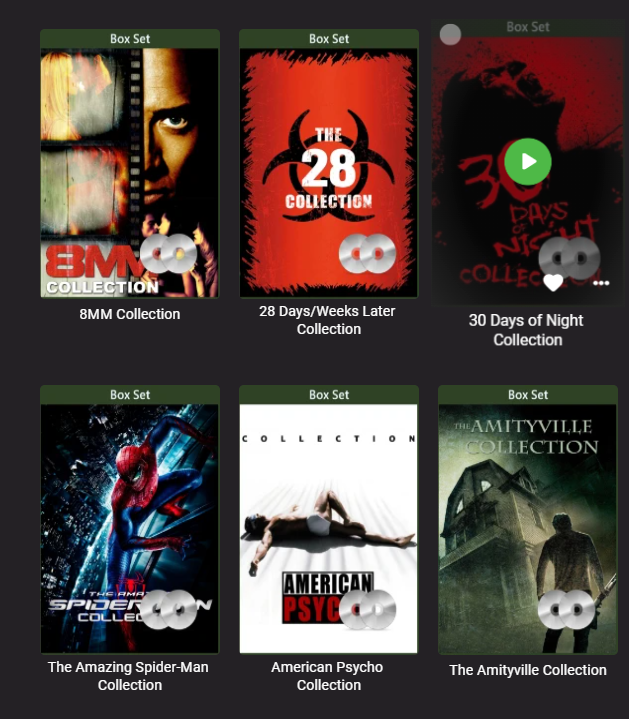
Why do you need to locate it? Just replace: div.cardText.cardTextCentered.cardText-first { white-space: pre-wrap; } with div.cardText.cardText-first { white-space: pre-wrap; }
 1 point
 -
Jolly good. Bear in mind what GrimReaper said - auto-generated images also get auto-updated, which is generally fine if you've got a decent amount of stuff in your library, but maybe add the image manually if not, or at least copy and save somewhere, just in case.1 point
-
If you don't want to repeat that process whenever auto-generated image is refreshed (in your case: deleted), you can save that image for future use. Which browser you use, looks like Vivaldi?1 point
-
Can same be done for Cast & Crew?1 point
-
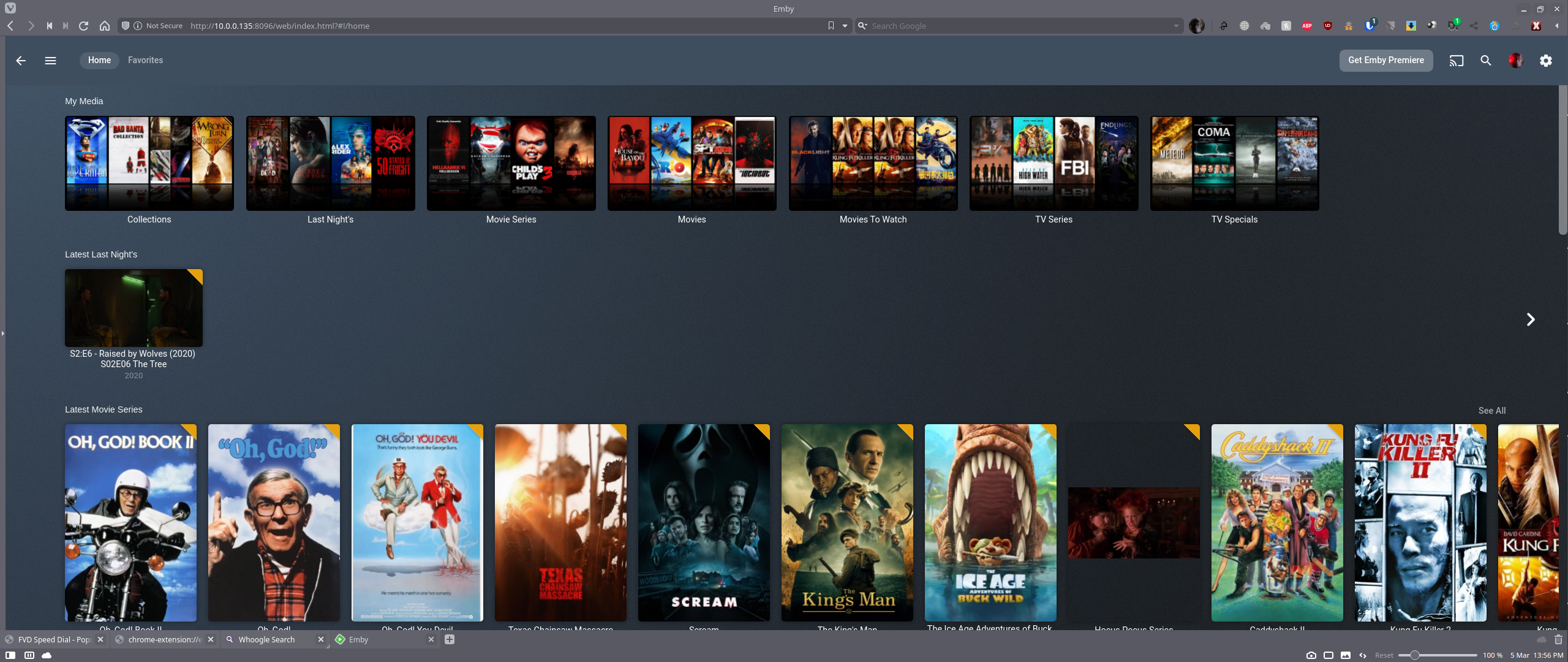
If you're desperate you can make your own thumb to match. There was a thread somewhere but can't find it. I think you create a temp library of type, maybe, photos and put 4 or 5 images in it of items from that Last Nights Library. Hopefully a refresh or restart will encourage Emby to make a thumb for the temp library. You go to that library and in the browser address bar at the top you find the folder which matches the code after parentid=. Copy the poster in that folder to Last Nights using Edit Images and delete the temp library.1 point
-
Yessss!!! It worked great!! Thank you all!!! Now I can see download option and choose USB storage.1 point
-
Any idea on when these updates will come out? Was going to switch to Plex for Dolby Vision support but may hold off if this is happening soon.1 point
-
OT: Sounds correct, if no series are identified then no dynamic images can be created.1 point
-
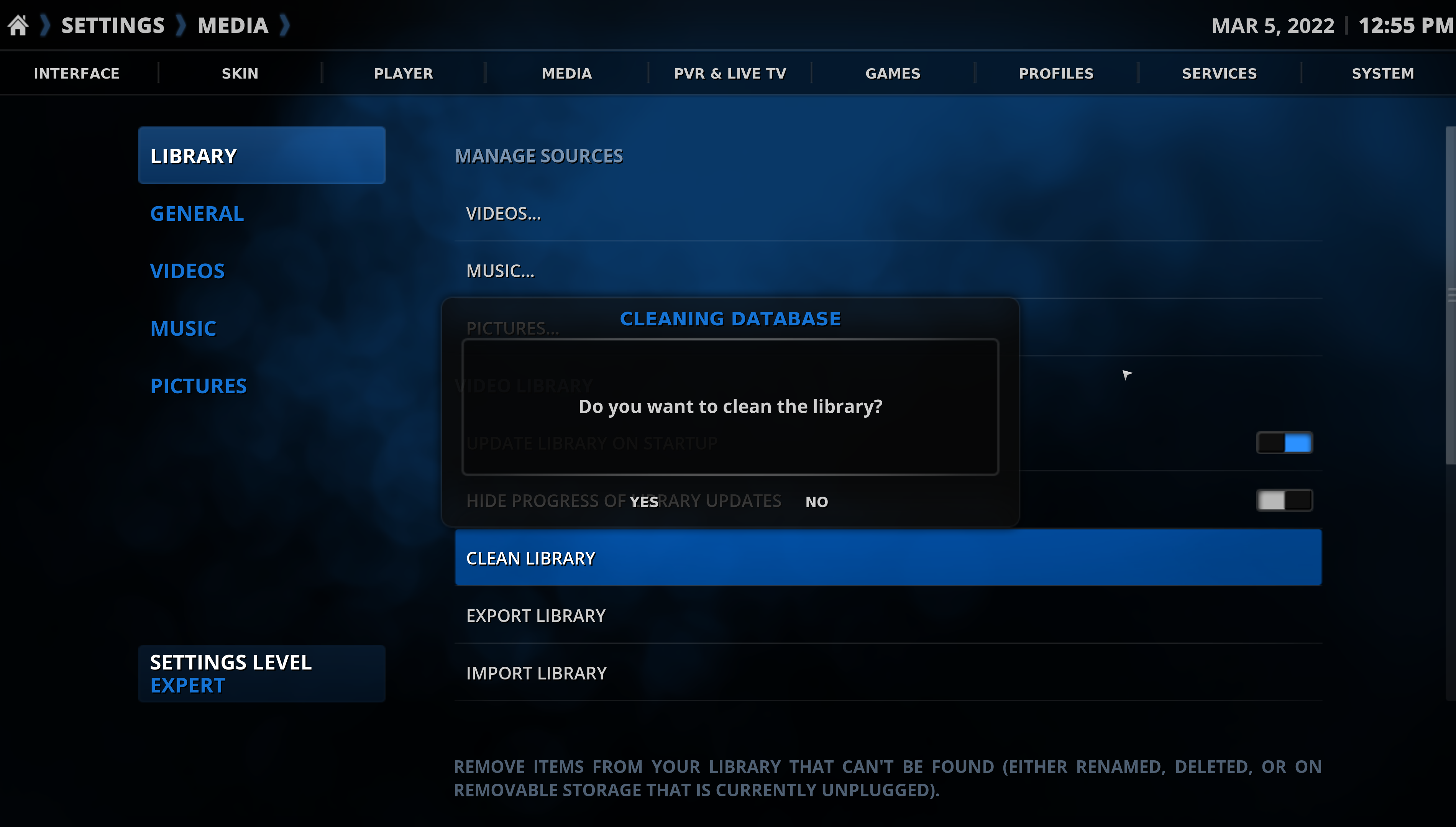
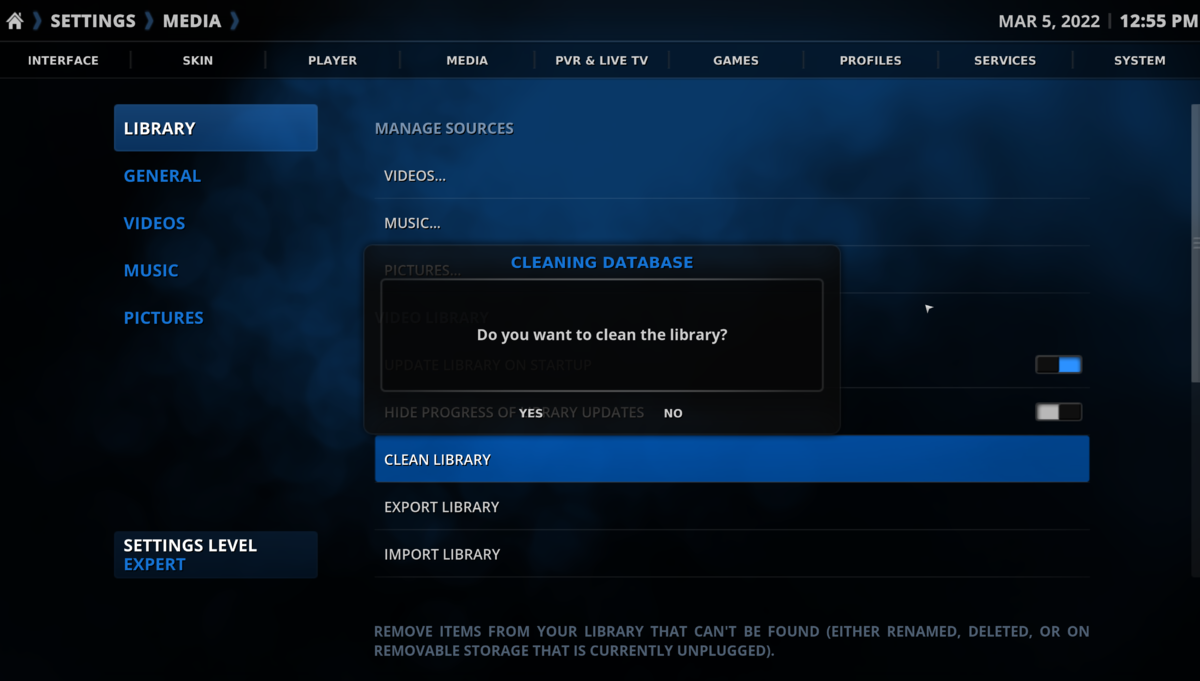
yes, i understand "Database Reset" wipes the database...but i never knew to add the libraries manually in the config menu...i always relied on the wizard to add my libraries...now i learned something new...lol i guess "Clean Library" is a Kodi function....when i use it, it completely wipes out the database ENG created...quite a clean...lol
 1 point
 -
Hi, there isn't really a detail screen for music files, but if you open the metadata editor, that will show the original path.1 point
-
thanks for your attentiveness. appreciate all the assistance.1 point
-
Thanks for the feedback.1 point
-
Doing a database reset did the trick. Everything now is showing up. Not sure why I never tried that before. Makes sense though. I also installed emby next gen 6.2.111 point
-
Yes, you would need to side load it. You can download from the link I provided.1 point
-
Currently traveling abroad. Home tomorrow. Excited to get started on this. Will report back results in a couple days. You rock Carlo!1 point
-
while this was well done research, it didnt really confirm anything that wasnt expected. i'd have been more interested in the impact of the detection method on accuracy of detection as i believe its possible that detection post recording is more accurate than in progress1 point
-
@cayars Thank you for all your hard work and experimentation. Working perfectly, having followed the guide, on my 918+ with two 512gb NVMe sticks, using the raid 0 option. My only thoughts now are the best way to configure. I have, like others, about 1000 movies and 16000 varies epsiodes of Tv Shows. My total EmbyFast folder is less than 10gb, so maybe it's better to use the NMVe's in raid 1?1 point
-
1. I played a movie for a few seconds to get it in the log. I think the movie was "A star is born" 2. 4.22PM UTC -5. I think. Maybe I'm converting this thing wrong. 3. User: Nikola.1 point
-
Hi, yes I see what you're getting at. It makes sense. Thanks for the feedback.1 point
-
Hey! Good to see you, man. Sorry I never got around to msg you...just been a crazy time. Thank you for your reply. I'll msg you soon and continue our conversation about the NAS. BTW, creating a parent folder for Our Boys S01 within the [HBO Max] folder solved the problem. It's not that I didn't know how to do it...I just got a little rushed when cleaning up the library and carelessly dropped it in the {HBO Max] folder.1 point
-
I think you just scared everyone away with that1 point
-
This is awesome @vdrover @BillOatman I can confirm this is working with the latest server beta and Firestick client.1 point
-
Sorry for the late reply, the notification for your message was seen as junk by Mail —not the previous ones, tho… Yes, I can restart the NAS and I did this twice, but that didn't fix the problem. I found out last night what was wrong: when I copied the backed up files (from the previous disk), I copied them as admin and I didn't think to change their owner, so they belonged to root:root. As (recursively) changed that to emby:emby and I was able to log in. Maybe you could amend the "Backup manually" section with something about file owners? However, the libraries were there but they looked emptied (0) and as soon as I set one path back, Emby removed everything, showing no library at all (the log shows this for everything: "Removing item from database, Type: Folder, Name: series fr, Path: /mnt/clump/series fr"). I shut down Emby and copied the backup files again, in case the problems I just had did something wrong somehow, but the same thing happened. So I set the path to the first library again and this time, it stayed and the scan started. Fortunately, all "seen" flags remained so that's very cool. Still, some files were incorrectly identified (like when I first added them) and I had to re-identify quite a lot of 'em. Emby also lost the sorting titles (which is logical, I guess). Anyway, after some cleaning, everything's fine as it was before, so I'm very happy Thank you guys for your support. Ch.1 point
-
i... don't even know how to address this one. you realize emby themselves are "thieves" too then, right? you think emby is 100% original source code using no open source libraries? haha. i guess using other open source software to build your software you then charge subscription fees for is cool, right? i doubt you even really know what open vs closed source is, but when emby has people like you championing it makes their job very easy. emby went closed source to try and make more money, simple as that. jellyfin works just fine and i'm in control of my data. emby is salivating at the thought of selling out like plex, trust me. it's all business, baby. what's even more sick is that this guy now claims he "works on 95% of emby..." and other such nonsense when he wouldn't have a product without the open source libraries he used or the original contributors help. now he changes his license and tells them to get bent. so glad i don't use this anymore.1 point
-
One could always revert back to 8.2.3 to regain that ability. There is really not much “gain” in android 11 after all. I’ve toyed with that more than once. There are features in android 11 that have enhanced the operation of other apps (Dolby audio processing which for me removes the stutter in video in Apple TV+…weird, but it does) so i guess it’s a trade-off. At least http has been working but I will miss the ability to test connection issues without direct file path. Without it, and the suggestion of others behind the scenes, I would not have been able to get Uhd remux to work on nvidia shield server just to test the connection a year ago and I think consequently, fixing http. At least for now, it all works.1 point
-
Hi, No caching involved. The issue was present locally as well as remotely. Cloudflare caching would only impact the remote experience. Incidentally, I do use Cloudflare as my external DNS, but have caching disabled. My problem ended up being some problem with my NFS mappings. I modified my mappings in fstab to switch to NFS 4 and the problem went away. Also switching to Samba shares also fixed the problem. So just something funky with my NFS mounts... that I've been using for 3 years without issue. Docker didn't seem to like them.1 point
-
Check the pm.. Ty1 point
-
Explains a lot Even so, it shouldn't be hard to either add the fields to the XML files, or add a table to store a list of all the playlist XML files. I just can't get my head around how relatively "easy" but significant changes like this haven't been implemented, but yet "A New blur effect" for the Now Playing background is classed as a more important use of development time1 point
-
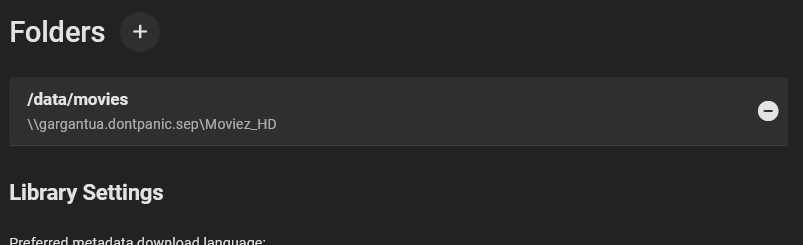
Yes, I'm using an Nginx reverse proxy. It's the same reverse proxy I've been using for years without issue with the previous Emby instance. I'm using the same instance of the reverse proxy, and in fact the very same proxy entry as I have been using previously without seeing this delay. I also have some additional results to share, as I've been working this issue ever since first posting. I have managed to get rid of the delay locally by setting the shared folder path in the library options (see screenshot). This only seems to have bypassed whatever the problem is, though, as it only fixed the problem locally. Playing through a remote connection still yields a huge delay when direct playing. Now here's the really weird part. At first, I thought this was affecting all files in my library equally, but of course it's not going to be that easy. The delay is actually only affecting some files and not others. Some files take a good 30 seconds to start, and give a similar delay when seeking around in the file. Other files, though, start without delay in startup and seeking. This is consistent, in that the same file will either start normally or start with delay each time it is opened - so affected files are always affected and unaffected files always work cleanly. That's where the consistency ends, though, as It does not seem to matter what video or audio codecs are used in the files. I have both working and affected examples of each. So far I have not found any consistent connections between the files that work and the files that give the delay. My theory so far is that the issue has to do with Emby piping the video stream out through an HTTP/HTTPS stream. That's the only part that would have changed when I specified the share paths for the libraries. Direct playing locally now allows the Emby client to access the file directly though the share rather than going through the HTTP stream. Note that in my old Emby instance, I did not even specify the share paths, and so everything I ever played went through the HTTP stream whether local or remote. Since it always worked fine like that, that's how I left it configured.
 1 point
 -
Long names will always be a issue. At least for the web client I just add some custom css. div.cardText.cardTextCentered.cardText-first { white-space: pre-wrap; }
 1 point