Leaderboard




Popular Content
Showing content with the highest reputation on 02/08/22 in all areas
-
@Luke Is there some "flag" like the "AllowVideoStreamCopy" and "EnableDirectStream" that client applications such as Roku can send to get around always having the server deinterlace? Maybe there is an "DeinterlaceOnServer" field we set to false and it sends it directly? Is there something similar to this for deinterlace? Can there be? Presently the Emby server will always transcode the interlaced/MPEG2 streams when they can be direct played on 98% of Roku devices.3 points
-
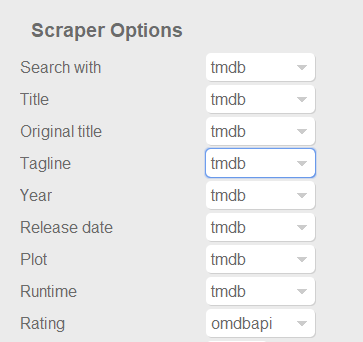
Dont know if this was already posted. For example something like the capture below at least for ratings, to use omdb or another scraper as first priority for this field, and similar for tvshows with the available scrapers for that library type of course. Also It would be nice and handy to have some language options per field, at least for Title, Tagline, Plot, Episode Title, Episode Plot and Genre fields. Handy if you want to have your tagline/plot/episode-title/episode-plot in spanish for example or your native speaking language but want to use the title of the movie or tvshow in english for english movies, or the title on the native language of the movie (spanish, french, german, etc). With the current setting you get absolutes, english: everything english, spanish: everything spanish. And would be nice to apply this language options to images too. I scrape my data with TMM before adding it to emby to have this type of settings, but I would be really good if emby could handle some of this variables. Update: Also, give the option for "None" to skip scraping for this field and "NFO Only" as @picotrain1 suggested.
 3 points
 -
Hi. We don't feel that working on features one person may be willing to pay the most for is the right approach. We try to work on the things that will bring the biggest benefit to the largest audience of users.3 points
-
Not sure if there are actually many people using emby that also read a lot of books. However with Ebooks being a hot thing right now this idea popped into my head. I have a lot of ebooks which I generally keep on my normal PC. However this way it has no back-ups cause I only back-up my server to an external location. So I was thinking about switching them to my server and then I thought I can also put them in the emby folder. The request may be a bit out of the ordinary since emby is more for playing files and things rather than reading, but could a reader be implemented at some point in the future? A book library and an implemented reader, specially for mobile devices I guess (phone/tablet), but perhaps for browser/theater? Would help me get rid of yet another app and have all my "media" in the same place Edit: If you liked this also take a look here for ebook expansion https://emby.media/community/index.php?/topic/80398-book-serverreader-incorporation-suggestion/2 points
-
Yes, that solved it.2 points
-
Hi, we'll take a look at this, thanks for reporting.2 points
-
Outstanding, works great! Great solution without further maintenance. Good to mention... The path to the DSM settings is: -> Control Panel -> Login Portal -> Advanced -> Reverse Proxy -> Create Don't forget port forwarding for the source (e.g. 8921) on router! Thanks a lot newb2 points
-
Hi Luke, Carlo was kind enough to remote log-in with me after work today and help my migration. It worked perfectly. In a nutshell I was too intimidated to do all the migration steps and not feel like I was going to lose everything. Carlo was so very helpful and fixed my issue very quickly. He also helped me set up my Synology NAS so I could remote login from another location to watch all of my Emby content. I could not be happier with the customer service I have received from the Emby team! Thanks, Brian2 points
-
JC, Why would they want to keep logos that don't match?2 points
-
Would it be difficult to implement a feature to allow transcribing a video podcast to audio-only, for listening on my phone? If a podcast has both audio-only and video formats, I typically choose the video version for archival purposes. When downloading these to my phone, it would be nice if I could choose 'audio only' under the transcribing quality, so I could continue listening with my screen off. I'm sure this would not be a widely used feature, but if it would be trivial to add it would be cool to have.1 point
-
I've been looking at some info about high resolution audio support on Android and all I've seen is complaints about poor support by the Android driver in this regard, where the driver resamples everything to 48Khz instead of playing the audio in its real resolution even on phones with DACs that support up to 192Khz. In a previous release of Emby for Android mobile I saw the release notes saying the app was supporting high res on phones that support it, but given the above situation I wonder what the Emby app actually supports in this regard. One suggestion could be adding the real output the app is giving in the "Stats for nerds" option inside the cog icon in the now playing screen.1 point
-
Hi, I would love to have tautulli or equivalent for emby. Especially for people coming from plex, we would love to see something like tautulli. I know there are a few Statistic plugins but i think we all know there is nothing like tautulli out there. I love the way i see people currently watching movies on my server and the details of what is transcoding etc. i know emby also shows ppl watching movies but it isn't the same. I don't get a notification or even see a icon if someone starts to play while i have the emby page open. There is no icon that shows me someone is watching a movie. Tautulli is also open source so if someone has the skills in python to make it work for emby, this would be amazing. For me this is actually really the only reason I hesitate to switch completely. maybe someone can make this happen1 point
-
Guys, The ebook side of Emby/MediaBrowser has been long stalled or rather stagnated. I would like to offer up a couple of suggestions. Many people use calibre as an ebook/comic book tool for scraping data and general management of their collection already. This program is absolutely astonishing in its ability to pull metadata from post calibre scans, as well as draw in metadata from the file source and/or directory structure. http://vaemendis.net/ubooquity/ Its a self contained .jar server/reader combination. And honestly I am very impressed by it's small footprint and wide range of abilities. The other option is COPS , which was written specifically with calibre in mind. It is open source, so making it work with emby I would think would be fairly easy. https://blog.slucas.fr/projects/calibre-opds-php-server/ Ever since the original release of MediaBrowser's bookshelf I have always wanted something that would allow me to 'read' my collection, rather than being basically nothing more than a place-set for images of books I own. I am sure that those who mainly have audiobooks are thrilled with bookshelf , but it's nothing more than an extension of the music library IMHO, not new features. We can have both right? Here I give you two suggestions free of charge.. Just because I love you, and Emby Personally I plan on running the Ubooquity Server along side of Emby from now on, just because of it's massive functionality and tiny footprint. But I sure hope that someone decides -- "yeah, ebook support should be in here too" and do something about it - rather than allow this now very very ancient issue to continue to remain an issue. And so I don't have to have 20 different ports open, some with SSL support - some not, because Emby isn't delivering the 'complete package'. (Please take some of this with humor, I know you have your hands full with improvements/bugs/suggestions/requests)1 point
-
A checkbox in the server settings somewhere to hide the domain and IP address in log files so they can be uploaded for troubleshooting without needing to be edited.1 point
-
CSS + Netflix Billboard Clone + Danmaku (bullet chat/moving subtitle comments) CSS modified from the forum, fixed bugs and parts that didn't work for me. Added front page Netflix Billboard, which is dynamic and updated according to the content provided by the backend server. Use Canvas to make a bullet chat system and pass in comments through an external open API from DandanPlay.1 point
-
Got it. Thanks. Works as you indicated.1 point
-
This fixed. It was bc of the file. I downloaded another copy elsewhere and worked1 point
-
Oh yes, I do remember that one. Thanks for the clarification and assistance. Cheers!!1 point
-
That is hosted Web app, client as any other, where you don't have to login through Connect but manually enter server IP and port, works just as well for local servers. Use app.emby.media.
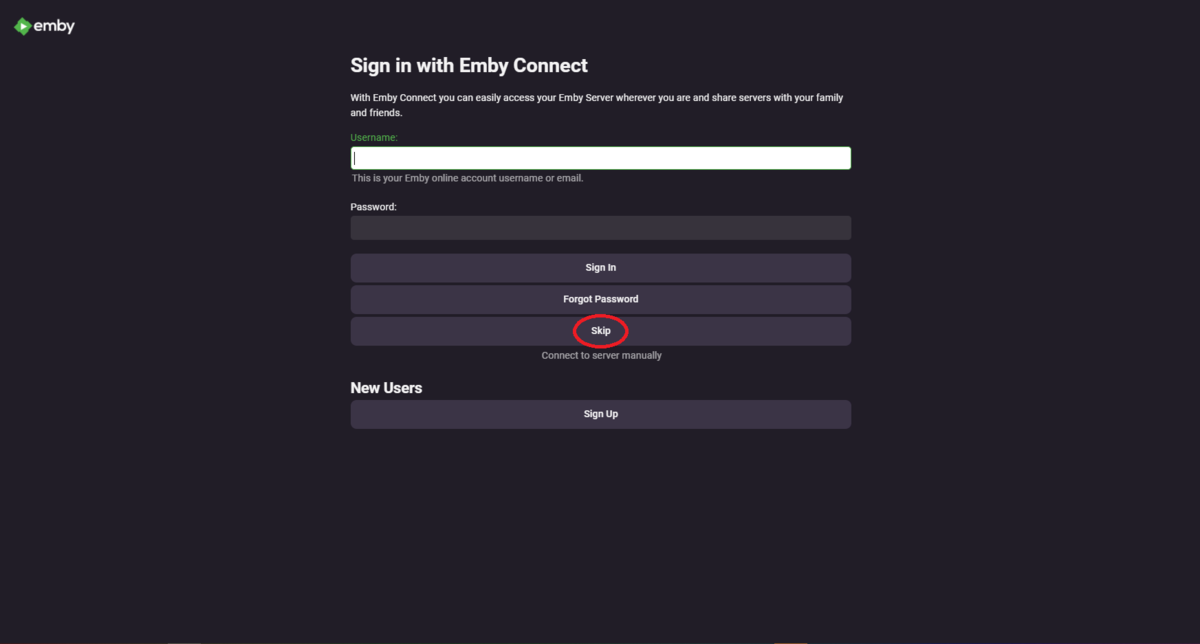
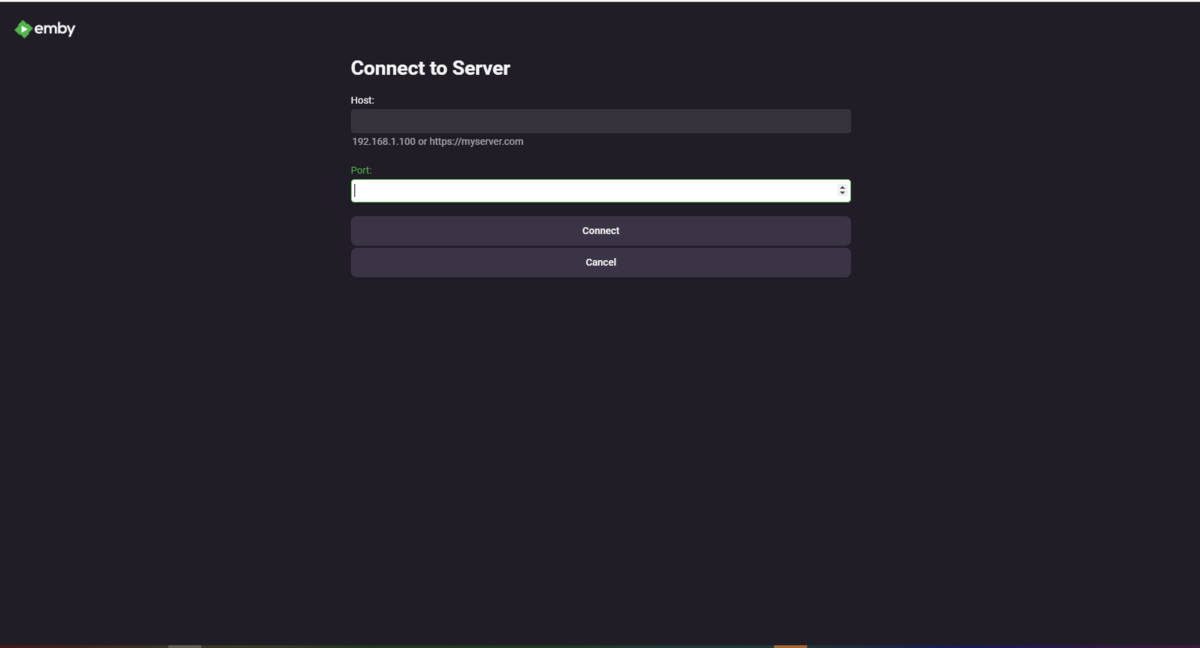 1 point
 -
Yes, it's certainly using less resources and in most cases seems more responsive than the stable release running mono.1 point
-
You may have to reset your folder preferences again on the Roku as I know I had to when this option was added to Roku channel. Hit the star key while in the library.1 point
-
Yep, therefore as I didn't quite understand usage-case scenario. Or use Emby Theater for both, or ET for one and Web App for the other.1 point
-
@ErikaJ The easiest thing to do is just use a browser and access your servers with app.emby.tv. If you use the browser via a local IP, you won't get the option to change servers. The app.emby.tv app has a change server option so you can easily switch back and forth.1 point
-
I did misread you there.1 point
-
If you install the diagnostics plugin, you get a settings page for "Advanced Transcoding", and there is a tab on there for "Tone Mapping", on which you can change the algorithm. Note that settings made through the diagnostics pages are not persistent - they are lost each time the program is restarted. Paul1 point
-
Good hint, it was the logger.1 point
-
Thanks, reinstalling from your site solved it for now.1 point
-
More like pretend the Bills never happened. LOL1 point
-
I've seen an issue with the latest version that just got updated (6.2.8) where the TV shows are dissapearing. I would watch a show, during that show a few new episodes would be added, then when I'm done with the show all the other shows are missing except the new episodes that were added. If I do a library refresh it brings everything back again. I haven't run it long enough to see if it happens again. I have a log that I copied that may have captured it and can DM it to you if you would like. I'm not sure if you already were notified of this.1 point
-
Hi, yes we can add support for Episodes. We'll just have it use the Series options. Thanks.1 point
-
Hi. There is currently an issue on the Roku with videos over about 4 hours. We are working on ways to get around it. Thanks.1 point
-
From what I understand, the issue is a very few Roku models that will not support interlaced streams (1080i). As such, Emby treats all Roku models as such. There was some discussion about a switch being added to the setup screens whereas a user could disable this automatic de-interlacing. Another option would be for Emby to query the Roku model and apply the transcoding/deinterlacing to only those models that will not. The current approach is a poor one. It consumes a lot of processor unnecessarily and that creates other issues--not to mention the problem you reported. It has been plaguing us for months.1 point
-
Not easily available in my areas to be honest, and I have a Firestick already and it works okay.1 point
-
it would be nice also for use when casting a video to a audio only source (e.g. "Chromecast Audio" ) that it would cast just the audio stream. If detection is difficult then perhaps a way to flag it on the server or app side that a cast destination is audio only?1 point
-
The one I remuxed plays now. I expect it will fix the others. Thanks for your help!1 point
-
Okay I will grab the logs next time it happens. Like I said it usually happens first time on any given day I pause a recorded program. I will try it in the morning first thing. Thank you for your help!1 point
-
ca marche il suffit de donner a Emby les droits system internal user via les dossier partagé et non via le User / group MERCI1 point
-
Latest Build (1.0.0.1763 stable and 1769 for beta) 6 feb 2022 21:59pm gmt Fix to Backup when emby's image links are http. Now downloads them and backs them up instead of stopping with an error Another fix for linux paths. (Not tested) at CustomProvider.CustomProvider.BackupImageLibrary(String ItemType) at CustomProvider.CustomProvider.Get(GenericBackupPeople result) Function now returns proper path to calling function, but untested if it has fixed the issue - still havent got a machine with linux on it yet. Please stick with me because I added a few more logging items, to trap these two errors above. They are not yet optional, i'll add that later. (like some others) There is a checksum log produced on backups, produced when verbose logging, this provides the path of the image and its MD5 checksum. % indicator on backup tracks is not working yet nor is switching off overwrite on backup tracks (they still overwrite if they exist in the backup location). A lot more people uploaded to media-and-meta.com that this plugin will grab if the fetchers are turned on and this url is in one of the servers in the global tab1 point
-
Okay. Thank you for the clarification. I and others will be looking forward to this feature once it becomes available. Thanks you for this plugin btw. Great job!1 point
-
Hi, there's more info here: Thanks.1 point
-
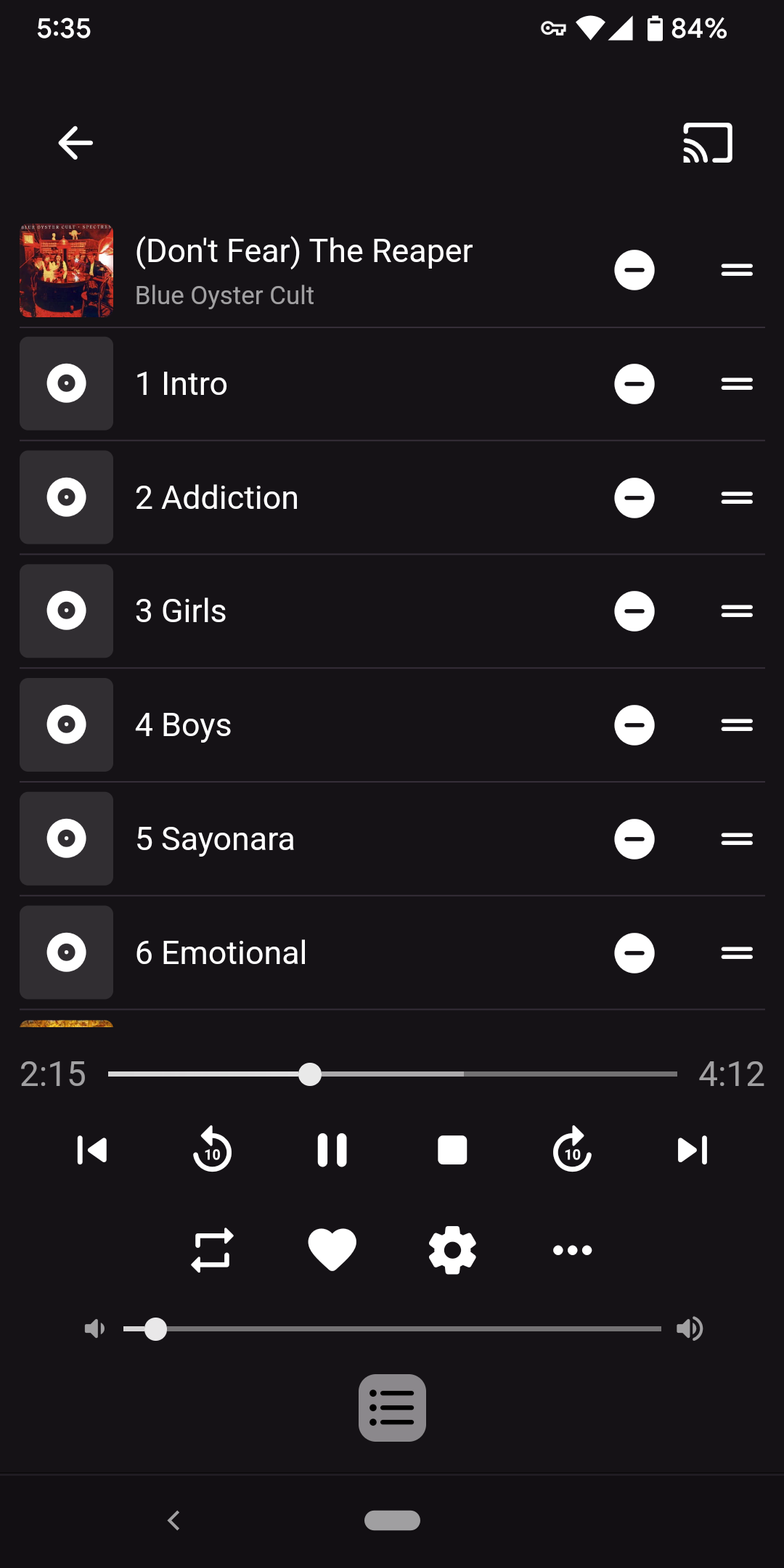
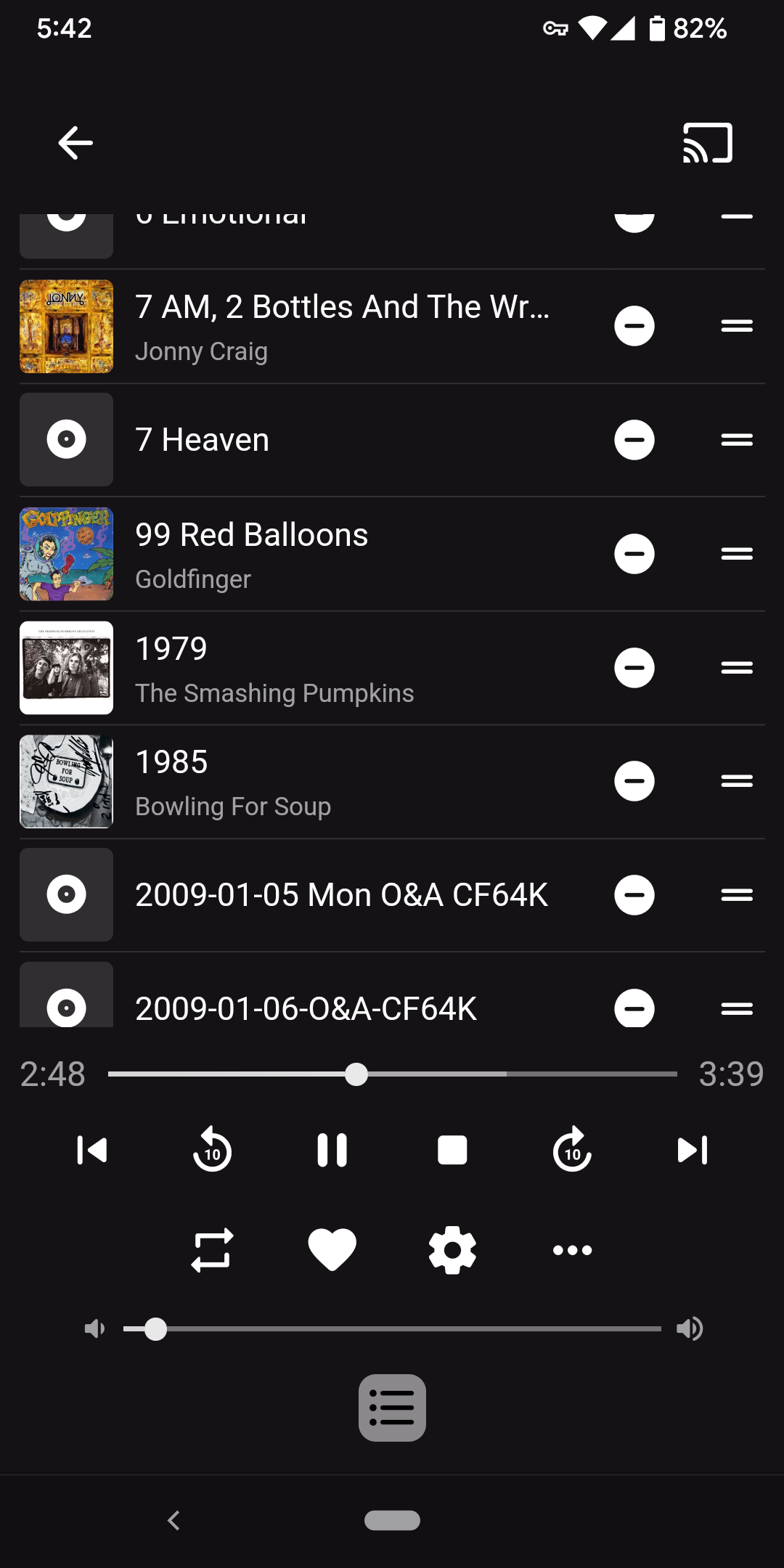
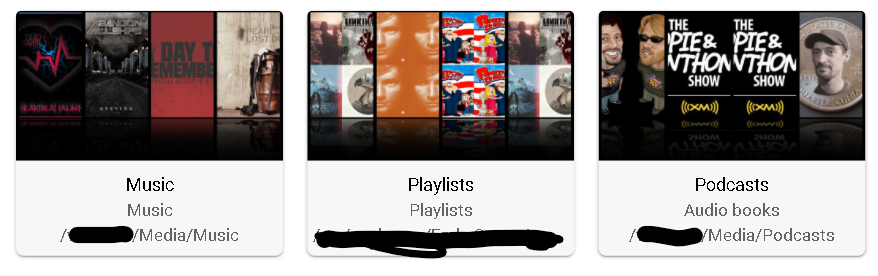
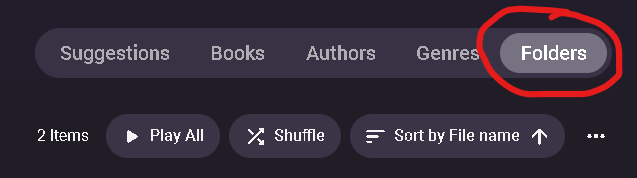
@Luke EDIT: I think I see the problem... when I play that file and look at the Play Queue, it looks like it's queuing up everything I have. Even stuff not in that library. I'm guessing since it's doing that, the sheer volume of it is causing it to slow down and crash. EDIT 2: I think I fixed it... because some of these files (like the one posted in the OP) had no metadata, it couldn't really categorize it by "album" or anything when I played it. So it was doing what you see below in the screenshots, and generating a Play Queue with all files and causing it to crash. Once I filled in the metadata on this file and a few others, playing this file created a very manageable Play Queue with no issues. Something to note, since the only structure to this "Podcasts" library is the folder structure I have it in (ie. no intentionally laid out metadata)... I use the "Folders" option (screenshot of web app for demonstrative purposes, but same in Android app) to navigate. I guess when I do that, I would expect the contents of the folder I've navigated to, to fill up the Play Queue... not based on the artist/album metadata? When the artist/album metadata is missing, is when it seems to get confused and starts filling up the Play Queue with everything. If nothing else maybe queuing the contents of the folder could just be a fallback if metadata is missing to prevent this issue going forward. I guess you could say I'm not really using the Audio Book library properly with these radio shows/podcasts... but from what I can tell it's the only way to make it so it saves track progress and lets me resume longer shows. For posterity, screenshots of the bleed over between my "Podcasts" audio book library and Music.
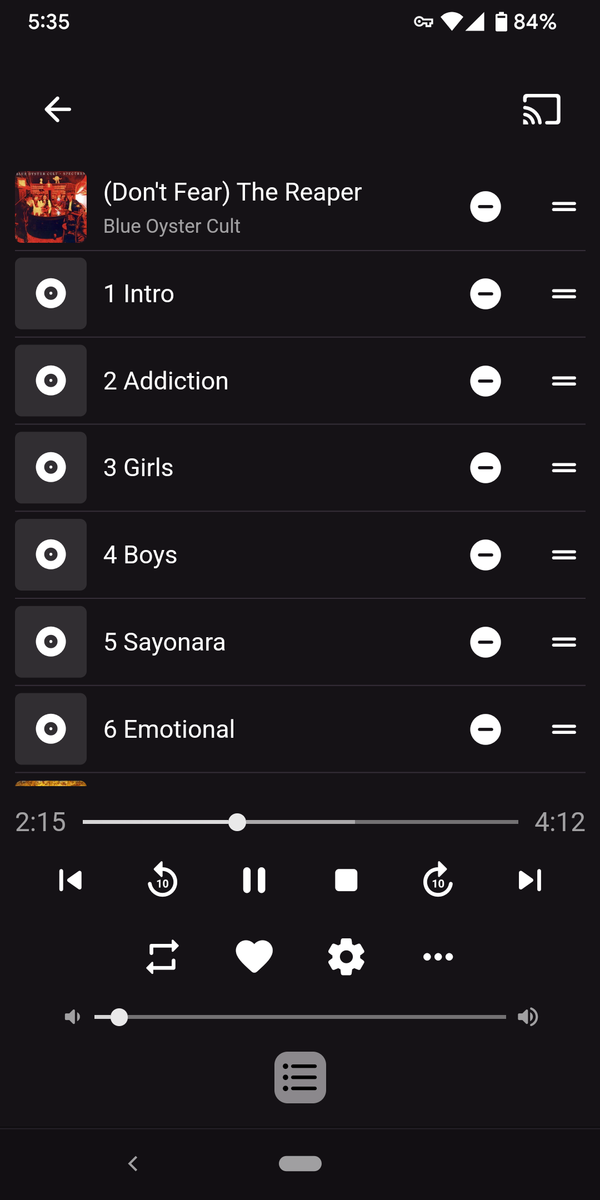
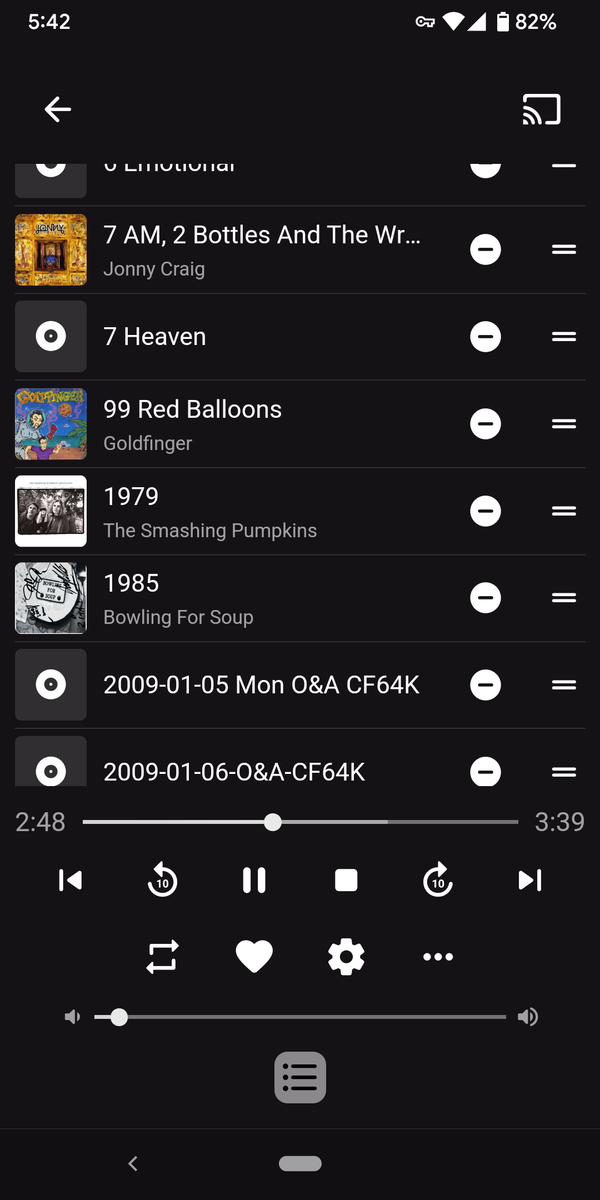
 1 point
 -
Hi, you can't yet but it's planned for the future. Thanks.1 point
-
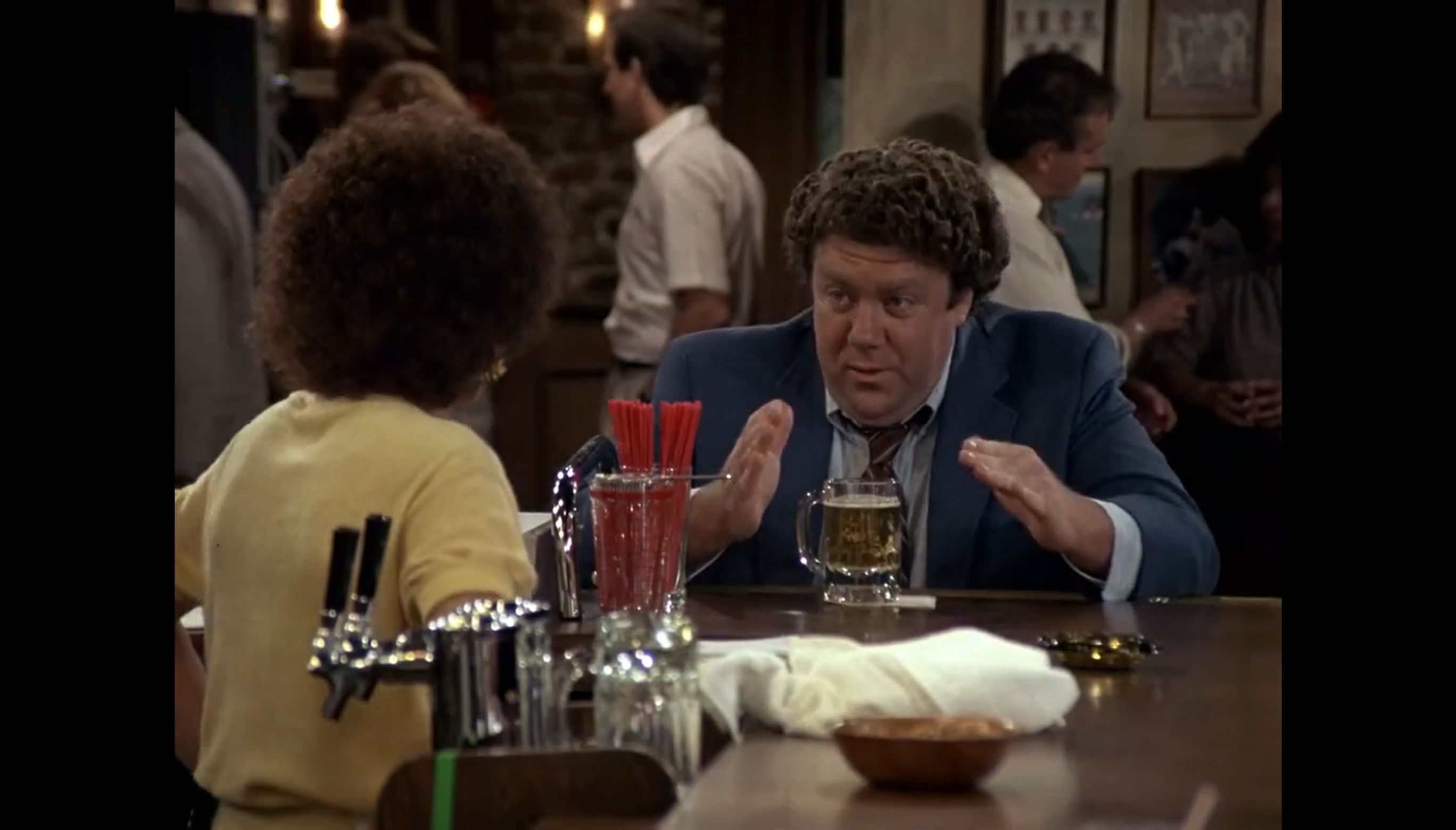
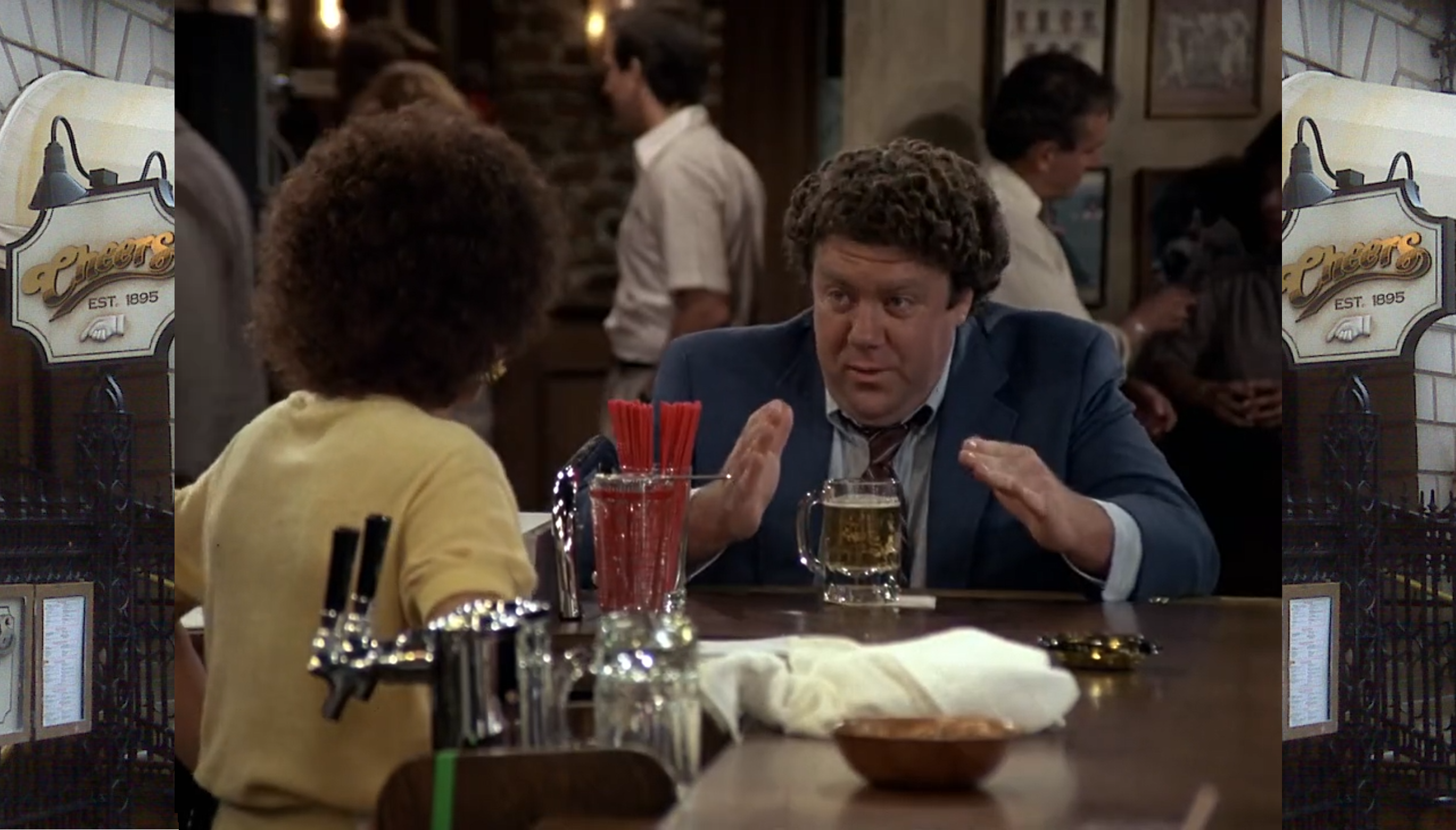
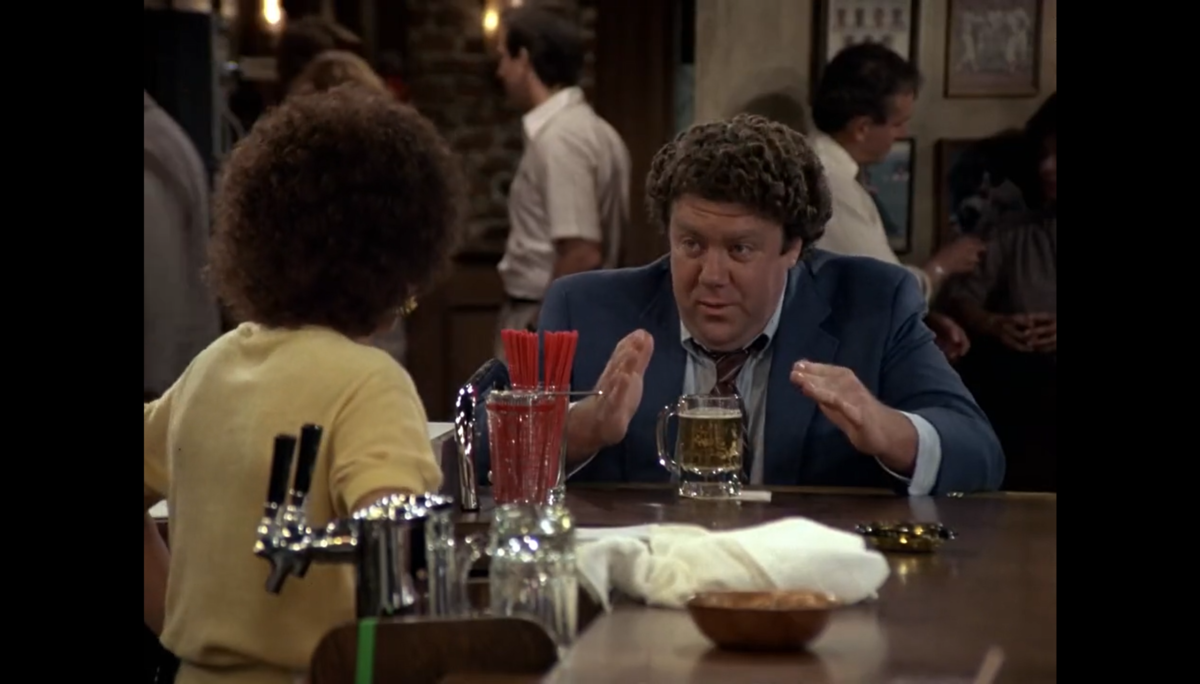
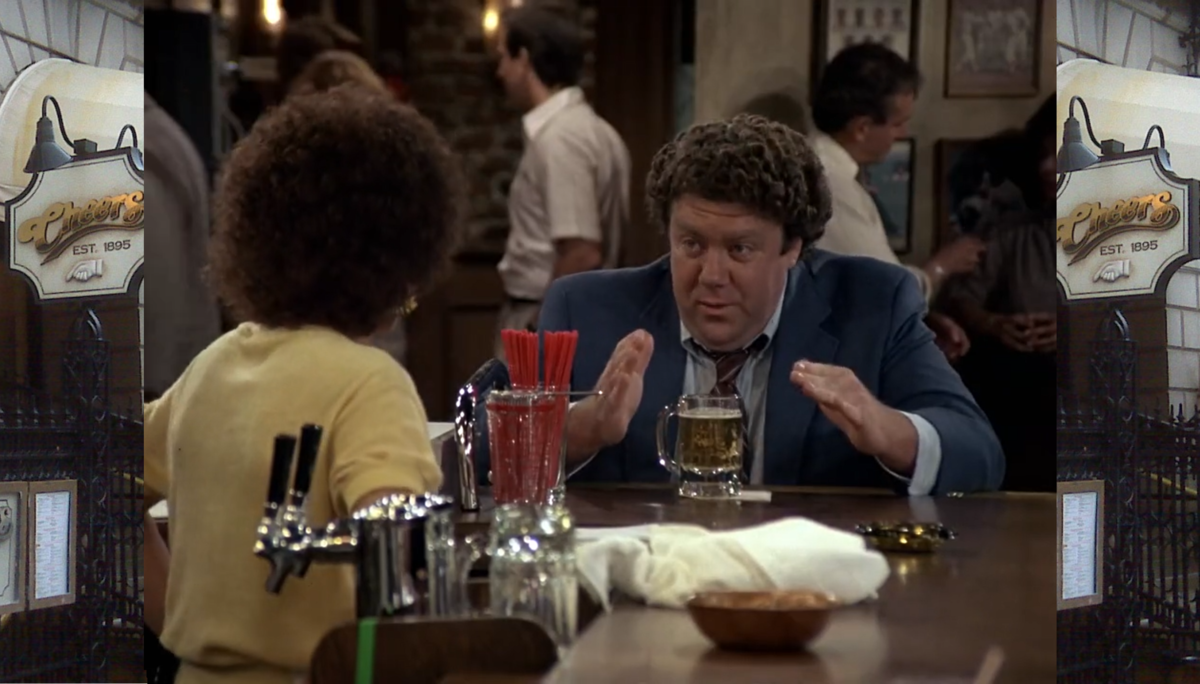
I've recently got into retro gaming and a lot of games for the gameboy etc... are all 4:3, I've also been watching some old school shows like Cheers and Taxi, of course these are all 4:3 ratios. On my Batocera Retro box the emulators support 'frames', ie it frames the game with either gameboy screen or N64 console or artwork for the game you are playing, it's lovely, so can we do something like this for shows that are marked as 4:3? If people aren't sure what I mean, something like below; Before; After; I know a lot can vary on screen resolution, ie 720p, 1080p, 2160p etc... and there would need to be the artwork would need to be created and then stored and of course pulled from somewhere, theTVDB might be a good start if they were interested in such a thing, or a more 'exclusive to emby' feature that has user generated artwork that only emby users get, I don't know the logicistics but I do hate seeing black bars down the side of my screen. I suppose a starting option could be the backgrounds rotating behind the video, it won't be 'custom' artwork but could be nice rather than having black bars?
 1 point
 -
I would not agree with that if as a whole. If you have high quality AVC to start with and convert them to HEVC you won't be able to tell a difference. If you have low quality AVC files then yes it will show. If you have YTS/YIFY quality to start with don't think about it. I tested this for months and months with different settings, different quality source material and found it very beneficial for my collection. I went from over 300 TB of primary media to around 76 TB which now fits on my Synology NAS. It took me about 18 months to convert my movies and tv shows using 2 computers and NVIDIA hardware. I mainly used FFmpeg Batch AV Converter to do most of this: https://sourceforge.net/projects/ffmpeg-batch/ I created my own "HEVC Profile" to use with these settings: -c:v hevc_nvenc -vf yadif=0:-1:1 -c:a copy -c:s copy -preset hq -rc constqp -rc-lookahead 60 -spatial_aq 1 -temporal_aq 1 -nonref_p 1 -cq 26 The deinterlacing for the most part wasn't needed but I added it for good measure to be able to use it for recorded interlaced content as well. This worked for both GTX 1650 and RTX Nvidia cards but I could tweak it slightly for each card. At first with small samples I would use different settings but as I expanded and processed thousands of files it evolved into those settings which just work. I kept the -cq value a bit lower than some people would use but I wanted to retain the quality. I'm very happy with the results on my collection. My daily use TV is 75" so it would show flaws or degraded quality pretty easily. PS: resist trying to go 10-bit HEVC. Yes that will give you even smaller files but has compatibility issues with devices that otherwise handle HEVC 8 bit just fine.1 point
-
From within the Users page, on the server, select the profile and look for this section.
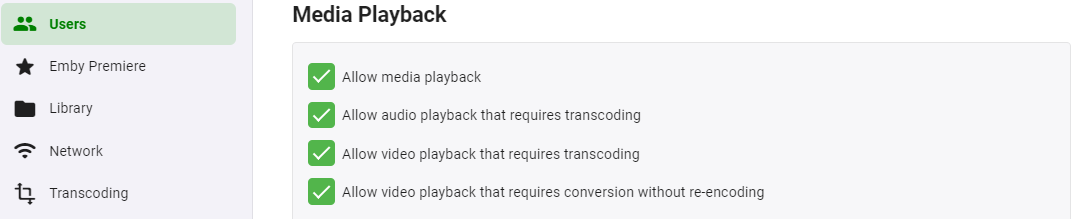 1 point
 -
It's been said a few times, we don't want to batch encode, we want to transcode on-the-fly using h.265 encoder hardware so we can pull the best stream that session can handle. Transcoding in advance permanently reduces quality or makes for multiple copies of files at different encoding levels.1 point
-
Download & Install: https://emby.media/emby-for-android.html Changelog: 3.5.36 -05/10/2026 Subtitle rendering fixes 3.5.35 -05/05/2026 Add additional options under force transcoding section 3.5.34 -04/10/2026 Fix regression causing ass subtitles to be stretched 3.5.32 -04/10/2026 Support compressed embedded ass/ssa subtitles 3.5.31 -03/24/2026 Fix cases of text subtitles rendering off screen Updates to new home screen features 3.5.30 -02/26/2026 Support new home screen options in 4.10 server 3.5.29 -02/10/2026 Various fixes related to handling of playback stop 3.5.28 -01/21/2026 Various fixes related to handling of playback stop 3.5.27 -01/20/2026 Subtitle sizing fixes 3.5.26 -01/18/2026 Various fixes related to handling of playback stop 3.5.25 -01/18/2026 Resolve sporadic cases of video stuttering 3.5.24 -01/11/2026 Fix sporadic post playback crashes 3.5.23 -01/06/2026 Fixes for SSL certificates with no common name 3.5.21 -12/15/2025 Fixes for picture in picture 3.5.17 -11/21/2025 Fixes for launching books Fixes for live tv guide rendering on older devices 3.5.16 -11/04/2025 flac decoding fixes Update app exit menu 3.5.15 -10/31/2025 Fix youtube playback 3.5.13 -10/25/2025 Change video player up option from Chapters to Chapters / Guide Fix sporadic app crashes with flac playback 3.5.12 -10/07/2025 Fix playback error on older versions of android 3.5.11 -10/04/2025 Fix lyrics display layout in TV mode Fix video remote control layout Update live tv recordings tab layout 3.5.10 -10/01/2025 Restore home screen backdrop 3.5.09 -09/29/2025 Support pinch gesture for fullscreen video 3.5.06 -09/27/2025 Show age of person Fixes for next/previous episode button in video player Add explicit direct stream live tv option 3.5.04 -09/19/2025 Fix new spoiler feature causing movie chapter thumbnails to be hidden 3.5.03 -09/17/2025 Update now playing indicator 3.5.02 -09/11/2025 Fix background video option 3.5.01 -09/09/2025 Updates to new option to hide episode spoilers 3.5.00 -09/07/2025 Add option to hide spoiler information from episodes Support experimental hevc transcoding with 4.9 server 3.4.98 -09/04/2025 Group recordings under live tv recordings tab (with 4.9 server) 3.4.97 -09/04/2025 Allow video playback to extend into the notch Navigation fixes 3.4.94 -09/02/2025 Fixes for horizontal home screen 3.4.92 -08/30/2025 Fixes for horizontal home screen 3.4.91 -08/27/2025 Improve DV to HDR fallback for Zidoo devices 3.4.90 -08/24/2025 Fit detail screen regressions with collections and actors 3.4.89 -08/22/2025 Improve horizontal home screen 3.4.88 -08/20/2025 Improve DV to HDR fallback Fix multi-select list focus color Fix various home screen regressions 3.4.85 -08/18/2025 Fix various home screen regressions Show three items with add to collection/playlist 3.4.84 -08/17/2025 Fix various home screen regressions 3.4.83 -08/14/2025 Updates for server maintenance mode feature 3.4.82 -08/07/2025 Add option to control whether back button exits the app when clicking back on the exit menu 3.4.80 -07/25/2025 Fix metadata editor regression 3.4.79 -07/23/2025 Fixes related to Dolby Vision to HDR fallback General performance improvements 3.4.77 -07/07/2025 Up/down arrow key fixes 3.4.76 -06/26/2025 Up/down arrow key fixes 3.4.75 -06/17/2025 Resolve loss of arrow key input after playing from guide 3.4.74 -06/10/2025 Fix date added missing from list of sort orders 3.4.72 -06/04/2025 Support keyboard input on search screen in tv layouts 3.4.71 -05/28/2025 Various fast-forward/rewind bug fixes 3.4.70 -05/20/2025 Various UI bug fixes 3.4.69 -05/10/2025 Support sleep timer in the audio player 3.4.67 -05/02/2025 Fixes for av1 playback Various download fixes 3.4.66 -05/01/2025 Add folder view option to automatically jump through folders containing a single item Increase timeout length when downloading Various download fixes Various camera upload fixes 3.4.65 -04/29/2025 Fixes for external subtitles over https 3.4.64 -04/25/2025 Fixes related to rapid back button presses 3.4.62 -04/24/2025 Fix regression with light themes in portrait orientation 3.4.60 -04/23/2025 Fix regression with subtitle appearance options 3.4.59 -04/19/2025 Fixes related to video player long press action Add text size setting for TV display mode 3.4.58 -04/17/2025 Fixes related to video player long press action 3.4.57 -04/17/2025 Add option to control video player long press action 3.4.56 -04/11/2025 Update embedded libass for subtitle rendering 3.4.55 -04/07/2025 Fixes related to dialog sizing within the guide 3.4.54 -04/06/2025 Fixes related to superman theme 3.4.53 -04/05/2025 Fixes related to play next option Improve performance 3.4.52 -04/02/2025 Improve performance 3.4.50 -03/27/2025 Add video screen up action option to control up button press behavior 3.4.49 -03/25/2025 Fixes related to autoplay episodes options 3.4.48 -03/19/2025 Fixes for closed caption rendering 3.4.47 -03/12/2025 Add a-z picker to add to collection/playlist 3.4.46 -03/07/2025 Support playback correction 3.4.45 -03/05/2025 Play vtt subtitles directly without conversion from the server 3.4.44 -03/03/2025 Fix some of the quality settings not saving 3.4.43 -02/28/2025 Add convert unsupported audio option 3.4.42 -02/26/2025 Fixes related to login options Fix video rotation on Fire TV devices when direct playing 3.4.40 -02/23/2025 Add option to configure to login as specific user on startup 3.4.39 -02/18/2025 Add playback option to disable direct play of mpegts 3.4.38 -02/11/2025 Fix errant "left" popup 3.4.37 -02/07/2025 Fixes for gamepad input 3.4.36 -01/30/2025 Fixes for playback of downloaded content 3.4.35 -01/27/2025 Fixes for playback of downloaded content 3.4.34 -01/24/2025 Fix crash on older versions of android when returning from PiP 3.4.33 -01/20/2025 Fix theme songs playing in the background after force closing the app 3.4.32 -01/08/2025 Update to exoplayer 1.5.1 3.4.31 -12/30/2024 Fix person content not displaying correctly 3.4.30 -12/19/2024 Fix downloaded books not being displayed 3.4.28 -12/12/2024 Split remote and cellular quality into two values Support passing subtitles to mxplayer 3.4.27 -12/01/2024 Fix regression when clicking manage server 3.4.26 -11/22/2024 Add emby://play/{serverID}/{ItemID} intent 3.4.24 -10/20/2024 Fix tag screen empty for certain media types 3.4.23 -10/07/2024 Updates for newer play store requirements 3.4.21 - 08/26/2024 Fix screen being kept on when video is paused 3.4.19 - 08/07/2024 Shuffle fixes Android Auto fixes 3.4.15 - 07/27/2024 Now playing screen layout fixes 3.4.14 - 07/26/2024 Fixes based on google play crash reports Fix guide category scrolling 3.4.12 - 07/17/2024 Fixes based on google play crash reports 3.4.11 - 07/04/2024 Shuffle play fixes 3.4.10 - 07/02/2024 Fix video osd bottom tabs not refreshing between items 3.4.09 - 06/28/2024 Fix rare PIP crash on Samsung devices Add channel group filters above the live tv guide in mobile and desktop layouts 3.4.08 - 06/24/2024 Fix multi-select regression 3.4.07 - 06/21/2024 Add theme song volume setting Fix downloads failing due to % in file name 3.4.06 - 06/18/2024 Live TV guide scroll fixes 3.4.05 - 06/16/2024 Samsung DEX fixes Improve support for chapters with multi-version videos (with server version 4.9.0.25+). 3.4.04 - 06/12/2024 Fix regression on audio play queue screen 3.4.03 - 06/07/2024 Fixes for horizontal home screen 3.4.01 - 06/05/2024 Improve performance Updates for set shuffle Add a pleasing background to the subtitle preview on the subtitle settings screen 3.4.0 - 06/05/2024 Improve performance Fix repeat handling when holding down ff/rew 3.3.99 - 05/30/2024 Improve performance Add Continue Watching channel to Shield home screen 3.3.97 - 05/25/2024 Support shuffle state in the audio player 3.3.95 - 05/23/2024 Auto-scroll live tv guide based on last played channel Show more guide rows in the video OSD Performance improvements Support launching video from photo slideshow 3.3.94 - 05/18/2024 Prompt user to ask how to play when playing a channel that is actively recording 3.3.93 - 05/16/2024 Adjust base osd seek speed 3.3.92 - 05/16/2024 Support variable fast forward/rewind speed 3.3.91 - 05/13/2024 Mobile layout fixes for video screen 3.3.90 - 05/10/2024 Subtitle offset fixes 3.3.88 - 05/09/2024 Change subtitle offset overlay to use a slider 3.3.87 - 05/04/2024 Add Up Next tab to video OSD to see playback queue 3.3.86 - 04/25/2024 Quicker access to chapters in video osd Support drag and drop library order Support drag and drop order for genres, tags, studios and people in the metadata editor 3.3.83 - 04/22/2024 Fix error message not displayed on user stream limit being reached 3.3.82 - 04/21/2024 Support drag and drop with server transcoding settings Add video OSD tab animation 3.3.80 - 04/09/2024 Add text shadow to clock when focus preview is active 3.3.79- 03/28/2024 Group collection items by media type Support app screensaver for tv devices 3.3.77- 03/19/2024 Android auto fixes 3.3.76- 03/15/2024 Fix add to play queue missing from menu 3.3.74- 03/11/2024 Picture in picture fixes 3.3.73- 03/08/2024 Fix reported album name with camera upload feature 3.3.72- 03/01/2024 Fixes based on google play crash reports 3.3.71- 02/29/2024 Fix screen staying on after video playback Redesign music genre screen 3.3.70- 02/22/2024 Fix reverting refresh rate change after playback 3.3.69- 02/16/2024 Audiobook playback fixes with Android Auto Increase delay after refresh rate display mode change 3.3.68- 02/13/2024 Audio passthrough fixes when refresh rate switching is enabled Add Missing Episodes section to metadata manager 3.3.67- 02/08/2024 Fix layout of program dialog in guide 3.3.66- 02/07/2024 Manifest changes for releasing to the play store on TV devices 3.3.64- 02/01/2024 Resolve back screen on playback on some devices after advancing from one episode to the next 3.3.63- 01/30/2024 Improve home videos display in horizontal home screen 3.3.62- 01/18/2024 Improve live tv seek display Improve display of dialogs from guide 3.3.61- 01/18/2024 Improve live tv seek display 3.3.60- 01/15/2024 Fixes for playback on secondary screens Version 3.3.58- 01/04/2024 Support resume and capturing progress from mx player as an external player, as well as other players that use the same parameters. Version 3.3.57- 12/29/2023 Improvements relating to putting the app in the background with video playing and then returning Version 3.3.56- 12/26/2023 Various user interface bug fixes Version 3.3.54- 12/21/2023 Add in-app access to app log files Support channel up/down to change channels during live tv playback Version 3.3.52- 12/15/2023 Various layout fixes Version 3.3.50- 12/11/2023 Fix camera upload regression on Android 14 Update TV mode select menus Version 3.3.48- 11/29/2023 Update exoplayer to 2.19.1 Version 3.3.46- 11/16/2023 Add series context menu option to view missing episodes Version 3.3.44- 11/09/2023 Fix missing 3D icon Add release date to playlist and collection sort orders Version 3.3.42- 11/01/2023 Show full program details when clicking on a program within the guide Support left and right swipe actions on lists Improve Korean subtitle font Version 3.3.41- 10/24/2023 Add option to control display of posters on detail screens Add option to control the number of genres displayed on detail screens Version 3.3.39- 10/18/2023 Support adaptive launcher icon Version 3.3.38- 10/13/2023 Camera upload compatibility updates for android 14 Fix android chat bubbles showing on top of video playback Version 3.3.37- 10/11/2023 Support subtitle position options Version 3.3.36- 10/06/2023 Fix audio playback regression General performance improvements Version 3.3.35- 10/04/2023 Support multi-user login General performance improvements Version 3.3.34- 10/02/2023 Support new profile pin feature Version 3.3.32- 09/17/2023 Support swipe down to dismiss/cancel any dialog that appeared by sliding up Version 3.3.31- 09/13/2023 Make more fields selectable to display in lists Update to new android requirements regarding notifications Version 3.3.29 - 08/28/2023 Make more fields selectable to display in lists Version 3.3.26 - 08/24/2023 Fix regression with delete function Version 3.3.25 - 08/22/2023 Fix regression with external subtitles Version 3.3.24 - 08/20/2023 Fix regression with add to favorites Version 3.3.21 - 08/17/2023 Right to left fixes Fix directional keys repeating with flirc input Version 3.3.20 - 08/03/2023 Various fixes for settings screens Mobile layout list view fixes Version 3.3.19 - 07/19/2023 Fix startup error on android 6.0 Add display option to control visibility of Media Info section on detail screens Version 3.3.18 - 07/12/2023 Try to fix double back press problem Version 3.3.16 - 07/11/2023 Try to fix double back press problem Version 3.3.15 - 07/07/2023 Android auto search fixes Update exoplayer to 2.18.7 Support dvdsub in mp4 container Version 3.3.14 - 06/29/2023 Downsize downloads section in left nav Various user interface fixes Version 3.3.13 - 06/28/2023 Separate refresh rate and resolution switching into two options Version 3.3.12 - 06/23/2023 Various performance improvements Add option to control screen orientation during video playback Update episode list highlights Ease up on text brightness Make clock larger Show detail screen for extras Version 3.3.11 - 06/16/2023 Various performance improvements Version 3.3.10 - 06/15/2023 Rework app exit menu Support left nav in TV layouts Version 3.3.08 - 05/23/2023 Various fixes related to theme song playback Version 3.3.07 - 05/19/2023 Various fixes related to recording indicators Version 3.3.05 - 05/11/2023 Fix series display regression with older servers Version 3.3.04 - 05/08/2023 Fix hardware back button regression with dialogs on the home screen Version 3.3.02 - 05/02/2023 Support flattening series in TV layouts Version 3.3.01 - 04/28/2023 Various scroll fixes Always show exit menu when clicking back on home screen Version 3.2.99 - 04/26/2023 Various scroll fixes Version 3.2.98 - 04/25/2023 Focus preview fixes Version 3.2.97 - 04/24/2023 Improve orientation handling during video playback Version 3.2.96 - 04/22/2023 Improve cast display during video playback Version 3.2.95 - 04/17/2023 Add series display option Improve user interface performance Version 3.2.94 - 03/30/2023 Fix navigation regression Version 3.2.93 - 03/29/2023 Add View Lyrics context menu option for songs with lyrics Add option to keep playing video in background after pressing back Version 3.2.92 - 01/20/2023 Fix regression with some videos with 2ch eac3 Version 3.2.91 - 01/18/2023 Update ExoPlayer to latest version Various video OSD fixes Version 3.2.90 - 12/15/2022 Various video OSD fixes Version 3.2.89 - 12/072022 Add a guide option to control display of channel numbers Version 3.2.88 - 12/062022 Add a guide option to control display of channel names Version 3.2.87 - 12/2/2022 Version 3.2.86 - 11/18/2022 New: The current chapter is now auto selected during navigation Version 3.2.85 - 11/17/2022 Version 3.2.84 - 11/04/2022 Fixed a display issue with expanded info screens Fixed a navigational issue with My Media Version 3.2.83 - 11/02/2022 Support sorting Playlists and Collections (requires Emby Server 4.8+). Navigational changes in LiveTV Additional items added to queue when shuffling playlist Added the number of items within a collection Version 3.2.82 - 10/18/2022 Update subtitle font Version 3.2.81 - 10/12/2022 Fix scroll regression causing jumpiness Version 3.2.80 - 10/12/2022 Improve seeking of .ts files Support separate image sizes for lists Various user interface bug fixes Version 3.2.79 - 10/06/2022 Fixed an issue when clicking Back while playing music Improved handling of Zidoo devices and TV mode Version 3.2.78 - 10/05/2022 LiveTV changes Version 3.2.77 - 09/28/2022 Added setting to switch between different size posters Added episode details under Next Up legacy posters Version 3.2.76 - 09/23/2022 Add three way toggle nav menu (may require beta server?) Added transparency to buttons and menus Version 3.2.75 - 09/21/2022 Version 3.2.74 - 09/20/2022 Added backdrop to the enhanced My Media ? Version 3.2.72 - 09/15/2022 Added visual to timeline when in focus Added option to turn off rating when video playback begins Updated now playing design for music in the background Version 3.2.71 - 09/14/2022 Version 3.2.70 - 09/07/2022 Fixed some small issues Added brightness control to mobile devices Added a lock screen feature during video playback for mobile devices Version 3.2.69 - 09/03/2022 Version 3.2.68 - 09/01/2022 Added shortcut keys Add filter, sort, settings icons to Live TV Guide and move enhanced image and info to the top Move subtitle timing from cog wheel to the CC menu Add Google voice integration Add more media info to the playback OSD Add more media info to the Info screen Change navigation to OSD so there are less clicks Version 3.2.67 - 08/30/2022 Add view series to 3-dot menu for episodes and seasons Add larger bitrate options Add EHS option for the home screen (it is worded differently to spell out exactly what it does - focus previews) Make play from beginning always visible Update thumbnail bubble animation Update detail screen runtime on version selection Version 3.2.66 - 08/29/2022 Version 3.2.65 - 8/25/2022 Fixed a playback issue with DTS-HD HRA 4.8 kHz sampling rate Version 3.2.64 - 8/20/2022 Version 3.2.63 - 8/17/2022 Version 3.2.62 - 8/5/2022 Various video playback fixes Version 3.2.61 - 7/28/2022 Resolve the issue of certain remotes triggering multiple presses on arrow keys General UI performance improvements Version 3.2.59 - 7/27/2022 Added enhanced details for Suggestions and Favorites within TV Shows and Movies libraries Version 3.2.58 - 7/24/2022 Version 3.2.57 - 7/20/2022 Version 3.2.56 - 7/15/2022 Various video playback fixes Version 3.2.55 - 7/13/2022 Various video playback fixes Initial RTL support Version 3.2.54 - 7/08/2022 Version 3.2.53 - 7/06/2022 Version 3.2.52 - 6/23/2022 Various fixes for new table view Version 3.2.51 - 6/17/2022 Add new field options for display Add new theme options Version 3.2.50 - 6/6/2022 Fixes for wma playback Fix sporadic playback errors when playing downloaded content Updates to audio now playing screen. There's also a new Now Playing tab on the home screen when content is playing Use series backdrop on episode detail screens Version 3.2.48 - 5/4/2022 Updated TV mode detail screen Fix on screen keyboard not showing on some Amazon devices Version 3.2.47 - 4/27/2022 Fix aiff playback Fix now playing item not showing on shield home screen Support play/pause during video playback using OK button (when osd is hidden) Add Cast & Crew to video osd Fix SFN not closing Fix an issue with "On Now" in the video OSD Version 3.2.46 - 4/18/2022 Fixed miscellaneous playback issues Version 3.2.45 - 4/9/2022 New updated video OSD dialogs Version 3.2.44 - 3/22/2022 Fixed an issue where music Artists and Album Artists weren't being displayed Version 3.2.43 - 3/17/2022 Fixed an issue where thumbnails weren't showing while scrolling timeline Version 3.2.42 - 3/17/2022 Fixed issue where DV files wouldn't play correctly Version 3.2.41 - 3/9/2022 Version 3.2.40 - 2/28/2022 Added timeline scrolling to OSD Version 3.2.38 - 2/8/2022 Version 3.2.37 - 1/26/2022 Version 3.2.36 - 1//2022 Version 3.2.35 - 1/13/2022 Various audio playback fixes Version 3.2.34 - 12/30/2021 Now direct plays all audio formats, including DTS-WAV Version 3.2.24 - 10/27/2021 Numerous small TV layout improvements from top tabs to popups to video OSD Support long press context menus with Android TV remotes Version 3.2.17 - 10/6/2021 Various bug fixes and performance improvements Version 3.2.14 - 9/20/2021 Various fixes based on user submitted crash reports Version 3.2.11 - 9/13/2021 Add subtitle background color option Version 3.2.08 - 8/26/2021 Bug Fixes Version 3.2.07 - 8/11/2021 Bug Fixes Version 3.2.06 - 8/9/2021 Add Info, Chapters, On Now and Guide sections to video OSD Minor adjustment of detail screen buttons Improve performance of playlist detail screen Add sort by track number option to folder views Version 3.2.05 - 7/9/2021 Various download fixes Fix aiff music playback Fix direct play/transcoding status display for music playback Version 3.2 - 6/19/2021 Support subtitle offset for downloaded videos Fix camera upload regressions on older versions of android Version 3.1.96 - 5/18/2021 Android auto reconnection fixes Music playback started in android auto is now reported to Emby Server The new live tv channel management UI is now available Version 3.1.94 - 4/30/2021 Fix erroneous error message when playing certain music formats Various subtitle fixes Version 3.1.92 - 4/22/2021 Version 3.1.91 - 4/20/2021 Various fixes for av1 video playback Version 3.1.90 - 4/14/2021 Remember play queue when using Android Auto resume feature Support marking favorites from android auto Fix Chromecast add to play queue Version 3.1.88 - 4/10/2021 Save play queue when using Android Auto resume feature Version 3.1.86 - 4/8/2021 Support marking favorites from android auto now playing screen Support a-z picker with users Add favorites to context menu Add mark played to context menu Version 3.1.85 - 4/1/2021 Improve Android Auto browsing Various av1 video playback improvements Version 3.1.84 - 3/28/2021 Fix crash on Shield TV Version 3.1.83 - 3/26/2021 Support device equalizer with audio file playback Add option to download to public downloads folder Various subtitle fixes Various fixes for playback of anamorphic video Improve single channel program list display Support multi-select in list views Add more field options for display in lists Version 3.1.80 - 3/9/2021 Improve dynamic list refreshing Version 3.1.79 - 3/5/2021 Support sorting by filename Version 3.1.77 - 3/2/2021 Various additional subtitle fixes Various mpegts format improvements Version 3.1.76 - 2/20/2021 Honor Android Auto auto-resume setting Fix media notification duration for remote playback Fix subtitles not displaying on secondary screen Support multi-select filtering Version 3.1.75 - 1/20/2021 Support high-res flac playback Various Dolby Vision improvements and fixes Specific DV/HDR fixes for Sony TV's Fix for direct playback of mpeg4 DX-50 Various fixes for Chromecast volume control Various fixes for downloaded subtitles Display content on Android TV home screen Support clicking individual text items in list items Support add to play queue with drag and drop Support add to playlists and collections with drag and drop Support remove from continue watching and next up (requires Emby Server 4.6+) Add new tabs under libraries (requires Emby Server 4.6+)1 point
-
@Jason'sEmby Thanks for confirm this is a server issue. It shall be corrected. Thanks for hanging with us during the transition. Things will get better.1 point
-
From my understanding, The bookshelf plugin was end of lifed when the bookshelf was added into Emby. I have asked this questions a few times in the past and the bookshelf features are on the list of this that are coming but are not a high priority. Currently with the bookshelf, you can add your files (E-books or Comics) and Emby will show them but you are not able to read or View them via the app or browser it will give the ability to download the file so you can use another app to view the media. Also it has no way to read local metadata or scrape for current metadata. This is the one feature I feel is missing that would make Emby feel fully for a media server.1 point
-
Hi, yes hopefully we'll be able to do this in the not too distant future. Thanks1 point