Leaderboard




Popular Content
Showing content with the highest reputation on 01/30/22 in all areas
-
Version 0.0.1.83 IntroSkip_v0.0.1.83.zip This version has taken into consideration some of the bugs that have been mentioned on this thread, as well as some we have found while testing. This shouldn't need anymore then clearing of the browser cache, to load the latest javascript. We'll start working on the chapter code next. Very Exciting! If something comes up, let us know so we can fix it! TODO's: Series that have all their episodes in season 1 need to be handled differently. How? I don't know yet. When Chromaprint is not available in ffmpeg, IntroSkip needs to better alerts the logs, make sure the alert is shown in the web config, and stop iterating the library. If you have TV Shows in your library that place entire series into one season (ex. Mr.Rogers Neighborhood) they need to be added to the exclude list in the "Advanced" settings of the plugin, until they can be handled properly. Thank you @sydlexius for bring this to our attention. The one thing that didn't end up changing was Auto Skip. We tried a bunch of different way to handle Frame Rate Switching, and monitoring the session, but it was buggy. Sorry @datanet Auto skip is a large undertaking in of itself. It is a very cool feature. When Intro Skip has it's next major released, we can extract Auto Skip into its own plugin. Auto Skip will be open source. So anyone who wants to make a pull request can do it, and we can work together to make it really awesome, and work smoothly with all devices steaming all sorts of media. Looking forward to feedback.4 points
-
Hang tough another week Bert and I'll have a guide for how to do this and possibly more. I ordered some additional things to try and manipulate the NAS as much as possible while still being pretty easy to do. I've got everything but 2 pieces which were delayed. They were scheduled for delivery yesterday but we had a snow storm. Got rescheduled for delivery today and USPS pulled up out front. I walk out the front door walking toward the vehicle, get waved at and it drives off. I then walk in the house and get an Alexa notification (and email) message in a few minutes "Delivery Attempted - No Access to Delivery Location" which is quite annoying as the driver even waved at me as I was walking down the front steps. Tried to reschedule delivery but turns out that's not possible for Sundays. So hopefully tomorrow evening I'll be able to test these other items and see if needed drivers can be loaded. Then I'll be able to write up how to accomplish a few of these things the easiest way. Carlo3 points
-
Simple: Garbage in=garbage out. You folder structure is completely off and not following any of the supported naming conventions as per KB: Emby TV Naming : Emby Emby Movie Naming : Emby As per your folder structure, there is no way for Emby to know what is a series and what is a movie there. Since there is not path shown on your screenshot, I'd assume that is parent folder you selected as Library path and not SAO folder. Edit: Upon looking more closely, that apparently IS a SAO folder, which makes it even more convoluted having another show and a movie within it. 1. Gun Gale Online is a separate TV Show and you need one for SAO as well for it to be recognized as as series, Season folders alone won't do. Edit: you can't have another TV show inside a different TV show folder, take it one level up ソードアート・オンライン オルタナティブ ガンゲイル・オンライン - TheTVDB.com ソードアート・オンライン - TheTVDB.com 2. If you want Edit: Can't have it as a separate Movie there either, if you'd like to have Ordinal Scale as a movie, rename that folder to "Sword Art Online: The Movie – Ordinal Scale (2017)" and take it one level up, or if you want it as SAO Special, rename to "SAO S00E22" and put it in SAO "Season 0" subfolder. Sword Art Online: The Movie – Ordinal Scale (2017) — The Movie Database (TMDB) (themoviedb.org) ソードアート・オンライン - Aired Order - Specials - TheTVDB.com 3. Your files are missing Season identifiers, which can be somewhat mitigated with season folders and hope they'll be recognized or just name them properly as per KB and be sure they will 4. "Mixed content"-type library means you can have both Movies and TV Shows inside that library, but same structure/filenaming needs to be respected as if it were separate content-type Hope that clarifies why you're wasting time. Cheers3 points
-
I remember a topic regarding a community-developed script for Plex>Emby watched-status migration, gimme a minute to find it. Edit: Here.2 points
-
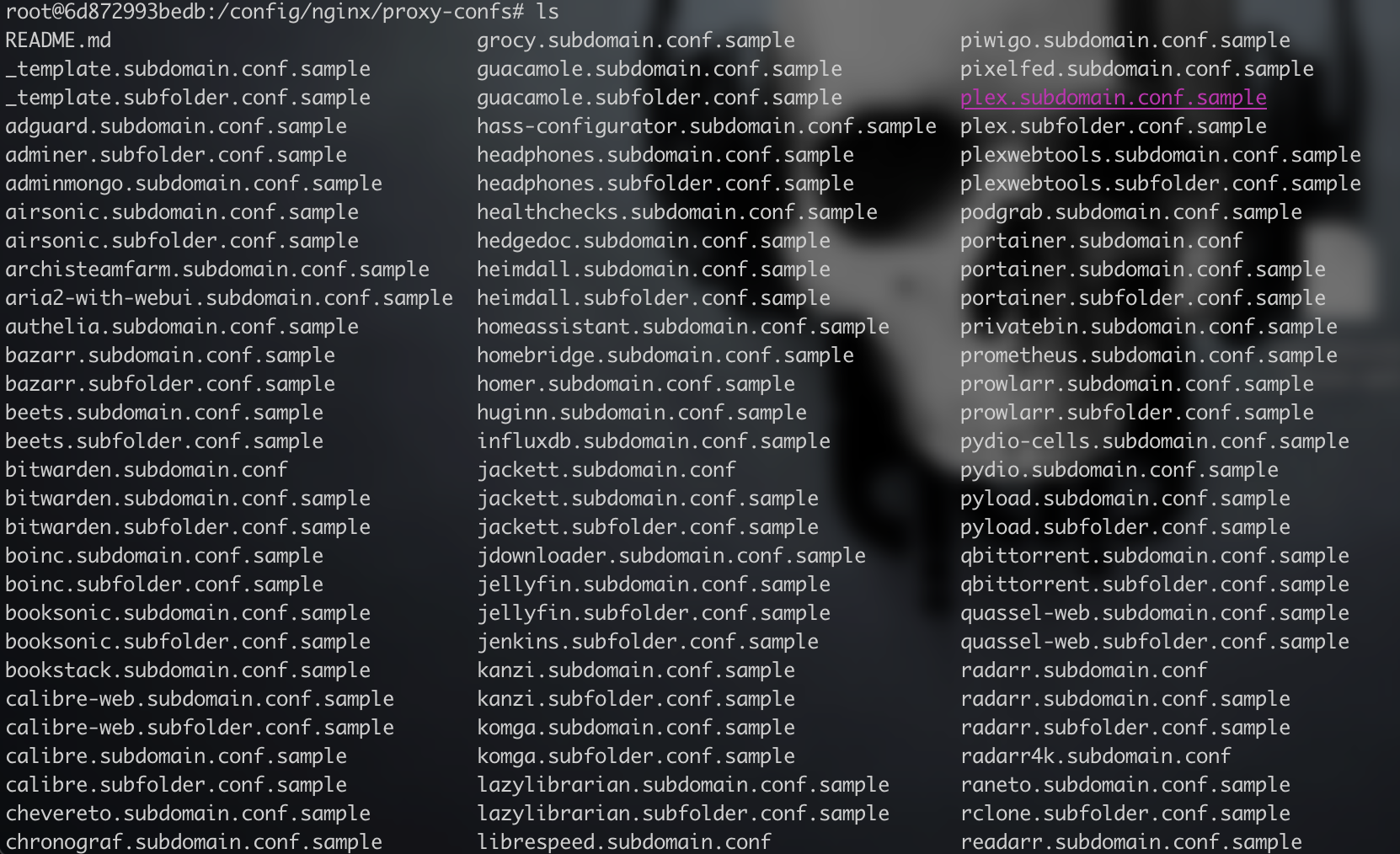
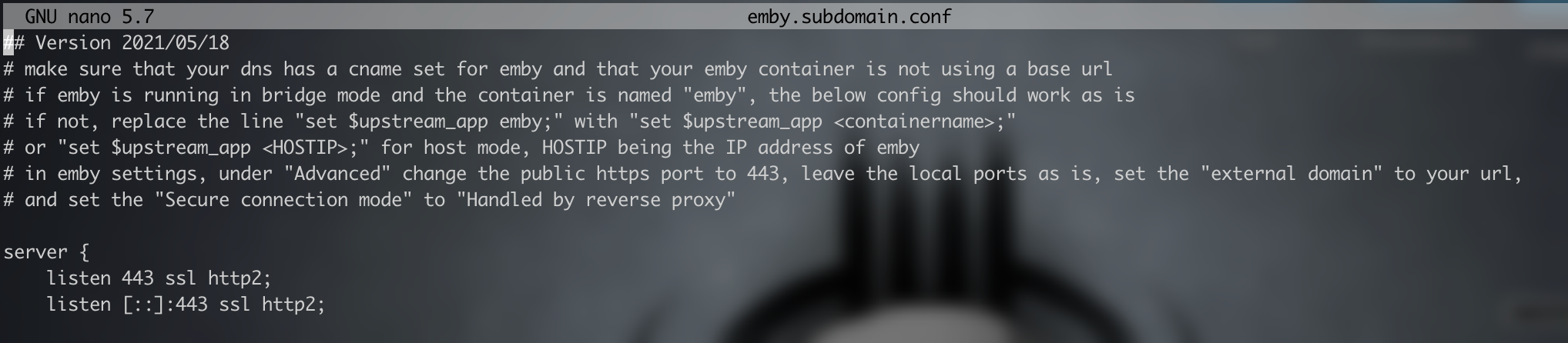
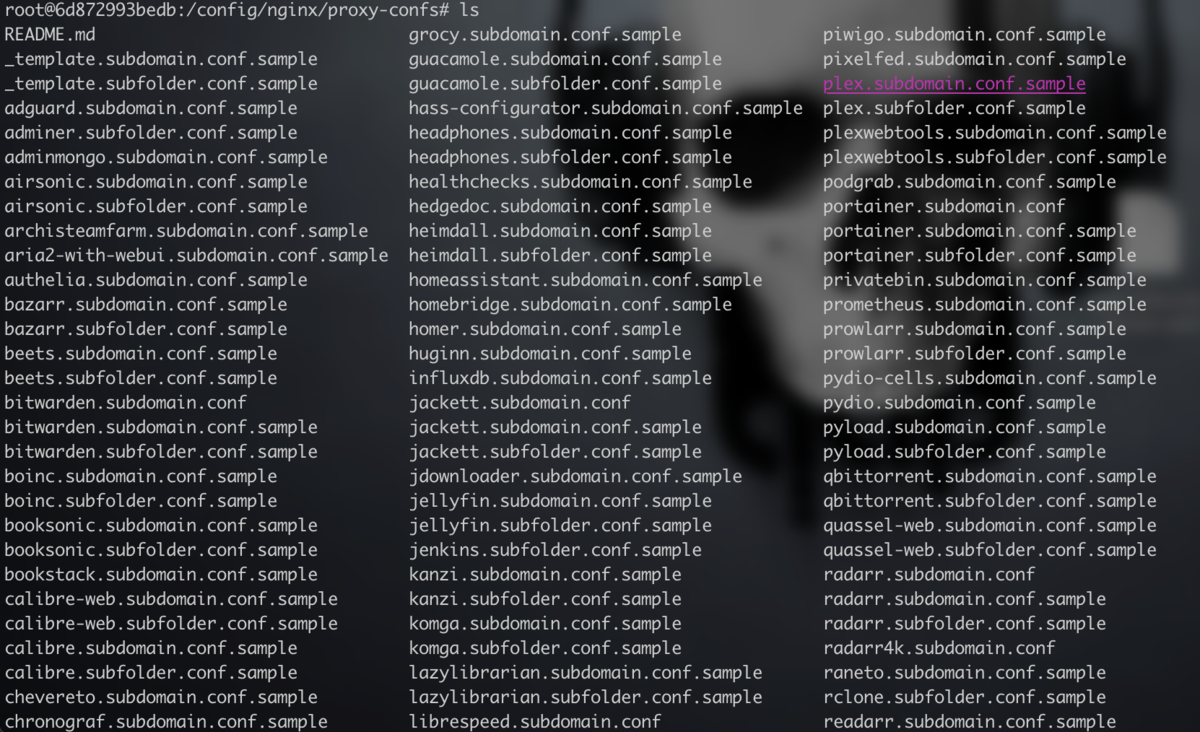
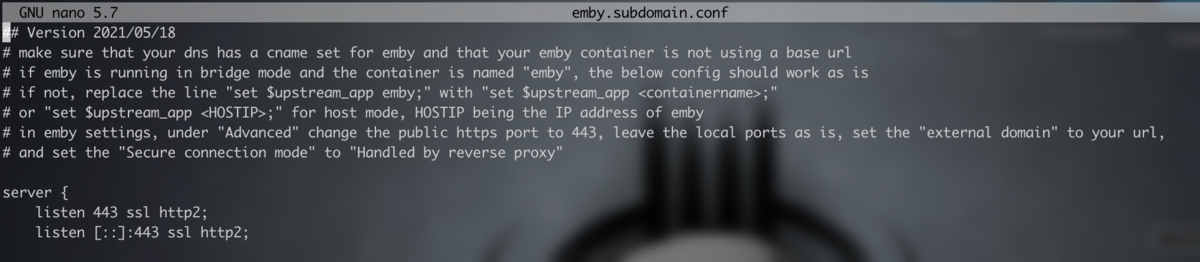
I will pop my 2 pence in here. Having tried most of the Proxy Managers, i don't understand the fascination with NPM. Sure the Webui is meant to make things easier but IMHO when i tried it it is not. I settled on SWAG docker by linuxserver.io which is a breeze and managing four of my docker stacks, sure no UI but set up is so simple compared to NPM BUT more importantly they ship a shed load of proxy-confs for most of the major containers, all you do is edit the relevant conf and change the subdomain you want to assign to that docker container. It does the rest. It has NGINX built in, as well as LetsEncrypt/ZeroSSL and FAIL2BAN, so is a nice complete package. You can obviously add extra config details if you wanted and it checks all is good before booting. Plus each proxy-conf details at the top any specifics you may need to do to guarantee a working config (so it's near impossible to go wrong)

 2 points
 -
I spent lots of time looking for a script that would migrate user watched history from plex to emby without luck so I decided to just write one myself. This project contains a few python scripts that will help you migrate some of the data from your plex server to you emby server. The scripts match using IMDB, TVDB , and TMDB. Right now there are two main scripts. The first one is named metadata-migration.py . It will migrate the following data: Posters Title Original Title Sort Title Parental Rating Labels/Tags The second one is named watched-history-migration.py . This script can migrate watched history for any user but there is a caveat. You have to be able to get that user's plex token. Checkout the readme in the project repository for more details. It will migrate the following data: Watched History https://gitlab.com/CloudWing93/plex-to-emby-migration1 point
-
The Mult-Select in the Server web app is super-useful (I'm so grateful to those that introduced me to it!). But given that the Server web app has some excellent filtering functions (eg, in my case I make use of filtering by Tags) it would be very handy to have a "Select All" functionality, so that I can filter down to the results I'm looking for and then easily add them to a Collection (or, when eventually we have Bulk Editing abilities, open a Bulk Edit view on all the Selected items). Thanks! PS - If this is something you might like to see implemented, be sure to "Like" this top/first post (as well as any subsequent posts in this thread that highlight particular aspects of what you are interested in) -- "Liking" the top/first post helps the Devs to know how much interest there is in a given Feature Request.1 point
-
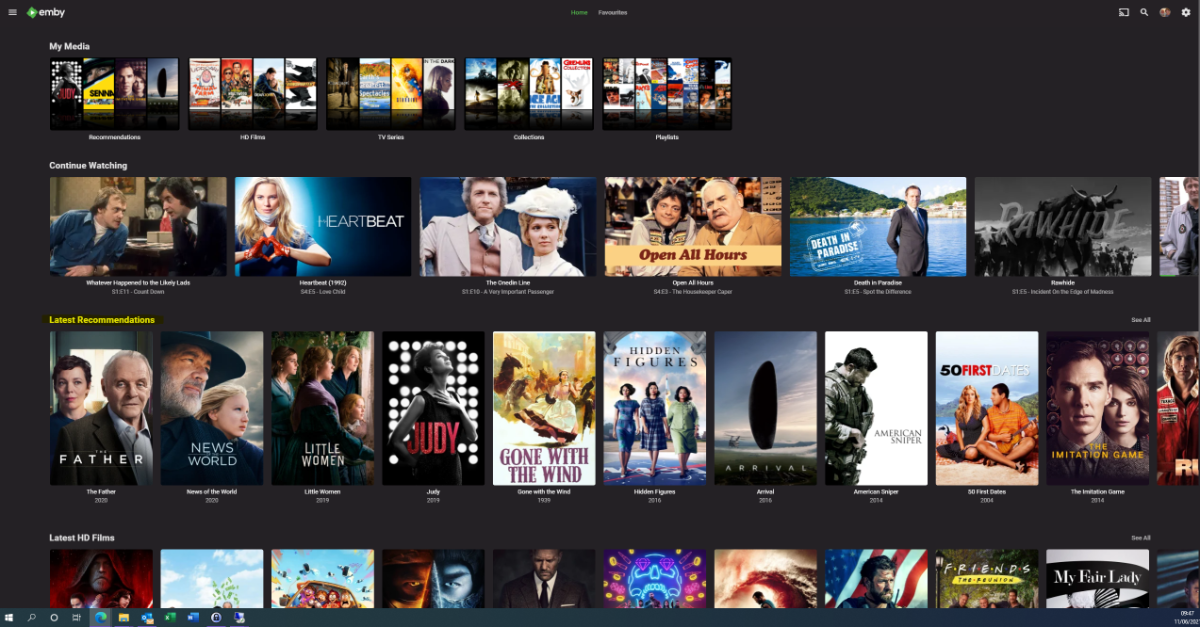
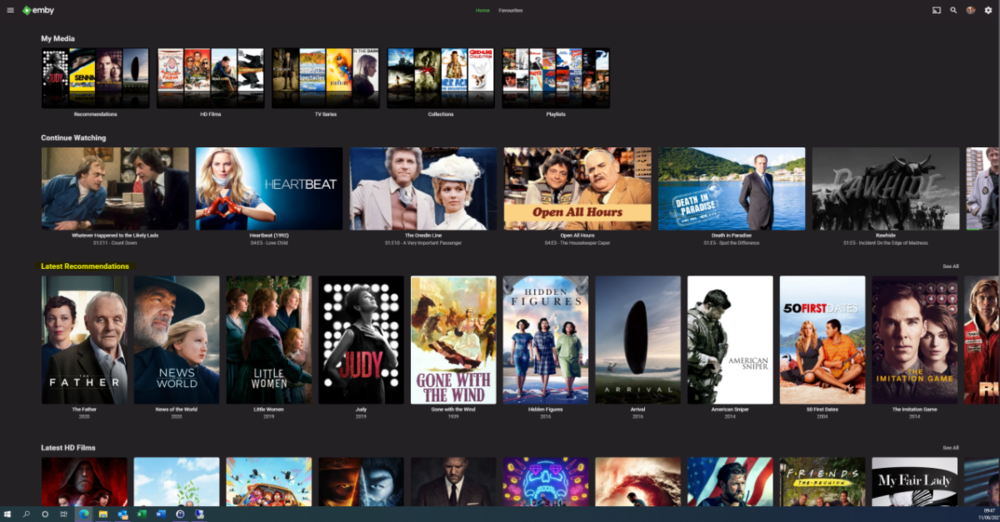
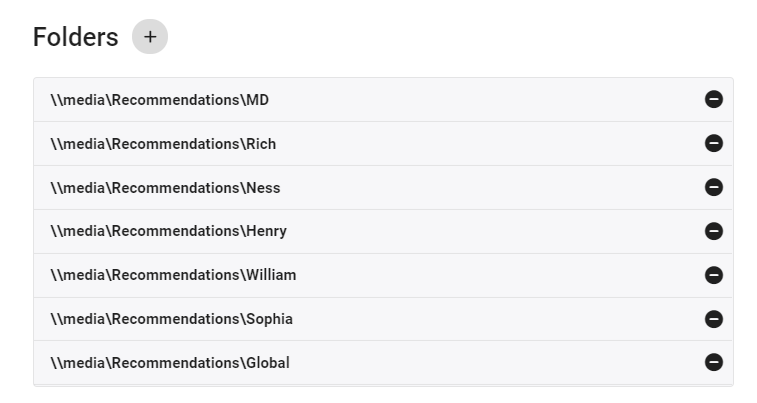
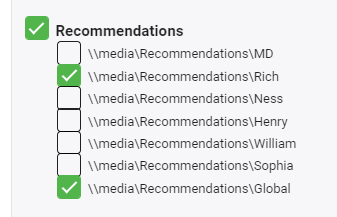
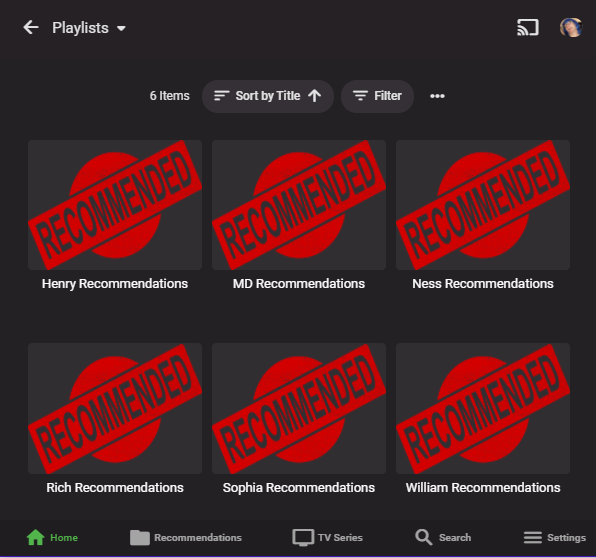
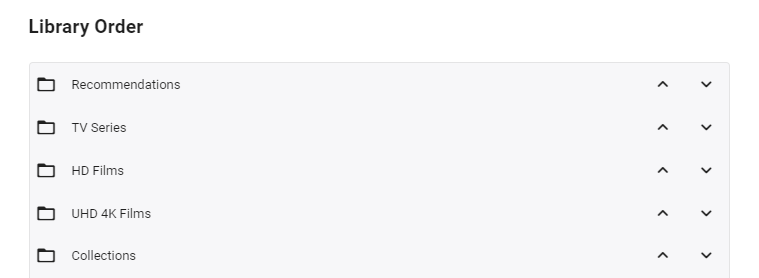
I'm posting here to gauge interest in this potential tool/utility - I use it for my parents and it works really well - but to be useful for the masses, it will need some more time spent on developing the code to make it more universal. However, before doing that, I wanted to see if this is useful as I don't want to waste my time.. What does it do ? It creates a 'Recommendations' library for each user based on items added to a Recommendations playlist. This library is then displayed in the usual 'Latest' list. As items are watched, they disappear off the list. Example (Actual) screen grab - (note 'Recommendations Row') How does it work ? A new library is setup and each user plus a global entry is given their own folder :- In these folders will be links (STRM files) to the real media. These are automatically created on a schedule via a standard playlist file (see below). Individual user based permissions can be applied to these folders - therefore, personalised recommendation lists can be created or globally set if added to the global recommendation playlist. So for this user - they will just see Recommendations for Rich and Global. The Recommendations 'library' needs to go to the top of the list for it to be easily visible :- Note - if there is nothing in the Recommendation library for that user (ie it is empty) - then the Row will not be shown. How do I flag an item as a Recommendation and to whom ? The script pulls the recommendation file locations from the XML playlist - thus you can just use the normal emby playlist functions to add or remove recommendations and add them to the relevant playlist. Anybody can add any entry to any playlist (as playlists are not permissioned), so be wary of that.. If you want everybody to see the Recommendation - then just add it to the Global Recommendation playlist. How often does it update ? Currently my script just runs every night and automatically creates any new entries added to the playlists. Now the initial library and playlist setup is done, this is now fully automated for me - I just add recommendations to the playlist and the following day it appears on those users screens. ... Of course, if emby allowed a playlist to have permissions and allowed it to be shown on the main screen in a row, then there would be no need for these scripts to hack a 'virtual' library... Any thoughts ? Is this worth progressing to make the initial setup more automated ?
 1 point
 -
I just took a quick look at it and I think I can get a easy script for poster migration working within the next day or so. I'll let you know when it's ready if you want to test it out for me.1 point
-
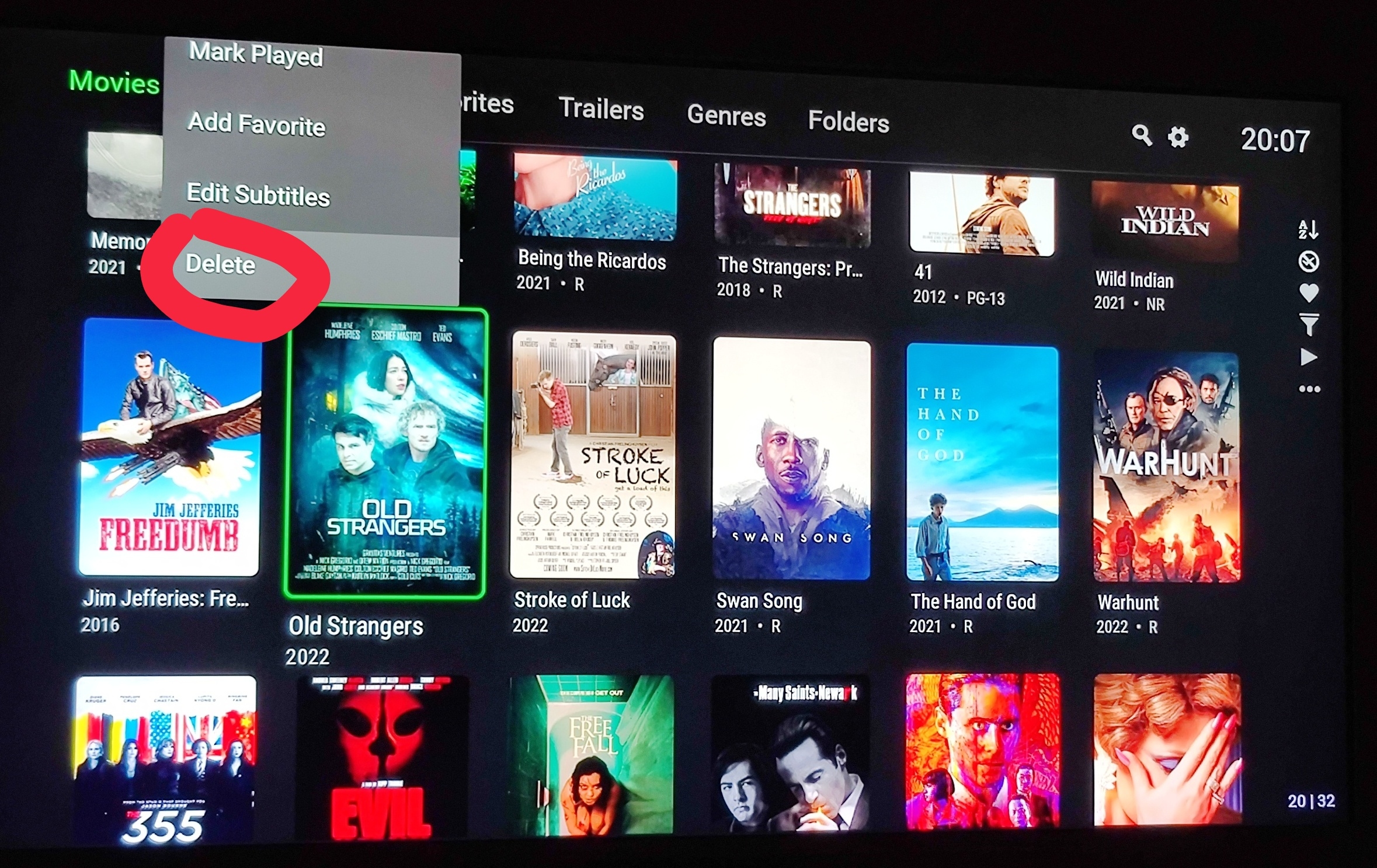
Yes when grouped and Yes. For multi-version items the UI uses one versions nfo file, usually the first one. And the UI only updates/changes one nfo. To update all versions they have to be split appart, edited then rejoined. So in this case since the UI only updates one version the 1080p version and the 2160p version is not.
 1 point
 -
Mbarylski, I just noticed that dates were not being updated properly. I attached code below that keeps the dates from being saved while I fix the problem. Vic EmbyTagApp28e.html1 point
-
Can you test with a file that doesn't have so many subtitles? (ideally <10). I expect this may be the issue1 point
-
True enough, good to know, must have just been the numerous reboots + ticking the box back and forth a few times (while clicking off that settings page to force it to save the config) Nonetheless drove me in circles for over an hour and i couldn't find much for results from google haha1 point
-
Thanks for your quick response, Luke. This is the only feature I really miss, and I'm sure a lot of others do too. Keep up the great work!1 point
-
Hi, the watch status and cache folders don't have anything to do with it. Unchecking the box to force the default audio track would have an impact though.1 point
-
It might be possible smb is required in order to use FILE _MANAGMENT though. For some reason I don't believe Emby is requesting or has permission to request an SMB2/3 connection and the only reason it works for me after 60 seconds is that it sees another smb connection and jumps on it. It's sort of like Jurassic Park when the guy says somehow Mother Nature finds a way.1 point
-
Hi, this is a placeholder notification that has never been used as the core server never actually locks a user out. the intended usage is to lock a user out after a certain number of unsuccessful login attempts.1 point
-
You are making a bit of a leap of logic assuming that the "Allow all the time" option is at all related to the FILE_MANAGEMENT permission. I don't think it is. I believe the apps that are showing the "Allow all the time" option have been compiled to a different (lower) API level than the ones that do not.1 point
-
Correct. The app does not need direct file permissions for this operation. This is nothing new and not impacted at all by what is being discussed here (direct file access for playback).1 point
-
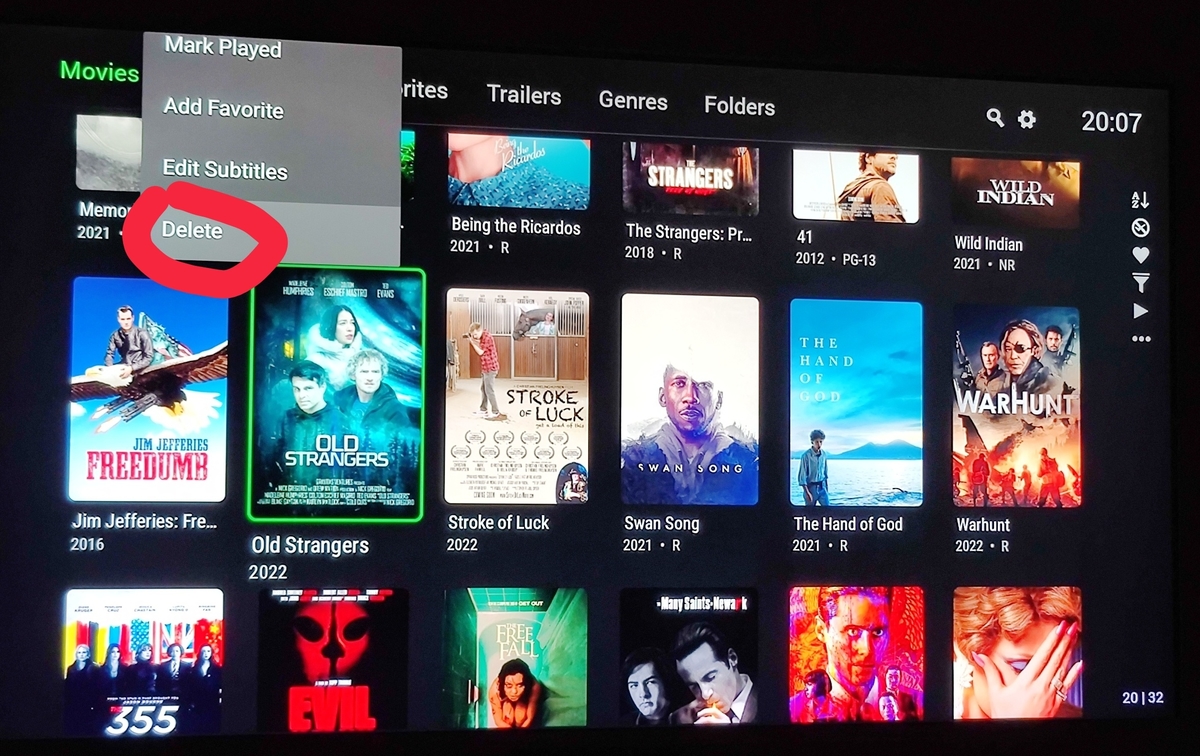
We are not on the same page.
 1 point
 -
If your movies are in their own folders, make life easy for you and just call the file "poster.jpg".1 point
-
Hi. This isn't a terrible idea but I would suspect it could be difficult to maintain. We would probably have to spend a lot of time keeping it up to date. Given that, we'd probably prefer to spend that time on true features for Emby.1 point
-
Hi! Welcome! We have some fixes for the user list. I am about to post another update dll shortly. Can you pm me a full log please. Are you running one of the compatible version of emby?1 point
-
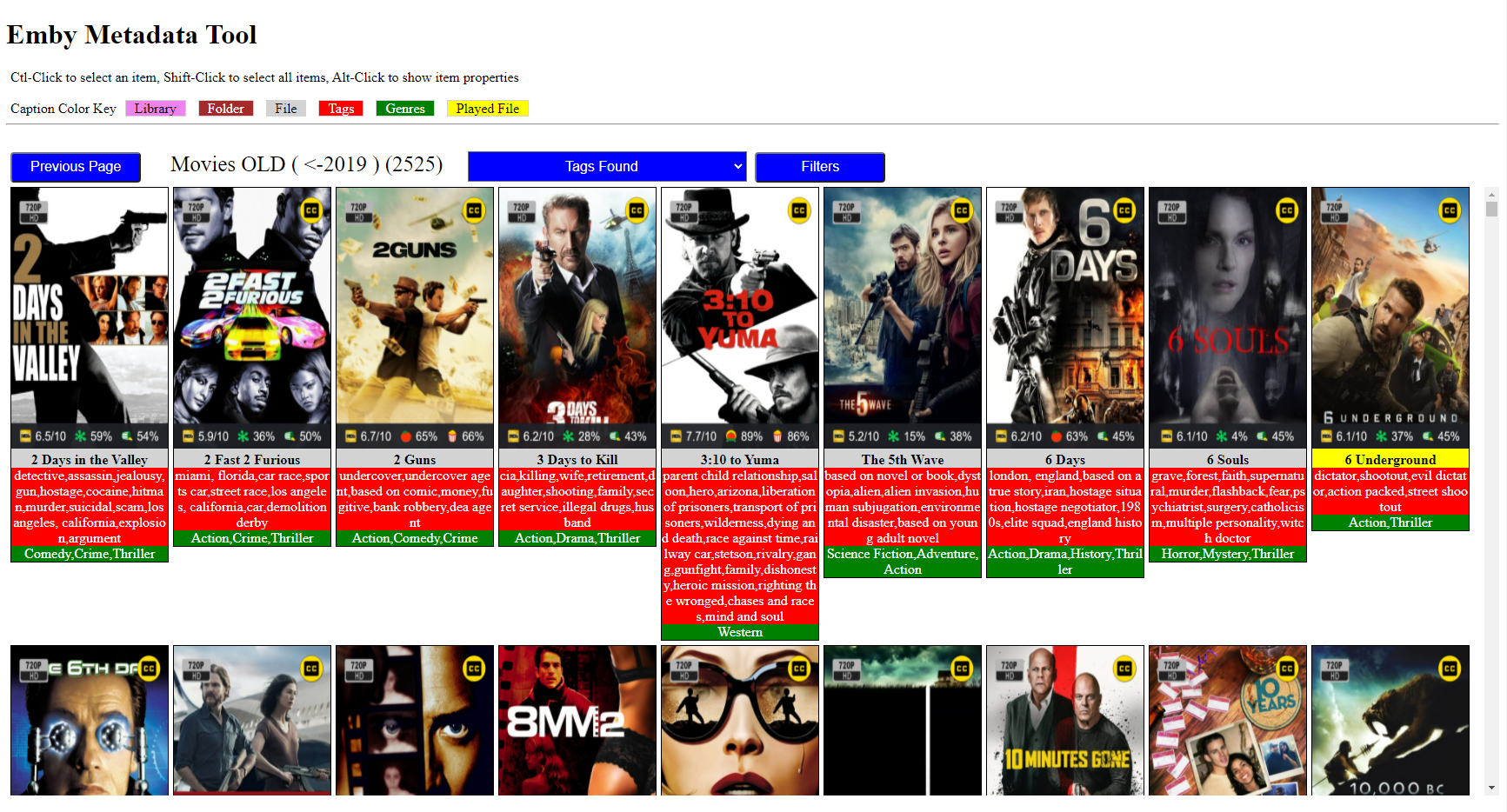
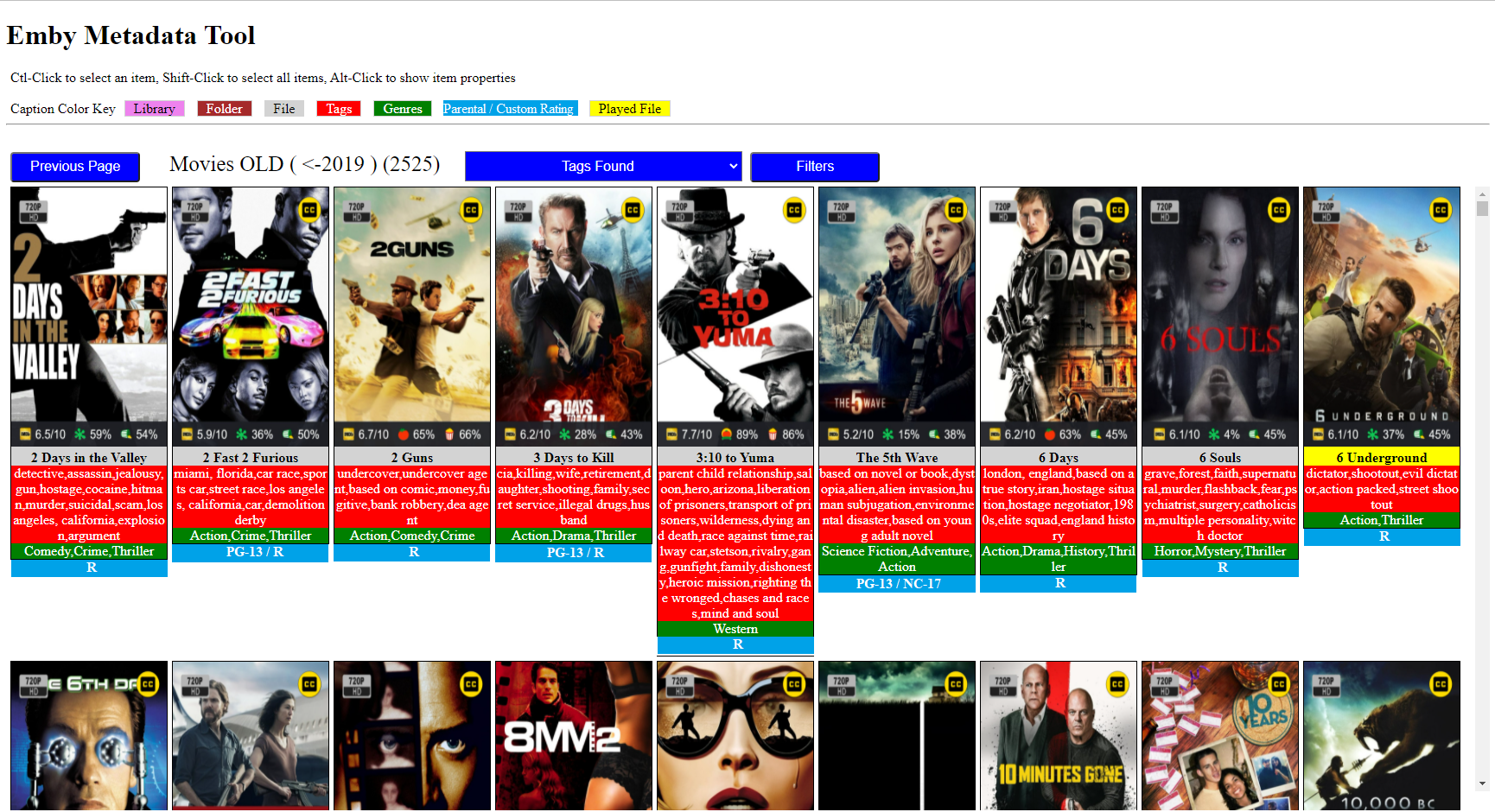
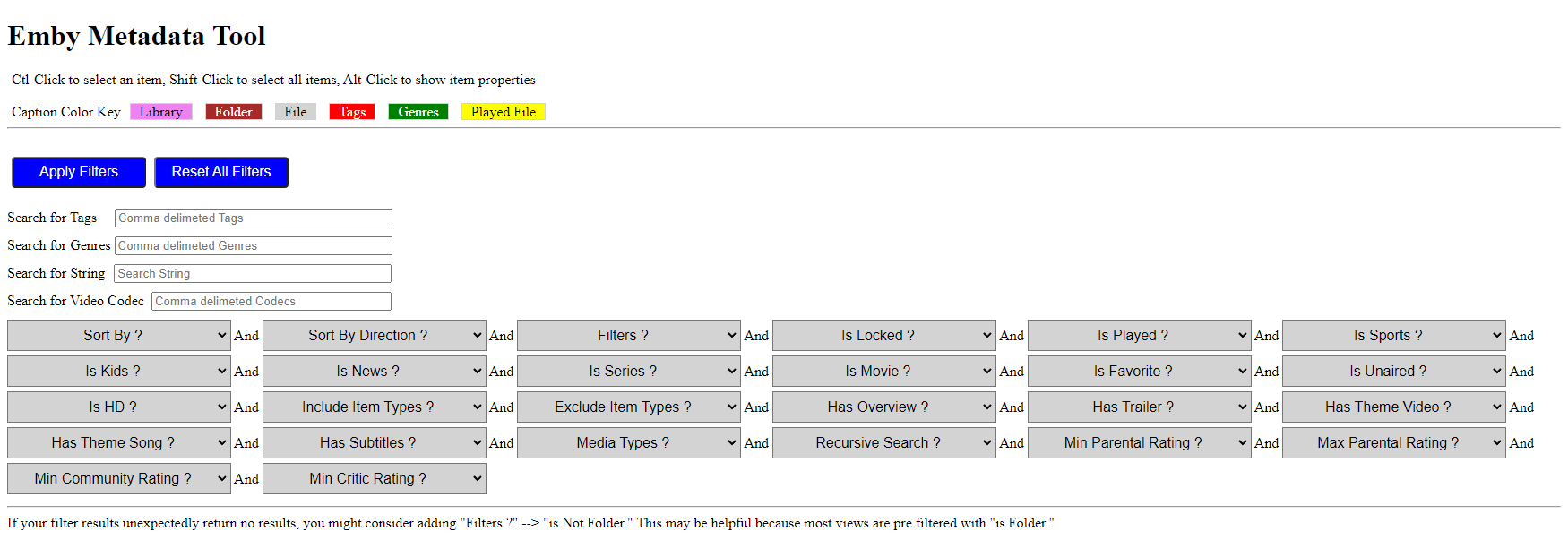
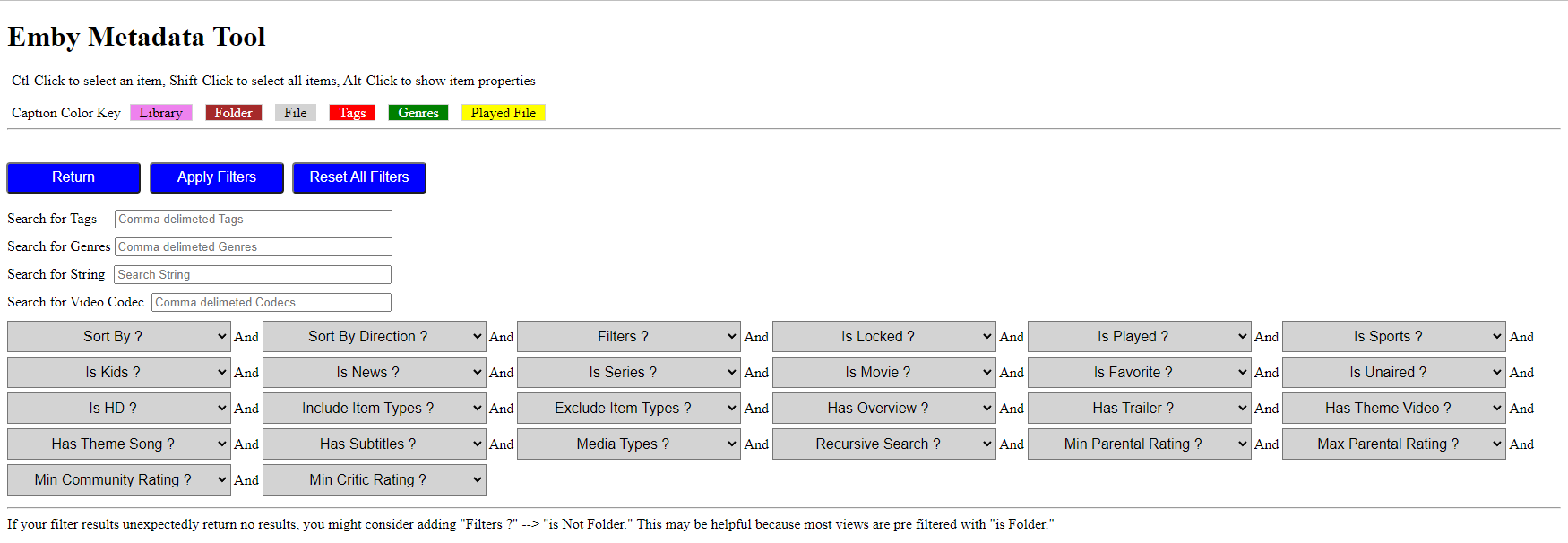
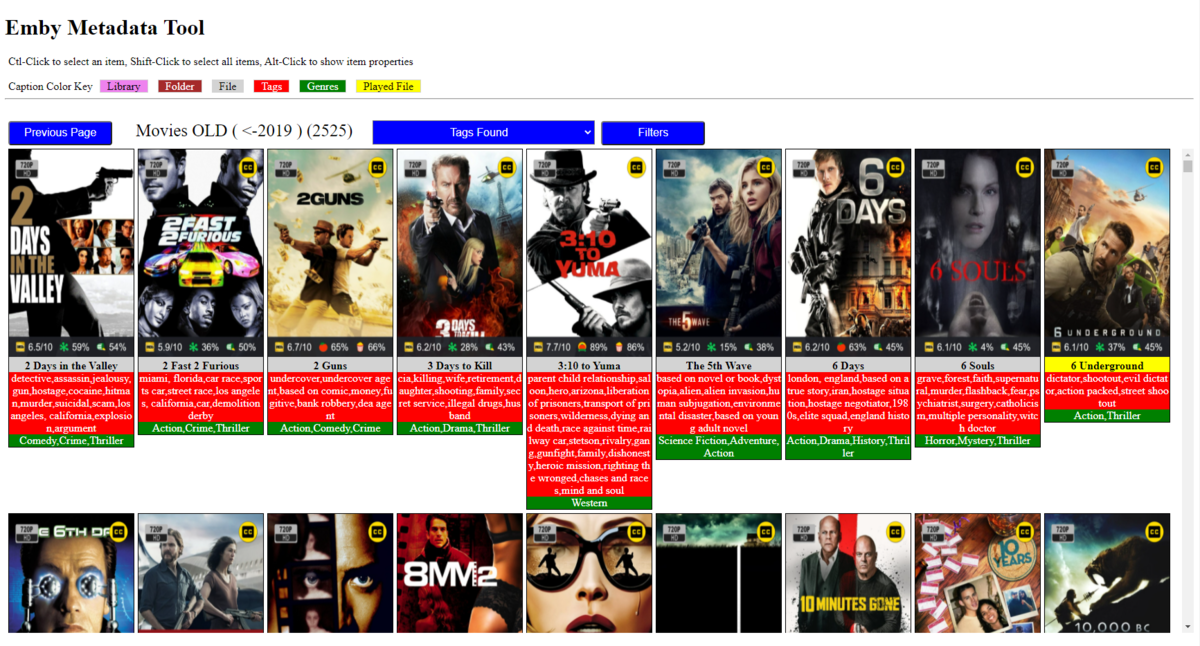
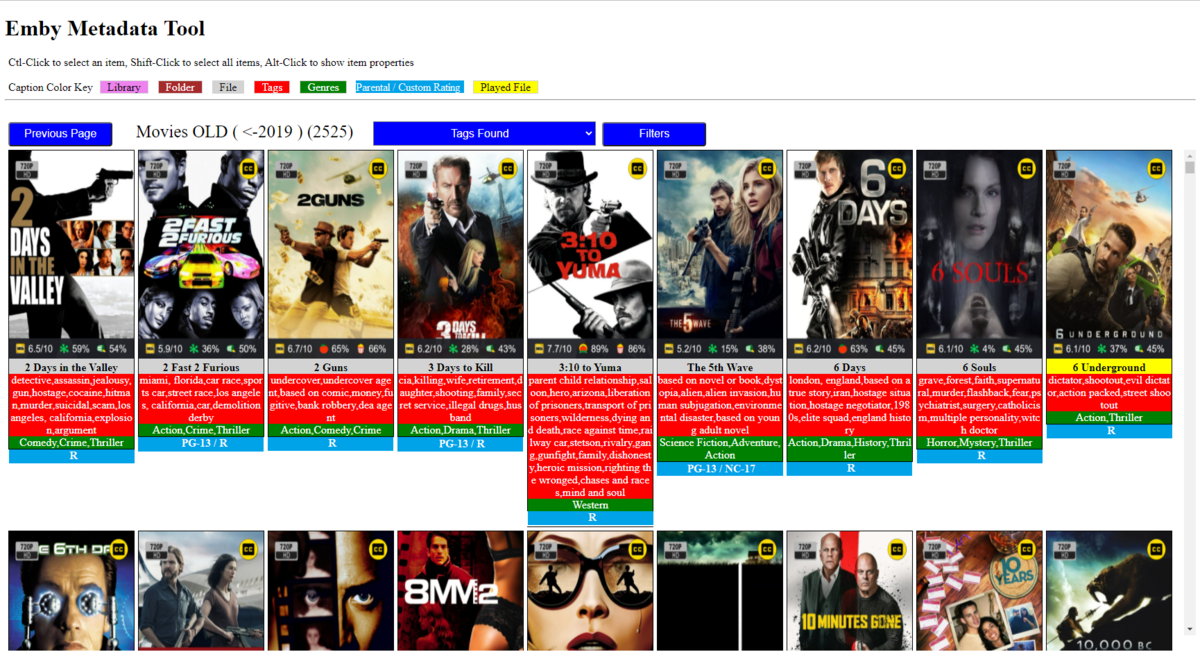
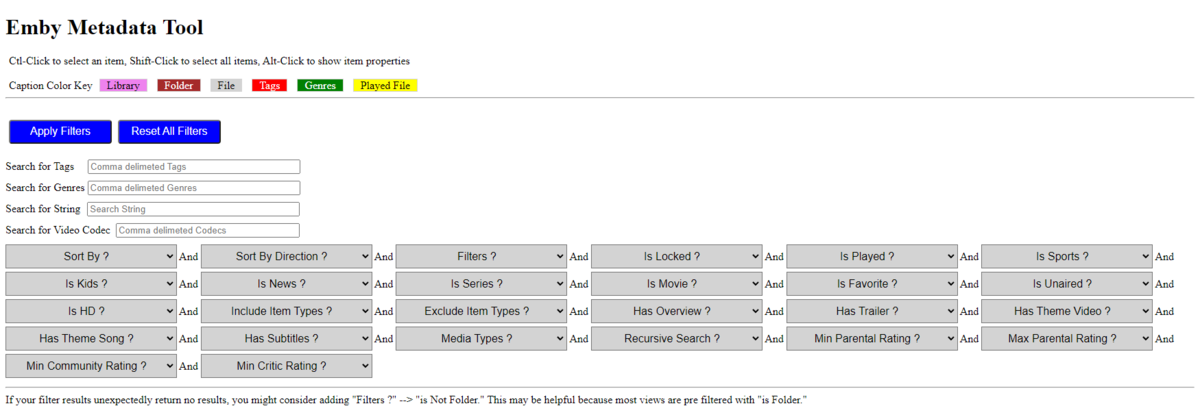
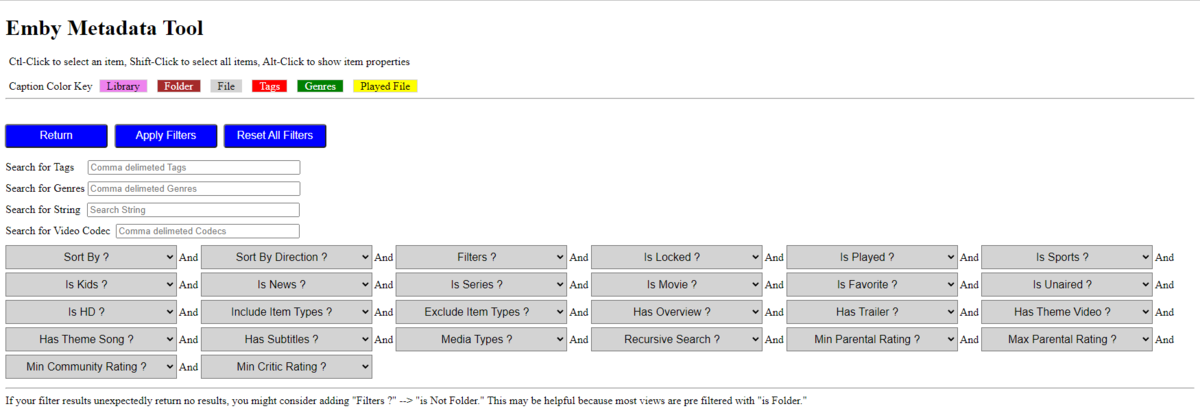
Gave a quick spin this morning, few notes below: 1) Inclusion of Metadata editor is good stuff, as now all changes can be done from the same interface, practically eliminating the need to reach for in-built Metadata editor; however, IMHO biggest - CORE - issue with Emby's Metadata editor is lack of bulk-editing and that is something your Tool is doing simply great and should be focusing on; that said, had generally no issues going through the editor with one, several or large number of items selected regardless of number of tags attached (this particular singe library has like 30,000-40,000 tags alone), saw no issues with Previous/Next browsing or adding any field - as I understood, Saving is disabled atm till you polish it; one thing of note: once an item (or few) were selected, switched to Metadata editor, either browsed Next/Previous or not and then Cancelled, subsequently returning on library page, Ctrl+Click cannot Select any item(s) any more but takes one straight to Metadata editor again. 2) Following above @jankete's query for Parental ratings (and Custom ratings!), I reckon those should also be implemented as bulk-edit items, with already existing ones (Tags, Genres, Watched status) I'd say that is the only one remaining that is likely to be applied in bulk in certain scenarios. 3) Once in "Filters" view, there's no way to go back, there should be "Return" or "Previous Page" there; yeah, you can Apply blank filters, but that causes reload, which with larger libraries takes unnecessary several seconds 4) Couldn't figure out what is Alt+Click supposed to do, as there's no reaction/result upon performing it on any item, could youi elaborate a bit on that one? Anyway, those were few observations of a quick rundown this morning, if I come across anything else will post it here. Great job, Vic, the Tool has come a long way and is simply awesome. Keep up the good work. Cheers
 1 point
 -
I'm aware of that. And as I mentioned in my message, there are 130 episodes in season 1 of Mr. Rogers'. I have some shows like "Smarter Everyday" that have hundreds of episodes in a single season.1 point
-
I solved it ...I had to convert due to a sound problem...Thank you1 point
-
Hi, First of all, I would like to say that I am a huge fan of the Emby project and a huge thank you to all the people who have contributed to it. I currently have the following scenario: I am a native German speaker but have a sufficient understanding of English. - I want to watch original German content in German without subtitles. - I want to watch most non-German content in English without subtitles - I would like to watch anime in Japanese with German subtitles So subtitles aren't needed for multiple languages and not everything will be watched in the default (original) language. I think many here have a similar problem. So far you have referred to the normal Emby settings and that a feature within a series would lead to an increased support volume. Is this assessment based on experience with the current feature from Emby settings or is the current logic of selecting the track to be played alright? If so, could it be a "simple" solution to be able to select the settings (regardless of what is available in the content) within a series and have it only override the Emby settings, but use the same logic? To elaborate what I imagine: - The setting could appear in the season/episode selection under the "More" menu as "Preferred Language", which shows a popup to select "Preferred Audio Language" and "Preferred Subtitle Language" for that series - A corresponding disclaimer could be displayed at the bottom of the popup, warning that the feature only works with correctly designated tracks - It would offer all languages for audio and subtitles to choose from, regardless of the actual content, which are also available in the Emby settings - There would be an additional "Default" value that inherits the Emby settings, which is selected by default - The existing logic can be used to select the track to be played, since only the value from the Emby settings needs to be replaced by the series settings1 point
-
Emby has something called softworkz which Plex doesn't.1 point
-
I have the exact same issue. Can a 12h/24h toggle be added into the settings somehow?1 point
-
I'm betting it's almost a minute now watching the spinning wheel vs almost instant before SE9. It's so long my wife started playing solitaire on her phone to see how far she could get before our show started playing.1 point
-
@capodac Try this branch: https://gitlab.com/CloudWing93/plex-to-emby-migration/-/tree/cli Plex changed the way you get their auth tokens and by the time it quit working I had already moved my users over so I kinda abandoned the GUI. I made some quick changes this morning to set it up to use a CLI with arguments and added support for multiple libraries. You'd have to run the python script manually. Let me know if you have any questions.1 point
-
Not necessarly, I just want a fast and easy way to do this at a global level. Default all new users or future users to using specific settings.1 point
-
So I don’t need to go into every single user and configure it for them. Less confusion for the end user.1 point
-
Since some people can be both singers and actors, it would be great if the artist and person could be linked so we can see all of that 1 persons songs, movies, tv shows, and anything else that they've done in their careers.1 point
-
If you are interested in this feature please like the post. Many photo enthusiast use RAW files when they take pictures; they come in a lot of different flavors and extensions. Here from WIkipedia: .3fr (Hasselblad) .ari (Arri_Alexa) .arw .srf .sr2 (Sony) .bay (Casio) .cri (Cintel) .crw .cr2 .cr3 (Canon) .cap .iiq .eip (Phase_One) .dcs .dcr .drf .k25 .kdc (Kodak) .dng (Adobe) .erf (Epson) .fff (Imacon/Hasselblad raw) .mef (Mamiya) .mdc (Minolta, Agfa) .mos (Leaf) .mrw (Minolta, Konica Minolta) .nef .nrw (Nikon) .orf (Olympus) .pef .ptx (Pentax) .pxn (Logitech) .R3D (RED Digital Cinema) .raf (Fuji) .raw .rw2 (Panasonic) .raw .rwl .dng (Leica) .rwz (Rawzor) .srw (Samsung) .x3f (Sigma) It would be a nice addition to be able to manage and display these in the Photo library ! I have checked and my Nikon .nef are not handled by Emby1 point