Leaderboard




Popular Content
Showing content with the highest reputation on 01/24/22 in all areas
-
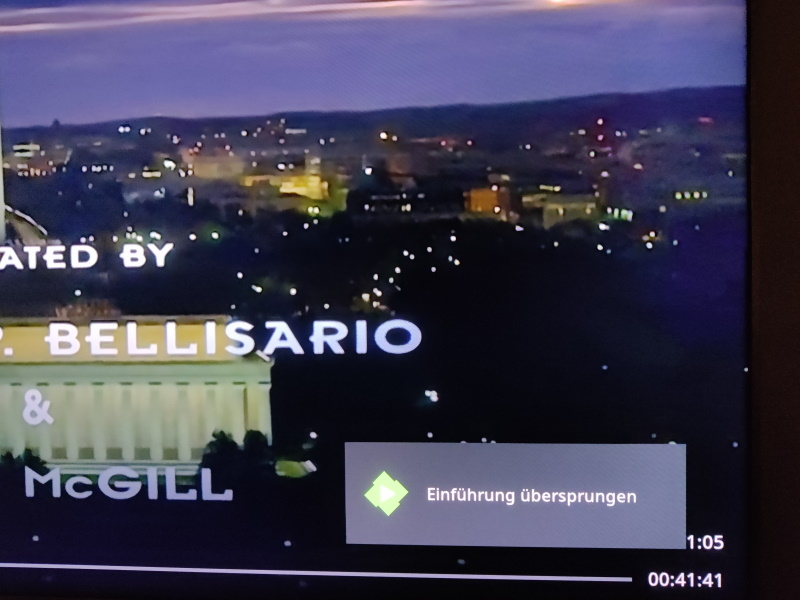
Just for reference (german message): Again this is how it looks like on: Client: - FireTV Cube / Kodi 19.3 - Emby-next-gen Plugin 6.2.7 - Embuary Skin Server: - QNAP (x86) Nas - Emby-Server 4.6.7.0 qpkg - Intro Skip Plugin 0.0.1.74
 2 points
 -
So I can confirm on Kodi 19.3, with emby-next-gen 6.2.7 and embuary skin your plugin is working fine. Auto-Skip message is also appearing. (tested in english and german) No my NAS isn't exploded second task for detecting needs a lot time but completes successful.2 points
-
He forgot to mention you need to refresh the metadata for the items you wish to update the chapters for. It doesn't have to be a full refresh that replaces images and such, the "missing metadata" option will do the job. Unfortunately, that's how it is for now as we can't tell which chapters are the ones we put in or which are existing ones. However, this should be getting better very soon.2 points
-
Jankete, thanks to GrimReaper giving me the map between the FSK ratings to the parental weight codes in Emby, I was able to add the FSK notations to the pulldown lists. The code is attached below. In this version of the tool, I also enhanced the playlists. You can now play playlists. Vic EmbyTagApp28.html2 points
-
You can argue that I suppose, but then you're talking 3X the http requests to get the job done, which will cause the whole process to take longer as well as increase the chances of your account being rate limited or locked out temporarily.2 points
-
Is this doable by some sort of plugin ? Maybe add your imdb credentials and then be able to rate movies here and have them on imdb as well (not talking about sorting here, just rating stuff)1 point
-
Be able to create playlist based on a certain criteria, like genre and or year, in order to create a dynamic playlist that it refreshes automatically when new content is added. This way you can for example, create a tv comedy playlist from the 90's, or a new sci-fi Movies playlist. Some other criteria for rules could be the rating, watched/unwantched, score, tags, language, audio codec, etc The possibilities could be endless1 point
-
Ah really ? ok - I thought that would not work - but glad it does - good to know. Thankyou for testing ! I've added to the Compatibility List1 point
-
I was having a similar problem. I had redone my computer and Emby Upload had stopped working for me. I had gathered all my logs and screenshots and was ready to post when I found this. It worked!! My devices are uploading again. Thanks!!1 point
-
Yeah, I've been gradually reencoding my library into AV1 (from the original blurays), which plays back perfectly fine on the 4k Max. But it's going to be quite a while to get through all of them, hence still hoping for a solution. Really appreciate you taking the time to look into it. Certainly no rush needed.1 point
-
i could do another test on kodi if it would help. I can install Kodi on a raspberry pi and add emby (but i would not add the emby addon, i would like to test the EmbyCon addon) But just if this would help. Just let me know.1 point
-
Sorry, I didn't have access to my PC over the weekend so couldn't look at this - but if @RanmaCanada confirms it - then you can be certain it's a real problem.. Will try and look this week - but may not be able to add much to the debate beyond suggesting a re-encode (not a re-mux, as this will just copy the bad frames).1 point
-
- I've updated the Compatibility List. Could you also kindly confirm if the Auto-Skip Message also appears when using Kodi ? Thanks ! https://github.com/chefbennyj1/Emby.IntroSkip.Release/wiki/8.-Emby-Client-Compatibility-List1 point
-
Right, glad to see i'm not the only one wanting to see this. Thanks for the link1 point
-
You've kicked a hornet's nest, Playlist access/permissions is long due for revamp, hopefully in not too distant future.1 point
-
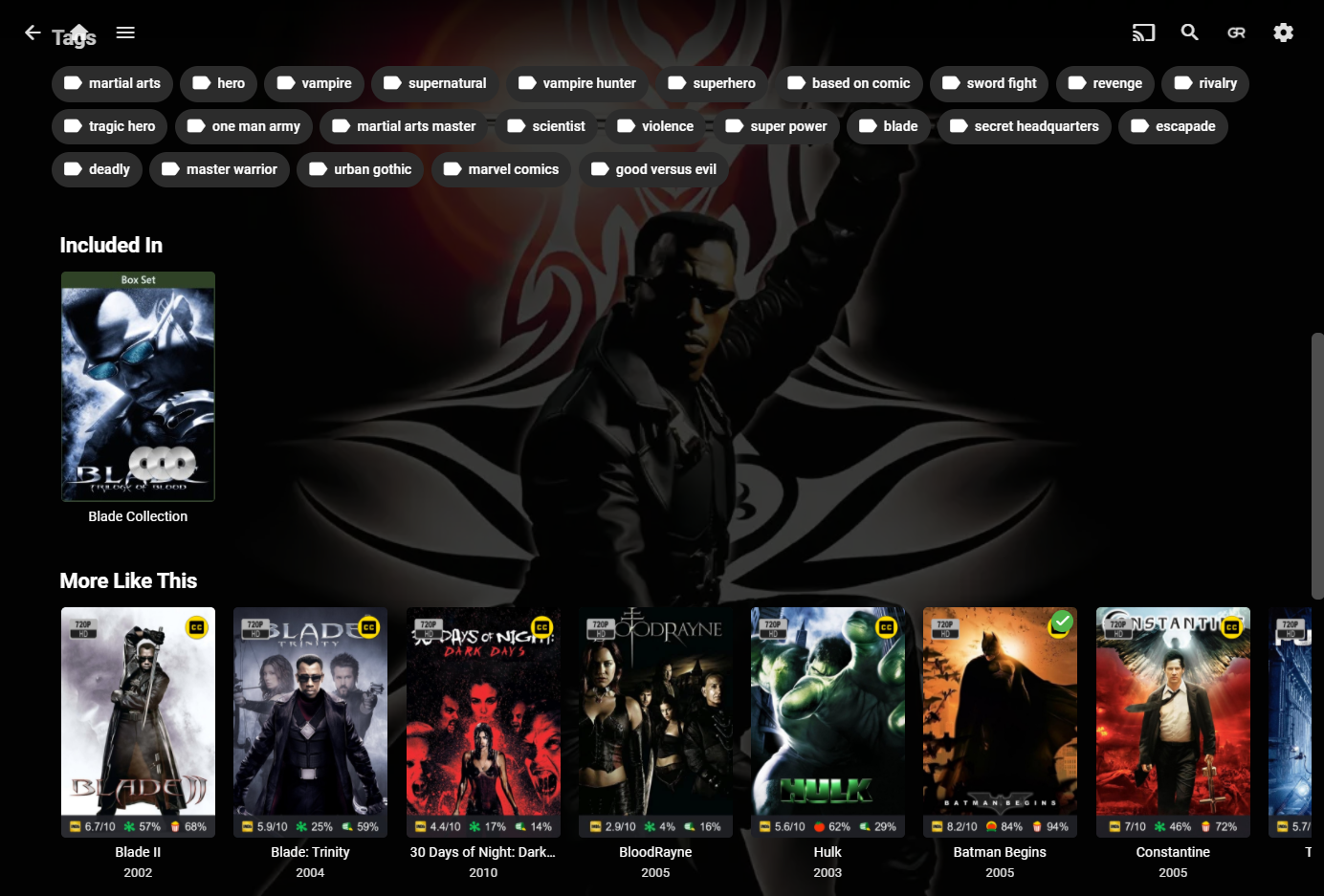
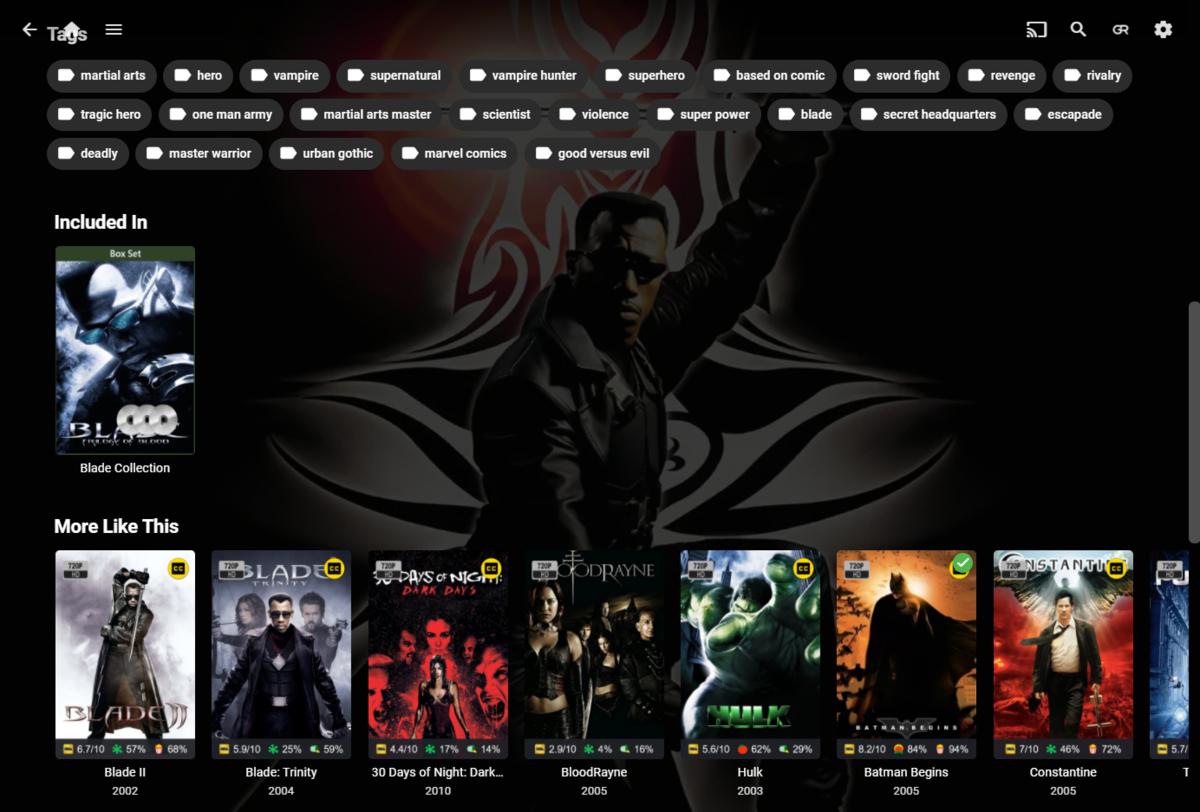
FWIW I have no rogue items in Blade's More Like This:
 1 point
 -
Well, this is embarrassing. Turns out my server was doing a parity check when I was trying to play a movie. Didn't notice this until I actually went to the server to inspect a few possible causes. Once the parity check finished, everything is back to normal and no issues playing any 4k remuxes. That's a relief!1 point
-
Hmmm...I did run the IntroSkip Chapter Insertion task a few times and it did not update/remove the Title Sequence or End Credits chapter markers.1 point
-
Huge thanks to @msqwertylaboeuf - to have occasional access to my music library from outside my home network, ZeroTier is a simple solution, these instructions are clear and perfect, and I don't have to figure out SSL or forward a port or otherwise open an insecure hole in my network. Thanks so much.1 point
-
All the critical issues I was having when first upgrading to SE9 were all fixed with the two hotfixes that are out now. The hotfixes are something you will need to sign up for separately if you want them right away. SHIELD TV Community | NVIDIA GeForce Forums1 point
-
Hi. All the critical issues I am aware of are related to the Nvidia update so the Nvidia forums would be the best source of info for that.1 point
-
I moved part of the library, I decided to use a softlink. I shut down emby, moved the data, created the softlink, started emby. It never knew anything happened.1 point
-
Version 1.6.0.6 Fixed when a file is copying over to the monitored folder sorting happened before it was ready (linux) try to force providers to adhere to the culture.1 point
-
This has been added for the next release.1 point
-
Hi. Check out the playback reporting plug-in.1 point
-
PM send. Thanks for taking a look. I think I have to correct something from the PM. I just added a couple of files to the test instance as I thought the files I used there were not ideal for testing and too few to create footprints. I'll see what happens with those newly added files and report back. For the production server the issue is still the same. Edit: So in addition to the information provided above I can say, that skip intro works on the test instance. I've tried with the web browser and it worked (save for the transcoding pause for the hevc file). But as this instance was set up from scratch, I've encountered one problem I was able to solve, but may be of interest to you. The new server only had one (admin) user and I was not able to enable a user for auto skip. I had to create a new user and restart emby for that. The dropdown was simply empty and clicking on it resulted in a loading circle without doing anything.1 point
-
Yes. That is a good idea. I can add that right away.1 point
-
Support for gapless playback via Chromcast is really needed!1 point
-
Hey @Spooky83 thanks for joining. I see the fingerprint task is having an issue on your system. Could you pm me a fresh log from when you attempt to run the task. Docker is Linux so we should have all the appropriate libraries we need to run the task, but I think I need to see the full log inorder to best understand what is stopping the task.1 point
-
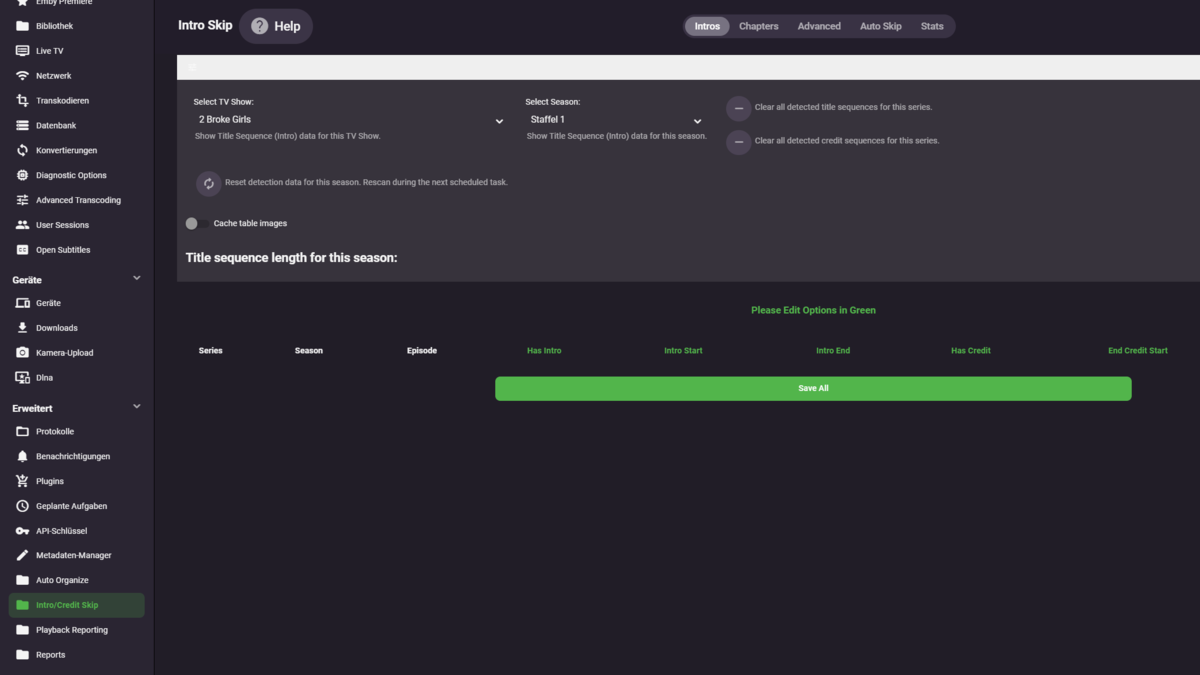
Hey guys, Is it possible to add a filter on the start page, so that only the series that are not on the exclusion list are listed? Since I have very, very many series and can only release them little by little to keep track of it is very hard to find your way. I think this would make it easier to check finished seasons and series. But also a praise: The new interface is getting clearer and clearer.
 1 point
 -
ahh, as a reminder for myself, do not login unless I drink my 3rd cups of coffee1 point
-
Sorry I was tagging OP as they are not following this topic.1 point
-
Merged with existing topic but there is a change in 4.7.0.20+ as I have shown above.1 point
-
Same thing for me after upgrading to Emby 1.1.1 on my Samsung TV UE65KU6000KXXU I know you are looking into it, but I thought it might help if you knew of more TV models that it's affecting.1 point
-
Yes we'll have an announcement. Thanks.1 point
-
Was just testing this on file provided and I don't get this QSV decoding error but am on Windows stable and beta. May be driver related. Is this a headless server? Encoder QuickSync RDPDD Chained DD - H.264 (AVC) Decoder QuickSync RDPDD Chained DD - H.264 (AVC) Adapter #0: 'RDPDD Chained DD' Id:0 (Driver: 655378.659785, Vendor: 0, SDK Version: 1.11) Hardware Video Acceleration Fails with Remote Desktop (RDP) on Windows : Emby @softworkzwould this be correct?1 point
-
Hi, SortBy does not work because it gets sorted by the similarity score, but we'll take a look at the item type filtering. Thanks.1 point
-
This is resolved for the next update to the app. Thanks.1 point
-
The server log should show the request.1 point
-
Logic for subtitle downloads is Hash > Name > IMDB Id, with hash only being applicable to OpenSubtitles. If multiple matches are found, first one returned from provider is used. It does, same as with meta-providers, order of preference is respected. In your case, SubDB>Addic7ed>OpenSubtitles>Podnapisi will hardly ever return a hash-match (when not required) as it is likely that name-match (or IMDB Id-match subsequently) will be found on first two providers. So, Emby "guessing" which subtitle to grab is very dependent on your media naming and availability. As for which provider is more likely to return correct matches, I'd say same applies.1 point
-
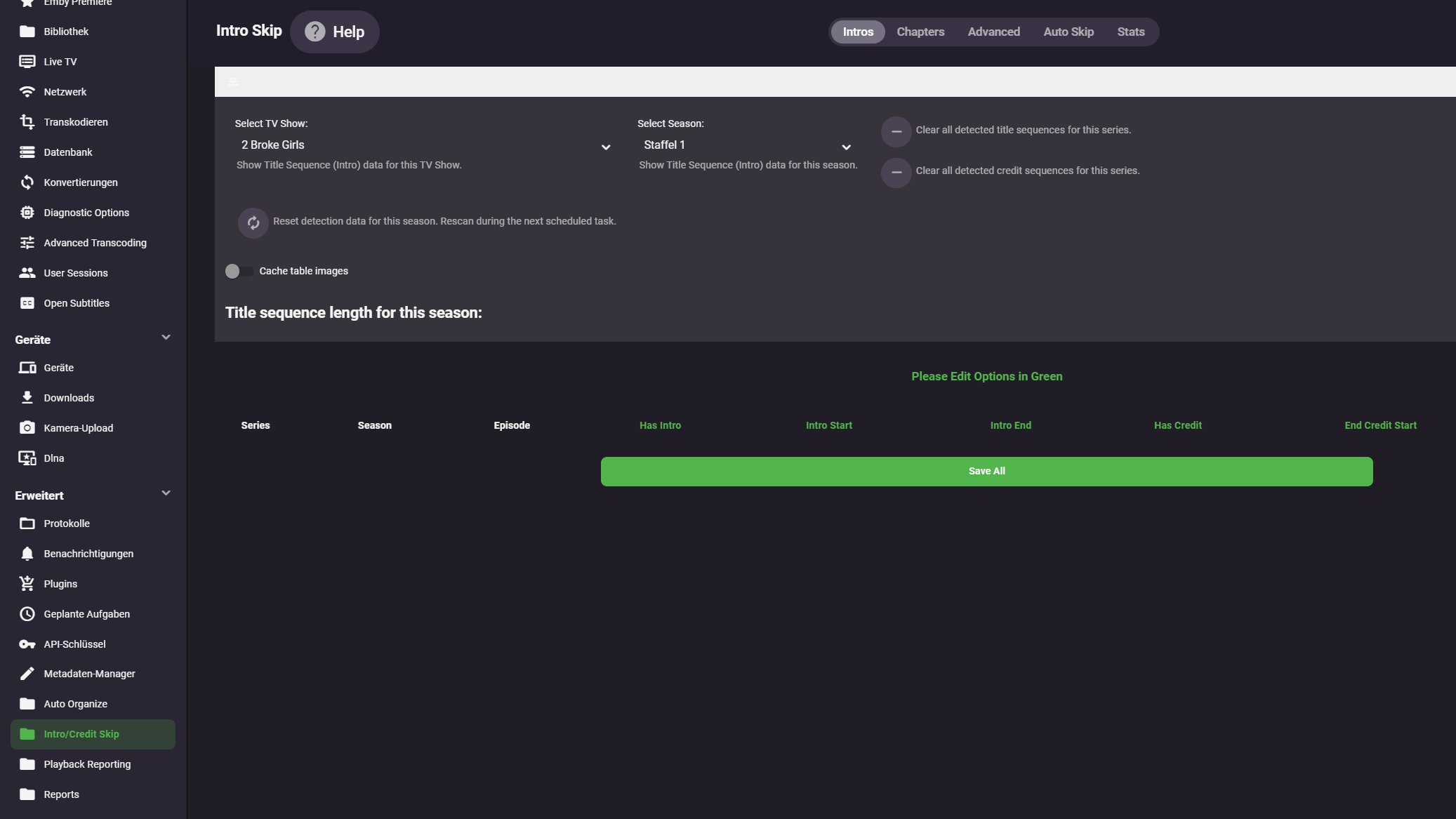
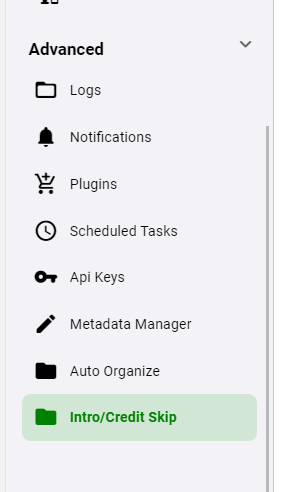
Version: 0.0.1.74 I hope that this beta makes a smooth transition from the last beta release, which was over twenty version ago. From our tests, the transition should be okay, there could be some hiccups to prepare for, and we can help make the transition. Changes: Fingerprint binary folder is moved to "plugins/data/intro_encoding". (this folder will be created when the server starts.) This change means that you can delete the ""plugin/configuration/introEncoding" folder that was created previously. It made more sense to have the folder in its new location. Image caching is done in base64. This is working for all platforms. Yes, returning stream data with a content-type header would be ideal, but this is working, and returning 'blob' to the UI was broken. The base64 string are small, and take up little to no room in the cache folder too. Please note with regards to image caching: If you have selected the option to cached image from the UI in the prior version, there is a little bit of clean up that has to happen. Please delete all the files found in this folder: Emby-Server\programdata\data\introcache These were image files, and they will no longer be supported in the UI. New files will cache themselves when the UI loads (if the option is selected). Clear Series title sequence buttons. If a series does not have a title sequence, but the detection algorithm has detected sequences (incorrectly) These button will mark an entire series as having no title sequence, and sets each sequence to 00:00:00. Please only press these button if you are sure you want to set all sequence data to "none". Mobile View There is a mobile view for phones. The plugin configuration is not accessible in the mobile apps, however accessing the configuration on your phones web browser will create a responsive layout, with easy editing. This can be useful if you want to edit an incorrect detection while watching an episode. Dashboard navbar configuration quick link added Menu dropdown We have changed the config ui with an option to hide the table options, to best bring focus to the table itself. Clicking the button in the left corner will hide the menu Please remember to Clear browsing data. Other considerations in this release: paging error fixes/memory consumption limits, fingerprint binary saving, ffmpeg process cpu usages. As mentioned before, there is some really interesting opportunities with this technology for the future in emby. If the transition to this new version is not smooth, please post here and we'll help. The project library posted below is meant to stay in it's dll form (if ya don't mind ) Definitely interested in feedback. For more information or to check out the FAQ (created by @rbjtech ) it's found here: https://github.com/chefbennyj1/Emby.IntroSkip.Release/wiki Here we go! IntroSkip_v0.0.1.74.zip
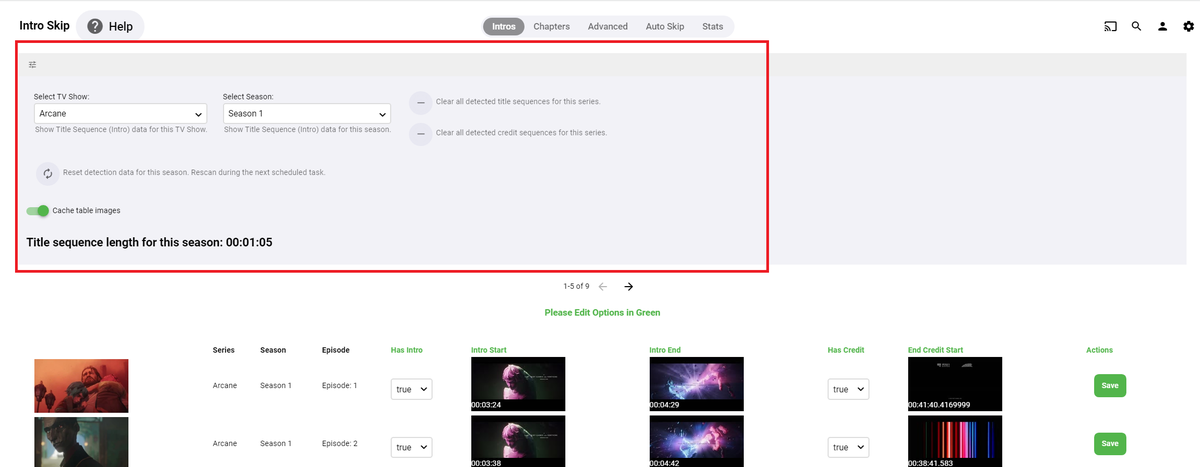
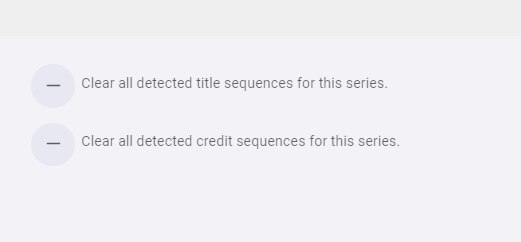
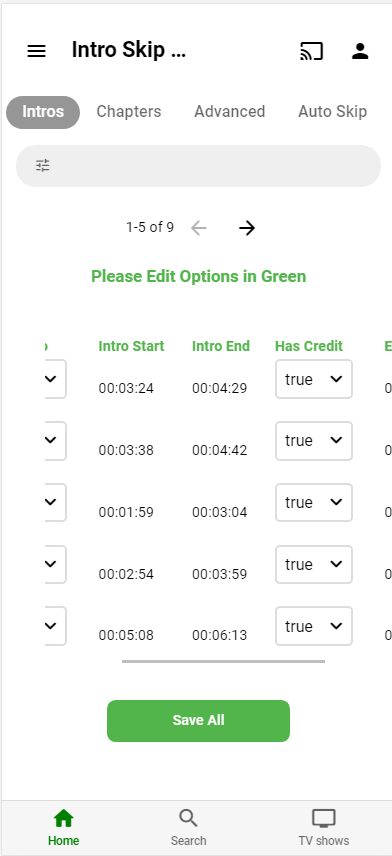 1 point
 -
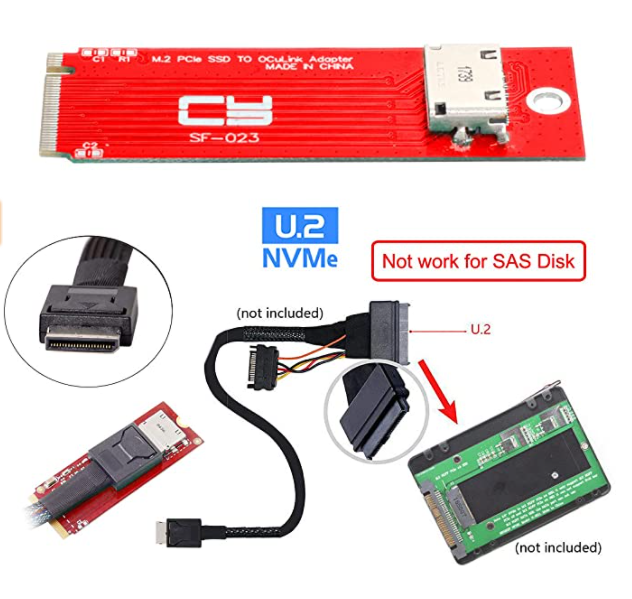
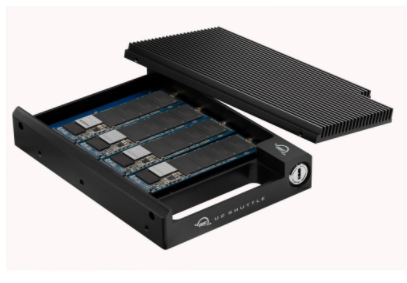
Thus far I've tested with 2 1 TB NVME sticks setup as read/write cache. Above with an addition of Samsung SATA SSD attached via USB. Then removing the 2 "cache" sticks from Synology control, formatting one manually as a new volume. For simplicity this I'm sure is the go to. Only question is 1 or two NVMEs. 1 could hold meta-data, cache and the other for DVR recording and transcoding. That could allow buying 1 nice nvme to hold good data and make loading and general navigation quick. The 2nd could be a cheap stick maybe 256MB used as a beater for transcodes and maybe DVR. This weekend I'm trying: Above with an addition of Samsung SATA SSD attached via eSATA. I've got 3 news ways to try this (adapters, cables, expander). I may also see if the NVME slot can be used any other ways as I've got a few other toys like some of these I can try. some variations Except it would be more like this
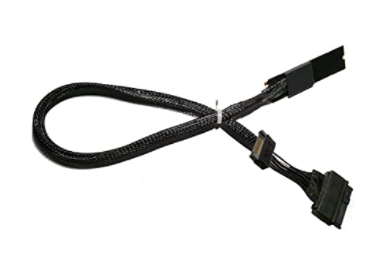
 1 point
 -
My DS920+ is now unbelievably fast. At first there was not much improvement until I realised that all my artwork and .bif files were inside the media folders. That seemed like a cleaner and more manageable option at the time as I could easily have access to artwork. Once I replaced the artwork, the old files inside media folders were cleaned up. However, video preview .bif files were a pain. It would have taken a month to recreate them all on NAS. So I took a look at the library.db file and made a program that copies the .bif files into the same folder where the corresponding artwork sits. With exception of few files with special character, it all got copied and works. It's amazing how much of an improvement this was. I want to say it should really be mandatory running everything except the media from a decent NVME. Moving transcoding-temp to nvme was also a huge improvement and changing position is instant when watching a transcoded video. I almost want to sign that lego song "Everything is Awesome"!... lol1 point
-
I'd like to confirm you're not crazy as the video froze and I was unable to seek or do anything. Tested on my 4k Max.1 point
-
Hi. Cannot say for certain but we are close to the end of this beta cycle.1 point
-
You don't need to rename your folders. We're looking into it. Thanks.1 point
-
Yea could be based on "upcoming", LOL. But it won't. Right now playlists are global so if you adjust the the play order it's for everyone. Before playlists can get "personal" it really needs to be migrated to a database vs the xml files currently used as that would get hard to manage. Luke has been going through the code making optimizations to different sections and also moving somethings to DLLs out of the main body. Other things like Collections were brought into the core to become part of library setup. So he's going through things programmatically in a way that makes sense and this will likely be one of those with optimizations with new features added based on things requested. Can't give a time table of course but it's on the radar screen.1 point
-
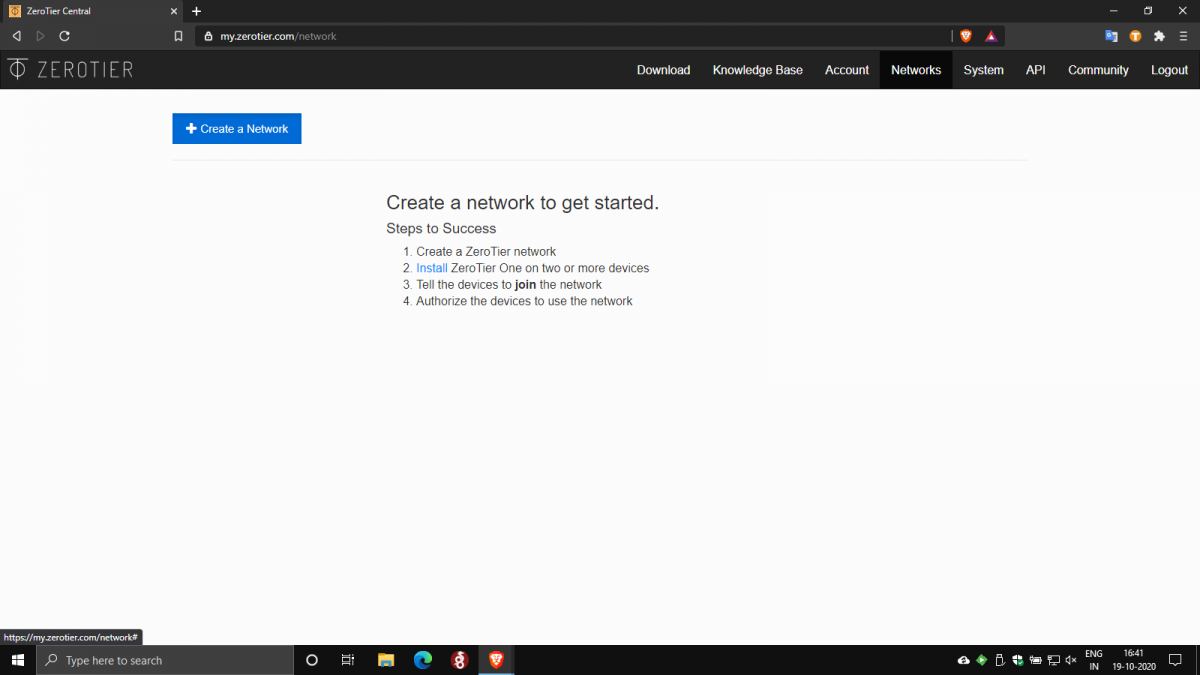
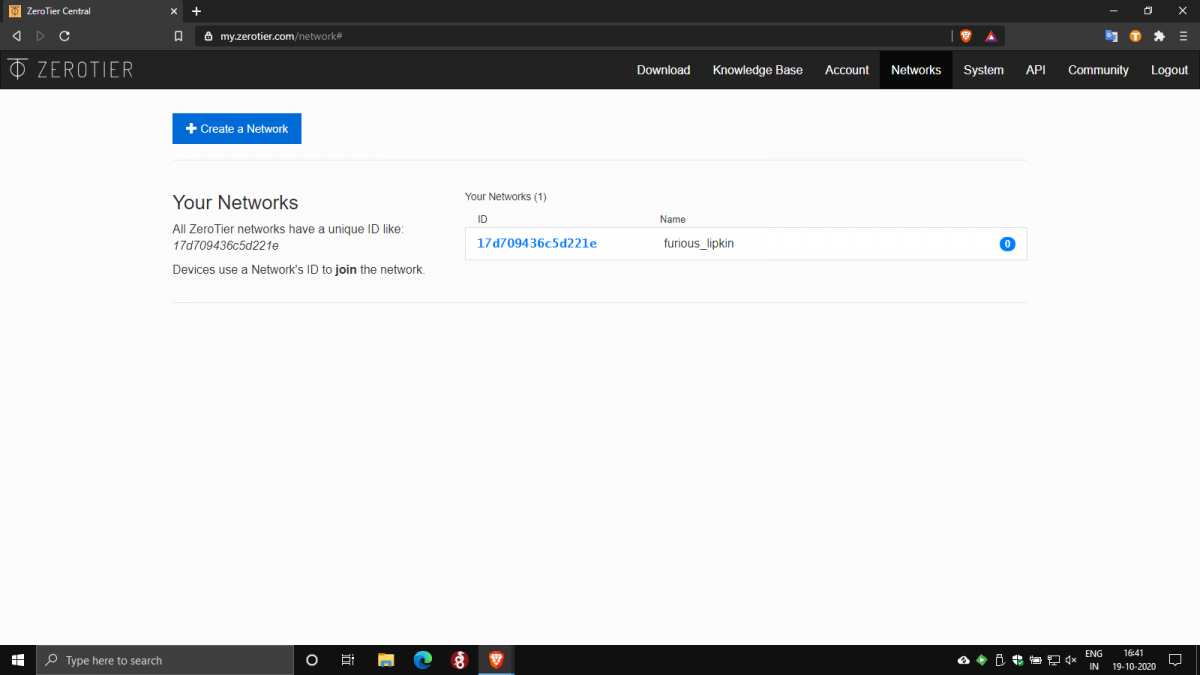
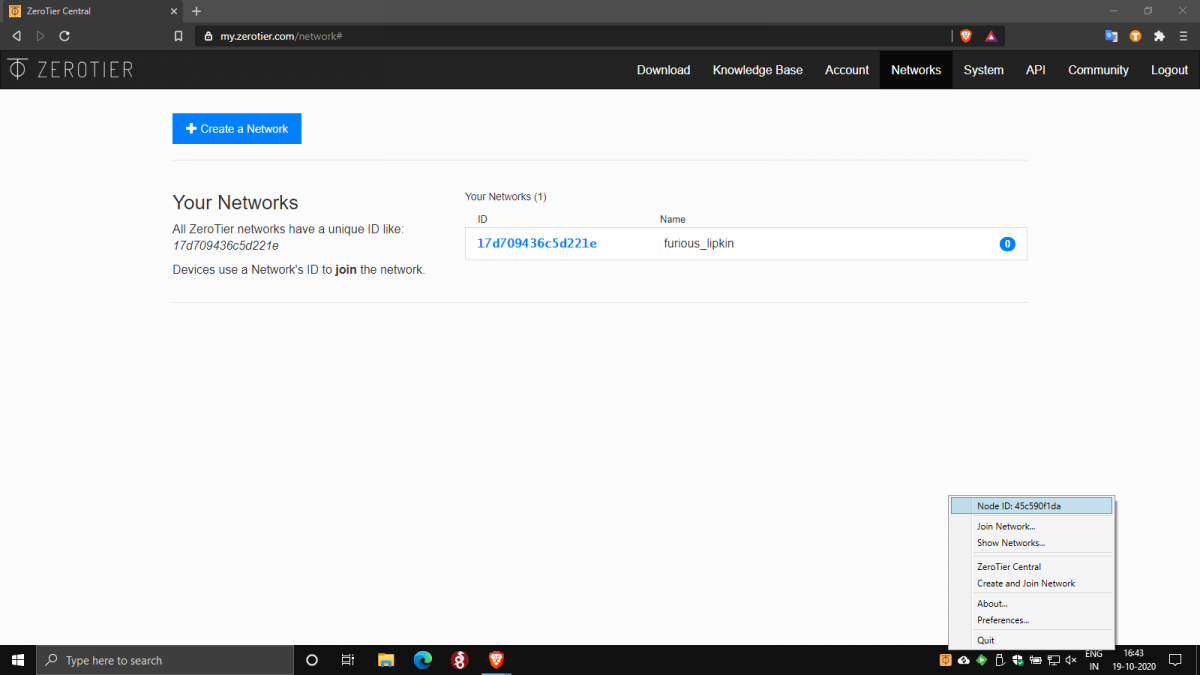
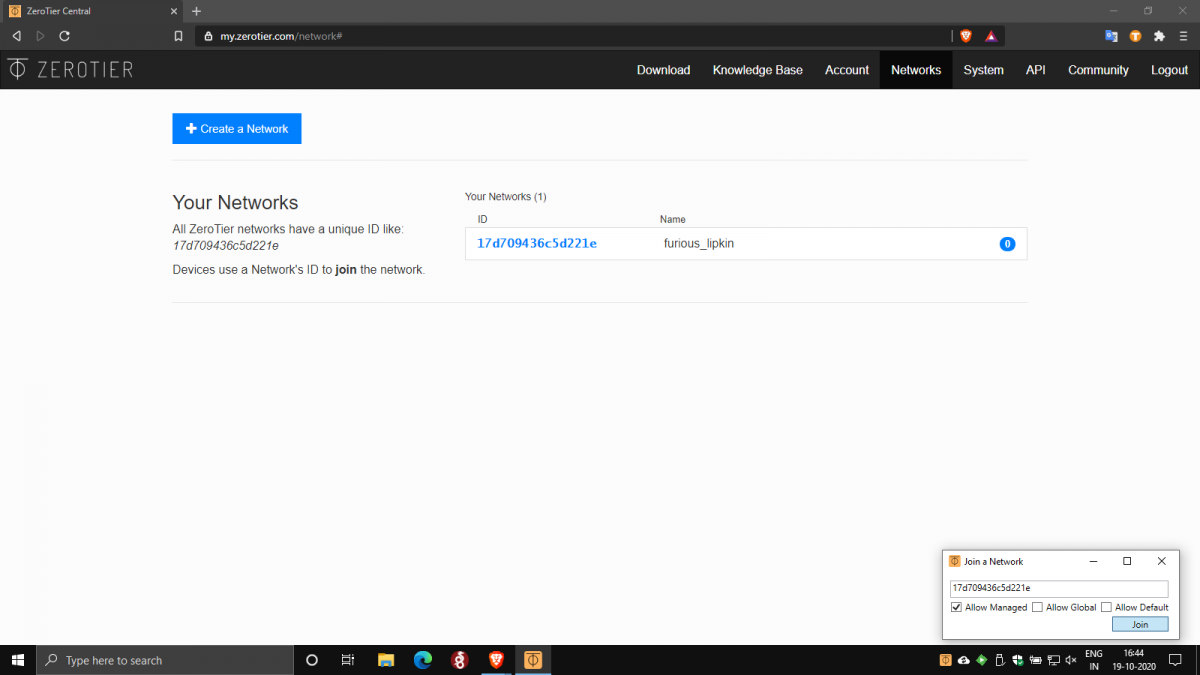
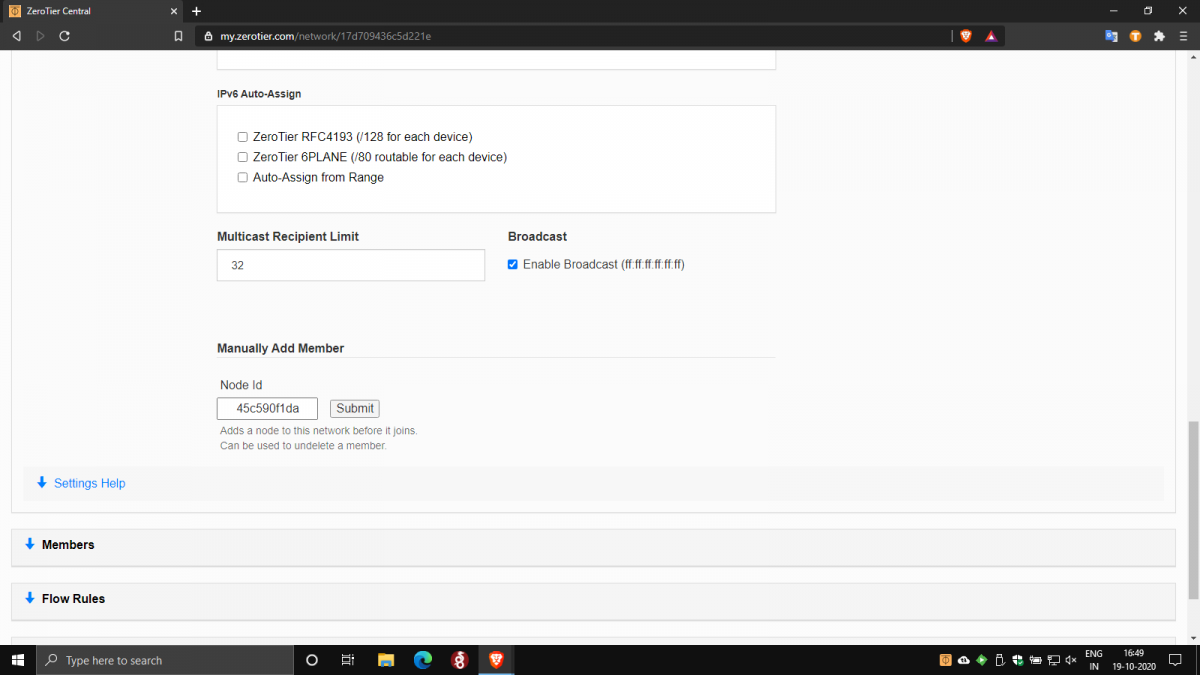
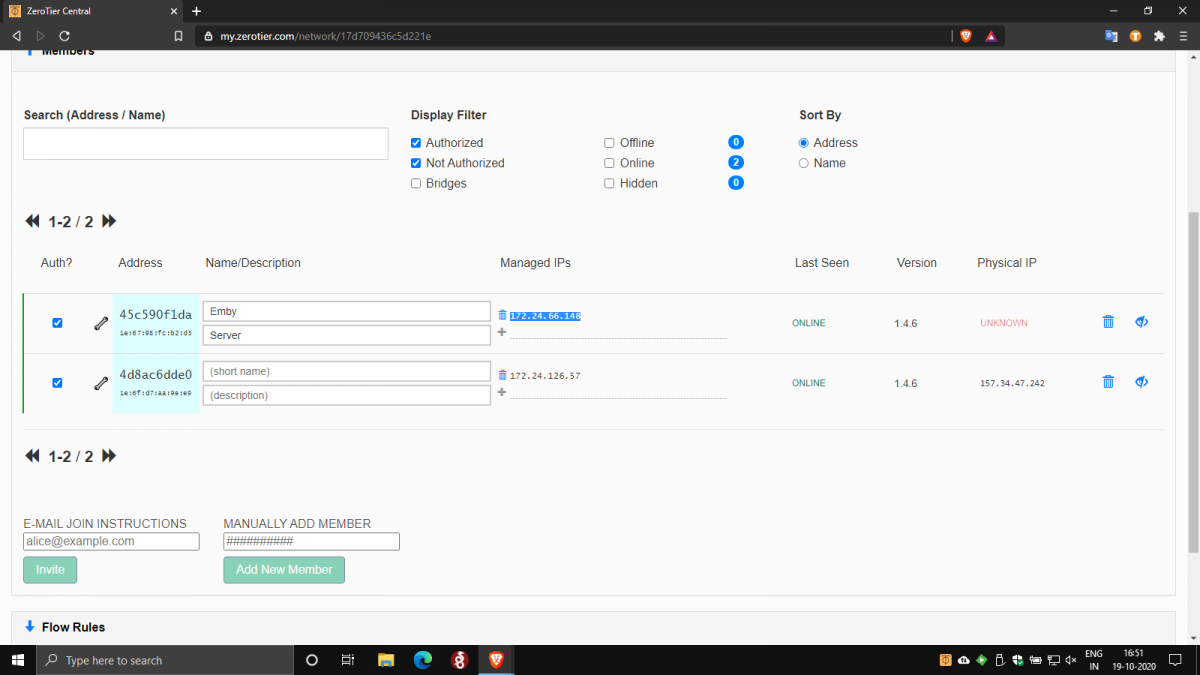
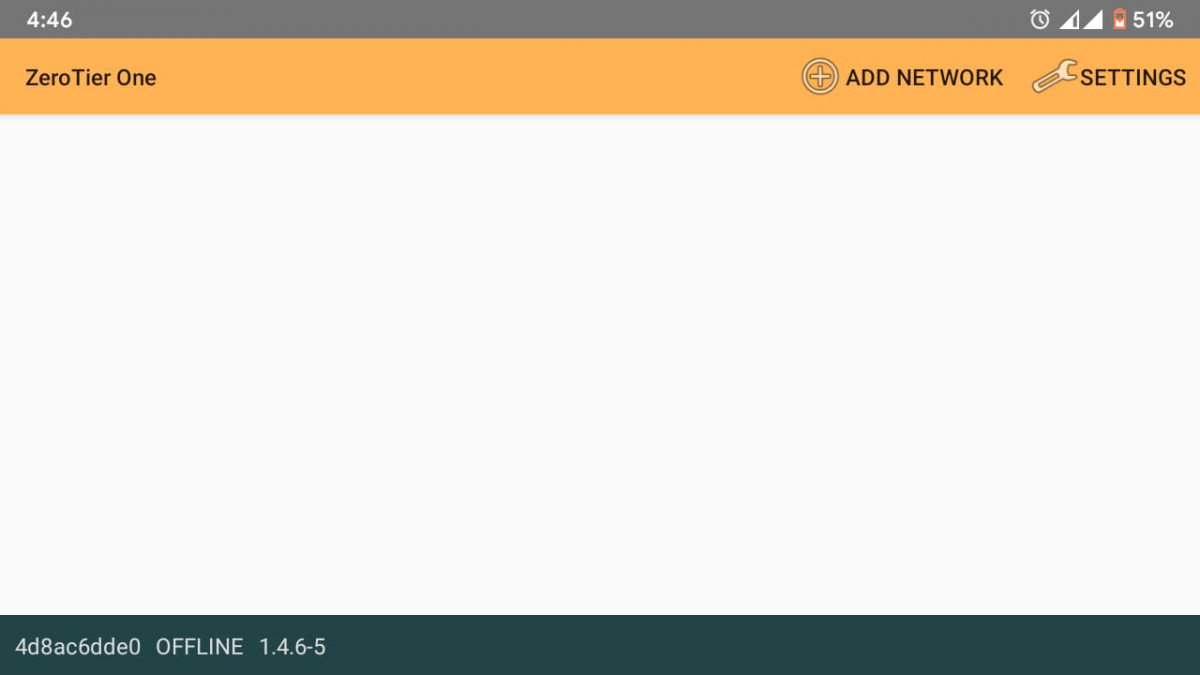
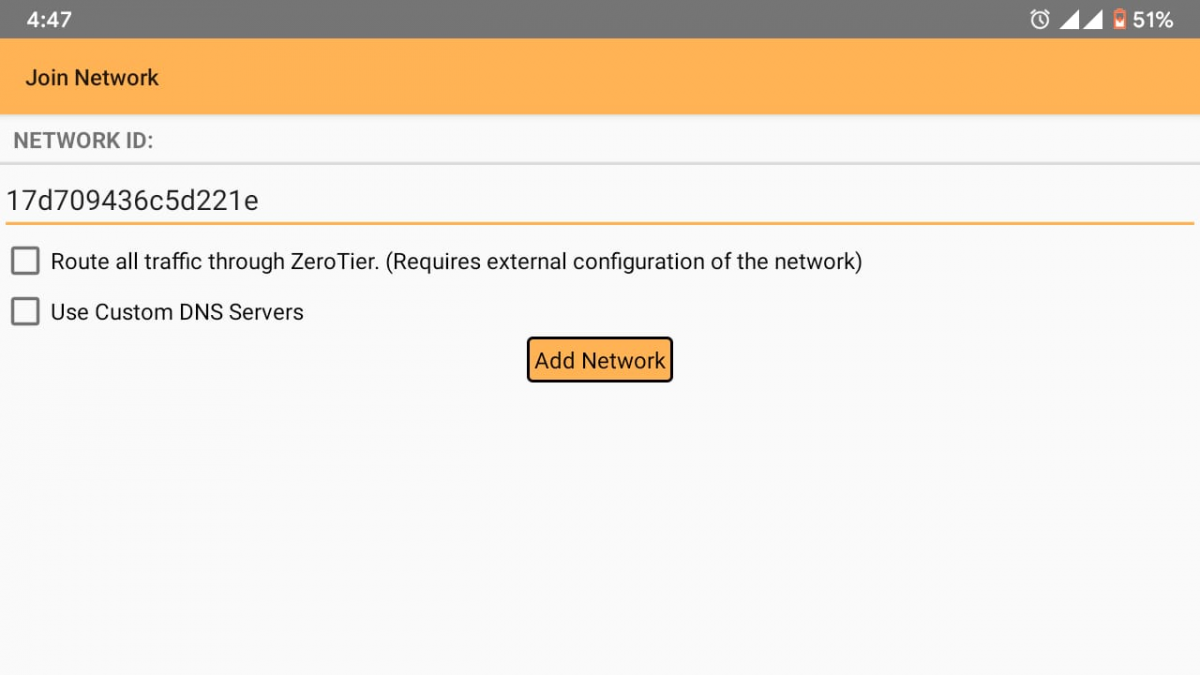
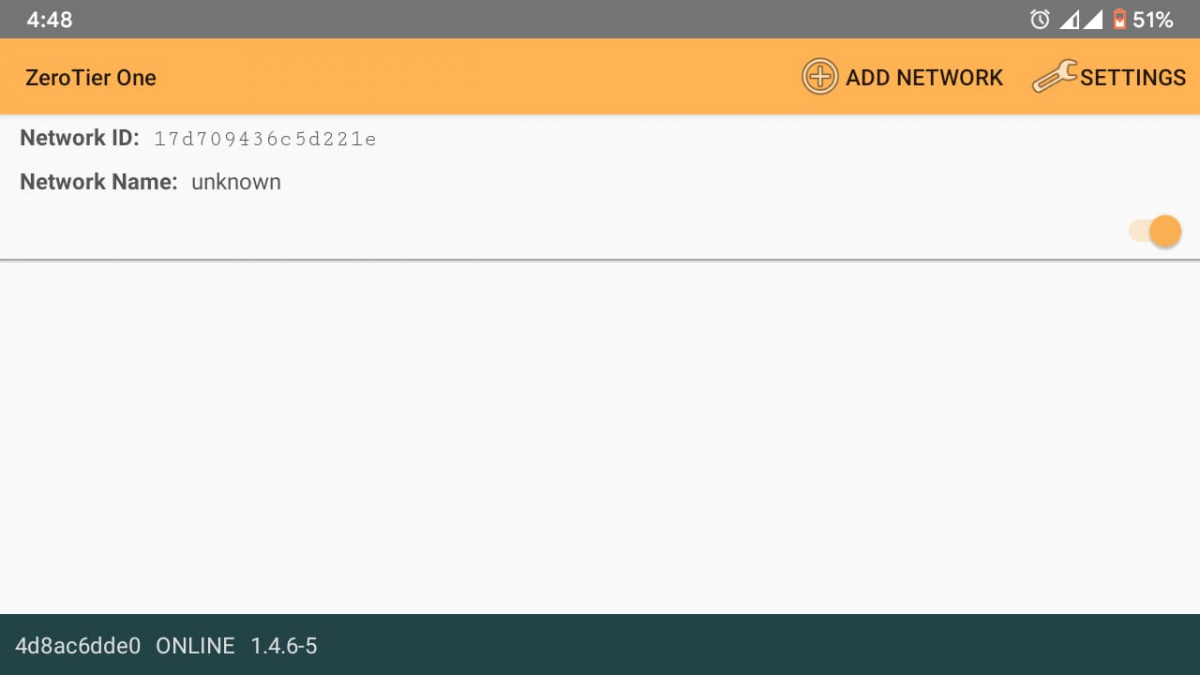
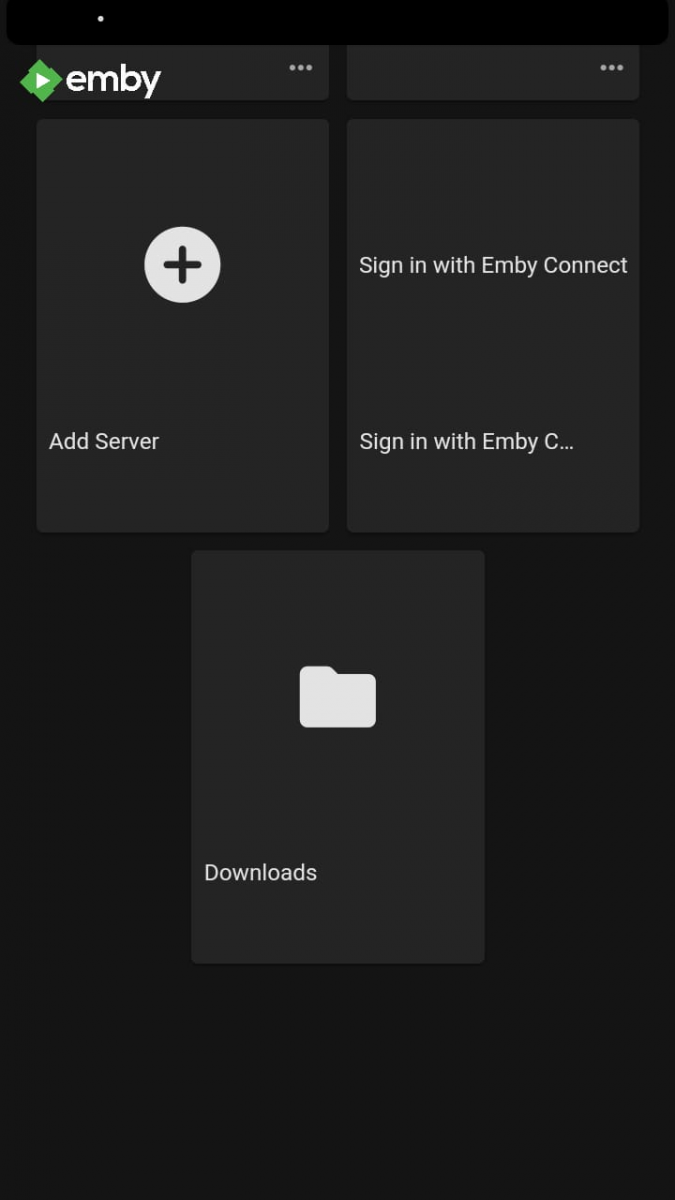
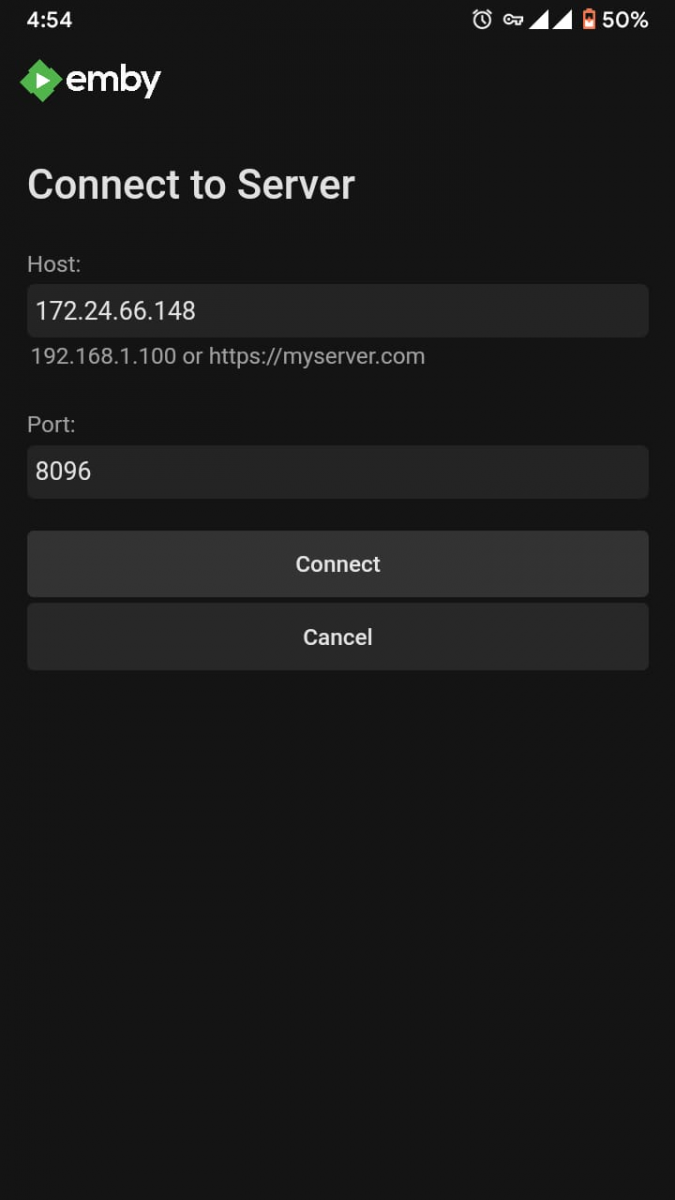
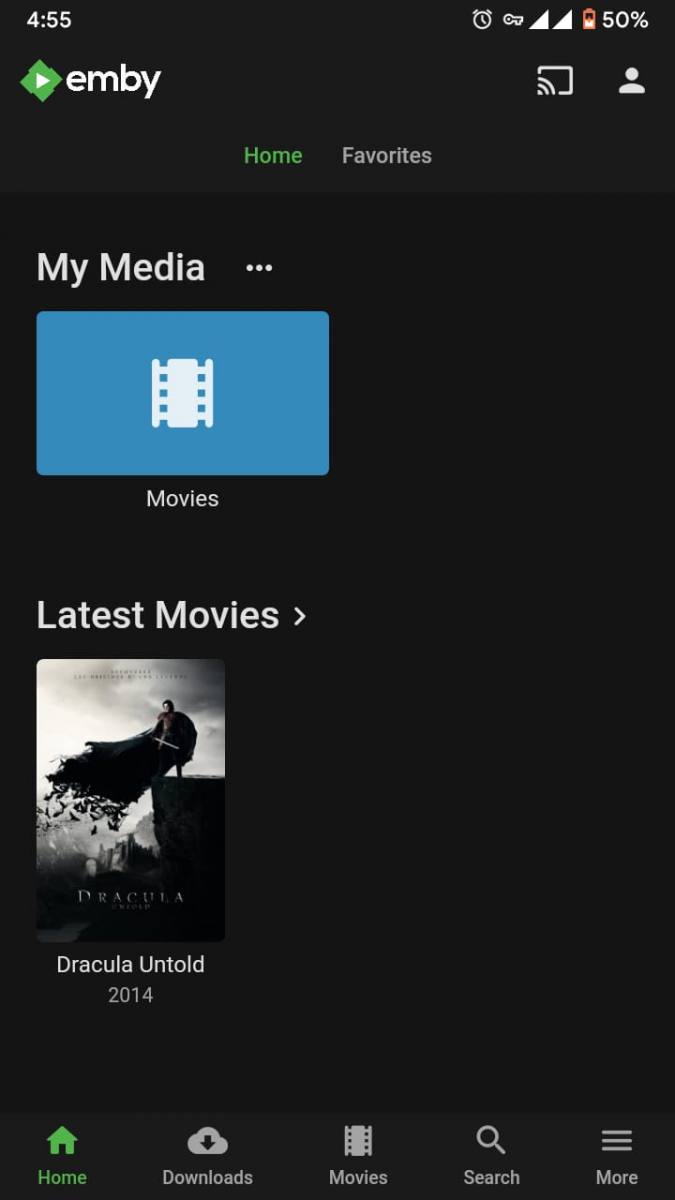
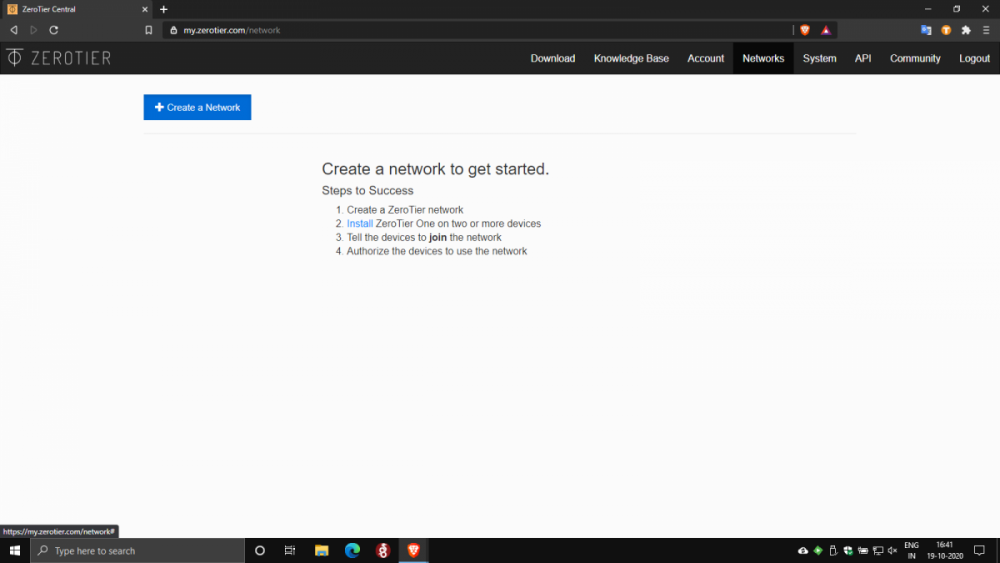
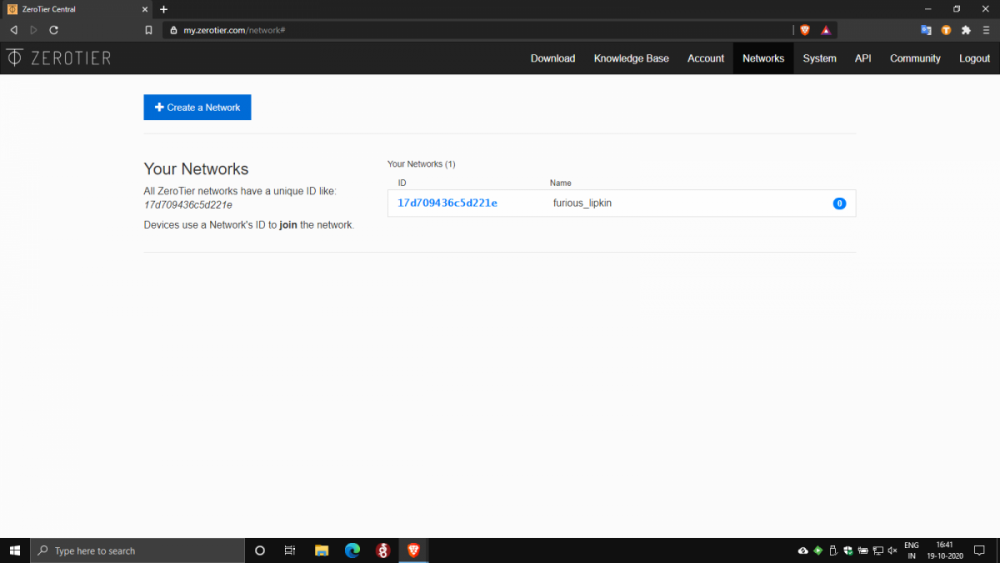
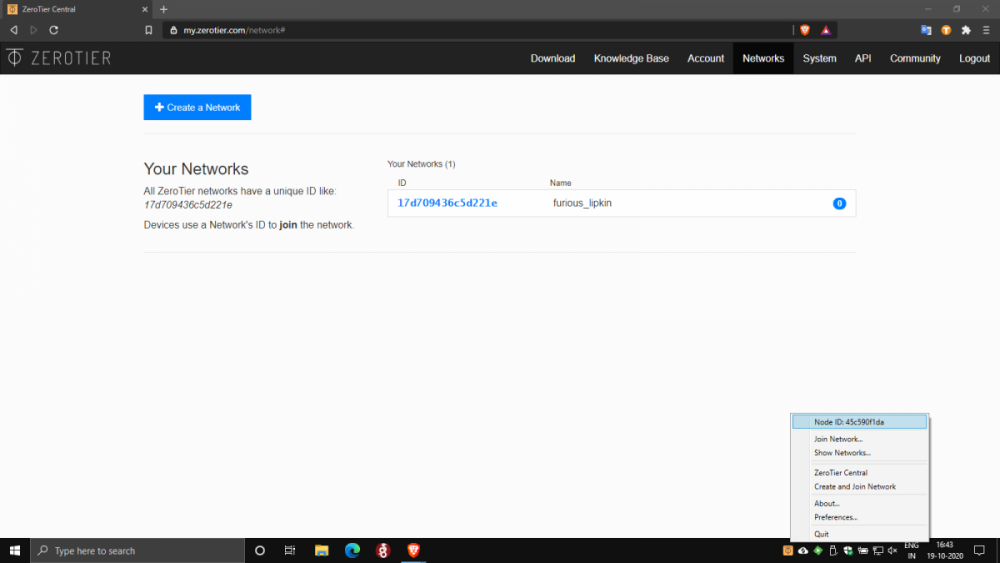
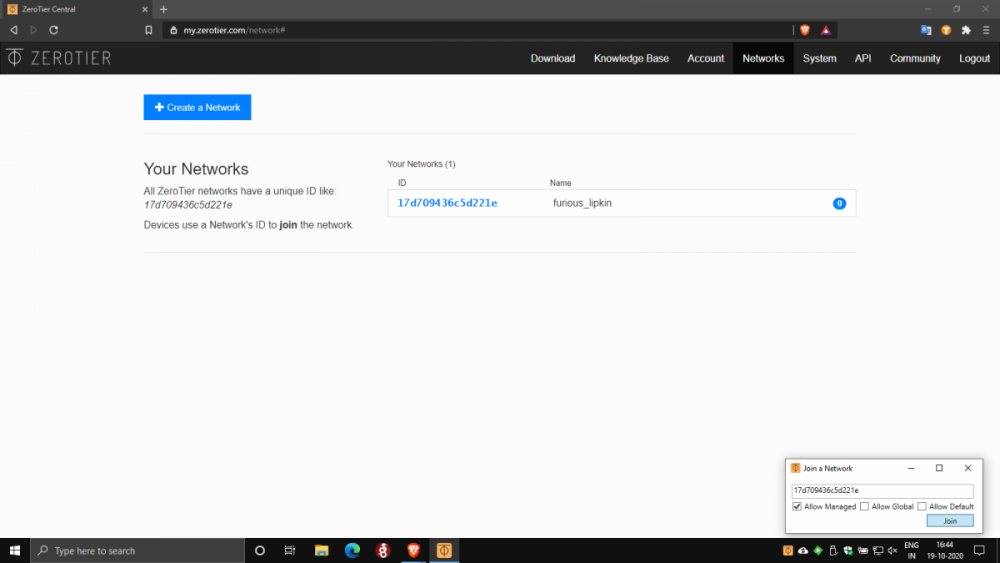
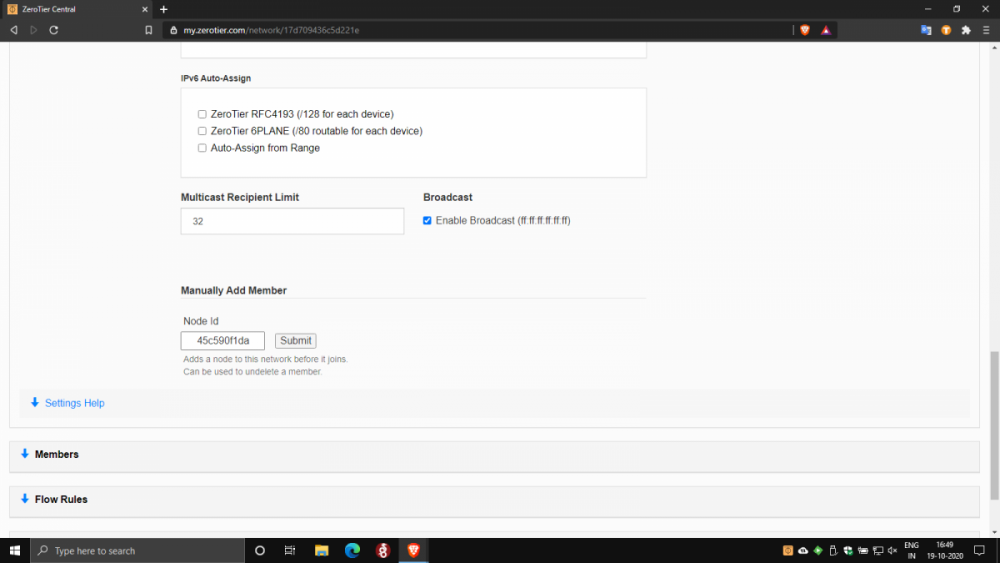
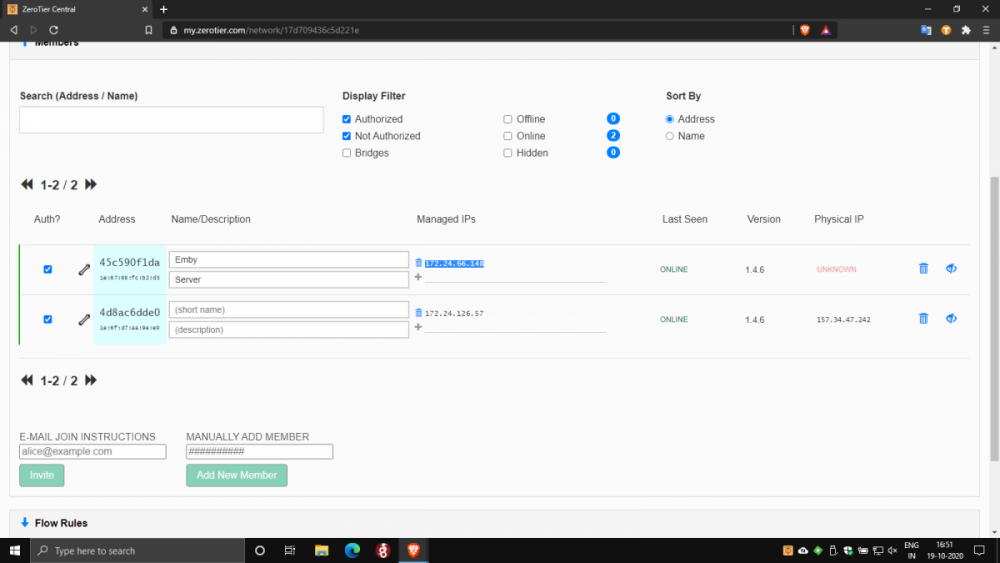
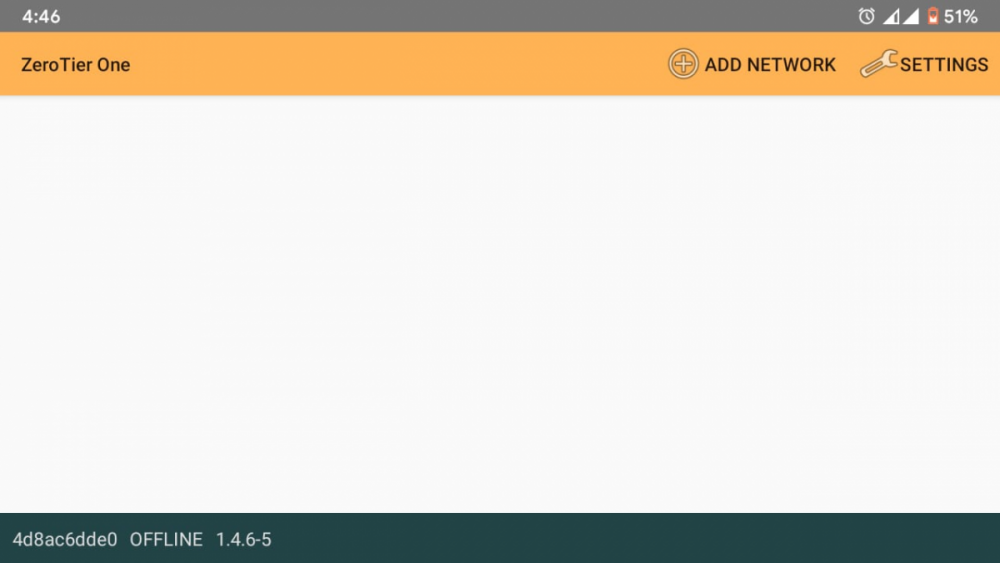
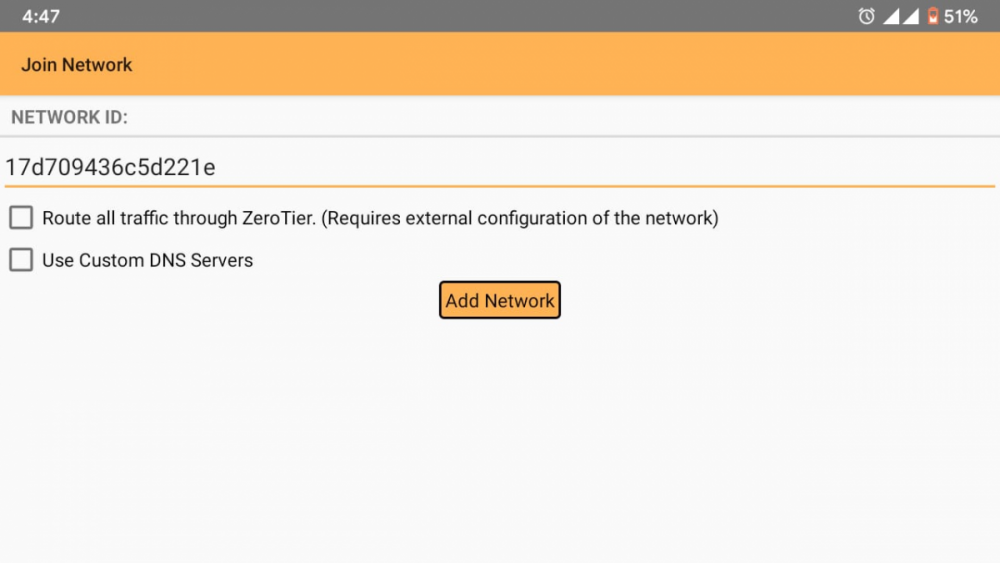
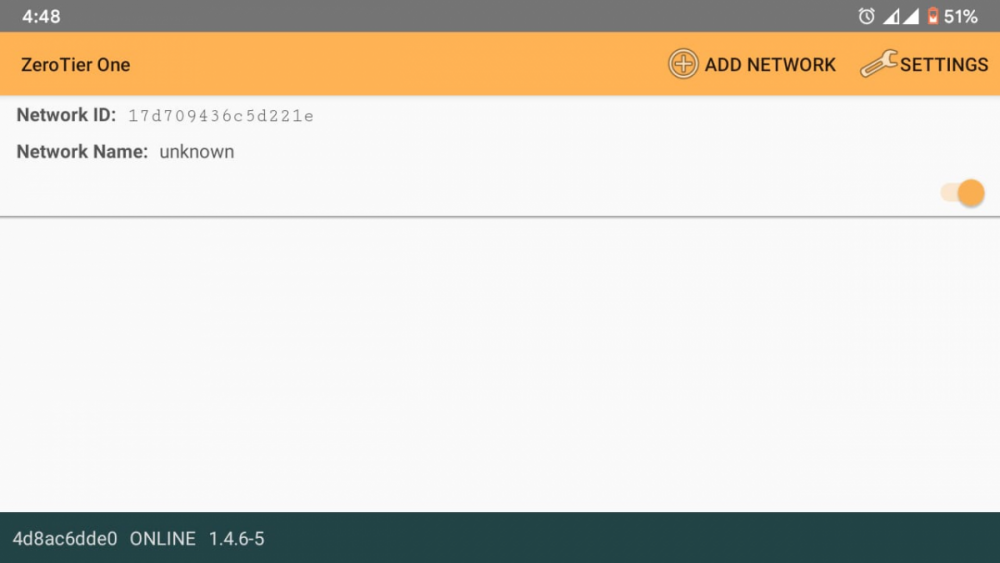
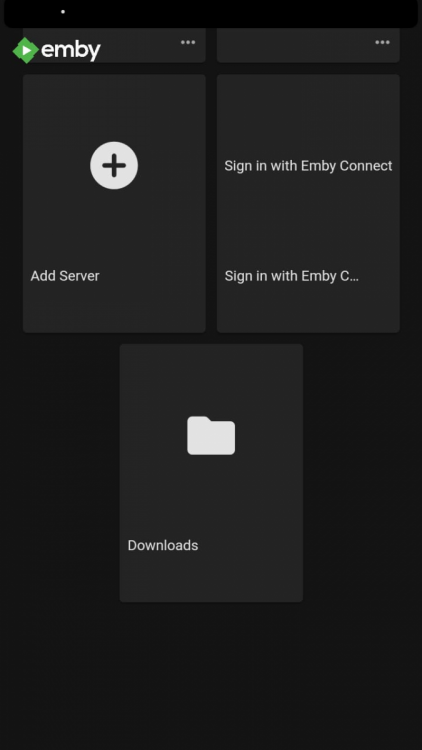
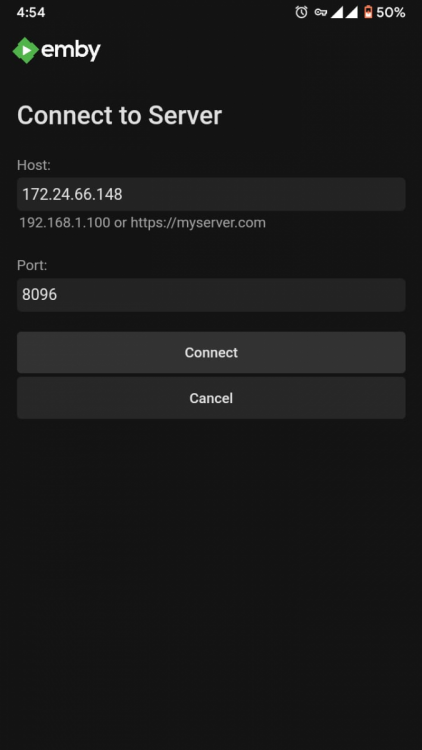
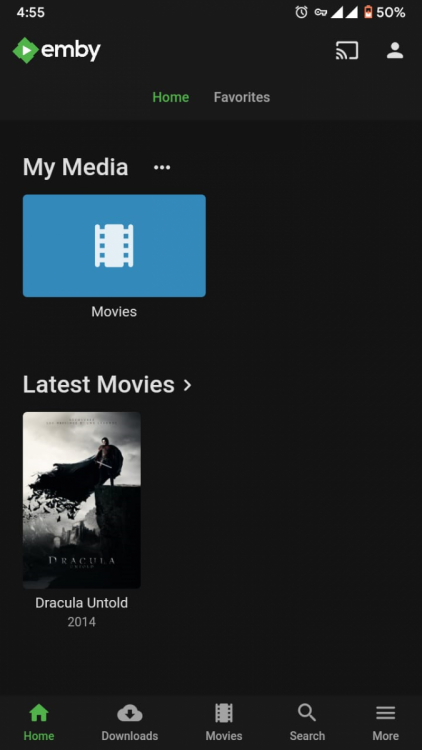
Of course. For anyone in a similar situation to mine looking for a solution to CG NAT 1) Download Zerotier on your Emby Server Platform here: https://www.zerotier.com/download/. I downloaded the Windows installer and installed zerotier on my PC. Setup is pretty straightforward and self explanatory. 2) Download Zerotier on your clients too. I needed remote access on my smartphone, so I downloaded the android app here: https://play.google.com/store/apps/details?id=com.zerotier.one. Apps for all clients are here: https://www.zerotier.com/download/ 3) Create a ZeroTier account. It's free. Activate your account with the activation link in the email ID you used to register. 4) Go to https://my.zerotier.com/ and log in to zerotier using your account credentials. 5) In the top right, click on the networks tab. Click on create a network. A network is automatically created and added to the Your Networks list. Note the network ID(16 digit). 6) Open the Zerotier application on your server PC. Click on the icon in the taskbar. Note the first Node ID(10 digit) here. Click Join network. Enter the network ID(16 digit) and click join. Similarly open the Zerotier app on your client device. Note the second Node ID(10 digit bottom left) here. Click on the Add Network icon in the top right, and enter the network ID, then press Add Network. Flip the slider to connect. 7) Back in the browser, click on the network ID to open the network configuration. In the Settings section under the Advanced subsection, under 'Manually Add Member' enter the 2 Node IDs noted in step 6 one by one, clicking submit after each entry. 8) At this point Zerotier setup is complete. In the browser under the Members section note down the IP address of the server PC, then open the emby app on your client and click on Add Server. Enter the IP address in the host text box, port should be 8096 by default, press connect. Log in to your user account and you are good to go.
 1 point
 -
Bump here as well... I'm in the process of migrating my song collection to Emby. A simple crossfader function for the AndroidTV app would do wonders.1 point
-
Just for reference, the best way to handle this is to embed the entire source code of the libraries into your plugin project, this way you don't have dependencies on any external .dll's.1 point