Leaderboard




Popular Content
Showing content with the highest reputation on 01/04/22 in all areas
-
So basically this. I have TV Shows, Movies, and Anime libraries. For anime; I'd prefer to set the default to Japanese with Subtitles. For movies, English and no subs unless forced. For TV Shows, the same. However, Emby only allows one overall setting this for this, for all libraries, instead of just one. I think it'd be a pretty nice little feature.2 points
-
Hi, I would like to have an option to choose H265 instead of H264 in the Transcode option. It will be smaller for all bad bandwidth (2~5Mbit ADSL), but will have a great quality. Mobile phone can benefit of it greatly too with the 4G and the limitation of download.2 points
-
Could the way User Settings are handled be changed so that: 1 - Every setting that is changed via the Admin/Server - Users settings page becomes the new default for that particular user (instead of the Emby supplied default). 2 - Any setting that is changed appropriate for an end user to change from within that particular user account being signed in is saved at the local device level, and would be used instead of Server specified defaults. This wouild: A - Allow us to adjust the default behavior when NO local settings exist. B - Still have local device specific settings override what have been set as Server defaults. (Allowing the same User to have different settings per Device - as it is now.) It doesn't seem like the logic would be that much different than it is now. Assuming if no local settings already exist today, the Server has to pass along what it has them as for a starting point. The change wouild just be allowing us to alter what any of those base default settings are.2 points
-
Here is a photo of the optimization that we achieved
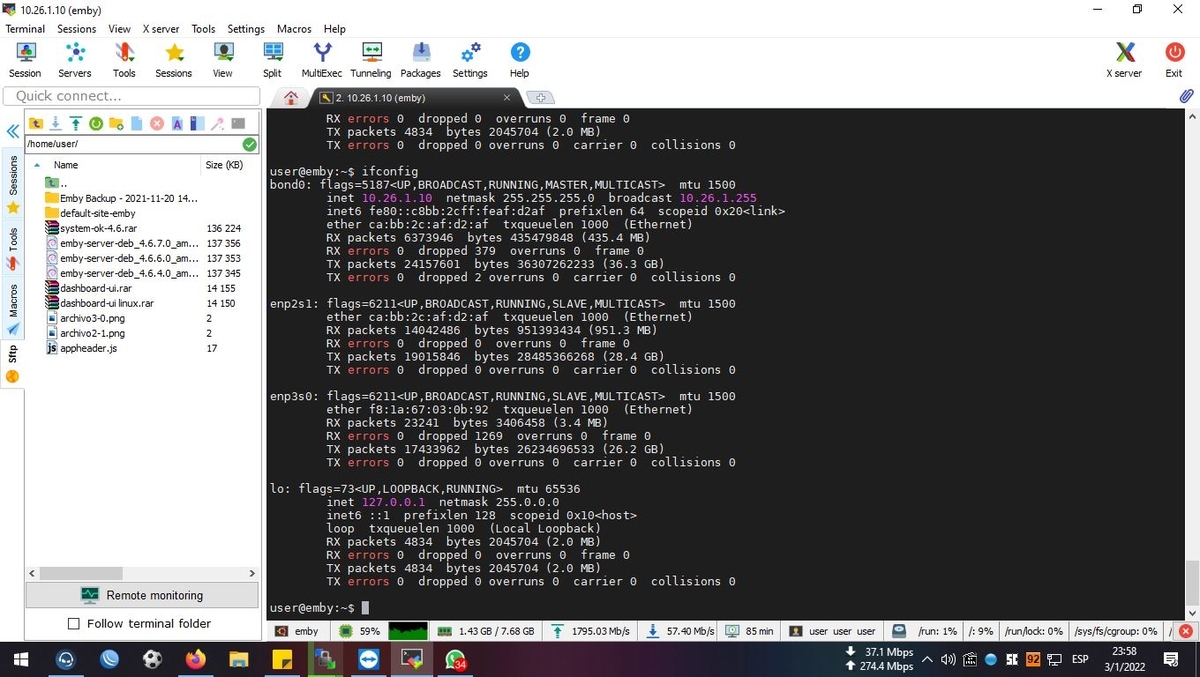 2 points
 -
Well, I just spent an hour watching @cayars do a remote fix and sort out all my problems. This guy is an absolute wizard, and I cannot thank him enough for all the help he has given me. He is a credit to the Emby community, and I wish him all the success in the world!2 points
-
okay.... new information i just created a vpn between the server with the strange limitation and a random client that has ~250mbit download guess what? its not your fault emby it really is some funky isp-magic: 50mbit max. tranferrate... but uploading to google drive works with over 200mbit upload... WTF i would like to find out why but since its not only emby i think we can close this one2 points
-
I mentioned it in another thread, but thought I'd put it here since this looks like a new section--just for posterity. Would like to have a bulk meta data editor function. For example, if I have 750 videos whose producing studio is the same, I want to select those videos and apply the name of the studio to those videos. Similarly, if there is a custom tag I want to apply to a subset of those movies, I want to be able to select them in bulk and apply the tag to those videos (instead of selecting them one by one).1 point
-
It would be nice to be able to see the alternate name of a movie or A.K.A. somewhere in the movie description or near title. Also would be nice for it to show when you search for it as well.1 point
-
Many titles are so long with sequel names they are meaningless. Would it be possible to add a second title line or something similar? I have looked for a way to lower the text size but didn't see anything. Maybe there is another way to fit more in?
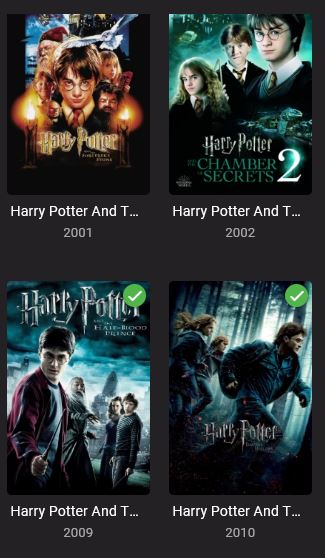 1 point
 -
I'd imagine this one will probably be a little to tricky to implement any-time soon Heck I'm not even sure if there's a suitable codec available that's opensource/free to use But it would be a really awesome extension to sync if you could transcode into multiple bitrates and then use adaptive streaming between the emby client and the server to pick the highest quality possible at any given moment. I would think this would be especially useful for mobile clients where the network performance can be all over the shop. I thought i'd suggest it on the off chance it was feasible.1 point
-
Can you add an option to hide your keys in Emby Premiere so that when I need to see my keys, I can click to view them instead of exposing them directly?1 point
-
Mostly pertains to m4b but I have seen tags on mp3 files that have time stamps you can jump around in too. Can pm if example needed.1 point
-
I like listening to my music through my roku/emby setup. However, I don't need to know how the artist is while listening. I was wondering if there is some way to set up a virtualization like on windows media player? I can wait and my roku will go to it's screen saver, but I would like to make a choice. Or even display the lyrics on screen, all of my music files have the lyrics embedded.1 point
-
Requesting a theme song auto repeat. When a user has manually placed a theme song inside the designated folder, have it auto repeate inside the client apps when it finishes.1 point
-
Hi there, In browsing my collection of movies on my Apple TV, I noticed that if movies are grouped into collections I can’t tell if I’ve watched them without diving in deeper. Would it be possible to have it display the tick in the corner if all movies in the collection are marked as watched? Cheers, Brad1 point
-
Can I give +1Billion for MakeMKV over DVDFab? +1 BILLION!1 point
-
What was happening is the Androids UI pop up wasn't appearing for me for some unknown reason. Once I installed MX Player the pop up worked and VLC was then there as a choice. Weird. Thanks.1 point
-
First want to say Happy New Year to everyone. Wish you all the best. and my second question any progress on this ?1 point
-
Yes, you are correct, I did not saw this in the other thread that it has to be a triggered task, its set up like in the picture now…Thanks again.1 point
-
Hi. In most views, you can filter by unwatched and then shuffle those. I understand this isn't possible right now in something like a TV series but in other views, it should be.1 point
-
Hi, yes I think more ways to shuffle is not a bad idea for future updates. Thanks.1 point
-
Thanks appreciated, we aim to please.1 point
-
1 point
-
It's always helpful though to state which device is having the issue right off the bat, because other NVidia shields don't have this problem, so it might not be the devices failt in terms of hardware but it's only happening on the Tube version of the shield.1 point
-
Hi. Remote control of remote devices is not always possible and the application reports when it isn't and, thus, don't show you this option.1 point
-
If you selected user's from the setting's menu, select the user, select Profile, and then under Feature Access, you can untick 'Allow Live TV access'1 point
-
Seen mentioned it may be a memory leak that affects Exoplayer apps when running on the Tube.1 point
-
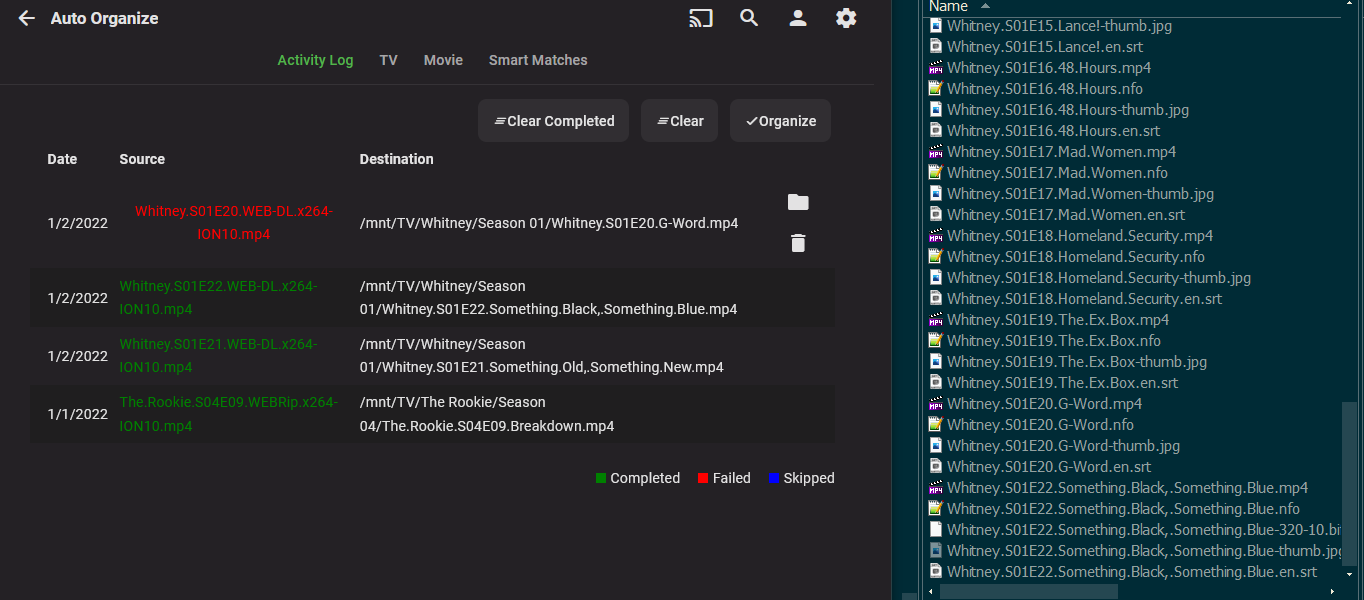
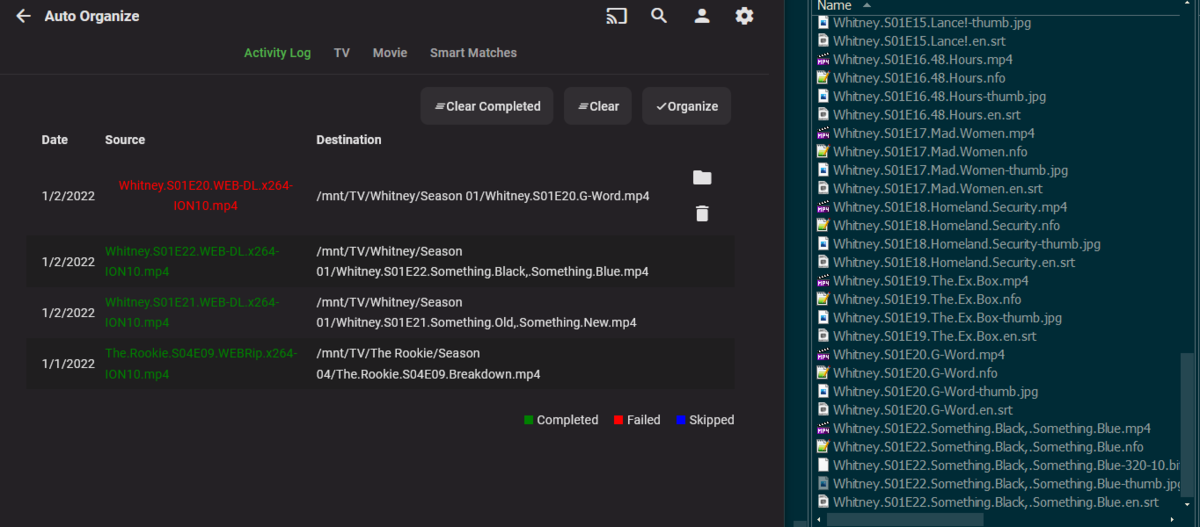
thanks @chef for pointing me here. I just installed 1.6.0.5 and it looks like alot has indeed changed. I really preferred using it anyway, at least for movies beacuse that isn't as automated in Radarr for me as I tend to let Sonarr run the show. But with Radarr I am still doing a fair bit of ripping my on DVD/Blurays and in general the Auto-Organize plugin gets the job done.... that image I posed (and will below again) seemed like something I hadn't really noticed since last I lost a big part of my collection last year. But I have only been on UnRAID for like a month, and it wouldn't be the first things that has behaved slightly different (than windows)... but I thought I had adjusted to everything since going to docker (on openmediavault) earlier last year.. Anyway, here is the image agian...
 1 point
 -
you are correct - emby is tied into the unique interalid which is a unique key for each episode. If you copied the original database for the 2nd instance, then you can just copy the same titlesequence.db file However, if this database was build independently - then it will have uniqueid's and thus you'll have to rebuild the titlesequence.db file. There are no plans to change this lookup method. Thanks for helping to test.1 point
-
Thanks Mbarylski... I had all the fun programming it. Everybody on this forum has contributed, including you, to make the tool better. Vic1 point
-
Not currently, but it's a good idea.1 point
-
I now was playing a h265 video, that was transcoded by emby to h264 (via the addon-setting) => That worked! The attached log is playing a h264 video via direct play => same bug as before. I'm streaming over the internet. With the emby App on the SHIELD (same device) the h264 movie is playing correctly also via direct play. l3nerd-030122-kodi.log1 point
-
Are there any provisions to make the skip data portable? I replicate my media to a second off-site instance that serves a couple of people locally, so the media is identical. The box that drives that is *very* low-powered, so it might take 1.8 million years to churn through the library. I glanced around at the titleSequence JSON at `/var/lib/emby/plugins/configurations/titleSequences` and noticed an `InternalId` key - which I assume is instance-specific?1 point
-
Okey. I've been having issues with the permissions of my folders. But I think I've got it fixed permanently now. To start of. Got an internal disk mounted as /media/username/. Using Linux mint 20.2 for the Emby server (remote control so everything is done from my normal desktop). All pictures, info, subs etc are stored in the folder of the media/movie. Everything I take to the Emby server is first fixed, edited or renamed(if needed) on my normal desktop. Which running Windows 10. Enough about my setup. The Issue I had was it didn't continue to give me access with new movies and sometimes old ones was not allowed by Emby to view. Sometimes I hade the problem when it just said "option -m Invalid argument near character x". Got me checking that I spelled my username and emby group correctly. Which it was. Double checked that my username and the group Emby was in the system. Both is. Then I changed to "setfacl -R -m u:username:rwX". It worked! Tried with "setfacl -R -m g:emby:rwX", also working. Good, now I could continue. Tested on one folder named C. It worked, newest movies found in the catalogue. Did the same command for the whole Movies folder. All movies appeared now. After I did what @Q-Droid explained with the default setting of allowing the group Emby using "setfacl -R -m d:g:emby:rwX /media/username/" last bit wherever you have the disk mounted. For me it's unclear why it didn't allow me to use setfacl -R -m username:emby:rwX. But if you're having a similar issue give the above a try. Another thing that's weird is that it wasn't enough with Emby having rw access, the X (execute?) needed to be there for it to work. Old movies became "stream unavailable" when I only used the rw. Might be because I got the covers/subtitles together with the movies and not in a separate folder. And by restricting emby access to write in any of the folders takes away that. Not sure why the movie by itself / old movies that normally worked or are done with pictures/subs becoming unavailable. But someone else might be able to explain that. After all this I think I got a better understanding of how Emby works in linux together with permission. And learned a bit of more linux while researching this. Which is always a win. Took a few hours of me reading and understanding. But the ending makes it worth it!1 point
-
Updated to latest --- works good after the DB removal. Like the updates...just poking the bear around updates on sub-titles (if even just looking for SRT files that match media name). Cheers and best wishes going into the new year!1 point
-
rip with makemkv1 point
-
I for one want to thank the developers for seeing this through and finally getting an updated version published. It may not be the latest and greatest release as we would all want but could everyone please just stop complaining for a minute and appreciate the update and the fact that Emby did not give up on supporting the platform. Hopefully this also mean that we are going to see further updates down the road that may be little easier to get through the approval process now that LG is more familiar with the application. As for the update, I personally see major improvements. The interface is much more responsive when accessing large collections. DTS transcoding works flawlessly. Recently I started having issues with some of the media files playback that looked like a network throughput not keeping up but it wasn't (other larger / higher bitrate files played perfectly fine) - it appears to be gone. Some small but helpful improvements like a new prompt to delete an episode or the entire folder. Admittedly, my Emby server runs on QNAP so I don't use more advance / premium features and don't have most of the issues people have brought up here. The only peeve I have is the inability to remove the 10 sec nag. I understand it has been removed on other platforms or there is a pay option to remove it (instead of paying for Premium)? I would be more then happy to pay any reasonable one-time amount to have it removed, to support the product development. It's just that it makes no sense to pay for the Premium subscription when this is literally the only feature that would benefit me in my current setup. I'll likely just get the lifetime subscription the next time there is a promotion. Unfortunately I missed the November one. Anyhow, to any administrator that may be reading this... thank you for putting up with us and our sometime testy comments. They were born out of frustration of not seeing any progress for such a long time. I appreciate that you still took time to respond even if those replies were not what we hoped for. It is nice to see that you did not abandon the platform, it often felt that way. We hope to see more progress in the future. Have a wonderful holidays!1 point
-
As far as I could see, there is no directory/folder view for emby app for Apple TV - unlike for the Android version and the Web browser version. In the emby Apple TV app, I can use the automatic genre classification view but not my own folder-based view. And unfortunantely, the automatic genre classification isn't always that great and modifiying it manually for each title is a whole lot of work. That is why I would really like it if the directory/folder view was also available within the emby app for Apple TV.1 point
-
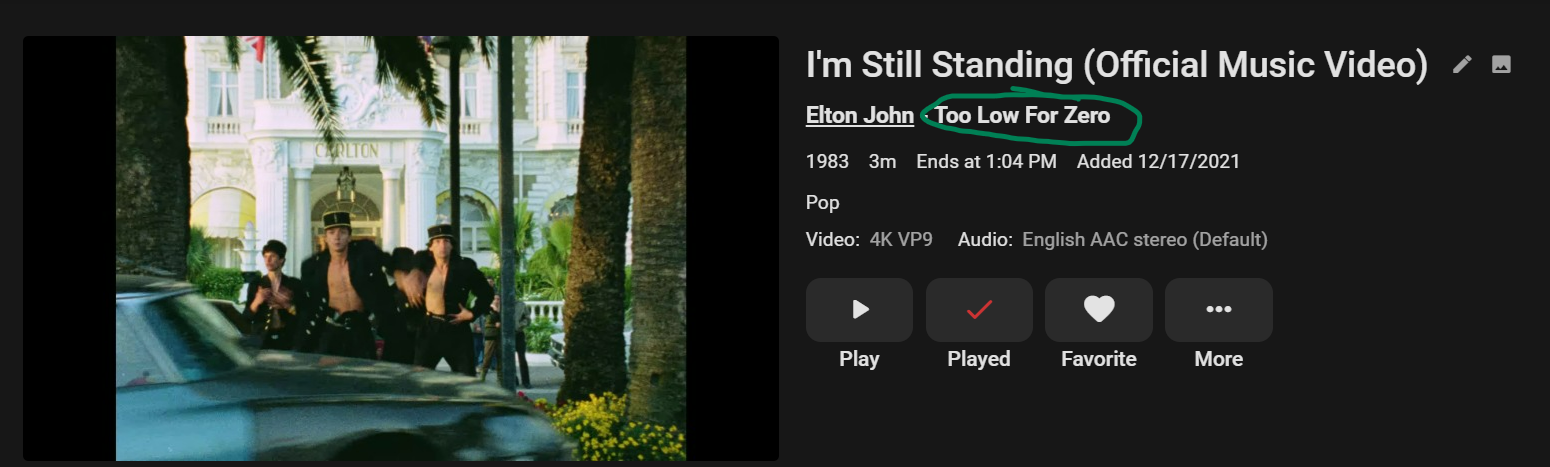
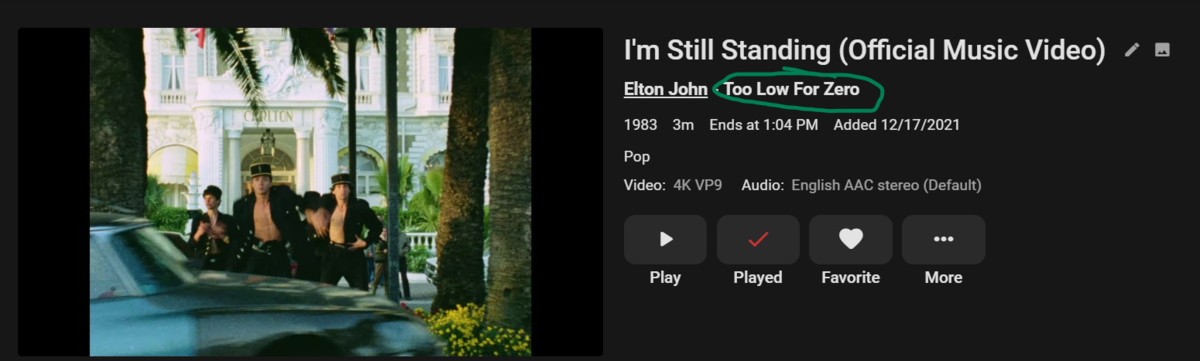
When I add metadata to my music videos (year, album, artist, track number etc), it automatically links to the artist in my music library. So, when I go to their page, I see their music videos. My question is, is it possible to have a link like this for the specific album as well? Meaning when I go to an album and see all of the songs, the video will also show at the bottom. Subsequently, the album would be linked to from the music video itself: Am I doing something wrong or is that just not supported?
 1 point
 -
Hi, it's a good idea, but not supported at this time.1 point
-
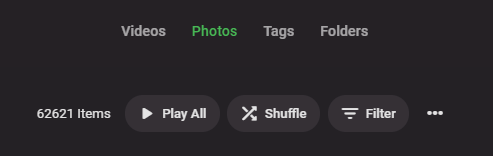
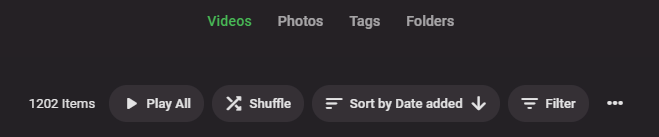
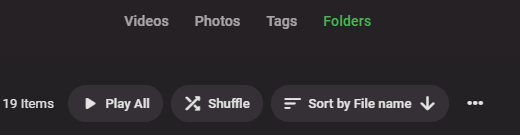
Hi, currently I miss the sorting option for photos, as it is available for the other media types / tabs. The reason is, that I would like to see the most recent photos at the top. Because the sorting is missing, I have first to go to folders tab and then navigate myself there. The default sorting option for photos is by name. How it's done right: And here: Is there any possibility to add that option here? Thank you for your help.
 1 point
 -
I've tried WMC, KODI, PLEX, and EMBY. I found EMBY very impressive. I happily paid $99.99 to help developers to continue improving this awesome EMBY software. Anyway, I really love Live TV, Schedules Direct Guide, and its built-in recording capability. I use SiliconDust HDHomerun Connect device that carry CC (Closed Captioning for Hearing-Impaired) data. Sadly, this Live TV does not have a feature to allow us to enable CC. My son informed me that he recorded one TV program and used an external VLC player and it worked fine. It's much a hassle using the external player. Otherwise, we have enjoyed movies with perfect subtitles. It is my sincere hope that Emby developers will improve Live TV to include the essential CC capability in near future. Keep up with your excellent work on the software. Thanks, David1 point
-
Same here and only on Xbox Series X. Xbox One X is fine. Series X is a complete disaster right now. Really looking forward to the new app @Luke.1 point
-
Kodi has a setting that allows you to override ASS subtitle formatting and use whatever font you have installed while keeping the positioning data. I would like this functionality added to the Android TV app so that I can use the default sizing and font of the Emby app instead of the font and sizing information from the ASS/SSA subs without the need for transcoding. This will allow me to replace the ASS/SSA subtitles in situations where the provided font is hard to read or the size is too small.1 point
-
Hello Requesting the ability to give a single library multiple names based on the user current display language. it doesn't have to be automated or preloaded with pre-translated library names. just the ability to give the library something like an alias name to be shown instead of the default name when the display language is set to the value of the alias language. and falls back to the default name if the language doesn't match. For example: If the server default language is English and the Movies library was manually configured with these names per languages: Default/English > Movies Spanish > Películas Japanese > 映画 if the user display language is: English then the library name will be Movies French then the library name will be Movies Spanish then the library name will be Películas Japanese then the library name will be 映画 Russian then the library name will be Movies1 point
-
In "Network" section of configuration, we can only set a list of IP address o Network IP address. It would be great if we can set, additionaly, DNS names. This is specialy useful when we have dynamic IP address. We can use Dynamic DNS services like "noip.com" or other to get a DNS name for our changing IP address. An example for de LAN's field: "192.168.0.0/16, 10.0.0.0/8, mydyndns.ddns.net"1 point
-
Sorry to hijack this thread, but a quick question. If an actor is not on tmbd, but is on imdb, can I add the imdb id (example: john smith imdb111154)? I know Emby does not really use imdb, but this is for manually adding actor images1 point
-
First released in 1985 so yea it’s quite old. In the CD+G system, 16-color (4-bit) graphics are displayed on a raster field which is 300×216 pixels in size, of which only the central 288×192 area is used with a flat-coloured border (6 pixels wide, 12 lines high) drawn around it. Here is a tidbit from the developer of PyKaraoke. Perhaps the devs could use some source code from that open source project. There is no built in support in Python for the kind of graphics and audio playback necessary for such a project, but there is an excellent library called Pygame which is available for most major platforms. Pygame offers mp3 playback and graphics facilities for Python programs, as well as MPEG movie playback. PyKaraoke needs the following packages to be installed on your system: • Python (http://www.python.org) • Pygame (http://www.pygame.org) • WxPython (http://www.wxpython.org) • Numeric/Numpy (http://sourceforge.net/projects/numpy)1 point
-
Display of the lyrics on screen via .kar or .cdg files. Often referred to as CD+G1 point
-
Saw this and thought I would chime in. My use case for multi server would be one box dedicated to doing live tv recordings. It would eliminate any resource conflict with serving streams to people watching content and would enable a small energy efficient box --think NUC low end-- to be used for this. Low power use means longer survival on battery backup too. On my current older system I have noticed some glitches when I'm recording with WMC while watching stuff with Emby. Might like to dedicate a box to capturing live tv. Just a thought.1 point