Leaderboard




Popular Content
Showing content with the highest reputation on 12/15/21 in all areas
-
I have multiple times in this thread. Even if some users decide not to believe it here are the reasons in a nutshell: They and their testers have no idea what we are or how we are supposed to work. Add a language barrier in many cases to that and getting them to properly test the system is quite difficult. They have so many different models and versions of TVs and OSes it is impossible for us to test each of them, but they do, and any tiny thing they find will cause a rejection They have an onerous approval system where, if your app is rejected 3-5 times, then it will not be re-tested for approval for a period of 3 months. We have been caught in that stupid loop forever it seems.3 points
-
3 points
-
That's such a disingenuous way of stating the truth. The app has last been updated 2 years ago. So, the use of "yet" in that sentence is either a mistake, or a deliberate attempt to mislead new users into thinking that any day now we'll get an app that works on LG TV's, just like the Emby homepage falsely indicates.2 points
-
Please don't use the forum "Report" option unless there is an actual issue.2 points
-
Yeah, there's a single key and it is visible only to Admin(s). Who would you hide it from, yourself?2 points
-
HDR Tone Mapping..now if only the community would understand that currently DolbyVision tone mapping is not possible, and that it's a beast on it's own2 points
-
One thing that I would like to see implemented is the abilty to display lyrics in all of the apps. For those of us who have libraries with lyrics embedded in the actual files, it would be trivial. Simply scrape the lyrics from the lyrics tag and display them. As far as scraping from online lyrics databases, I don't see that working very well as just about every app that I have seen use it either doesn't get the correct lyrics or they are truncated with an add for the website.1 point
-
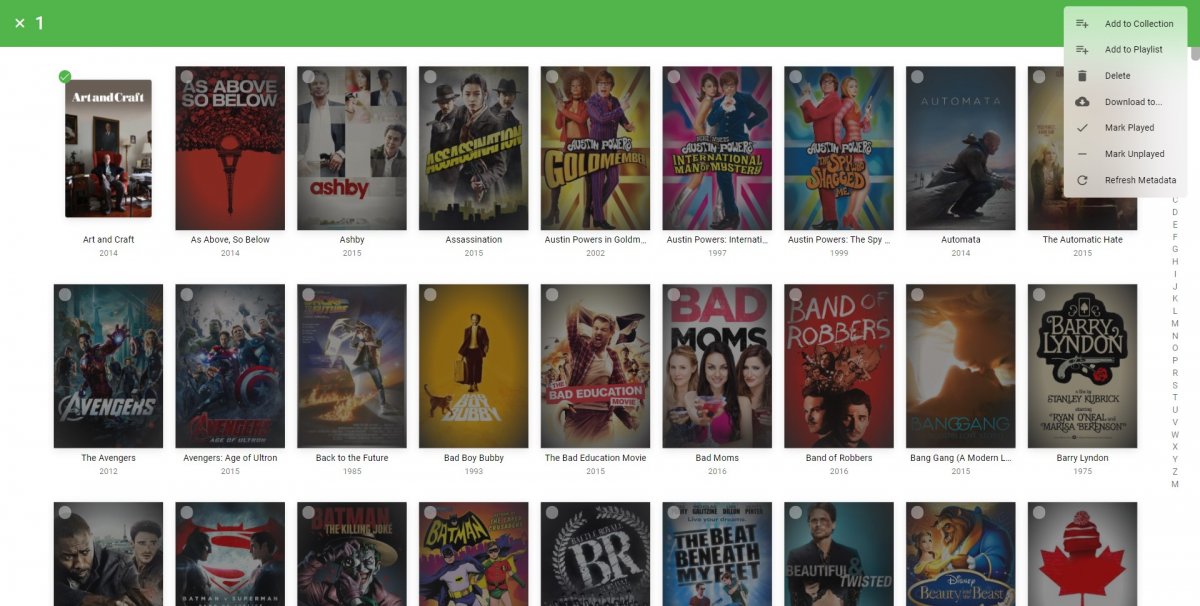
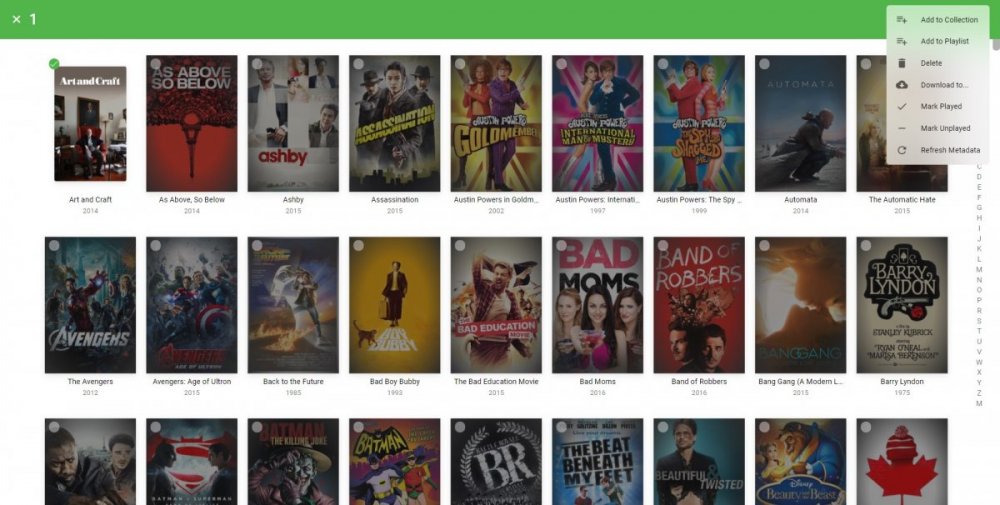
The Mult-Select in the Server web app is super-useful (I'm so grateful to those that introduced me to it!). But given that the Server web app has some excellent filtering functions (eg, in my case I make use of filtering by Tags) it would be very handy to have a "Select All" functionality, so that I can filter down to the results I'm looking for and then easily add them to a Collection (or, when eventually we have Bulk Editing abilities, open a Bulk Edit view on all the Selected items). Thanks! PS - If this is something you might like to see implemented, be sure to "Like" this top/first post (as well as any subsequent posts in this thread that highlight particular aspects of what you are interested in) -- "Liking" the top/first post helps the Devs to know how much interest there is in a given Feature Request.1 point
-
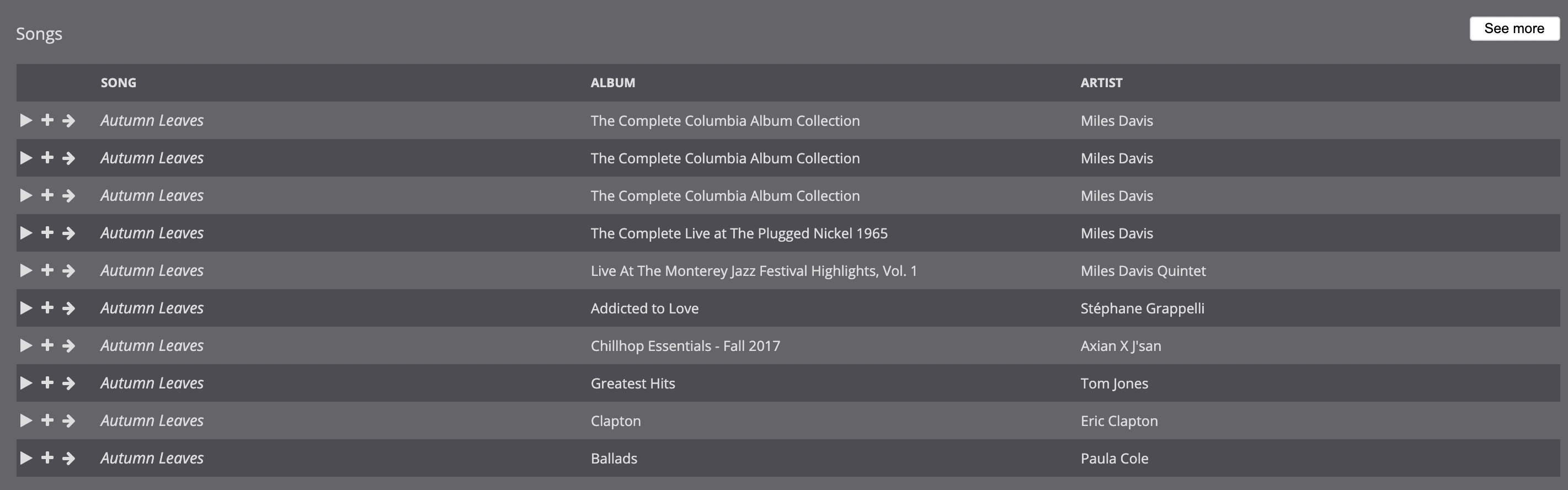
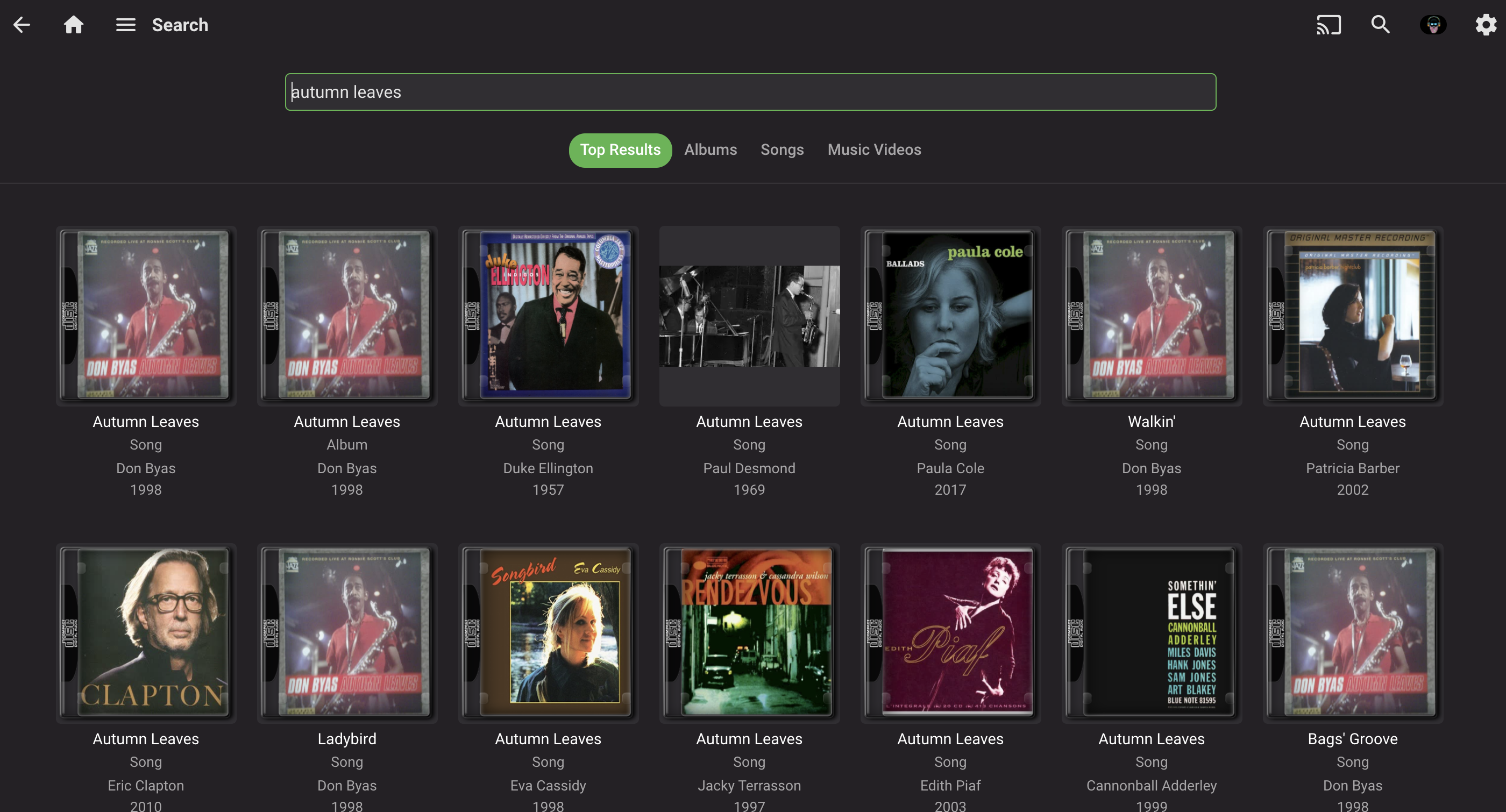
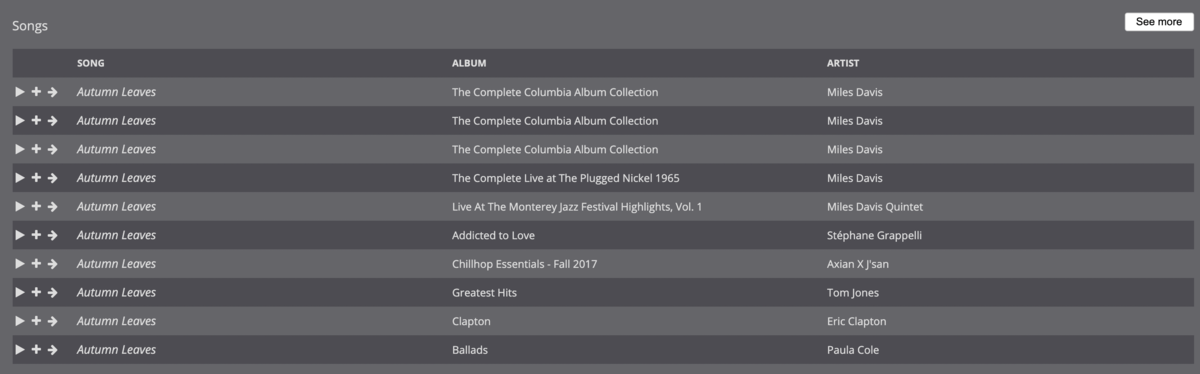
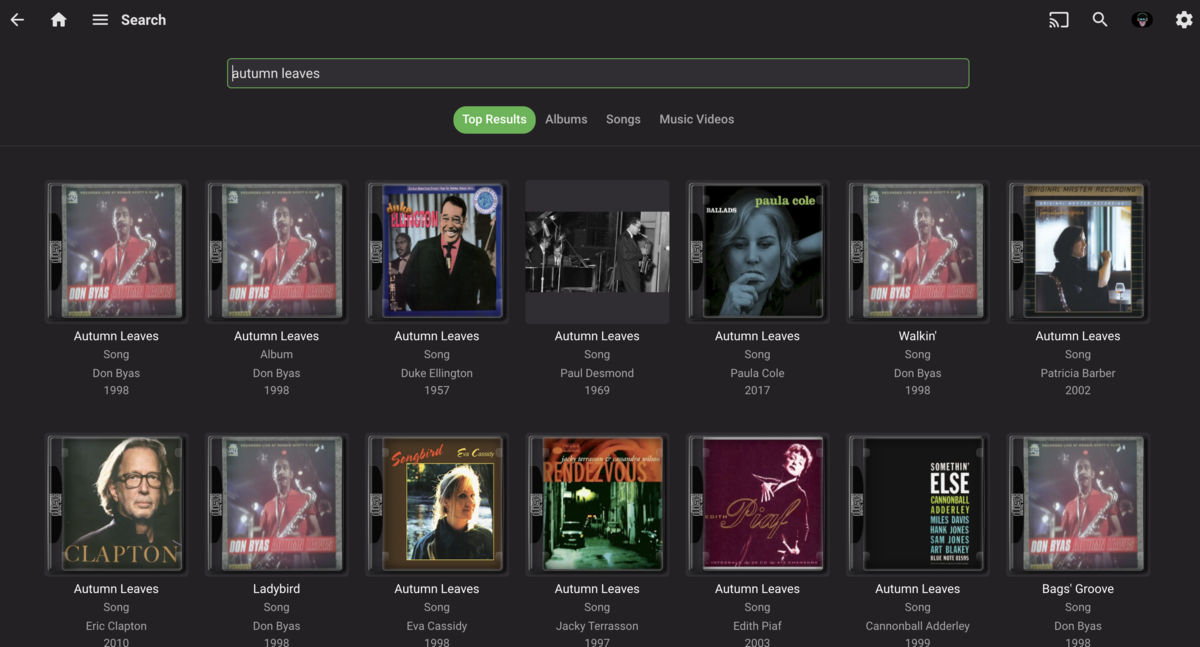
I'm trying to transition off of Subsonic because it is getting long in the tooth, and Emby is the logical choice, since I already use it for videos. While I know that music in Emby is very much a work in progress, one area I find it lacking—in comparison to Subsonic—is search, both in terms of performance and functionality: Compared to Subsonic, Emby's search is significantly slower. I actually created a separate user account in Emby that only has access to music in order to make it usable because when videos were included, it would take 10-20 seconds to search. For just music, searches take about 5-10 seconds, where Subsonic is, effectively instantaneous. The search results seem to be limited to either artist or song. When I try to combine the two, often I get no results. For example, I have a lot of jazz and many artists cover jazz standards, such as "Autumn Leaves." If I'm interested, say, in any recordings by Miles Davis, and type in "davis autumn leaves," Subsonic immediately returns the correct results (see first screenshot). When enter the same search query into Emby, I get no results. If I type in "miles autumn leaves," "autumn leaves davis," or "autumn leaves miles," similarly, I get no results in Emby, but the same results are returned in Subsonic. It's only when I just input "autumn leaves" that I get any results, which is not particularly useful as I have 50+ recordings of "Autumn Leaves." It also takes, consistently, 5-10 seconds to return these results. Again, Subsonic, running on the same server, provides instantaneous results. NOTE: 99% of my music is tagged, almost all of it with MusicBrainz. Some more esoteric recordings, bootlegs, and live performances are not always tagged. A couple of other nice features to have would be: a list view in search, instead of showing album art; I suspect this would also speed up the search results the option to include bitrate/format in the format; this would be useful for a variety of scenarios (finding lower bitrate versions of songs, creating playlists, etc.) Thanks you for your consideration!


 1 point
 -
I feel the following filter & sort options are lacking the following: * filter by HDR * sort by video bitrate * sort by audio bitrate * sort by filesize * filter by subtitle language * filter by audio channels * filter by audio language Anybody have anything they would like to add to this list?1 point
-
I'd like to request a feature, while browsing the emby server via a browser I'd like to be able to select multi via "ctrl" or "shift," or select all on the videos. The purpose behind this is if I want to mass delete, or mark videos as played/unplayed, etc.1 point
-
My music database (in FLAC) is perfectly structured, by artists and by albums, all my tracks are perfectly tagged by Jriver and Jaikoz (musicbrainz). For each album, I have tagged a review in the review/overview fields. And I even did the same in the nfo accompanying each album. But it appears that emby doesn't read these fields at all and I can't import these data when scanning these files in the library! So I wonder how I can import these fields directly into emby (I have more than 6000 albums, it's impossible to do this manually) and more generally, where can I find the official list of tags (and their formatting) that emby imports directly into the library, by reading the embedded tags or by reading the nfos? Thanks for your help.1 point
-
That depends on the cable used. On the MiBox that jack is also a mini toslink optical out.1 point
-
1) you have a folder mixed with landscape and portrait oriented videos - having a filter option to select given orientation would be awesome 2) you have a folder with lots of videos most of them are short but you wanna see only the long ones - I know I can have them sorted by runtime, but would be better to filter greater/less than x seconds1 point
-
HI, we'll take a look at this. Thanks for reporting.1 point
-
Yep, you are right. I corrected it. Vic EmbyTagApp17.html1 point
-
Thanks. I'm looking forward to seeing the progress. For anyone else wondering about this feature in Plex vs. Emby, I did try it out with Plex. For a 1080p BD rip with a DTS-HD MA track (about 38Mbit on average), Plex stuttered constantly, so I wouldn't consider that a viable solution for anyone (in addition to the other reasons why I stopped using Plex years ago - I'd forgotten how bad it got with all the extra cruft they've added). I finally just bit the bullet and bought a Shield TV and everything on it just works (same rip, everything direct plays and passes through in Emby, just as it should). Of course I'd still love to see this working properly on the Xbox. It really just seems silly that hardware as powerful as an XSX would have passthrough and stuttering problems doing something like this (more a comment on the Xbox than Emby).1 point
-
Doesn't work, as I use https for my server. The line here needs amending to check for absence of http and https, as I am getting http://https://server:port in the filed now. if(!temp.startsWith("http://")) embyServerIp = "http://"+embyServerIp;1 point
-
Will check as I've been testing this on my phone mostly.1 point
-
Hi to the Emby gang and everyone else. Long time Plex user of 10 yrs (lifetime license holder) but enough is enough so I've purchased a lifetime Emby licence and migrated everything across. For the best part of 2021 I've been plagued with Plex becoming unresponsive after a few days and it just became tiresome, so here I am... I trialled Emby earlier in the year for a couple of months and decided to make the jump last week. Plex just seemed to become so complicated under the hood it became its own worst enemy. Emby runs really nice on my QNAP and NVIDia Shield combo.1 point
-
Good morning everyone, Has anyone had a look at the following? Root My TV: https://github.com/RootMyTV/RootMyTV.github.io https://github.com/webosbrew/webos-homebrew-channel https://github.com/webosbrew/dev-manager-desktop Looks like a *.ipk can be loaded via the device manager, however, if we could get one of the devs to submit the ipk to the HomeBrew Channel/Repository then this should be an easy alternative. No? I know this is a little more than most people are willing to do, however going the SDK route would limit TV time(50hrs) and looks like it's a heavier lift to install. IMHO this looks like it may do the trick, I'm just wondering if anyone had a go with it or not because every time the 2yr old Emby for LG app crashes I wanna vomit in my own mouth from the disgust. Thx1 point
-
Hi, yes more control is planned for the future. thanks.1 point
-
Yes and No. All servers and clients need to validate but it should cache validation for a few days. Don't believe an official cache expiration has ever been said. So devs will have to comment more.1 point
-
Yes, I'm sorry, but I'm not particularly good at using this community yet1 point
-
I think he used Passwords as an example of something which is similar, so this is probably meant for people looking over your shoulder? Like with websites are set up so you can click an eye icon to toggle showing your saved password1 point
-
I am not familiar with this TV OS that much. I have an LG that runs a version of this OS upstairs that I bought almost 2 years ago and I was able to install the emby app on and it plays all my content perfectly. On this newer TV I can't even find the app. I assume this OS is based on Apple TV.....I hate all things Apple so I suppose this is payback LOL! Can anyone point me in the right direction? The downside to this TV is only 2 HDMI ports and I need one for my cable box and one for my Blu-Ray player since I in my office and sometimes need the player to peruse TV Show collections on disc to make sure I am naming them correctly in emby....so that means I cannot just plug in my Firestick and bypass all this BS. Thanks1 point
-
It looks a major part of my complaint (the Veil videos) was caused by an actual bug, which is supposed to be fixed in the next version. The rest is fixable with the "Metadata Manager" screen, so I'm as pleased as punch. Thanks for the advice and suggestions, everyone.1 point
-
I hope that it can be automatically hidden after entering the activation key like when we enter the password. Only when I need to view it, I click a display button to display it directly.1 point
-
Support for the product ended almost 7 years ago. Asking the dev team to create something for this is absurd. Just cut your losses and shuck the drive and use that bare drive with windows. https://social.technet.microsoft.com/Forums/en-US/b0ece60b-83f3-44a5-9386-ab555a17bd08/windows-10-wont-connect-to-seagate-central-network-drive-private-folders <-- it has been solved btw.1 point
-
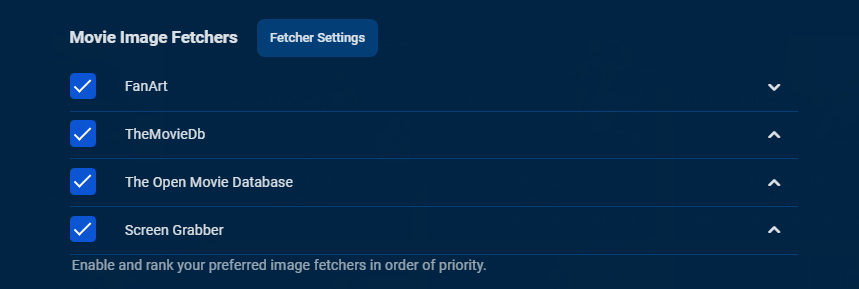
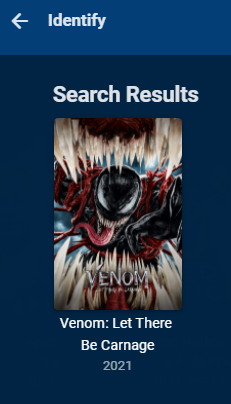
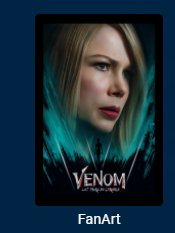
This is deceiving as the image displayed does not mean that is the image you will get as images are gotten per order of precedence per your library image downloader options not the provider you selected on Identify. Example Fanart image
 1 point
 -
There's an Enigma based plugin to export epg data as an xmltv file: https://github.com/leaskovski/EPGExport1 point
-
1 point
-
I'm not sure if all the blame is with Tizen tbh, because the Plex app is available on Tizen, in any version. Thanks for the suggestion but Emby is not listed with that setting.1 point
-
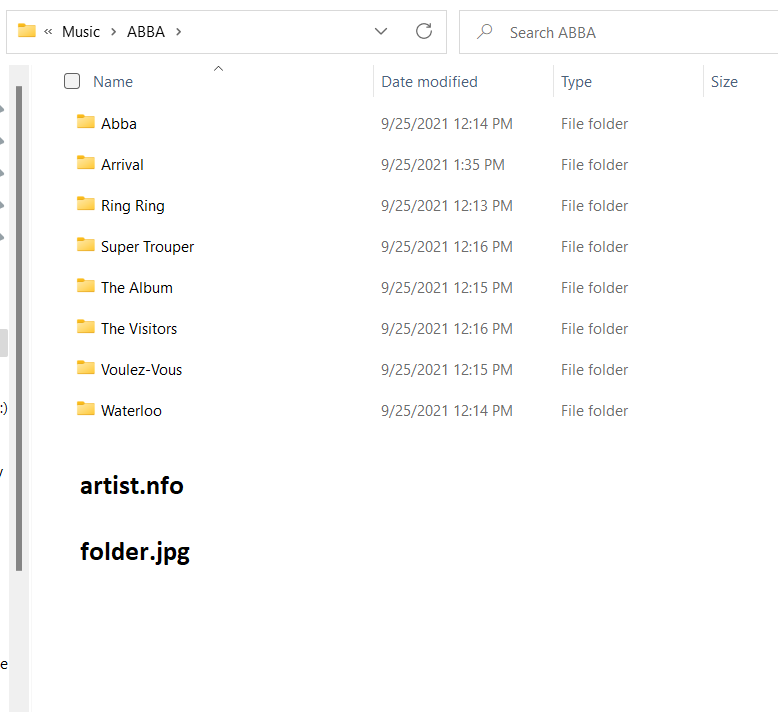
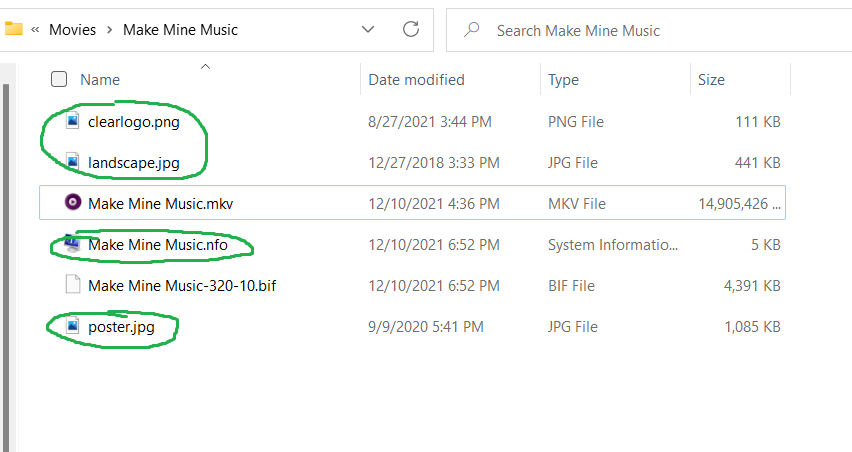
Thank you so much for the testing. I really appreciate your help. I ended up fixing the issue of artists not downloading any metadata/images. I'll list everything I did regardless of whether it was related or not: Deleted the Music library in the Emby dash Shut down server Accessed Synology from WinSCP with root account Deleted everything in the following directories: /volume1/@appdata/EmbyServer/metadata/musicalbums/ /volume1/@appdata/EmbyServer/metadata/musicartists/ /volume1/@appdata/EmbyServer/metadata/musicgenres/ /volume1/@appdata/EmbyServer/cache/audiodb-artist/ /volume1/@appdata/EmbyServer/cache/temp/ /volume1/@appdata/EmbyServer/cache/images/resized-images/ *All of these folders were filled with items from old music libraries I'm assuming* Set the server xml to do a db vacuum on next startup Started Emby, added new Music library with proper settings, resulting in all of the artist metadata and images being properly filled upon completion My only concern now revolves around the NFO and "save artwork into media folders" settings. I'm still unclear as to whether or not they are working as intended. But, as it stands (at least on Synology), they are misleading. Knowing that both the names and descriptions of the settings are identical across libraries, one would expect their music folders to look something like this: Just like the movie/tv folders look with the identical settings applied: With this background info - along with the fact Emby is running on Synology, where users don't have easy access to the data folder - it's easy to see how these settings are perceived as broken.
 1 point
 -
I cannot update, I have to uninstall and reinstall (just like cipper wrote). And this means, go to the App Store on the TV, go to the settings in the upper right corner, show installed Apps, go to Emby, select Delete, plug in USB (you cannot do this earlier, it will not install), wait for the TV to find the App, confirm installation, unplug USB, confirm you unplugged USB, goto to the Emby App, select Show on Homescreen, move it to the right position. And then, the app settings (for all users) are lost, this is the selected theme, showing backdrops, playing theme music (and maybe some more) and it would be the do not remember last user, but I gave up on this because it's not that fun to enter every time manually a username with the remote only to deaktivate that option (why the hell isn't that option in settings?!). If you can do this in 30 seconds, you have to have super powers. And I read here about a guy, who has his TV mounted on the wall and it's not so easy to reach the USB ports on the back. So, don't tell anyone he's complaining too much, only because it's easier for you. I wouldn't complain that much if I could simply update via USB (I would still complain, but it wouldn't be that bad). Ciao, Alfred1 point
-
Totally agree. And, it is at least every month, sometimes, the new version will be out before the end of the month and you have to install this version, as the devs are counting the 30 days always from releasing the last version, not once every month. And, of course, if you have a family like me, after reinstalling the app you have to make all the app settings for every single user again. Normally I would like to have the "remember user" setting disabled, but as it is so complicated to set (you have to enter manual login) I stopped setting this every time. For every TV, yes, I have 2 TVs to do this, but it still is a pain in the ass as it is totally unnecessary. And you have to do it every time, on one of my TVs the app now stopped working after the month. On the other TV, there is the nag requester to tell me, there would be a new version. But this requester does not open when starting the app, no, it waits some seconds and most time I have already started playing from next up and the requester is messing all things up.1 point
-
When I prepare media on my server, I'd like to know which devices will be able to play the media I have. This can help me determine which shows or films I should transcode before placing them on my server - and even help me choose the most compatible codecs across devices. I imagine that the devices page in the server admin control panel can be extended to show more details than it does currently (I can only change the display name right now). These details would be: Codecs supported, Video Codecs supported, Audio Subtitle formats supported Last connection time, IP (as today, just on this new page) Last user (as today) Maybe network details, like max bitrate observed? This will likely require storing extra information for each device - but I imagine that the information is "readily" available, as the Emby server+app must somehow be able to determine that transcoding is needed. I'd like to surface this information. Eventually, it'd be super awesome to have some page where I can, at a Show/Season/Episode/Movie level see which devices it will directly play on. Maybe a button to convert the media to a specific device, where codecs etc. are optimized for that device. Mike.1 point
-
HI, yes it's not a bad idea for device details. Thanks for the feedback.1 point
-
this one is 5 years old. there should have been some progress since then. but i look into it, although i am persimistic.1 point
-
Im just curious why Samsung TV owners may install Emby from the Samsung store in the US and in the UK but the rest is tortured with USB installs every months. So what is the blocker to get it in the store of european countries as well? Is there something we, the community, can help with?! Why are you able to deliver it to some but not to all stores? Simon1 point
-
Lend your support in either FR (or both):1 point
-
Maybe it is just me, but I think it is a bit odd to have a played/unplayed badge on media that has been watched. It just clutters up and is distracting. I rather prefer Plex's way of doing it where media only have a badge when it is unwatched. Would it be possible to make a setting choose how it should be shown?1 point
-
Hi, yes we have a plan on how we might be able to do this where we can start playback with our custom player and then auto-switch to the native player if you activate PiP. Thanks.1 point
-
Also interested! This is the only reason I still have plex running. Yes, I can work around this by opening emby via the web browser’s desktop mode, but I would love the convenience of having the app support it. Plex and other apps have figured out how to do it, so I’m sure the fantastic developers at Emby could figure out something similar. You have definitely built a superior experience overall to your competition, but this one item holds you back. Pretty please with sugar on top?! :)1 point
-
Hi Luke and team, Are there any updates on the PIP functionality for the iOS app? Kind regards.1 point
-
+1 to the HDR/Bitrate sorting1 point
-
Hi, yes this is something that we should add. Thanks for the feedback.1 point
-
I would recommend adding "Select All" to this menu to have the functionality on mobile as well
 1 point
 -
Hi, we'll take another look at this soon. Thanks.1 point
-
Don't know if I should have created a new topic but here are some filter that would be interesting : * filter by movie runtime * filter by audio language * filter by audio channels (5.1, 7.1, ...) and maybe by technologies ? (Dolby Atmos, Dolby Digital, ...) * filter by file size ? Don't know if it's possible, but also add a filter that only shows medias that don't need any transcoding for the current device.1 point