Leaderboard




Popular Content
Showing content with the highest reputation on 11/20/21 in all areas
-
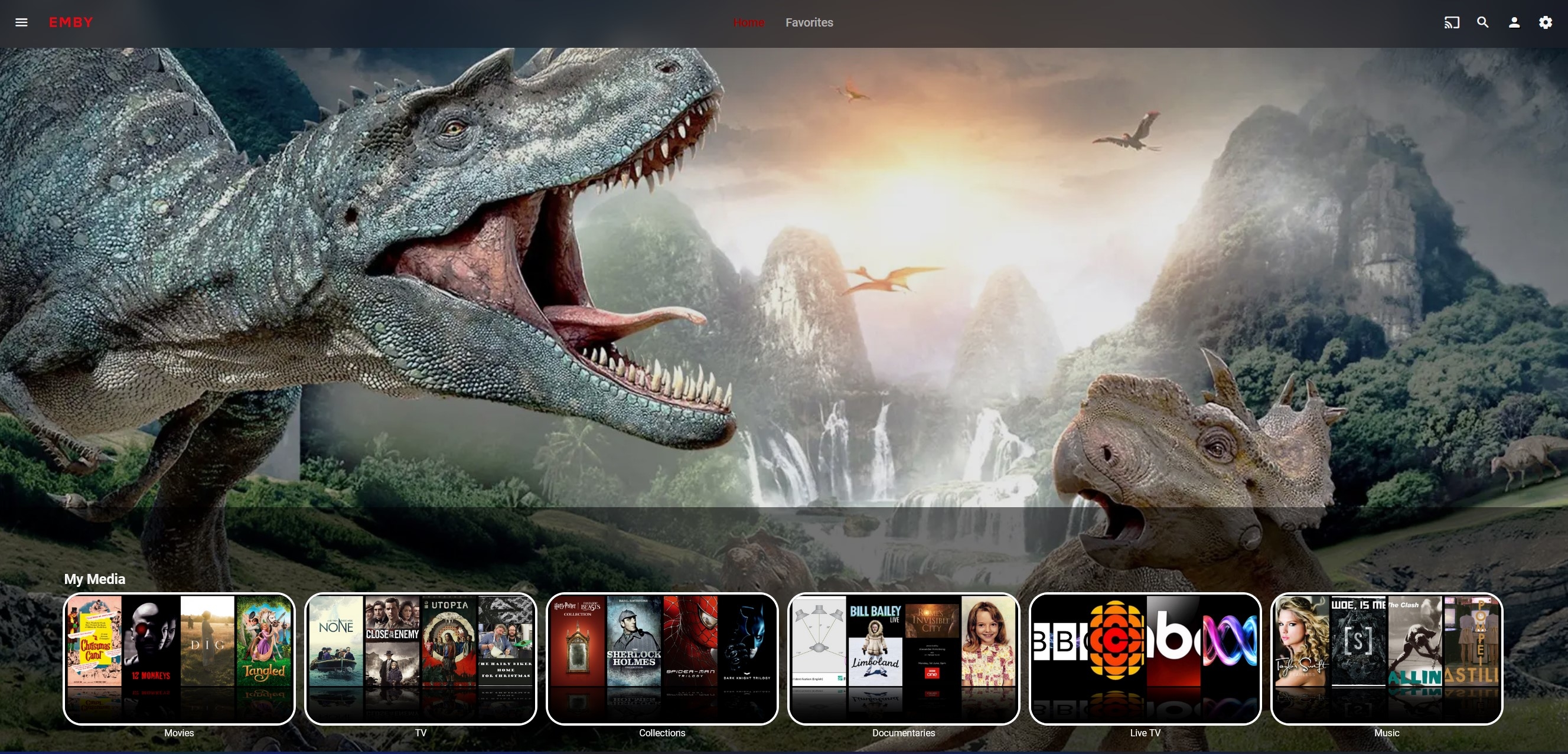
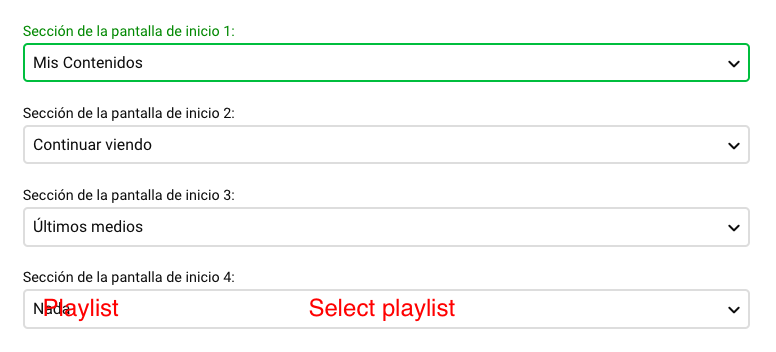
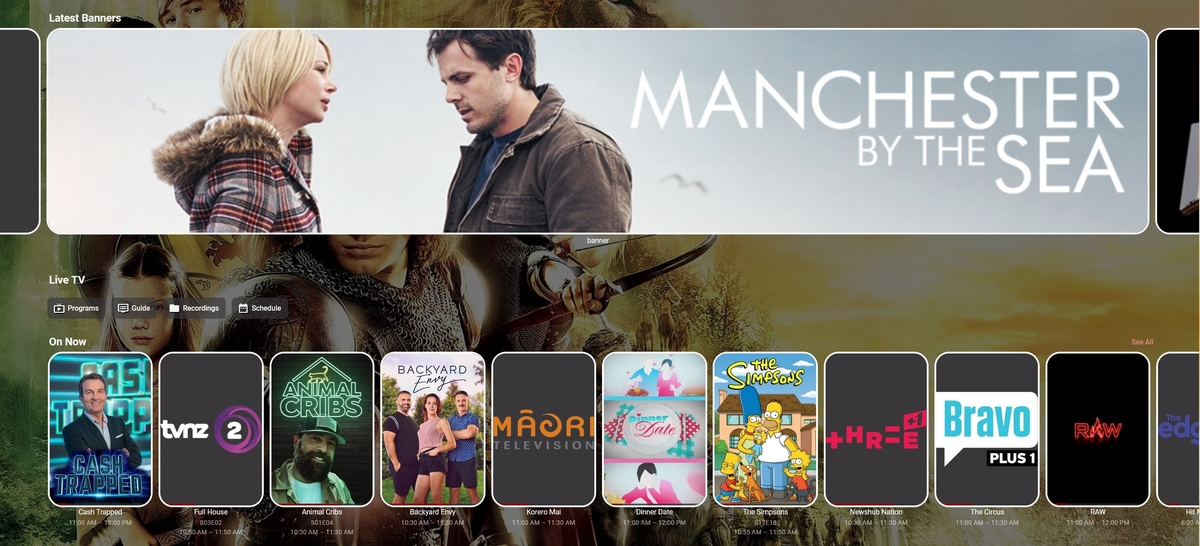
My favorite approach would be to be able to define a section of the home screen as a playlist (if it's smart better), with a banner image as by default.
 4 points
 -
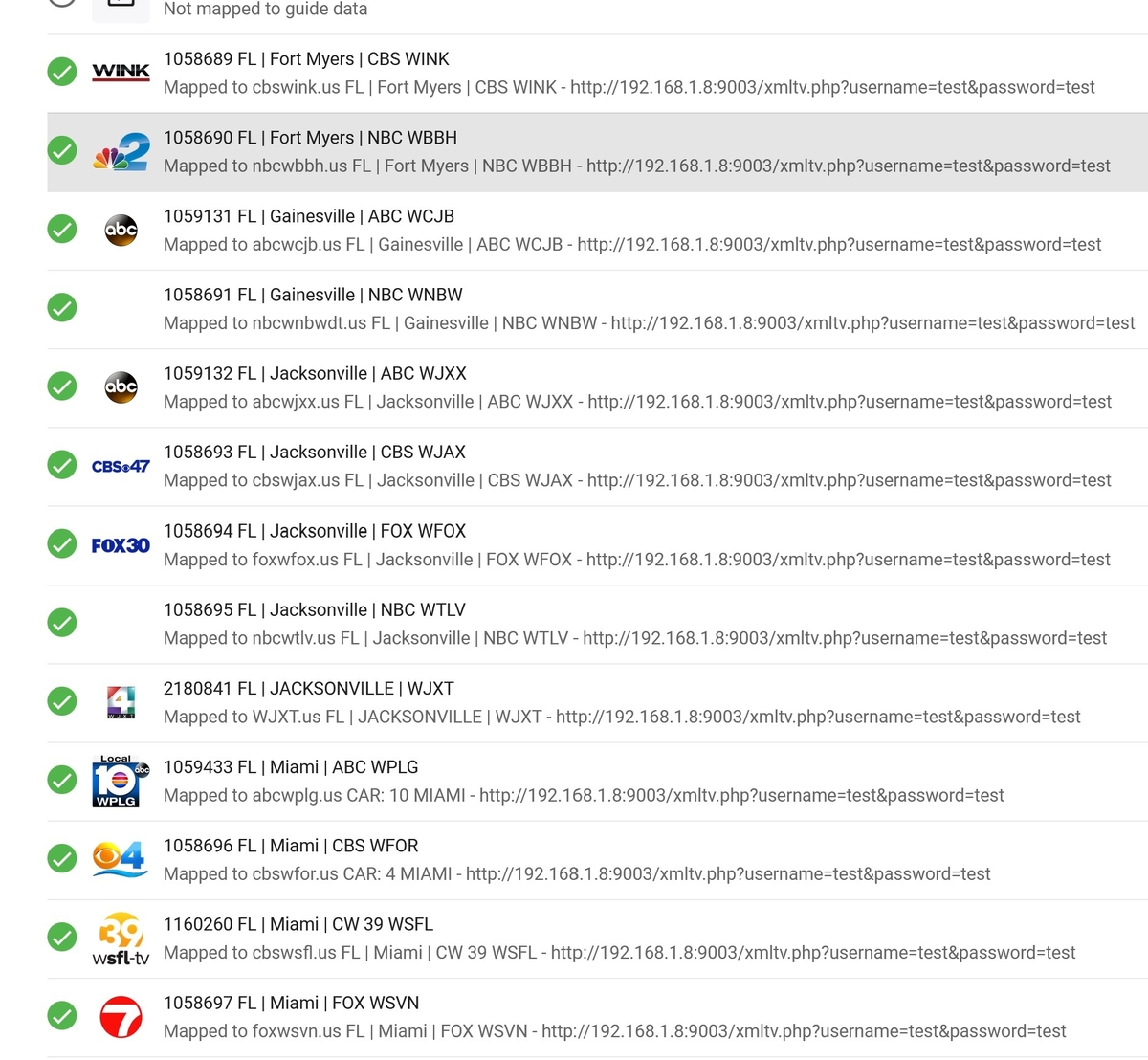
On the Channels setup, most of us that use IPTV have way too many channels selected as default. Could we possible add a Default that the channels are unselected or a "Unselect All" button?
 2 points
 -
And my channels play, so what should i do now?2 points
-
I'll be pushing an update to the beta channel in the store within the next day or so, but for immediate resolution you can grab the build from our website: https://emby.media/emby-for-android.html Thanks.2 points
-
I made a number of changes to the GUI and added back tagging of channels. I also corrected several bugs and now allow you to select the audio track when watching videos. Next I will add subtitles. Let me know if it works OK. Vic EmbyTagApp01.html2 points
-
Hi, assuming we are talking about HDR10 video it's hard to top the Nvidia ShieldTV Pro (not tube). The ShieldTV will take the HDR10 content and tone map it to SDR for display on the TV. I'm doing exactly this on one of my Samsung 75" 1080 models which breathed new life to it. I do believe the 4K firestick (wifi however) as well as MiBox S can do this as well but I'd need to check. I have both and do seem to think they do this as well, just not as well as the ShieldTV. If these are more in your price range I could test this for you I think one important consideration a lot of people don't check which makes a huge difference is the type of sound system you have. If it's just 2 or 3 channel this doesn't matter so much but when you get to 5.1 and especially above you want the ShieldTV and really only that device. It's head and shoulders above the rest when high end sound is is part of your setup.2 points
-
Coming up from another topic, where same issue was observed on Win-server/ATV app. Do you have one or multiple subnets configured in Network settings to be considered "local"? If so, did that setting persist upon server upgrade or it got blanked?2 points
-
Little bit like this then -
 2 points
 -
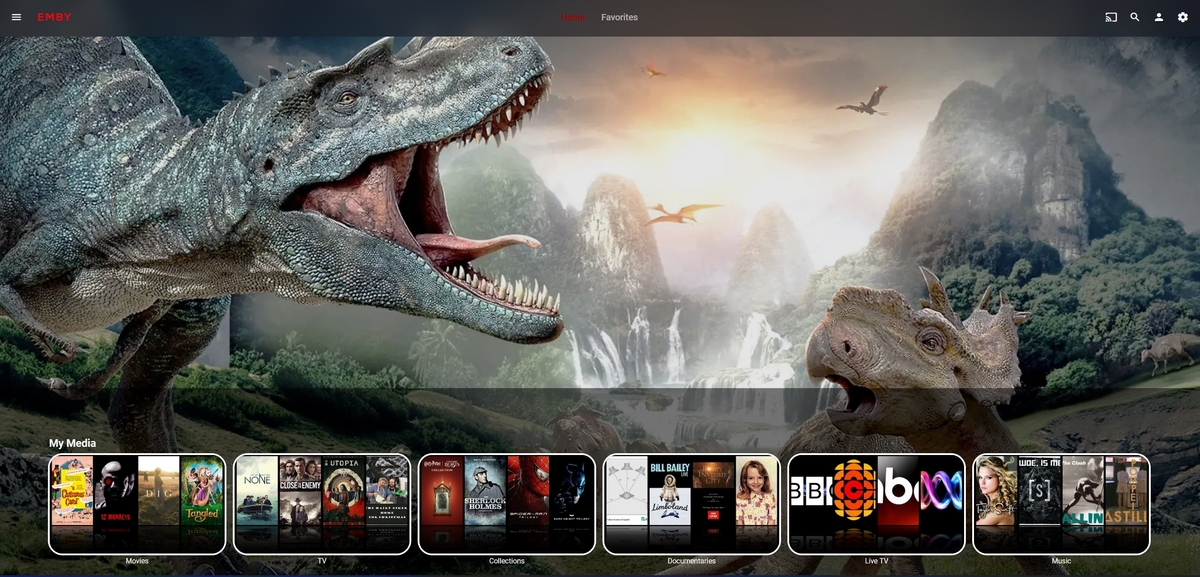
I like. I was just trying to reproduce it here (what can I say, it takes a while...). It would be nice to make it more available. I should mention I do have a soft spot for my own home page at the moment though, even though its not clickable or anything -
 2 points
 -
I know the answer to this is probably going to be no..... ...but.... A standalone music player for iOS would be very useful. Trying to get the wife to use the full client for music is just not happening. Something that was simple and intuative and quick and easy to use would be killer, something like spotify. The simpler the app is to use, the better. If all else fails, I have a project that's on the back burner that was an iOS music player for subsonic, but I could always target emby as well. It had an spotify a-like interface. Screenshot from as far as I got with the UI, it was playing back music from the server.1 point
-
Not sure if I'm using the right term but I searched every think I could think of. It's likely it already exists so I apologize in advance. Is there a while to filter OUT. For instance if I wanted to see all movies EXCEPT a specific genre for example. I know I can filter to see all action movies for instance but how about filtering so it shows ALL BUT Horror. Is that possible now or even feasible as a future item? Thanks for taking time.1 point
-
Hi, Sorry, could not post to subscriptions forum, but important question nonetheless. Are there any plans for Black Friday or Cyber Monday deals for lifetime licence? Thanks1 point
-
That is why I pointed you to the "Everything" program above. It is the best program I have found for finding dupes. You can filter the search to just videos which makes if even easier. I also use it to quickly find if I already have something so I don't record it again. It's free and I always have a window open on my desktop these days,1 point
-
The database should retain the collection items linked. Since you don't write nfo files with media we will have to try and figure out what is updating your database then as this should not even be possible, especially with Locked media. Can you go over a specific example.1 point
-
Maybe you should think about it, as that is the only sure way to retain your custom edits and/or custom collections. In case of db corruption, that would be the only way to revert those. In this particular case, each of those movies NFO would contain <set> tag within, 'linking' it to that particular collection (or multiple ones).1 point
-
I have some movies and TV shows, I have watch but not watched inside Emby. To be honest, no way Im going to mark them watch (1000+ movies 4000 TV episodes). However they are still in their appropriate libraries. I set the option, so that the "Date Added" reflects the timestamp on the filesystem, rather than the date added to emby. However, I get a ton of "added months or years" ago in my Latest lists. A great enhancement, would be a checkbox that allows you to limit the Latest to the last month, 3 months, 6 months, or some arbitrary date.1 point
-
@GrimReaper @ebr is exactly right. Exactly. 3 months, 3 months, 1 day.. whatever options you could provide.1 point
-
Thx Luke At least my eye site not too blame!1 point
-
Hello Frostbyte, I am running DSM 6.2.2-24922 Update 3 Hi Carlo, i would like to do that remote session?1 point
-
If no transcoding is needed, the app initiates the download right away. If the file has to be converted, then the server does that and then sends a notification to the app. We'll look at improving that part. Thanks.1 point
-
Did you replace a copy of a movie within the collection with a newer/better copy? This happens to me when I do that.1 point
-
Thanks @neik, I was pretty sure it does but thanks for verifying so that I don't have to.1 point
-
Yes, it can tone-mape HDR -> SDR for a SDR TV (tested myself).1 point
-
Hi @chef - it's just a standard Photo/Home Video library brought to the top of the list - using the 'banner' image file for the images and an associated strm file to provide the actual link. Simplicity1 point
-
I would still suggest checking out this topic and comparing: Thanks.1 point
-
https://www.sammobile.com/news/samsung-tv-netflix-av1-video-codec/1 point
-
That's a tough call. For example if you look at this link it would compare the CPU in these two NAS with the CPU in the smaller 920+ 4 bay. At first glance it looks like a slam dunk case the Ryzen is faster but is it? Depends a lot on what you're doing. For typical Emby only use the Celeron would probably be the far better choice as it has QuickSync built in so 4 transcodes for example is no issue while the Ryzen is stuttering like crazy on the same playback. If all your media is always going to direct play then it doesn't matter if you have QuickSync or not unless you want it to transcode the media upfront one time so it's direct playable after that. Even based on what you already mentioned that 1 or 2 friends might need transcoding I'd still think the Celeron model is the better overall winner for strictly Emby use. Either one of them should have any issue direct streaming 10+ streams. https://www.cpubenchmark.net/compare/Intel-Celeron-J4125-vs-AMD-Ryzen-Embedded-V1500B-Quad-core/3667vs4624 A question that I have to ask. Have you considered Qnap at all? I bring this up because you can get Qnap NAS with i5/i7 in them which have QuickSysnc and will be faster then the V1500B. Not only that but some of their models have PCI slots so you can add in different high end NICs or Nvidia GPU cards making it a powerhouse for media streaming. CPU processing rules the day for running multiple apps on the NAS box which both Synology and Qnap have a lot of plus both can easily run docker apps. GPUs rules the day for media that needs transcoding. You may also want to possibly build you own NAS by taking any type of computer with the specs you need and installing one of the many great OSes designed to do this like TrueNAS scale, Open Media Vault, Unraid, etc... The last option is the most flexible and upgradable solution you'll find.1 point
-
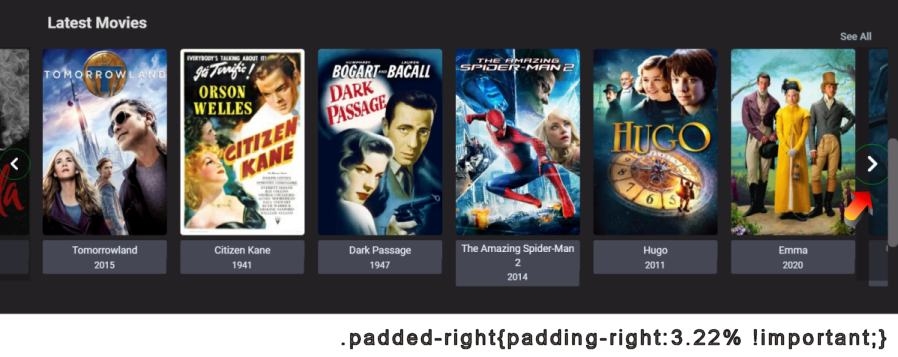
The larger card sizes looks great. I found my horizontal card scrolls were no longer lining up nicely. Does anyone else see this? I might be just me, because I use a lot of custom css. The left and right scroll bar progressively gets a worse alignment, every scroll. The default number of cards for the homepage is only 15. At that number, you hardly see a problem. Perhaps this tweak is not really needed, if you have not increased the number of cards. modules/homesections/homsections.js sets the number of cards in the scroll on the home page. Setting it up to 'options={Limit:36,' instead of 15. Anyway, these Custom CSS fixed the horizontal card scroll for me for 1600px wide monitor, for all the Latest card groups on the home page. However, I just noticed the slimmer look of the scroll buttons fail for monitors > 1600 pixels wide. /* Adjust the width and size of the scroll button and width of the shaded vertical bar. Give the arrow a little green border to make it easier to see. */ .emby-scrollbuttons-scrollbutton { margin: 0; padding: 4px; border: 1px solid #008812; font-size: 0.8em; } /* Adjust the shaded scroll button height, so it fills the area better */ .scrollbuttoncontainer { top: 9px !important; bottom: 36px !important; } /* Fix right and left scrolling for cards so they stay aligned */ .padded-right { padding-right:3.22% !important; } /* (related) The See All links on Media collection pages and actor's pages for thumbnail card collection rows are pushed down a little to help mobile portrait padding. */ a.secondaryText.sectionSeeAllButton.noautofocus.button-link.emby-button { font-size: 18px; text-shadow: 1px 1px 2px #244759; margin-top: 37px; padding-bottom: 0; } This looks very close, but not perfect if you have wide cards like Music videos. The alignment gets only off by about 10 px, after 36 music video cards. Another problem, not fixed for all horizontal scrolls including Cast and Crew is, if you go all the way right and click one last time, then the group of cards move out of alignment. Scrolling back left keeps this overlap and the cards are not perfectly aligned anymore. The function that handles this for Home page latest is in modules/emby-element-emby-scrollbars-emby-scrollbars.js. It just does the math for the column width based on the .padding-right class for the row. This class is in modules.sections.css. Is there a snap to flex edge feature in flex? Maybe a script to run after 500ms to check if the card is aligned correctly and then push it into place? Or, better yet, just make the right arrow disappear, when there are no more cards to the right. Then, the user cannot click too far and push the scroll row, out of alignment. I wonder has anyone even noticed this. I think maybe the old 4% used to work when there was more cards per screen and therefore more padding areas between cards. There were 9 visible gaps between cards and now there are 7, so hmm 7/9 * 4 = 3.11. The width of a scroll button is 55 on a 1600 pixel monitor. If you remove that 55 pixel width from 1600 = 1545. That becomes maybe the scroll you want to move. 1600 / 1545 * the new difference in the number of gaps between cards result 3.11 = 3.22186. Anyway, I think leaving the 4% padding-right to use in the scroll function is off, because the number of gaps between the cards changed from 9 to 7. Hope this helps. If you update to 36 cards in the Latest media this fix will make more sense. It's nice to keep the cards aligned.
 1 point
 -
I don't use emby, wasnt worth the effort. I also dont think this dude is a dev and wants one pre built which doesnt exist. Code is here youll need to update the server api Im sure. I recall there being some random issues but maybe they been fixed in the past year but doubtful ;) https://github.com/bakes82/TraktLists1 point
-
You'd have to just uninstall the plugin.1 point
-
Great, thanks for the explanation!1 point
-
That's actually a great request for m3u use as it would make it far easier to start with 0 channels and then select the ones you were interested in. PS I don't think to many of your channels are going to play well. LOL1 point
-
What Emby Server network settings have you customized?1 point
-
Hi, no not at this time. We are looking into this with Synology to see what needs to be done to allow automatic upgrades. But for now you will need to manage the upgrades. You should however get a notice on your dashboard whenever there is a new release.1 point
-
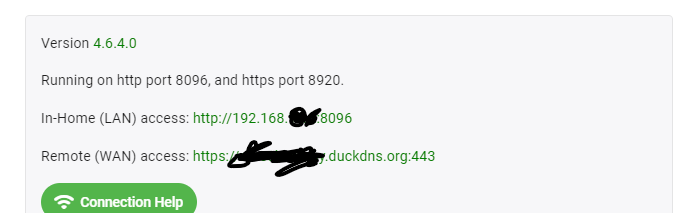
ugh... yes and no... for me my personal home network... its default config of the router 192.168.1.xx NOTHING fancy... but unraid creates subnets and port mappings for its systems and dockers, ect. I dont understand what it does, it configures itself and has worked for YEARS until emby updated. everything was accessable from inside and outside home network. emby "worked' but was asking for login on local network. all emby network settings are correct and have not changed in years. i have NO IDEA how to troubleshoot this... i dont understand networking. and i have a feeling that a lack understanding of UNRAID will be a factor for getting help same as it ever was....
 1 point
 -
It looks like you downloaded the file for DSM 6. There is a separate download which only works on DSM 7. The correct file will have a "7" immediately after the word synology. emby-server-synology7_4.6.6.0_x86_64.spk1 point
-
Not exactly. It would be tied to "My Media" (your libraries) not Latest rows. So, you have focus on your "Movies" library in My Media and the spotlight would show items from that movie library. Move to "TV Series" and you get items from that library, etc. Apple calls this thing "Top Shelf" and it is actually at an application level. Each app provides content that is shown when it is in focus.1 point
-
Most likely your server network settings are interfering with the local network detection. The bug is actually in the older version making it less accurate then it should be, and you've just gotten accustomed to that.1 point
-
until yesterday the 2 admin accounts had NO local password. now they do... out of troubleshooting... and yes, i changed the dropdown menu to the option for "no password required when on local network" tried playing with all those settings yesterday. downgraded today and fixed issue. 4.6.4.0 good, 4.6.5.0 and up bad.1 point
-
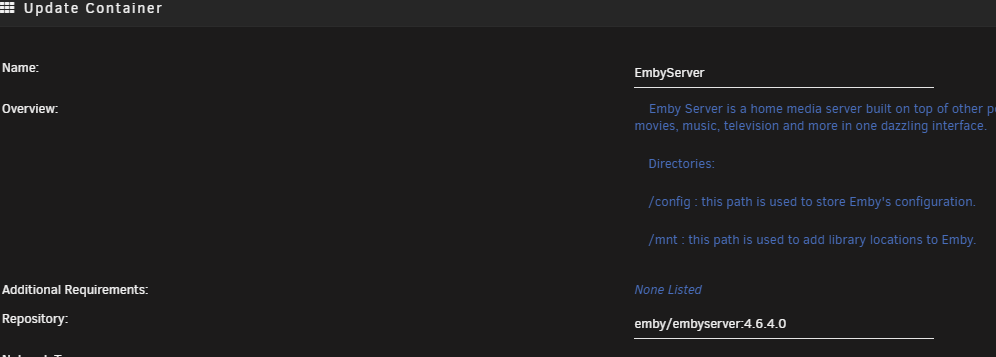
Im having similar issue. nobody replied to my message about it... but 3 replies on where to find the docker info... for a workaround you can downgrade the docker image by changing the tag on the repository directory Unraid > Docker > emby > Edit change Repository from emby/embyserver:latest to emby/embyserver:4.6.4.0 the portion after : is called the tag. Latest will always update to latest. looking at the docker repository at dockerhub, you can find previous version tags. pick one from a time period you know works. the 4.6.x.x are stable releases. the 4.7.x.x are beta releases at the moment. 4.6.4.0 - has resolved my issue. 4.6.5.0 and 4.6.6.0 did not. none of the 4.7.x.x worked for me. in a few days try changing back to :latest and see if the problem has been fixed. now my androidTV pops up with user list, instead of manual login/connect login screen.
 1 point
 -
Thanks much! Got it working, now I need to go get higher res images since the emby's are larger than plex. Very nice!1 point
-
Denon AV Receivers | Denon™1 point
-
I'll admit you should buy a new soundbar with HDMI input1 point
-
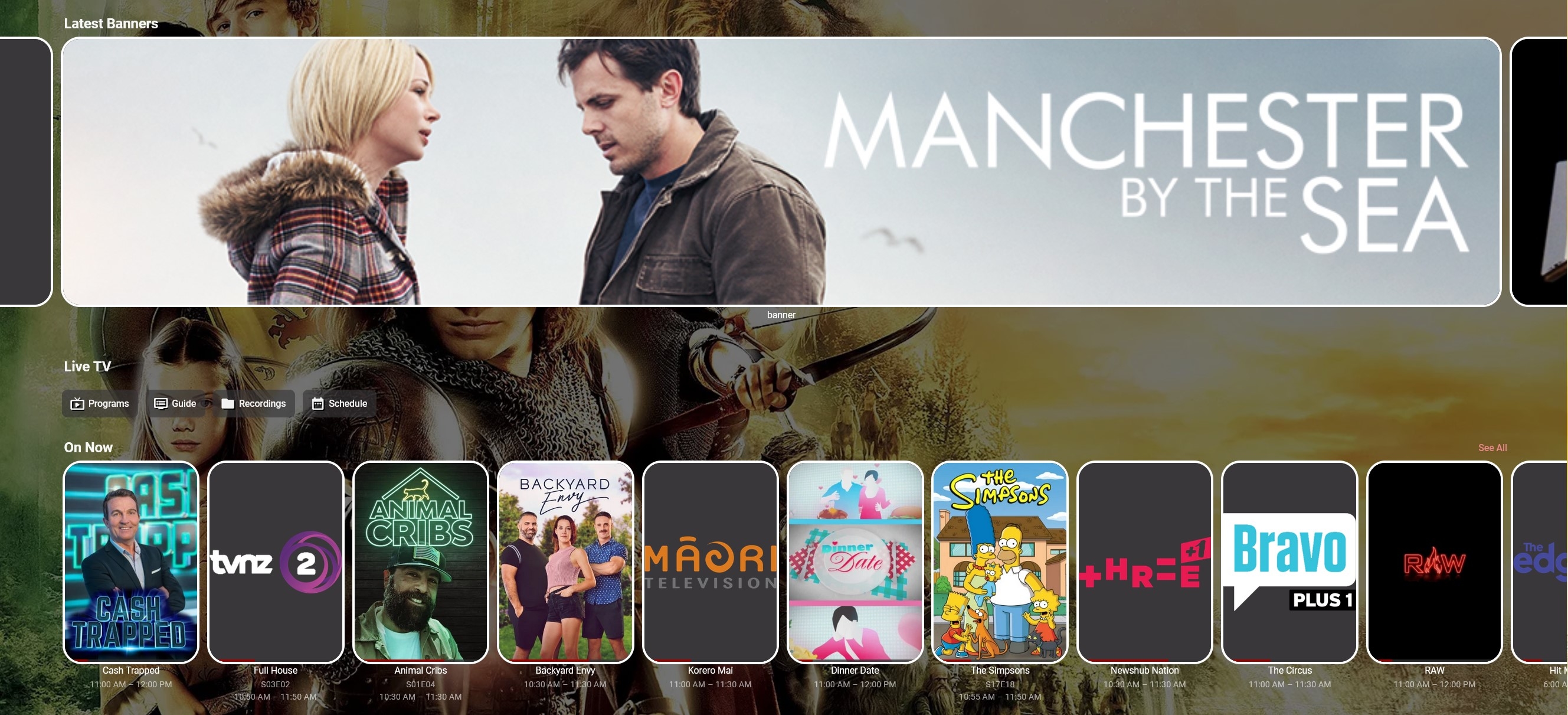
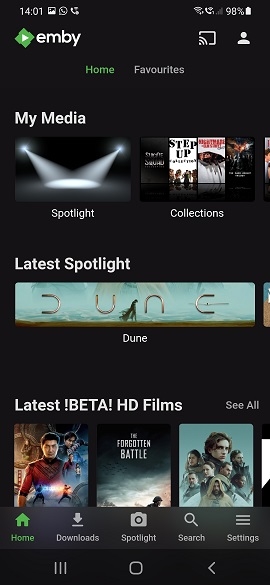
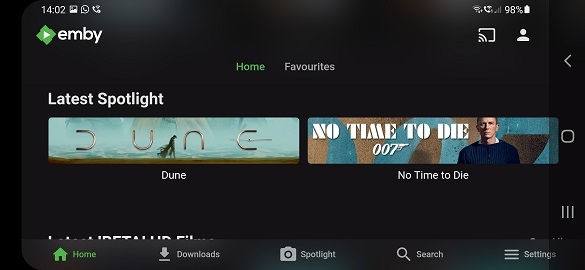
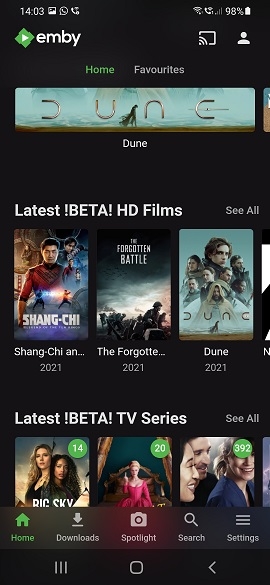
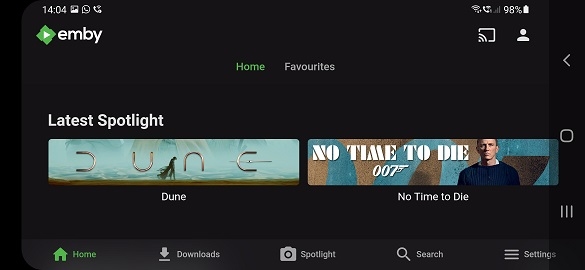
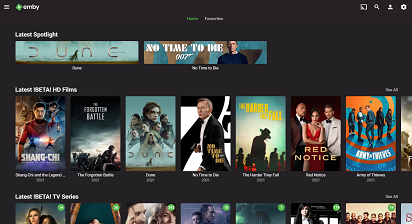
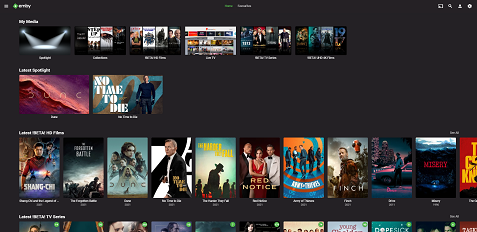
If you are happy with more than one 'spotlight' item - then using 'banner' artwork actually looks ok. This is what I use now for my own version of 'spotlight' - this works on all clients today - it just uses the 'Photo' library type - which displays any image (and it's playable if you use a strm file with the same name alongside it..). If you watch the item, it disappears from the Spotlight.. On some of the clients - these are actually 'in your face' and you can only get two of them on the screen anyway. Examples from an Android Phone below :- These are the web server screens .. This is using the 'Backdrop' image instead of the 'Banner' So yes, it's perfectly doable. If extra 'long' or 'large' images can be accommodated, then great - but functionally - I personally think this works ok.
 1 point
 -
Ok this should be improved with the next update to our Android TV app. Thanks.1 point
-
I would like to rate shows and movies like in plex by clicking on stars that appear under the movie. Then to be able to sort shows in library by my user rating.

 1 point
 -
https://github.com/MediaBrowser/Emby.Releases/releases1 point
-
Attached below is the latest code. I corrected several bugs and cleaned up the HTML5 HLS streaming code for videos. The new code is much more reliable and easier to debug than the previous code. I also cleaned up the code that plays consecutive selected media. Yon can even mix media and it will play properly. You can now select and tag individual TV episodes and pictures. Soon I will rewrite the liveTV code. I am now working on sorting and filters. Vic EmbyTagApp01.html1 point
-
Was hier gleich auffällt, du kannst nicht in eine Serie den Film auch gleich mit rein packen. Der wird ja dann auch falsch erkannt und womöglich als Episode1 erkannt. Filme gehören zu Filmen und Serien zu Serien, das musst du trennen, vor allem wenn du willst, dass die benennung und erkennung funktioniert. PS: Dein Naming der Folgen ist falsch daher werden die auch nicht richtig erkannt und du hast keine Beschreibung zur jeweiligen Episode dabei. Siehe Lukes Link für das korrekte benennen von Serien.1 point
-
A manual sort order for collections is a good idea for the future. Thanks !1 point