Leaderboard




Popular Content
Showing content with the highest reputation on 11/12/21 in all areas
-
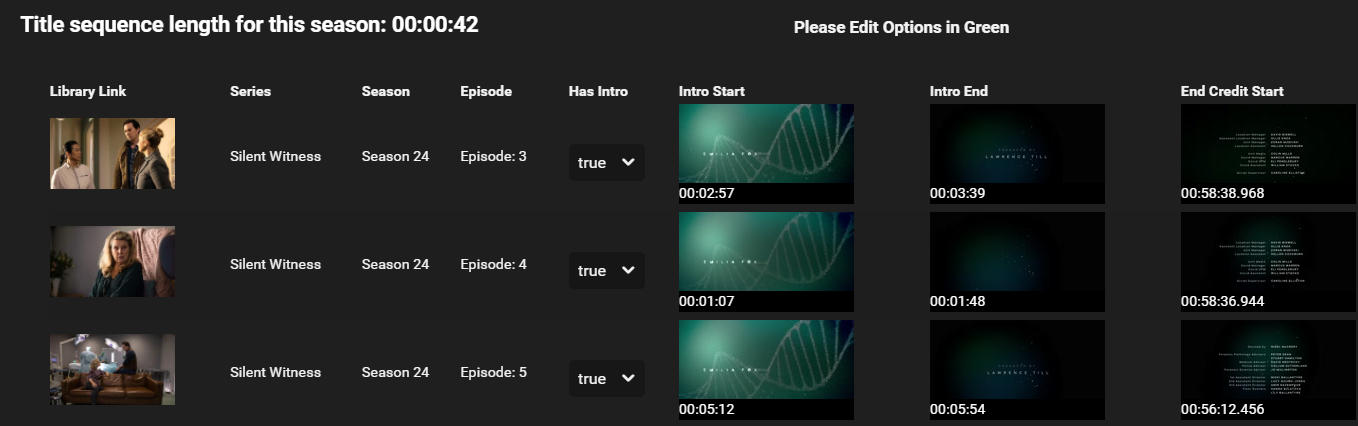
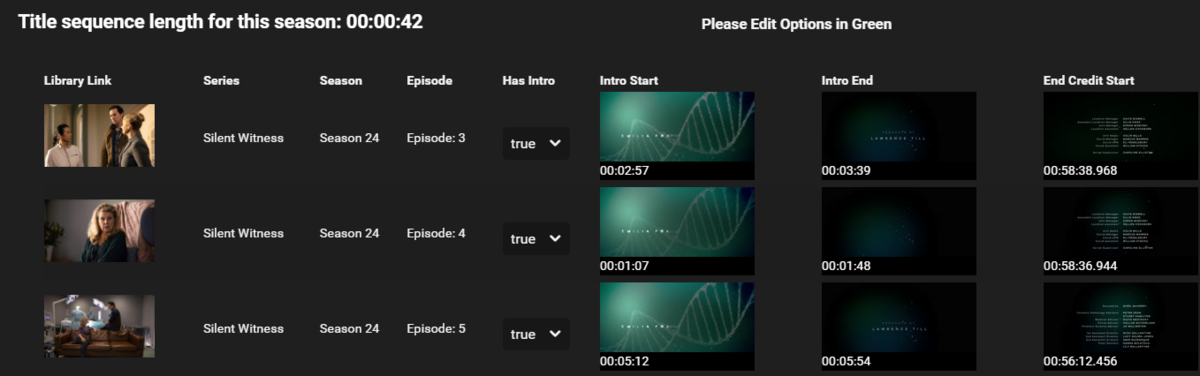
Episode Title Sequence Detection stayed at 87% for hours and no Intro skip entries in the log for the last few hours so I stopped and restarted Title Sequence Detection. It then finshed in minutes. Everything perfect now.
 3 points
 -
It is not. Basically nothing save server address(es) for the user(s) linked to your Connect account.2 points
-
Thank you. In both the cases we have seen the task hault, fast detect has been on. So it's a good place to start. I have almost finished my test db, and will hopefully find the problematic code.2 points
-
It may have been a temporary loss of connection, which the app currently needs to be improved to be more resilient to handle. We are working on improving it. Thanks.2 points
-
DSM7 Upgrade for Emby.mkvEDIT: The instructions assume default Synology install volume of /volume1. If your location is different use that instead! This is based on the release version of Emby which at the time of writing/video creation was 4.6.3. The video will become dated so just use the latest DSM 6 Emby version from the website https://emby.media/synology-server.html. If you happen to be running a beta version update to the latest beta version before the DSM 7 update. The idea is to do any updates on DSM 6 first before installing DSM 7. Since the creation of the video Emby Server is now availing in the Emby Package store (release version) so you can install Emby on DSM 7 now from that. ----------------------------------------------------------------------------------------------------------------------------- Attached is a quick video of upgrading DSM 6 to DSM 7 with Emby Updates. The video will show only browser items and not the PUTTY/SSH commands but everything done in browser is recorded. The SSH commands are included below. I converted this to MKV/H.265 to make it small enough to download and view offline. DMS7 Upgrade for Emby.mkv21.57 MB · 78 downloads Instructions used were: Download and have ready DSM 7 package for update. https://www.synology.com/en-us/DSM70 (I will be downloading both a virtualDSM 7 & for 920+) Download and have ready Emby Server 4.6.3 for both DSM 6 & DSM 7 https://emby.media/download.html - update Emby Server to current release of 4.6.3. - restart Emby Server and verify your on the latest release version. - uninstall Emby - update DSM to v7 - install Emby 4.6.3 (or same version that was running above (dsm7 version) - You can now install the DSM 7 version directly from the Synology Package store! (still on our website too) - stop Emby - remove emby_pkg user and video group - enable admin account if needed - enable ssh in Synology settings (Terminal & SSH menu) Not shown in video: - connect with Putty to Synology, login with admin user and get root rights with: sudo -i - copy files from old Emby share to new data location: cp -rv /volume1/Emby/* /volume1/@appdata/EmbyServer - adjust owner from copied files: chown -R emby:emby /volume1/@appdata/EmbyServer - close putty Shown again in video: - From Control Panel go to Shared Folder and edit each share that is used by Emby Server. Click the share, then EDIT, go to permission tab, select System internal user from drop down, grant emby user read/write access. - start Emby Notes: You can now disable the default admin account as well as SSH. You may also want to rename /volume1/Emby to /volume1/Emby6 as well. This will help make sure you don't have anything referencing the old directory. If you don't notice any issues in a week or two you can delete this old folder/share to free up space. DSM7 Upgrade for Emby.mkvDSM7 Upgrade for Emby.mkv1 point
-
It occurred to me the other day that Emby's Movie and TV libraries treat watched/unwatched indicators in opposite ways. In the TV library, posters display a badge with the number of unwatched episodes on each series poster. No indicator means watched. In the Movie library, posters display a badge with a green checkmark when the movie has been watched. No indicator means unwatched. To summarize: TV: Indicator = UNWATCHED Movie: Indicator = WATCHED It would be great if these libraries could display watched/unwatched status indicators in a consistent manner. Personally I prefer the TV approach, where the indicator corresponds to an unwatched state, as it acts as a flag to draw your attention to something "new". So that would mean no green checkmark on watched movie posters, but instead something like a green star on unwatched movie posters. No change would be needed to the TV library behavior. Thoughts? Am I the only one whose OCD is upset by this?1 point
-
As @Happy2Play says, the config can be restored without problem. This will restore your library setup AS IT WAS previously which may not be the correct paths now. So in a case like that you would need to change the mount points for each library but all the library settings otherwise should be the same. Once you've corrected any path issues that differ you should be able to do a full library scan and get things loaded back the way it was previously.1 point
-
Yes and No. No for anything that is Path (library paths or customized paths for default folders) dependent as they are platform relevant. But overall most configs are platform irrelevant.1 point
-
whatever saves others the hours of googleing and figuring things out I did way back when... lol1 point
-
I was scanning through my Emby library just the other night and I was thinking about this ticket, and the fact that it's not really going anywhere (not that I thought it would when I entered it, but still). Nice to see that some other people are still annoyed by this! I definitely like having a visual indicator, but something that behaves consistently between library types, and is maybe smaller or partially transparent or something, would be nice.1 point
-
That doesn't back up your databases but all the configs, hence the name. It does backup some key info from the databases such as your users and their watched status. It's designed so you can do a fresh install, restore all the settings and then rescan which will reload your libs and recreate all the meta-data. If you have the ability such as your self with a good backup app, once it a while shut down Emby and backup the data and config folders which should be very quick. All the other folders such as cache and meta-data are fine to backup while running.1 point
-
For those that find this thread via web search or similar, note that there is a bug report for Chrome-based Edge on this issue here: https://techcommunity.microsoft.com/t5/discussions/hevc-video-decoding-broken-with-b-frames/m-p/2077247/thread-id/41831/page/41 point
-
That is a good work around for sure. But going through and manually renaming a ton of videos isn't ideal. I will def use this in the meantime as that's a clever way to get around it, so thank you!1 point
-
Hi. Name them like this and they will: Movie Film (2021) [1080p Bluray HEVC] Theatrical Release.mkv Movie Film (2021) [1080p Bluray HEVC] Extended Cut.mkv1 point
-
Grim is correct. Connect is just a convenience feature so your users don't have to know or type in a server address. It operates much like dynamic DNS.1 point
-
ok - so it's 23.976. the TV is incorrectly reporting the refresh rate So if both plays are at the same refresh rate (according to your pics, they are), then they SHOULD look the same - but Emby is not smooth correct ? Lets see if @ebr can see anything in the app log you sent - it may be a HEVC profile or something that Exoplayer (emby) does not like ..1 point
-
Thank you GrimReaper1 point
-
I wouldn't change things in large scale to start out with, even for a test. Matter of fact, I personally would shut down Emby server, go to the data folder and copy the library.db file. This way I can put it back if needed. So what I would do is create a new TV Show library and mount this to the new location you already setup to hold this. I would pick then pick a small TV Show you presently have and make sure it has some watched status for you. If not, mark a few episodes played so you do have some watched status. Remove them from the old location and do a full library scan. At this point this one show will be removed. Now move it to the new location you setup for the new test library and do a full library scan. How does the watched status look? If things went well you can now try moving a couple more shows, do a full library scan and check again. Once you feel comfortable it's working correctly you should be able to mass move things. If anything goes wrong, put the files back to the original location, shut down Emby Server, remove the current library.db and rename the copied very back to library.db. Then restart Emby Server. Let us know how you make out.1 point
-
Hmmm - it's possible that your TV does not support framerate matching - which I find very odd as I thought most TV's do.. Need @ebr to comment here - as that's all I can think of why those settings are missing ! edit - to be more precise, it may be the Version of Android on your TV that does not support framerate matching, the TV itself may (and probably does if you was to connect a Shield for example).1 point
-
this has been acknowledge by devs as an issue in .17, so i assume it will be fixed soon.1 point
-
Well this is a Beta release (see below) but the Refresh Switching/Matching Resolution are part of the main release. You did scroll down the 'Playback' configuration menu right ? https://emby.media/community/index.php?/topic/42240-emby-android-tv-release-notes-beta/1 point
-
AFAIK, you should have, as those have been there for a long time. App Settings>Playback tab, scroll down. Edit: Might wanna enable "Debug options" while you're at it.1 point
-
Thank you VERY VERY much Luke, It works, you are the best!1 point
-
maybe try something like require(['playbackManager'], function(playbackManager){playbackManager.pause();});1 point
-
مرحبًا ، هل يمكنك الرجوع إلى مثال؟ هل قمت بإجراء مسح مكتبة؟1 point
-
Why are we taking about this? You don't have to remove the old subtitles. Please just start with what I suggested. Thanks.1 point
-
We are constantly working on improving it. Thanks for the feedback.1 point
-
Hi, the app does not support playback of downloaded content at this time but it is planned for the future. Thanks.1 point
-
You have to wait for the guide refresh to fully finish before looking at it. What I like to do in situations like this is remove all the tuners I don't want and refresh guide. Verify the channels are gone. Then add the new tuners and go from there. It's a two step process but I like this better. Also if I'm going to be playing around or adjusting things I'll go into the DVR menu and set the EPG days to load to 1 or 2 days as well. This makes loading much faster for testing. Then once you have things set the way you want you can set it back to auto or specify the specific days to load.1 point
-
Great info @pir8radio. Thanks as always!1 point
-
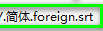
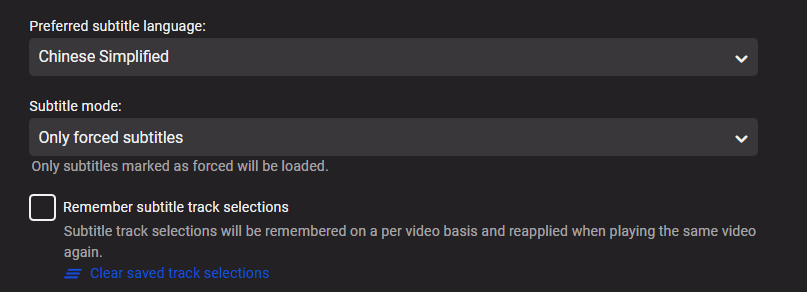
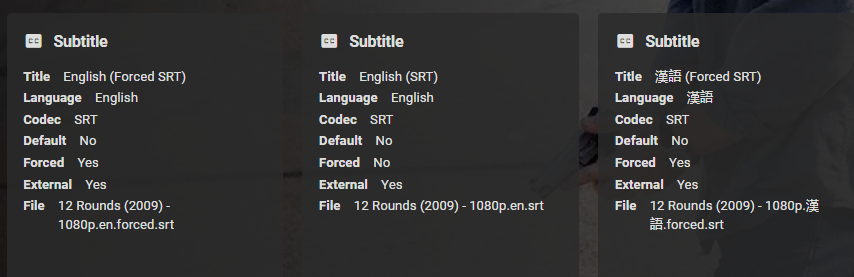
Best guess would be translation for subtitle. What does this translate to? Will have to test more with mixed embedded and external but did not have a issue with set language selection correct sub with en.forced.srt and zh-cn.forced.srt. Not knowing exact characters I translated Chinese to these characters (漢語) and English was chosen. So my theory would be correct. I can test more if you provide exact character per that naming scheme. @Lukedo subtitles allow the use of foreign language translations or is it specific to ISO 639-1 language code. @cayarsif auto selection is specific to ISO codes we may need to add that to the KB.

 1 point
 -
Thanks - good to see that history. I posted some ideas there:1 point
-
Even Plex limits you to 115 users, max. It sounds like they are wanting to use Emby for a paid VOD service, which I believe is against the TOS.1 point
-
Sorry I don't follow as that is what he said. But in the end yes if ISP's are changing then just Updates many need to happen but Emby should already be reading your WAN address whether ipv4 or v6. Now it is a matter of your hardware using the address and forwarding to correct interna LAN address. So you many have to check your router and your firewall for issues.1 point
-
Watched statuses are maintained by providerid (IMDB, TMDB, TVDB and others). Only items that do not have providerid will loose played/watched state, Emby using the databaseid for these items and that id is nuked when items are moved as Emby removes and readds the item. If that is the case then your only option is manually updating the database with the new path for the items. And possibly other columns like parentid. But specific examples would provide more information. But don't really follow this Local and Remote library logic as if this is one server then there is only one watched status no matter the library.1 point
-
Con ese diseño o de otra forma?
 1 point
 -
Quite likely port forwarding in the router has been defined only for the IPv4 address; it may require a separate entry for the IPv6. The way it works in mine (a Draytek Vigor) is that I define a name for the machine (within the router's own tables, that is) and associate it with both addresses; then I just use that name in the forwarding rules. Paul1 point
-
if you need to test some fix just write me, I can test it operatively on my TV1 point
-
I'll check both...1 point
-
It’s a great idea, i need to do some other work to the plugin first. Such as User profiles, address some community improvements. I’ll have to see how i can implement this. Probably put it as a scheduled task so the user can assign times and triggers they want to enable the plugin. I’ll have a play after the other improvements have happened, it shouldn’t take long to do them, just need the time. cheers1 point
-
Again, I don't think you understood me. That is Action OR Comedy, returns ALL Action and ALL Comedy movies, as you said yourself also. There is no way to filter only for Action Comedies (or God forbid, Action Comedy but not SF ). I need Action AND Comedy, so instead of getting 2000 results (1950 of which are irrelevant) I get 50 (those are random, just an example). https://apus.libanswers.com/faq/2310 I've made few two-genre combos as a new genres, but it is nowhere near enough (aside that it is extremely long and tedious process, literally one by one movie).1 point
-
My preference would be that everything stays as it is now, except a fully watched TV show would get the check mark indicator like movies instead of nothing.1 point