Leaderboard




Popular Content
Showing content with the highest reputation on 10/30/21 in all areas
-
New version available: 6.1.6-build 74 (ex5) delta changelog: - fix Xbian filecopy permission issue - unify playsession Id - player callbacks threaded - fix nodes - fix settings load - add option to modify last synced date - fix series removal/inconsistencies Comment: Due to changes in the db records, it's recommended to resync TVShows or rebuild the complete DB. last synced date: Don't set this value if there is no good reason. It's actually a debug option, and DON'T set it to long in the past. This could result in VERY long syncs! Couple days is usually more than enough, once again. Don't touch it, if there is no reason and you know what you are doing! @tube82 This version has a bit different (more elegant) approach fixing the episode issue as the one I send you via PM. If you still have problems, please try this version.2 points
-
seeing the same on a 2019 shield. screen saver is not starting when music is playing2 points
-
I thought this might be useful if someone else comes across the same issue. I'm a bit of an edge case since I use docker and I create a pkcs12 cert bundle from certs and keys extracted from traefik, but the issue I had was not related to that. Since Lets Encrypt intermediate expired my emby server has been presenting an expired intermediate, but the `p12` file I'm generating has the correct new intermediate, I narrowed it down to the x509stores in the docker image had cached the intermediates, so since the issuer hadn't actually changed it never refreshed the intermediates and just kept on trucking with the invalid certs. Long story short, if you run docker and have some kind of lets encrypt certificate and you're getting `NET::ERR_CERT_DATE_INVALID` from chrome (Firefox ignores the bad certs, so I think the only affected browser is edge/chrome on macOS) then either remove and recreate the docker container (it uses `/tmp` for home so that will clear it) or docker exec -ti emby-server sh -c 'rm -rf /tmp/.dotnet/corefx/cryptography/x509stores' docker restart emby-server1 point
-
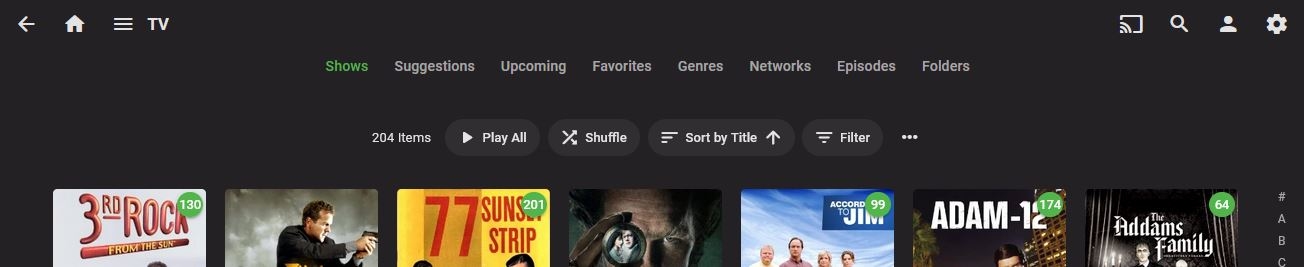
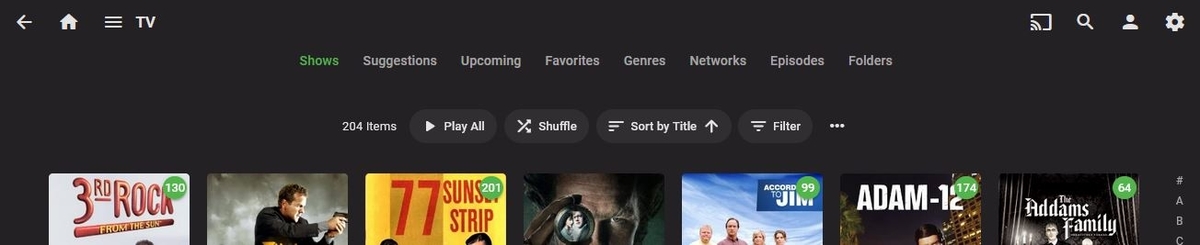
I tagged some episodes for Halloween and Christmas. Windows browser does not have a Tags tab under TV like Movies does (I did not try the Theater). I can get there the long way around by finding an episode I've already tagged....at the bottom it showa the tag then click on the tag it it will bring up the complete list. But sure would be nice to have the tab at the top.
 1 point
 -
It is a matter of what generates the UserDataKeyId to make them unique as that appears to what is used in the UserDatas table when favorited.1 point
-
I don't really know what is going on as yesterday all of these episode transcoded and to they all direct play. But testing force transcoding reproduces the issue. But looking at logs shows ContainerBitrateExceedsLimit so must have rest Playback quality. So from a Direct Play standpoint I had no issue using Simplified or Traditional. From a transcode standpoint both Simplified and Traditional failed to play subs when clicking Next Item or auto play Next. But Clicking play per itemdetails played correct subtitles. I am not seeing the issue with Direct Play as the OP is, I am seeing it from a transcode standpoint though.1 point
-
I almost have a fix @horstepipe. Just need a little bit to test and make sure it's all good. Then I'll post here.1 point
-
Lol, I sync in 10 seconds, but I remove everything I watched. Small dB.1 point
-
I've send you a test version. You must repair sync all TVShows or reset your complete db. It should fix an edge case with inconsistent season information which could result in double episodes. Not sure if this is fixes your problem, but it was the only issue I found.1 point
-
Ok done! thanks for support1 point
-
Yeah, I remember it from days testing various setups, it was a bit faster for checking NFO creation as no double-sequence needed (edit-change metadata-save-edit-change back-save), hence quicker. Haven't done that in a long time, though.1 point
-
@cayars, that is very exciting, thank you for explaining. I also have two quad tuners, one freeview (OTA) and one Freesat and in NextPVR they all get merged regardless of the tuner so the server just picks whatever is available which is an amazing feature. It really exciting to know this will also be a feature of Emby. As giddy as I am, I have noted your release answer and will refrain from asking but I am really hoping soon! I really like Emby and once we have these live TV features, to me it will be complete. Please think of me if it comes to a point you need testers. I will love to take part. Again and as always, thank you for taking time for such a detailed explanation.1 point
-
Hi there, To enable full playback in Android TV app, you don't need Premiere subscription, but can purchase a one-off App unlock, see here: https://support.emby.media/support/solutions/articles/44001173099-emby-premiere-feature-matrix1 point
-
For Info Added Canadian Home Video With Emby logo Added Canadian Home Video Without Emby Logo May have to check how they are titled as i don't know what Emby uses as tags for Canadian Certs so i had a guess, these are aggregated certs based on HMV which includes aggregation of Quebec certifications or so i believe @STR8 I have also created US TV Rating cards for your scenario with and without logos. These may or may not work but copy the files into your existing MPAA folder, rescan the metadata under scheduled tasks for manual changes and cross ya fingers and hope for the best lol I need Coffee Now, laters all1 point
-
If it picks up the the tv tags you could do the following for now: Copy the G.mp4 in the folder where you store them and duplicate but rename it TV-G.mp4 Do same for similar ratings for now i.e TV-MA can be duplicated from R.mp4 I do this for my Library as i have films with a mix of BBFC and MPAA ratings in Emby library. So for example i duplicate the following files to create alternate matching versions U.mp4 duplicated to G.mp4 GB-PG duplicated to PG.mp4 GB-12 duplicated to PG-13.mp4 GB-18 duplicated to R.mp4 etc etc.1 point
-
In my testing, dark scenes almost always end up looking like crap if you do this, but to each their own.1 point
-
Hi @emveepeethank you that would be great, I will try to describe it. So if we manage recordings in Emby, we can access scheduled recordings in the schedule tab. Once the recording starts, on the main page it shows the programme recording and the red bar below the recording to indicate how long left in the recording(s) With the NextPVR plugin, when you schedule a recording, it will also go to the schedule tab but it disappears the moment the recording begins. So if you go in, you no longer find it in the schedule tab or know it is recording (or how many recordings are active) from within emby. You would need to go to the NPVR server and check whether there is anything recording at that moment. It would be nice to have this show in Emby with it only disappearing once the recording has finished. Would this be possible? Thank you in advance. @arrbee99I will have to agree with you. 'Pomegranate' is nearly as good as 'Delicatessen'.1 point
-
i have never been able to convert/compress and find a quality i am happy with. the problem is the depth of the blacks, i always find it too blocky1 point
-
Synology DS918+ here: 8+8 GB of RAM in dual channel 256+256 GB of cheapest NVME I could find at the moment (EMTEC X300) A pair of 6 TB WD Purple (objectively the most silent CMR drives I could find). Will buy more once space starts getting scarce (I love SHR-1). Aaaanyway, any cheap NVME that you set up as read/write cache will make your NAS go a lot faster on small file transfers, data base IO... and Emby's menu! DSM 7 does a friggin' great job with the NVME cache. RAM in dual channel mode might be helping too.1 point
-
It is absolutely impossible to cut a 20-50GB BR or 50-100GB UHDBR to 2-5GB without significant loss of video quality. The results may be 'fine' but they are not indistinguishable from the original material. If you find them visually identical then one or more of these is true: Your TV is of very poor quality Your TV is too small for your viewing distance Your TV is very badly calibrated You aren't paying attention Your eyesight is poor I generally don't see good video quality at HALF the original bitrate, especially in dark scenes, let alone after eliminating 90% of the source data.1 point
-
When playing on the Shield TV is it direct playing? Click the cog menu and select stats for nerds to see this info. Can also long press the center/ok button to bring this up/remove it.1 point
-
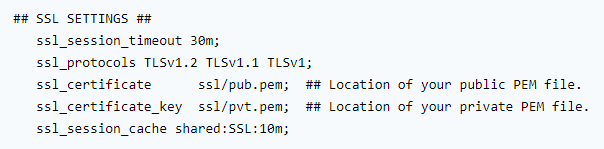
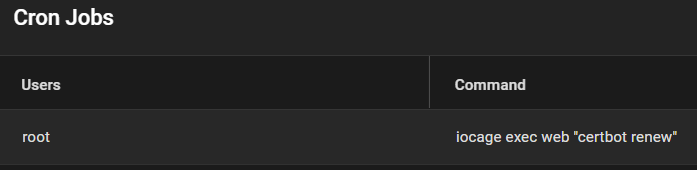
If more details are needed I can provide them but this is what I did. First I noticed that I needed to find a public key and a private one: Since I didn't know which keys I needed, I did a search on that same thread and came to the conclusion that it was the fullchain.pem privkey.pem Then I noticed that the keys were stored in the path /usr/local/etc/letsencrypt/live/mydomain.com/fullchain.pem /usr/local/etc/letsencrypt/live/mydomain.com/privkey.pem for my current jail so I decided to create a brand new jail named "nginx", copy those keys over, create the same directories, and place those keys (plus 2 more keys that were in that path) in the new nginx jail: After restarting the new nginx jail with the new keys and nginx.conf file, I still was not able to connect remotely. Then I remembered that all traffic was being redirected to the "old" nginx jail, so I logged into my router, and made sure that ports 80 and 443 were pointing to the new nginx's jail IP. While remote access to Emby is fixed, I have discovered that a certbot renewal command was being executed on the old jail: which means that I need to install certbot on the nginx jail and configure it to renew every 90 days.

 1 point
 -
I would think if you follow his guide for NGINX setup for Emby you will be in good shape. Tons of people are following that guide with great success.1 point
-
@Luke I am running my Emby in host network mode only but is of no luck. @pir8radio Your solution worked like a gem, thanks a lot.1 point
-
Using docker in host networking mode may help avoid that.1 point
-
Yes but this will only work for web URLs as any Emby client will need to have the port entered. Port 80 is the default web port used for non secure communication while port 443 is used for secured communication. I run my Emby server using port 443 just for this reason!1 point
-
Only if you run your server on ports 80/443 (http/https defaults), in which case IP/domain name only is sufficient. Edit: Or some nginx jail config, @pir8radio?1 point
-
This is starting to look like another casualty of "Google TV". Just like they removed our ability to add content to the home screen. Looks like we can't be searched either.1 point