Leaderboard




Popular Content
Showing content with the highest reputation on 10/20/21 in all areas
-
Good day, We upgrade the forum, as always great work from our Admin's team Luke, Ebr, and John (great works buddy!). Yes, another thread as you know by now If you find any thing, please report it back on this thread, thanks to you all. We testing something at the moment, but will report as it done, also I will add dark theme later. You will notice that reputations points do not show on usersinfo, yes, it was removed in this new build, in case you wonder about that, but it there in the users profile. My best3 points
-
To me personally I don't see the need to have upload built into Emby. An admin should always have access to the actual file system regardless if the server is local or remotely hosted. That allows you to choose the backend tool you wish to use. For most people with local servers (majority) the typical OS tools like File Manager are perfect for the job. For remote servers there is a lot of methods to use from a private VPN where you can continue to use file system tools and mapped drives to FTP/SFTP (ftp via VPN), to webdav or SSH and a tool like WinSCP. That's just scratching the surface of possibilities. It really just doesn't make sense to build this into Emby Server when there are many advanced options anyone can already deploy.3 points
-
Sigh - there's always one (probably should be a tut tut face but am too lazy to look properly). But - seems to be this at the moment - /* Make Backdrop Much Brighter */ div.backgroundContainer.withBackdrop {background: rgba(0,0,0,.10)!important;} Maybe more like .7 instead of .1 ...2 points
-
DTS, DTS in WAV, DTS in MKA all play in all clients I've tried (iOS, Android, Roku, Browser, Store Theatre, Desktop Theatre). After repairing the files, AC3, AC3 in MKA both play in all those clients except Desktop Theatre, which just hangs. I wonder if it's something as stupid as the fact that the file is four channels rather than six... AAC, AAC in MKA both failed nearly everywhere. I suppose the way I made those files was dodgy somehow; I'll try something different later, but I'm going out now. Paul2 points
-
Well that is something that is changing as we are removing language based backdrops provided from TMDB as all backdrops should be textless. And Luke will eventually map them to Thumbs.2 points
-
Windows 11 running here and no issues so far.2 points
-
@ebr Managed to get the server to 4.6.4.0 using the TerraMaster manual install file from the Emby site. Issue has resolved itself. Thanks for the prompt to update; the dashboard no longer told me there was a newer version available and just relied on the App Store. Really appreciate the quick help and support2 points
-
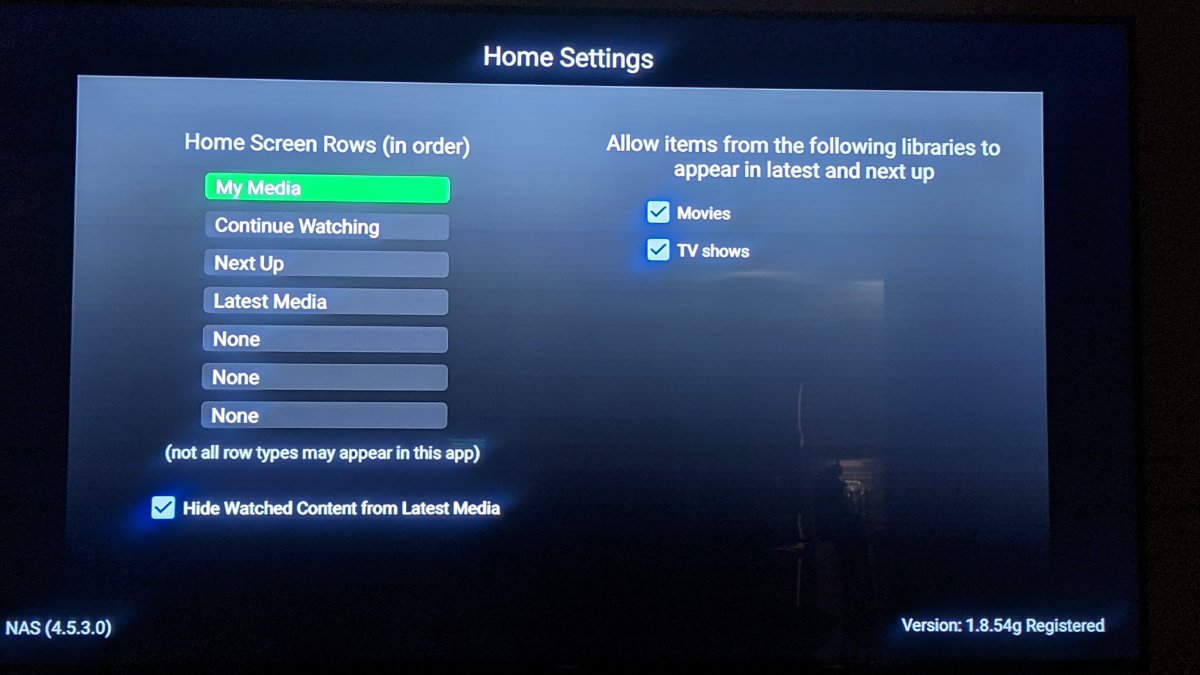
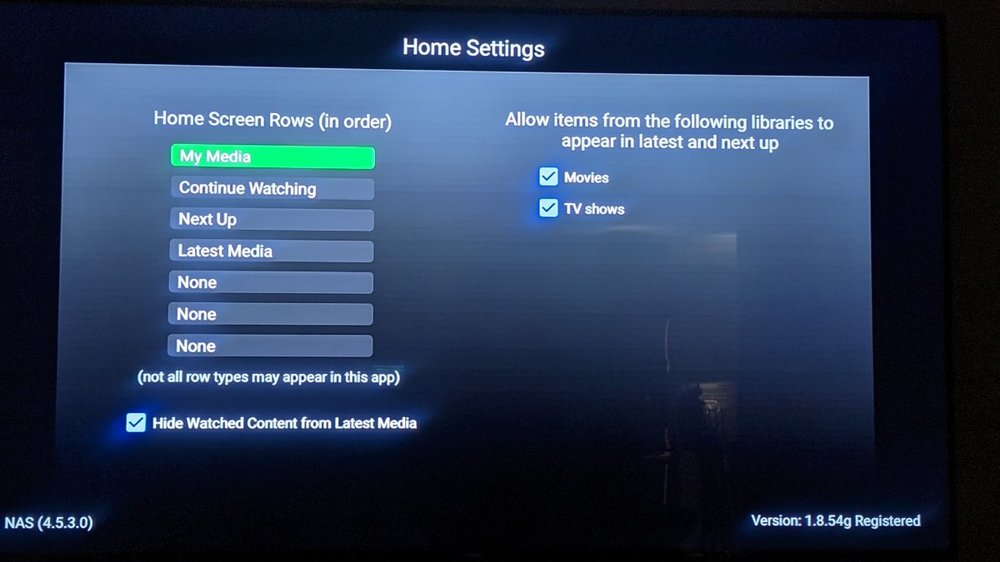
Newbie here, Is there any way to put the favorites on your main home page? I know there is a separate tab at the top with favorites but I wish it was an option to put it right on the home page (like in this list, see pic). Thank you.
 2 points
 -
We do chown in the startup script, but only if the user or group of the /config volume differs from what you specified as UID and GID env variables. if [ "$(ls -nd /config | tr -s '[:space:]' | cut -d' ' -f3)" -ne "$UID" ] || [ "$(ls -nd /config | tr -s '[:space:]' | cut -d' ' -f4)" -ne "$GID" ]; then chown "$UID":"$GID" -R /config fi Please verify your /config ownership really align.2 points
-
New version is up https://emby.media/community/index.php?/topic/101687-introskip-instructions-beta-releases/&do=findComment&comment=10675012 points
-
I am switching over from a Win7 box running MBC to Chromecast dongles. With the Win7 box I had a HDMI to Cat6 setup that allowed me to stream to up to 4 displays/TVs simultaneously. It was great while it lasted, but involved stapling cables to the ceiling to run it from room to room - plus it has borked Can there be an option to multi-cast to several receivers at once? i.e. simultaneously play to Chromecast dongles in my office and living room and kitchen simultaneously so i can walk from room to room without stopping and restarting the movie or show all the time? I realize that bandwidth could POTENTIALLY be an issue, but i have a fill gigabit network and a multi-port NAS so that really is the least of my worries... Thank you!1 point
-
Hello all, i figured since i got this to work i would share my guide on how you can use no-ip and emby together. I realize this is a paid option and not free (20$ for the year with coupon), but for me its worth it as i dont have to worry about my domain name expiring every month or the ssl cert either for an entire year. hopefully this wall of text isnt too crazy. any q's let me know. ____ ** this guide is assuming you use windows 10 or windows server 2016,2019,2022 and no-ip Enhanced Dynamic DNS - 25 Hostnames*** ** always can get coupon so its 20$ for the entire year*** **Enhanced Dynamic DNS - 25 Hostnames gives you 1 included ssl cert* **NOW CALLED Encryption Everywhere DV**** ** now get a free cert with free version of dynamic no-ip** what i currently use -------- 1-manage user certificates in windows search bar. 2-select personal on left then right click on right open space. 3-all tasks > advance > create custom request 4-can follow this guide -but when done leave cert manager open you will be uploading this file to no-ip -- Remember the "common name" you entered will need this to search for in step 6 https://www.noip.com/support/knowledgebase/generate-csr-windows-10/ **Remember to use 2 upper case letters for state and country** **you can choose where to save this csr as well so you dont have to search later, but they are stored by default in C:\windows\system32 if you need to find later as well steps 5-9 explain the other way** you can wait for your status to validate on no-ip.com (took 15 min for me) they are use for my dns so i can skip the txt part. download the pem file to your server once it validates. 5-now you need to get your private cert from your system 6-go back to cert manager right click personal and click find certs 7-search for your common name you setup before (should be 1 that matches) 8-right click and export 9-below is how to do this (sorry its long) Go to Start > run > MMC. Now navigate into the console tab. Select File and then click Add/Remove Snap-in. Under the Available Snap-Ins column, select Certificates and click Add. Choose Computer Account and click Next. Now select Choose Local Computer and hit Finish. Now close the Add Standalone Snap-in window and click OK on the Add/Remove Snap-in window. Step 2: Export Your SSL/TLS Certificate. Now, open the Certificates (Local Computer) snap-in and go to Personal > Certificates from the left-hand pane. Right-click on the certificate you want to export and go to All Tasks > Export. Once you do this, the Certificate Export Wizard will open up. *** you may need to search for your cert by riight clicking personal and clicking find certificates. search by your "common name" in the cert not the name you made. *** Select the Yes, export the private key option and click Next. Now the Export File Format window will open. Make sure that the option for Personal Information Exchange — PKCS#12 (.pfx) is selected. Tick the box for Include all certificates in the certificate path if possible. Now, de-select Require Strong Encryption. <--may or may not have this option (thanks to Teredactle ) Enter a password for protecting your PFX file and click Next. remember this password! Now choose a file name and the location to export the file and click Next. Finally, verify all the information and click on Finish if it’s okay. 10-install https://slproweb.com/products/Win32OpenSSL.html grab latest version (i used Win64 OpenSSL v1.1.1s) open an explorer window to the directory of openssl and place the 2 files. 1 file is from your export you just completed. the other is the pem file no-ip. once installed open a cmd prompt with admin privilege cd to the directory of openssl (mine is located here C:\Program Files\OpenSSL-Win64\bin ) C:\Program Files\OpenSSL-Win64\bin> openssl pkcs12 -in privatekeyemby.pfx -out localprivatekeyemby.pem -nodes <---converts private key from server to pem file the file will be created in the same place you ran the openssl tool. now u will take the localprivatekeyemby.pem you just exported by command line and combine with the pem file you downloaded from no-ip. C:\Program Files\OpenSSL-Win64\bin> OpenSSL pkcs12 -export -in noiphostnamedownload.pem -inkey localprivatekeyemby.pem -out emby.pfx <--combines pem cert from no-ip and private to a pfx file for emby ****As of Feb 2023 we now need to use the new cert from "Encryption Everywhere DV" there is a bug when downloading the PEM file. the file is all garbled and wont work in the command above. download the pem chain file instead and remove all sections but the first.. save as a normal pem file and use this in the openssl command above see my post on feb 2nd 2023 for more details ****** now go to emby server and select the file. in my case its emby.pfx and add the password you created when you exported the pfx file from your server. make ssl external connections only and reboot your server. make sure your ports are properly open. i use https://www.yougetsignal.com/tools/open-ports/ you can verify your cert is working properly with https://www.geocerts.com/ssl-checker i use the default emby 8920 https port. cheers!1 point
-
Any way to add a song play count like in itunes? Thanks.1 point
-
Images dependent on installed and enabled providers (FanArt/TMDB/TVDB/OMDB). Primary: all providers Logo: Fanart only, with future possibilities from TMDB Thumb: FanArt only, with future possibilities from TMDB language backdrops Banner: (Movies FanArt only) (TV FanArt/TVDB) Disc: FanArt only ClearArt: FanArt only Backdrops: all providers1 point
-
Here is one solution. @santne what OS is your server running on?1 point
-
Using Edge with a cleared browser cache results in the same. Screen resolution is 3000x2000 with 150% scaling (I think). Edit: Trying to access the plugin UI while detection is running all I see is the "circle of death".1 point
-
. 8 does it. Thanks1 point
-
Here's a small read regarding that:1 point
-
Well how about that! I revive a thread that's been silent for over a year and we've now learned something awesome! This is truly a great tip!1 point
-
Let us know how you get on. Thanks.1 point
-
Ok I checked it, I'm not at the latest release... will try to update and see if it fixes it.1 point
-
Just a heads up, while you can do this with very little effort, the result may not meet your security needs and could very easily result in you getting in trouble with your ISP or even rights holders, depending on what you're serving up and how your server is configured. I strongly recommend you invest time in setting up a secure solution that's easy for your brother to access with your support before opening access to your brother. There are lots of articles here in the forums about securing your server.1 point
-
Only new to this screen.1 point
-
It is really up to you. The fast detect will grab the first comparison, and move on. But if it is turned off, then the plugin will gather all the detection results for every episode and weigh them out using statistical weights based on common durations in the season. This takes longer. It still isn't perfect, but it will shift the sequences based on their position in the stream. If it's close to the start, then it will calculate the most common duration from the start, and also choose the best comparison for the episode. You can watch it all happen in the logs when debug is turned on. I have turned off fast detect, and the results are a little more fine tuned. Would love to get feed back, which ever way you decide to go.1 point
-
We have provided this a number of times. (that's actually a quote from Luke) If we take the wrong step you won't have the app at all. Believe us - this is more frustrating for us than it is you .1 point
-
Done.1 point
-
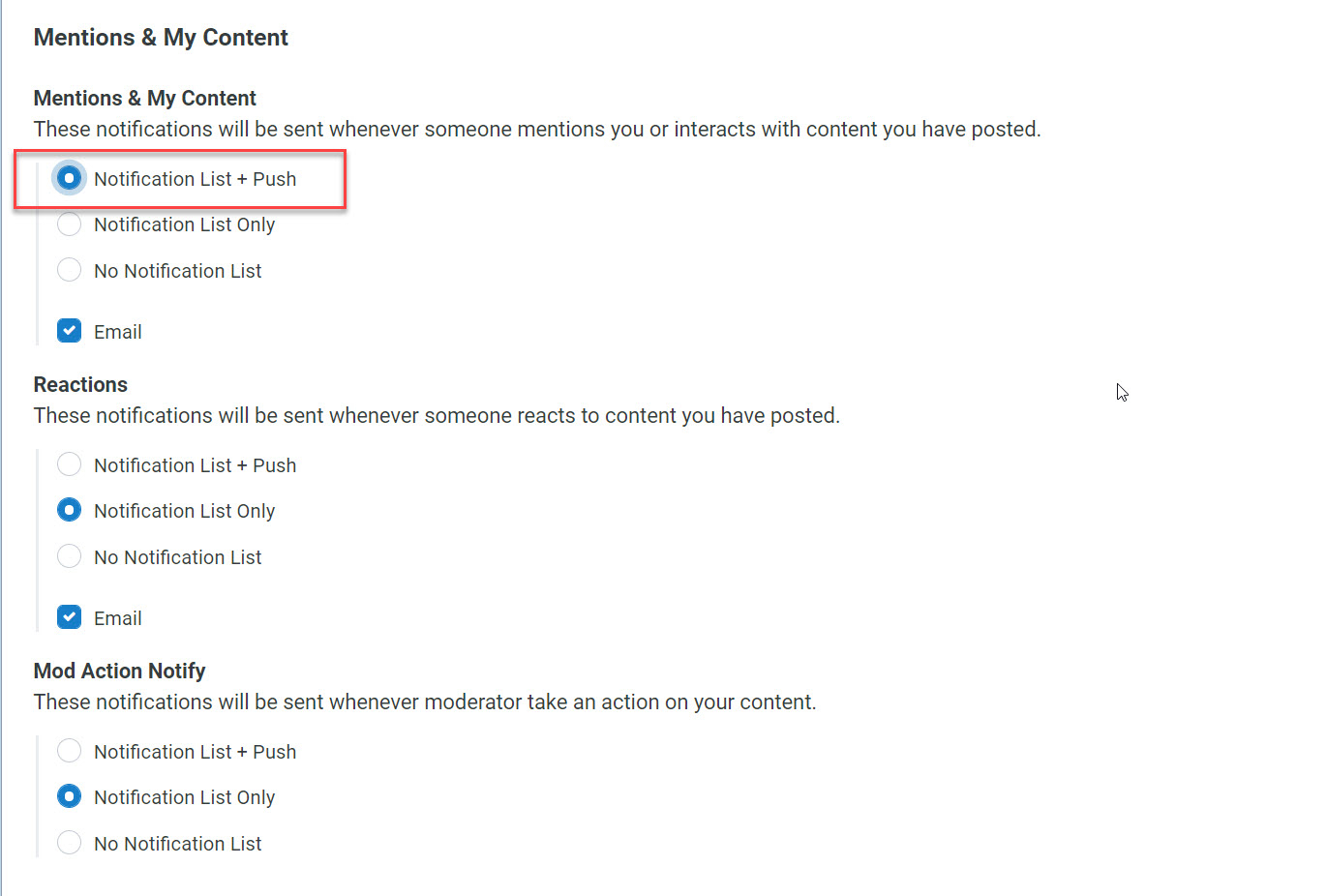
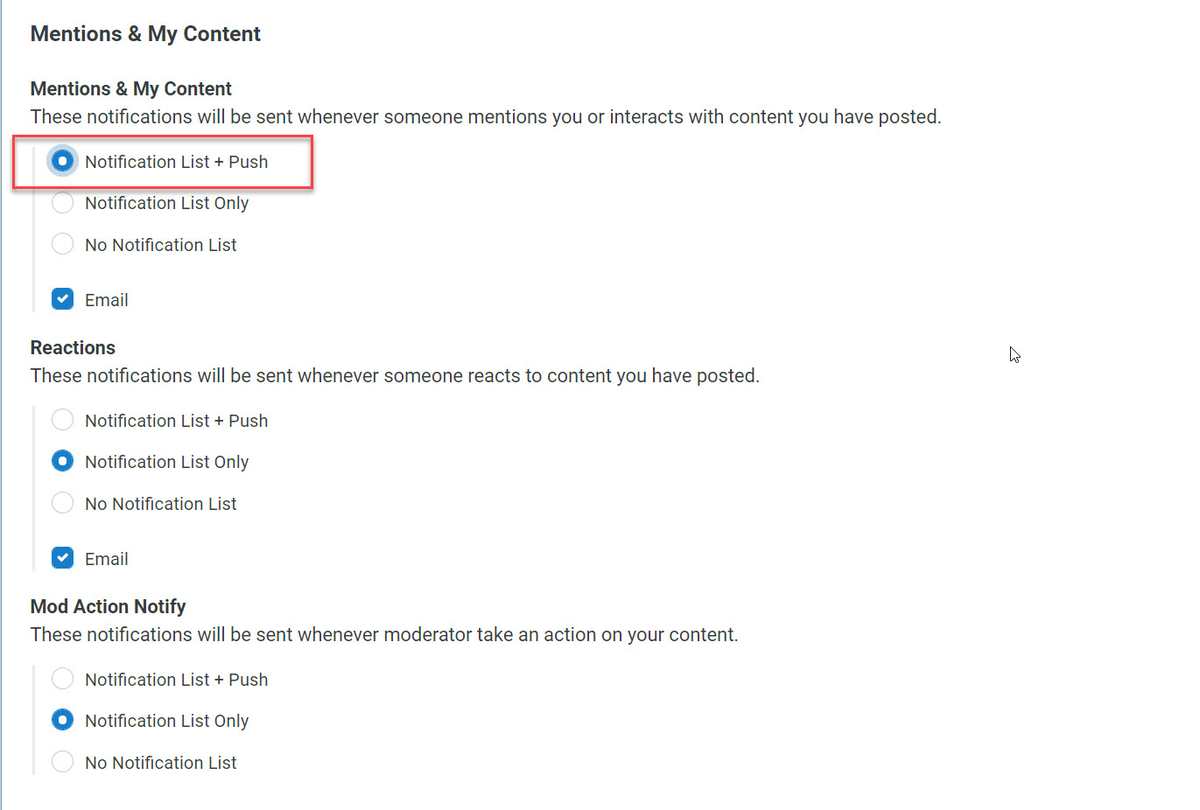
Forgot to mention that this build of forum support push notification, as setup by members: Example:

 1 point
 -
Perfect, that's something I can work with. I'll perform some tests.1 point
-
Great work Abo1 point
-
Dark theme added.1 point
-
Here's a tip. If you use a cross reference page like I mentioned and already know the channels number don't use the wheel but instead type the channel number! So you change the guide to DirecTV for example then type the channel number vs scrolling the list. I should have mentioned that above with the other tips. Huge time saver! For working with UK channels I've had really good luck using E1 postal code and choosing Sky Q sat lineup. Likewise for Canadian channels I use I've had good luck with Bell East lineup. But I suppose it depends on the specific channels your trying to map. As a general rule most channels you find in M3Us (non specific city/region) for US are typically East coast feeds so a guide from that area is likely the first to check.1 point
-
Technically over 500 Mb throughput on this NAS isn't going to perform better as you've hit the IO bus limit. However, it may still be a better NVRM and faster in general. Typically the higher the throughput the faster it is. Not sure how much difference it will make in real-life. A top of the line module like a Samsung Pro is going to be overkill and that I'm quite confident in as well as the extra money spent on it. I have only tested with the two 1 TB m.2 cards in read/write RAID 1 mode against 35 TB volume on the 4 Internal drives. So I can't really comment how much better it will be then two 512 GB m.2 configured the same. Being that it can help with both read and write ops I wanted the largest cache I could get for reasonable money and 2 TB m.2 are just to expensive and would cost as much as the NAS itself. LOL 512 to 1 TB seems the sweat spot to me for money spent vs bang for the buck. If I were guessing I'd think 2 512 GB m.2 would work really well and maybe the 2 1TB cards would be maybe 5 to 10% better if that. Diminishing returns on bigger caches. I'd say this is especially true if you're not adding lots of new content where the larger write cache could have benefit without removing the cache and meta data entries. But even so that would be a lot of writing at one time! 512s should easily handle the typical Emby cache and metadata content (keeping them cached) while providing the cached writes of the transcode engine (really speeding this up) as well as recording/DVR. That saves a lot IO which can cause some people issues when watching live tv and recording at the same time. Strictly on the NAS with the 2 m.2 and not doing anything special or tricky I can be recording 4 NFL football games and play a couple of them back at the same time with no issues. These playbacks can even be from Chrome browser which requires transcoding. So that says a lot I think to me for what it does for the IO bottleneck that would have been there without the m.2s Your mileage may vary but that's what I've found from personal experience.1 point
-
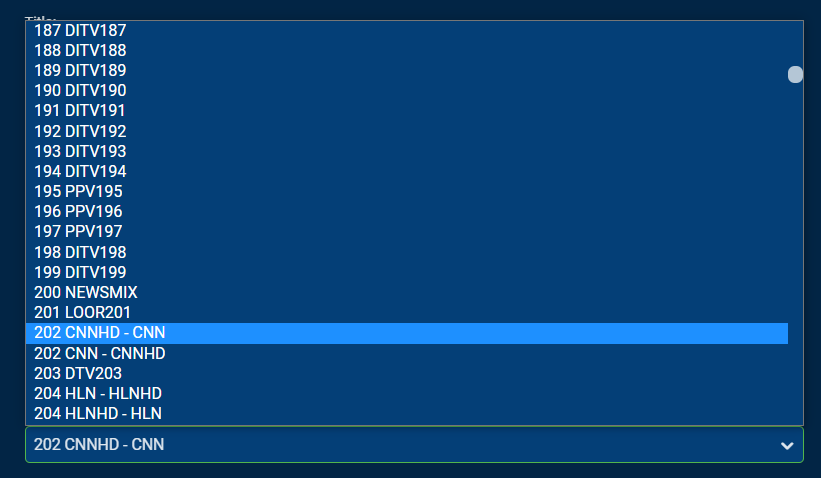
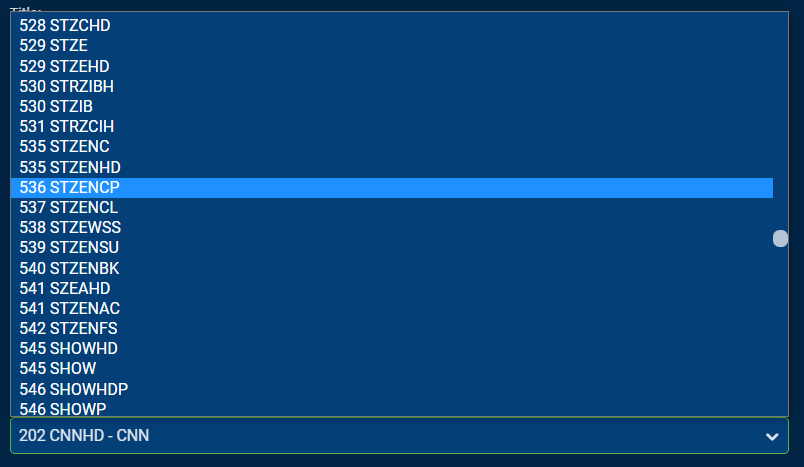
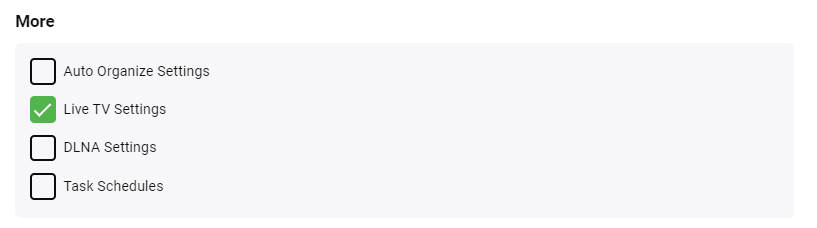
Typically if your m3u file is like most you will have an entry for CNN that uses guide info "cnn.us" or similar that points to your XML file. What you can do is load the XML file with it enabled for that m3u tuner. Now you can add Emby Guide data either for your area if trying to match local channels or you can add either or both of the the sat feeds such as DirecTV National or Dish National. However when adding this unselect any tuners. Yes you read that right. It's going to appear to not be used for anything. That will keep it from trying to auto map based on channel number. Now bring up a DirecTV channel guide https://www.directv.com/idpassets/pdfs/channel_lineups/DIRECTV_English_Channel_Lineup.pdf in another browser tab. So now you can manually remap individual channels. As an example if you wanted to setup guide data for HBO East you find that on the DirecTV pdf (CTRL-F works for search) and find it's channel 202. You will often see both an SD and HD guide for channels so you want the HD like this That's a pretty easy one that sticks out nicely. Where the pdf comes in real handy is with the trickier ones. Suppose you wanted to map STARZ ENCORE West so you search that is the guide and see it's channel 536 and you can select it in Emby. Without looking it up/cross referencing it first you have close to zero chance knowing it's 536 from the drop down list. This work absolutely great and allows you to start with the basic guide data your provider gives you and then you can start to remap the important channels for you to get the rich Emby Guide info for them. Most people have about 20 channels they actually watch regardless of how many channels they have available so don't feel compelled to sit down and map them all. Do your favorites first and you might be satisfied with just them. Word of caution. After you have started manually mapping your channels DO NOT remove the tuner and add it back again unless you want to start over mapping things. Ask me how I know. The exception to that rule is if you have the Backup Configuration Plugin installed and doing backups. In this case you can do a restore like this: So if you have the backup plugin do a simple test after mapping a couple channels. Kick off a backup from the Scheduled task menu. Remove your m3u tuner so it's gone. Then go into the backup plugin, select the backup you just did. Select none up top to uncheck everything then scroll to the bottom and only select Live TV Settings and restore. Now check you channel mappings. Anyway those are some of the better tips I can think of that you may want to try. Carlo
 1 point
 -
He would only need a server if he has his own media. For remote access to your server, you would need ensure you have remote access enabled and your ports open. Ideally you just attach a Connect/Forum username to a local user account and he can login via Connect. So the primary question is do you have Remote access setup on your server?1 point
-
Not quite sure what do you mean by that, he literally only has to open a browser and type-in your server address?1 point
-
Some of us prefer it exactly as it is, not a Web UI copy but a standalone app with it's own charms. You can always sideload vanilla Android app and have same interface. As for: do see:1 point
-
This is a issue as the Combined Continue Watching Row can only show one item for any given series, so multiple resume points for episodes in series do/will have a issue for this combined row. Separating them back out should show proper Next Up and all items with Resume points. It is in the library.db, you would need the item id to get the userdatakeyid from the mediaitems table, then use that userdatakeyid to filter the userdatas table for that item.1 point
-
Overview is already there for 4.7, yes.1 point
-
Well it's working again, 10 episodes of Counting Cars got recorded. Thanks for the help!1 point
-
Future proofed in case you start using JellyFin1 point
-
We'll respond in your topic. Thanks.1 point
-
Composer tag is used for Narrator. When I download audiobooks from online sources, the embedded tags list the narrator in the Composer field. This means, for the sake of consistency, Emby should do the same.1 point
-
I've seen that happen as well regardless of client used. Week signals can be a problem. Anything less than reliable probably should try to be fixed or removed from the lineup. Ideally, Emby Server should handle this however. Luke has made a lot of progress on this but in my mind we still need a cleanup routine to cover all situations and things that still might get passed the code in place. What is needed is a simple routine that runs on a schedule/loop that looks at the tuners. If any tuner is internally shown as locked it checks to see if the user/device is still online and sending a beacon showing it's still active else remove the lock and free up the tuner. Same with the user/device being active but in some other part of the system like streaming a movie or pulling back TV Show Episodes. In that case it's not a valid lock and should be freed up. Basically if you know the device is using some other resource other than watching that specific channel it's an invalid lock and needs to be freed up. That type of simple check would be fast and hardly any impact on the system performance. If no tuners are locked the check is skipped.1 point
-
My test surround folder has surround files in wav, flac, aac (in an mp4 container with with mp4 and m4a extensions), and dts (with either wav or dts extension) formats, and these all show and play as expected. There is also a pure ac3 file which is shown but does not play, which is surprising given that it's a common format within other containers where it plays fine. Last year I couldn't play a pure AAC file, which I reported - but I don't have one to hand to check whether that got fixed. I could test more if you like (but as Cayars says, you could just as easily). Paul1 point
-
As the other topic shows only like words will be removed vs different words with like character. So the example shown above will no longer happen in 4.7.1 point
-
Luke, it is commendable that you are still regularly replying to posts and I believe people here appreciate the fact that Emby doesn't simply ignore the thread. Still, after 19 months of being told you are waiting for LG to approve the update, it is difficult to buy into the narrative. "We are working on the update but LG won't let us" is not a sufficient answer any longer. I remember installing an absolutely awful application 7-8 month ago called AdriaTelekom. Terrible glitchy interface, crashing every few minutes. I didn't remove it right away and what do you know, it received an update a few days later (not that it made it any better). I looked it up it just now, it had the most recent release yesterday. Can you please explain to me how is it that they are getting past the rigorous LG testing who knows how many times, yet Emby is still unable to do it once after 18 months?! And no, they are not a hosted web app. No offense but I don't think at this point a single person here buys the story about LG holding things back. We would all prefer if you would just level with us. If Emby doesn't intent to support the webOS any longer, so be it. Be straight with us and save us the trouble of coming back to this thread every so often. I still find the Emby setup (when it comes to QNAP / LG) better then anything else out there, updated or not and will still appreciate the effort that went into building and supporting it. Thank you.1 point
-
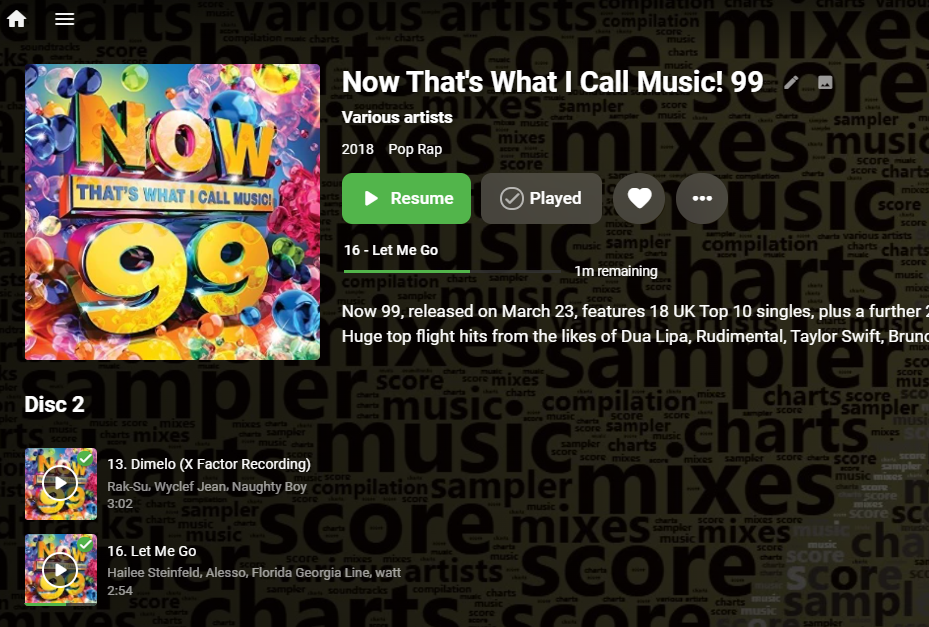
Audio book level resume is coming in Emby Server 4.7:
 1 point
 -
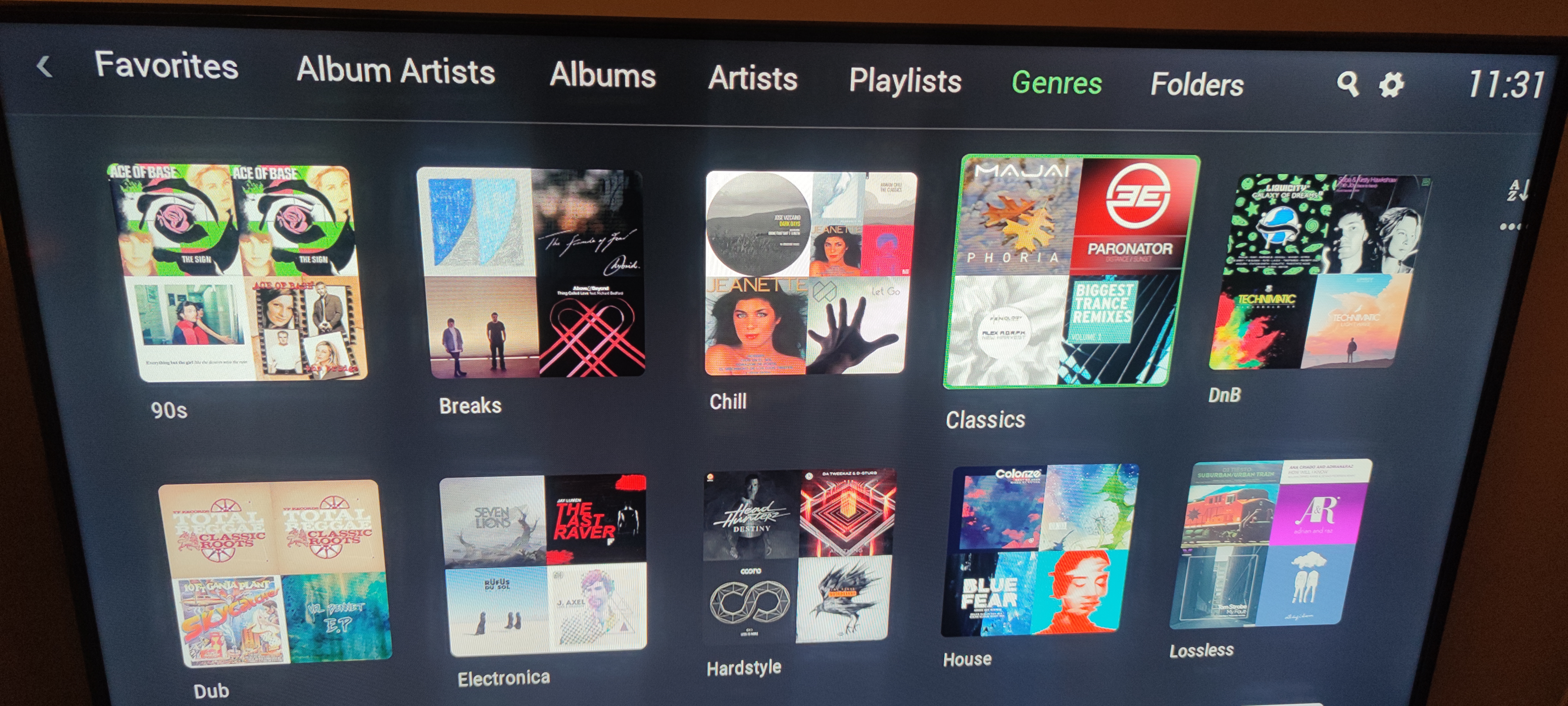
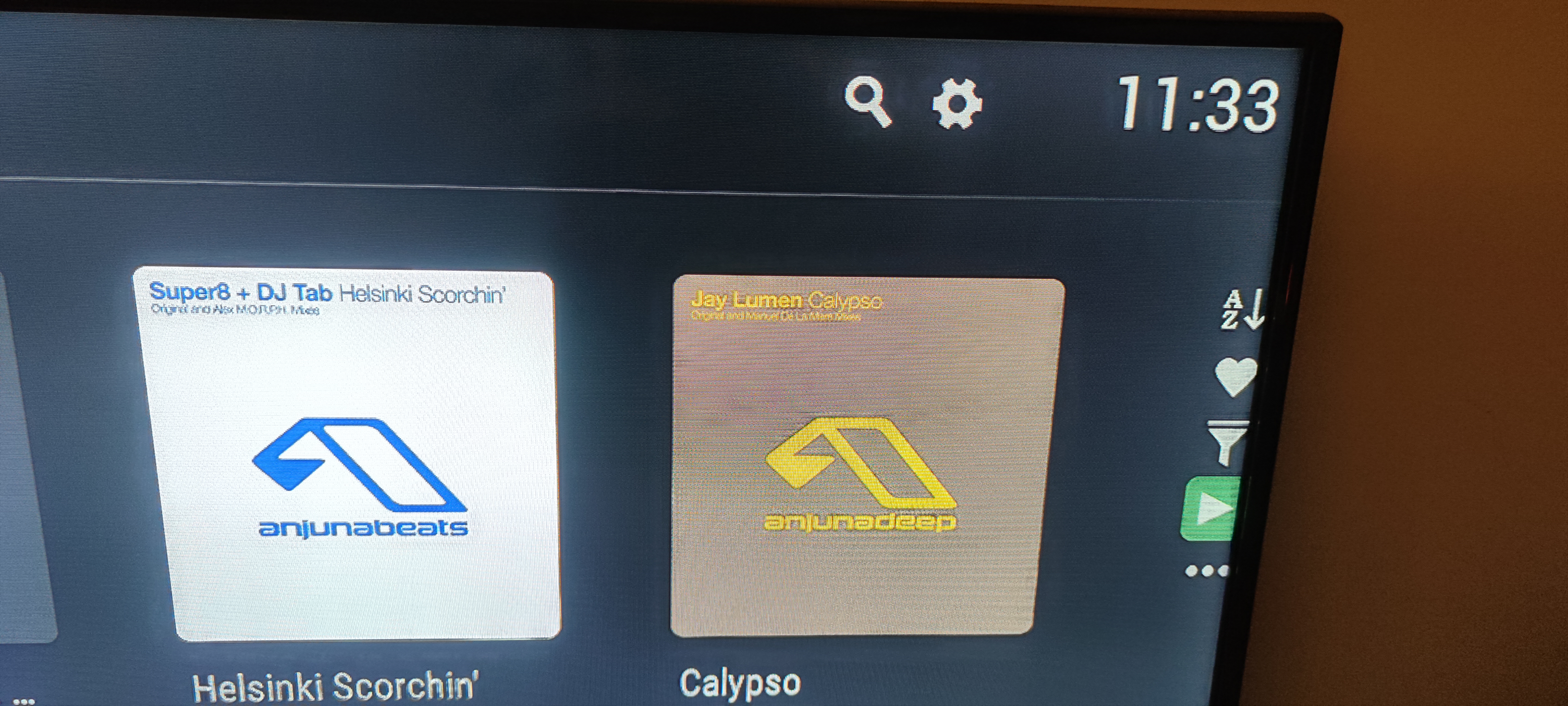
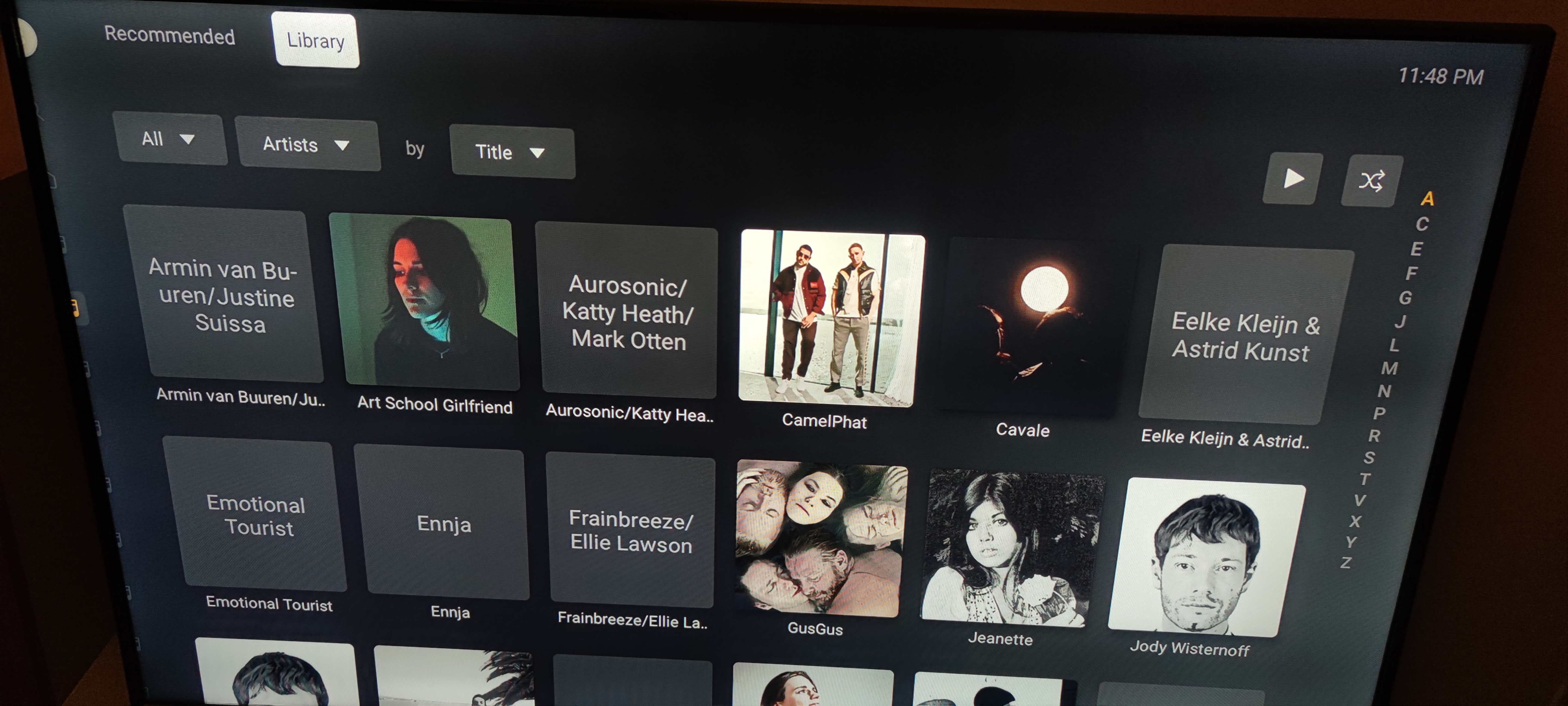
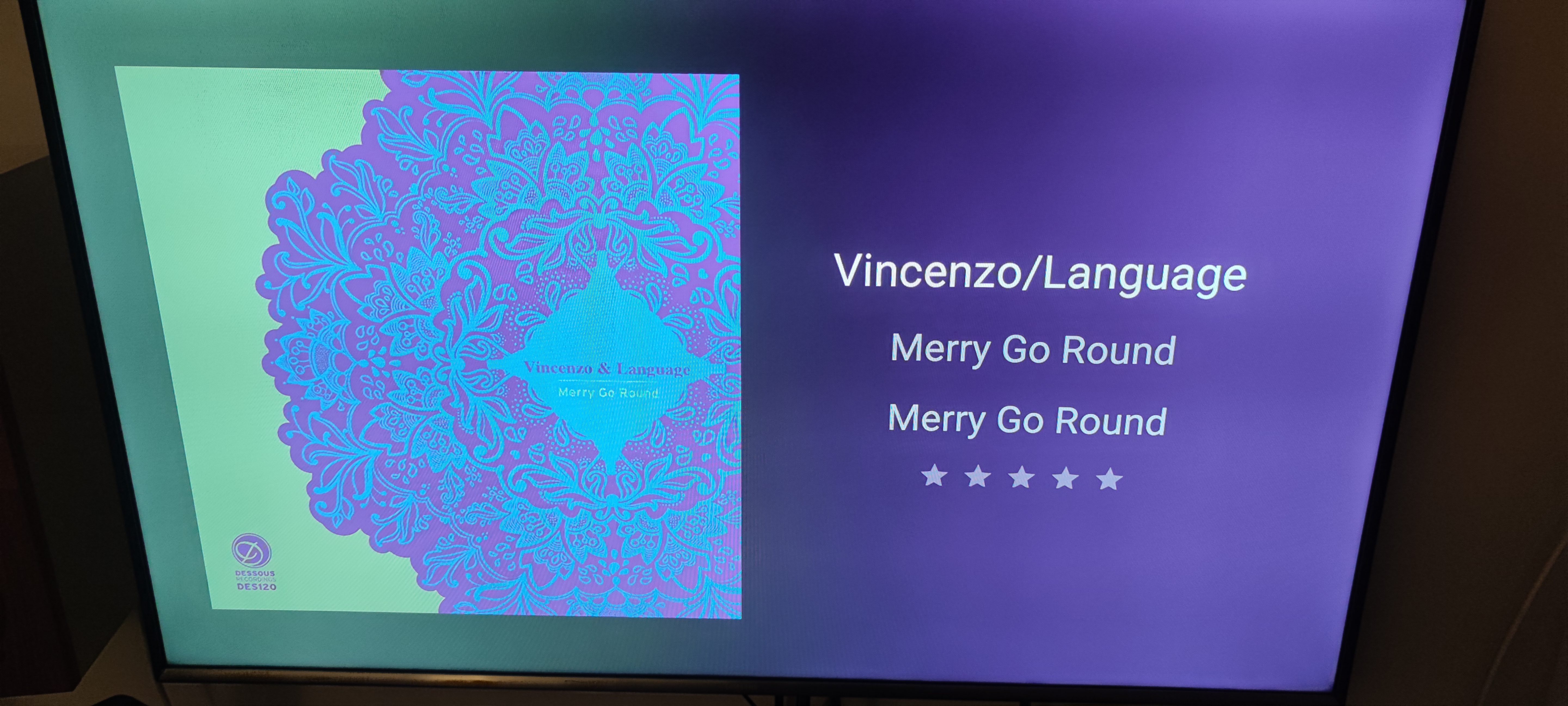
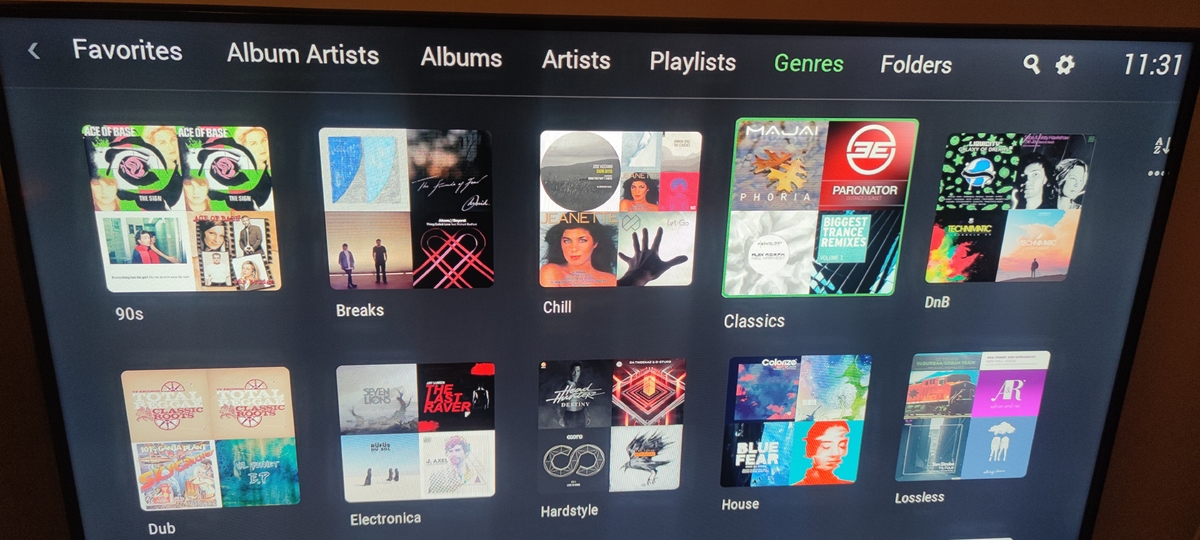
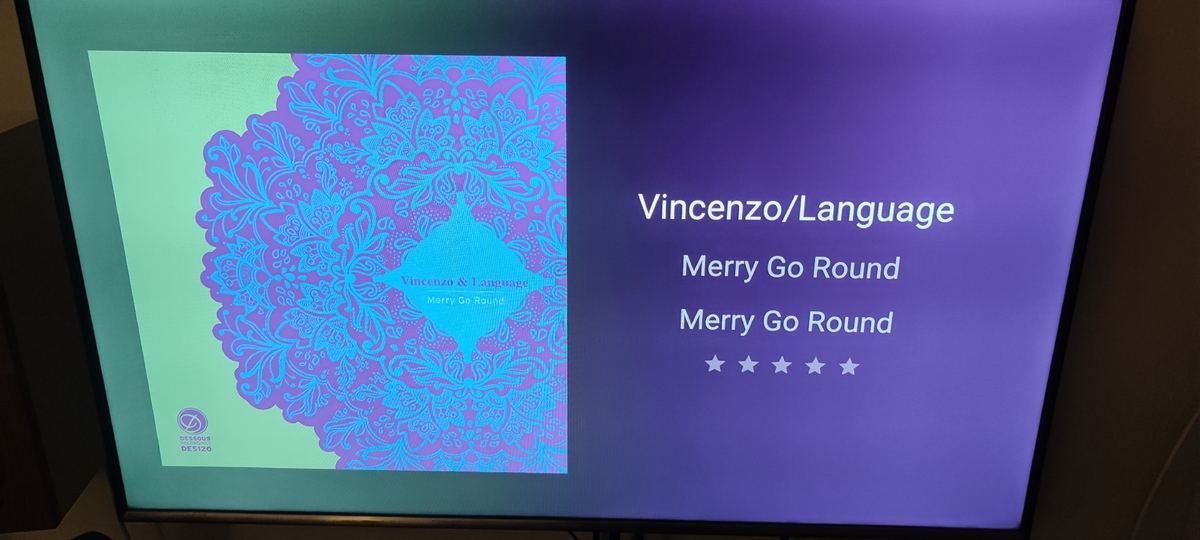
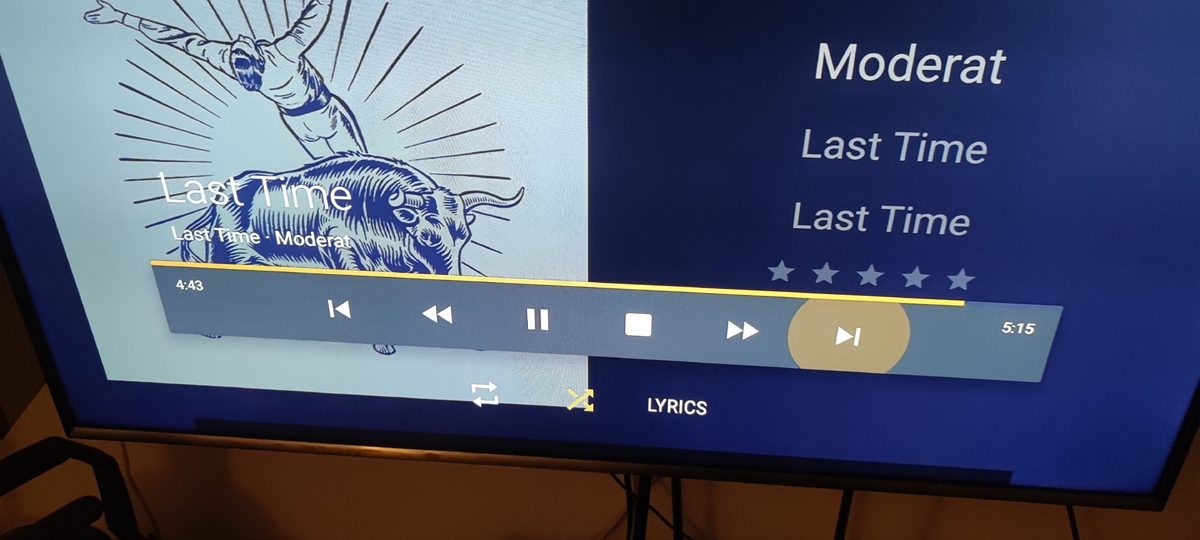
Sure. picture 1: each category (like genres, folders etc) should have a long press menu for play/shuffle picture 2: the play/sort menu that's on the right when browsing the tracks inside a folder/genre is too small and too weirdly placed (picture 5 is plex, which is more neatly organized) picture 3: the now playing screen should focus on the playing track. There's nothing really wrong in seeing the next tracks, but the play controls are kind of weirdly placed down there and ruin the entire look. For example, plex created a floating play menu that only appears when clicking on the "tap" button (pictures 6 and 7). Also the progress bar could be controlled, like in the youtube app where you can skip to a certain part picture 4 is the now playing screen that appears when there's no activity on the remote control. It's just unfinished, there's no cover art, the placement of text seems random, and IMO it should be merged with the now playing screen (pictures 6 and 7). Also, colours! You can see that plex pulls the colours of the cover art and fills the background (similar to what spotify does) That's all I can think of right now.
 1 point
 -
I could see this being done using true IP Multicast. That is when the packets are sent only one time. Every client on the LAN reads the same set of packets so there is no bandwidth increase. Each client would need to read/use the multicast. So each client would need support for this. Chromecasts and DLNA probably would not be able to do this. Any platform that has support for VLC could be supported quite easily as we could embed the player in it and just use that pure and simple. Although nothing is particulary tricky about just reading multicast itself. Since every client is playing back the exact same media no OSD controls are needed as you should not have FF/RW/pause ability. There is the possibility a "delay" might be needed for each client so a computer in room A doesn't play 1/8 second ahead of room B using a shield TV due to the way each handles buffers. This delay would need to function similar to setting up the SYNC of audio to video on most boxes. One PC would setup the multicast and that is the PC in charge of all RW/FF/pausing etc. This could be done use a "cast" type functions. Instead of picking a device to cast to you choose Multicast and it sets it up on the LAN. Doing it this way would not limit it's use to only the server LAN either. ebr could login to Luke's computer, pick something a multi"Cast" that in his own home LAN. I'm sure there could be sync issues but using a true multicast method would reduce this a lot. It would probably be good enough out of the box for sharing CNN/Fox News type stuff around the house, probably music as well. On each client there could be a new "library type" that is Multicast. When entering Multicast library you would get a list of all current multicast streams the client gets from the local LAN itself and not from the server. This could allow stand alone methods beside just Emby to broadcast the multicast. You could for example setup a script running ffmpeg that pulls data from your HDHomeRun Prime and broadcasts CNN or Fox News constantly. You can do this now using ffmpeg and VLC. Just some thoughts and possible ideas.1 point
-
Why do you want to keep bloating Emby with stuff like this? If you want to run a chat server then install a chat server program on your server, but asking Emby to include a chat server that has nothing to do with the purpose of Emby is foolish. Your trying to make EMBY do everything in the entire world just makes it more and more bloated, which will make it slower and slower and more and more complicated to maintain and develop. Next someone will ask Emby to have email integration so you can check your email while watching a movie Its getting ridiculous all these requests for stuff that has nothing to do with watching movies or tv shows.1 point