Leaderboard




Popular Content
Showing content with the highest reputation on 10/18/21 in all areas
-
One thing the streaming community hasn't done well is really create tools that allow us to simulate live TV well. I think the biggest reason that binging on Netflix (and Emby) is so popular is because you push a button and go. I'd like to see Emby create a "To Watch List" that basically allows you to sort shows into a specific order. When you watch that list, it will only play the most recent episode of each show in the list that premier inside that week. Lets pretend I made a DC TV Watch list, it would only play this weeks episode of Arrow, Flash, Legends, Supergirl and Gotham one after another. If an episode didn't premier that week, it gets skipped. Additionally, I'd like to see this system *ALSO* allow us to insert bumpers similar to Cartoon Network or Toonami. In the here and now, it would only insert bumpers between the series, but it would be nice if in the future, a system that allows some method for choosing the appropriate points between each act of an episode where bumpers could also be inserted. Bumpers would be a community thing to create, but inside the "to watch list", you'd choose what bumpers (if any) are used. Bumpers could even be surrounded by previews. Finally, another thought: while Emby already can pull Movie Trailers, it might be another cool future project if we could pull previews of related series not in the "To Watch List" and/or perhaps ones that aren't on your server that are similar to what you are watching. There's a lot of ideas in this post to digest and several should be their own project as part of this concept. Thoughts3 points
-
So you have to change all the treatments? Time consuming I assume, but not difficult right? Would be nice to have it transition over when time is available.3 points
-
I think at this point it should be changed to Collection.3 points
-
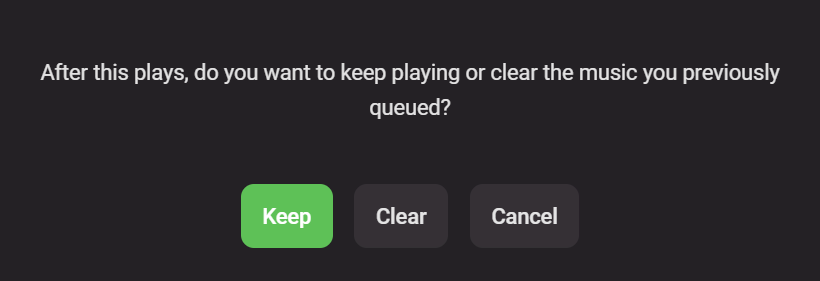
I've recently had a large jump from 4.5.4 to 4.6.4 and there is a new 'feature' that plagues me. I tend to shift and play specific music from certain albums as and when I felt like it and that used to be no problem until I got the following pop up button: Is there anyway to disable this pop up that appears every single time? Like a setting we can have under playback with: When playing new music item, keep or clear previous playlist. Always Ask Keep previous playlist Clear previous playlist.
 2 points
 -
2 points
-
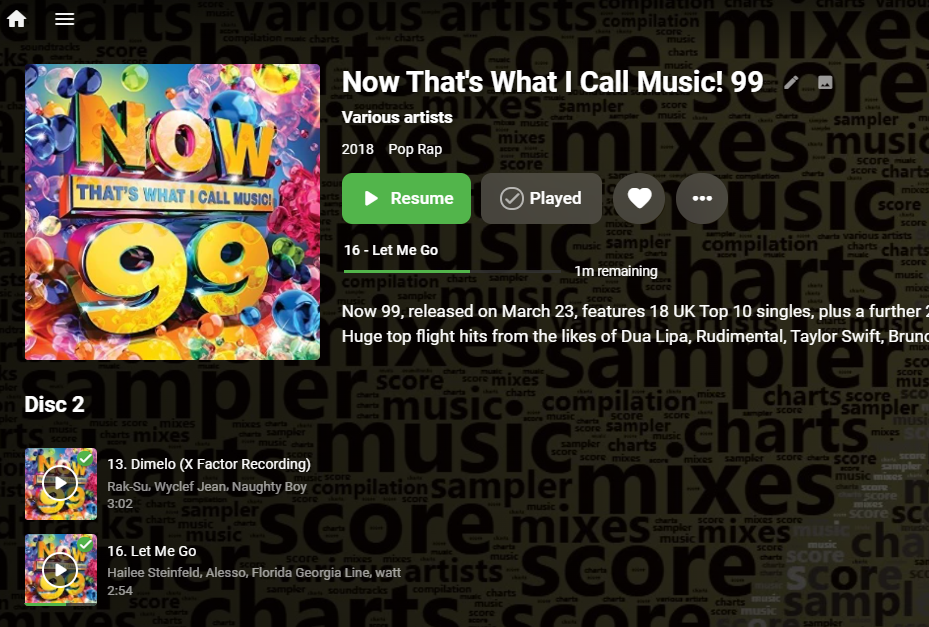
Audio book level resume is coming in Emby Server 4.7:
 2 points
 -
To me the issue is the lack of a badge on 480p content when everything else has a badge. So I'd like to see the 480p just like I can see a badge for all other resolutions.2 points
-
Yea I guess you did. Besides other changes and new features 4.6 had two big changes to existing functionality. One was concerning music and the other Collections. It's no longer using Boxset plugin but is built into the core now and configurable per library. No longer uses XML files off disc which always needed editing if you moved files (same as playlists currently). Is dynamically generated by meta-data from providers or hand created. Stores all collection info in the NFO files so you can rebuild libraries and bring back collections. etc. To end end user everything appears the same but internally it's quite different and far better.2 points
-
You have my head racing with ideas. Besides studio or embedded channel number, I would love to be able to set an icon so I could tell what the source is. For example is it from one of my hardware tuners or an m3u file. I for example often have the same show/movie/event show up multiple ways and would prefer to use a hardware tuner when available for recording or play back and this would make that job a little easier.2 points
-
Hey up, see:2 points
-
100% agree, and it's absolutely bonkers some of the enhancements that have been made (e.g. edge case scenarios that affect single users, or features that benefit "server operators" who are clearly selling pirated content to others), when there are still huge holes in the user experience (public/private playlists is a basic one, but there are more major one's such as how poor Emby is as a music player/library)2 points
-
Hello All, I am happy to mark this as resolved. I am convinced that it was my bad NGINX configuration that resulted in my pains here. After implementing @pir8radio's example config all issues seem to be resolved. I confirmed from friends who use my server remotely and they also confirmed that the skipping issue has been resolved. I never even considered looking on here for example NGINX configs when I deployed my setup. I just went with what I thought was a good default and never thought about it since. Thanks to everyone's help, and have a great day!2 points
-
You can use custom overlays to increase visibility (I do). Sadly, no 480p indicator.2 points
-
You've grown up with watching live tv but on television only runs garbage? You have a big library but don't know what to watch next? Then this for you: "VirtualTV" - my new live tv plugin that allows you to create custom channels based on conditions of your Emby library content. What's missing: Maybe codec conditions Known problems: Needs Emby Premier to work (Playback) Emby's live tv and playback api is very limited, so i've had to make some detours to get things working. The plugin has two general playback modes: "continous" and "playlist" playback. With "continous" mode you can also choose between "live", which bahaves like real live tv or "archive", which plays the videos from the start. In "Continuous" mode multiple videos are queued and concatenated to one big file with the help of ffmpeg. To make this happen every video in the queue has to have some common features (video and audio codec). That's why it often happens that the video also has to be transcoded by ffmpeg. For transcoding the plugin relies on Emby's internal transcoding engine. If there's a problem, not uncommon with hardware acceleration enabled, the plugin also has a problem. Nothing i can do about it. The availability of subtitle tracks is mostly dependant of the Emby user playback settings. In continous playback mode only one (the default) subtitle track can be used and this one has to be burnded into the video (transcoding takes place). In "Playlist" playback mode the videos are pushed as a playlist to the Emby clients. It's like you would play your videos directly from your libraries. This way you get all the features you are used to. Audio and subtitle selection, pause, skipping around and similar things. "Native" playback method was created by the Emby Devs. Similar to Playlist playback it will play the real library videos, but with the big difference that playback is purely initiated by the client app, without any remote command execution. This is why it also works for Roku devices on a WAN network. And although the real videos are played, the whole thing is treated like live TV. This means that channel zapping is possible and no dialogs for playing the next episode are displayed. Unfortunately, the new playback method does not yet support all features. As the name "Archive" suggests, it will currently always start all videos from the beginning. In addition, only very few Emby apps automatically advance to the next video. If you want it to be improved even further, each of you should raise your voice in this thread. To get things started install the plugin via Emby's plugin catalog and restart Emby. Setup your channels with a name and number and choose your playback mode. In the channel conditions you'll have to select an Emby account. This account is used to get library access, respect parental rating, reading watched states and selecting the stream language. At least one textual input field of the conditions has to be filled to get some program data. Fields with an asterisk are either evaluated with an "AND" or "OR" condition among each other. Finally, if you've chosen "Continous Playback" for one of you channels, take a look at the transcoding settings. Save your channel line up and manually trigger a "Guide Refresh". Now have fun! Version History: After a plugin update, always clear your browser cache. If your settings still don't load in the config screen, you have to move the "VirtualTV.xml" out of ...\plugins\configurations and restart Emby. Start from scratch. 2.0.0.0 Unlimited number of channels; New playback method "Native (Archive)"; New security concept for the Export API 2.0.2.0 Performance improvements to Guide Refresh; Preview for Add/Edit Channels; Option to disable Program indicators 2.0.3.0 Fixed missing Playlist sort order for some Content Types; Added support for Seasons with Content Source Collections 2.1.0.0 Selectively enable channels for specific users; Create copies of existing channels; Ordered unwatched episode playback 2.1.5.0 Added option to (auto)enable channels on a specific date range; Bug fixing1 point
-
It would be nice if a user's stream was continuous between devices . Example: If I am listening to music on my phone then I log into the web UI, my stream would move to the web UI. Then if I close the web UI and later in the day I open the app on my phone again, the same stream would continue. Same concept with videos...1 point
-
Say I have a custom collection of 56 Christmas movies. During the Holiday Season, I would like to show this on the main page as a Library. Now, I could make a drive folder called "Christmas" and put these movies in that folder. However, now we're getting away from using metadata for organization and moving back to using folders for organization. Something you've spent the last few years trying to get away from. So each collection should have a toggle to show it as a library on the Home Page. Then people can make collections for Christmas, Halloween, Summer Romance, Summer Slasher Films, whatever and show them on the front page where they are easily accessible. Don't want to show it anymore, switch the toggle off.1 point
-
Any way to add a song play count like in itunes? Thanks.1 point
-
Keep me away from your system or I'll add a simple stray dot to a couple images to really drive you crazy. LOL Yep true but what he really wants is a default "SD" type image to use for anything DVD class so that he has consistency.1 point
-
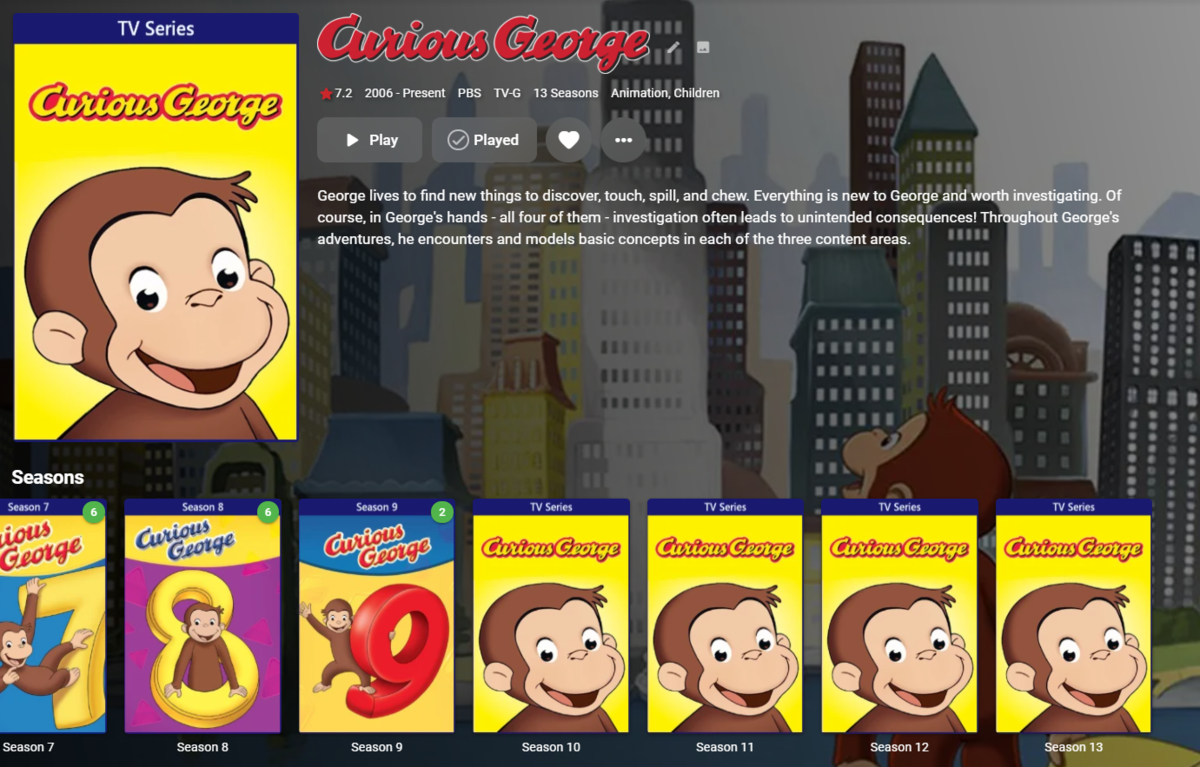
When there's no season image available, the CoverArt plug-in thinks the Season is a tv series. Can this be fixed? Even though there's no season image, it still shouldn't be tagged as a tv series.
 1 point
 -
@ebr, could we get a possibility to insert custom text in BoxSet treatment style, or at least make few templates with text "Collection", as current (and only available) "Box Set" doesn't quite cut it for the larger part of my Collections? And as it would surely be more in line with the terminology used throughout Emby. Thanks1 point
-
None, I use Plain with resolution badges, as I don't fancy box outline. Therefore those 480p's are breaking the consistency and presentation: with DVD treatment they are like finger-poke in the eye, without it they are badge-less. Edit: To clarify, you're already familiar with my somewhat manic OCD, and seeing: badge-badge-badge-NO badge-badge-badge triggers me quite a bit (wish that was the only thing that does ).1 point
-
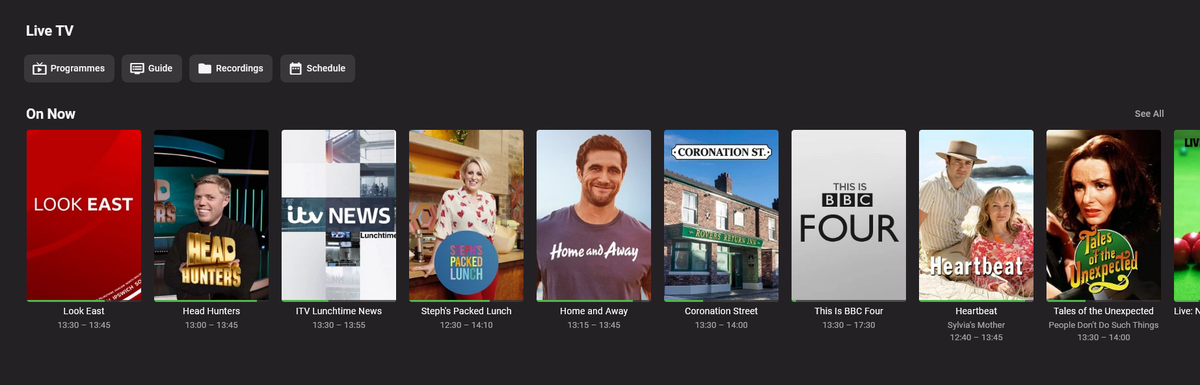
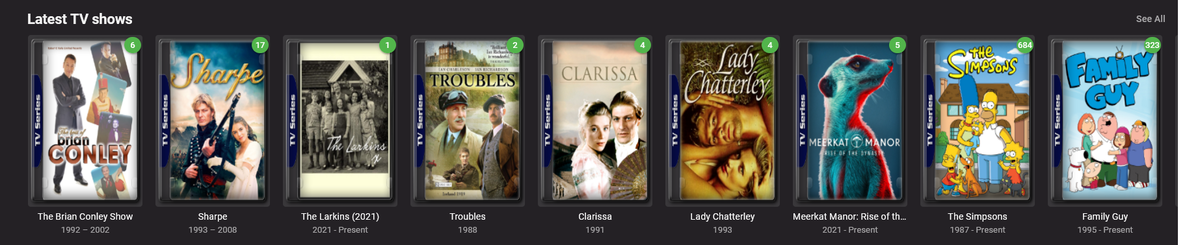
Is there going to be a addition to CoverArt that will add features to live tv posters. I would like to see a small studio logo image on the posters and also something to bring the images more inline with the rest of my media with CoverArt I would also like to see some form of CoverArt on the chapter images. Thanks
 1 point
 -
LOL just posted relating same in the other thread. Yeah, agreed, I would surely appreciate it to distinguish some of the dated stuff (as nowdays that is the minority, as majority IS some flavor of HD).1 point
-
I think CoverArt plugin itself should have to be adjusted and such functionality implemented as currently it does not support such resolution, only SD. Would be nice, though, for some of the dated stuff.1 point
-
No it doesn't. The Android TV version looks much better. It's using a wider size for the episodes than it is for the movies. You can see the difference in my screenshot above right?1 point
-
Yep, understand. But that was then, and this is now and with the variety of different resolutions that we have now it would be nice to have a tag for all of them.1 point
-
Hello everyone, Seems like this problem and the one I raised in another thread were related, and caused by a bad NGINX config. I have implemented the solution in that thread and all seems to be working fine now. Upon further testing it seemed like this issue was caused by MP4 files, which are impacted by a bad proxy config.1 point
-
These work great! Thanks @Senna! @ebr Why not just use the overlays that Senna created? They're MUCH better than the default.1 point
-
Sincere thanks to the both of you for taking the time to explain these (sometimes opaque) facets of "movng picture" technology. I will certainly have a look at the articles that you have provided in hypertext, Cayars and Visproduction, but I remain thankful that people like you can do what you do - otherwise, if it were up to me, the only "moving pictures" that we would have would be those flip the pages and watch the dog walk across the page... Regards John Norris1 point
-
Okay this should do it, has a issue with spaces. div.cardBox .cardContent:not(.detailMainContainer .cardContent):not(div.recentlyPlayedSection .cardContent):not(div.nowPlayingSessions .cardContent) { box-shadow: 0 0 0 4px white; }1 point
-
@Abobader1 point
-
Agreed. I'd prefer to label it Collections to go along with the common terminology in TheMovieDB.1 point
-
Thanks for the update. Glad you got it worked out.1 point
-
When i add manually a movie to a boxset, this will don't automatically update in kodi, only after refresh boxsets. With versions (i think 6.0.9-6.1.11) before 6.1.13 was this working.1 point
-
Either KB or a Tutorials and Guides topic.1 point
-
1 point
-
Want to say thanks to teddybear75 for the guide, it worked perfectly I have and Asus GT-AX11000 which have the DDNS feature as well.1 point
-
Hi, yes more stats like that are planed for the future. Thanks.1 point
-
Got the update today and now it's working fine. Thanks again for your help.1 point
-
thanks guys, before made a backup and installed everything on ubuntu and added the right permissions to the dataset on truenas as i already had the emby user on truenas with the right uid, restored the backup from the jail and everything is working as expected with nfs mounts on the fstab.1 point
-
Sorry this forum is different, the actual link is hidden by the forum software I had to take the link and place it in text editor and the bring it back in. No that I think about it this happened before. Martin1 point
-
I feel like the wording on this topic is terrible. The error message makes it seem as if it's actually going to delete the media files from the server not just the playlist. I would suggest for rewording.1 point
-
I think eventually when we have a tabular view option, that would be a place that makes sense, having it as a column.1 point
-
I like the idea of Channel logos overlay. AndroidTV app does add Channel names underneath so it makes it less noticeable, but I still fancy the logo-idea.1 point
-
Piggybacking onto this topic from similar, strictly access-related, thread, and, quite frankly, find it embarrassing that this is still being discussed and sought-after at this point in time. Off the top of my head, I could count 10 or 20 enhancements that have found their way as server improvements over the past few years, and that in no way should've had before current playlist management (access/ownership) has been revamped. Although likely in vain, I'll voice my support, but from where I'm standing, it certainly doesn't look like that anyone should get their hopes up particularly high.1 point
-
Hi, +1 for private playlists!! It is really a must! thanks thomas1 point
-
Similar to how you can have Emby display missing episodes, I would like a similar feature, but listing missing movies from collections. I.E. If you have "Transformers" and "Transformers 3" in the "Transformers Collection" it would show all movies associated with the collection, with a "missing" tag on the artwork of the missing titles.1 point
-
Absolutely need Continue Listening for Music. The "Spotify Connect" service is the idea to go after.1 point
-
It is really very frustrating that every time you close the app you need to start a new playlist/album/mix. Even more frustrating is that you need to restart the app every time you change network (WiFi-> cellular/cellular ->WiFi). For me, the dream is to have a "single stream" for my user and it will always be in the same state wherever is connect. Just like Spotify but for the whole system. If I start an album on my phone, and then log into the system on my computer it will either move the stream to the computer or control the stream on the phone. Same with video. Hope we get this feature at some point1 point
-
We're always working on supporting the latest and greatest formats.1 point