Leaderboard




Popular Content
Showing content with the highest reputation on 10/13/21 in all areas
-
For me so far so good, everything is looking good. Fingerprinting: Completed at 100% Title Sequence Detection: Is now at 86% Chapter Insertion: Failed the last time but will see if it works with the new plugin. No orange or green colors for me. Maybe all 3 scans need to finish? I might sound like a broken record but thanks again everyone this is great!
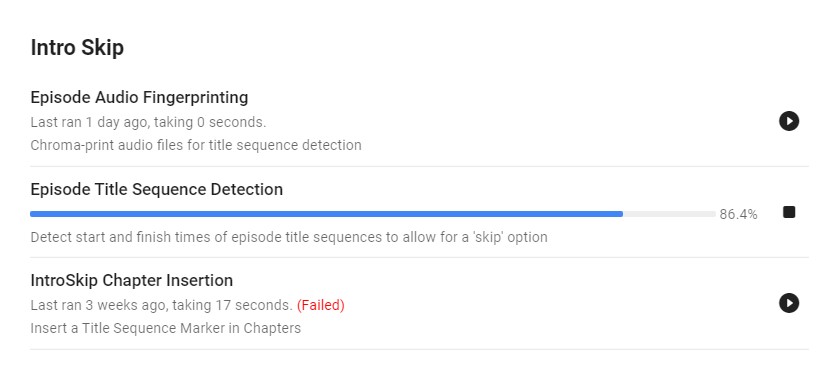
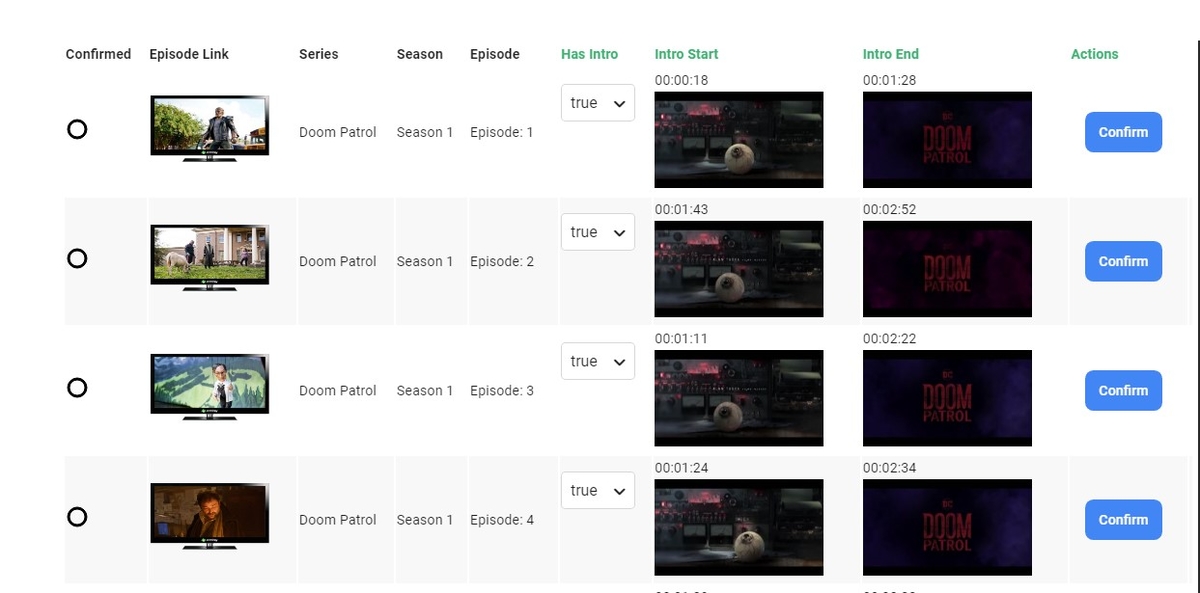
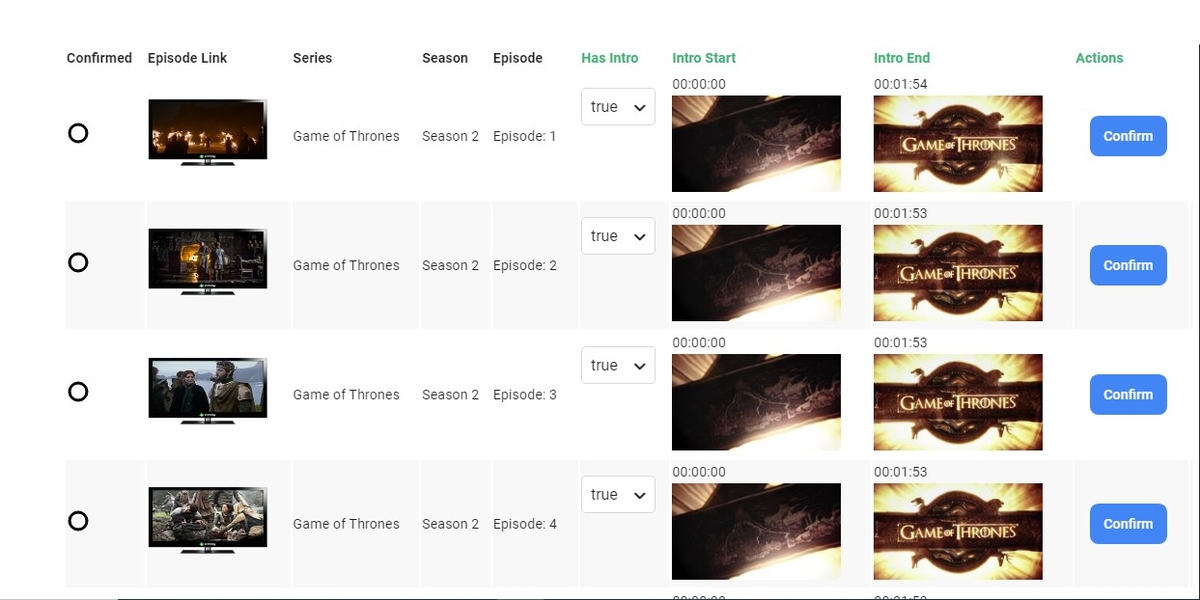
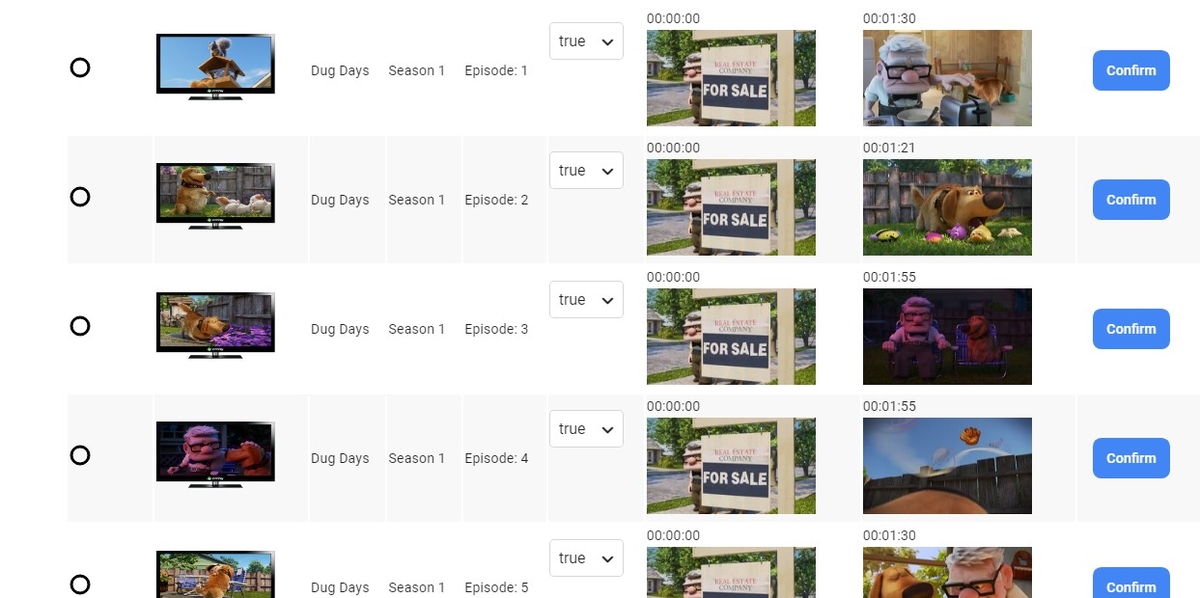 2 points
 -
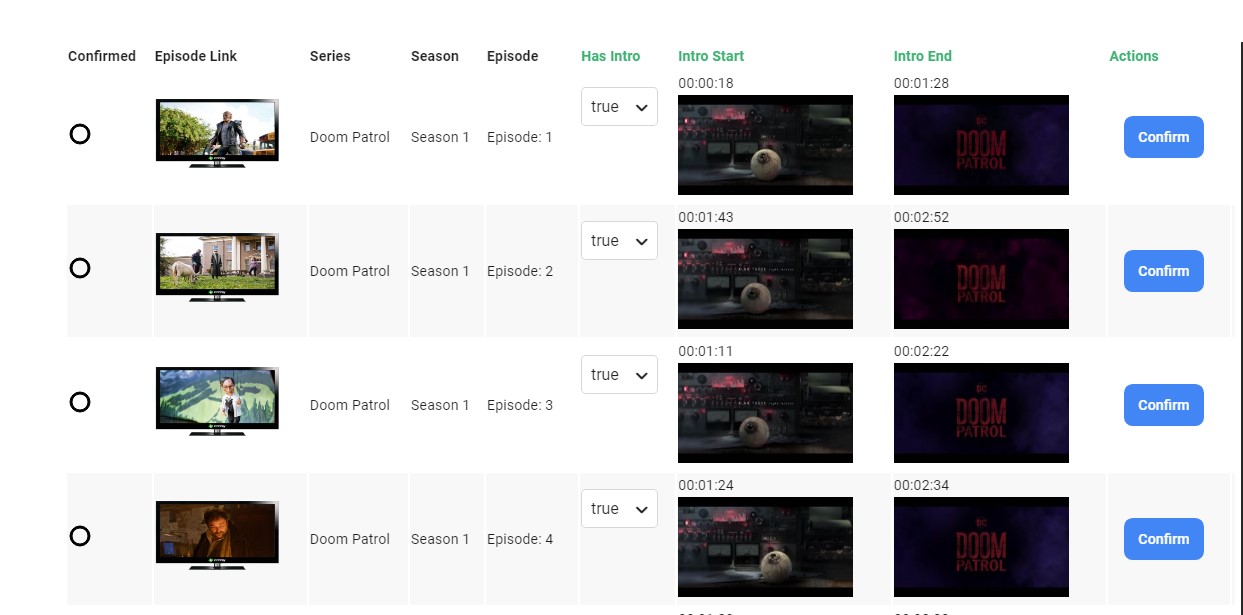
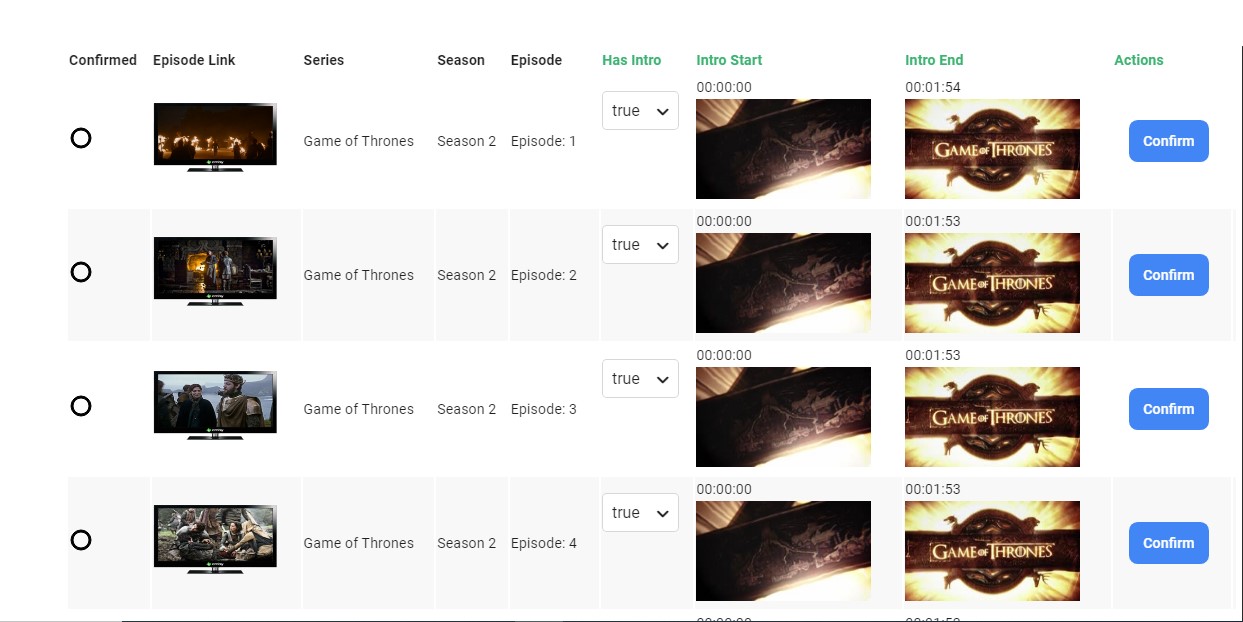
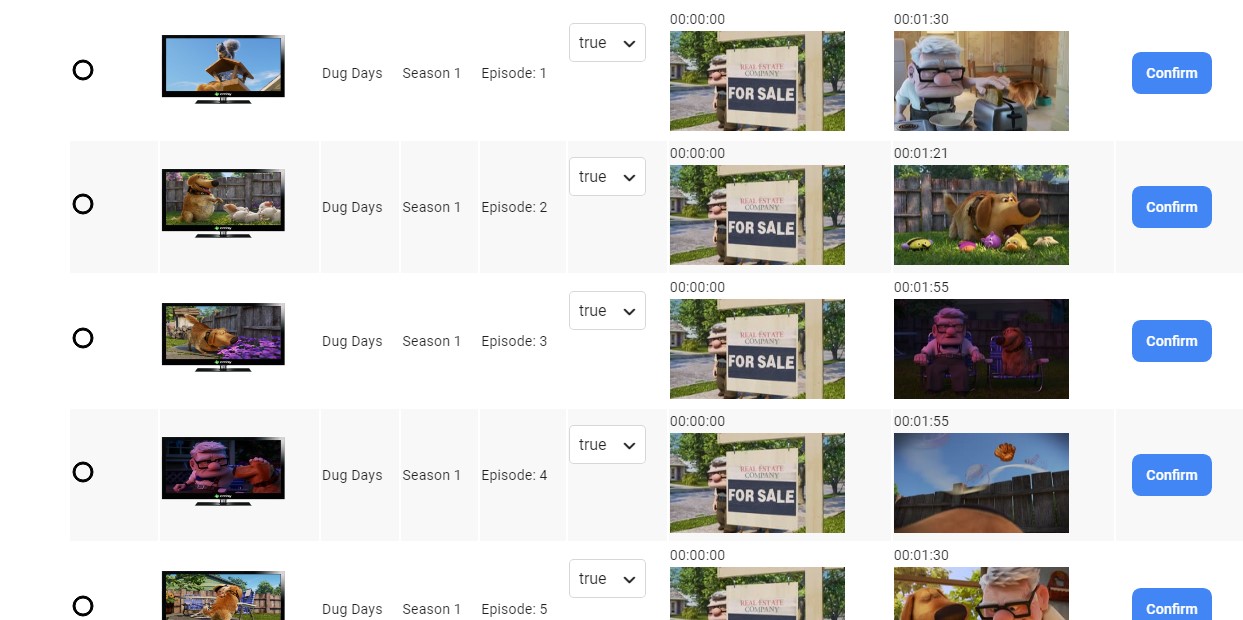
So I thought I'd share some of my screen shots of the plugin doing its job well. It's very exciting! And I'm hopeful to see some results from the community like this.2 points
-
Had to migrate to DSM7 today as sonarr wasn’t functioning correctly anymore. Thought now is as good as anytime to do this. I have plex and Emby servers running on my 918. I had everything backed up and have followed the pre dsm install instructions for both. I thought Emby would be the big pain as I haven’t used putty in many years. I followed the plex install to the letter and could not get it to pick up the old folder data into the new. Finally I threw my hands up and just rebuilt all by hand. Then came my dread…Emby migration. Well from start to finish I think I was at 30 minutes and all was well. Cayars….thanks so much for that short video on the first post!! It sure made life easy and putty wasn’t so bad after all. Again, a most hearty thank you for making this work.2 points
-
@TheUrbanXplorer guten Tag! I have been testing this for a few days now, and I believe that it is stable. Please clear browsing data in order to load the most recent javascript. I'm not sure it is perfect yet. I believe there is still more work to do on this plugin. But, it seems less buggy. Emby.AutoOrganize.zip I am about to work on sorting subtitle files with media items, if they are found in the watched folder.2 points
-
I was just looking at the episode list of Hannibal season 3 to see how many episodes there were left and saw some major spoilers in the thumbnails which made me think that it would be a good idea if there was an option to hide thumbnails for unwatched episodes Thanks.1 point
-
I've seen this in a lot threads now. People having hundreds or thousands of movies but never named them like recommended by the Emby Team: Movie Naming For those of you working with Windows i have a quick PowerShell oneliner to find all those movies and save it into a textfile. So you can go through all of them from time to time and correct it. assuming everyone can open powershell on his PC/Server just navigate in your movies root folder with powershell where you have all your movies in. Get-ChildItem -Include *.mkv -Recurse | Where-Object { $_.Name -notlike '*(*)*' } |select Name |ft > C:\temp\movies.txt This code will search for all .mkv files recursively where no Bracklets are in the filename and select them by name and create a file called movies.txt in C:\temp\ Edit the code line if you have MP4 files instead of MKV. Hopefully you don't get a thousand movies back in that list if so, i would recommend using TinyMediaManager to rename your movies. but if you have just a hand full, you can add the correct year manually. i hope this is helpful for a few of you.1 point
-
I can't say as I'm not monitoring the logs for it. I'm also getting better at typing the credentials Next time I have a failure I'll try to keep in mind to look at the log.1 point
-
On Samsung, generally it will be using DirectPlay, and seeking during live playback isn't possible on that platform. Your second issue is that seeking in the Samsung client is also a terrible experience at any time I have a work around, but it is two steps and not a bad option Start playback, then drop the playback quality just enough to force transcoding. This will add load to the server, so keep an eye out for performance issues, but it will mean that seeking during playback is now possible Using another client (I use Emby on my phone), connect to the Samsung TV using the cast button, then once connected select the cast button again and select remote control. You can then use the timeline to seek. I end up just using my phone as the remote control. Initially this may be slow depending on the transcoding progress, but it at least makes this watchable without spending money.1 point
-
you can try my server on your device if you like.. login info also in my profile same place as the config. No i just didnt know if you manually added rules, if not yet, dont worry about it.. once you get things working there are a few rules i suggest.1 point
-
..and this is highly likely to be your issue. The advertised speed on these powerlines is frankly marketing BS - you will probably get a 10th of that if you are lucky. If you connect the server and shield using 1gig Ethernet (direct connect) - you should not see any issues. I have been running 4K Remux's above 100Mbit/sec without an issues on the Shield for many many months (using File method from a Windows share). A good way to really test the Shield throughput is to use something like iPerf3 in server mode on the host and client mode on the Shield.1 point
-
I think eventually when we have a tabular view option, that would be a place that makes sense, having it as a column.1 point
-
Now Shield is playing from file! I enabled NFS on my server and Shield shows now Direct Play and Stream type: file. But... still video stutters on high bitrate. My network goes through the powerline but it is a 1300 Mbps connection so should not be a problem. Thank you so much for your time, I will do some testing.1 point
-
I had to put this particular change off to the next cycle as we needed to get the current beta out for release. Hopefully, that will go quickly and then I will try increasing the timeout for these image loads in the next beta round. I'm not 100% convinced that is going to solve your issue but we'll see. Thanks.1 point
-
Will send you a PM.1 point
-
Green is for episodes where you have confirmed the intro, and yellow is yet to be confirmed.1 point
-
What's the difference between the GREEN and ORANGE dots @chef ?1 point
-
I think that there should be a subtitle icon for the associated video file on the activity log that when clicked would show the subtitle file that was organized.1 point
-
Makes sense. Ill disable the screen grabber A nice enhancement... Have a checkbox for "on network issues retry" rather then just going to the next one1 point
-
Thanks - that fixed it.1 point
-
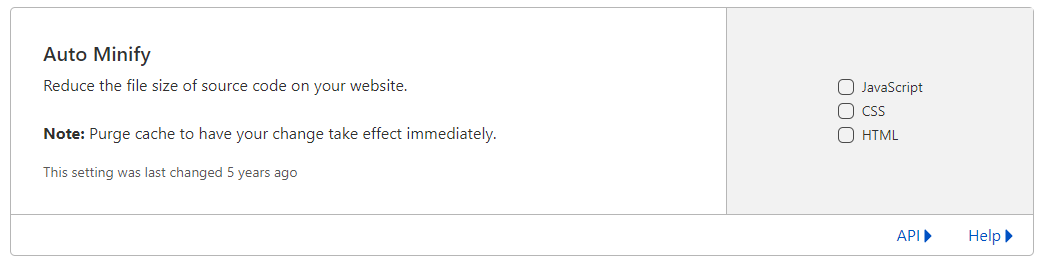
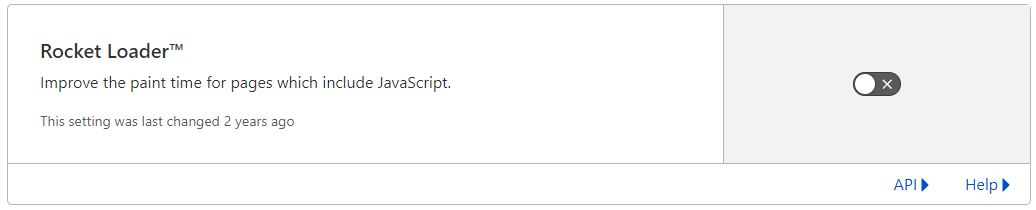
Yea sorry guys, never fear PM'ing me lol i will then get an email alert... I've been working on a Crypto project for the past few months.. https://signum.network if interested (shameless plug) Just logged into your server. I have not tested with the android app yet. But it looks like you are using cloudflare? Turn off the "minify" and "rocket loader" settings in CF. rocket loader does weird stuff with the js. And share any page rules you have in cloudflare. I bet once you turn off rocket loader and clear cache, reload the client a few times your issue clears up.
 1 point
 -
Hi, yes the server already has the data, it's just not displayed anywhere.1 point
-
1 point
-
Yup, in Oz.... Here's the log, I haven't rotated it, so it's rather large... embyserver (19).txt1 point
-
@cayars did a write-up for this if needed. Shield TV Direct File Access : Emby1 point
-
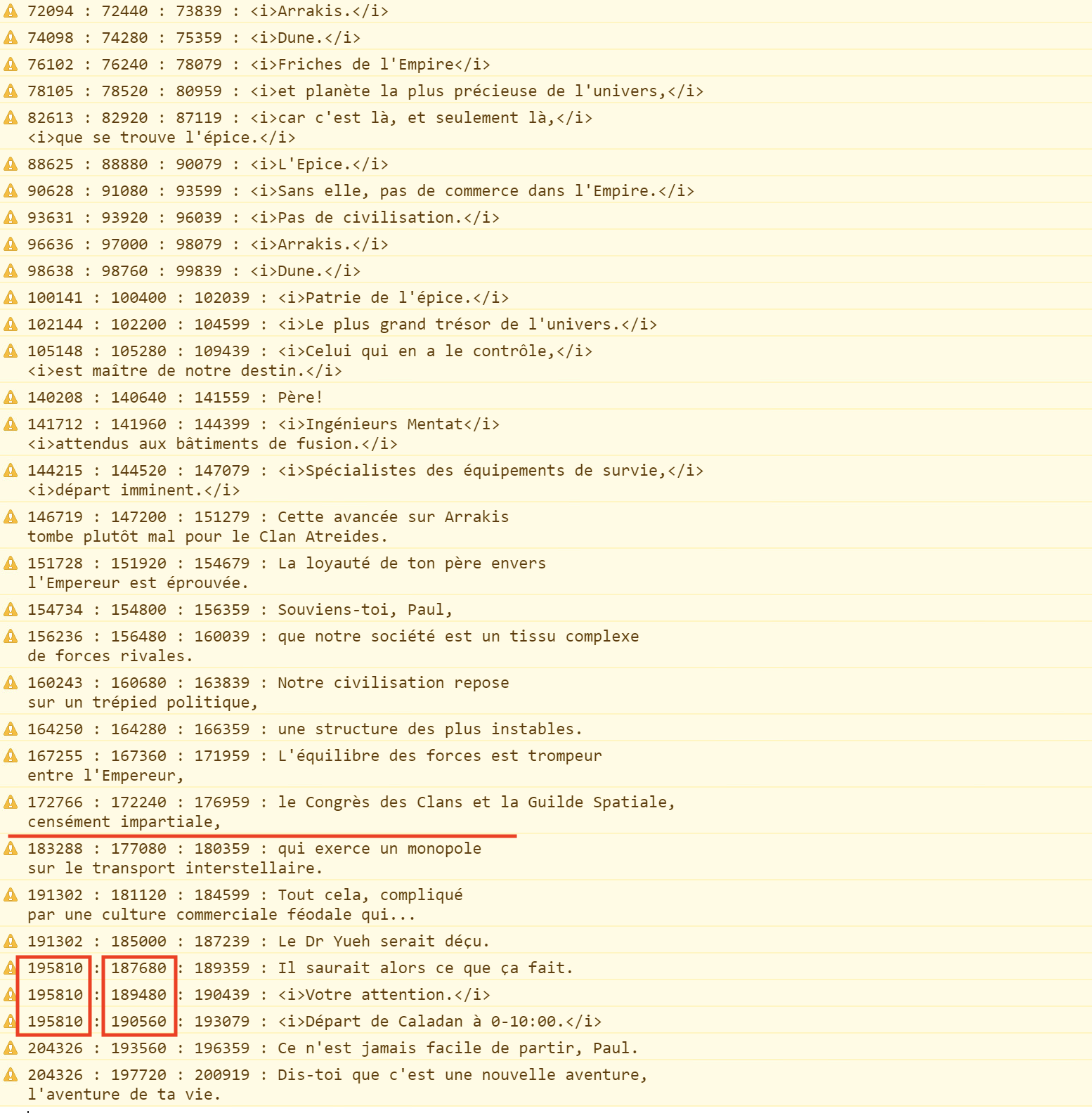
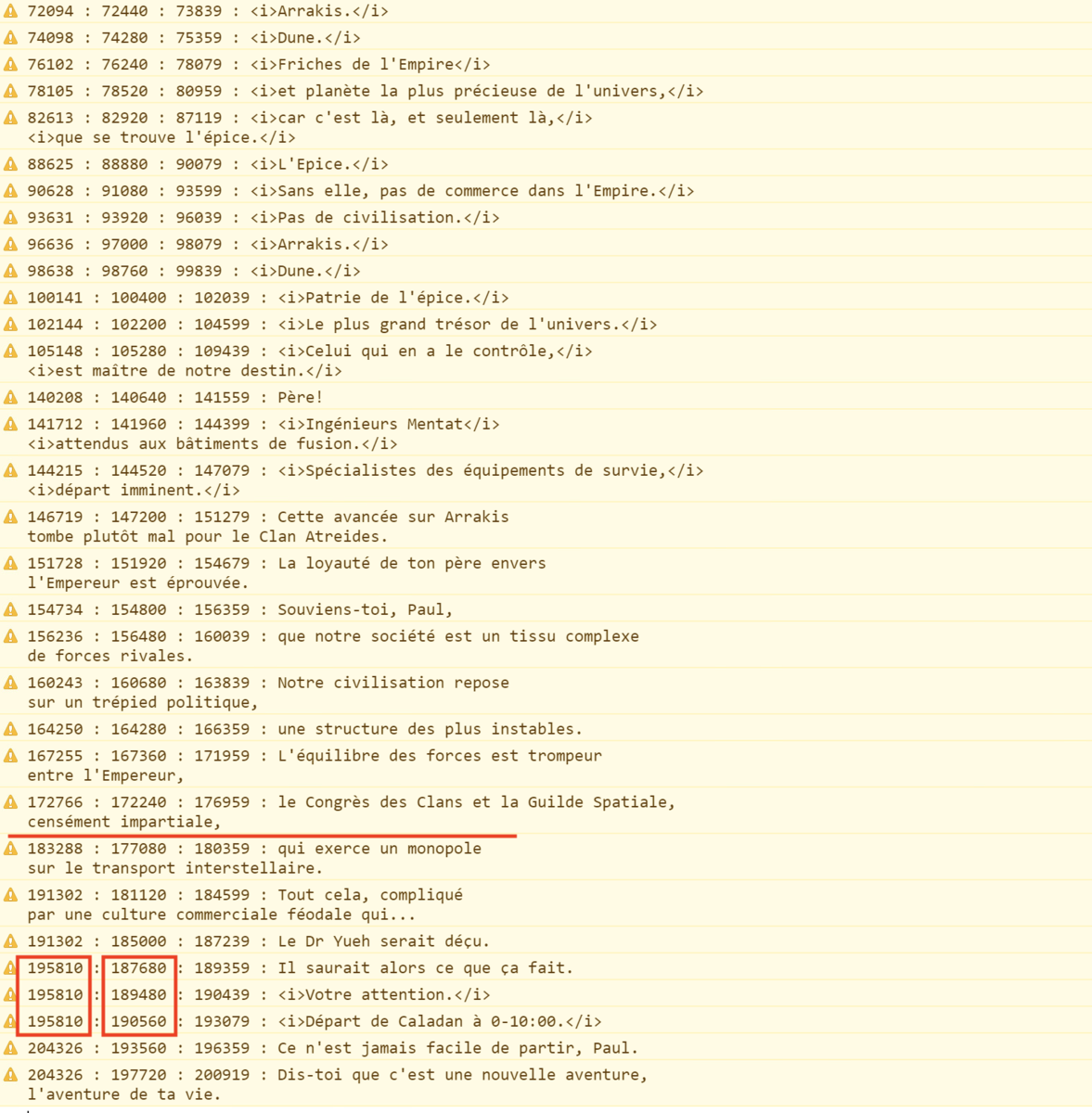
The suggestion by @FrostByte to try an AC3 track is a good one. Try this method https://emby.media/community/index.php?/topic/87802-no-audio-on-lg-oled-cx-for-dts/page/2/&tab=comments#comment-941220 As I test I disabled DTS on my (older) TV and after about 3 minutes I could see this issue. I then enabled DTS again and tried it with DirectPlay. Even after more than 20 minutes it was still good. I think if you add an AC3 track it will fix the issue for you. As to why this happens? I don't really know. In the DirectPlay instance, the built in player reads the sub stream directly from the file and triggers each subtitle display. This works fine For DirectStream, the server creates the subtitle as a vtt stream which is delivered via HLS to the player. The player is still responsible to for the timing of the subtitles, but for some reason it gets out of sync with this method. I can see that the subtitle timing created by the server looks correct for the DirectStream case 03:10.560 --> 03:13.079 <i>Départ de Caladan à 0-10:00.</i> Compared to your srt extract 00:03:10,480 --> 00:03:12,999 <i>Départ de Caladan à 0-10:00.</i> Aside from some sub second rounding, the timing is correct. My only theory is that the player just doesn't handle this well. From my experience subtitle handling is very tricky, lots of different cases to handle and this is not the first strange thing that I have seen happen with the built in player and subtitles. I don't think there is anything specifically here that we can do to actually 'fix' this issue. You can see exactly what is happening here. The first column below is the current playback time (milliseconds) when the player triggers the subtitle display. The second column is the time that the subtitle is supposed to be displayed. Up until the red line, the subtitle is triggered at approx the time it should be displayed, and we display it immediately at that time. After the red line it is being triggered too late by the player. After that it is a mess You can see from your example above that it should be triggered at 190560 (3:10.560 sec), but is not triggered until 195810 (3:15.810 sec). You can even see at this same time it is trying to display several subtitles all at once, but they should have all been displayed earlier. It is just not keeping up for some reason.
 1 point
 -
That looks ok, are you referring to the ERROR lines? That might just be an incorrect log level log line1 point
-
If you don't feel like dealing with cert management maybe consider using the free version of Cloudflare. You can generate a private cloudflare cert on their website that you can use locally either in Emby or nginx (or both). You won't need to renew the cloudflare cert. The advantage to this is that Cloudflare can cache all your image files, making your system load faster for remote clients. @pir8radio uses Cloudflare as well so his configs will worth with this.1 point
-
good post with great info!1 point
-
Hi Guys My daughter called me today and said my grandson couldnt get on emby to watch his shows this morning. Seems the ssl certificate that I switched to last week using certbot didnt work with her LG tv. So me I am not well versed in getting ssl certs through a linux distro (I am a windows guys) but after reading a ton of stuff I managed to get a SSL cert via Zerossl using acme.sh. Called her and told her to test and all is working well now. Thanks to u guys on this forum for pushing me in the right direction Mook1 point
-
Having worked with HughesNet designing and selling UUNET/News groups to ISPs, I can tell you that these satellites sit in geostationary orbit 35,786km (22,236 miles) above the equator. If you're in North America the distance to the bird is obviously further. At best radio waves travelling at the speed of light is 300,000 km/s or 186,000 mile per second. Cut to the chase and you have about 250ms of "air time" just for the waves to make it to the bird and back with no processing at all. Most of the continental USA would be looking at 280ms one way just to account for the time it takes the signal to travel through the air. For a round trip internet packet you would double those numbers or about 560ms at the theoretical minimum latency. Real world experience will show however that one-way communication is more like 500 to 700ms or about 1,000 to 1,4000ms for round trip (RTT). There are also medium and low earth Sats which are much closer to earth. Globalstar sits at roughly 1,400km above earth while Iridium orbits around 670km. These can produce RTT of 40ms or so but do not have the bandwidth for video as they are like old ISDN links at 64kb per second. Some of the newer Sats are positioned about 8km above earth with roughly 125ms RTT but can potentially deliver 1Gb or fiber like bandwidth. Keep in mind your exit or actual entry to the Internet for a GEO Sat matters as well. For example HughesNet in North America has three locations: Germantown MD, Detroit MI, Las Vegas NV. So from that entry/exit point to the destination will get added on and raise the latency if you're not hitting a service that's peered there as well such as Netflix or a CDN. Anyway latency is crucial in today's Internet usage as protocols these days are very chatty. As an example just to initiate a secure Internet connections (SSL) requires the exchange of numerous pieces of data between web server and client. Although these pieces of data are small and not bandwidth sensitive the multiple round-trips involved in the handshake produce long delays. Loading a simple webpage with graphics looks like it doesn't work when you're not used to this. A page might look like it tried to start but "hung", but then it starts to load then appears to pause and then about a second later start to fill suddenly with the graphics. Any kind of java use that allows the page and server to communicate back and forth and it can become a "fun" experience. Like many other services, Sat is often over sold. Sometimes it can seem fast and other times it's bogged down from over use. This on an already high latency connection just makes matters even worse quickly! Now think about something like video streaming where the client and server are constantly "talking" to each other trying to keep a few seconds of buffer filled, requesting lost packets, etc and you can see why latency can be much more important than pure bandwidth. No amount of available bandwidth matters if the two can't talk to each other in a timely manner to make use of the bandwidth properly. The high latency makes issues with video jitter much more pronounced and common. It's common to see jitter buffers used in QOS which won't be tested for with a ping or trace route but of course ads to the video latency but helps to smooth out streams a bit. But when packets need resending these buffers get in the way. Latency and jitter are closely related and somewhat overlap each other, but both are very important to video streaming protocols. One of the best ways to handle this on a streaming platform like Emby is to allow "progressive" downloads or what we might call direct play where the file itself is basically downloaded and the HLS streaming protocol isn't used. Forgetting all about satellites and just talking normal Emby use. This is one of the reasons a person can have no issues playing back normal media from their libraries remotely (direct play), but have an issue with Live TV or any file that doesn't direct play (direct stream or transcode). You're then using HLS protocol, which is much more intolerant of latency and jitter issues.1 point
-
The plugin needs an update from the developer. Considering that the Jupiter Broadcast website has rss feeds, there's no reason to have a plugin anyway. You can just import those with the Podcasts plugin.1 point
-
@Cheesegeezer, @rbjtech, @CBers, I see two things in @kaj 's log that is strange. One has to do with Intro skip... This: 2021-10-13 12:01:44.202 Debug Intro Skip: Season 8 - S: - E:: Extracting chunks from binary chroma-print. 2021-10-13 12:01:44.204 Debug Intro Skip: Season 8 - S: - E:: .bin file removed. It doesn't have a name, but it is obviously a media file, it lives in the episodes library, and it does get fingerprinted. It has to be an episode, otherwise we wouldn't get it as a result in our query, but it's nameless. I don't know what it is. Any thoughts? Here's the thing, I don't think it is going to cause issues during detection, and fingerprint, because we request data and then filter matches by ID. So if these items have ID's, then and entry in the database will get created, but they will not have a name... I don't think it will break anything. ---------------------- Side note for kaj: Are you aware that there is a failing Sync job happening over and over again on your server? If I only saw it once, I wouldn't bring it up, but... it is happening a lot... in both the logs you have shared. It might not mean anything, but if you are running a NAS, it might be using your precious resources and go unnoticed. Just thought I'd bring it up. You have a folder permission issue, and the folder sync can't complete, so it tries and fails... and then again.... and then again.... you get it. How is the task running now? Did it finish?1 point
-
I have all the Hobbit and LoTR and 1917 movies remuxed and can Direct Play all of them using my Shield. NAS -> 2gb -> Switch -> 1gb -> Shield If using the ATV app you can set it to "file" access instead of http which can help with high bitrate media also1 point
-
To my knowledge when the trial expires you should be limited to one minute playback even though the matrix does not explicitly say that. Emby Premiere Feature Matrix : Emby1 point
-
Great, it does sound like you may have found some old instructions somewhere.1 point
-
Usually the server network settings are a last resort, more of a workaround to handle extreme corner cases. You're better configuring the network connection of the docker container such that it works without having to use the server network settings.1 point
-
Hi, this will be resolved in Emby for Android 3.2.20+. Thanks.1 point
-
I reckon that implementing such would introduce unnecessary complexity both for inept users and troubleshooting purposes, as it is already quite convoluted enough with several places that bitrate restriction can be enforced. IMHO more sensible approach would be a settings toggle to NOT remember quality selection between playback sessions, i.e. always default to selections in Settings>Playback, do not automatically change if changed in OSD during playback.1 point
-
Thank you for your suggestion I just discovered minidlna. It works a treat. VLC picks it up, my LG TV picks it up, my Yamaha Receiver picks it up. My F series Samsung picks it up. And it was painless. Very very cool.1 point