Leaderboard




Popular Content
Showing content with the highest reputation on 10/12/21 in all areas
-
We'll be looking at it this week. Thanks guys.3 points
-
https://github.com/MediaBrowser/Emby.Releases/releases2 points
-
Ok, muchas gracias...Esperaré entonces a la última versión estable de Emby para probarlo...Saludos...2 points
-
Yeah, as do r/EmbyShares mods, as well.2 points
-
Is it April 1st already?2 points
-
There are basically three types of trailers. First ones that you download and add to your media so they reside on disc Second a listing to a trailer for a specific movie or show as listed at the meta-provider Third those that the trailer plugin can add with additional sections @Happy2Play showed. Cinema Intro configures how and what is show pre movie or episode It can show upcoming movies, Dvd & Blu-ray releases, upcoming movies on Netflix, older movies. These would come from the trailers plugin. It can also Include trailers from movies in your library if you have them. You can of course set smart parental controls on these show a child that's allowed to watch PG-13 doesn't see PG-17 or R trailers. It can also be set to play trailers from unwatched content. Besides being able to show trailers before the main media plays you can also play videos based on Codecs used in the media. Last but not least you can have a canned video you want always played. This could be a short video that's basically "brought to you buy" or what ever you want it to be. You can use this for anything you want. Emby Weird.mp4 or maybe around Christmas time something like this: Snowy Santa Emby Pre-roll.mp4 Two Plugins These are two very different plugins with different features and you can use either by itself or both together. If you want to only use the Cinema Into plugin to play your own video or codec intros or even local trailers you have no need for the trailers plugin. If you want trailers but have no need for Cinema Intros then you don't need that plugin.2 points
-
Regarding the second collections folder, try deleting this folder if present: C:\Users\Dizzy\AppData\Roaming\Emby-Server\root\default\Collections Then run a scan of all libraries and see if it goes away.2 points
-
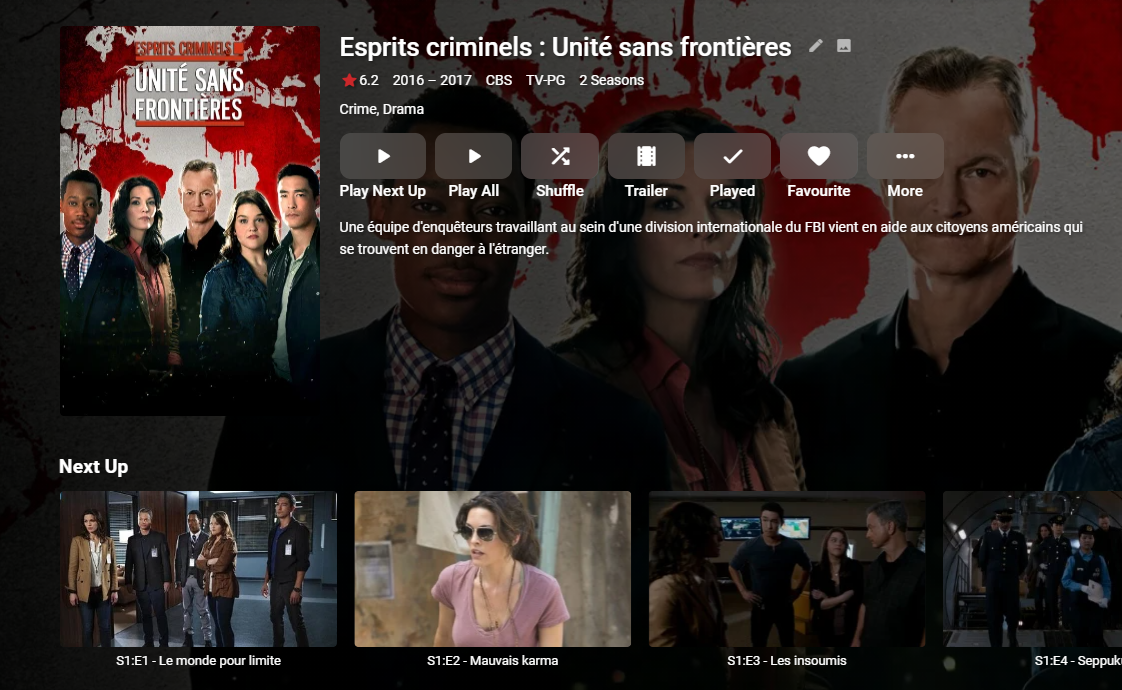
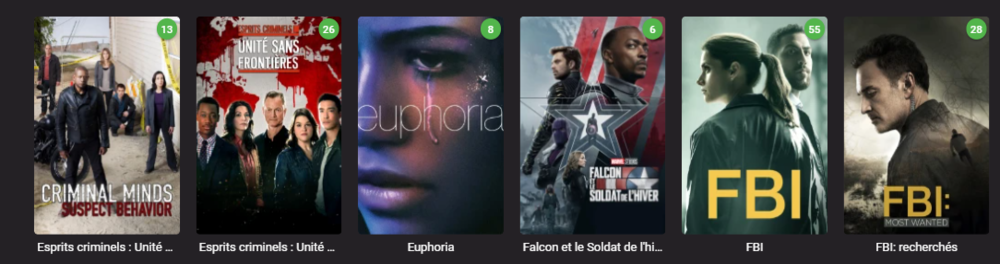
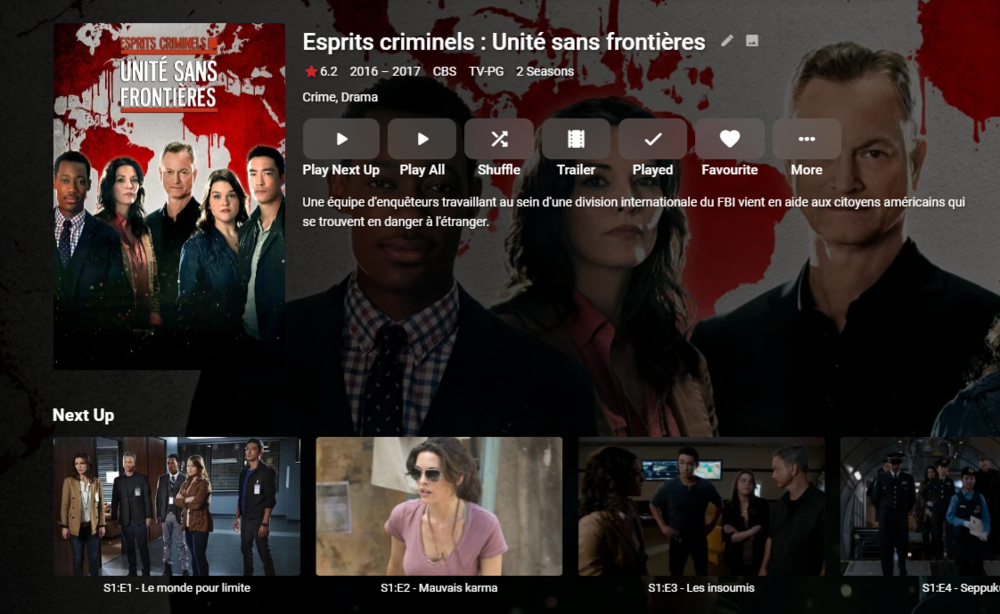
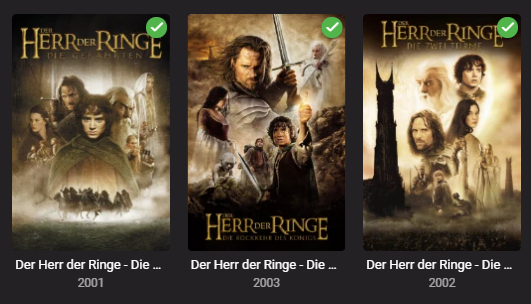
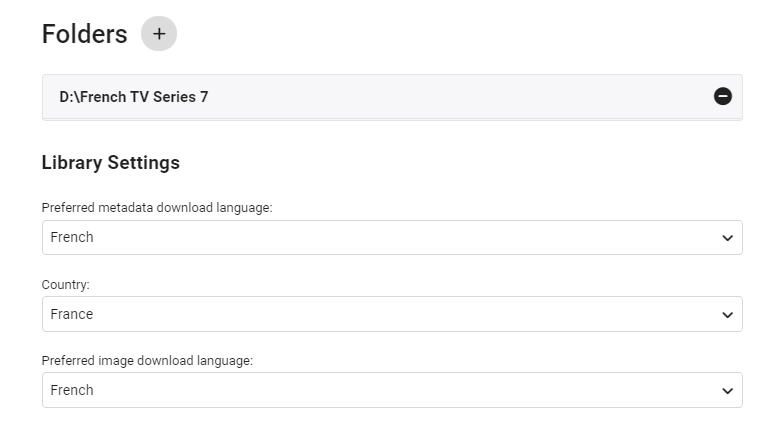
edit 30/08/2022 I've updated the script as follows - - On repeat usage, added Progress Monitor when skipping existing STRM files (rather than thinking it's hung ..) - Added Summary page of the New Libraries This also works with TV Series - due to the nature of each episode needing it's own STRM file - it takes a little longer, but works just as well. ------- I've created a simple script that creates a copy of the structure of an existing emby library (file path). It then populates this new structure with strm (link) files back to the original video files. You can then use this library as a new library within emby - and subsequently you can choose the metadata language as you would do as part of the normal setup. This means you can get : native language metadata (if it exists) native language artwork (if that exists) subtitle language as required (you can do multi language subs in the core system) The video file is played from the original library - so there is no need to duplicate the video files. If required, user permission can be removed from the main library, leaving just this new library to browse in the users native language. Usage (windows batch file) Copy the batch file 'libstrm.bat' and 'library.txt' to the emby server in a suitable directory. Modify the 'library.txt' file to match your system. In the example file I have - D:\TV Series\;D:\French TV Series\ D:\Films\;D:\German Films\ Also works with UNC - \\media\TV Series\;\\media\French TV Series\ \\media\Films\;\\media\German Films\ The first path is the original location, the second path is the new library location (with the strm files). Note - the path must end with a \ and the entries are separated by a semi-colon. The 'library.txt' file can contain any number of drives and folders - I suggest testing with a sample to start with. Run the 'libstrm.bat' file from a command. Depending on the number of folders/files - it may take a few seconds or more to complete - but it will show progress as it goes. Once complete - create new emby libraries pointing to the new locations - remembering to set the metadata language as required. For example :- Once setup and emby has scanned the new folders (it will do this automatically if set to monitor - or a manual scan) - all the relevant metadata will be imported. As an example - in my test French library :- Note the French metadata, episode names and artwork. In my test German library :- Again, German metadata & artwork. Keeping the system updated ... Because creating the strm files is manual - to add NEW media, the script can just be run again (via the Windows task schedule ever day for example). If the strm file is already there, it will not recreate it. However, if media is removed from the original library (remember it links to it, it is not a copy) - then the strm link will unfortunately break. It can of course just be removed manually by deleting the strm file. I've added a progress bar to now show when items are skipped (every 100 items gets a # displayed..) Media Playback ... The resulting playback will of course be identical to playing the original file (as it IS the original file) but any playback preferences will be remembered for that library. So if the Audio was set to French with French subtitles, then next time it is played, it will remember those settings. There may be a way of setting these to a library default in the native language - I have not experimented with this. Feedback welcome. (rename the libstrm.bat.txt file to libstrm.bat) library.txtlibstrm.bat.txt

 1 point
 -
And we've started at -0.7% again (negative) Log attached from the 1st few minutes are re-starting the task embyserver (16).txt
 1 point
 -
That was it! I'm not sure if it was another tutorial I was using or just an assumption on my part but I had been putting in \\[server name] into the folder name and that's what wasn't working. Lol I knew it had to be something this simple since I couldn't find anyone else with the same issue. Thanks so much, apologies for the trouble!1 point
-
After I copied it over, I updated the owner and permissions to match the other plugin dlls1 point
-
So, my initial Audio Fingerprinting finished while I was sleeping last night, after about 36 hours or so. However, as I was asleep and the installation had set up Audio Fingerprinting as a run-every-24-hours scheduled task, it is now running again, currently on 10.2%. Do I let it finish running before attempting anything else? I've probably added less than 10 new episodes since the initial scan started. Maybe the installation should not set any scheduled tasks, and that should be added manually once the initial large scan has completed?1 point
-
Thank you!1 point
-
i hope so what is really strange is both LG or samsung the 2 biggest tv manufacturers does not support DTS natively since 2018. DTS licence is expensive. now AC3 is free of charge for every manufacturer on earth. it may be linked to the direct steam, but i am not an expert, i am just a emby mad user1 point
-
Windows will have to run the beta server at least for now.1 point
-
I'm simply going to disagree in a big way as packet latency can affect video streaming performance more than bandwidth available. High latency can lead to frequent buffering as the client and server can't talk to each other fast enough. You start getting packet loss which just makes it that much worse. Here's an easy read. https://www.evdodepotusa.com/low-latency-ideal-latency-video-streaming/1 point
-
Thanks @rbjtech for Windows servers you need to run beta as this has the latest ffmpeg that includes chromaprint. we believe that linux based servers have this already in the their build.1 point
-
The plugin is dependent on the 'Croma' print function within ffmpeg. The latest emby Windows beta has the required version, but this functionality was also included with earlier linux/other os builds. If you can run the emby 'ffmpeg' executable (no arguments) from a command line - then look for the version below or higher and it should contain the function you need. ffmpeg version 4.4.0-emby_2021_08_23-g8f222573e9+49981 point
-
i believe in a number of these situations (there's another one out there at the moment) there is confusion (or more likely obfuscation) on behalf of the OP between owner of server on which emby is installed and person who pays for the account on someone else's commercially operated server in breach of emby licence T&C's1 point
-
It's funny how these types of threads all seem to work out when you ask for a log. Anyway, mods know.1 point
-
Well... That works Thanks!1 point
-
Use Emby Theatre, that'll likely allow you to DirectPlay those.1 point
-
Reading through this thread has been a surreal experience, I was like "Huh? Eh? Ha?" and the likes, and still can't make heads or tails out if it. If your husband is server admin, who's "they" on Discord you're guessing did something?1 point
-
@TheUrbanXplorer guten Tag! I have been testing this for a few days now, and I believe that it is stable. Please clear browsing data in order to load the most recent javascript. I'm not sure it is perfect yet. I believe there is still more work to do on this plugin. But, it seems less buggy. Emby.AutoOrganize.zip I am about to work on sorting subtitle files with media items, if they are found in the watched folder.1 point
-
@Luke, is the ability to Group items into Collections lost when diving deeper into Folder view, as I see it in top-level three-dots menu option but not once inside any subfolder that contains items belonging to the same Collection?1 point
-
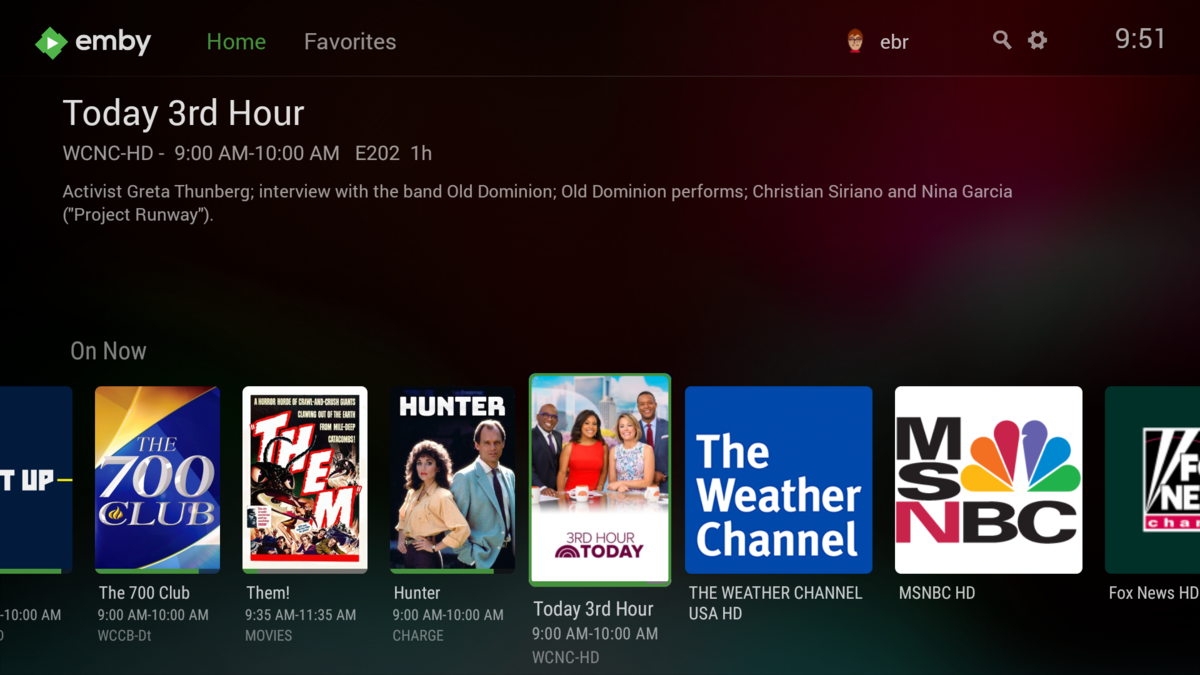
I get channel logos for items without program data but will have to look into the case where there is program data but no program image.
 1 point
 -
The local server discovery uses a different protocol so that's why it was still able to find it.1 point
-
chown emby IntroSkip.dll chgrp emby IntroSkip.dll ls -l IntroSkip.dll Once you type the third command it should look like my pic from above1 point
-
Have you restarted your Emby server?1 point
-
Hello @chef, I wanted to ask what the status is. There's still this problem with AutoOrganize / SkipIntro, the top of the bar disappears when I remove the hooks on automatically sort. You had written a while ago, that there soon comes an update. But that is already a few days ago. Greetings from Wuppertal, Germany1 point
-
Sure, good idea.1 point
-
That's right. I don't care too much about it. I'm happy just to see the emby active and no problems. It gives me peace.1 point
-
If it helped then that's awesome! Thanks for the feedback.1 point
-
A public VPN can't improve poor bandwidth from a WIFI period. It can sometimes provider a route with less hops but if the latency is higher you don't gain anything. But what you need to do is do a trace route from your computer without the VPN running to see the real hops your packet will take (they have to get to the VPN server). VPN's are great to stop snooping from your computer to the VPN server but everything after that is on the public internet as your connection is only partially protected. If the VPN server is in a location with more hops to your destination then it can make the latency a lot higher as well. Another possibility is that the hospital is using the same ISP as you are at home so without the VPN you would never touch the internet but would stay completely on the ISP's network without having to go through a peering point.1 point
-
But I do not agree as these are two totally different plugins that yes do/can work in conjunctions with each other, but neither require each other.
 1 point
 -
On some linux distros, Firefox does not include h264 support and you have to install it ourselves. Until you've done that, the server has to transcode to webm and it looks like there is a failure in doing that, so we'll take a look at that. But in the meantime you can probably resolve this on your own: https://support.mozilla.org/en-US/questions/13170851 point
-
We currently have an update in Apple review. I would suggest following the testing are of the community: https://emby.media/community/index.php?/forum/161-apple-tv/ That will give you an idea of what changes are available to the beta testers for testing. We'll have an announcement on the blog as soon as it is released. Thanks.1 point
-
Hi, we are continuously working on improving the apple tv app and will have a new update out soon. Thanks for the feedback.1 point
-
Hi, please see my response here: Thanks.1 point
-
I've been known as heavy TMM proponent, that's my Swiss-knife for, like, everything. If you store your NFOs and artwork with your media and have NFO reader enabled in Library settings - those will be primarily used. There's several topics about it around the forums, you can even disable other meta-scrapers (or internet connection alltogether) on initial scan, hence ensuring only those will be read/imported, and that will significantly shorten time needed.1 point
-
just provide the function of displaying lyrics, we can find lyrics1 point
-
There is nothing in the log that shows a related problem. That missing graphic file is not a problem so don't worry about it. It really just looks like your pushing things beyond what the hardware/OS itself can handle on peak loads. What is probably needed is to get a specialist that can look over and tune the OS. The Emby logs and this forum most likely are not going to be able to help you in this matter. We've already seen things like exhausted file handles and other OS resources which would indicate the OS has likely never been tuned for the load you're putting on it. Having 500+ simultaneous streams going is going to be very taxing on that machine/OS.1 point
-
It was released October 5th.1 point
-
We will have to add this to the api output. Thanks.1 point
-
New version available BETA VERSION 6.1.3: https://github.com/MediaBrowser/plugin.video.emby/releases/tag/6.1.3 Download link for manual update: https://github.com/MediaBrowser/plugin.video.emby/archive/refs/tags/6.1.3.zip1 point
-
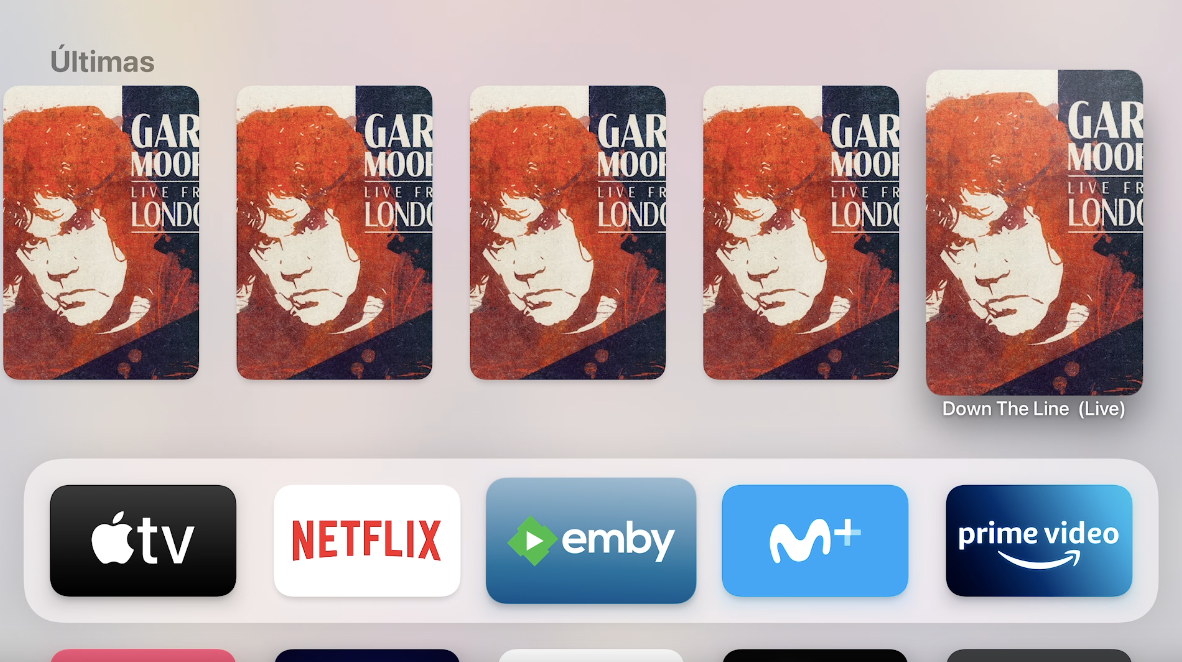
Top Shelf in the beta version is almost fixed, the only problem I notice is that after adding a music album, the Top Shelf fills up with album songs (wrong aspect ratio). If they want to add the music to the Top Shelf (I prefer not to) only the album should be shown.
 1 point
 -
1 point
-
Sorry for reviving an old thread, but this is very dangerous behaviour IMHO. Please consider showing a warning message when adding a new user with an Emby Connect ID defined, perhaps something like: "Please note that this user may also log in manually by connecting directly to this server. Unless you set a password for the user, your media libraries might become freely accessible to anyone who knows the server address." A button to instantly generate a random password for the user would be a super cool feature. Or just a link to the "Change password" page for that specific user. Instead of relying on the server owner remembering to generate a password himself, and possibly exposing their entire library to the internet if he/she forgets. There's a lot of port-scanning bots out there... I just switched to Emby after many years of using Plex, so I might be biased after having gotten used their online-only login process. I love the possibility of a local, cloud-free login process with Emby, but I have a feeling that most people who create Emby Connect users intend on connecting to them using Emby Connect exclusively. If not, I think they will survive an additional warning message (a "Don't show again" checkbox would make it a one-time annoyance for those people). Emby Connect is my primary reason for using Emby with a Premiere license, rather than just using an open-source alternative, so I was really surprised to suddenly see my entire media library accessible to anybody in the world after having created my first Emby Connect user...1 point
-
Watching emby now on my cell phone, finally got it working. OMG that was painful, I feel like I just gave birth to a web certificate, will name it Lil Demon...1 point
-
Yes, there is: https://emby.media/community/index.php?/topic/70964-multiple-metadata-languages/1 point